Livestreaming your
OpenCon Satellite Event
A Quick How-To Guide
By Lorraine Chuen
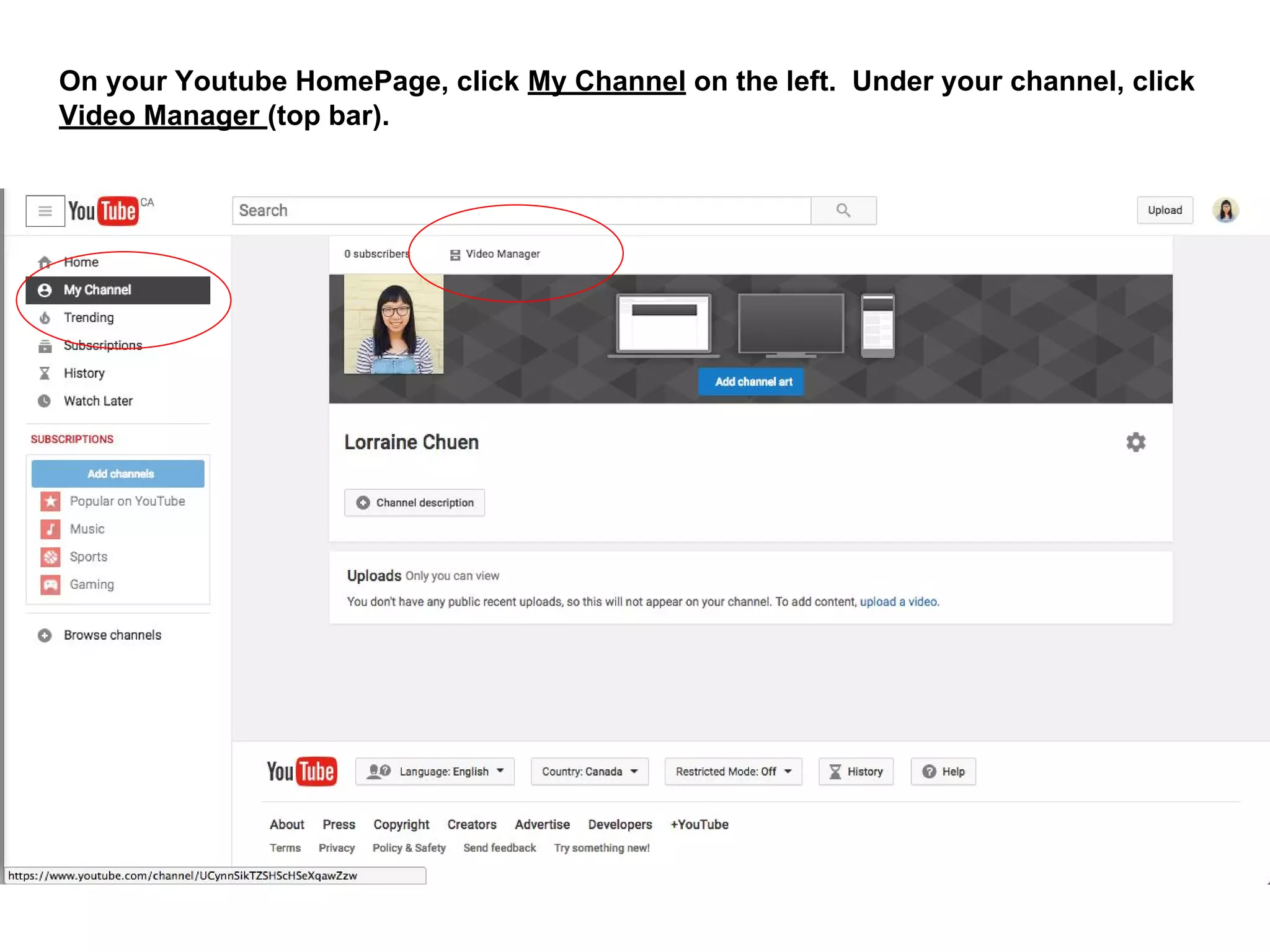
On your Youtube HomePage, click My Channel on the left. Under your channel, click
Video Manager (top bar).
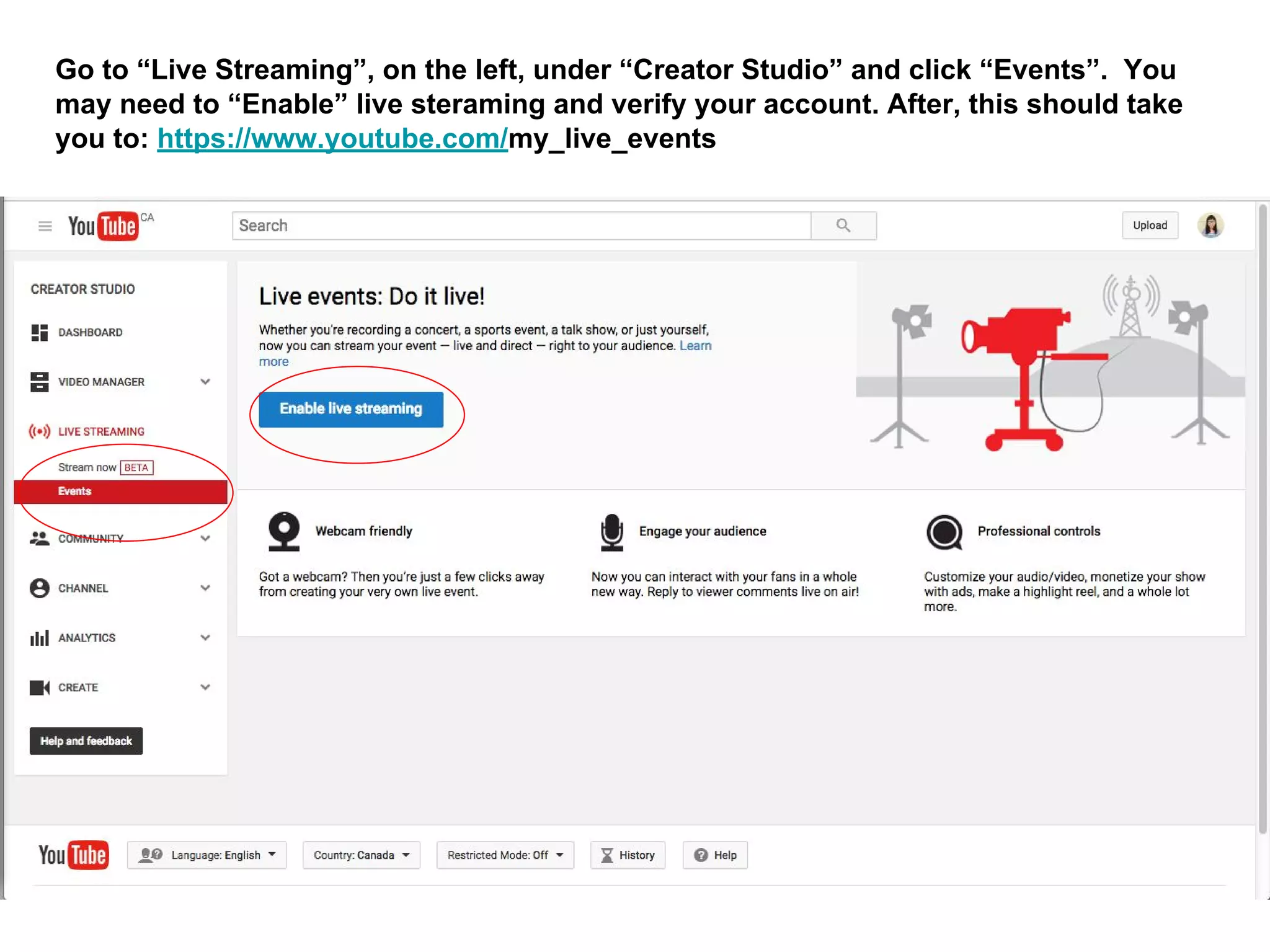
Go to “Live Streaming”, on the left, under “Creator Studio” and click “Events”. You
may need to “Enable” live steraming and verify your account. After, this should take
you to: https://www.youtube.com/my_live_events
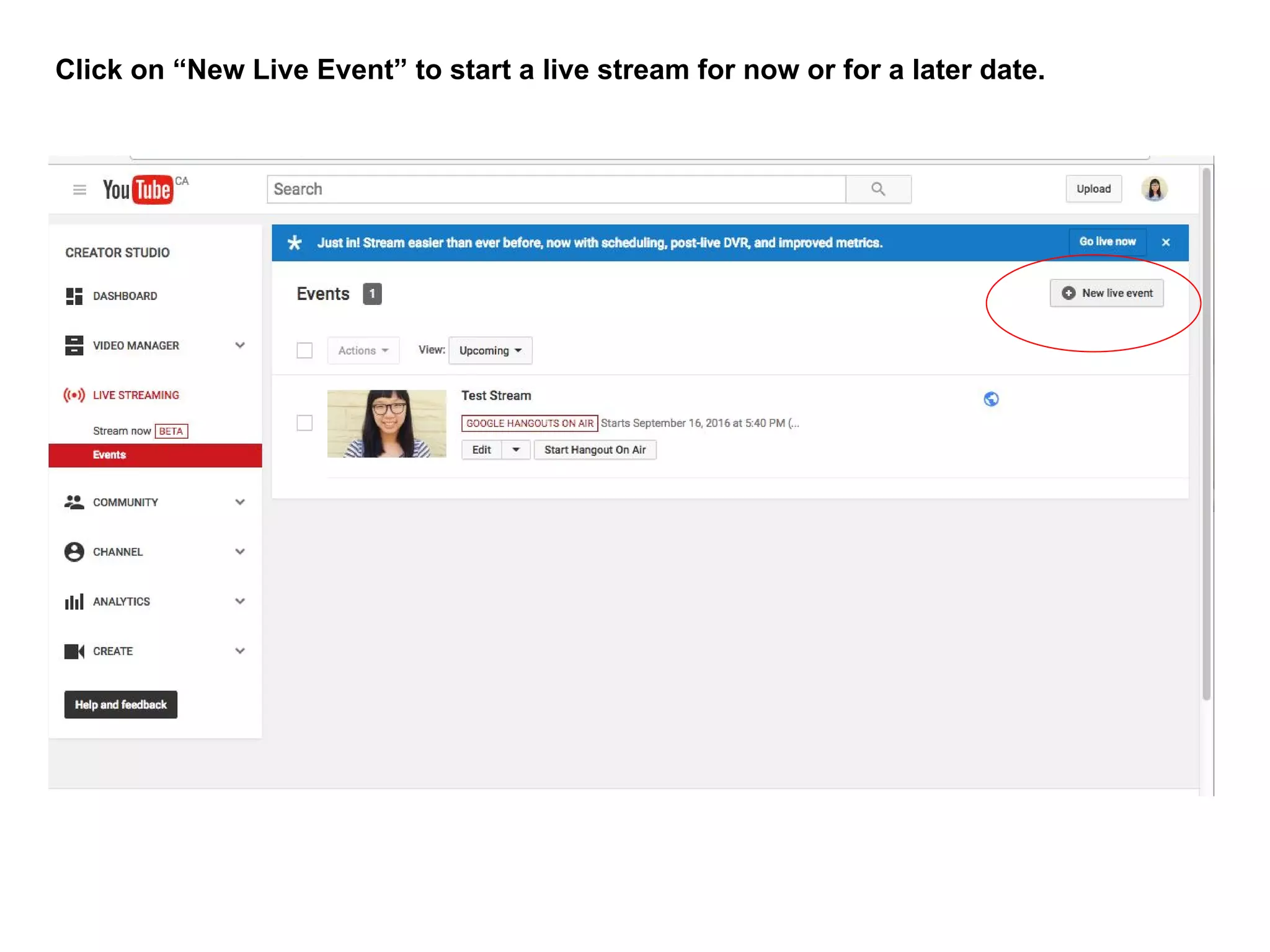
Click on “New Live Event” to start a live stream for now or for a later date.
If streaming immediately: Set time to now. Give event a name (and any relevant details) and
then click “Go Live Now” on the right hand corner.
This will take you to a Google Hangouts on Air window. You’re not live until you click the
“Start Broadcast” green button at the bottom of the screen. The link to the livestream is on
the right hand bottom corner.
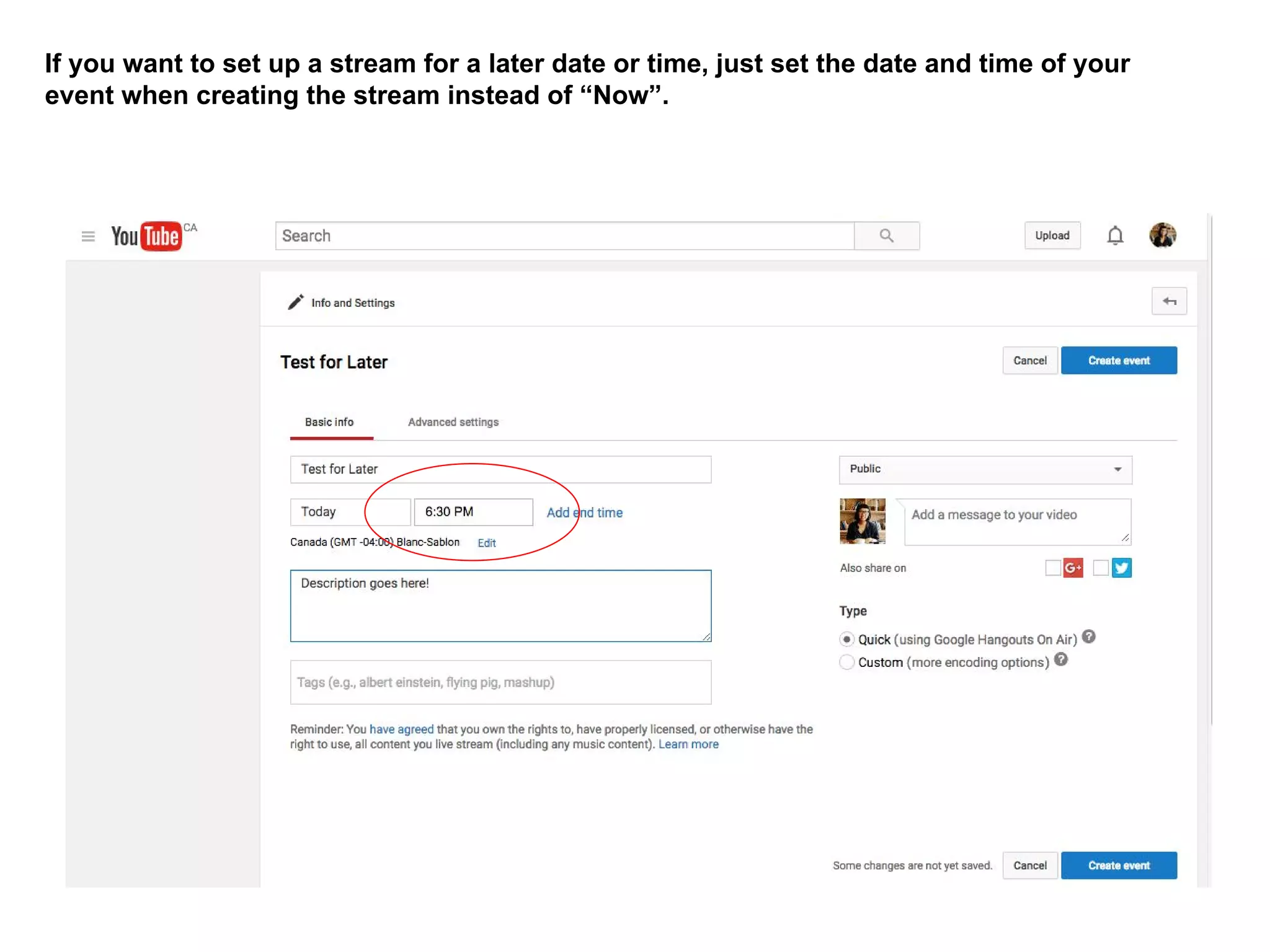
If you want to set up a stream for a later date or time, just set the date and time of your
event when creating the stream instead of “Now”.
The link to your future livestream should be listed under:
https://www.youtube.com/my_live_events - you can click on the event to give people
the public YouTube URL.

OpenCon Satellite Event Livestreaming Guide

  • 1.
    Livestreaming your OpenCon SatelliteEvent A Quick How-To Guide By Lorraine Chuen
  • 2.
    On your YoutubeHomePage, click My Channel on the left. Under your channel, click Video Manager (top bar).
  • 3.
    Go to “LiveStreaming”, on the left, under “Creator Studio” and click “Events”. You may need to “Enable” live steraming and verify your account. After, this should take you to: https://www.youtube.com/my_live_events
  • 4.
    Click on “NewLive Event” to start a live stream for now or for a later date.
  • 5.
    If streaming immediately:Set time to now. Give event a name (and any relevant details) and then click “Go Live Now” on the right hand corner.
  • 6.
    This will takeyou to a Google Hangouts on Air window. You’re not live until you click the “Start Broadcast” green button at the bottom of the screen. The link to the livestream is on the right hand bottom corner.
  • 7.
    If you wantto set up a stream for a later date or time, just set the date and time of your event when creating the stream instead of “Now”.
  • 8.
    The link toyour future livestream should be listed under: https://www.youtube.com/my_live_events - you can click on the event to give people the public YouTube URL.