Object-Oriented Programming Concepts in Java PJ Dillon CS401 Slides adapted from Dr. Ramirez
Intro. to Object-Oriented Programming (OOP) Object-Oriented Programming consists of 3 primary ideas: Data Abstraction and Encapsulation Operations on the data are considered to be part of the data type We can understand and use a data type without knowing all of its implementation details Neither how the data is represented nor how the operations are implemented We just need to know the interface (or method headers) – how to “communicate” with the object  Compare to functional abstraction with methods We discussed this somewhat already and will do so more in Chapter 4
Intro. to OOP Inheritance Properties of a data type can be passed down to a sub-type – we can build new types from old ones We can build class hierarchies with many levels of inheritance We will discuss this more in Chapter 8 Polymorphism Operations used with a variable are based on the class of the object being accessed, not the class of the variable Parent type and sub-type objects can be accessed in a consistent way We will discuss this more in Chapter 9
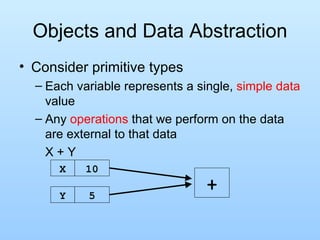
Objects and Data Abstraction Consider primitive types Each variable represents a single,  simple data  value Any  operations  that we perform on the data are external to that data X + Y X 10 Y 5 +
Objects and Data Abstraction Consider the  data In many applications, data is more complicated than just a simple value Ex: A Polygon – a sequence of connected points The data here are actually: int [] xpoints – an array of x-coordinates int [] ypoints – an array of y-coordinates int npoints – the number of points actually in the Polygon  Note that individually the data are just ints However, together they make up a Polygon This is fundamental to object-oriented programming (OOP)
Objects and Data Abstraction Consider the  operations Now consider operations that a Polygon can do Note how that is stated – we are seeing what a Polygon CAN DO rather than WHAT CAN BE DONE to it This is another fundamental idea of OOP – objects are  ACTIVE  rather than PASSIVE Ex:  void addPoint(int x, int y) – add a new point to Polygon boolean contains(double x, double y) – is point (x,y) within the boundaries of the Polygon void translate(int deltaX, int deltaY) – move all points in the Polygon by deltaX and deltaY
Objects and Data Abstraction These operations are actually (logically) PART of the Polygon itself int [] theXs = {0, 4, 4}; int [] theYs = {0, 0, 2}; int num = 2; Polygon P = new Polygon(theXs, theYs, num); P.addPoint(0, 2); if ( P.contains(2, 1) )   System.out.println(“Inside P”); else   System.out.println(“Outside P”); P.translate(2, 3); We are not passing the Polygon as an argument, we are calling the methods FROM the Polygon
Objects and Data Abstraction Objects enable us to  combine the data and operations  of a type together into a single entity P xpoints [0,4,4,0] ypoints [0,0,2,2] npoints 4 addPoint() contains() translate() Thus, the operations are always implicitly acting on the object’s data Ex: translate means translate the points that make up P
Objects and Data Abstraction For multiple objects of the same class, the operations act on the object specified int [] moreXs = {8, 11, 8}; int [] moreYs = {0, 2, 4}; Polygon P2 = new Polygon(moreXs, moreYs, 3); P xpoints [0,4,4,0] ypoints [0,0,2,2] npoints 4 addPoint() contains() translate() P2 xpoints [8,11,8]] ypoints [0,2,4] npoints 3 addPoint() contains() translate()
Encapsulation and Data Abstraction Recall that we previously discussed  data abstraction We do not need to know the implementation details of a data type in order to use it This includes the methods AND the actual data representation of the object This concept is exemplified through objects We can think of an object as a container with data and operations inside We can see some of the data and some of the operations, but others are kept hidden from us The ones we can see give us the functionality of the objects
Encapsulation and Data Abstraction As long as we know the method names, params and how to use them, we don’t need to know how the actual data is stored Note that I can use a Polygon  without knowing how the data  is stored  OR   how the methods are implemented I know it has points but I don’t know how they are stored Data Abstraction! P xpoints [0,4,4,0] ypoints [0,0,2,2] npoints 4 addPoint() contains() translate()
Instance Variables Let’s look again at StringBuffer Instance Variables These are the data values within an object Used to store the object’s information As we said previously, when using data abstraction we don’t need to know explicitly what these are in order to use a class For example, look at the API for StringBuffer Note that the instance variables are not even shown there In actuality it is a variable-length array with a counter to keep track of how many locations are being used and is actually inherited from AbstractStringBuilder See source in StringBuffer.java and AbstractStringBuilder.java – cool!!!
Instance Variables Many instance variables are declared with the keyword  private This means that they cannot be directly accessed outside the class itself Instance variables are typically declared to be private, based on the data abstraction that we discussed earlier Recall that we do not need to know how the data is represented in order to use the type Therefore why even allow us to see it? In AbstractStringBuilder the  value  variable has no keyword modifier This makes it private to the package
Class Methods vs. Instance Methods Recall that methods we discussed before were called  class methods  (or static methods) These were not associated with any object Now, however we WILL associate methods with objects (as shown with Polygon) These methods are called  instance methods  because they are associated with individual instances (or objects) of a class StringBuffer B = new StringBuffer(“this is “); B. append (“really fun stuff!”); System.out.println(B. toString ());
Class Methods vs. Instance Methods Class methods  have no implicit data to act on All data must be passed into them using arguments Class methods are called using: ClassName .methodName(param list) Instance methods  have implicit data associated with an Object Other data can be passed as arguments, but there is always an underlying object to act upon Instance methods are called using: VariableName .methodName(param list)
Constructors, Accessors and Mutators Instance methods can be categorized by what they are designed to do: Constructors These are special instance methods that are called when an object is first created They are the only methods that  do not have a return value  (not even void) They are typically used to initialize the instance variables of an object StringBuffer B = new StringBuffer(“hello there”); B = new StringBuffer(); // default constructor B = new StringBuffer(10); // capacity 10
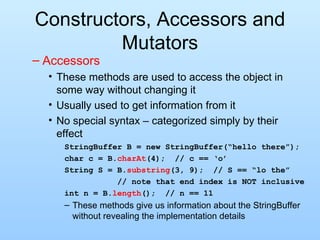
Constructors, Accessors and Mutators Accessors These methods are used to access the object in some way without changing it Usually used to get information from it No special syntax – categorized simply by their effect StringBuffer B = new StringBuffer(“hello there”); char c = B. charAt (4);  // c == ‘o’ String S = B. substring (3, 9);  // S == “lo the”   // note that end index is NOT inclusive int n = B. length ();  // n == 11 These methods give us information about the StringBuffer without revealing the implementation details
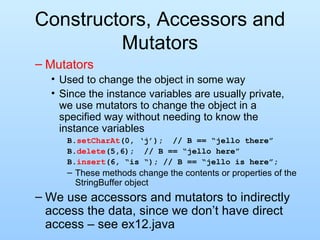
Constructors, Accessors and Mutators Mutators Used to change the object in some way Since the instance variables are usually private, we use mutators to change the object in a specified way without needing to know the instance variables B. setCharAt (0, ‘j’);  // B == “jello there” B. delete (5,6);  // B == “jello here” B. insert (6, “is “); // B == “jello is here”; These methods change the contents or properties of the StringBuffer object We use accessors and mutators to indirectly access the data, since we don’t have direct access – see ex12.java
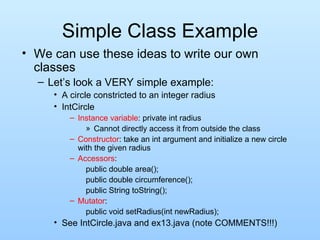
Simple Class Example We can use these ideas to write our own classes Let’s look a VERY simple example: A circle constricted to an integer radius IntCircle Instance variable : private int radius Cannot directly access it from outside the class Constructor : take an int argument and initialize a new circle with the given radius Accessors :  public double area(); public double circumference(); public String toString(); Mutator : public void setRadius(int newRadius); See IntCircle.java and ex13.java (note COMMENTS!!!)
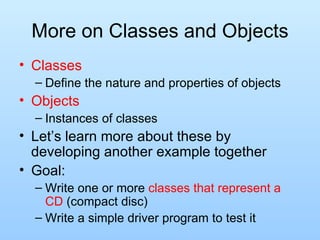
More on Classes and Objects Classes Define the nature and properties of objects Objects Instances of classes Let’s learn more about these by developing another example together Goal: Write one or more  classes that represent a CD  (compact disc) Write a simple driver program to test it
Developing Another Example Remember the things we need for a class: Instance variables Constructors Accessors Mutators
Developing Another Example Once we have the basic structure of the class we can start writing / testing it A good approach is to do it in a modular, step-by-step way Ex: Determine some instance variables, a constructor or two and an accessor to “output” the data in the class Write a simple driver program to test these features Once a method has been written and tested we don’t have to worry about it anymore! Add more to the class, testing it with additional statements in the driver program Let’s do this now!
Wrappers Much useful Java functionality relies on classes / objects Inheritance (Chapter 8) Polymorphic access (Chapter 9) Interfaces (Chapter 6) Unfortunately, the Java primitive types are NOT classes, and thus cannot be used in this way If I make an array of Object or any other class, primitive types cannot be stored in it
Wrappers Wrapper classes  allow us to get around this problem Wrappers are classes that “wrap” objects around primitive values, thus making them compatible with other Java classes We can't store an int in an array of Object, but we could store an Integer Each Java primitive type has a corresponding wrapper Ex: Integer, Float, Double, Boolean Ex: Integer i, j, k; i = new Integer(20); j = new Integer(40);
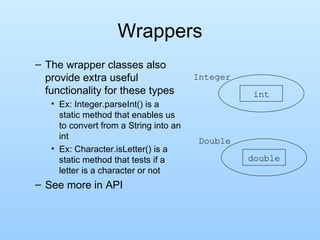
Wrappers The wrapper classes also provide extra useful functionality for these types Ex: Integer.parseInt() is a static method that enables us to convert from a String into an int Ex: Character.isLetter() is a static method that tests if a letter is a character or not See more in API int Integer double Double
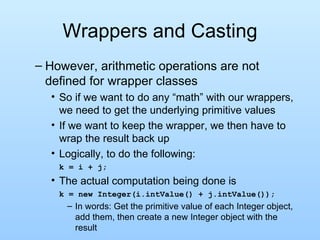
Wrappers and Casting However, arithmetic operations are not defined for wrapper classes So if we want to do any “math” with our wrappers, we need to get the underlying primitive values If we want to keep the wrapper, we then have to wrap the result back up Logically, to do the following: k = i + j; The actual computation being done is  k = new Integer(i.intValue() + j.intValue()); In words: Get the primitive value of each Integer object, add them, then create a new Integer object with the result
Wrappers In Java 1.4 and before: Programmer had to do the conversions explicitly Painful! In Java 1.5  autoboxing  was added This does the conversion back and forth automatically Saves the programmer some keystrokes However, the work STILL IS DONE, so from an efficiency point of view we are not saving Should not use unless absolutely needed We will see more on how wrappers are useful after we discuss inheritance, polymorphism and interfaces
Intro. to Java Files So far Our programs have read input from the keyboard or command line arguments and written output to the monitor This works fine in some situations, but is not so good in others: What if we have a large amount of output that we need to save? What if we need to initialize a database that is used in our program? What if output from one program must be input to another?
Intro. to Java Files In these situations we need to use  files Most files can be classified into two groups: Text Files Data is a sequence of ASCII characters stored sequentially Any “larger” data types are still stored as characters and must be “built” when they are read in Ex: Strings are sequences of characters Ex: ints are also sequences of characters, but interpreted in a different way To create an actual int we need to convert the characters – this is what the parseInt method in the Integer class does
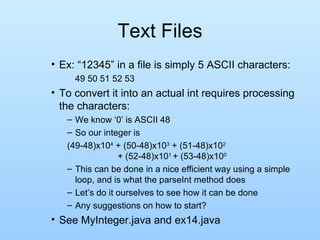
Text Files Ex: “12345” in a file is simply 5 ASCII characters: 49 50 51 52 53 To convert it into an actual int requires processing the characters: We know ‘0’ is ASCII 48 So our integer is (49-48)x10 4  + (50-48)x10 3  + (51-48)x10 2    + (52-48)x10 1  + (53-48)x10 0 This can be done in a nice efficient way using a simple loop, and is what the parseInt method does Let’s do it ourselves to see how it can be done Any suggestions on how to start? See MyInteger.java and ex14.java
Text Files Advantage of text files: Can read them outside of the program by many different editors or programs Easy to create Disadvantage of text files: Must be converted into the desired types as they are read in (as demonstrated with parseInt) This takes time to do and slows I/O Not the most efficient way to store non-String data Ex: int 12345678 requires 8 bytes in a text file, but only needs 4 bytes in the computer as an int or in a binary file
Binary Files Binary Files Data in the file is stored in the same way (or in a “serialized” version) that it is stored in the program We can store arbitrary bytes or we can store “whole” data types, including primitive types (int, double, etc.) and objects (String, any other  Serializable  object type) We will discuss Serializable more later Advantages: Since data is already in its binary form, reading and writing require little if any conversion and is faster than for text files Non-string data can often be stored more efficiently in its binary form than in ASCII form
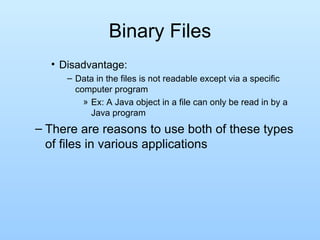
Binary Files Disadvantage: Data in the files is not readable except via a specific computer program Ex: A Java object in a file can only be read in by a Java program There are reasons to use both of these types of files in various applications
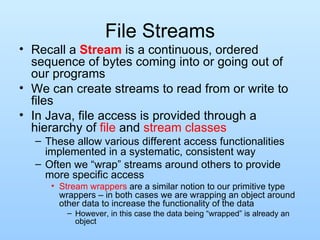
File Streams Recall a  Stream  is a continuous, ordered sequence of bytes coming into or going out of our programs We can create streams to read from or write to files In Java, file access is provided through a hierarchy of  file  and  stream classes These allow various different access functionalities implemented in a systematic, consistent way Often we “wrap” streams around others to provide more specific access Stream wrappers  are a similar notion to our primitive type wrappers – in both cases we are wrapping an object around other data to increase the functionality of the data However, in this case the data being “wrapped” is already an object
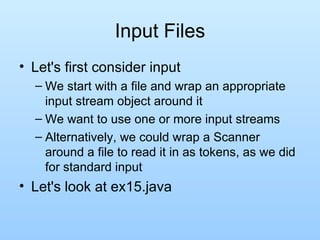
Input Files Let's first consider input We start with a file and wrap an appropriate input stream object around it We want to use one or more input streams Alternatively, we could wrap a Scanner around a file to read it in as tokens, as we did for standard input Let's look at ex15.java
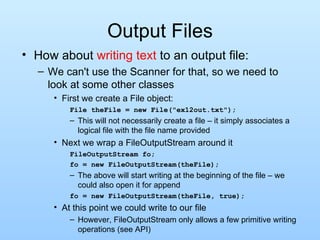
Output Files How about  writing text  to an output file: We can't use the Scanner for that, so we need to look at some other classes First we create a File object: File theFile = new File("ex12out.txt"); This will not necessarily create a file – it simply associates a logical file with the file name provided Next we wrap a FileOutputStream around it FileOutputStream fo; fo = new FileOutputStream(theFile); The above will start writing at the beginning of the file – we could also open it for append fo = new FileOutputStream(theFile, true); At this point we could write to our file However, FileOutputStream only allows a few primitive writing operations (see API)
Output Files To increase the writing functionality we can wrap another stream around it – PrintWriter PrintWriter outFile = new PrintWriter(fo); This allows us to use print and println for our primitive types and object types We don’t actually need all of the intermediate variables in all cases: PrintWriter p = new PrintWriter(new   FileOutputStream(new    File("ex12out.txt"))); Note that we are still creating 3 objects, but we are wrapping the inner two right away, thereby avoiding the extra variables See ex16.java
Text vs. Binary Files We discussed previously that numeric data can often be stored more efficiently in binary form than in text form Let's compare the two by writing the same data (numbers) to a text file and a binary file Since the data is just numbers we can use a DataOutputStream for our output  Allows only simple methods such as writeInt(), writeDouble(), etc
Text vs. Binary Files Let’s try this and then compare the sizes of the binary and text files We will generate a number of random ints and random doubles Store each in a text file and in a binary file and compare sizes at the end Note that the size of the integer text file depends greatly on the values of the integers, while the size of the integer binary file is independent of the values If we are storing very small integers, using a text file will actually save us space, but for large integers it will cost us space ex17.java
Composition & Inheritance Sometimes we want to build a new class that is largely like one we already have Much of the functionality we need is already there, but some things need to be added or changed We can achieve this in object-oriented languages using one of two ways Composition Inheritance
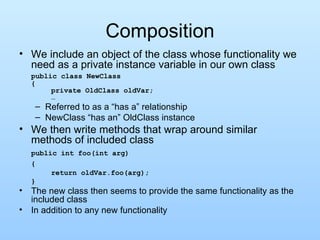
Composition We include an object of the class whose functionality we need as a private instance variable in our own class public class NewClass { private OldClass oldVar; … Referred to as a “has a” relationship NewClass “has an” OldClass instance We then write methods that wrap around similar methods of included class public int foo(int arg) { return oldVar.foo(arg); } The new class then seems to provide the same functionality as the included class In addition to any new functionality
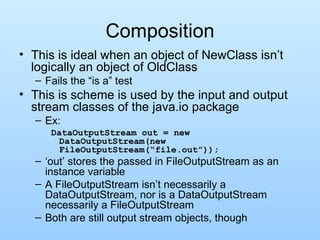
Composition This is ideal when an object of NewClass isn’t logically an object of OldClass Fails the “is a” test This is scheme is used by the input and output stream classes of the java.io package Ex: DataOutputStream out = new DataOutputStream(new FileOutputStream(“file.out”)); ‘ out’ stores the passed in FileOutputStream as an instance variable A FileOutputStream isn’t necessarily a DataOutputStream, nor is a DataOutputStream necessarily a FileOutputStream Both are still output stream objects, though
Inheritance Alternatively, our NewClass can directly “inherit” the properties of OldClass Just then need to add the new properties Eliminates the need to redefine identical functionality in NewClass The OldClass public interface can be access directly by the user Can still augment the inherited interface Semantically defines a logical relationship between the two objects
Inheritance and “is a” We can understand this better by considering the  “is a”  idea A subclass object “is a” superclass object However, some extra instance variables and methods may have been added and some other methods may have been changed Note that “is a” is a one way operation Subclass “is a” superclass (specific "is a" general) With modifications / additions Superclass is NOT a subclass (general not "is a" specific Missing some properties Ex: Bird “is a” Animal
Inheritance and “is a” Bird, Human and Fish are all Animals However, an Animal is not necessarily a Bird, Human or Fish Animal Bird Human Fish is a is a is a
Extending Classes Inheritance in Java is implemented by  extend ing a class public class NewClass extends OldClass { … We then continue the definition of NewClass as normal However, implicit in NewClass are all data and operations associated with OldClass Even though we don’t see them in the definition
private, public and protected We already know what public and private declarations mean The  protected  declaration is between public and private Protected data and methods are directly accessible in the base class and in any subclasses  and in the current package However, they are not directly accessible anywhere else Note that private declarations are STILL PART of subclasses, but they are not directly accessible from the subclass’ point of view See SuperClass.java, SubClass.java and ex18.java
Inheritance Example As another example Compare MixedNumber class and MixedNumber2 class Both utilize the authors' RationalNumber class to do most of the "work" Both also have the same functionality, but MixedNumber uses composition and MixedNumber2 uses inheritance Note simplicity of MixedNumber2 methods Read over the comments carefully! See RationalNumber.java, MixedNumber.java and MixedNumber2.java
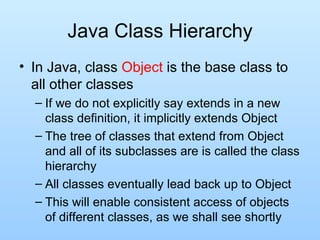
Java Class Hierarchy In Java, class  Object  is the base class to all other classes If we do not explicitly say extends in a new class definition, it implicitly extends Object The tree of classes that extend from Object and all of its subclasses are is called the class hierarchy All classes eventually lead back up to Object This will enable consistent access of objects of different classes, as we shall see shortly
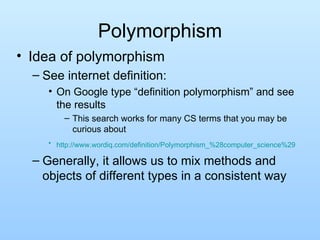
Polymorphism Idea of polymorphism See internet definition: On Google type “definition polymorphism” and see the results This search works for many CS terms that you may be curious about http://www.wordiq.com/definition/Polymorphism_%28computer_science%29   Generally, it allows us to mix methods and objects of different types in a consistent way
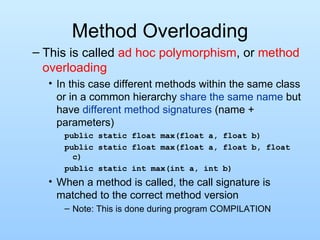
Method Overloading This is called  ad hoc polymorphism , or  method overloading In this case different methods within the same class or in a common hierarchy  share the same name  but have  different method signatures  (name + parameters) public static float max(float a, float b) public static float max(float a, float b, float c) public static int max(int a, int b) When a method is called, the call signature is matched to the correct method version Note: This is done during program COMPILATION
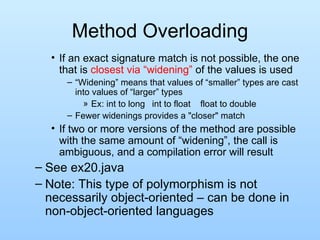
Method Overloading If an exact signature match is not possible, the one that is  closest via “widening”  of the values is used “ Widening” means that values of “smaller” types are cast into values of “larger” types Ex: int to long   int to float  float to double Fewer widenings provides a "closer" match If two or more versions of the method are possible with the same amount of “widening”, the call is ambiguous, and a compilation error will result See ex20.java Note: This type of polymorphism is not necessarily object-oriented – can be done in non-object-oriented languages
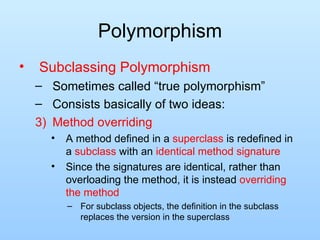
Polymorphism Subclassing Polymorphism Sometimes called “true polymorphism” Consists basically of two ideas: Method overriding A method defined in a  superclass  is redefined in a  subclass  with an  identical method signature Since the signatures are identical, rather than overloading the method, it is instead  overriding the method For subclass objects, the definition in the subclass replaces the version in the superclass
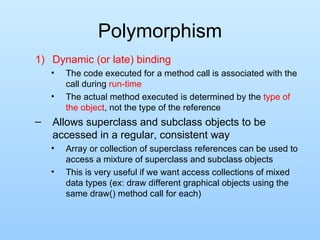
Polymorphism Dynamic (or late) binding The code executed for a method call is associated with the call during  run-time The actual method executed is determined by the  type of the object , not the type of the reference Allows superclass and subclass objects to be accessed in a regular, consistent way Array or collection of superclass references can be used to access a mixture of superclass and subclass objects This is very useful if we want access collections of mixed data types (ex: draw different graphical objects using the same draw() method call for each)
Polymorphism Ex. Each subclass overrides the move() method in its own way Animal [] A = new Animal[3]; A[0] = new Bird(); A[1] = new Person(); A[2] = new Fish(); for (int i = 0; i < A.length; i++) A[i].move(); Animal move() move() move() References are all the same, but objects are not Method invoked is that associated with the OBJECT, NOT with the reference
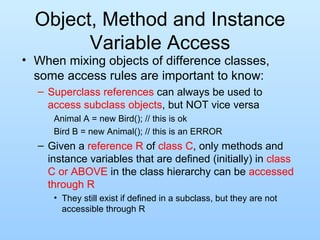
Object, Method and Instance Variable Access When mixing objects of difference classes, some access rules are important to know: Superclass   references  can always be used to  access subclass objects , but NOT vice versa Animal A = new Bird(); // this is ok Bird B = new Animal(); // this is an ERROR Given a  reference R  of  class C , only methods and instance variables that are defined (initially) in  class C or ABOVE  in the class hierarchy can be  accessed through R They still exist if defined in a subclass, but they are not accessible through R
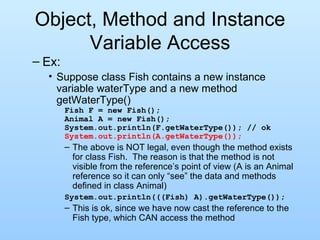
Object, Method and Instance Variable Access Ex: Suppose class Fish contains a new instance variable waterType and a new method getWaterType() Fish F = new Fish(); Animal A = new Fish(); System.out.println(F.getWaterType()); // ok System.out.println(A.getWaterType()); The above is NOT legal, even though the method exists for class Fish.  The reason is that the method is not visible from the reference’s point of view (A is an Animal reference so it can only “see” the data and methods defined in class Animal) System.out.println(((Fish) A).getWaterType()); This is ok, since we have now cast the reference to the Fish type, which CAN access the method
Object, Method and Instance Variable Access Note that we can access these methods or instance variables INDIRECTLY if an overridden method accesses them So, for example, if the move() method as defined in class Fish called the getWaterType() method, and we called A.move(); It would work fine See ex21.java for an example
Object  Methods We’ve already seen that every class automatically inherits from  Object Class Object defines a set of methods that every class inherits public String toString() public boolean equals() public int hashCode() protected Object clone() //we’ll ignore this Each of these forms a contract to which all objects must adhere Object has a default implementation for each of these methods Unless our classes override them, they inherit this behavior May or may not be what our classes require
toString() toString() returns a string representation of the object The string “should be a concise but informative representation that is easy for a person to read RULE:  All classes should override this method Default implementation from the Object class constructs a string like: [email_address] Name of the class, ‘@’ character, followed by the HashCode for the class
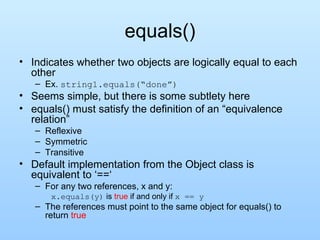
equals() Indicates whether two objects are logically equal to each other Ex.  string1.equals(“done”) Seems simple, but there is some subtlety here equals() must satisfy the definition of an “equivalence relation” Reflexive Symmetric Transitive Default implementation from the Object class is equivalent to ‘==‘ For any two references, x and y: x.equals(y)  is  true  if and only if  x == y The references must point to the same object for equals() to return  true
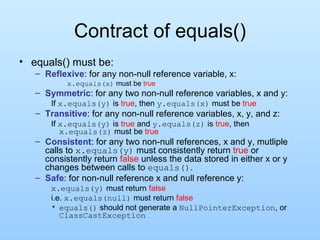
Contract of equals() equals() must be: Reflexive : for any non-null reference variable, x: x.equals(x)  must be  true Symmetric : for any two non-null reference variables, x and y: If  x.equals(y)  is  true , then  y.equals(x)  must be  true Transitive : for any non-null reference variables, x, y, and z: If  x.equals(y)  is  true  and  y.equals(z)  is  true , then  x.equals(z)  must be  true Consistent : for any two non-null references, x and y, mutliple calls to  x.equals(y)  must consistently return  true  or consistently return  false  unless the data stored in either x or y changes between calls to  equals() .  Safe : for non-null reference x and null reference y: x.equals(y)  must return  false i.e.  x.equals(null)  must return  false equals()  should not generate a  NullPointerException , or  ClassCastException
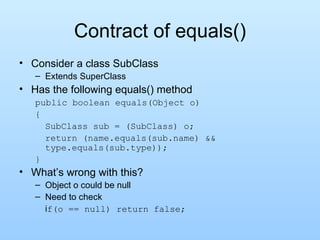
Contract of equals() Consider a class SubClass Extends SuperClass Has the following equals() method public boolean equals(Object o) { SubClass sub = (SubClass) o; return (name.equals(sub.name) && type.equals(sub.type)); } What’s wrong with this? Object o could be null Need to check i f(o == null) return false;
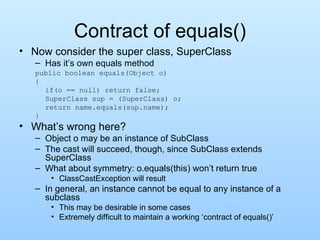
Contract of equals() Now consider the super class, SuperClass Has it’s own equals method public boolean equals(Object o) { if(o == null) return false; SuperClass sup = (SuperClass) o; return name.equals(sup.name); } What’s wrong here? Object o may be an instance of SubClass The cast will succeed, though, since SubClass extends SuperClass What about symmetry: o.equals(this) won’t return true ClassCastException will result In general, an instance cannot be equal to any instance of a subclass This may be desirable in some cases Extremely difficult to maintain a working ‘contract of equals()’
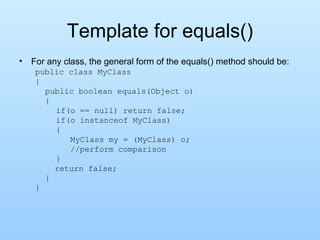
Template for equals() For any class, the general form of the equals() method should be: public class MyClass { public boolean equals(Object o) {   if(o == null) return false;   if(o instanceof MyClass)   {   MyClass my = (MyClass) o;   //perform comparison   }   return false; } }
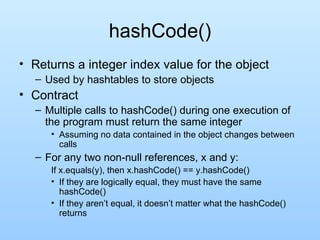
hashCode() Returns a integer index value for the object Used by hashtables to store objects Contract Multiple calls to hashCode() during one execution of the program must return the same integer Assuming no data contained in the object changes between calls For any two non-null references, x and y: If x.equals(y), then x.hashCode() == y.hashCode() If they are logically equal, they must have the same hashCode() If they aren’t equal, it doesn’t matter what the hashCode() returns
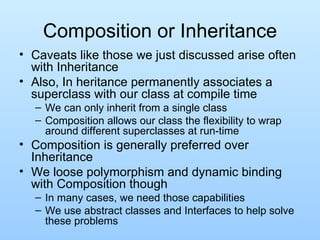
Composition or Inheritance Caveats like those we just discussed arise often with Inheritance Also, In heritance permanently associates a superclass with our class at compile time We can only inherit from a single class Composition allows our class the flexibility to wrap around different superclasses at run-time Composition is generally preferred over Inheritance We loose polymorphism and dynamic binding with Composition though In many cases, we need those capabilities We use abstract classes and Interfaces to help solve these problems
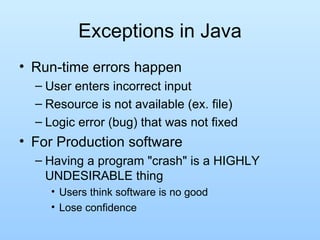
Exceptions in Java Run-time errors happen User enters incorrect input Resource is not available (ex. file) Logic error (bug) that was not fixed For Production software Having a program &quot;crash&quot; is a HIGHLY UNDESIRABLE thing Users think software is no good Lose confidence
Exceptions in Java Exception: An occurrence of an erroneous, unusual or unexpected event in a program execution In older languages Code the handling of exceptions into each area of the program that needed it Some exceptions could not even be handled by the HLL ex. standard Pascal cannot handle I/O errors or division by 0 Ask for integer and user enters a text string – what do you do?
Exceptions in Java In newer languages Exception handling built into the language We can separate exception handling from the &quot;main line&quot; code Java uses an exception handling model similar to that used in C++ Exceptions are objects that are  throw n and  catch ed Some exceptions are built into the language Others can be created and thrown by the programmer
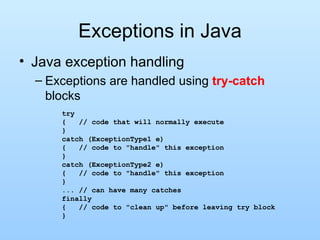
Exceptions in Java Java exception handling Exceptions are handled using  try-catch  blocks try {  // code that will normally execute } catch (ExceptionType1 e) {  // code to &quot;handle&quot; this exception } catch (ExceptionType2 e) {  // code to &quot;handle&quot; this exception } ... // can have many catches finally {  // code to &quot;clean up&quot; before leaving try block }
Exceptions in Java If all goes well (no exceptions occur) Code in  try  block is executed, followed by code in (optional)  finally  block If an exception occurs anywhere in the try block Execution immediately jumps out of the try block An  exception handler  is sought in a catch block If exception is handled in a catch block, that block executes; if not, exception is  propagated   Whether exception is handled or propagated, finally block is executed
Exceptions in Java If an exception is  handled Execution resumes immediately AFTER try/catch block in which it was  handled , and does NOT return to throw point termination model  of exception handling As opposed to a resumption model, where execution resumes from where the exception occurred If an exception is  propagated A handler is searched for by backing up through the call chain on the run-time stack This is  dynamic exception propagation If no handler is ever found Console applications crash and report exception GUI applications will continue to execute, but may be in an inconsistent state – more soon
Exceptions in Java Checked vs. Unchecked exceptions Checked  exceptions If a method does NOT handle these, the method MUST state that it throws them Done in a  throws clause  in the method header These include IOException, and InterruptedException (and their subclasses) Unchecked  exceptions Method not required to explicitly &quot;throw&quot; these These include RunTimeException and Error
Exceptions in Java Catching exceptions Catching a superclass of an exception will catch subclass exception objects catch (Exception e) &quot;catch all&quot; if no other exceptions match Should list exceptions in order of most specific to most general If catch above is first NO OTHER catches in the block could ever execute It is better style to be as specific as possible with the exceptions that are caught See ex22.java
Abstract Classes Abstract classes Sometimes in a class hierarchy, a class may be defined simply to give cohesion to its subclasses No objects of that class will ever be defined But instance data and methods will still be inherited by all subclasses This is an  abstract  class Keyword  abstract  used in declaration One or more methods declared to be abstract and are thus not implemented No objects may be instantiated
Abstract Classes Subclasses of an abstract class must implement all abstract methods, or they too must be declared to be abstract  Advantages Can still use superclass reference to access all subclass objects in polymorphic way However, we need to declare the methods we will need in the superclass, even if they are abstract No need to specifically define common data and methods for each subclass - it is inherited Helps to organize class hierarchy See ex23.java Let’s look at MusicCD and CompilationCD again too
Interfaces Java allows only  single inheritance A new class can be a subclass of only one parent (super) class There are several reasons for this, from both the implementation (i.e. how to do it in the compiler and interpreter) point of view and the programmer (i.e. how to use it effectively) point of view However, it is sometimes useful to be able to access an object through more than one superclass reference
Interfaces We may want to identify an object in multiple ways: One based on its inherent nature (i.e. its inheritance chain) Ex: A Person Others based on what it is capable of doing Ex: An athlete Ex: a pilot
Interfaces A Java  interface  is a named set of methods However, no method bodies are given – just the headers Static constants are allowed, but no instance variables are allowed No static methods are allowed Any Java class (no matter what its inheritance) can implement an interface by implementing the methods defined in it A given class can implement any number of interfaces
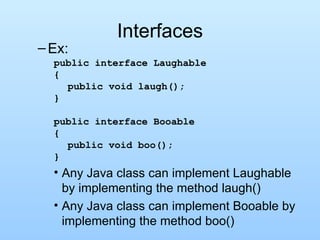
Interfaces Ex: public interface Laughable {   public void laugh(); } public interface Booable {   public void boo(); } Any Java class can implement Laughable by implementing the method laugh() Any Java class can implement Booable by implementing the method boo()
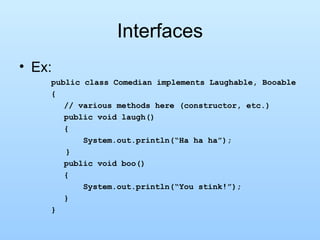
Interfaces Ex: public class Comedian implements Laughable, Booable {   // various methods here (constructor, etc.)   public void laugh()   { System.out.println(“Ha ha ha”); }   public void boo()   { System.out.println(“You stink!”);   } }
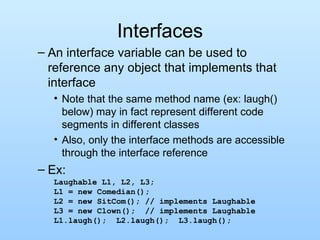
Interfaces An interface variable can be used to reference any object that implements that interface Note that the same method name (ex: laugh() below) may in fact represent different code segments in different classes Also, only the interface methods are accessible through the interface reference Ex: Laughable L1, L2, L3; L1 = new Comedian(); L2 = new SitCom(); // implements Laughable L3 = new Clown();  // implements Laughable L1.laugh();  L2.laugh();  L3.laugh();
Interfaces Polymorphism and Dynamic Binding also apply to interfaces the interface acts as a superclass and the implementing classes implement the actual methods however they want An interface variable can be used to reference any object that implements that interface However, only the interface methods are accessible through the interface reference Recall our previous example: Laughable [] funny = new Laughable[3]; funny[0] = new Comedian(); funny[1] = new SitCom(); // implements Laughable funny[2] = new Clown();  // implements Laughable for (int i = 0; i < funny.length; i++)   funny[i].laugh(); See ex24.java
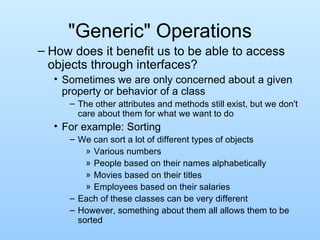
&quot;Generic&quot; Operations How does it benefit us to be able to access objects through interfaces? Sometimes we are only concerned about a given property or behavior of a class The other attributes and methods still exist, but we don't care about them for what we want to do For example: Sorting We can sort a lot of different types of objects Various numbers People based on their names alphabetically Movies based on their titles Employees based on their salaries Each of these classes can be very different However, something about them all allows them to be sorted
“Generic” Operations They all can be compared to each other So we need some method that invokes this comparison In order to sort them, we don't need to know or access anything else about any of the classes Thus, if they all implement an interface that defines the comparison, we can sort them all with a single method that is defined in terms of that interface Huh?  Qué?  Perhaps it will make more sense if we develop an example…but first we will need some background!
Simple Sorting What does it mean to  sort  our data? Consider an array, A of N items: A[0], A[1], A[2], …, A[N-1] A is  sorted in ascending order  if A[i] < A[j] for all i < j A is  sorted in descending order  if A[i] > A[j] for all i < j Q: What if we want non-decreasing or non-increasing order? What does it mean and how do we change the definitions?
Simple Sorting How do we sort? There are MANY ways of sorting data Sorting has been widely studied in computer science Some algorithms are better than others The most useful measure of “better” here is how long it takes to run The  better algorithms run a lot more quickly  than the poorer algorithms However, some very simple algorithms are ok if N is not too large We will look at a simple algorithm here In CS 0445 you will see other, better ways of sorting
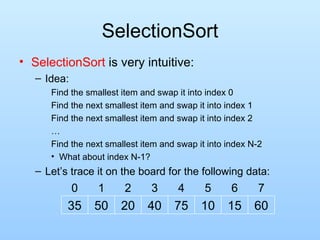
SelectionSort SelectionSort  is very intuitive: Idea: Find the smallest item and swap it into index 0 Find the next smallest item and swap it into index 1 Find the next smallest item and swap it into index 2 … Find the next smallest item and swap it into index N-2 What about index N-1? Let’s trace it on the board for the following data: 60 15 10 75 40 20 50 35 7 6 5 4 3 2 1 0
SelectionSort Let’s look at the code SortInt.java and ex25.java Note: Done in a modular way utilizing methods Trace it on the example from previous slide Done here in terms of only one type – int So how can we sort arrays of other types, for example objects? We could write a version of SelectionSort for each Lots of typing, where everything other than the types involved is the same for each one Is there a better way?
Comparable  Interface Consider the  Comparable  interface: It contains one method: int compareTo(Object r); Returns a negative number if the current object is less than r, 0 if the current object equals r and a positive number if the current object is greater than r Look at Comparable in the API Not has restrictive as equals() – can throw  ClassCastException Consider what we need to know to sort data: is A[i] less than, equal to or greater than A[j] Thus,  we can sort Comparable data without knowing anything else about it Awesome! Polymorphism allows this to work
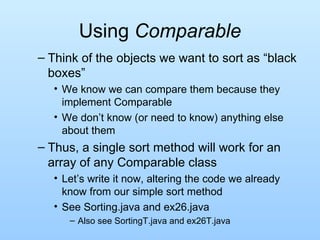
Using  Comparable Think of the objects we want to sort as “black boxes” We know we can compare them because they implement Comparable We don’t know (or need to know) anything else about them Thus, a single sort method will work for an array of any Comparable class Let’s write it now, altering the code we already know from our simple sort method See Sorting.java and ex26.java Also see SortingT.java and ex26T.java
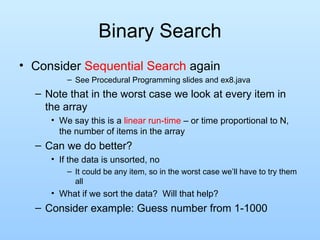
Binary Search Consider  Sequential Search  again See Procedural Programming slides and ex8.java Note that in the worst case we look at every item in the array We say this is a  linear run-time  – or time proportional to N, the number of items in the array Can we do better? If the data is unsorted, no It could be any item, so in the worst case we’ll have to try them all What if we sort the data?  Will that help? Consider example: Guess number from 1-1000
Binary Search Idea of  Binary Search : Searching for a given key, K Guess middle item, A[mid] in array If A[mid] == K, we found it and are done If A[mid] < K then K must be on right side of the array If A[mid] > K then K must be on left side of the array Either way, we eliminate ~1/2 of the remaining items with one guess Search for 40 below 75 60 50 40 35 20 15 10 7 6 5 4 3 2 1 0
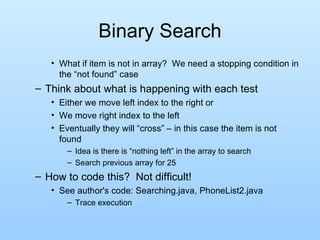
Binary Search What if item is not in array?  We need a stopping condition in the “not found” case  Think about what is happening with each test Either we move left index to the right or We move right index to the left Eventually they will “cross” – in this case the item is not found Idea is there is “nothing left” in the array to search Search previous array for 25 How to code this?  Not difficult! See author's code: Searching.java, PhoneList2.java Trace execution
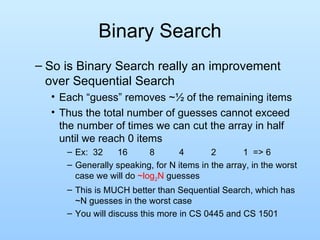
Binary Search So is Binary Search really an improvement over Sequential Search Each “guess” removes ~½ of the remaining items Thus the total number of guesses cannot exceed the number of times we can cut the array in half until we reach 0 items Ex:  32  16  8 4 2 1  => 6  Generally speaking, for N items in the array, in the worst case we will do  ~log 2 N  guesses This is MUCH better than Sequential Search, which has ~N guesses in the worst case You will discuss this more in CS 0445 and CS 1501
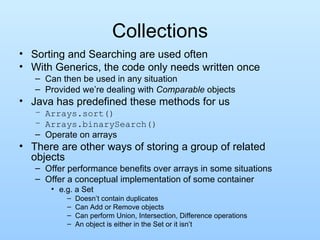
Collections Sorting and Searching are used often With Generics, the code only needs written once Can then be used in any situation Provided we’re dealing with  Comparable  objects Java has predefined these methods for us Arrays.sort() Arrays.binarySearch() Operate on arrays There are other ways of storing a group of related objects Offer performance benefits over arrays in some situations Offer a conceptual implementation of some container e.g. a Set Doesn’t contain duplicates Can Add or Remove objects Can perform Union, Intersection, Difference operations An object is either in the Set or it isn’t
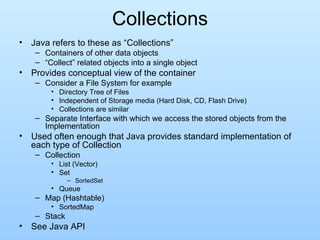
Collections Java refers to these as “Collections” Containers of other data objects “ Collect” related objects into a single object Provides conceptual view of the container Consider a File System for example Directory Tree of Files Independent of Storage media (Hard Disk, CD, Flash Drive) Collections are similar Separate Interface with which we access the stored objects from the Implementation  Used often enough that Java provides standard implementation of each type of Collection Collection List (Vector) Set SortedSet Queue Map (Hashtable) SortedMap Stack See Java API
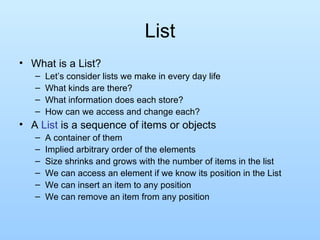
List What is a List? Let’s consider lists we make in every day life What kinds are there? What information does each store? How can we access and change each? A  List  is a sequence of items or objects A container of them Implied arbitrary order of the elements Size shrinks and grows with the number of items in the list We can access an element if we know its position in the List We can insert an item to any position We can remove an item from any position
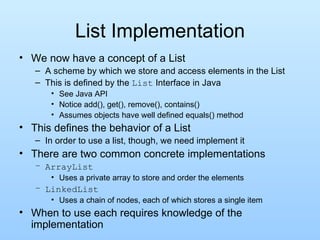
List Implementation We now have a concept of a List A scheme by which we store and access elements in the List This is defined by the  List  Interface in Java See Java API Notice add(), get(), remove(), contains() Assumes objects have well defined equals() method This defines the behavior of a List In order to use a list, though, we need implement it There are two common concrete implementations ArrayList Uses a private array to store and order the elements LinkedList Uses a chain of nodes, each of which stores a single item When to use each requires knowledge of the implementation
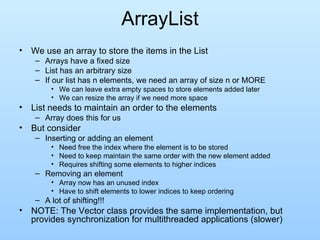
ArrayList We use an array to store the items in the List Arrays have a fixed size List has an arbitrary size If our list has n elements, we need an array of size n or MORE We can leave extra empty spaces to store elements added later We can resize the array if we need more space List needs to maintain an order to the elements Array does this for us But consider Inserting or adding an element Need free the index where the element is to be stored Need to keep maintain the same order with the new element added Requires shifting some elements to higher indices Removing an element Array now has an unused index Have to shift elements to lower indices to keep ordering A lot of shifting!!! NOTE: The Vector class provides the same implementation, but provides synchronization for multithreaded applications (slower)
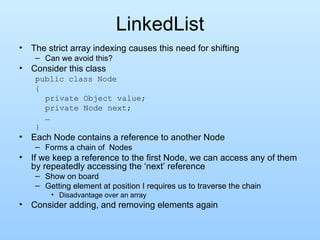
LinkedList The strict array indexing causes this need for shifting Can we avoid this? Consider this class public class Node { private Object value; private Node next; … } Each Node contains a reference to another Node Forms a chain of  Nodes If we keep a reference to the first Node, we can access any of them by repeatedly accessing the ‘next’ reference Show on board Getting element at position I requires us to traverse the chain Disadvantage over an array Consider adding, and removing elements again
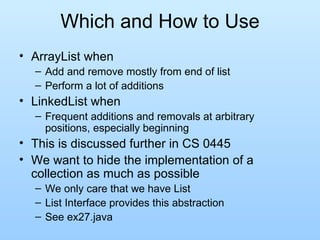
Which and How to Use ArrayList when Add and remove mostly from end of list Perform a lot of additions LinkedList when Frequent additions and removals at arbitrary positions, especially beginning This is discussed further in CS 0445 We want to hide the implementation of a collection as much as possible We only care that we have List List Interface provides this abstraction See ex27.java
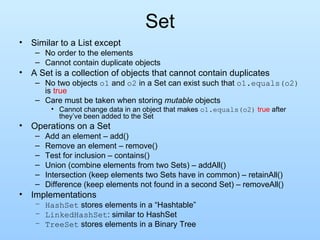
Set Similar to a List except No order to the elements Cannot contain duplicate objects A Set is a collection of objects that cannot contain duplicates No two objects  o1  and  o2  in a Set can exist such that  o1.equals(o2)  is  true Care must be taken when storing  mutable  objects Cannot change data in an object that makes  o1.equals(o2)   true  after they’ve been added to the Set Operations on a Set Add an element – add() Remove an element – remove() Test for inclusion – contains() Union (combine elements from two Sets) – addAll() Intersection (keep elements two Sets have in common) – retainAll() Difference (keep elements not found in a second Set) – removeAll() Implementations HashSet  stores elements in a “Hashtable” LinkedHashSet : similar to HashSet TreeSet  stores elements in a Binary Tree
HashSet Imagine implementing a Set with an array To maintain the constraint that the Set doesn’t contain duplicates, we’d have to do something like: for(int i = 0; i < count; i++)   if(array[i].equals(newElement)) return;  //don’t add new element array[count++] = newElement; We have to check each item before knowing if a duplicate existed in the array What if we could know the index where a duplicate would be stored if it was in the Set? Just check the element(s) at that index with equals() Add the new Element if not there This is how a Hashtable works Uses newElement.hashCode() to find index Notice the need for the contract of equals() and hashCode() Why?
Iterators We’ve seen two types of  Collection s so far List Set Recall how often we’ve used the following code with arrays for(int i = 0; i < array.length; i++) {…} Loop “for each” element of the array Use variable ‘i’ to keep track of position in the array This is a common and needed operation for any Collection How do we do this when a Collection has no implied order? How do we do this in a common way for any type of Collection? An Iterator is a object that can traverse over and provide access to each element User doesn’t know how it finds the next element
Using Iterators Iterator class defines two methods hasNext() returns true if there is another element to examine next() returns the current element as an  Object Prepares the iterator to return the next element Loop then looks like: for(Iterator i=collect.iterator(); i.hasNext();) { MyClass item = (MyClass) i.next(); … //Process the item } Java provides a shorthand version of this, called “foreach” loop: for(Object o : collect) { MyClass item = (MyClass) o; …  // Process the item } No need to explicitly declare an Iterator “ collect” variable must be an instance of a class that implements  Iterable  interface See ex28.java
Order in Sets The  HashSet  Class is the simplest implementation of the Set interface Iterator can return the elements in any particular order Can be chaotic It can be advantageous to ensure an Iterator returns the elements is some consistent order Two implementations of the Set Interface do this LinkedHashSet Like HashSet Iterator returns elements in the order in which they were added to the Set TreeSet Iterator returns elements in sorted order Requires stored objects to be  Comparable Elements actually stored in sorted order in a binary tree See ex28b.java
Queue We often don’t need to be able to modify all a Collection’s elements Can even be advantageous to prevent access to every element Force modification of the Collection according to specific rules A queue is an ordered collection of objects that: Allows new items to be added only to the end Allows items to be removed only from the front Similar to a waiting line First item added to the end is the first item removed from the front (FIFO ordering – First In, First Out) No other item can be removed until the first item is removed Implementation How could we implement a Queue? An array could impose the needed ordering Would require a lot of shifting Circular array is still cumbersome LinkedList class also implements the Queue interface Ideal for a Queue Why? See ex28c.java
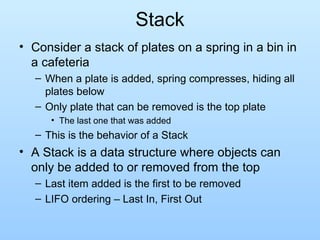
Stack Consider a stack of plates on a spring in a bin in a cafeteria When a plate is added, spring compresses, hiding all plates below Only plate that can be removed is the top plate The last one that was added This is the behavior of a Stack A Stack is a data structure where objects can only be added to or removed from the top Last item added is the first to be removed LIFO ordering – Last In, First Out
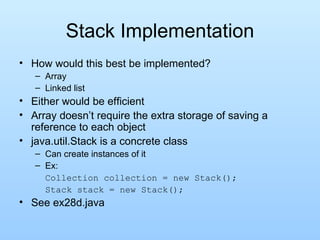
Stack Implementation How would this best be implemented? Array Linked list Either would be efficient Array doesn’t require the extra storage of saving a reference to each object java.util.Stack is a concrete class Can create instances of it Ex: Collection collection = new Stack(); Stack stack = new Stack(); See ex28d.java
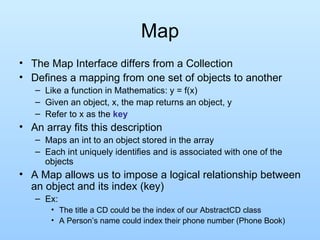
Map The Map Interface differs from a Collection Defines a mapping from one set of objects to another Like a function in Mathematics: y = f(x) Given an object, x, the map returns an object, y Refer to x as the  key An array fits this description Maps an int to an object stored in the array Each int uniquely identifies and is associated with one of the objects A Map allows us to impose a logical relationship between an object and its index (key) Ex:  The title a CD could be the index of our AbstractCD class A Person’s name could index their phone number (Phone Book)
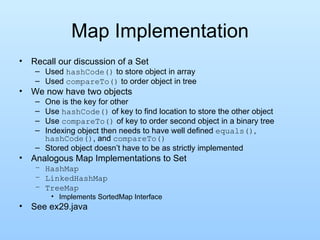
Map Implementation Recall our discussion of a Set Used  hashCode()  to store object in array Used  compareTo()  to order object in tree We now have two objects One is the key for other Use  hashCode()  of key to find location to store the other object Use  compareTo()  of key to order second object in a binary tree Indexing object then needs to have well defined  equals() ,  hashCode() , and  compareTo() Stored object doesn’t have to be as strictly implemented Analogous Map Implementations to Set HashMap LinkedHashMap TreeMap Implements SortedMap Interface See ex29.java
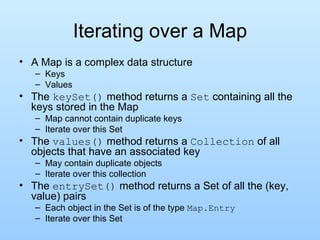
Iterating over a Map A Map is a complex data structure Keys Values The  keySet()  method returns a  Set  containing all the keys stored in the Map Map cannot contain duplicate keys Iterate over this Set The  values()  method returns a  Collection  of all objects that have an associated key May contain duplicate objects Iterate over this collection The  entrySet()  method returns a Set of all the (key, value) pairs Each object in the Set is of the type  Map.Entry Iterate over this Set
Generics From the previous slides Each collection or Iterator returns an Object Necessary since it is designed to work for any kind of object Requires us to cast the reference to an instance that we need Ex: List list = new LinkedList(); list.add(“Some Pig”); String s = (String) list.get(0); String t = (String) list.iterator().next(); The cast can be annoy The list may also not really contain Strings We’d like to force the List to only contain specific types We wouldn’t need the cast We could be sure what type of objects the List contained This is where “Generics” works well
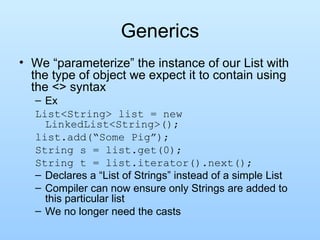
Generics We “parameterize” the instance of our List with the type of object we expect it to contain using the <> syntax Ex List<String> list = new LinkedList<String>(); list.add(“Some Pig”); String s = list.get(0); String t = list.iterator().next(); Declares a “List of Strings” instead of a simple List Compiler can now ensure only Strings are added to this particular list We no longer need the casts
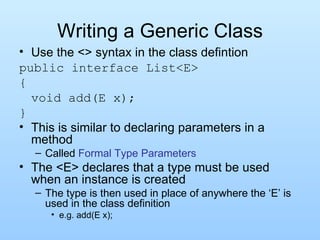
Writing a Generic Class Use the <> syntax in the class defintion public interface List<E> { void add(E x); } This is similar to declaring parameters in a method Called  Formal Type Parameters The <E> declares that a type must be used when an instance is created The type is then used in place of anywhere the ‘E’ is used in the class definition e.g. add(E x);
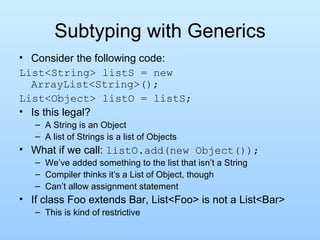
Subtyping with Generics Consider the following code: List<String> listS = new ArrayList<String>(); List<Object> listO = listS; Is this legal? A String is an Object A list of Strings is a list of Objects What if we call:  listO.add(new Object()); We’ve added something to the list that isn’t a String Compiler thinks it’s a List of Object, though Can’t allow assignment statement If class Foo extends Bar, List<Foo> is not a List<Bar> This is kind of restrictive
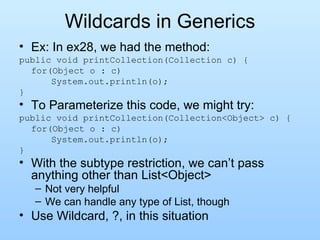
Wildcards in Generics Ex: In ex28, we had the method: public void printCollection(Collection c) { for(Object o : c) System.out.println(o); } To Parameterize this code, we might try: public void printCollection(Collection<Object> c) { for(Object o : c) System.out.println(o); } With the subtype restriction, we can’t pass anything other than List<Object> Not very helpful We can handle any type of List, though Use Wildcard, ?, in this situation
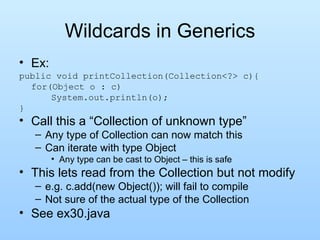
Wildcards in Generics Ex: public void printCollection(Collection<?> c){ for(Object o : c) System.out.println(o); }  Call this a “Collection of unknown type” Any type of Collection can now match this Can iterate with type Object Any type can be cast to Object – this is safe This lets read from the Collection but not modify e.g. c.add(new Object()); will fail to compile Not sure of the actual type of the Collection See ex30.java
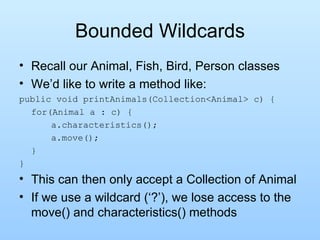
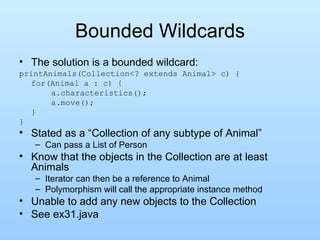
Bounded Wildcards Recall our Animal, Fish, Bird, Person classes We’d like to write a method like: public void printAnimals(Collection<Animal> c) { for(Animal a : c) { a.characteristics(); a.move(); } } This can then only accept a Collection of Animal If we use a wildcard (‘?’), we lose access to the move() and characteristics() methods
Bounded Wildcards The solution is a bounded wildcard: printAnimals(Collection<? extends Animal> c) { for(Animal a : c) { a.characteristics(); a.move(); } } Stated as a “Collection of any subtype of Animal” Can pass a List of Person Know that the objects in the Collection are at least Animals Iterator can then be a reference to Animal Polymorphism will call the appropriate instance method Unable to add any new objects to the Collection See ex31.java
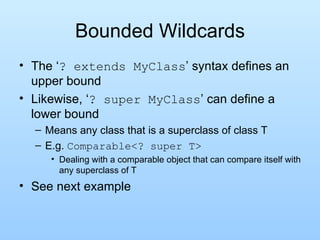
Bounded Wildcards The ‘ ? extends MyClass ’ syntax defines an upper bound Likewise, ‘ ? super MyClass ’ can define a lower bound Means any class that is a superclass of class T E.g.  Comparable<? super T> Dealing with a comparable object that can compare itself with any superclass of T See next example
Generic Methods Suppose we want to write a method copies an array into a Collection: public void fromAtoC(Object[] a, Collection<?> c) { for(Object o : a) c.add(o);} We’ve already learned that we can’t do this with the wildcard We can use generic methods public <T> void fromAtoC(T[] a, Collection<T> c) { for(T  o : a) c.add(o);} All the same wildcard rules apply public <T> listCopy(List<? extends T> source, List<T> dest){} When to use: Notice the dependency between the types in the parameters If the dependency does not exist, you should use wildcards instead Also used if the return type of the method is type dependent See again SortingT.java, ex26T.java, and also ex32

OOP Principles

  • 1.
    Object-Oriented Programming Conceptsin Java PJ Dillon CS401 Slides adapted from Dr. Ramirez
  • 2.
    Intro. to Object-OrientedProgramming (OOP) Object-Oriented Programming consists of 3 primary ideas: Data Abstraction and Encapsulation Operations on the data are considered to be part of the data type We can understand and use a data type without knowing all of its implementation details Neither how the data is represented nor how the operations are implemented We just need to know the interface (or method headers) – how to “communicate” with the object Compare to functional abstraction with methods We discussed this somewhat already and will do so more in Chapter 4
  • 3.
    Intro. to OOPInheritance Properties of a data type can be passed down to a sub-type – we can build new types from old ones We can build class hierarchies with many levels of inheritance We will discuss this more in Chapter 8 Polymorphism Operations used with a variable are based on the class of the object being accessed, not the class of the variable Parent type and sub-type objects can be accessed in a consistent way We will discuss this more in Chapter 9
  • 4.
    Objects and DataAbstraction Consider primitive types Each variable represents a single, simple data value Any operations that we perform on the data are external to that data X + Y X 10 Y 5 +
  • 5.
    Objects and DataAbstraction Consider the data In many applications, data is more complicated than just a simple value Ex: A Polygon – a sequence of connected points The data here are actually: int [] xpoints – an array of x-coordinates int [] ypoints – an array of y-coordinates int npoints – the number of points actually in the Polygon Note that individually the data are just ints However, together they make up a Polygon This is fundamental to object-oriented programming (OOP)
  • 6.
    Objects and DataAbstraction Consider the operations Now consider operations that a Polygon can do Note how that is stated – we are seeing what a Polygon CAN DO rather than WHAT CAN BE DONE to it This is another fundamental idea of OOP – objects are ACTIVE rather than PASSIVE Ex: void addPoint(int x, int y) – add a new point to Polygon boolean contains(double x, double y) – is point (x,y) within the boundaries of the Polygon void translate(int deltaX, int deltaY) – move all points in the Polygon by deltaX and deltaY
  • 7.
    Objects and DataAbstraction These operations are actually (logically) PART of the Polygon itself int [] theXs = {0, 4, 4}; int [] theYs = {0, 0, 2}; int num = 2; Polygon P = new Polygon(theXs, theYs, num); P.addPoint(0, 2); if ( P.contains(2, 1) ) System.out.println(“Inside P”); else System.out.println(“Outside P”); P.translate(2, 3); We are not passing the Polygon as an argument, we are calling the methods FROM the Polygon
  • 8.
    Objects and DataAbstraction Objects enable us to combine the data and operations of a type together into a single entity P xpoints [0,4,4,0] ypoints [0,0,2,2] npoints 4 addPoint() contains() translate() Thus, the operations are always implicitly acting on the object’s data Ex: translate means translate the points that make up P
  • 9.
    Objects and DataAbstraction For multiple objects of the same class, the operations act on the object specified int [] moreXs = {8, 11, 8}; int [] moreYs = {0, 2, 4}; Polygon P2 = new Polygon(moreXs, moreYs, 3); P xpoints [0,4,4,0] ypoints [0,0,2,2] npoints 4 addPoint() contains() translate() P2 xpoints [8,11,8]] ypoints [0,2,4] npoints 3 addPoint() contains() translate()
  • 10.
    Encapsulation and DataAbstraction Recall that we previously discussed data abstraction We do not need to know the implementation details of a data type in order to use it This includes the methods AND the actual data representation of the object This concept is exemplified through objects We can think of an object as a container with data and operations inside We can see some of the data and some of the operations, but others are kept hidden from us The ones we can see give us the functionality of the objects
  • 11.
    Encapsulation and DataAbstraction As long as we know the method names, params and how to use them, we don’t need to know how the actual data is stored Note that I can use a Polygon without knowing how the data is stored OR how the methods are implemented I know it has points but I don’t know how they are stored Data Abstraction! P xpoints [0,4,4,0] ypoints [0,0,2,2] npoints 4 addPoint() contains() translate()
  • 12.
    Instance Variables Let’slook again at StringBuffer Instance Variables These are the data values within an object Used to store the object’s information As we said previously, when using data abstraction we don’t need to know explicitly what these are in order to use a class For example, look at the API for StringBuffer Note that the instance variables are not even shown there In actuality it is a variable-length array with a counter to keep track of how many locations are being used and is actually inherited from AbstractStringBuilder See source in StringBuffer.java and AbstractStringBuilder.java – cool!!!
  • 13.
    Instance Variables Manyinstance variables are declared with the keyword private This means that they cannot be directly accessed outside the class itself Instance variables are typically declared to be private, based on the data abstraction that we discussed earlier Recall that we do not need to know how the data is represented in order to use the type Therefore why even allow us to see it? In AbstractStringBuilder the value variable has no keyword modifier This makes it private to the package
  • 14.
    Class Methods vs.Instance Methods Recall that methods we discussed before were called class methods (or static methods) These were not associated with any object Now, however we WILL associate methods with objects (as shown with Polygon) These methods are called instance methods because they are associated with individual instances (or objects) of a class StringBuffer B = new StringBuffer(“this is “); B. append (“really fun stuff!”); System.out.println(B. toString ());
  • 15.
    Class Methods vs.Instance Methods Class methods have no implicit data to act on All data must be passed into them using arguments Class methods are called using: ClassName .methodName(param list) Instance methods have implicit data associated with an Object Other data can be passed as arguments, but there is always an underlying object to act upon Instance methods are called using: VariableName .methodName(param list)
  • 16.
    Constructors, Accessors andMutators Instance methods can be categorized by what they are designed to do: Constructors These are special instance methods that are called when an object is first created They are the only methods that do not have a return value (not even void) They are typically used to initialize the instance variables of an object StringBuffer B = new StringBuffer(“hello there”); B = new StringBuffer(); // default constructor B = new StringBuffer(10); // capacity 10
  • 17.
    Constructors, Accessors andMutators Accessors These methods are used to access the object in some way without changing it Usually used to get information from it No special syntax – categorized simply by their effect StringBuffer B = new StringBuffer(“hello there”); char c = B. charAt (4); // c == ‘o’ String S = B. substring (3, 9); // S == “lo the” // note that end index is NOT inclusive int n = B. length (); // n == 11 These methods give us information about the StringBuffer without revealing the implementation details
  • 18.
    Constructors, Accessors andMutators Mutators Used to change the object in some way Since the instance variables are usually private, we use mutators to change the object in a specified way without needing to know the instance variables B. setCharAt (0, ‘j’); // B == “jello there” B. delete (5,6); // B == “jello here” B. insert (6, “is “); // B == “jello is here”; These methods change the contents or properties of the StringBuffer object We use accessors and mutators to indirectly access the data, since we don’t have direct access – see ex12.java
  • 19.
    Simple Class ExampleWe can use these ideas to write our own classes Let’s look a VERY simple example: A circle constricted to an integer radius IntCircle Instance variable : private int radius Cannot directly access it from outside the class Constructor : take an int argument and initialize a new circle with the given radius Accessors : public double area(); public double circumference(); public String toString(); Mutator : public void setRadius(int newRadius); See IntCircle.java and ex13.java (note COMMENTS!!!)
  • 20.
    More on Classesand Objects Classes Define the nature and properties of objects Objects Instances of classes Let’s learn more about these by developing another example together Goal: Write one or more classes that represent a CD (compact disc) Write a simple driver program to test it
  • 21.
    Developing Another ExampleRemember the things we need for a class: Instance variables Constructors Accessors Mutators
  • 22.
    Developing Another ExampleOnce we have the basic structure of the class we can start writing / testing it A good approach is to do it in a modular, step-by-step way Ex: Determine some instance variables, a constructor or two and an accessor to “output” the data in the class Write a simple driver program to test these features Once a method has been written and tested we don’t have to worry about it anymore! Add more to the class, testing it with additional statements in the driver program Let’s do this now!
  • 23.
    Wrappers Much usefulJava functionality relies on classes / objects Inheritance (Chapter 8) Polymorphic access (Chapter 9) Interfaces (Chapter 6) Unfortunately, the Java primitive types are NOT classes, and thus cannot be used in this way If I make an array of Object or any other class, primitive types cannot be stored in it
  • 24.
    Wrappers Wrapper classes allow us to get around this problem Wrappers are classes that “wrap” objects around primitive values, thus making them compatible with other Java classes We can't store an int in an array of Object, but we could store an Integer Each Java primitive type has a corresponding wrapper Ex: Integer, Float, Double, Boolean Ex: Integer i, j, k; i = new Integer(20); j = new Integer(40);
  • 25.
    Wrappers The wrapperclasses also provide extra useful functionality for these types Ex: Integer.parseInt() is a static method that enables us to convert from a String into an int Ex: Character.isLetter() is a static method that tests if a letter is a character or not See more in API int Integer double Double
  • 26.
    Wrappers and CastingHowever, arithmetic operations are not defined for wrapper classes So if we want to do any “math” with our wrappers, we need to get the underlying primitive values If we want to keep the wrapper, we then have to wrap the result back up Logically, to do the following: k = i + j; The actual computation being done is k = new Integer(i.intValue() + j.intValue()); In words: Get the primitive value of each Integer object, add them, then create a new Integer object with the result
  • 27.
    Wrappers In Java1.4 and before: Programmer had to do the conversions explicitly Painful! In Java 1.5 autoboxing was added This does the conversion back and forth automatically Saves the programmer some keystrokes However, the work STILL IS DONE, so from an efficiency point of view we are not saving Should not use unless absolutely needed We will see more on how wrappers are useful after we discuss inheritance, polymorphism and interfaces
  • 28.
    Intro. to JavaFiles So far Our programs have read input from the keyboard or command line arguments and written output to the monitor This works fine in some situations, but is not so good in others: What if we have a large amount of output that we need to save? What if we need to initialize a database that is used in our program? What if output from one program must be input to another?
  • 29.
    Intro. to JavaFiles In these situations we need to use files Most files can be classified into two groups: Text Files Data is a sequence of ASCII characters stored sequentially Any “larger” data types are still stored as characters and must be “built” when they are read in Ex: Strings are sequences of characters Ex: ints are also sequences of characters, but interpreted in a different way To create an actual int we need to convert the characters – this is what the parseInt method in the Integer class does
  • 30.
    Text Files Ex:“12345” in a file is simply 5 ASCII characters: 49 50 51 52 53 To convert it into an actual int requires processing the characters: We know ‘0’ is ASCII 48 So our integer is (49-48)x10 4 + (50-48)x10 3 + (51-48)x10 2 + (52-48)x10 1 + (53-48)x10 0 This can be done in a nice efficient way using a simple loop, and is what the parseInt method does Let’s do it ourselves to see how it can be done Any suggestions on how to start? See MyInteger.java and ex14.java
  • 31.
    Text Files Advantageof text files: Can read them outside of the program by many different editors or programs Easy to create Disadvantage of text files: Must be converted into the desired types as they are read in (as demonstrated with parseInt) This takes time to do and slows I/O Not the most efficient way to store non-String data Ex: int 12345678 requires 8 bytes in a text file, but only needs 4 bytes in the computer as an int or in a binary file
  • 32.
    Binary Files BinaryFiles Data in the file is stored in the same way (or in a “serialized” version) that it is stored in the program We can store arbitrary bytes or we can store “whole” data types, including primitive types (int, double, etc.) and objects (String, any other Serializable object type) We will discuss Serializable more later Advantages: Since data is already in its binary form, reading and writing require little if any conversion and is faster than for text files Non-string data can often be stored more efficiently in its binary form than in ASCII form
  • 33.
    Binary Files Disadvantage:Data in the files is not readable except via a specific computer program Ex: A Java object in a file can only be read in by a Java program There are reasons to use both of these types of files in various applications
  • 34.
    File Streams Recalla Stream is a continuous, ordered sequence of bytes coming into or going out of our programs We can create streams to read from or write to files In Java, file access is provided through a hierarchy of file and stream classes These allow various different access functionalities implemented in a systematic, consistent way Often we “wrap” streams around others to provide more specific access Stream wrappers are a similar notion to our primitive type wrappers – in both cases we are wrapping an object around other data to increase the functionality of the data However, in this case the data being “wrapped” is already an object
  • 35.
    Input Files Let'sfirst consider input We start with a file and wrap an appropriate input stream object around it We want to use one or more input streams Alternatively, we could wrap a Scanner around a file to read it in as tokens, as we did for standard input Let's look at ex15.java
  • 36.
    Output Files Howabout writing text to an output file: We can't use the Scanner for that, so we need to look at some other classes First we create a File object: File theFile = new File(&quot;ex12out.txt&quot;); This will not necessarily create a file – it simply associates a logical file with the file name provided Next we wrap a FileOutputStream around it FileOutputStream fo; fo = new FileOutputStream(theFile); The above will start writing at the beginning of the file – we could also open it for append fo = new FileOutputStream(theFile, true); At this point we could write to our file However, FileOutputStream only allows a few primitive writing operations (see API)
  • 37.
    Output Files Toincrease the writing functionality we can wrap another stream around it – PrintWriter PrintWriter outFile = new PrintWriter(fo); This allows us to use print and println for our primitive types and object types We don’t actually need all of the intermediate variables in all cases: PrintWriter p = new PrintWriter(new FileOutputStream(new File(&quot;ex12out.txt&quot;))); Note that we are still creating 3 objects, but we are wrapping the inner two right away, thereby avoiding the extra variables See ex16.java
  • 38.
    Text vs. BinaryFiles We discussed previously that numeric data can often be stored more efficiently in binary form than in text form Let's compare the two by writing the same data (numbers) to a text file and a binary file Since the data is just numbers we can use a DataOutputStream for our output Allows only simple methods such as writeInt(), writeDouble(), etc
  • 39.
    Text vs. BinaryFiles Let’s try this and then compare the sizes of the binary and text files We will generate a number of random ints and random doubles Store each in a text file and in a binary file and compare sizes at the end Note that the size of the integer text file depends greatly on the values of the integers, while the size of the integer binary file is independent of the values If we are storing very small integers, using a text file will actually save us space, but for large integers it will cost us space ex17.java
  • 40.
    Composition & InheritanceSometimes we want to build a new class that is largely like one we already have Much of the functionality we need is already there, but some things need to be added or changed We can achieve this in object-oriented languages using one of two ways Composition Inheritance
  • 41.
    Composition We includean object of the class whose functionality we need as a private instance variable in our own class public class NewClass { private OldClass oldVar; … Referred to as a “has a” relationship NewClass “has an” OldClass instance We then write methods that wrap around similar methods of included class public int foo(int arg) { return oldVar.foo(arg); } The new class then seems to provide the same functionality as the included class In addition to any new functionality
  • 42.
    Composition This isideal when an object of NewClass isn’t logically an object of OldClass Fails the “is a” test This is scheme is used by the input and output stream classes of the java.io package Ex: DataOutputStream out = new DataOutputStream(new FileOutputStream(“file.out”)); ‘ out’ stores the passed in FileOutputStream as an instance variable A FileOutputStream isn’t necessarily a DataOutputStream, nor is a DataOutputStream necessarily a FileOutputStream Both are still output stream objects, though
  • 43.
    Inheritance Alternatively, ourNewClass can directly “inherit” the properties of OldClass Just then need to add the new properties Eliminates the need to redefine identical functionality in NewClass The OldClass public interface can be access directly by the user Can still augment the inherited interface Semantically defines a logical relationship between the two objects
  • 44.
    Inheritance and “isa” We can understand this better by considering the “is a” idea A subclass object “is a” superclass object However, some extra instance variables and methods may have been added and some other methods may have been changed Note that “is a” is a one way operation Subclass “is a” superclass (specific &quot;is a&quot; general) With modifications / additions Superclass is NOT a subclass (general not &quot;is a&quot; specific Missing some properties Ex: Bird “is a” Animal
  • 45.
    Inheritance and “isa” Bird, Human and Fish are all Animals However, an Animal is not necessarily a Bird, Human or Fish Animal Bird Human Fish is a is a is a
  • 46.
    Extending Classes Inheritancein Java is implemented by extend ing a class public class NewClass extends OldClass { … We then continue the definition of NewClass as normal However, implicit in NewClass are all data and operations associated with OldClass Even though we don’t see them in the definition
  • 47.
    private, public andprotected We already know what public and private declarations mean The protected declaration is between public and private Protected data and methods are directly accessible in the base class and in any subclasses and in the current package However, they are not directly accessible anywhere else Note that private declarations are STILL PART of subclasses, but they are not directly accessible from the subclass’ point of view See SuperClass.java, SubClass.java and ex18.java
  • 48.
    Inheritance Example Asanother example Compare MixedNumber class and MixedNumber2 class Both utilize the authors' RationalNumber class to do most of the &quot;work&quot; Both also have the same functionality, but MixedNumber uses composition and MixedNumber2 uses inheritance Note simplicity of MixedNumber2 methods Read over the comments carefully! See RationalNumber.java, MixedNumber.java and MixedNumber2.java
  • 49.
    Java Class HierarchyIn Java, class Object is the base class to all other classes If we do not explicitly say extends in a new class definition, it implicitly extends Object The tree of classes that extend from Object and all of its subclasses are is called the class hierarchy All classes eventually lead back up to Object This will enable consistent access of objects of different classes, as we shall see shortly
  • 50.
    Polymorphism Idea ofpolymorphism See internet definition: On Google type “definition polymorphism” and see the results This search works for many CS terms that you may be curious about http://www.wordiq.com/definition/Polymorphism_%28computer_science%29 Generally, it allows us to mix methods and objects of different types in a consistent way
  • 51.
    Method Overloading Thisis called ad hoc polymorphism , or method overloading In this case different methods within the same class or in a common hierarchy share the same name but have different method signatures (name + parameters) public static float max(float a, float b) public static float max(float a, float b, float c) public static int max(int a, int b) When a method is called, the call signature is matched to the correct method version Note: This is done during program COMPILATION
  • 52.
    Method Overloading Ifan exact signature match is not possible, the one that is closest via “widening” of the values is used “ Widening” means that values of “smaller” types are cast into values of “larger” types Ex: int to long int to float float to double Fewer widenings provides a &quot;closer&quot; match If two or more versions of the method are possible with the same amount of “widening”, the call is ambiguous, and a compilation error will result See ex20.java Note: This type of polymorphism is not necessarily object-oriented – can be done in non-object-oriented languages
  • 53.
    Polymorphism Subclassing PolymorphismSometimes called “true polymorphism” Consists basically of two ideas: Method overriding A method defined in a superclass is redefined in a subclass with an identical method signature Since the signatures are identical, rather than overloading the method, it is instead overriding the method For subclass objects, the definition in the subclass replaces the version in the superclass
  • 54.
    Polymorphism Dynamic (orlate) binding The code executed for a method call is associated with the call during run-time The actual method executed is determined by the type of the object , not the type of the reference Allows superclass and subclass objects to be accessed in a regular, consistent way Array or collection of superclass references can be used to access a mixture of superclass and subclass objects This is very useful if we want access collections of mixed data types (ex: draw different graphical objects using the same draw() method call for each)
  • 55.
    Polymorphism Ex. Eachsubclass overrides the move() method in its own way Animal [] A = new Animal[3]; A[0] = new Bird(); A[1] = new Person(); A[2] = new Fish(); for (int i = 0; i < A.length; i++) A[i].move(); Animal move() move() move() References are all the same, but objects are not Method invoked is that associated with the OBJECT, NOT with the reference
  • 56.
    Object, Method andInstance Variable Access When mixing objects of difference classes, some access rules are important to know: Superclass references can always be used to access subclass objects , but NOT vice versa Animal A = new Bird(); // this is ok Bird B = new Animal(); // this is an ERROR Given a reference R of class C , only methods and instance variables that are defined (initially) in class C or ABOVE in the class hierarchy can be accessed through R They still exist if defined in a subclass, but they are not accessible through R
  • 57.
    Object, Method andInstance Variable Access Ex: Suppose class Fish contains a new instance variable waterType and a new method getWaterType() Fish F = new Fish(); Animal A = new Fish(); System.out.println(F.getWaterType()); // ok System.out.println(A.getWaterType()); The above is NOT legal, even though the method exists for class Fish. The reason is that the method is not visible from the reference’s point of view (A is an Animal reference so it can only “see” the data and methods defined in class Animal) System.out.println(((Fish) A).getWaterType()); This is ok, since we have now cast the reference to the Fish type, which CAN access the method
  • 58.
    Object, Method andInstance Variable Access Note that we can access these methods or instance variables INDIRECTLY if an overridden method accesses them So, for example, if the move() method as defined in class Fish called the getWaterType() method, and we called A.move(); It would work fine See ex21.java for an example
  • 59.
    Object MethodsWe’ve already seen that every class automatically inherits from Object Class Object defines a set of methods that every class inherits public String toString() public boolean equals() public int hashCode() protected Object clone() //we’ll ignore this Each of these forms a contract to which all objects must adhere Object has a default implementation for each of these methods Unless our classes override them, they inherit this behavior May or may not be what our classes require
  • 60.
    toString() toString() returnsa string representation of the object The string “should be a concise but informative representation that is easy for a person to read RULE: All classes should override this method Default implementation from the Object class constructs a string like: [email_address] Name of the class, ‘@’ character, followed by the HashCode for the class
  • 61.
    equals() Indicates whethertwo objects are logically equal to each other Ex. string1.equals(“done”) Seems simple, but there is some subtlety here equals() must satisfy the definition of an “equivalence relation” Reflexive Symmetric Transitive Default implementation from the Object class is equivalent to ‘==‘ For any two references, x and y: x.equals(y) is true if and only if x == y The references must point to the same object for equals() to return true
  • 62.
    Contract of equals()equals() must be: Reflexive : for any non-null reference variable, x: x.equals(x) must be true Symmetric : for any two non-null reference variables, x and y: If x.equals(y) is true , then y.equals(x) must be true Transitive : for any non-null reference variables, x, y, and z: If x.equals(y) is true and y.equals(z) is true , then x.equals(z) must be true Consistent : for any two non-null references, x and y, mutliple calls to x.equals(y) must consistently return true or consistently return false unless the data stored in either x or y changes between calls to equals() . Safe : for non-null reference x and null reference y: x.equals(y) must return false i.e. x.equals(null) must return false equals() should not generate a NullPointerException , or ClassCastException
  • 63.
    Contract of equals()Consider a class SubClass Extends SuperClass Has the following equals() method public boolean equals(Object o) { SubClass sub = (SubClass) o; return (name.equals(sub.name) && type.equals(sub.type)); } What’s wrong with this? Object o could be null Need to check i f(o == null) return false;
  • 64.
    Contract of equals()Now consider the super class, SuperClass Has it’s own equals method public boolean equals(Object o) { if(o == null) return false; SuperClass sup = (SuperClass) o; return name.equals(sup.name); } What’s wrong here? Object o may be an instance of SubClass The cast will succeed, though, since SubClass extends SuperClass What about symmetry: o.equals(this) won’t return true ClassCastException will result In general, an instance cannot be equal to any instance of a subclass This may be desirable in some cases Extremely difficult to maintain a working ‘contract of equals()’
  • 65.
    Template for equals()For any class, the general form of the equals() method should be: public class MyClass { public boolean equals(Object o) { if(o == null) return false; if(o instanceof MyClass) { MyClass my = (MyClass) o; //perform comparison } return false; } }
  • 66.
    hashCode() Returns ainteger index value for the object Used by hashtables to store objects Contract Multiple calls to hashCode() during one execution of the program must return the same integer Assuming no data contained in the object changes between calls For any two non-null references, x and y: If x.equals(y), then x.hashCode() == y.hashCode() If they are logically equal, they must have the same hashCode() If they aren’t equal, it doesn’t matter what the hashCode() returns
  • 67.
    Composition or InheritanceCaveats like those we just discussed arise often with Inheritance Also, In heritance permanently associates a superclass with our class at compile time We can only inherit from a single class Composition allows our class the flexibility to wrap around different superclasses at run-time Composition is generally preferred over Inheritance We loose polymorphism and dynamic binding with Composition though In many cases, we need those capabilities We use abstract classes and Interfaces to help solve these problems
  • 68.
    Exceptions in JavaRun-time errors happen User enters incorrect input Resource is not available (ex. file) Logic error (bug) that was not fixed For Production software Having a program &quot;crash&quot; is a HIGHLY UNDESIRABLE thing Users think software is no good Lose confidence
  • 69.
    Exceptions in JavaException: An occurrence of an erroneous, unusual or unexpected event in a program execution In older languages Code the handling of exceptions into each area of the program that needed it Some exceptions could not even be handled by the HLL ex. standard Pascal cannot handle I/O errors or division by 0 Ask for integer and user enters a text string – what do you do?
  • 70.
    Exceptions in JavaIn newer languages Exception handling built into the language We can separate exception handling from the &quot;main line&quot; code Java uses an exception handling model similar to that used in C++ Exceptions are objects that are throw n and catch ed Some exceptions are built into the language Others can be created and thrown by the programmer
  • 71.
    Exceptions in JavaJava exception handling Exceptions are handled using try-catch blocks try { // code that will normally execute } catch (ExceptionType1 e) { // code to &quot;handle&quot; this exception } catch (ExceptionType2 e) { // code to &quot;handle&quot; this exception } ... // can have many catches finally { // code to &quot;clean up&quot; before leaving try block }
  • 72.
    Exceptions in JavaIf all goes well (no exceptions occur) Code in try block is executed, followed by code in (optional) finally block If an exception occurs anywhere in the try block Execution immediately jumps out of the try block An exception handler is sought in a catch block If exception is handled in a catch block, that block executes; if not, exception is propagated Whether exception is handled or propagated, finally block is executed
  • 73.
    Exceptions in JavaIf an exception is handled Execution resumes immediately AFTER try/catch block in which it was handled , and does NOT return to throw point termination model of exception handling As opposed to a resumption model, where execution resumes from where the exception occurred If an exception is propagated A handler is searched for by backing up through the call chain on the run-time stack This is dynamic exception propagation If no handler is ever found Console applications crash and report exception GUI applications will continue to execute, but may be in an inconsistent state – more soon
  • 74.
    Exceptions in JavaChecked vs. Unchecked exceptions Checked exceptions If a method does NOT handle these, the method MUST state that it throws them Done in a throws clause in the method header These include IOException, and InterruptedException (and their subclasses) Unchecked exceptions Method not required to explicitly &quot;throw&quot; these These include RunTimeException and Error
  • 75.
    Exceptions in JavaCatching exceptions Catching a superclass of an exception will catch subclass exception objects catch (Exception e) &quot;catch all&quot; if no other exceptions match Should list exceptions in order of most specific to most general If catch above is first NO OTHER catches in the block could ever execute It is better style to be as specific as possible with the exceptions that are caught See ex22.java
  • 76.
    Abstract Classes Abstractclasses Sometimes in a class hierarchy, a class may be defined simply to give cohesion to its subclasses No objects of that class will ever be defined But instance data and methods will still be inherited by all subclasses This is an abstract class Keyword abstract used in declaration One or more methods declared to be abstract and are thus not implemented No objects may be instantiated
  • 77.
    Abstract Classes Subclassesof an abstract class must implement all abstract methods, or they too must be declared to be abstract Advantages Can still use superclass reference to access all subclass objects in polymorphic way However, we need to declare the methods we will need in the superclass, even if they are abstract No need to specifically define common data and methods for each subclass - it is inherited Helps to organize class hierarchy See ex23.java Let’s look at MusicCD and CompilationCD again too
  • 78.
    Interfaces Java allowsonly single inheritance A new class can be a subclass of only one parent (super) class There are several reasons for this, from both the implementation (i.e. how to do it in the compiler and interpreter) point of view and the programmer (i.e. how to use it effectively) point of view However, it is sometimes useful to be able to access an object through more than one superclass reference
  • 79.
    Interfaces We maywant to identify an object in multiple ways: One based on its inherent nature (i.e. its inheritance chain) Ex: A Person Others based on what it is capable of doing Ex: An athlete Ex: a pilot
  • 80.
    Interfaces A Java interface is a named set of methods However, no method bodies are given – just the headers Static constants are allowed, but no instance variables are allowed No static methods are allowed Any Java class (no matter what its inheritance) can implement an interface by implementing the methods defined in it A given class can implement any number of interfaces
  • 81.
    Interfaces Ex: publicinterface Laughable { public void laugh(); } public interface Booable { public void boo(); } Any Java class can implement Laughable by implementing the method laugh() Any Java class can implement Booable by implementing the method boo()
  • 82.
    Interfaces Ex: publicclass Comedian implements Laughable, Booable { // various methods here (constructor, etc.) public void laugh() { System.out.println(“Ha ha ha”); } public void boo() { System.out.println(“You stink!”); } }
  • 83.
    Interfaces An interfacevariable can be used to reference any object that implements that interface Note that the same method name (ex: laugh() below) may in fact represent different code segments in different classes Also, only the interface methods are accessible through the interface reference Ex: Laughable L1, L2, L3; L1 = new Comedian(); L2 = new SitCom(); // implements Laughable L3 = new Clown(); // implements Laughable L1.laugh(); L2.laugh(); L3.laugh();
  • 84.
    Interfaces Polymorphism andDynamic Binding also apply to interfaces the interface acts as a superclass and the implementing classes implement the actual methods however they want An interface variable can be used to reference any object that implements that interface However, only the interface methods are accessible through the interface reference Recall our previous example: Laughable [] funny = new Laughable[3]; funny[0] = new Comedian(); funny[1] = new SitCom(); // implements Laughable funny[2] = new Clown(); // implements Laughable for (int i = 0; i < funny.length; i++) funny[i].laugh(); See ex24.java
  • 85.
    &quot;Generic&quot; Operations Howdoes it benefit us to be able to access objects through interfaces? Sometimes we are only concerned about a given property or behavior of a class The other attributes and methods still exist, but we don't care about them for what we want to do For example: Sorting We can sort a lot of different types of objects Various numbers People based on their names alphabetically Movies based on their titles Employees based on their salaries Each of these classes can be very different However, something about them all allows them to be sorted
  • 86.
    “Generic” Operations Theyall can be compared to each other So we need some method that invokes this comparison In order to sort them, we don't need to know or access anything else about any of the classes Thus, if they all implement an interface that defines the comparison, we can sort them all with a single method that is defined in terms of that interface Huh? Qué? Perhaps it will make more sense if we develop an example…but first we will need some background!
  • 87.
    Simple Sorting Whatdoes it mean to sort our data? Consider an array, A of N items: A[0], A[1], A[2], …, A[N-1] A is sorted in ascending order if A[i] < A[j] for all i < j A is sorted in descending order if A[i] > A[j] for all i < j Q: What if we want non-decreasing or non-increasing order? What does it mean and how do we change the definitions?
  • 88.
    Simple Sorting Howdo we sort? There are MANY ways of sorting data Sorting has been widely studied in computer science Some algorithms are better than others The most useful measure of “better” here is how long it takes to run The better algorithms run a lot more quickly than the poorer algorithms However, some very simple algorithms are ok if N is not too large We will look at a simple algorithm here In CS 0445 you will see other, better ways of sorting
  • 89.
    SelectionSort SelectionSort is very intuitive: Idea: Find the smallest item and swap it into index 0 Find the next smallest item and swap it into index 1 Find the next smallest item and swap it into index 2 … Find the next smallest item and swap it into index N-2 What about index N-1? Let’s trace it on the board for the following data: 60 15 10 75 40 20 50 35 7 6 5 4 3 2 1 0
  • 90.
    SelectionSort Let’s lookat the code SortInt.java and ex25.java Note: Done in a modular way utilizing methods Trace it on the example from previous slide Done here in terms of only one type – int So how can we sort arrays of other types, for example objects? We could write a version of SelectionSort for each Lots of typing, where everything other than the types involved is the same for each one Is there a better way?
  • 91.
    Comparable InterfaceConsider the Comparable interface: It contains one method: int compareTo(Object r); Returns a negative number if the current object is less than r, 0 if the current object equals r and a positive number if the current object is greater than r Look at Comparable in the API Not has restrictive as equals() – can throw ClassCastException Consider what we need to know to sort data: is A[i] less than, equal to or greater than A[j] Thus, we can sort Comparable data without knowing anything else about it Awesome! Polymorphism allows this to work
  • 92.
    Using ComparableThink of the objects we want to sort as “black boxes” We know we can compare them because they implement Comparable We don’t know (or need to know) anything else about them Thus, a single sort method will work for an array of any Comparable class Let’s write it now, altering the code we already know from our simple sort method See Sorting.java and ex26.java Also see SortingT.java and ex26T.java
  • 93.
    Binary Search Consider Sequential Search again See Procedural Programming slides and ex8.java Note that in the worst case we look at every item in the array We say this is a linear run-time – or time proportional to N, the number of items in the array Can we do better? If the data is unsorted, no It could be any item, so in the worst case we’ll have to try them all What if we sort the data? Will that help? Consider example: Guess number from 1-1000
  • 94.
    Binary Search Ideaof Binary Search : Searching for a given key, K Guess middle item, A[mid] in array If A[mid] == K, we found it and are done If A[mid] < K then K must be on right side of the array If A[mid] > K then K must be on left side of the array Either way, we eliminate ~1/2 of the remaining items with one guess Search for 40 below 75 60 50 40 35 20 15 10 7 6 5 4 3 2 1 0
  • 95.
    Binary Search Whatif item is not in array? We need a stopping condition in the “not found” case Think about what is happening with each test Either we move left index to the right or We move right index to the left Eventually they will “cross” – in this case the item is not found Idea is there is “nothing left” in the array to search Search previous array for 25 How to code this? Not difficult! See author's code: Searching.java, PhoneList2.java Trace execution
  • 96.
    Binary Search Sois Binary Search really an improvement over Sequential Search Each “guess” removes ~½ of the remaining items Thus the total number of guesses cannot exceed the number of times we can cut the array in half until we reach 0 items Ex: 32 16 8 4 2 1 => 6 Generally speaking, for N items in the array, in the worst case we will do ~log 2 N guesses This is MUCH better than Sequential Search, which has ~N guesses in the worst case You will discuss this more in CS 0445 and CS 1501
  • 97.
    Collections Sorting andSearching are used often With Generics, the code only needs written once Can then be used in any situation Provided we’re dealing with Comparable objects Java has predefined these methods for us Arrays.sort() Arrays.binarySearch() Operate on arrays There are other ways of storing a group of related objects Offer performance benefits over arrays in some situations Offer a conceptual implementation of some container e.g. a Set Doesn’t contain duplicates Can Add or Remove objects Can perform Union, Intersection, Difference operations An object is either in the Set or it isn’t
  • 98.
    Collections Java refersto these as “Collections” Containers of other data objects “ Collect” related objects into a single object Provides conceptual view of the container Consider a File System for example Directory Tree of Files Independent of Storage media (Hard Disk, CD, Flash Drive) Collections are similar Separate Interface with which we access the stored objects from the Implementation Used often enough that Java provides standard implementation of each type of Collection Collection List (Vector) Set SortedSet Queue Map (Hashtable) SortedMap Stack See Java API
  • 99.
    List What isa List? Let’s consider lists we make in every day life What kinds are there? What information does each store? How can we access and change each? A List is a sequence of items or objects A container of them Implied arbitrary order of the elements Size shrinks and grows with the number of items in the list We can access an element if we know its position in the List We can insert an item to any position We can remove an item from any position
  • 100.
    List Implementation Wenow have a concept of a List A scheme by which we store and access elements in the List This is defined by the List Interface in Java See Java API Notice add(), get(), remove(), contains() Assumes objects have well defined equals() method This defines the behavior of a List In order to use a list, though, we need implement it There are two common concrete implementations ArrayList Uses a private array to store and order the elements LinkedList Uses a chain of nodes, each of which stores a single item When to use each requires knowledge of the implementation
  • 101.
    ArrayList We usean array to store the items in the List Arrays have a fixed size List has an arbitrary size If our list has n elements, we need an array of size n or MORE We can leave extra empty spaces to store elements added later We can resize the array if we need more space List needs to maintain an order to the elements Array does this for us But consider Inserting or adding an element Need free the index where the element is to be stored Need to keep maintain the same order with the new element added Requires shifting some elements to higher indices Removing an element Array now has an unused index Have to shift elements to lower indices to keep ordering A lot of shifting!!! NOTE: The Vector class provides the same implementation, but provides synchronization for multithreaded applications (slower)
  • 102.
    LinkedList The strictarray indexing causes this need for shifting Can we avoid this? Consider this class public class Node { private Object value; private Node next; … } Each Node contains a reference to another Node Forms a chain of Nodes If we keep a reference to the first Node, we can access any of them by repeatedly accessing the ‘next’ reference Show on board Getting element at position I requires us to traverse the chain Disadvantage over an array Consider adding, and removing elements again
  • 103.
    Which and Howto Use ArrayList when Add and remove mostly from end of list Perform a lot of additions LinkedList when Frequent additions and removals at arbitrary positions, especially beginning This is discussed further in CS 0445 We want to hide the implementation of a collection as much as possible We only care that we have List List Interface provides this abstraction See ex27.java
  • 104.
    Set Similar toa List except No order to the elements Cannot contain duplicate objects A Set is a collection of objects that cannot contain duplicates No two objects o1 and o2 in a Set can exist such that o1.equals(o2) is true Care must be taken when storing mutable objects Cannot change data in an object that makes o1.equals(o2) true after they’ve been added to the Set Operations on a Set Add an element – add() Remove an element – remove() Test for inclusion – contains() Union (combine elements from two Sets) – addAll() Intersection (keep elements two Sets have in common) – retainAll() Difference (keep elements not found in a second Set) – removeAll() Implementations HashSet stores elements in a “Hashtable” LinkedHashSet : similar to HashSet TreeSet stores elements in a Binary Tree
  • 105.
    HashSet Imagine implementinga Set with an array To maintain the constraint that the Set doesn’t contain duplicates, we’d have to do something like: for(int i = 0; i < count; i++) if(array[i].equals(newElement)) return; //don’t add new element array[count++] = newElement; We have to check each item before knowing if a duplicate existed in the array What if we could know the index where a duplicate would be stored if it was in the Set? Just check the element(s) at that index with equals() Add the new Element if not there This is how a Hashtable works Uses newElement.hashCode() to find index Notice the need for the contract of equals() and hashCode() Why?
  • 106.
    Iterators We’ve seentwo types of Collection s so far List Set Recall how often we’ve used the following code with arrays for(int i = 0; i < array.length; i++) {…} Loop “for each” element of the array Use variable ‘i’ to keep track of position in the array This is a common and needed operation for any Collection How do we do this when a Collection has no implied order? How do we do this in a common way for any type of Collection? An Iterator is a object that can traverse over and provide access to each element User doesn’t know how it finds the next element
  • 107.
    Using Iterators Iteratorclass defines two methods hasNext() returns true if there is another element to examine next() returns the current element as an Object Prepares the iterator to return the next element Loop then looks like: for(Iterator i=collect.iterator(); i.hasNext();) { MyClass item = (MyClass) i.next(); … //Process the item } Java provides a shorthand version of this, called “foreach” loop: for(Object o : collect) { MyClass item = (MyClass) o; … // Process the item } No need to explicitly declare an Iterator “ collect” variable must be an instance of a class that implements Iterable interface See ex28.java
  • 108.
    Order in SetsThe HashSet Class is the simplest implementation of the Set interface Iterator can return the elements in any particular order Can be chaotic It can be advantageous to ensure an Iterator returns the elements is some consistent order Two implementations of the Set Interface do this LinkedHashSet Like HashSet Iterator returns elements in the order in which they were added to the Set TreeSet Iterator returns elements in sorted order Requires stored objects to be Comparable Elements actually stored in sorted order in a binary tree See ex28b.java
  • 109.
    Queue We oftendon’t need to be able to modify all a Collection’s elements Can even be advantageous to prevent access to every element Force modification of the Collection according to specific rules A queue is an ordered collection of objects that: Allows new items to be added only to the end Allows items to be removed only from the front Similar to a waiting line First item added to the end is the first item removed from the front (FIFO ordering – First In, First Out) No other item can be removed until the first item is removed Implementation How could we implement a Queue? An array could impose the needed ordering Would require a lot of shifting Circular array is still cumbersome LinkedList class also implements the Queue interface Ideal for a Queue Why? See ex28c.java
  • 110.
    Stack Consider astack of plates on a spring in a bin in a cafeteria When a plate is added, spring compresses, hiding all plates below Only plate that can be removed is the top plate The last one that was added This is the behavior of a Stack A Stack is a data structure where objects can only be added to or removed from the top Last item added is the first to be removed LIFO ordering – Last In, First Out
  • 111.
    Stack Implementation Howwould this best be implemented? Array Linked list Either would be efficient Array doesn’t require the extra storage of saving a reference to each object java.util.Stack is a concrete class Can create instances of it Ex: Collection collection = new Stack(); Stack stack = new Stack(); See ex28d.java
  • 112.
    Map The MapInterface differs from a Collection Defines a mapping from one set of objects to another Like a function in Mathematics: y = f(x) Given an object, x, the map returns an object, y Refer to x as the key An array fits this description Maps an int to an object stored in the array Each int uniquely identifies and is associated with one of the objects A Map allows us to impose a logical relationship between an object and its index (key) Ex: The title a CD could be the index of our AbstractCD class A Person’s name could index their phone number (Phone Book)
  • 113.
    Map Implementation Recallour discussion of a Set Used hashCode() to store object in array Used compareTo() to order object in tree We now have two objects One is the key for other Use hashCode() of key to find location to store the other object Use compareTo() of key to order second object in a binary tree Indexing object then needs to have well defined equals() , hashCode() , and compareTo() Stored object doesn’t have to be as strictly implemented Analogous Map Implementations to Set HashMap LinkedHashMap TreeMap Implements SortedMap Interface See ex29.java
  • 114.
    Iterating over aMap A Map is a complex data structure Keys Values The keySet() method returns a Set containing all the keys stored in the Map Map cannot contain duplicate keys Iterate over this Set The values() method returns a Collection of all objects that have an associated key May contain duplicate objects Iterate over this collection The entrySet() method returns a Set of all the (key, value) pairs Each object in the Set is of the type Map.Entry Iterate over this Set
  • 115.
    Generics From theprevious slides Each collection or Iterator returns an Object Necessary since it is designed to work for any kind of object Requires us to cast the reference to an instance that we need Ex: List list = new LinkedList(); list.add(“Some Pig”); String s = (String) list.get(0); String t = (String) list.iterator().next(); The cast can be annoy The list may also not really contain Strings We’d like to force the List to only contain specific types We wouldn’t need the cast We could be sure what type of objects the List contained This is where “Generics” works well
  • 116.
    Generics We “parameterize”the instance of our List with the type of object we expect it to contain using the <> syntax Ex List<String> list = new LinkedList<String>(); list.add(“Some Pig”); String s = list.get(0); String t = list.iterator().next(); Declares a “List of Strings” instead of a simple List Compiler can now ensure only Strings are added to this particular list We no longer need the casts
  • 117.
    Writing a GenericClass Use the <> syntax in the class defintion public interface List<E> { void add(E x); } This is similar to declaring parameters in a method Called Formal Type Parameters The <E> declares that a type must be used when an instance is created The type is then used in place of anywhere the ‘E’ is used in the class definition e.g. add(E x);
  • 118.
    Subtyping with GenericsConsider the following code: List<String> listS = new ArrayList<String>(); List<Object> listO = listS; Is this legal? A String is an Object A list of Strings is a list of Objects What if we call: listO.add(new Object()); We’ve added something to the list that isn’t a String Compiler thinks it’s a List of Object, though Can’t allow assignment statement If class Foo extends Bar, List<Foo> is not a List<Bar> This is kind of restrictive
  • 119.
    Wildcards in GenericsEx: In ex28, we had the method: public void printCollection(Collection c) { for(Object o : c) System.out.println(o); } To Parameterize this code, we might try: public void printCollection(Collection<Object> c) { for(Object o : c) System.out.println(o); } With the subtype restriction, we can’t pass anything other than List<Object> Not very helpful We can handle any type of List, though Use Wildcard, ?, in this situation
  • 120.
    Wildcards in GenericsEx: public void printCollection(Collection<?> c){ for(Object o : c) System.out.println(o); } Call this a “Collection of unknown type” Any type of Collection can now match this Can iterate with type Object Any type can be cast to Object – this is safe This lets read from the Collection but not modify e.g. c.add(new Object()); will fail to compile Not sure of the actual type of the Collection See ex30.java
  • 121.
    Bounded Wildcards Recallour Animal, Fish, Bird, Person classes We’d like to write a method like: public void printAnimals(Collection<Animal> c) { for(Animal a : c) { a.characteristics(); a.move(); } } This can then only accept a Collection of Animal If we use a wildcard (‘?’), we lose access to the move() and characteristics() methods
  • 122.
    Bounded Wildcards Thesolution is a bounded wildcard: printAnimals(Collection<? extends Animal> c) { for(Animal a : c) { a.characteristics(); a.move(); } } Stated as a “Collection of any subtype of Animal” Can pass a List of Person Know that the objects in the Collection are at least Animals Iterator can then be a reference to Animal Polymorphism will call the appropriate instance method Unable to add any new objects to the Collection See ex31.java
  • 123.
    Bounded Wildcards The‘ ? extends MyClass ’ syntax defines an upper bound Likewise, ‘ ? super MyClass ’ can define a lower bound Means any class that is a superclass of class T E.g. Comparable<? super T> Dealing with a comparable object that can compare itself with any superclass of T See next example
  • 124.
    Generic Methods Supposewe want to write a method copies an array into a Collection: public void fromAtoC(Object[] a, Collection<?> c) { for(Object o : a) c.add(o);} We’ve already learned that we can’t do this with the wildcard We can use generic methods public <T> void fromAtoC(T[] a, Collection<T> c) { for(T o : a) c.add(o);} All the same wildcard rules apply public <T> listCopy(List<? extends T> source, List<T> dest){} When to use: Notice the dependency between the types in the parameters If the dependency does not exist, you should use wildcards instead Also used if the return type of the method is type dependent See again SortingT.java, ex26T.java, and also ex32

Editor's Notes

  • #10 Consider P.translate(3,3) vs. P2.translate(3,3) In both cases we are moving a Polygon 3 over and 3 down – the difference is which Polygon is being moved
  • #74 Demonstrate propagation on board
  • #87 We can’t write a method that can sort “anything”, but we can write a method that can sort any Comparable objects – note the use of the interface here
  • #90 See text for finding minimum value of an array. Note that sorting here is simply finding the minimum value and then swapping over and over – but considering a smaller array each time
  • #100 Grocery List, Movie List, Buddy List, To-Do List, Team Roster, Course Roster, Venue List, Guest List, Group List