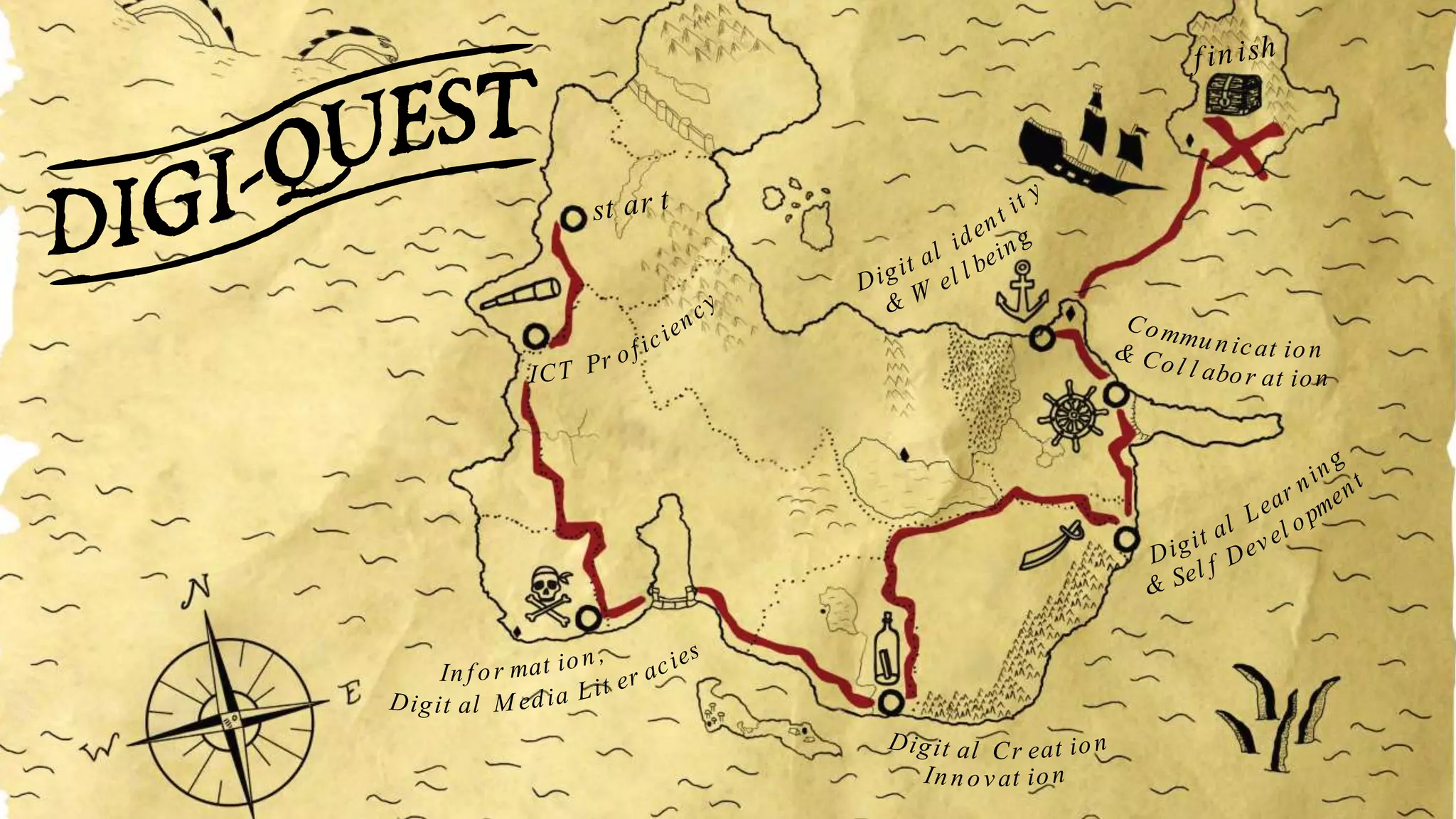
st ar t
f inish
ICT Pr oficiency
Digit al M edia Lit er acies
Inf or mat ion,
& Sel f Devel opment
Digit al Lear ning
& Col l abor at ion
Commu nicat ion
& W el l being
Digit al ident it y
Innovat ion
Digit al Cr eat ion
DigiQuest – Developing Staff Digital
Capabilities With An Online Pirates Of
Ormskirk Challenge!
Heather Johnston
Leah Wilson
Edge Hill University
The Beginning
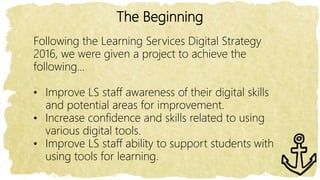
Following the Learning Services Digital Strategy
2016, we were given a project to achieve the
following…
• Improve LS staff awareness of their digital skills
and potential areas for improvement.
• Increase confidence and skills related to using
various digital tools.
• Improve LS staff ability to support students with
using tools for learning.
Getting Started
Our department has approx. 100 staff,
with a wide range of roles, digital
capabilities and priorities.
As a starting point, we wanted to see
what digital skills our staff already have
and what areas they would like to
improve on.
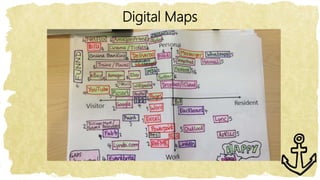
Digital Map Workshop
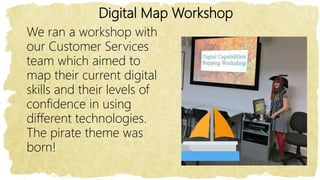
We ran a workshop with
our Customer Services
team which aimed to
map their current digital
skills and their levels of
confidence in using
different technologies.
The pirate theme was
born!
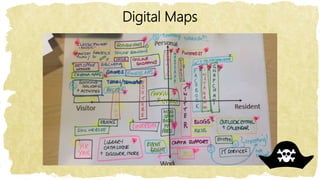
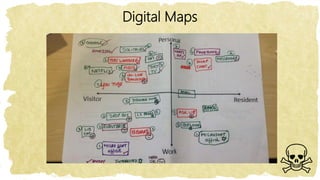
We used David White’s Visitors and Residents model and asked
staff to complete maps showing what technologies they
currently use.
Visitors and Residents
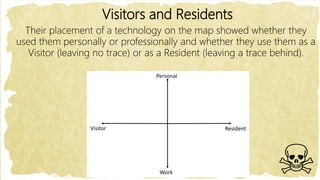
Their placement of a technology on the map showed whether they
used them personally or professionally and whether they use them as a
Visitor (leaving no trace) or as a Resident (leaving a trace behind).
Personal
Work
ResidentVisitor
Visitors and Residents
We then asked staff to annotate their
maps to say how they felt about each of
the different digital tools they used.
Happy? Anxious? Interested?
Disengaged? Need more training?
Visitors and Residents
Finally, we asked staff to decide which of the six JISC
digital capability categories each tool fitted into, and
mark the map as appropriate.
1) ICT Proficiency
2) Information and data literacies
3) Digital creation and innovation
4) Digital learning and self development
5) Communication and collaboration
6) Digital identity and wellbeing
Digital Maps
Digital Maps
Digital Maps
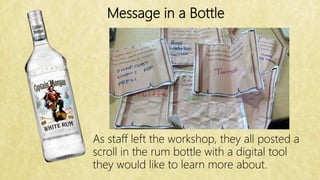
Message in a Bottle
As staff left the workshop, they all posted a
scroll in the rum bottle with a digital tool
they would like to learn more about.
Planning
We decided we wanted to make an
online course on Blackboard for LS staff
to work through.
We continued the pirate theme, naming
it DigiQuest.
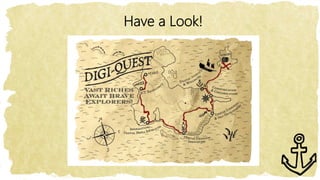
The course contained six sections – each
representing one of the JISC digital
capabilities.
Within each section were a variety of
digital tasks.
Planning
We used the following to choose the digital tasks
to include…
• Knowledge of LS priorities
• Gaps/needs identified from digital maps
session
• Individual messages in a bottle
• JISC Digital Capability Profiles
Planning
The goal was not for staff to reach specific
levels of proficiency with specific tools, but
for Learning Services staff to choose which
skills they wanted to develop – promoting
independent learning.
We tried to relate tasks to Learning
Services activities and real-life scenarios as
much as possible.
Reward
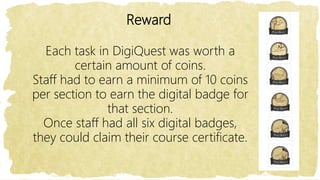
Each task in DigiQuest was worth a
certain amount of coins.
Staff had to earn a minimum of 10 coins
per section to earn the digital badge for
that section.
Once staff had all six digital badges,
they could claim their course certificate.
Incentive!
We gave staff six weeks to work through
DigiQuest.
All staff who had completed the course (achieved
all six badges) by this time were entered into a
draw.
Four prizes of £25 vouchers for the store of their
choice were available.
Have a Look!
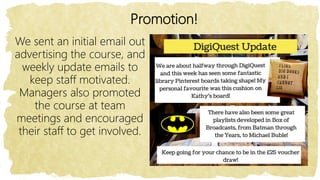
Promotion!
We sent an initial email out
advertising the course, and
weekly update emails to
keep staff motivated.
Managers also promoted
the course at team
meetings and encouraged
their staff to get involved.
Participation
• Over the six weeks, 65 Learning Services staff
participated in DigiQuest.
• Between them they spent 325hrs + 52 mins
completing tasks to enhance their digital
capabilities.
• The average time spent on the course was 5
hours.
• They achieved 138 digital badges.
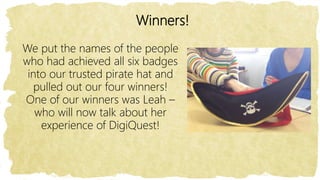
Winners!
We put the names of the people
who had achieved all six badges
into our trusted pirate hat and
pulled out our four winners!
One of our winners was Leah –
who will now talk about her
experience of DigiQuest!
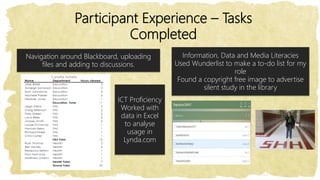
Participant Experience – Tasks
Completed
Information, Data and Media Literacies
Used Wunderlist to make a to-do list for my
role
Found a copyright free image to advertise
silent study in the library
ICT Proficiency
Worked with
data in Excel
to analyse
usage in
Lynda.com
Navigation around Blackboard, uploading
files and adding to discussions.
Participant Experience – Tasks
Completed
Digital
Learning and
Self
Development
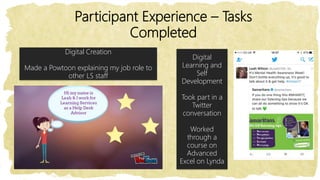
Took part in a
Twitter
conversation
Worked
through a
course on
Advanced
Excel on Lynda
Digital Creation
Made a Powtoon explaining my job role to
other LS staff
Participant Experience – Tasks
Completed
Digital Identity and Wellbeing
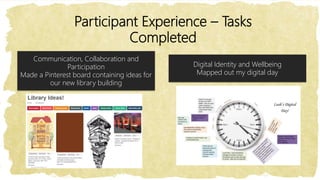
Mapped out my digital day
Communication, Collaboration and
Participation
Made a Pinterest board containing ideas for
our new library building
Since DigiQuest…
• Increased confidence in digital capability
• New secondment as Learning Technology
Development Coordinator
• Member of Social Media Squad
• Wrote first blog for LTD team
• Took on data analysis of stats
Feedback
We sent a survey round all Learning Services staff to gather
feedback.
An opportunity
to try something
new and
innovative in fun,
bite sized
chunks!
Huge variety with
the opportunity to
apply the
innovations in day
to day practice!
I enjoyed using the
VLE as I had not
used it properly
before. There was
something for
everyone to try!
87.5% of respondents said they had learnt something new
93% said the activities were useful and relevant to their role
What Next…?
Investigate if any parts of the course could be re-purposed for
students or academic staff
Develop a DigiQuest 2.0 course to continue to support
Learning Services staff to improve their digital skills and
confidence
Thanks for
Listening
Any Questions?

Northern Collaboration 2017 Conference presentation by Edge Hill University

  • 1.
    st ar t finish ICT Pr oficiency Digit al M edia Lit er acies Inf or mat ion, & Sel f Devel opment Digit al Lear ning & Col l abor at ion Commu nicat ion & W el l being Digit al ident it y Innovat ion Digit al Cr eat ion
  • 2.
    DigiQuest – DevelopingStaff Digital Capabilities With An Online Pirates Of Ormskirk Challenge! Heather Johnston Leah Wilson Edge Hill University
  • 3.
    The Beginning Following theLearning Services Digital Strategy 2016, we were given a project to achieve the following… • Improve LS staff awareness of their digital skills and potential areas for improvement. • Increase confidence and skills related to using various digital tools. • Improve LS staff ability to support students with using tools for learning.
  • 4.
    Getting Started Our departmenthas approx. 100 staff, with a wide range of roles, digital capabilities and priorities. As a starting point, we wanted to see what digital skills our staff already have and what areas they would like to improve on.
  • 5.
    Digital Map Workshop Weran a workshop with our Customer Services team which aimed to map their current digital skills and their levels of confidence in using different technologies. The pirate theme was born!
  • 6.
    We used DavidWhite’s Visitors and Residents model and asked staff to complete maps showing what technologies they currently use.
  • 7.
    Visitors and Residents Theirplacement of a technology on the map showed whether they used them personally or professionally and whether they use them as a Visitor (leaving no trace) or as a Resident (leaving a trace behind). Personal Work ResidentVisitor
  • 8.
    Visitors and Residents Wethen asked staff to annotate their maps to say how they felt about each of the different digital tools they used. Happy? Anxious? Interested? Disengaged? Need more training?
  • 9.
    Visitors and Residents Finally,we asked staff to decide which of the six JISC digital capability categories each tool fitted into, and mark the map as appropriate. 1) ICT Proficiency 2) Information and data literacies 3) Digital creation and innovation 4) Digital learning and self development 5) Communication and collaboration 6) Digital identity and wellbeing
  • 10.
  • 11.
  • 12.
  • 13.
    Message in aBottle As staff left the workshop, they all posted a scroll in the rum bottle with a digital tool they would like to learn more about.
  • 14.
    Planning We decided wewanted to make an online course on Blackboard for LS staff to work through. We continued the pirate theme, naming it DigiQuest. The course contained six sections – each representing one of the JISC digital capabilities. Within each section were a variety of digital tasks.
  • 15.
    Planning We used thefollowing to choose the digital tasks to include… • Knowledge of LS priorities • Gaps/needs identified from digital maps session • Individual messages in a bottle • JISC Digital Capability Profiles
  • 16.
    Planning The goal wasnot for staff to reach specific levels of proficiency with specific tools, but for Learning Services staff to choose which skills they wanted to develop – promoting independent learning. We tried to relate tasks to Learning Services activities and real-life scenarios as much as possible.
  • 17.
    Reward Each task inDigiQuest was worth a certain amount of coins. Staff had to earn a minimum of 10 coins per section to earn the digital badge for that section. Once staff had all six digital badges, they could claim their course certificate.
  • 18.
    Incentive! We gave staffsix weeks to work through DigiQuest. All staff who had completed the course (achieved all six badges) by this time were entered into a draw. Four prizes of £25 vouchers for the store of their choice were available.
  • 19.
  • 20.
    Promotion! We sent aninitial email out advertising the course, and weekly update emails to keep staff motivated. Managers also promoted the course at team meetings and encouraged their staff to get involved.
  • 21.
    Participation • Over thesix weeks, 65 Learning Services staff participated in DigiQuest. • Between them they spent 325hrs + 52 mins completing tasks to enhance their digital capabilities. • The average time spent on the course was 5 hours. • They achieved 138 digital badges.
  • 22.
    Winners! We put thenames of the people who had achieved all six badges into our trusted pirate hat and pulled out our four winners! One of our winners was Leah – who will now talk about her experience of DigiQuest!
  • 23.
    Participant Experience –Tasks Completed Information, Data and Media Literacies Used Wunderlist to make a to-do list for my role Found a copyright free image to advertise silent study in the library ICT Proficiency Worked with data in Excel to analyse usage in Lynda.com Navigation around Blackboard, uploading files and adding to discussions.
  • 24.
    Participant Experience –Tasks Completed Digital Learning and Self Development Took part in a Twitter conversation Worked through a course on Advanced Excel on Lynda Digital Creation Made a Powtoon explaining my job role to other LS staff
  • 25.
    Participant Experience –Tasks Completed Digital Identity and Wellbeing Mapped out my digital day Communication, Collaboration and Participation Made a Pinterest board containing ideas for our new library building
  • 26.
    Since DigiQuest… • Increasedconfidence in digital capability • New secondment as Learning Technology Development Coordinator • Member of Social Media Squad • Wrote first blog for LTD team • Took on data analysis of stats
  • 27.
    Feedback We sent asurvey round all Learning Services staff to gather feedback. An opportunity to try something new and innovative in fun, bite sized chunks! Huge variety with the opportunity to apply the innovations in day to day practice! I enjoyed using the VLE as I had not used it properly before. There was something for everyone to try! 87.5% of respondents said they had learnt something new 93% said the activities were useful and relevant to their role
  • 28.
    What Next…? Investigate ifany parts of the course could be re-purposed for students or academic staff Develop a DigiQuest 2.0 course to continue to support Learning Services staff to improve their digital skills and confidence
  • 29.

Editor's Notes