Copyright © 2013 Deloitte Development LLC. All rights reserved.
SYSTEM MONITORING TOOL
NMON
Copyright © 2013 Deloitte Development LLC. All rights reserved.
Nmon:
The Nmon tool is a system monitor tool designed for AIX and Linux performance
specialists to use for monitoring and analyzing performance data like CPU
utilization ,Memory usage, Top processors ,Disk usage and etc.
What is Nmon
Copyright © 2013 Deloitte Development LLC. All rights reserved.
Benefits
• The nmon tool is helpful in presenting all the important performance tuning
information on one screen and dynamically updating it.
• The nmon tool can also capture the same data to a text file for later analysis
and graphing for reports. The output is in a spreadsheet format (.csv)
Copyright © 2013 Deloitte Development LLC. All rights reserved.
Syntax
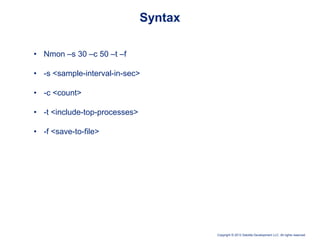
• Nmon –s 30 –c 50 –t –f
• -s <sample-interval-in-sec>
• -c <count>
• -t <include-top-processes>
• -f <save-to-file>
Copyright © 2013 Deloitte Development LLC. All rights reserved.
Action-1
• Open putty
• Enter Linux server name
• Enter username and password
Copyright © 2013 Deloitte Development LLC. All rights reserved.
Action-2
• Enter Nmon
> If the Below Screen is displayed that Means Nmon is installed in
your system
Copyright © 2013 Deloitte Development LLC. All rights reserved.
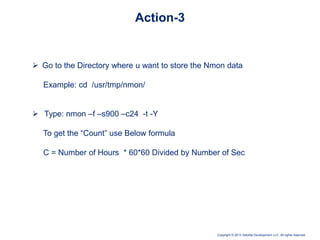
 Go to the Directory where u want to store the Nmon data
Example: cd /usr/tmp/nmon/
 Type: nmon –f –s900 –c24 -t -Y
To get the “Count” use Below formula
C = Number of Hours * 60*60 Divided by Number of Sec
Action-3
Copyright © 2013 Deloitte Development LLC. All rights reserved.
Action-4
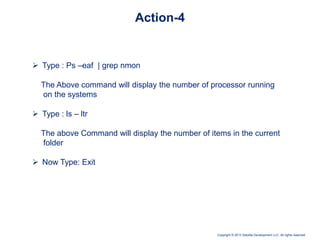
 Type : Ps –eaf | grep nmon
The Above command will display the number of processor running
on the systems
 Type : ls – ltr
The above Command will display the number of items in the current
folder
 Now Type: Exit
Copyright © 2013 Deloitte Development LLC. All rights reserved.
FTP Transfer
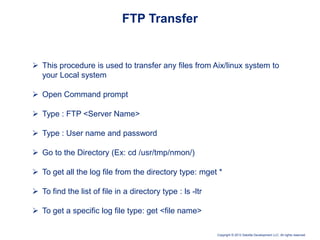
 This procedure is used to transfer any files from Aix/linux system to
your Local system
 Open Command prompt
 Type : FTP <Server Name>
 Type : User name and password
 Go to the Directory (Ex: cd /usr/tmp/nmon/)
 To get all the log file from the directory type: mget *
 To find the list of file in a directory type : ls -ltr
 To get a specific log file type: get <file name>
Nmon Analysis - Performance monitoring tool for LINUX and AIX

Nmon Analysis - Performance monitoring tool for LINUX and AIX

  • 1.
    Copyright © 2013Deloitte Development LLC. All rights reserved. SYSTEM MONITORING TOOL NMON
  • 2.
    Copyright © 2013Deloitte Development LLC. All rights reserved. Nmon: The Nmon tool is a system monitor tool designed for AIX and Linux performance specialists to use for monitoring and analyzing performance data like CPU utilization ,Memory usage, Top processors ,Disk usage and etc. What is Nmon
  • 3.
    Copyright © 2013Deloitte Development LLC. All rights reserved. Benefits • The nmon tool is helpful in presenting all the important performance tuning information on one screen and dynamically updating it. • The nmon tool can also capture the same data to a text file for later analysis and graphing for reports. The output is in a spreadsheet format (.csv)
  • 4.
    Copyright © 2013Deloitte Development LLC. All rights reserved. Syntax • Nmon –s 30 –c 50 –t –f • -s <sample-interval-in-sec> • -c <count> • -t <include-top-processes> • -f <save-to-file>
  • 5.
    Copyright © 2013Deloitte Development LLC. All rights reserved. Action-1 • Open putty • Enter Linux server name • Enter username and password
  • 6.
    Copyright © 2013Deloitte Development LLC. All rights reserved. Action-2 • Enter Nmon > If the Below Screen is displayed that Means Nmon is installed in your system
  • 7.
    Copyright © 2013Deloitte Development LLC. All rights reserved.  Go to the Directory where u want to store the Nmon data Example: cd /usr/tmp/nmon/  Type: nmon –f –s900 –c24 -t -Y To get the “Count” use Below formula C = Number of Hours * 60*60 Divided by Number of Sec Action-3
  • 8.
    Copyright © 2013Deloitte Development LLC. All rights reserved. Action-4  Type : Ps –eaf | grep nmon The Above command will display the number of processor running on the systems  Type : ls – ltr The above Command will display the number of items in the current folder  Now Type: Exit
  • 9.
    Copyright © 2013Deloitte Development LLC. All rights reserved. FTP Transfer  This procedure is used to transfer any files from Aix/linux system to your Local system  Open Command prompt  Type : FTP <Server Name>  Type : User name and password  Go to the Directory (Ex: cd /usr/tmp/nmon/)  To get all the log file from the directory type: mget *  To find the list of file in a directory type : ls -ltr  To get a specific log file type: get <file name>