Angular 2 - CLI
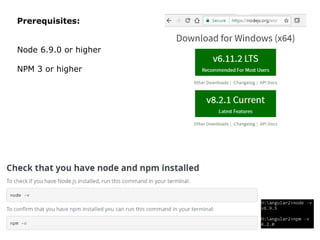
Prerequisites:
Node 6.9.0 or higher
NPM 3 or higher
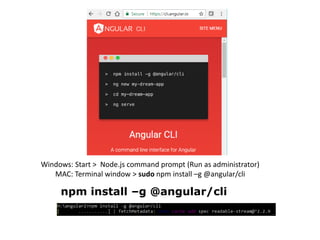
npm install –g @angular/cli
Windows: Start > Node.js command prompt (Run as administrator)
MAC: Terminal window > sudo npm install –g @angular/cli
…
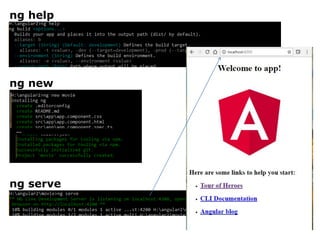
ng help
ng new
ng serve
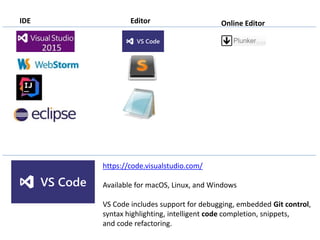
IDE Editor Online Editor
https://code.visualstudio.com/
Available for macOS, Linux, and Windows
VS Code includes support for debugging, embedded Git control,
syntax highlighting, intelligent code completion, snippets,
and code refactoring.
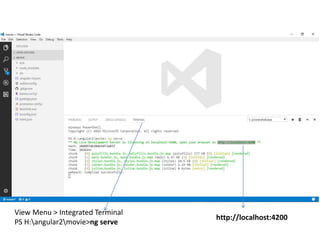
View Menu > Integrated Terminal
PS H:angular2movie>ng serve
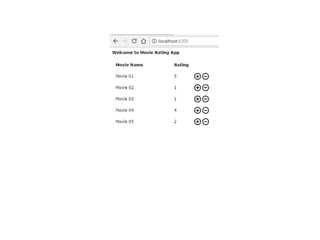
http://localhost:4200
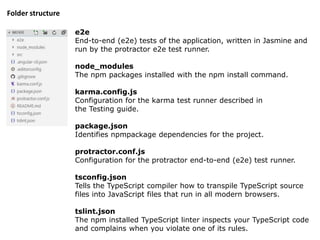
e2e
End-to-end (e2e) tests of the application, written in Jasmine and
run by the protractor e2e test runner.
node_modules
The npm packages installed with the npm install command.
karma.config.js
Configuration for the karma test runner described in
the Testing guide.
package.json
Identifies npmpackage dependencies for the project.
protractor.conf.js
Configuration for the protractor end-to-end (e2e) test runner.
tsconfig.json
Tells the TypeScript compiler how to transpile TypeScript source
files into JavaScript files that run in all modern browsers.
tslint.json
The npm installed TypeScript linter inspects your TypeScript code
and complains when you violate one of its rules.
Folder structure
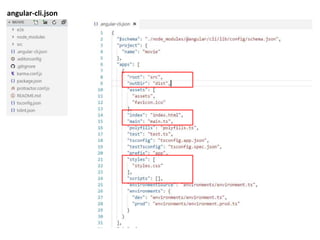
angular-cli.json
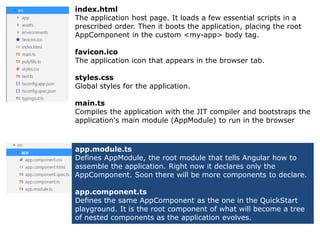
index.html
The application host page. It loads a few essential scripts in a
prescribed order. Then it boots the application, placing the root
AppComponent in the custom <my-app> body tag.
favicon.ico
The application icon that appears in the browser tab.
styles.css
Global styles for the application.
main.ts
Compiles the application with the JIT compiler and bootstraps the
application's main module (AppModule) to run in the browser
app.module.ts
Defines AppModule, the root module that tells Angular how to
assemble the application. Right now it declares only the
AppComponent. Soon there will be more components to declare.
app.component.ts
Defines the same AppComponent as the one in the QuickStart
playground. It is the root component of what will become a tree
of nested components as the application evolves.
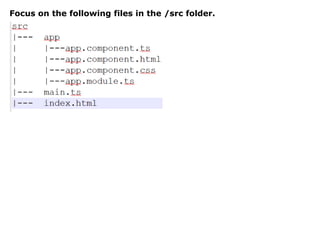
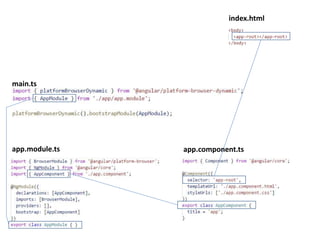
Focus on the following files in the /src folder.
main.ts
app.module.ts app.component.ts
index.html
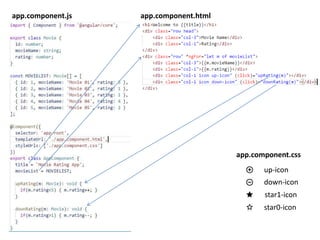
app.component.js app.component.html
app.component.css
up-icon
down-icon
star1-icon
star0-icon
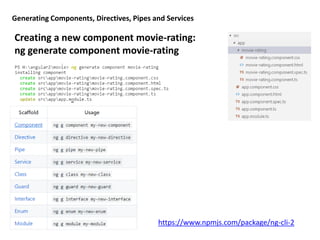
Generating Components, Directives, Pipes and Services
Creating a new component movie-rating:
ng generate component movie-rating
https://www.npmjs.com/package/ng-cli-2
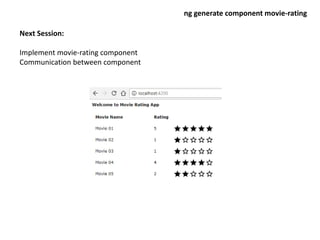
Next Session:
Implement movie-rating component
Communication between component
ng generate component movie-rating

Ng2 cli

  • 1.
  • 2.
    Prerequisites: Node 6.9.0 orhigher NPM 3 or higher
  • 3.
    npm install –g@angular/cli Windows: Start > Node.js command prompt (Run as administrator) MAC: Terminal window > sudo npm install –g @angular/cli
  • 4.
  • 5.
    IDE Editor OnlineEditor https://code.visualstudio.com/ Available for macOS, Linux, and Windows VS Code includes support for debugging, embedded Git control, syntax highlighting, intelligent code completion, snippets, and code refactoring.
  • 6.
    View Menu >Integrated Terminal PS H:angular2movie>ng serve http://localhost:4200
  • 7.
    e2e End-to-end (e2e) testsof the application, written in Jasmine and run by the protractor e2e test runner. node_modules The npm packages installed with the npm install command. karma.config.js Configuration for the karma test runner described in the Testing guide. package.json Identifies npmpackage dependencies for the project. protractor.conf.js Configuration for the protractor end-to-end (e2e) test runner. tsconfig.json Tells the TypeScript compiler how to transpile TypeScript source files into JavaScript files that run in all modern browsers. tslint.json The npm installed TypeScript linter inspects your TypeScript code and complains when you violate one of its rules. Folder structure
  • 8.
  • 9.
    index.html The application hostpage. It loads a few essential scripts in a prescribed order. Then it boots the application, placing the root AppComponent in the custom <my-app> body tag. favicon.ico The application icon that appears in the browser tab. styles.css Global styles for the application. main.ts Compiles the application with the JIT compiler and bootstraps the application's main module (AppModule) to run in the browser app.module.ts Defines AppModule, the root module that tells Angular how to assemble the application. Right now it declares only the AppComponent. Soon there will be more components to declare. app.component.ts Defines the same AppComponent as the one in the QuickStart playground. It is the root component of what will become a tree of nested components as the application evolves.
  • 10.
    Focus on thefollowing files in the /src folder.
  • 11.
  • 13.
  • 14.
    Generating Components, Directives,Pipes and Services Creating a new component movie-rating: ng generate component movie-rating https://www.npmjs.com/package/ng-cli-2
  • 15.
    Next Session: Implement movie-ratingcomponent Communication between component ng generate component movie-rating