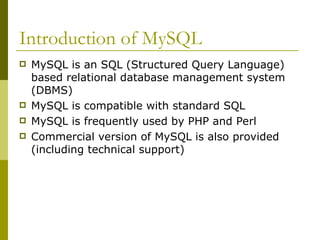
Introduction of MySQL
MySQL is an SQL (Structured Query Language)
based relational database management system
(DBMS)
MySQL is compatible with standard SQL
MySQL is frequently used by PHP and Perl
Commercial version of MySQL is also provided
(including technical support)
3.
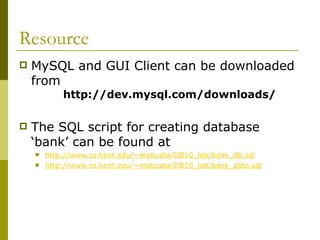
Resource
MySQL andGUI Client can be downloaded
from
http://dev.mysql.com/downloads/
The SQL script for creating database
‘bank’ can be found at
http://www.cs.kent.edu/~mabuata/DB10_lab/bank_db.sql
http://www.cs.kent.edu/~mabuata/DB10_lab/bank_data.sql
4.
Command for accessingMySQL
Access from DB server
>ssh dbdev.cs.kent.edu
Start MySQL
>mysql –u [username] –p
>Enter password:[password]
From a departmental machine
>mysql -u [username] -h dbdev.cs.kent.edu –p
>Enter password:[password]
5.
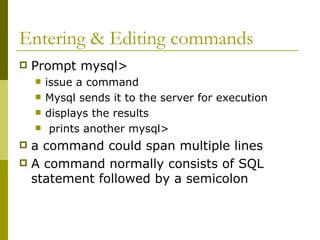
Entering & Editingcommands
Prompt mysql>
issue a command
Mysql sends it to the server for execution
displays the results
prints another mysql>
a command could span multiple lines
A command normally consists of SQL
statement followed by a semicolon
6.
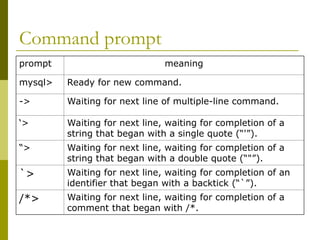
Command prompt
prompt meaning
mysql>Ready for new command.
-> Waiting for next line of multiple-line command.
‘> Waiting for next line, waiting for completion of a
string that began with a single quote (“'”).
“> Waiting for next line, waiting for completion of a
string that began with a double quote (“"”).
`> Waiting for next line, waiting for completion of an
identifier that began with a backtick (“`”).
/*> Waiting for next line, waiting for completion of a
comment that began with /*.
7.
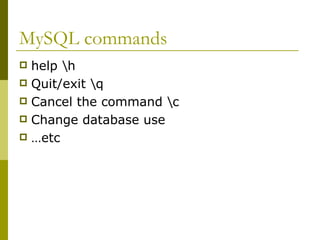
MySQL commands
helph
Quit/exit q
Cancel the command c
Change database use
…etc
8.
Info about databasesand tables
Listing the databases on the MySQL server host
>show databases;
Access/change database
>Use [database_name]
Showing the current selected database
> select database();
Showing tables in the current database
>show tables;
Showing the structure of a table
> describe [table_name];
CREATE DATABASE
AnSQL relation is defined using the CREATE
DATABASE command:
create database [database name]
Example
create database mydatabase
11.
SQL Script forcreating tables
The SQL script for creating database
‘bank’ can be found at
http://www.cs.kent.edu/~mabuata/DB10_lab/bank_db.sql
http://www.cs.kent.edu/~mabuata/DB10_lab/bank_data.sql
Notice: we do not have permission to create database,
so you have to type command “use [your_account]” to
work on your database.
12.
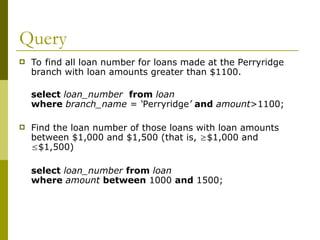
Query
To findall loan number for loans made at the Perryridge
branch with loan amounts greater than $1100.
select loan_number from loan
where branch_name = ‘Perryridge’ and amount>1100;
Find the loan number of those loans with loan amounts
between $1,000 and $1,500 (that is, $1,000 and
$1,500)
select loan_number from loan
where amount between 1000 and 1500;
13.
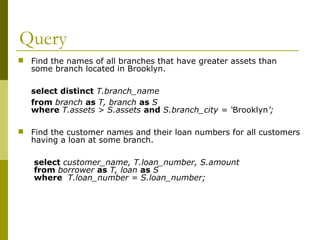
Query
Find thenames of all branches that have greater assets than
some branch located in Brooklyn.
select distinct T.branch_name
from branch as T, branch as S
where T.assets > S.assets and S.branch_city = ‘Brooklyn’;
Find the customer names and their loan numbers for all customers
having a loan at some branch.
select customer_name, T.loan_number, S.amount
from borrower as T, loan as S
where T.loan_number = S.loan_number;
14.
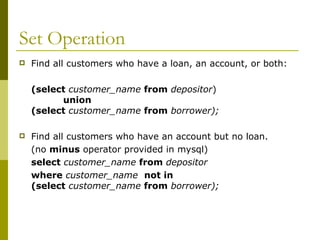
Set Operation
Findall customers who have a loan, an account, or both:
(select customer_name from depositor)
union
(select customer_name from borrower);
Find all customers who have an account but no loan.
(no minus operator provided in mysql)
select customer_name from depositor
where customer_name not in
(select customer_name from borrower);
15.
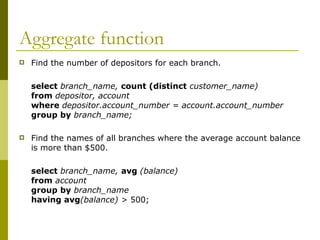
Aggregate function
Findthe number of depositors for each branch.
select branch_name, count (distinct customer_name)
from depositor, account
where depositor.account_number = account.account_number
group by branch_name;
Find the names of all branches where the average account balance
is more than $500.
select branch_name, avg (balance)
from account
group by branch_name
having avg(balance) > 500;
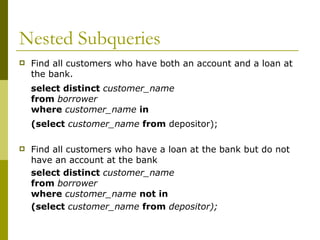
16.
Nested Subqueries
Findall customers who have both an account and a loan at
the bank.
select distinct customer_name
from borrower
where customer_name in
(select customer_name from depositor);
Find all customers who have a loan at the bank but do not
have an account at the bank
select distinct customer_name
from borrower
where customer_name not in
(select customer_name from depositor);
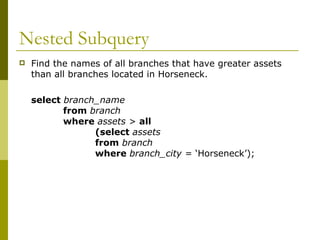
17.
Nested Subquery
Findthe names of all branches that have greater assets
than all branches located in Horseneck.
select branch_name
from branch
where assets > all
(select assets
from branch
where branch_city = ‘Horseneck’);
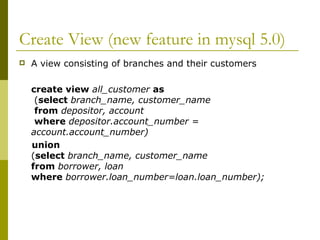
18.
Create View (newfeature in mysql 5.0)
A view consisting of branches and their customers
create view all_customer as
(select branch_name, customer_name
from depositor, account
where depositor.account_number =
account.account_number)
union
(select branch_name, customer_name
from borrower, loan
where borrower.loan_number=loan.loan_number);
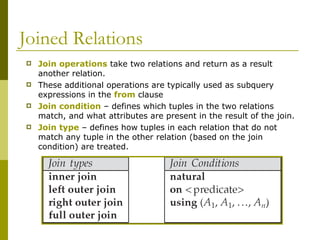
19.
Joined Relations
Joinoperations take two relations and return as a result
another relation.
These additional operations are typically used as subquery
expressions in the from clause
Join condition – defines which tuples in the two relations
match, and what attributes are present in the result of the join.
Join type – defines how tuples in each relation that do not
match any tuple in the other relation (based on the join
condition) are treated.
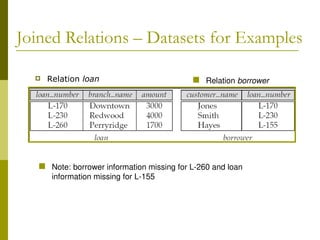
20.
Joined Relations –Datasets for Examples
Relation loan Relation borrower
Note: borrower information missing for L-260 and loan
information missing for L-155
21.
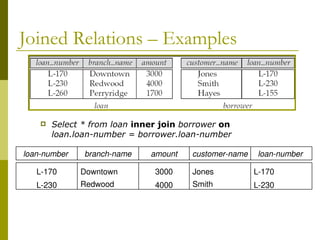
Joined Relations –Examples
Select * from loan inner join borrower on
loan.loan-number = borrower.loan-number
branch-name amount
Downtown
Redwood
3000
4000
customer-name loan-number
Jones
Smith
L-170
L-230
loan-number
L-170
L-230
22.
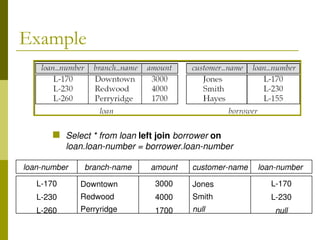
Example
Select *from loan left join borrower on
loan.loan-number = borrower.loan-number
branch-name amount
Downtown
Redwood
Perryridge
3000
4000
1700
customer-name loan-number
Jones
Smith
null
L-170
L-230
null
loan-number
L-170
L-230
L-260
23.
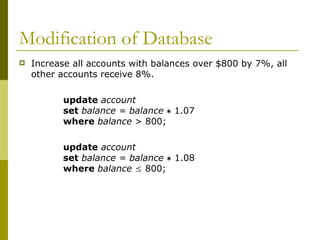
Modification of Database
Increase all accounts with balances over $800 by 7%, all
other accounts receive 8%.
update account
set balance = balance 1.07
where balance > 800;
update account
set balance = balance 1.08
where balance 800;
24.
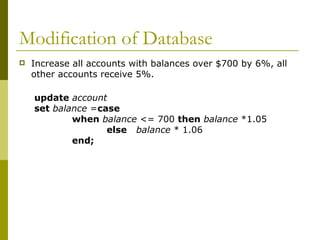
Modification of Database
Increase all accounts with balances over $700 by 6%, all
other accounts receive 5%.
update account
set balance =case
when balance <= 700 then balance *1.05
else balance * 1.06
end;
25.
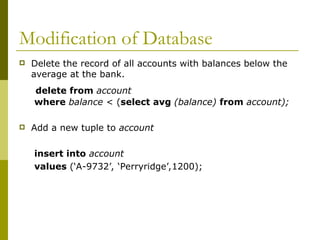
Modification of Database
Delete the record of all accounts with balances below the
average at the bank.
delete from account
where balance < (select avg (balance) from account);
Add a new tuple to account
insert into account
values (‘A-9732’, ‘Perryridge’,1200);
![Command for accessing MySQL
Access from DB server
>ssh dbdev.cs.kent.edu
Start MySQL
>mysql –u [username] –p
>Enter password:[password]
From a departmental machine
>mysql -u [username] -h dbdev.cs.kent.edu –p
>Enter password:[password]](https://image.slidesharecdn.com/mysqltutorial-251210054227-c0ed8e98/85/mysql_tutorial-ppt-Mysql-introduction-template-4-320.jpg)
![Info about databases and tables
Listing the databases on the MySQL server host
>show databases;
Access/change database
>Use [database_name]
Showing the current selected database
> select database();
Showing tables in the current database
>show tables;
Showing the structure of a table
> describe [table_name];](https://image.slidesharecdn.com/mysqltutorial-251210054227-c0ed8e98/85/mysql_tutorial-ppt-Mysql-introduction-template-8-320.jpg)
![CREATE DATABASE
An SQL relation is defined using the CREATE
DATABASE command:
create database [database name]
Example
create database mydatabase](https://image.slidesharecdn.com/mysqltutorial-251210054227-c0ed8e98/85/mysql_tutorial-ppt-Mysql-introduction-template-10-320.jpg)
![SQL Script for creating tables
The SQL script for creating database
‘bank’ can be found at
http://www.cs.kent.edu/~mabuata/DB10_lab/bank_db.sql
http://www.cs.kent.edu/~mabuata/DB10_lab/bank_data.sql
Notice: we do not have permission to create database,
so you have to type command “use [your_account]” to
work on your database.](https://image.slidesharecdn.com/mysqltutorial-251210054227-c0ed8e98/85/mysql_tutorial-ppt-Mysql-introduction-template-11-320.jpg)


![ch3[1].ppt](https://cdn.slidesharecdn.com/ss_thumbnails/ch31-230417055355-765568bc-thumbnail.jpg?width=640&height=640&fit=bounds)


