By
T.vishnuBalan,Final IT
Smart phone definition:
 “A SmartPhone is one device that can take
care of all your handheld computing and
communication needs in a single small
package.”
 Smartphones allow users to make
telephone calls, and use applications
for every need from word processing
to listening to audio files to reading
and sending emails
Student Uses of smart phone:
 Dictionaries are easy access in Smart phones
 Access to the internet for research and
referencing
 The ability to snap a picture of the day’s
homework assignment scribbled on a
whiteboard or take a short video of a key
lecture moment
 Recording lectures with Voice Memo and other
third-party note-taking apps
 Keeping track of schedules and dates
 Use of translator to break language barriers
 Allow students to check their grades via on-
For Businessman
 Finding your way: Your phone's GPS can get you to
appointments on time, even if you're in a strange city far from home
 Access Customer Data: Many CRMs (Customer Relationship
Management) allow you to connect from your smartphone and pull
out useful data on prospects and customer
 Schedule-Keeping: Smart phones have apps that allow you to
record not only who and where, but also your notes about the
impending appointment
 Contacts at your fingertips: A smartphone makes your entire
address book available to you at all times. So if you suddenly need to
call your former co-worker from the road to provide an introduction to
a new prospect, it's not a problem
Bussiness Application:
These are the applications mostly used by
Businessmen via smartphones
 Currency Converter
 Net Bank
 Contactually
 Financial Calculator
 Cash Control
For Medical:
 Smartphone will help u in maintaining your
weight
 With the use of smartphones doctors can
have correct information about new
medicines and there specifications
 Smartphones have apps which can remind
the patient to take medicines.
 Diabetic patients are blessed with the app
Calorie calculator. It will not let there sugar
level down.
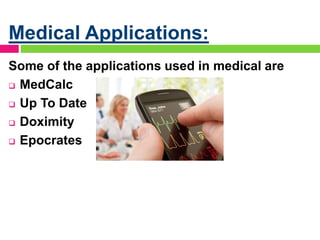
Medical Applications:
Some of the applications used in medical are
 MedCalc
 Up To Date
 Doximity
 Epocrates
General uses of
smartphones:
 Instant Messaging
 Group Conversation
 Video Recording
 Voice Recording
 Bar Code reader
 Online Gaming
 Video Chatting
 Navigation
 On the go Document editing
Advantage of Smartphone:
 Communication
 Endless Application
 Wireless Sharing
 Storage of ImportantFiles
 In business
Communication:
 Call
 Text
 E-mail
 Video calling
 Social Networking
Endless Applications
 The early twenty-first century brings hundreds
of thousands of smartphone apps. Here is a
list of top 10 apps of all time. Birds
 1-Gmail
 2-AngryBirds
 3-Chrome browser
 4-Facebook
 5-Skype
 6-Twitter
 7-WhatsApp Messenger
 8-Adobe Flash Player
WIRELESS SHARING
Advantages of smartphones also extend to
the field of sharing because now you can
share files wirelessly without the need of
USB. Apps for wirelessly sharing data are:
BLUETOOTH Sharing
Airdroid
Es file explorer
samba
Storage of important Files:
 Smartphone today have bigger memory
capacity with this,user can easily store files
particularlly those that are important for
business.Cloud saving is another source of
saving files.
 Google drive
 Dropbox
 Microsoft one-drive
In Business:
 If you need to stay productive,when out of
the office,choose a smartphone that
includes a arrange of basic business tools
many come with simple word processing
campablities spreadsheet,and
databaseProgram some apps are:
 Adobe reader
 Paypal here
 Linked in
Disadvantage of Smartphone:
 Cost
 Security
 Danger of rogue apps
 Security & Threats
 Methods of Hacking
Cost:
 The biggest disadvantage of a
smartphone is its cost compared to
standard mobile phones. A smartphone
costs considerably more from a feature
phone.
 Smartphones also require expensive
data plans which most standard
phones do not.
 Internet access is provided at an
additional cost, raising the cost of
Security:
 Threats from SMS
 your personal data such as passwords,
credit card data Threats from SMS
 Wi-Fi and Bluetooth Security Risks
 They can prove to be both rife with
malware and provided by scammers
looking to capture your personal data
such as passwords, credit card data
Danger of Rogue apps:
 There are rogue apps on any
platform whether it is android, ios
or windows phone.
 It’s no surprise that the number of
threats for Android has increased
over the past few years.
 EXAMPLE OF FAKE APP:
 Android.Spyware.GoneSixty.Gen
Security & Threats:
 As the trend goes on, people are becoming
addicted to there features
 People are very casual with their personal
data which is a danger to themselves
 The features provided by the smartphone
companies and their operating systems are
not that much secure
Methods of hacking
 Snooping:
 Phishing:
 Network Spoofing:
 Wireless Hacking:
 Phone Cloning:
 Dodgy Apps:
 Bluetooth:
Continual growth of
smartphones
 According to New York times total sales
ofsmartphoneswill reach 1.2 billion units
before the end of the 2014, a 23.1 percent
increase over 2013
 Android continues to dominate these sales
with an estimated market share of 80.2
percent in 2014
 Smartphone adoption reflects the trend
toward emerging market growth in the
wider technology device space
Future of smartphones
 Flexible Screens:
 In-Built Projector:
 3D Screens & Holograms
 Enhance the environment
Prevention from hacking
 Be sure to change your phone's remote
access PIN
 Use strong passwords that would be
difficult for anyone to guess
 Turn off auto-complete so that passwords
aren't stored on your phone
 Delete your browsing history frequently
Conclusion:
 Smartphones have a combined
influence on people. People are
becoming anti-social and
because of it people get
scammed easily whereas on
the other hand these are very
helpful in everyway and have
made lots of things easier for
the human race.
my smartphone

my smartphone

  • 1.
  • 2.
    Smart phone definition: “A SmartPhone is one device that can take care of all your handheld computing and communication needs in a single small package.”  Smartphones allow users to make telephone calls, and use applications for every need from word processing to listening to audio files to reading and sending emails
  • 3.
    Student Uses ofsmart phone:  Dictionaries are easy access in Smart phones  Access to the internet for research and referencing  The ability to snap a picture of the day’s homework assignment scribbled on a whiteboard or take a short video of a key lecture moment  Recording lectures with Voice Memo and other third-party note-taking apps  Keeping track of schedules and dates  Use of translator to break language barriers  Allow students to check their grades via on-
  • 4.
    For Businessman  Findingyour way: Your phone's GPS can get you to appointments on time, even if you're in a strange city far from home  Access Customer Data: Many CRMs (Customer Relationship Management) allow you to connect from your smartphone and pull out useful data on prospects and customer  Schedule-Keeping: Smart phones have apps that allow you to record not only who and where, but also your notes about the impending appointment  Contacts at your fingertips: A smartphone makes your entire address book available to you at all times. So if you suddenly need to call your former co-worker from the road to provide an introduction to a new prospect, it's not a problem
  • 5.
    Bussiness Application: These arethe applications mostly used by Businessmen via smartphones  Currency Converter  Net Bank  Contactually  Financial Calculator  Cash Control
  • 6.
    For Medical:  Smartphonewill help u in maintaining your weight  With the use of smartphones doctors can have correct information about new medicines and there specifications  Smartphones have apps which can remind the patient to take medicines.  Diabetic patients are blessed with the app Calorie calculator. It will not let there sugar level down.
  • 7.
    Medical Applications: Some ofthe applications used in medical are  MedCalc  Up To Date  Doximity  Epocrates
  • 8.
    General uses of smartphones: Instant Messaging  Group Conversation  Video Recording  Voice Recording  Bar Code reader  Online Gaming  Video Chatting  Navigation  On the go Document editing
  • 9.
    Advantage of Smartphone: Communication  Endless Application  Wireless Sharing  Storage of ImportantFiles  In business
  • 10.
    Communication:  Call  Text E-mail  Video calling  Social Networking
  • 11.
    Endless Applications  Theearly twenty-first century brings hundreds of thousands of smartphone apps. Here is a list of top 10 apps of all time. Birds  1-Gmail  2-AngryBirds  3-Chrome browser  4-Facebook  5-Skype  6-Twitter  7-WhatsApp Messenger  8-Adobe Flash Player
  • 12.
    WIRELESS SHARING Advantages ofsmartphones also extend to the field of sharing because now you can share files wirelessly without the need of USB. Apps for wirelessly sharing data are: BLUETOOTH Sharing Airdroid Es file explorer samba
  • 13.
    Storage of importantFiles:  Smartphone today have bigger memory capacity with this,user can easily store files particularlly those that are important for business.Cloud saving is another source of saving files.  Google drive  Dropbox  Microsoft one-drive
  • 14.
    In Business:  Ifyou need to stay productive,when out of the office,choose a smartphone that includes a arrange of basic business tools many come with simple word processing campablities spreadsheet,and databaseProgram some apps are:  Adobe reader  Paypal here  Linked in
  • 15.
    Disadvantage of Smartphone: Cost  Security  Danger of rogue apps  Security & Threats  Methods of Hacking
  • 16.
    Cost:  The biggestdisadvantage of a smartphone is its cost compared to standard mobile phones. A smartphone costs considerably more from a feature phone.  Smartphones also require expensive data plans which most standard phones do not.  Internet access is provided at an additional cost, raising the cost of
  • 17.
    Security:  Threats fromSMS  your personal data such as passwords, credit card data Threats from SMS  Wi-Fi and Bluetooth Security Risks  They can prove to be both rife with malware and provided by scammers looking to capture your personal data such as passwords, credit card data
  • 18.
    Danger of Rogueapps:  There are rogue apps on any platform whether it is android, ios or windows phone.  It’s no surprise that the number of threats for Android has increased over the past few years.  EXAMPLE OF FAKE APP:  Android.Spyware.GoneSixty.Gen
  • 19.
    Security & Threats: As the trend goes on, people are becoming addicted to there features  People are very casual with their personal data which is a danger to themselves  The features provided by the smartphone companies and their operating systems are not that much secure
  • 20.
    Methods of hacking Snooping:  Phishing:  Network Spoofing:  Wireless Hacking:  Phone Cloning:  Dodgy Apps:  Bluetooth:
  • 21.
    Continual growth of smartphones According to New York times total sales ofsmartphoneswill reach 1.2 billion units before the end of the 2014, a 23.1 percent increase over 2013  Android continues to dominate these sales with an estimated market share of 80.2 percent in 2014  Smartphone adoption reflects the trend toward emerging market growth in the wider technology device space
  • 22.
    Future of smartphones Flexible Screens:  In-Built Projector:  3D Screens & Holograms  Enhance the environment
  • 23.
    Prevention from hacking Be sure to change your phone's remote access PIN  Use strong passwords that would be difficult for anyone to guess  Turn off auto-complete so that passwords aren't stored on your phone  Delete your browsing history frequently
  • 24.
    Conclusion:  Smartphones havea combined influence on people. People are becoming anti-social and because of it people get scammed easily whereas on the other hand these are very helpful in everyway and have made lots of things easier for the human race.