January 28, 2013


         ECFY Consulting
         Employing Technology for Business Benefits


                                                            Corporate Profile


     Contents
     •    About ECFY                                  Apurva Mankad
     •    Problem Statement                           ECFY Consulting Pvt. Ltd.
     •    ECFY Solution Suite
                                                      apurva@webxpress.in
            •   Products
                                                      w w w. W e b X p r e s s. i n
            •   Services
     •    Customers
Delivery Process Will Start After Stock Update
Process Rule


 Shipment can be Went Out of Stock in three Ways ,

 1. Through DRS( Delivery Run Sheet) in case of Door Delivery

 2. Through Gate Pass ( Incase Of Go down Delivery)

 3. through Crossing Chalan ( in Case we don’t have service for that location)


                               At Baroda Location


          Door Delivery           Godown Delivery       Out station delivery


             Using DRS              Using Gate pass          Using Cr , Ch
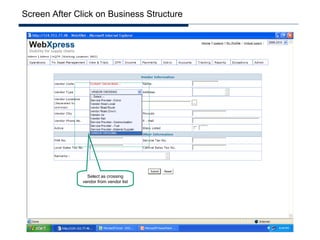
Create crossing vendor


                         Click to add vendor
Screen After Click on Business Structure


                 Select as crossing
               vendor from vendor list
Screen With Filled Information of vendor
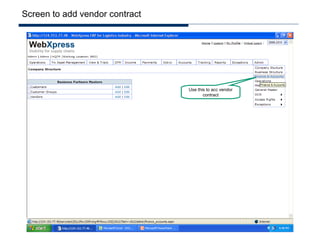
Screen to add vendor contract


                                Use this to acc vendor
                                       contract
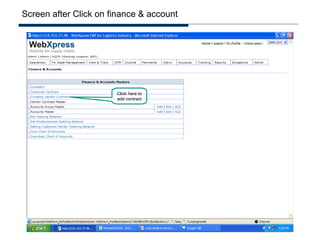
Screen after Click on finance & account


                       Click here to
                       add contract
Screen to contract management of crossing vendor


                            Click here
Screen to add contract


        Click on Submit to confirm contract
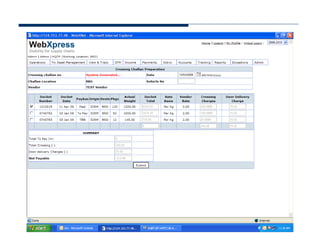
Screen to create Crossing Chalan
Screen To crate Delivery, MR
Crossing Chalan
Crossing Chalan For Docket Delivery
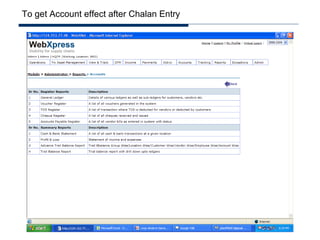
To get Account effect after Chalan Entry
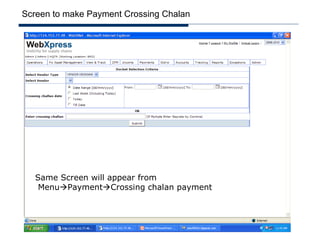
To make payment of crossing chalan


                                     Click here
Step 1. Delivery through delivery MR


              Click to create Delivery
                         MR
Screen to Generate Delivery MR


   1. Select Receiver , if receiver other than c’nne other than select c’nne, if c'nne is
   selected then it will comes from master.
   2. If Multiple is selected then user can generate individual MR , in a single time , with
   individual GR. & get print individually.
Screen with field information
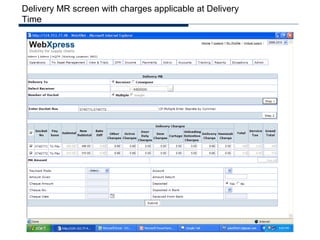
Delivery MR screen with charges applicable at Delivery
Time
Screen with delivery charges


  Here user should have to collect full amount either cash or check, & same will reflect in relevant
  Day Book( cash & bank Statement)
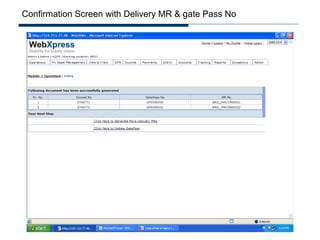
Confirmation Screen with Delivery MR & gate Pass No
Status Of GR after Delivery MR & Gate Pass in tracking
Screen with available Gate pass in selected criteria
Screen after Updated Gate pass
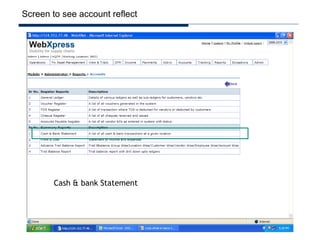
Screen to see account reflect


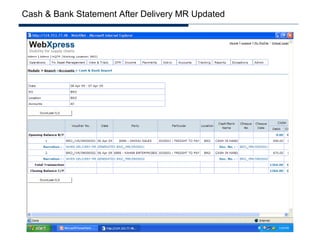
        Cash & bank Statement
Screen to get Cash & bank Statement(Day Book)
Cash & Bank Statement After Delivery MR Updated
Screen to get GL Effect
General Ledger
Screen To get menu for Crossing chalan
Screen to prepare crossing chalan
View Of crossing Chalan
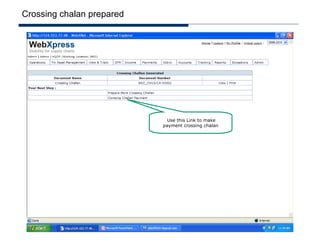
Crossing chalan prepared


                             Use this Link to make
                           payment crossing chalan
Screen to make Payment Crossing Chalan


   Same Screen will appear from
    MenuPaymentCrossing chalan payment
Effect in General Ledger When crossing chalan prepared
Relevant credit account for Crossing Chalan
January 28, 2013


       Thank You


                   APURVA MANKAD                     apurva@webxpress.in

                   Founder and CEO                   +91 93242 42802


                   ECFY Consulting Private Limited
                   Employing Technology for Business Benefits


                                                                       www.webxpress.in

Multiple Delivery Model for Parcel Business