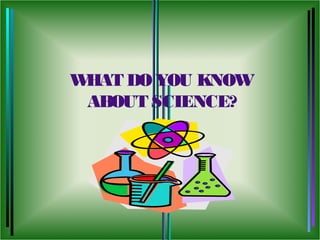
WHAT DO YOU KNOW
 ABOUT SCIENCE?
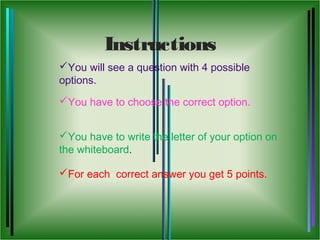
Instructions
You will see a question with 4 possible
options.
You have to choose the correct option.


You have to write the letter of your option on
the whiteboard.

For each correct answer you get 5 points.
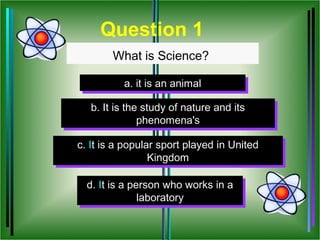
Question 1
        What is Science?

          a. it is an animal
          a. it is an animal

   b. It is the study of nature and its
   b. It is the study of nature and its
               phenomena's
                phenomena's

c. It is a popular sport played in United
 c. It is a popular sport played in United
                 Kingdom
                  Kingdom

  d. It is a person who works in a
  d. It is a person who works in a
               laboratory
                laboratory
INCORRECT!!!


    Try Again
CORRECT


      Next Question
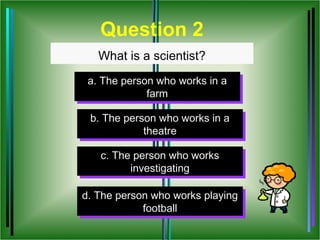
Question 2
   What is a scientist?
 a. The person who works in a
 a. The person who works in a
             farm
              farm

 b. The person who works in a
 b. The person who works in a
            theatre
             theatre

   c. The person who works
    c. The person who works
          investigating
           investigating

d. The person who works playing
            football
             football
INCORRECT!!!


    Try Again
CORRECT


      Next Question
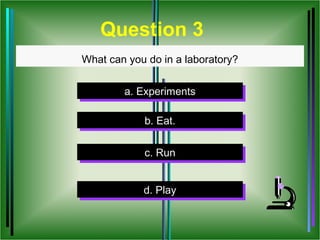
Question 3
What can you do in a laboratory?


        a. Experiments
        a. Experiments

            b. Eat.
            b. Eat.

            c. Run
             c. Run


            d. Play
            d. Play
INCORRECT!!!


    Try Again
CORRECT


      Next Question
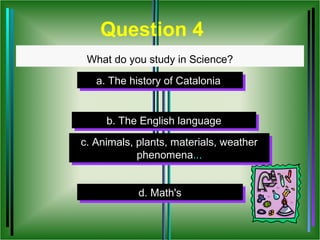
Question 4
 What do you study in Science?

   a. The history of Catalonia
   a. The history of Catalonia


     b. The English language
     b. The English language
c. Animals, plants, materials, weather
 c. Animals, plants, materials, weather
            phenomena...
             phenomena...


            d. Math's
            d. Math's
INCORRECT!!!


    Try Again
CORRECT


      Next Question
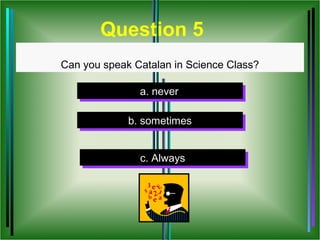
Question 5
Can you speak Catalan in Science Class?

               a. never
               a. never

             b. sometimes
             b. sometimes


               c. Always
                c. Always
INCORRECT!!!


    Try Again
CORRECT


      Next Question
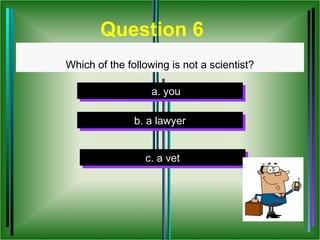
Question 6
Which of the following is not a scientist?

                   a. you
                   a. you

               b. a lawyer
               b. a lawyer


                 c. a vet
                  c. a vet
INCORRECT!!!


    Try Again
CORRECT


      Next Question
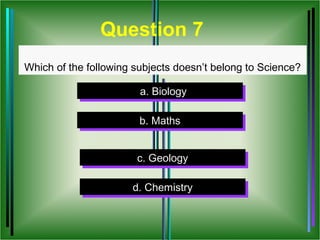
Question 7
Which of the following subjects doesn’t belong to Science?

                        a. Biology
                        a. Biology

                        b. Maths
                        b. Maths


                       c. Geology
                        c. Geology

                      d. Chemistry
                      d. Chemistry
INCORRECT!!!


    Try Again
CORRECT


      Next Question
Multiple choice

Multiple choice

  • 2.
    WHAT DO YOUKNOW ABOUT SCIENCE?
  • 3.
    Instructions You will seea question with 4 possible options. You have to choose the correct option. You have to write the letter of your option on the whiteboard. For each correct answer you get 5 points.
  • 4.
    Question 1 What is Science? a. it is an animal a. it is an animal b. It is the study of nature and its b. It is the study of nature and its phenomena's phenomena's c. It is a popular sport played in United c. It is a popular sport played in United Kingdom Kingdom d. It is a person who works in a d. It is a person who works in a laboratory laboratory
  • 5.
    INCORRECT!!! Try Again
  • 6.
    CORRECT Next Question
  • 7.
    Question 2 What is a scientist? a. The person who works in a a. The person who works in a farm farm b. The person who works in a b. The person who works in a theatre theatre c. The person who works c. The person who works investigating investigating d. The person who works playing d. The person who works playing football football
  • 8.
    INCORRECT!!! Try Again
  • 9.
    CORRECT Next Question
  • 10.
    Question 3 What canyou do in a laboratory? a. Experiments a. Experiments b. Eat. b. Eat. c. Run c. Run d. Play d. Play
  • 11.
    INCORRECT!!! Try Again
  • 12.
    CORRECT Next Question
  • 13.
    Question 4 Whatdo you study in Science? a. The history of Catalonia a. The history of Catalonia b. The English language b. The English language c. Animals, plants, materials, weather c. Animals, plants, materials, weather phenomena... phenomena... d. Math's d. Math's
  • 14.
    INCORRECT!!! Try Again
  • 15.
    CORRECT Next Question
  • 16.
    Question 5 Can youspeak Catalan in Science Class? a. never a. never b. sometimes b. sometimes c. Always c. Always
  • 17.
    INCORRECT!!! Try Again
  • 18.
    CORRECT Next Question
  • 19.
    Question 6 Which ofthe following is not a scientist? a. you a. you b. a lawyer b. a lawyer c. a vet c. a vet
  • 20.
    INCORRECT!!! Try Again
  • 21.
    CORRECT Next Question
  • 22.
    Question 7 Which ofthe following subjects doesn’t belong to Science? a. Biology a. Biology b. Maths b. Maths c. Geology c. Geology d. Chemistry d. Chemistry
  • 23.
    INCORRECT!!! Try Again
  • 24.
    CORRECT Next Question

Editor's Notes

  • #8 Enter the text for the question. Put the text for incorrect answers in the boxes that are marked ‘incorrect‘. Put the correct answer in the box that is marked ‘correct’. Then select the correct answer text, right click, and set the ‘Action Setting’ for this object to go to the ‘correct answer’ of each question set. To select the correct slide drop down the menu bar marked hyperlink, click on slide, and then click on the slide you want to link it to. This is important. Otherwise, the exercise will not advance to the next question. You must hyperlink all the answers to the correct and incorrect answer slide. You must also place a hyperlink on slide 4 or the correct answer slide. Hyperlink, like you did above, the text that says ‘Next Question” and link it to the next question in your slide show. If you have more than 4 choices, you may add one or two more choices, or you may want to eliminate one ‘incorrect’ box if you have only three choices. After you enter the text for both question and answers, you may choose to ‘randomize’ your answer choices by moving the answers around to a different order. The answer choices are constructed as ‘button’ objects and can be moved. To move the choices, simply single click on the object, and drag your mouse to relocate the choice objects.
  • #11 Enter the text for the question. Put the text for incorrect answers in the boxes that are marked ‘incorrect‘. Put the correct answer in the box that is marked ‘correct’. Then select the correct answer text, right click, and set the ‘Action Setting’ for this object to go to the ‘correct answer’ of each question set. To select the correct slide drop down the menu bar marked hyperlink, click on slide, and then click on the slide you want to link it to. This is important. Otherwise, the exercise will not advance to the next question. You must hyperlink all the answers to the correct and incorrect answer slide. You must also place a hyperlink on slide 4 or the correct answer slide. Hyperlink, like you did above, the text that says ‘Next Question” and link it to the next question in your slide show. If you have more than 4 choices, you may add one or two more choices, or you may want to eliminate one ‘incorrect’ box if you have only three choices. After you enter the text for both question and answers, you may choose to ‘randomize’ your answer choices by moving the answers around to a different order. The answer choices are constructed as ‘button’ objects and can be moved. To move the choices, simply single click on the object, and drag your mouse to relocate the choice objects.
  • #14 Enter the text for the question. Put the text for incorrect answers in the boxes that are marked ‘incorrect‘. Put the correct answer in the box that is marked ‘correct’. Then select the correct answer text, right click, and set the ‘Action Setting’ for this object to go to the ‘correct answer’ of each question set. To select the correct slide drop down the menu bar marked hyperlink, click on slide, and then click on the slide you want to link it to. This is important. Otherwise, the exercise will not advance to the next question. You must hyperlink all the answers to the correct and incorrect answer slide. You must also place a hyperlink on slide 4 or the correct answer slide. Hyperlink, like you did above, the text that says ‘Next Question” and link it to the next question in your slide show. If you have more than 4 choices, you may add one or two more choices, or you may want to eliminate one ‘incorrect’ box if you have only three choices. After you enter the text for both question and answers, you may choose to ‘randomize’ your answer choices by moving the answers around to a different order. The answer choices are constructed as ‘button’ objects and can be moved. To move the choices, simply single click on the object, and drag your mouse to relocate the choice objects.
  • #17 Enter the text for the question. Put the text for incorrect answers in the boxes that are marked ‘incorrect‘. Put the correct answer in the box that is marked ‘correct’. Then select the correct answer text, right click, and set the ‘Action Setting’ for this object to go to the ‘correct answer’ of each question set. To select the correct slide drop down the menu bar marked hyperlink, click on slide, and then click on the slide you want to link it to. This is important. Otherwise, the exercise will not advance to the next question. You must hyperlink all the answers to the correct and incorrect answer slide. You must also place a hyperlink on slide 4 or the correct answer slide. Hyperlink, like you did above, the text that says ‘Next Question” and link it to the next question in your slide show. If you have more than 4 choices, you may add one or two more choices, or you may want to eliminate one ‘incorrect’ box if you have only three choices. After you enter the text for both question and answers, you may choose to ‘randomize’ your answer choices by moving the answers around to a different order. The answer choices are constructed as ‘button’ objects and can be moved. To move the choices, simply single click on the object, and drag your mouse to relocate the choice objects.
  • #20 Enter the text for the question. Put the text for incorrect answers in the boxes that are marked ‘incorrect‘. Put the correct answer in the box that is marked ‘correct’. Then select the correct answer text, right click, and set the ‘Action Setting’ for this object to go to the ‘correct answer’ of each question set. To select the correct slide drop down the menu bar marked hyperlink, click on slide, and then click on the slide you want to link it to. This is important. Otherwise, the exercise will not advance to the next question. You must hyperlink all the answers to the correct and incorrect answer slide. You must also place a hyperlink on slide 4 or the correct answer slide. Hyperlink, like you did above, the text that says ‘Next Question” and link it to the next question in your slide show. If you have more than 4 choices, you may add one or two more choices, or you may want to eliminate one ‘incorrect’ box if you have only three choices. After you enter the text for both question and answers, you may choose to ‘randomize’ your answer choices by moving the answers around to a different order. The answer choices are constructed as ‘button’ objects and can be moved. To move the choices, simply single click on the object, and drag your mouse to relocate the choice objects.
  • #23 Enter the text for the question. Put the text for incorrect answers in the boxes that are marked ‘incorrect‘. Put the correct answer in the box that is marked ‘correct’. Then select the correct answer text, right click, and set the ‘Action Setting’ for this object to go to the ‘correct answer’ of each question set. To select the correct slide drop down the menu bar marked hyperlink, click on slide, and then click on the slide you want to link it to. This is important. Otherwise, the exercise will not advance to the next question. You must hyperlink all the answers to the correct and incorrect answer slide. You must also place a hyperlink on slide 4 or the correct answer slide. Hyperlink, like you did above, the text that says ‘Next Question” and link it to the next question in your slide show. If you have more than 4 choices, you may add one or two more choices, or you may want to eliminate one ‘incorrect’ box if you have only three choices. After you enter the text for both question and answers, you may choose to ‘randomize’ your answer choices by moving the answers around to a different order. The answer choices are constructed as ‘button’ objects and can be moved. To move the choices, simply single click on the object, and drag your mouse to relocate the choice objects.