Mulesoft Cloudhub
A quick walkthrough
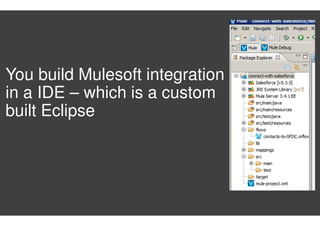
You build Mulesoft integration
in a IDE – which is a custom
built Eclipse
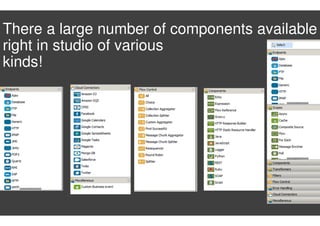
There a large number of components available
right in studio of various
kinds!
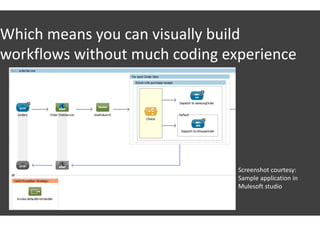
Which means you can visually build
workflows without much coding experience
Screenshot courtesy:
Sample application in
Mulesoft studio
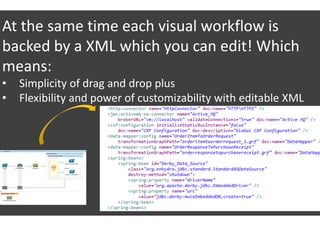
At the same time each visual workflow is
backed by a XML which you can edit! Which
means:
• Simplicity of drag and drop plus
• Flexibility and power of customizability with editable XML
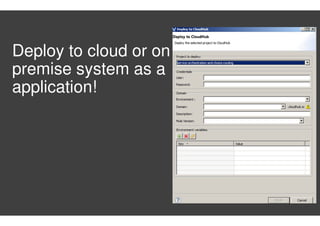
Deploy to cloud or on
premise system as a
application!
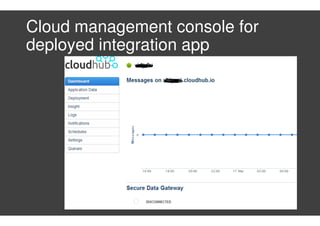
Cloud management console for
deployed integration app
Closing thoughts!
The good
• Super flexibility in building what
you want to build
• Quite large number of
components available OOTB
• A good management console for
cloud applications
Can be better
• Not the easiest way to get
started for non-programmers
For more: http://www.mulesoft.com/platform/saas/cloudhub-features

Mulesoft cloudhub

  • 1.
  • 2.
    You build Mulesoftintegration in a IDE – which is a custom built Eclipse
  • 3.
    There a largenumber of components available right in studio of various kinds!
  • 4.
    Which means youcan visually build workflows without much coding experience Screenshot courtesy: Sample application in Mulesoft studio
  • 5.
    At the sametime each visual workflow is backed by a XML which you can edit! Which means: • Simplicity of drag and drop plus • Flexibility and power of customizability with editable XML
  • 6.
    Deploy to cloudor on premise system as a application!
  • 7.
    Cloud management consolefor deployed integration app
  • 8.
    Closing thoughts! The good •Super flexibility in building what you want to build • Quite large number of components available OOTB • A good management console for cloud applications Can be better • Not the easiest way to get started for non-programmers For more: http://www.mulesoft.com/platform/saas/cloudhub-features