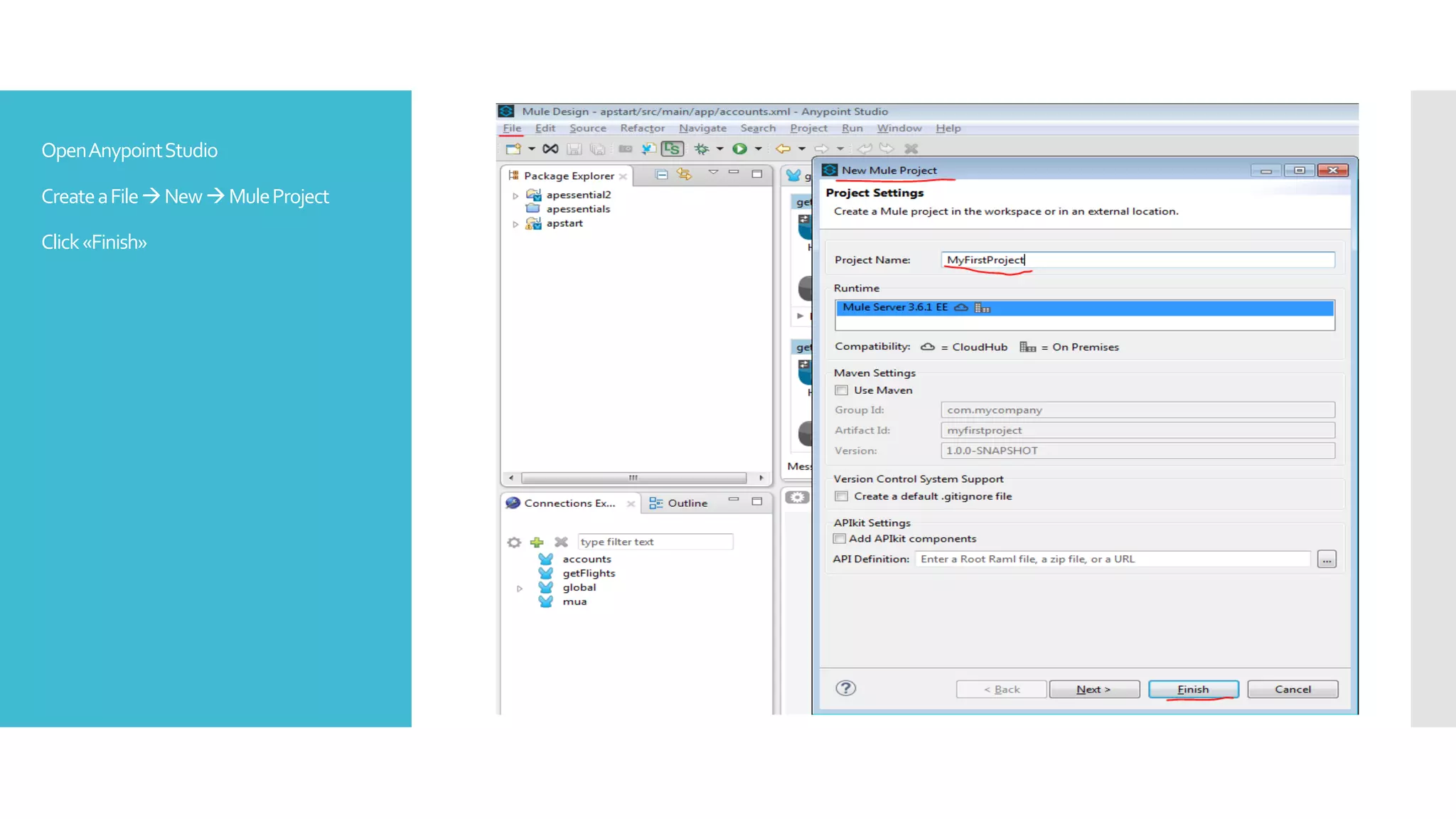
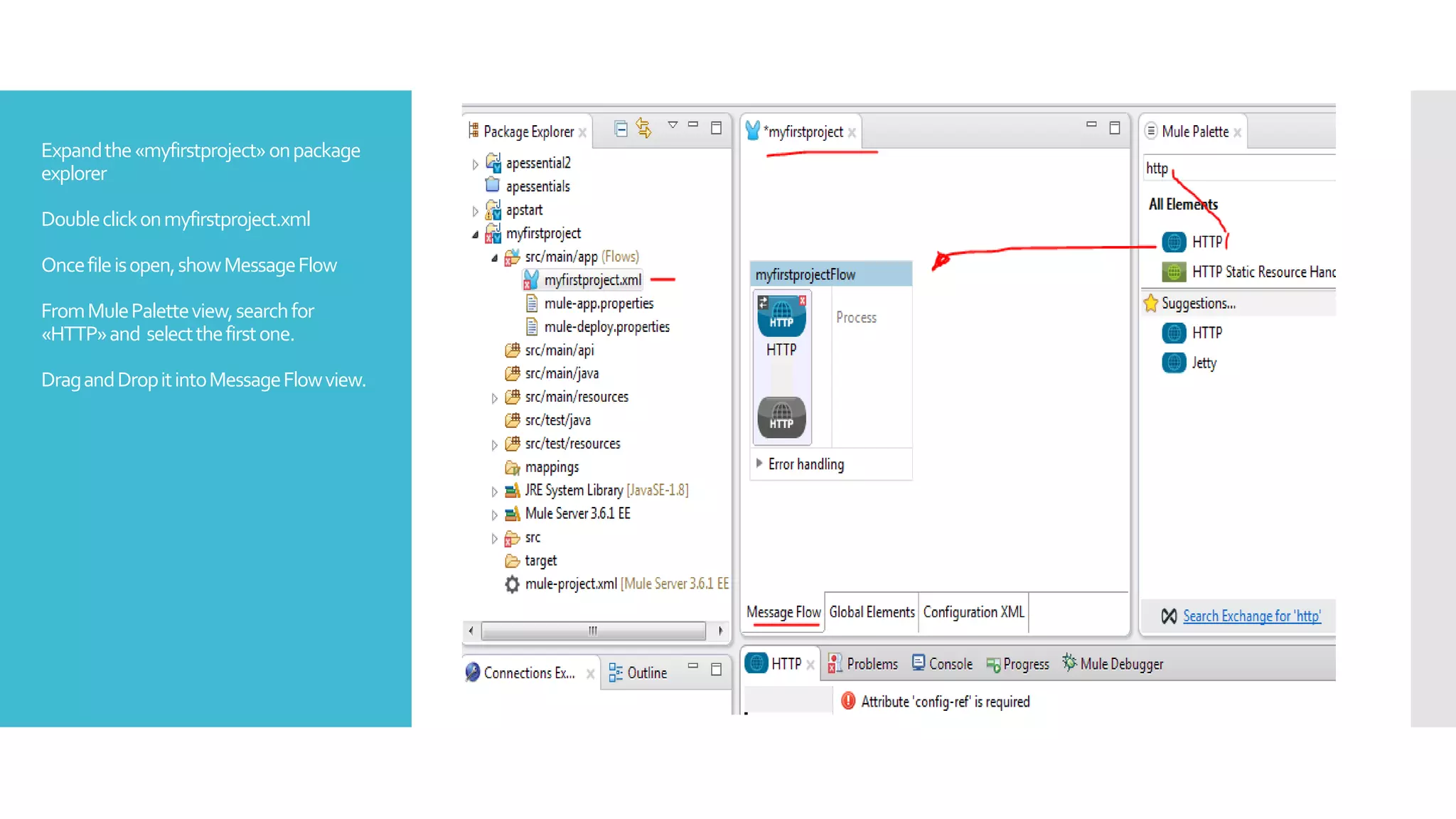
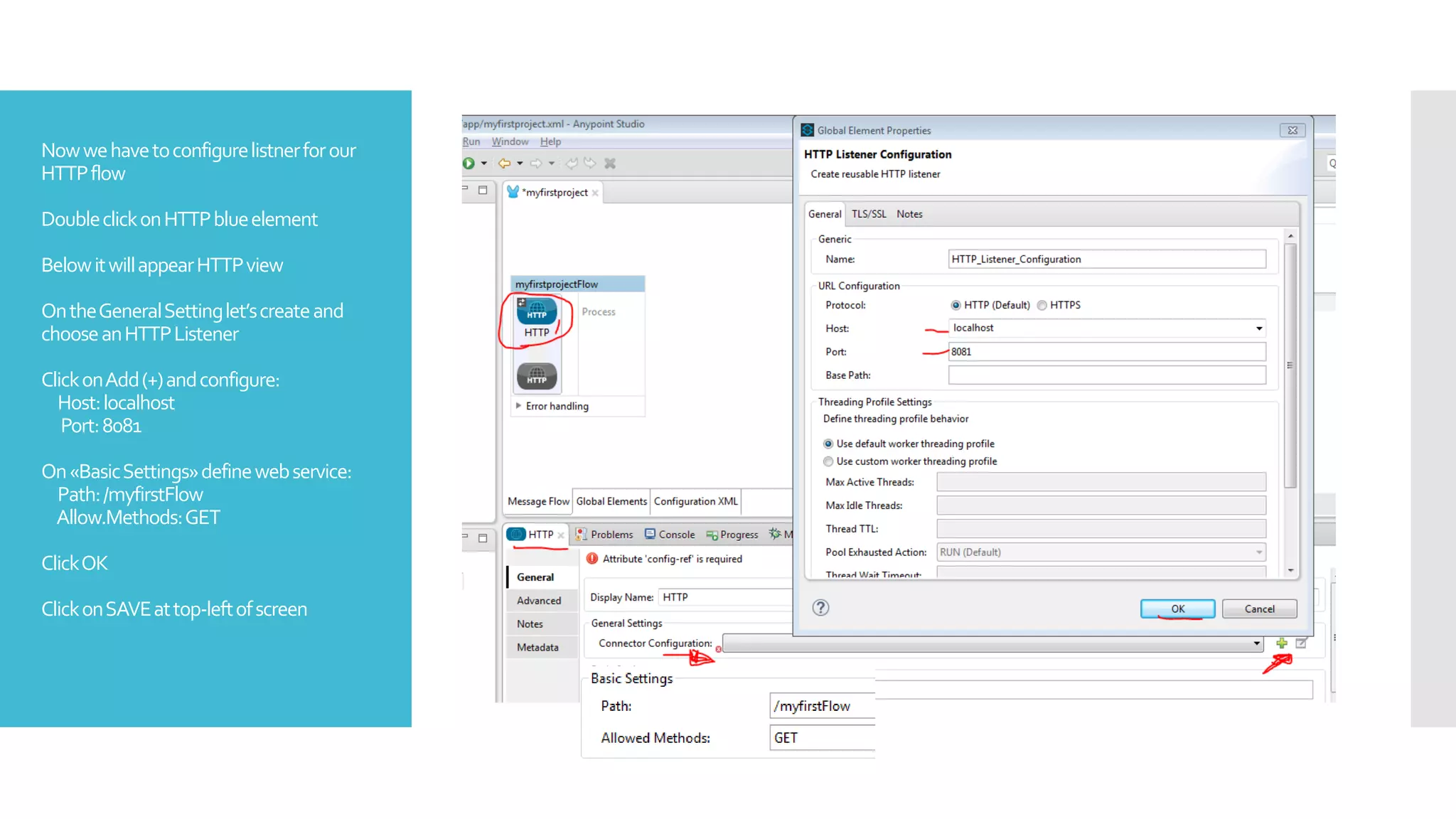
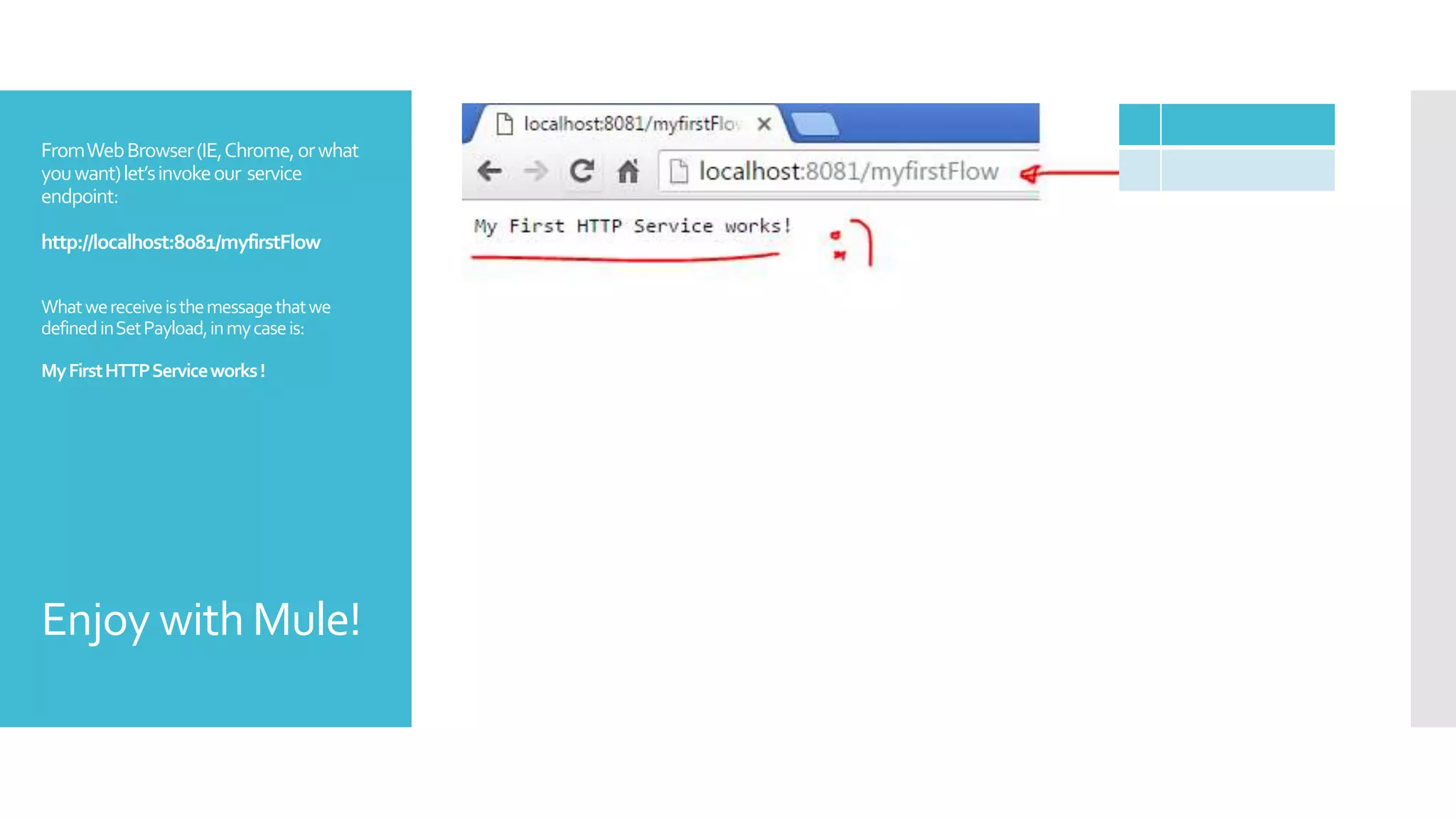
This document provides instructions for creating a simple HTTP flow in Mule ESB. It describes how to create a new Mule project, add an HTTP listener configured on port 8081, and add a set payload processor to define the response message as #[‘MyFirstHTTPServiceworks! Enjoy with Mule!’]. It concludes by explaining how to run the Mule application and test the service by invoking http://localhost:8081/myfirstFlow from a web browser.
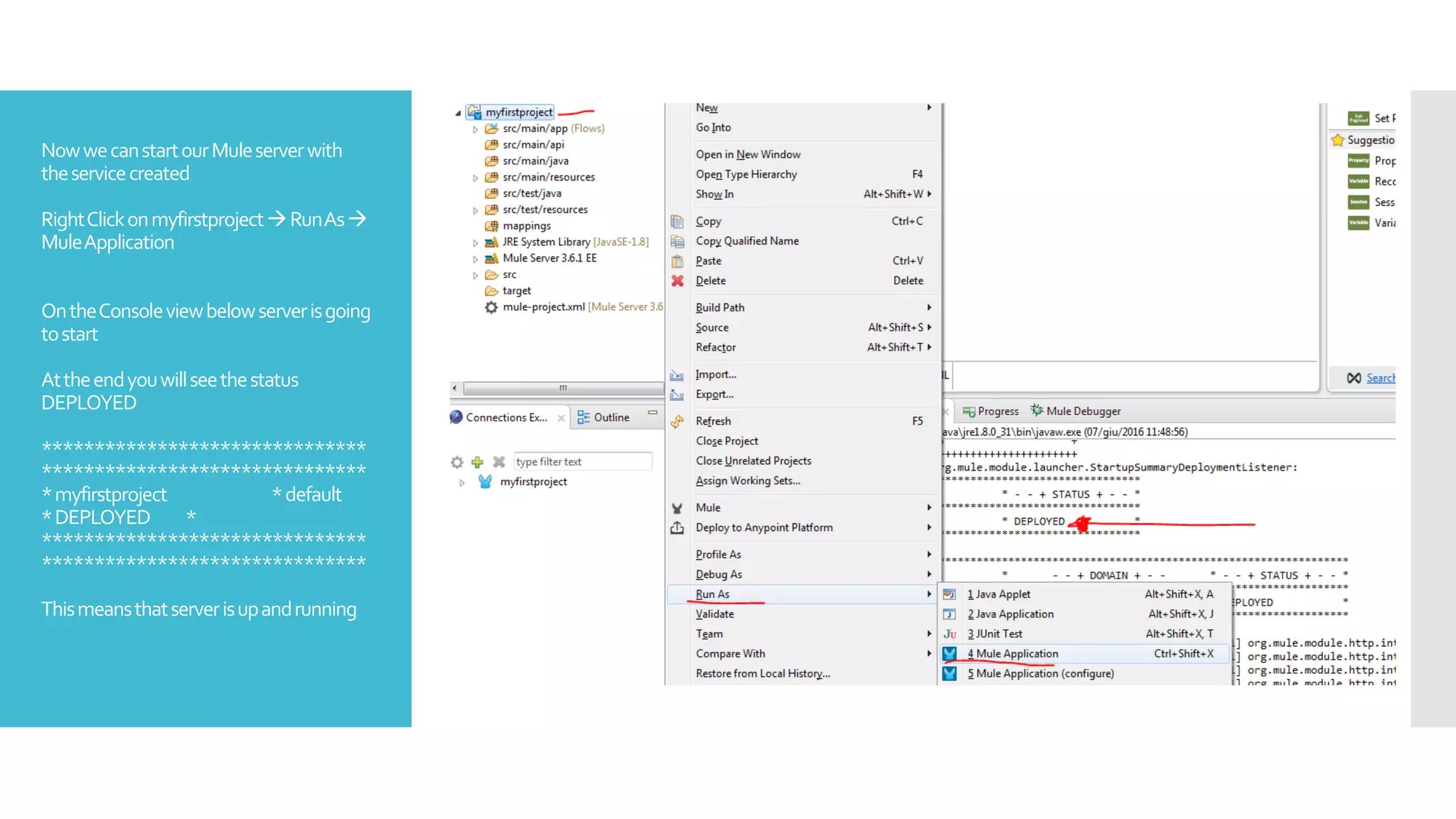
![Nowwehavetoconfigureprocesspart
FromMulePaletteview,searchfor«set»
and select«SetPayload»
DragandDropitintoourflow,underthe
Processblock.
DoubleclickonSetPayloadgreen
element
BelowitwillappearSetPayloadview
OntheSetting–Valueconfigurethe
responsetoreturntothecallerofservice
Youcanwrotewhateveryouwant.
Thesintaxis:
#[‘(whatyouwant)‘]
ClickonSAVEattop-leftofscreen](https://image.slidesharecdn.com/lijkafl7q62rp6rmct4k-signature-d429eed648cfcf75ee490d9ce4865e03aafea6c31d99043620fa6d43e99ae8e5-poli-161103130726/75/Mule-esb-first-http-connector-5-2048.jpg)


![Coded Agents – with UiPath SDK + LangGraph [Virtual Hands-on Workshop]](https://cdn.slidesharecdn.com/ss_thumbnails/codedagentsdeck-251215155422-5497c599-thumbnail.jpg?width=640&height=640&fit=bounds)


