This document provides instructions for adding a logger to an existing flow in Mule ESB. The steps are:
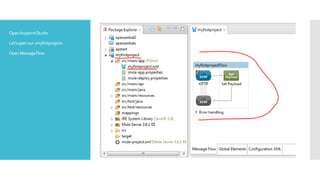
1. Drag and drop a Logger component into the message flow after the SetPayload block.
2. Double click the Logger and configure the log message, in this case prefixing the payload message.
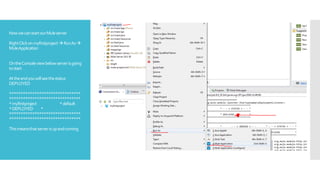
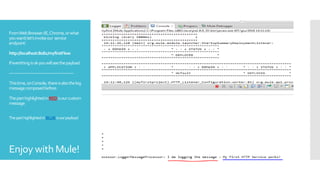
3. Start the Mule server and invoke the service endpoint to see the log message output to the console, highlighting the custom log message and payload.

![FromMulePaletteview,searchfor
«logger»and selectthefirstone.
DragandDrop LoggerintoMessage
Flowview,afterSetPayload
DoubleclickonLogger
onbelowLoggerviewlet’sconfigureour
logmessage.Inthisexamplewekeepa
prefixandthenthepayloadmessage
(configuredinSetPayloadblock):
#['IAmloggingthemessage:'+payload]
ClickonSAVEattop-leftofscreen](https://image.slidesharecdn.com/muleesbaddloggertoexistingflow-160607123119/85/Mule-esb-add-logger-to-existing-flow-4-320.jpg)