Recommended
PDF
PDF
PDF
PDF
PPTX
PPTX
PDF
KEY
PDF
PDF
PDF
PDF
PPTX
20141119 Movable Type HandsOn Seminar
PDF
WordPressの常識をくつがえす超簡単テーマ"doshirouto"を作ったのでこれでテーマを理解しよう!
KEY
Webapp startup example_to_dolist
PDF
PDF
PDF
KEY
PDF
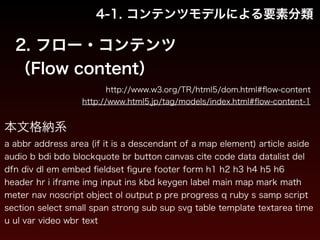
CSSだけでもけっこうイケルTwenty Tenのカスタマイズとそこから踏み出す第一歩
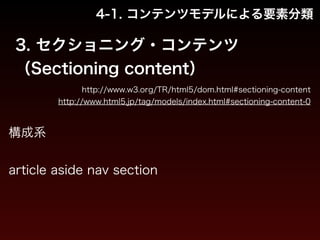
PDF
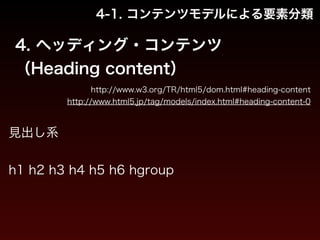
WordPressでオリジナルサイトを作るための最初の一歩的なカスタマイズテクニック
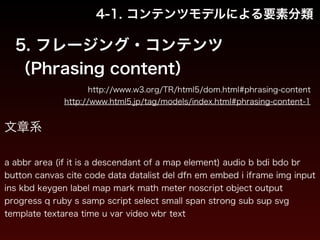
PDF
WordPress3.0 新デフォルトテーマ Twenty Ten 大解剖! ~秋バージョン~
PDF
PDF
「html5 boilerplate」から考える、これからのマークアップ
PDF
PDF
What's new! TwentyThirteen + WordPress3.6
PDF
PPTX
PDF
Drupal 8 へのスタンドアロン behat の導入
PPTX
PtengienのヒートマップとOptimizelyとの連携
More Related Content
PDF
PDF
PDF
PDF
PPTX
PPTX
PDF
KEY
What's hot
PDF
PDF
PDF
PDF
PPTX
20141119 Movable Type HandsOn Seminar
PDF
WordPressの常識をくつがえす超簡単テーマ"doshirouto"を作ったのでこれでテーマを理解しよう!
KEY
Webapp startup example_to_dolist
PDF
PDF
PDF
KEY
PDF
CSSだけでもけっこうイケルTwenty Tenのカスタマイズとそこから踏み出す第一歩
PDF
WordPressでオリジナルサイトを作るための最初の一歩的なカスタマイズテクニック
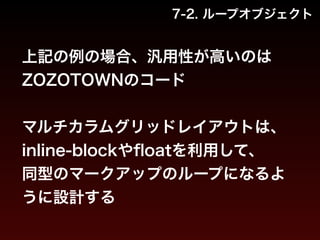
PDF
WordPress3.0 新デフォルトテーマ Twenty Ten 大解剖! ~秋バージョン~
PDF
PDF
「html5 boilerplate」から考える、これからのマークアップ
PDF
PDF
What's new! TwentyThirteen + WordPress3.6
PDF
PPTX
Viewers also liked
PDF
Drupal 8 へのスタンドアロン behat の導入
PPTX
PtengienのヒートマップとOptimizelyとの連携
PDF
PPTX
持続可能な里山とは?~里山保全の同時代史と里山ガバナンスの今後
PDF
ODP
PDF
芸術情報演習デザイン(web) 第2回:HTML入門
PDF
PDF
短期間+大規模ゲーム開発でも破綻しないHTML・SCSS
PPTX
PDF
HTMLデザインを崩さないテンプレートエンジンの作り方
PDF
D D Mapで守り隊!伊都はいいとこPJ(九大CARP)
PDF
PDF
PDF
PPT
PPTX
PDF
防災するけん!岡山県~岡山防災意識革命~(岡山CARP)
PDF
PDF
イマドキの「タグ=HTML」とスタイルシート=CSS」を知ろう
Similar to マークアップ講座 01b HTML
PDF
PDF
KEY
PDF
PDF
メディア芸術基礎 II HTML5とは何か? HTML5、はじめの一歩
PDF
Concentrated HTML5 & Attractive HTML5
PDF
はじめよう!Visual Studio 2010 で HTML5 プログラミング ~ Internet Explorer 9 のリリースに向けて~
PDF
PDF
情報編集(Web) HTML5とは何か? HTML5、はじめの一歩
PPTX
KEY
PDF
PDF
PDF
PDF
HTML5を用いたセマンティックな文書作成【TechBuzz】第8回HTML5開発技術勉強会 〜先行事例紹介/交流会〜
PPTX
PDF
PDF
HTML5など社内勉強会 Vol.1 - HTML, CSS, HTML5
PDF
PDF
More from eiji sekiya
PPTX
PDF
Q&Aで振り返る「Back to Basics」 CSS 2015.08.30
PDF
PDF
Webサービスにおける
Surface Pro 3 対応とは
PDF
マークアップ講座 04 jQuery - JavaScript
PDF
マークアップ講座 03 スマートフォン・デバイス最適化
PDF
PDF
マークアップ講座 01b HTML 1. 2. 3. 1. HTMLとは
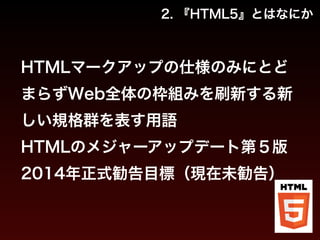
2. 『HTML5』とはなにか
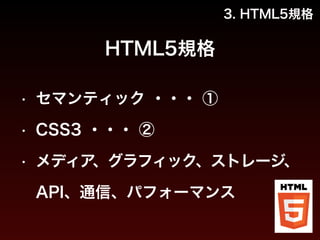
3. HTML5規格
4. HTML5要素の役割
5. HTML5実装
6. Microdataの役割と実装
7. HTML運用の効率化
4. 1. HTMLとは
2. 『HTML5』とはなにか
3. HTML5規格
4. HTML5要素の役割
5. HTML5実装
6. Microdataの役割と実装
7. HTML運用の効率化
5. 1. HTMLとは
1. 世界初・最古のHTML
2. 歴史
3. W3C
4. JavaScript
5. JSON
6. HTMLの基本構造
6. 7. 1. HTMLとは
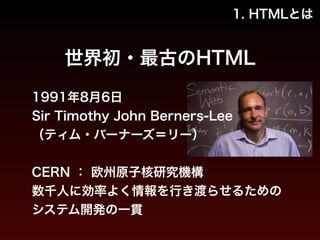
世界初・最古のHTML
1991年8月6日
Sir Timothy John Berners-Lee
(ティム・バーナーズ=リー)
!
CERN : 欧州原子核研究機構
数千人に効率よく情報を行き渡らせるための
システム開発の一貫
8. 1. HTMLとは
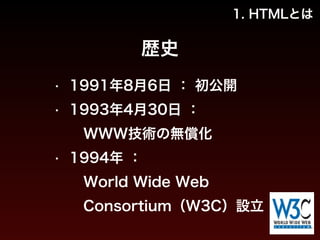
歴史
• 1991年8月6日 : 初公開
• 1993年4月30日 :
WWW技術の無償化
• 1994年 :
World Wide Web
Consortium(W3C)設立
9. 10. 1. HTMLとは
W3C
• HTML
• CSS
• DOM : JavaScriptのInterface
※ 日本ホスト : 慶応SFC 萩野達也 環境情報学部教授
11. 1. HTMLとは
JavaScript
Ecma International(ECMAScript - ECMA-262) :
JavaScriptのObjectやMethod
!
Mozilla Foundation :
DOMとEcmaを結合、とりまとめ役的
!
※ ステークホルダーが複数
12. 1. HTMLとは
JSON
IETF(Internet Engineering Task Force)
RFC 4627
!
W3Cの親組織
13. 1. HTMLとは
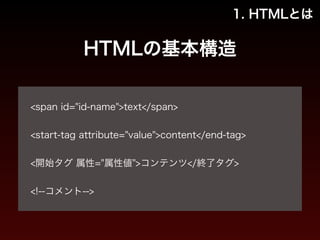
HTMLの基本構造
!
<span id="id-name">text</span>
!
<start-tag attribute="value">content</end-tag>
!
<開始タグ 属性="属性値">コンテンツ</終了タグ>
!
<!--コメント-->
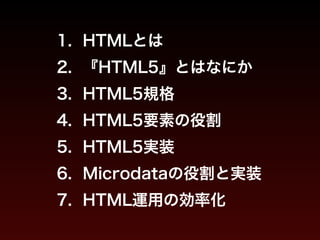
14. 15. 1. HTMLとは
2. 『HTML5』とはなにか
3. HTML5規格
4. HTML5要素の役割
5. HTML5実装
6. Microdataの役割と実装
7. HTML運用の効率化
16. 17. 1. HTMLとは
2. 『HTML5』とはなにか
3. HTML5規格
4. HTML5要素の役割
5. HTML5実装
6. Microdataの役割と実装
7. HTML運用の効率化
18. 19. 1. HTMLとは
2. 『HTML5』とはなにか
3. HTML5規格
4. HTML5要素の役割
5. HTML5実装
6. Microdataの役割と実装
7. HTML運用の効率化
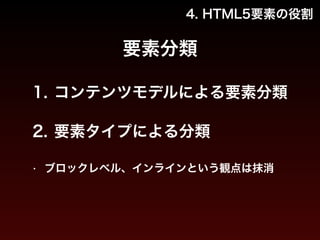
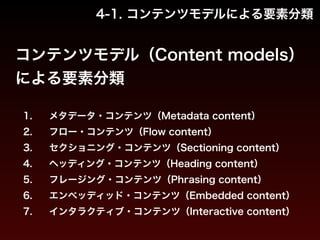
20. 21. 22. 4-1. コンテンツモデルによる要素分類
コンテンツモデル(Content models)
による要素分類
1. メタデータ・コンテンツ(Metadata content)
2. フロー・コンテンツ(Flow content)
3. セクショニング・コンテンツ(Sectioning content)
4. ヘッディング・コンテンツ(Heading content)
5. フレージング・コンテンツ(Phrasing content)
6. エンベッディッド・コンテンツ(Embedded content)
7. インタラクティブ・コンテンツ(Interactive content)
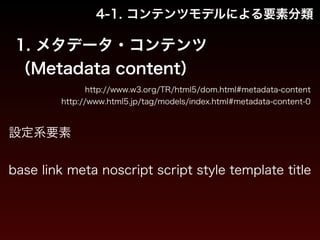
23. 4-1. コンテンツモデルによる要素分類
1. メタデータ・コンテンツ
(Metadata content)
http://www.w3.org/TR/html5/dom.html#metadata-content
http://www.html5.jp/tag/models/index.html#metadata-content-0
設定系要素
!
base link meta noscript script style template title
24. 4-1. コンテンツモデルによる要素分類
2. フロー・コンテンツ
(Flow content)
http://www.w3.org/TR/html5/dom.html#flow-content
http://www.html5.jp/tag/models/index.html#flow-content-1
本文格納系
a abbr address area (if it is a descendant of a map element) article aside
audio b bdi bdo blockquote br button canvas cite code data datalist del
dfn div dl em embed fieldset figure footer form h1 h2 h3 h4 h5 h6
header hr i iframe img input ins kbd keygen label main map mark math
meter nav noscript object ol output p pre progress q ruby s samp script
section select small span strong sub sup svg table template textarea time
u ul var video wbr text
25. 4-1. コンテンツモデルによる要素分類
3. セクショニング・コンテンツ
(Sectioning content)
http://www.w3.org/TR/html5/dom.html#sectioning-content
http://www.html5.jp/tag/models/index.html#sectioning-content-0
構成系
!
article aside nav section
26. 4-1. コンテンツモデルによる要素分類
4. ヘッディング・コンテンツ
(Heading content)
http://www.w3.org/TR/html5/dom.html#heading-content
http://www.html5.jp/tag/models/index.html#heading-content-0
見出し系
!
h1 h2 h3 h4 h5 h6 hgroup
27. 4-1. コンテンツモデルによる要素分類
5. フレージング・コンテンツ
(Phrasing content)
http://www.w3.org/TR/html5/dom.html#phrasing-content
http://www.html5.jp/tag/models/index.html#phrasing-content-1
文章系
!
a abbr area (if it is a descendant of a map element) audio b bdi bdo br
button canvas cite code data datalist del dfn em embed i iframe img input
ins kbd keygen label map mark math meter noscript object output
progress q ruby s samp script select small span strong sub sup svg
template textarea time u var video wbr text
28. 4-1. コンテンツモデルによる要素分類
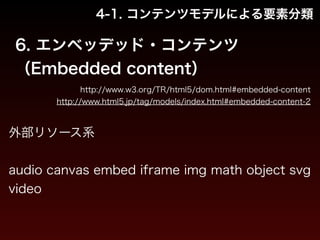
6. エンベッデッド・コンテンツ
(Embedded content)
http://www.w3.org/TR/html5/dom.html#embedded-content
http://www.html5.jp/tag/models/index.html#embedded-content-2
外部リソース系
!
audio canvas embed iframe img math object svg
video
29. 4-1. コンテンツモデルによる要素分類
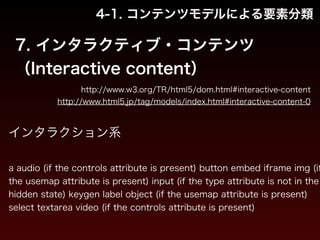
7. インタラクティブ・コンテンツ
(Interactive content)
http://www.w3.org/TR/html5/dom.html#interactive-content
http://www.html5.jp/tag/models/index.html#interactive-content-0
インタラクション系
!
a audio (if the controls attribute is present) button embed iframe img (if
the usemap attribute is present) input (if the type attribute is not in the
hidden state) keygen label object (if the usemap attribute is present)
select textarea video (if the controls attribute is present)
30. 4-2. 要素タイプによる分類
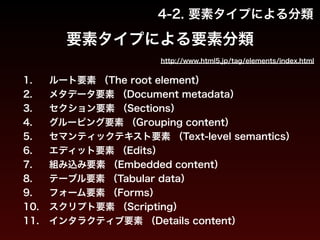
要素タイプによる要素分類
http://www.html5.jp/tag/elements/index.html
1. ルート要素 (The root element)
2. メタデータ要素 (Document metadata)
3. セクション要素 (Sections)
4. グルーピング要素 (Grouping content)
5. セマンティックテキスト要素 (Text-level semantics)
6. エディット要素 (Edits)
7. 組み込み要素 (Embedded content)
8. テーブル要素 (Tabular data)
9. フォーム要素 (Forms)
10. スクリプト要素 (Scripting)
11. インタラクティブ要素 (Details content)
31. 4-2. 要素タイプによる分類
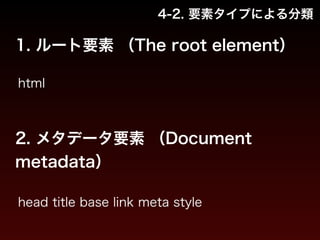
1. ルート要素 (The root element)
html
2. メタデータ要素 (Document
metadata)
head title base link meta style
32. 4-2. 要素タイプによる分類
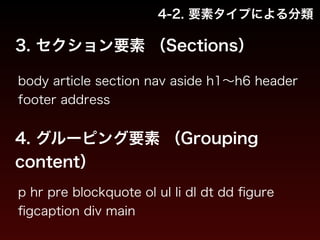
3. セクション要素 (Sections)
body article section nav aside h1~h6 header
footer address
4. グルーピング要素 (Grouping
content)
p hr pre blockquote ol ul li dl dt dd figure
figcaption div main
33. 4-2. 要素タイプによる分類
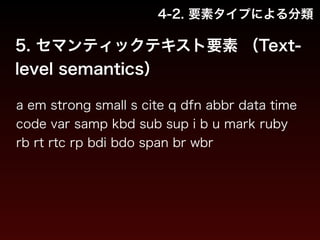
5. セマンティックテキスト要素 (Text-level
semantics)
a em strong small s cite q dfn abbr data time
code var samp kbd sub sup i b u mark ruby
rb rt rtc rp bdi bdo span br wbr
34. 4-2. 要素タイプによる分類
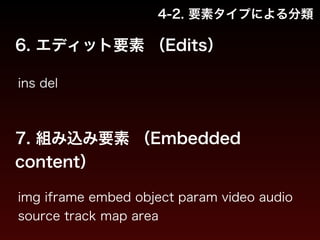
6. エディット要素 (Edits)
ins del
7. 組み込み要素 (Embedded
content)
img iframe embed object param video audio
source track map area
35. 4-2. 要素タイプによる分類
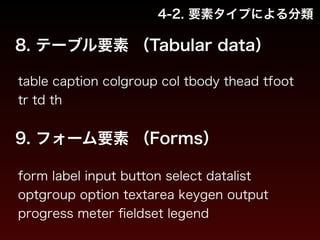
8. テーブル要素 (Tabular data)
table caption colgroup col tbody thead tfoot
tr td th
9. フォーム要素 (Forms)
form label input button select datalist
optgroup option textarea keygen output
progress meter fieldset legend
36. 4-2. 要素タイプによる分類
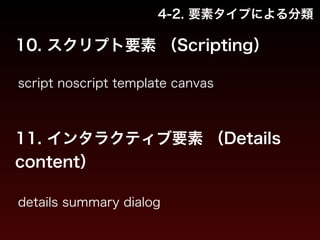
10. スクリプト要素 (Scripting)
script noscript template canvas
11. インタラクティブ要素 (Details
content)
details summary dialog
37. 4. HTML5要素の役割
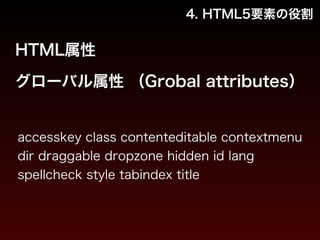
HTML属性
グローバル属性 (Grobal attributes)
accesskey class contenteditable contextmenu
dir draggable dropzone hidden id lang
spellcheck style tabindex title
38. 1. HTMLとは
2. 『HTML5』とはなにか
3. HTML5規格
4. HTML5要素の役割
5. HTML5実装
6. Microdataの役割と実装
7. HTML運用の効率化
39. 5. HTML5実装
xhtml1.0のコード
!
<!DOCTYPE html PUBLIC "-//W3C//DTD XHTML 1.0 Transitional//EN" "http://
www.w3.org/TR/xhtml1/DTD/xhtml1-transitional.dtd">
<html xmlns="http://www.w3.org/1999/xhtml" xml:lang="ja" lang="ja">
<head>
<meta http-equiv="Content-Type" content="text/html; charset=utf-8" />
<title>[title値]</title>
<meta name="copyright" content="[コピーライト]" />
<meta name="description" content="[ページ概要]" />
<meta name="keywords" content="[キーワード],[キーワード],[キーワード]・・・" />
<link rel="shortcut icon" href="/favicon.ico" />
<link rel="canonical" href="[正規化フルパス URL]" />
<!--css-->
<link rel="stylesheet" href="[スタイルシートパス]" />
<!--/css-->
</head>
<body>
40. 5. HTML5実装
xhtml1.0のコード
!
<p>contents here.</p>
!
<!--JavaScript-->
<script src="[JavaScriptパス]"></script>
<script>
/*[ローカル JavaScript]*/
</script>
<!--/JavaScript-->
</body>
</html>
http://codepen.io/sekiyaeiji/pen/Kryxm?editors=100
変化
41. html5のコード
5. HTML5実装
!
<!DOCTYPE html>
<html lang="ja">
<head>
<meta charset="utf-8">
<title>[title値]</title>
<meta name="author" content="[コピーライト]">
<meta name="description" content="[ページ概要]">
<meta name="keywords" content="[キーワード],[キーワード],[キーワード]・・・">
<link rel="shortcut icon" href="/favicon.ico">
<link rel="canonical" href="[正規化フルパス URL]">
<!--css-->
<link rel="stylesheet" href="[スタイルシートパス]">
<!--/css-->
</head>
<body>
42. html5のコード
!
<p>contents here.</p>
!
<!--JavaScript-->
<script src="[JavaScriptパス]"></script>
<script>
/*[ローカル JavaScript]*/
</script>
<!--/JavaScript-->
</body>
</html>
5. HTML5実装
http://codepen.io/sekiyaeiji/pen/CarpA?editors=100
43. 5. HTML5実装
html5のコード 解説
!
<!DOCTYPE html> :
HTML5にて「DOCTYPE」の役割は薄い、DTDなどのスキーマは設定されない
!
<html lang=“ja"> :
一般的には「lang属性」のみ指定 (※ manifest属性 : アプリオフライン動作向け)
!
<meta charset=“utf-8"> :「charset属性」が新設
!
<meta name="author" content=“[コピーライト]"> :
「meta name="copyright"」は廃止
44. コード比較
5. HTML5実装
!
<!DOCTYPE html PUBLIC "-//W3C//DTD XHTML 1.0 Transitional//EN" "http://
www.w3.org/TR/xhtml1/DTD/xhtml1-transitional.dtd">
<html xmlns="http://www.w3.org/1999/xhtml" xml:lang="ja" lang="ja">
<head>
<meta http-equiv="Content-Type" content="text/html; charset=utf-8" />
<title>[title値]</title>
<meta name="copyright" content="[コピーライト]" />
<meta name="description" content="[ページ概要]" />
<meta name="keywords" content="[キーワード],[キーワード],[キーワード]・・・" />
<link rel="shortcut icon" href="/favicon.ico" />
<link rel="canonical" href="[正規化フルパス URL]" />
<!--css-->
<link rel="stylesheet" href="[スタイルシートパス]" />
<!--/css-->
</head>
<body>
45. コード比較
5. HTML5実装
!
<!DOCTYPE html>
<html lang="ja">
<head>
<meta charset="utf-8">
<title>[title値]</title>
<meta name="author" content="[コピーライト]">
<meta name="description" content="[ページ概要]">
<meta name="keywords" content="[キーワード],[キーワード],[キーワード]・・・">
<link rel="shortcut icon" href="/favicon.ico">
<link rel="canonical" href="[正規化フルパス URL]">
<!--css-->
<link rel="stylesheet" href="[スタイルシートパス]">
<!--/css-->
</head>
<body>
!
46. 5. HTML5実装
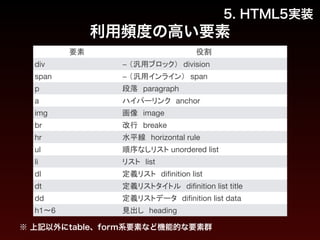
利用頻度の高い要素
要素役割
div − (汎用ブロック) division
span − (汎用インライン) span
p 段落 paragraph
a ハイパーリンク anchor
img 画像 image
br 改行 breake
hr 水平線 horizontal rule
ul 順序なしリスト unordered list
li リスト list
dl 定義リスト difinition list
dt 定義リストタイトル difinition list title
dd 定義リストデータ difinition list data
h1〜6 見出し heading
※ 上記以外にtable、form系要素など機能的な要素群
47. 5. HTML5実装
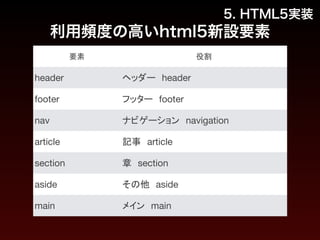
利用頻度の高いhtml5新設要素
要素役割
header ヘッダー header
footer フッター footer
nav ナビゲーション navigation
article 記事 article
section 章 section
aside その他 aside
main メイン main
48. 49. 1. HTMLとは
2. 『HTML5』とはなにか
3. HTML5規格
4. HTML5要素の役割
5. HTML5実装
6. Microdataの役割と実装
7. HTML運用の効率化
50. 6. Microdataの役割と実装
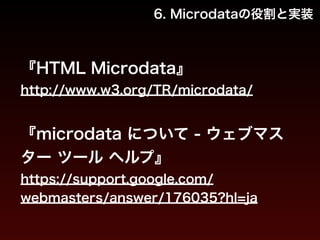
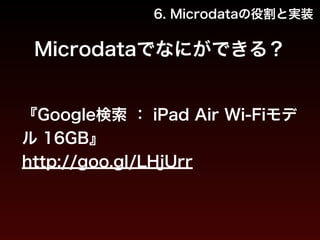
『HTML Microdata』
http://www.w3.org/TR/microdata/
!
『microdata について - ウェブマス
ター ツール ヘルプ』
https://support.google.com/
webmasters/answer/176035?hl=ja
51. 52. 53. 54. 55. 6. Microdataの役割と実装
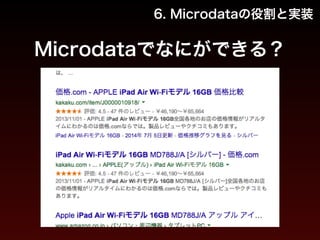
Microdataのサンプルコード
!
<div itemscope itemtype="http://schema.org/Product">
<span itemprop="name">iPad Air Wi-Fiモデル 16GB</span></a>
<span itemprop="name">iPad Air Wi-Fiモデル 16GB MD788J/A [シルバー]</span>
<img itemprop="image" alt="iPad Air Wi-Fiモデル 16GB MD788J/A [シルバー] 製品画像">
!
<div itemprop="offers" itemscope itemtype="http://schema.org/AggregateOffer">
<span itemprop="lowPrice">¥46,190</span>
<span itemprop="highPrice">¥65,664</span>
<span itemprop="offerCount">24</span>
<meta itemprop="priceCurrency" content="JPY" />
</div>
<li itemprop="aggregateRating" itemscope itemtype="http://schema.org/
AggregateRating">
<span itemprop="ratingValue">4.52</span>
<span itemprop="reviewCount">47</span>
</li>
<span itemprop="name">iPad Air Wi-Fiモデル 16GB</span>
</div>
56. 57. 6. Microdataの役割と実装
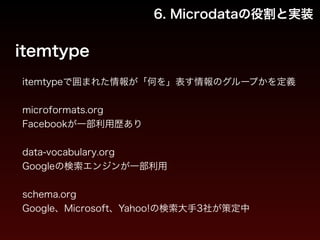
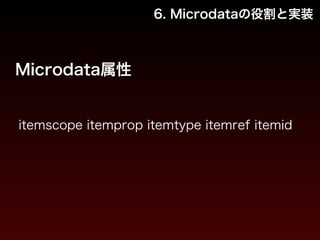
itemtype
itemtypeで囲まれた情報が「何を」表す情報のグループかを定義
!
microformats.org
Facebookが一部利用歴あり
data-vocabulary.org
Googleの検索エンジンが一部利用
schema.org
Google、Microsoft、Yahoo!の検索大手3社が策定中
58. 59. 60. 61. 6. Microdataの役割と実装
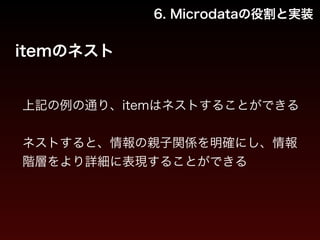
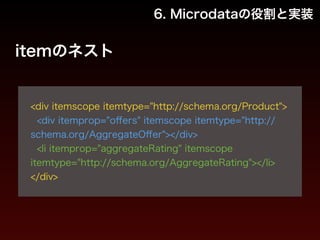
itemのネスト
!
<div itemscope itemtype="http://schema.org/Product">
<div itemprop="offers" itemscope itemtype="http://
schema.org/AggregateOffer"></div>
<li itemprop="aggregateRating" itemscope
itemtype="http://schema.org/AggregateRating"></li>
</div>
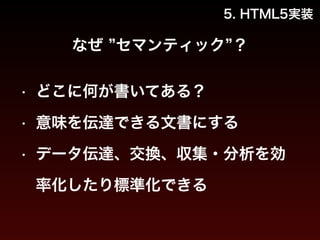
62. 63. 5. HTML5実装
なぜ ”セマンティック”?
• どこに何が書いてある?
• 意味を伝達できる文書にする
• データ伝達、交換、収集・分析を効
率化したり標準化できる
64. 1. HTMLとは
2. 『HTML5』とはなにか
3. HTML5規格
4. HTML5要素の役割
5. HTML5実装
6. Microdataの役割と実装
7. HTML運用の効率化
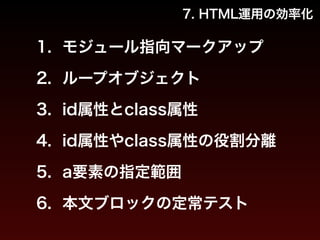
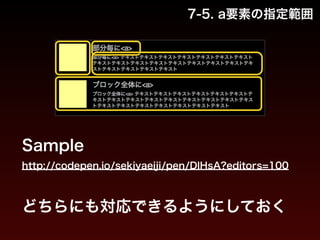
65. 7. HTML運用の効率化
1. モジュール指向マークアップ
2. ループオブジェクト
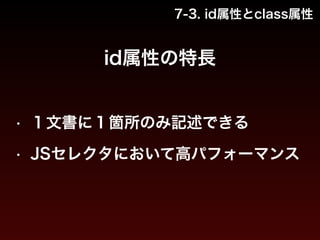
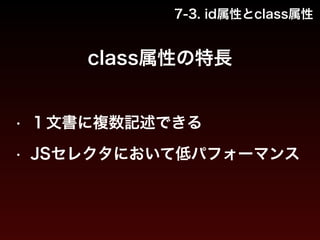
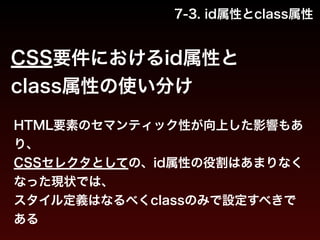
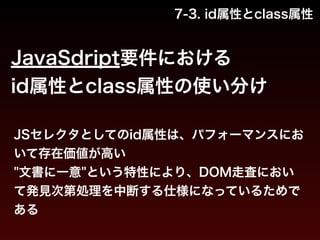
3. id属性とclass属性
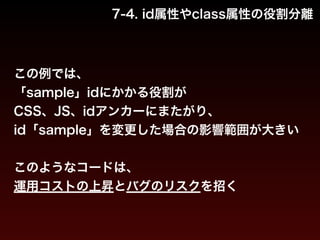
4. id属性やclass属性の役割分離
5. a要素の指定範囲
6. 本文ブロックの定常テスト
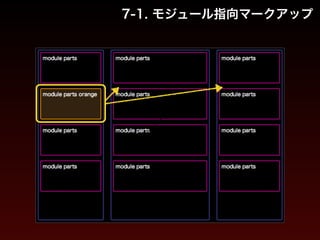
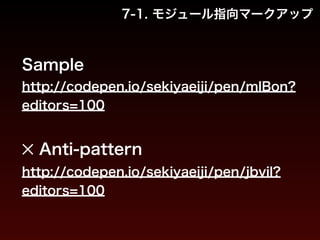
66. 67. 7-1. モジュール指向マークアップ
Sample
http://codepen.io/sekiyaeiji/pen/mlBon?
editors=100
!
✕ Anti-pattern
http://codepen.io/sekiyaeiji/pen/jbvil?
editors=100
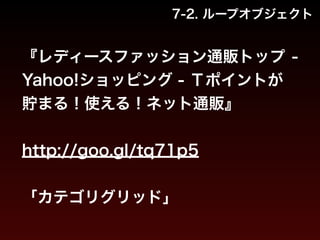
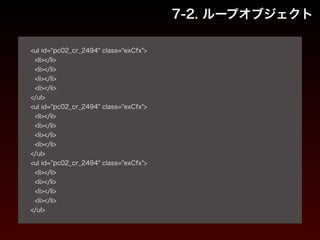
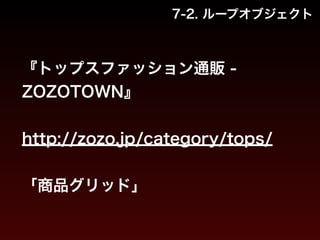
68. 69. 7-2. ループオブジェクト
!
<ul id="pc02_cr_2494" class="exCfx">
<li></li>
<li></li>
<li></li>
<li></li>
</ul>
<ul id="pc02_cr_2494" class="exCfx">
<li></li>
<li></li>
<li></li>
<li></li>
</ul>
<ul id="pc02_cr_2494" class="exCfx">
<li></li>
<li></li>
<li></li>
<li></li>
</ul>
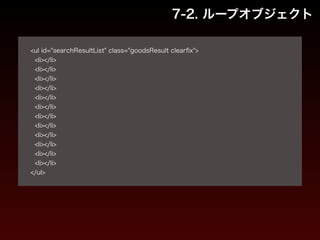
70. 71. 7-2. ループオブジェクト
!
<ul id="searchResultList" class="goodsResult clearfix">
<li></li>
<li></li>
<li></li>
<li></li>
<li></li>
<li></li>
<li></li>
<li></li>
<li></li>
<li></li>
<li></li>
<li></li>
</ul>
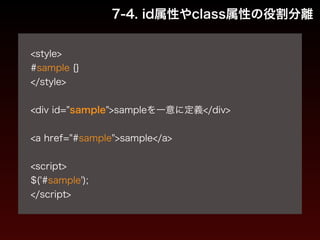
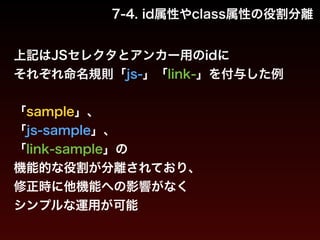
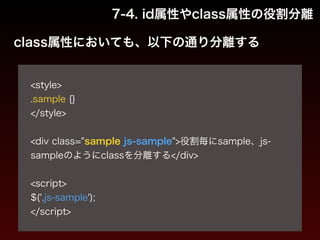
72. 73. 74. 75. 76. 77. 7-4. id属性やclass属性の役割分離
!
<style>
#sample {}
</style>
!
<div id="sample">sampleを一意に定義</div>
!
<a href="#sample">sample</a>
!
<script>
$('#sample');
</script>
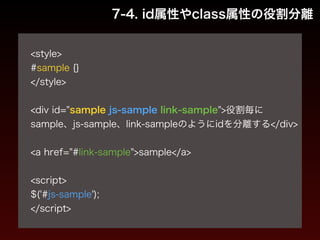
78. 79. 7-4. id属性やclass属性の役割分離
!
<style>
#sample {}
</style>
!
<div id="sample js-sample link-sample">役割毎に
sample、js-sample、link-sampleのようにidを分離する</div>
!
<a href="#link-sample">sample</a>
!
<script>
$('#js-sample');
</script>
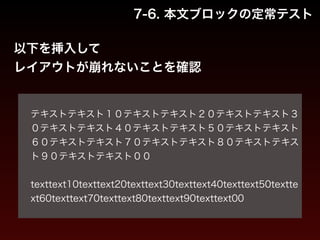
80. 81. 82. 83. 7-6. 本文ブロックの定常テスト
以下を挿入して
レイアウトが崩れないことを確認
!
テキストテキスト10テキストテキスト20テキストテキスト3
0テキストテキスト40テキストテキスト50テキストテキスト
60テキストテキスト70テキストテキスト80テキストテキス
ト90テキストテキスト00
!
texttext10texttext20texttext30texttext40texttext50textte
xt60texttext70texttext80texttext90texttext00
84. 85.


![5. HTML5実装
xhtml1.0のコード
!
<!DOCTYPE html PUBLIC "-//W3C//DTD XHTML 1.0 Transitional//EN" "http://
www.w3.org/TR/xhtml1/DTD/xhtml1-transitional.dtd">
<html xmlns="http://www.w3.org/1999/xhtml" xml:lang="ja" lang="ja">
<head>
<meta http-equiv="Content-Type" content="text/html; charset=utf-8" />
<title>[title値]</title>
<meta name="copyright" content="[コピーライト]" />
<meta name="description" content="[ページ概要]" />
<meta name="keywords" content="[キーワード],[キーワード],[キーワード]・・・" />
<link rel="shortcut icon" href="/favicon.ico" />
<link rel="canonical" href="[正規化フルパス URL]" />
<!--css-->
<link rel="stylesheet" href="[スタイルシートパス]" />
<!--/css-->
</head>
<body>](https://image.slidesharecdn.com/52hgxcmdtpoy7dinkujy-signature-81960d79843816df374cb4d20623013fbf762bfab21574c3f3f7bb8606ce8b11-poli-140829040748-phpapp02/85/01b-HTML-39-320.jpg)
![5. HTML5実装
xhtml1.0のコード
!
<p>contents here.</p>
!
<!--JavaScript-->
<script src="[JavaScriptパス]"></script>
<script>
/*[ローカル JavaScript]*/
</script>
<!--/JavaScript-->
</body>
</html>
http://codepen.io/sekiyaeiji/pen/Kryxm?editors=100
変化](https://image.slidesharecdn.com/52hgxcmdtpoy7dinkujy-signature-81960d79843816df374cb4d20623013fbf762bfab21574c3f3f7bb8606ce8b11-poli-140829040748-phpapp02/85/01b-HTML-40-320.jpg)
![html5のコード
5. HTML5実装
!
<!DOCTYPE html>
<html lang="ja">
<head>
<meta charset="utf-8">
<title>[title値]</title>
<meta name="author" content="[コピーライト]">
<meta name="description" content="[ページ概要]">
<meta name="keywords" content="[キーワード],[キーワード],[キーワード]・・・">
<link rel="shortcut icon" href="/favicon.ico">
<link rel="canonical" href="[正規化フルパス URL]">
<!--css-->
<link rel="stylesheet" href="[スタイルシートパス]">
<!--/css-->
</head>
<body>](https://image.slidesharecdn.com/52hgxcmdtpoy7dinkujy-signature-81960d79843816df374cb4d20623013fbf762bfab21574c3f3f7bb8606ce8b11-poli-140829040748-phpapp02/85/01b-HTML-41-320.jpg)
![html5のコード
!
<p>contents here.</p>
!
<!--JavaScript-->
<script src="[JavaScriptパス]"></script>
<script>
/*[ローカル JavaScript]*/
</script>
<!--/JavaScript-->
</body>
</html>
5. HTML5実装
http://codepen.io/sekiyaeiji/pen/CarpA?editors=100](https://image.slidesharecdn.com/52hgxcmdtpoy7dinkujy-signature-81960d79843816df374cb4d20623013fbf762bfab21574c3f3f7bb8606ce8b11-poli-140829040748-phpapp02/85/01b-HTML-42-320.jpg)
![5. HTML5実装
html5のコード 解説
!
<!DOCTYPE html> :
HTML5にて「DOCTYPE」の役割は薄い、DTDなどのスキーマは設定されない
!
<html lang=“ja"> :
一般的には「lang属性」のみ指定 (※ manifest属性 : アプリオフライン動作向け)
!
<meta charset=“utf-8"> :「charset属性」が新設
!
<meta name="author" content=“[コピーライト]"> :
「meta name="copyright"」は廃止](https://image.slidesharecdn.com/52hgxcmdtpoy7dinkujy-signature-81960d79843816df374cb4d20623013fbf762bfab21574c3f3f7bb8606ce8b11-poli-140829040748-phpapp02/85/01b-HTML-43-320.jpg)
![コード比較
5. HTML5実装
!
<!DOCTYPE html PUBLIC "-//W3C//DTD XHTML 1.0 Transitional//EN" "http://
www.w3.org/TR/xhtml1/DTD/xhtml1-transitional.dtd">
<html xmlns="http://www.w3.org/1999/xhtml" xml:lang="ja" lang="ja">
<head>
<meta http-equiv="Content-Type" content="text/html; charset=utf-8" />
<title>[title値]</title>
<meta name="copyright" content="[コピーライト]" />
<meta name="description" content="[ページ概要]" />
<meta name="keywords" content="[キーワード],[キーワード],[キーワード]・・・" />
<link rel="shortcut icon" href="/favicon.ico" />
<link rel="canonical" href="[正規化フルパス URL]" />
<!--css-->
<link rel="stylesheet" href="[スタイルシートパス]" />
<!--/css-->
</head>
<body>](https://image.slidesharecdn.com/52hgxcmdtpoy7dinkujy-signature-81960d79843816df374cb4d20623013fbf762bfab21574c3f3f7bb8606ce8b11-poli-140829040748-phpapp02/85/01b-HTML-44-320.jpg)
![コード比較
5. HTML5実装
!
<!DOCTYPE html>
<html lang="ja">
<head>
<meta charset="utf-8">
<title>[title値]</title>
<meta name="author" content="[コピーライト]">
<meta name="description" content="[ページ概要]">
<meta name="keywords" content="[キーワード],[キーワード],[キーワード]・・・">
<link rel="shortcut icon" href="/favicon.ico">
<link rel="canonical" href="[正規化フルパス URL]">
<!--css-->
<link rel="stylesheet" href="[スタイルシートパス]">
<!--/css-->
</head>
<body>
!](https://image.slidesharecdn.com/52hgxcmdtpoy7dinkujy-signature-81960d79843816df374cb4d20623013fbf762bfab21574c3f3f7bb8606ce8b11-poli-140829040748-phpapp02/85/01b-HTML-45-320.jpg)
![6. Microdataの役割と実装
Microdataのサンプルコード
『価格.com - APPLE iPad Air Wi-Fi
モデル 16GB MD788J/A [シルバー]
価格比較』
http://kakaku.com/item/
K0000587933/](https://image.slidesharecdn.com/52hgxcmdtpoy7dinkujy-signature-81960d79843816df374cb4d20623013fbf762bfab21574c3f3f7bb8606ce8b11-poli-140829040748-phpapp02/85/01b-HTML-54-320.jpg)
![6. Microdataの役割と実装
Microdataのサンプルコード
!
<div itemscope itemtype="http://schema.org/Product">
<span itemprop="name">iPad Air Wi-Fiモデル 16GB</span></a>
<span itemprop="name">iPad Air Wi-Fiモデル 16GB MD788J/A [シルバー]</span>
<img itemprop="image" alt="iPad Air Wi-Fiモデル 16GB MD788J/A [シルバー] 製品画像">
!
<div itemprop="offers" itemscope itemtype="http://schema.org/AggregateOffer">
<span itemprop="lowPrice">¥46,190</span>
<span itemprop="highPrice">¥65,664</span>
<span itemprop="offerCount">24</span>
<meta itemprop="priceCurrency" content="JPY" />
</div>
<li itemprop="aggregateRating" itemscope itemtype="http://schema.org/
AggregateRating">
<span itemprop="ratingValue">4.52</span>
<span itemprop="reviewCount">47</span>
</li>
<span itemprop="name">iPad Air Wi-Fiモデル 16GB</span>
</div>](https://image.slidesharecdn.com/52hgxcmdtpoy7dinkujy-signature-81960d79843816df374cb4d20623013fbf762bfab21574c3f3f7bb8606ce8b11-poli-140829040748-phpapp02/85/01b-HTML-55-320.jpg)