CORPORATE TRAINING
How to Make Better Presentations
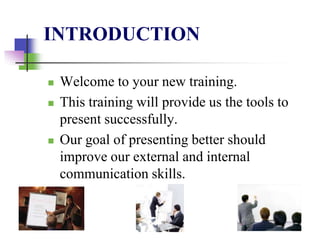
INTRODUCTION
 Welcome to your new training.
 This training will provide us the tools to
present successfully.
 Our goal of presenting better should
improve our external and internal
communication skills.
OBJECTIVES
 Comprehend and execute the topics of
discussion.
 Create successful presentations moving
forward.
 Utilize this training to foster a new and
improved corporate presentation culture.
OVERVIEW
 This training is our corporate strategy for
presentation basics.
 Topics of discussion:
 Practice and preparing.
 Creating the ambiance.
 Eight Steps to Making a Powerful Multimedia
Presentation (Guffey & Loewy, 2011).
 Delivery Methods.
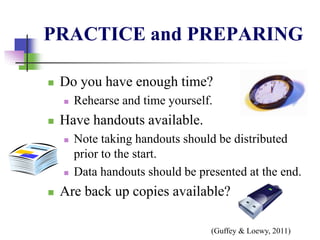
PRACTICE and PREPARING
 Do you have enough time?
 Rehearse and time yourself.
 Have handouts available.
 Note taking handouts should be distributed
prior to the start.
 Data handouts should be presented at the end.
 Are back up copies available?
(Guffey & Loewy, 2011)
CREATING the AMBIANCE
 Creating the perfect mood in the room.
 Can your audience see you?
 Utilize remotes that allow movement.
 Use pointers to engage the audience.
 Don’t let your slides run the discussion.
 Hide slides while discussion advances.
(Guffey & Loewy, 2011)
EIGHT STEPS
to Making a Powerful Multimedia Presentation
 These eight steps from Guffey and Loewy
will be our new guide to creating the most
“powerful multimedia presentation” (pg.
473).
 Start with text, “clear, consise, and
understandable” (pg. 473).
 Select background and fonts, be bold and
innovative.
(Guffey & Loewy, 2011)
EIGHT STEPS (cont…)
 Choose images that help communicate your
message and don’t get stale.
 Create simple graphics, expand in handouts.
 Add special effects with Animations.
 Create hyperlinks, break the monotony.
 Engage the audience with questions, quizzes,
or tests that foster discussion.
 Web based presentations are the future.
(Guffey & Loewy, 2011)
DELIVERY METHODS
 Talk natural and at a moderate pace.
 Project spoken word to the room.
 Repeat information that is critical.
 Ensure pauses are used appropriately.
 Do not read slides aloud.
 Memorization is not necessary.
 Audience can read faster than you can talk.
(Splane, 2006)
Summary
 Comprehend and execute the topics of
discussion.
 Practice and preparing.
 Creating the ambiance.
 Eight steps.
 Delivery methods.
Move forward with success in presentations;
embrace the new culture of our organization.

Module06 mikael sundin_show

  • 1.
    CORPORATE TRAINING How toMake Better Presentations
  • 2.
    INTRODUCTION  Welcome toyour new training.  This training will provide us the tools to present successfully.  Our goal of presenting better should improve our external and internal communication skills.
  • 3.
    OBJECTIVES  Comprehend andexecute the topics of discussion.  Create successful presentations moving forward.  Utilize this training to foster a new and improved corporate presentation culture.
  • 4.
    OVERVIEW  This trainingis our corporate strategy for presentation basics.  Topics of discussion:  Practice and preparing.  Creating the ambiance.  Eight Steps to Making a Powerful Multimedia Presentation (Guffey & Loewy, 2011).  Delivery Methods.
  • 5.
    PRACTICE and PREPARING Do you have enough time?  Rehearse and time yourself.  Have handouts available.  Note taking handouts should be distributed prior to the start.  Data handouts should be presented at the end.  Are back up copies available? (Guffey & Loewy, 2011)
  • 6.
    CREATING the AMBIANCE Creating the perfect mood in the room.  Can your audience see you?  Utilize remotes that allow movement.  Use pointers to engage the audience.  Don’t let your slides run the discussion.  Hide slides while discussion advances. (Guffey & Loewy, 2011)
  • 7.
    EIGHT STEPS to Makinga Powerful Multimedia Presentation  These eight steps from Guffey and Loewy will be our new guide to creating the most “powerful multimedia presentation” (pg. 473).  Start with text, “clear, consise, and understandable” (pg. 473).  Select background and fonts, be bold and innovative. (Guffey & Loewy, 2011)
  • 8.
    EIGHT STEPS (cont…) Choose images that help communicate your message and don’t get stale.  Create simple graphics, expand in handouts.  Add special effects with Animations.  Create hyperlinks, break the monotony.  Engage the audience with questions, quizzes, or tests that foster discussion.  Web based presentations are the future. (Guffey & Loewy, 2011)
  • 9.
    DELIVERY METHODS  Talknatural and at a moderate pace.  Project spoken word to the room.  Repeat information that is critical.  Ensure pauses are used appropriately.  Do not read slides aloud.  Memorization is not necessary.  Audience can read faster than you can talk. (Splane, 2006)
  • 10.
    Summary  Comprehend andexecute the topics of discussion.  Practice and preparing.  Creating the ambiance.  Eight steps.  Delivery methods. Move forward with success in presentations; embrace the new culture of our organization.