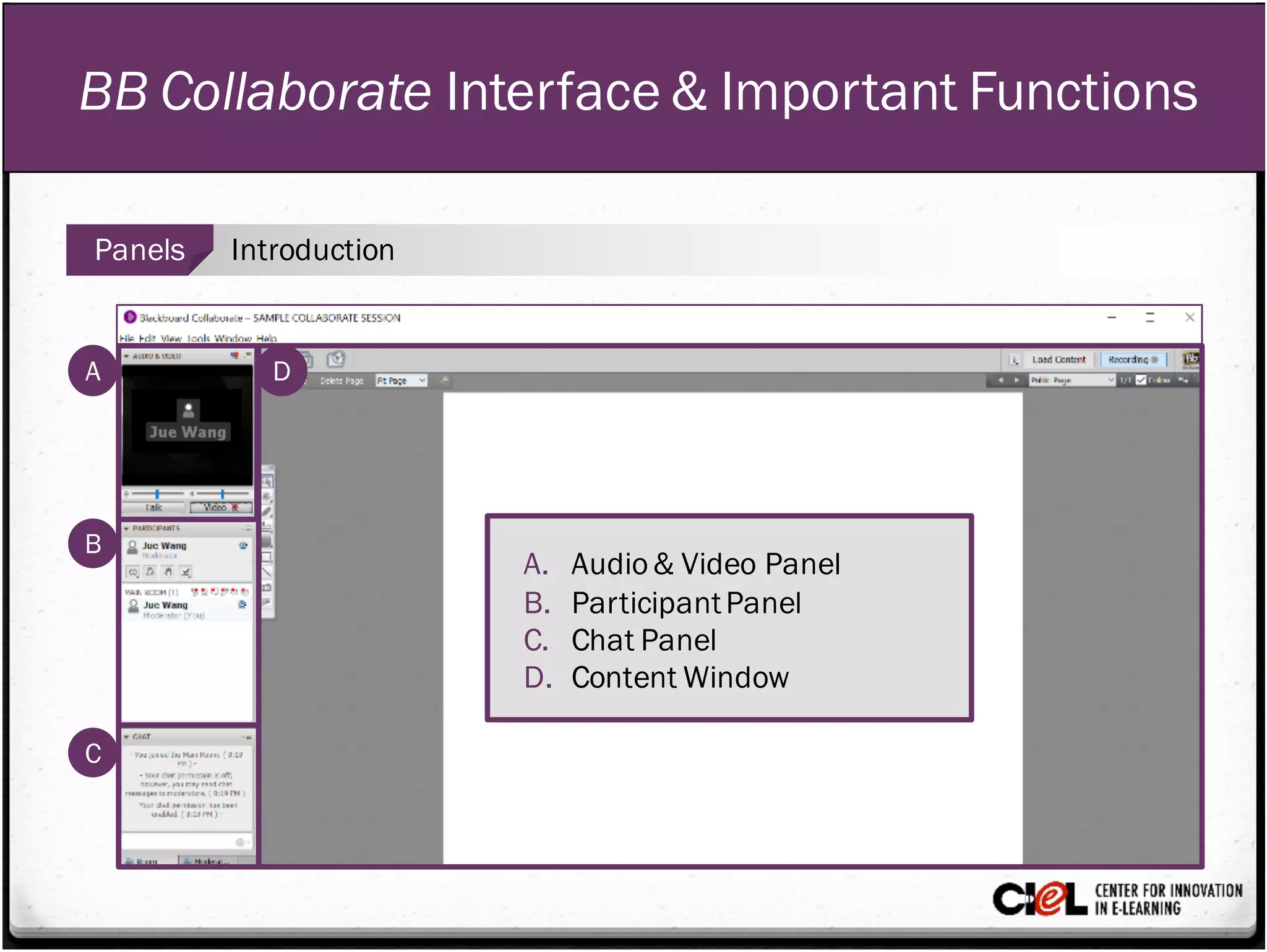
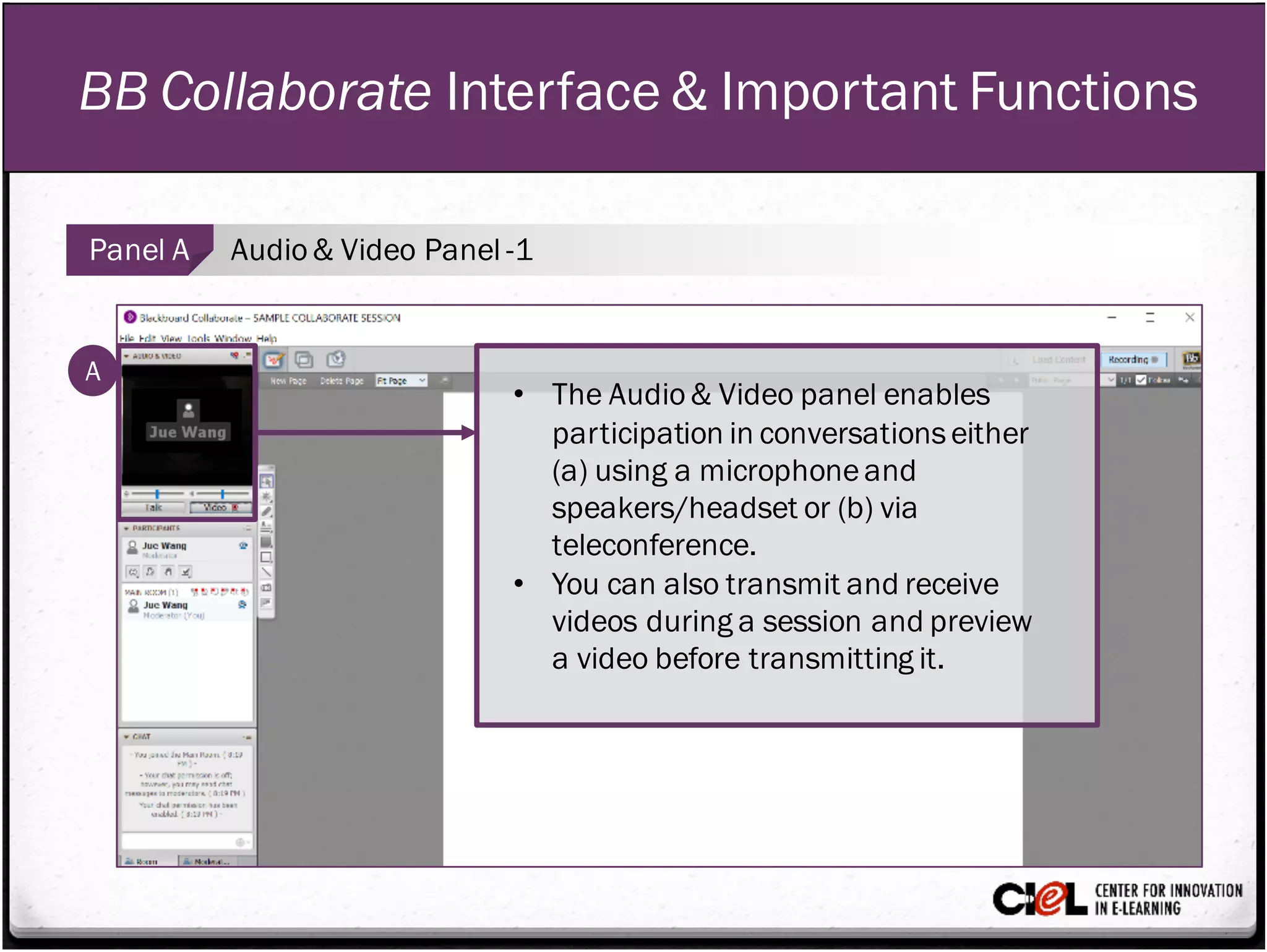
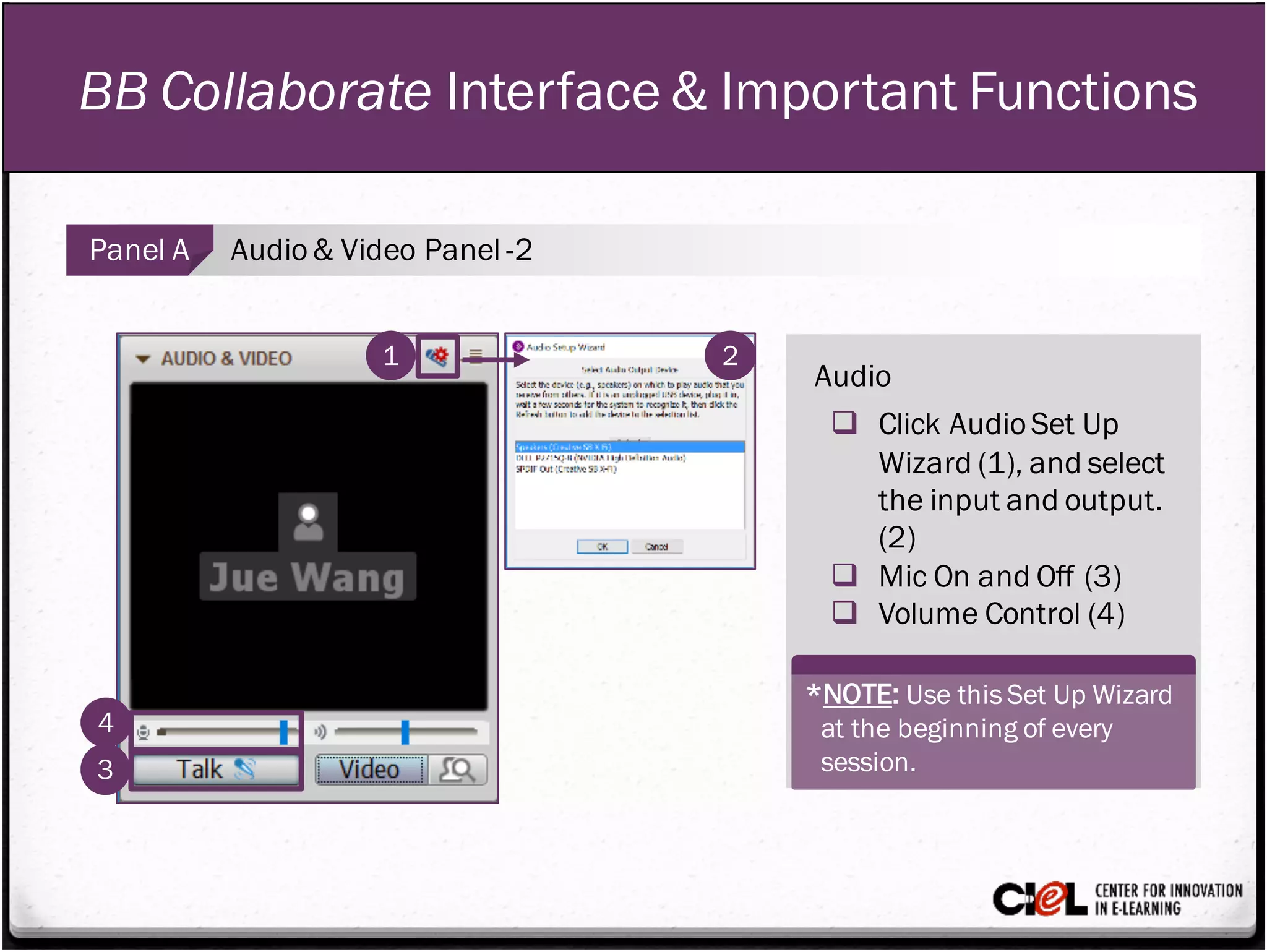
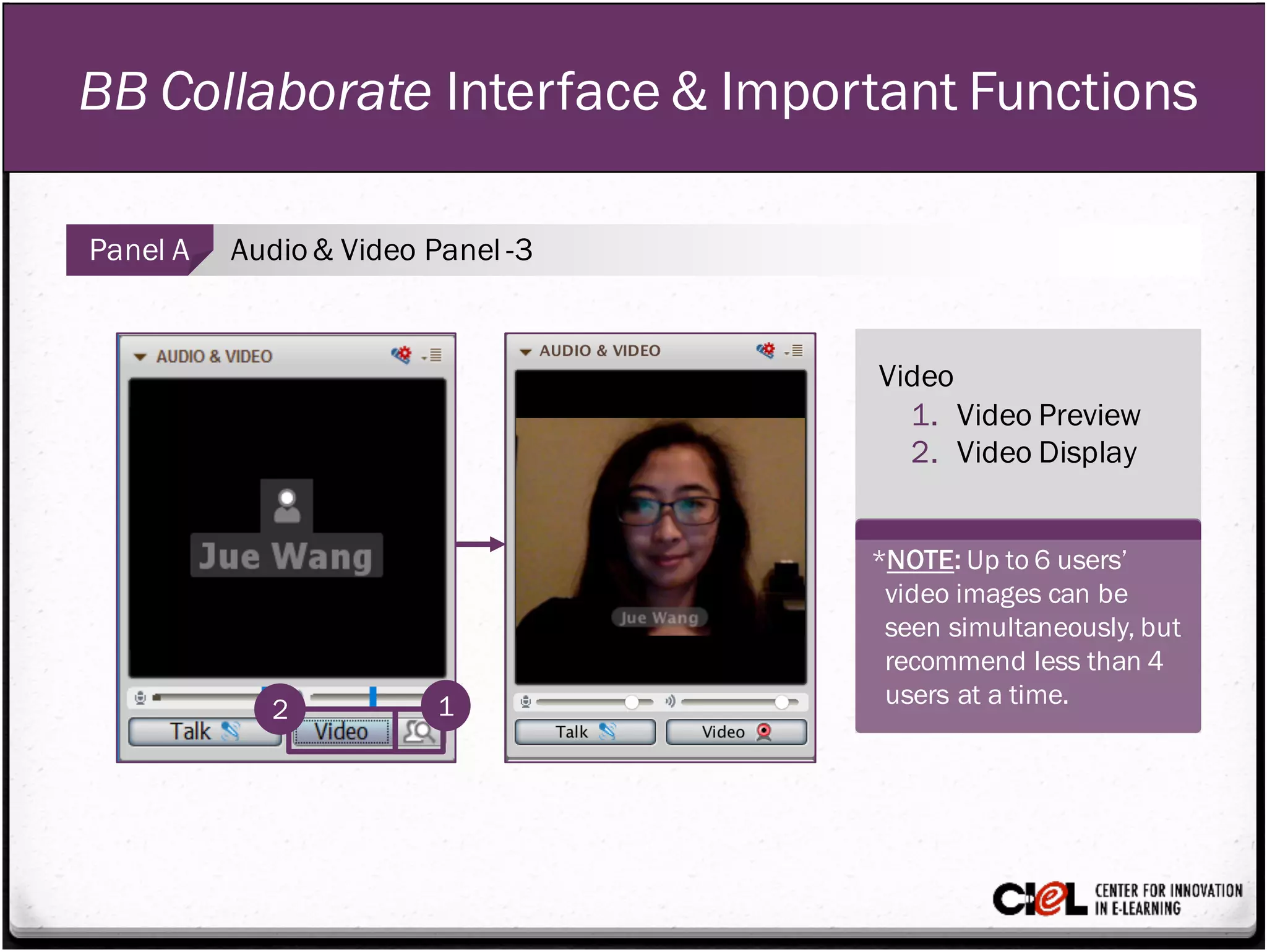
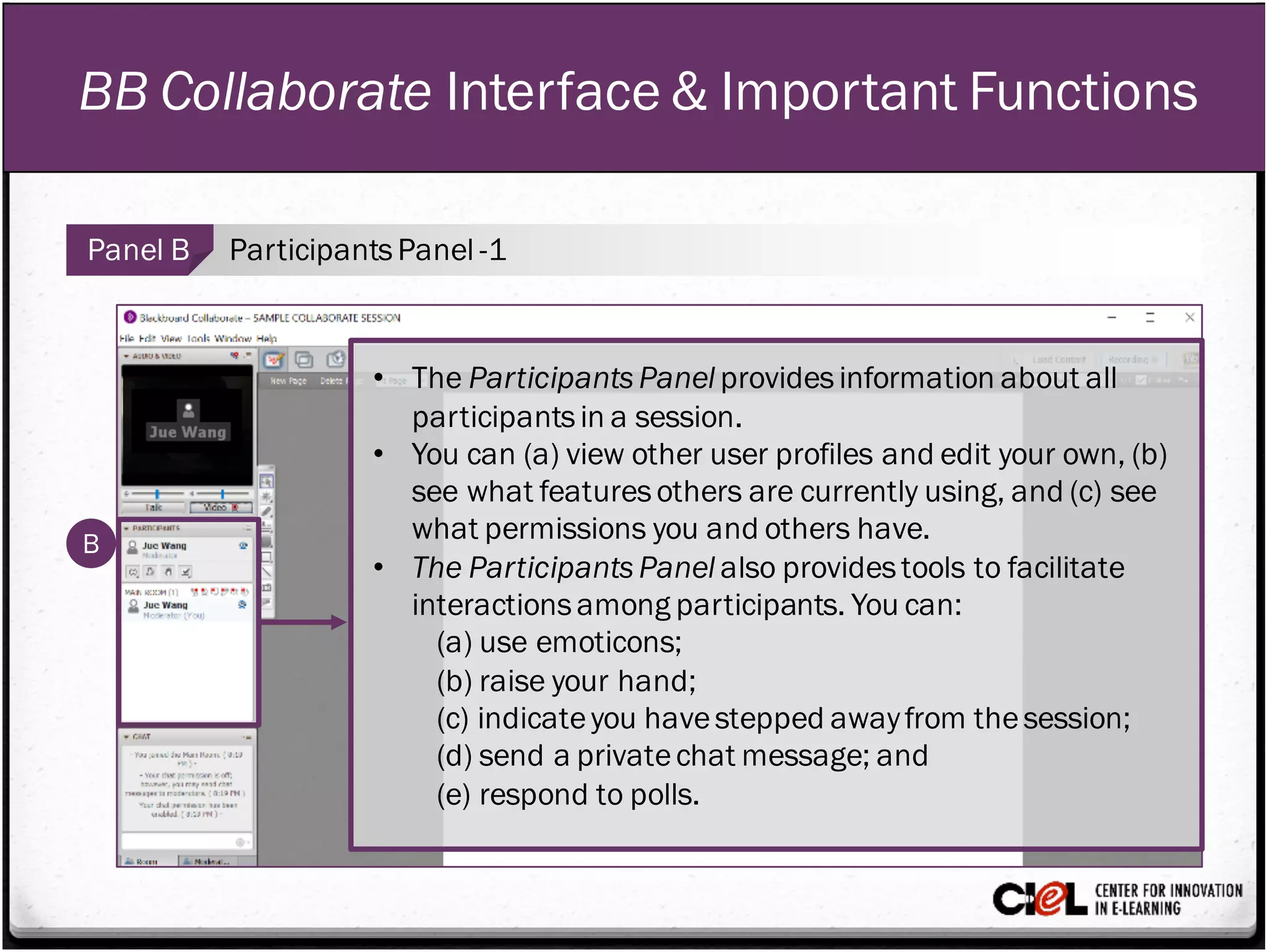
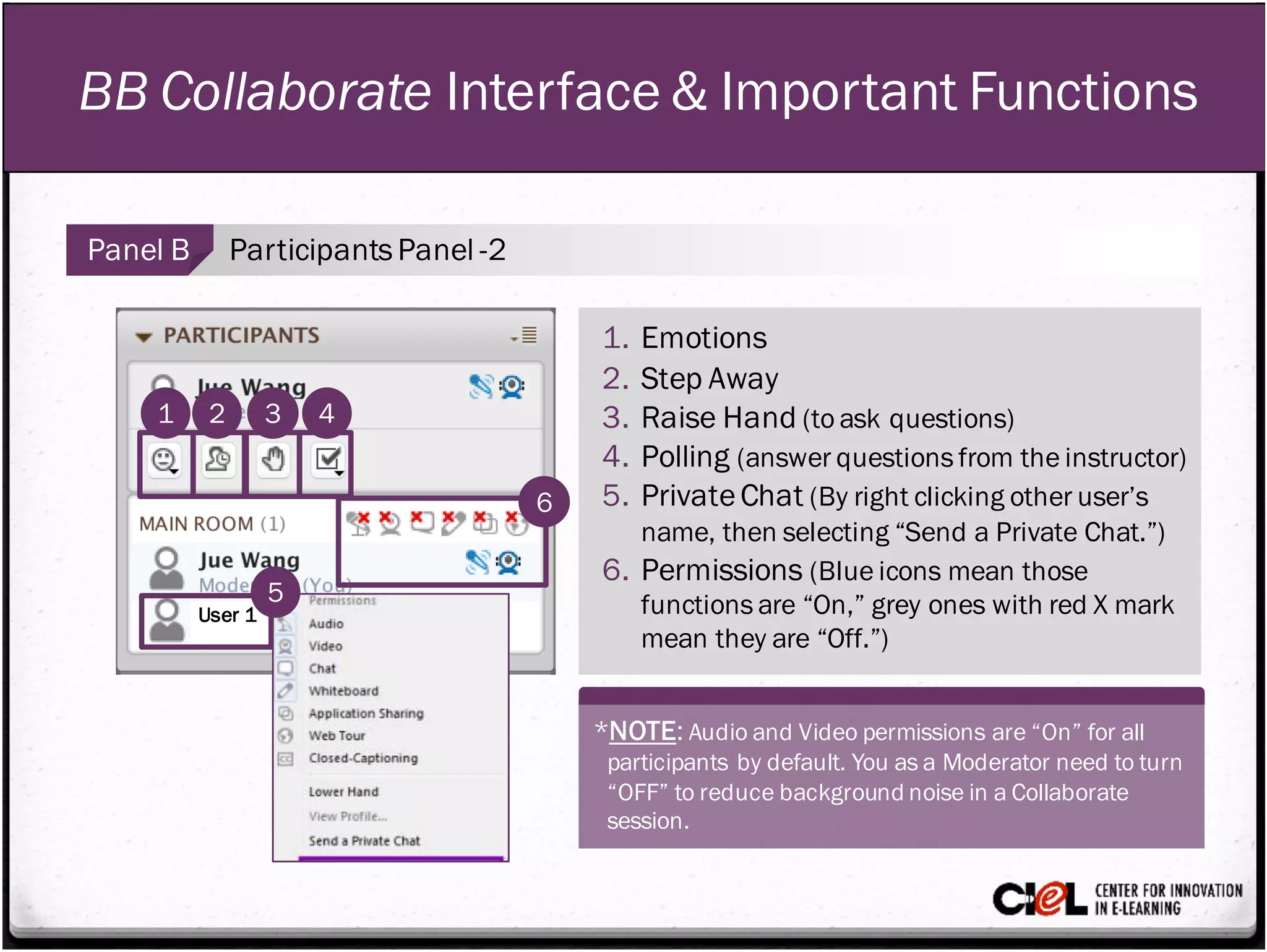
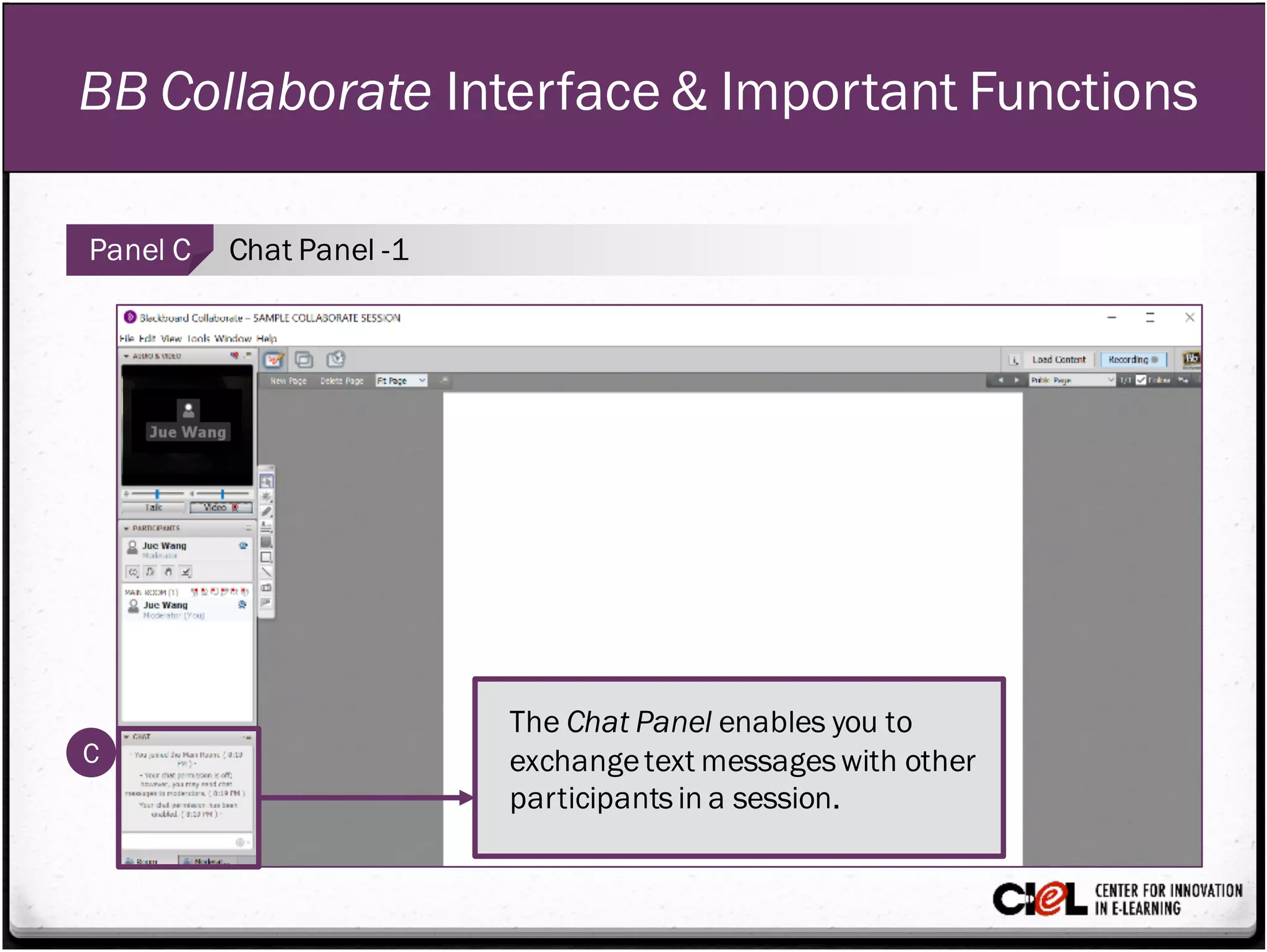
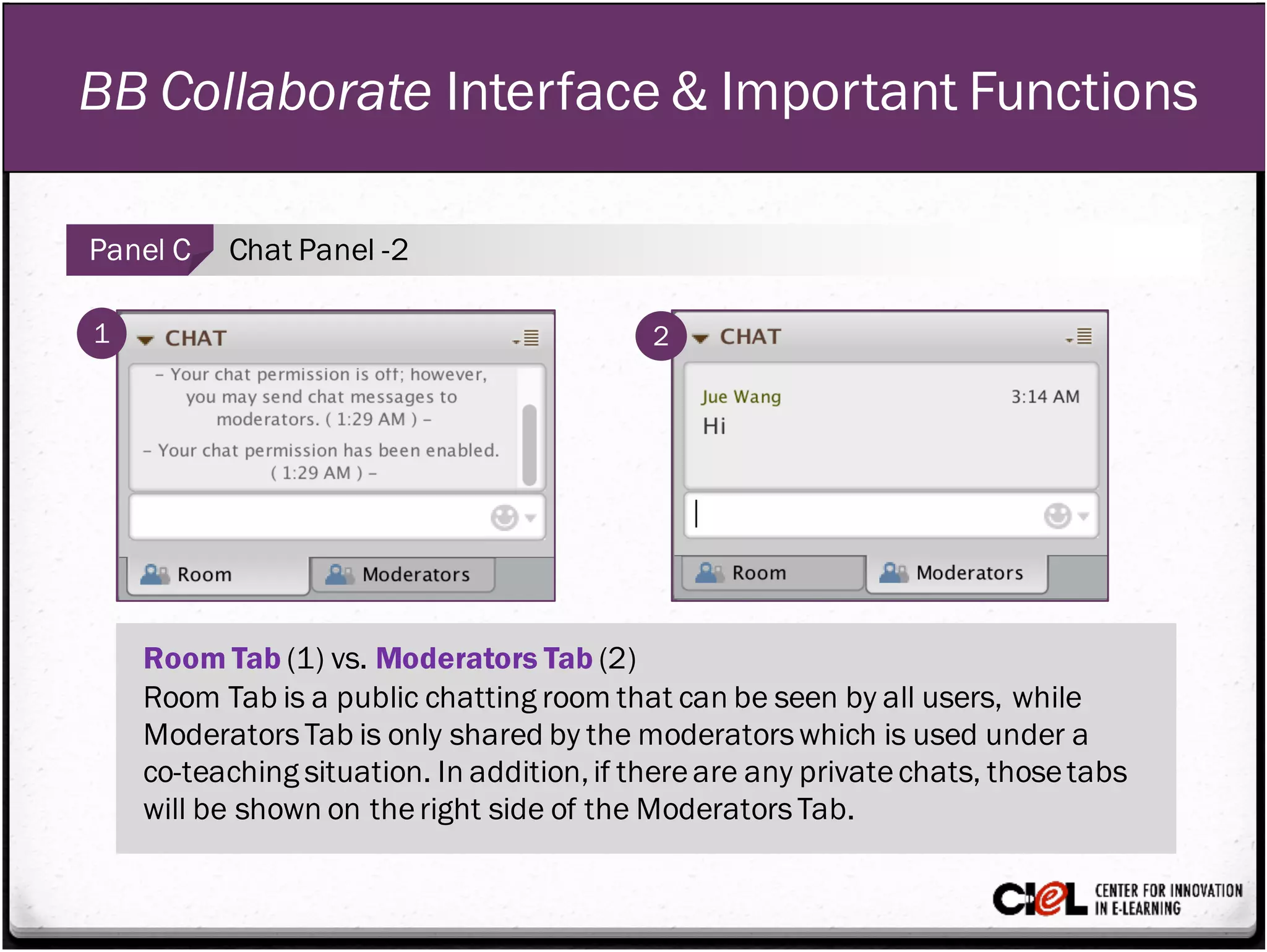
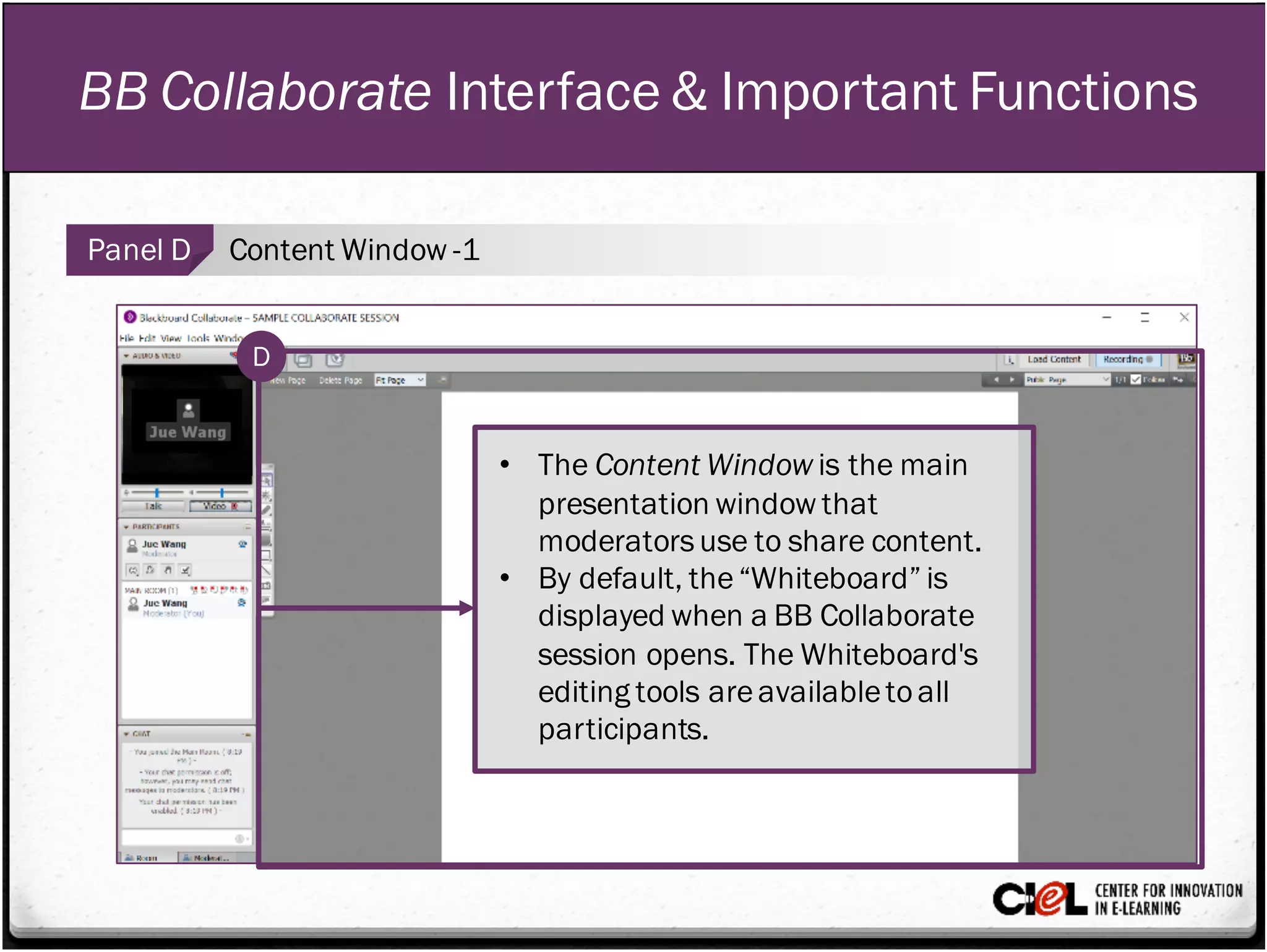
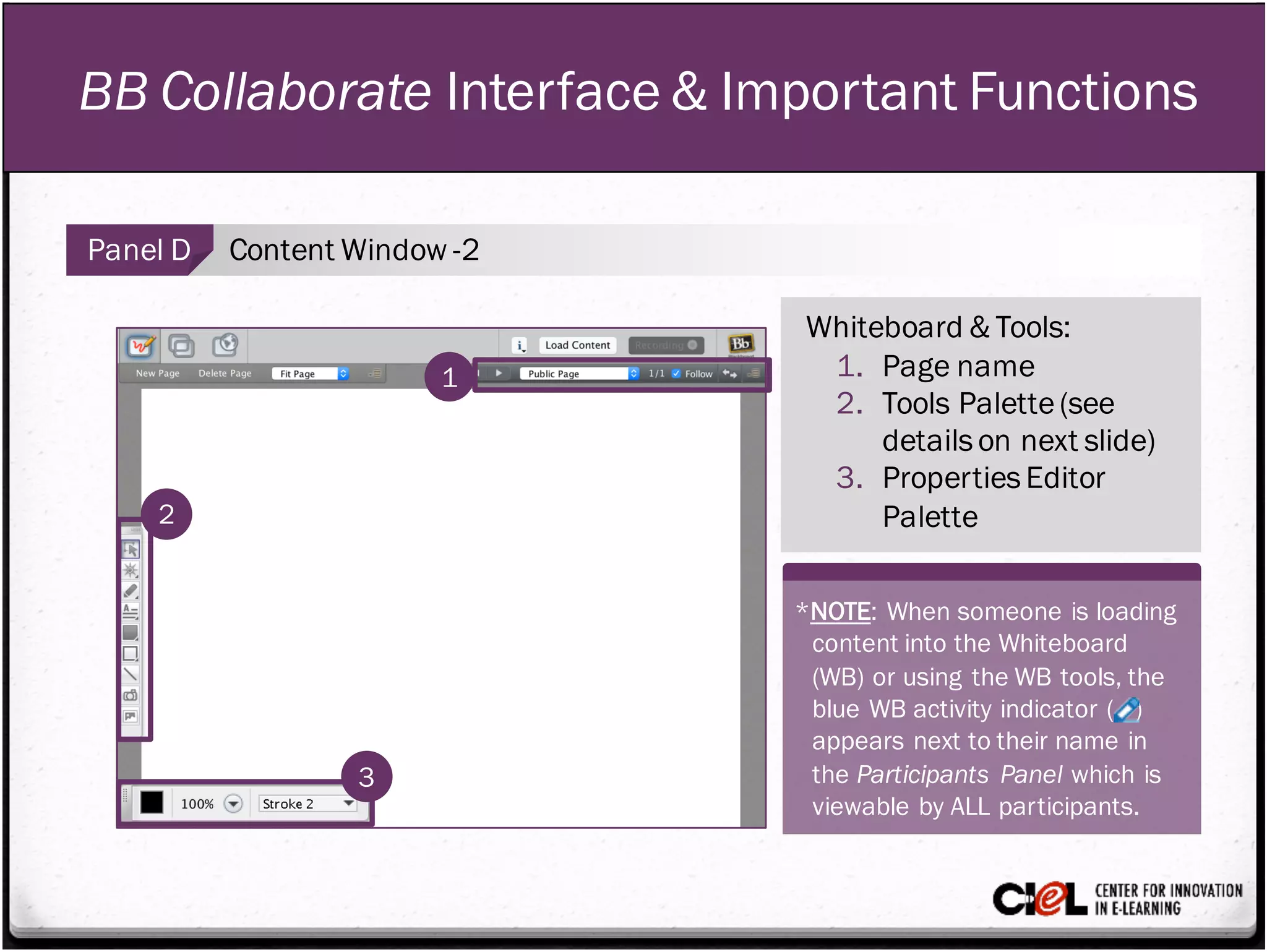
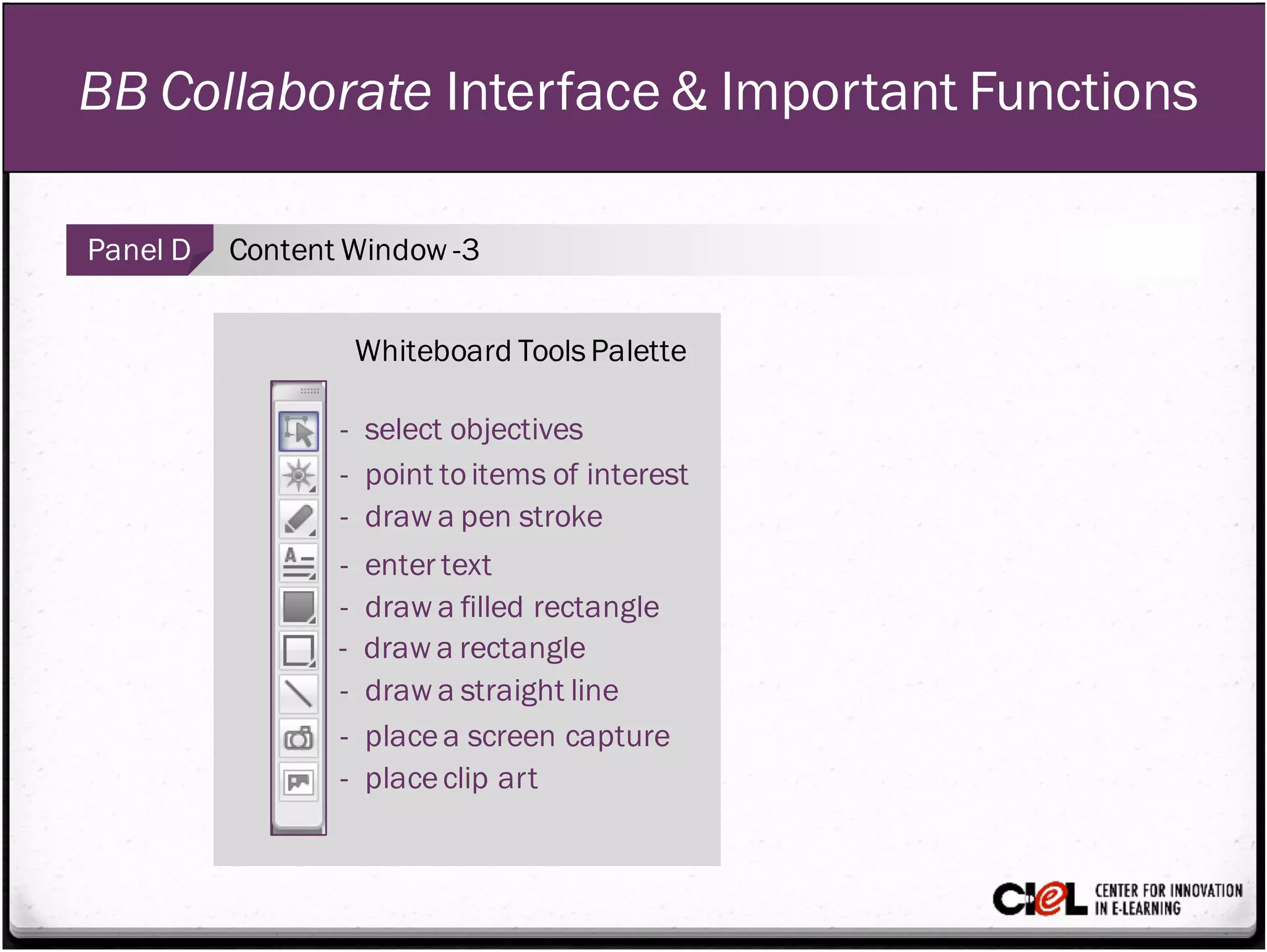
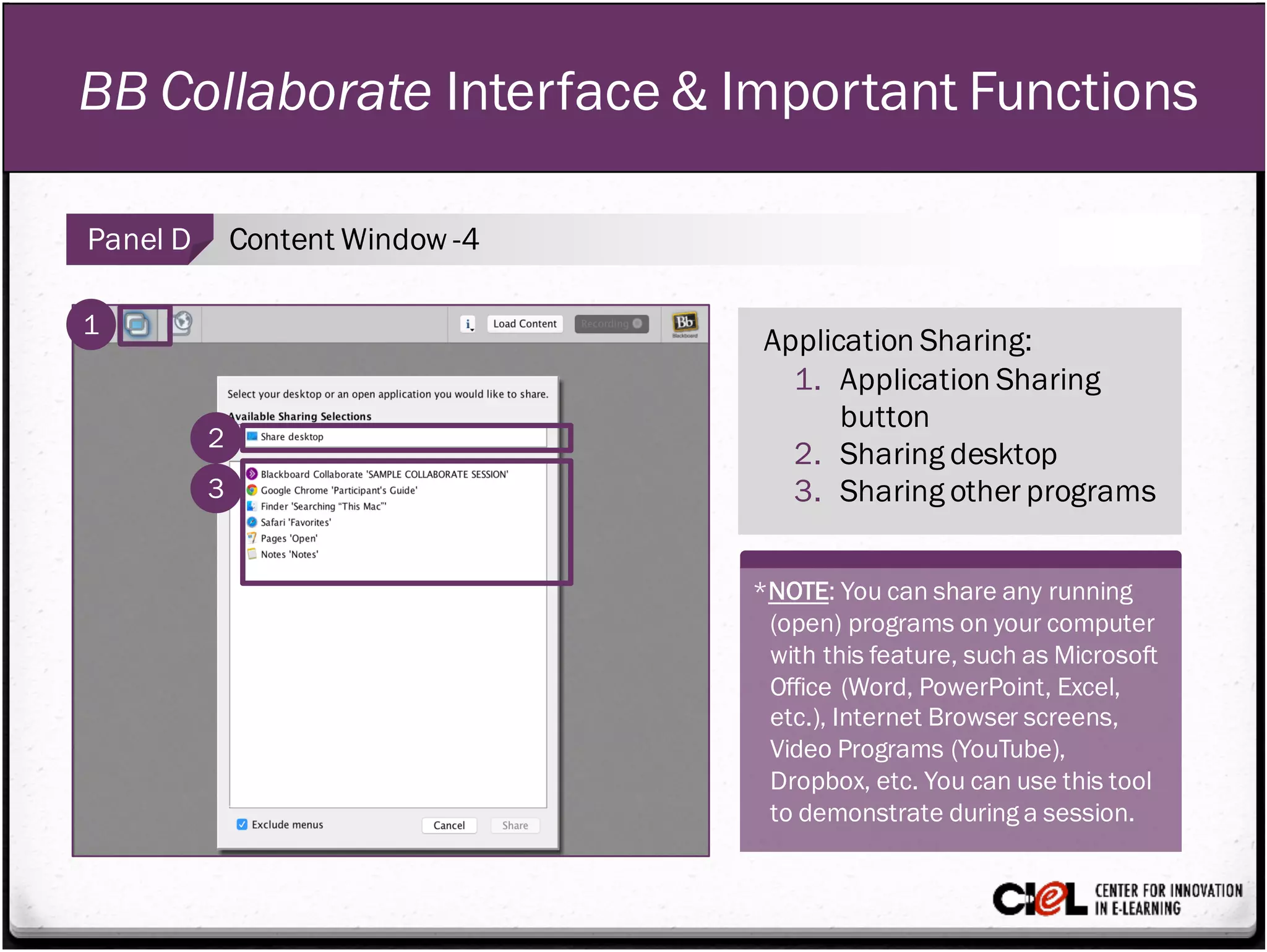
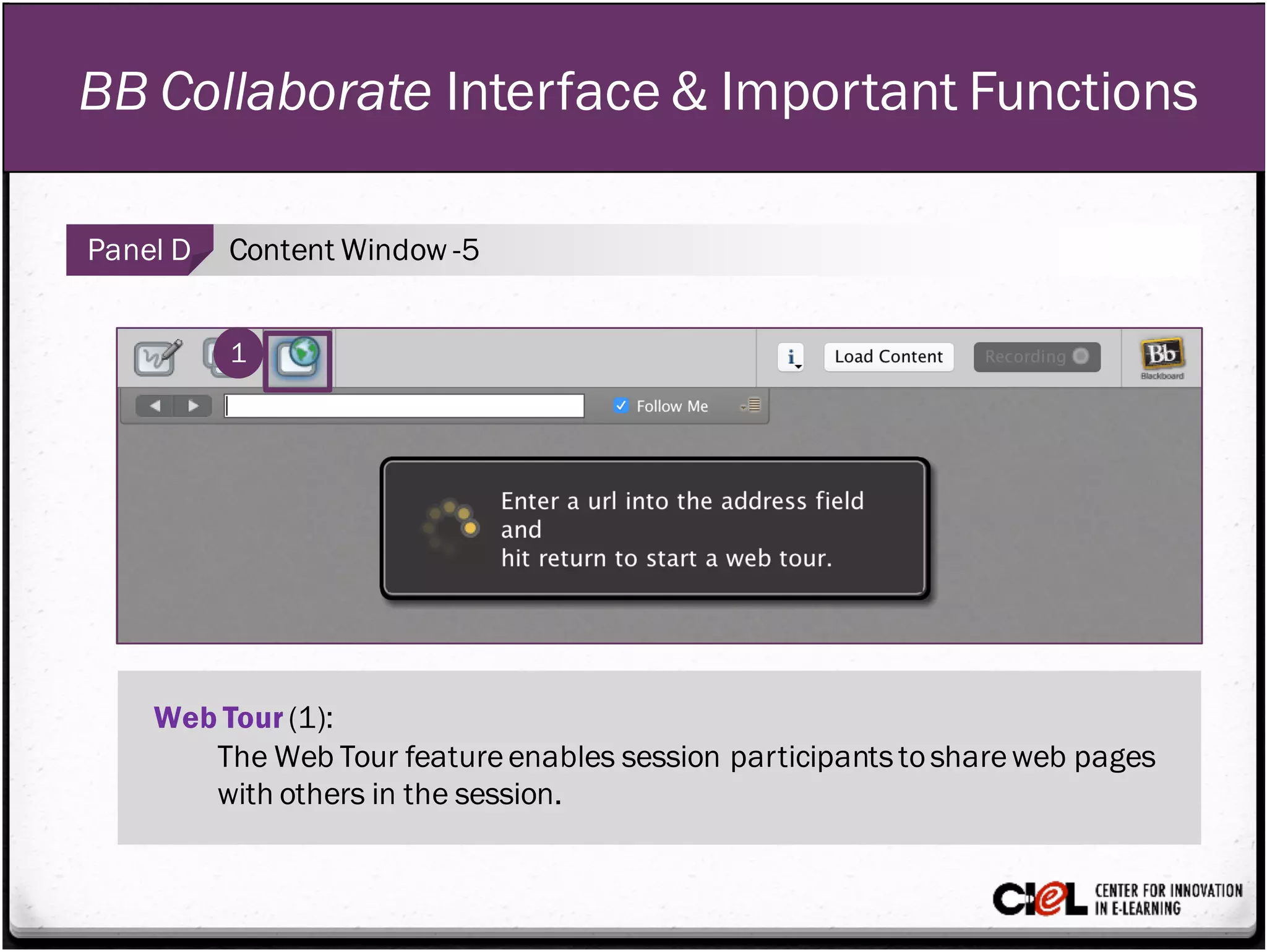
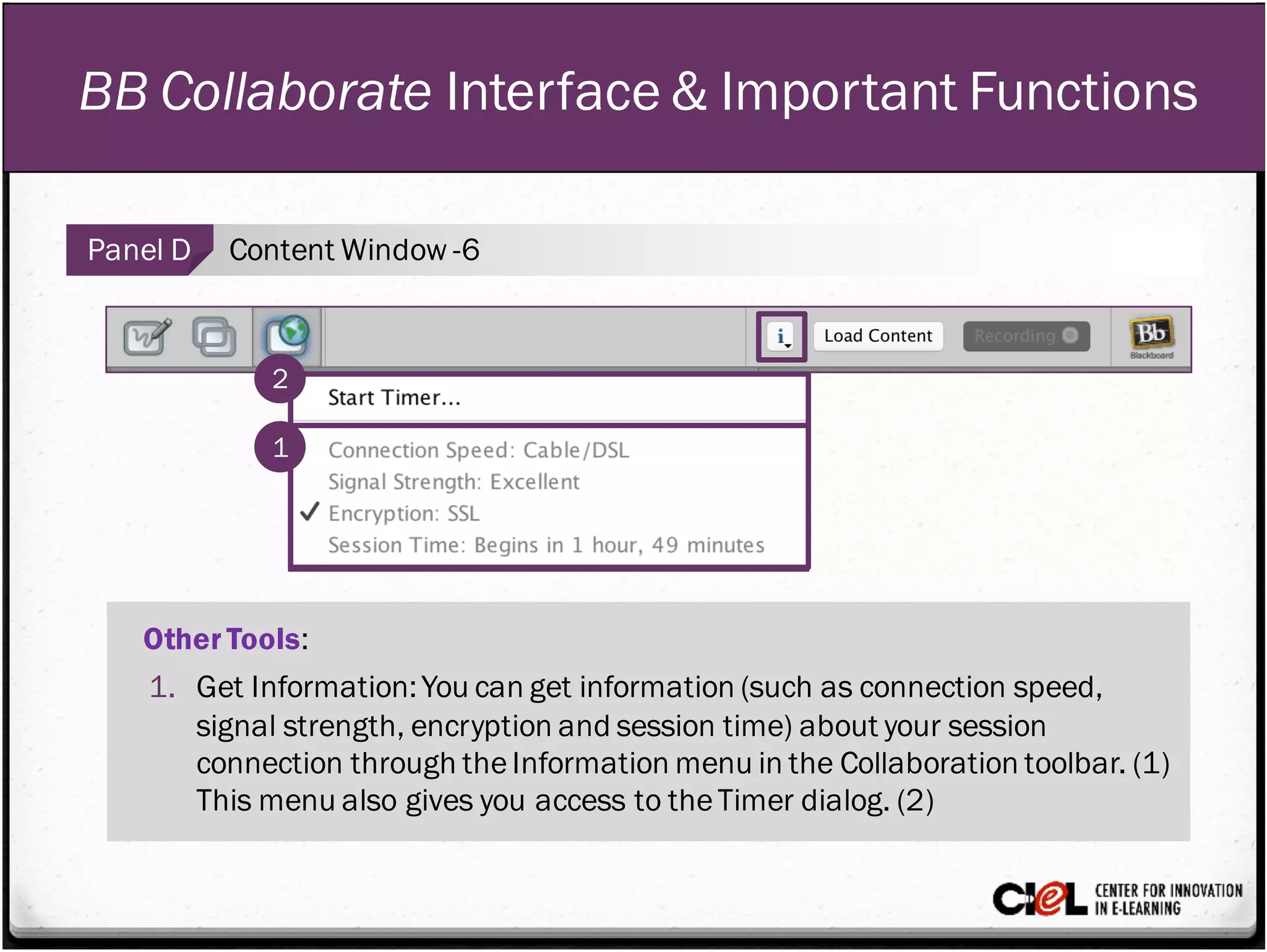
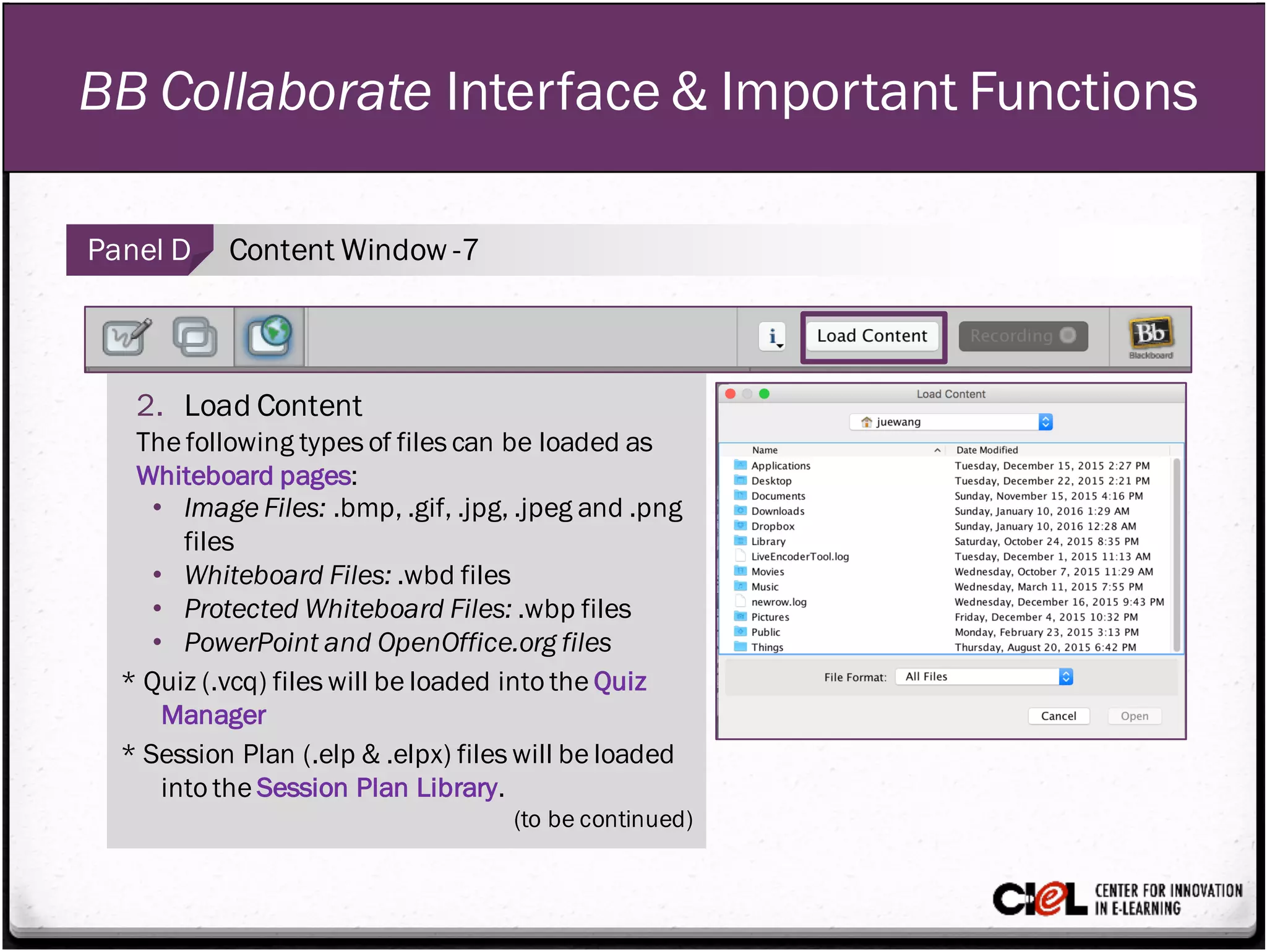
The document describes the Blackboard Collaborate interface and its important functions. It discusses the four main panels: (1) the Audio & Video panel which allows participation via microphone, webcam, and teleconference; (2) the Participant panel which provides user profiles and interaction tools; (3) the Chat panel for exchanging text messages; and (4) the Content window which is the main presentation area and allows sharing applications, web pages, and recording sessions. It provides details on setup, permissions, and tips for using the interface to facilitate online communication and instruction.
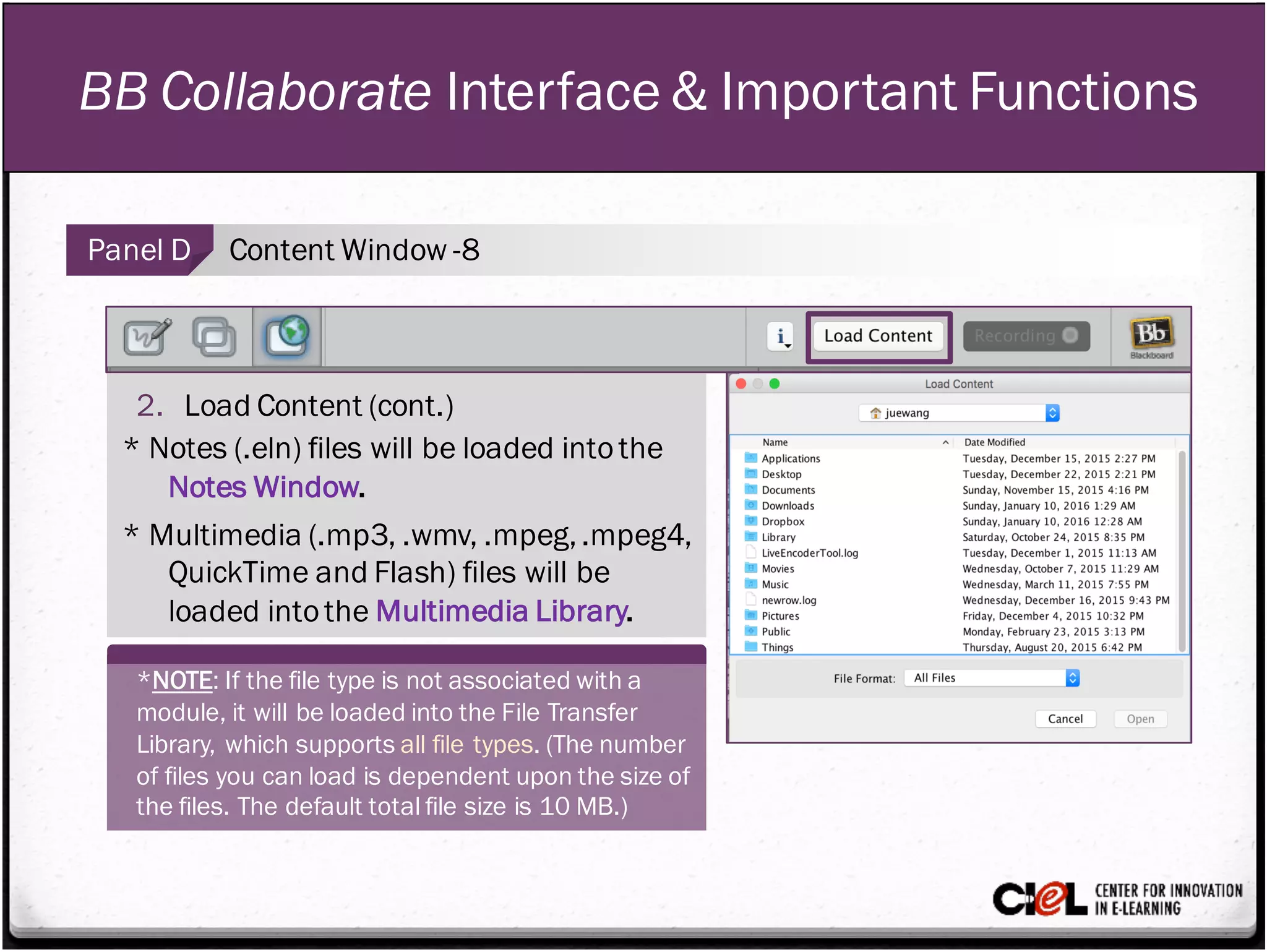
![BB Collaborate Interface & Important Functions
Panel D Content Window -9
3. Record
Click the “Record” button (1) to start (2) or stop (3) recording.
]
1
2 3](https://image.slidesharecdn.com/module4-bbcollaborateinterfacefunctions-160428035631/75/Module-4-BB-Collaborate-Interface-and-Functions-18-2048.jpg)



![KlientBoost & Acquisio Present: Negative Keywords [infographic]](https://cdn.slidesharecdn.com/ss_thumbnails/02-acquisio-negative-keywords-161229172441-thumbnail.jpg?width=640&height=640&fit=bounds)


