RDM Online Module 3:
Good Practices in Formatting MS Excel Spreadsheets
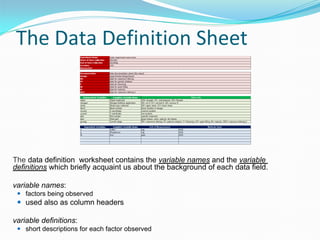
The Data Definition Sheet

The data definition  worksheet contains the variable names and the variable
definitions which briefly acquaint us about the background of each data field.
variable names:
 factors being observed

 used also as column headers
variable definitions:
 short descriptions for each factor observed
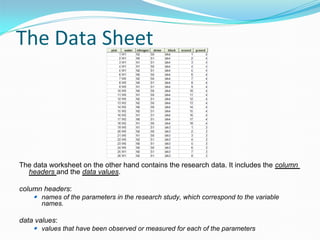
The Data Sheet

The data worksheet on the other hand contains the research data. It includes the column
headers and the data values.
column headers:
 names of the parameters in the research study, which correspond to the variable
names.

data values:
 values that have been observed or measured for each of the parameters
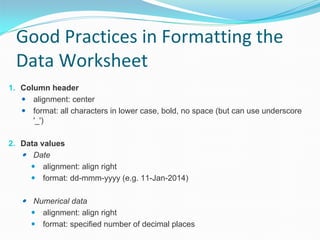
Good Practices in Formatting the
Data Worksheet
1. Column header
 alignment: center
 format: all characters in lower case, bold, no space (but can use underscore 
'_')
2. Data values
 Date
 alignment: align right
 format: dd-mmm-yyyy (e.g. 11-Jan-2014)

 Numerical data
 alignment: align right
 format: specified number of decimal places
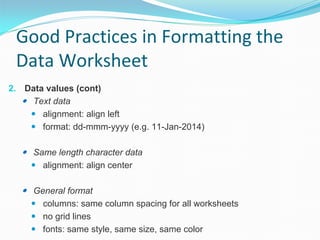
Good Practices in Formatting the
Data Worksheet
2. Data values (cont)
 Text data
 alignment: align left
 format: dd-mmm-yyyy (e.g. 11-Jan-2014)

 Same length character data
 alignment: align center

 General format
 columns: same column spacing for all worksheets
 no grid lines
 fonts: same style, same size, same color
Exercise:
1. Download the RDM Standard template HERE.
2. Using data from your (current / previous) experiment, 
incorporate it into the RDM Standard Template.
3. Submit your output to rdm@irri.org
End of Module 3

good practices in formatting ms excel spreadsheets

  • 1.
    RDM Online Module3: Good Practices in Formatting MS Excel Spreadsheets
  • 2.
    The Data DefinitionSheet The data definition  worksheet contains the variable names and the variable definitions which briefly acquaint us about the background of each data field. variable names:  factors being observed  used also as column headers variable definitions:  short descriptions for each factor observed
  • 3.
    The Data Sheet The data worksheet on the other hand contains the research data. It includes the column headers and the datavalues. column headers:  names of the parameters in the research study, which correspond to the variable names. data values:  values that have been observed or measured for each of the parameters
  • 4.
    Good Practices inFormatting the Data Worksheet 1. Column header  alignment: center  format: all characters in lower case, bold, no space (but can use underscore  '_') 2. Data values  Date  alignment: align right  format: dd-mmm-yyyy (e.g. 11-Jan-2014)  Numerical data  alignment: align right  format: specified number of decimal places
  • 5.
    Good Practices inFormatting the Data Worksheet 2. Data values (cont)  Text data  alignment: align left  format: dd-mmm-yyyy (e.g. 11-Jan-2014)  Same length character data  alignment: align center  General format  columns: same column spacing for all worksheets  no grid lines  fonts: same style, same size, same color
  • 6.
    Exercise: 1. Download the RDM Standard template HERE. 2. Using data from your (current/ previous) experiment,  incorporate it into the RDM Standard Template. 3. Submit your output to rdm@irri.org
  • 7.