Contents
◉ Introduction toPython function
◉ Defining a function
◉ Calling a function
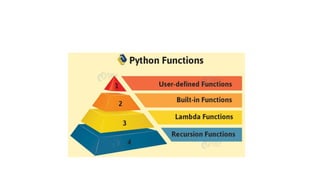
◉ Types of function
◉ Function Argument
◉ Anonymous functions
◉ Passing Collections to a Function
◉ Keyword and Optional Parameters
◉ Local and global variables
◉ Function as Function arguments
◉ Defining recursion and its application
◉ Programming through recursion
3.
Introduction to PythonFunctions
◉ A function is a group of related statements that performs a specific task.
◉ Functions can help to break our program into smaller and modular chunks. As our program
grows larger and larger, functions make it more organized and manageable.
◉ Furthermore, it avoids repetition and makes the code reusable.
◉ It is a block of code which only runs when it is called.
◉ You can pass data, known as parameters, into a function.
◉ A function can return data as a result.
◉ To carry out that specific task, the function might or might not need multiple inputs. When
the task is carried out, the function can or can not return one or more values.
5.
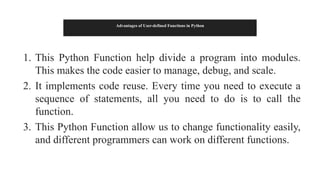
Advantages of User-definedFunctions in Python
1. This Python Function help divide a program into modules.
This makes the code easier to manage, debug, and scale.
2. It implements code reuse. Every time you need to execute a
sequence of statements, all you need to do is to call the
function.
3. This Python Function allow us to change functionality easily,
and different programmers can work on different functions.
6.
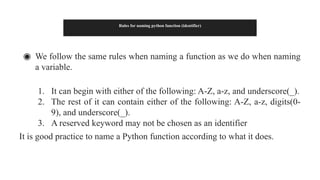
Rules for namingpython function (identifier)
◉ We follow the same rules when naming a function as we do when naming
a variable.
1. It can begin with either of the following: A-Z, a-z, and underscore(_).
2. The rest of it can contain either of the following: A-Z, a-z, digits(0-
9), and underscore(_).
3. A reserved keyword may not be chosen as an identifier
It is good practice to name a Python function according to what it does.
7.
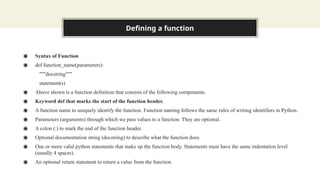
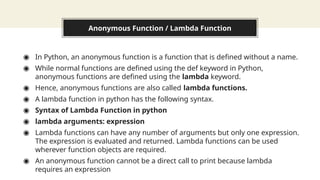
Defining a function
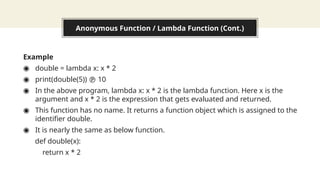
◉Syntax of Function
◉ def function_name(parameters):
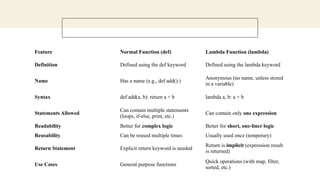
"""docstring"""
statement(s)
◉ Above shown is a function definition that consists of the following components.
◉ Keyword def that marks the start of the function header.
◉ A function name to uniquely identify the function. Function naming follows the same rules of writing identifiers in Python.
◉ Parameters (arguments) through which we pass values to a function. They are optional.
◉ A colon (:) to mark the end of the function header.
◉ Optional documentation string (docstring) to describe what the function does.
◉ One or more valid python statements that make up the function body. Statements must have the same indentation level
(usually 4 spaces).
◉ An optional return statement to return a value from the function.
8.
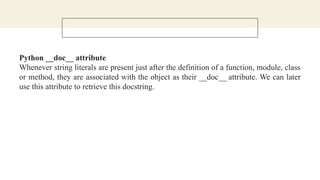
Python __doc__ attribute
Wheneverstring literals are present just after the definition of a function, module, class
or method, they are associated with the object as their __doc__ attribute. We can later
use this attribute to retrieve this docstring.
9.
Defining a function(Cont.)
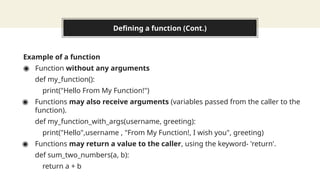
Example of a function
◉ Function without any arguments
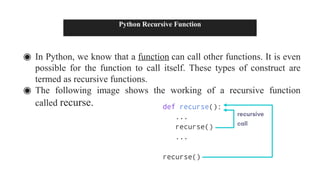
def my_function():
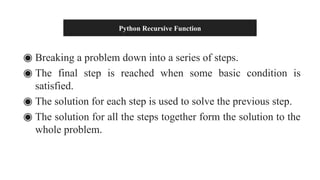
print("Hello From My Function!")
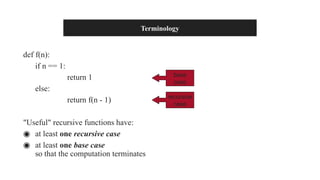
◉ Functions may also receive arguments (variables passed from the caller to the
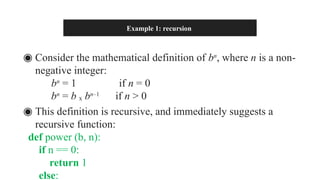
function).
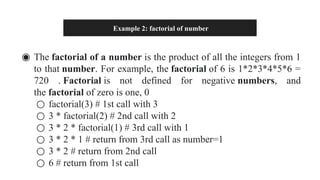
def my_function_with_args(username, greeting):
print("Hello",username , "From My Function!, I wish you", greeting)
◉ Functions may return a value to the caller, using the keyword- 'return'.
def sum_two_numbers(a, b):
return a + b
10.
Defining a function(Cont.)
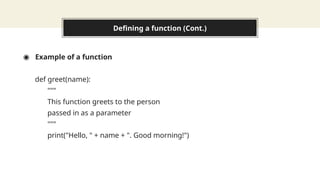
◉ Example of a function
def greet(name):
"""
This function greets to the person
passed in as a parameter
"""
print("Hello, " + name + ". Good morning!")
11.
Defining a function(Cont.)
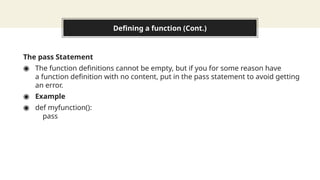
The pass Statement
◉ The function definitions cannot be empty, but if you for some reason have
a function definition with no content, put in the pass statement to avoid getting
an error.
◉ Example
◉ def myfunction():
pass
12.
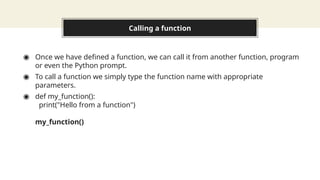
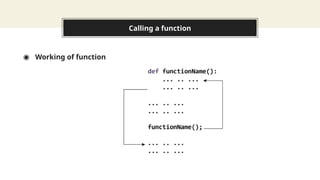
Calling a function
◉Once we have defined a function, we can call it from another function, program
or even the Python prompt.
◉ To call a function we simply type the function name with appropriate
parameters.
◉ def my_function():
print("Hello from a function")
my_function()
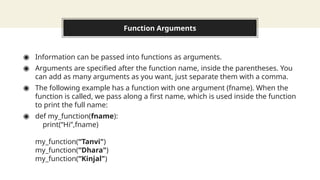
Function Arguments
◉ Informationcan be passed into functions as arguments.
◉ Arguments are specified after the function name, inside the parentheses. You
can add as many arguments as you want, just separate them with a comma.
◉ The following example has a function with one argument (fname). When the
function is called, we pass along a first name, which is used inside the function
to print the full name:
◉ def my_function(fname):
print(“Hi”,fname)
my_function(“Tanvi")
my_function(“Dhara")
my_function(“Kinjal")
15.
Function Arguments (Cont.)
Parametersor Arguments?
◉ The terms parameter and argument can be used for the same thing:
information that are passed into a function.
◉ From a function's perspective:
◉ A parameter is the variable listed inside the parentheses in the function
definition.
◉ An argument is the value that is sent to the function when it is called.
16.
Function Arguments (Cont.)
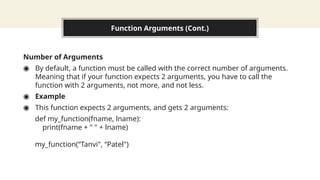
Numberof Arguments
◉ By default, a function must be called with the correct number of arguments.
Meaning that if your function expects 2 arguments, you have to call the
function with 2 arguments, not more, and not less.
◉ Example
◉ This function expects 2 arguments, and gets 2 arguments:
def my_function(fname, lname):
print(fname + " " + lname)
my_function(“Tanvi", “Patel")
17.
Function Arguments (Cont.)
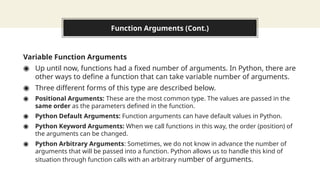
VariableFunction Arguments
◉ Up until now, functions had a fixed number of arguments. In Python, there are
other ways to define a function that can take variable number of arguments.
◉ Three different forms of this type are described below.
◉ Positional Arguments: These are the most common type. The values are passed in the
same order as the parameters defined in the function.
◉ Python Default Arguments: Function arguments can have default values in Python.
◉ Python Keyword Arguments: When we call functions in this way, the order (position) of
the arguments can be changed.
◉ Python Arbitrary Arguments: Sometimes, we do not know in advance the number of
arguments that will be passed into a function. Python allows us to handle this kind of
situation through function calls with an arbitrary number of arguments.
18.
Function Arguments (Cont.)
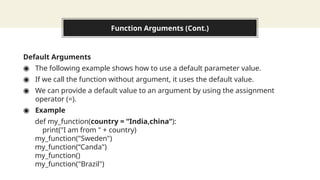
DefaultArguments
◉ The following example shows how to use a default parameter value.
◉ If we call the function without argument, it uses the default value.
◉ We can provide a default value to an argument by using the assignment
operator (=).
◉ Example
def my_function(country = “India,china“):
print("I am from " + country)
my_function("Sweden")
my_function(“Canda")
my_function()
my_function("Brazil")
19.
Function Arguments (Cont.)
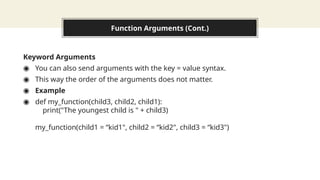
KeywordArguments
◉ You can also send arguments with the key = value syntax.
◉ This way the order of the arguments does not matter.
◉ Example
◉ def my_function(child3, child2, child1):
print("The youngest child is " + child3)
my_function(child1 = “kid1", child2 = “kid2", child3 = “kid3")
20.
Function Arguments (Cont.)
ArbitraryArguments, *args
◉ If you do not know how many arguments that will be passed into your function,
add a * before the parameter name in the function definition.
◉ This way the function will receive a tuple of arguments, and can access the
items accordingly.
◉ If the number of arguments is unknown, add a * before the parameter name:
◉ def my_function(*kids):
print("The youngest child is " + kids[2])
my_function(“kid1", “kid2", “kid3")
21.
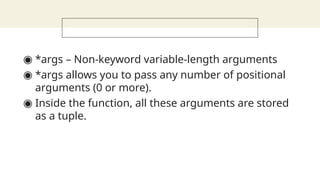
◉ *args –Non-keyword variable-length arguments
◉ *args allows you to pass any number of positional
arguments (0 or more).
◉ Inside the function, all these arguments are stored
as a tuple.
22.
Function Arguments (Cont.)
ArbitraryKeyword Arguments, **kwargs
◉ If you do not know how many keyword arguments that will be passed into your
function, add two asterisk: ** before the parameter name in the function
definition.
◉ This way the function will receive a dictionary of arguments, and can access the
items accordingly.
◉ Example
◉ If the number of keyword arguments is unknown, add a double ** before the
parameter name:
◉ def my_function(**kid):
print("His last name is " + kid["lname"])
my_function(fname = “Naavya", lname = “Patel")
23.
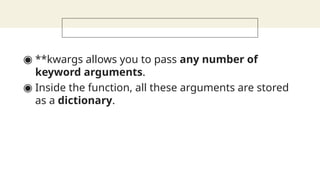
◉ **kwargs allowsyou to pass any number of
keyword arguments.
◉ Inside the function, all these arguments are stored
as a dictionary.
24.
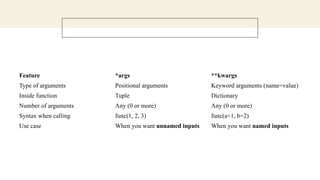
Feature *args **kwargs
Typeof arguments Positional arguments Keyword arguments (name=value)
Inside function Tuple Dictionary
Number of arguments Any (0 or more) Any (0 or more)
Syntax when calling func(1, 2, 3) func(a=1, b=2)
Use case When you want unnamed inputs When you want named inputs
25.
Function Arguments (Cont.)
Passinga List as an Argument
◉ You can send any data types of argument to a function (string, number, list,
dictionary etc.), and it will be treated as the same data type inside the function.
◉ E.g. if you send a List as an argument, it will still be a List when it reaches the
function.
def my_function(food):
for x in food:
print(x)
fruits = ["apple", "banana", "cherry"]
my_function(fruits)
26.
Calling a function(Cont.)
Pass by reference and pass by value
◉ One important thing to note is, in Python every variable name is a reference.
When we pass a variable to a function, a new reference to the object is created.
◉ Here x is a new reference to same list “lst”
def myFun(x):
x[0] = 20
◉ After function call.
lst = [10, 11, 12, 13, 14, 15]
myFun(lst)
print(lst)
27.
Calling a function(Cont.)
◉ When we pass a reference and change the received reference to something
else, the connection between passed and received parameter is broken.
◉ Example
def myFun(x):
x = [20, 30, 40]
lst = [10, 11, 12, 13, 14, 15]
myFun(lst)
print(lst)
28.
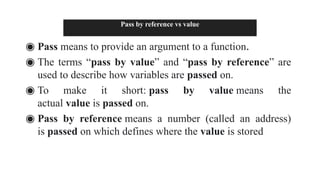
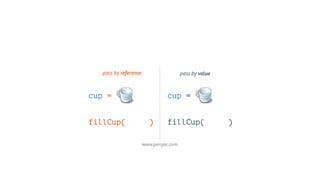
Pass by referencevs value
◉ Pass means to provide an argument to a function.
◉ The terms “pass by value” and “pass by reference” are
used to describe how variables are passed on.
◉ To make it short: pass by value means the
actual value is passed on.
◉ Pass by reference means a number (called an address)
is passed on which defines where the value is stored
30.
Pass by value
◉Passing by value means that the value of the function
parameter is copied into another location of your memory,
and when accessing or modifying the variable within your
function, only the copy is accessed/modified and the original
value is left untouched.
◉ Passing by value is how your values are passed on most of
the time.
◉ For example: (java)
function add(int a, int b)
31.
◉ A copyof the actual data is passed to the function.
◉ Changes inside the function do not affect the
original variable.
◉ Common in languages like C, Java (for primitives).
◉ In Python, immutable data types (like int, float, str,
tuple) behave as if passed by value.
32.
Pass by reference
◉Passing by reference means that the memory address of the
variable (a pointer to the memory location) is passed to the
function
◉ means that the argument you’re passing to the function is
a reference to a variable that already exists in memory rather
than an independent copy of that variable.
◉ For example: (java example)
function add(int &a, int &b)
33.
◉ The reference(memory address) of the variable is
passed.
◉ Changes inside the function do affect the original
variable.
◉ Common in languages like C++ (when using
references), Java (for objects).
◉ In Python, mutable data types (like list, dict, set)
behave as if passed by references
35.
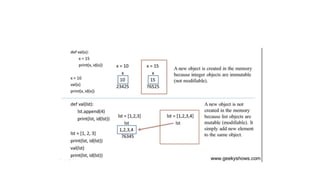
Pass by objectreference
◉ Immutable: objects whose value cannot change
○ 1 Tuples
○ 2 Booleans
○ 3 Numbers
○ 4 Strings
◉ Mutable: objects whose value can change
○ 1 Dictionaries
○ 2 Lists
○ 3 Set
◉ This distinction matters because it explains seemingly contradictory behaviour
36.
Pass by objectreference
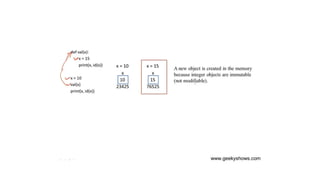
◉ #variables are really names
c = 4
d = c
c+=1
print( c)
print(d) #d does not change because numbers are immutable
◉ #lists are mutable
a = [1,4,2]
b = a #so this assigns the name b to the object attached to name a
a.append(3)
print( a)
print( b) #b still points to the same object, its contents have just changed.
39.
Calling a function(Cont.)
Return Statement
◉ The return statement is used to exit a function and go back to the place from where it was called.
◉ Syntax of return
return [expression_list]
◉ This statement can contain an expression that gets evaluated and the value is returned. If there is no
expression in the statement or the return statement itself is not present inside a function, then the
function will return the None object.
◉ Example
def my_function(x):
return 5 * x
print(my_function(3))
print(my_function(5))
print(my_function(9))
40.
Calling a function(Cont.)
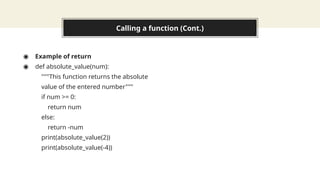
◉ Example of return
◉ def absolute_value(num):
"""This function returns the absolute
value of the entered number"""
if num >= 0:
return num
else:
return -num
print(absolute_value(2))
print(absolute_value(-4))
41.
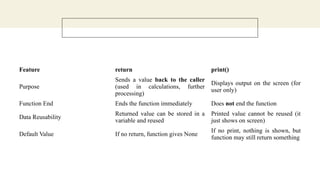
Feature return print()
Purpose
Sendsa value back to the caller
(used in calculations, further
processing)
Displays output on the screen (for
user only)
Function End Ends the function immediately Does not end the function
Data Reusability
Returned value can be stored in a
variable and reused
Printed value cannot be reused (it
just shows on screen)
Default Value If no return, function gives None
If no print, nothing is shown, but
function may still return something
42.
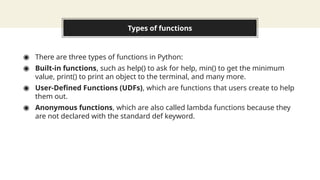
Types of functions
◉There are three types of functions in Python:
◉ Built-in functions, such as help() to ask for help, min() to get the minimum
value, print() to print an object to the terminal, and many more.
◉ User-Defined Functions (UDFs), which are functions that users create to help
them out.
◉ Anonymous functions, which are also called lambda functions because they
are not declared with the standard def keyword.
43.
Anonymous Function /Lambda Function
◉ In Python, an anonymous function is a function that is defined without a name.
◉ While normal functions are defined using the def keyword in Python,
anonymous functions are defined using the lambda keyword.
◉ Hence, anonymous functions are also called lambda functions.
◉ A lambda function in python has the following syntax.
◉ Syntax of Lambda Function in python
◉ lambda arguments: expression
◉ Lambda functions can have any number of arguments but only one expression.
The expression is evaluated and returned. Lambda functions can be used
wherever function objects are required.
◉ An anonymous function cannot be a direct call to print because lambda
requires an expression
44.
Anonymous Function /Lambda Function (Cont.)
Example
◉ double = lambda x: x * 2
◉ print(double(5)) 10
◉ In the above program, lambda x: x * 2 is the lambda function. Here x is the
argument and x * 2 is the expression that gets evaluated and returned.
◉ This function has no name. It returns a function object which is assigned to the
identifier double.
◉ It is nearly the same as below function.
def double(x):
return x * 2
45.
Anonymous Function /Lambda Function (Cont.)
Use of Lambda Function in python
◉ We use lambda functions when we require a nameless function for a short
period of time.
◉ In Python, we generally use it as an argument to a higher-order function (a
function that takes in other functions as arguments).
◉ Lambda functions are used along with built-in functions like filter(), map() etc.
46.
Feature Normal Function(def) Lambda Function (lambda)
Definition Defined using the def keyword Defined using the lambda keyword
Name Has a name (e.g., def add():)
Anonymous (no name, unless stored
in a variable)
Syntax def add(a, b): return a + b lambda a, b: a + b
Statements Allowed
Can contain multiple statements
(loops, if-else, print, etc.)
Can contain only one expression
Readability Better for complex logic Better for short, one-liner logic
Reusability Can be reused multiple times Usually used once (temporary)
Return Statement Explicit return keyword is needed
Return is implicit (expression result
is returned)
Use Cases General purpose functions
Quick operations (with map, filter,
sorted, etc.)
47.
Anonymous Function /Lambda Function (Cont.)
Example use with filter()
The filter() function returns an iterator where the items are filtered
through a function to test if the item is accepted or not.
filter(function, iterable)
◉ The filter() function in Python takes in a function and a list as arguments.
◉ The function is called with all the items in the list and a new list is returned
which contains items for which the function evaluates to True.
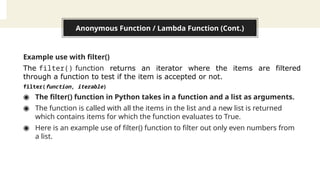
◉ Here is an example use of filter() function to filter out only even numbers from
a list.
48.
◉ Program tofilter out only the even items from a list
my_list = [1, 5, 4, 6, 8, 11, 3, 12]
new_list = list(filter(lambda x: (x%2 == 0) , my_list))
print(new_list) [4, 6, 8, 12]
49.
Anonymous Function /Lambda Function (Cont.)
Example use with map()
The map() function executes a specified function for each item in an iterable.
The item is sent to the function as a parameter.
map(function, iterables)
◉ The map() function in Python takes in a function and a list.
◉ The function is called with all the items in the list and a new list is returned
which contains items returned by that function for each item.
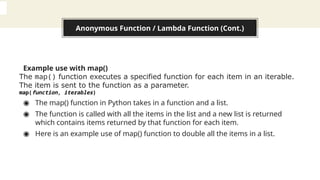
◉ Here is an example use of map() function to double all the items in a list.
50.
◉ Program todouble each item in a list using map()
my_list = [1, 5, 4, 6, 8, 11, 3, 12]
new_list = list(map(lambda x: x * 2 , my_list))
print(new_list) [2, 10, 8, 12, 16, 22, 6, 24]
51.
Anonymous Function /Lambda Function (Cont.)
Example
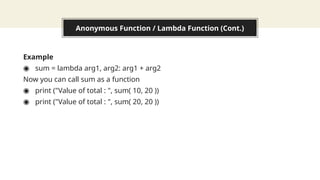
◉ sum = lambda arg1, arg2: arg1 + arg2
Now you can call sum as a function
◉ print ("Value of total : ", sum( 10, 20 ))
◉ print ("Value of total : ", sum( 20, 20 ))
52.
Scope and Lifetimeof variables
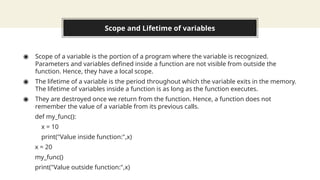
◉ Scope of a variable is the portion of a program where the variable is recognized.
Parameters and variables defined inside a function are not visible from outside the
function. Hence, they have a local scope.
◉ The lifetime of a variable is the period throughout which the variable exits in the memory.
The lifetime of variables inside a function is as long as the function executes.
◉ They are destroyed once we return from the function. Hence, a function does not
remember the value of a variable from its previous calls.
def my_func():
x = 10
print("Value inside function:",x)
x = 20
my_func()
print("Value outside function:",x)
53.
Local and Globalvariables
Local Variables
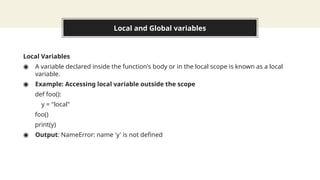
◉ A variable declared inside the function's body or in the local scope is known as a local
variable.
◉ Example: Accessing local variable outside the scope
def foo():
y = "local"
foo()
print(y)
◉ Output: NameError: name 'y' is not defined
54.
Local and Globalvariables (Cont.)
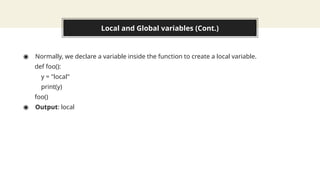
◉ Normally, we declare a variable inside the function to create a local variable.
def foo():
y = "local"
print(y)
foo()
◉ Output: local
55.
Local and Globalvariables (Cont.)
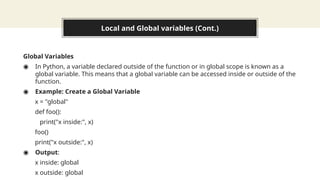
Global Variables
◉ In Python, a variable declared outside of the function or in global scope is known as a
global variable. This means that a global variable can be accessed inside or outside of the
function.
◉ Example: Create a Global Variable
x = "global"
def foo():
print("x inside:", x)
foo()
print("x outside:", x)
◉ Output:
x inside: global
x outside: global
56.
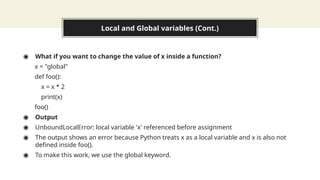
Local and Globalvariables (Cont.)
◉ What if you want to change the value of x inside a function?
x = "global"
def foo():
x = x * 2
print(x)
foo()
◉ Output
◉ UnboundLocalError: local variable 'x' referenced before assignment
◉ The output shows an error because Python treats x as a local variable and x is also not
defined inside foo().
◉ To make this work, we use the global keyword.
57.
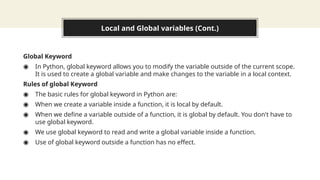
Local and Globalvariables (Cont.)
Global Keyword
◉ In Python, global keyword allows you to modify the variable outside of the current scope.
It is used to create a global variable and make changes to the variable in a local context.
Rules of global Keyword
◉ The basic rules for global keyword in Python are:
◉ When we create a variable inside a function, it is local by default.
◉ When we define a variable outside of a function, it is global by default. You don't have to
use global keyword.
◉ We use global keyword to read and write a global variable inside a function.
◉ Use of global keyword outside a function has no effect.
58.
Local and Globalvariables (Cont.)
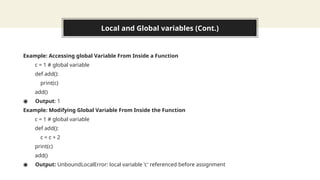
Example: Accessing global Variable From Inside a Function
c = 1 # global variable
def add():
print(c)
add()
◉ Output: 1
Example: Modifying Global Variable From Inside the Function
c = 1 # global variable
def add():
c = c + 2
print(c)
add()
◉ Output: UnboundLocalError: local variable 'c' referenced before assignment
59.
Local and Globalvariables (Cont.)
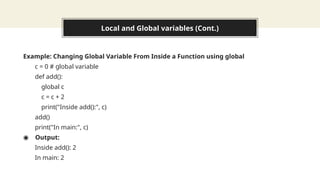
Example: Changing Global Variable From Inside a Function using global
c = 0 # global variable
def add():
global c
c = c + 2
print("Inside add():", c)
add()
print("In main:", c)
◉ Output:
Inside add(): 2
In main: 2
60.
Local and Globalvariables (Cont.)
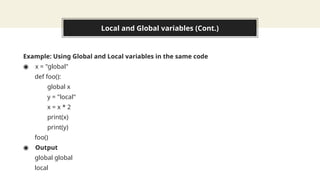
Example: Using Global and Local variables in the same code
◉ x = "global"
def foo():
global x
y = "local"
x = x * 2
print(x)
print(y)
foo()
◉ Output
global global
local
61.
Local and Globalvariables (Cont.)
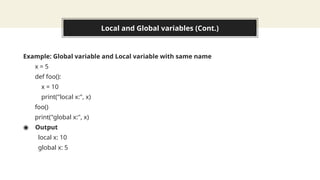
Example: Global variable and Local variable with same name
x = 5
def foo():
x = 10
print("local x:", x)
foo()
print("global x:", x)
◉ Output
local x: 10
global x: 5
62.
Life time ofvariable
◉ Lifetime means how long the variable exists in memory.
◉ A global variable exists as long as the program runs.
◉ A local variable is created when the function starts and
destroyed when the function ends.
◉ The lifetime of a variable refers to the period during
program execution when that variable exists in memory (i.e.,
is accessible and can store data).
◉ In Python, a variable’s lifetime depends on its scope —
where it is defined (inside or outside a function).
63.
◉ Local variablesare created inside a function and
are destroyed when the function ends.
◉ Created: When the function is called.
◉ Destroyed: When the function exits (i.e., returns or
finishes executing).
◉ After the function finishes, local variables are
deleted automatically, and their memory is freed
by Python’s garbage collector.
64.
◉ Global variablesare defined outside all functions
and exist for the entire lifetime of the program.
◉ Created: When the program starts (or when the
variable is first assigned).
◉ Destroyed: When the program ends or the variable
is deleted manually.
65.
What is recursion?
◉Recursion is the process of defining something in terms of itself.
◉ A physical world example would be to place two parallel mirrors
facing each other. Any object in between them would be reflected
recursively.
◉ In programming, The process in which a function calls itself directly or
indirectly is called recursion and the corresponding function is called as
recursive function.
◉ Recursion is a common mathematical and programming concept. It
means that a function calls itself. This has the benefit of meaning that
you can loop through data to reach a result.
66.
Python Recursive Function
◉In Python, we know that a function can call other functions. It is even
possible for the function to call itself. These types of construct are
termed as recursive functions.
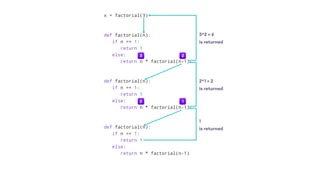
◉ The following image shows the working of a recursive function
called recurse.
67.
Python Recursive Function
◉Breaking a problem down into a series of steps.
◉ The final step is reached when some basic condition is
satisfied.
◉ The solution for each step is used to solve the previous step.
◉ The solution for all the steps together form the solution to the
whole problem.
68.
Terminology
def f(n):
if n== 1:
return 1
else:
return f(n - 1)
"Useful" recursive functions have:
◉ at least one recursive case
◉ at least one base case
so that the computation terminates
base
case
recursive
case
69.
Example 1: recursion
◉Consider the mathematical definition of bn
, where n is a non-
negative integer:
bn
= 1 if n = 0
bn
= b ₓ bn–1
if n > 0
◉ This definition is recursive, and immediately suggests a
recursive function:
def power (b, n):
if n == 0:
return 1
else:
70.
Example 2: factorialof number
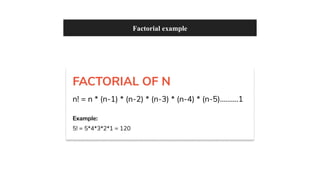
◉ The factorial of a number is the product of all the integers from 1
to that number. For example, the factorial of 6 is 1*2*3*4*5*6 =
720 . Factorial is not defined for negative numbers, and
the factorial of zero is one, 0
○ factorial(3) # 1st call with 3
○ 3 * factorial(2) # 2nd call with 2
○ 3 * 2 * factorial(1) # 3rd call with 1
○ 3 * 2 * 1 # return from 3rd call as number=1
○ 3 * 2 # return from 2nd call
○ 6 # return from 1st call
Python Recursive Function
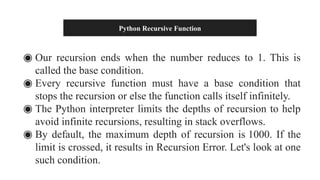
◉Our recursion ends when the number reduces to 1. This is
called the base condition.
◉ Every recursive function must have a base condition that
stops the recursion or else the function calls itself infinitely.
◉ The Python interpreter limits the depths of recursion to help
avoid infinite recursions, resulting in stack overflows.
◉ By default, the maximum depth of recursion is 1000. If the
limit is crossed, it results in Recursion Error. Let's look at one
such condition.
74.
Advantages of Recursion
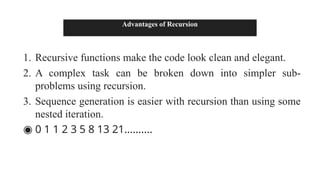
1.Recursive functions make the code look clean and elegant.
2. A complex task can be broken down into simpler sub-
problems using recursion.
3. Sequence generation is easier with recursion than using some
nested iteration.
◉ 0 1 1 2 3 5 8 13 21……….
75.
Disadvantages of Recursion
1.Sometimes the logic behind recursion is hard to follow
through.
2. Recursive calls are expensive (inefficient) as they take up a
lot of memory and time.
3. Recursive functions are hard to debug.
![Function Arguments (Cont.)
Arbitrary Arguments, *args
◉ If you do not know how many arguments that will be passed into your function,
add a * before the parameter name in the function definition.
◉ This way the function will receive a tuple of arguments, and can access the
items accordingly.
◉ If the number of arguments is unknown, add a * before the parameter name:
◉ def my_function(*kids):
print("The youngest child is " + kids[2])
my_function(“kid1", “kid2", “kid3")](https://image.slidesharecdn.com/unit4functionsandrecursion-260118035142-508e1437/85/Unit-4-Functions-and-Recursion-PYTHON-pptx-20-320.jpg)
![Function Arguments (Cont.)
Arbitrary Keyword Arguments, **kwargs
◉ If you do not know how many keyword arguments that will be passed into your
function, add two asterisk: ** before the parameter name in the function
definition.
◉ This way the function will receive a dictionary of arguments, and can access the
items accordingly.
◉ Example
◉ If the number of keyword arguments is unknown, add a double ** before the
parameter name:
◉ def my_function(**kid):
print("His last name is " + kid["lname"])
my_function(fname = “Naavya", lname = “Patel")](https://image.slidesharecdn.com/unit4functionsandrecursion-260118035142-508e1437/85/Unit-4-Functions-and-Recursion-PYTHON-pptx-22-320.jpg)
![Function Arguments (Cont.)
Passing a List as an Argument
◉ You can send any data types of argument to a function (string, number, list,
dictionary etc.), and it will be treated as the same data type inside the function.
◉ E.g. if you send a List as an argument, it will still be a List when it reaches the
function.
def my_function(food):
for x in food:
print(x)
fruits = ["apple", "banana", "cherry"]
my_function(fruits)](https://image.slidesharecdn.com/unit4functionsandrecursion-260118035142-508e1437/85/Unit-4-Functions-and-Recursion-PYTHON-pptx-25-320.jpg)
![Calling a function (Cont.)
Pass by reference and pass by value
◉ One important thing to note is, in Python every variable name is a reference.
When we pass a variable to a function, a new reference to the object is created.
◉ Here x is a new reference to same list “lst”
def myFun(x):
x[0] = 20
◉ After function call.
lst = [10, 11, 12, 13, 14, 15]
myFun(lst)
print(lst)](https://image.slidesharecdn.com/unit4functionsandrecursion-260118035142-508e1437/85/Unit-4-Functions-and-Recursion-PYTHON-pptx-26-320.jpg)
![Calling a function (Cont.)
◉ When we pass a reference and change the received reference to something
else, the connection between passed and received parameter is broken.
◉ Example
def myFun(x):
x = [20, 30, 40]
lst = [10, 11, 12, 13, 14, 15]
myFun(lst)
print(lst)](https://image.slidesharecdn.com/unit4functionsandrecursion-260118035142-508e1437/85/Unit-4-Functions-and-Recursion-PYTHON-pptx-27-320.jpg)
![Pass by object reference
◉ #variables are really names
c = 4
d = c
c+=1
print( c)
print(d) #d does not change because numbers are immutable
◉ #lists are mutable
a = [1,4,2]
b = a #so this assigns the name b to the object attached to name a
a.append(3)
print( a)
print( b) #b still points to the same object, its contents have just changed.](https://image.slidesharecdn.com/unit4functionsandrecursion-260118035142-508e1437/85/Unit-4-Functions-and-Recursion-PYTHON-pptx-36-320.jpg)
![Calling a function (Cont.)
Return Statement
◉ The return statement is used to exit a function and go back to the place from where it was called.
◉ Syntax of return
return [expression_list]
◉ This statement can contain an expression that gets evaluated and the value is returned. If there is no
expression in the statement or the return statement itself is not present inside a function, then the
function will return the None object.
◉ Example
def my_function(x):
return 5 * x
print(my_function(3))
print(my_function(5))
print(my_function(9))](https://image.slidesharecdn.com/unit4functionsandrecursion-260118035142-508e1437/85/Unit-4-Functions-and-Recursion-PYTHON-pptx-39-320.jpg)
![◉ Program to filter out only the even items from a list
my_list = [1, 5, 4, 6, 8, 11, 3, 12]
new_list = list(filter(lambda x: (x%2 == 0) , my_list))
print(new_list) [4, 6, 8, 12]](https://image.slidesharecdn.com/unit4functionsandrecursion-260118035142-508e1437/85/Unit-4-Functions-and-Recursion-PYTHON-pptx-48-320.jpg)
![◉ Program to double each item in a list using map()
my_list = [1, 5, 4, 6, 8, 11, 3, 12]
new_list = list(map(lambda x: x * 2 , my_list))
print(new_list) [2, 10, 8, 12, 16, 22, 6, 24]](https://image.slidesharecdn.com/unit4functionsandrecursion-260118035142-508e1437/85/Unit-4-Functions-and-Recursion-PYTHON-pptx-50-320.jpg)