Functions and Modules in Python
Presented By.
Ms. AshwiniDune
OBJECTIVE
 Part I:
Need for functions, Function: definition, call, variable scope
and lifetime, the return statement. Defining functions,
 Part II:
Lambda or anonymous function, documentation string, good
programming practices.
 Part II:
Introduction to modules, Introduction to packages in Python,
Introduction to standard library modules.
FUNCTION
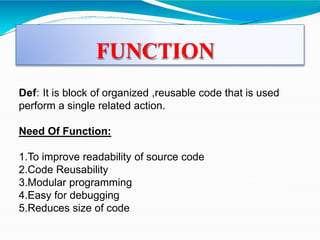
Def: It is block of organized ,reusable code that is used
perform a single related action.
Need Of Function:
1.To improve readability of source code
2.Code Reusability
3.Modular programming
4.Easy for debugging
5.Reduces size of code
DEFINING FUNCTION
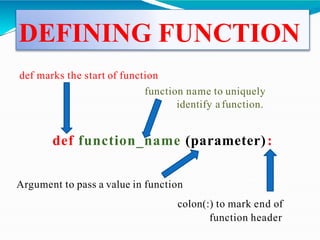
def marks the start of function
function name to uniquely
identify a function.
def function_name (parameter):
Argument to pass a value in function
colon(:) to mark end of
function header
EXAMPLE OF FUNCTION
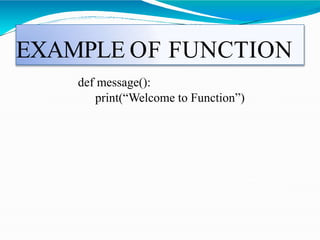
def message():
print(“Welcome to Function”)
CALLING A FUNCTION
How to call a function?
• Once we have defined a function, we can call it from
another function, program or even the Python prompt.
• To call a function we simply type the function name
with appropriate parameters.
Syntax:
function_name(Parameter_list)
E.g:
message()
Example
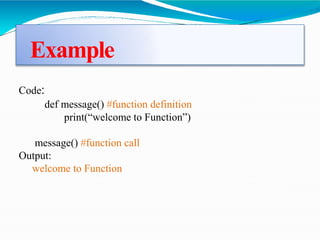
Code:
def message() #function definition
print(“welcome to Function”)
message() #function call
Output:
welcome to Function
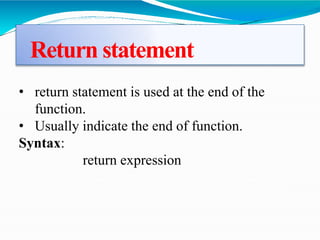
Return statement
• return statement is used at the end of the
function.
• Usually indicate the end of function.
Syntax:
return expression
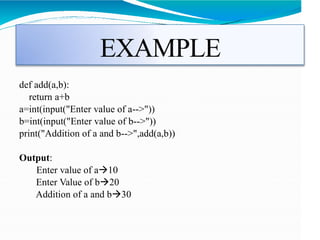
EXAMPLE
def add(a,b):
return a+b
a=int(input("Enter value of a-->"))
b=int(input("Enter value of b-->"))
print("Addition of a and b-->",add(a,b))
Output:
Enter value of a10
Enter Value of b20
Addition of a and b30
There are two types of function in python
1.Built-in functions:
Example: print(), input(), len().
2.User-defined functions:
Example: def my_addition(x,y):
sum = x +y
print(sum)
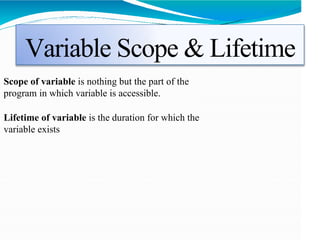
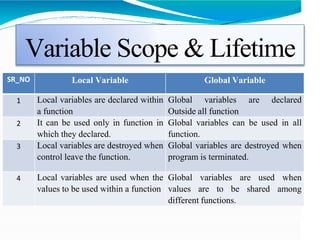
Variable Scope & Lifetime
Scope of variable is nothing but the part of the
program in which variable is accessible.
Lifetime of variable is the duration for which the
variable exists
Variable Scope & Lifetime
SR_NO Local Variable Global Variable
1 Local variables are declared within
a function
Global variables are declared
Outside all function
2 It can be used only in function in
which they declared.
Global variables can be used in all
function.
3 Local variables are destroyed when
control leave the function.
Global variables are destroyed when
program is terminated.
4 Local variables are used when the
values to be used within a function
Global variables are used when
values are to be shared among
different functions.
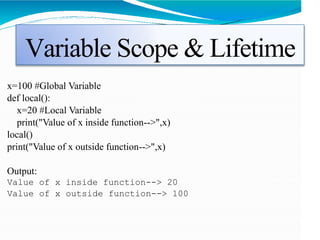
Variable Scope & Lifetime
x=100 #Global Variable
def local():
x=20 #Local Variable
print("Value of x inside function-->",x)
local()
print("Value of x outside function-->",x)
Output:
Value of x inside function--> 20
Value of x outside function--> 100
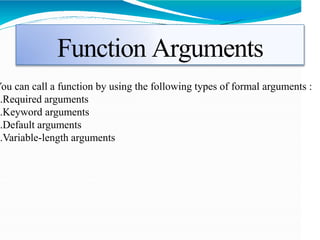
Function Arguments
You can call a function by using the following types of formal arguments :
1.Required arguments
2.Keyword arguments
3.Default arguments
4.Variable-length arguments
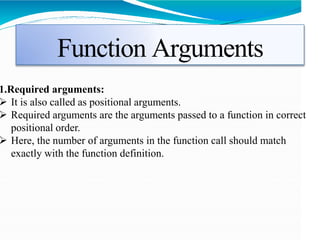
Function Arguments
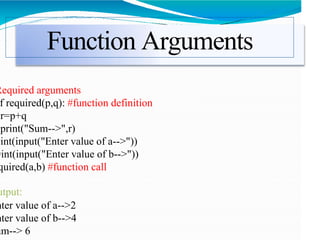
1.Required arguments:
 It is also called as positional arguments.
 Required arguments are the arguments passed to a function in correct
positional order.
 Here, the number of arguments in the function call should match
exactly with the function definition.
Function Arguments
Required arguments
f required(p,q): #function definition
r=p+q
print("Sum-->",r)
=int(input("Enter value of a-->"))
=int(input("Enter value of b-->"))
quired(a,b) #function call
utput:
nter value of a-->2
nter value of b-->4
um--> 6
Function Arguments
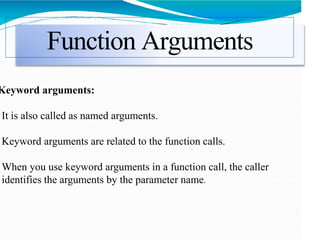
Keyword arguments:
It is also called as named arguments.
Keyword arguments are related to the function calls.
When you use keyword arguments in a function call, the caller
identifies the arguments by the parameter name.
Function Arguments
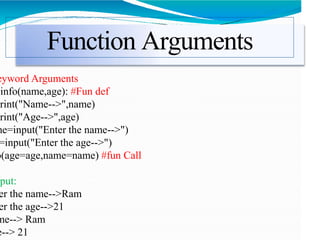
eyword Arguments
info(name,age): #Fun def
print("Name-->",name)
print("Age-->",age)
me=input("Enter the name-->")
=input("Enter the age-->")
o(age=age,name=name) #fun Call
tput:
er the name-->Ram
er the age-->21
me--> Ram
e--> 21
Function Arguments
efault Arguments:
A default argument is an argument that assumes a default value if a
alue is not provided in the function call for that argument.
Function Arguments
efault Arguments
info(name,college="RMDSSOE"): #Fun def
print("Name-->",name)
print("College-->",college)
o(name="Sweera",college="SCOE") #fun call
o(name="Shaurya") #fun Call
put:
me--> Sweera
lege--> SCOE
me--> Shaurya
lege--> RMDSSOE
Function Arguments
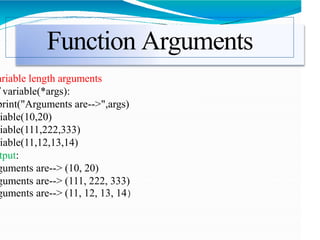
ariable length Arguments:
You may need to process a function for more arguments than you
specified while defining the function.
These arguments are called variable-length arguments and are not
named in the function definition, unlike required and default arguments.
Function Arguments
ariable length arguments
variable(*args):
print("Arguments are-->",args)
iable(10,20)
iable(111,222,333)
iable(11,12,13,14)
tput:
guments are--> (10, 20)
guments are--> (111, 222, 333)
guments are--> (11, 12, 13, 14)
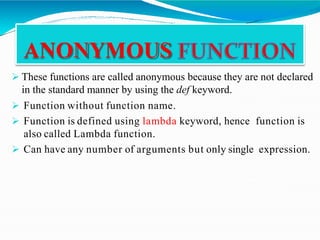
 These functions are called anonymous because they are not declared
in the standard manner by using the def keyword.
 Function without function name.
 Function is defined using lambda keyword, hence function is
also called Lambda function.
 Can have any number of arguments but only single expression.
ANONYMOUS
Lambda Function
ntax:
lambda <argument list> : Expression
g:
lambda a,b : a*b
nt(input("Enter value of a-->"))
int(input("Enter value of b-->"))
nt(x(a,b))
utput:
ter value of a10
ter value of b2
Documentation String
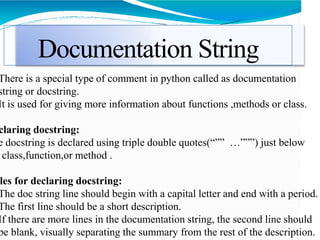
There is a special type of comment in python called as documentation
string or docstring.
It is used for giving more information about functions ,methods or class.
claring docstring:
e docstring is declared using triple double quotes(“”” …”””) just below
class,function,or method .
les for declaring docstring:
The doc string line should begin with a capital letter and end with a period.
The first line should be a short description.
If there are more lines in the documentation string, the second line should
be blank, visually separating the summary from the rest of the description.
Documentation String
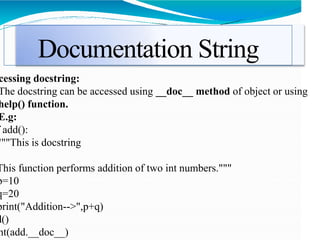
cessing docstring:
The docstring can be accessed using __doc__ method of object or using
help() function.
E.g:
add():
"""This is docstring
This function performs addition of two int numbers."""
p=10
q=20
print("Addition-->",p+q)
d()
nt(add.__doc__)
Good Programming Practices
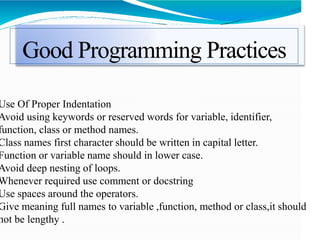
Use Of Proper Indentation
Avoid using keywords or reserved words for variable, identifier,
function, class or method names.
Class names first character should be written in capital letter.
Function or variable name should in lower case.
Avoid deep nesting of loops.
Whenever required use comment or docstring
Use spaces around the operators.
Give meaning full names to variable ,function, method or class,it should
not be lengthy .
Introduction to Modules
• Module: A module is a file consisting of Python code.
• A module can define functions, classes and variables.
• You can use defined module with the help of import
statement, syntax is as:
• import module_name
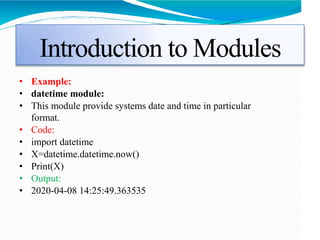
Introduction to Modules
• Example:
• datetime module:
• This module provide systems date and time in particular
format.
• Code:
• import datetime
• X=datetime.datetime.now()
• Print(X)
• Output:
• 2020-04-08 14:25:49.363535
Introduction to Modules
• The from import Statement:
• if you want to use only selected variables or functions, then you
can use the from...import statement.
• E.g:
• from math import sqrt, factorial
• print("Squareroot-->",sqrt(4))
• print("Factorial-->",factorial(4))
• Output:
Squareroot--> 2.0
Factorial--> 24
Introduction to Modules
• Creation of user defined modules:
 Steps:
1.Create python file named myfile.py
 myfile.py contain following code:
def message():
print(“Welcome to myfile module in python”)
Introduction to Modules
• Creation of user defined modules:
 Steps:
2.Create another python file named test.py
 test.py contain following code:
import myfile
myfile.message()
Introduction to Modules
• Creation of user defined modules:
 Steps:
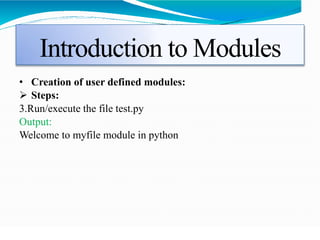
3.Run/execute the file test.py
Output:
Welcome to myfile module in python
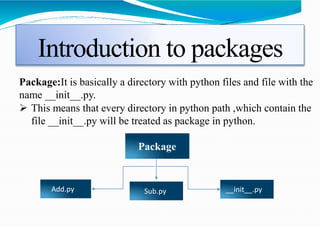
Introduction to packages
Package:It is basically a directory with python files and file with the
name __init__.py.
 This means that every directory in python path ,which contain the
file __init__.py will be treated as package in python.
Package
__init__.py
Add.py Sub.py
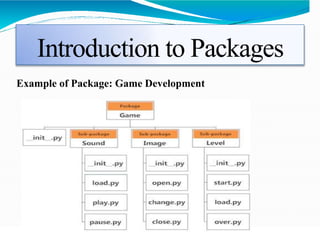
Introduction to Packages
Example of Package: Game Development
Introduction to Packages
• Creation of user defined Packages:
 Steps:
1.Create folder/directory.Package should be created in python
directory, ow it will not run. E.g. Mypkg
2.In the same folder , create the file __init__.py(You my keep this
file as empty)
3. In the same folder , create module files and name it with
extension .py .E.g-add.py and sub.py
4.Create python program to import this modules from package and
use available functions in module. E.g-test.py
5.Run the python program(test.py)
Introduction to Packages
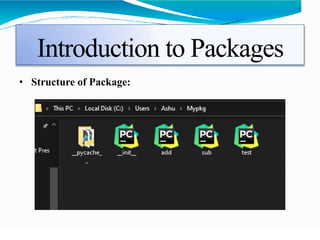
• Structure of Package:
Introduction to Packages
Contents of files/modules in package:
1.__init__.py: Usually we are keeping this file as empty
2.add.py : Written function for addition of two numbers
def addition(p,q):
print("Addition-->",p+q)
3.sub.py: Written function for subtraction of two numbers.
def subtraction(p,q):
print("Subtraction-->",p-q)
4.test.py: imported user defined package and defined modules too.
import Mypkg.add as add
import Mypkg.sub as sub
a=int(input("Enter value of a-->"))
b=int(input("Enter value of b-->"))
add.addition(a,b)
sub.subtraction(a,b)
Introduction to Packages
• Output:
Enter value of a-->100
Enter value of b-->20
Addition--> 120
Subtraction--> 80
Introduction to standard library
modules
 The Python Standard Library is a collection of
script modules accessible to a Python program to
simplify the programming process and removing the
need to rewrite commonly used commands
 These module contain build-in modules that provide
various functionalities. different modules are as follows:
1.math module
2.random module
3.regEx/re module
4.matplotlib and pyplot
Introduction to SLM
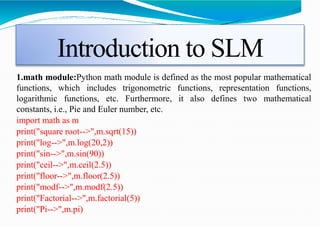
1.math module:Python math module is defined as the most popular mathematical
functions, which includes trigonometric functions, representation functions,
logarithmic functions, etc. Furthermore, it also defines two mathematical
constants, i.e., Pie and Euler number, etc.
import math as m
print("square root-->",m.sqrt(15))
print("log-->",m.log(20,2))
print("sin-->",m.sin(90))
print("ceil-->",m.ceil(2.5))
print("floor-->",m.floor(2.5))
print("modf-->",m.modf(2.5))
print("Factorial-->",m.factorial(5))
print("Pi-->",m.pi)
Introduction to SLM
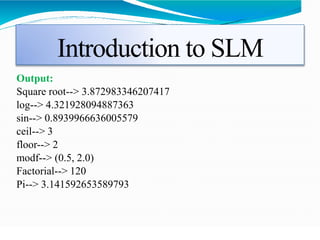
Output:
Square root--> 3.872983346207417
log--> 4.321928094887363
sin--> 0.8939966636005579
ceil--> 3
floor--> 2
modf--> (0.5, 2.0)
Factorial--> 120
Pi--> 3.141592653589793
Introduction to SLM
2.random module:This module is used to generate pseudo random
number
Code:
import random as rd
print("randint-->",rd.randint(1,10))
print("random-->",rd.random())
Output:
randint--> 5
random--> 0.7150866274864766
Introduction to SLM
3.regEx/re module:This module which supports regular
expression which search for a specific pattern in string.
Code:
import re
str="Welcome to Python"
a=re.search("^W.*Python$",str)
if(a):
print("Yes!We have a match")
else:
print("No match")
Output:
Yes!We have a match
Introduction to SLM
3.regEx/re module:
split():function returns a list where the string has been split at each mat
Code:
txt = "The rain in Spain"
x = re.split("s", txt)
print(x)
Output:
['The', 'rain', 'in', 'Spain']
Introduction to SLM
4. matplotlib and pyplot:
 Matplotlib is an amazing visualization library in Python
for 2D plots of arrays.
 Matplotlib has a module named pyplot used for plotting
by providing number of features like control line ,styles
,font ,naming axes etc.
 Supports variety of graphs and plot such as
histogram,bar charts etc.
Introduction to SLM
 Use of matplotlib :Creation Graph
Code:
import matplotlib.pyplot as plt
x=[1,2,3,4,5,6,7]
y=[1,2,3,4,5,6,7]
plt.plot(x,y)
plt.show()
Output:
Introduction to SLM
 Matplotlib: Formatting the graph
 Code
import matplotlib.pyplot as plt
x=[1,2,3,4,5,6,7]
y=[1,2,3,4,5,6,7]
plt.plot(x,y)
plt.xlabel("X-Axis")
plt.ylabel("Y-Axis")
plt.title("My First Graph")
plt.show()
Output:
Introduction to SLM
 Line styles:
 Code:
import matplotlib.pyplot as plt
x=[1,2,3,4,5,6,7]
y=[1,2,3,4,5,6,7]
plt.plot(x,y,color="red",linewidth=5,linestyle="--
",marker="o",markersize=10)
plt.xlabel("X-Axis")
plt.ylabel("Y-Axis")
plt.title("My First Graph")
plt.show()
Output:
Introduction to SLM
 Use of matplotlib : Scatter plot: This graph
will plot only points that to be plotted in the
graph
Code:
import matplotlib.pyplot as plt
x=[1,2,3,4,5,6,7]
y=[1,2,3,4,5,6,7]
plt.scatter(x,y)
plt.xlabel("x-Axis")
plt.ylabel("Y-Axis")
plt.title("Scatter Plot")
plt.show()
Output:
Introduction to NumPy
 NumPy is also called as Numerical Python.
 NumPy is package in python which is used for array
processing.
 Arrays in Numpy:
 Array is collection of homogenous elements.
 We can create array in Numpy using different data types
such as list tuple etc
Introduction to NumPy
 Example:
import numpy as np
t1=np.array([1,2,3,4])
print("Array-->",t1)
Output:
Array[1,2,3,4]
Introduction to NumPy
 NumPy: Array Using List:
import numpy as np
lst=[11,12,13]
print("Type of data-->",type(lst))
t1=np.array(lst)
print("Array-->",t1)
print("type of array",type(t1))
Output:
Type of data--> <class 'list’>
Array--> [11 12 13]
type of array <class 'numpy.ndarray'>
Introduction to NumPy
 NumPy: Array Using tuple:
import numpy as np
tup=(11,12,13)
print("Type of data-->",type(tup))
t1=np.array(tup)
print("Array-->",t1)
print("type of array",type(t1))
Output:
Type of data--> <class ‘tuple’>
Array--> [11 12 13]
type of array <class 'numpy.ndarray'>
Introduction to NumPy
 NumPy: reshape(): is used to give a new shape to
an array without changing its data
import numpy as np
lst=[11,12,13,14]
t1=np.array(lst)
print("Array-->",t1)
print("After reshape-->n",t1.reshape(2,2))
Output:
Array--> [11 12 13 14]
After reshape-->
[[11 12]
[13 14]]
Introduction to NumPy
 NumPy: arange() function:NumPy arange() is an
inbuilt numpy function that returns a ndarray object
containing evenly spaced values within the given range
 Example:
import numpy as np
a=np.arange(0,10)
print(a)
Output:
[0,1,2,3,4,5,6,7,8,9]
Introduction to Pandas
 Pandas:
 Pandas is the most popular python library that is used
for data analysis.
 The name Pandas is derived from the word Panel
Data.
 With the help of pandas data is represented in tabular
format i.e row and column.
Introduction to Pandas
 In pandas data can be represented as:
1.Series1-dimensional
2.Dataframes2-dimensional
Introduction to Pandas
1.Series:
 Series is a one-dimensional array like structure with
homogeneous data .
 Code: Output
import pandas as pd
data=[1.1,1.2,1.3,1.4]
df=pd.Series(data)
print("Series is--
>n",df)
Series is-->
0 1.1
1 1.2
2 1.3
3 1.4
dtype: float64
Introduction to Pandas
1.Creation of Series using dictionary:
 Code: Output
import pandas as pd
dict={1:"Petrol",2:"Diesel"
,3:"LPG"}
df=pd.Series(dict)
print("Series is-->n",df)
Series is-->
1 Petrol
2 Diesel
3 LPG
dtype: object
Introduction to Pandas
2.DataframesIt is 2-D structures in which data can be
represented in row and column format.
Creation of DataFrame:
import pandas as pd
df=pd.DataFrame()
print(df)
Output:
Empty DataFrame
Columns:[]
Index:[]
Introduction to Pandas
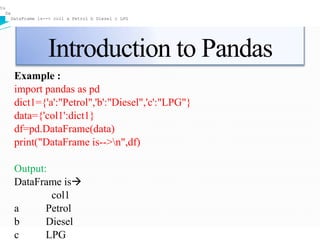
Example :
import pandas as pd
dict1={'a':"Petrol",'b':"Diesel",'c':"LPG"}
data={'col1':dict1}
df=pd.DataFrame(data)
print("DataFrame is-->n",df)
Output:
DataFrame is
col1
a Petrol
b Diesel
c LPG
tuple
DataFrame is--> col1 a Petrol b Diesel c LPG
Thank You
RESOURCES
www.programiz.com/python-programming
https://wiki.python.org/moin/BeginnersGuide/Progra
mmers

Functions and Modules.pptx

  • 1.
    Functions and Modulesin Python Presented By. Ms. AshwiniDune
  • 2.
    OBJECTIVE  Part I: Needfor functions, Function: definition, call, variable scope and lifetime, the return statement. Defining functions,  Part II: Lambda or anonymous function, documentation string, good programming practices.  Part II: Introduction to modules, Introduction to packages in Python, Introduction to standard library modules.
  • 3.
    FUNCTION Def: It isblock of organized ,reusable code that is used perform a single related action. Need Of Function: 1.To improve readability of source code 2.Code Reusability 3.Modular programming 4.Easy for debugging 5.Reduces size of code
  • 4.
    DEFINING FUNCTION def marksthe start of function function name to uniquely identify a function. def function_name (parameter): Argument to pass a value in function colon(:) to mark end of function header
  • 5.
    EXAMPLE OF FUNCTION defmessage(): print(“Welcome to Function”)
  • 6.
    CALLING A FUNCTION Howto call a function? • Once we have defined a function, we can call it from another function, program or even the Python prompt. • To call a function we simply type the function name with appropriate parameters. Syntax: function_name(Parameter_list) E.g: message()
  • 7.
    Example Code: def message() #functiondefinition print(“welcome to Function”) message() #function call Output: welcome to Function
  • 8.
    Return statement • returnstatement is used at the end of the function. • Usually indicate the end of function. Syntax: return expression
  • 9.
    EXAMPLE def add(a,b): return a+b a=int(input("Entervalue of a-->")) b=int(input("Enter value of b-->")) print("Addition of a and b-->",add(a,b)) Output: Enter value of a10 Enter Value of b20 Addition of a and b30
  • 10.
    There are twotypes of function in python 1.Built-in functions: Example: print(), input(), len(). 2.User-defined functions: Example: def my_addition(x,y): sum = x +y print(sum)
  • 11.
    Variable Scope &Lifetime Scope of variable is nothing but the part of the program in which variable is accessible. Lifetime of variable is the duration for which the variable exists
  • 12.
    Variable Scope &Lifetime SR_NO Local Variable Global Variable 1 Local variables are declared within a function Global variables are declared Outside all function 2 It can be used only in function in which they declared. Global variables can be used in all function. 3 Local variables are destroyed when control leave the function. Global variables are destroyed when program is terminated. 4 Local variables are used when the values to be used within a function Global variables are used when values are to be shared among different functions.
  • 13.
    Variable Scope &Lifetime x=100 #Global Variable def local(): x=20 #Local Variable print("Value of x inside function-->",x) local() print("Value of x outside function-->",x) Output: Value of x inside function--> 20 Value of x outside function--> 100
  • 14.
    Function Arguments You cancall a function by using the following types of formal arguments : 1.Required arguments 2.Keyword arguments 3.Default arguments 4.Variable-length arguments
  • 15.
    Function Arguments 1.Required arguments: It is also called as positional arguments.  Required arguments are the arguments passed to a function in correct positional order.  Here, the number of arguments in the function call should match exactly with the function definition.
  • 16.
    Function Arguments Required arguments frequired(p,q): #function definition r=p+q print("Sum-->",r) =int(input("Enter value of a-->")) =int(input("Enter value of b-->")) quired(a,b) #function call utput: nter value of a-->2 nter value of b-->4 um--> 6
  • 17.
    Function Arguments Keyword arguments: Itis also called as named arguments. Keyword arguments are related to the function calls. When you use keyword arguments in a function call, the caller identifies the arguments by the parameter name.
  • 18.
    Function Arguments eyword Arguments info(name,age):#Fun def print("Name-->",name) print("Age-->",age) me=input("Enter the name-->") =input("Enter the age-->") o(age=age,name=name) #fun Call tput: er the name-->Ram er the age-->21 me--> Ram e--> 21
  • 19.
    Function Arguments efault Arguments: Adefault argument is an argument that assumes a default value if a alue is not provided in the function call for that argument.
  • 20.
    Function Arguments efault Arguments info(name,college="RMDSSOE"):#Fun def print("Name-->",name) print("College-->",college) o(name="Sweera",college="SCOE") #fun call o(name="Shaurya") #fun Call put: me--> Sweera lege--> SCOE me--> Shaurya lege--> RMDSSOE
  • 21.
    Function Arguments ariable lengthArguments: You may need to process a function for more arguments than you specified while defining the function. These arguments are called variable-length arguments and are not named in the function definition, unlike required and default arguments.
  • 22.
    Function Arguments ariable lengtharguments variable(*args): print("Arguments are-->",args) iable(10,20) iable(111,222,333) iable(11,12,13,14) tput: guments are--> (10, 20) guments are--> (111, 222, 333) guments are--> (11, 12, 13, 14)
  • 23.
     These functionsare called anonymous because they are not declared in the standard manner by using the def keyword.  Function without function name.  Function is defined using lambda keyword, hence function is also called Lambda function.  Can have any number of arguments but only single expression. ANONYMOUS
  • 24.
    Lambda Function ntax: lambda <argumentlist> : Expression g: lambda a,b : a*b nt(input("Enter value of a-->")) int(input("Enter value of b-->")) nt(x(a,b)) utput: ter value of a10 ter value of b2
  • 25.
    Documentation String There isa special type of comment in python called as documentation string or docstring. It is used for giving more information about functions ,methods or class. claring docstring: e docstring is declared using triple double quotes(“”” …”””) just below class,function,or method . les for declaring docstring: The doc string line should begin with a capital letter and end with a period. The first line should be a short description. If there are more lines in the documentation string, the second line should be blank, visually separating the summary from the rest of the description.
  • 26.
    Documentation String cessing docstring: Thedocstring can be accessed using __doc__ method of object or using help() function. E.g: add(): """This is docstring This function performs addition of two int numbers.""" p=10 q=20 print("Addition-->",p+q) d() nt(add.__doc__)
  • 27.
    Good Programming Practices UseOf Proper Indentation Avoid using keywords or reserved words for variable, identifier, function, class or method names. Class names first character should be written in capital letter. Function or variable name should in lower case. Avoid deep nesting of loops. Whenever required use comment or docstring Use spaces around the operators. Give meaning full names to variable ,function, method or class,it should not be lengthy .
  • 28.
    Introduction to Modules •Module: A module is a file consisting of Python code. • A module can define functions, classes and variables. • You can use defined module with the help of import statement, syntax is as: • import module_name
  • 29.
    Introduction to Modules •Example: • datetime module: • This module provide systems date and time in particular format. • Code: • import datetime • X=datetime.datetime.now() • Print(X) • Output: • 2020-04-08 14:25:49.363535
  • 30.
    Introduction to Modules •The from import Statement: • if you want to use only selected variables or functions, then you can use the from...import statement. • E.g: • from math import sqrt, factorial • print("Squareroot-->",sqrt(4)) • print("Factorial-->",factorial(4)) • Output: Squareroot--> 2.0 Factorial--> 24
  • 31.
    Introduction to Modules •Creation of user defined modules:  Steps: 1.Create python file named myfile.py  myfile.py contain following code: def message(): print(“Welcome to myfile module in python”)
  • 32.
    Introduction to Modules •Creation of user defined modules:  Steps: 2.Create another python file named test.py  test.py contain following code: import myfile myfile.message()
  • 33.
    Introduction to Modules •Creation of user defined modules:  Steps: 3.Run/execute the file test.py Output: Welcome to myfile module in python
  • 34.
    Introduction to packages Package:Itis basically a directory with python files and file with the name __init__.py.  This means that every directory in python path ,which contain the file __init__.py will be treated as package in python. Package __init__.py Add.py Sub.py
  • 35.
    Introduction to Packages Exampleof Package: Game Development
  • 36.
    Introduction to Packages •Creation of user defined Packages:  Steps: 1.Create folder/directory.Package should be created in python directory, ow it will not run. E.g. Mypkg 2.In the same folder , create the file __init__.py(You my keep this file as empty) 3. In the same folder , create module files and name it with extension .py .E.g-add.py and sub.py 4.Create python program to import this modules from package and use available functions in module. E.g-test.py 5.Run the python program(test.py)
  • 37.
    Introduction to Packages •Structure of Package:
  • 38.
    Introduction to Packages Contentsof files/modules in package: 1.__init__.py: Usually we are keeping this file as empty 2.add.py : Written function for addition of two numbers def addition(p,q): print("Addition-->",p+q) 3.sub.py: Written function for subtraction of two numbers. def subtraction(p,q): print("Subtraction-->",p-q) 4.test.py: imported user defined package and defined modules too. import Mypkg.add as add import Mypkg.sub as sub a=int(input("Enter value of a-->")) b=int(input("Enter value of b-->")) add.addition(a,b) sub.subtraction(a,b)
  • 39.
    Introduction to Packages •Output: Enter value of a-->100 Enter value of b-->20 Addition--> 120 Subtraction--> 80
  • 40.
    Introduction to standardlibrary modules  The Python Standard Library is a collection of script modules accessible to a Python program to simplify the programming process and removing the need to rewrite commonly used commands  These module contain build-in modules that provide various functionalities. different modules are as follows: 1.math module 2.random module 3.regEx/re module 4.matplotlib and pyplot
  • 41.
    Introduction to SLM 1.mathmodule:Python math module is defined as the most popular mathematical functions, which includes trigonometric functions, representation functions, logarithmic functions, etc. Furthermore, it also defines two mathematical constants, i.e., Pie and Euler number, etc. import math as m print("square root-->",m.sqrt(15)) print("log-->",m.log(20,2)) print("sin-->",m.sin(90)) print("ceil-->",m.ceil(2.5)) print("floor-->",m.floor(2.5)) print("modf-->",m.modf(2.5)) print("Factorial-->",m.factorial(5)) print("Pi-->",m.pi)
  • 42.
    Introduction to SLM Output: Squareroot--> 3.872983346207417 log--> 4.321928094887363 sin--> 0.8939966636005579 ceil--> 3 floor--> 2 modf--> (0.5, 2.0) Factorial--> 120 Pi--> 3.141592653589793
  • 43.
    Introduction to SLM 2.randommodule:This module is used to generate pseudo random number Code: import random as rd print("randint-->",rd.randint(1,10)) print("random-->",rd.random()) Output: randint--> 5 random--> 0.7150866274864766
  • 44.
    Introduction to SLM 3.regEx/remodule:This module which supports regular expression which search for a specific pattern in string. Code: import re str="Welcome to Python" a=re.search("^W.*Python$",str) if(a): print("Yes!We have a match") else: print("No match") Output: Yes!We have a match
  • 45.
    Introduction to SLM 3.regEx/remodule: split():function returns a list where the string has been split at each mat Code: txt = "The rain in Spain" x = re.split("s", txt) print(x) Output: ['The', 'rain', 'in', 'Spain']
  • 46.
    Introduction to SLM 4.matplotlib and pyplot:  Matplotlib is an amazing visualization library in Python for 2D plots of arrays.  Matplotlib has a module named pyplot used for plotting by providing number of features like control line ,styles ,font ,naming axes etc.  Supports variety of graphs and plot such as histogram,bar charts etc.
  • 47.
    Introduction to SLM Use of matplotlib :Creation Graph Code: import matplotlib.pyplot as plt x=[1,2,3,4,5,6,7] y=[1,2,3,4,5,6,7] plt.plot(x,y) plt.show() Output:
  • 48.
    Introduction to SLM Matplotlib: Formatting the graph  Code import matplotlib.pyplot as plt x=[1,2,3,4,5,6,7] y=[1,2,3,4,5,6,7] plt.plot(x,y) plt.xlabel("X-Axis") plt.ylabel("Y-Axis") plt.title("My First Graph") plt.show() Output:
  • 49.
    Introduction to SLM Line styles:  Code: import matplotlib.pyplot as plt x=[1,2,3,4,5,6,7] y=[1,2,3,4,5,6,7] plt.plot(x,y,color="red",linewidth=5,linestyle="-- ",marker="o",markersize=10) plt.xlabel("X-Axis") plt.ylabel("Y-Axis") plt.title("My First Graph") plt.show() Output:
  • 50.
    Introduction to SLM Use of matplotlib : Scatter plot: This graph will plot only points that to be plotted in the graph Code: import matplotlib.pyplot as plt x=[1,2,3,4,5,6,7] y=[1,2,3,4,5,6,7] plt.scatter(x,y) plt.xlabel("x-Axis") plt.ylabel("Y-Axis") plt.title("Scatter Plot") plt.show() Output:
  • 51.
    Introduction to NumPy NumPy is also called as Numerical Python.  NumPy is package in python which is used for array processing.  Arrays in Numpy:  Array is collection of homogenous elements.  We can create array in Numpy using different data types such as list tuple etc
  • 52.
    Introduction to NumPy Example: import numpy as np t1=np.array([1,2,3,4]) print("Array-->",t1) Output: Array[1,2,3,4]
  • 53.
    Introduction to NumPy NumPy: Array Using List: import numpy as np lst=[11,12,13] print("Type of data-->",type(lst)) t1=np.array(lst) print("Array-->",t1) print("type of array",type(t1)) Output: Type of data--> <class 'list’> Array--> [11 12 13] type of array <class 'numpy.ndarray'>
  • 54.
    Introduction to NumPy NumPy: Array Using tuple: import numpy as np tup=(11,12,13) print("Type of data-->",type(tup)) t1=np.array(tup) print("Array-->",t1) print("type of array",type(t1)) Output: Type of data--> <class ‘tuple’> Array--> [11 12 13] type of array <class 'numpy.ndarray'>
  • 55.
    Introduction to NumPy NumPy: reshape(): is used to give a new shape to an array without changing its data import numpy as np lst=[11,12,13,14] t1=np.array(lst) print("Array-->",t1) print("After reshape-->n",t1.reshape(2,2)) Output: Array--> [11 12 13 14] After reshape--> [[11 12] [13 14]]
  • 56.
    Introduction to NumPy NumPy: arange() function:NumPy arange() is an inbuilt numpy function that returns a ndarray object containing evenly spaced values within the given range  Example: import numpy as np a=np.arange(0,10) print(a) Output: [0,1,2,3,4,5,6,7,8,9]
  • 57.
    Introduction to Pandas Pandas:  Pandas is the most popular python library that is used for data analysis.  The name Pandas is derived from the word Panel Data.  With the help of pandas data is represented in tabular format i.e row and column.
  • 58.
    Introduction to Pandas In pandas data can be represented as: 1.Series1-dimensional 2.Dataframes2-dimensional
  • 59.
    Introduction to Pandas 1.Series: Series is a one-dimensional array like structure with homogeneous data .  Code: Output import pandas as pd data=[1.1,1.2,1.3,1.4] df=pd.Series(data) print("Series is-- >n",df) Series is--> 0 1.1 1 1.2 2 1.3 3 1.4 dtype: float64
  • 60.
    Introduction to Pandas 1.Creationof Series using dictionary:  Code: Output import pandas as pd dict={1:"Petrol",2:"Diesel" ,3:"LPG"} df=pd.Series(dict) print("Series is-->n",df) Series is--> 1 Petrol 2 Diesel 3 LPG dtype: object
  • 61.
    Introduction to Pandas 2.DataframesItis 2-D structures in which data can be represented in row and column format. Creation of DataFrame: import pandas as pd df=pd.DataFrame() print(df) Output: Empty DataFrame Columns:[] Index:[]
  • 62.
    Introduction to Pandas Example: import pandas as pd dict1={'a':"Petrol",'b':"Diesel",'c':"LPG"} data={'col1':dict1} df=pd.DataFrame(data) print("DataFrame is-->n",df) Output: DataFrame is col1 a Petrol b Diesel c LPG tuple DataFrame is--> col1 a Petrol b Diesel c LPG DataFrame is--> col1 a Petrol b Diesel c LPG
  • 63.
  • 64.