Modern Migration
Tour 2019
Mariano Kovo , Presidente SQLArgentina
Nuestros Sponsors
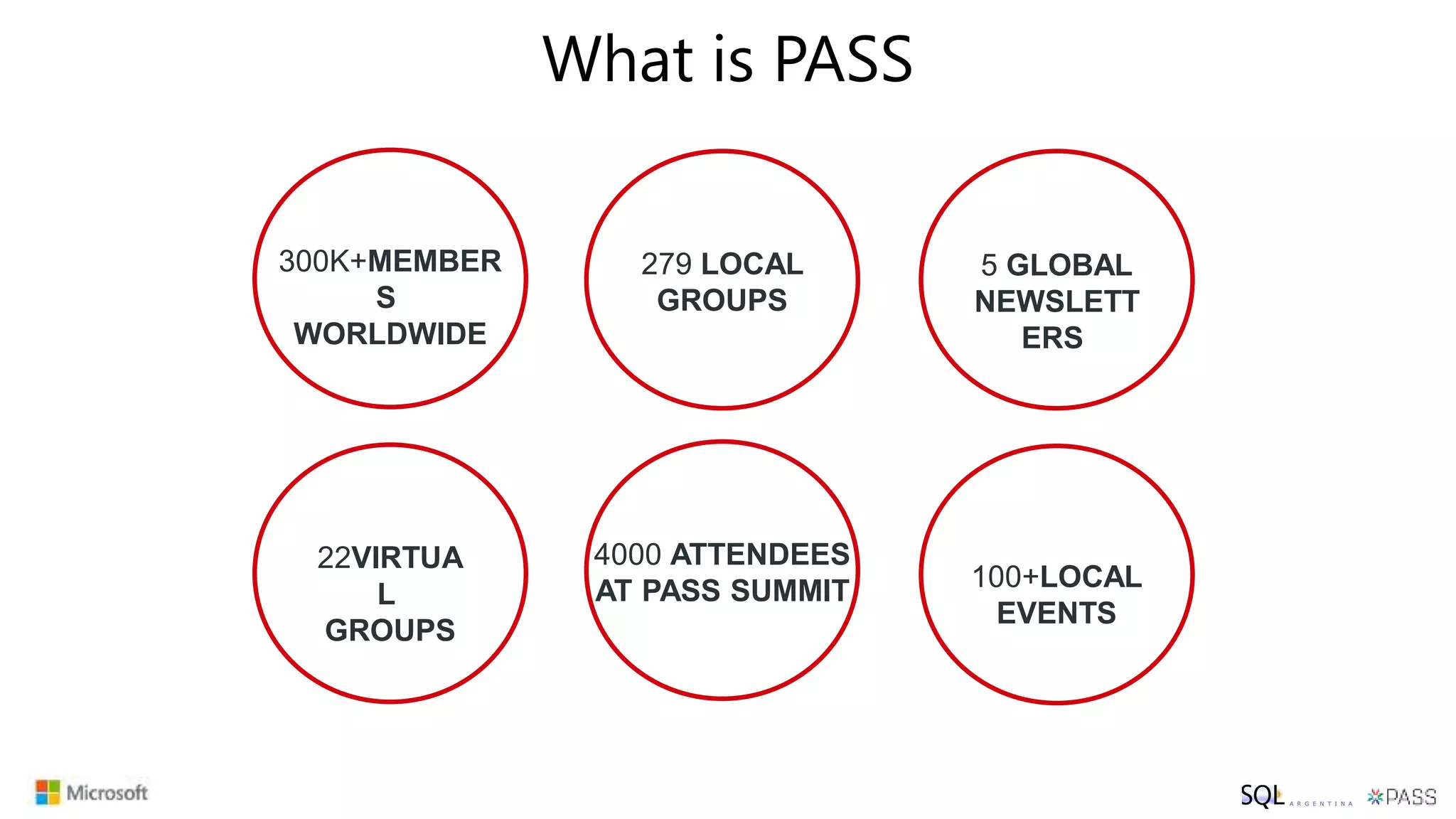
What is PASS
300K+MEMBER
S
WORLDWIDE
5 GLOBAL
NEWSLETT
ERS
22VIRTUA
L
GROUPS
279 LOCAL
GROUPS
100+LOCAL
EVENTS
4000 ATTENDEES
AT PASS SUMMIT
PASS Summit 2019
Keep an eye on PASSsummit.com where 30+ more
General Sessions will be released on May 17!
Join the largest technical conference for data professionals that
leverage the Microsoft Data Platform.
pass.org/summit/2019/Learn/ConferenceSessions.aspx
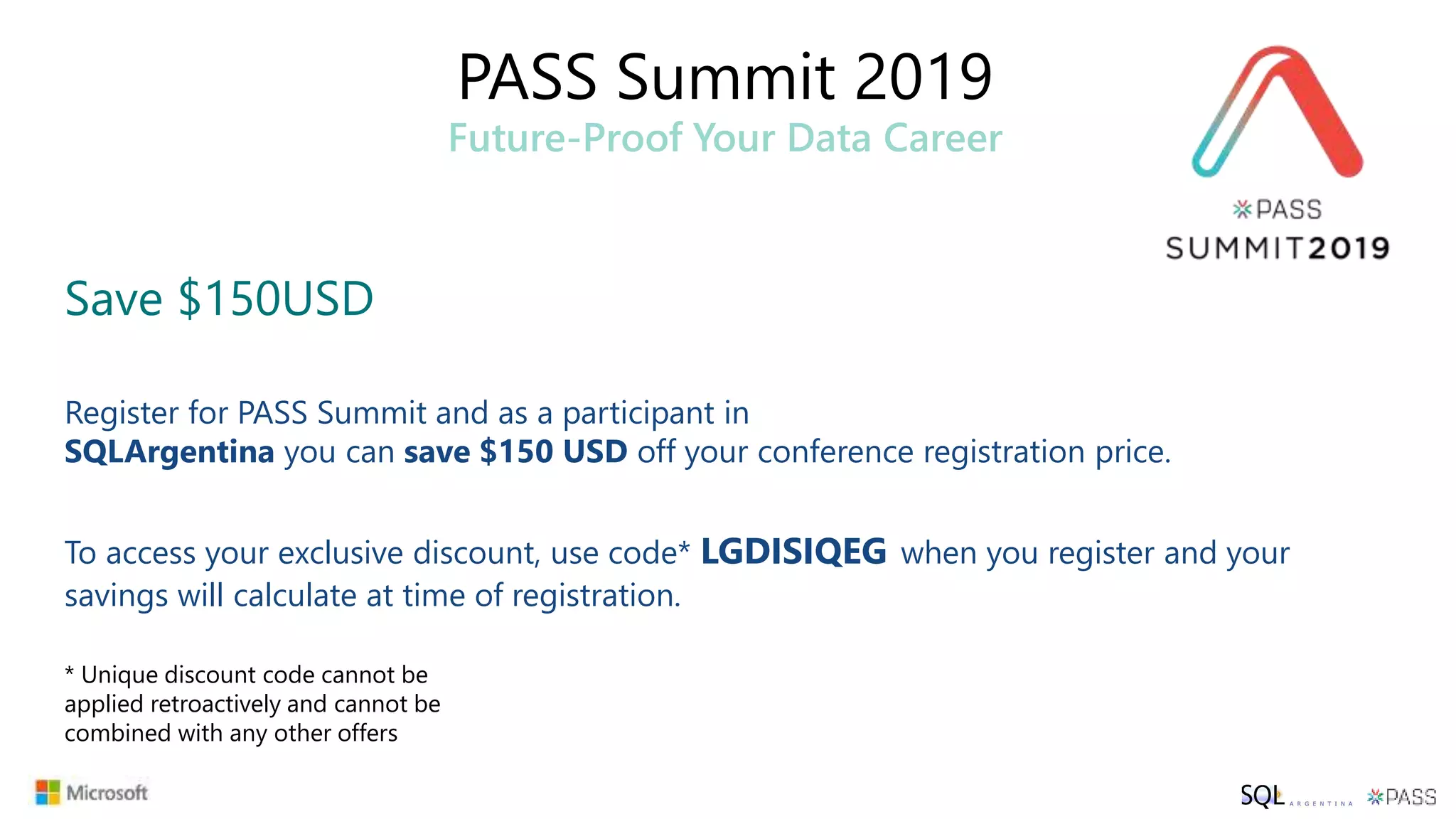
PASS Summit 2019
Future-Proof Your Data Career
Save $150USD
Register for PASS Summit and as a participant in
SQLArgentina you can save $150 USD off your conference registration price.
To access your exclusive discount, use code* LGDISIQEG when you register and your
savings will calculate at time of registration.
* Unique discount code cannot be
applied retroactively and cannot be
combined with any other offers
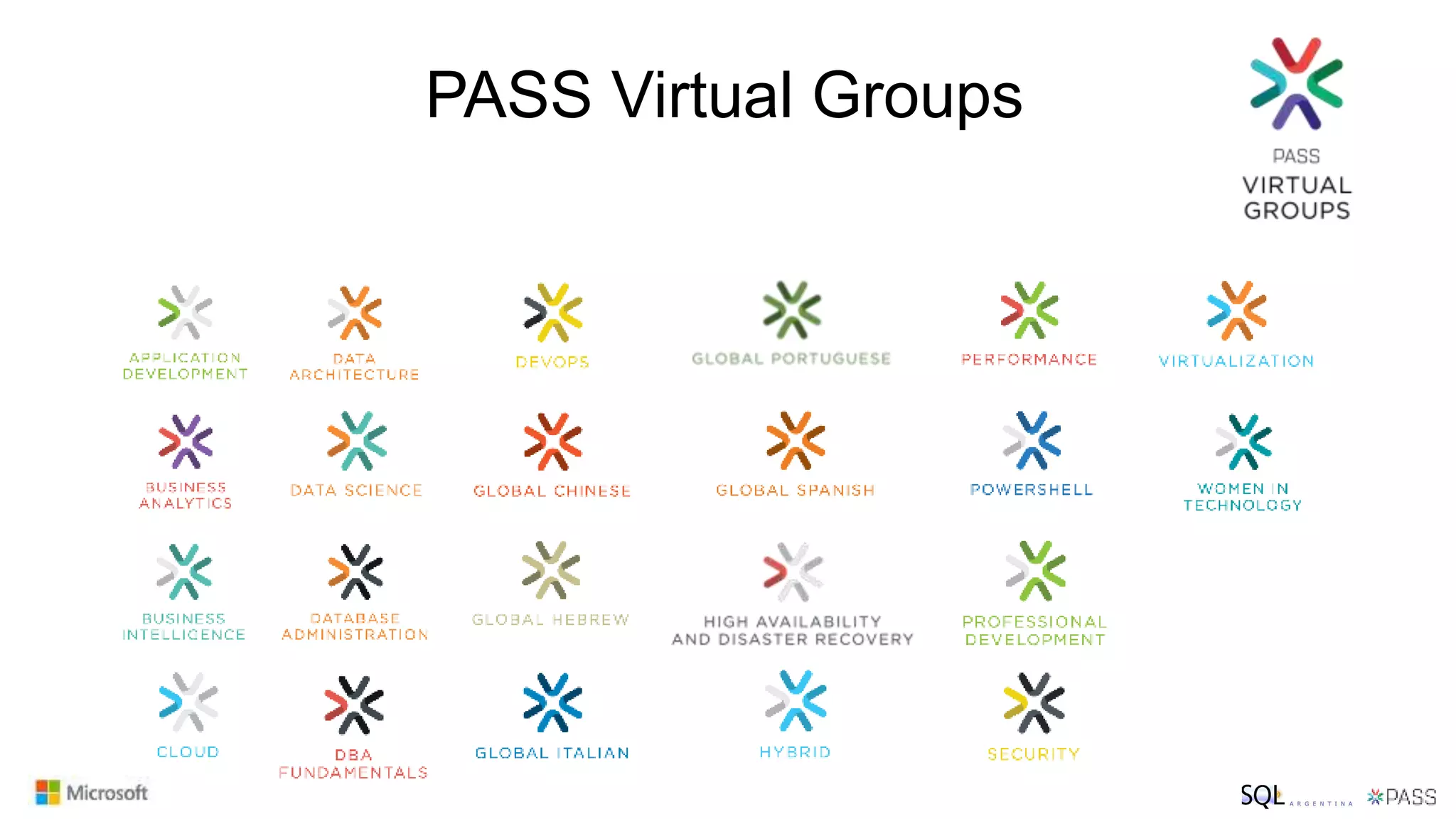
PASS Virtual Groups
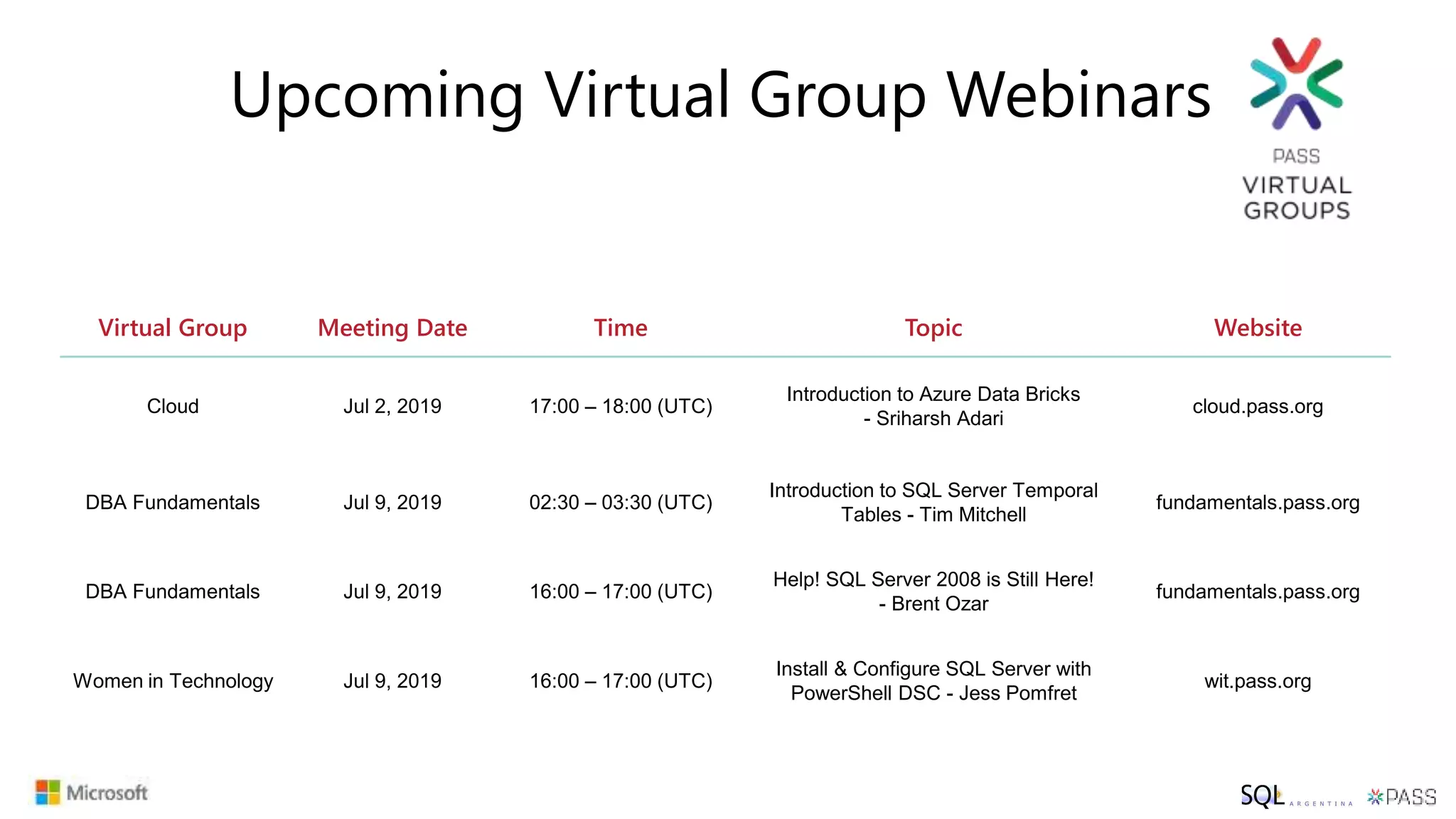
Virtual Group Meeting Date Time Topic Website
Cloud Jul 2, 2019 17:00 – 18:00 (UTC)
Introduction to Azure Data Bricks
- Sriharsh Adari
cloud.pass.org
DBA Fundamentals Jul 9, 2019 02:30 – 03:30 (UTC)
Introduction to SQL Server Temporal
Tables - Tim Mitchell
fundamentals.pass.org
DBA Fundamentals Jul 9, 2019 16:00 – 17:00 (UTC)
Help! SQL Server 2008 is Still Here!
- Brent Ozar
fundamentals.pass.org
Women in Technology Jul 9, 2019 16:00 – 17:00 (UTC)
Install & Configure SQL Server with
PowerShell DSC - Jess Pomfret
wit.pass.org
Upcoming Virtual Group Webinars
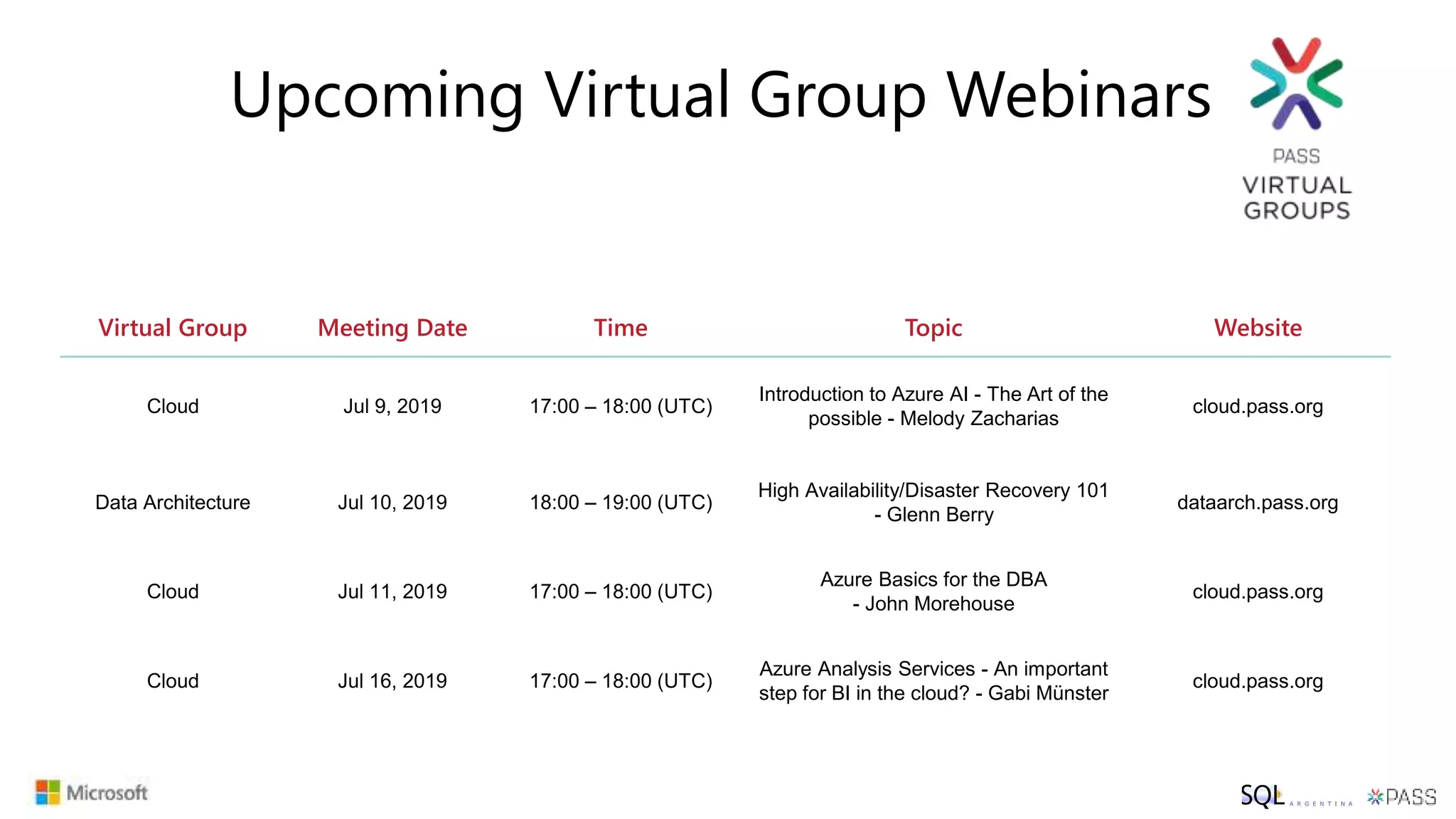
Virtual Group Meeting Date Time Topic Website
Cloud Jul 9, 2019 17:00 – 18:00 (UTC)
Introduction to Azure AI - The Art of the
possible - Melody Zacharias
cloud.pass.org
Data Architecture Jul 10, 2019 18:00 – 19:00 (UTC)
High Availability/Disaster Recovery 101
- Glenn Berry
dataarch.pass.org
Cloud Jul 11, 2019 17:00 – 18:00 (UTC)
Azure Basics for the DBA
- John Morehouse
cloud.pass.org
Cloud Jul 16, 2019 17:00 – 18:00 (UTC)
Azure Analysis Services - An important
step for BI in the cloud? - Gabi Münster
cloud.pass.org
Upcoming Virtual Group Webinars
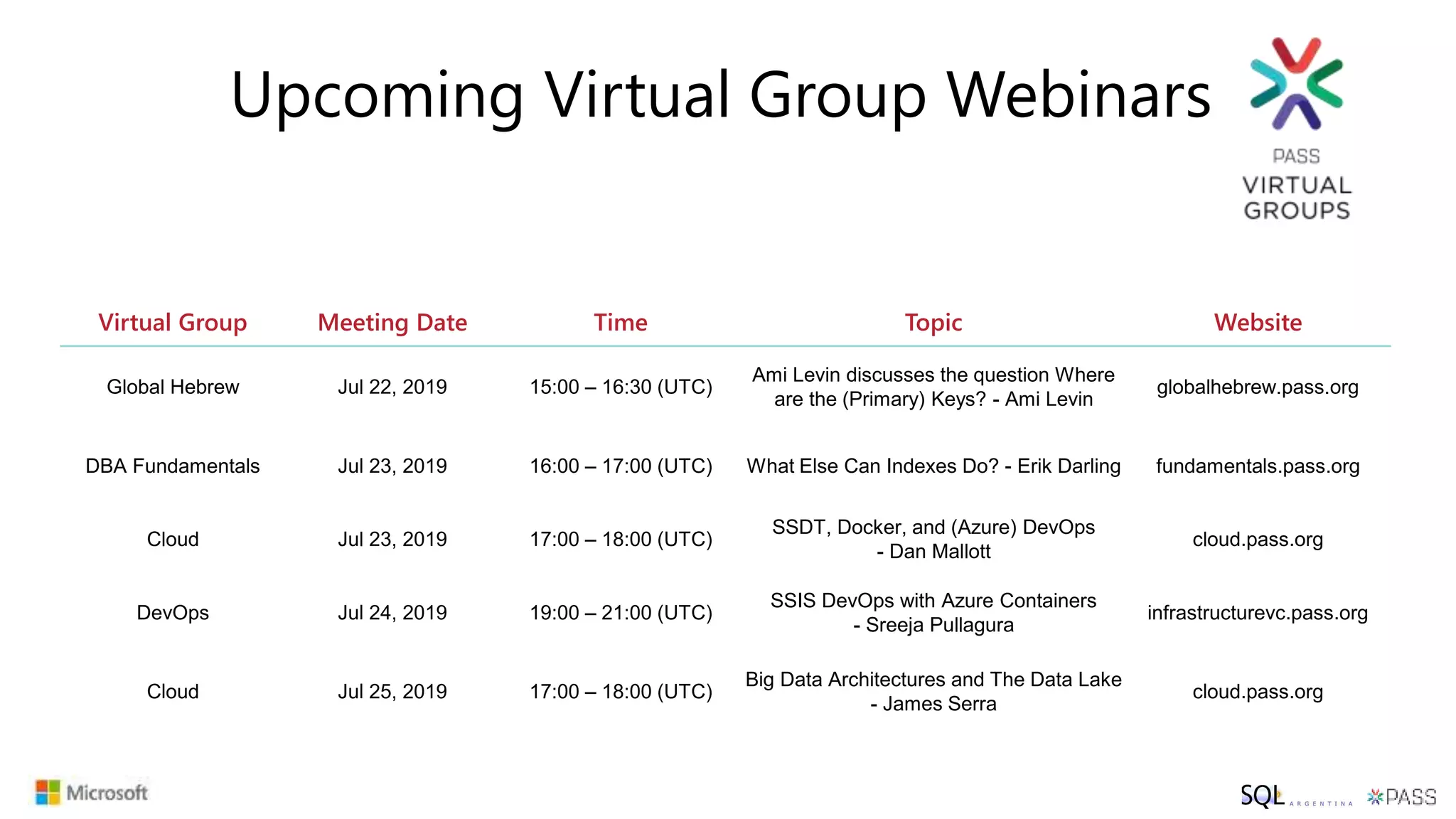
Virtual Group Meeting Date Time Topic Website
Global Hebrew Jul 22, 2019 15:00 – 16:30 (UTC)
Ami Levin discusses the question Where
are the (Primary) Keys? - Ami Levin
globalhebrew.pass.org
DBA Fundamentals Jul 23, 2019 16:00 – 17:00 (UTC) What Else Can Indexes Do? - Erik Darling fundamentals.pass.org
Cloud Jul 23, 2019 17:00 – 18:00 (UTC)
SSDT, Docker, and (Azure) DevOps
- Dan Mallott
cloud.pass.org
DevOps Jul 24, 2019 19:00 – 21:00 (UTC)
SSIS DevOps with Azure Containers
- Sreeja Pullagura
infrastructurevc.pass.org
Cloud Jul 25, 2019 17:00 – 18:00 (UTC)
Big Data Architectures and The Data Lake
- James Serra
cloud.pass.org
Upcoming Virtual Group Webinars
Registrarse
para una membresía gratuita y asociarse al grupo Local SQL Argentina:
pass.org
Sqlargentina.pass.org
https://www.facebook.com/groups/SQLArgentina/
@sqlargentina
https://www.linkedin.com/groups/3664741
https://www.youtube.com/channel/UCGa-ldNDwP8nAVfQwqoeYHw
sqlargentina
P A R A C O N E C T A R N O S
#SQLHelp
#sqlpass
Modernizing SQL
Server the Right Way
Lucas Fernandez, CTO Precision IT
Why upgrade?
Winter is coming…
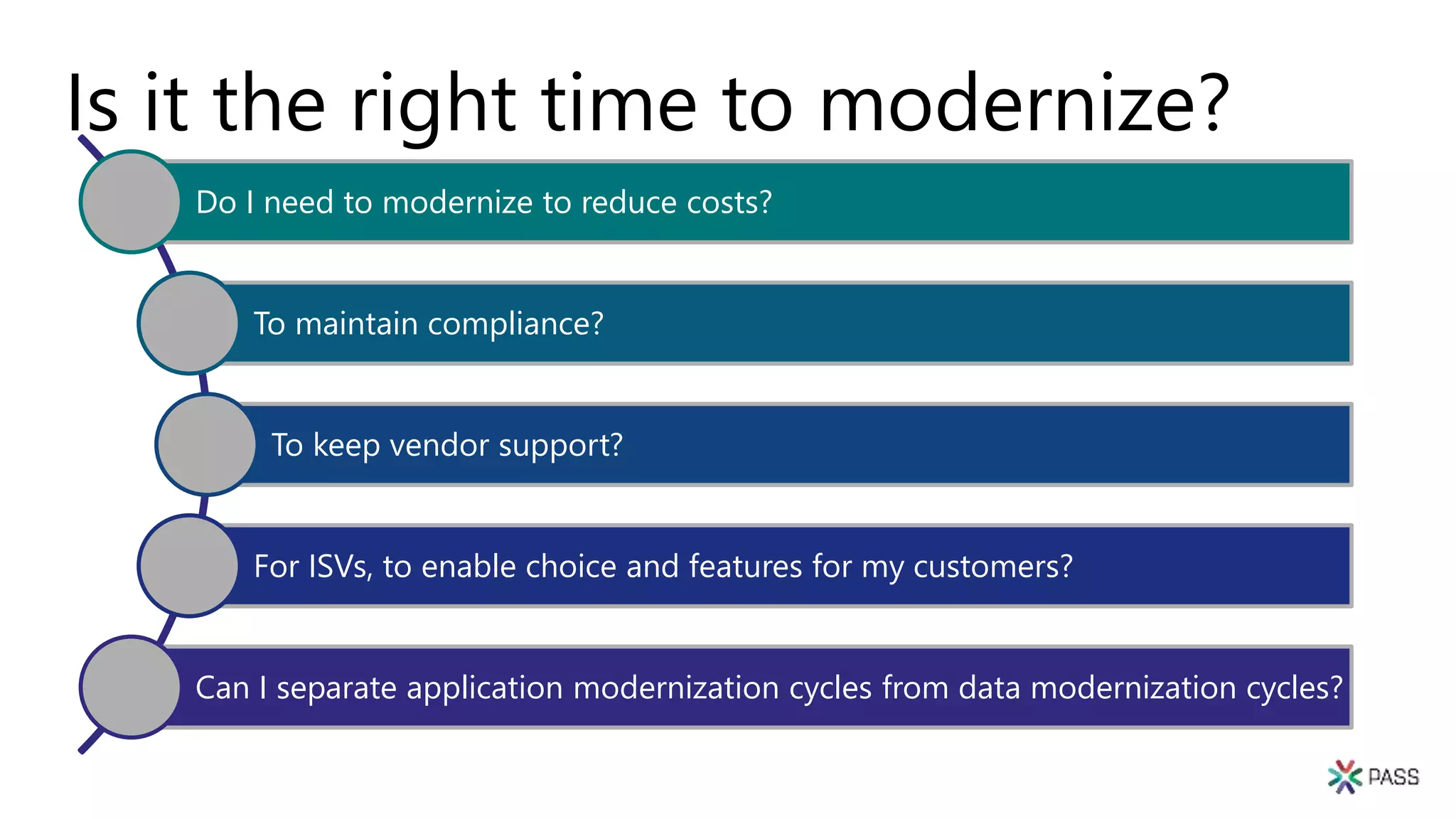
Is it the right time to modernize?
Do I need to modernize to reduce costs?
To maintain compliance?
To keep vendor support?
For ISVs, to enable choice and features for my customers?
Can I separate application modernization cycles from data modernization cycles?
Database Compatibility
Certification
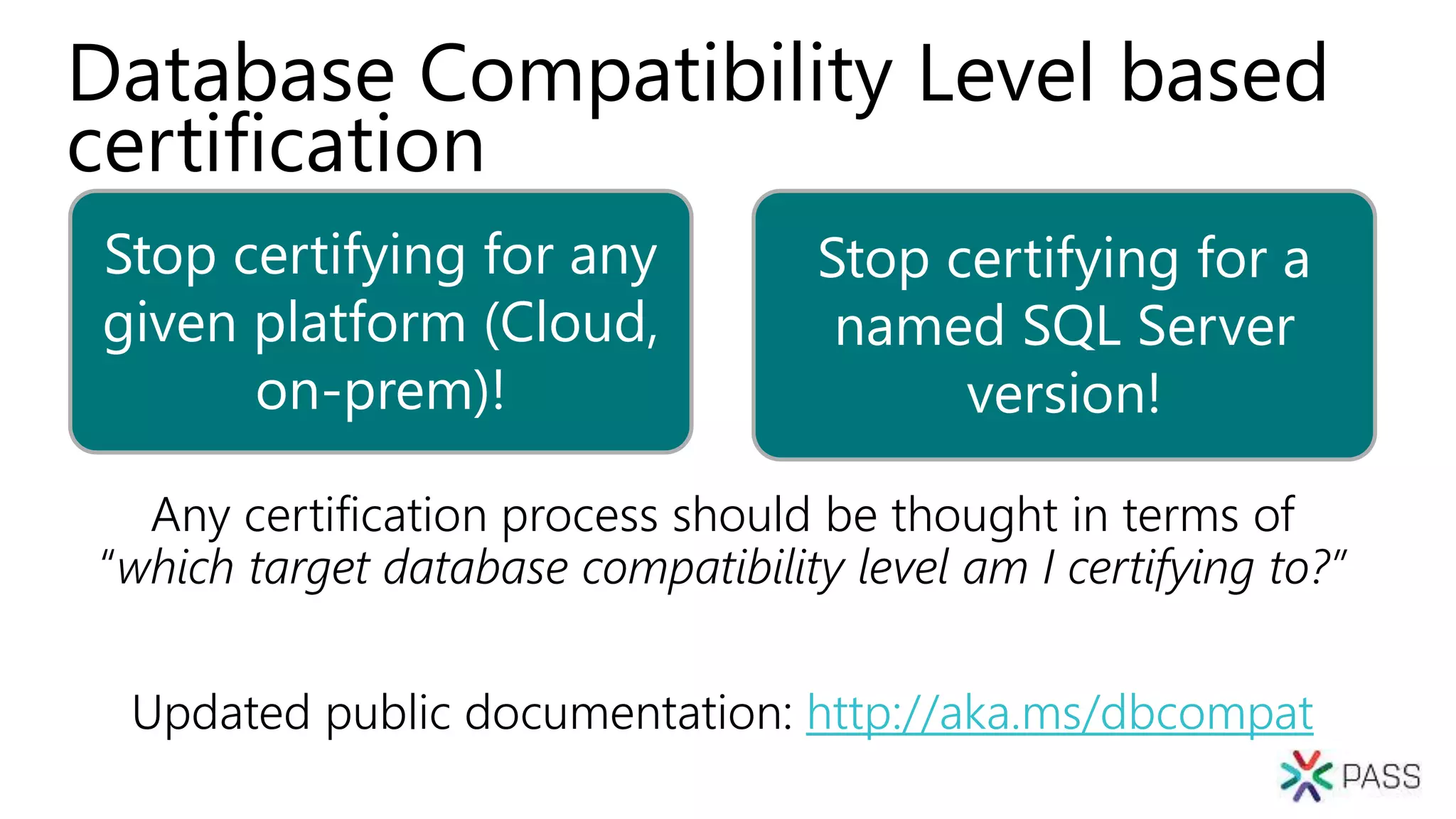
Stop certifying for any
given platform (Cloud,
on-prem)!
Stop certifying for a
named SQL Server
version!
Database Compatibility Level based
certification
Any certification process should be thought in terms of
“which target database compatibility level am I certifying to?”
Updated public documentation: http://aka.ms/dbcompat
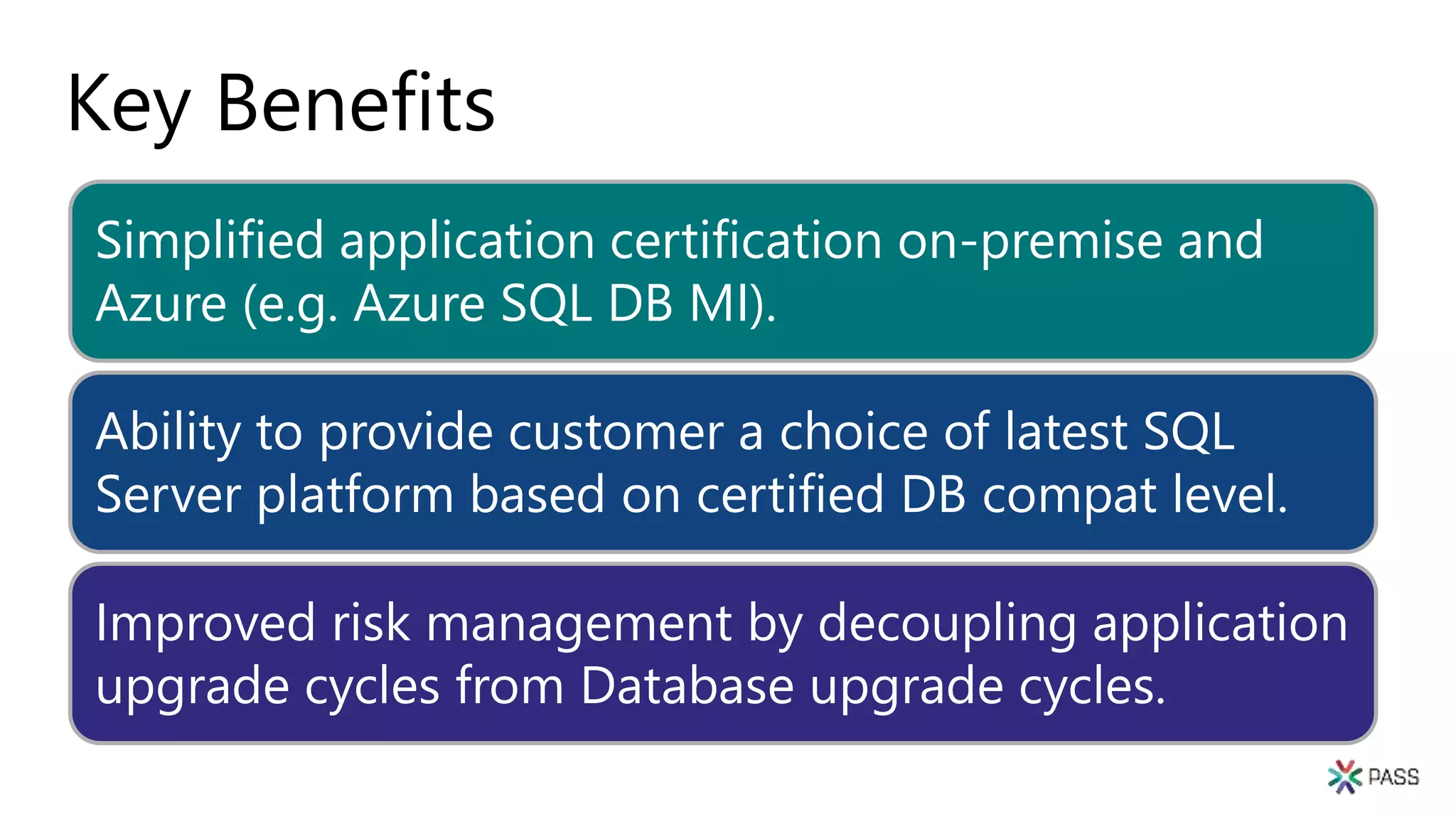
Key Benefits
Simplified application certification on-premise and
Azure (e.g. Azure SQL DB MI).
Ability to provide customer a choice of latest SQL
Server platform based on certified DB compat level.
Improved risk management by decoupling application
upgrade cycles from Database upgrade cycles.
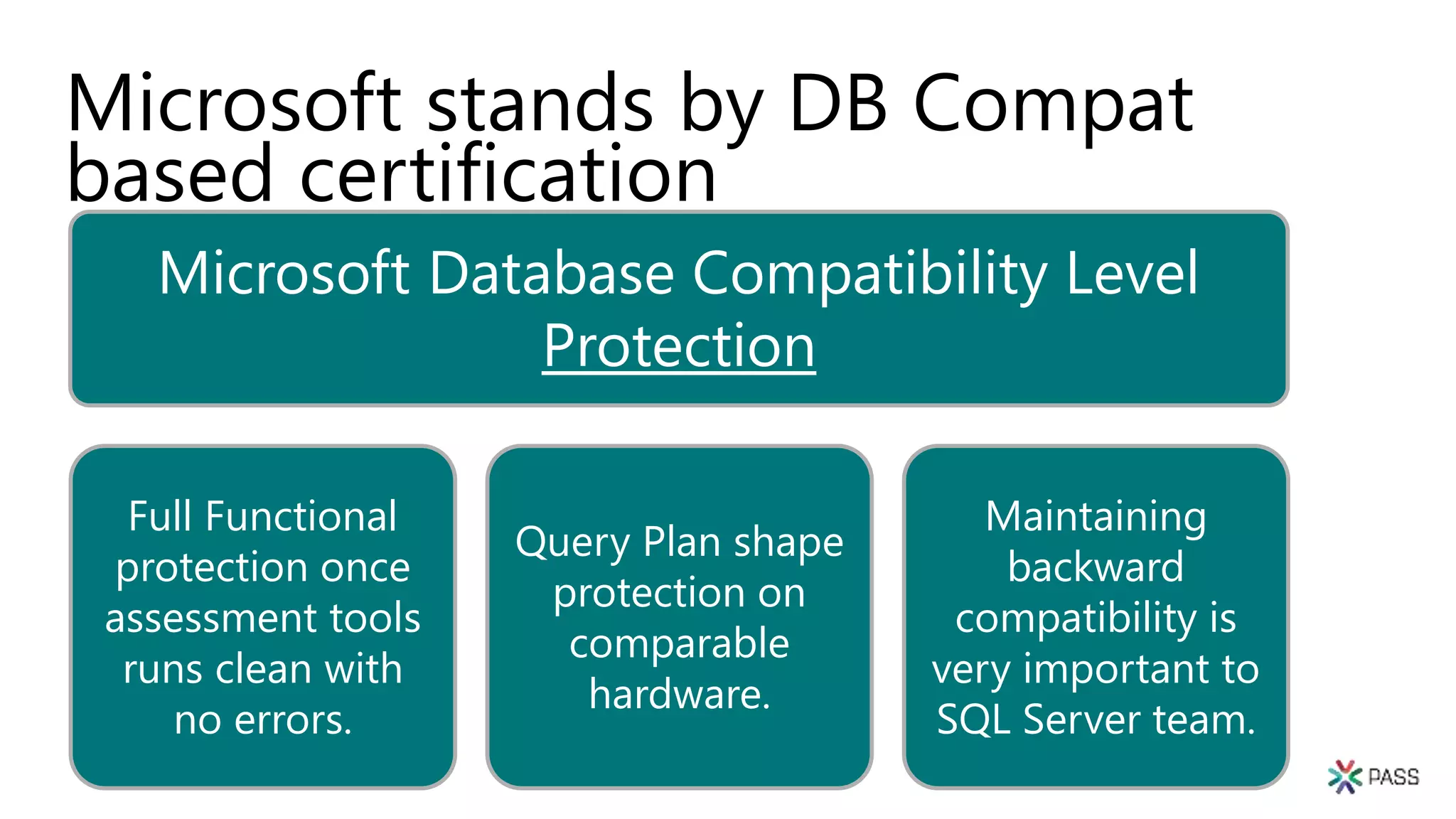
Microsoft stands by DB Compat
based certification
Microsoft Database Compatibility Level
Protection
Full Functional
protection once
assessment tools
runs clean with
no errors.
Query Plan shape
protection on
comparable
hardware.
Maintaining
backward
compatibility is
very important to
SQL Server team.
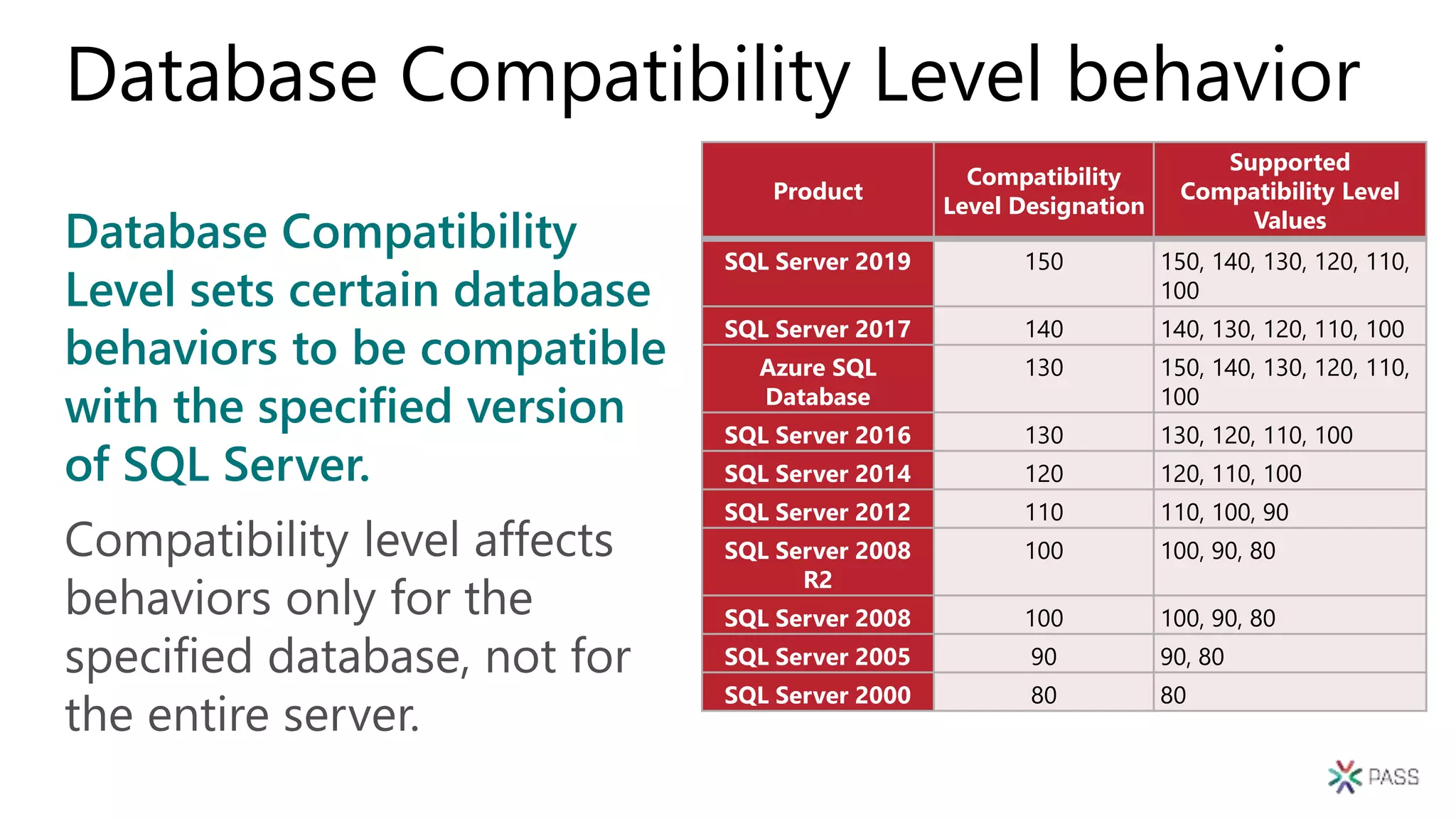
Database Compatibility
Level sets certain database
behaviors to be compatible
with the specified version
of SQL Server.
Database Compatibility Level behavior
Compatibility level affects
behaviors only for the
specified database, not for
the entire server.
Product
Compatibility
Level Designation
Supported
Compatibility Level
Values
SQL Server 2019 150 150, 140, 130, 120, 110,
100
SQL Server 2017 140 140, 130, 120, 110, 100
Azure SQL
Database
130 150, 140, 130, 120, 110,
100
SQL Server 2016 130 130, 120, 110, 100
SQL Server 2014 120 120, 110, 100
SQL Server 2012 110 110, 100, 90
SQL Server 2008
R2
100 100, 90, 80
SQL Server 2008 100 100, 90, 80
SQL Server 2005 90 90, 80
SQL Server 2000 80 80
Functional change protection
Clarifying the caveats
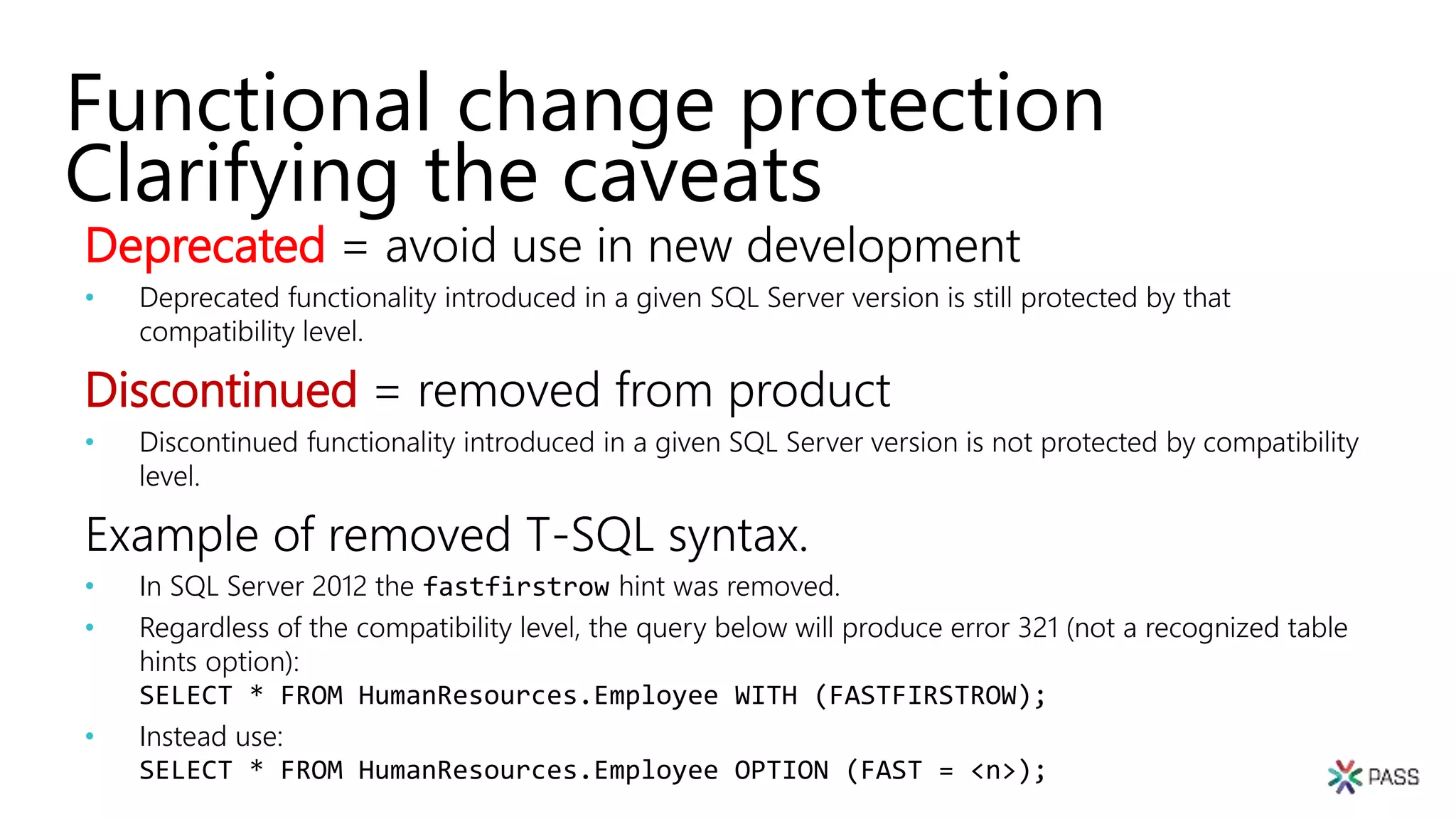
Deprecated = avoid use in new development
• Deprecated functionality introduced in a given SQL Server version is still protected by that
compatibility level.
Discontinued = removed from product
• Discontinued functionality introduced in a given SQL Server version is not protected by compatibility
level.
Example of removed T-SQL syntax.
• In SQL Server 2012 the fastfirstrow hint was removed.
• Regardless of the compatibility level, the query below will produce error 321 (not a recognized table
hints option):
SELECT * FROM HumanResources.Employee WITH (FASTFIRSTROW);
• Instead use:
SELECT * FROM HumanResources.Employee OPTION (FAST = <n>);
Functional change protection
Clarifying the caveats
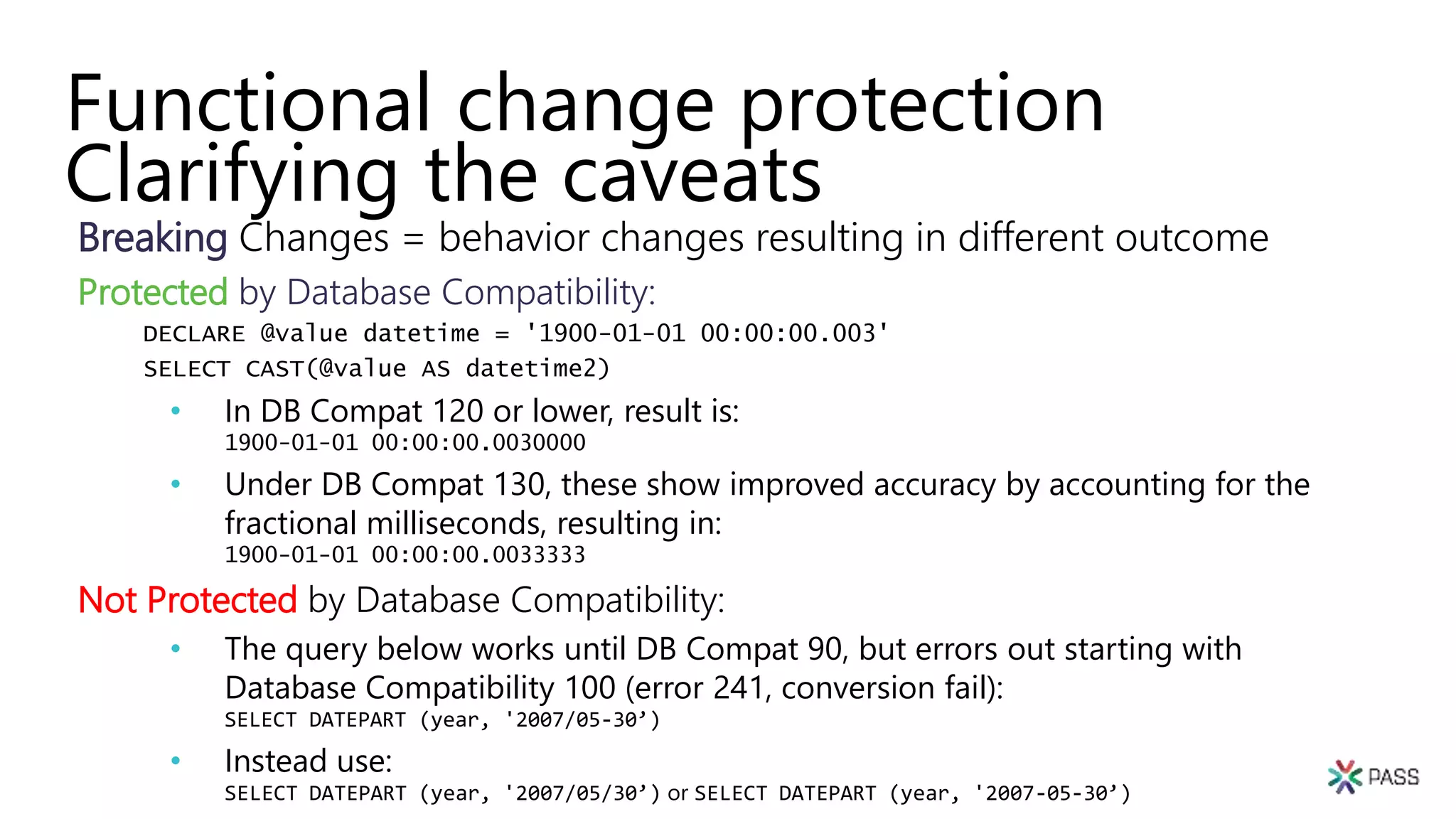
Breaking Changes = behavior changes resulting in different outcome
Protected by Database Compatibility:
DECLARE @value datetime = '1900-01-01 00:00:00.003'
SELECT CAST(@value AS datetime2)
• In DB Compat 120 or lower, result is:
1900-01-01 00:00:00.0030000
• Under DB Compat 130, these show improved accuracy by accounting for the
fractional milliseconds, resulting in:
1900-01-01 00:00:00.0033333
Not Protected by Database Compatibility:
• The query below works until DB Compat 90, but errors out starting with
Database Compatibility 100 (error 241, conversion fail):
SELECT DATEPART (year, '2007/05-30’)
• Instead use:
SELECT DATEPART (year, '2007/05/30’) or SELECT DATEPART (year, '2007-05-30’)
Upgrade
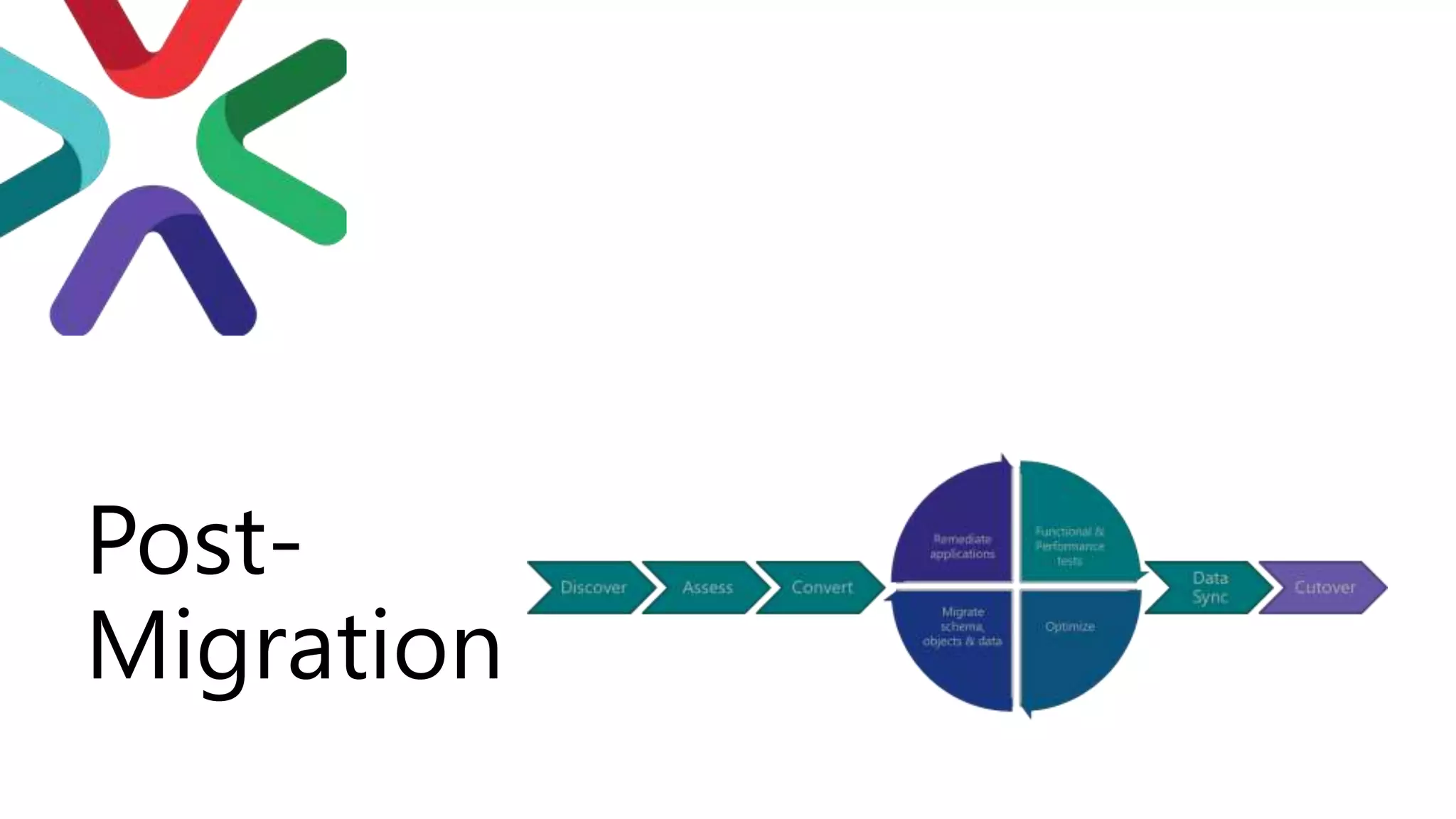
Process
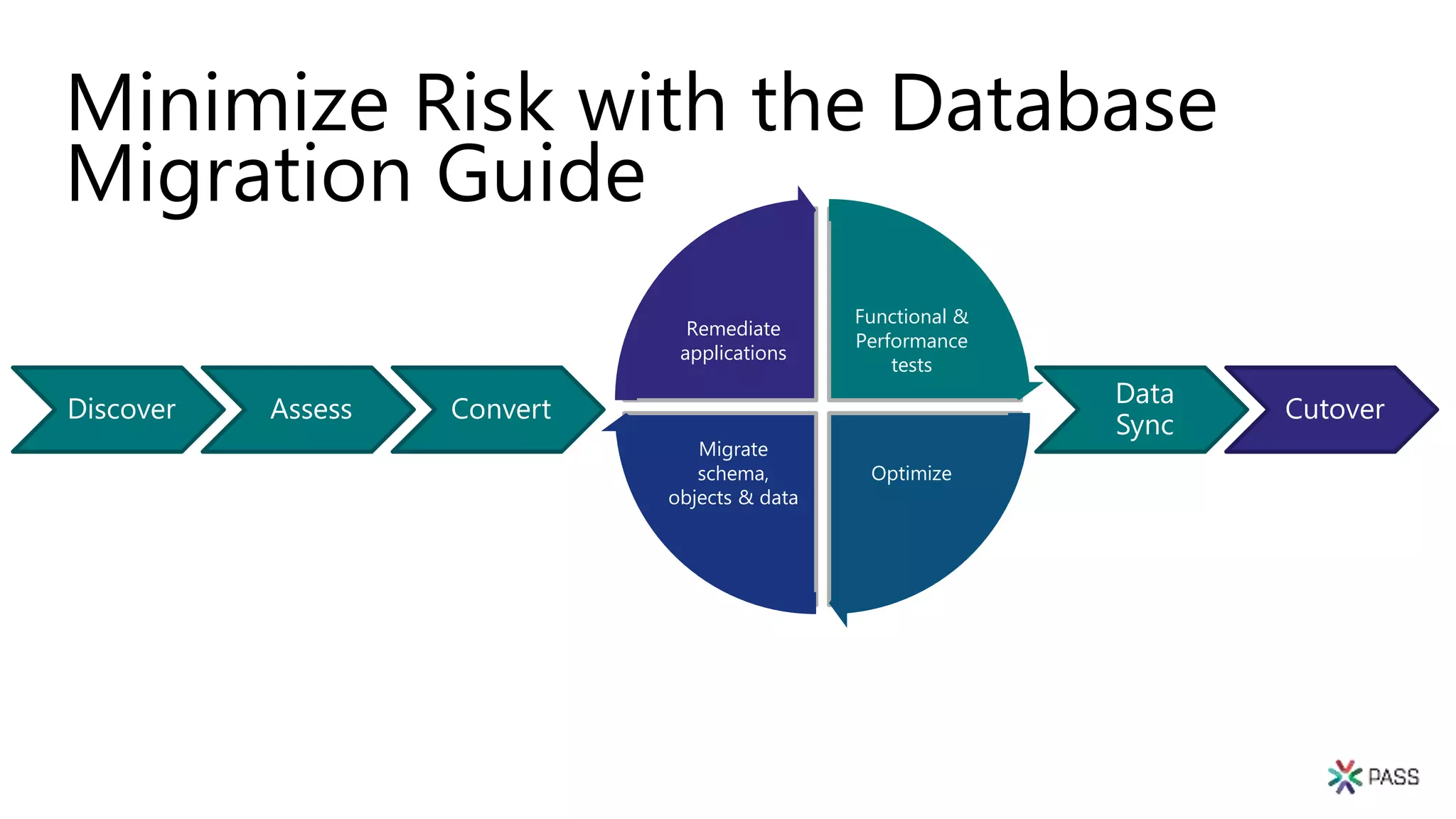
Minimize Risk with the Database
Migration Guide
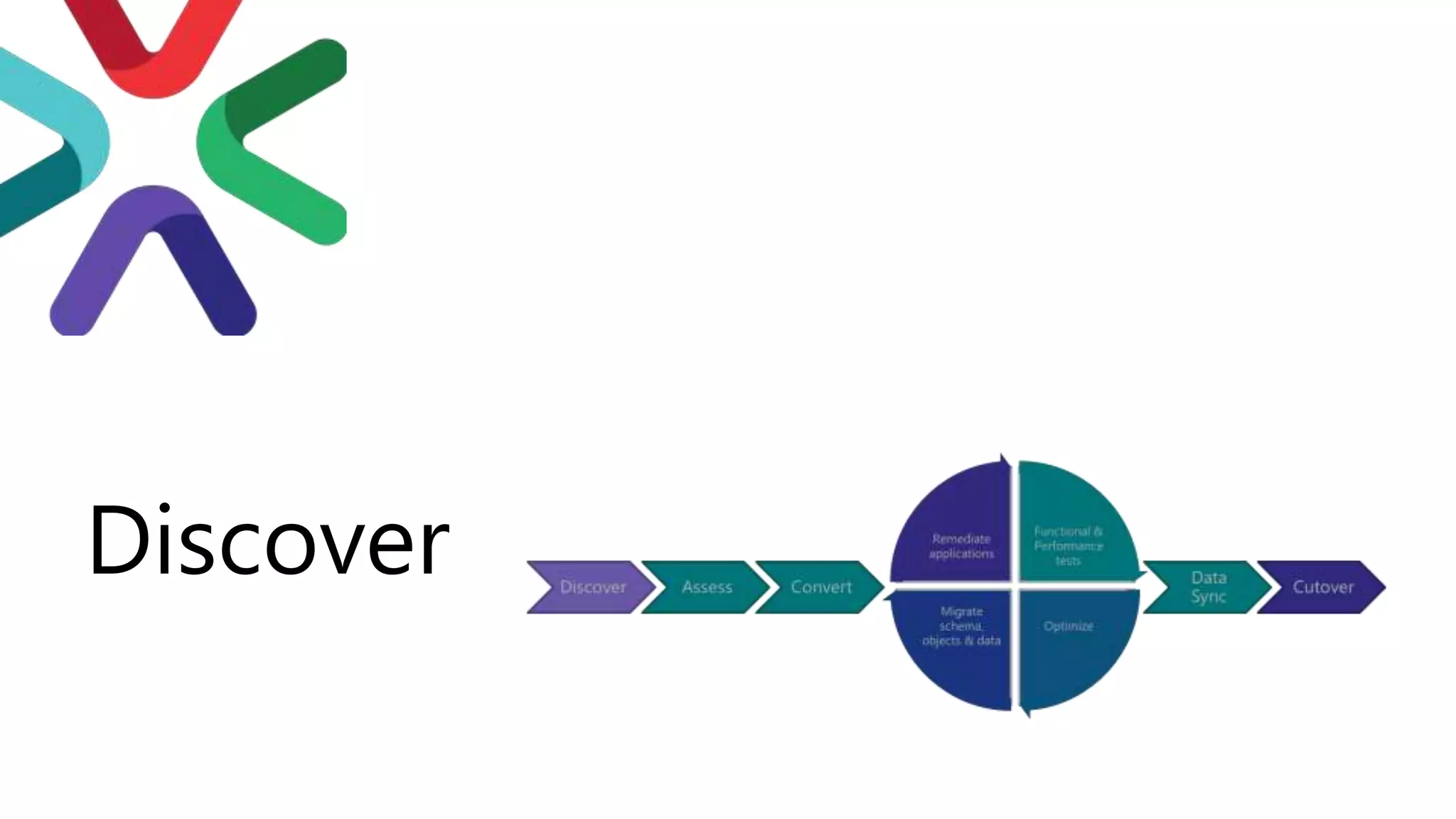
Functional &
Performance
tests
Optimize
Migrate
schema,
objects & data
Remediate
applications
Discover Assess Convert
Data
Sync
Cutover
Review the Database
Migration Guide for
details
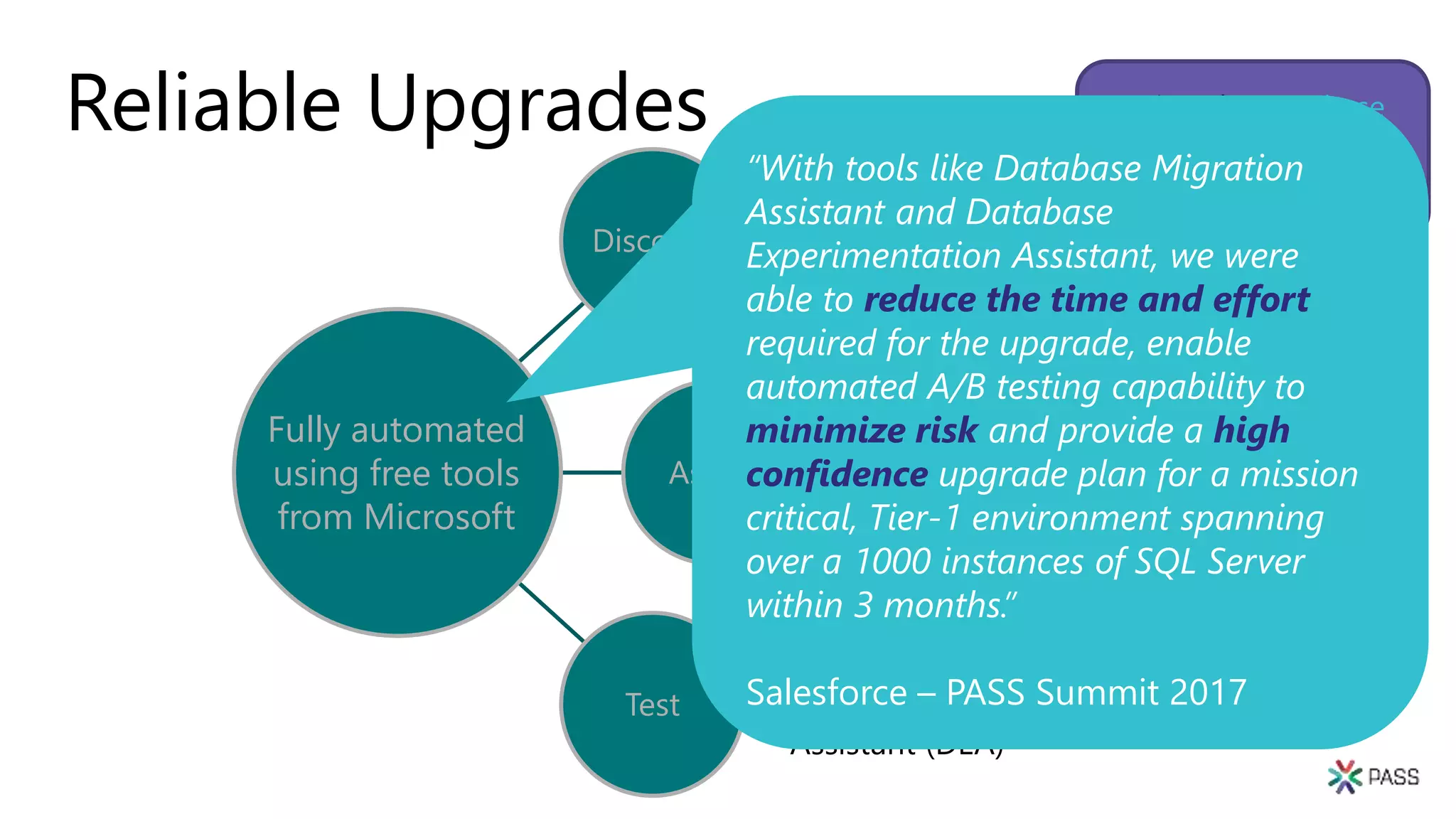
Reliable Upgrades
Discover
• Microsoft
Assessment and
Planning Toolkit
(MAP)
Assess
• Database
Migration
Assistant (DMA)
Test
• Database
Experimentation
Assistant (DEA)
Fully automated
using free tools
from Microsoft
“With tools like Database Migration
Assistant and Database
Experimentation Assistant, we were
able to reduce the time and effort
required for the upgrade, enable
automated A/B testing capability to
minimize risk and provide a high
confidence upgrade plan for a mission
critical, Tier-1 environment spanning
over a 1000 instances of SQL Server
within 3 months.”
Salesforce – PASS Summit 2017
Discover
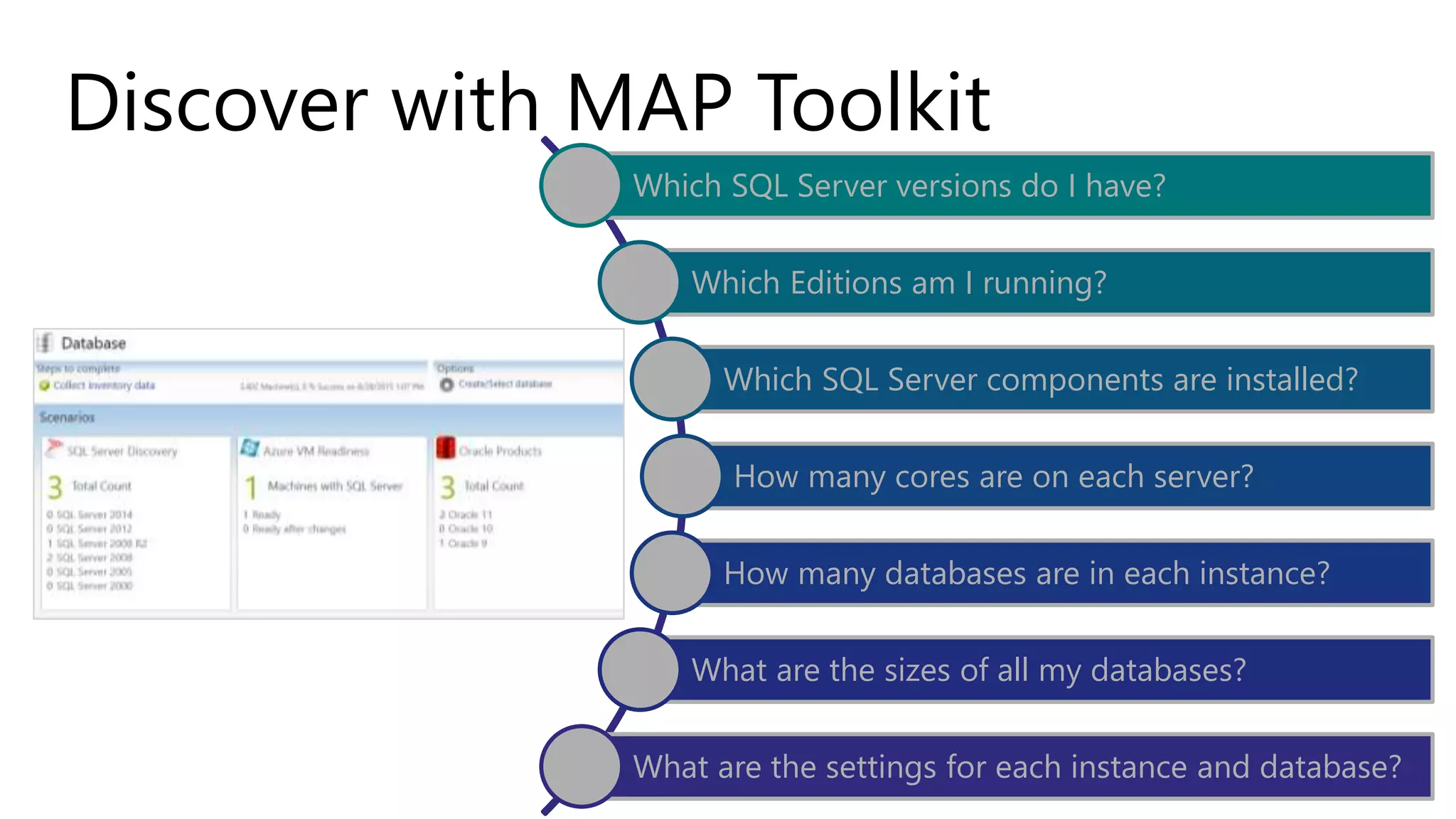
Discover with MAP Toolkit
Which SQL Server versions do I have?
Which Editions am I running?
Which SQL Server components are installed?
How many cores are on each server?
How many databases are in each instance?
What are the sizes of all my databases?
What are the settings for each instance and database?
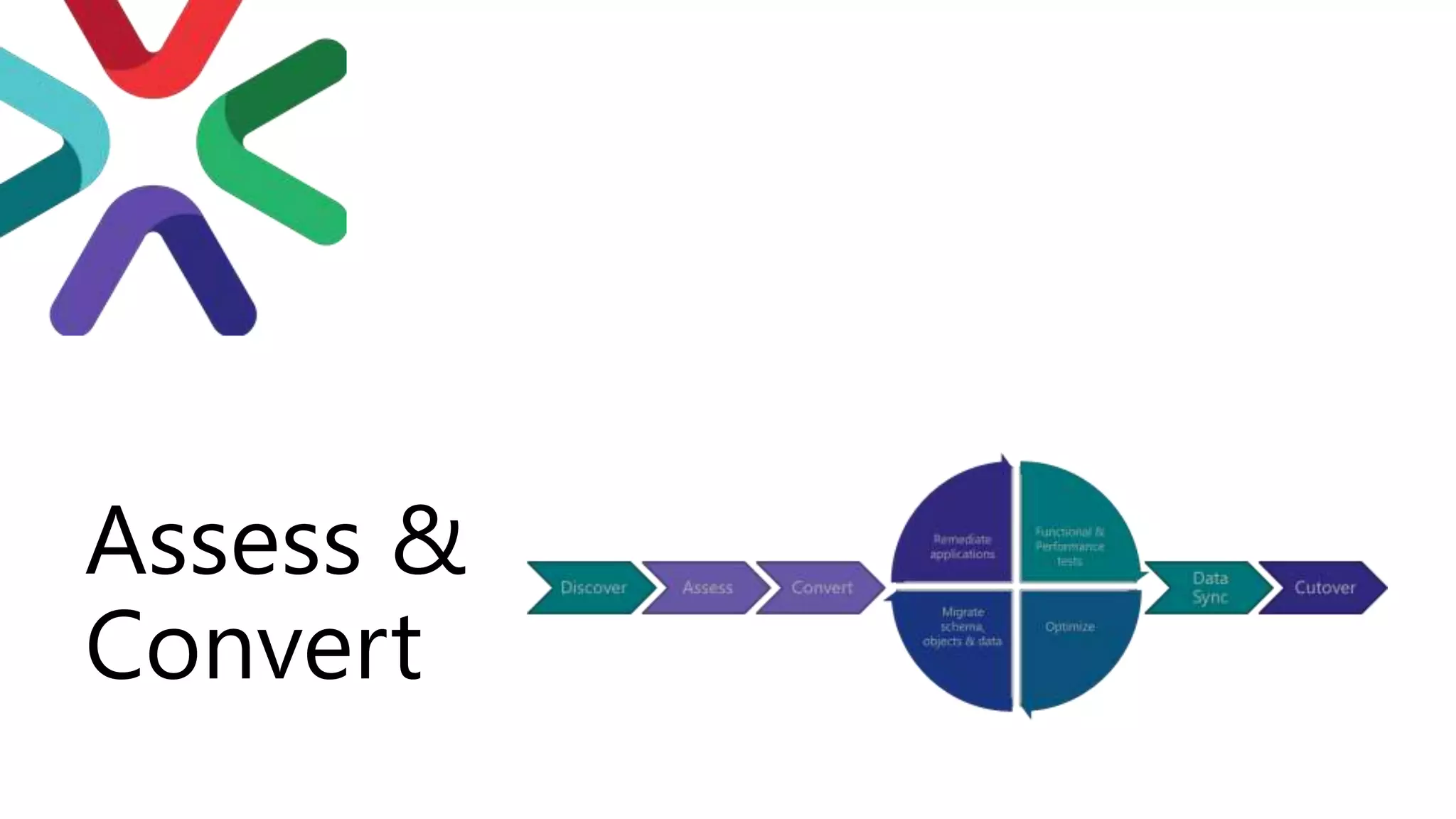
Assess &
Convert
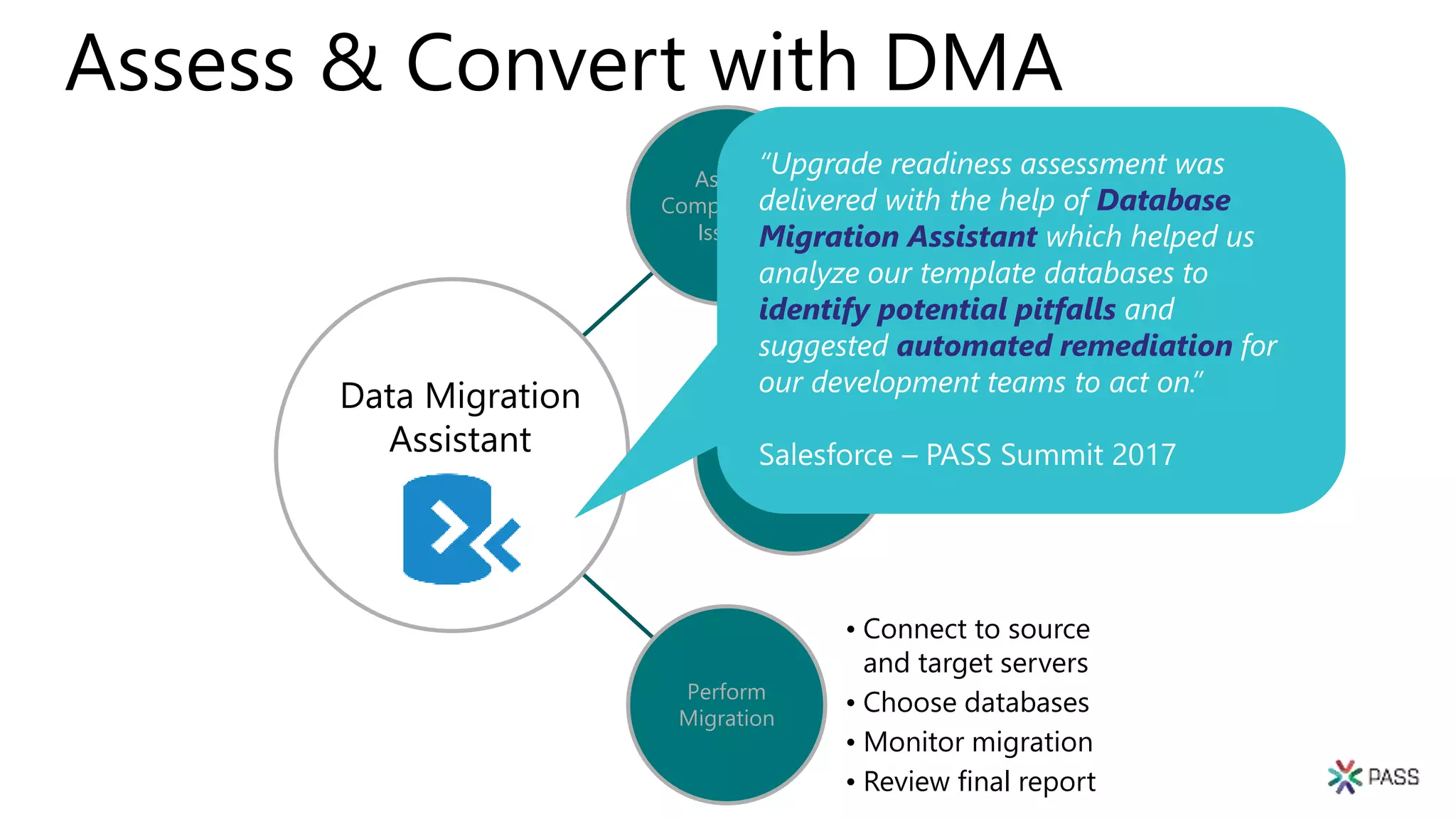
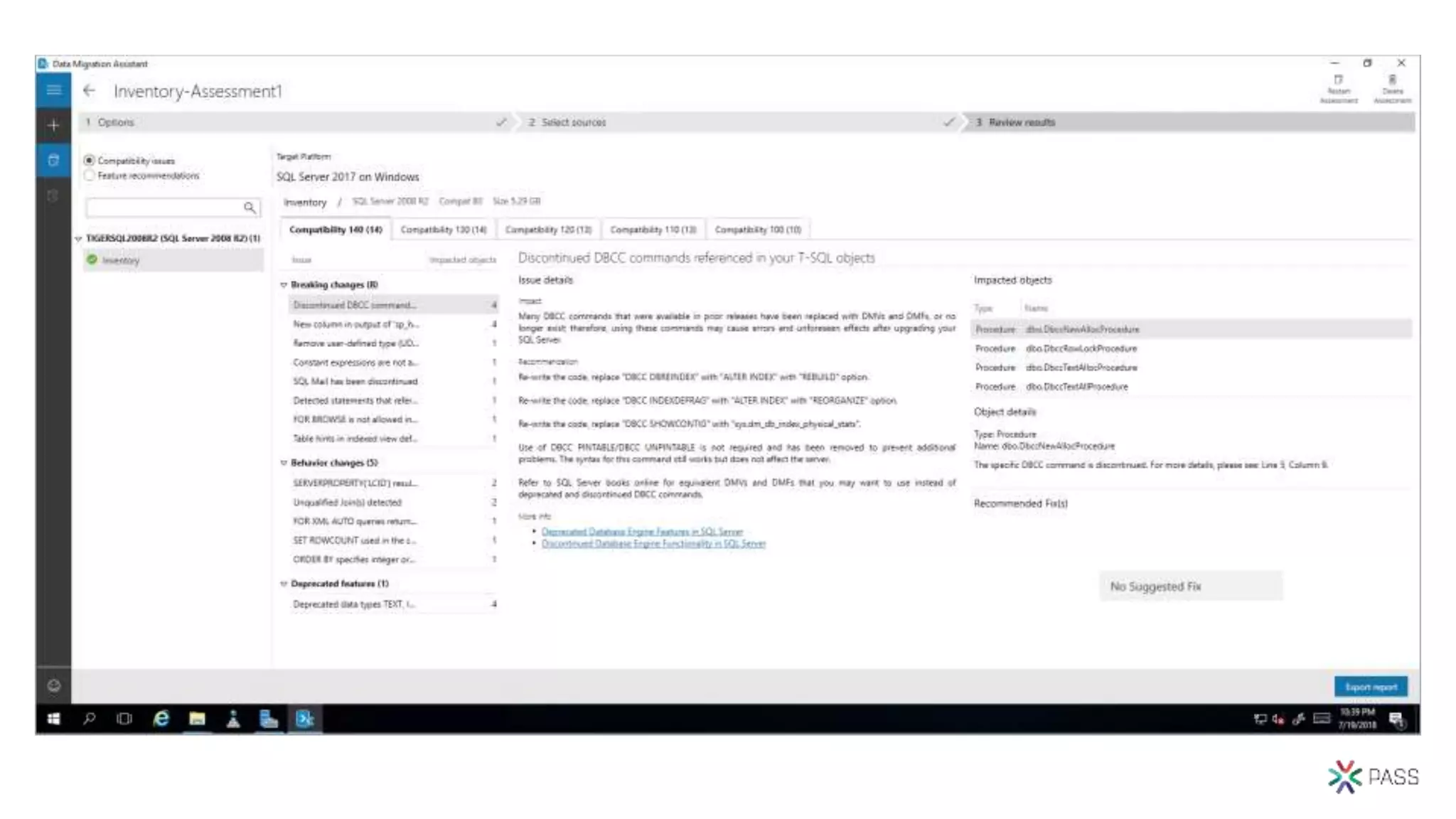
Assess & Convert with DMA
Assess
Compatibility
Issues
• Breaking changes
• Behavior changes
• Deprecated features
Discover new
features
• Performance
• Storage
• Security
Perform
Migration
• Connect to source
and target servers
• Choose databases
• Monitor migration
• Review final report
Database
Migration Assistant
identify potential pitfalls
automated remediation
Data Migration
Assistant
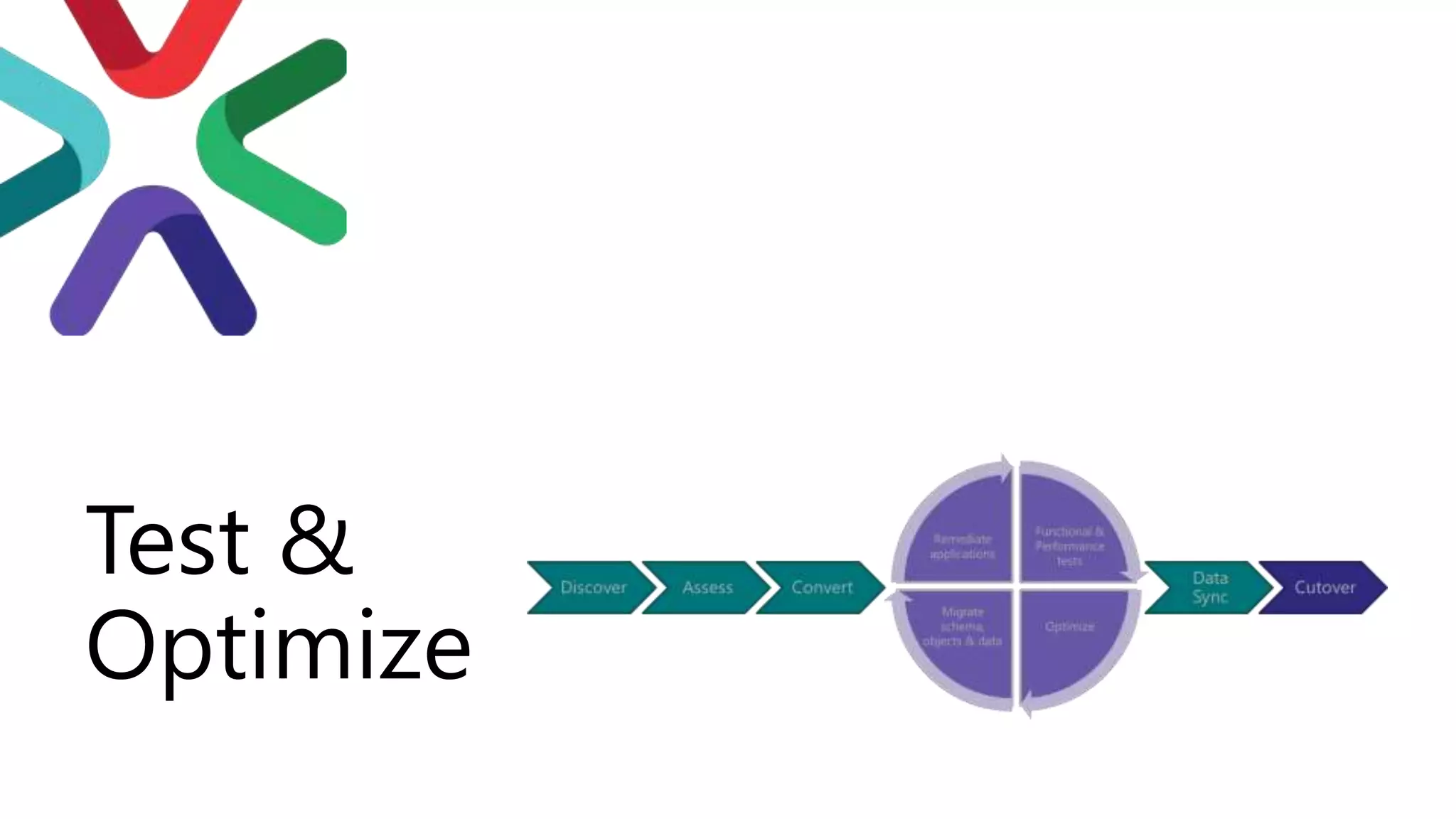
Test &
Optimize
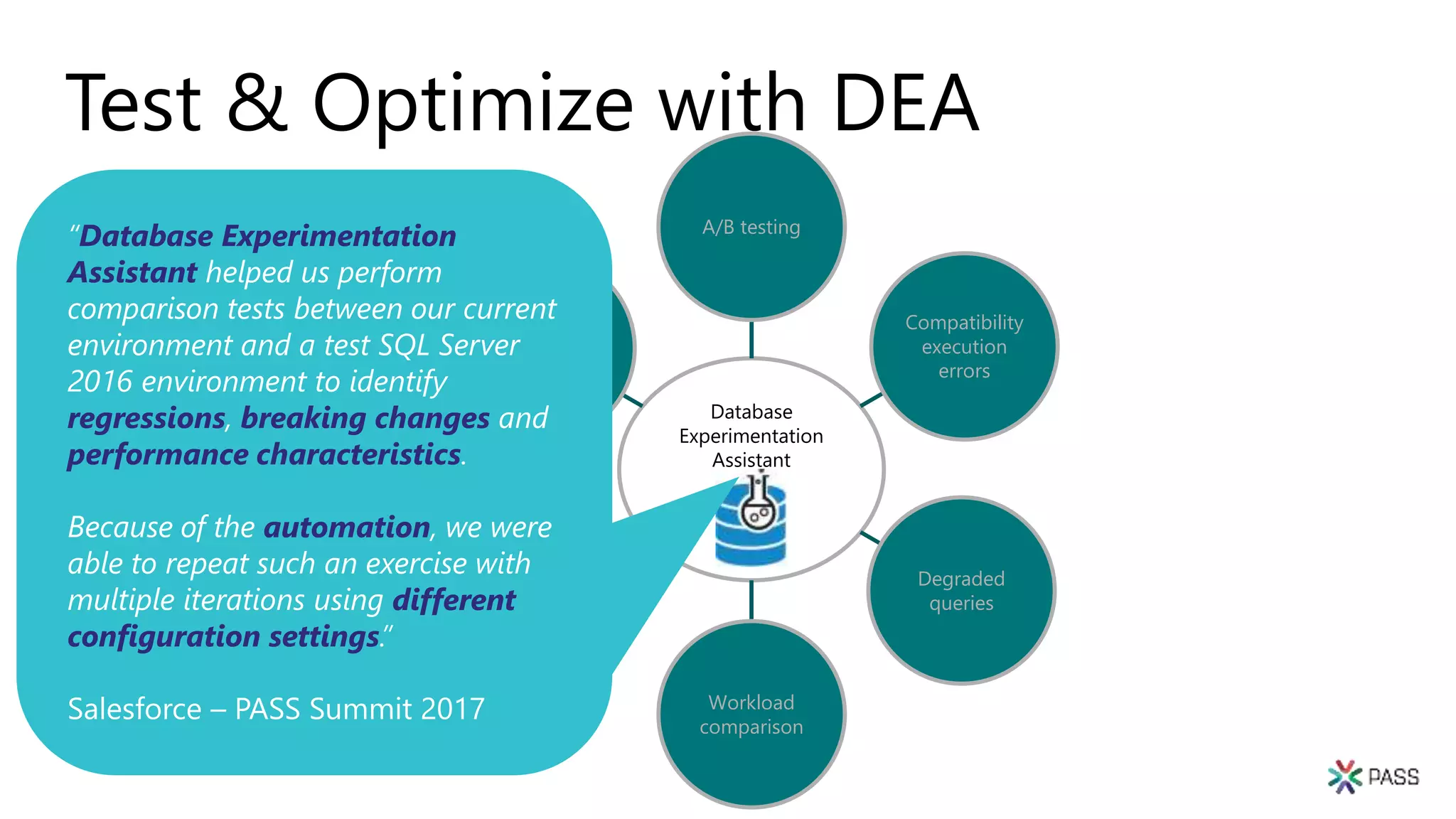
Test & Optimize with DEA
Database
Experimentation
Assistant
A/B testing
Compatibility
execution
errors
Degraded
queries
Workload
comparison
Hardware
comparison
Configuration
setting
comparison
Database Experimentation
Assistant
regressions breaking changes
performance characteristics
automation
different
configuration settings
Database
Migration
Assistant
Walkthrough
Now with ad-hoc
workload
assessments!
Database
Experimentation
Assistant
Walkthrough
Post-
Migration
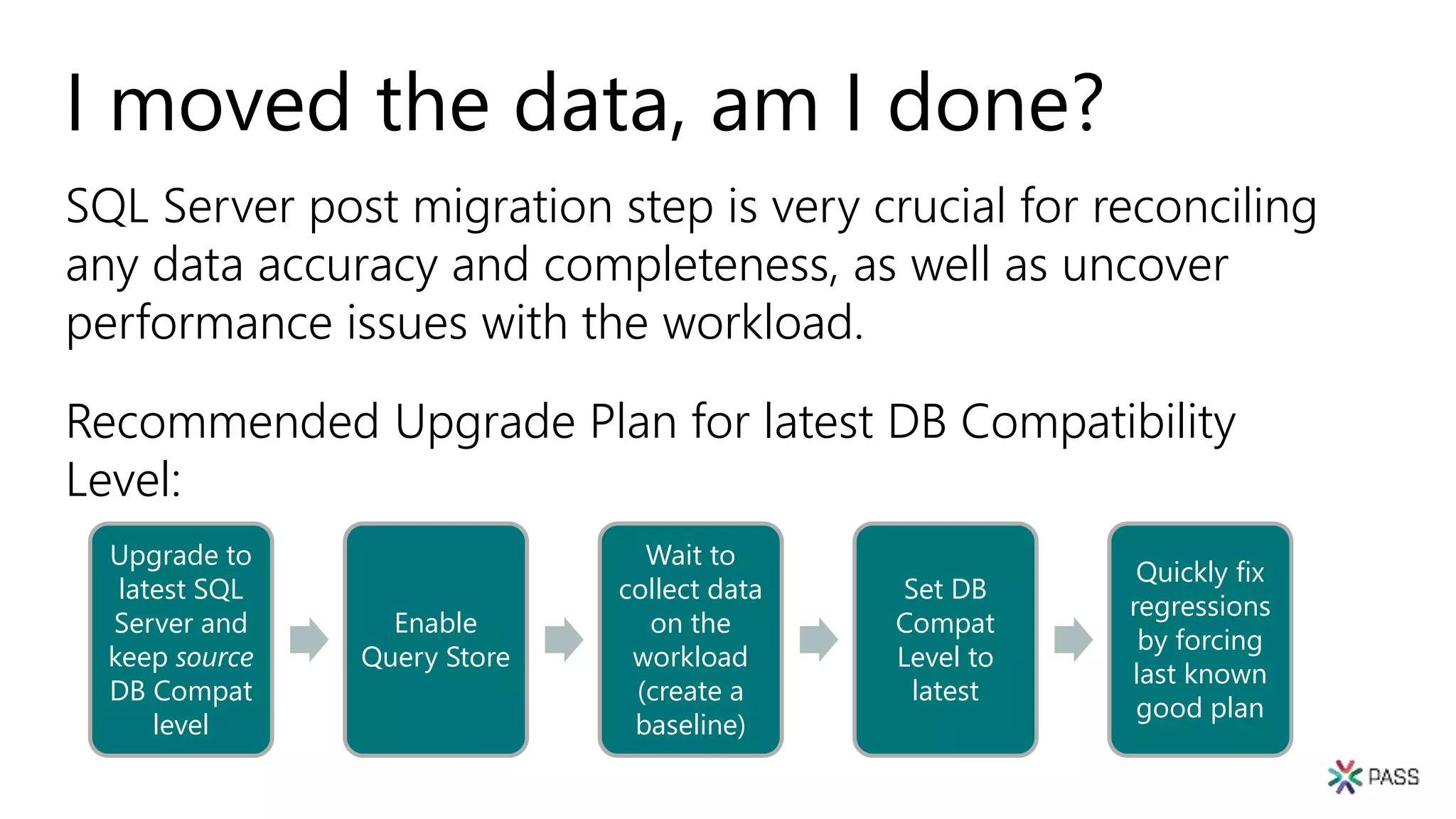
I moved the data, am I done?
SQL Server post migration step is very crucial for reconciling
any data accuracy and completeness, as well as uncover
performance issues with the workload.
Recommended Upgrade Plan for latest DB Compatibility
Level:
Upgrade to
latest SQL
Server and
keep source
DB Compat
level
Enable
Query Store
Wait to
collect data
on the
workload
(create a
baseline)
Set DB
Compat
Level to
latest
Quickly fix
regressions
by forcing
last known
good plan
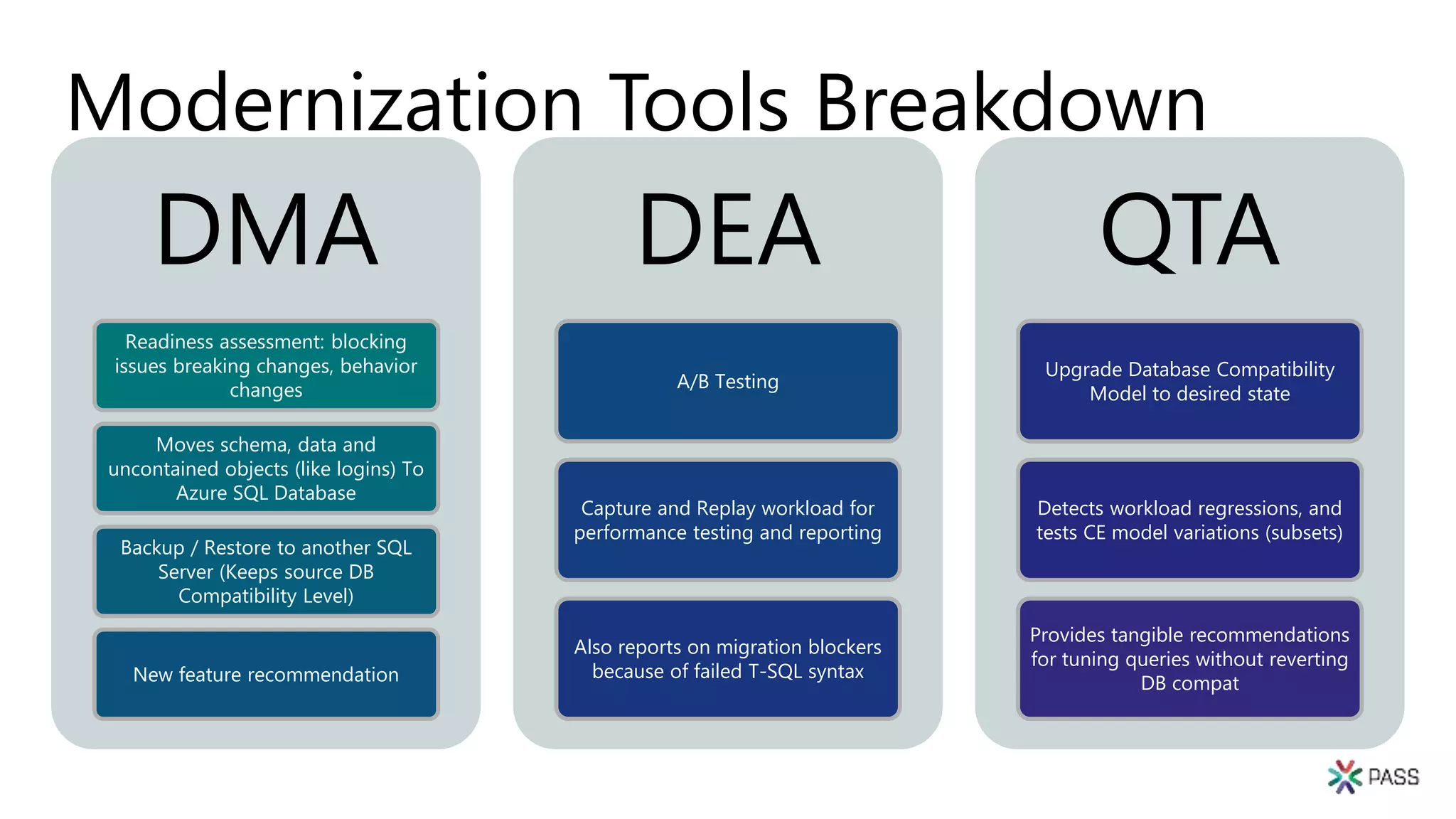
Modernization Tools Breakdown
DMA
Readiness assessment: blocking
issues breaking changes, behavior
changes
Moves schema, data and
uncontained objects (like logins) To
Azure SQL Database
Backup / Restore to another SQL
Server (Keeps source DB
Compatibility Level)
New feature recommendation
DEA
A/B Testing
Capture and Replay workload for
performance testing and reporting
Also reports on migration blockers
because of failed T-SQL syntax
QTA
Upgrade Database Compatibility
Model to desired state
Detects workload regressions, and
tests CE model variations (subsets)
Provides tangible recommendations
for tuning queries without reverting
DB compat
Session takeaways
• Start planning for End of Service for SQL Server 2008/R2
and Windows Server 2008/R2 today!
• Review the database migration guide
• Familiarize yourself with the DMA, DEA, Query Store and
Query Tuning Assistant
• Leverage Database Compatibility to accelerate
modernization
Session resources
http://aka.ms/sqleosfaq - End-of-Support FAQ
Upgrade SQL Server
Database Migration Guide
Microsoft Assessment and Planning Toolkit
Overview of Data Migration Assistant
DEA 2.1 General Availability: Release Overview – Database
Experimentation Assistant
Post-migration Validation and Optimization Guide
http://aka.ms/dbcompat (DB Compatibility Level based
upgrades)
Questions?
Thank You

Modernizing sql server the right way

  • 1.
    Modern Migration Tour 2019 MarianoKovo , Presidente SQLArgentina
  • 2.
  • 3.
    What is PASS 300K+MEMBER S WORLDWIDE 5GLOBAL NEWSLETT ERS 22VIRTUA L GROUPS 279 LOCAL GROUPS 100+LOCAL EVENTS 4000 ATTENDEES AT PASS SUMMIT
  • 4.
    PASS Summit 2019 Keepan eye on PASSsummit.com where 30+ more General Sessions will be released on May 17! Join the largest technical conference for data professionals that leverage the Microsoft Data Platform. pass.org/summit/2019/Learn/ConferenceSessions.aspx
  • 5.
    PASS Summit 2019 Future-ProofYour Data Career Save $150USD Register for PASS Summit and as a participant in SQLArgentina you can save $150 USD off your conference registration price. To access your exclusive discount, use code* LGDISIQEG when you register and your savings will calculate at time of registration. * Unique discount code cannot be applied retroactively and cannot be combined with any other offers
  • 6.
  • 7.
    Virtual Group MeetingDate Time Topic Website Cloud Jul 2, 2019 17:00 – 18:00 (UTC) Introduction to Azure Data Bricks - Sriharsh Adari cloud.pass.org DBA Fundamentals Jul 9, 2019 02:30 – 03:30 (UTC) Introduction to SQL Server Temporal Tables - Tim Mitchell fundamentals.pass.org DBA Fundamentals Jul 9, 2019 16:00 – 17:00 (UTC) Help! SQL Server 2008 is Still Here! - Brent Ozar fundamentals.pass.org Women in Technology Jul 9, 2019 16:00 – 17:00 (UTC) Install & Configure SQL Server with PowerShell DSC - Jess Pomfret wit.pass.org Upcoming Virtual Group Webinars
  • 8.
    Virtual Group MeetingDate Time Topic Website Cloud Jul 9, 2019 17:00 – 18:00 (UTC) Introduction to Azure AI - The Art of the possible - Melody Zacharias cloud.pass.org Data Architecture Jul 10, 2019 18:00 – 19:00 (UTC) High Availability/Disaster Recovery 101 - Glenn Berry dataarch.pass.org Cloud Jul 11, 2019 17:00 – 18:00 (UTC) Azure Basics for the DBA - John Morehouse cloud.pass.org Cloud Jul 16, 2019 17:00 – 18:00 (UTC) Azure Analysis Services - An important step for BI in the cloud? - Gabi Münster cloud.pass.org Upcoming Virtual Group Webinars
  • 9.
    Virtual Group MeetingDate Time Topic Website Global Hebrew Jul 22, 2019 15:00 – 16:30 (UTC) Ami Levin discusses the question Where are the (Primary) Keys? - Ami Levin globalhebrew.pass.org DBA Fundamentals Jul 23, 2019 16:00 – 17:00 (UTC) What Else Can Indexes Do? - Erik Darling fundamentals.pass.org Cloud Jul 23, 2019 17:00 – 18:00 (UTC) SSDT, Docker, and (Azure) DevOps - Dan Mallott cloud.pass.org DevOps Jul 24, 2019 19:00 – 21:00 (UTC) SSIS DevOps with Azure Containers - Sreeja Pullagura infrastructurevc.pass.org Cloud Jul 25, 2019 17:00 – 18:00 (UTC) Big Data Architectures and The Data Lake - James Serra cloud.pass.org Upcoming Virtual Group Webinars
  • 10.
    Registrarse para una membresíagratuita y asociarse al grupo Local SQL Argentina: pass.org Sqlargentina.pass.org https://www.facebook.com/groups/SQLArgentina/ @sqlargentina https://www.linkedin.com/groups/3664741 https://www.youtube.com/channel/UCGa-ldNDwP8nAVfQwqoeYHw sqlargentina
  • 11.
    P A RA C O N E C T A R N O S #SQLHelp #sqlpass
  • 12.
    Modernizing SQL Server theRight Way Lucas Fernandez, CTO Precision IT
  • 13.
  • 14.
  • 15.
    Is it theright time to modernize? Do I need to modernize to reduce costs? To maintain compliance? To keep vendor support? For ISVs, to enable choice and features for my customers? Can I separate application modernization cycles from data modernization cycles?
  • 16.
  • 17.
    Stop certifying forany given platform (Cloud, on-prem)! Stop certifying for a named SQL Server version! Database Compatibility Level based certification Any certification process should be thought in terms of “which target database compatibility level am I certifying to?” Updated public documentation: http://aka.ms/dbcompat
  • 18.
    Key Benefits Simplified applicationcertification on-premise and Azure (e.g. Azure SQL DB MI). Ability to provide customer a choice of latest SQL Server platform based on certified DB compat level. Improved risk management by decoupling application upgrade cycles from Database upgrade cycles.
  • 19.
    Microsoft stands byDB Compat based certification Microsoft Database Compatibility Level Protection Full Functional protection once assessment tools runs clean with no errors. Query Plan shape protection on comparable hardware. Maintaining backward compatibility is very important to SQL Server team.
  • 20.
    Database Compatibility Level setscertain database behaviors to be compatible with the specified version of SQL Server. Database Compatibility Level behavior Compatibility level affects behaviors only for the specified database, not for the entire server. Product Compatibility Level Designation Supported Compatibility Level Values SQL Server 2019 150 150, 140, 130, 120, 110, 100 SQL Server 2017 140 140, 130, 120, 110, 100 Azure SQL Database 130 150, 140, 130, 120, 110, 100 SQL Server 2016 130 130, 120, 110, 100 SQL Server 2014 120 120, 110, 100 SQL Server 2012 110 110, 100, 90 SQL Server 2008 R2 100 100, 90, 80 SQL Server 2008 100 100, 90, 80 SQL Server 2005 90 90, 80 SQL Server 2000 80 80
  • 21.
    Functional change protection Clarifyingthe caveats Deprecated = avoid use in new development • Deprecated functionality introduced in a given SQL Server version is still protected by that compatibility level. Discontinued = removed from product • Discontinued functionality introduced in a given SQL Server version is not protected by compatibility level. Example of removed T-SQL syntax. • In SQL Server 2012 the fastfirstrow hint was removed. • Regardless of the compatibility level, the query below will produce error 321 (not a recognized table hints option): SELECT * FROM HumanResources.Employee WITH (FASTFIRSTROW); • Instead use: SELECT * FROM HumanResources.Employee OPTION (FAST = <n>);
  • 22.
    Functional change protection Clarifyingthe caveats Breaking Changes = behavior changes resulting in different outcome Protected by Database Compatibility: DECLARE @value datetime = '1900-01-01 00:00:00.003' SELECT CAST(@value AS datetime2) • In DB Compat 120 or lower, result is: 1900-01-01 00:00:00.0030000 • Under DB Compat 130, these show improved accuracy by accounting for the fractional milliseconds, resulting in: 1900-01-01 00:00:00.0033333 Not Protected by Database Compatibility: • The query below works until DB Compat 90, but errors out starting with Database Compatibility 100 (error 241, conversion fail): SELECT DATEPART (year, '2007/05-30’) • Instead use: SELECT DATEPART (year, '2007/05/30’) or SELECT DATEPART (year, '2007-05-30’)
  • 23.
  • 24.
    Minimize Risk withthe Database Migration Guide Functional & Performance tests Optimize Migrate schema, objects & data Remediate applications Discover Assess Convert Data Sync Cutover
  • 25.
    Review the Database MigrationGuide for details Reliable Upgrades Discover • Microsoft Assessment and Planning Toolkit (MAP) Assess • Database Migration Assistant (DMA) Test • Database Experimentation Assistant (DEA) Fully automated using free tools from Microsoft “With tools like Database Migration Assistant and Database Experimentation Assistant, we were able to reduce the time and effort required for the upgrade, enable automated A/B testing capability to minimize risk and provide a high confidence upgrade plan for a mission critical, Tier-1 environment spanning over a 1000 instances of SQL Server within 3 months.” Salesforce – PASS Summit 2017
  • 26.
  • 27.
    Discover with MAPToolkit Which SQL Server versions do I have? Which Editions am I running? Which SQL Server components are installed? How many cores are on each server? How many databases are in each instance? What are the sizes of all my databases? What are the settings for each instance and database?
  • 28.
  • 29.
    Assess & Convertwith DMA Assess Compatibility Issues • Breaking changes • Behavior changes • Deprecated features Discover new features • Performance • Storage • Security Perform Migration • Connect to source and target servers • Choose databases • Monitor migration • Review final report Database Migration Assistant identify potential pitfalls automated remediation Data Migration Assistant
  • 30.
  • 31.
    Test & Optimizewith DEA Database Experimentation Assistant A/B testing Compatibility execution errors Degraded queries Workload comparison Hardware comparison Configuration setting comparison Database Experimentation Assistant regressions breaking changes performance characteristics automation different configuration settings
  • 32.
  • 36.
  • 42.
  • 43.
    I moved thedata, am I done? SQL Server post migration step is very crucial for reconciling any data accuracy and completeness, as well as uncover performance issues with the workload. Recommended Upgrade Plan for latest DB Compatibility Level: Upgrade to latest SQL Server and keep source DB Compat level Enable Query Store Wait to collect data on the workload (create a baseline) Set DB Compat Level to latest Quickly fix regressions by forcing last known good plan
  • 44.
    Modernization Tools Breakdown DMA Readinessassessment: blocking issues breaking changes, behavior changes Moves schema, data and uncontained objects (like logins) To Azure SQL Database Backup / Restore to another SQL Server (Keeps source DB Compatibility Level) New feature recommendation DEA A/B Testing Capture and Replay workload for performance testing and reporting Also reports on migration blockers because of failed T-SQL syntax QTA Upgrade Database Compatibility Model to desired state Detects workload regressions, and tests CE model variations (subsets) Provides tangible recommendations for tuning queries without reverting DB compat
  • 45.
    Session takeaways • Startplanning for End of Service for SQL Server 2008/R2 and Windows Server 2008/R2 today! • Review the database migration guide • Familiarize yourself with the DMA, DEA, Query Store and Query Tuning Assistant • Leverage Database Compatibility to accelerate modernization
  • 46.
    Session resources http://aka.ms/sqleosfaq -End-of-Support FAQ Upgrade SQL Server Database Migration Guide Microsoft Assessment and Planning Toolkit Overview of Data Migration Assistant DEA 2.1 General Availability: Release Overview – Database Experimentation Assistant Post-migration Validation and Optimization Guide http://aka.ms/dbcompat (DB Compatibility Level based upgrades)
  • 47.
  • 48.

Editor's Notes

  • #2 Use this slide as the title slide > if the title is very long, use the second option
  • #13 Use this slide as the title slide > if the title is very long, use the second option
  • #15 July 9, 2019 – End of Support for SQL Server 2008 and 2008 R2 January 14, 2020 – End of Support for Windows Server 2008 and 2008 R2 https://www.microsoft.com/en-US/sql-server/sql-server-2008 For ESU on-premises offerings, see Customer FAQ and Internal Addendum on the EOS Learning site. Contact: esu2008@microsoft.com
  • #16 As you may have observed, we released SQL 2016 about 24m after 2014, and 2017 about 16m after 2016. So there is a faster engineering cycle that's observable to meet market demands and pace of technology improvements. It really doesn't make sense that our customers would have to wait 2+ years to see innovations coming to their non-azure Data solutions, like it had happened historically. End-customers and ISVs all face a fundamental and recurring question with their application and database estates: Is it the right time to modernize? With that question come a number of considerations: Do I need to modernize to reduce costs? To maintain required industry certification? To keep vendor support? For ISVs, to enable choice for my customers? And how to minimize risk? Can I separate application modernization cycles from data modernization cycles? And what’s my required certification process? What’s the cost of re-certifying for Azure SQL, or newer SQL Server version?
  • #18 We believe this paradigm shift unlocks agile modernization cycles and reduces upgrade risks. And we are backing it up with actual engine level protections, as well as updated public documentation that moves in this direction: see http://aka.ms/dbcompat.
  • #21 New Databases are set to compatibility level mapping to the version of the Database Engine, unless the model database has a lower compatibility level. When a database is upgraded from any earlier version of SQL Server, the database retains its existing compatibility level if it is at least minimum allowed for that instance of SQL Server. Upgrading a database with a compatibility level lower than the allowed level, sets the database to the lowest compatibility level allowed. Azure SQL Database V12 was released in December 2014. One aspect of that release was that newly created databases had their compatibility level set to 120. In 2015 SQL Database began support for level 130, although the default remained 120. Starting in mid-June 2016, in SQL Database, the default compatibility level are 130 instead of 120 for newly created databases. Existing databases created before mid-June 2016 are not affected, and maintain their current compatibility level (100, 110, or 120). If you want level 130 for your database generally, but you have reason to prefer the level 110 cardinality estimation algorithm, see ALTER DATABASE SCOPED CONFIGURATION (Transact-SQL), and in particular its keyword LEGACY_CARDINALITY_ESTIMATION = ON. For details about how to assess the performance differences of your most important queries, between two compatibility levels on SQL Database, see Improved Query Performance with Compatibility Level 130 in Azure SQL Database.
  • #23 Until DB Compat 90, datetime intrinsics such as DATEPART do not require string input values to be valid datetime literals. For example, SELECT DATEPART (year, '2007/05-30') compiles successfully. Starting with DB Compat 100, datetime intrinsics such as DATEPART require string input values to be valid datetime literals. Error 241 is returned when an invalid datetime literal is used.
  • #25 Migrations should be approached with the same rigor and processes as a full software or hardware project – a solid methodology is required for success. Microsoft provides you with all the tools you need to achieve a seamless, reliable upgrade experience. Share the Database Migration Guide with your customers for step-by-step guidance on reliable upgrade methodology. https://datamigration.microsoft.com/scenario/sql-to-sqlserver
  • #26 Link in slide: https://datamigration.microsoft.com/scenario/sql-to-sqlserver Source for quote?
  • #28 The Microsoft Assessment and Planning Toolkit (MAP) is an agentless, automated, multi-product planning and assessment tool for quicker and easier desktop, server and cloud migrations. MAP can be used to provide an inventory of all your database servers, including installed components, database details, settings and capacity planning information. This Solution Accelerator provides a powerful inventory, assessment, and reporting tool to simplify the migration planning process. There are 8 areas that the Microsoft Assessment and Planning Toolkit (MAP) toolkit assesses: Cloud Desktop Server Desktop Virtualization Server Virtualization Database Usage Tracking Environment
  • #30 Data Migration Assistant (DMA) detects compatibility issues that can impact database functionality on your new version of SQL Server. It recommends performance and reliability improvements for your target environment. It allows you to not only move your schema and data, but also uncontained objects from your source server to your target server. Once the assessment is complete and issues have been mitigated, the DMA will automate the process of migrating your schema and data to the target instance. Source for quote?
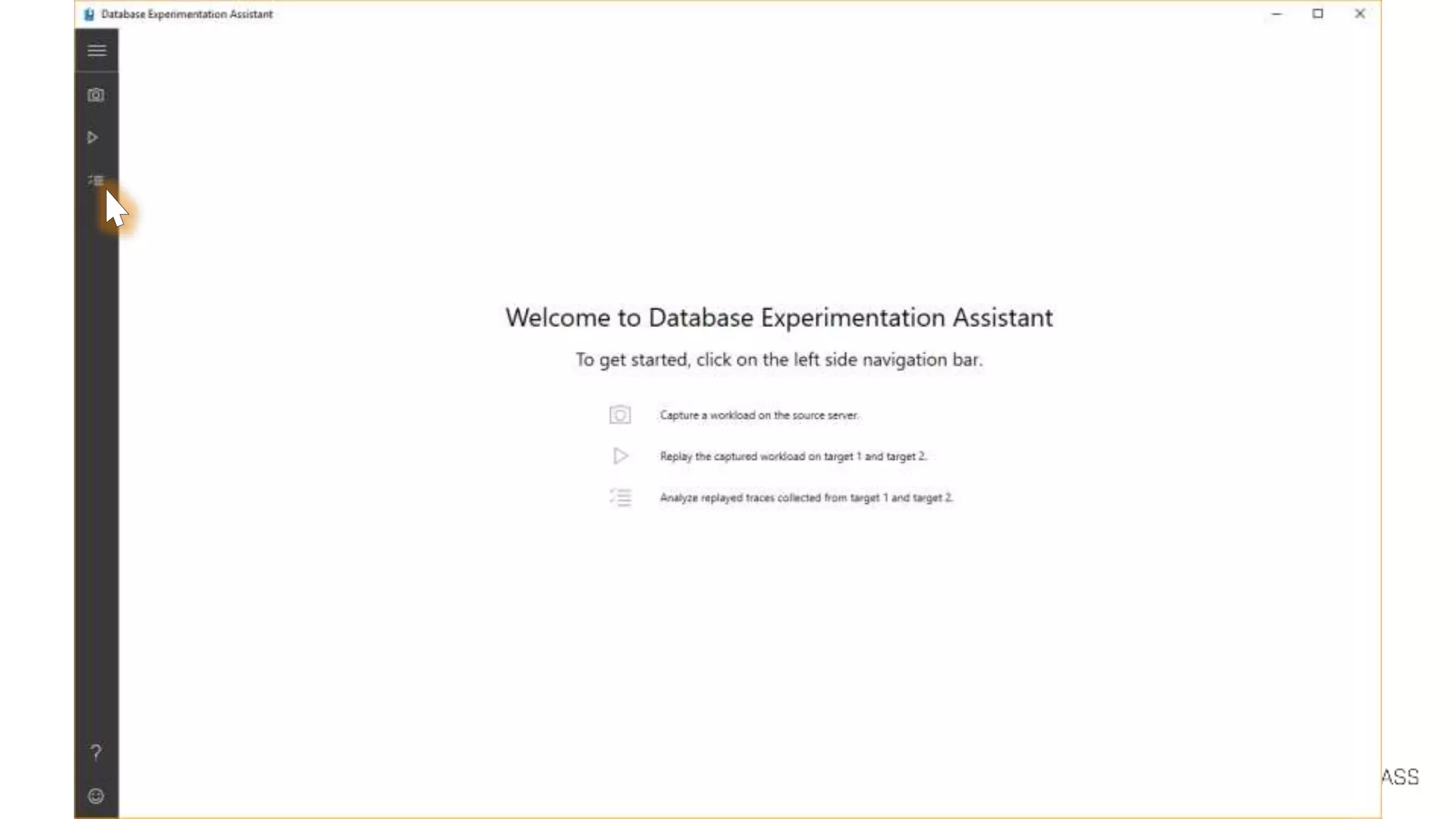
  • #32 Database Experimentation Assistant (DEA) is an A/B testing solution for SQL Server upgrades. It will assist in evaluating a targeted version of SQL for a given workload. Customers who are upgrading from previous SQL Server versions (SQL Server 2005 and above) to any new version of the SQL Server will be able to use these analysis metrics. DEA allows: Automated script to set up workload capture and replay of production database (using existing SQL server functionality Distributed Replay & SQL tracing). Perform statistical analysis on traces collected using both old and new instances. Visualize data through detailed reports. Source for quote?
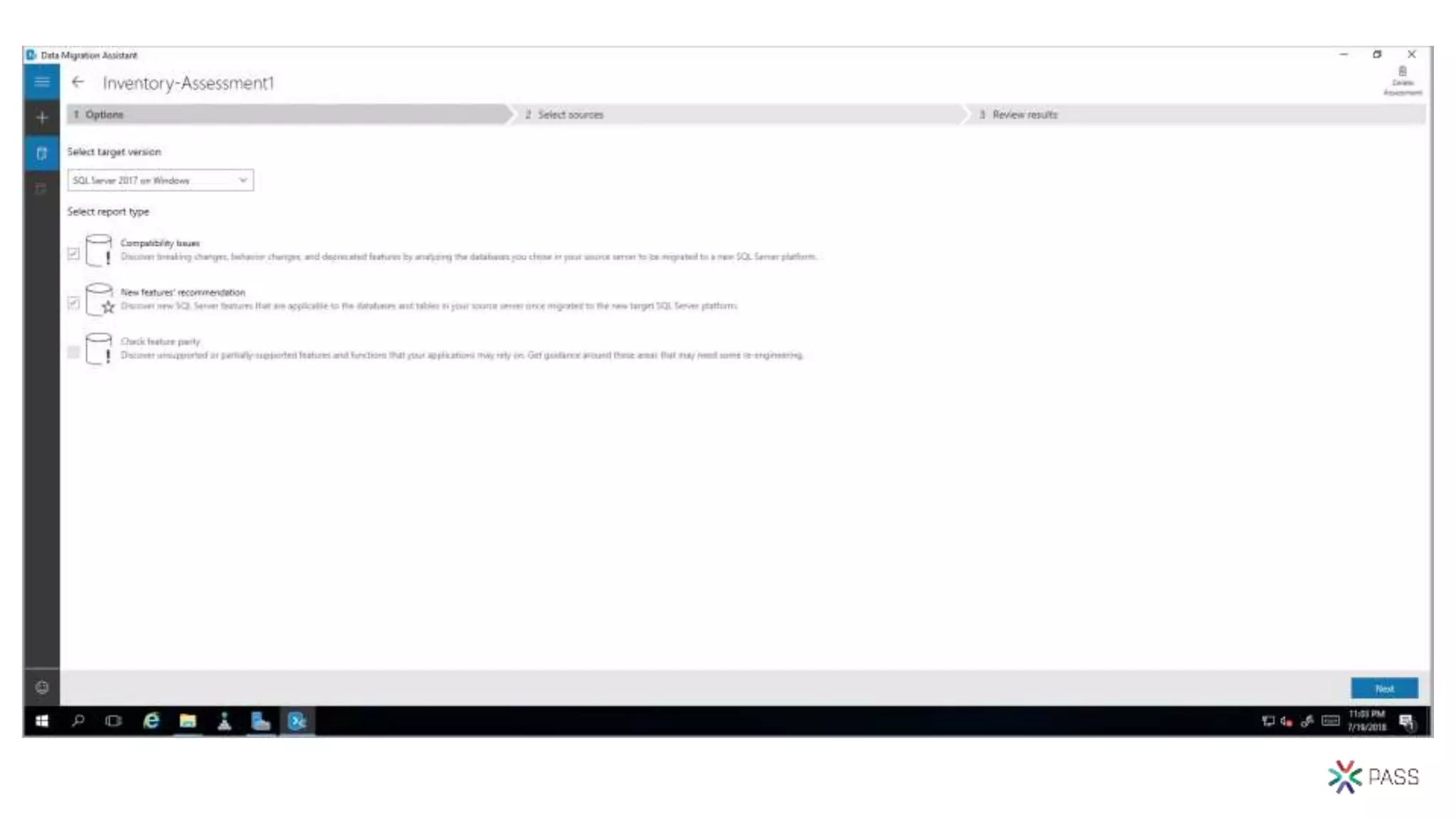
  • #34 DMA Assessment: Options
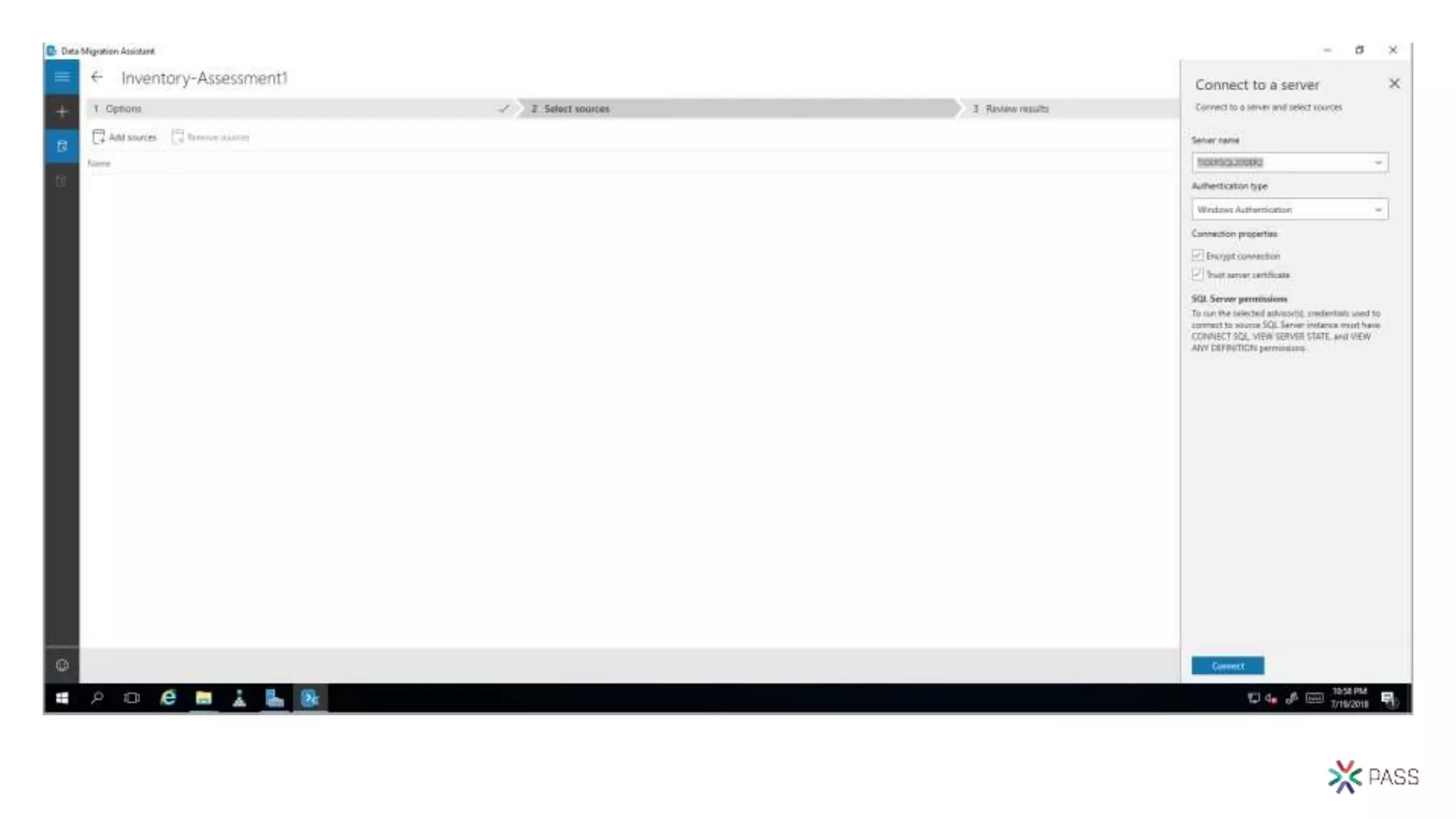
  • #35 DMA Assessment: Select Sources
  • #36 DMA Assessment: Completed
  • #38 After opening, click on “Analyze traces”
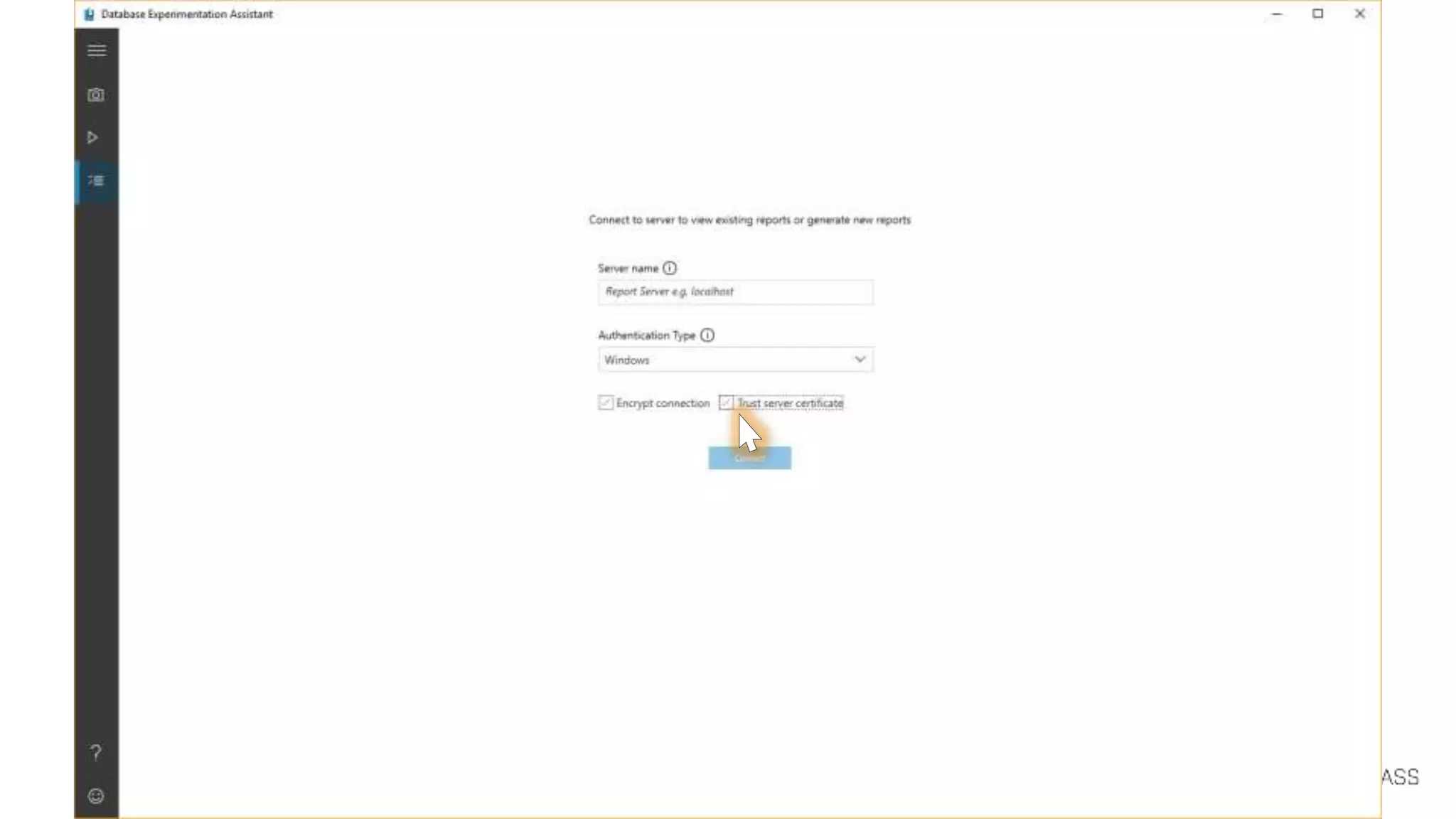
  • #39 Then input server (we’re using localhost) and we’re using the option to trust server cert.
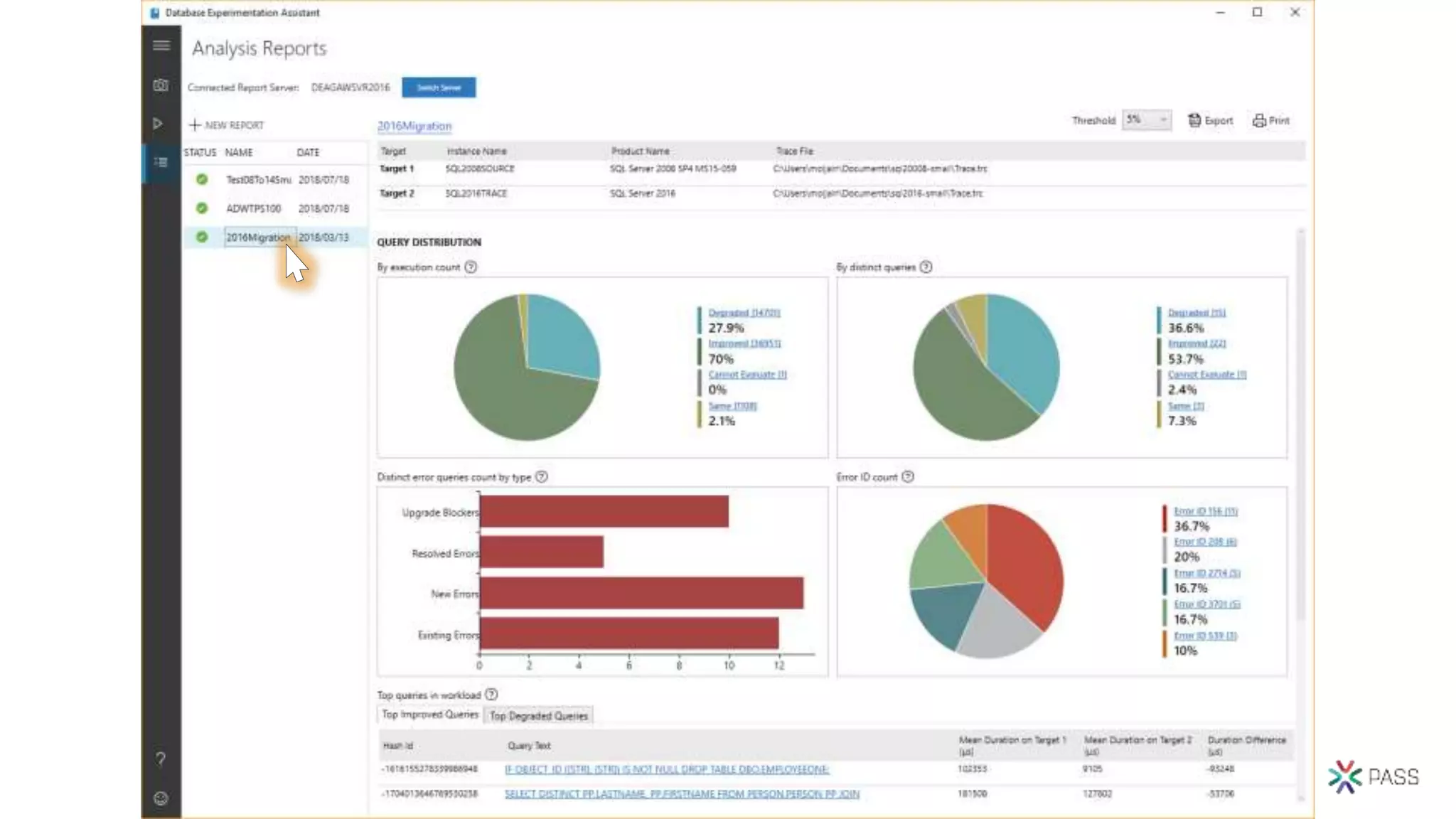
  • #40 Once we select one of the previous replays we’ve done, the report shows up.
  • #41 We see we have a number of potential upgrade blockers. Click on the bar to see details.
  • #42 The Upgrade Blockers tab shows any syntax execution errors that existed in the replay (B) that didn’t exist in the source (A). Syntax errors mapping to discontinued T-SQL are listed, in the context of the statement that produced the error. In this case, the “COMPUTE” clause was discontinued (back in SQL 2012), so this issue needs addressing.
  • #44 Reference: https://docs.microsoft.com/sql/relational-databases/performance/query-store-usage-scenarios#CEUpgrade
  • #45 Identifies the problem query plan and “fixes” it to be optimal. In the scope of a DB Compatibility upgrade, only works if the recommended process was followed
  • #46 Post-migration/upgrade Crucial to uncover query performance issues with the workload, as it runs on the newer version of SQL Server Database Engine. User needs to follow documented DB upgrade procedure (https://docs.microsoft.com/en-us/sql/relational-databases/performance/query-store-usage-scenarios#CEUpgrade). User database is still in before-upgrade database compatibility level, and QTA will assist in collecting baseline workload data (if none available), bump database compatibility level, collect 2nd pass of workload data, and work on any regressions found based on “Regressed Queries” QS report.
  • #47 Like any hint, it forces certain behaviors that may get addressed in subsequent updates. So Microsoft recommends you only apply hints when no other option exists, and plan to revisit hinted code with every new upgrade. By forcing behaviors, you may be precluding your workload from benefiting of enhancements introduced in newer versions.
  • #48 DMA https://docs.microsoft.com/en-us/sql/dma/dma-assesssqlonprem https://docs.microsoft.com/en-us/sql/dma/dma-overview New feature recommendations include In-Memory OLTP and Columnstore, Stretch Database, Always Encrypted, Dynamic Data Masking, and Transparent Data Encryption. DEA Database Experimentation Assistant (DEA) is an A/B testing solution for changes in SQL Server environments (e.g. upgrade, new indexes, etc.). It assists in evaluating how the workload on your source server (current environment) will perform against your new environment. It guides you through performing an A/B test through three steps: capture, replay, and analysis. QTA Query Tuning Assistant (QTA) helps address some of the most common causes of CE-related performance regression, namely the following model assumption changes, starting with SQL Server 2014: Independence vs Correlation Simple Containment vs Base Containment TVF fixed estimation of 100 rows vs 1 row Note: as a last resort, full-fledge use of CE 70 is also considered, when all else doesn’t yield desired results. This is done by attempting to use targeted USE HINT query hints that change these assumptions, for regressed SELECT-based queries.