Mobile
Programming
Andi Nurkholis, S.Kom, M.Kom
24 December 2021
Faculty of Engineering and Computer Science
Teknokrat Indonesia University
Firebase
2
Firebase
Firebase is a toolset to build, improve,
and grow your app, and the tools it gives
you cover a large portion of the services
that developers would normally have to
build themselves, but don’t really want to
build, because they’d rather be focusing
on the app experience itself.
3
Firebase
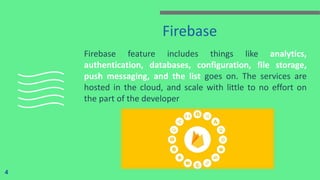
Firebase feature includes things like analytics,
authentication, databases, configuration, file storage,
push messaging, and the list goes on. The services are
hosted in the cloud, and scale with little to no effort on
the part of the developer
4
Why Firebase has Gained Popularity?
5
In the initial years, Firebase was successful over many of its other
alternatives. But, it started losing popularity when it was compared
with MongoDB. Though MongoDB and Firebase offer different
functionalities and have a different purpose to serve. The previous one
is a database management system and the latter one is a model to
sync, real-time data on the cloud and manages the user engagement
for the clients’ mobile app.
What is The Use of Google
Firebase?
6
1. Firebase manages all data real-time in the
database. So, the exchange of data to and fro
from the database is easy and quick. Hence, if
you are looking to develop mobile apps such as
live streaming, chat messaging, etc., you can
use Firebase.
What is The Use of Google
Firebase? (Cont.)
7
2. Firebase allow syncing the real-time data
across all the devices: Android, iOS, and the
web without refreshing the screen
What is The Use of Google
Firebase? (Cont.)
8
3. Firebase offers integration to Google Ads,
AdMob, DoubleClick, Play Store, Data Studio,
BigQuery, and Slack, to make your app
development with efficient and accurate
management and maintenance
What is The Use of Google
Firebase? (Cont.)
9
4. Everything from databases, analytics to
crashing reports are included in Firebase. So,
the app development teams can stay focused
on improving the user experience
What are The Benefits
of Firebase?
1. Create Application without backend server
2. No need extra money spent for backend server
3. Sync real time data in the application
4. Quick display data in the application
5. Faster then any backend web services
10
What are The Benefits
of Firebase? (Cont.)
6. No SQL database so it is more faster
7. You can provide any social networking login with very
few lines code
8. Push notification, Analytics, Crash reports
9. Cloud storage
11
What are The Major Features of
Firebase?
12
1. Firebase Cloud Storage
2. Firebase Realtime Database
3. Firebase Authentication
4. Firebase Analytics and Crash Reports
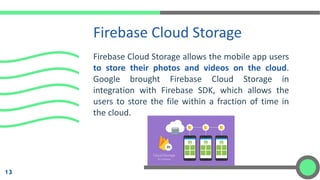
Firebase Cloud Storage allows the mobile app users
to store their photos and videos on the cloud.
Google brought Firebase Cloud Storage in
integration with Firebase SDK, which allows the
users to store the file within a fraction of time in
the cloud.
Firebase Cloud Storage
13
Benefits of Firebase
Cloud Storage
1. Automated pause and resume functionalities for
uploading and downloading the files offline and
online
2. This saves users time and improves the bandwidth
3. Firebase Cloud Storage integrates with Firebase
Authentication to offer a secured environment for
the end users
14
Firebase Realtime Database
15
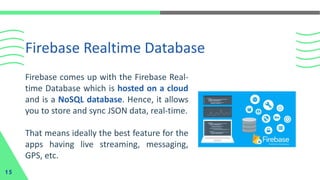
Firebase comes up with the Firebase Real-
time Database which is hosted on a cloud
and is a NoSQL database. Hence, it allows
you to store and sync JSON data, real-time.
That means ideally the best feature for the
apps having live streaming, messaging,
GPS, etc.
1. Works not just online, but even when the users
are offline to store the changes and sync it
whenever the users come online
2. Firebase Real-time Database integrates well
with the Firebase Authentication that helps
build simple and intuitive security model for the
developers like you
Benefits of Firebase Realtime
Database
16
3. You don’t need to use servers to build the apps
because the Firebase Real-time Database
allows it with mobile and web SDKs
4. Real-time data syncing is possible across any
device with the Firebase Real-time database
Benefits of Firebase Realtime
Database (Cont.)
17
Firebase
Authentication
Authentication has been always crucial since we used to
develop using C, C#, and C++. Firebase brings a highly
secure authentication system that improves the user
experience while they sign-up and sign-in.
18
Benefits of Firebase Authentication
19
1. Write no more than 10 lines of code to build the app
authentication using Firebase
2. Firebase Authentication allows sign-in using email & password,
phone authentication, Google, Facebook, Twitter, Github login,
and much more
3. FirebaseUI can help you customize the UI of the users signing up
and signing in
4. Firebase Authentication is super secure as it has developed by
none other than Google’s sign-in team
Benefits of Firebase Authentication
(Cont.)
20
1. Write no more than 10 lines of code to build the app
authentication using Firebase
2. Firebase Authentication allows sign-in using API: email &
password, phone authentication, Google, Facebook, Twitter,
Github login, and much more
3. FirebaseUI can help you customize the UI of the users signing up
and signing in
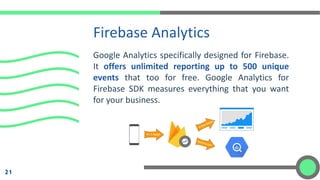
Google Analytics specifically designed for Firebase.
It offers unlimited reporting up to 500 unique
events that too for free. Google Analytics for
Firebase SDK measures everything that you want
for your business.
Firebase Analytics
21
Benefits of Firebase
Analytics
1. Track and measure each user insights for all the
devices: Web, Android, and iOS
2. Everything from demographics, app engagement,
retention to average in-app purchase revenues are
gathered in one place
3. Advertising across various channels can be tracked
and analyzed for further optimization of ads is
possible with Firebase Google Analytics
22
How to Setup Firebase?
23
Step 1: Include some javascript in your Index.html page
Step 2: Initialize Firebase using below code in your Index.html page
Step 3: Include firebase reference in app.js file.
Step 4: Now you are ready for performing database action using
firebase
Thank You, and
Good Luck on
Your next Journey
Andi Nurkholis, S.Kom, M.Kom
24 December 2021
Faculty of Engineering and Computer Science
Teknokrat Indonesia University

Mobile Programming - 10 Firebase

  • 1.
    Mobile Programming Andi Nurkholis, S.Kom,M.Kom 24 December 2021 Faculty of Engineering and Computer Science Teknokrat Indonesia University
  • 2.
  • 3.
    Firebase Firebase is atoolset to build, improve, and grow your app, and the tools it gives you cover a large portion of the services that developers would normally have to build themselves, but don’t really want to build, because they’d rather be focusing on the app experience itself. 3
  • 4.
    Firebase Firebase feature includesthings like analytics, authentication, databases, configuration, file storage, push messaging, and the list goes on. The services are hosted in the cloud, and scale with little to no effort on the part of the developer 4
  • 5.
    Why Firebase hasGained Popularity? 5 In the initial years, Firebase was successful over many of its other alternatives. But, it started losing popularity when it was compared with MongoDB. Though MongoDB and Firebase offer different functionalities and have a different purpose to serve. The previous one is a database management system and the latter one is a model to sync, real-time data on the cloud and manages the user engagement for the clients’ mobile app.
  • 6.
    What is TheUse of Google Firebase? 6 1. Firebase manages all data real-time in the database. So, the exchange of data to and fro from the database is easy and quick. Hence, if you are looking to develop mobile apps such as live streaming, chat messaging, etc., you can use Firebase.
  • 7.
    What is TheUse of Google Firebase? (Cont.) 7 2. Firebase allow syncing the real-time data across all the devices: Android, iOS, and the web without refreshing the screen
  • 8.
    What is TheUse of Google Firebase? (Cont.) 8 3. Firebase offers integration to Google Ads, AdMob, DoubleClick, Play Store, Data Studio, BigQuery, and Slack, to make your app development with efficient and accurate management and maintenance
  • 9.
    What is TheUse of Google Firebase? (Cont.) 9 4. Everything from databases, analytics to crashing reports are included in Firebase. So, the app development teams can stay focused on improving the user experience
  • 10.
    What are TheBenefits of Firebase? 1. Create Application without backend server 2. No need extra money spent for backend server 3. Sync real time data in the application 4. Quick display data in the application 5. Faster then any backend web services 10
  • 11.
    What are TheBenefits of Firebase? (Cont.) 6. No SQL database so it is more faster 7. You can provide any social networking login with very few lines code 8. Push notification, Analytics, Crash reports 9. Cloud storage 11
  • 12.
    What are TheMajor Features of Firebase? 12 1. Firebase Cloud Storage 2. Firebase Realtime Database 3. Firebase Authentication 4. Firebase Analytics and Crash Reports
  • 13.
    Firebase Cloud Storageallows the mobile app users to store their photos and videos on the cloud. Google brought Firebase Cloud Storage in integration with Firebase SDK, which allows the users to store the file within a fraction of time in the cloud. Firebase Cloud Storage 13
  • 14.
    Benefits of Firebase CloudStorage 1. Automated pause and resume functionalities for uploading and downloading the files offline and online 2. This saves users time and improves the bandwidth 3. Firebase Cloud Storage integrates with Firebase Authentication to offer a secured environment for the end users 14
  • 15.
    Firebase Realtime Database 15 Firebasecomes up with the Firebase Real- time Database which is hosted on a cloud and is a NoSQL database. Hence, it allows you to store and sync JSON data, real-time. That means ideally the best feature for the apps having live streaming, messaging, GPS, etc.
  • 16.
    1. Works notjust online, but even when the users are offline to store the changes and sync it whenever the users come online 2. Firebase Real-time Database integrates well with the Firebase Authentication that helps build simple and intuitive security model for the developers like you Benefits of Firebase Realtime Database 16
  • 17.
    3. You don’tneed to use servers to build the apps because the Firebase Real-time Database allows it with mobile and web SDKs 4. Real-time data syncing is possible across any device with the Firebase Real-time database Benefits of Firebase Realtime Database (Cont.) 17
  • 18.
    Firebase Authentication Authentication has beenalways crucial since we used to develop using C, C#, and C++. Firebase brings a highly secure authentication system that improves the user experience while they sign-up and sign-in. 18
  • 19.
    Benefits of FirebaseAuthentication 19 1. Write no more than 10 lines of code to build the app authentication using Firebase 2. Firebase Authentication allows sign-in using email & password, phone authentication, Google, Facebook, Twitter, Github login, and much more 3. FirebaseUI can help you customize the UI of the users signing up and signing in 4. Firebase Authentication is super secure as it has developed by none other than Google’s sign-in team
  • 20.
    Benefits of FirebaseAuthentication (Cont.) 20 1. Write no more than 10 lines of code to build the app authentication using Firebase 2. Firebase Authentication allows sign-in using API: email & password, phone authentication, Google, Facebook, Twitter, Github login, and much more 3. FirebaseUI can help you customize the UI of the users signing up and signing in
  • 21.
    Google Analytics specificallydesigned for Firebase. It offers unlimited reporting up to 500 unique events that too for free. Google Analytics for Firebase SDK measures everything that you want for your business. Firebase Analytics 21
  • 22.
    Benefits of Firebase Analytics 1.Track and measure each user insights for all the devices: Web, Android, and iOS 2. Everything from demographics, app engagement, retention to average in-app purchase revenues are gathered in one place 3. Advertising across various channels can be tracked and analyzed for further optimization of ads is possible with Firebase Google Analytics 22
  • 23.
    How to SetupFirebase? 23 Step 1: Include some javascript in your Index.html page Step 2: Initialize Firebase using below code in your Index.html page Step 3: Include firebase reference in app.js file. Step 4: Now you are ready for performing database action using firebase
  • 24.
    Thank You, and GoodLuck on Your next Journey Andi Nurkholis, S.Kom, M.Kom 24 December 2021 Faculty of Engineering and Computer Science Teknokrat Indonesia University