

Android·Oreo·
Behind Scenes¬
What’s new in Android 8.0 for
developers?, October 2017
Erik Jhordan Rey
Android Software Engineer
erik.gonzalez@schibsted.com
@ErikJhordan_Rey
github.com/erikcaffrey
https://goo.gl/viyxDx
Android Platform
Summary¬
Official support
of Kotlin on
Android¬ Kotlin
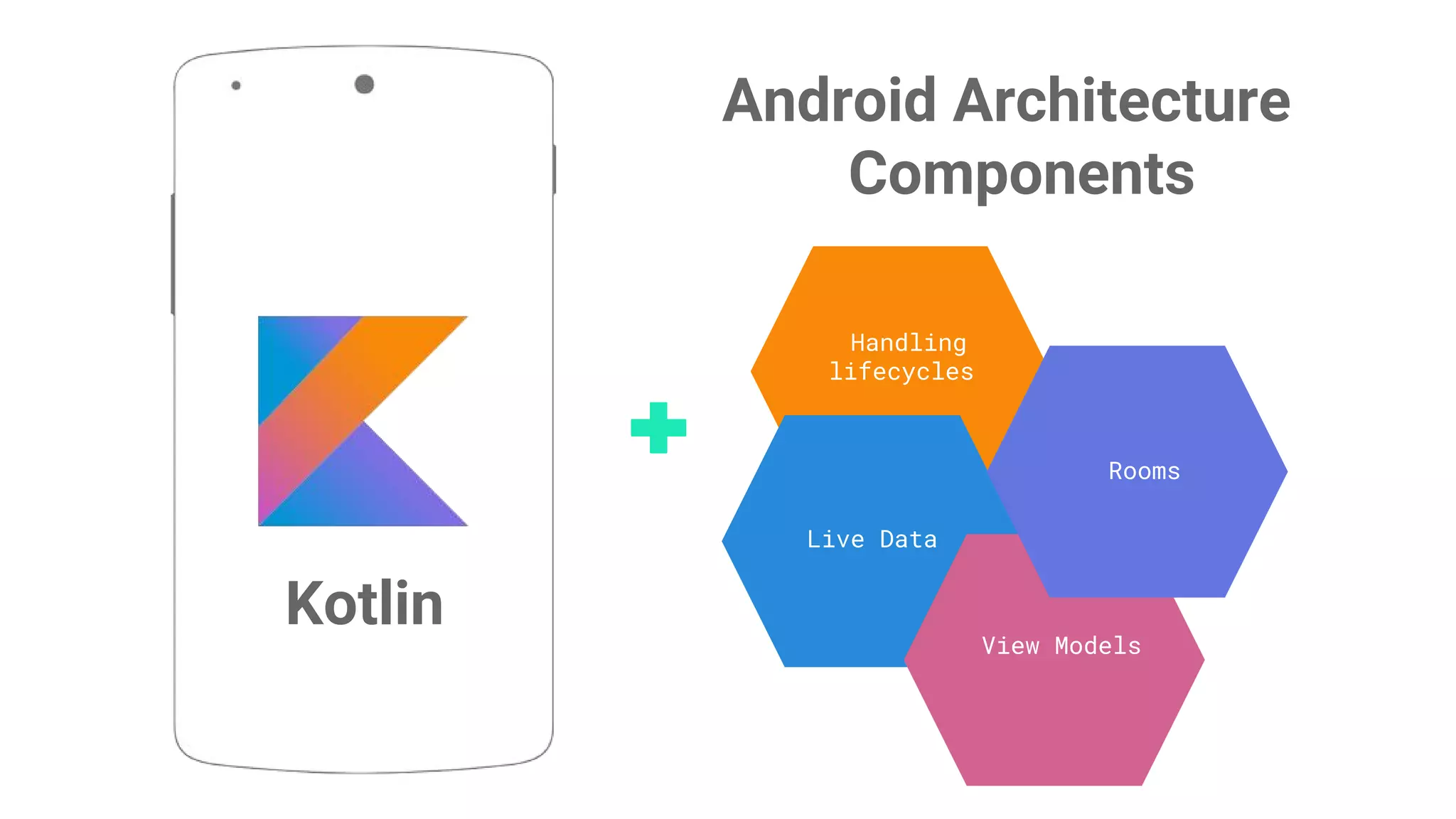
Architecture
Components ¬
Proprietary + Confidential
Handling
lifecycles
Live Data
View Models
Rooms
Android Architecture
Components
Kotlin
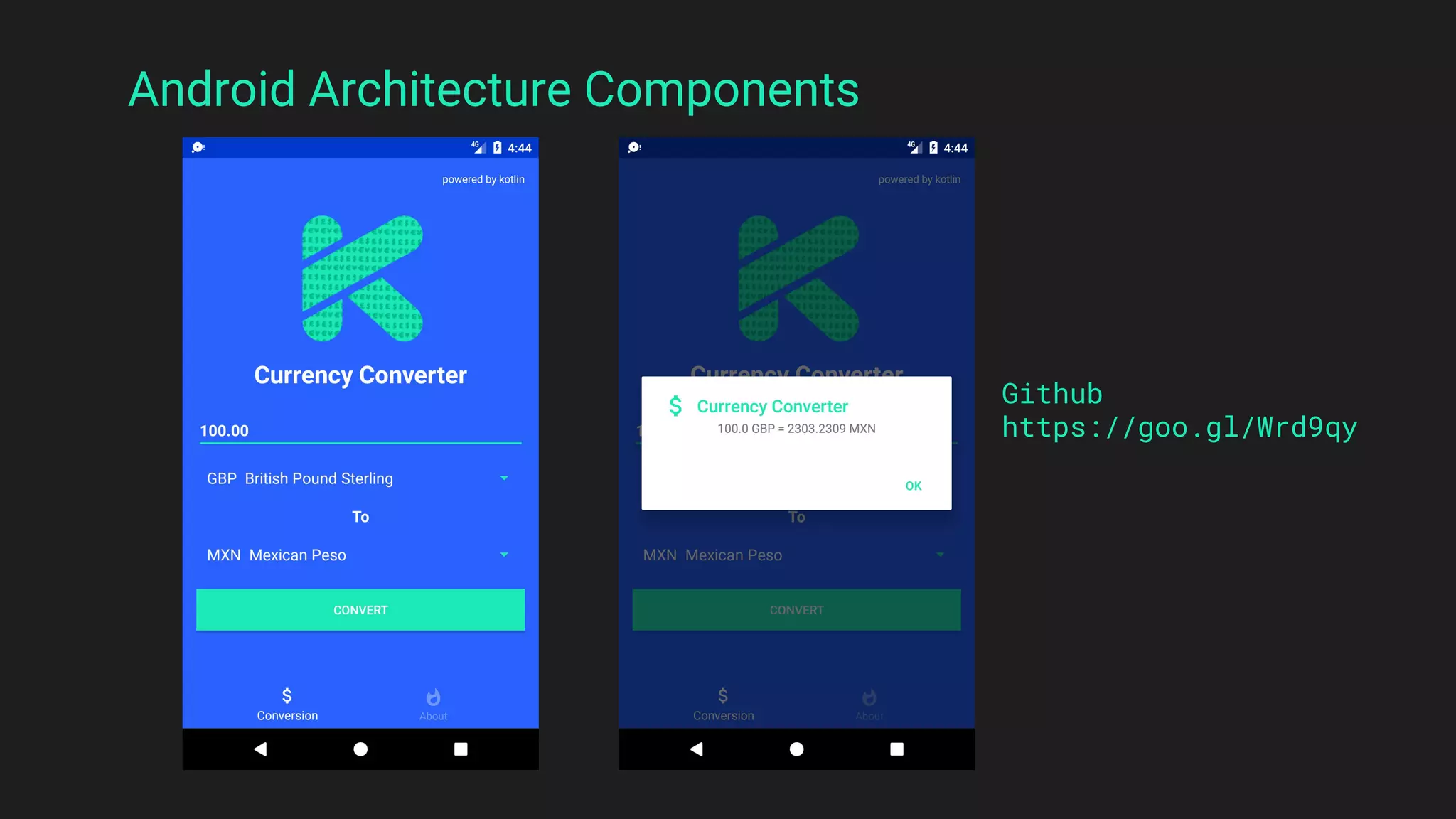
Sample¬
Github
https://goo.gl/Wrd9qy
Android Architecture Components
Android Studio 3 ¬
Android Studio 3.0 ¬
What's New in
Android Oreo for
Developers?
dependencies {
implementation "com.android.support:appcompat-v7:27.0.0"
}
Fonts ¬
Light 112 sp
Regular 56 sp
Thin 45 sp
Bold 34 sp
Mono 24 sp
Black 20 sp
Fonts in·XML¬
Lets you use fonts as resources. You can add the font file in the res/font/ folder
to bundle fonts as resources.
These fonts are compiled in your R file and to access a font resource, use
@font/myfont, or R.font.myfont.
Downloadable·Fonts¬
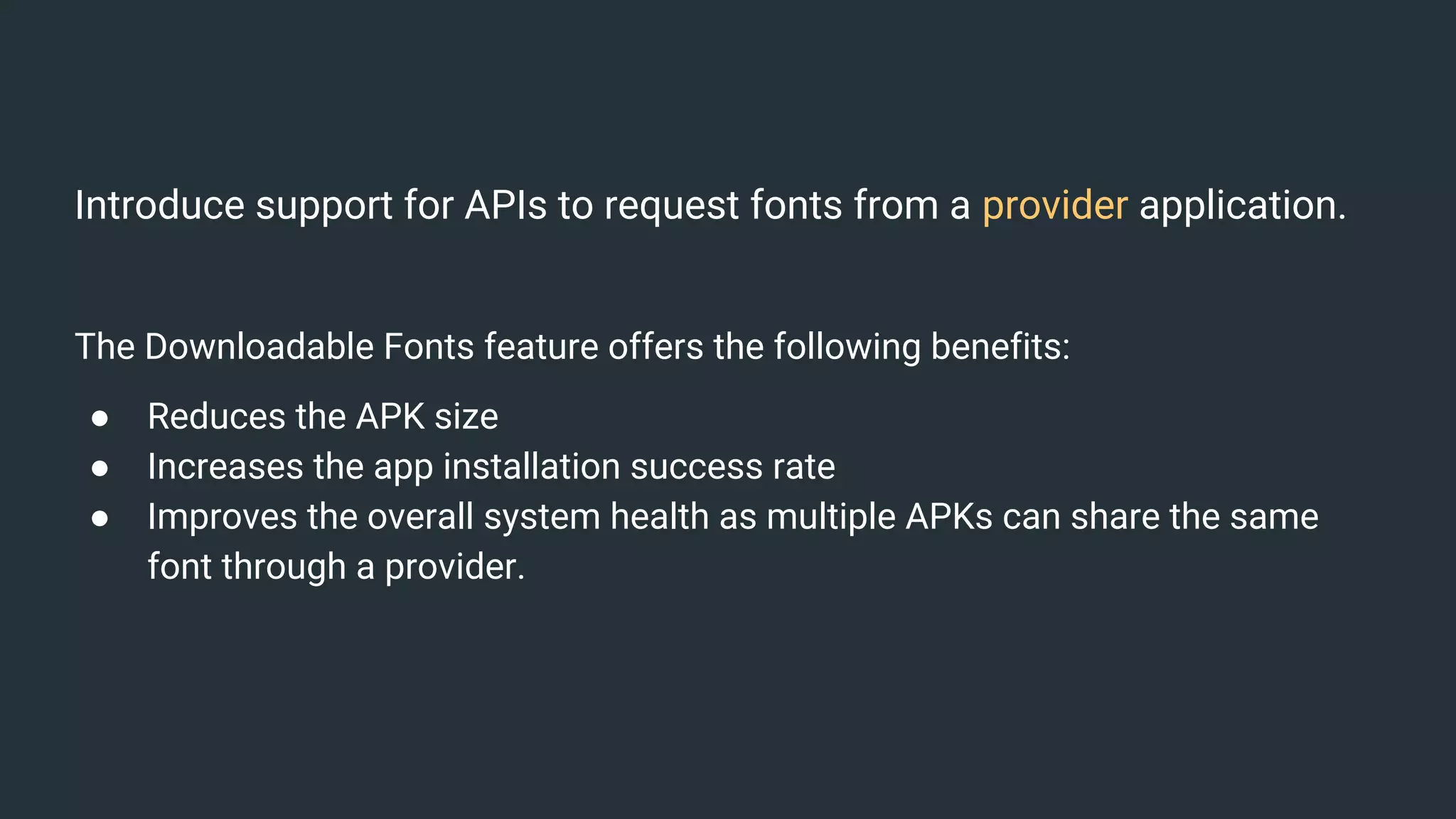
Introduce support for APIs to request fonts from a provider application.
The Downloadable Fonts feature offers the following benefits:
● Reduces the APK size
● Increases the app installation success rate
● Improves the overall system health as multiple APKs can share the same
font through a provider.
A font provider is an application that retrieves fonts and
caches them locally.
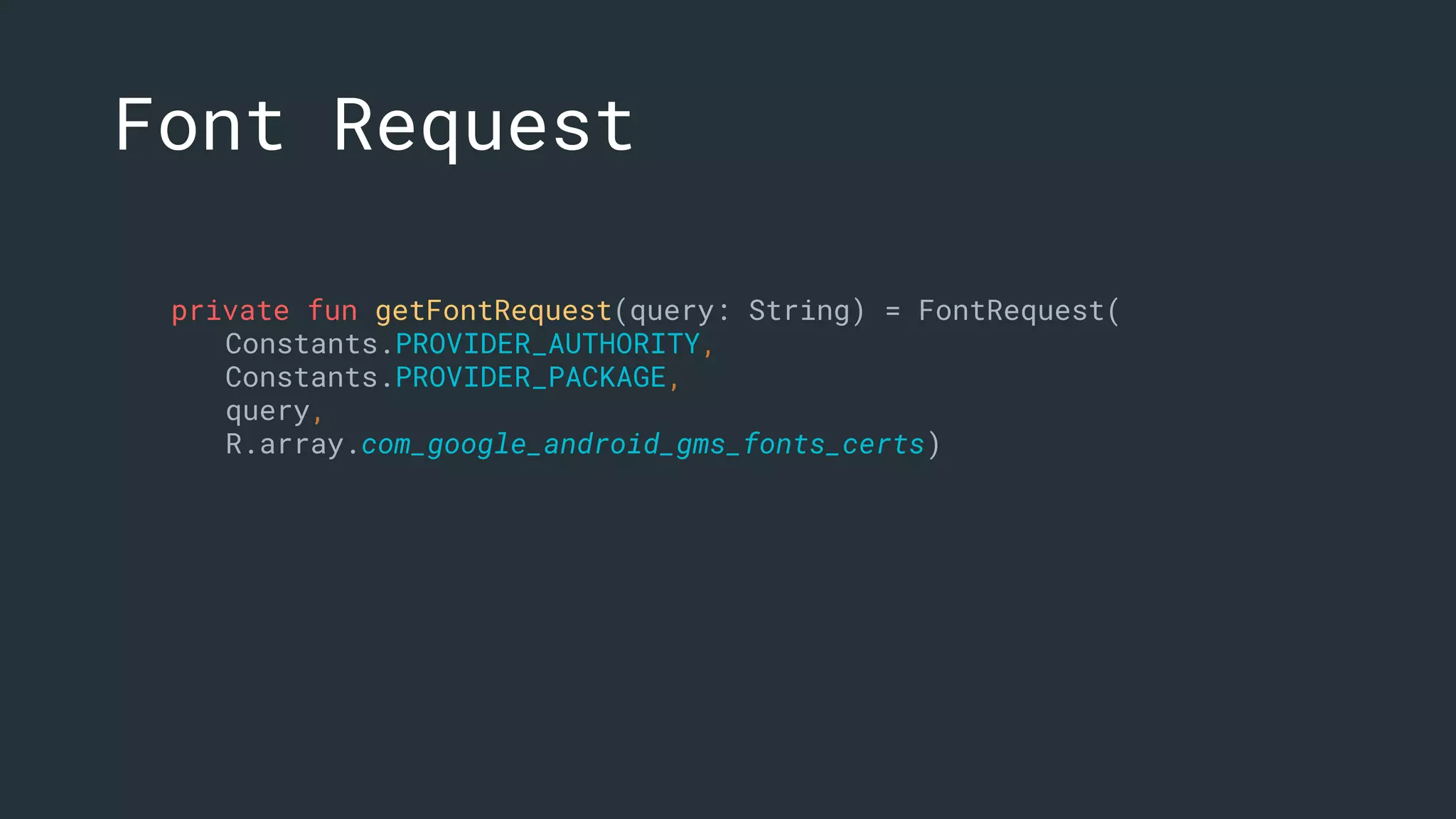
private fun getFontRequest(query: String) = FontRequest(
Constants.PROVIDER_AUTHORITY,
Constants.PROVIDER_PACKAGE,
query,
R.array.com_google_android_gms_fonts_certs)
Font Request
Font Request Callback
private fun getFontRequestCallback() = object :
FontsContractCompat.FontRequestCallback() {
override fun onTypefaceRetrieved(typeface: Typeface?) {
super.onTypefaceRetrieved(typeface)
text_font_disclaimer.typeface = typeface
}
override fun onTypefaceRequestFailed(reason: Int) {
super.onTypefaceRequestFailed(reason)
Log.e(FontsFragment::class.java.simpleName, "An Error Occurred: " + reason)
}
}
private fun getHandler(): Handler {
val handlerThread = HandlerThread("fonts")
handlerThread.start()
return Handler(handlerThread.looper)
}
Handler
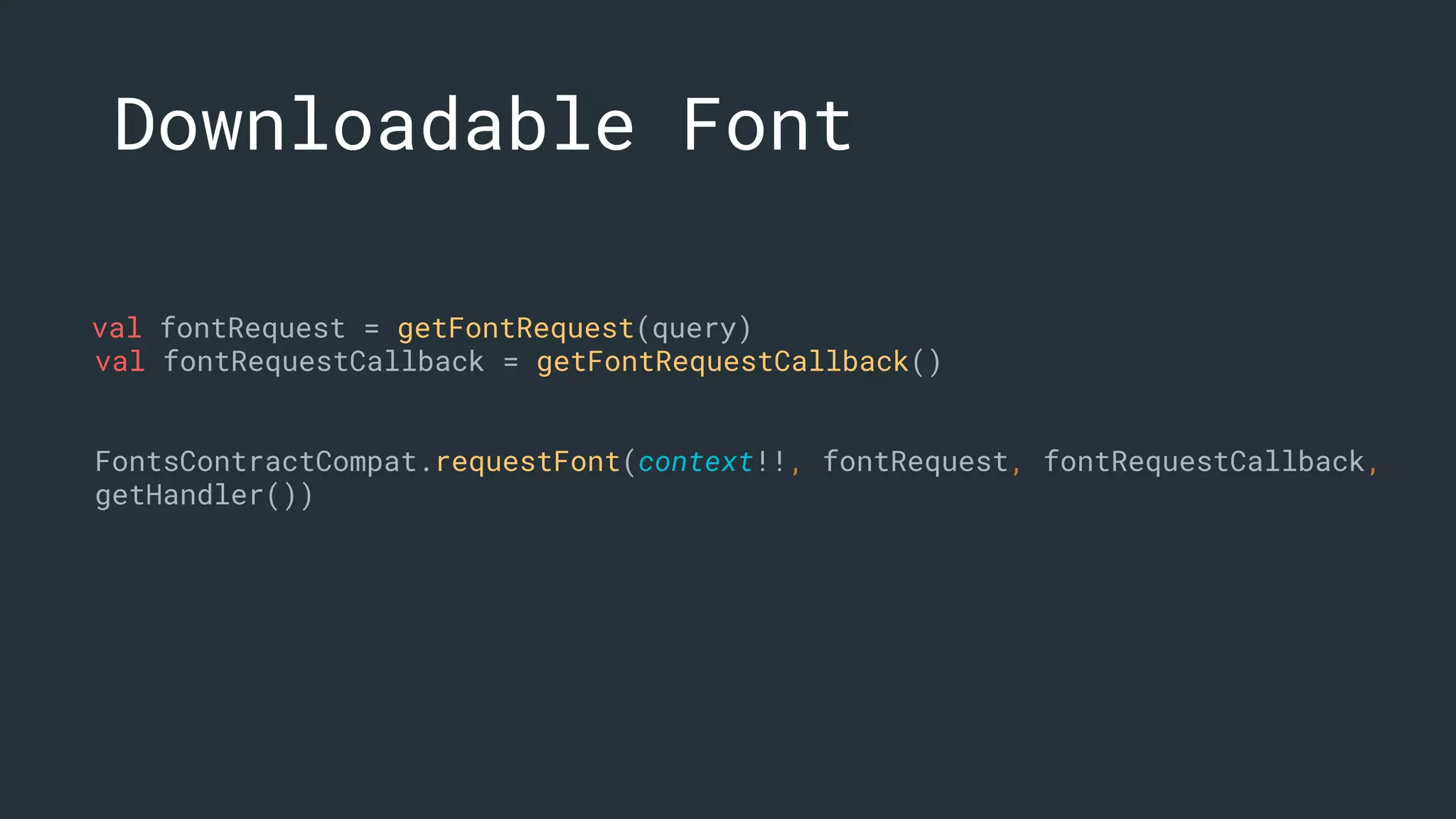
val fontRequest = getFontRequest(query)
val fontRequestCallback = getFontRequestCallback()
FontsContractCompat.requestFont(context!!, fontRequest, fontRequestCallback,
getHandler())
Downloadable Font
Fonts
● Downloadable Fonts XML
● Downloadable Fonts
Programmatically
Emoji · Compatibility ¬
EmojiCompat¬
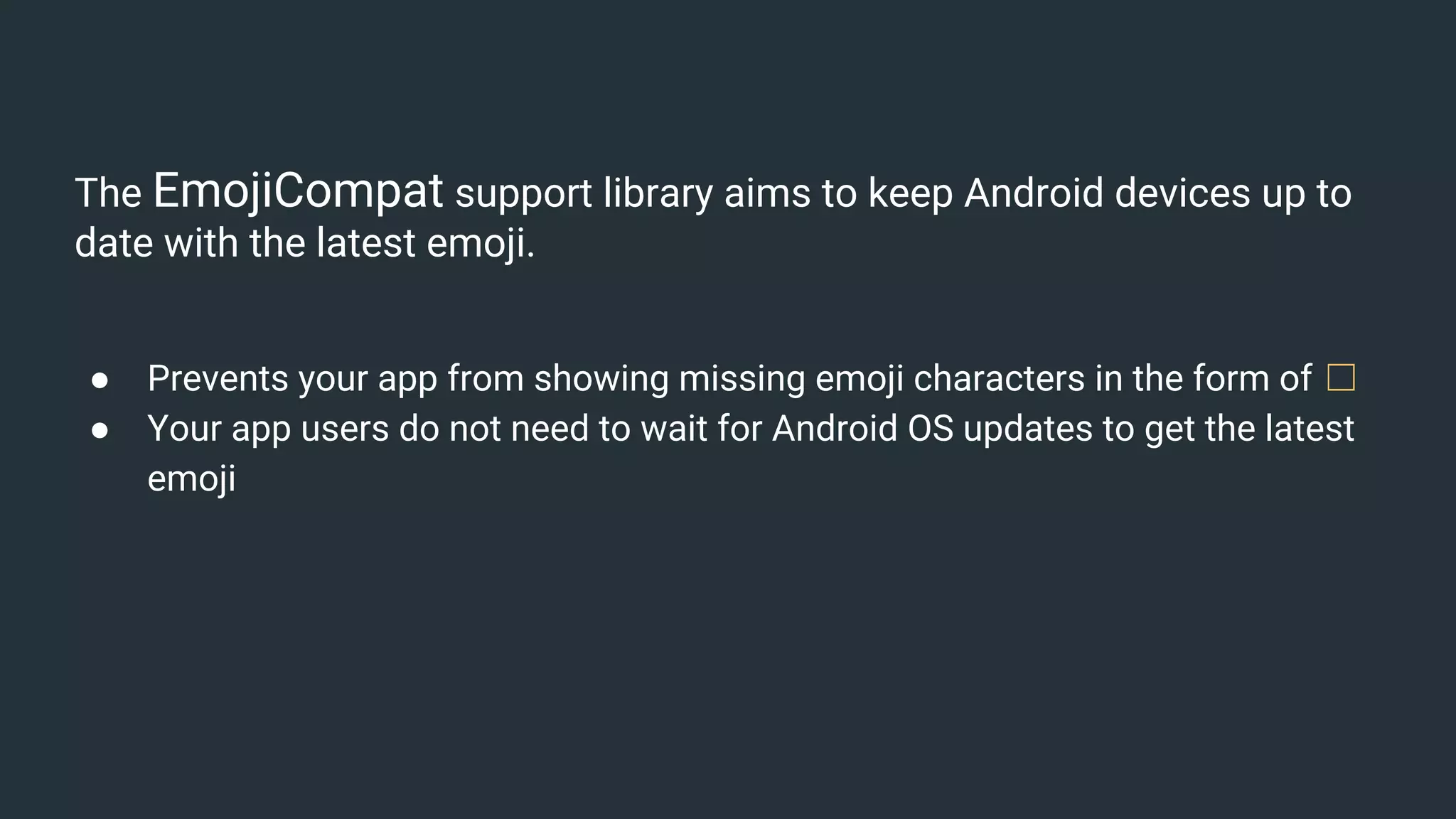
The EmojiCompat support library aims to keep Android devices up to
date with the latest emoji.
● Prevents your app from showing missing emoji characters in the form of ☐
● Your app users do not need to wait for Android OS updates to get the latest
emoji
EmojiCompat identifies emoji for a given CharSequence, replaces them
with EmojiSpans, if required, and finally renders the emoji glyphs.
Note: backward-compatible emoji support on devices running Android 4.4 (API level 19) and higher
dependencies {
implementation "com.android.support:support-emoji:$version"
}
<android.support.text.emoji.widget.EmojiTextView
android:layout_width="wrap_content"
android:layout_height="wrap_content"/>
<android.support.text.emoji.widget.EmojiEditText
android:layout_width="wrap_content"
android:layout_height="wrap_content"/>
<android.support.text.emoji.widget.EmojiButton
android:layout_width="wrap_content"
android:layout_height="wrap_content"/>
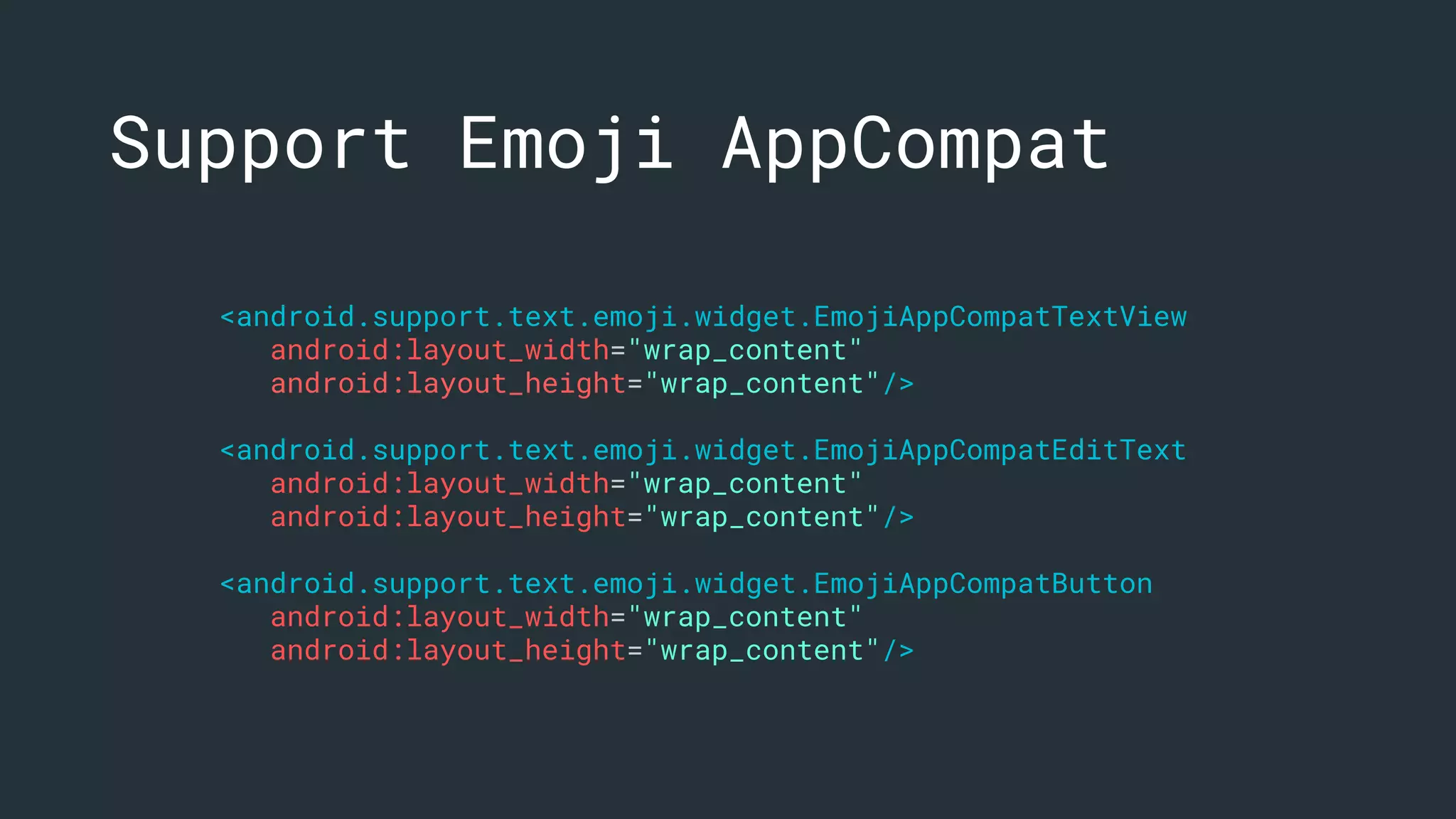
Support Emoji
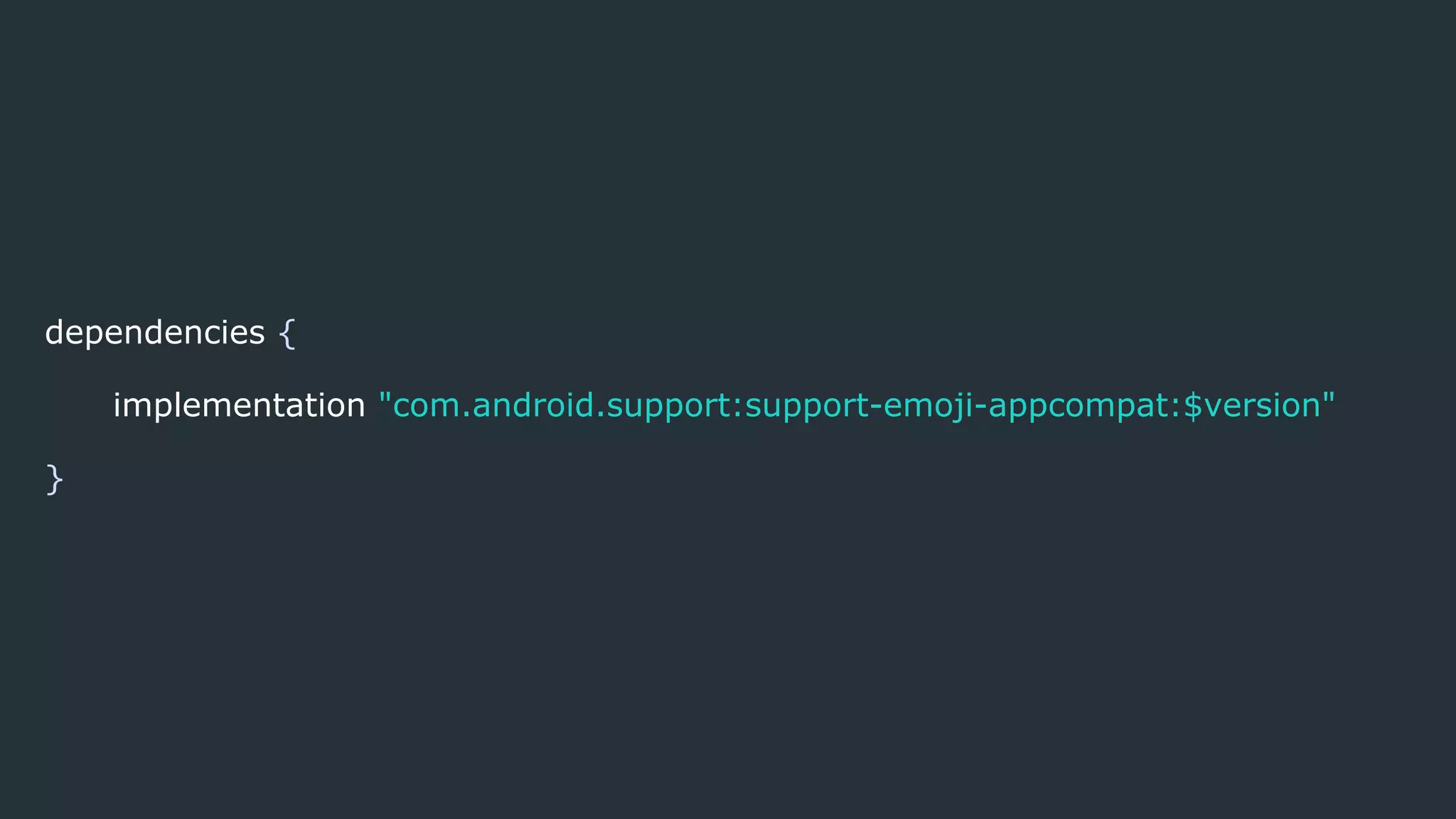
dependencies {
implementation "com.android.support:support-emoji-appcompat:$version"
}
<android.support.text.emoji.widget.EmojiAppCompatTextView
android:layout_width="wrap_content"
android:layout_height="wrap_content"/>
<android.support.text.emoji.widget.EmojiAppCompatEditText
android:layout_width="wrap_content"
android:layout_height="wrap_content"/>
<android.support.text.emoji.widget.EmojiAppCompatButton
android:layout_width="wrap_content"
android:layout_height="wrap_content"/>
Support Emoji AppCompat
EmojiCompat Regular Widgets
Use EmojiCompat.get().process(text) to add EmojiSpans if
any emoji are found.
The code above should be inside of an implementation of
InitCallback.
Listen the initialization of EmojiCompat
EmojiCompat.get().registerInitCallback(initCallback)
class EmojiTextViewCallback constructor(regularTextView: TextView, val text:
String) : EmojiCompat.InitCallback() {
private val regularTextViewReference: WeakReference<TextView> =
WeakReference(regularTextView)
override fun onInitialized() {
super.onInitialized()
val regularTextView = regularTextViewReference.get()
regularTextView!!.text = EmojiCompat.get().process(text)
}
override fun onFailed(throwable: Throwable?) {
super.onFailed(throwable)
throwable!!.printStackTrace()
}
}
EmojiTextViewCallback
val emojiTextViewCallback = EmojiTextViewCallback(text_emoji_regular,
getString(R.string.emoji_regular_text, MONKEYS_EMOJI))
EmojiCompat.get().registerInitCallback(emojiTextViewCallback)
Using EmojiTextViewCallback
Using EmojiCompat with custom
widgets
EmojiTextViewHelper
EmojiEditTextHelper
CustomEmojiTextView.kt
Emoji Bundled·
or downloadable¬
Downloadable fonts
The downloadable fonts configuration uses the Downloadable Fonts support
library feature to download an emoji font
Bundled fonts
This package includes the font with the embedded metadata
dependencies {
implementation "com.android.support:support-emoji-bundled:$version"
}
class YourApplication : Application() {
override fun onCreate() {
super.onCreate()
val config: EmojiCompat.Config
if (Constants.ENABLE_BUNDLED_EMOJI) {
// bundled
config = BundledEmojiCompatConfig(applicationContext)
} else {
// downloadable
val fontRequest = FontRequest(
Constants.PROVIDER_AUTHORITY,
Constants.PROVIDER_PACKAGE,
Constants.FONT_QUERY,
R.array.com_google_android_gms_fonts_certs)
config = FontRequestEmojiCompatConfig(this, fontRequest)
.setReplaceAll(true)
.setEmojiSpanIndicatorEnabled(false)
.setEmojiSpanIndicatorColor(Color.MAGENTA)
}
EmojiCompat.init(config)
}
}
Using EmojiCompat
Bundled or
Downloadable
EmojiCompat
● EmojiAppCompatEditText
● EmojiAppCompatTextView
● EmojiAppCompatButton
● EmojiRegular
● EmojiCustomView
TextVie
W auto-
sizing
TextView
regular
Autosizing
TextView ¬
Allows you to instruct a TextView to let the text size expand or contract
automatically to fill its layout based on the TextView's characteristics and
boundaries.
Autosizing
There are three ways you can set up the autosizing of TextView:
● Default
● Granularity
● Preset Sizes
Note: The library provides support to Android 4.0 (API level 14) and higher. The android.support.v4.widget package contains
the TextViewCompat.
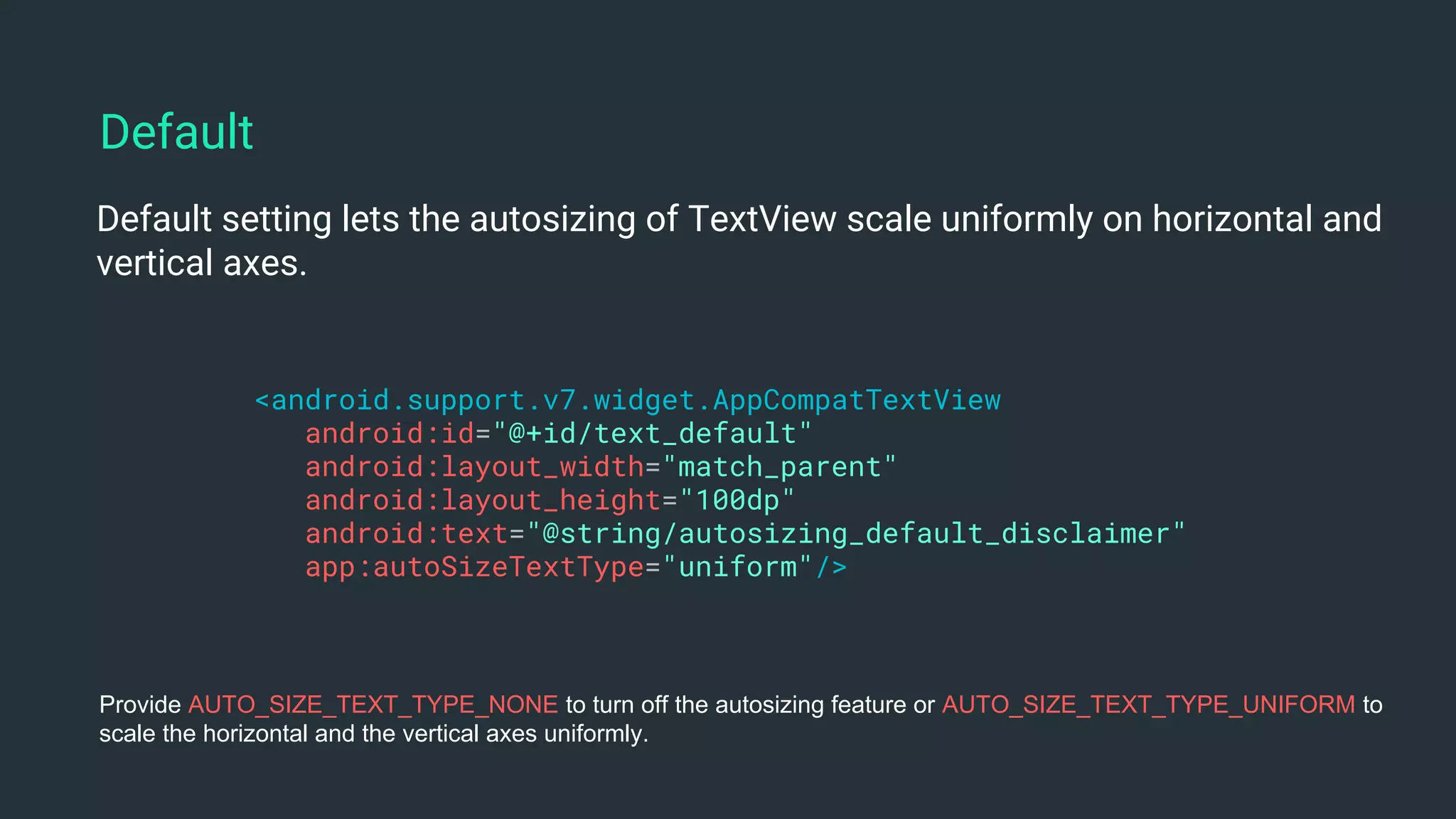
Default¬
Default setting lets the autosizing of TextView scale uniformly on horizontal and
vertical axes.
<android.support.v7.widget.AppCompatTextView
android:id="@+id/text_default"
android:layout_width="match_parent"
android:layout_height="100dp"
android:text="@string/autosizing_default_disclaimer"
app:autoSizeTextType="uniform"/>
Default
Provide AUTO_SIZE_TEXT_TYPE_NONE to turn off the autosizing feature or AUTO_SIZE_TEXT_TYPE_UNIFORM to
scale the horizontal and the vertical axes uniformly.
Granularity¬
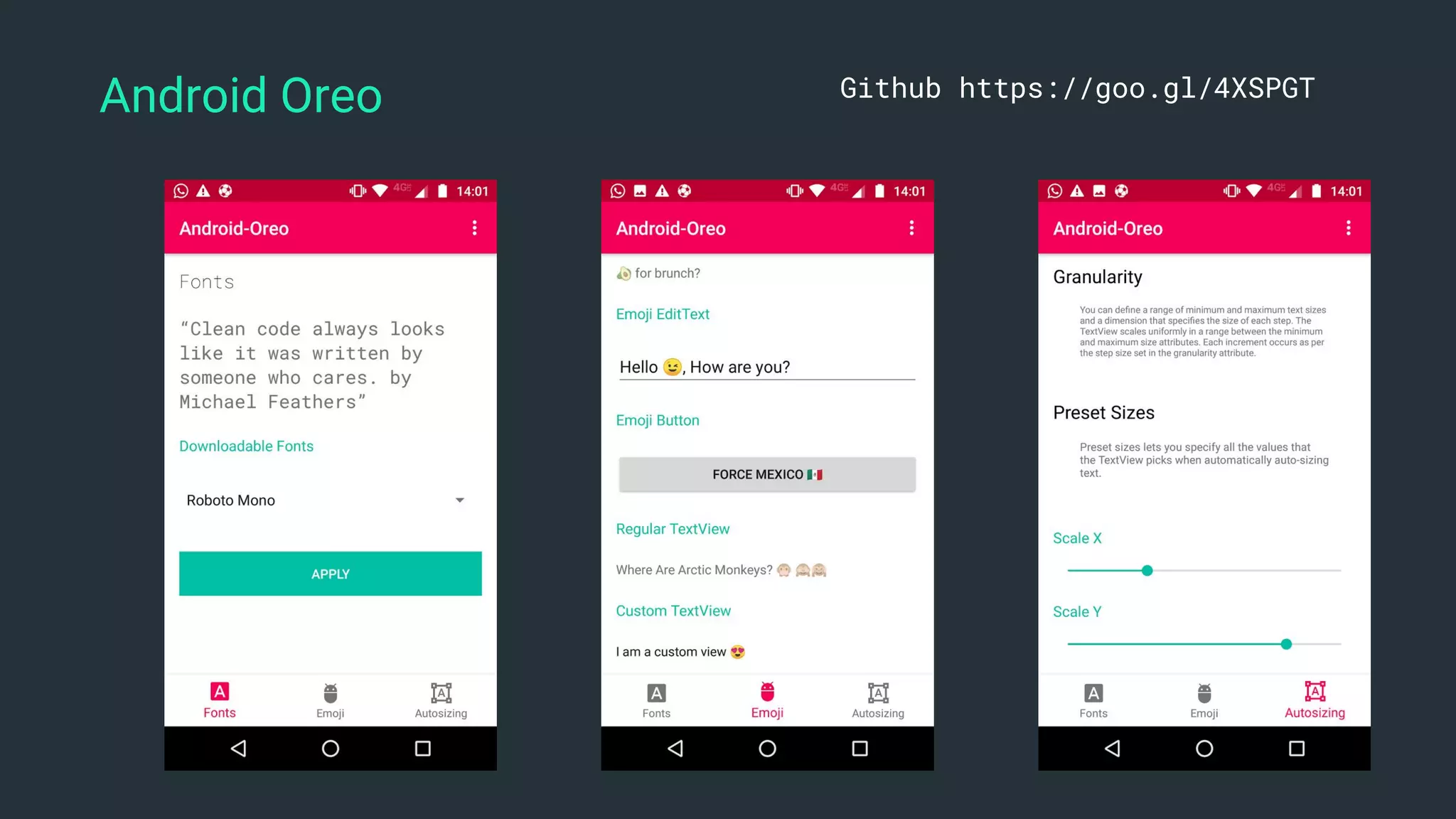
You can define a range of minimum and maximum text sizes and a dimension
that specifies the size of each step. The TextView scales uniformly in a range
between the minimum and maximum size attributes. Each increment occurs as
per the step size set in the granularity attribute.
<android.support.v7.widget.AppCompatTextView
android:id="@+id/text_default"
android:layout_width="match_parent"
android:layout_height="100dp"
android:text="@string/autosizing_granularity_disclaimer"
app:autoSizeMaxTextSize="34sp"
app:autoSizeMinTextSize="10sp"
app:autoSizeStepGranularity="2sp"
app:autoSizeTextType="uniform"/>
Granularity
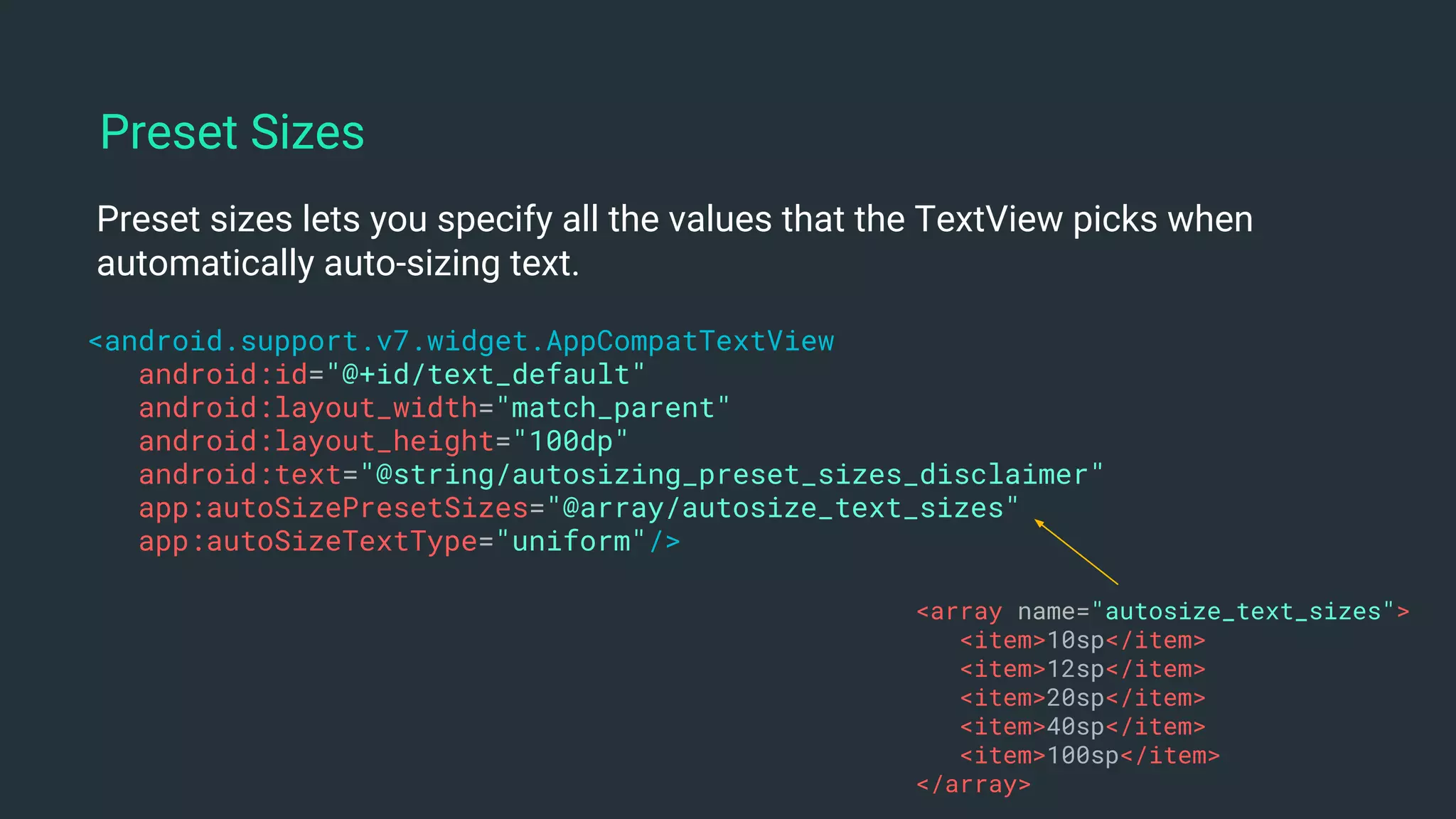
Preset Sizes¬
Preset sizes lets you specify all the values that the TextView picks when
automatically auto-sizing text.
<android.support.v7.widget.AppCompatTextView
android:id="@+id/text_default"
android:layout_width="match_parent"
android:layout_height="100dp"
android:text="@string/autosizing_preset_sizes_disclaimer"
app:autoSizePresetSizes="@array/autosize_text_sizes"
app:autoSizeTextType="uniform"/>
Preset Sizes
<array name="autosize_text_sizes">
<item>10sp</item>
<item>12sp</item>
<item>20sp</item>
<item>40sp</item>
<item>100sp</item>
</array>
AutoSizingExt¬
Kotlin Extension to facilitate the usage of AutoSizing on
AppCompatTextView
AutoSizingExt.kt
Autosizing TextView
● Default
● Granularity
● Preset Size
Adaptive
Icons
Adaptive launcher icons, which can display a variety of shapes across
different device models.
You can control the look of your adaptive launcher icon by defining 2
layers, consisting of a background and a foreground. You must provide
icon layers as drawables without masks or background shadows around
the outline of the icon.
Adaptive Icons
<adaptive-icon xmlns:android="http://schemas.android.com/apk/res/android">
<background android:drawable="@drawable/ic_launcher_background" />
<foreground android:drawable="@mipmap/ic_launcher_foreground" />
</adaptive-icon>
<application…
android:icon="@mipmap/ic_launcher"
android:roundIcon="@mipmap/ic_launcher_round"
…>
</application>
Adaptive Icons
res/mipmap-anydpi-v26
Adaptive Icon
Picture-in-Picture
Picture in Picture·
Support¬
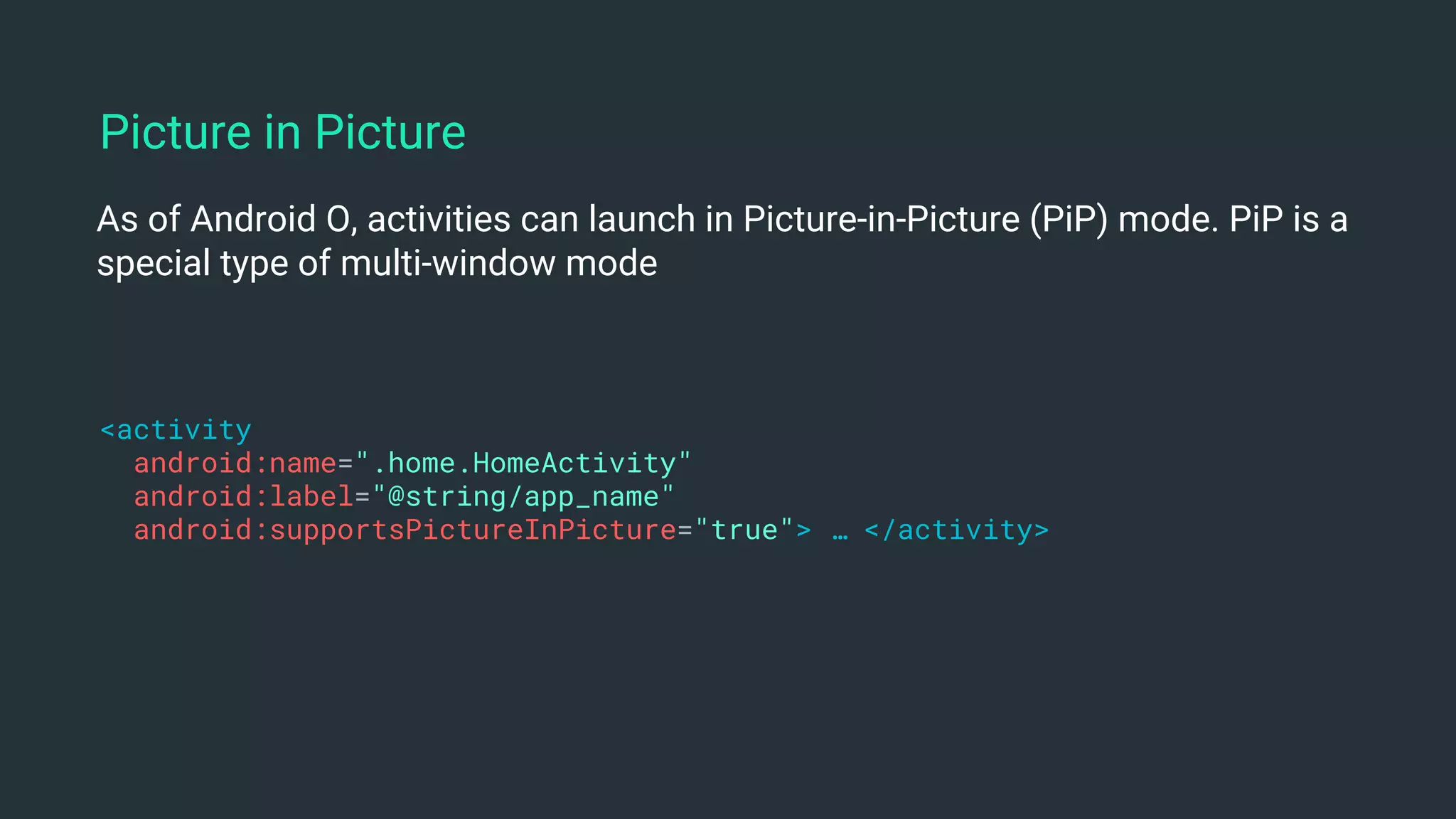
As of Android O, activities can launch in Picture-in-Picture (PiP) mode. PiP is a
special type of multi-window mode
<activity
android:name=".home.HomeActivity"
android:label="@string/app_name"
android:supportsPictureInPicture="true"> … </activity>
Picture in Picture
private fun setPictureInPicture() {
if (Build.VERSION.SDK_INT >= Build.VERSION_CODES.O) {
val pictureInPictureParamsBuilder = PictureInPictureParams.Builder()
val aspectRatio = Rational(1200, 600)
pictureInPictureParamsBuilder.setAspectRatio(aspectRatio).build()
enterPictureInPictureMode(pictureInPictureParamsBuilder.build())
}
}
Picture in Picture Mode
Handling UI during Picture in Picture
override fun onPictureInPictureModeChanged(isInPictureInPictureMode:
Boolean, newConfig: Configuration?) {
super.onPictureInPictureModeChanged(isInPictureInPictureMode, newConfig)
if (isInPictureInPictureMode) {
println("Picture-in-picture mode")
} else {
println("Restore the full-screen UI")
}
}
Picture-in-Picture
Publishing apps that
target API 27 ¬
● You want to target API level 27, you’ll need to support the behavior changes
introduced in Android 8.0 Oreo, such as background execution limits,
location limits, and others.
● Once you publish an app with targetSdkVersion set to 23 or higher, you can't
later publish a version of the app with a higher versionCode that targets 22
or lower.
Google Play that target API level 27
Android Oreo ¬https://developer.android.com/about/versions/oreo/index.html
Sample¬
Android Oreo Github https://goo.gl/4XSPGT
https://speakerdeck.com/erikcaffrey
Questions?
Find me
github.com/erikcaffrey
erik.gonzalez@schibsted.com
erikcaffrey.github.io
@ErikJhordan_Rey
+Erik Jhordan Rey
Thank You ·
Mobile Day ¬

Mobile Day - Novedades en Android Oreo