Network securityis the practice of protecting a computer network from
unauthorized access, misuse, or theft. It involves various tools and techniques
designed to safeguard data, devices, and networked systems
Network security is essential for protecting sensitive data, ensuring
operational continuity, and maintaining user trust. It prevents unauthorized
access, data breaches, and cyberattacks that could harm an organization.
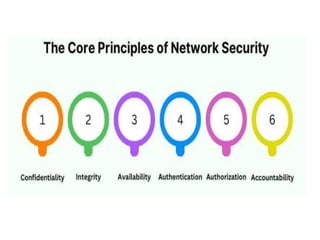
Key principles of network security confidentiality, integrity, availability
(often remembered by the acronym CIA), and other critical elements like
authentication, authorization, and accountability. Each principle plays a
distinct role in safeguarding information and preventing unauthorized access
or breaches.
3.
Understanding the CorePrinciples of Network Security
The foundations of network security are rooted in a few core principles,
each addressing a critical area of vulnerability. By implementing these
principles, organizations can create a resilient network infrastructure.
1. Confidentiality
Confidentiality is about ensuring that sensitive information is accessible
only to authorized users. In a networked environment, numerous
devices and users may have access to a variety of information, and it’s
essential to safeguard data from prying eyes. Common strategies to
maintain confidentiality include:
4.
Encryption: By encryptingdata, organizations ensure that even if intercepted,
the data cannot be understood without the proper decryption key.
Access Controls: Implementing strict access controls, such as passwords,
biometric verification, and multi-factor authentication, limits data access to
verified users only.
Network Segmentation: Dividing a network into smaller, isolated segments
prevents unauthorized access to sensitive parts of the network.
By focusing on confidentiality, network security aims to protect privacy and
sensitive information, reducing the risk of data leakage or unauthorized
disclosures.
5.
Example 1: DataEncryption
Scenario: A healthcare provider stores patient medical records in a database.
Implementation: The provider uses encryption to protect these records. When a
doctor accesses a patient's file, the data is decrypted for viewing, but it remains
encrypted in storage.
Outcome: Even if an unauthorized person gains access to the database, they
cannot read the encrypted files without the decryption key.
Example 2: Access Control Lists (ACLs)
Scenario: A company has a shared folder containing sensitive financial
documents.
Implementation: The IT department sets up access control lists that grant access
only to specific employees in the finance department.
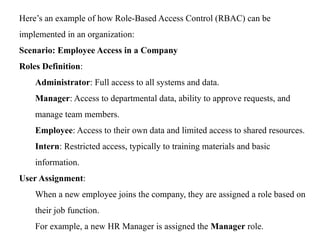
6.
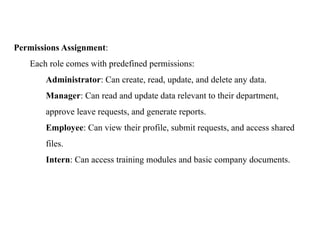
Outcome: Only authorizedpersonnel can view or edit the financial documents,
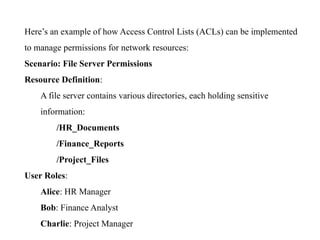
ensuring that confidential information is not leaked to unauthorized employees.
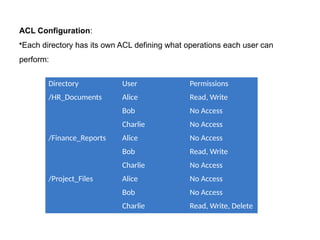
Example 3: Secure Communication Channels
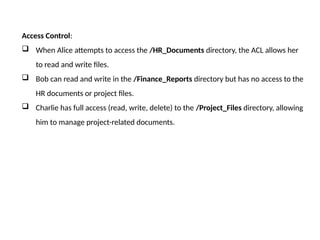
Scenario: An organization conducts business transactions over the internet.
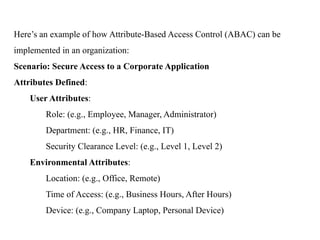
Implementation: The organization uses Secure Sockets Layer (SSL) to encrypt
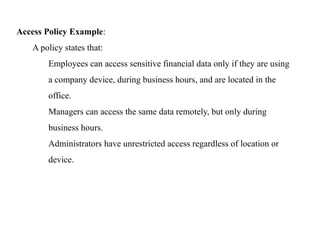
communications between its website and users’ browsers.
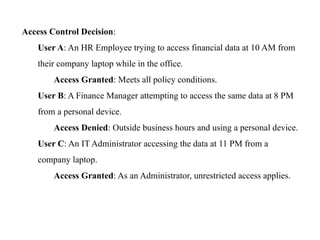
Outcome: Sensitive information, such as credit card details, is protected from
eavesdropping during transmission, ensuring that only the intended recipient can
access it.
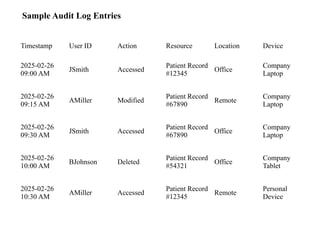
Example 4: Two-Factor Authentication (2FA)
Scenario: A financial institution requires customers to log in to their accounts.
Implementation: Customers must enter their password and a one-time code sent to
their mobile device.
Outcome: Even if someone steals a password, they cannot access the account without
the second factor, enhancing the confidentiality of account information
7.
Example of NetworkSegmentation
Network segmentation is a crucial security practice that involves dividing a
network into smaller, isolated segments to control access and improve security.
Here's an example scenario to illustrate this concept:
Scenario: A Corporate Network with Segmentation
A company has a network that supports different departments, including:
Human Resources (HR): Handles sensitive employee data, such as payroll and
personal information.
Finance: Manages financial transactions, accounting, and sensitive financial
records.
IT Department: Maintains critical infrastructure and servers.
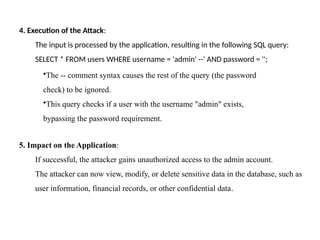
Guest Network: Provides internet access for visitors and non-employees.
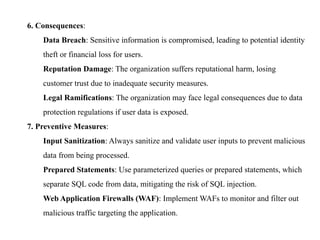
Operations: Handles production systems and IoT devices used in manufacturing.
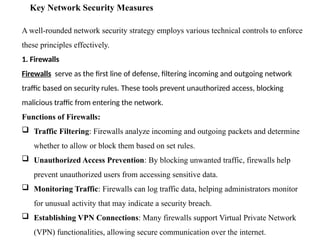
8.
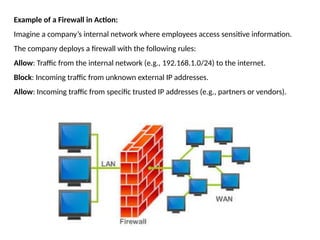
Without Segmentation (FlatNetwork):
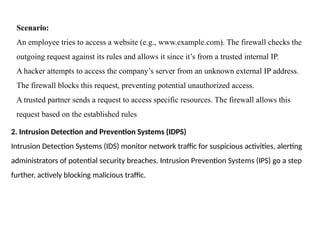
All devices and users are connected to the same network.
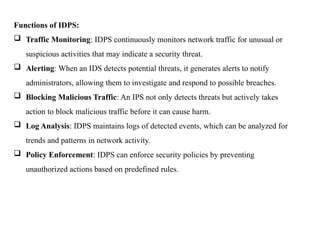
If someone gains unauthorized access to the guest network (e.g., via a
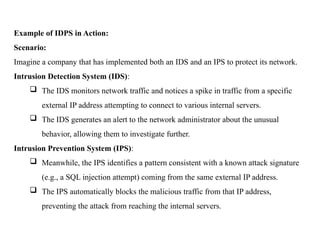
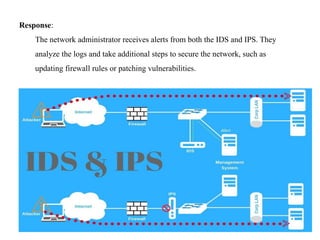
compromised device or malicious actor), they could potentially access sensitive
HR, Finance, or IT systems.
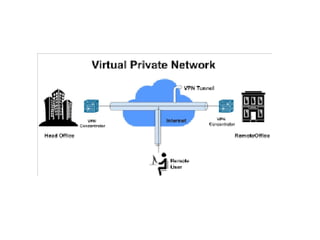
Malware, such as ransomware, can spread across the entire network, affecting all
systems.
With Segmentation:
The network is divided into isolated segments using firewalls, VLANs (Virtual
Local Area Networks), or software-defined networking (SDN). Each segment has
specific access controls:
.
9.
1. HR Segment:
OnlyHR employees can access this segment.
Systems hosting sensitive employee data are protected, and unauthorized
access is blocked.
Communication between HR and other segments is restricted to specific,
approved systems or applications
2. Finance Segment:
•Access is limited to Finance employees and approved financial systems.
•External access (e.g., from the internet) is blocked except for necessary services,
like online banking.
3. IT Infrastructure Segment:
•Only IT professionals have access to this segment.
•Critical servers, databases, and management tools are isolated from other parts of
the network.
10.
4. Guest NetworkSegment:
•Visitors can only access the internet and are completely isolated from other
internal network resources.
•Even if a guest device is compromised, it cannot affect HR, Finance, or IT
systems.
5. Operations Segment:
•IoT devices and production systems are isolated to prevent unauthorized access or
lateral movement.
•Access is restricted to specific devices and authorized personnel.
11.
Benefits of NetworkSegmentation in This Example:
Prevents Unauthorized Access:
If someone gains unauthorized access to one segment (e.g., the guest network),
they cannot access sensitive HR, Finance, or IT systems.
Limits Malware Spread:
Malware in one segment cannot easily propagate to others, reducing the risk of
widespread infection.
Improved Monitoring and Control:
Each segment can be monitored separately, and security policies can be tailored
for each part of the network.
Regulatory Compliance:
Sensitive data (e.g., employee or financial records) is better protected, helping the
company comply with regulations like GDPR, HIPAA, or PCI-DSS.
12.
2. Integrity
Integrity ensuresthat data is accurate, consistent, and has not been altered or
tampered with. This principle is crucial for organizations that rely on the
accuracy of data for operations, such as financial institutions and healthcare
providers. Techniques to ensure integrity include:
Hashing: Applying cryptographic hashes to data allows users to verify its
authenticity, as any alteration to the data changes the hash value.
Digital Signatures: By using digital signatures, organizations can validate the
identity of the sender and confirm that the data has not been altered in transit.
Checksums and Error-Checking Mechanisms: In network transmissions,
checksums help ensure data is transmitted accurately, detecting any errors or
alterations along the way.
13.
Maintaining data integritynot only protects information from unauthorized
changes but also builds trust among users and stakeholders that the information
they are accessing is reliable and correct.
Hashing is a process that converts data of any size into a fixed-size string of
characters, which is typically a hexadecimal number. Here’s a detailed example
to illustrate how hashing works and its applications:
Example: Password Storage
Scenario
A web application allows users to create accounts and log in. To enhance security,
the application needs to store user passwords without saving them in plain text.
14.
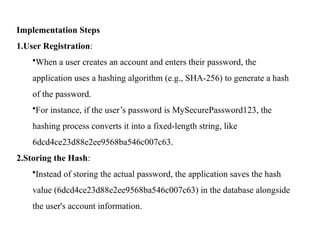
Implementation Steps
1.User Registration:
•Whena user creates an account and enters their password, the
application uses a hashing algorithm (e.g., SHA-256) to generate a hash
of the password.
•For instance, if the user’s password is MySecurePassword123, the
hashing process converts it into a fixed-length string, like
6dcd4ce23d88e2ee9568ba546c007c63.
2.Storing the Hash:
•Instead of storing the actual password, the application saves the hash
value (6dcd4ce23d88e2ee9568ba546c007c63) in the database alongside
the user's account information.
15.
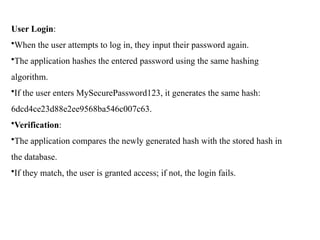
User Login:
•When theuser attempts to log in, they input their password again.
•The application hashes the entered password using the same hashing
algorithm.
•If the user enters MySecurePassword123, it generates the same hash:
6dcd4ce23d88e2ee9568ba546c007c63.
•Verification:
•The application compares the newly generated hash with the stored hash in
the database.
•If they match, the user is granted access; if not, the login fails.
16.
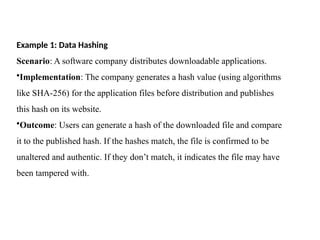
Example 1: DataHashing
Scenario: A software company distributes downloadable applications.
•Implementation: The company generates a hash value (using algorithms
like SHA-256) for the application files before distribution and publishes
this hash on its website.
•Outcome: Users can generate a hash of the downloaded file and compare
it to the published hash. If the hashes match, the file is confirmed to be
unaltered and authentic. If they don’t match, it indicates the file may have
been tampered with.
17.
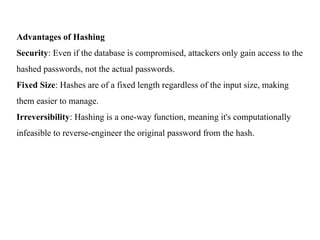
Advantages of Hashing
Security:Even if the database is compromised, attackers only gain access to the
hashed passwords, not the actual passwords.
Fixed Size: Hashes are of a fixed length regardless of the input size, making
them easier to manage.
Irreversibility: Hashing is a one-way function, meaning it's computationally
infeasible to reverse-engineer the original password from the hash.
18.
Example: Signing aContract
Scenario
A company needs to send a contract to a client and wants to ensure that the
contract is authentic and has not been altered during transmission.
Implementation Steps
1.Creating the Document:
•The company prepares a digital contract in a format like PDF.
2.Generating the Hash:
•Before signing, the company uses a hash function (e.g., SHA-256) to create a
hash of the contract. This hash serves as a unique fingerprint of the document.
•For example, if the contract text is This is the contract..., the hash might be
4a7c8c88d9f2c7c2e3b3b2f3321a6b83.
Digital signatures are a cryptographic method used to verify the authenticity and integrity
of a message or document. Here’s a detailed example
19.
•Signing the Hash:
•Thecompany uses its private key, part of a public-private key pair, to encrypt
the hash. This encrypted hash is the digital signature.
•The digital signature might look something like this (in a simplified form):
A1B2C3D4E5F6....
•Sending the Document:
•The company sends the digital contract along with the digital signature to the
client.
20.
Verification by theClient:
•Upon receiving the contract and the digital signature, the client:
• First, uses the same hash function to generate a hash of the received
contract.
• Then, the client decrypts the digital signature using the company’s public
key. This reveals the original hash created by the company.
• Finally, the client compares the two hashes:
• If the hashes match, it confirms that the contract is authentic (it was
signed by the company) and has not been altered.
• If the hashes do not match, it indicates that the document may have
been tampered with or that the signature is not valid.
21.
Benefits of DigitalSignatures
Authentication: Verifies the identity of the signer, ensuring that the document
comes from a legitimate source.
Integrity: Ensures that the document has not been altered after it was signed.
Non-repudiation: The signer cannot deny having signed the document, as only
they possess the private key used to create the signature.
Applications
Digital signatures are widely used in various applications, including:
Email Encryption: Ensuring that emails are authentic and unaltered.
Software Distribution: Verifying the integrity and authenticity of software
packages.
Legal Documents: Validating contracts and agreements in a digital format
22.
Checksums and error-checkingmechanisms are techniques used to detect errors
in data transmission or storage. Here’s an example to illustrate how these
mechanisms work:
Example: Data Transmission Over a Network
Scenario
A company is transferring a file over the internet from its server to a client. To
ensure that the file is received accurately, a checksum is used to verify the
integrity of the data.
Implementation Steps
1.Creating the File:
•The company prepares a file, e.g., report.txt, which contains important data.
23.
2. Calculating theChecksum:
•Before sending the file, the server calculates a checksum using a
simple algorithm (e.g., CRC32 or MD5).
•For instance, the checksum for the contents of report.txt might be
calculated as 1a2b3c4d.
3. Sending the File:
•The server sends both the file and the checksum to the client:
•File: report.txt
•Checksum: 1a2b3c4d
4. Receiving the File:
•The client receives the file and the checksum.
24.
5. Verifying theChecksum:
•After receiving report.txt, the client calculates the checksum for the received file
using the same algorithm.
•If the calculated checksum matches the checksum sent by the server (1a2b3c4d),
the data is verified as intact.
•If it does not match, this indicates that the file may have been corrupted during
transmission.
Benefits of Checksums and Error-Checking Mechanisms
Error Detection: Checksums help identify errors that may occur during data
transmission or storage, such as bit errors caused by noise or interference.
Data Integrity: Ensures that the data received is the same as the data sent,
maintaining the integrity of the information.
Efficiency: Checksum calculations are typically fast and require minimal
computational resources.
25.
Applications
Checksums are widelyused in various contexts, including:
Network Protocols: Protocols like TCP/IP use checksums to verify the integrity
of transmitted packets.
File Downloads: Websites often provide checksums for downloadable files,
allowing users to verify that they received the correct file without corruption.
Data Storage: File systems may use checksums to detect corruption of data
blocks on disk.
26.
3. Availability
For anetwork to be reliable, its services and resources must be available to
authorized users whenever they need them. Availability ensures that network systems
are up and running without disruptions, which is critical for businesses that depend
on 24/7 access to their resources. Common approaches to enhance availability
include:
Redundant Systems: Creating backup systems that can take over in case of a failure
helps avoid downtime.
Load Balancing: Distributing traffic evenly across servers prevents any single server
from becoming overloaded, which can lead to crashes and outages.
Regular Maintenance and Updates: By regularly updating software and hardware,
organizations can prevent unexpected failures and vulnerabilities that attackers might
exploit.
Availability focuses on keeping network services operational, ensuring users have
continuous access to essential resources even in times of unexpected network
27.
Redundant systems aredesigned to increase reliability and availability by
providing backup components or processes that can take over in case of a failure.
Here’s an example to illustrate how redundant systems work:
Example: Redundant Power Supply in a Data Center
Scenario
A data center hosts critical applications that require a consistent power supply to
ensure uptime and prevent data loss. To achieve this, the data center implements a
redundant power supply system.
Implementation Steps
Primary Power Supply:
The data center has a primary power supply that connects to the grid and
provides electricity to all servers and network equipment.
.
28.
Secondary Power Supply:
Abackup (redundant) power supply is installed. This can be an
Uninterruptible Power Supply (UPS) or a generator that activates if the
primary supply fails
Configuration:
•The redundant power supply is configured to automatically take over if
the primary power supply experiences a failure, such as an outage or a
maintenance issue.
•In many cases, both power supplies can operate simultaneously (load
sharing) to distribute the power load and enhance efficiency.
29.
Monitoring:
•The system isequipped with monitoring tools that continuously check the
status of the primary and secondary power supplies. Alerts are generated if
any issues are detected.
Failover Process:
•If the primary power supply fails, the redundant power supply automatically
kicks in without any interruption to the servers. This failover process is
typically seamless, ensuring that operations continue without downtime.
30.
Benefits of RedundantSystems
Increased Reliability: Redundant systems reduce the risk of single points of
failure, enhancing the overall reliability of critical applications.
High Availability: Continuous operation is ensured, even during maintenance or
unexpected failures.
Data Protection: Critical data and applications remain accessible, minimizing the
risk of data loss during power outages.
Applications
Redundant systems are used in various contexts, including:
Data Centers: Redundant power supplies, cooling systems, and network connections to ensure
uptime.
Telecommunications: Multiple communication pathways and backup systems to maintain
service during outages.
Cloud Services: Distributed architectures with redundancy across servers and data centers to
ensure high availability.
31.
Load balancing isa technique used to distribute workloads across multiple servers or
resources to optimize performance, ensure reliability, and improve resource utilization.
Here’s an example to illustrate how load balancing works:
Example: Web Application Load Balancing
Scenario
A popular e-commerce website experiences high traffic, especially during
sales events. To ensure that the website remains responsive and can handle
the load, the company implements a load balancing solution.
32.
Implementation Steps
1.Multiple Servers:
Thecompany sets up several web servers (e.g., Server A, Server B, Server
C) to host the e-commerce application.
2.Load Balancer:
A load balancer is placed in front of the web servers. This device or
software manages traffic and distributes incoming requests among the
available servers based on specific algorithms (e.g., round-robin, least
connections, or IP hash).
33.
3. Traffic Distribution:
Whena user accesses the website, their request is sent to the load
balancer. The load balancer then:
Routes the request to one of the web servers based on the chosen
algorithm.
For example, if Server A is currently handling fewer requests, the
load balancer may direct the new request to Server A.
4. Health Monitoring:
•The load balancer continuously monitors the health of each server. If a
server goes down or becomes unresponsive, the load balancer automatically
stops sending traffic to that server until it is restored.
34.
5. Session Persistence:
•Ifthe application requires session persistence (ensuring that a user remains
connected to the same server), the load balancer can be configured to route
requests from the same user to the same server for the duration of their session
Benefits of Load Balancing
Improved Performance: Distributing traffic helps prevent any single server
from becoming a bottleneck, ensuring faster response times for users.
High Availability: If one server fails, the load balancer redirects traffic to other
healthy servers, maintaining service availability.
Scalability: Additional servers can be added to the pool, allowing the
application to handle increased traffic without significant changes to the
architecture
35.
Applications
Load balancing iswidely used in various scenarios, including:
Web Applications: Distributing user requests across multiple servers to enhance
performance and reliability.
Database Clusters: Balancing database queries among multiple database servers
to optimize read and write operations.
36.
Regular maintenance andupdates are essential practices in IT and system
management to ensure optimal performance, security, and reliability. Here’s an
example to illustrate how these practices are implemented:
Example: Maintaining a Corporate IT Infrastructure
Scenario
A medium-sized company relies on its IT infrastructure to support various business
operations, including email, databases, and customer relationship management
(CRM). To keep the systems running smoothly, the IT department implements a
regular maintenance and update schedule.
Implementation Steps
1.Scheduled Maintenance Plan:
The IT department establishes a maintenance schedule, typically performed
during off-peak hours to minimize disruption. This might occur weekly,
monthly, or quarterly, depending on the task.
37.
2. Software Updates:
•OperatingSystem Updates: The IT team regularly checks for and installs
updates for the operating systems of all servers and workstations. This
includes security patches and performance enhancements.
•Application Updates: Business-critical applications (like CRM and ERP
systems) are updated to the latest versions to benefit from new features and
security fixes.
3. Hardware Checks:
•Routine inspections of hardware components are conducted to identify any
potential issues. This includes checking server temperatures, ensuring
adequate ventilation, and monitoring disk health.
•If any hardware components (like hard drives or power supplies) show
signs of wear, they are replaced proactively.
38.
4. Backups:
•Regular backupsof all critical data are performed, ensuring that the company can
recover from data loss due to hardware failure, cyberattacks, or accidental deletions.
•Backups are tested periodically to confirm that they can be restored without issues.
5. Security Audits:
•The IT department conducts regular security audits to identify vulnerabilities in the
system. This includes reviewing user access controls, firewall settings, and intrusion
detection systems.
•Any identified vulnerabilities are addressed promptly, and security policies are
updated as necessary.
6. User Training:
•The company schedules training sessions for employees on best practices for
cybersecurity, software usage, and new system features. This helps ensure that users
are informed and can use the systems effectively.
39.
Benefits of RegularMaintenance and Updates
Enhanced Security: Regular updates help protect against vulnerabilities and
reduce the risk of cyberattacks.
Improved Performance: Maintenance tasks such as cleaning up unused files,
optimizing databases, and updating software contribute to better system
performance.
Increased Reliability: Proactive hardware checks and replacements minimize the
risk of unexpected failures, ensuring that systems remain operational.
Data Integrity: Regular backups and testing ensure that critical data is protected
and can be restored in case of loss.
40.
Applications
Regular maintenance andupdates are vital in various contexts, including:
Corporate IT Infrastructure: Ensuring that all systems, applications, and
hardware are up to date and functioning correctly.
Web Servers: Keeping web applications and databases secure and perform
through updates and monitoring.
Network Equipment: Regularly updating firmware on routers and switches to
enhance security and performance.
41.
4. Authentication
Authentication verifiesthe identity of users or devices before granting them access
to the network. Without authentication, it would be impossible to prevent
unauthorized users from gaining access to critical resources. Authentication
mechanisms typically include:
Passwords and PINs: While basic, these are still commonly used for identity
verification, often combined with other forms of authentication.
Biometric Authentication: Techniques like fingerprint scans, facial recognition,
and retinal scans offer highly secure, user-specific verification.
Multi-Factor Authentication (MFA): By requiring users to verify their identity
through multiple factors (e.g., password plus a code sent to their phone), MFA
significantly strengthens the authentication process.
By implementing robust authentication methods, network administrators can
prevent unauthorized access, reducing the risk of breaches.
42.
Here’s an exampleof how passwords and PINs can be used for identity verification in a
multi-factor authentication (MFA) system:
Scenario: Online Banking Security
Initial Login:
User ID: The user enters their unique user ID.
Password: The user then inputs their password, which should be complex (e.g.,
"P@ssw0rd!2023").
Second Factor Verification:
After the password is accepted, the system prompts the user to enter a PIN sent to
their registered mobile number. This PIN could be a temporary code (e.g., "123456")
that is valid for a short period.
Successful Access:
Once the correct PIN is entered, the user gains access to their online banking
account.
43.
Additional Security Measures:
Thesystem may implement further security checks, such as biometric verification
(fingerprint or facial recognition) or security questions, especially for sensitive
transactions (e.g., transferring money).
44.
5. Authorization
Authorization determineswhat an authenticated user can and cannot do within the
network. After users are authenticated, they still need to have their access levels
and permissions defined, ensuring they can only access what they are allowed to.
Methods of implementing authorization include:
Role-Based Access Control (RBAC): With RBAC, users are assigned
permissions based on their role in the organization, which makes it easier to
manage and restrict access.
Access Control Lists (ACLs): ACLs specify what operations users can perform
on network resources, such as files, applications, and databases.
45.
Attribute-Based Access Control(ABAC): ABAC grants access based on multiple
attributes, such as the user's location, time of access, and device being used, adding an
extra layer of security.
Proper authorization limits unnecessary access to sensitive parts of the network, helping
prevent insider threats and reducing the scope of potential damage in the event of a
breach.
46.
Here’s an exampleof how Role-Based Access Control (RBAC) can be
implemented in an organization:
Scenario: Employee Access in a Company
Roles Definition:
Administrator: Full access to all systems and data.
Manager: Access to departmental data, ability to approve requests, and
manage team members.
Employee: Access to their own data and limited access to shared resources.
Intern: Restricted access, typically to training materials and basic
information.
User Assignment:
When a new employee joins the company, they are assigned a role based on
their job function.
For example, a new HR Manager is assigned the Manager role.
47.
Permissions Assignment:
Each rolecomes with predefined permissions:
Administrator: Can create, read, update, and delete any data.
Manager: Can read and update data relevant to their department,
approve leave requests, and generate reports.
Employee: Can view their profile, submit requests, and access shared
files.
Intern: Can access training modules and basic company documents.
48.
Here’s an exampleof how Access Control Lists (ACLs) can be implemented
to manage permissions for network resources:
Scenario: File Server Permissions
Resource Definition:
A file server contains various directories, each holding sensitive
information:
/HR_Documents
/Finance_Reports
/Project_Files
User Roles:
Alice: HR Manager
Bob: Finance Analyst
Charlie: Project Manager
49.
Directory User Permissions
/HR_DocumentsAlice Read, Write
Bob No Access
Charlie No Access
/Finance_Reports Alice No Access
Bob Read, Write
Charlie No Access
/Project_Files Alice No Access
Bob No Access
Charlie Read, Write, Delete
ACL Configuration:
•Each directory has its own ACL defining what operations each user can
perform:
50.
Access Control:
WhenAlice attempts to access the /HR_Documents directory, the ACL allows her
to read and write files.
Bob can read and write in the /Finance_Reports directory but has no access to the
HR documents or project files.
Charlie has full access (read, write, delete) to the /Project_Files directory, allowing
him to manage project-related documents.
51.
Here’s an exampleof how Attribute-Based Access Control (ABAC) can be
implemented in an organization:
Scenario: Secure Access to a Corporate Application
Attributes Defined:
User Attributes:
Role: (e.g., Employee, Manager, Administrator)
Department: (e.g., HR, Finance, IT)
Security Clearance Level: (e.g., Level 1, Level 2)
Environmental Attributes:
Location: (e.g., Office, Remote)
Time of Access: (e.g., Business Hours, After Hours)
Device: (e.g., Company Laptop, Personal Device)
52.
Access Policy Example:
Apolicy states that:
Employees can access sensitive financial data only if they are using
a company device, during business hours, and are located in the
office.
Managers can access the same data remotely, but only during
business hours.
Administrators have unrestricted access regardless of location or
device.
53.
Access Control Decision:
UserA: An HR Employee trying to access financial data at 10 AM from
their company laptop while in the office.
Access Granted: Meets all policy conditions.
User B: A Finance Manager attempting to access the same data at 8 PM
from a personal device.
Access Denied: Outside business hours and using a personal device.
User C: An IT Administrator accessing the data at 11 PM from a
company laptop.
Access Granted: As an Administrator, unrestricted access applies.
54.
Accountability
Accountability is abouttracking and logging user activities to maintain a record of
actions taken within the network. It’s crucial for detecting potential threats,
understanding how security incidents occur, and ensuring compliance with
regulations. Accountability is typically maintained through:
Audit Logs: Logging user activity helps track who accessed which resources and
when providing an audit trail that can be invaluable during investigations.
Intrusion Detection Systems (IDS): IDS can monitor network traffic for unusual
or suspicious behavior, alerting administrators to potential threats.
User Behavior Analytics: By analyzing user behavior, organizations can identify
deviations from normal activity, which may indicate compromised accounts or
insider threats.
Accountability enhances network security by allowing administrators to trace
actions, making it easier to identify security issues, prevent recurrence, and hold
users responsible for their actions.
55.
Here’s an exampleof how audit logs can be used to track user activity in an
organization:
Scenario: Monitoring Access to Sensitive Data
Context:
A healthcare organization needs to ensure compliance with regulations like
HIPAA, which mandates the protection of patient information.
Audit Log Structure:
Each entry in the audit log includes the following details:
Timestamp: When the action occurred.
User ID: Who performed the action.
Action: What action was taken (e.g., accessed, modified, deleted).
Resource: The specific resource accessed (e.g., patient record).
Location: Where the access originated (e.g., office, remote).
Device: The device used for access (e.g., desktop, mobile).
56.
Sample Audit LogEntries
Timestamp User ID Action Resource Location Device
2025-02-26
09:00 AM
JSmith Accessed
Patient Record
#12345
Office
Company
Laptop
2025-02-26
09:15 AM
AMiller Modified
Patient Record
#67890
Remote
Company
Laptop
2025-02-26
09:30 AM
JSmith Accessed
Patient Record
#67890
Office
Company
Laptop
2025-02-26
10:00 AM
BJohnson Deleted
Patient Record
#54321
Office
Company
Tablet
2025-02-26
10:30 AM
AMiller Accessed
Patient Record
#12345
Remote
Personal
Device
57.
Here’s an exampleof how an Intrusion Detection System (IDS) operates within
an organization:
Scenario: Network Security Monitoring
Context:
A financial institution wants to protect sensitive customer data and prevent
unauthorized access to its network.
Types of IDS:
Network-based IDS (NIDS): Monitors network traffic for suspicious
activity.
Host-based IDS (HIDS): Monitors individual devices for malicious
activities.
58.
Monitoring Process:
The organizationdeploys a NIDS that analyzes all incoming and outgoing
network traffic against predefined security rules and patterns.
Sample Detection Events:
Unusual Traffic Patterns: The IDS detects a sudden spike in traffic from a
specific internal IP address, suggesting a potential data exfiltration attempt.
Port Scanning: Multiple connection attempts to various ports from an
external IP address trigger an alert, indicating a possible reconnaissance
attack.
Signature-Based Detection: The IDS identifies traffic patterns that match
known attack signatures, such as SQL injection attempts against the web
application.
59.
Alerts and Responses:
Whensuspicious behavior is detected, the IDS generates alerts that are
sent to the network administrators.
Alerts may include detailed information such as:
Timestamp: When the suspicious activity occurred.
Source IPAddress: Where the traffic originated.
Destination IPAddress: The target of the traffic.
Description: Nature of the detected threat (e.g., "SQL Injection
Attempt").
Administrators can then investigate the alerts, take appropriate action
(such as blocking the offending IP), and analyze the potential impact.
61.
Common Network SecurityThreats
Understanding network security threats is crucial for creating effective
defenses. Common threats include:
Malware: Malicious software designed to harm or exploit systems.
Phishing: Fraudulent attempts to obtain sensitive information via deceptive
emails or messages.
Man-in-the-Middle Attacks: Interception of communication between two
parties to steal or alter data.
DDoS Attacks: Distributed Denial of Service attacks flood systems with
traffic, causing service disruptions.
SQL Injection: Exploiting vulnerabilities in SQL databases to gain
unauthorized access to data.
62.
Here’s an exampleof how malware can affect an organization
Scenario: Ransomware Attack
1.What is Ransomware?:
•Ransomware is a type of malware that encrypts files on a victim's system, rendering
them inaccessible until a ransom is paid to the attacker.
2.Attack Vector:
•The attack typically begins with a phishing email sent to employees. The email
contains a malicious attachment or a link to a compromised website.
•An employee inadvertently clicks on the link or downloads the attachment, triggering
the ransomware installation.
3.Infection Process:
•Once installed, the ransomware encrypts files on the infected computer and spreads to
other systems on the same network.
•The malware generates a ransom note that informs the user that their files have been
encrypted and demands payment (often in cryptocurrency) in exchange for the
decryption key.
63.
3. Impact onthe Organization:
•Data Loss: Critical files, such as customer records and financial documents,
become inaccessible, disrupting business operations.
•Financial Costs: The organization faces potential losses from paying the ransom,
as well as costs related to recovery efforts and downtime.
•Reputation Damage: Customers may lose trust in the organization if their
personal information is compromised or if the organization cannot recover data
promptly.
4. Response and Mitigation:
•The organization should have a response plan that includes:
oRegular Backups: Keeping up-to-date backups of critical data to restore
systems without paying the ransom.
oIncident Response Team: A dedicated team to handle the incident,
including IT and legal personnel.
64.
o Communications Plan:Informing stakeholders, including customers
and regulatory bodies, about the breach.
o Post-Attack Analysis: Reviewing the attack to understand how the
malware entered the system and improving security measures to prevent
future attacks.
5. Preventive Measures:
o Employee Training: Regular training on recognizing phishing
attempts and safe browsing practices.
o Antivirus Software: Using reputable antivirus solutions to detect and
block malware before it can execute.
o Network Security: Implementing firewalls and intrusion detection
systems to monitor and protect the network
65.
Here’s an exampleof a phishing attack and its implications:
Scenario: Phishing Attack on Employees
1.What is Phishing?:
•Phishing is a type of cyber attack where attackers impersonate legitimate entities to
trick individuals into providing sensitive information, such as usernames, passwords,
or credit card details.
2.Attack Vector:
•An attacker crafts a deceptive email that appears to come from a trusted source, such
as the company’s IT department or a well-known service provider (e.g., a bank or
software provider).
•The email may contain a message that prompts the recipient to take immediate
action, such as verifying their account information due to "suspicious activity."
66.
3. Deceptive Elements:
•Urgent Language: The email stresses urgency, saying the account will be locked if
action is not taken immediately.
• Spoofed Email Address: The sender's email address looks legitimate at first glance,
but upon closer inspection, it may have slight alterations (e.g., using "
support@companyname.com" instead of "support@company.com").
• Malicious Link: The email contains a link that leads to a fake login page designed to
look like the real website.
4. User Interaction:
•An employee clicks the link and is directed to the fake login page.
•Believing it to be genuine, the employee enters their credentials.
67.
5. Consequences:
• CredentialTheft: The attacker captures the employee's login information, which can
be used to access sensitive systems or data.
• Data Breach: If the attacker gains access to internal systems, it could lead to a data
breach, exposing customer information and company secrets.
• Financial Loss: The organization may face financial repercussions, including fines,
legal costs, and loss of business.
6. Preventive Measures:
Employee Training: Regular training programs to educate employees about
recognizing phishing attempts and the importance of verifying suspicious emails.
Email Filtering: Implementing advanced email filtering solutions to detect and
block phishing emails before they reach employees.
Two-Factor Authentication (2FA): Enforcing 2FA on critical accounts to add an
extra layer of security, making it harder for attackers to use stolen credentials.
Reporting Mechanism: Establishing a clear process for employees to report
suspected phishing attempts to the IT department
68.
Example of aMan-in-the-Middle Attack
Scenario: Intercepting Online Banking Transactions
1.Context
An attacker aims to intercept sensitive data between a user and their online
banking service.
2. Attack Vector:
• The attacker sets up a rogue Wi-Fi hotspot in a crowded location, such as a café,
named “Free Public Wi-Fi.”
• Unsuspecting users connect to this network, believing it to be a legitimate public
Wi-Fi service.
3. Interception Process:
• Once a user connects to the rogue Wi-Fi, the attacker can monitor all traffic
between the user and the internet.
• The attacker uses packet-sniffing tools to capture data packets being transmitted
over the network.
69.
4. Data Theft:
•When the user logs into their online banking account, the attacker captures their
username and password.
• The attacker can now access the user's bank account, view balances, and initiate
unauthorized transactions.
5. Data Manipulation:
• The attacker may alter transaction details before they reach the bank’s server. For
example, they could change the destination account for a funds transfer to their own
account.
6. Consequences:
• Financial Loss: The user suffers from unauthorized transactions, leading to potential
financial loss.
• Identity Theft: With stolen credentials, the attacker can impersonate the user, leading
to further exploitation.
• Reputation Damage: The bank may face reputational damage if customers lose trust in
its security measures.
70.
7. Preventive Measures:
•Using VPNs: Users should connect to a VPN when using public Wi-Fi to encrypt
their internet traffic.
• HTTPS Connections: Ensure that the banking website uses HTTPS, which encrypts
data in transit.
• Educating Users: Raise awareness about the dangers of connecting to unknown
networks and the importance of verifying network names.
Example of a DDoS Attack
Scenario: DDoS Attack on an E-commerce Website
1. Context:
• An online retail company experiences a significant spike in traffic during a holiday
sale. An attacker aims to exploit this by launching a Distributed Denial of Service
(DDoS) attack to disrupt the service.
71.
2. Attack Vector:
•The attacker uses a botnet, which is a network of compromised computers and IoT
devices, to execute the attack.
• The botnet, consisting of thousands of infected devices, is instructed to send an
overwhelming amount of traffic to the e-commerce website.
3. Execution of the Attack:
• The botnet floods the website with HTTP requests, overwhelming the server's
resources.
• Legitimate users trying to access the site experience slow loading times or are unable
to connect at all.
4. Impact on the Business:
• Service Disruption: The website becomes unavailable, leading to lost sales
opportunities during a peak shopping period.
72.
• Customer Frustration:Customers are unable to make purchases, leading to
dissatisfaction and potential loss of trust in the brand.
• Financial Loss: The company incurs costs related to mitigating the attack, as well as lost
revenue due to downtime
5. Detection and Response:
• The IT team monitors network traffic and identifies unusual spikes indicative of a
DDoS attack.
• They implement rate limiting and traffic filtering to mitigate the attack, redirecting
traffic to a content delivery network (CDN) that can absorb the excess load.
6. Preventive Measures:
• DDoS Protection Services: Utilizing specialized services that can detect and mitigate
DDoS attacks in real-time.
• Cloud-Based Solutions: Leveraging cloud infrastructure that can scale resources
dynamically during traffic spikes.
• Incident Response Plan: Developing a plan that includes steps for quickly identifying
and responding to DDoS attacks.
73.
Example of SQLInjection
Scenario: SQL Injection Attack on a Web Application
1. Context:
A web application allows users to log in using their username and password. The
application interacts with a SQL database to authenticate users.
2. Vulnerability:
The application uses unsanitized input from the user to construct SQL queries. For
example, the login query might look like this:
SELECT * FROM users WHERE username = 'user_input' AND password =
'user_password';
3. Attack Vector
An attacker enters a specially crafted username and password in the login form. For
instance:
Username: admin' --
Password: (left blank)
74.
4. Execution ofthe Attack:
The input is processed by the application, resulting in the following SQL query:
SELECT * FROM users WHERE username = 'admin' --' AND password = '';
•The -- comment syntax causes the rest of the query (the password
check) to be ignored.
•This query checks if a user with the username "admin" exists,
bypassing the password requirement.
5. Impact on the Application:
If successful, the attacker gains unauthorized access to the admin account.
The attacker can now view, modify, or delete sensitive data in the database, such as
user information, financial records, or other confidential data.
75.
6. Consequences:
Data Breach:Sensitive information is compromised, leading to potential identity
theft or financial loss for users.
Reputation Damage: The organization suffers reputational harm, losing
customer trust due to inadequate security measures.
Legal Ramifications: The organization may face legal consequences due to data
protection regulations if user data is exposed.
7. Preventive Measures:
Input Sanitization: Always sanitize and validate user inputs to prevent malicious
data from being processed.
Prepared Statements: Use parameterized queries or prepared statements, which
separate SQL code from data, mitigating the risk of SQL injection.
Web Application Firewalls (WAF): Implement WAFs to monitor and filter out
malicious traffic targeting the application.
76.
Key Network SecurityMeasures
A well-rounded network security strategy employs various technical controls to enforce
these principles effectively.
1. Firewalls
Firewalls serve as the first line of defense, filtering incoming and outgoing network
traffic based on security rules. These tools prevent unauthorized access, blocking
malicious traffic from entering the network.
Functions of Firewalls:
Traffic Filtering: Firewalls analyze incoming and outgoing packets and determine
whether to allow or block them based on set rules.
Unauthorized Access Prevention: By blocking unwanted traffic, firewalls help
prevent unauthorized users from accessing sensitive data.
Monitoring Traffic: Firewalls can log traffic data, helping administrators monitor
for unusual activity that may indicate a security breach.
Establishing VPN Connections: Many firewalls support Virtual Private Network
(VPN) functionalities, allowing secure communication over the internet.
77.
Example of aFirewall in Action:
Imagine a company’s internal network where employees access sensitive information.
The company deploys a firewall with the following rules:
Allow: Traffic from the internal network (e.g., 192.168.1.0/24) to the internet.
Block: Incoming traffic from unknown external IP addresses.
Allow: Incoming traffic from specific trusted IP addresses (e.g., partners or vendors).
78.
Scenario:
An employee triesto access a website (e.g., www.example.com). The firewall checks the
outgoing request against its rules and allows it since it’s from a trusted internal IP.
A hacker attempts to access the company’s server from an unknown external IP address.
The firewall blocks this request, preventing potential unauthorized access.
A trusted partner sends a request to access specific resources. The firewall allows this
request based on the established rules
2. Intrusion Detection and Prevention Systems (IDPS)
Intrusion Detection Systems (IDS) monitor network traffic for suspicious activities, alerting
administrators of potential security breaches. Intrusion Prevention Systems (IPS) go a step
further, actively blocking malicious traffic.
79.
Functions of IDPS:
Traffic Monitoring: IDPS continuously monitors network traffic for unusual or
suspicious activities that may indicate a security threat.
Alerting: When an IDS detects potential threats, it generates alerts to notify
administrators, allowing them to investigate and respond to possible breaches.
Blocking Malicious Traffic: An IPS not only detects threats but actively takes
action to block malicious traffic before it can cause harm.
Log Analysis: IDPS maintains logs of detected events, which can be analyzed for
trends and patterns in network activity.
Policy Enforcement: IDPS can enforce security policies by preventing
unauthorized actions based on predefined rules.
80.
Example of IDPSin Action:
Scenario:
Imagine a company that has implemented both an IDS and an IPS to protect its network.
Intrusion Detection System (IDS):
The IDS monitors network traffic and notices a spike in traffic from a specific
external IP address attempting to connect to various internal servers.
The IDS generates an alert to the network administrator about the unusual
behavior, allowing them to investigate further.
Intrusion Prevention System (IPS):
Meanwhile, the IPS identifies a pattern consistent with a known attack signature
(e.g., a SQL injection attempt) coming from the same external IP address.
The IPS automatically blocks the malicious traffic from that IP address,
preventing the attack from reaching the internal servers.
81.
Response:
The network administratorreceives alerts from both the IDS and IPS. They
analyze the logs and take additional steps to secure the network, such as
updating firewall rules or patching vulnerabilities.
82.
3. Virtual PrivateNetworks (VPNs)
VPNs encrypt internet connections, allowing secure remote access to network
resources. By establishing a private, encrypted connection, VPNs protect data from
interception during transit.
Functions of VPNs:
Data Encryption: VPNs encrypt data transmitted over the internet, making it
unreadable to anyone who might intercept it.
Secure Remote Access: Employees can securely access company resources from
remote locations, enabling flexible work arrangements.
84.
Anonymity andPrivacy: VPNs mask the user's IP address, enhancing privacy and
making it harder for third parties to track online activities.
Bypassing Geo-Restrictions: VPNs can allow users to access content that may be
restricted in their geographical location
Example of a VPN in Action:
Scenario:
A company has employees who often work from home or travel for business. They
implement a VPN to ensure secure access to internal resources.
Remote Connection: An employee working from a coffee shop connects to the
company's VPN using their laptop.
Encryption in Action: As the employee accesses sensitive files on the company’s
server, the VPN encrypts all data being transmitted between their laptop and the server.
This encryption prevents eavesdroppers from reading the data.
85.
Access Control:The VPN requires the employee to authenticate using a secure
method (e.g., username and password, two-factor authentication) before granting
access to the internal network.
Network Security: While connected to the VPN, the employee's internet traffic is
routed through the company’s secure server, protecting sensitive information from
potential threats in the public network
4. Encryption Techniques
Encryption transforms data into an unreadable format, protecting it from
unauthorized access. Advanced encryption standards, such as AES-256, are widely
used to secure sensitive information in storage and transit.
5. Access Control
Access control restricts network resources to authorized users only. Techniques like
RBAC and ABAC enable organizations to assign permissions precisely, ensuring each
user has the appropriate level of access.
86.
6. Security policy
Securitypolicies outline an organization’s standards for managing and
protecting network resources. These policies provide guidelines for employee
behavior, acceptable use of resources, and protocols for responding to security
incidents. Well-defined policies align with regulatory requirements and offer
clear instructions for maintaining network security standards
Functions of Network Security Policies:
Guidelines for Employee Behavior: Policies define acceptable and
unacceptable behaviors regarding the use of network resources, helping
employees understand their responsibilities.
Acceptable Use of Resources: Policies specify what constitutes acceptable
use of the organization’s IT resources, including computers, internet access,
and email.
87.
Incident ResponseProtocols: Well-defined policies outline the steps to take in the
event of a security incident, ensuring a timely and effective response.
Regulatory Compliance: Policies help organizations align with regulatory
requirements (e.g., GDPR, HIPAA), ensuring that they meet necessary legal and
industry standards.
Training and Awareness: Policies often include provisions for employee training and
awareness programs to educate staff about security best practices and potential
threats.
Example of Network Security Policy in Action:
Scenario:
A financial institution implements a comprehensive network security policy to protect
sensitive customer data.
Acceptable Use Policy: The policy clearly states that employees must use company
resources, such as email and internet access, for business purposes only. Personal use
is restricted during work hours.
88.
Data ProtectionGuidelines: Employees are required to handle sensitive customer
information according to strict data protection guidelines, including encryption and
access controls.
Incident Reporting: The policy outlines the steps employees must follow if they
suspect a security incident, such as reporting to the IT department immediately. This
ensures rapid response to potential breaches.
Regular Training: The organization conducts regular training sessions to educate
employees about phishing attacks, social engineering, and other common threats,
reinforcing the importance of security awareness.
Compliance Audits: The policy mandates periodic audits to ensure compliance with
both internal standards and external regulations, helping to identify and mitigate any
vulnerabilities.




![network_security_ppt[1].pptx](https://cdn.slidesharecdn.com/ss_thumbnails/networksecurityppt1-230703125206-ba0a6eaf-thumbnail.jpg?width=640&height=640&fit=bounds)


