Slice of DevOps - Automate Everything
Packer, Ansible, OpenSCAP, Vagrant and Kubernetes
Mihai Criveti, Cloud Native Competency Leader at IBM
October 12, 2019
1
1 Packer: Image Build Automation
2 OpenSCAP: Automate Security Baselines
3 Ansible: Provisioning and Configuration Management
4 Molecule: Test your Ansible Playbooks on Docker, Vagrant or Cloud
5 Vagrant: Test images with vagrant
6 Package Python Applications with setuptools
7 Kubernetes: Container Orchestration at Scale
8 DevOps Culture and Practice 2
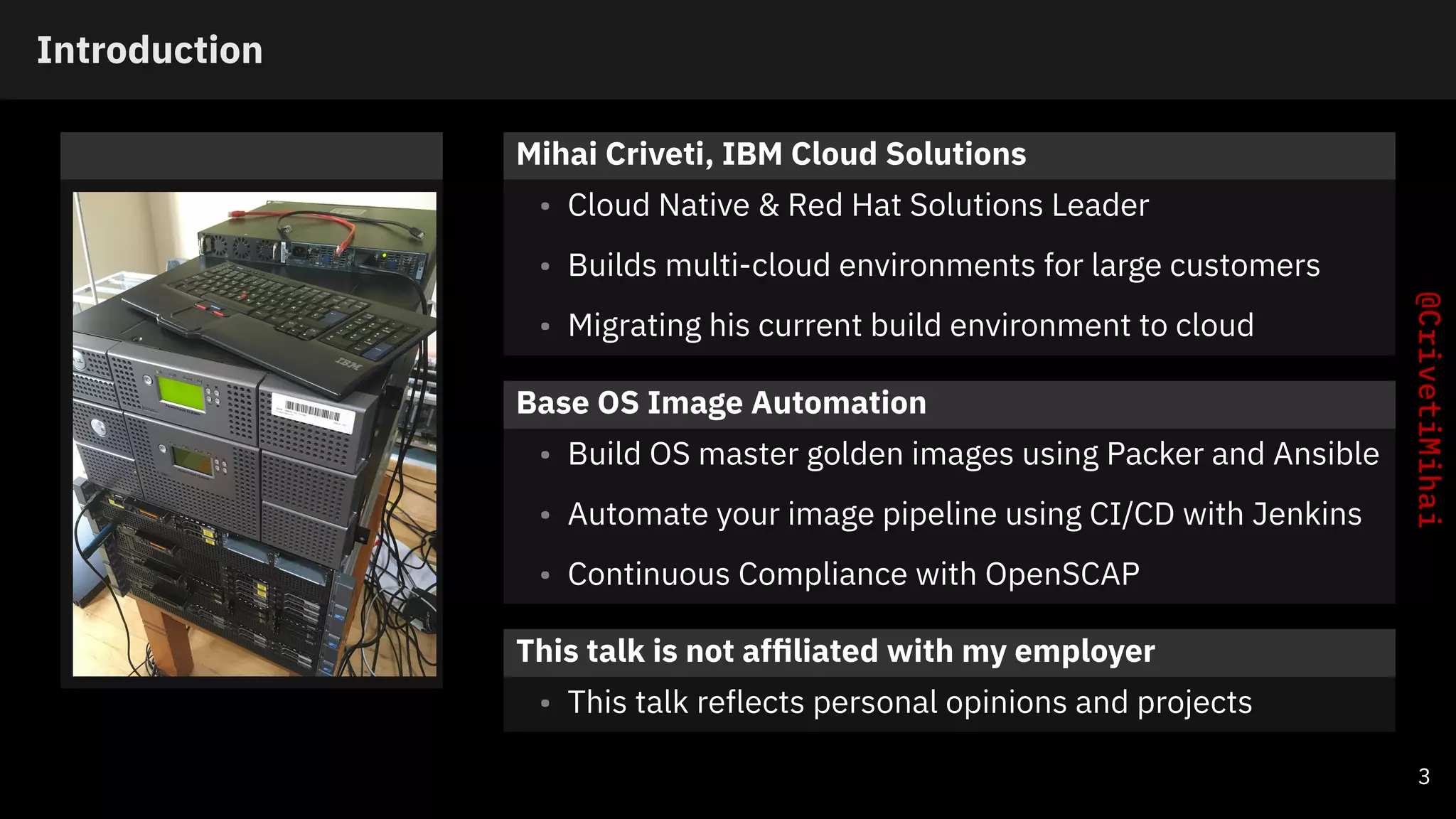
Introduction
Mihai Criveti, IBM Cloud Solutions
• Cloud Native & Red Hat Solutions Leader
• Builds multi-cloud environments for large customers
• Migrating his current build environment to cloud
Base OS Image Automation
• Build OS master golden images using Packer and Ansible
• Automate your image pipeline using CI/CD with Jenkins
• Continuous Compliance with OpenSCAP
This talk is not affiliated with my employer
• This talk reflects personal opinions and projects
3
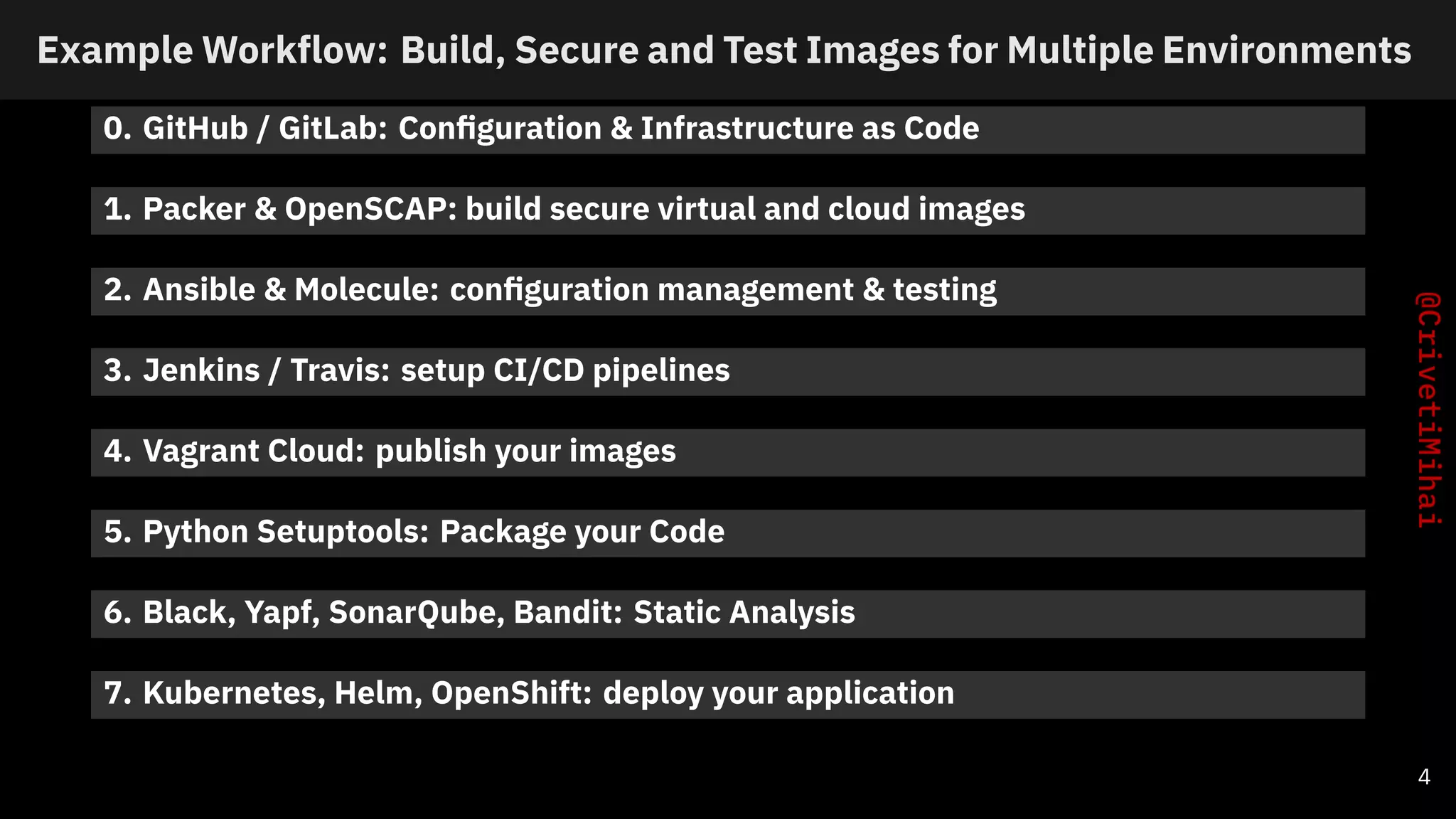
Example Workflow: Build, Secure and Test Images for Multiple Environments
0. GitHub / GitLab: Configuration & Infrastructure as Code
1. Packer & OpenSCAP: build secure virtual and cloud images
2. Ansible & Molecule: configuration management & testing
3. Jenkins / Travis: setup CI/CD pipelines
4. Vagrant Cloud: publish your images
5. Python Setuptools: Package your Code
6. Black, Yapf, SonarQube, Bandit: Static Analysis
7. Kubernetes, Helm, OpenShift: deploy your application
4
1 Packer: Image Build
Automation
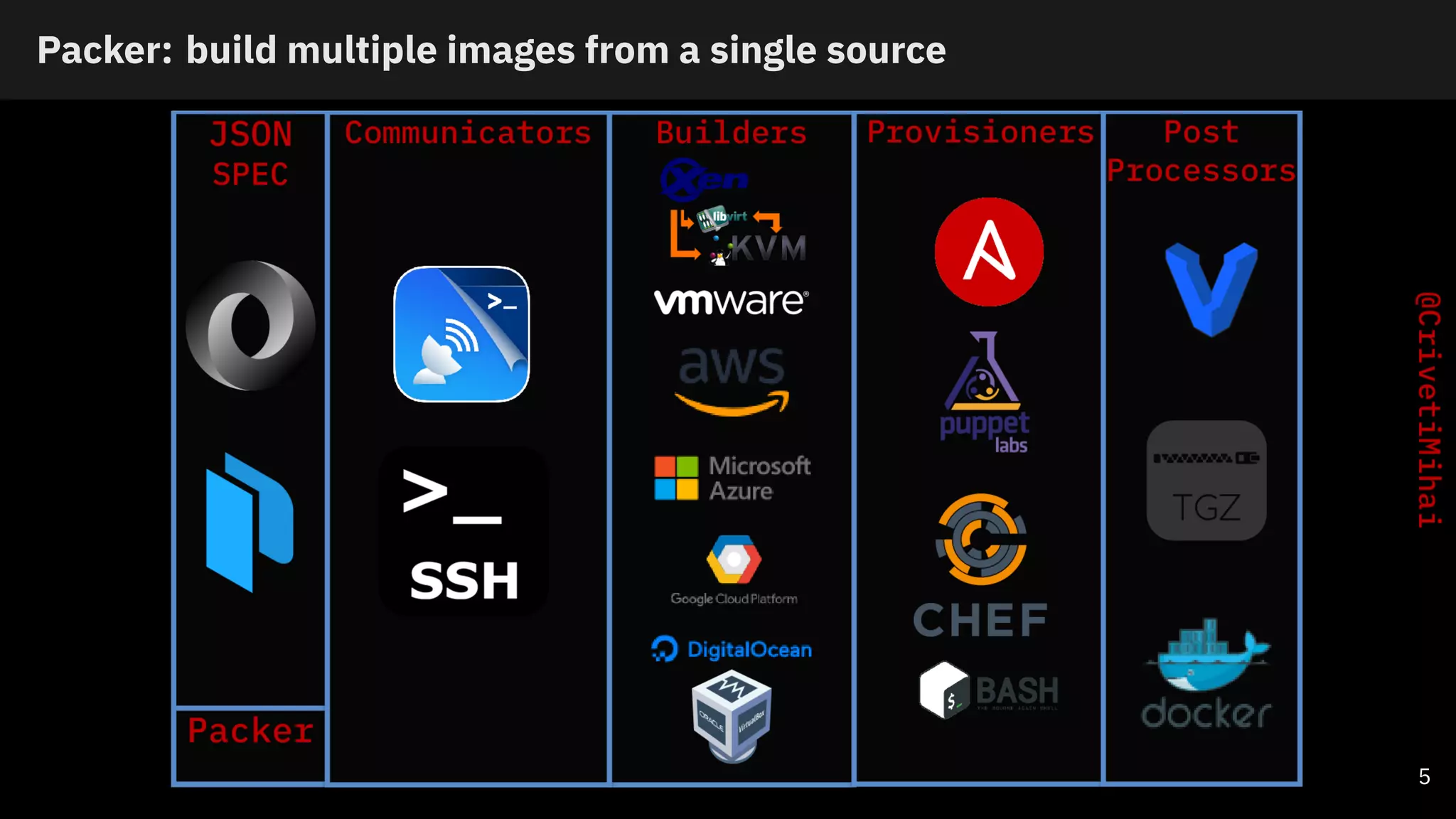
Packer: build multiple images from a single source
5
Packer: Variables
Variables to parametrized builds and hide secrets
{
"variables": {
"my_secret": "{{env `MY_SECRET`}}",
"not_a_secret": "plaintext",
"foo": "bar"
},
"sensitive-variables": ["my_secret", "foo"],
}
6
Packer: Builders
Virtualbox builder with kickstart grub prompt
"builders": [ {
"type": "virtualbox-iso",
"boot_command": [
"<up><wait><tab>",
" text inst.ks=
http://{{ .HTTPIP }}:{{ .HTTPPort }}/{{user `vm_name`}}.cfg",
"<enter><wait>"
]}],
7
Provisioners: run post-install tasks
Chaining multiple provisioners
"provisioners": [
{
"type": "shell",
"script": "setup.sh"
},
{
"type": "ansible",
"playbook_file": "{{user `playbook_file`}}"
}],
8
Post-processors: compress or upload your image
Compress, post-process and upload the results
{
"post-processors": [
{
"type": "compress",
"format": "tar.gz"
},
{
"type": "upload",
"endpoint": "http://example.com"
}
]
}
9
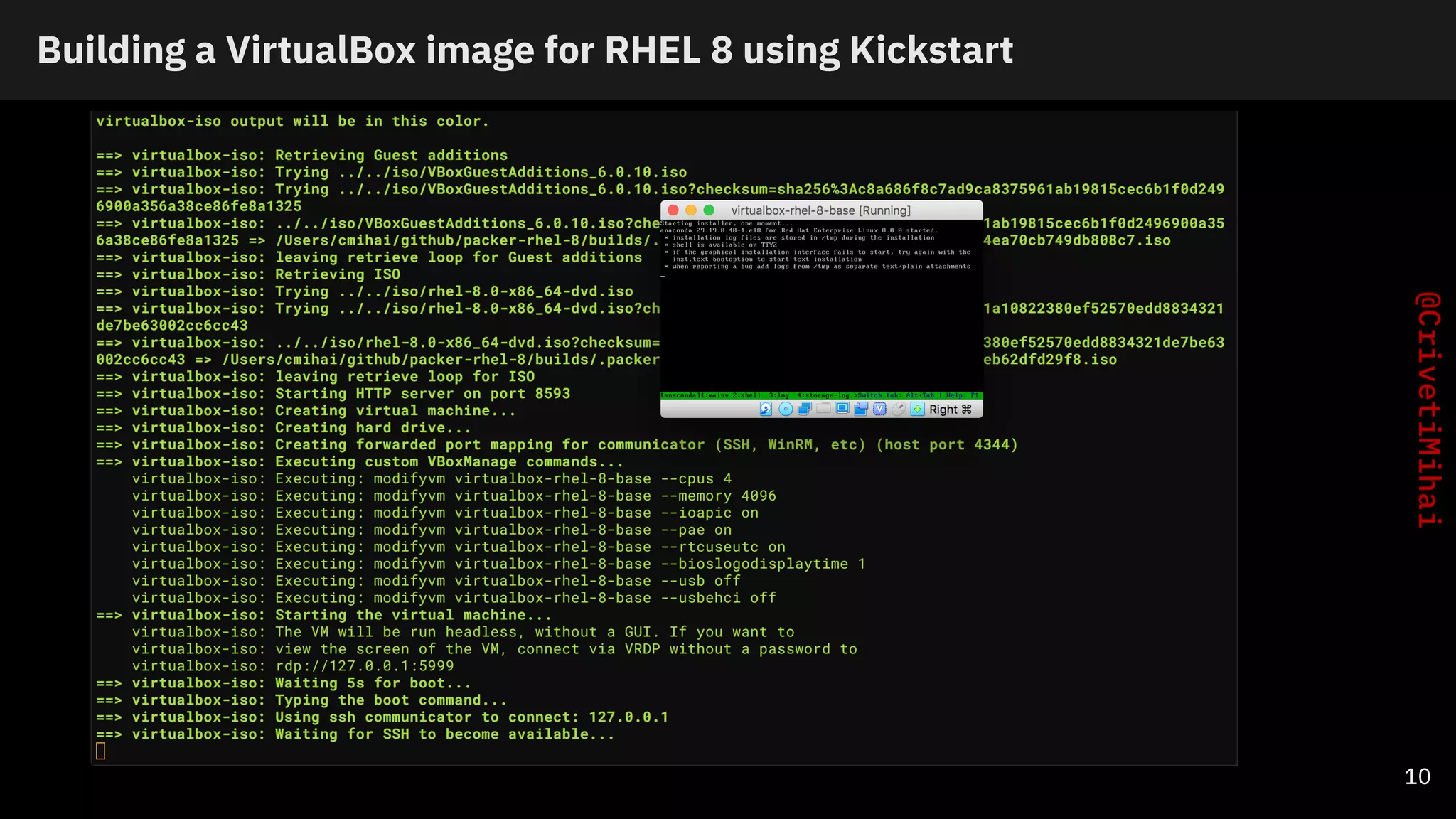
Building a VirtualBox image for RHEL 8 using Kickstart
10
2 OpenSCAP: Automate Security
Baselines
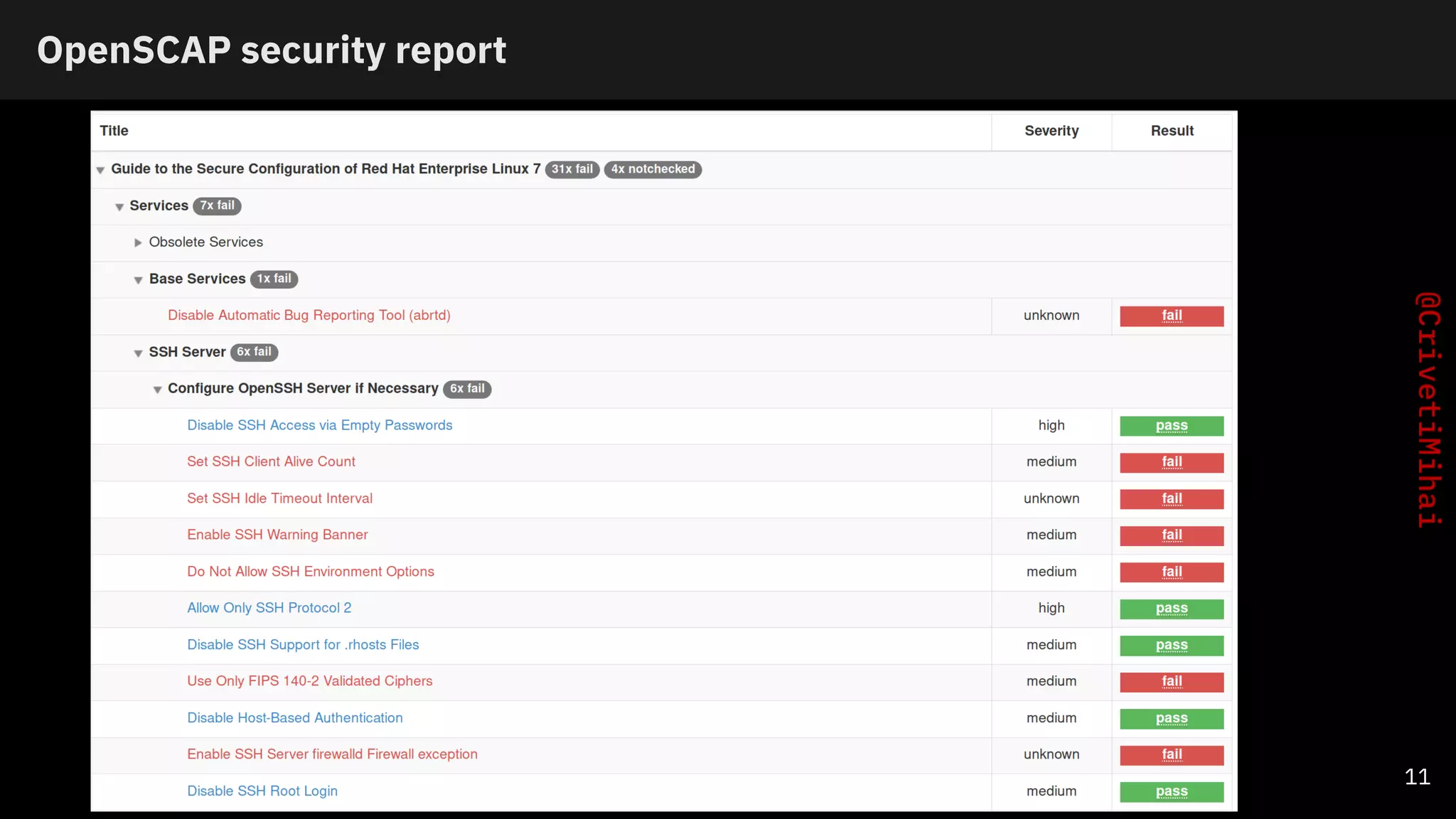
OpenSCAP security report
11
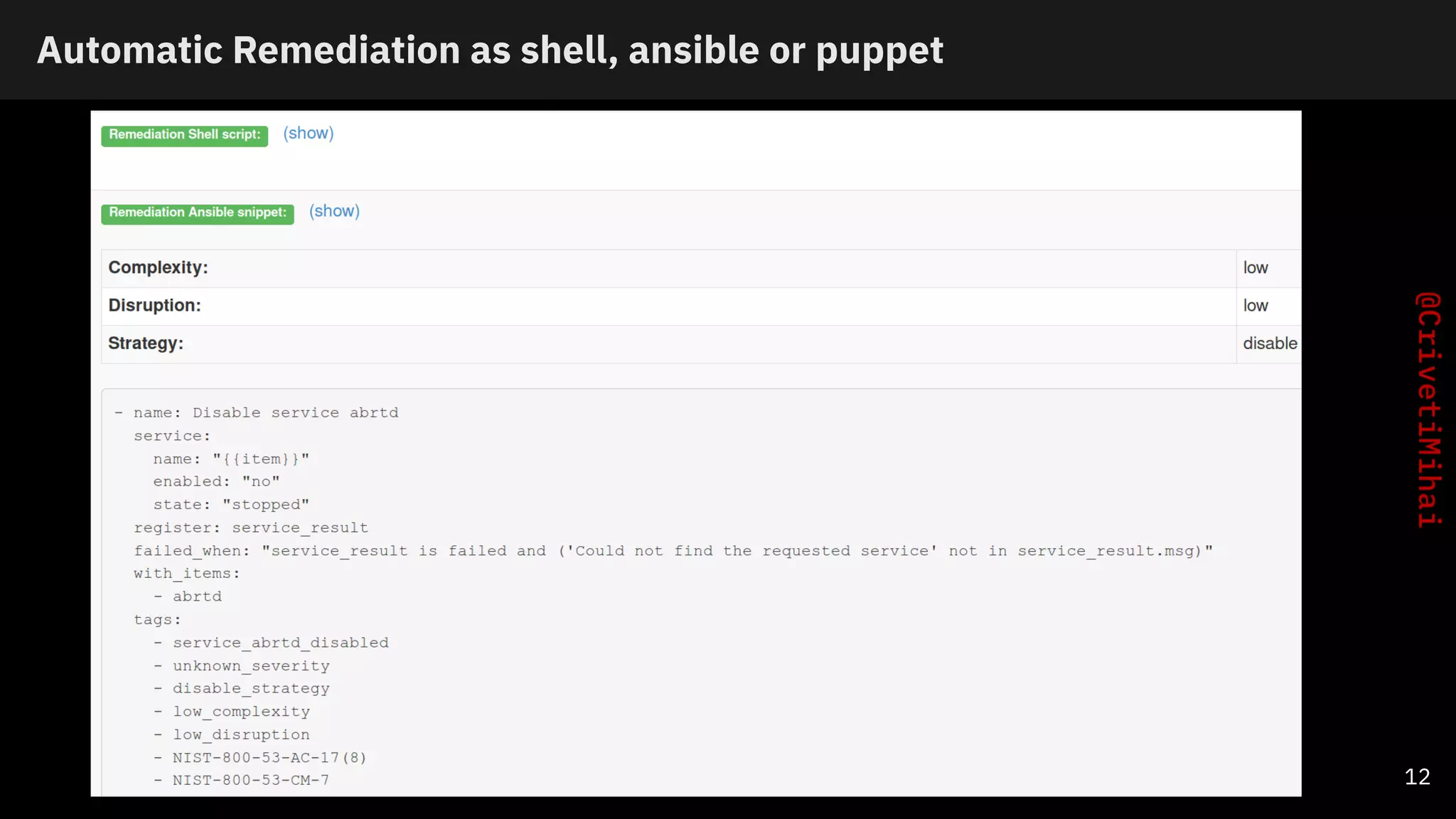
Automatic Remediation as shell, ansible or puppet
12
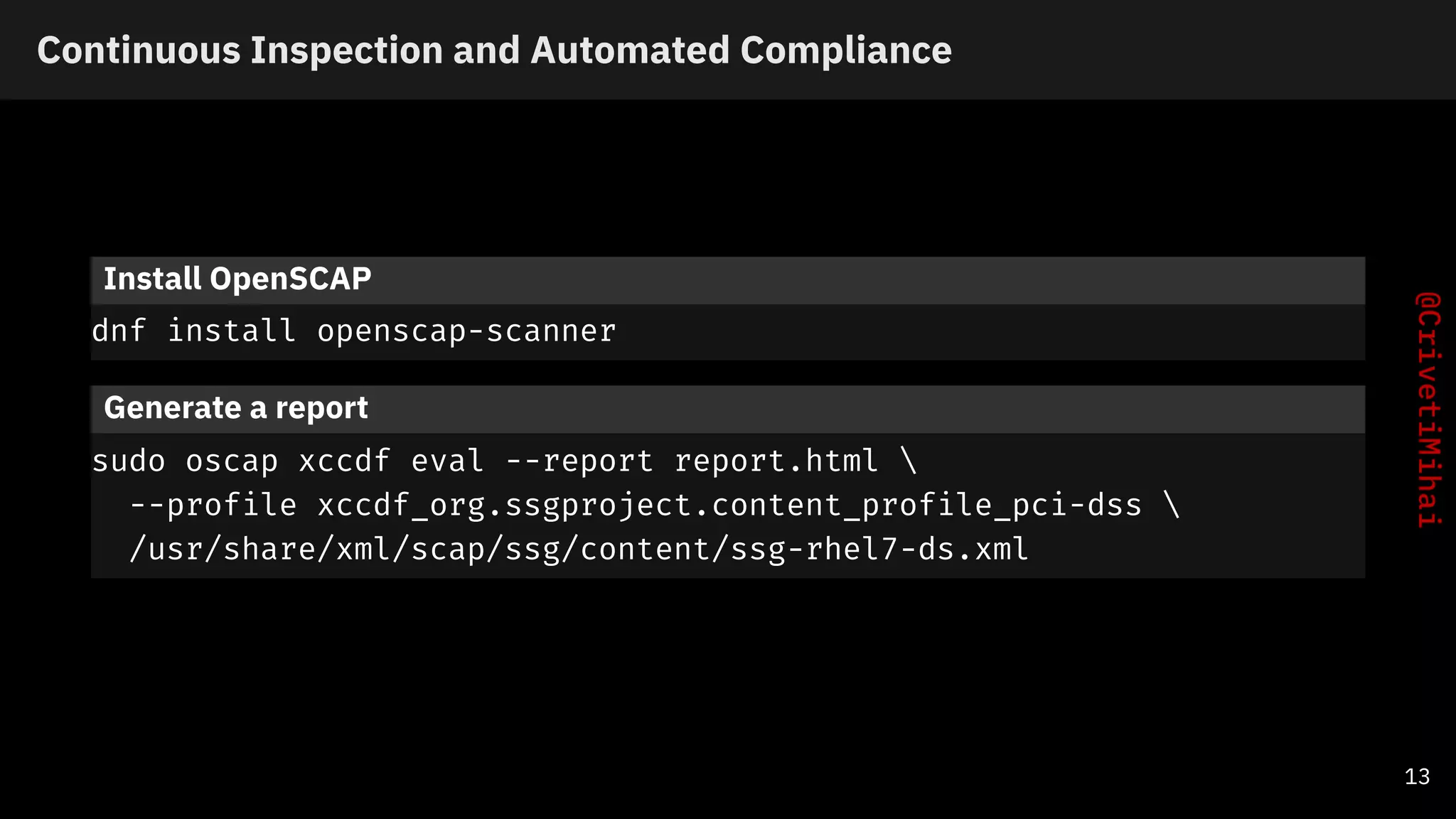
Continuous Inspection and Automated Compliance
Install OpenSCAP
dnf install openscap-scanner
Generate a report
sudo oscap xccdf eval --report report.html 
--profile xccdf_org.ssgproject.content_profile_pci-dss 
/usr/share/xml/scap/ssg/content/ssg-rhel7-ds.xml
13
3 Ansible: Provisioning and
Configuration Management
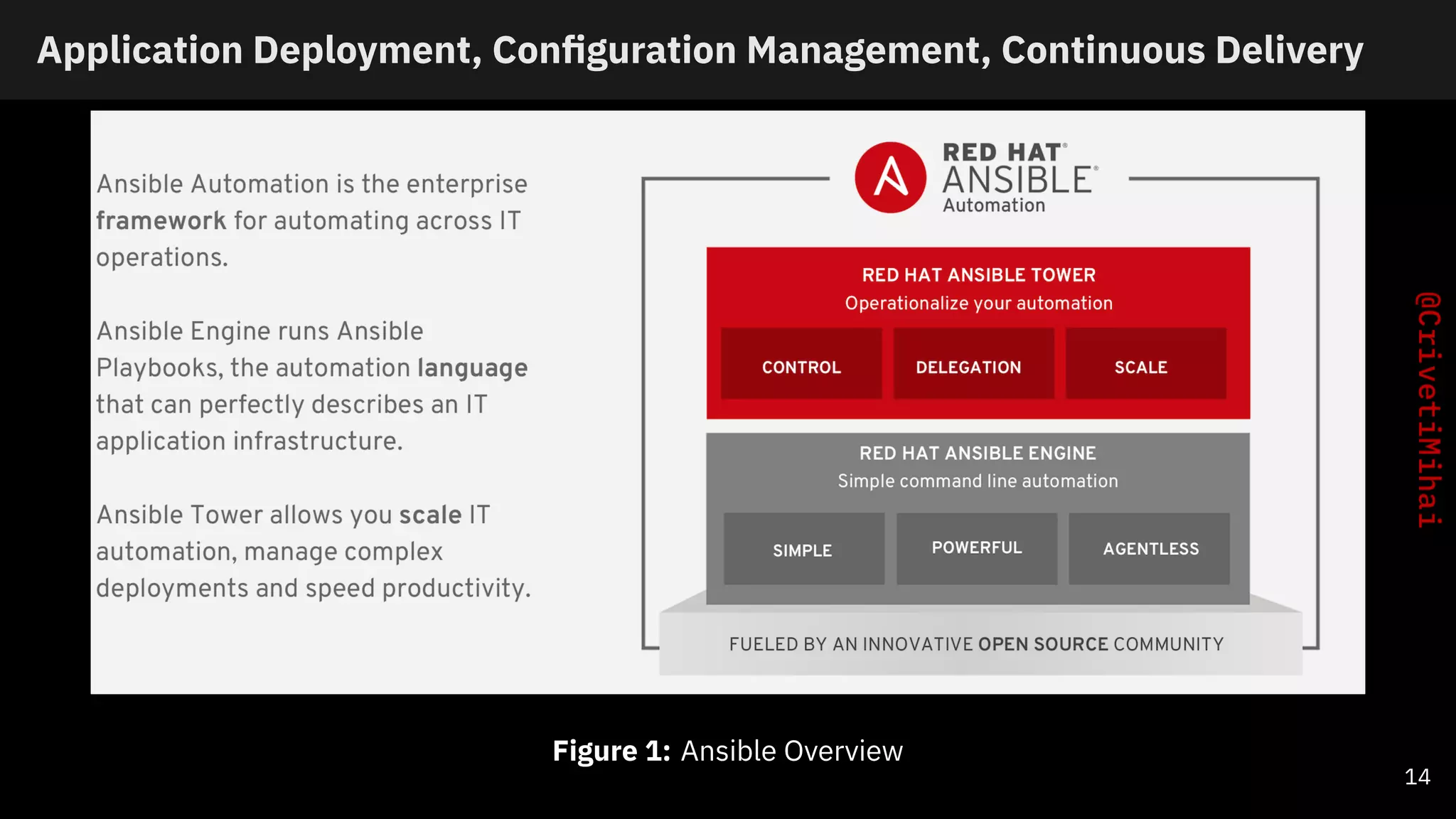
Application Deployment, Configuration Management, Continuous Delivery
Figure 1: Ansible Overview
14
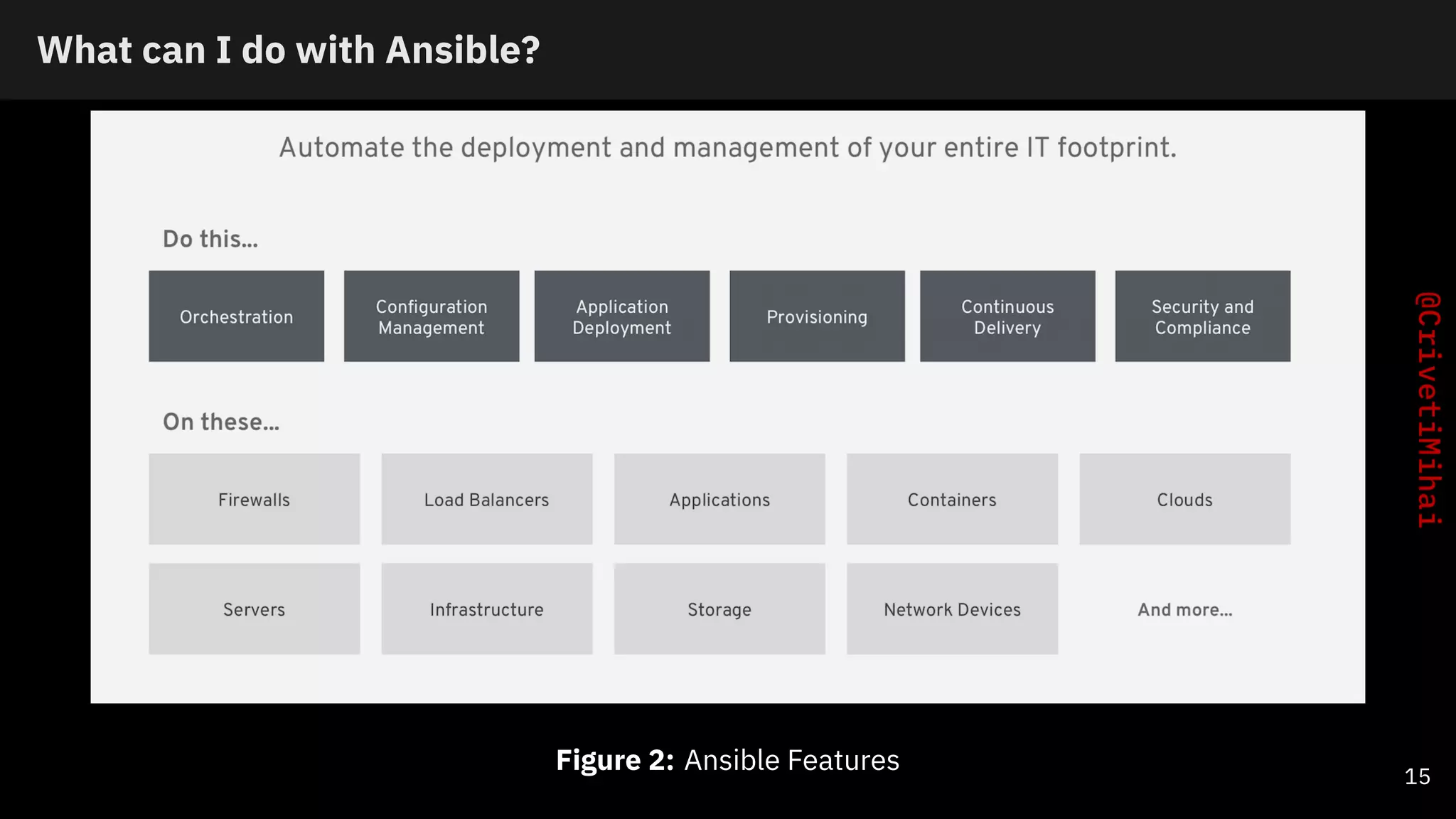
What can I do with Ansible?
Figure 2: Ansible Features 15
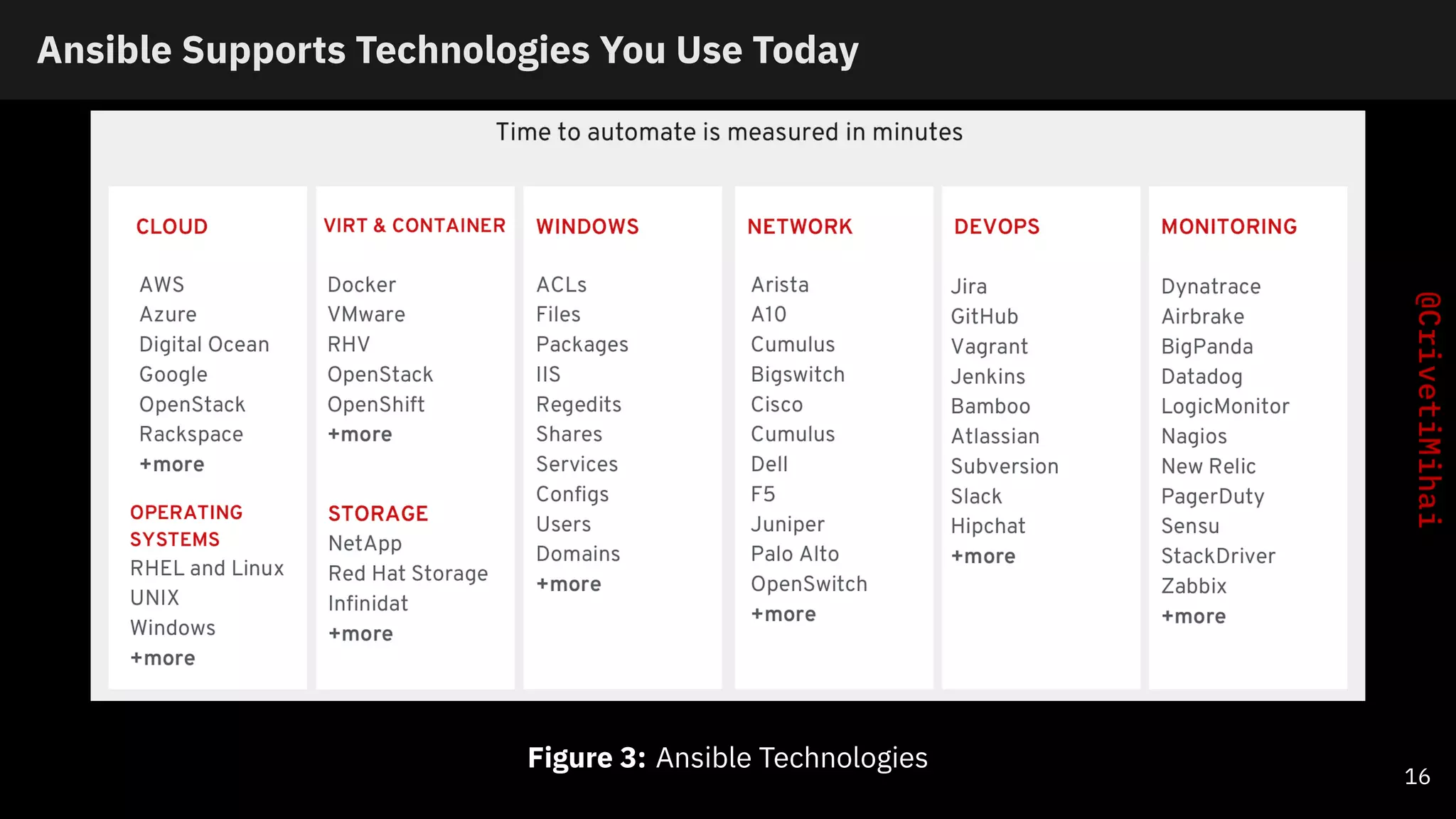
Ansible Supports Technologies You Use Today
Figure 3: Ansible Technologies
16
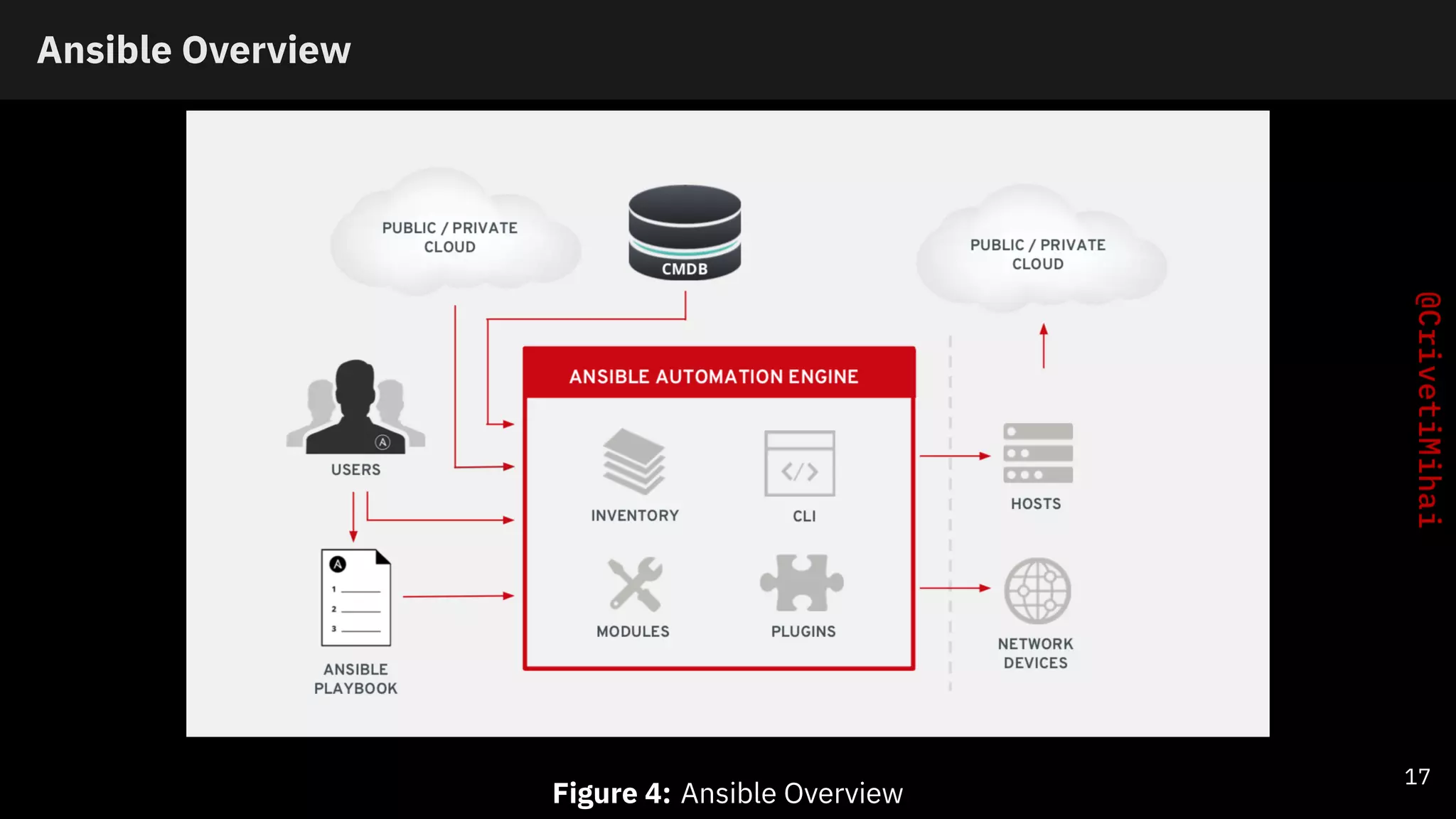
Ansible Overview
Figure 4: Ansible Overview
17
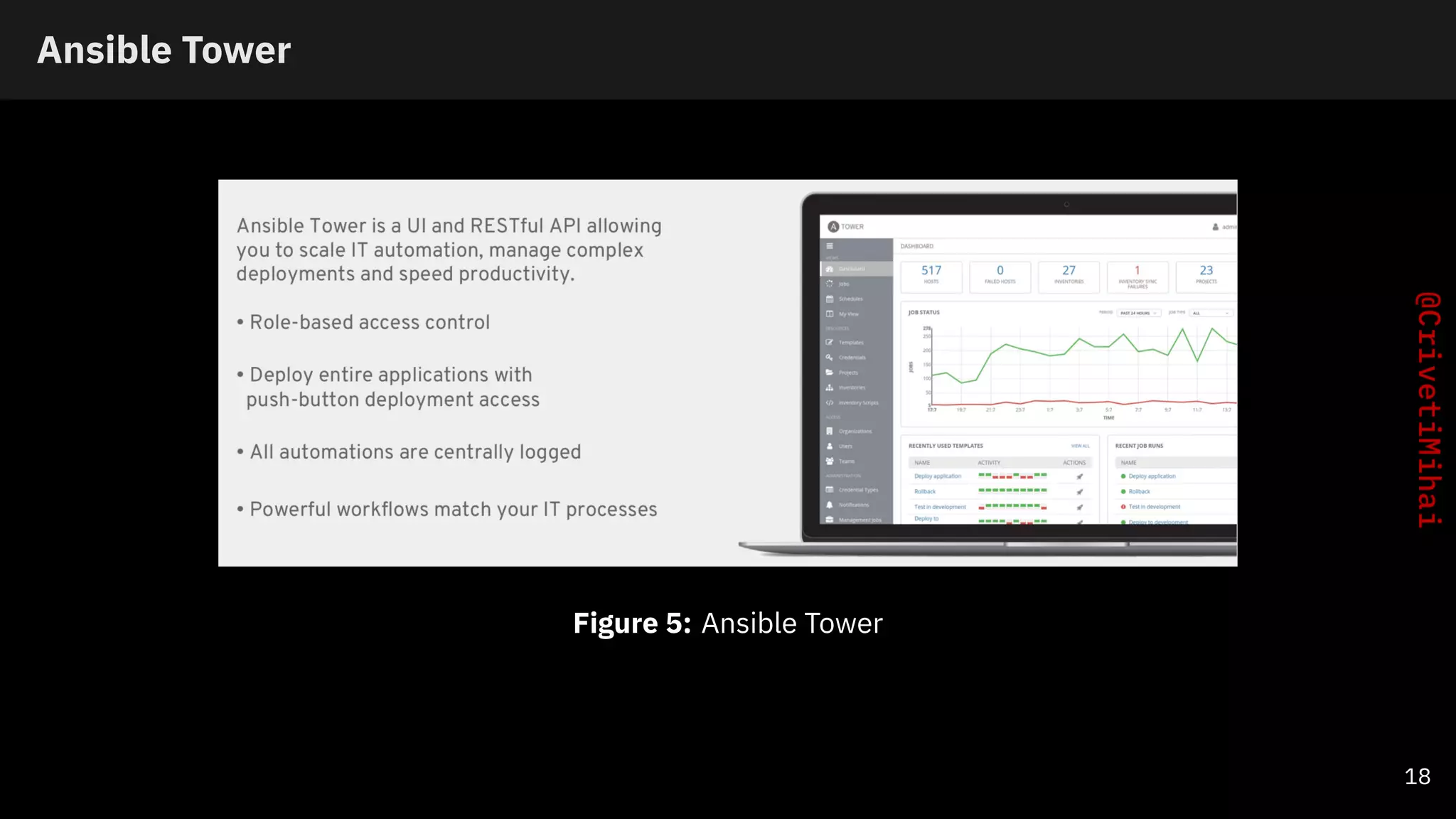
Ansible Tower
Figure 5: Ansible Tower
18
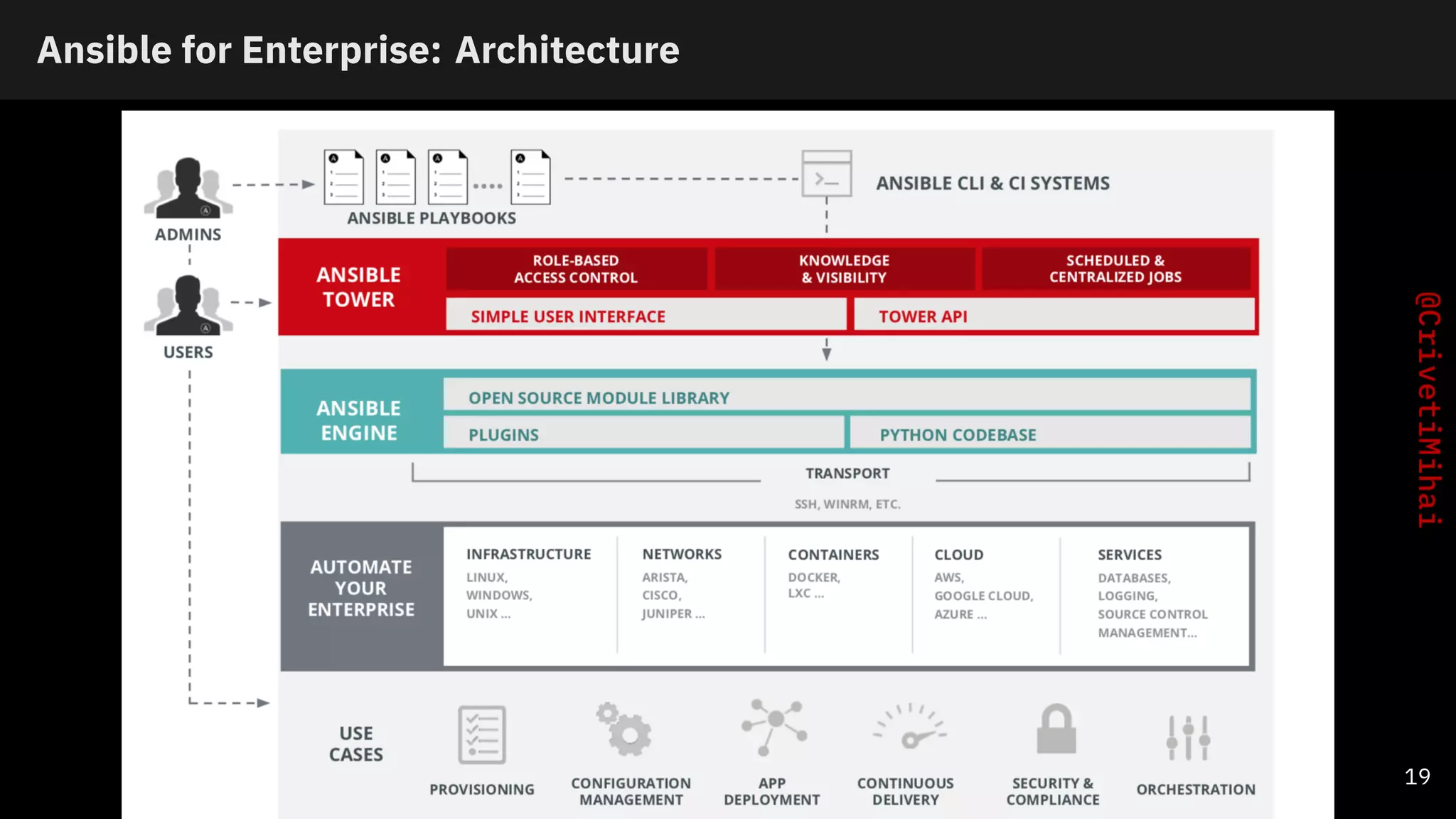
Ansible for Enterprise: Architecture
19
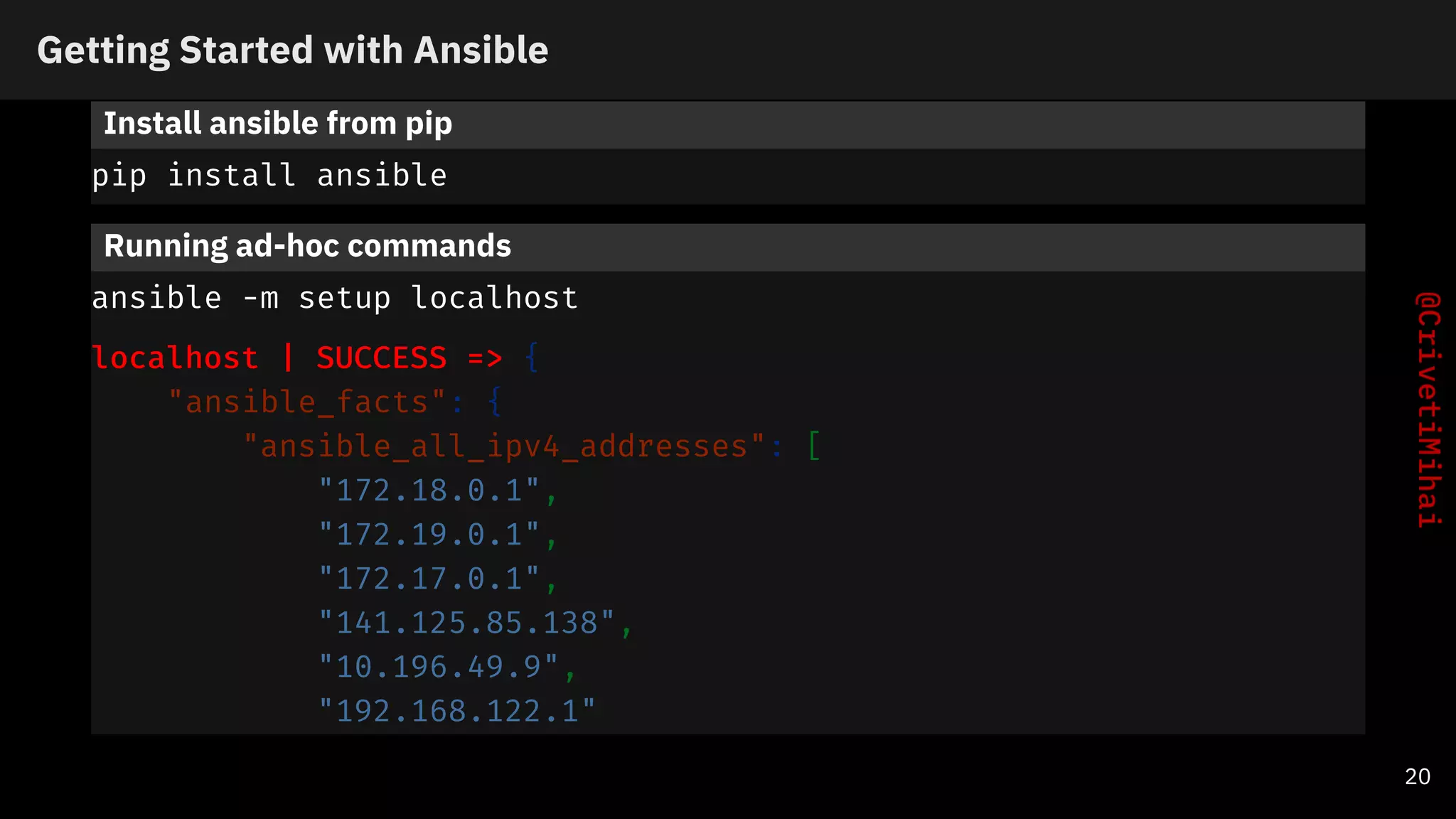
Getting Started with Ansible
Install ansible from pip
pip install ansible
Running ad-hoc commands
ansible -m setup localhost
localhost | SUCCESS => {
"ansible_facts": {
"ansible_all_ipv4_addresses": [
"172.18.0.1",
"172.19.0.1",
"172.17.0.1",
"141.125.85.138",
"10.196.49.9",
"192.168.122.1"
20
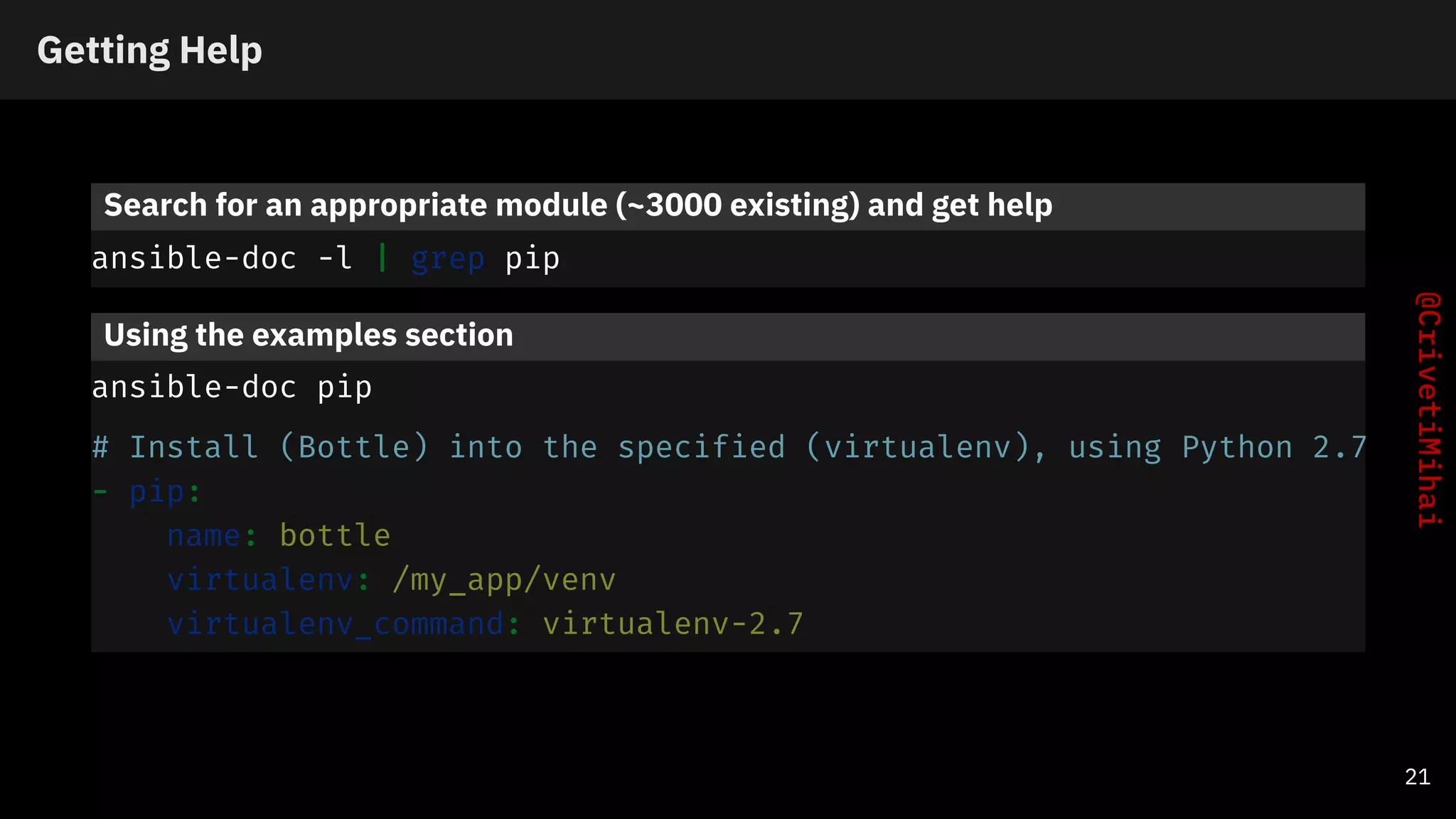
Getting Help
Search for an appropriate module (~3000 existing) and get help
ansible-doc -l | grep pip
Using the examples section
ansible-doc pip
# Install (Bottle) into the specified (virtualenv), using Python 2.7
- pip:
name: bottle
virtualenv: /my_app/venv
virtualenv_command: virtualenv-2.7
21
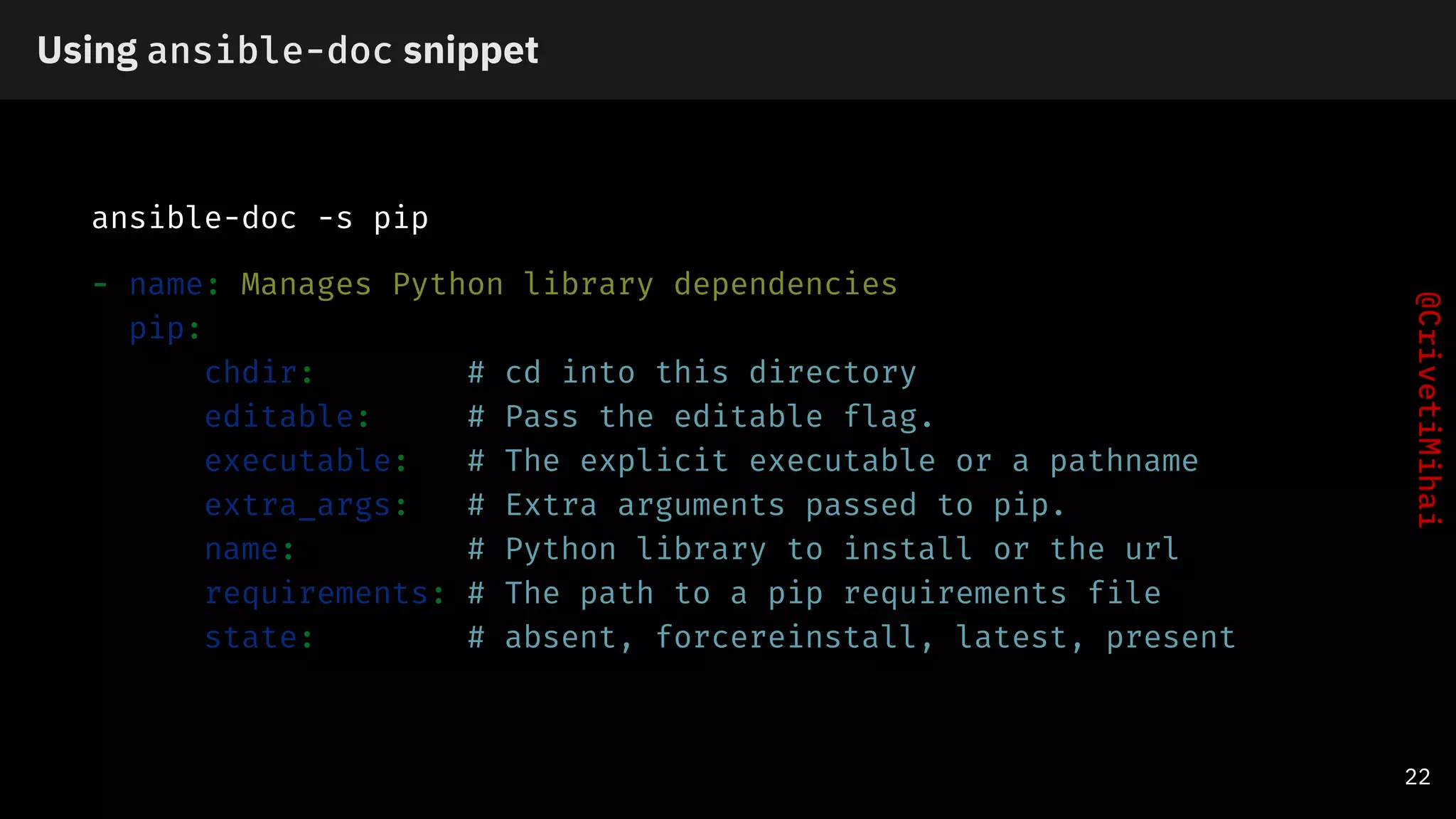
Using ansible-doc snippet
ansible-doc -s pip
- name: Manages Python library dependencies
pip:
chdir: # cd into this directory
editable: # Pass the editable flag.
executable: # The explicit executable or a pathname
extra_args: # Extra arguments passed to pip.
name: # Python library to install or the url
requirements: # The path to a pip requirements file
state: # absent, forcereinstall, latest, present
22
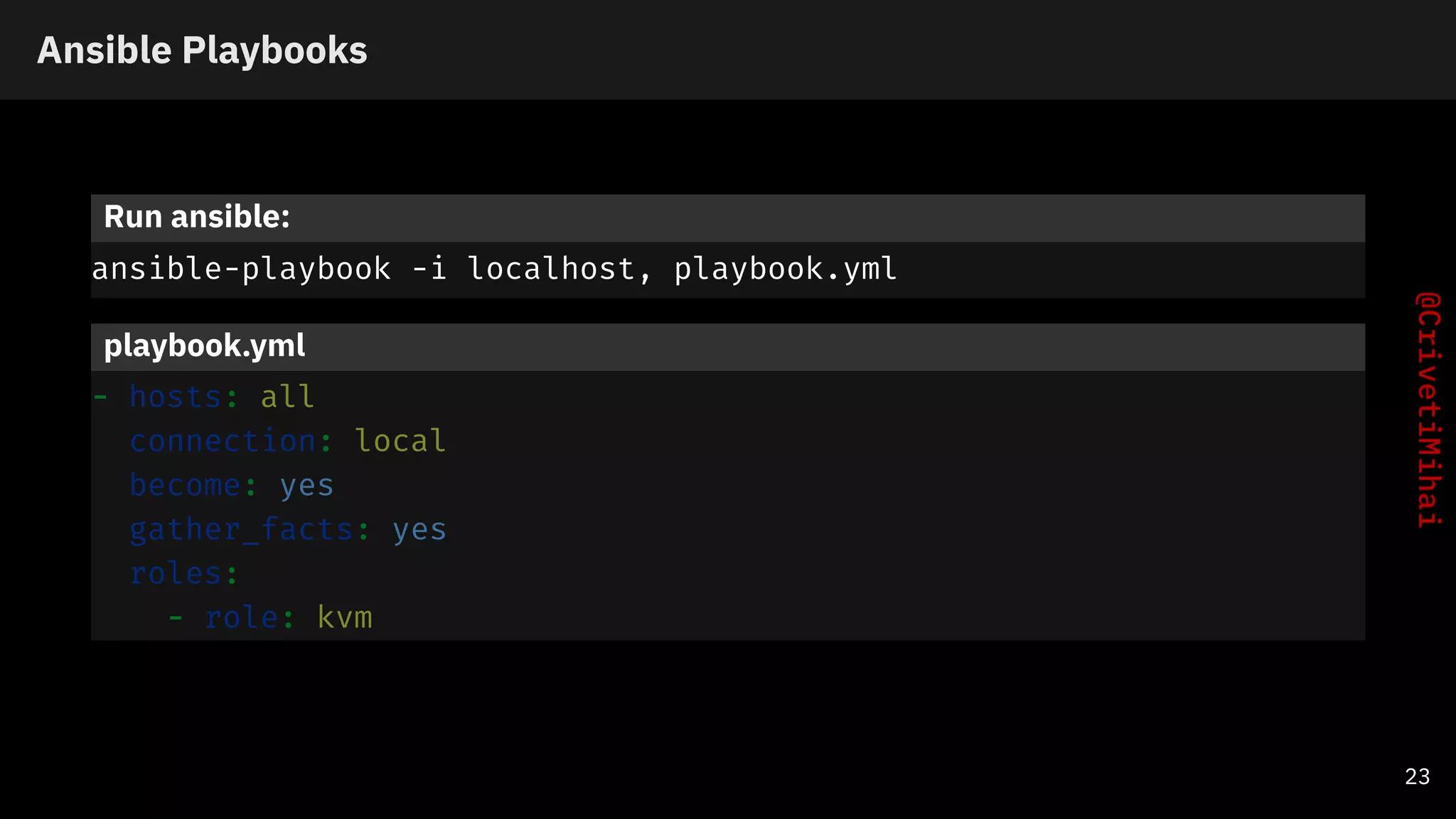
Ansible Playbooks
Run ansible:
ansible-playbook -i localhost, playbook.yml
playbook.yml
- hosts: all
connection: local
become: yes
gather_facts: yes
roles:
- role: kvm
23
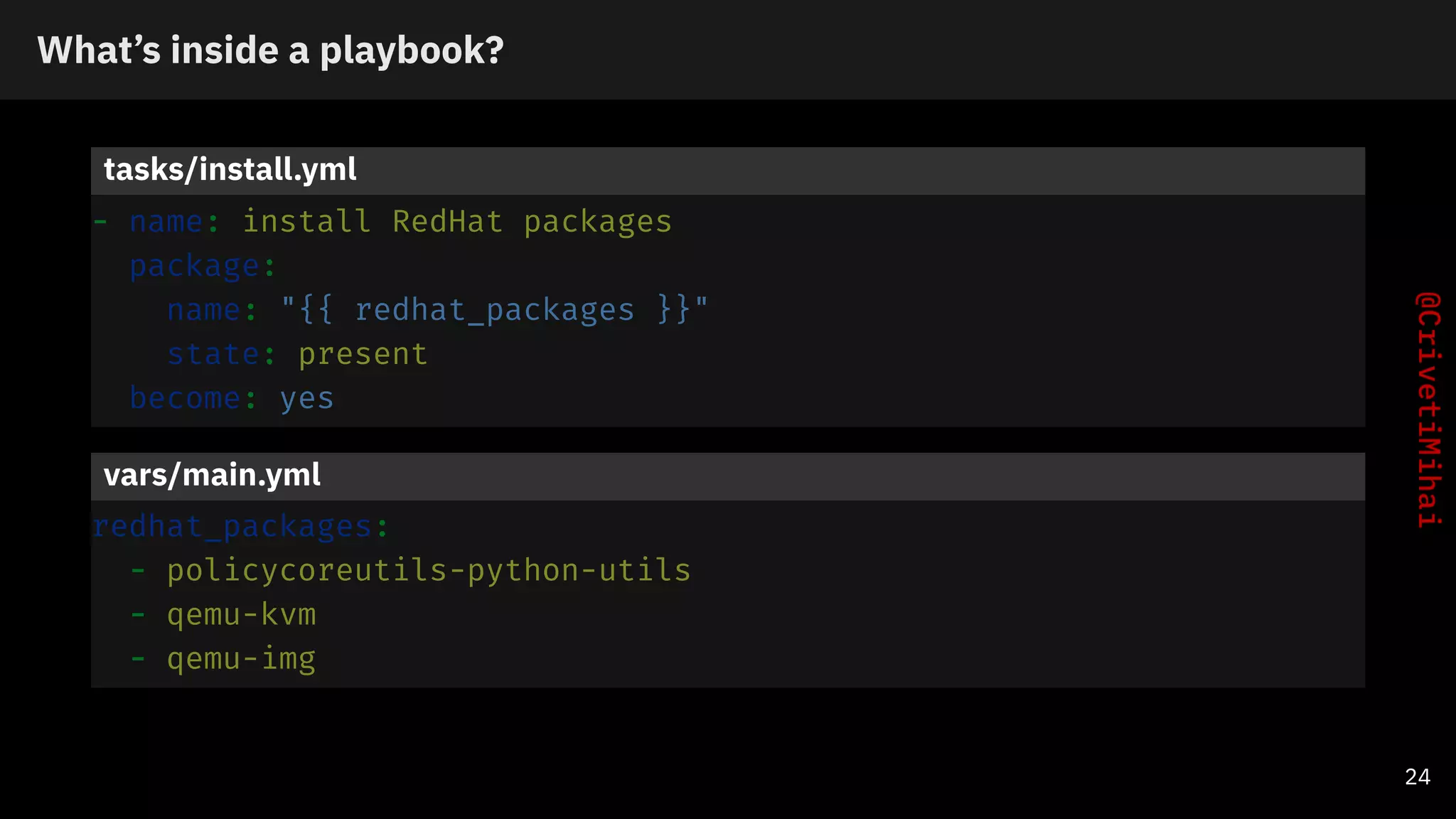
What’s inside a playbook?
tasks/install.yml
- name: install RedHat packages
package:
name: "{{ redhat_packages }}"
state: present
become: yes
vars/main.yml
redhat_packages:
- policycoreutils-python-utils
- qemu-kvm
- qemu-img
24
4 Molecule: Test your Ansible
Playbooks on Docker, Vagrant or
Cloud
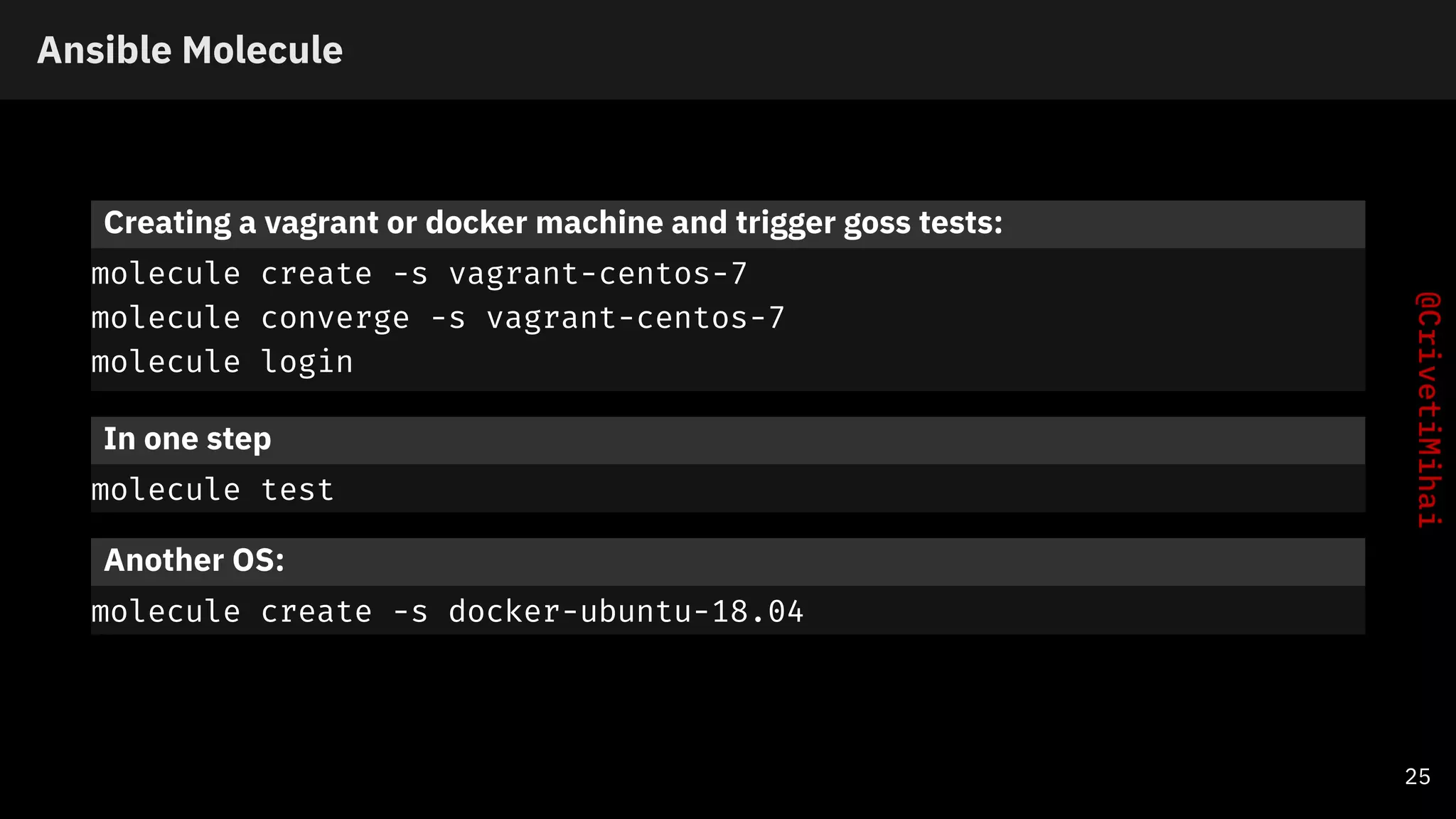
Ansible Molecule
Creating a vagrant or docker machine and trigger goss tests:
molecule create -s vagrant-centos-7
molecule converge -s vagrant-centos-7
molecule login
In one step
molecule test
Another OS:
molecule create -s docker-ubuntu-18.04
25
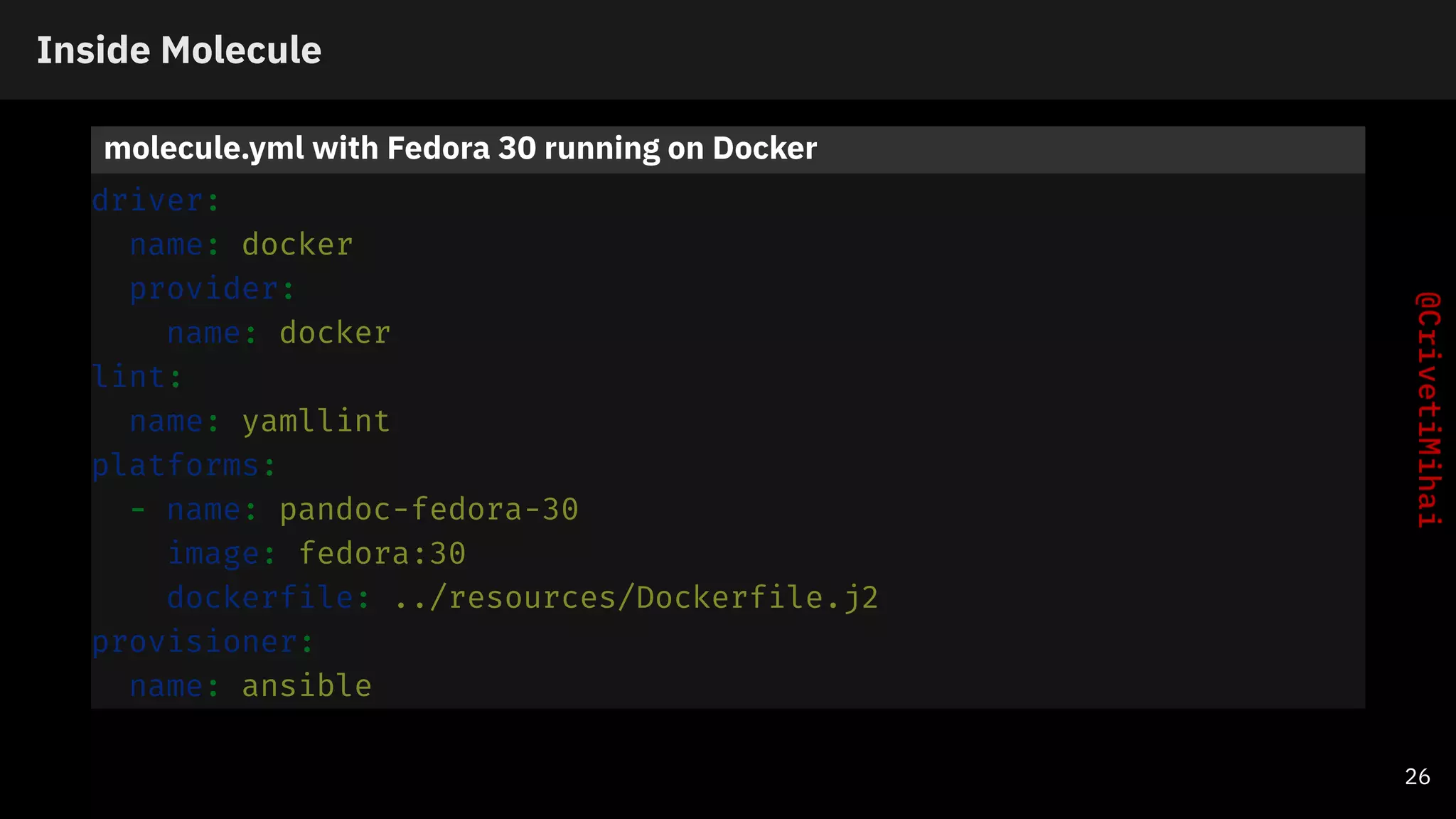
Inside Molecule
molecule.yml with Fedora 30 running on Docker
driver:
name: docker
provider:
name: docker
lint:
name: yamllint
platforms:
- name: pandoc-fedora-30
image: fedora:30
dockerfile: ../resources/Dockerfile.j2
provisioner:
name: ansible
26
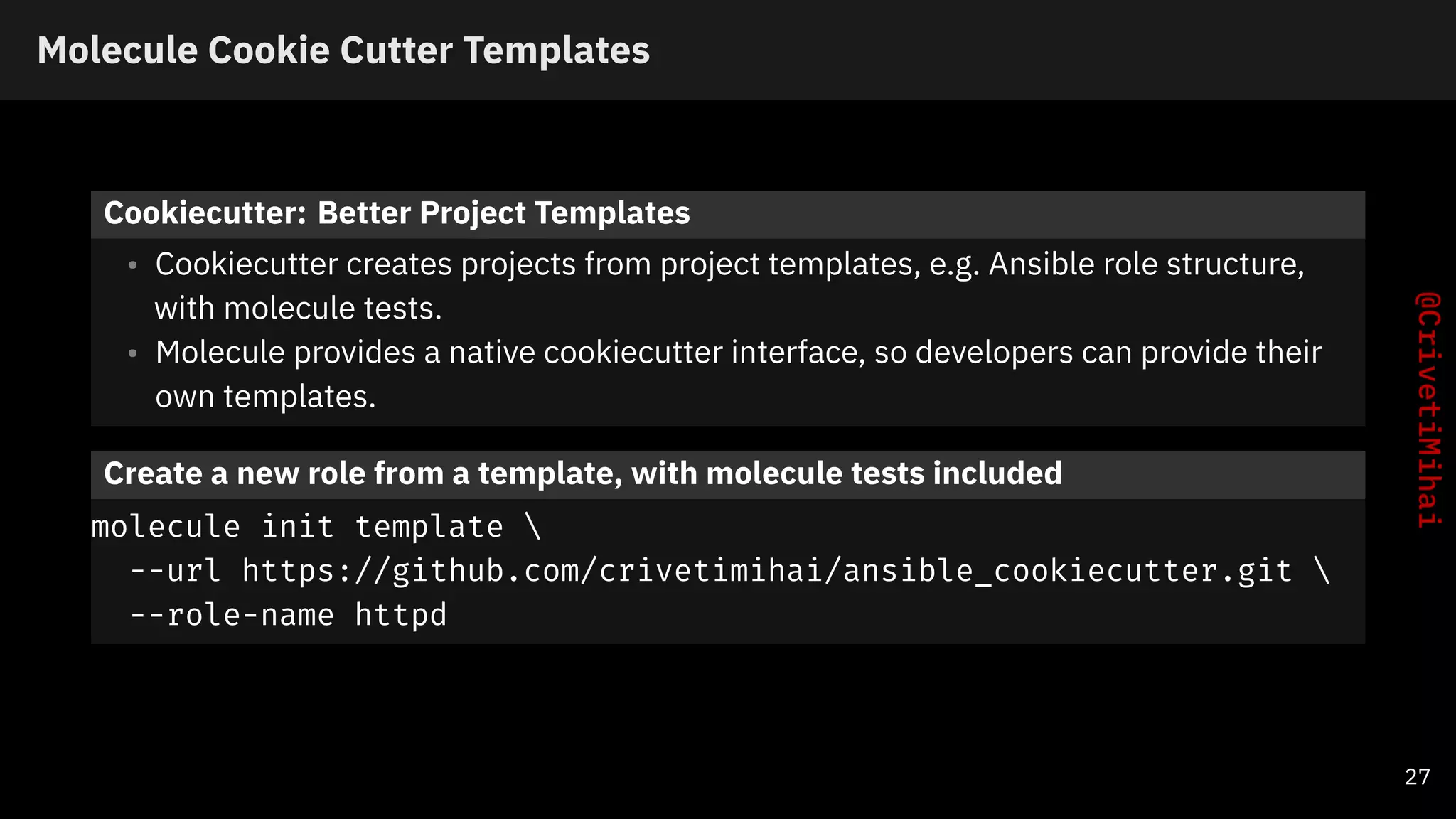
Molecule Cookie Cutter Templates
Cookiecutter: Better Project Templates
• Cookiecutter creates projects from project templates, e.g. Ansible role structure,
with molecule tests.
• Molecule provides a native cookiecutter interface, so developers can provide their
own templates.
Create a new role from a template, with molecule tests included
molecule init template 
--url https://github.com/crivetimihai/ansible_cookiecutter.git 
--role-name httpd
27
5 Vagrant: Test images with
vagrant
Test images locally with Vagrant
Run vagrant up on a Vagrantfile
Vagrant.configure("2") do |config|
config.vm.box = "centos-8-base"
config.vm.hostname = "centos8.lab.local"
config.vm.network "private_network", ip: "172.16.6.4"
config.vm.provider "virtualbox" do |vb|
vb.cpus = "2"
vb.memory = "2048"
vb.customize ["modifyvm", :id, "--vram", "256"]
end
end
28
6 Package Python Applications
with setuptools
Package python code with setuptools
hello/init.py
def hello():
return "Hello"
setup.py
from setuptools import setup
setup(name=‘hello', version='0.1’,
description=’My Package’,
url='http://github.com/crivetimihai/hello’,
author=‘Mihai Criveti’,
license='MIT’,
packages=[‘hello’],
zip_safe=False)
29
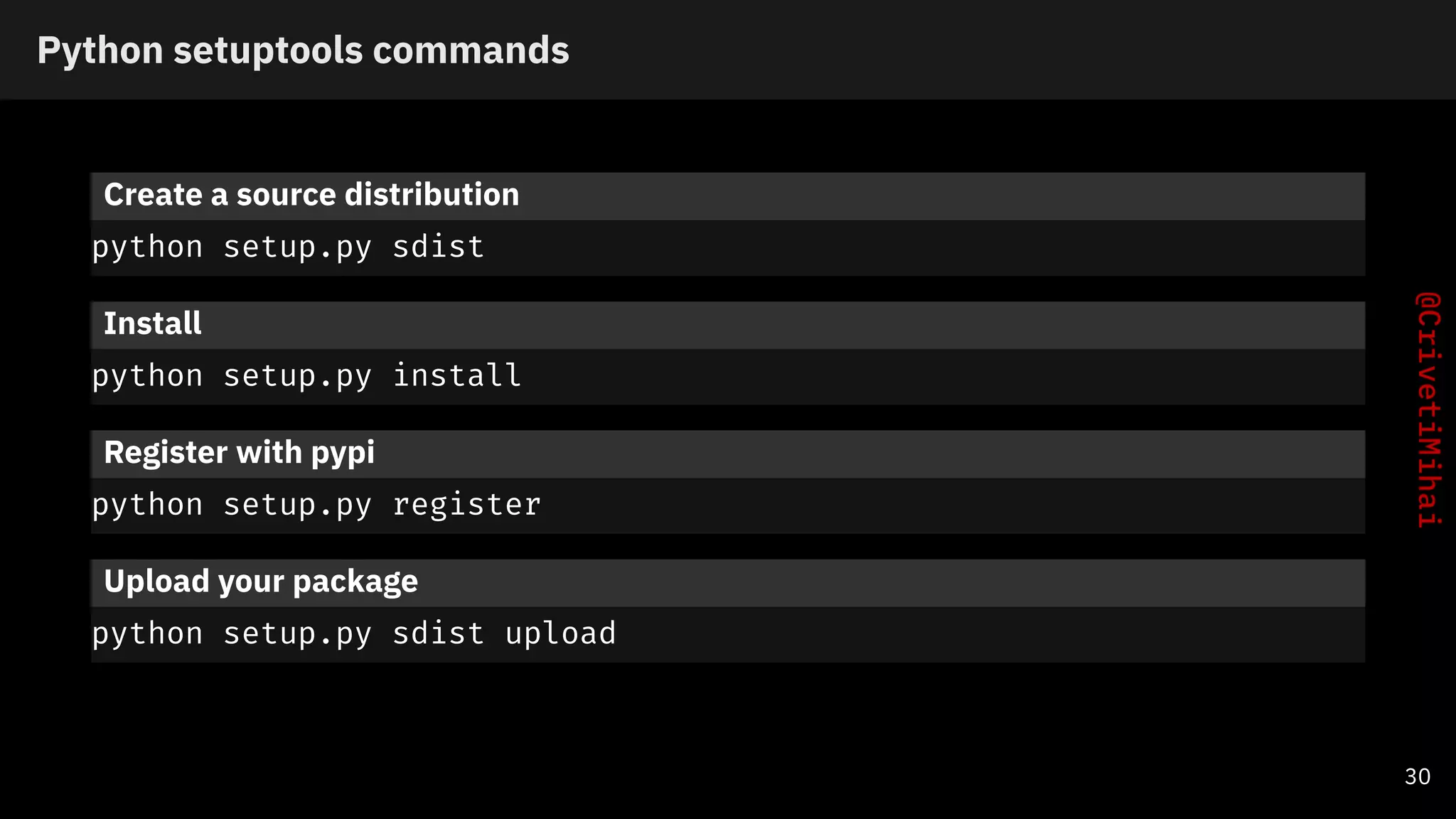
Python setuptools commands
Create a source distribution
python setup.py sdist
Install
python setup.py install
Register with pypi
python setup.py register
Upload your package
python setup.py sdist upload
30
Moving to setup.cfg
[metadata]
name = hello
version = 0.1.0
description = Hello World
long_description = file: README.md, CHANGELOG.md, LICENSE.md
long_description_content_type = text/markdown
keywords = hello
author = Mihai Criveti
author_email = crivetimihai@gmail.com
31
Integrating tests and coverage
Integrate pytest, py-test-cov
python setup.py test
Automate testing with tox
# tox.ini
[tox]
envlist=py35,py36,py37
[testenv]
commands=py.test
deps=pytest
32
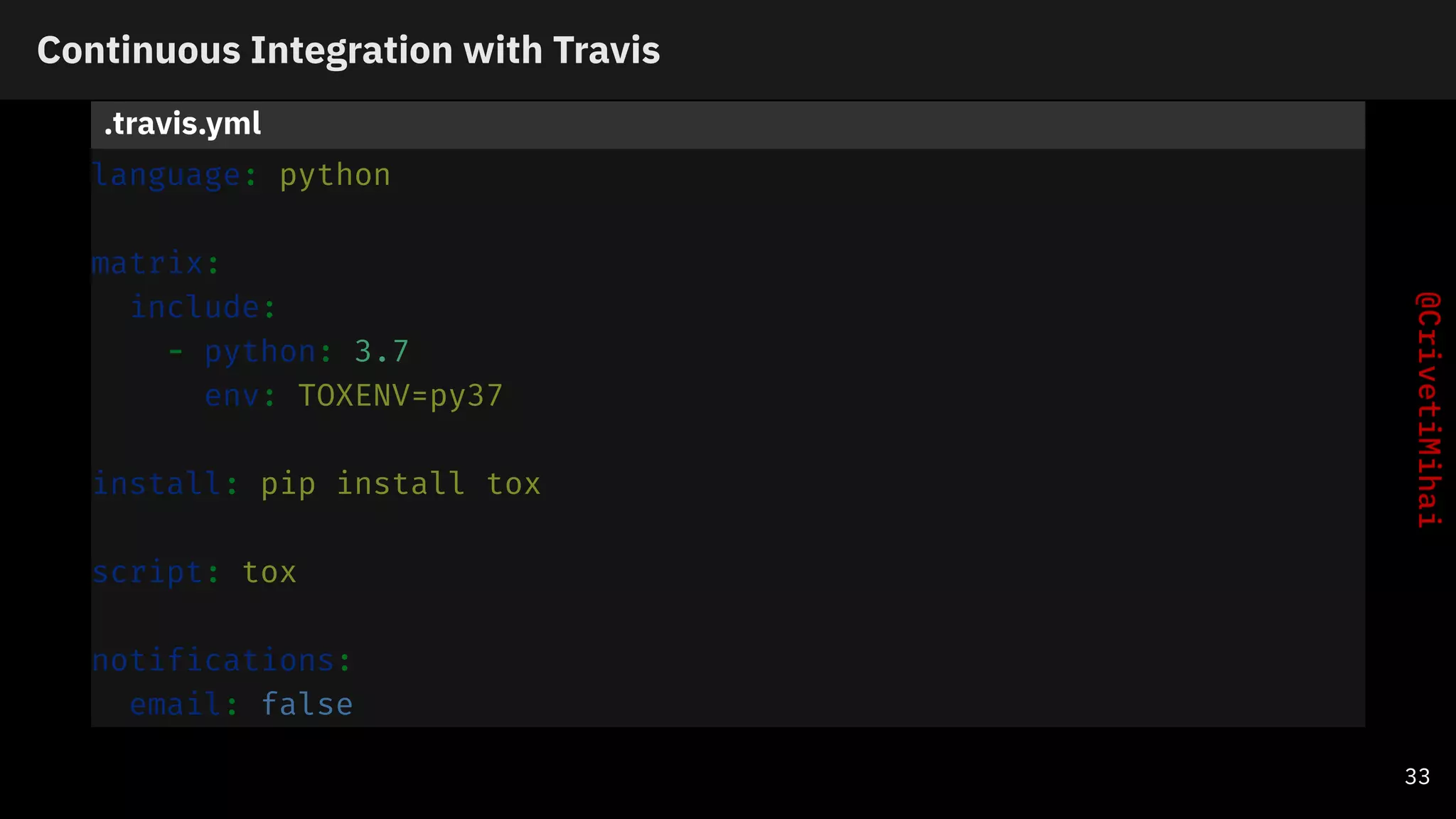
Continuous Integration with Travis
.travis.yml
language: python
matrix:
include:
- python: 3.7
env: TOXENV=py37
install: pip install tox
script: tox
notifications:
email: false
33
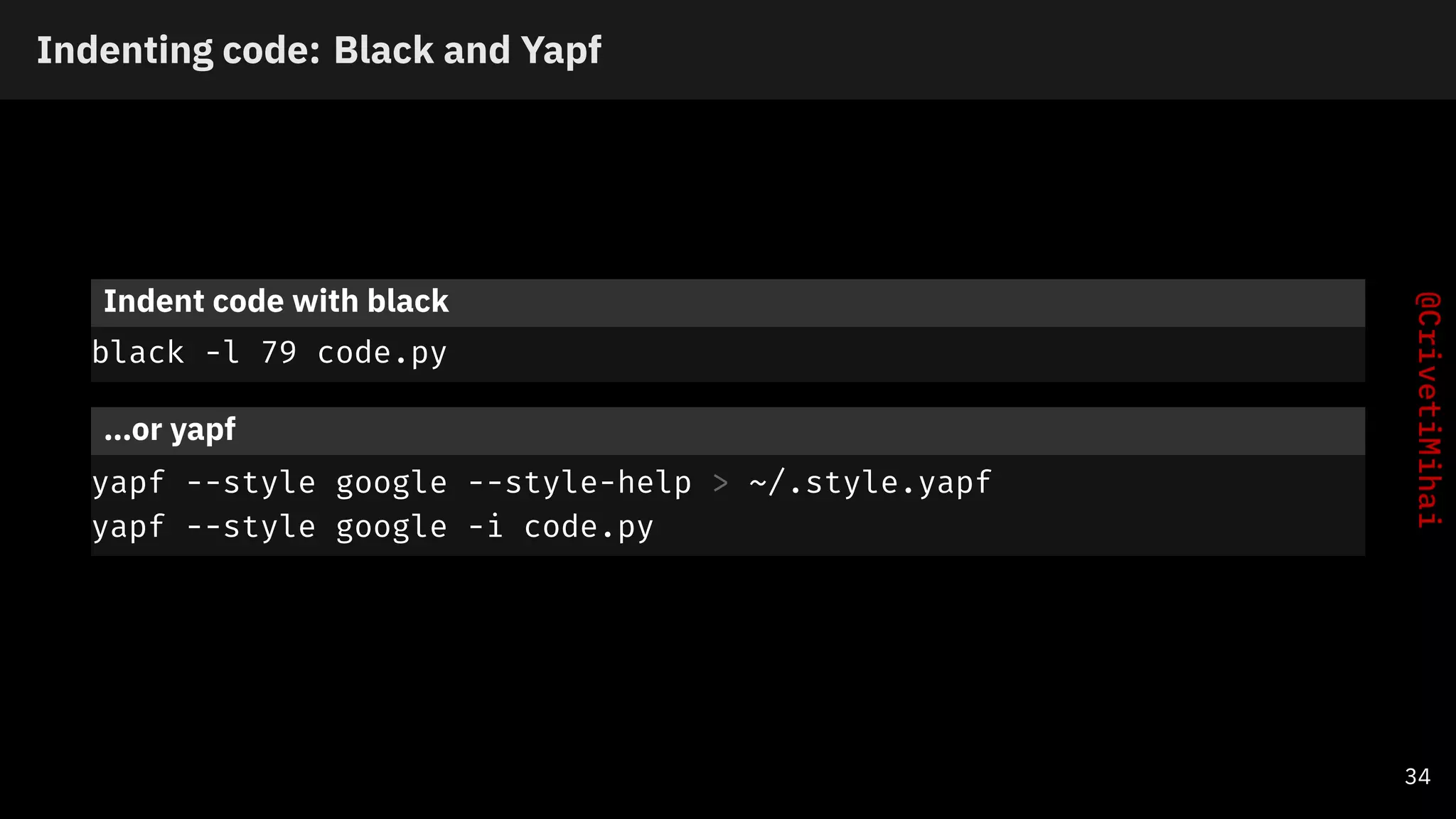
Indenting code: Black and Yapf
Indent code with black
black -l 79 code.py
…or yapf
yapf --style google --style-help > ~/.style.yapf
yapf --style google -i code.py
34
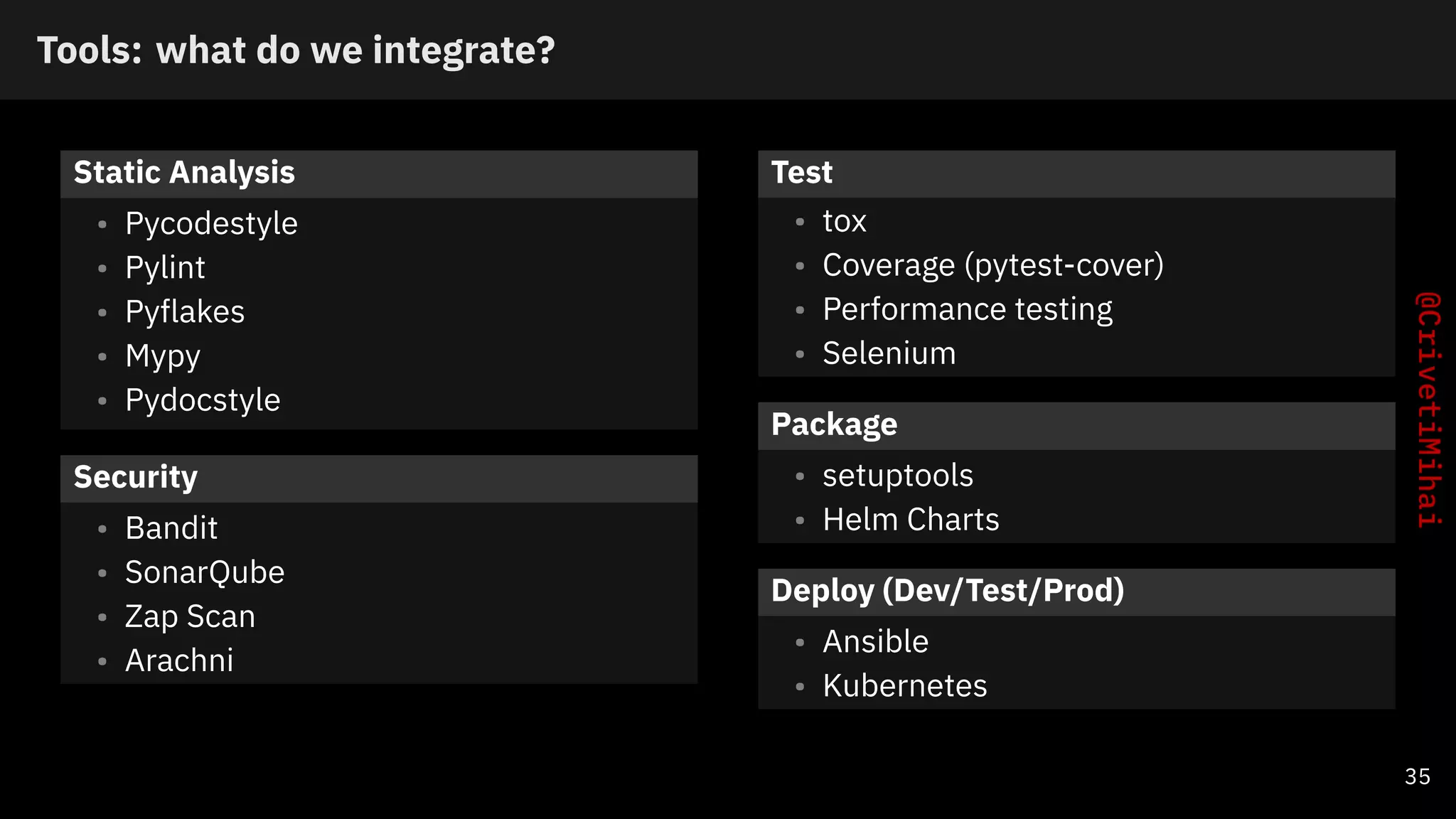
Tools: what do we integrate?
Static Analysis
• Pycodestyle
• Pylint
• Pyflakes
• Mypy
• Pydocstyle
Security
• Bandit
• SonarQube
• Zap Scan
• Arachni
Test
• tox
• Coverage (pytest-cover)
• Performance testing
• Selenium
Package
• setuptools
• Helm Charts
Deploy (Dev/Test/Prod)
• Ansible
• Kubernetes
35
Python Packaging: Cookiecutter
Install and use cookiecutter templates:
pip install cookiecutter
cookiecutter https://github.com/audreyr/cookiecutter-pypackage
Example output
email [audreyr@example.com]: crivetimihai@gmail.com
github_username [audreyr]: crivetimihai
project_name [Python Boilerplate]: MyProject
project_slug [myproject]:
pypi_username [crivetimihai]:
version [0.1.0]:
use_pytest [n]:
use_pypi_deployment_with_travis [y]:
36
7 Kubernetes: Container
Orchestration at Scale
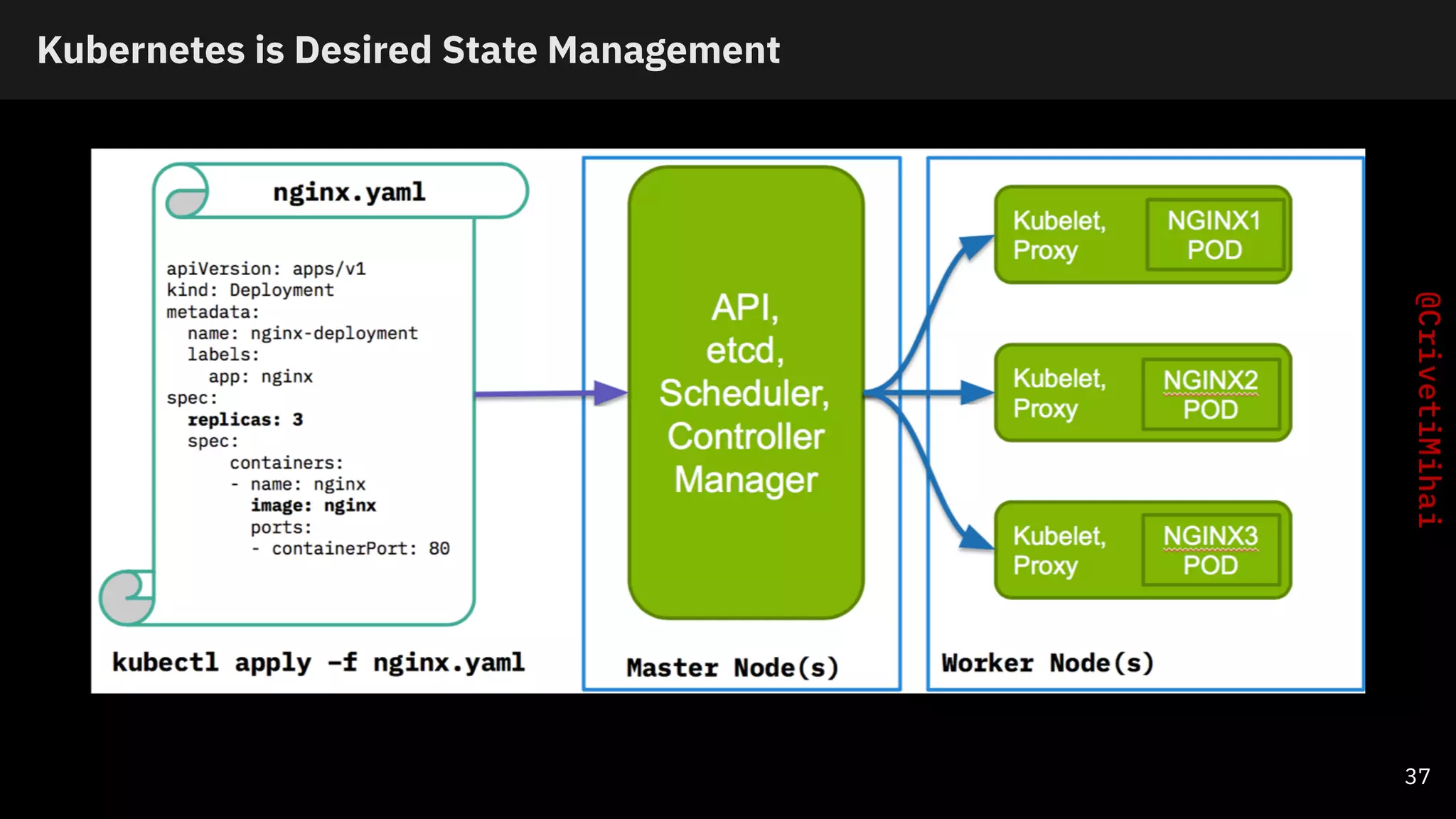
Kubernetes is Desired State Management
37
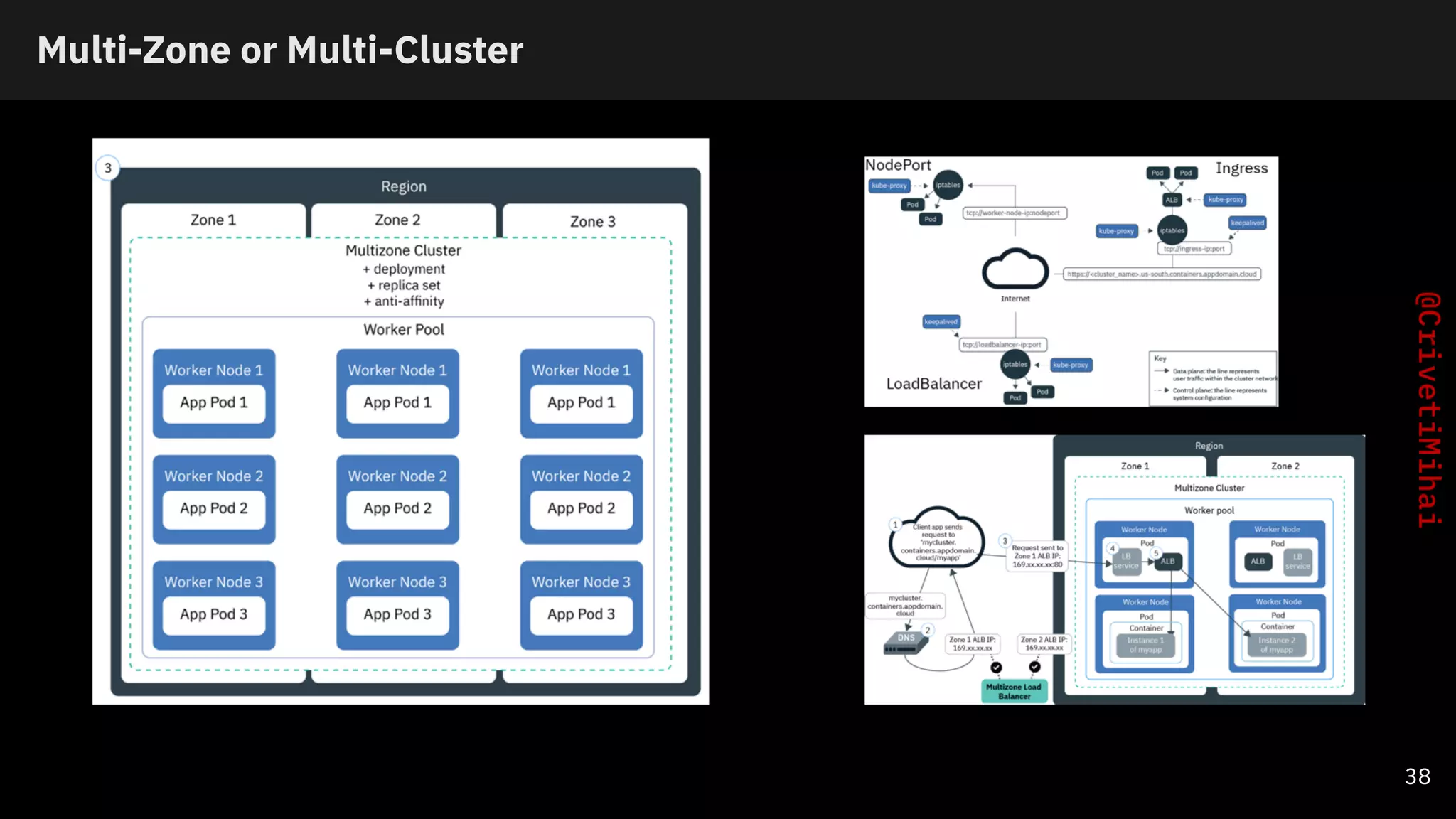
Multi-Zone or Multi-Cluster
38
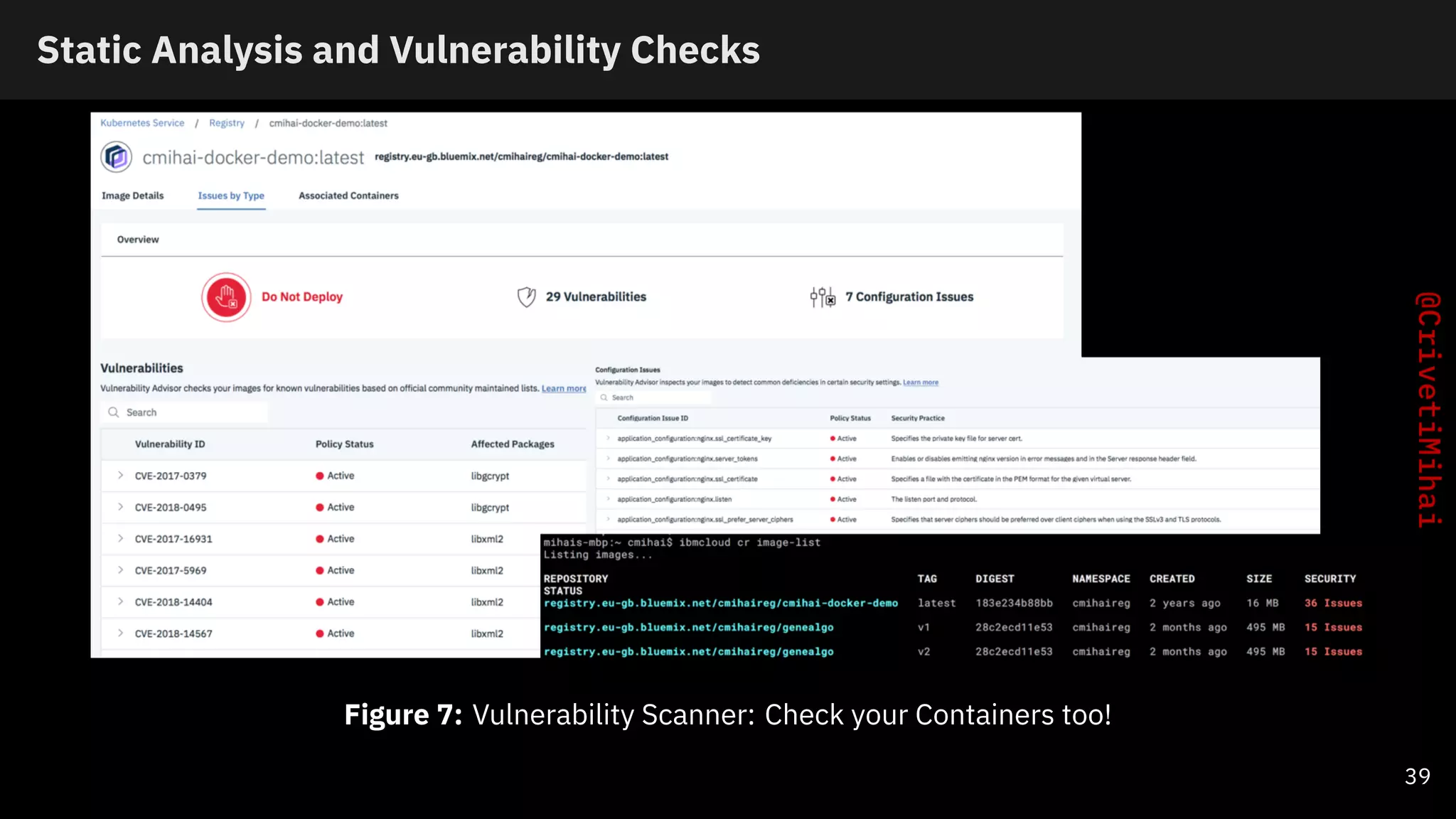
Static Analysis and Vulnerability Checks
Figure 7: Vulnerability Scanner: Check your Containers too!
39
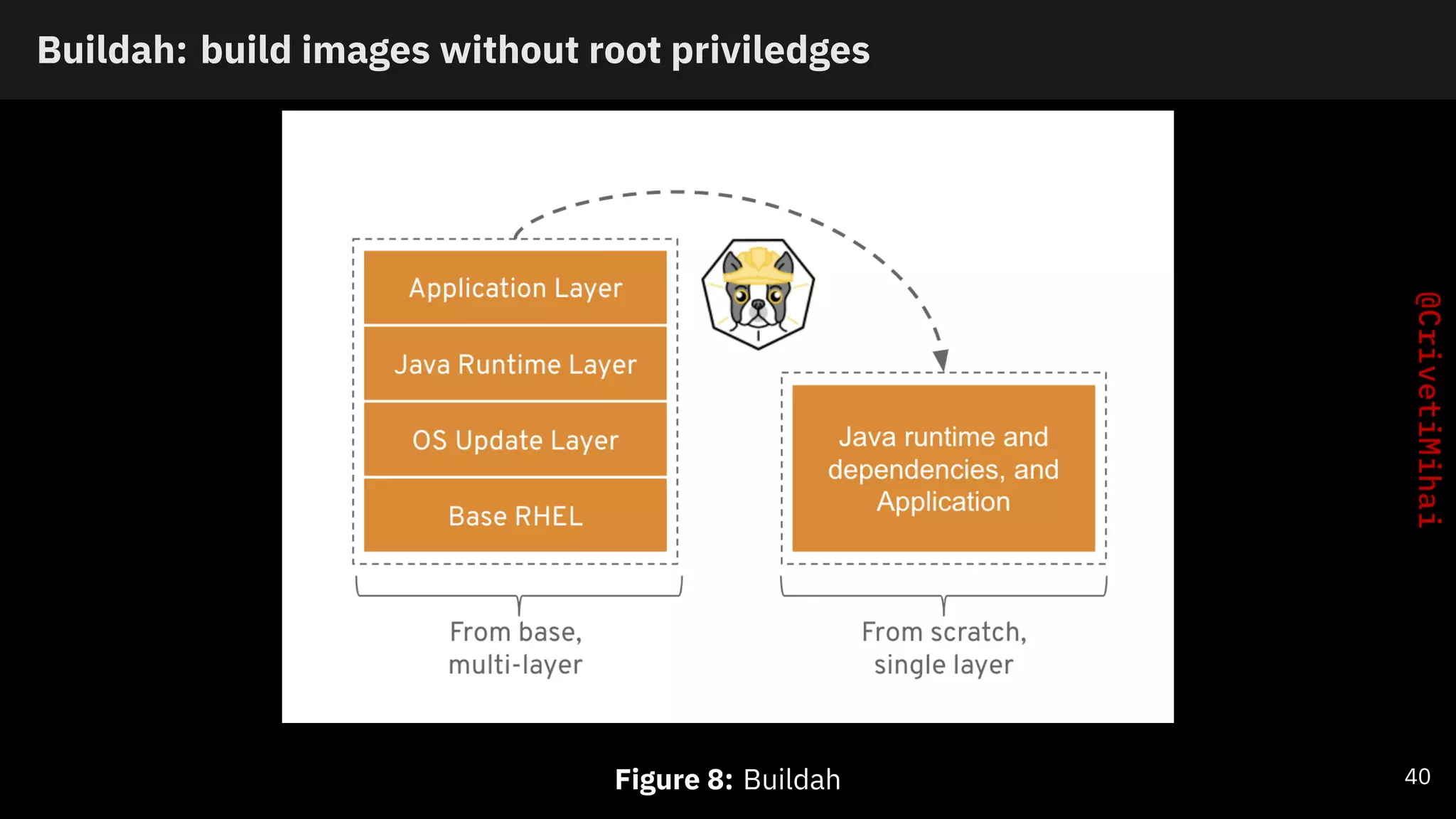
Buildah: build images without root priviledges
Figure 8: Buildah 40
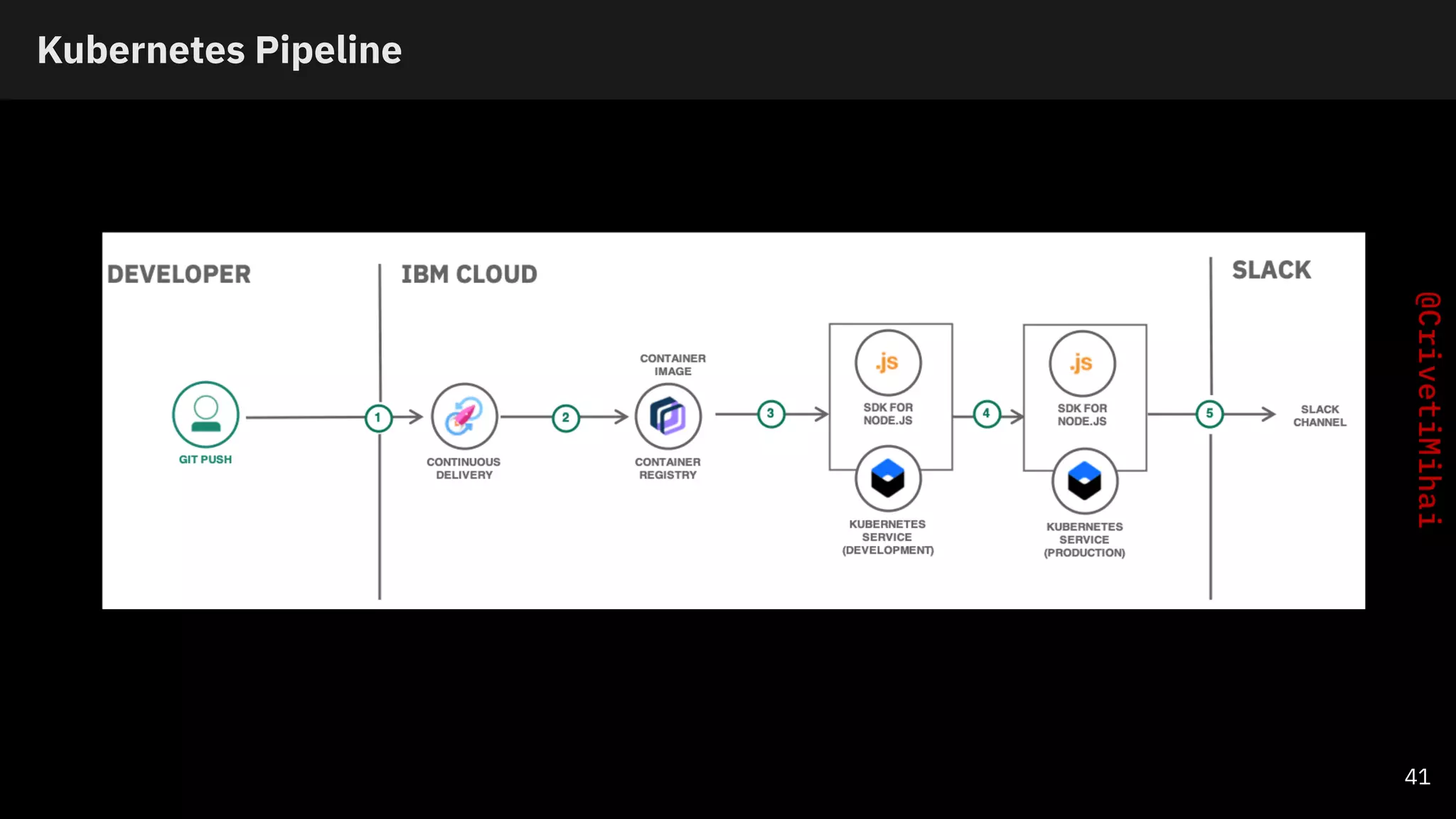
Kubernetes Pipeline
41
8 DevOps Culture and Practice
DevOps Tools and Practices
DevOps: People, Processes and Tools working together to bring continuous delivery
of value to clients.
Continuous integration/Continuous delivery
• Continuous Integration: merging changes to the main branch as often as possible.
Running automated builds and tests against the build.
• Continuous Delivery: making sure you can release new changes to customers quickly.
Automated release process to deploy your application.
• Continuous Deployment: every change that passes all stages of your pipeline is
released automatically.
Various tools and notifications (ex: Slack to report failed builds) can be integrated
as part of your DevOps toolchain.
42
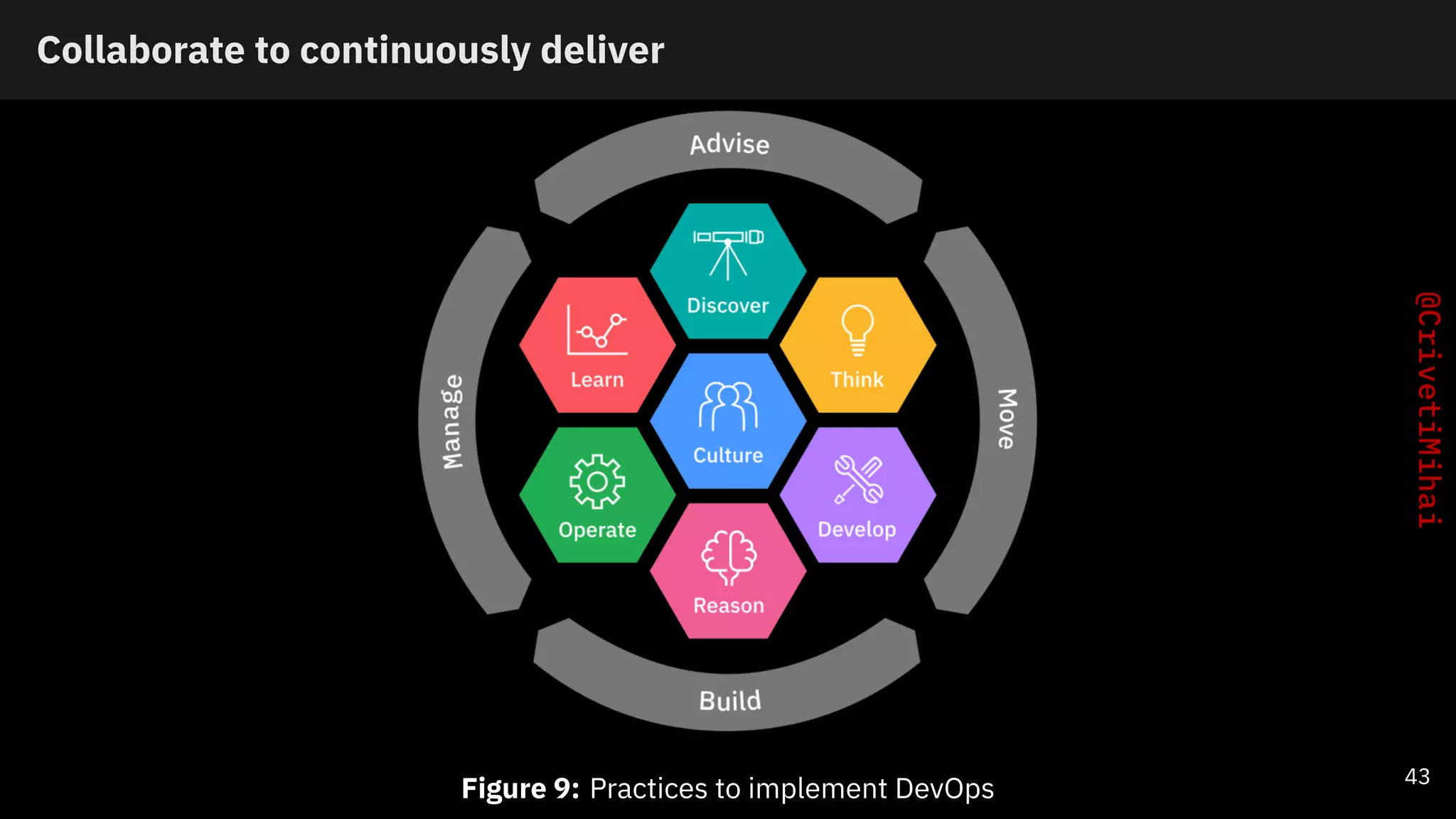
Collaborate to continuously deliver
Figure 9: Practices to implement DevOps 43
Cultural Transformation
• Culture: Build trust and align your team with better communication and
transparency.
• Discover: Understand the problem domain and align on common goals.
• Think: Know your audience and meet its needs faster than the competition.
• Develop: Collaborate to build, continuously integrate and deliver high-quality code.
• Reason: Apply AI techniques so that you can make better decisions.
• Operate: Harness the power of the cloud to quickly get your minimum viable product
(MVP) into production, and monitor and manage your applications to a high degree of
quality and meet your service level agreements. Grow or shrink your resources
based on demand.
• Learn: Gain insights from your users as they interact with your application.
44
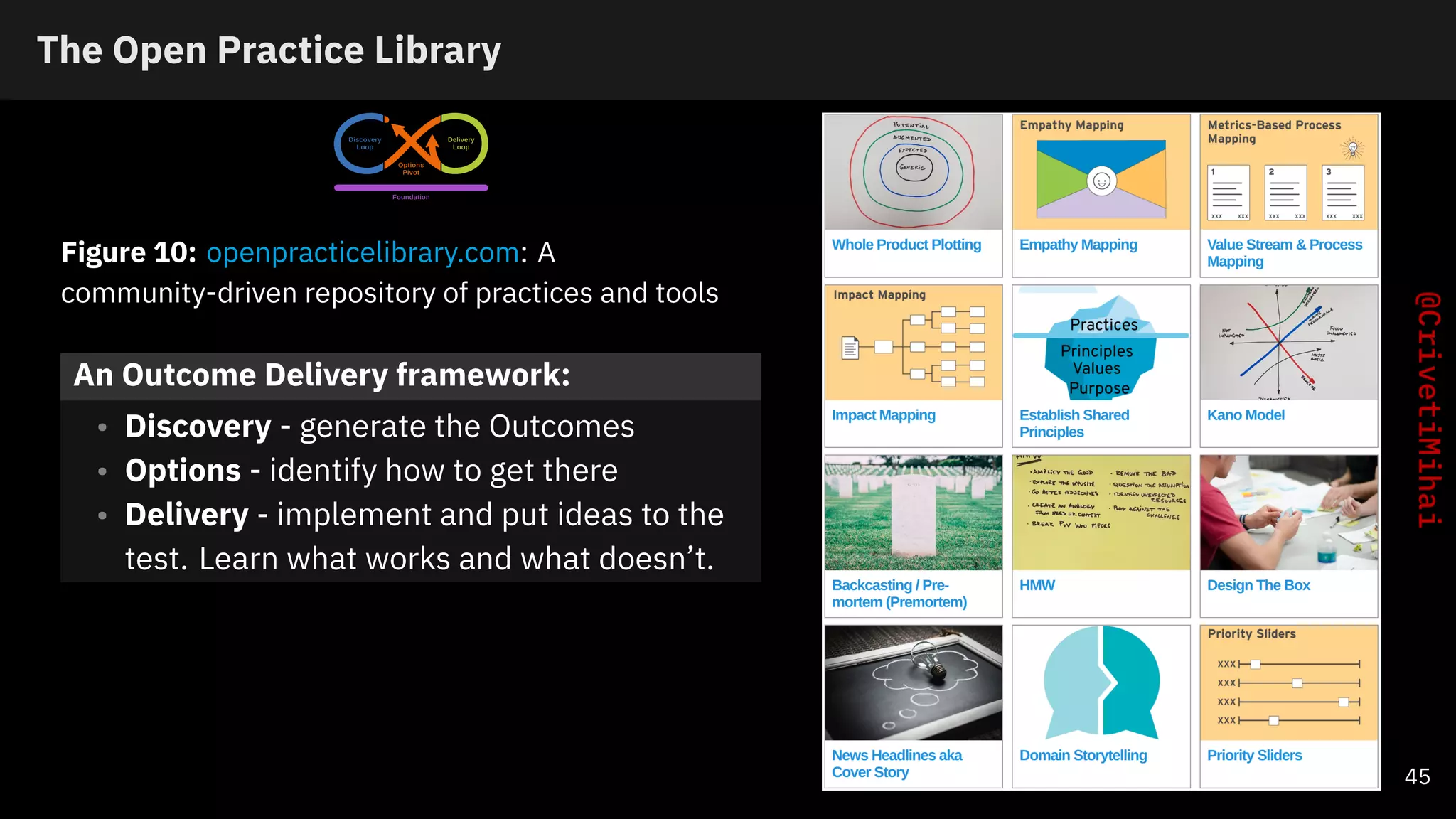
The Open Practice Library
Figure 10: openpracticelibrary.com: A
community-driven repository of practices and tools
An Outcome Delivery framework:
• Discovery - generate the Outcomes
• Options - identify how to get there
• Delivery - implement and put ideas to the
test. Learn what works and what doesn’t.
45
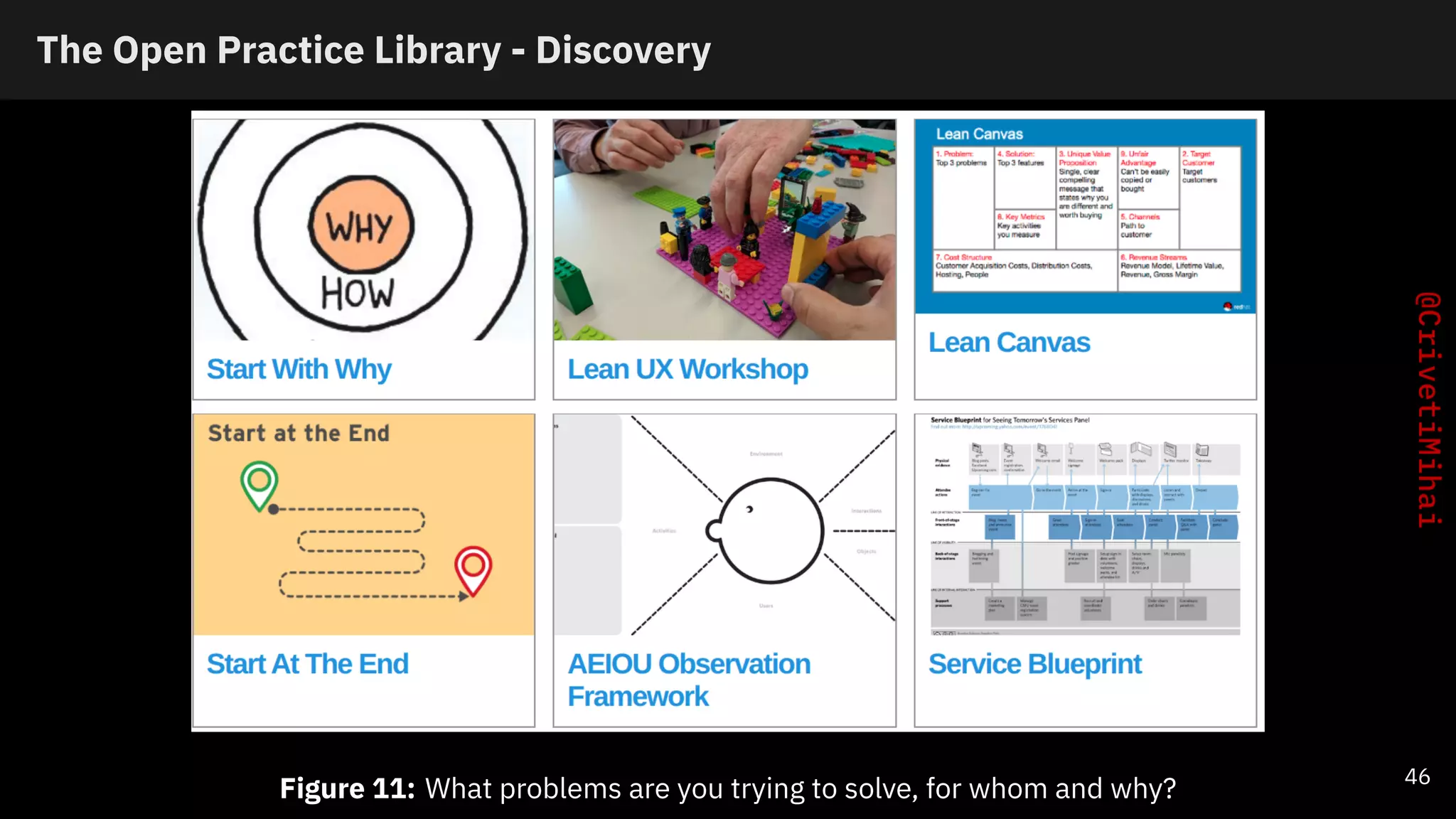
The Open Practice Library - Discovery
Figure 11: What problems are you trying to solve, for whom and why? 46
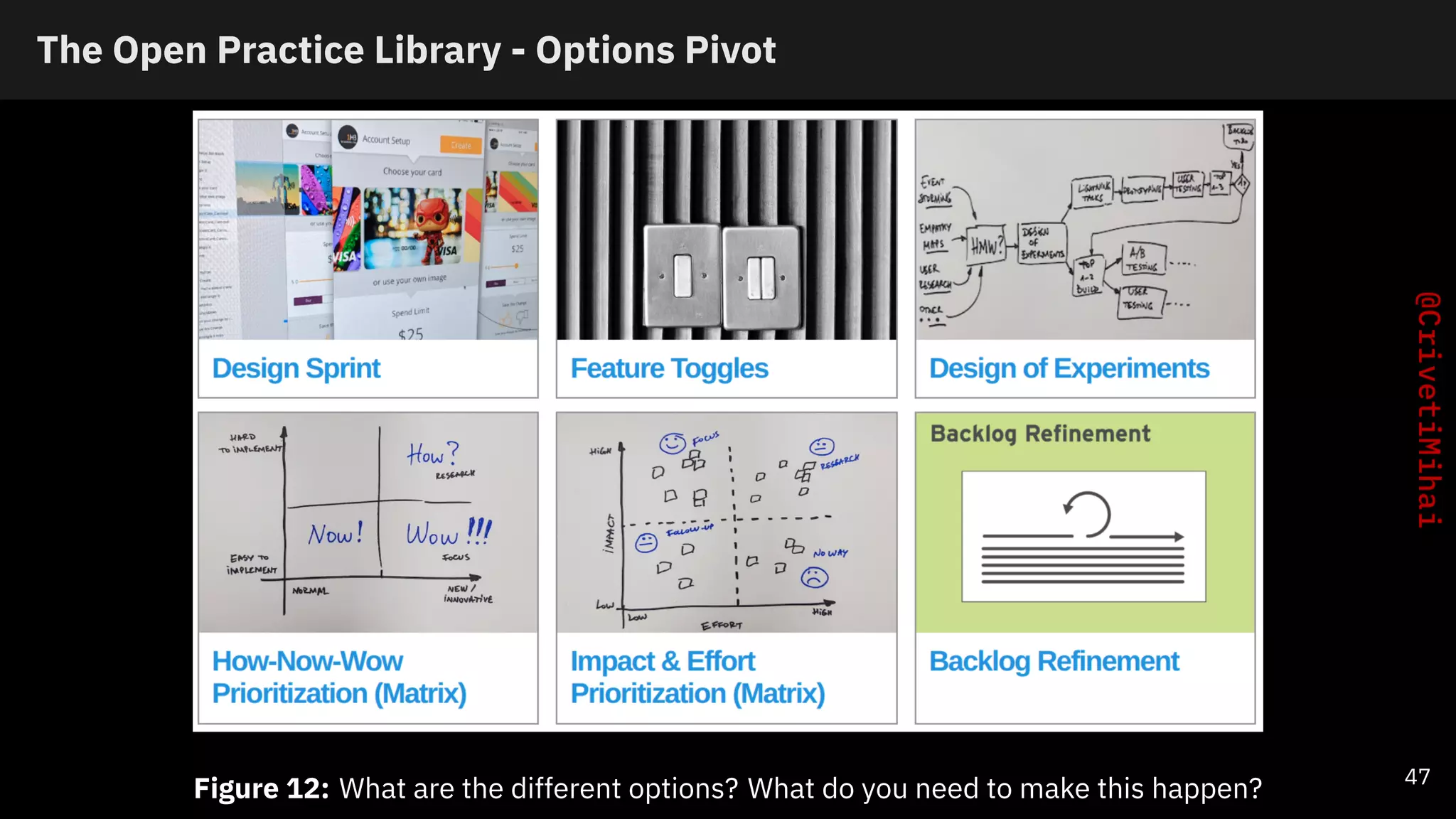
The Open Practice Library - Options Pivot
Figure 12: What are the different options? What do you need to make this happen? 47
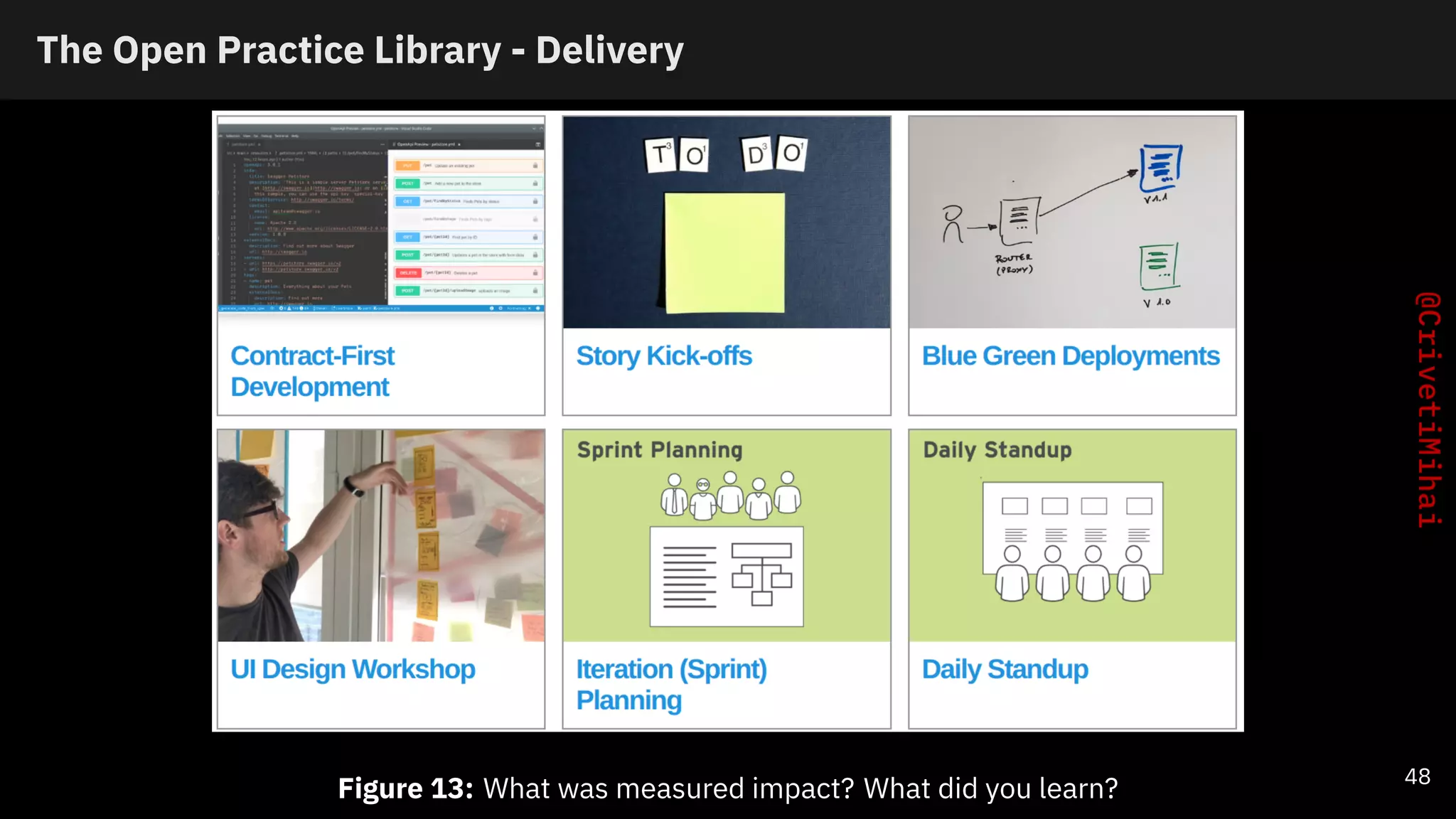
The Open Practice Library - Delivery
Figure 13: What was measured impact? What did you learn? 48
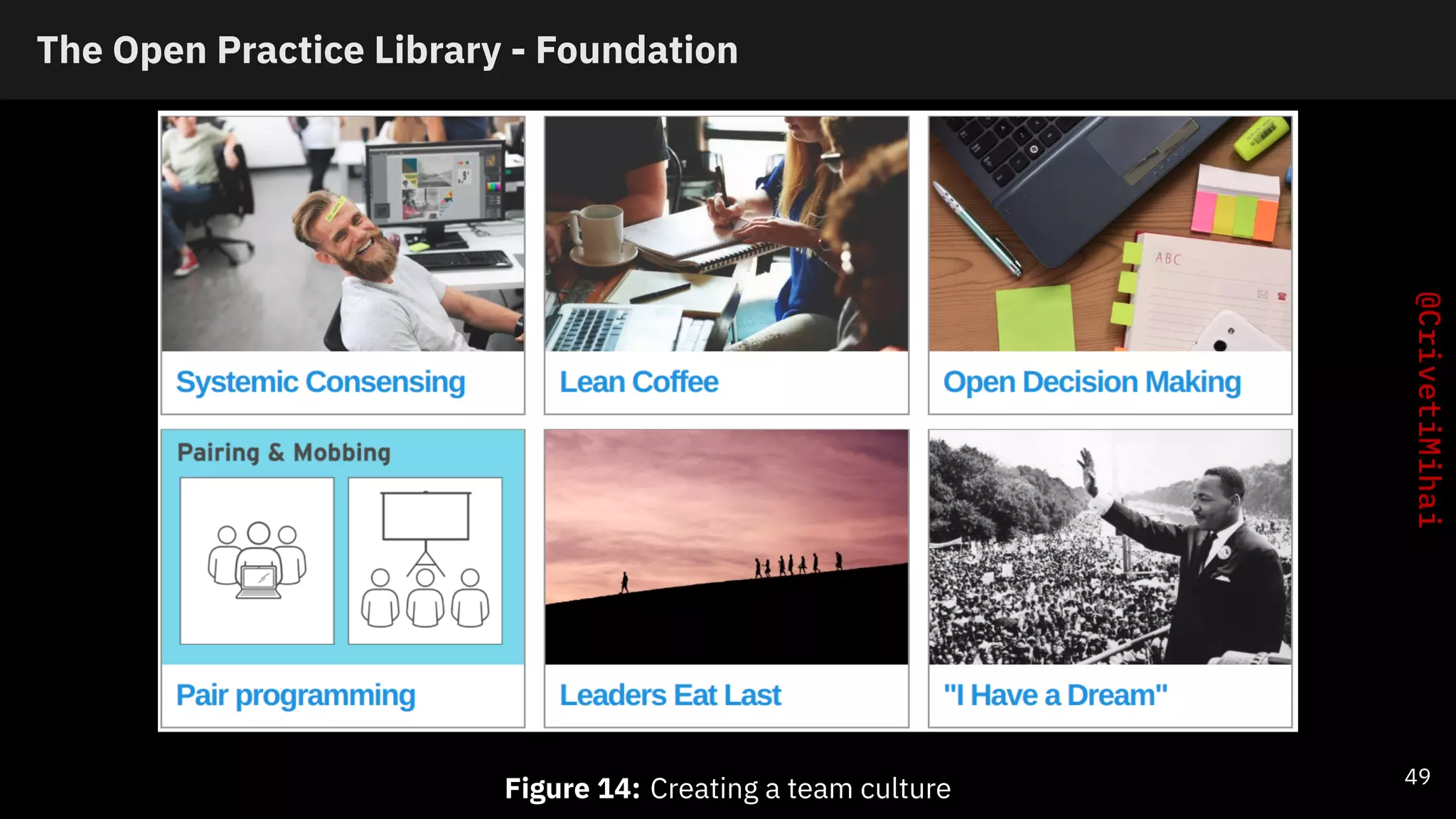
The Open Practice Library - Foundation
Figure 14: Creating a team culture 49
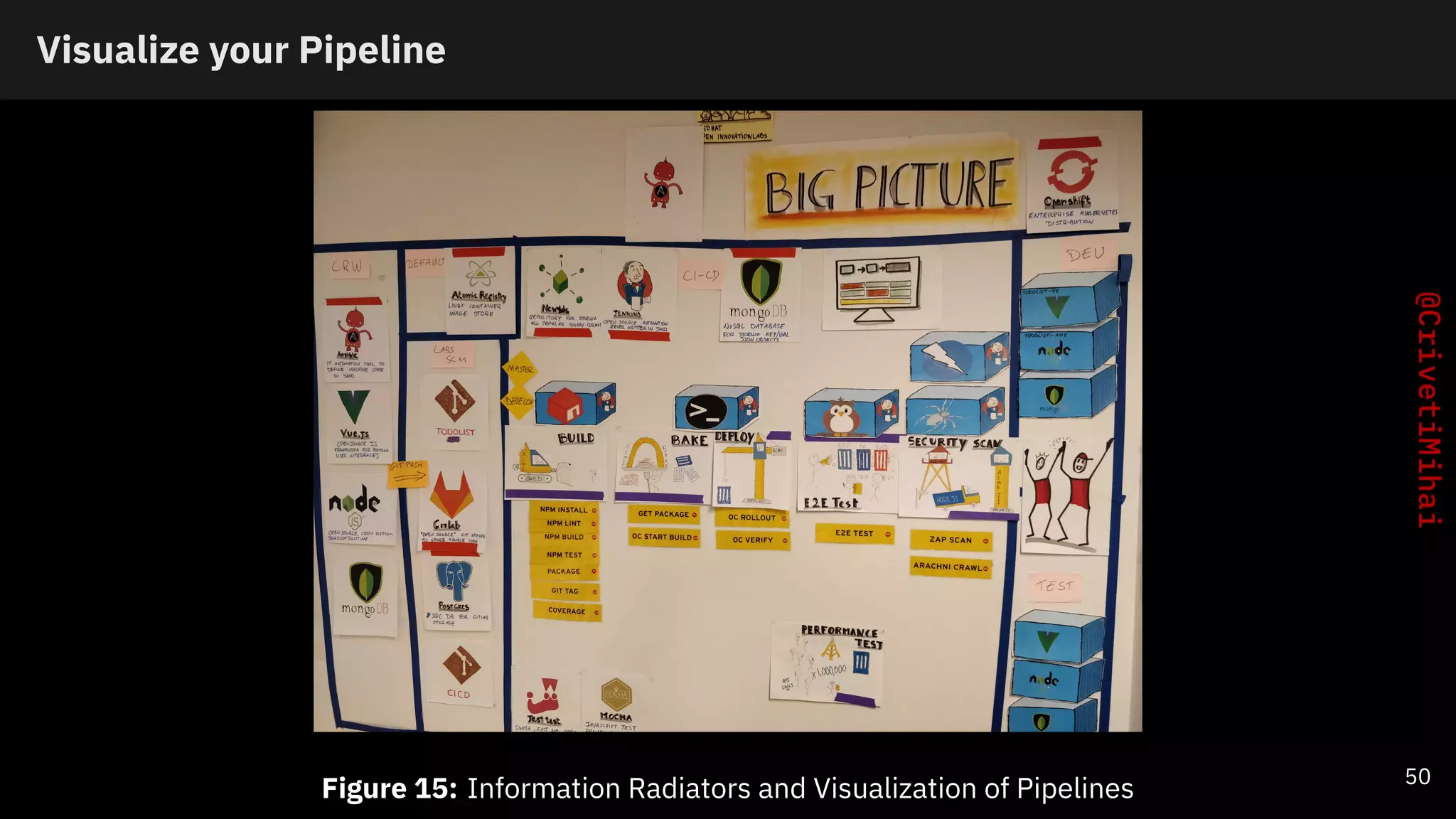
Visualize your Pipeline
Figure 15: Information Radiators and Visualization of Pipelines 50
Questions and Contact
Thank you!
Twitter: @CrivetiMihai
LinkedIn: https://www.linkedin.com/in/crivetimihai/
GitHub: crivetimihai
Ansible Galaxy: https://galaxy.ansible.com/crivetimihai
All presentations: https://kubernetes-native.github.io/k8s-workshop/docs/
Ask me about jobs at IBM
51

Mihai Criveti - PyCon Ireland - Automate Everything

  • 1.
    Slice of DevOps- Automate Everything Packer, Ansible, OpenSCAP, Vagrant and Kubernetes Mihai Criveti, Cloud Native Competency Leader at IBM October 12, 2019 1
  • 2.
    1 Packer: ImageBuild Automation 2 OpenSCAP: Automate Security Baselines 3 Ansible: Provisioning and Configuration Management 4 Molecule: Test your Ansible Playbooks on Docker, Vagrant or Cloud 5 Vagrant: Test images with vagrant 6 Package Python Applications with setuptools 7 Kubernetes: Container Orchestration at Scale 8 DevOps Culture and Practice 2
  • 3.
    Introduction Mihai Criveti, IBMCloud Solutions • Cloud Native & Red Hat Solutions Leader • Builds multi-cloud environments for large customers • Migrating his current build environment to cloud Base OS Image Automation • Build OS master golden images using Packer and Ansible • Automate your image pipeline using CI/CD with Jenkins • Continuous Compliance with OpenSCAP This talk is not affiliated with my employer • This talk reflects personal opinions and projects 3
  • 4.
    Example Workflow: Build,Secure and Test Images for Multiple Environments 0. GitHub / GitLab: Configuration & Infrastructure as Code 1. Packer & OpenSCAP: build secure virtual and cloud images 2. Ansible & Molecule: configuration management & testing 3. Jenkins / Travis: setup CI/CD pipelines 4. Vagrant Cloud: publish your images 5. Python Setuptools: Package your Code 6. Black, Yapf, SonarQube, Bandit: Static Analysis 7. Kubernetes, Helm, OpenShift: deploy your application 4
  • 5.
    1 Packer: ImageBuild Automation
  • 6.
    Packer: build multipleimages from a single source 5
  • 7.
    Packer: Variables Variables toparametrized builds and hide secrets { "variables": { "my_secret": "{{env `MY_SECRET`}}", "not_a_secret": "plaintext", "foo": "bar" }, "sensitive-variables": ["my_secret", "foo"], } 6
  • 8.
    Packer: Builders Virtualbox builderwith kickstart grub prompt "builders": [ { "type": "virtualbox-iso", "boot_command": [ "<up><wait><tab>", " text inst.ks= http://{{ .HTTPIP }}:{{ .HTTPPort }}/{{user `vm_name`}}.cfg", "<enter><wait>" ]}], 7
  • 9.
    Provisioners: run post-installtasks Chaining multiple provisioners "provisioners": [ { "type": "shell", "script": "setup.sh" }, { "type": "ansible", "playbook_file": "{{user `playbook_file`}}" }], 8
  • 10.
    Post-processors: compress orupload your image Compress, post-process and upload the results { "post-processors": [ { "type": "compress", "format": "tar.gz" }, { "type": "upload", "endpoint": "http://example.com" } ] } 9
  • 11.
    Building a VirtualBoximage for RHEL 8 using Kickstart 10
  • 12.
    2 OpenSCAP: AutomateSecurity Baselines
  • 13.
  • 14.
    Automatic Remediation asshell, ansible or puppet 12
  • 15.
    Continuous Inspection andAutomated Compliance Install OpenSCAP dnf install openscap-scanner Generate a report sudo oscap xccdf eval --report report.html --profile xccdf_org.ssgproject.content_profile_pci-dss /usr/share/xml/scap/ssg/content/ssg-rhel7-ds.xml 13
  • 16.
    3 Ansible: Provisioningand Configuration Management
  • 17.
    Application Deployment, ConfigurationManagement, Continuous Delivery Figure 1: Ansible Overview 14
  • 18.
    What can Ido with Ansible? Figure 2: Ansible Features 15
  • 19.
    Ansible Supports TechnologiesYou Use Today Figure 3: Ansible Technologies 16
  • 20.
    Ansible Overview Figure 4:Ansible Overview 17
  • 21.
    Ansible Tower Figure 5:Ansible Tower 18
  • 22.
    Ansible for Enterprise:Architecture 19
  • 23.
    Getting Started withAnsible Install ansible from pip pip install ansible Running ad-hoc commands ansible -m setup localhost localhost | SUCCESS => { "ansible_facts": { "ansible_all_ipv4_addresses": [ "172.18.0.1", "172.19.0.1", "172.17.0.1", "141.125.85.138", "10.196.49.9", "192.168.122.1" 20
  • 24.
    Getting Help Search foran appropriate module (~3000 existing) and get help ansible-doc -l | grep pip Using the examples section ansible-doc pip # Install (Bottle) into the specified (virtualenv), using Python 2.7 - pip: name: bottle virtualenv: /my_app/venv virtualenv_command: virtualenv-2.7 21
  • 25.
    Using ansible-doc snippet ansible-doc-s pip - name: Manages Python library dependencies pip: chdir: # cd into this directory editable: # Pass the editable flag. executable: # The explicit executable or a pathname extra_args: # Extra arguments passed to pip. name: # Python library to install or the url requirements: # The path to a pip requirements file state: # absent, forcereinstall, latest, present 22
  • 26.
    Ansible Playbooks Run ansible: ansible-playbook-i localhost, playbook.yml playbook.yml - hosts: all connection: local become: yes gather_facts: yes roles: - role: kvm 23
  • 27.
    What’s inside aplaybook? tasks/install.yml - name: install RedHat packages package: name: "{{ redhat_packages }}" state: present become: yes vars/main.yml redhat_packages: - policycoreutils-python-utils - qemu-kvm - qemu-img 24
  • 28.
    4 Molecule: Testyour Ansible Playbooks on Docker, Vagrant or Cloud
  • 29.
    Ansible Molecule Creating avagrant or docker machine and trigger goss tests: molecule create -s vagrant-centos-7 molecule converge -s vagrant-centos-7 molecule login In one step molecule test Another OS: molecule create -s docker-ubuntu-18.04 25
  • 30.
    Inside Molecule molecule.yml withFedora 30 running on Docker driver: name: docker provider: name: docker lint: name: yamllint platforms: - name: pandoc-fedora-30 image: fedora:30 dockerfile: ../resources/Dockerfile.j2 provisioner: name: ansible 26
  • 31.
    Molecule Cookie CutterTemplates Cookiecutter: Better Project Templates • Cookiecutter creates projects from project templates, e.g. Ansible role structure, with molecule tests. • Molecule provides a native cookiecutter interface, so developers can provide their own templates. Create a new role from a template, with molecule tests included molecule init template --url https://github.com/crivetimihai/ansible_cookiecutter.git --role-name httpd 27
  • 32.
    5 Vagrant: Testimages with vagrant
  • 33.
    Test images locallywith Vagrant Run vagrant up on a Vagrantfile Vagrant.configure("2") do |config| config.vm.box = "centos-8-base" config.vm.hostname = "centos8.lab.local" config.vm.network "private_network", ip: "172.16.6.4" config.vm.provider "virtualbox" do |vb| vb.cpus = "2" vb.memory = "2048" vb.customize ["modifyvm", :id, "--vram", "256"] end end 28
  • 34.
    6 Package PythonApplications with setuptools
  • 35.
    Package python codewith setuptools hello/init.py def hello(): return "Hello" setup.py from setuptools import setup setup(name=‘hello', version='0.1’, description=’My Package’, url='http://github.com/crivetimihai/hello’, author=‘Mihai Criveti’, license='MIT’, packages=[‘hello’], zip_safe=False) 29
  • 36.
    Python setuptools commands Createa source distribution python setup.py sdist Install python setup.py install Register with pypi python setup.py register Upload your package python setup.py sdist upload 30
  • 37.
    Moving to setup.cfg [metadata] name= hello version = 0.1.0 description = Hello World long_description = file: README.md, CHANGELOG.md, LICENSE.md long_description_content_type = text/markdown keywords = hello author = Mihai Criveti author_email = crivetimihai@gmail.com 31
  • 38.
    Integrating tests andcoverage Integrate pytest, py-test-cov python setup.py test Automate testing with tox # tox.ini [tox] envlist=py35,py36,py37 [testenv] commands=py.test deps=pytest 32
  • 39.
    Continuous Integration withTravis .travis.yml language: python matrix: include: - python: 3.7 env: TOXENV=py37 install: pip install tox script: tox notifications: email: false 33
  • 40.
    Indenting code: Blackand Yapf Indent code with black black -l 79 code.py …or yapf yapf --style google --style-help > ~/.style.yapf yapf --style google -i code.py 34
  • 41.
    Tools: what dowe integrate? Static Analysis • Pycodestyle • Pylint • Pyflakes • Mypy • Pydocstyle Security • Bandit • SonarQube • Zap Scan • Arachni Test • tox • Coverage (pytest-cover) • Performance testing • Selenium Package • setuptools • Helm Charts Deploy (Dev/Test/Prod) • Ansible • Kubernetes 35
  • 42.
    Python Packaging: Cookiecutter Installand use cookiecutter templates: pip install cookiecutter cookiecutter https://github.com/audreyr/cookiecutter-pypackage Example output email [audreyr@example.com]: crivetimihai@gmail.com github_username [audreyr]: crivetimihai project_name [Python Boilerplate]: MyProject project_slug [myproject]: pypi_username [crivetimihai]: version [0.1.0]: use_pytest [n]: use_pypi_deployment_with_travis [y]: 36
  • 43.
  • 44.
    Kubernetes is DesiredState Management 37
  • 45.
  • 46.
    Static Analysis andVulnerability Checks Figure 7: Vulnerability Scanner: Check your Containers too! 39
  • 47.
    Buildah: build imageswithout root priviledges Figure 8: Buildah 40
  • 48.
  • 49.
    8 DevOps Cultureand Practice
  • 50.
    DevOps Tools andPractices DevOps: People, Processes and Tools working together to bring continuous delivery of value to clients. Continuous integration/Continuous delivery • Continuous Integration: merging changes to the main branch as often as possible. Running automated builds and tests against the build. • Continuous Delivery: making sure you can release new changes to customers quickly. Automated release process to deploy your application. • Continuous Deployment: every change that passes all stages of your pipeline is released automatically. Various tools and notifications (ex: Slack to report failed builds) can be integrated as part of your DevOps toolchain. 42
  • 51.
    Collaborate to continuouslydeliver Figure 9: Practices to implement DevOps 43
  • 52.
    Cultural Transformation • Culture:Build trust and align your team with better communication and transparency. • Discover: Understand the problem domain and align on common goals. • Think: Know your audience and meet its needs faster than the competition. • Develop: Collaborate to build, continuously integrate and deliver high-quality code. • Reason: Apply AI techniques so that you can make better decisions. • Operate: Harness the power of the cloud to quickly get your minimum viable product (MVP) into production, and monitor and manage your applications to a high degree of quality and meet your service level agreements. Grow or shrink your resources based on demand. • Learn: Gain insights from your users as they interact with your application. 44
  • 53.
    The Open PracticeLibrary Figure 10: openpracticelibrary.com: A community-driven repository of practices and tools An Outcome Delivery framework: • Discovery - generate the Outcomes • Options - identify how to get there • Delivery - implement and put ideas to the test. Learn what works and what doesn’t. 45
  • 54.
    The Open PracticeLibrary - Discovery Figure 11: What problems are you trying to solve, for whom and why? 46
  • 55.
    The Open PracticeLibrary - Options Pivot Figure 12: What are the different options? What do you need to make this happen? 47
  • 56.
    The Open PracticeLibrary - Delivery Figure 13: What was measured impact? What did you learn? 48
  • 57.
    The Open PracticeLibrary - Foundation Figure 14: Creating a team culture 49
  • 58.
    Visualize your Pipeline Figure15: Information Radiators and Visualization of Pipelines 50
  • 59.
    Questions and Contact Thankyou! Twitter: @CrivetiMihai LinkedIn: https://www.linkedin.com/in/crivetimihai/ GitHub: crivetimihai Ansible Galaxy: https://galaxy.ansible.com/crivetimihai All presentations: https://kubernetes-native.github.io/k8s-workshop/docs/ Ask me about jobs at IBM 51