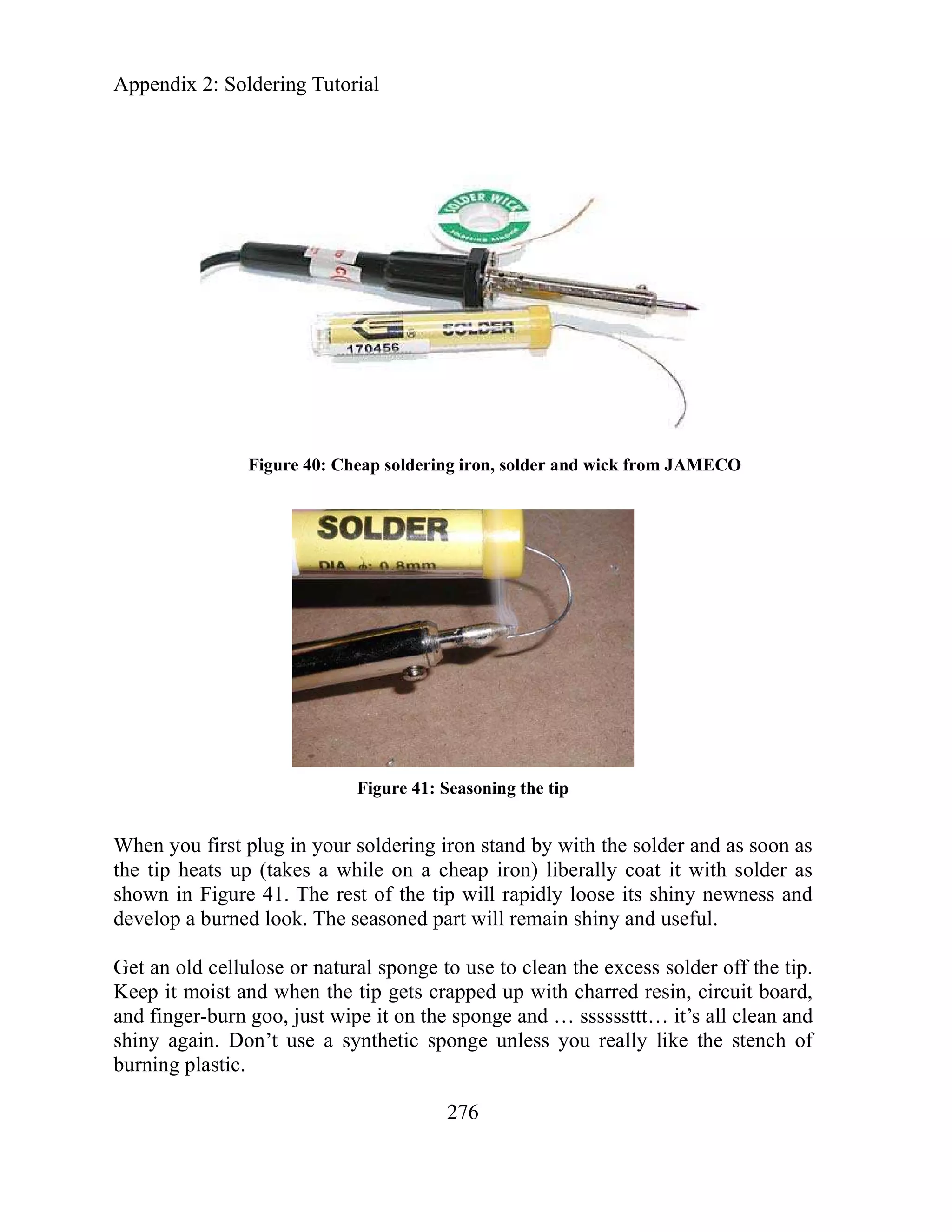
Chapter 8: C Pointers and Arrays
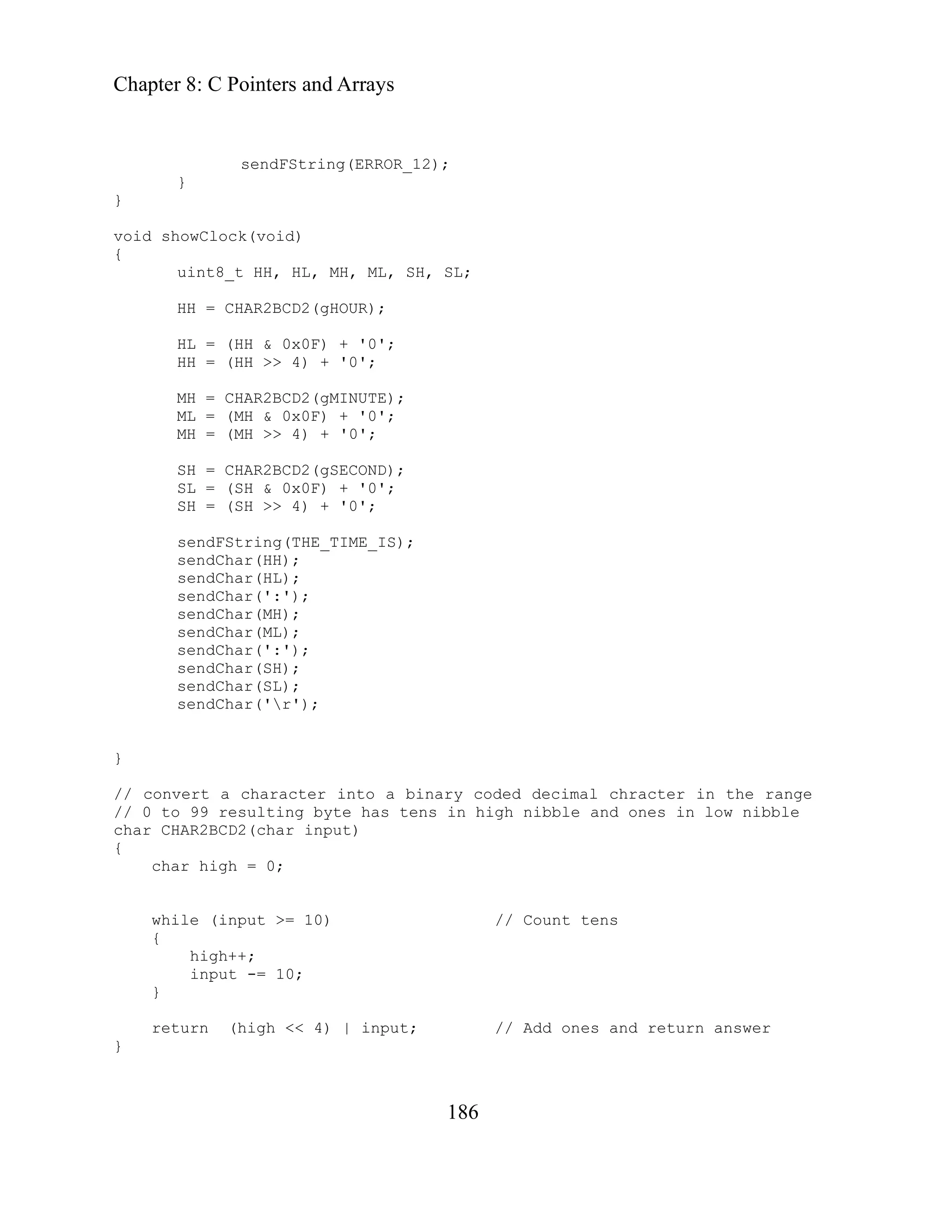
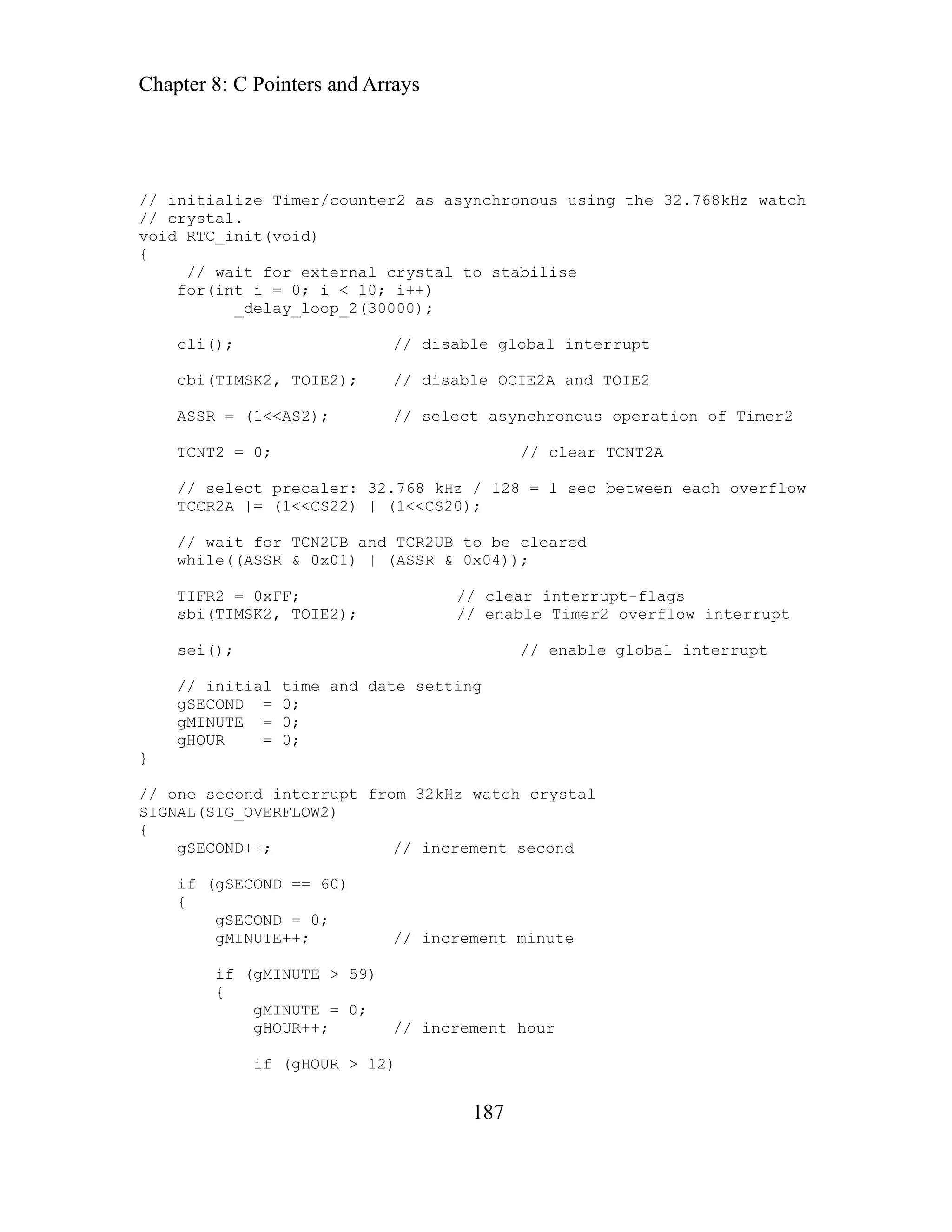
153
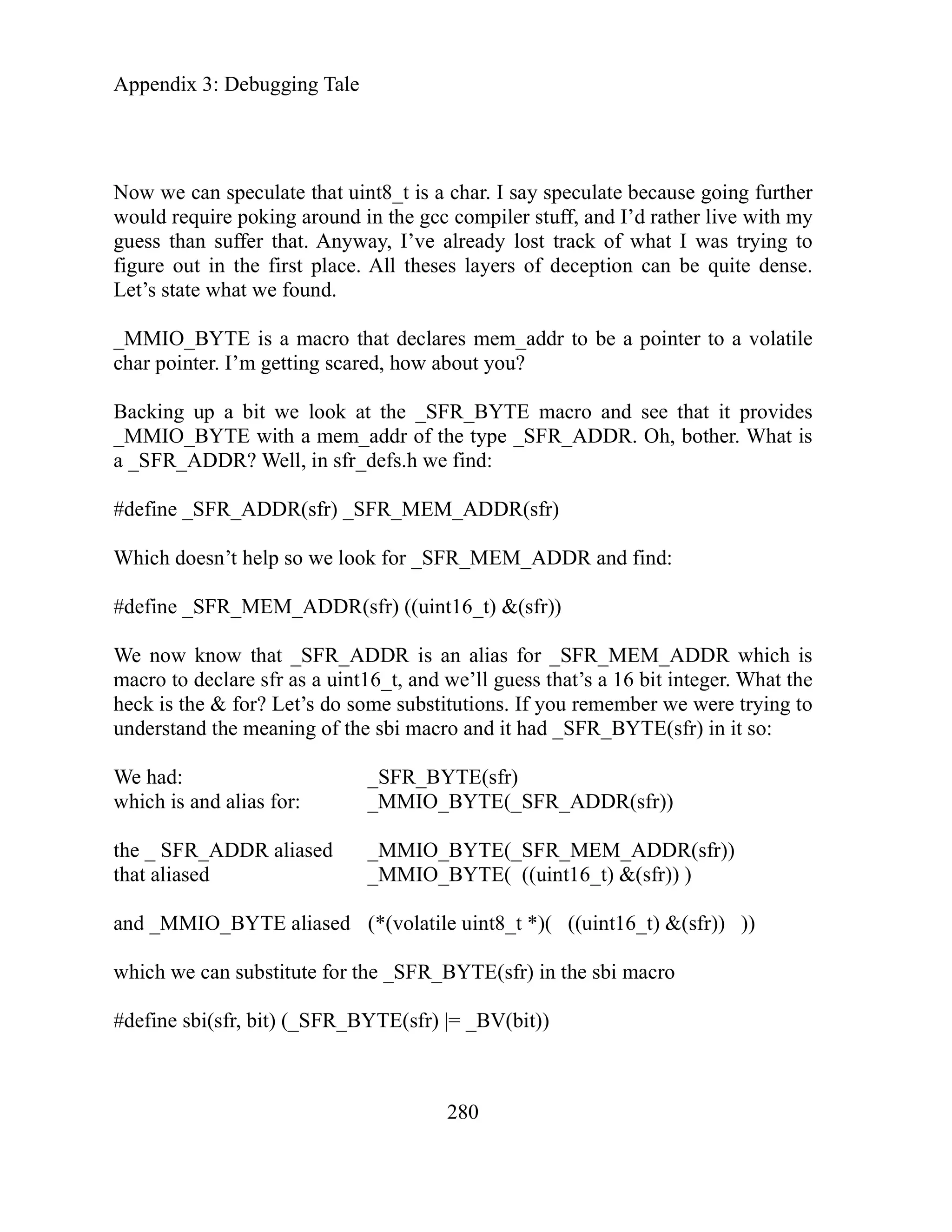
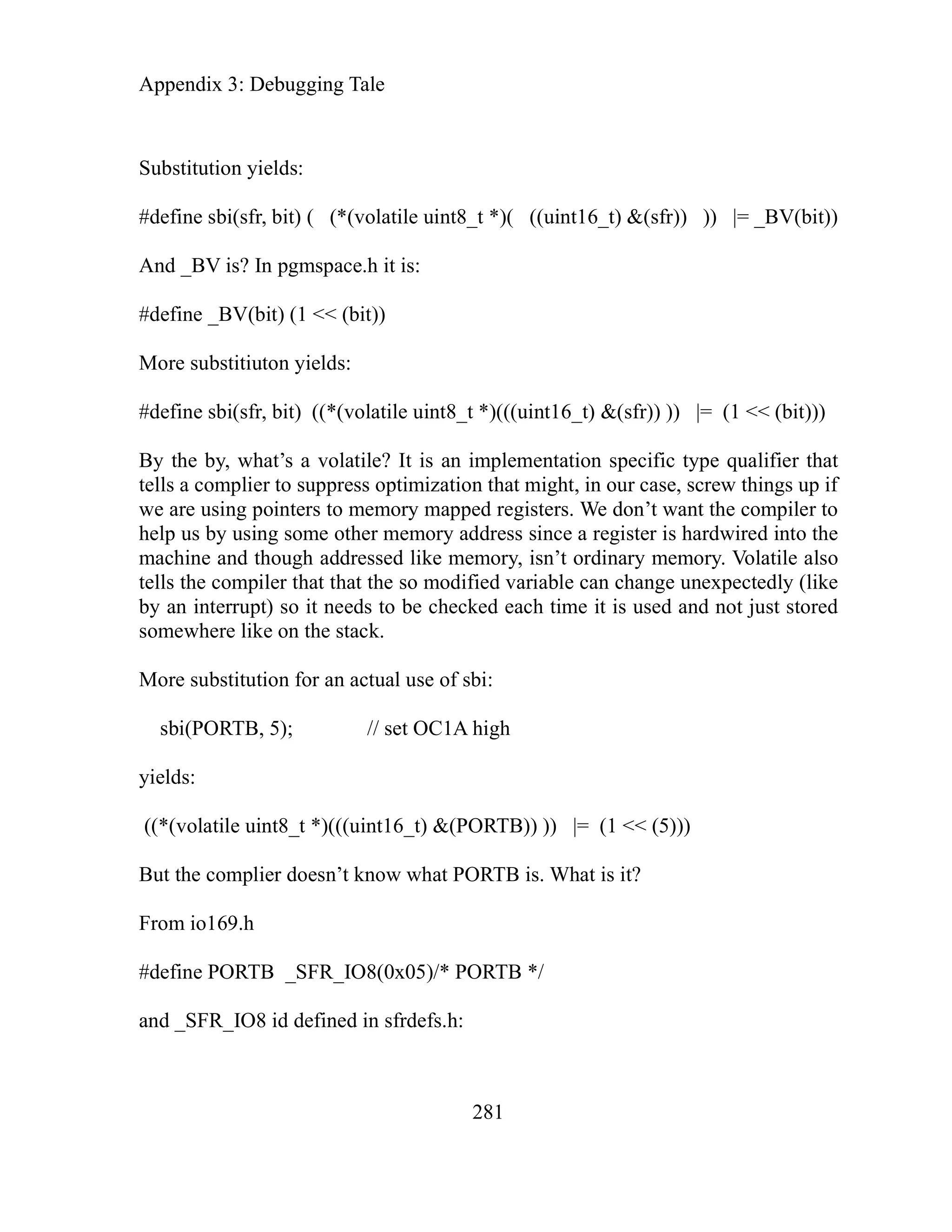
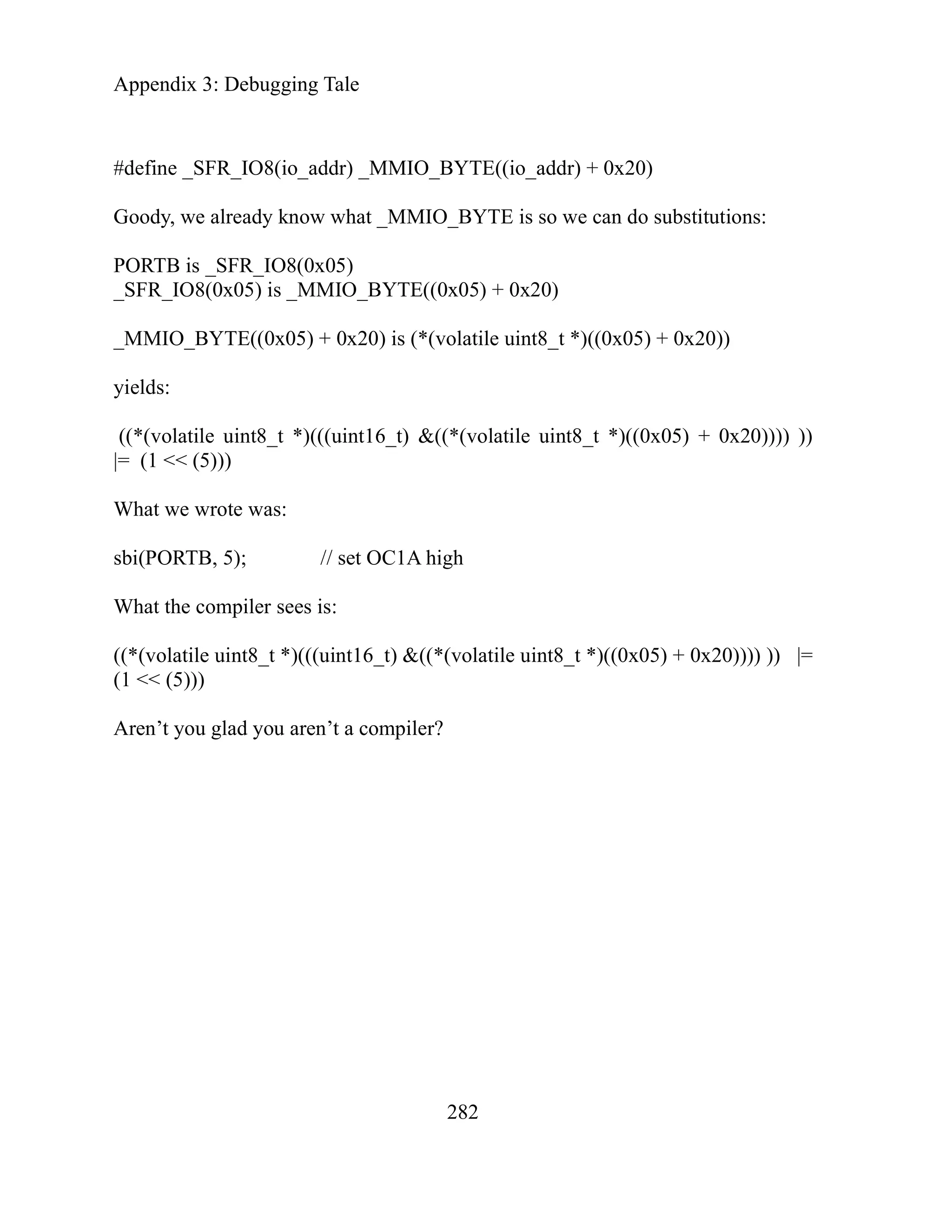
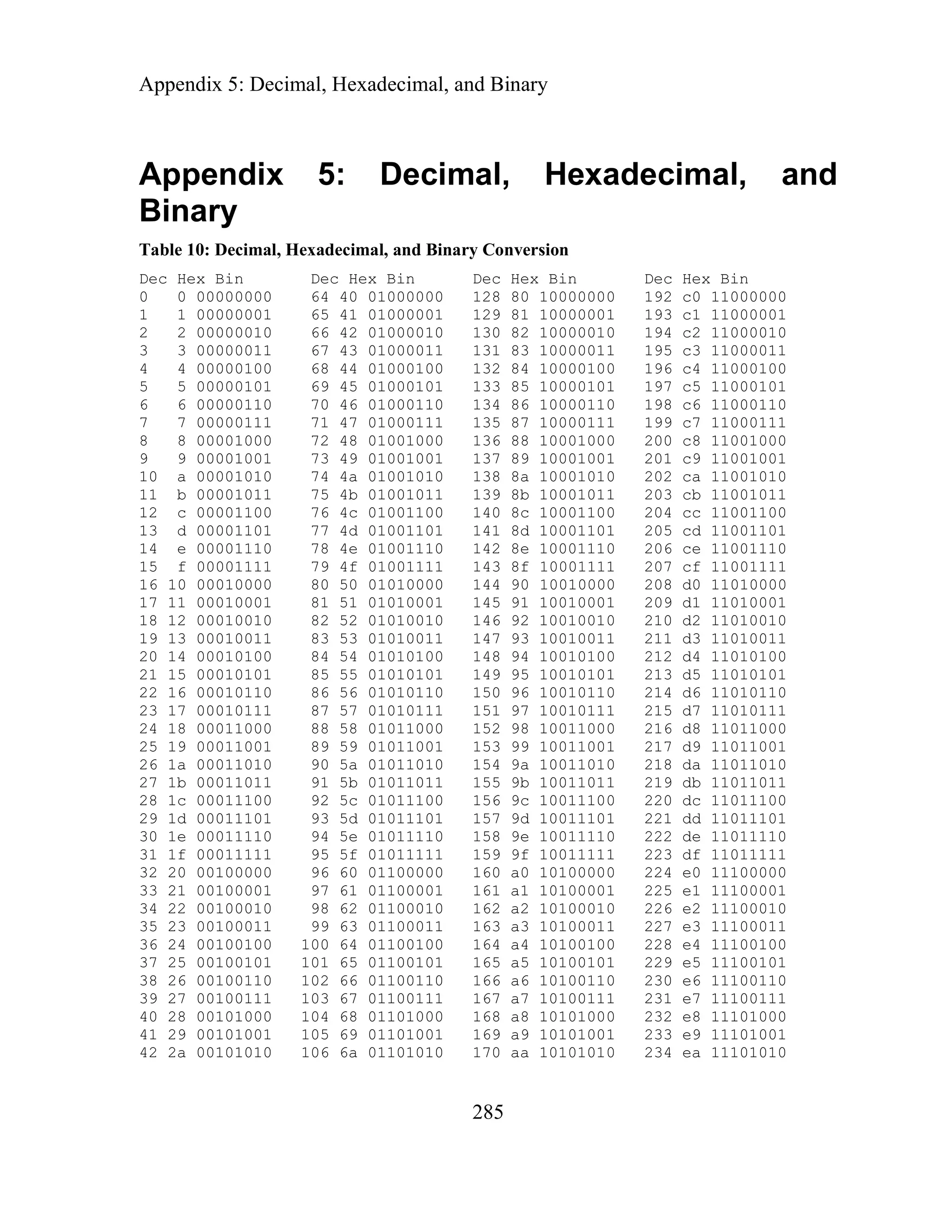
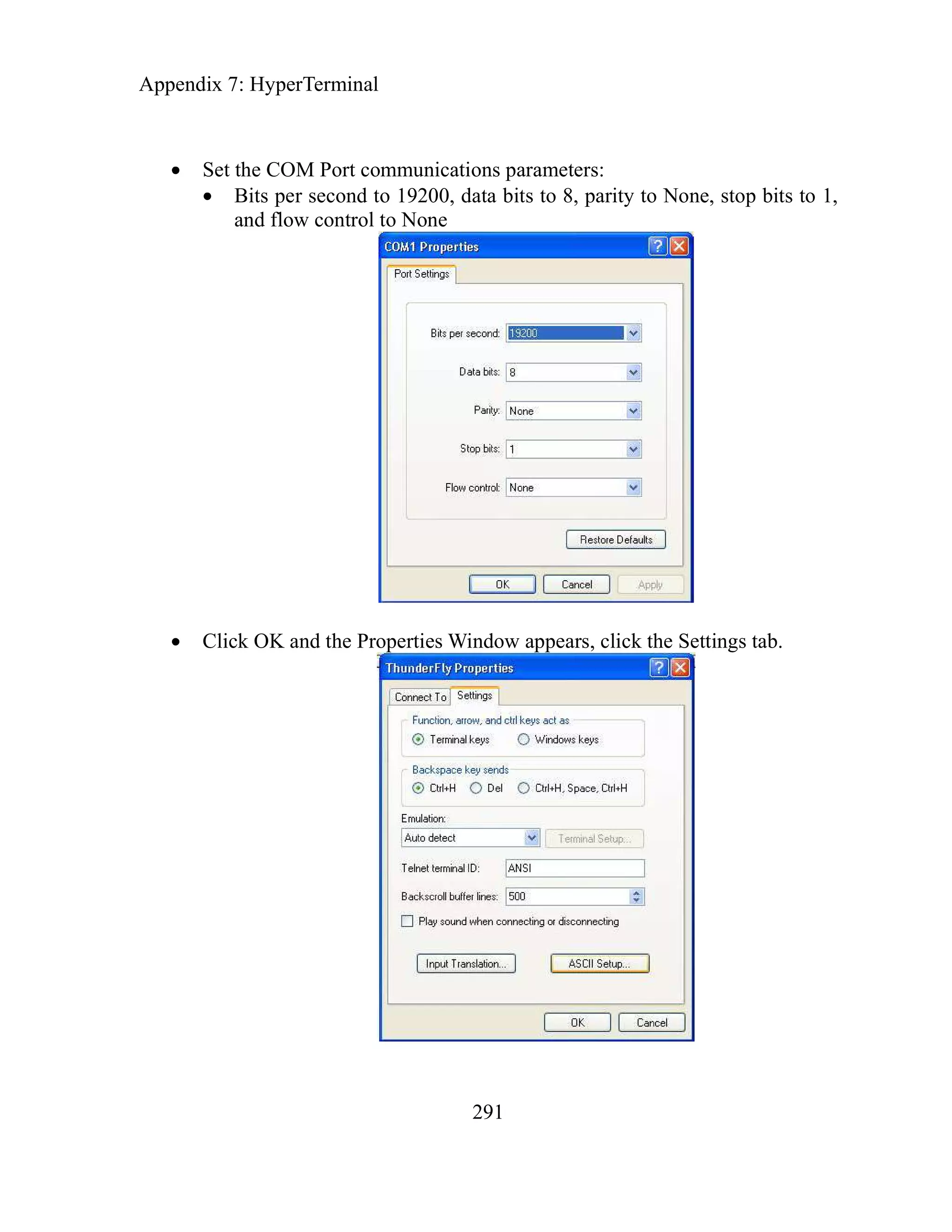
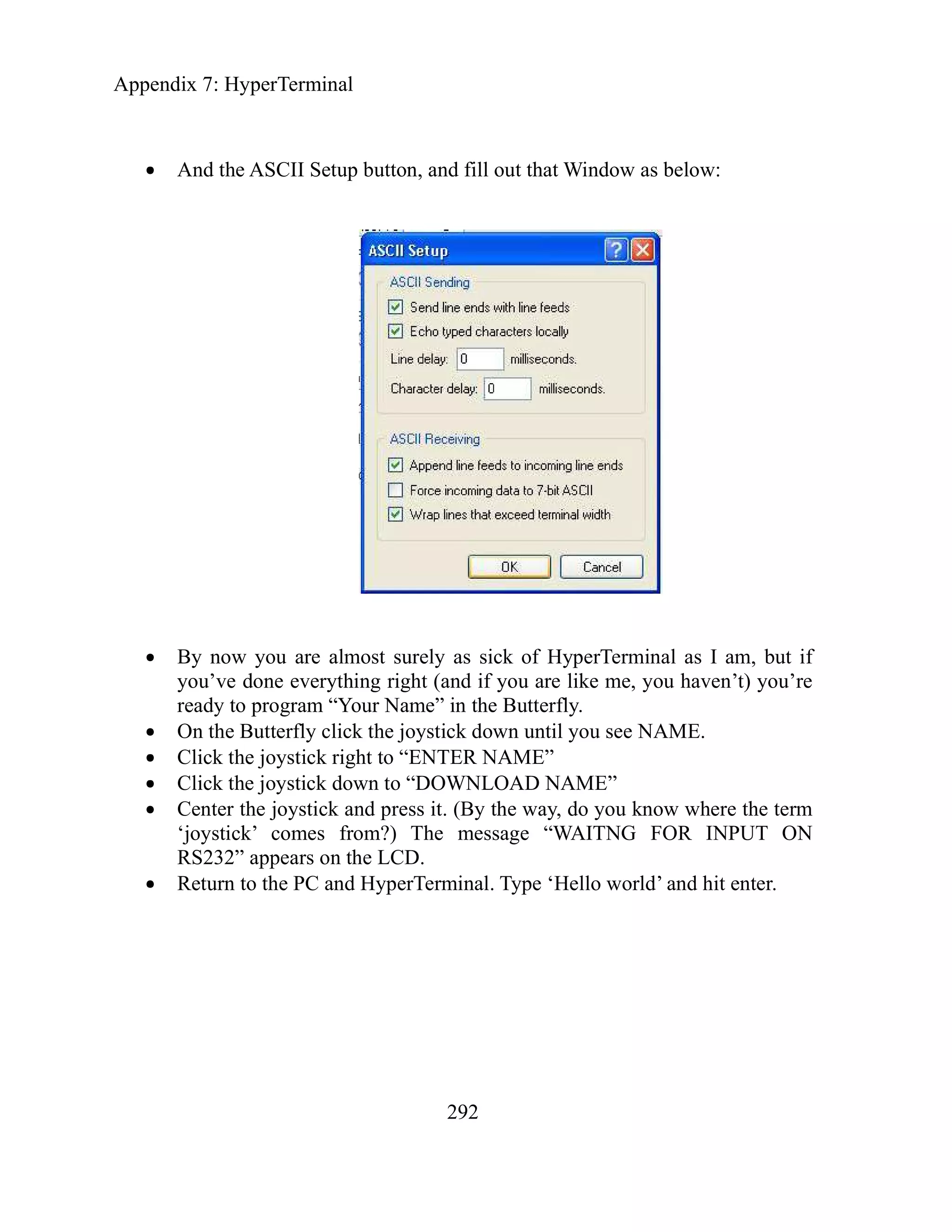
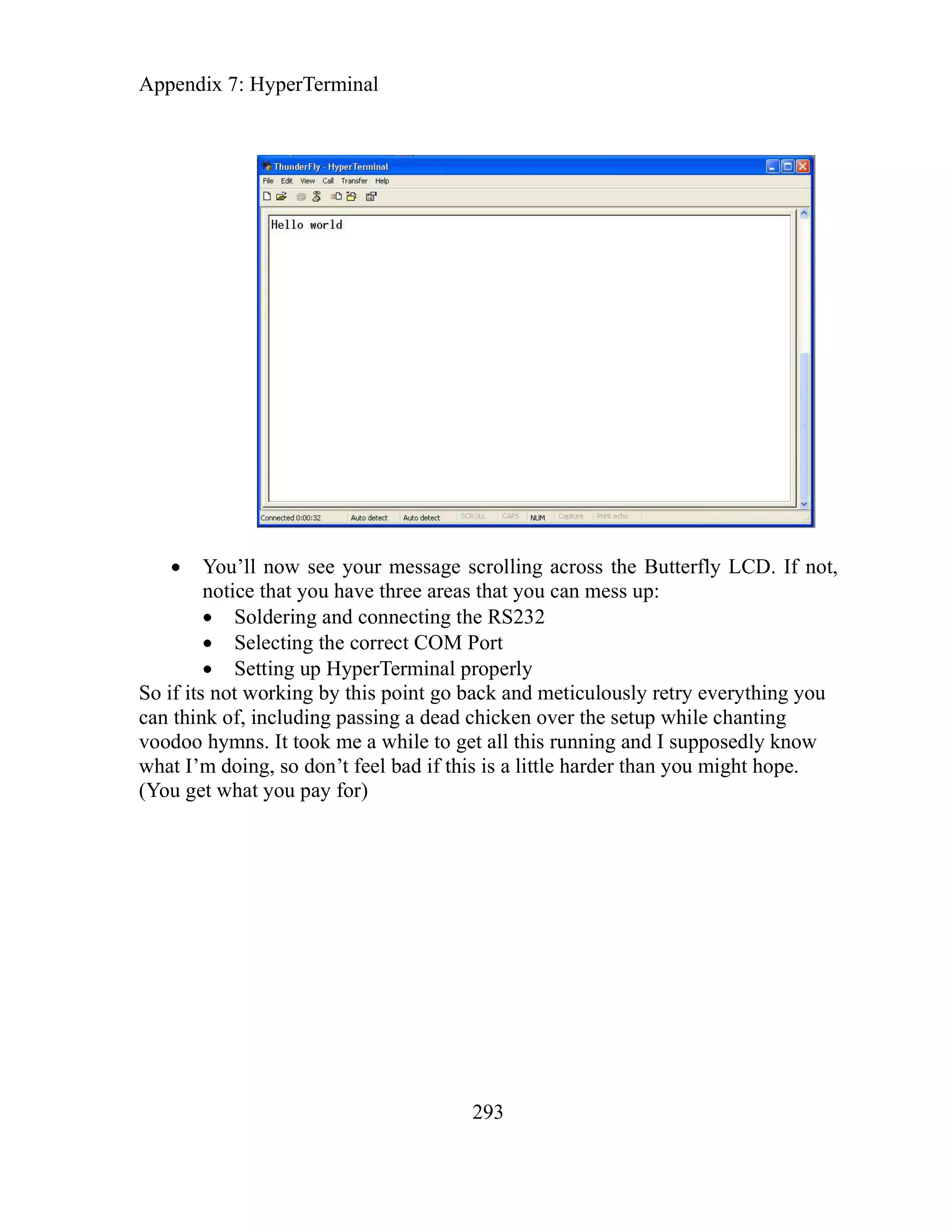
ha and Arrays
C pter 8: C Pointers
Addresses of variables
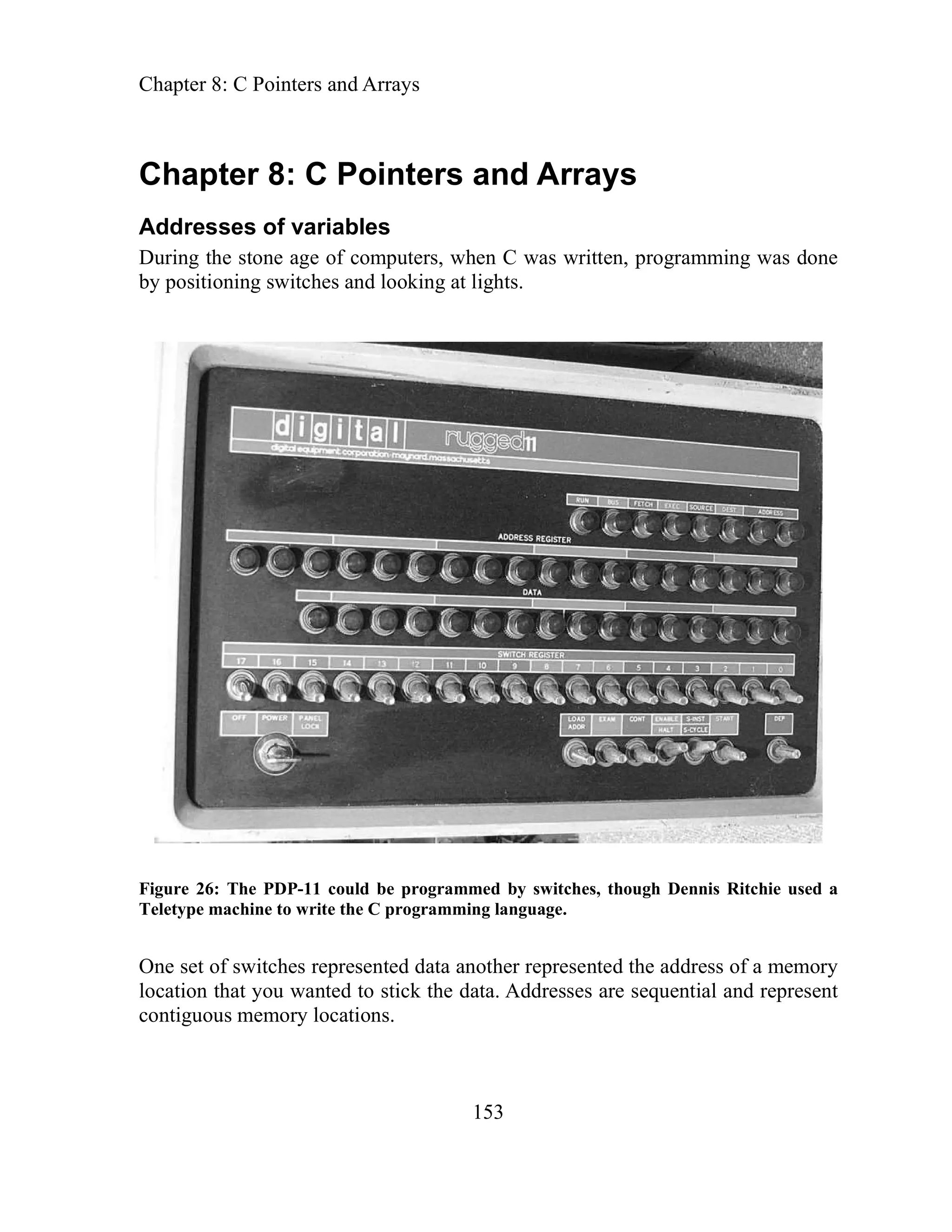
During the stone age of computers, when C was written, programming was done
by positioning switches and looking at lights.
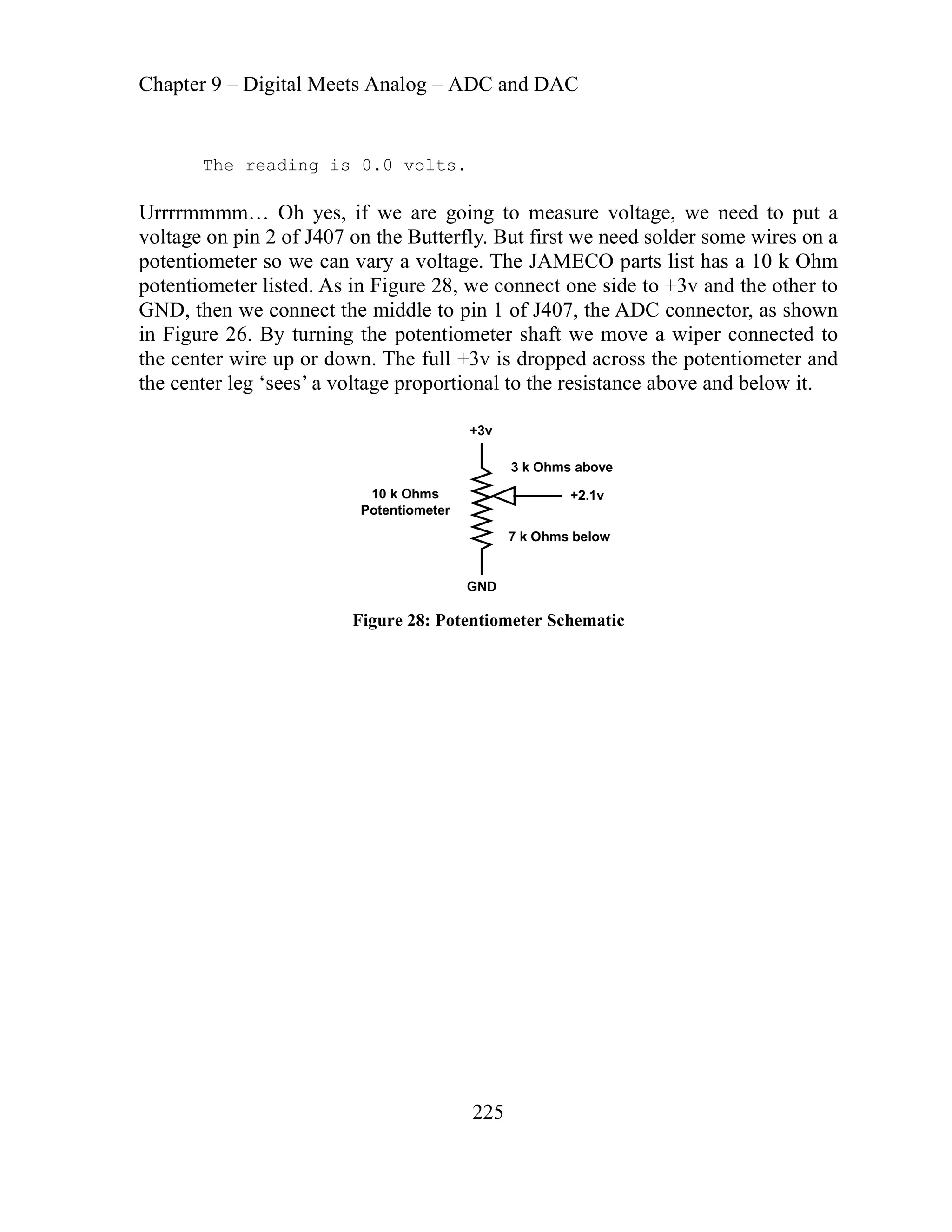
Figure 26: The PDP-11 could be programmed by switches, though Dennis Ritchie used a
eletype machine to write the C programming language.
presented data another represented the address of a memory
ted to stick the data. Addresses are sequential and represent
T
One set of switches re
location that you wan
contiguous memory locations.
Chapter 8: C Pointers and Arrays
154
attached
hes
ge programs
y primitive
assembly to
red it. The bootloader was only 81 bytes long. I
ntly and saw many a set of eyes glaze over. Anyone
hat I was doing suggested, after rolling his eyes to
OM programmer and write my code on a PC, like
normal person. They just didn’t get it -- I wanted to design the cheapest possible
to zero dollars. Some of us prefer to do
be learned and I learned beyond any doubt
enter 81 lousy bytes on a hand made computer.
ade the thing work
reenter all the data. 81
much until you try to enter them and their addresses in
After all the cursing died down I retired my machine,
ogrammer, and joined the real world.
er, burned into my mind the relation of data
relation until you get to C where this topic
ugs than any other.
ata is These
ses – information about the whereabouts of memory
ations. Memory is a place. Addresses tell us how to find the place. Sometimes
fusion occurs when we realize that addresses are just numbers and can become
mory locations having… addresses. The data at one
mory location can be the address of another memory location whose data may
may not be an address. Data is just a number, in our case an 8-bit byte. When
address of another location of data it is called a pointer. This might
m simple, but pointers can become so confusing and error prone that many
gher ages won’t let the programmer touch them. This ability
I once hand built an 8051 microprocessor ‘system’ with SRAM memory
to huge lantern battery (SRAM forgets if the power goes off) and switc
attached to the data and address ports. I would set a data byte then set an address
two bytes) and push a button to write the data to the SRAM. When it was all
(
loaded, I pressed another button to start the 8051. I bet you can guess what I had
the program do. That’s right: blink LEDs. Later I wrote a program that allowed
e 8051 to communicate with an original IBM PC and download lar
th
from the PC, and once loaded – run them. I carefully wrote m
otloader on paper in assembly language, then translated it from
bo
machine code, then hand ente
bragged about this incessa
who knew anything about w
clear the glaze, that I get an EPR
a
system and factored in my time as equal
things the hard way if something is to
just how hard it is to correctly
Fortunately for me I’m too darn stubborn to admit defeat and m
ntil I accidentally disconnected the battery and had to
u
bytes may not seem like
nary on DIP switches.
bi
bought an EPROM pr
That experience more than any oth
and addresses, a seemingly
nfusion and b
trivial
causes more co
D stored in memory locations – real tangible things made of silicon.
locations have addres
loc
n
co
data that can be stored in me
me
or
the data is the
se
hi
e
programming langu
Chapter 8: C Pointers and Arrays
155
to conf rus love pointers and will go to incredible lengths to
obfuscate their code with them.
Pointers are the reason that many refer to C as a mid-level rather than a high level
program In high level languages the programmer only deals with
data an akes all the decisions about the addresses. In low-level
languag rs, the programmer assigns the addresses to the data. In
C, we are not required to play with addresses, but are allowed to if we want to.
And, dangerous as they are, some things can only be done using pointers. Pointers
things more efficiently and cleverly than would
ointers, as a simple example consider writing a
ith data from a sequence of contiguous locations
memory. Say you have a string: “Say you have a string:” 22 characters
ll character ‘0’ all contiguous following the first memory
s that we will give the alias of MemStart. We know that ‘S’ is
‘a’, and so on to MemStart + 23
this sequence, we could send
hat they would all be pushed
ff by the function. But we know
ocontrollers, so we would like to us a
Start as the parameter and have
function start looking there and increment sequentially through memory until
we will agree always ends this kind of sequence (like for
nd with ‘0’). Now instead of using 23
rame e one parameter
mber are two
f it, but unfortunately many
an
kill
have been lumped with the goto statement as a
programs. This is certainly true
use is why C gu
ming language.
d the compiler m
es, like assemble
also allow us to do many
e case.
otherwise be th
There are many reasons to use p
nction that will do something w
fu
in
followed by a nu
tion, an addres
loca
located at MemStart and MemStart + 1 stores
which stores ‘0’. If we want our function to handle
ll 23 bytes as parameters to the function, meaning t
a
on stack before the function call and pulled o
the
that we need to go light on the stack in micr
. Easy, just send the variable Mem
different method
the
it sees ‘0’ which
mple, a string which is defined to e
exa
pa ters and pushing 23 t the stack we only have to us
by es on
and push only two bytes (addresses are ints, which as you may reme
bytes long).
, and it is once you get the hang o
Sounds simple
novice programmers use pointers in much the same way a toddler would use
AK-47. To paraphrase the oft-stated defense of guns, ‘pointers don’t
programs, programmers kill programs.’
To quote K&R
arvelo
, p 93: “Pointers
m us way to create impossible-to-understand
Chapter 8: C Pointers and Arrays
156
create pointers that point
iscipline, however, pointers can also be used to
o buffer of an IBM PC. I made
is, I started a count with 1 instead of 0, and wrote
last data byte to an address that was one byte outside of the video buffer. That
e was only occasionally important enough to crash the system. When your
ittently with no apparent rhyme or reason, you may well
suff d bug to find.
tored data) that contain the address of other variables
ters to data, pointers to pointers, pointers to
le and clear as possible
ceding its name with an *, called the
&, called the address operator:
ve two worse choices been made for
mbol d for
f the variable name
could have been written to require that
e suffix follow the pointer everywhere, thus helping us know what we are
ling with. But NOOOO…. * and & were chosen, and confusion reigns eternal.
e could fix this problem by adding a couple of defines to alias the * and & as ptr
addof, and we could require that we always name pointers in such a way that
, but since our goal is to learn C as Ritchie and
NSI intended and not my version of C, we’ll do it the hard way. What? you
when they are used carelessly, and it is easy to
somewhere unexpected. With d
and simplicity.”
achieve clarity
I once used a pointer to sequentially access the vide
a simple ‘fence-post’ error, that
the
yt
b
computer crashes interm
b ering from a bad pointer use. It can be a damn har
e
To recap: variables (RAM s
are called pointers. You can have poin
pointers to pointers to... but let’s try to keep it as simp
hoops… too late).
(w
pointer by pre
We declare a variable to be a
indirection or dereferencing operator:
int *q; // q is a pointer to an int
We get the address of a variable using
q = &v; // put the address of v in the pointer q
annals of mnemonics ha
Never in that
sy s. Instead of *, the letters ‘ptr’ could have been chosen
in the second use o
for pointer, an
&, the letters ‘addof’. There is no indicator
‘q’ that it is a pointer, but the compiler
som
ea
d
W
and
we always know it is a pointer
A
don’t think it will be hard to remember what the * and & do? Wait till you run
into things like:
Chapter 8: C Pointers and Arrays
157
ointer to
eturning char.’ Yes, they are serious, and I have
h worse. Be very afraid.
is a pointer to an int
ptrFred = &z[0]; //iptrFred now points to the first element in array z
ce or absence of the indirection operator as it
tion’ and
‘dereference’ as the names of the operator, when one weird word would have been
ds 10 to the content of z[0]
e content of z[0]
Fred)++; // after using the content of z[0] increment it to z[1]
trFred++; // iptrFred now points to z[1]
char (*(*x())[])()
which is on p. 126 of K&R and translates to: ‘x is a function returning a p
an array of poin
ncountered muc
ters to functions r
e
Let’s look at some examples:
int x = 10, y = 20, z[30];
nt * iptrFred; // iptrFred
i
iptrFred = &x; //iptrFred now contains the address of the variable x
y = *iptrFred; // y is now equal 10;
*iptrFred = 0; // x is now equal 0
i
Pay careful attention to the presen
dereferences and wonder why on earth they chose both ‘indirec
plenty?
More examples:
iptrFred = *iptrFred + 10; // ad
*
*iptrFred += 10; // same as above
equal to the content of z[0] + 20
y = *ptrFred + 20; // sets y
trFred; // increments th
++*ip
iptr
(*
ip
*
The last two may have caused you to go ‘say what?’ It has to do with operator
precedence. Now is a good time to thank the stars that this is a self-teaching book
nd I can’t test you on this stuff.
a
Function Arguments
Arguments are passed to functions by value, and as we saw in an earlier
discussion of functions, there is no way for a function to affect the value the
variable passed to it in the function that did the passing. Okay, Let’s show an
example:
Chapter 8: C Pointers and Arrays
158
void func1()
func2 it is equal ‘n’, but this change has no effect on
in both functions is pure coincidence. We could
}
ut Let’s define:
e it
{
char olay = ‘m’;
…
func2(olay);
…
}
void func2(char olay)
{
…
olay++;
…
}
After olay is incremented in
lay in func1. The name ‘olay’
o
have func2:
void func2(char yalo)
{
…
yalo++;
…
and accomplished the same task.
B
void func2(char *)
Then us
void func1()
{
char olay = ‘m’;
…
func2(&olay); // give func2 the address of the variable olay
…
}
Chapter 8: C Pointers and Arrays
159
…
d!’ as follows:
);
);
itializ
ns the array sending chars until it finds the ‘*’
void func2(char *yalo)
{
*yalo++; // the variable at address *yalo is incremented
…
}
This time func2 increments olay in func1 and olay becomes ‘n’ in both.
Arrays
Arrays are groups of consecutive objects. We could write a code fragment for
responding to a ‘?’ by sending each character of ‘Hello Worl
if (val=='?')
{
sendchar('H');
'e');
sendchar(
sendchar('l');
sendchar('l');
sendchar('o'
sendchar(' '
sendchar('w');
sendchar('o');
sendchar('r');
sendchar('l');
sendchar('d');
sendchar('!');
sendchar('r');
}
Looks like a group of consecutive objects to me. Formally, we would define and
in an arr
e ay for this in C as:
char greet[] = "Hello, world!r*";
And write a function that sca
void SayHowdy()
{
Chapter 8: C Pointers and Arrays
160
inter
rrays, but they
e mu grammers (and those of us with
pidly an issue in microcontrollers, and
inter rn how pointers and arrays relate and apply it in
n faster. Let’s look at some examples.
.
y[6];
ts as s bytes sized memory locations, since each
e‘ve
howdy[0] = ‘h’;
;
;
e the array:
,’0’};
char greet[] = "Hello, world!r*";
for(int i =0 ; greet[i] != '*'; i++)
{
sendchar(greet[i]);
}
}
ng relation in C. Any array-subscripting operation
Po s and arrays have a stro
can also be done with pointers. Pointers are said to be faster than a
ar ch harder to understand for novice pro
diminishing brain cells). Since speed is
ra
po s are faster we need to lea
code segments that must be made to ru
h
char owdy[6];
Sets aside an array of six contiguous byte-sized memory locations
int howd
ide an array of twelve contiguou
Se
int requires two bytes of memory.
W seen before how to assign data:
howdy[1] = ‘o’
howdy[2] = ‘w’
howdy[3] = ‘d’;
howdy[4] = ‘y’;
howdy[5] = ‘0’;
or we can do this when we defin
char howdy[] = {‘h’,’o’,’w’,’d’,’y’
Here’s a puzzle for you:
char *confuseus;
char c;
Chapter 8: C Pointers and Arrays
161
ht, ‘y’ the 4th
element of the howdy array. If it
pointer
char c; // create a char variable;
confuseus to point to the howdy array;
// set it to point to howdy[4]
lear?
kay, w
1 now equals ‘o’ and c2 equals ‘i’.
e can express the array position using pointers:
usmore;
c1 = howdy[i]; // c1 = ‘y’ using array notation
confuseus = &howdy[0];
confuseus += 4;
c = *confuseus;
No tricks, what does c equal? Rig
asn’t clear, try it with comments:
w
char *confuseus; // create a char
confuseus = &howdy[0]; //set
confuseus += 4;
c = *confuseus; //set the contents of c to the contents of howdy[4]
C
hat about:
O
char c1, c2;
c1 = *(confuseus + 1);
c2 = *confuseus + 1;
c
Groan.
For c1 we added 1 to the address of confuseus before we dereferenced it with the
indirection operator. For c2 we dereferenced it, making it equal to ‘h’ then we
added 1 to ‘h’ NOT the address, making it equal the char numerically following
‘h’, which is ‘i’.
Double groan.
W
int i = 4;
char c1,c2;
char* confuse
Chapter 8: C Pointers and Arrays
162
c2 = *(howdy + 4); // c2 = ‘y’ using pointer notation
seusmore = &howdy[i]; // confuseusmore points to ‘y’
seusmore = howdy + i - 1; //confuseusmore points to ‘d’
o test this, make a new directory Pointer Array Test, copy the stuff from PC
Demonstrator.c to:
useusmore(void);
brate the oscillator:
OSCCAL_calibration();
har s[])
confu
confu
T
Comm directory. Change the
// Demonstrator.h Pointer Array Test version
void initializer(void);
void Test(void);
void SayHowdy(void);
void Confuseus(void);
void Conf
void parseInput(char *);
Change the Demonstrator.c to:
// Demonstrator.c Pointer Array Test version
#include "PC_Comm.h"
void initializer()
{
// Cali
// Initialize the USART
USARTinit();
// say hello
sendString("rPointer Array Test.rr");
Test();
}
void parseInput(c
{
// Do nothing in this test
}
oid Test()
v
{
// The hard way
sendChar('H');
Chapter 8: C Pointers and Arrays
163
sendChar('l');
char greet[] = "Hello, world!r*";
=0 ; greet[i] != '*'; i++)
{
y','0'};
ate a char pointer
int to howdy[4]
sendChar('e');
sendChar('l');
sendChar('l');
sendChar('o');
sendChar(' ');
sendChar('w');
sendChar('o');
sendChar('r');
sendChar('d');
sendChar('!');
sendChar('r');
SayHowdy();
Confuseus();
Confuseusmore();
}
void SayHowdy()
{
sendString("rIn SayHowdy()r");
for(int i
sendChar(greet[i]);
}
}
void Confuseus()
{
char howdy[] = {'h','o','w','d','
har *confuseus; // cre
c
char c; // create a char variable;
char c1, c2; // and a couple more
sendString("rIn Confuseus()r");
confuseus = &howdy[0]; // set confuseus to point to the howdy array;
confuseus += 4; // set it to po
c = *confuseus; // set the contents of c to the contents of howdy[4]
sendString("c = *confuseus; = ");
sendChar(c);
sendChar('r');
confuseus -= 4; // reset the pointer
c1 = *(confuseus + 1);
Chapter 8: C Pointers and Arrays
164
confuseus + 1); = ");
howdy[] = {'h','o','w','d','y','0'};
i]; // c1 = 'y' using array notation
sendString("c1 = howdy[i]; = ");
confuseusmore = &howdy[i]; // confuseusmore points to 'y'
i]; = );
ts to 'd'
sendChar(*confuseusmore);
sendString("c1 = *(
sendChar(c1);
sendChar('r');
c2 = *confuseus + 1;
sendString("c2 = *confuseus + 1; = ");
sendChar(c2);
sendChar('r');
}
void Confuseusmore()
{
char
int i = 4;
char c1,c2;
char* confuseusmore;
sendString("rIn Confuseusmore()r");
c1 = howdy[
sendChar(c1);
sendChar('r');
c2 = *(howdy + 4); // c2 = 'y' using pointer notation
sendString("c2 = *(howdy + 4); = ");
sendChar(c2);
sendChar('r');
sendString("confuseusmore = &howdy[ "
sendChar(*confuseusmore);
('r');
sendChar
confuseusmore = howdy + i - 1; // confuseusmore poin
sendString("confuseusmore = howdy + i - 1; = ");
sendChar('r');
}
Chapter 8: C Pointers and Arrays
Confuseusmoreandmoreandmore. Enough is t uch. Let’
oo m s look at a practical
5. The
if it isn’t
ple from the AVR port of the Butterfly code. Real
oftware from real working programmers:
example:
int stringLength(char *string)
{
for(int i = 0; *string != ‘0’; string++) i++;
return i;
}
Calling stringLength(howdy) or stringLength(&howdy[0]) both return
stringLength function compares the character in the string with ‘0’ and
at character then it increments the string pointer and the length count and loops.
th
Simple, easy and straightforward.
Let’s look at a practical exam
s
165
Chapter 8: C Pointers and Arrays
166
************************************
Function name : ReadEEPROM
r to string, number of bytes to read,
address in EEPROM
EEPROM
**************************/
uffer, char num_bytes, unsigned int EE_START_ADR)
eters
his function is to read data from the EEPROM. The parameter list
cludes a pointer to a string, ‘char *pBuffer’, the number of bytes to read, ‘char
address for the EEPROM, ‘EE_START_ADR’
ough space for the requested number of
OM with a pointer to the string, along with the
rting address of the EEPROM. The LoadEEPROM
for each pass the function eeprom_read_byte_169 is
e starting address of the EEPROM as a parameter, this
turns it so it can be put in the pBuffer array.
s:
ROM
ndexps, EEPROM_START + 1);
om vc
00
];
/
*
********************************
* Returns : None
Parameters : Pointe
*
* Purpose : Write byte(s) to the
***************************************
**
void LoadEEPROM(char *pB
{
unsigned char i;
for (i=0;i<num_bytes;i++) {
EE_START_ADR); // Load param
pBuffer[i]=eeprom_read_byte_169(&
EE_START_ADR++;
}
}
e purpose of t
Th
in
num_bytes, and the starting
The caller sets up a string buffer with en
bytes and calls LoadEEPR
requested length and the sta
function runs a loop and
called with the address of th
function gets the byte and re
This function is used in vcard.c as follow
// Load name from EEP
LoadEEPROM(Name, i
using these declarations:
fr ard.h
#define STRLENGHT 25
OM_START 0x1
#define EEPR
at head of vcard.c:
uint8_t inde
har N
xps = 0;
c ame[STRLENGHT
Chapter 8: C Pointers and Arrays
167
uires that the user never ask for more
What if we set indexps = 50? The
rray and the 25 bytes of RAM
sn’t allocated to this function
of knowing what’s supposed to be stored there, but we overwrite
rray size
s
, EEPROM_START + 1);
rror ssag
o why bother adding
he code size and is a
make will often be
Stacks and Queues (Circular Buffers)
ers frequently use the stack when calling
routines and running algorithms.
acks
shwas
ttom trays never get used. It is important to us that the we never try to use the
aks down and
C uses a stack
fo’ to refer to these kinds of
This is a perfectly good function, but it req
ay.
bytes than the size of the pBuffer arr
LoadEEPROM will fill the Name[STRLENGHT] a
rray. Since the second 25 bytes wa
that follow the a
have no way
we
it anyway and almost certainly cause havoc.
It would be good programming practice to add a line that checked the a
and the number of bytes before calling the LoadEEPROM function, and if there’
ate an error.
a problem gener
if(NAMESIZE >= indexps){
// Load name from EEPROM
me, indexps
LoadEEPROM(Na
}
lse
e
bytes requested >
E Me e(“LoadEEPROM error: number of
array size”);
But we are smart and we’d never make such a dumb error, s
increases t
the extra code that only slows things down and
pain to type? The obvious answer is that the mistakes we
painfully dumb.
F and LIFOs:
IFOs
Stacks
sembly language programm
As
b
su
St are like those piles of trays in cafeterias, we take trays off the top and the
her piles them back on the top. The top trays are usually wet and the
di
bo
tray below the bottom tray because it doesn’t exist, the analogy bre
e have a blown stack, as shown earlier when we discussed how
w
when calling functions. Sometimes you’ll see ‘fi
Chapter 8: C Pointers and Arrays
168
ometimes
char myStack[STACKSIZE]; // create a data stack
kCount = 0;
unsigned char myValue = 0; // create a byte variable
ntrolling
ack
else
w your stack! - overflow”);
olling
ow itvin the other directon
myValue = *--myStack;
y. A circular buffer is
ore like a game of hot potato where the students form a circle and pass a hot
toto from one to the next and it keeps circulating indefinitely around. The hot
potato in our analogy is actually the pointer to the next address in the queue. For
real students it would probably be a joint or a bottle of cheap alcohol.
#define QUEUESIZE 100
unsigned char myQueue[QUEUESIZE]; // create a queue
unsigned char *nextInQueue; //define a pointer to an unsigned char
char queueCount = 0;
unsigned char myValue = 0; // create a byte variable
NextInQue = myQueue; // set pointer
// Do some controlling
stacks, fifo stands for ‘first in first out’. In control applications it is s
convenient to have fifos, private stacks, to manipulate data.
#define STACKSIZE 100
unsigned
char stac
// Do some co
// push a byte on the st
if (stackCount++ < STACKSIZE) // don’t blow your stack
*myStack++ = myValue;
error(“You almost ble
// Do some more contr
// pull a byte off the stack
if(stackCount-- > 0) //don’t bl
else
error(“You almost blew your stack! - underflow”);
Queues (Circular Buffers)
If stacks are like lunchroom trays, then queues are like the line of students waiting
to get a tray. The last one in line is the last one to get a tra
m
po
Chapter 8: C Pointers and Arrays
169
myValue; //load myValue and incr pointer
}
controlling
s that pStateFunc is a pointer to a function that takes a char as a
rame shed.
n(char);
dChar;
sendChar = ‘!’;
// Put a byte in the queue
if(queueCount++ < QUEUESIZE)
*nextInQueue++ = myValue;//load myValue and incr pointer
else{ // circle the buffer
nextInQueue = myQueue; // reset pointer
queueCount = 0; // reset counter
*nextInQueue++ =
// Do some more
// Get the oldest byte from the queue
if(queueCount < QUEUESIZE)
myValue = *NextInQue + 1;
else // we’ve reached the end so circle around
myValue = myQueue[0];
Function Pointers
Functions are not variables, but we can define pointers to them anyway. The
question is: ‘why would we want to?’ The answer is that sometimes it is
convenient to keep a list of functions that we can choose based on the functions
position in the list. (Uhhh…….)
We can declare a pointer to a function as follows:
char (*pStateFunc)(char);
hich say
w
pa ter and returns a character when fini
f we have another function declared:
I
char anotherFunctio
We can set the pointer as follows:
pStateFunc = anotherFunction;
Now:
char returnChar, sen
Chapter 8: C Pointers and Arrays
170
Char);
same.
his may seem about as useful as a bicycle for fish, but you’ll see a good example
of tate machines (oooh, oooh, I can hardly wait), in the
ideal language for solving complex data processing and scientific
tist has made a living being clever
ost any complex
e
T’ to see what I mean. Even
u aren’t likely to develop a
r pointer discussion to be ‘advanced’ and beyond the needs
f our study. Take a look at the last half of K&R’s chapter on Pointers and Arrays
returnChar = anotherFunction(send
returnChar = pStateFunc(sendChar);
oth calls work exactly the
b
T
in our discussion s
meantime, try to hold this in your head until we get there.
Complex Pointer and Array Algorithms
is an
C
computing problems. Many a computer scien
nd publishing the results. Which is good for us, because alm
a
problem we will come across has already been solved for us. Whether its sorting a
database or doing a really fast Fast Fourier Transform, the algorithm will b
published somewhere convenient. Try googling ‘C FF
f you have lots of time and enjoy solving puzzles, yo
i
better solution than you can borrow. It’s your call.
I hereby declare furthe
o
and you’ll thank me.
Chapter 8: C Pointers and Arrays
171
ory, is much cheaper to make, so there is usually
lot more ROM than RAM. The AVR microcontrollers have a type of memory
etween RAM and ROM called Flash ROM. It
using special hardware and software
for parameters and return addresses and to store arrays,
mong other things. [The AVR is a special case in that it has 32 general purpose
rams for AVR devices with no ‘RAM’, but that’s
nother story.]
hen we define an array of constants we should be able leave it in ROM, since
’t need to change them. But our C compiler
have lots of constant data in arrays,
ing and tone data for songs, we are
t of RAM.
of how to store a string and an array in flash ROM,
nd keep it there:
r RROR_ D[] PROGMEM = "You fouled up beyond
MEM modifier is not C and is specific to the WinAVR compiler. The
VR has special Load Program Memory, LPM, instructions to get data from the
Projects
Messenger
Arrays in RAM and ROM
Microcontrollers have limited memory, especially RAM, Random Access
Memory. ROM, Read Only Mem
a
that is somewhat intermediate b
functions like ROM, but can be rewritten
functions.
RAM is like money and beauty, you can never have too much of it, but in
microcontrollers you can often have too little: alas, microcontrollers are ugly and
poor. C programs require RAM. You can write assembly programs that can be
burned into ROM, and run on microcontrollers that have no RAM, but C requires
RAM to keep a stack
a
registers that can be used as RAM for very tiny and carefully written C programs,
so it is possible to write C prog
a
W
the elements are constants and we won
puts arrays in the data section of RAM. If we
conversion factor tables, or tim
say strings, or
t
going o needlessly lose a lo
The following is an example
a
const cha E YOUFOOBARE
repair.r0";
The PROG
A
Chapter 8: C Pointers and Arrays
172
d this out for you by
ending them some money at: http://www.sourceforge.net/donate.
erminates if the byte is '0' or if i = 60.
is 'null' and terminates C strings
s too much overrun if we get a bad pointer
the string size
byte(&pFlashStr[i]) && i < 60; i++)
sendChar(pgm_read_byte(&pFlashStr[i]));
stant character pointer as an argument. We can send a
amed array. (Aren’t you glad I didn’t say
ponymous array’?).
he first time I saw an array of pointers to arrays I thought somebody was either
to obfuscate the code for job security. But I’ve learned
ful programming technique.
flash ROM, but this is not C and needs to be wrapped with some code to make its
use C-like, which is what the PROGMEM does. The details get more complex
than we want right now so just thank the guys who figure
s
We send this string to the PC by defining a sendFString function:
// Send a string located in Flash ROM
void sendFString(const char *pFlashStr)
{
uint8_t i;
// The 'for' logic t
// '0'
// The 60 prevent
// and it limits
for (i = 0; pgm_read_
{
}
}
he function takes a con
T
string as follows:
sendFString(&ERROR_YOUFOOBARED[0]);
which explicitly shows that we are sending the address of the first element in the
array. Or we could use the simpler:
sendFString(ERROR_YOUFOOBARED);
which is exactly the same thing since the ERROR_YOUFOOBARED is a
constant character pointer to the so-n
‘e
Using an array of pointers to arrays.
T
putting me on or trying
that, complex as it sounds, it’s actually a use
Chapter 8: C Pointers and Arrays
173
onst char ERROR_YOUFOOBARED[] PROGMEM = "You fouled up beyond
= "Situation normal, all fouled
ess!r0";
onst char ERROR_WHERE[] PROGMEM = "Where did you learn to program?r0";
= "Read the freaking manual!r0";
onst char *ERROR_TBL[] = { ERROR_YOUFOOBARED, ERROR_SNAFUED, 
that begins by outputting the following
uled up beyond repair.
ER array: ‘Enter a ‘. Next we sent the
entially send 0 to 4 in this loop). Then we
Let’s define a set of arrays:
c
repair.r0";
onst char ERROR_SNAFUED[] PROGMEM
c
up.r0";
const char ERROR_STOPTHEMADNESS[] PROGMEM = "Stop the madn
c
const char ERROR_RTFM[] PROGMEM
And then we define an array of pointers to arrays, initializing it with… pointers to
the arrays:
c
ERROR_STOPTHEMADNESS, ERROR_WHERE, ERROR_RTFM };
ow Let’s specify that we write a program
N
to HyperTerminal;
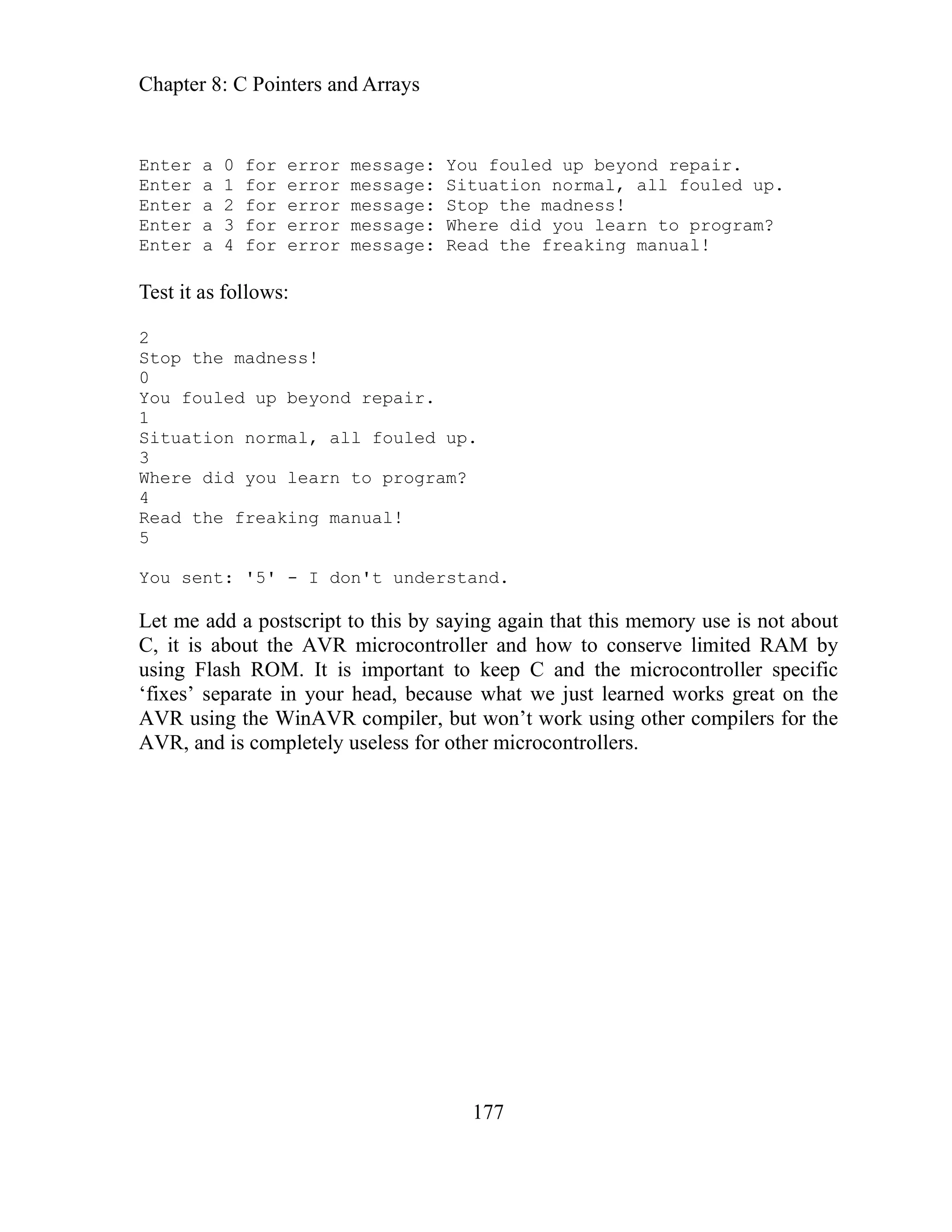
Enter a 0 for error message: You fo
Enter a 1 for error message: Situation normal, all fouled up.
Enter a 2 for error message: Stop the madness!
Enter a 3 for error message: Where did you learn to program?
Enter a 4 for error message: Read the freaking manual!
In the software we store these string arrays in addition to the error arrays:
const char ENTER[] PROGMEM = "Enter a ";
const char FOR[] PROGMEM = " for error message: ";
char c = '0';
Then we send the lot to HyperTerminal with the following loop:
char c = '0';
for(int i = 0; i < 5; i++)
{
sendFString(ENTER);
sendChar(c + i);
sendFString(FOR);
sendFString(ERROR_TBL[i]);
}
HyperTerminal first receives the ENT
aracter ‘0’ + i, (this allows us to sequ
ch
Chapter 8: C Pointers and Arrays
174
ter to the string array stored
osition. Okay, this is a bit complex so Let’s write
alking about.
e PC_Comm software so we can use this messenger
s the RAM that has up to now been wasted on
he old PC_Comm code after this).
senger, and copy from the PC_Comm directory the .c
e.
ecifically
PROGMEM = "rrYou are talking to the 0";
OGMEM = "'Messenger' demo.rr0";
ND1[] PROGMEM = "rYou sent: '0";
ND2[] PROGMEM = "' - I don't understand.r0";
a ";
or error message: ";
PROGMEM = "You fouled up beyond
OGMEM = "Situation normal, all fouled
ADNESS[] PROGMEM = "Stop the madness!r0";
here did you learn to program?r0";
d the freaking manual!r0";
_YOUFOOBARED, ERROR_SNAFUED,
RROR_RTFM };
send the FOR message. And finally we send the poin
in the ERROR_TBL in the i p
some code to show what we’re t
The messenger software.
We are going to upgrade th
stuff in later code. This will save u
on’t use t
constant strings. (Note – d
Create a new directory, Mes
and .h files and the makefil
Programmers Notepad create a new file Messages.h:
In
// Messages.h
/ identify yourself sp
/
const char TALKING_TO[]
const char WHO_DEMO[] PR
/ bad command
/
const char BAD_COMMA
nst char BAD_COMMA
co
"Enter
const char ENTER[] PROGMEM =
onst char FOR[] PROGMEM = " f
c
ED[]
const char ERROR_YOUFOOBAR
repair.r0";
onst c
c har ERROR_SNAFUED[] PR
up.r0";
PTHEM
const char ERROR_STO
onst c
c har ERROR_WHERE[] PROGMEM = "W
const char ERROR_RTFM[] PROGMEM = "Rea
ROR
const char *ERROR_TBL[] = { ER
ERROR_STOPTHEMADNESS, ERROR_WHERE, E
and save it in the Messenger directory.
Add to the PC_Comm.h file:
#include <avr/pgmspace.h>
Chapter 8: C Pointers and Arrays
175
d to the PC_Comm.c file:
Send a string located in Flash ROM
id se as Str)
inates if the byte is '0' or if i = 60.
pointer
60; i++)
on
he oscillator:
ation();
// Initialize the USART
USARTinit();
ions on PC
'0';
void sendFString(const char *);
Ad
//
vo ndFString(const char *pFl h
{
uint8_t i;
// The 'for' logic term
// '0' is 'null' and terminates C strings
// 6 vents too much overrun if we get a bad
The 0 pre
// and it limits the string size
for (i = 0; pgm_read_byte(&pFlashStr[i]) && i <
{
se r(pgm_read_byte(&pFlashStr[i]));
ndCha
}
}
Change Demonstrator.h to:
// Demonstrator.h Messenger version
void initializer(void);
void parseInput(char *);
void showMessage(char);
Change Demonstrator.c to:
// Demonstrator.c Messenger versi
#include "PC_Comm.h"
#include "Messages.h"
void initializer()
{
// Calibrate t
OSCCAL_calibr
// Display instruct
sendFString(TALKING_TO);
sendFString(WHO_DEMO);
char c =
Chapter 8: C Pointers and Arrays
176
< 5; i++)
endFString(ENTER);
+ i);
(FOR);
}
) // 5 error messages
showMessage(s[0]);
acter
[0])
:
=='e')&&(s[2]=='m')&&(s[3]=='o')&&(s[4]=='?') )
dFString(WHO_DEMO);
reak;
1);
sendChar(s[0]);
sendFString(BAD_COMMAND2);
0';
}
d sh
&mess);
R_TBL[num]); // Send the song title to the PC
inal you will see:
to the 'Messenger' demo.
for(int i = 0; i
{
s
sendChar(c
ng
sendFStri
sendFString(ERROR_TBL[i]);
}
void parseInput(char s[])
{
if( (s[0] <= '4') && ( s[0] >= '0')
{
}
else
{
// parse first char
switch (s
{
case 'd'
if((s[1
sendFString(TALKING_TO);
sen
b
default:
sendFString(BAD_COMMAND
break;
}
s[0] = '
}
voi owMessage(char mess)
{
int num = atoi(
sendFString(ERRO
}
Compile, load to the Butterfly, and in HyperTerm
You are talking
Chapter 8: C Pointers and Arrays
177
d up beyond repair.
error message: Situation normal, all fouled up.
ter a 2 for error message: Stop the madness!
message: Where did you learn to program?
message: Read the freaking manual!
st it as follows:
o
at ed up.
m?
t
understand.
s by saying again that this memory use is not about
controller and how to conserve limited RAM by
rtant to keep C and the microcontroller specific
ecause what we just learned works great on the
t work using other compilers for the
R, and is completely useless for other microcontrollers.
Enter a 0 for error message: You foule
En
n
ter a 1 for
E
Enter a 3 for error
ter a 4 for error
En
Te
2
Stop the madness!
0
You f uled up beyond repair.
1
Situ ion normal, all foul
3
a
Where did you learn to progr
4
ead he freaking manual!
R
5
You sent: '5' - I don't
Let me add a postscript to thi
C, it is about the AVR micro
o
using Flash ROM. It is imp
‘fixes’ separate in your head, b
WinAVR compiler, but won’
AVR using the
AV
Chapter 8: C Pointers and Arrays
178
oes anybody know what time it is? A Real Time Clock.
r
le real time clock. This was derived from the more capable
tim alibration makes the
sn’t
real
as an nput that when the count reaches 32768, we will know
o
in
s is no accident since the
ep real time (well, ‘real’ to
ical
as a
cerea thoug they n’t m hy.
loop to wait for the external crystal to
for(int i = 0; i < 10; i++)
erru .
ter 2 nable, TOIE2, bit in the
pt M , to disable the timer output
D
our knowledge of interrupts with what we learned in the messenge
Let’s combine
project to make a simp
clock in the Butterfly software.
A one second interrupt
e saw how to use the 32.768kHz watch crystal to calibrate the cpu clock
W
oscillator in the chapter on ers and interrupts. While that c
oscillator accurate enough for communicating with the PC via the USART, it i
curate enough to keep time like a watch. We will use Timer/counter2 with
ac
the watch crystal i so
that one-second has passed and can throw an interrupt allowing us to d
ls. Notice that 32768 is 0x8000
something at exact one second interva
hexadecimal and 1000000000000000 in binary, thi
s to e
crystals were designed to allow digital system k
humans anyway). The low speed (kilohertz verus mega or giga hertz) and
precision timing allowed watches more accurate than expensive mechan
ronometers to be manufactured so cheaply that its not unusual to find one
ch
prize in a box of l, h are ilk proof and are a bit too crunc
e by using a delay
We start the softwar
stabilize.
_delay_loop_2(30000);
Disable global int pts
cli();
Clear the Timer/Coun Output Interrupt E
nter 2 Interru ask Register, TIMSK2
Timer/Cou
interrupt enable.
cbi(TIMSK2, TOIE2);
Chapter 8: C Pointers and Arrays
179
peration AS2: Asynchronous Timer/Counter2, AS2
Register, ASSR.
= (1<<AS2);
lear the Timer/Counter 2, TCNT2, count register.
TCNT2 = 0;
egister,
econd and 128*256 =
nd overflows once per
UB: Timer/Counter2 Update Busy and the TCR2UB:
r/Counter Control Register2 Update Busy bits of the, ASSR, to be cleared.
| (ASSR & 0x04));
R2 = 0xFF;
mer/Counter 2 Output Interrupt Enable, TOIE2, bit in the Timer/Counter
, to enable the timer output interrupt enable.
bi(TIMSK2, TOIE2);
l interrupts.
ow the SIGNAL(SIG_OVERFLOW2) function will be called once per second
s shown in the code section) so we can use it to keep track of seconds.
Converting Computer Time to Human Readable Time
We can keep a count of seconds, but what good does it do us if our watch reads
40241? If the count started at midnight then this number of seconds would
Select Timer2 asynchronous o
bit in the Asynchronous Status
SR
AS
C
elect the divide by 128 prescale factor in the Timer Counter Control R
S
TCCR2A. The watch crystal pulses 32768 times in one s
ts to 256 a
32768, so with a 128 prescaler, the timer coun
second.
TCCR2A |= (1<<CS22) | (1<<CS20);
Wait for the TCN2
Time
while((ASSR & 0x01)
Clear the Timer/Counter2 Interrupt Flags Register, TIFR2.
IF
T
et the Ti
S
2 Interrupt Mask Register, TIMSK2
s
inally, enable the globa
And f
sei();
N
(a
Chapter 8: C Pointers and Arrays
180
seconds after eleven in the morning.
nd that conversion is easy compared to the numbers you get if you set your
years seventy-eight days six hours
urteen minutes and seven seconds later. So we are going to need to do some
t to something we can read.
binary numbers, say a count of the crystal beats, to decimal numbers, like you’d
mber with a range of 0 to 16. That’s one
f the r
us to s
ount
indicate that the time is ten minutes and 41
A
watch at thirty-three seconds after three twenty in the afternoon on May 11th
of
2005 and you are reading the number two
fo
computing to convert the coun
We’ll briefly explore one way to convert time from byte sized data to ASCII text
strings that we can understand.
BCD - Binary Coded Decimal
Binay Coded Decimal is a coding trick that eases the storage and conversion of
want to display on a watch LCD. We can divide an 8-bit byte into two 4-bit
nibbles each of which can represent a nu
o easons for the use of hexadecimal notation discussed earlier. And it allows
re as single decimal integers, 0 to 9, in a nibble and two in a byte, one
to
integer in each nibble.
If a the decimal number in a byte is less than 99, we can convert it to a BCD byte
using the following algorithm:
Set the initial byte (in C we use char) to some two digit value.
char initialbyte = 54;
Declare a variable for the upper nibble value.
char high = 0;
C the tens in initialbyte.
while (initialbyte >= 10)
{
high++;
initialbyte -= 10;
}
Chapter 8: C Pointers and Arrays
181
fter this runs the initialbyte now contains only the ones integer from the original
t is: high = 5 and intialbyte = 4. We
ombine the high and low nibbles to get the converted byte.
This al
onverting a byte to the ASCII equivalent decimal character using BCD.
tes Tens and Ones and a third byte, Number, which we set to a
alue in the range of 0 to 99.
ollowing char integer is a
mple increment of the previous one. Meaning that adding the number 4 to the
racter ‘0’, which is 48, yields the ASCII character ‘4’,
8+4 = 52 which is the ASCII decimal value of the character ‘4’). So the
get
e ASCII characters for Number.
0x0F) + '0';
A
byte and high char contains the tens, tha
c
convertedbyte = (high << 4) | initialbyte;
gorithm is used in the CHAR2BCD2 function in the software.
C
We define two by
v
char Tens = 0;
char Ones = 0;
char Number = 54;
We use the character to BCD algorithm written as the function
CHAR2BCD2(char) in the software section below to convert the Number to the
BCD equivalent in Tens.
Tens = CHAR2BCD2(Number);
Now Tens has the BCD of the tens in the upper nibble and of the ones in the lower
nibble. We can convert this to an ASCII character for the integer by remembering
that the numerical value of ASCII ‘0’ is 48 and each f
si
value of the ASCII cha
(4
conversion of a decimal integer to its ASCII equivalent character is the simple
addition of 48 to the decimal integer.
Since the CHAR2BCD2 function loaded both the tens and ones parts of Number
into Tens, we need to extract the Ones and the Tens so that we can add 48 to
th
Ones = Tens;
Ones = (Ones &
Chapter 8: C Pointers and Arrays
182
ng the byte 4-bits, which we use as the ASCII
haracter offset.
e’ll use these ideas in the showClock function in the software.
he Real Timer Clock Software
encounter: uint8_t, which is WinAVR specific and
y we called ‘unsigned char’ and is the same as a byte.
reate .h files and the
PROGMEM = "'Real Time Clock' demo.r";
MEM = "rYou sent: '";
onst I don't understand.r";
const
const char TEXT_GET[] PROGMEM = "'get' to get the time and
date.
onst to set the second";
MIN[] PROGMEM = "'minXX' to set the minute";
HOUR[] PROGMEM = "'hourXX' to set the hour";
onst char TEXT_TOXX[] PROGMEM = " to XX.r";
pen Demonstrator.h and write:
Finally we get the Tens by right shifi
c
Tens = (Tens >> 4) + '0';
W
T
In the software you will
denotes what would normall
C a new directory, Real Time Clock, and copy the .c and
makefile from the Messenger directory.
Open Messenger.h in Programmers Notepad and write:
// identify yourself specifically
const char TALKING_TO[] PROGMEM = "rYou are talking to the ";
const char WHO_DEMO[]
// bad command
onst char BAD_COMMAND1[] PROG
c
c char BAD_COMMAND2[] PROGMEM = "' -
char ENTER[] PROGMEM = "Enter ";
r";
char TEXT_SEC[] PROGMEM = "'secXX'
c
const char TEXT_
const char TEXT_
c
const char ERROR_NUMBER[] PROGMEM = "rERROR - number must be
less than ";
const char ERROR_60[] PROGMEM = " 60.r";
const char ERROR_12[] PROGMEM = " 12.r";
const char THE_TIME_IS[] PROGMEM = "The time is: ";
O
Chapter 8: C Pointers and Arrays
183
Real Timer Clock version
Second(char *);
c and write:
version
nclud
#includ
unsigne
unsigne
unsigne
void in
{
e oscillator:
OSCCAL_calibration();
sendFString(TEXT_TOXX);
sendFString(TEXT_MIN);
sendFString(TEXT_TOXX);
sendFString(ENTER);
// Demonstrator.h
void initializer(void);
void parseInput(char *);
void set
void setMinute(char *);
void setHour(char *);
char CHAR2BCD2(char input);
void RTC_init(void);
void showClock(void);
void setClock(void);
Open Demonstrator.
// Demonstrator.c Real Time Clock
#i e "PC_Comm.h"
"Messages.h"
e
d char gSECOND;
d char gMINUTE;
d char gHOUR;
itializer()
ibrate th
// Cal
// Initialize the USART
USARTinit();
// Initialize the RTC
RTC_init();
// Display instructions on PC
sendFString(TALKING_TO);
sendFString(WHO_DEMO);
sendFString(ENTER);
sendFString(TEXT_GET);
sendFString(ENTER);
sendFString(TEXT_SEC);
sendFString(ENTER);
Chapter 8: C Pointers and Arrays
184
sendFString(TEXT_HOUR);
sendFString(TEXT_TOXX);
'e') && (s[2] == 't') )
case 's':
if( (s[1] == 'e') && (s[2] == 'c') )
);
n') )
(s);
case 'd':
='m')&&(s[3]=='o')&&(s[4]=='?'))
ng(TALKING_TO);
break;
}
void parseInput(char s[])
{
// parse first character
switch (s[0])
{
case 'g':
if( (s[1] ==
showClock();
break;
setSecond(s
break;
case 'm':
if( (s[1] == 'i') && (s[2] == '
setMinute
break;
case 'h':
if( (s[1] == 'o') && (s[2] == 'u') && (s[3] == 'r'))
setHour(s);
break;
if((s[1]=='e')&&(s[2]=
sendFStri
sendFString(WHO_DEMO);
break;
default:
sendFString(BAD_COMMAND1);
sendChar(s[0]);
sendFString(BAD_COMMAND2);
}
s[0] = '0';
}
void s
{
etSecond(char s[])
char str[] = {0,0,'0'};
int sec;
Chapter 8: C Pointers and Arrays
185
str[0] = s[3];
sendFString(ERROR_NUMBER);
60);
{
sendFString(ERROR_NUMBER);
char str[] = {0,0,'0'};
r);
else
{
sendFString(ERROR_NUMBER);
str[1] = s[4];
sec = atoi(str);
if( sec <= 60)
{
gSECOND = (uint8_t)sec;
}
else
{
sendFString(ERROR_
}
}
void setMinute(char s[])
{
'};
char str[] = {0,0,'0
int min;
str[0] = s[3];
str[1] = s[4];
min = atoi(str);
if( min <= 60)
{
gMINUTE = (uint8_t)min;
}
else
sendFString(ERROR_60);
}
}
void setHour(char s[])
{
int hour;
str[0] = s[4];
str[1] = s[5];
hour = atoi(st
if( hour <= 12)
{
gHOUR = (uint8_t)hour;
}
Chapter 8: C Pointers and Arrays
186
2);
SL;
TE);
MH >> 4) + '0';
gSECOND);
) + '0';
sendFString(THE_TIME_IS);
// Count tens
++;
}
return (high << 4) | input; // Add ones and return answer
}
sendFString(ERROR_1
}
}
void showClock(void)
{
uint8_t HH, HL, MH, ML, SH,
HH = CHAR2BCD2(gHOUR);
HL = (HH & 0x0F) + '0';
HH = (HH >> 4) + '0';
MH = CHAR2BCD2(gMINU
ML = (MH & 0x0F) + '0';
MH = (
SH = CHAR2BCD2(
SL = (SH & 0x0F
SH = (SH >> 4) + '0';
sendChar(HH);
sendChar(HL);
sendChar(':');
sendChar(MH);
sendChar(ML);
sendChar(':');
sendChar(SH);
sendChar(SL);
sendChar('r');
}
// convert a character into a binary coded decimal chracter in the range
/ 0 to 99 resulting byte has tens in high nibble and ones in low nibble
/
char CHAR2BCD2(char input)
{
char high = 0;
while (input >= 10)
{
high
input -= 10;
Chapter 8: C Pointers and Arrays
187
nitialize Timer/counter2 as asynchronous using the 32.768kHz watch
crystal.
< 10; i++)
cbi
ASS
TCN
TCC 1<<CS20);
gs
sei // enable global interrupt
//
gSE
gMI
gHO
}
ne second interrupt from 32kHz watch crystal
GNAL(SIG_OVERFLOW2)
gSECOND = 0;
gMINUTE = 0;
HOUR++; // increment hour
if (gHOUR > 12)
/ i
/
//
void RTC_init(void)
{
// wait for external crystal to stabilise
for(int i = 0; i
_delay_loop_2(30000);
cli(); // disable global interrupt
(TIMSK2, TOIE2); // disable OCIE2A and TOIE2
R = (1<<AS2); // select asynchronous operation of Timer2
T2 = 0; // clear TCNT2A
R2A |= (1<<CS22) | (
// select precaler: 32.768 kHz / 128 = 1 sec between each overflow
// wait for TCN2UB and TCR2UB to be cleared
while((ASSR & 0x01) | (ASSR & 0x04));
TIFR2 = 0xFF; // clear interrupt-fla
sbi(TIMSK2, TOIE2); // enable Timer2 overflow interrupt
();
initial time and date setting
COND = 0;
NUTE = 0;
UR = 0;
o
//
SI
{
gSECOND++; // increment second
f (gSECOND == 60)
i
{
gMINUTE++; // increment minute
if (gMINUTE > 59)
{
g
Chapter 8: C Pointers and Arrays
188
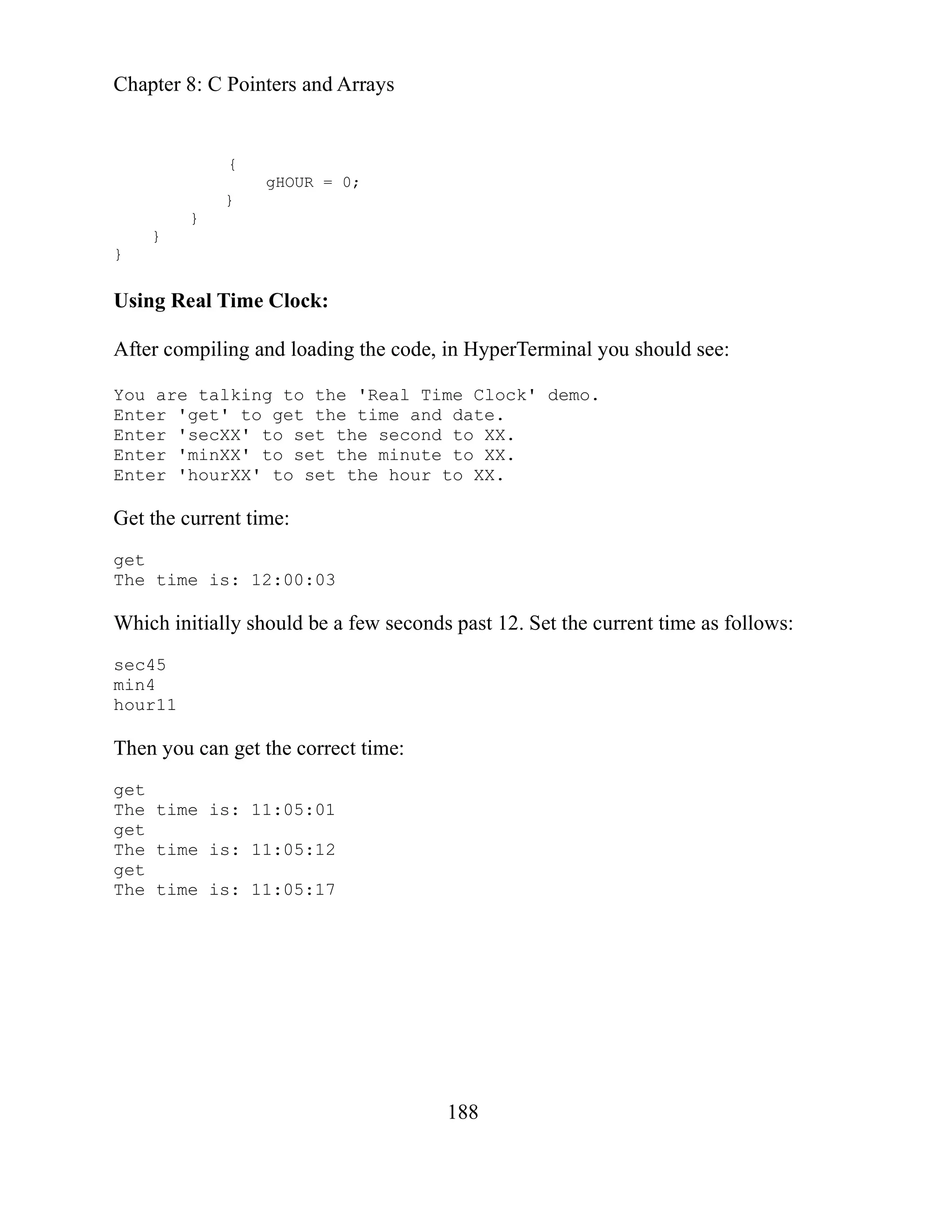
Using Real Time Clock:
After c
You ar
Enter
Enter
Enter
Enter
Get the current tim
conds past 12. Set the current time as follows:
get the correct time:
t
{
gHOUR = 0;
}
}
}
}
ompiling and loading the code, in HyperTerminal you should see:
e talking to the 'Real Time Clock' demo.
'get' to get the time and date.
'secXX' to set the second to XX.
'minXX' to set the minute to XX.
'hourXX' to set the hour to XX.
e:
get
The time is: 12:00:03
Which initially should be a few se
c45
se
min4
hour11
n you can
The
ge
The time is: 11:05:01
get
The time is: 11:05:12
get
The time is: 11:05:17
Chapter 8: C Pointers and Arrays
189
Music
to pillage the Butterfly code again and play some tunes to further
trate the use of pointers and arrays.
ngs are
,
t songs in flash
song variable. All nice
uite as C-like in the way it
port of
chnical
e. But I won’t mention free. Especially not
is is a miraculous little free compiler (send them
eforge.net/donate.)
e port of the Butterfly code from not-free IAR compiler to the free WinAVR
mthomas@rhrk.uni-kl.de
d an outstanding job. When you finally learn enough to really evaluate the
utterfly code, you will come to appreciate the intelligence and hard work that
es, you. And for free. So when you
ple appearing song selection statement,
out
to my ears. “Play it again Sam.”
are going
We
lus
il
More on pointers to arrays
o
In the original Butterfly code written with the IAR compiler, in sound.c, s
selected using these definitions:
__flash int __flash *Songs[] = { FurElise, Mozart, /*Minuet
AuldLangSyne,*/ Sirene1, Sirene2, Whistle, 0};
int __flash *pSong; // pointer to the differen
The __flash is not C, it is a special IAR modifier that allows access to Flash ROM
as if it was regular C style RAM. In use:
pSong = Songs[song]; // point to this song
the
Loads pSong with the pointer to the tune indicated by
d C like. Unfortunately, the WinAVR compiler isn’t q
an
allows access to Flash ROM. Not that I’m criticizing, I think the WinAVR
the gcc tools to the AVR platform is a miracle of dedication and te
prowess, not to mention: fre
repeatedly: free, free, free. So th
.sourc
some money at: http://www
Th
was done by:
Martin Thomas, Kaiserslautern, Germany
http://www.siwawi.arubi.uni-kl.de/avr_projects/
who di
B
this gentleman (my assumption) did for you. Y
see the way he translated the relatively sim
you can agree with his comment below: ‘// looks too complicated’, with
getting fussy about it.
Chapter 8: C Pointers and Arrays
190
sion of the definitions:
le, 0};
actual
fi it and
that I have the time or the skill. In
in C we sometimes have to dance lightly around
: we equate a constant integer pointer pointer to a cast
function pgm_read_word, which takes as a parameter
g element of the Songs[] array. What we are doing is
a function that knows how to extract a pointer to Flash
cated… but so what, it works.
the song table in the Timer1 Input
is case is used to set the counter top value.
taken from the Butterfly code and are based on a cpu clock
of 2 MHz for the USART,
ut do not truly compensate for the difference.
equency for
fo owing a. For
First look at his ver
// pointer-array with pointers to the song arrays
onst int *Songs[] PROGMEM = { FurElise, Mozart, Minuet,
c
AuldLangSyne, Sirene1, Sirene2, Whist
const int *pSong; // mt point to a ram location (pointer array
Songs)
The __flash of the IAR compiler is replaced by the PROGMEM. And the
use is as follows:
// mt pSong = Songs[song]; // point to this song
too
pSong=(int*)pgm_read_word(&Songs[song]); // looks
complicated...
Yep, I agree: ‘// looks too complicated', but I have no intention to try to x
make it look more C-like. I doubt seriously
programming microcontrollers
ANSI C and use what works.
What the statement says is
of an integer pointer of the
the address of the son
nding this address to
se
RAM. Looks too compli
Setting the frequency
Tones are setup by putting an integer from
ich in th
Capture Register 1, ICR1, wh
The values are
running at 1 MHz. Since we are using a cpu clock
adjustments are made that help b
We select a base frequency of 220Hz (the A note) and calculate the fr
subsequent notes using the notes position on the musical scale ll
instance, C0 is 3 after A:
Chapter 8: C Pointers and Arrays
191
/ 2 = 1911
imer1 to generate a phase/frequency
We then compensate for our
sing a left bit shift of one
eft shifting a byte or integer doubles
is less than half the possible
lue, 256/2 for a byte.)
ew tones from the sound.h table:
// tone 2
time we play the tone. The Timer0 calls
at 10ms intervals. It begins by getting the tempo from the
ay and putting it into a Tempo variable. The next time
d, if Tempo is not 0, it decrements the tempo and exits. It
the Tempo is 0, when it rereads the tempo and starts
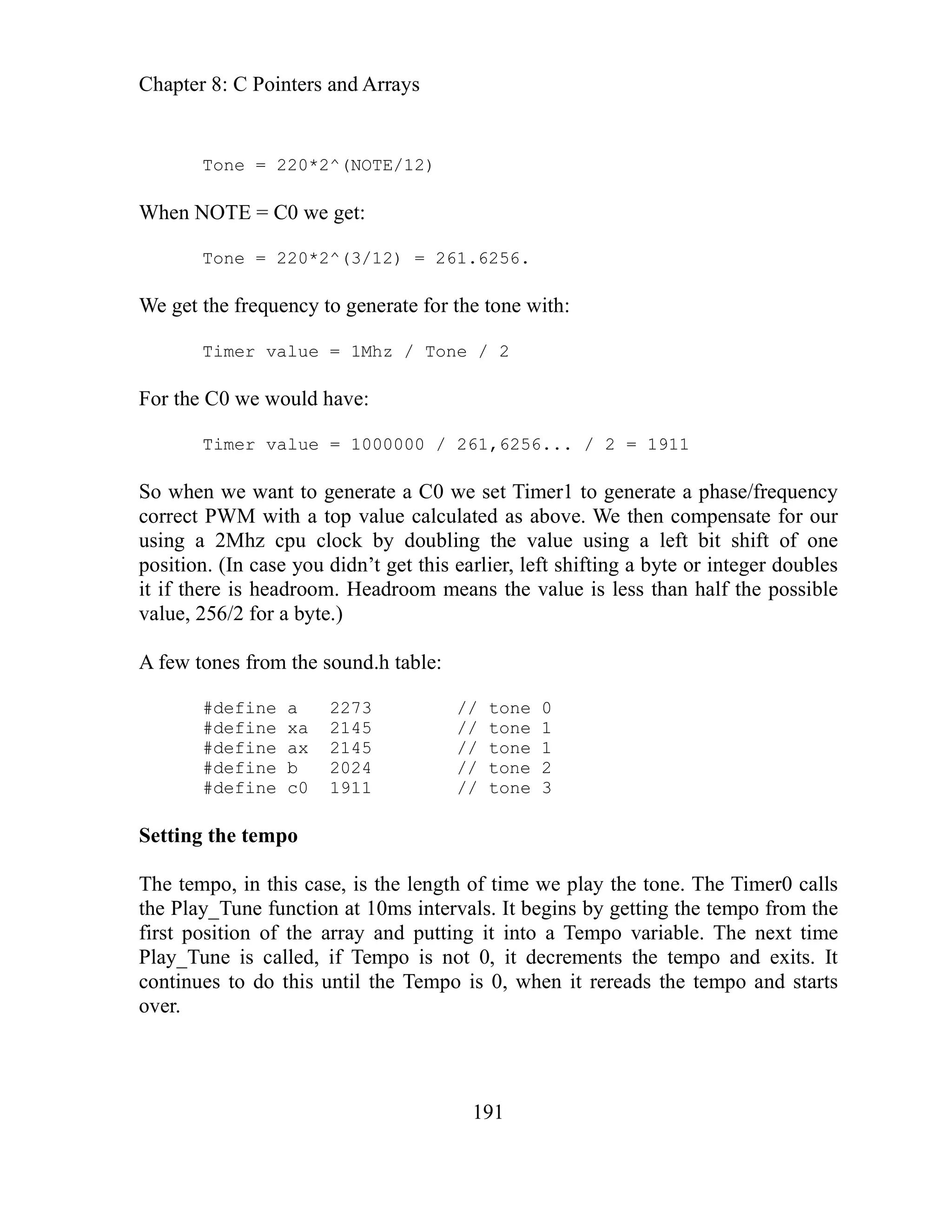
Tone = 220*2^(NOTE/12)
When NOTE = C0 we get:
Tone = 220*2^(3/12) = 261.6256.
We get the frequency to generate for the tone with:
Timer value = 1Mhz / Tone / 2
For the C0 we would have:
6...
Timer value = 1000000 / 261,625
So when we want to generate a C0 we set T
correct PWM with a top value calculated as above.
value u
using a 2Mhz cpu clock by doubling the
position. (In case you didn’t get this earlier, l
it if there is headroom. Headroom means the value
va
f
A
#define a 2273 // tone 0
#define xa 2145 // tone 1
#define ax 2145 // tone 1
#define b 2024
#define c0 1911 // tone 3
Setting the tempo
po, in this case, is the length of
The tem
the Play_Tune function
first position of the arr
Play_Tune is calle
continues to do this until
over.
Chapter 8: C Pointers and Arrays
192
tion
is the
should be played. Play_Tune gets the
to the Duration variable and the Timer1
its. When called again by Timer0, if the
ed and the function exits leaving the tone
d to 0, Play_Tune gets the next set of
Duration and the timer and starts the next tone. If the Duration
es that the tune has been played through,
xt byte and if that byte is 1, it starts the tune over, if 0 it ends
une. Clever, eh?
ray – Fur Elise
e[] PROGMEM=
, 8,xd2, 8,e2, 8,b1, 8,d2, 8,c2, 4,a1,
8 e1, 8,a1, 4,b1, 8,p, 8,e1, 8,xg1, 8,b1, 4,c2,
, 8,xd2, 8,e2, 8,xd2, 8,e2, 8,b1, 8,d2,
8,c1, 8,e1, 8,a1, 4,b1, 8,p, 8,e1, 8,c2,
8,b1, 4,a1,
0, 1
to make sound
e large black square on the back of the Butterfly. It
at deforms when electricity is applied to it (the
ation can be made at audio frequencies allowing
nd waves in the air. Our piezo-element is connected to
the OC1A pin that can be configured as an output for
Timer1 waveform generator. We will configure the Timer1 waveform
ill use PWM to generate tones.
Setting the dura
ed values in the table. The duration
The duration and the frequency are pair
one
length of time that the following t
duration
and tone from the table and loads them in
e and then ex
top count. It starts the ton
Duration is not 0, Duration is decrement
Duration is decremente
playing. When
values for the
value read from the table is 0, this indicat
t checks the ne
so i
t
the
An example song ar
const int FurElis
{
3,
8,e2, 8,xd2, 8,e2
8,p, 8,c1, ,
8,p, 8,e1, ,e
8 2
8,c2, 4,a1, 8,p,
};
Using the Piezo-element
element is th
The piezo-
contains a sheet of material th
piezo electric effect). This deform
the element to produce sou
rtB pin 5, which is also
Po
e
th
generator so that it w
Chapter 8: C Pointers and Arrays
193
to the piezo-element.
e initialize orm as follows:
l Register A, TCCR1A, so that the OC1A pin (PortB
nting and cleared when down counting.
M1A1);
M with a top value in
e set the Output Compare Register 1 High to 0 and Low to the value in the
lue of Volume will produce a higher volume.
a imer1
CCR1B,
m , and the Input
apture e.
he song calls for a pause we stop Timer1, otherwise we start it
one) == p) | (pgm_read_word(pSong + Tone) == P))
0); // stop Timer1, prescaler(1)
sbi(TCCR1B, CS10); // start Timer1, prescaler(1)
ne value from the song array.
Initializing the Timer1 for PWM
W Timer1 to generate a PWM wavef
We set Timer/Counter Contro
in 5) w en up cou
p ill be set wh
TCCR1A = (1<<CO
We set rrect PW
the TCCR1B for phase and frequency co
ICR1.
TCCR1B = (1<<WGM13);
e set the TCCR1B to start Timer 1 with no prescaling
W
sbi(TCCR1B, CS10);
W
Volume variable. A lower va
OCRA1H = 0;
OCRA1L = Volume;
ting the tone using PWM from T
Gener
Timer1 T
When Play_Tune is called periodically by Timer0, we set the
h and Low registers, TCNT1H TCNT1L
the Ti er/Counter1 Hig
C Register 1, ICR1H, which in this case is used to set the counter top valu
In Play_Tune:
t
If
(pgm_read_word(pSong + T
if(
cbi(TCCR1B, CS1
else
n load the to
We the
Chapter 8: C Pointers and Arrays
194
porary variable and shift it right by 8
t that we
te for the
en a 1 MHz
as used in the original Butterfly code.
= 7;
lly top value low byte and adjust it for the 2 MHz clock.
e Timer0 interrupt calls the Play_Tune function every 10
before:
re value
caler
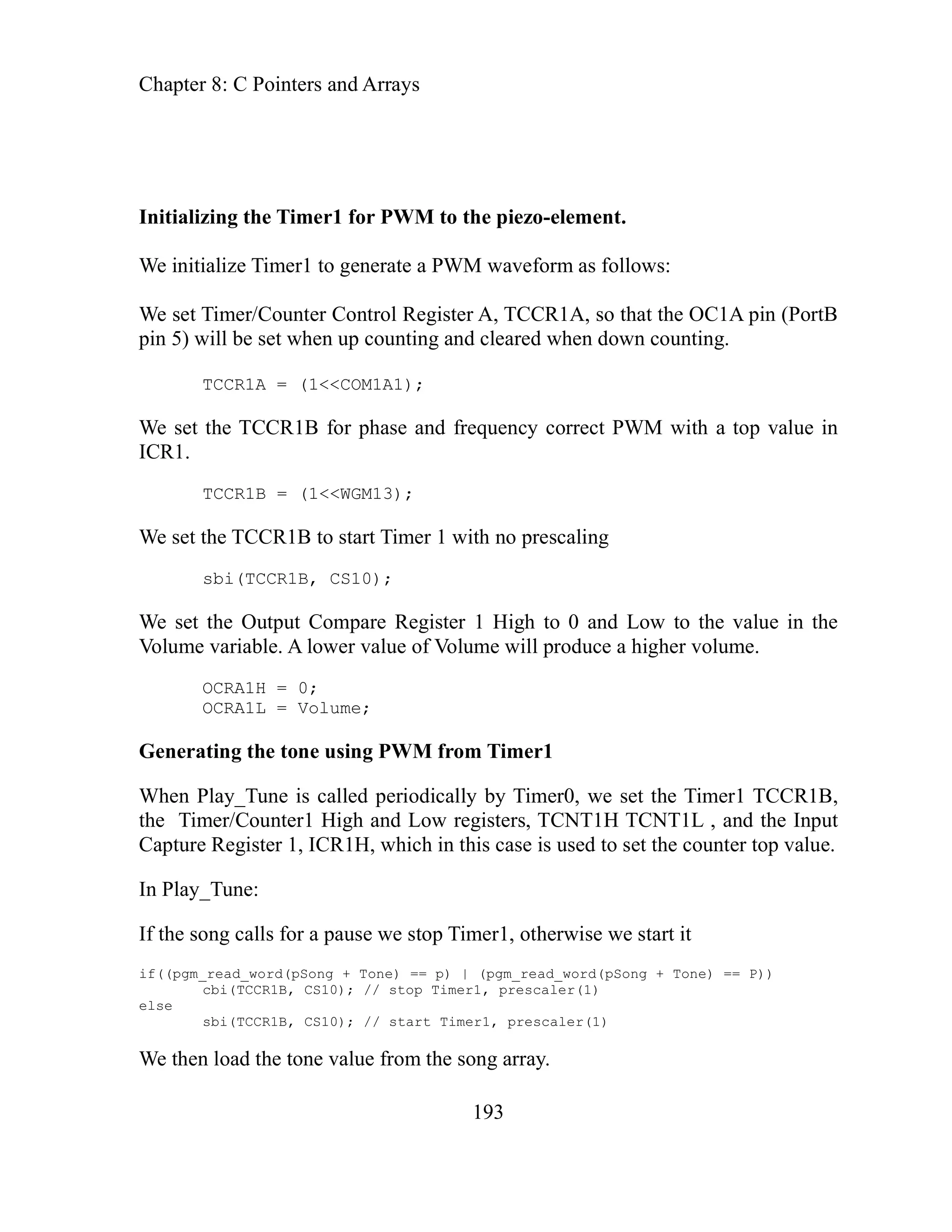
temp_hi = pgm_read_word(pSong + Tone); // read out the PWM-value
so we get it into a tem
The Tone is an integer,
bits and load that value into the high byte of the counter top. Excep
nsa
actually only shift it right by 7 bits to adjust it (cut it in half) to compe
2MHz system clock in this applications (for the USART) wh
use of a
clock w
temp_hi >>
We clear the Timer1 count.
TCNT1H = 0;
TCNT1L = 0;
We load the counter top value high byte.
ICR1H = temp_hi;
Fina we load the counter
ICR1L = pgm_read_word(pSong + Tone);
ICR1L <<= 1;
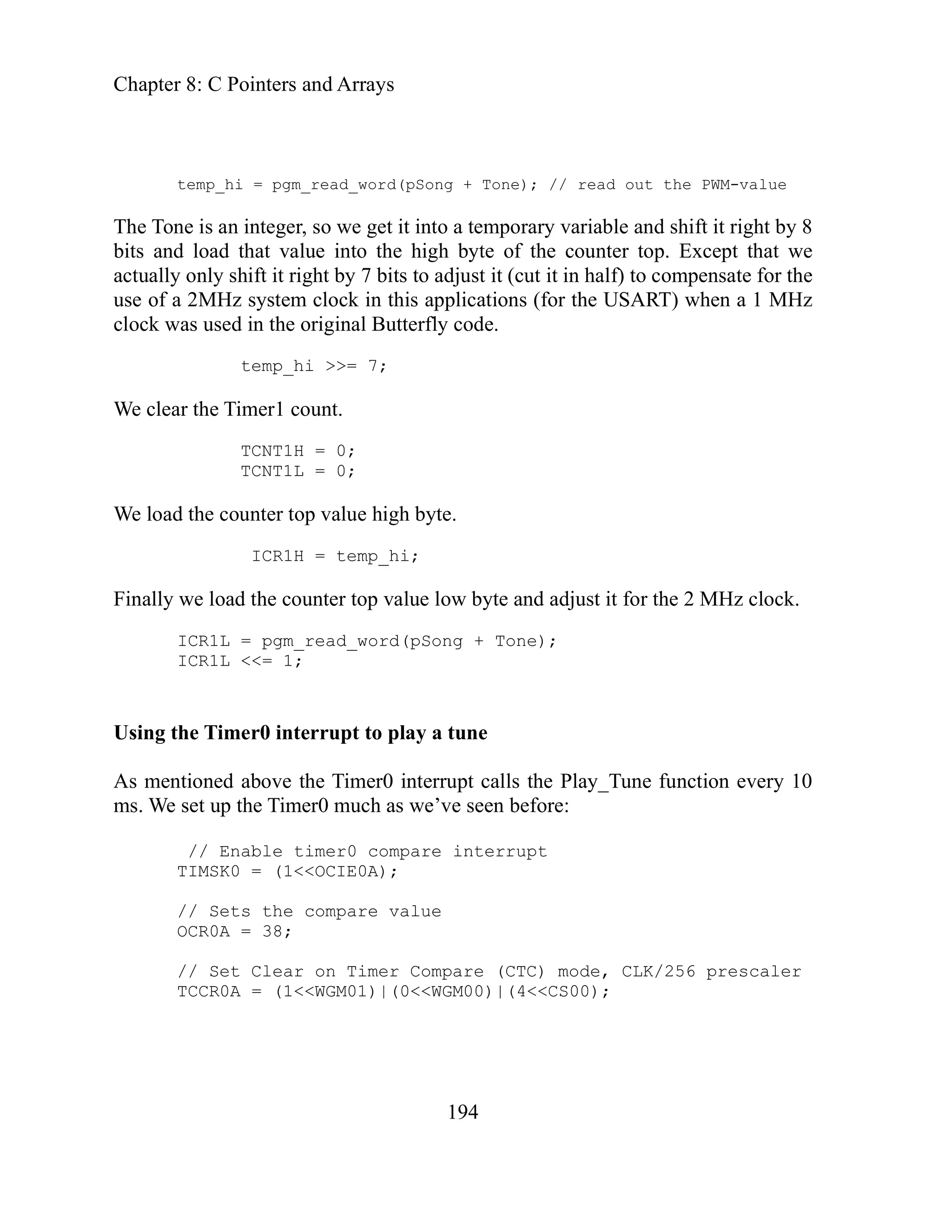
Using the Timer0 interrupt to play a tune
above th
As mentioned
ms. We set up the Timer0 much as we’ve seen
// Enable timer0 compare interrupt
TIMSK0 = (1<<OCIE0A);
the compa
// Sets
OCR0A = 38;
// Set Clear on Timer Compare (CTC) mode, CLK/256 pres
= (1<<WGM01)|(0<<WGM00)|(4<<CS00);
TCCR0A
Chapter 8: C Pointers and Arrays
195
t again Sam Software.
d
gs
lay it again Sam, and copy the .c and .h files and the
er directory. From the WinAVR Butterfly port, bf_gcc
sound.h. In Programmers Notepad, create a new
:
******************************************************
yte sets
empo. A high byte will give a low tempo, and opposite.
sts of two bytes. The first gives the length of
her gives the frequency. The frequencies for
ach tone are defined in the "sound.h". Timer0 controls the
po and the length of each tone, while Timer1 with PWM gives
the frequency. The second last byte is a "0" which indicates
the end, and the very last byte makes the song loop if it's
t's "0".
*** ***********************************?
mt ur Elise";
t r Elise";
__f
t
8,e2, 8,xd2, 8,e2, 8,xd2, 8,e2, 8,b1, 8,d2, 8,c2, 4,a1,
8,p, 8,c1, 8,e1, 8,a1, 4,b1, 8,p, 8,e1, 8,c2, 8,b1, 4,a1,
The Play i
For some reason, the Butterfly code commented out the songs Minuet an
angSyne, but the WinAVR version uses them, so we get to hear two son
AuldL
absent on the store-bought Butterfly.
Create a new directory: P
the Messeng
makefile from
directory copy sound.c and
nes.h and add
C/C++ file, tu
// tunes.h
#include "sound.h"
Then copy the following from sound.c to tunes.h
/**********
*
* A song is defined by a table of notes. The first b
* the t
* Each tone consi
* the tone, the ot
* e
* tem
*
*
* "1", and not loop if i
*
*** ***********************
// __flash char TEXT_SONG1[] = "F
cons char TEXT_SONG1[] PROGMEM = "Fu
// lash int FurElise[] =
cons int FurElise[] PROGMEM=
{
3,
8,e2, 8,xd2, 8,e2, 8,xd2, 8,e2, 8,b1, 8,d2, 8,c2, 4,a1, 8,p, 8,c1, 8,e1, 8,a1, 4,b1,
8,p, 8,e1, 8,xg1, 8,b1, 4,c2, 8,p, 8,e1,
Chapter 8: C Pointers and Arrays
196
/__flash char TEXT_SONG2[] = "Turkey march";
EM = "Turkey march";
1, 16,e1, 4,g1, 16,a1, 16,g1, 16,xf1,
16,b1, 16,xa1, 16,b1, 16,xf2, 16,e2,
,xf2, 16,e2, 16,xd2, 16,e2, 4,g2, 8,e2,
2, 16,xf2, 8,e2, 8,d2, 8,e2, 32,d2, 32,e2,
d2, 8,e2, 32,d2, 32,e2, 16,xf2, 8,e2, 8,d2,
ommented out by ATMEL - see their readme
ts all the songs ;-)
ROGMEM = "Minuet";
GMEM =
,d2, 8,c2,
xf1, 8,g1,
1, 2,a1,
};
MEM = "Auld Lang Syne";
=
, 8,c3, 4,c3, 4,e3, 2,d3, 8,c3, 4,d3, 8,e3, 8,d3,
, 4,e3, 4,g3, 2,a3, 8,p, 4,a3, 2,g3, 8,e3, 4,e3,
2,d3, 8,c3, 4,d3, 8,e3, 8,d3, 2,c3, 8,a2, 4,a2, 4,g2,
4,p,
0, 1
;
0, 1
};
/
const char TEXT_SONG2[] PROGM
//__flash int Mozart[] =
onst int Mozart[] PROGMEM =
c
{
3,
16,xf1, 16,e1, 16,xd
16,g1,4,b1, 16,c2,
16,xd2, 16,e2, 16
8,g2, 32,d2, 32,e
16,xf2, 8,e2, 8,
8,xc2, 4,b1, 0, 1
};
// mt song 3 & 4 where c
// well, the gcc-geek wan
nst char TEXT_SONG3[] P
co
const int Minuet[] PRO
{
2,
4,d2, 8,g1, 8,a1, 8,b1, 8,c2, 4,d2, 4,g1, 4,g1, 4,e2, 8,c2,
8,d2, 8,e2, 8,xf2, 4,g2, 4,g1, 4,g1, 4,c2, 8
8,c2, 8,b1, 8,a1, 8,g1, 4,
8,b1, 8,a1, 4,b1,
8,a1, 8,b1, 8,g1, 4,b
0, 1
char TEXT_SONG4[] PROG
const int AuldLangSyne[] PROGMEM
{
3,
4,g2, 2,c3
2,c3, 8,c3
4,c3,
2,c3,
}
Chapter 8: C Pointers and Arrays
//__flash char TEXT_SONG5[] = "Sirene1";
const ch
197
ar TEXT_SONG5[] PROGMEM = "Sirene1";
//__flash int Sirene1[] =
const int Sirene1[] PROGMEM =
{
0,
32,400, 32,397, 32,394, 32,391, 32,388, 32,385, 32,382,
32,379, 32,376, 32,373, 32,370, 32,367, 32,364, 32,361,
32,358, 32,355, 32,352, 32,349, 32,346, 32,343, 32,340,
32,337, 32,334, 32,331, 32,328, 32,325, 32,322, 32,319,
32,316, 32,313, 32,310, 32,307, 32,304, 32,301, 32,298,
32,298, 32,301, 32,304, 32,307, 32,310, 32,313, 32,316,
32,319, 32,322, 32,325, 32,328, 32,331, 32,334, 32,337,
32,340, 32,343, 32,346, 32,349, 32,352, 32,355, 32,358,
32,361, 32,364, 32,367, 32,370, 32,373, 32,376, 32,379,
32,382, 32,385, 32,388, 32,391, 32,394, 32,397, 32,400,
0, 1
};
//__flash char TEXT_SONG6[] = "Sirene2";
const char TEXT_SONG6[] PROGMEM = "Sirene2";
//__flash int Sirene2[] =
const int Sirene2[] PROGMEM =
{
3,
4,c2, 4,g2,
0, 1
};
//__flash char TEXT_SONG7[] = "Whistle";
const char TEXT_SONG7[] PROGMEM = "Whistle";
//__flash int Whistle[] =
const int Whistle[] PROGMEM =
{
0,
32,200, 32,195, 32,190, 32,185, 32,180, 32,175, 32,170,
32,165, 32,160, 32,155, 32,150, 32,145, 32,140, 32,135,
32,130, 32,125, 32,120, 32,115, 32,110, 32,105, 32,100,
8,p, 32,200, 32,195, 32,190, 32,185, 32,180, 32,175,
32,170, 32,165, 32,160, 32,155, 32,150, 32,145, 32,140,
32,135, 32,130, 32,125, 32,125, 32,130, 32,135, 32,140,
Chapter 8: C Pointers and Arrays
198
// pointer-array with pointers to the song arrays
// mt: __flash int __flash *Songs[] = { FurElise, Mozart,
// /*Minuet, AuldLangSyne,*/ Sirene1, Sirene2, Whistle, 0};
const int *Songs[] PROGMEM = { FurElise, Mozart, Minuet,
AuldLangSyne, Sirene1, Sirene2, Whistle, 0};
//mt: __flash char __flash *TEXT_SONG_TBL[] = { TEXT_SONG1,
fferent songs in flash
directory.
file from the WinAVR port of the Butterfly code, bf_gcc
hanges, we’ll just steal the whole
ing.
ages.h file to:
nst = "rYou are talking to the ";
32,145, 32,150, 32,155, 32,160, 32,165, 32,170, 32,175,
32,180, 32,185, 32,190, 32,195, 32,200,
0, 0
};
// TEXT_SONG2, /*TEXT_SONG3, TEXT_SONG4,*/TEXT_SONG5, TEXT_SONG6,
// TEXT_SONG7, 0};
//// mt: 16 ram-bytes (8 words) "wasted" - TODO
//// PGM_P TEXT_SONG_TBL[] PROGMEM = { TEXT_SONG1, TEXT_SONG2,
// /*TEXT_SONG3, TEXT_SONG4,*/TEXT_SONG5, TEXT_SONG6, TEXT_SONG7,
// 0};
const char *TEXT_SONG_TBL[] = { TEXT_SONG1, TEXT_SONG2,
TEXT_SONG3, TEXT_SONG4, TEXT_SONG5, TEXT_SONG6, TEXT_SONG7, 0};
//__flash char PLAYING[] = "PLAYING";
const char PLAYING[] PROGMEM = "PLAYING";
//mt: int __flash *pSong; //pointer to the di
onst int *pSong; // mt point to a ram location (pointer array Songs)
c
static char Volume = 80;
static char Duration = 0;
static char Tone = 0;
static char Tempo;
Save tunes.h to the Play it again Sam
Copy the sounds.h
directory to the Play it again Sam directory. No c
th
Change the contents of the mess
// identify yourself specifically
co char TALKING_TO[] PROGMEM
Chapter 8: C Pointers and Arrays
199
const char WHO_DEMO[] PROGMEM = "'Play it again Sam' demo.r";
// bad command
nst sent: '";
nst "' - I don't understand.r";
nst
1 for Fur Elise.r";
H[] PROGMEM = "2 for Turkey march.r";
Minuet.r";
"4 for Auld Lang
e.r";
onst char TEXT_SIRENE1[] PROGMEM = "5 for Sirene1.r";
#include "PC_Comm.h"
id i
lize piezo-element
as output
h
ions on PC
co char BAD_COMMAND1[] PROGMEM = "rYou
co char BAD_COMMAND2[] PROGMEM =
co char ENTER[] PROGMEM = "Enter ";
const char TEXT_FUR_ELISE[] PROGMEM = "
const char TEXT_TURKEY_MARC
const char TEXT_MINUET[] PROGMEM = "3 for
const char TEXT_AULD_LANG_SYNE[] PROGMEM =
Syn
c
const char TEXT_SIRENE2[] PROGMEM = "6 for Sirene2.r";
const char TEXT_WHISTLE[] PROGMEM = "7 for Whistle.r";
const char VOLUME_UP[] PROGMEM = "+ to increase";
const char VOLUME_DOWN[] PROGMEM = "- to decrease";
const char THE_VOLUME[] PROGMEM = " the volume.r";
const char STOP[] PROGMEM ="stop to stop the music.r" ;
Change the Demonstrator.c to:
// Demonstrator.c PWM version
#include "Messages.h"
#include "tunes.h"
o nitializer()
v
{
// Calibrate the oscillator:
OSCCAL_calibration();
// Initialize the USART
USARTinit();
// Initialize timer0 to play a tune
Timer0_Init();
// initia
sbi(DDRB, 5); // set OC1A
sbi(PORTB, 5); // set OC1A hig
// Display instruct
Chapter 8: C Pointers and Arrays
200
sendFString(VOLUME_DOWN);
// parse first character
case '+':
stopTune();
sendFString(TALKING_TO);
sendFString(WHO_DEMO);
sendFString(ENTER);
sendFString(TEXT_FUR_ELISE);
sendFString(ENTER);
sendFString(TEXT_TURKEY_MARCH);
sendFString(ENTER);
sendFString(TEXT_AULD_LANG_SYNE);
sendFString(ENTER);
sendFString(TEXT_SIRENE1);
sendFString(ENTER);
sendFString(TEXT_SIRENE2);
sendFString(ENTER);
sendFString(TEXT_WHISTLE);
sendFString(ENTER);
sendFString(VOLUME_UP);
sendFString(THE_VOLUME);
sendFString(ENTER);
sendFString(THE_VOLUME);
sendFString(ENTER);
sendFString(STOP);
}
void parseInput(char s[])
{
if( (s[0] <= '7') && ( s[0] >= '1') ) // 7 tunes
{
startTune(s[0]);
}
else
{
switch (s[0])
{
volumeUp();
break;
case '-':
volumeDown();
break;
case 's':
if( (s[1] == 't') && (s[2] == 'o') && (s[3] == 'p'))
Chapter 8: C Pointers and Arrays
201
fault:
sendFString(BAD_COMMAND1);
oid volumeUp()
OCRA1L = Volume;
}
void volumeDown()
{
if(Volume < 11)
Volume = 6;
else
Volume -= 50;
OCRA1H = 0;
OCRA1L = Volume;
}
void stopTune()
{
cbi(TCCR1B, 0); // stop Playing
TCCR1A =
TCCR1B = 0;
sbi(PORTB, 5); // set OC1A high
break;
case 'd':
if((s[1]=='e')&&(s[2]=='m')&&(s[3]=='o')&& (s[4 =='?'))
sendFString(TALKING_TO);
sendFString(WHO_DEMO);
break;
de
sendChar(s[0]);
sendFString(BAD_COMMAND2);
break;
}
s[0] = '0';
}
}
v
{
if(Volume >= 250)
Volume = 250;
else
Volume += 50;
OCRA1H = 0;
0;
Chapter 8: C Pointers and Arrays
202
Duration = 0;
hen upcounting, clear when downcounting
TCCR1A = (1<<COM1A1);
CR1
OCRA1L = Volume;
char loop;
}
void startTune(char tune)
{
int song = atoi(&tune) - 1;
stopTune();
Tone = 0;
Tempo = 0;
// Send the song title to the PC
sendFString(TEXT_SONG_TBL[song]);
sendChar('r');
// looks too complicated..
pSong=(int*)pgm_read_word(&Songs[song]);
Sound_Init();
}
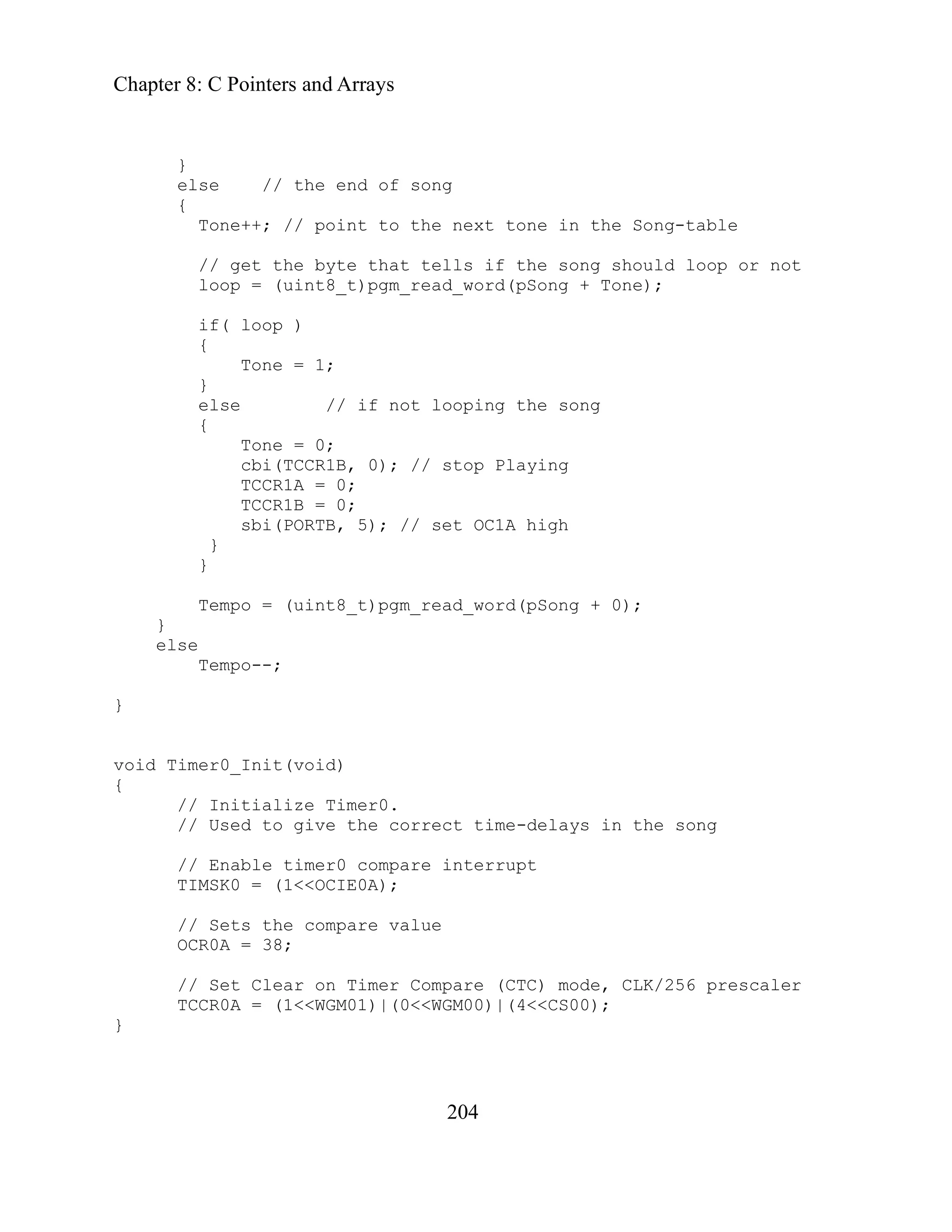
void Sound_Init(void)
{
// Set OC1A w
// Phase/Freq-correct PWM, top value = I
TCCR1B = (1<<WGM13);
sbi(TCCR1B, CS10); // start Timer1, prescaler(1)
// Set a initial value in the OCR1A-register
OCRA1H = 0;
// This will adjust the volume on the buzzer, lower value
// =>higher volume
}
void Play_Tune(void)
{
int temp_hi;
Chapter 8: C Pointers and Arrays
203
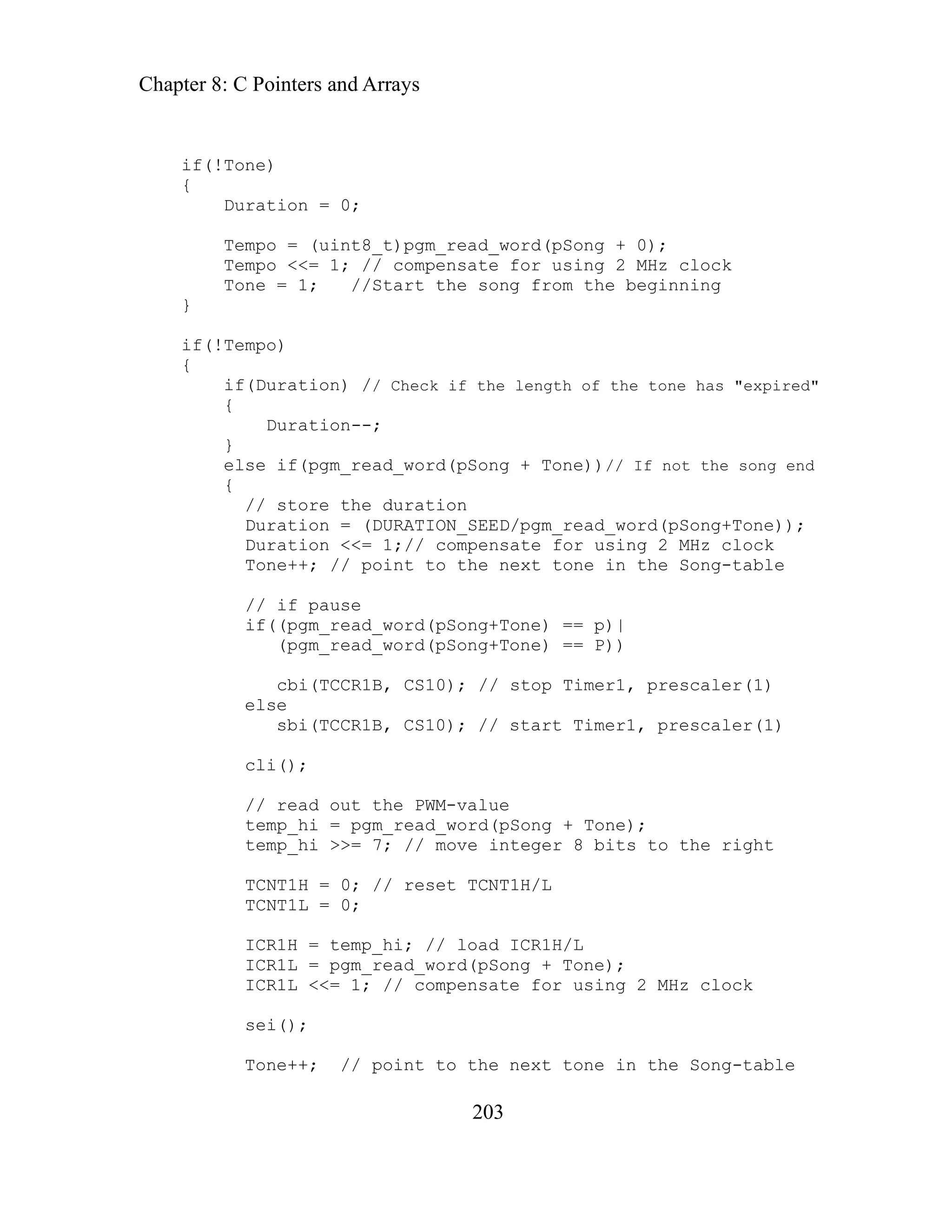
tion = 0;
Duration = (DURATION_SEED/pgm_read_word(pSong+Tone));
Duration <<= 1;// compensate for using 2 MHz clock
Tone++; // point to the next tone in the Song-table
e
if((pgm_read_word(pSong+Tone) == p)|
e) == P))
8 bits to the right
/ reset TCNT1H/L
ICR1H = temp_hi; // load ICR1H/L
ICR1L = pgm_read_word(pSong + Tone);
ICR1L <<= 1; // compensate for using 2 MHz clock
Tone++; // point to the next tone in the Song-table
if(!Tone)
{
Dura
Tempo = (uint8_t)pgm_read_word(pSong + 0);
Tempo <<= 1; // compensate for using 2 MHz clock
Tone = 1; //Start the song from the beginning
}
if(!Tempo)
{
if(Duration) // Check if the length of the tone has "expired"
{
Duration--;
}
else if(pgm_read_word(pSong + Tone))// If not the song end
{
// store the duration
// if paus
(pgm_read_word(pSong+Ton
cbi(TCCR1B, CS10); // stop Timer1, prescaler(1)
else
sbi(TCCR1B, CS10); // start Timer1, prescaler(1)
cli();
// read out the PWM-value
temp_hi = pgm_read_word(pSong + Tone);
temp_hi >>= 7; // move integer
TCNT1H = 0; /
TCNT1L = 0;
sei();
Chapter 8: C Pointers and Arrays
204
else // the end of song
point to the next tone in the Song-table
else // if not looping the song
0;
cbi(TCCR1B, 0); // stop Playing
TCCR1A = 0;
TCCR1B = 0;
sbi(PORTB, 5); // set OC1A high
}
_t)pgm_read_word(pSong + 0);
}
e the correct time-delays in the song
// Enable timer0 compare interrupt
TIMSK0 = (1<<OCIE0A);
re (CTC) mode, CLK/256 prescaler
00)|(4<<CS00);
}
}
{
Tone++; //
// get the byte that tells if the song should loop or not
loop = (uint8_t)pgm_read_word(pSong + Tone);
if( loop )
{
Tone = 1;
}
{
Tone =
}
Tempo = (uint8
else
Tempo--;
}
oid Timer0_Init(void)
v
{
// Initialize Timer0.
// Used to giv
// Sets the compare value
OCR0A = 38;
// Set Clear on Timer Compa
TCCR0A = (1<<WGM01)|(0<<WGM
Chapter 8: C Pointers and Arrays
205
SIG L
{
Finally change Demonstrator.h to:
parseInput(char *);
int parseTune(char *);
void startTune(char);
void volumeUp(void);
void volumeDown(void);
void stopTune(void);
void Sound_Init(void);
void Timer0_Init(void);
Using Play it again Sam:
This is what you should see in HyperTerminal, and an example of use:
You are talking to the 'Play it again Sam' demo.
Enter 1 for Fur Elise.
Enter 2 for Turkey march.
Enter 3 for Minuet.
Enter 4 for Auld Lang Syne.
Enter 5 for Sirene1.
Enter 6 for Sirene2.
Enter 7 for Whistle.
Enter + to increase the volume.
Enter - to decrease the volume.
Enter stop to stop the music.
4
Auld Lang Syne
1
Fur Elise
NA (SIG_OUTPUT_COMPARE0)
Play_Tune();
}
// Demonstrator.h PWM version
void initializer(void);
void
Chapter 9 – Digital Meets Analog – ADC and DAC
207
Digital Meets Analog – ADC and
t First - A Debugging Tale
t follows, I liberally ‘borrowed’ code from the Butterfly,
ble style to allow a user from the PC to ask for a measure
oltage. All was well except for a tiny problem with the
oltage measurement. Tiny as in the first time I tried to measure voltage on the
Butterfly I destroyed it. Well destroyed is a bit harsh. It looks just like it always
so I had ordered six Butterflys
moky Joe since my favorite
n my hardware
p, legs in the air,
nted in the Dead Butterfly Museum.
ut Lepidopteron death is not what this is about. I eventually found that I had
t tale. Lets just say this event led me to becoming a bit paranoid about
hardware and I went forward on
ed with the ADC code.
just fine,
and the
When que with: The
reading is 1.1 volts.
And pr PC. My response involved lots of
obscen the Butterfly
wasn’t destroy
‘volt’. My first assum
room. Sound
voltage eren ure the ambient room light to calibrate the
oltage erence before we measure volts. So I covered the light sensor and the
crewing things up. The USART uses a higher voltage than the Butterfly and they
Chapter 9 –
DAC
Bu
In the ADC project tha
dding my own inimita
a
of light, temperature, and v
v
did, but it doesn’t work. Fortunately I know myself
because, as I said elsewhere, my nickname is S
learning method is producing copious quantities of smoke i
rojects. The Butterfly didn’t smoke though. It just died. Belly u
p
ready for a pin thru the thorax to be box mou
B
done something unbelievably stupid and since you wouldn’t believe it, I won’t
relate tha
the voltage measurement part of the Butterfly
iptoes and slightly hyperventilating as I proceed
t
My next version was able to read the light just fine, and the temperature
voltage just one time.
I re sted: volt the hardware responded to HyperTerminal
omptly died
ities an
. No further responses to the
d complaints about flushing another $19.99, but
ed this time, it rebooted just fine and only crashed when I asked for
ption, reasonable I thought, was that it’s the light level in the
crazy? Well, it seems that the light sensor affects the Butterfly
ref
ref
ce and we have to meas
v
Butterfly still crashed. Then I went the other direction and put a bright light on it
to no avail. So I thought that if its all that sensitive to light derived voltages
maybe the USART traffic voltage is propagating about unpredictably and
s
Chapter 9 – Digital Meets Analog – ADC and DAC
208
ave included a voltage inverter circuit that looked like a prime candidate to
bine with a voltage on the Voltage In pin
h
radiate messy voltages that might com
and might, theoretically, cause a problem. So I changed PC_Comm so that it sent
minal I got:
the PC a ‘!’ every time it received a character. In HyperTer
So after requesting ‘volt’ the Butterfly was no longer exclaiming with a ‘!’ but
ecided it wanted to play cards with a black club, or perhaps more reasonably, I
g scrambled on reception by the PC because the Baud rate
’ve seen that happen before). So I reread the data sheet on the
with the Butterfly schematics and tried a few coding
ill no fix. I messed with the USART initialization
on function, the ADC read function, the oscillator
r
in front of a line) to see
ventually I got to the getVolt function and
ch time you
nt something out, you have to recompile, load, and test the code. It takes a
0'};
d
thought, the ‘!’ was bein
had changed (I
USART and diddled
changes. Hours passed and st
ializati
function, the ADC init
calibration function and generally had myself a merry old goose chase for about
half a day. Nothing fixed the problem, but at least the Butterfly didn’t explode no
stently responding with a black
make the least bit of smoke, the code was consi
club rather than the ‘!’ but at least it was running.
Finally, in total desperation, I tried what I should have tried in the first place. I
racketed code by commenting out sections (putting //
b
where exactly the problem occurred. E
started commenting out sections. This is a time consuming process, ea
comme
while. So here is the getVolt code:
void getVolt()
{
char voltintpart[]= {''0','
char voltfractpart[]= {'0','0'};
int intpart = 0;
int fractpart = 0;
int ADCresult = 0;
ADCresult = ADC_read();
intpart = ADCresult/50;
Chapter 9 – Digital Meets Analog – ADC and DAC
209
itoa(fractpart, voltfractpart, 10);
// Send the voltage to the PC
logical part and still nothing worked. Finally, because there
s nothing logical to try, I commented out the itoa functions. And the Butterfly
Also, it started returning ‘!’ rather than the black club for
dn’t return the correct voltage, because I
e end of Chapter 6. Guess what? They
Later
{''0','0'};
They work just fine in the original Butterfly
e hard way that if you assign memory to an
ray and then foolishly write beyond that memory, say to voltintpart[2], the third
ents you will in fact write to the byte
in ry that follows the array bytes which may not cause a problem if nothing
om the ASCII code for an
char voltintpart[]= {'0','0',0','0'};
fractpart = ADCresult%50;
itoa(intpart, voltintpart, 10);
sendString("The reading is ");
sendChar(voltintpart [0]);
sendChar('.');
sendChar(voltfractpart [0]);
sendString(" volts.r");
}
I c
a
ommented out each
w
no longer messed up.
each character I sent it. Of course, it di
wasn’t converting it to ASCII, but it was running fine otherwise and correctly
returned the light and temperature. The itoa function is in the standard library, so I
assumed that it must have a problem. I changed it to the itoa function (and the
wrote at th
other support functions) that we
so fail! I went for a long walk.
al
, after more staring at the function I noticed:
char voltintpart[]=
char voltfractpart[]= {'0','0'};
lem, can they?
These can’t be the prob
code. But many years ago I learned th
ar
el t of the array which only has two elem
emen
memo
else is using that byte, or it might just change it fr
tended ASCII code for a black club. So I
explanation point to the Microsoft ex
enlarged them to:
char voltfractpart[]= {''0',0','0','0'};
And the code works just fine.
Chapter 9 – Digital Meets Analog – ADC and DAC
210
id enough to send it an array that
as too small, and if they are that dumb, they deserve what they get. C is fast,
was designed to take out some of the meanness by forcing
atures that protect the programmer from himself, but this was done at the
ly won’t be using C to write programs for windows based programs on a
where you’ve got plenty of hardware speed and memory and high level
d speed and memory,
that the arguments for the
choose
Debugg
deadlin
enough
and pa
will dri
underst
C prog
te shingles on roofs
I understand that alcohol also helps as does having an obsessive-
pulsive disorder. Speaking of which, Let’s move on to the next project.
nalo
igital Conversion?
gital
of bringing up Heraclitus and Democritus and the
al nature of reality: is reality made of a
ntinu or of bits of multiple things (digital). He
ook
some s
Why, you may ask, didn’t the designers of the standard library require the itoa
function to check the size of the array before using it? Good question. My guess is
that the standard library functions were written to be as fast and small as possible.
They also likely assumed nobody would be stup
w
small, and mean. C++
fe
expense of size, speed, and simplicity. Other higher-level languages provide even
more protection and are even larger, slower, and more complex. You almost
certain
PC
development tools, but for microcontrollers with their
fs. I acknowledge
limite
C probably has the best set of tradeof
choice of a programming language borders on the religious, so I say that if you
not to use C, you will be eternally damned.
ing can be a maddeningly frustrating process, especially if you are on a
e. I spent half a day finding this problem. I didn’t make my array large
. HALF A DAY! Am I stupid? No, I’m not. This kind of debugging is part
rcel of working with microcontrollers. If you have the wrong attitude, you
ve yourself nuts trying to find these bugs. What is the right attitude? It is to
and that you have to be really smart, work very hard, and know a lot about
ramming and microcontrollers to make a mistake this dumb. You have to
lling yourself over and over: “This is better than putting
keep
in the summer.”
com
A g to Digital Conversion
What is Analog to D
y EE professors about Analog to Di
During a discussion with one of m
Conversion, I made the mistake
ancient debate about the fundament
um of a single thing (analog)
co
sh his head, as my profs often did, and said, “Son, I don’t give a damn what
heep header said 3,000 years ago, this IS an analog world!” Humpf! I say it
Chapter 9 – Digital Meets Analog – ADC and DAC
211
depend s
analog is
change
atomic,
step in
way.
ng his head, said, “Son, a difference that
hat
p there in philosopher heaven Heraclitus and Democritus
each other a big hug.
e wa lue
hatev
ways t d
weaknesses, we will examine successive approximation since that is what the
s on your perspective. To electronics, Heraclitus was right and the world i
and you can’t step in the same river twice since the only constant
. To computers, Democritus was right, the world is digital (well, he said
but it’s the same thing philosophically speaking) and you can theoretically
the same river twice if you arrange the atoms (bits) of the river the same
rofessor of mine, also shaki
Another p
akes
m no difference is no difference!” So Let’s drop this right here and say t
e want to control is analog and the world we will use to control it is
the world w
digital, and somewhere u
can give
Analog to Digital Conversion by Successive Approximation
W nt to measure voltage, and in the real world, voltages can be any va
w er, they represent a continuum of electromotive force. There are many
e an analog signal to a digital value each having strengths an
o conv rt
AVR uses.
10-bit DAC
Analog Input
Successive Approximation
Register
Analog
Comparator
Control Logic
Data Registers
Oscillator
Start Conversion
End Conversion
successive approximation ADC Figure
Figure 27: 10-bit
Chapter 9 – Digital Meets Analog – ADC and DAC
212
f a successive approximation. This method
igital to analog converter. An analog
compar
AC (Digital to Analog Converter
proportional to that number
we’ll
The
output 1024 steps from 0 and its
that the DAC can produce is
volts. We have 10-bits to play with so we can keep approximating in 0.00293
ltage to 1.234 volts. We use a binary
earch technique that starts in the middle and bisects each successive voltage. We
256 to reset it to 0.75
volt and get a 0 meaning that the DAC voltage is now lower than the input
-0.75 volts by sending 384 to the DAC output
. We keep successively approximating until we
etween1.233 and 1.236 volts. This is the best we can do
the ATMEGA169
uccessive approximation Analog to Digital
to an 8-channel analog multiplexer allowing connection to
inputs on PortF. During conversion the voltage is held
and hold circuit. Look in the data book on page 195, figure
the voltage on
t significant bit). We can use an external
Figure 27 shows a simplified diagram o
uses an analog comparator and a d
ator, in this case, is a device that has two analog inputs one for the external
voltage and the other for the voltage from the D
that can accept a digital number and output a voltage
– examine these later). If the voltage on the DAC is lower than the external
voltage, the analog comparator outputs a 0, if it is higher it outputs a 1.
ATmega169 DAC is 10-bits, meaning that it can
maximum voltage.
Let’s look at the case where the maximum voltage
3.0
(3.0/1024) volt steps. Let’s set the input vo
s
start by bisecting the 3 volts by sending the number 512 to the DAC, which then
outputs 1.5 volts; the comparator will output a 1, meaning that the DAC voltage is
too high. So we bisect the 1.5 volts by sending the DAC
voltage. Next we bisect the 1.5
.215 volts and get a 0, too low
1
find that the voltage is b
h 0.003 volt steps.
wit
Analog to Digital Conversion with
s a 10-bit s
The ATmega169 ha
ected
Converter conn
one of eight voltage
constant by a sample
82 for a block diagram of the ADC circuit.
The minimum value is GND and the maximum is determined by
the AREF pin (minus 1-bit in the leas
voltage reference attached to this pin, or we can tell the AVR to connect it to
either AVCC or to an internal 1.1 volt reference. This setup allows us to improve
AREF to help
noise immunity by connecting a decoupling capacitor to the
Chapter 9 – Digital Meets Analog – ADC and DAC
213
abilize the internal voltage reference. The Butterfly uses a 100 nF capacitor for
ls ADC0 – ADC7 on the Port F pins PF0 – PF7.
ected to an analog multiplexer that can connect any of the pins
isabled by setting/clearing the ADEN bit in the ADCSRA
en not in use.
nd ADCL. In
lue of a single conversion.
tart Conversion bit ADSC to start a conversion. This bit
he conversion is in progress and is cleared by the hardware
n completes.
le auto triggering by setting the ADC Auto Trigger bit, ADATE. The
e is determined by setting the ADTS2:0 ADC Auto Trigger Source
Timer Counter Compare Match B
mer/Counter1 Overflow
st
this purpose.
input channe
There are 8 analog
e pins are conn
Thes
to the analog comparator. The channel is selected by setting the MUX0 – MUX4
bits in the ADMUX register.
abled/d
The ADC is en
(ADC Control and Status Register A). Since the ADC consumes power it is
recommended that you turn it off wh
The ADC readings are put in the ADC Data Registers ADCH a
the ADCL first, then the ADCH to ensure that both
normal operation you read
registers contain the va
n ADC .
A interrupt can be set to trigger when a conversion is complete
nversion
Starting a Co
There are several ways to start a conversion.
rite a 1 to the ADC S
W
stays high while t
when the conversio
You can enab
igger sourc
tr
bits in the ADCSRB register. The triggers can be:
Free Running mode
Analog Comparator
External Interrupt Request 0
Timer/Counter0 Compare Match
Timer/Counter0 Overflow
Ti
Chapter 9 – Digital Meets Analog – ADC and DAC
214
Timer/Counter 1 Capture Event
Conversion Timing
he successive approximations are clocked between 50kHz and 200kHz to get the
aximum resolution. You can use higher sampling rate frequencies, but you get
The first conversion
al conversions take 13 clock
Changing Channels
ging channels and voltage
referen lways wait till a conversion
com venient, read the data book
igital eduction
trical noise that affect the
curacy of the ADC. We can put the system to sleep to shut it up and then take
r AD ils in the data book.
The accuracy of the conversion will depend on the quality of the input signal. A
w recommendations:
Filter out signal components higher than the Nyquist sampling frequency
(double the frequency of interest) with a low pass filter.
Sampling time depends on the time needed to charge the sample and hold
circuit so always use a source with an output impedance of 10 kOhm or
less.
Use only slowly varying signals.
l paths as short as possible.
T
m
lower resolution. The sampling rate is determined by the input clock and by a
prescaler value set in the ADPS bits of the ADCSRA register.
takes 25 clock cycles to initialize the hardware. Norm
cycles and auto triggered conversions take 13.5.
There are some complexities involved in chan
ces that lead to the recommendation that you a
plete before making a change. If this is incon
is
and figure it out yourself.
D Noise R
The CPU and I/O peripherals can generate a lot of elec
ac
ou C readings in the quietened environment. Deta
Conditioning the Analog Input Signal
fe
Keep analog signa
Use the ADC noise canceller function.
Chapter 9 – Digital Meets Analog – ADC and DAC
215
sed for digital output, don’t switch them
while a conversion is going on.
If any of the ADC port pins are u
Accuracy
The data book has some cursory discussion of the extremely dense topic of ADC
accuracy. Just be aware that in the accompanying project we don’t use any of
these recommendations, so take the accuracy of our measurements with a grain of
salt.
Chapter 9 – Digital Meets Analog – ADC and DAC
216
Projects
We will write code to allow us to use HyperTerminal to request a reading from the
light, temperature and voltage sensors of the Butterfly. You’ve already seen the
debugging tale above so you know how much fun I had writing this stuff, so enjoy
it or else.
Initializing the ADC
The Butterfly has the ATmega169 pin 62, (AREF) connected to a bypass capacitor
to help lessen noise on the ADC, so we set the ADMUX bits 6 and 7 to 0 to select
the 'use external reference' option. We use the ‘input’ variable to set the
multiplexer. to connect the ADC to pin 61 (ADC0) using the ADMUX register
(data book p 207).
ADMUX = input; // external AREF and ADCx
Next we set the ADC Control and Status Register A. The ADEN bit enables the
ADC. The ADPSx bits select the prescaler.
// set ADC prescaler to , 1MHz / 8 = 125kHz
ADCSRA = (1<<ADEN) | (1<<ADPS1) | (1<<ADPS0);
ternal AREF and ADCx
, 1MHz / 8 = 125kHz
ADCSRA = (1<<ADEN) | (1<<ADPS1) | (1<<ADPS0);
input = ADC_read(); // clear hairballs
}
Finally we take a dummy reading, which basically allows the ADC to hack up any
airballs before we take any real readings
h
input = ADC_read();
void ADC_init(char input)
{
ADMUX = input; // ex
// set ADC prescaler to
Chapter 9 – Digital Meets Analog – ADC and DAC
217
while(!(ADCSRA & 0x10));
result (8 samples) for later averaging
ADCr += ADC_temp;
ADCr = ADCr >> 3; // average the 8 samples
Reading the ADC
We save power by turning off the voltage on the light and temperature sensors
when they are not used, so now we turn them on, in case they are being used.
sbi(PORTF, PF3);
sbi(DDRF, DDF3);
ext we enable the ADC.
N
sbi(ADCSRA, ADEN); // Enable the ADC
Then we do another hairball clearing dummy read.
ADCSRA |= (1<<ADSC); // do single conversion
And we wait till the conversion is complete.
while(!(ADCSRA & 0x10));//wait for conversion done, ADIF flag
active
Now we repeat this 8 times for better accuracy.
// do the ADC conversion 8 times for better accuracy
for(i=0;i<8;i++)
{
ADCSRA |= (1<<ADSC); // do single conversion
// wait for conversion done, ADIF flag active
ADC_temp = ADCL; // read out ADCL register
ADC_temp += (ADCH << 8); // read out ADCH register
// accumulate
}
We divide by 8, which conveniently is done by left shifting 3 bits. Weren’t we
lucky that we chose to do 8 samples and save processing time by avoiding a
division?
Chapter 9 – Digital Meets Analog – ADC and DAC
218
We turn the sensors off to save power.
cbi(PORTF,PF3); // mt cbi(PORTF, PORTF3); // disable the VCP
cbi(DDRF,DDF3); // mt cbi(DDRF, PORTF3);
And we disable the ADC and return the calculated value.
cbi(ADCSRA, ADEN); // disable the ADC
return ADCr;
Giving us the ADC_read function:
int ADC_read(void)
{
char i;
int ADC_temp;
// mt int ADC = 0 ;
int ADCr = 0;
// To save power, the voltage over the LDR and the NTC is
// turned off when not used. T is is done by controlling the
// voltage from an I/O-pin (PORTF3)
sbi(PORTF, PF3); // Enable the VCP (VC-peripheral)
sbi(DDRF, DDF3); // sbi(DDRF, PORTF3);
sbi(ADCSRA, ADEN); // Enable the ADC
//do a dummy readout first
ADCSRA |= (1<<ADSC); // do single conversion
// wait for conversion done, ADIF flag active
while(!(ADCSRA & 0x10));
// do the ADC conversion 8 times for better accuracy
for(i=0;i<8;i++)
{
ADCSRA |= (1<<ADSC); // do single conversion
// wait for conversion done, ADIF flag active
while(!(AD
ADC_temp = ADCL; // read out ADCL register
h
CSRA & 0x10));
Chapter 9 – Digital Meets Analog – ADC and DAC
219
ADC_temp += (ADCH << 8); // read out ADCH register
// accumulate result (8 samples) for later averaging
ADCr += ADC_temp;
}
ADCr = ADCr >> 3; // average the 8 samples
cbi(PORTF,PF3); // disable the VCP
cbi(DDRF,DDF3); // mt cbi(DDRF, PORTF3);
cbi(ADCSRA, ADEN); // disable the ADC
return ADCr;
}
Light Meter
The Butterfly has a Light Dependent Resistor, LDR, connected to ADC channel 2.
The resistance of the LDR decreases as the light increases, so the voltage
measured will decrease as light decreases.
We write the getLight function:
void getLight()
{
char light[]= {'0','0','0','0'};
i r
// Initialize the ADC to the light sensor channel
ADC_init(2);
ADCresult = ADC_read();
itoa(ADCresult, light, 10);
// Send the temperature to the PC
sendString("The light reading is ");
sendString(light);
sendString(" somethings.r");
}
This is straightforward and returns a value for the light. The light units
‘somethings’ is a precise scientific measure that means: ‘I don’t have a clue as to
nt ADC esult = 0;
Chapter 9 – Digital Meets Analog – ADC and DAC
220
how the ADC value translates to light intensity’. I have no idea what the data
means other than the amount of light is inversely proportional to the data sent
back, just like it is supposed to be. I guess we could try to calibrate it in Lumens,
or furlongs or something… nah, Let’s move on.
Temperature Meter
We will measure the temperature in Fahrenheit and use an array of constants to
convert the value from a voltage to a temperature. The table is from the Butterfly
code.
// Positive Fahrenheit temperatures (ADC-value)
const int TEMP_Fahrenheit_pos[] PROGMEM =
{ // from 0 to 140 degrees
938, 935, 932, 929, 926, 923, 920, 916, 913, 909, 906, 902,
898, 894, 891, 887, 882, 878, 874, 870, 865, 861, 856, 851,
847, 842, 837, 832, 827, 822, 816, 811, 806, 800, 795, 789,
783, 778, 772, 766, 760, 754, 748, 742, 735, 729, 723, 716,
710, 703, 697, 690, 684, 677, 670, 663, 657, 650, 643, 636,
629, 622, 616, 609, 602, 595, 588, 581, 574, 567, 560, 553,
546, 539, 533, 526, 519, 512, 505, 498, 492, 485, 478, 472,
465, 459, 452, 446, 439, 433, 426, 420, 414, 408, 402, 396,
390, 384, 378, 372, 366, 360, 355, 349, 344, 338, 333, 327,
322, 317, 312, 307, 302, 297, 292, 287, 282, 277, 273, 268,
264, 259, 255, 251, 246, 242, 238, 234, 230, 226, 222, 219,
215, 211, 207, 204, 200, 197, 194, 190, 187,
};
void getTemperature()
{
char fahr[]= {'0','0','0','0'};
int ADCresult = 0;
// Initialize the ADC to the temperature sensor channel
and reads
e program space with a 16-bit (near) address,
int i = 0;
//ADC_init(0);
ADMUX = 0;//input;
ADCresult = ADC_read();
/* The pgm_read_word() function is part of WinAVR
a word from th
Chapter 9 – Digital Meets Analog – ADC and DAC
221
. When a table entry is found that is less
esult we break and i equals the temperature
in Fahrenheit. Pretty clever, huh? Wish I thought of it,
d it from the WinAVR version of the Butterfly
quit owning up to all this theft and from now on
if you see something clever (the good kind of clever) just
I stole it. */
1; i++)
ord(&TEMP_Fahrenheit_pos[i]))
}
/* Next we convert the integer ADCresult to a string that
rom the
ur file.
use the itoa() function, which converts and
ASCII character array terminated with '0'.
0);
e temperature to the PC
("The temperature is ");
Fahrenheit.r");
know where the “@#%#&*#!!!!” comes
0','0','0','0'};
','0','0','0'};
as in the table
than the ADC r
but I borrowe
code. I'll
assume that
for (i=0; i<=14
{
if (ADCresult > pgm_read_w
{
break;
}
we can transmit to the PC. Let’s use a function f
standard library. We add #include <stdlib.h> to o
Then we can
integer to an
*/
itoa(i, fahr, 1
// Send th
sendString
sendString(fahr);
sendString(" degrees
}
The @#%#&*#!!!! Volt Meter
If you read the debugging tale, you
from.
void getVolt()
{
char voltintpart[]= {'
char voltfractpart[]= {'0
int intpart = 0;
int fractpart = 0;
int ADCresult = 0;
Chapter 9 – Digital Meets Analog – ADC and DAC
222
0);
t, 10);
C
g is ");
C, and copy the Demonstrator and PC_Comm .c and .h
t. Change the Demonsrator.c by adding the following
ctions. Compile, load, and test.
nclude "Demonstrator.h"
USA
y to communicate.r");
cally
he ADC demo.r");
;
e valuer");
ADCresult = ADC_read();
intpart = ADCresult/50;
%50;
fractpart = ADCresult
itoa(intpart, voltintpart, 1
tpar
itoa(fractpart, voltfrac
o the P
// Send the voltage t
sendString("The readin
sendChar(voltintpart [0]);
sendChar('.');
sendChar(voltfractpart [0]);
sendString(" volts.r");
}
d the parseInput functions:
The initializer an
Open a new directory, AD
last projec
files from the
functions and the above fun
#i
i
nclude "PC_Comm.h"
#
er()
void initializ
{
// Calibrate the oscillator:
OSCCAL_calibration();
// Initialize the USART
RTinit();
ADC_init(1);
// say hello
sendString("rPC_Comm.c read
i
// identify yourself specif
ndString("You are talking to t
se
// show commands
:r");
sendString("Commands
sendString("light - returns a light valuer");
perature in fahrenheitr")
sendString("temp - returns the tem
ag
sendString("volt - returns a volt
}
Chapter 9 – Digital Meets Analog – ADC and DAC
223
case 'l':
if((s[1]=='i') && (s[2]=='g')&& (s[3]=='h') && (s[4 =='t'))
case
if( & (s[3] == 'p'))
(s[3] == 't'))
') && (s[4]=='?'))
the ADC demo.r");
ing("rYou sent: '");
);
n't understand.r");
}
hen you turn on the Butterfly you should see the following on HyperTerminal:
o communicate.
o the ADC demo.
temperature in fahrenheit
ltage value
pe in:
void parseInput(char s[])
{
// parse first character
switch (s[0])
{
getLight();
break;
't':
(s[1] == 'e') && (s[2] == 'm')&
getTemperature();
break;
case 'v':
if((s[1] == 'o') && (s[2] == 'l')&&
getVolt();
break;
case 'd':
s[3]=='o
if((s[1]=='e') && (s[2]=='m') && (
sendString("You are talking to
break;
default:
sendStr
sendChar(s[0]
sendString("' - I do
break;
}
s[0] = '0';
Using ADC
W
PC_Comm.c ready t
You are talking t
Commands:
alue
light - returns a light v
temp - returns the
returns a vo
volt -
Ty
Chapter 9 – Digital Meets Analog – ADC and DAC
224
degrees Fahrenheit is too darn hot to work.
he light sensor and type in:
r for a high light level:
ading is 236 somethings.
ing the room light and type in:
room light and type:
e light reading is 1004 somethings.
lt
he res
temp
The response looks like:
The temperature is 78 degrees Fahrenheit.
Turn on a fan! 78
Put a flashlight on t
light
The response is a low numbe
The light re
Us
light
r a medium light level:
The response is a low number fo
The light reading is 645 somethings.
Put your finger over the sensor to block the
light
The response is a low number for a low light level:
Th
Type in:
vo
T ponse looks like:
Chapter 9 – Digital Meets Analog – ADC and DAC
225
ng is 0.0 volts.
rrrrm ed to put a
ltage on pin 2 of J407 on the Butterfly. But first we need solder some wires on a
tentiometer so we can vary a voltage. The JAMECO parts list has a 10 k Ohm
, we connect one side to +3v and the other to
t 1 of J407, the ADC connector, as shown
Figu ntiometer shaft we move a wiper connected to
center wire up or down. The full +3v is dropped across the potentiometer and
e center leg ‘sees’ a voltage proportional to the resistance above and below it.
The readi
U mmm… Oh yes, if we are going to measure voltage, we ne
vo
o
p
potentiometer listed. As in Figure 28
GND, hen we connect the middle to pin
ng the pote
in re 26. By turni
the
th
+3v
GND
+2.1v
3 k Ohms above
7 k Ohms below
10 k Ohms
Potentiometer
Figure 28: Potentiometer Schematic
Chapter 9 – Digital Meets Analog – ADC and DAC
Butterfly Ground
Butterfly +3v
Pin 1 of J407 connects to
center leg of potentiometer
Pin21 of J407 connects to
Butterfly Ground
Figure 29: Voltage measurement
Now we can get some responses. Try turning the potentiom
nd in response to a volt command you should see s
eter to various settings
omething like:
a
volt
The reading is 2.1 volts.
volt
The reading is 3.0 volts.
volt
The reading is 1.4 volts.
volt
The reading is 0.4 volts.
226
Chapter 9 – Digital Meets Analog – ADC and DAC
227
illoscope
rom 0 to +3v in 255 steps. We will
wave forms: sine, square, triangle, and sawtooth. Since this is
educational enterprise we will reuse the software with the millisecond interrupt
e’ frequencies pretty slow.
d
reusing the ADC project software to read the data from our Function Generator.
n
e
e
l
n
a
onably accurate DAC for very little cost. Usually you’ll see two resistor
case we would use a single 4.4k Ohm resistor in
JAMECO list, Let’s just use two of each for the 4.4k resistors. The 2.2k and 4.4k
e
a
h
e
ing HyperTerminal and have a really slow crappy
in Figure 34.
DAC and ADC - Function Generator / Digital Osc
onverter, DAC, made with a R-2R
In this project we will use a Digital to Analog C
resistor ladder circuit that will output voltages f
se voltage values stored in look-up tables to generate ‘functions’ which in this
u
case are repeating
an
making our ‘wav
We will also develop a Digital Oscilloscope, using the Butterfly’s ADC an
Since Digital Oscilloscopes normally cost tens of thousands of dollars, you ca
expect some compromises. This thing is very very very … very slow. (And th
‘screen’ is rotated 90 degrees.) If you set the ‘ctc’ to 250 you can see the wav
output on HyperTerminal. If you set ‘ctc’ to 1, you can see the signal on a rea
oscilloscope.
We will output the look-up table data on port D and attach the pins as shown i
Figure 27. An R-2R resistor ladder looks a little magical, and the circuit analysis,
though simple in concept, turns out to be fairly complex, but it makes
reas
values in this type circuit, in our
place of the two 2.2k resistors, but since we got 100 2.2k resistors from our
are not magical numbers; you can use any value for R as long as the other is 2R
and not be so low as to drain the battery or so high as to block the current.
Using the 2.2k resistors from the JAMECO list construct your DAC using th
schematic in Figure 27, which is illustrated by the close-up photo in Figure 28,
medium distant photo in Figure 29, and the full setup in Figure 30 complete wit
a sine wave on an oscilloscope.
If you don’t have an oscilloscope, just connect the output of the DAC to t
C on J407, just like with the potentiometer as shown in Figure 29.
h
Butterfly AD
Now you can read the output us
eways oscilloscope as shown
sid
Chapter 9 – Digital Meets Analog – ADC and DAC
2.2 k
2.2 k
2.2 k
228
2.2 k
2.2 k
2.2 k
2.2 k
2.2 k
2.2 k
2.2 k
2.2 k
2.2 k
2.2 k
2.2 k
2.2 k
2.2 k
2.2 k
2.2 k
2.2 k
2.2 k
2.2 k
2.2 k
2.2 k
2.2 k
Analog Out
PORTD.7
PORTD.6
PORTD.5
PORTD.4
PORTD.3
PORTD.2
PORTD.1
PORTD.0
2.2 k
Figure 30: R-2R resistor ladder
Figure 31: Breadboard of R-2R DAC
Chapter 9 – Digital Meets Analog – ADC and DAC
229
Figure 32: Breadboard R-2R DAC wiring
Figure 33: R-2R DAC with Oscilloscope
Chapter 9 – Digital Meets Analog – ADC and DAC
230
Figure 34: Function Generator / Digital Oscilloscope on HyperTerminal
Chapter 9 – Digital Meets Analog – ADC and DAC
231
quare Wave
Figure 35: Sine Wave Figure 36: S
Figure 37: Triangle Wave Figure 38: Sawtooth Wave
Your skills as a C programmer should be to the point where you can read and
oject without further comment. So I’ll just
it.
// Demonstrator.h Function Generator / Digital Oscilloscope version
void
void
void
id startWave(int);
id startSine(void);
void startSquare(void);
void
void
void DigitalOscilloscopeTimerInit(void);
;
id set_OCR0A(unsigned char count);
void ADC_init(void);
int ADC_read(void);
understand all the software for this pr
ive you the listing and let you have at
g
initializer(void);
parseInput(char *);
showMessage(char);
int parse_ctc(char *);
void set_ctc(int);
vo
vo
startSawtooth(void);
startTriangle(void);
void MilliSec_init(unsigned char count)
vo
Chapter 9 – Digital Meets Analog – ADC and DAC
232
llator:
g(ENTER);
sendFString(TEXT_CTC);
dFString(TO_START);
dFString(TEXT_SINE);
sendFString(WAVE);
sendFString(TEXT_SQUARE);
sendFString(ENTER);
sendFString(TEXT_SAWTOOTH);
init(250); // default to 1000 Hz
DigitalOscilloscopeTimerInit();
// Demonstrator.c Function Generator / Digital Oscilloscope version
#include "PC_Comm.h"
#include "Messages.h"
include "WaveTables.h"
#
unsigned char count = 0;
unsigned char tenth = 0;
//unsigned long signal = 0; // used for test
void initializer()
{
// Calibrate the osci
OSCCAL_calibration();
// Initialize the USART
USARTinit();
// set PORTD for output
DDRD = 0xFF;
// Display instructions on PC
sendFString(TALKING_TO);
sendFString(WHO_DEMO);
sendFStrin
sendFString(ENTER);
sendFString(TEXT_SINE);
sen
sen
sendFString(ENTER);
sendFString(TO_START);
sendFString(TEXT_SQUARE);
sendFString(WAVE);
sendFString(TO_START);
sendFString(TEXT_SAWTOOTH);
sendFString(WAVE);
sendFString(ENTER);
sendFString(TEXT_TRIANGLE);
sendFString(TO_START);
sendFString(TEXT_TRIANGLE);
sendFString(WAVE);
MilliSec_
Chapter 9 – Digital Meets Analog – ADC and DAC
233
startSine();
if( (s[1] == 'i') && (s[2] == 'n')&& (s[3] == 'e'))
'&&(s[3]=='t')&&(s[4]=='o')&&(s[5]=='o')
&&(s[6]=='t')&&(s[7]=='h'))
if((s[1]=='r')&&(s[2]=='i')&&(s[3]=='a')&&(s[4]=='n')&&(s[5]=='g')&&(s[6]=
='l')&&(s[7]=='e'))
= 'c'))
'o') && (s[4] == '?') )
break;
;
<= 11) )
{
ctc[j++] = s[i++];
}
else
ADC_init();
}
har s[])
void parseInput(c
{
// parse first character
switch (s[0])
{
case 's':
startSine();
else if((s[1]=='q')&&(s[2]=='u')&&(s[3]=='a')&&(s[4]=='r')&&(s[5]=='e'))
startSquare();
else if((s[1]=='a')&&(s[2]=='w
startSawtooth();
break;
case't':
startTriangle();
break;
case 'c':
] == 't') && (s[2] =
if( (s[1
parse_ctc(s);
break;
case 'd':
if( (s[1] == 'e') && (s[2] == 'm') && (s[3] ==
(TALKING_TO);
sendFString
sendFString(WHO_DEMO);
default:
sendFString(BAD_COMMAND1);
sendChar(s[0]);
sendFString(BAD_COMMAND2);
break;
}
s[0] = '0';
}
int parse_ctc(char s[])
{
char ctc[11];
unsigned char i = 3, j = 0
while( (s[i] != '0') && (j
{
if( (s[i] >= '0') && (s[i] <= '9') )
Chapter 9 – Digital Meets Analog – ADC and DAC
234
sendFString(ERROR_NONINT);
sendChar(s[i]);
ar('r');
0;
}
1];
MilliSec_init(count);
// Send the song title to the PC
sendChar('r');
startWave(2);
{
sendCh
return
}
ctc[j] = '0';
if(j>4)// must be < 256
{
sendFString(ERROR_NUMTOLARGE);
return 0;
}
else
{
set_ctc(atoi(ctc));
}
return 1;
}
void set_ctc(int count)
{
char ctc[1
sendString("Setting the Compare Timer Count to: ");
itoa(count,ctc,10);
sendString(ctc);
sendChar('r');
}
void startWave(int wave)
{
sendFString(TEXT_SETTING);
sendFString(TEXT_WAVE_TBL[wave]);
pWave=(int*)pgm_read_word(&Waves[wave]); // looks too complicated..
}
void startSine()
{
startWave(0);
}
void startSquare()
{
startWave(1);
}
void startSawtooth()
{
}
Chapter 9 – Digital Meets Analog – ADC and DAC
235
riangle()
hich gives a 250 kHz input to the timer/counter. A compare of 250 throws
pt every millisecond.
it(unsigned char count)
ize Timer0.
// Enable timer0 compare interrupt
ompare value
set_OCR0A(count);
Clear on Timer Compare (CTC) mode,
= (1<<WGM01)|(0<<WGM00)|(1<<CS02)|(0<<CS01)|(0<<CS00);
id set_OCR0A(unsigned char count)
GNAL(SIG_OUTPUT_COMPARE0)
gm_read_word(pWave + count); // used for test
RTD = pgm_read_word(pWave + count++); // read table
}
void startT
{
startWave(3);
}
/*
The USART init set the system oscillator to 2 mHz. We set the Timer0 prescaler
to clk/8 w
n interru
a
*/
void MilliSec_in
{
// Initial
TIMSK0 = (1<<OCIE0A);
// Sets the c
// Set
TCCR0A
}
// Initialize for 1 millisecond interrupt
void DigitalOscilloscopeTimerInit()
{
// Initialize Timer2.
// Enable timer2 compare interrupt
TIMSK2 = (1<<OCIE2A);
// Sets the compare value
OCR2A = 1;
// Set Clear on Timer Compare (CTC) mode,
TCCR2A = (1<<WGM21)|(0<<WGM20)|(1<<CS22)|(0<<CS21)|(0<<CS20);
}
vo
{
// Sets the compare value
OCR0A = count;
}
// Interrupt occurs once per millisecond
SI
{
// signal += p
PO
tenth++;
Chapter 9 – Digital Meets Analog – ADC and DAC
236
once per millisecond
IGNAL(SIG_OUTPUT_COMPARE2)
+)
}
to HyperTerminal
{
for(int i = 0; i < signal; i++)
*********************************************************************************
*******
int dummy = 0;
// Take a dummy reading , which basically allows the ADC
l readings
// Interrupt occurs
S
{
int sig = 0;
sig = ADC_read();
if (tenth >= 10)
{
tenth = 0;
for(int i = 0; i < (sig/4); i+
{
sendChar(' ');
}
sendChar('*');
sendChar('r');
/* // Test code to ou
if (tenth >= 10)
tput wave from table
tenth = 0;
signal /= 50;
{
sendChar(' ');
}
sendChar('*');
sendChar('r');
signal = 0;
}
*/
}
/
*
ADC common functions
***************************************************************************
/
*
void ADC_init()
{
ADMUX = 1;
// set ADC prescaler to , 1MHz / 8 = 125kHz
ADCSRA = (1<<ADEN) | (1<<ADPS1) | (1<<ADPS0);
// to hack up any hairballs before we take any rea
dummy = ADC_read();
Chapter 9 – Digital Meets Analog – ADC and DAC
237
sbi(DDRF, DDF3); // sbi(DDRF, PORTF3);
, ADIF flag active
/ do the ADC conversion 8 times for better
do single conversion
wait for conversion done, ADIF flag active
ADCL; // read out ADCL register
= (ADCH << 8); // read out ADCH register
// accumulate result (8 samples) for later
3; // average the 8 samples
; // mt cbi(PORTF, PORTF3); // disable the VCP
; // mt cbi(DDRF, PORTF3);
cbi(ADCSRA, ADEN); // disable the ADC
}
// WaveTables.h
c,0x98,0x95,0x92,0x8f,0x8c,0x89,0x86,0x83,
}
)
int ADC_read(void
{
char i;
int ADC_temp;
// mt int ADC = 0 ;
int ADCr = 0;
// To save power, the voltage over the LDR and the NTC is turned off when not
used
// This is done by controlling the voltage from a I/O-pin (PORTF3)
sbi(PORTF, PF3); // mt sbi(PORTF, PORTF3); // Enable the VCP (VC-
peripheral)
sbi(ADCSRA, ADEN); // Enable the ADC
//do a dummy readout first
ADCSRA |= (1<<ADSC); // do single conversion
while(!(ADCSRA & 0x10)); // wait for conversion done
for(i=0;i<8;i++) /
accuracy
{
ADCSRA |= (1<<ADSC); //
while(!(ADCSRA & 0x10)); //
ADC_temp =
ADC_temp +
ADCr += ADC_temp;
averaging
}
ADCr = ADCr >>
cbi(PORTF,PF3)
cbi(DDRF,DDF3)
return ADCr;
const int Sine[] PROGMEM =
{
0x80,0x83,0x86,0x89,0x8c,0x8f,0x92,0x95,0x98,0x9c,0x9f,0xa2,0xa5,0xa8,0xab,0xae,
0xb0,0xb3,0xb6,0xb9,0xbc,0xbf,0xc1,0xc4,0xc7,0xc9,0xcc,0xce,0xd1,0xd3,0xd5,0xd8,
0xda,0xdc,0xde,0xe0,0xe2,0xe4,0xe6,0xe8,0xea,0xec,0xed,0xef,0xf0,0xf2,0xf3,0xf5,
0xf6,0xf7,0xf8,0xf9,0xfa,0xfb,0xfc,0xfc,0xfd,0xfe,0xfe,0xff,0xff,0xff,0xff,0xff,
0xff,0xff,0xff,0xff,0xff,0xff,0xfe,0xfe,0xfd,0xfc,0xfc,0xfb,0xfa,0xf9,0xf8,0xf7,
0xf6,0xf5,0xf3,0xf2,0xf0,0xef,0xed,0xec,0xea,0xe8,0xe6,0xe4,0xe2,0xe0,0xde,0xdc,
0xda,0xd8,0xd5,0xd3,0xd1,0xce,0xcc,0xc9,0xc7,0xc4,0xc1,0xbf,0xbc,0xb9,0xb6,0xb3,
0xb0,0xae,0xab,0xa8,0xa5,0xa2,0x9f,0x9
Chapter 9 – Digital Meets Analog – ADC and DAC
238
x80,0x7c,0x79,0x76,0x73,0x70,0x6d,0x6a,0x67,0x63,0x60,0x5d,0x5a,0x57,0x54,0x51,
,0x0f,0x10,0x12,0x13,0x15,0x17,0x19,0x1b,0x1d,0x1f,0x21,0x23,
x25,0x27,0x2a,0x2c,0x2e,0x31,0x33,0x36,0x38,0x3b,0x3e,0x40,0x43,0x46,0x49,0x4c,
x4f,0x51,0x54,0x57,0x5a,0x5d,0x60,0x63,0x67,0x6a,0x6d,0x70,0x73,0x76,0x79,0x7c
};
const int Square[] PROGMEM =
{
0x00,0x00,0x00,0x00,0x00,0x00,0x00,0x00,0x00,0x00,0x00,0x00,0x00,0x00,0x00,0x00,
0xff,0xff,0xff,0xff,0xff,0xff,0xff,0xff,0xff,0xff,0xff,0xff,0xff,0xff,0xff,0xff,
0xff,0xff,0xff,0xff,0xff,0xff,0xff,0xff,0xff,0xff,0xff,0xff,0xff,0xff,0xff,0xff
};
const int Sawtooth[] PROGMEM =
{
0x00,0x01,0x02,0x03,0x04,0x05,0x06,0x07,0x08,0x09,0x0a,0x0b,0x0c,0x0d,0x0e,0x0f,
0x10,0x11,0x12,0x13,0x14,0x15,0x16,0x17,0x18,0x19,0x1a,0x1b,0x1c,0x1d,0x1e,0x1f,
0x20,0x21,0x22,0x23,0x24,0x25,0x26,0x27,0x28,0x29,0x2a,0x2b,0x2c,0x2d,0x2e,0x2f,
0x30,0x31,0x32,0x33,0x34,0x35,0x36,0x37,0x38,0x39,0x3a,0x3b,0x3c,0x3d,0x3e,0x3f,
0x40,0x41,0x42,0x43,0x44,0x45,0x46,0x47,0x48,0x49,0x4a,0x4b,0x4c,0x4d,0x4e,0x4f,
0x50,0x51,0x52,0x53,0x54,0x55,0x56,0x57,0x58,0x59,0x5a,0x5b,0x5c,0x5d,0x5e,0x5f,
0x60,0x61,0x62,0x63,0x64,0x65,0x66,0x67,0x68,0x69,0x6a,0x6b,0x6c,0x6d,0x6e,0x6f,
0x70,0x71,0x72,0x73,0x74,0x75,0x76,0x77,0x78,0x79,0x7a,0x7b,0x7c,0x7d,0x7e,0x7f,
0x80,0x81,0x82,0x83,0x84,0x85,0x86,0x87,0x88,0x89,0x8a,0x8b,0x8c,0x8d,0x8e,0x8f,
0x90,0x91,0x92,0x93,0x94,0x95,0x96,0x97,0x98,0x99,0x9a,0x9b,0x9c,0x9d,0x9e,0x9f,
0xa0,0xa1,0xa2,0xa3,0xa4,0xa5,0xa6,0xa7,0xa8,0xa9,0xaa,0xab,0xac,0xad,0xae,0xaf,
0xb0,0xb1,0xb2,0xb3,0xb4,0xb5,0xb6,0xb7,0xb8,0xb9,0xba,0xbb,0xbc,0xbd,0xbe,0xbf,
0xc0,0xc1,0xc2,0xc3,0xc4,0xc5,0xc6,0xc7,0xc8,0xc9,0xca,0xcb,0xcc,0xcd,0xce,0xcf,
0xd0,0xd1,0xd2,0xd3,0xd4,0xd5,0xd6,0xd7,0xd8,0xd9,0xda,0xdb,0xdc,0xdd,0xde,0xdf,
0xe0,0xe1,0xe2,0xe3,0xe4,0xe5,0xe6,0xe7,0xe8,0xe9,0xea,0xeb,0xec,0xed,0xee,0xef,
0xf0,0xf1,0xf2,0xf3,0xf4,0xf5,0xf6,0xf7,0xf8,0xf9,0xfa,0xfb,0xfc,0xfd,0xfe,0xff
};
const int Triangle[] PROGMEM =
{
0x00,0x02,0x04,0x06,0x08,0x0a,0x0c,0x0e,0x10,0x12,0x14,0x16,0x18,0x1a,0x1c,0x1e,
0x20,0x22,0x24,0x26,0x28,0x2a,0x2c,0x2e,0x30,0x32,0x34,0x36,0x38,0x3a,0x3c,0x3e,
0x40,0x42,0x44,0x46,0x48,0x4a,0x4c,0x4e,0x50,0x52,0x54,0x56,0x58,0x5a,0x5c,0x5e,
0x60,0x62,0x64,0x66,0x68,0x6a,0x6c,0x6e,0x70,0x72,0x74,0x76,0x78,0x7a,0x7c,0x7e,
0x80,0x82,0x84,0x86,0x88,0x8a,0x8c,0x8e,0x90,0x92,0x94,0x96,0x98,0x9a,0x9c,0x9e,
0
0x4f,0x4c,0x49,0x46,0x43,0x40,0x3e,0x3b,0x38,0x36,0x33,0x31,0x2e,0x2c,0x2a,0x27,
0x25,0x23,0x21,0x1f,0x1d,0x1b,0x19,0x17,0x15,0x13,0x12,0x10,0x0f,0x0d,0x0c,0x0a,
0x09,0x08,0x07,0x06,0x05,0x04,0x03,0x03,0x02,0x01,0x01,0x00,0x00,0x00,0x00,0x00,
0x00,0x00,0x00,0x00,0x00,0x00,0x01,0x01,0x02,0x03,0x03,0x04,0x05,0x06,0x07,0x08,
0x09,0x0a,0x0c,0x0d
0
0
Chapter 9 – Digital Meets Analog – ADC and DAC
239
0xa0,0xa2,0xa4,0xa6,0xa8,0xaa,0xac,0xae,0xb0,0xb2,0xb4,0xb6,0xb8,0xba,0xbc,0xbe,
c4,0xc6,0xc8,0xca,0xcc,0xce,0xd0,0xd2,0xd4,0xd6,0xd8,0xda,0xdc,0xde,
e4,0xe6,0xe8,0xea,0xec,0xee,0xf0,0xf2,0xf4,0xf6,0xf8,0xfa,0xfc,0xfe,
ff,0xfd,0xfb,0xf9,0xf7,0xf5,0xf3,0xf1,0xef,0xef,0xeb,0xe9,0xe7,0xe5,0xe3,0xe1,
7,0xd5,0xd3,0xd1,0xcf,0xcf,0xcb,0xc9,0xc7,0xc5,0xc3,0xc1,
7,0xb5,0xb3,0xb1,0xaf,0xaf,0xab,0xa9,0xa7,0xa5,0xa3,0xa1,
AVE4[] PROGMEM = "triangle";
0xc0,0xc2,0x
0xe0,0xe2,0x
0x
0xdf,0xdd,0xdb,0xd9,0xd
0xbf,0xbd,0xbb,0xb9,0xb
0x9f,0x9d,0x9b,0x99,0x97,0x95,0x93,0x91,0x8f,0x8f,0x8b,0x89,0x87,0x85,0x83,0x81,
0x7f,0x7d,0x7b,0x79,0x77,0x75,0x73,0x71,0x6f,0x6f,0x6b,0x69,0x67,0x65,0x63,0x61,
0x5f,0x5d,0x5b,0x59,0x57,0x55,0x53,0x51,0x4f,0x4f,0x4b,0x49,0x47,0x45,0x43,0x41,
0x3f,0x3d,0x3b,0x39,0x37,0x35,0x33,0x31,0x2f,0x2f,0x2b,0x29,0x27,0x25,0x23,0x21,
0x1f,0x1d,0x1b,0x19,0x17,0x15,0x13,0x11,0x0f,0x0f,0x0b,0x09,0x07,0x05,0x03,0x01
};
const char TEXT_WAVE1[] PROGMEM = "sine";
const char TEXT_WAVE2[] PROGMEM = "square";
const char TEXT_WAVE3[] PROGMEM = "sawtooth";
const char TEXT_W
// pointer-array with pointers to the wave arrays
const int *Waves[] PROGMEM = { Sine, Square, Sawtooth, Triangle, 0};
const char *TEXT_WAVE_TBL[] = { TEXT_WAVE1, TEXT_WAVE2, TEXT_WAVE3, TEXT_WAVE4,
0};
const int *pWave; // point to a ram location (pointer array Waves)
Chapter 10: C Structures
241
Chapter 10: C Structures
Structure Basics
A structure is a collection of variables that may be of different types all grouped
together under a single name. They are like records in other programming
languages and form a data unit that is convenient to handle. This convenience is
very useful in large programs because it allows us to group related variables and
handle them as a ‘family’ rather than as individuals. For example:
struct Pardue {
string Joe = “Joe”;
string Clay = “Clay”;
string Beth = “Beth”;
}
groups Joe, Clay, and Beth all in the Pardue family structure. In software we can
refer to me as: Joe.Pardue or Joe->Pardue depending on the use.
Structures can come in all sizes. A small one would be useful in the PWM project
to link the pulse frequency to the pulse width. A larger one could be used in the
RTC project to link together all the time and date variables into a unit.
Let’s look at a simple structure for pulse width modulation data. As we’ve seen
we do PWM by varying the pulse frequency and the pulse width. We can declare
a structure:
struct pwm {
int pulseFreq;
unsigned char pulseWidth;
};
e use the keyword struct to start the declaration, then provide the structure a
e, and enclose the variable m mb The structure tag ‘pwm’ is
optional and we can name c it is defined. The variable
ames are tied to the structure and we can legally define a variable ‘int pulseFreq’
ter and use it separate from the structure, the compiler would differentiate
W
nam e ers in a block.
the stru ture later when
n
la
Chapter 10: C Structures
242
of
type, and like other data types variables
an be declared to be of that type:
int x, y, z;
r3;
hich eates struct pwm.
his ‘d clarati tantiation’ of a structure is an important concept that
n of pwm did not
ave a following it, so it exists as a prototype and no memory is
llocate re we added the variables, pulser1,pulser2,
of the structure in
memory. Not only is instantiation important word in the object oriented
ming y conversation.
Hey b e, wa e our procreative potential?”
e can instantiate our struct and assign data to it:
struct pwm pulser1 = { 1000, 127};
ember
We access m bers of structs using the structure member operator ‘.’:
int x,y;
ls 1000
between pulseFreq and pwm.pulseFreq. As we’ll see in a minute, this reuse
names, normally a no-no, can help clarify code.
The structure declaration creates a data
c
struct { …. } x, y, z;
Usually you see this done as:
struct pwm {
int pulseFreq;
unsigned char pulseWidth;
}pulser1,pulser2,pulse
w cr three instances, pulser1,pulser2,pulser3, of the
T e on versus ins
you’ll see a lot if you move on up to C++. The first declaratio
h variable list
a d. In the second version, whe
and pulser3, we actually create three copies (instances)
program world, it’s very geeky to find uses for it in ordinar
“ ab nna instantiat
W
which defines a pulse with a frequency of 1 kHz and a 50% duty cycle (rem
– 127 is half of 255 which is 100%).
em
x = pulser1.pulseFreq; // x now equa
Chapter 10: C Structures
243
ures can be nested:
}myPWMS;
ake programs
truc
You can do four things to a structure:
1.
2.
3. Take its address with &
4.
Let’s w to use structures
with th
1. Pass components to the functions separately.
2. Pass an entire structure to the function.
3. Pass a pointer to a structure to the function.
In a moment we’ll see why #3 is best.
y = pulser1.pulseWidth // y now equals 127;
Struct
struct pwms {
struct pwm pulser1;
struct pwm pulser2;
struct pwm pulser2;
int numPulsers = 3;
and to access pulser1 pulseFreq we use:
x = myPWMS.pulser1.pulseFreq;
hile it may not seem like it at this time, this kind of syntax can m
W
easier to write and understand, with the usually warning that C gurus will use
them to impress and thereby confuse you.
S tures and Functions
Copy it
it
Assign to it as a un
Access its members
rite some functions to modulate some pulses and see how
em. We could approach this three ways:
Chapter 10: C Structures
244
signed char as arguments and returning a pointer to a pwm structure.
irst Let’s redo the struct:
struct
unsigned Widt
then we rite
m m ePWM nt p , un gned ulseWidth)
ruct pwm temp;
.pulseFreq = pulseFreq;
this function we reuse the names pulseFreq and pulseWidth and cause no
e
pulser1k50 = makePWM(1000,128);//make a 50% duty 1000 kHz pulse
pulser1k25 = makePWM(1000,64);//make a 25% duty 1000 kHz pulse
puls
When of the
structure to the function. For tiny structures, this won’t matter much, but for large
structures we can eat a lot of RAM, since the entire structure will be pushed onto
the stac idth in a list of
pwm structs:
We will write a function makePWM to initialize a PWM structure by accepting an
int and an un
F
{
int pulseFreq;
pulse h;
}pwm;
w our function:
struct pw ak (i ulseFreq si char p
{
st
temp
temp.pulseWidth = pulseWidth;
return temp;
}
In
conflict because one set is bound to the struct and the other is bound to th
function.
We can use makePWM to dynamically initialize structures:
struct pwm pulser1k50;
struct pwm pulser1k25;
struct pwm pulser4k10;
er4k10 = makePWM(4000,25);//make a 10% duty 4000 kHz pulse
e use a structure as an argument in a function we send a copy
w
k. Let’s write a function to find the pulse with the greatest w
3
Chapter 10: C Structures
245
truct pwm widestPWM(struct pwm pulser1, struct pwm pulser2,
if (pulser1.width > pulser3.width) return pulser1;
/ Declare a function with struct pointers as parameters
destPWM(struct pwm *, struct pwm *, struct pwm *);
re we use the structure pointer operator ‘->’ to access members of the struct
ces stumble all over using the structure member operator
d.
wm pulser4k10;
truct pwm myWidestPWM;
10;
s
struct pwm pulser2,)
{
if(pulser1.width > pulser2.width)
{
}
else if (pulser2.width > pulser3.width) return pulser2
return pulser3;
}
But that’s one big memory hog. We can save stack memory by defining a function
to use struct pointers as paramerters:
/
struct pwm wi
// Define it
struct pwm widestPWM(struct pwm *p1, struct pwm *p2, struct pwm *p2)
{
if(p1.width > p2.width)
{
if (p1->width > p3->width) return p1;
}
else if (p2->width > p->width) return p2
return p3;
}
He
passed by a pointer. Novi
‘.’ and the structure pointer operator ‘->’ operator, so be forewarne
We use this function as follows:
struct pwm pulser1k50;
pwm pulser1k25;
struct
truct p
s
s
myWidestPWM = widestPWM(&pulser1k50, &pulser1k25, &pulser4k
Chapter 10: C Structures
246
tructure Arrays
s u
stru
struct pwm pulser4k10;
pulser1k50 = makePWM(1000,128);//make a 50% duty 1000 kHz pulse
pulser1k25 = makePWM(1000,64);//make a 25% duty 1000 kHz pulse
pulser4k10 = makePWM(4000,25);//make a 10% duty 4000 kHz pulse
We could have defined an array of these structures and made them as follows
the
mes carry more user information. pulser1k25 versus pulser[1]. But
re arrays of structures come in real handy.
ames with the typedef facility.
e;
e anything declared as Byte as if it was an
es can be aliased in this manner. Typedef works
es an alias, but defines are handled by the
can do.
software more readable: Byte makes more sense in
facilitate portability of software by
ou can change them as you change
S
In the last section we used:
tr ct pwm pulser1k50;
ct pwm pulser1k25;
struct pwm pulser[] = {
{ 1000, 128 };
{ 1000, 64 };
{ 4000, 25);
}
Actually the prior, non-array version probably makes more sense because
stance na
in
there are cases whe
Typedef
C allows us to create new data type n
signed char Byt
typedef un
would cause the compiler to handl
unsigned char. Only actual C typ
somewhat like define, in that it provid
preprocessor and more limited in what they
Typedefs are useful in making
our use than unsigned char. Another use is to
machine specific types in typedefs so y
putting
machines.
Chapter 10: C Structures
247
s
rovides a way to have a type that may be of different sizes depending on
the circumstances of its use.
t or an int in the same program
float f;
} u;
structure or union that is defined to be
a flag, or a
u might want to define. These fields can be
fields slow
ficiency
and
ion
ise
ay
In our exam unsigned char when
t could only have two values: TRUE or FALSE. Using bit-fields we can
imilar variables in a single unsigned char (note – not true for
otes them to eight bytes).
W could define:
Union
A union p
We use a union in prgmspacehlp.h to store a floa
memory:
union
{
int i[2]; // uint16_t
Bit-fields
ANSI C defines bit-fields as a member of a
a cluster of bits. This cluster can be a single bit, as would be used for
4-bit nibble, or any number of bits yo
very useful, but unfortunately, in many microcontrollers, these bit-
n (the compiler promotes bit to larger data types) so for ef
things dow
sake, bits are best dealt with using bit masking, which compiles to faster
it masking simply uses a constant to define the posit
smaller assembly code. B
of a bit in a byte and allows you to read or write only that bit using the bitw
nce we are learning C, then the mask-w
operators. We will look at the C-way, si
as efficient as possible.
since we want to be
Bit-Fields the C-way
ples above we have often declared an object as an
that objec
declare eight s
inAV
W R, which prom
e
unsigned char calibrate = FALSE;
Chapter 10: C Structures
248
;
unsigned int this : 1;
unsigned int that : 1;
unsigned int the : 1;
unsigned int other : 1;
unsigned int tobe: 1;
unsigned int or!tobe : 1;
unsigned int hello : 1;
} flags;
Setting aside 8 flags in the space formerly used by calibrate. Now we control the
loop:
while(!flags.calibrate)
That is, we could have done this in an ideal world. In the real world, our compiler
would allow us to use the above syntax, but would assign 8 bytes to do the job.
K&R notes: “Almost everything about fields is implementation dependent.”
Bit-fields the masking-way
This is mostly a review of stuff presented with the bitwise operator section, but
reviews are good. Let’s look at a bit-masking example from OSCCAL.C:
We define an alias name for the Timer/Counter 2 Interrupt Flag Register:
#define TIFR2 _SFR_IO8(0x17)
Noting that the _SFR_IO8(0x17) is itself an alias defined elsewhere, but
eventually is aliased to a specific register address on our ATMEGA169.
We next define two ‘bit-fields’ in the TIFR2 register;
to control a loop:
while(!calibrate) { // do something while calibrate == FALSE};
which runs as long as calibrate equals FALSE. We could have used:
struct {
unsigned int calibrate : 1
Chapter 10: C Structures
define OCF2A 1
249
r structures. First we get the address of the Port B
registers from io169.h which also has defines for each bit.
PORTB _SFR_IO8(0x05)
#defin
defin
ction has:
lup on
And E which in binary is 1110,
so since PB etting PORTB equal to 00001110 << 0,
rememberi tor we know that we actually aren’t
doing anything, or rather we are left shifting 15 zero times, which is doing
not g r story, we are
setting POR l-ups on port B pins 2, 3,
and 4. And
#
#define TOV2 0
Next we write a function that causes our code to wait for the timer2 compare flag,
OCF2A, which is bit one of the Timer/Counter2 Interrupt Flag Register:
while ( !(TIFR2 && (1<<OCF2A)) );// wait for timer2 compareflag
So this usage will do the same as a bit-field, but with greater efficiency.
Let’s look at another example where we assign Port B to a ‘bit-field structure’
without using bit-fields o
/* Port B */
#define PINB _SFR_IO8(0x03)
#define DDRB _SFR_IO8(0x04)
#define
e PB7 7
e PB6 6
#
#define PB5 5
#define PB4 4
#define PB3 3
#define PB2 2
#define PB1 1
#define PB0 0
n the Butterfly software main.c file, the initialization fun
I
PORTB = (15<<PB0); // Enable pul
we ask, what’s with the 15? Well, 15 in hex is 0x
0 == 0, what we are doing is s
ng that ‘<<’ is the left-shift opera
hin if I’ve ever seen nothing, which I haven’t but… back to ou
TB pins 1, 2, and 3 to 1 thus enabling the pul
that ends this discussion.
Chapter 10: C Structures
250
Thi l que is a compromise between the K&R way of
doing things in C and the machine efficient way of doing things in C for
mic
s a ternative bit-field techni
rocontrollers.
Chapter 10: C Structures
251
Projects
Finite State Machine
I in l ate Machines, Lions, Tigers,
and Bears… hat
there are graduate level Computer Science courses taught on this subject, so it can
et very scary indeed. But, fortunately for us, the fundamental concepts that we
he basic ideas behind finite state machines are used to tame systems that seem
imp s er is a finite state machine. At any given moment
the comput stor states, off or on, 0’s and 1’s.
The compu
current state and changes both the current state and the output state based on the
current state and the input state.
Actually yo w my state is ‘typing’.
If my ears te will change to ‘running
like l state isn’t >= the tigers ‘running like hell’
state, my fu lunch’, being digested’, and
‘being tige
When you think about it, the Butterfly, as simple as it is, does a lot of stuff. How
does the software keep track of what it is doing? How does it know to keep doing
it? How does it know when to do something different? And how does it know
what to do
Say the Butterfly is outputting a value on PORTD and you diddle the joystick,
how does i all this switch statement from
Chapter 5.
RTD = ~0x01;
break:
itia ly thought about naming this section “Finite St
Oh My!” because the topic seems a bit scary. And I must admit t
g
will use are fairly easy to grasp, and we don’t need to go to great depths to get
what we need.
T
os ibly complex. A comput
er state is defined by a bunch of transi
ter inputs a set of 0’s and 1’s, from some external source, checks its
u and I can be seen as state machines. Right no
input the sound of a screeching tiger my sta
he l.’And, if my ‘running like hell’
ture state may sequence through ‘being
r poop.’
next?
t respond to being diddled? You may rec
switch(input){
_PLUS :
case KEY
PO
Chapter 10: C Structures
252
PORTD = ~0x02;
break;
break;
PORTD = ~0x08;
break;
PORTD = ~0x10;
break;
rrent state is the value of PORTD. The input is the
tement for the specific joystick input sets the next
t is enclosed in a for(;;){}block, the
known, so the possibilities are finite and
e machine. What could be simpler? (Usually said
x.)
t of the box does a lot of stuff. And it has a lot of
enu state machine, which is
ation
case KEY_NEXT :
case KEY_PREV :
PORTD = ~0x04;
case KEY_MINUS :
case KEY_ENTER :
default:
}
This is a state machine. The cu
oystick position. The case sta
j
state in PORTD. If this switch statemen
utterfly’s states and transitions are all
B
you have yourself a finite stat
mple
right before things get co
But, of course, the Butterfly ou
state machines controlling its behavior. One is the m
really the core state machine as far as a user is concerned. Here is an illustr
of the Butterfly menu structure:
Chapter 10: C Structures
AVR Butterfly Revision
Time Clock
Date
"12:35:45"
"03:04:25"
Change clock format
Adjust clock
Adjust date
Change date format
Fur Elise
Turkey march
Music
253
Sirene1
Sirene2
Whistle
Name "Your name" Enter name
Download name
Temperature "+24C"/"+75F"
Voltage "3V5"
Light "ADC28A"
Options Display
Bootloader
Power Save Mode
Auto Power Save
Adjust contrast
Jump to Bootloader
Press ENTER to sleep
5-90 minutes, OFF
Adjust volume by pressing joystick
UP/DOWN while playing
Shift between Celsius and Fahrenheit by
pressing the joystick UP/DOWN
Figure 39 Butterfly Menu
Chapter 10: C Structures
254
ay be scrolling the LCD with your name. Then
to keep some sort
puts and what
oing A_state and
A_input happens, then I enter Q7_state
ppens, then I enter YM_state
ppens, then I enter X15_state
t happens, then I enter Mental_state
se if B_input happens, then I enter A_state
ut happens, then I enter Y_state
input happens, then I enter Pros_state
else if C_input happens, then I enter Gamma_state
n do this like:
on the LCD and
is clicked left, then I enter the Revision state
ime state
left, then I enter the Clock state
else if the joystick is clicked down, then I enter the Music state
on
and
At one moment the Butterfly m
you click the joystick down and it shows you the time. It needs
of data set that contains what it is doing now and how to react to in
to do next based on what is doing now.
We can think about input stimulated state transitions like this:
If I am d
if
else if B_input ha
else if C_input ha
on
// and so
else if XXX_inpu
If I am doing B_state and
if A_input happens, then I enter B_state
el
else if C_inp
// and so on
and XXX_
// and so on
If I am doing XXX_state and
enter Alpha_state
if A_input happens, then I
else if B_input happens, then I enter Beta_state
// and so on
I enter Tennessee_state
else if XXX_input happens, then
e that we ca
From the Butterfly menu we se
If I am showing “AVR Butterfly”
if the joystick
else if the joystick is clicked down, then I enter the T
If I am showing the “Time” on the LCD and
if the joystick is clicked
// and so
If I am showing “Options” on the LCD
Chapter 10: C Structures
255
he Display state
ystick is clicked down, then I enter the AVR Butterfly
ble
put st
uctures to keep track of it. First we define two generic structures that we will
ter instantiate for each specific state, input, and next state data set.
rfly software was written using an IAR
complier. There are a lot of notes in the code
Thomas who did the porting.
the discussion as they are not
ere.]
nd menu
e three relevant variables:
gned char state; // the current state
_P pText; // pointer to some text in FLASH memory
char (*pFunc)(char input); // pointer to a function
MENU_STATE;
the current state
the input stimulus
} MENU_NEXTSTATE;
need to find the function that
ified state. The MENU_NEXTSTATE structure
state given the present state and an
TE structure first. We see that we can have 256
ame and a function pointer with each. The
character input value and returning a
if the joystick is clicked left, then I enter t
else if the jo
state
For each state, we must know the next state that we must enter for each possi
ate. That’s going to be a lot of data so lets use what we’ve learned about
in
str
la
[ASIDE: As mentioned before, the B
AVR
utte
compiler and ported to the Win
t begin // mt. This is a note added by Martin
tha
Kudo’s to Martin, but I’ve removed his notes from
relevant to what we are trying to learn h
In Menu.h we f
ext sta
ind the definitions of data structures for our menu state a
n te that contains th
typedef struct PROGMEM
{
si
un
PGM
}
typedef str
{
uct PROGMEM
unsigned char state; //
input; /
unsigned char
unsigned char nextstate; // the resulting next state
The MENU_STATE structure
c
provides the data we
should be run while in the spe
provides the data we need to find the next
input state.
Let’s deal with the MENU_STA
ssociate a text n
states, and can a
function pointer is defined as taking a
Chapter 10: C Structures
256
NU_STATE menu_state[] PROGMEM = {
// STATE STATE TEXT STATE_FUNC
{ST_AVRBF, MT_AVRBF, NULL},
{ST_AVRBF_REV, NULL, Revision},
MT_TIME, NULL},
NULL},
efined as ST_AVRBF_REV
is defined as Revision
u will note in the table that each state has either a state text or a state function
defined, but not both, that complication will be explained later.
cture we also have 256 possible states, and 256
ssible next states for all those, that’s
for each state, fortunately we won’t need that
is structure in Menu.h as follows:
menu_nextstate[] PROGMEM = {
0, 0}
can use this as:
character to the caller. We define an array of instances of this structure in Menu.h
as follows:
const ME
{ST_TIME,
{ST_TIME_CLOCK, MT_TIME_CLOCK, NULL},
stuff
// Lots more
{0, NULL,
};
We can use this as:
menu_state[1].state is d
menu_state[1].pText is defined as NULL
ate[1].pFunc
menu_st
Yo
ru
For the MENU_NEXTSTATE st
possible inputs for each state, and 256 po
65536 possible state transitions
many. We define an array of instances of th
const MENU_NEXTSTATE
// STATE INPUT NEXT STATE
, KEY_PLUS, ST_OPTIONS},
{ST_AVRBF
{ST_AVRBF, KEY_NEXT, ST_AVRBF_REV},
{ST_AVRBF, KEY_MINUS, ST_TIME},
// Lots more states
{0,
};
e
W
Chapter 10: C Structures
257
menu_nextstate[1].state is defined as ST_AVRBF
nput is defined as KEY_NEXT
tstate[1].nextstate is defined as ST_AVRBF_REV
e can search this array of structures to find out what we need to do if we are in
w all we have to do is
nd out what we need to do if our next state is ST_AVRBF_REV, which we can
ntry. We see
at there is a function defined for this state, and equate the function pointer to it.
The
part of which, depending on the
ate d to search the menu_state array. The following code snippit compares
e tate with the next state [if (nextstate != state)] and, being very
are the same. If the states differ, main() sets the
tate variable and then accesses the menu_state
ru y to change the current state to the next state.:
f te != state)
for (i=0; pgm_read_byte(&menu_state[i].state); i++)
{
.state) == state)
=(PGM_P)pgm_read_word(&menu_state[i].pText);
c = (PGM_VOID_P)pgm_read_word(&menu_state[i].pFunc);
}
}
_REV to be the next state, so searching the array
uses the snippet to make the function pointer, pStateFunc, point to the Revision
nction.
menu_nextstate[1].i
menu_nex
W
the ST_AVRBF state and the input is KEY_NEXT, we find that particular
structure and see that the next state is ST_AVRBF_REV. No
fi
do by searching the menu_state array to find the ST_AVRBF_REV e
th
n we can call that function.
Clear so far?
The main() function slorps into an infinite loop,
st , is use
present s
th
reasonable, does nothing if they
global state variable to the nexts
st cture arra
i (nextsta
{
state = nextstate;
if (pgm_read_byte(&menu_state[i]
{
statetext
pStateFun
break;
}
Since we took ST_AVRBF
ca
fu
Chapter 10: C Structures
258
hoa, there I was clicking right along and suddenly, I lost it; maybe its time to
all the states and transitions.
We have code for searching each of these arrays. One finds the function
d with a given state and the other finds the next state to use given
nt state and the inputs.
uint8_t i; // char i;
input = getkey();
W
review what I’ve said so far?
We have two data structures, one for storing the text and function
associated with a state and one for finding the next state given the current
state and the input.
We have two structure arrays, one for each of the structures, which define
associate
the curre
Now how should we use this? We could sit in an infinite loop checking the inputs
and then looking at the current state and seeing if a transition to a new state is
called for. Hey, sounds like a plan. We could write our main() function as follows,
hopefully commented to crystal clarity:
unsigned char state; // holds the current state, according to
“menu.h”
int main(void)
{
// Define our local copies of the state variables
unsigned char nextstate;
PGM_P statetext;
char (*pStateFunc)(char);
char input;
// Define a loop counter
// Initial state variables
state = nextstate = ST_AVRBF;
statetext = MT_AVRBF;
pStateFunc = NULL;
for (;;) // Main loop
{
// read the joystick buttons
Chapter 10: C Structures
259
d to
{
else if (input != KEY_NULL) // If not, and input not NULL
the StateMachine function to examine the
// MENU_NEXTSTATE array to find the nextstate
nextstate = StateMachine(state, input);
}
// Now we know what the next state is
if (nextstate != state) // Do only if the state has changed
{
state = nextstate; // The state changed, so reset it
// Read the MENU_STATE array until we find the entry
// matching the current state
for (i=0; pgm_read_byte(&menu_state[i].state); i++)
{
// If we find the entry
if (pgm_read_byte(&menu_state[i].state) == state)
{
// We load the state variables from that entry
statetext =(PGM_P)pgm_read_word(&menu_state[i].pText);
pStateFunc
=(PGM_VOID_P)pgm_read_word(&menu_state[i].pFunc);
// And we exit the loop
break;
}
// If we found an entry for the pStateFunc, we now loop
back
// to the top were we run it.
}
}
} //End Main loop
return 0;
}
Of course, the actual Butterfly main() function does a lot of other stuff, but this
should help you understand the menu state machine part.
if (pStateFunc) // If a state function is pointe
// When a state function is pointed to, we must call it
// and get the results as the nextstate variable
nextstate = pStateFunc(input);
}
{
// We call
Chapter 10: C Structures
I know, believe me I know. This is hard stuff, but you should be able to walk
through the Butterfly state machine code now and fully understand how it works.
If you don’t… well, maybe you want to back up to the pointers section and read
slowly till you are back here again. Don’t feel bad, C takes a while to get used to
and the guys who wrote the Butterfly software have very long, cold, and dark
winters to hunker down with little else to do other than get used to C
programming, well, there are the Reindeer…
260
Chapter 11 The Butterfly
Chapter 11 The Butterfly L
LCD
261
CD
n all the little black bugs to run around
nd align themselves in such peculiar patterns. And that’s the extent of the detail
of LCDs. We’ll concentrate instead on
sing C to train the little black bugs to do our tricks. If you must know the magic,
application note: AVR065: LCD Driver for the STK502 and
even more intact we will begin by using software based on
ftwar on http://w i.a ni-
I read a book (I think it was David Brin’s ‘Practice Effect’) where some primitive
people found a digital watch with an LCD display. They were amazed that
whoever made the thing was able to trai
a
I’ll give on the underlying technology
u
then Atmel has an
AVR Butterfly available from their website that will get you deep into the gory
details. And the Atmega169 data book has a nice chapter ‘LCD Controller’ that is
a sure cure for insomnia.
To keep our ignorance
-Test so
the LCD e available ww.siwaw rubi.u
kl.de/avr_projects/#bf_app n in.c file begins with the confidence
debu - may not work
ang me shoehorning it all into a demonstrator
it works just fin We use these func ons w thout attem to
nd them. Another way to say this is that we will enhance our productivity
ec orient principle not
unctions at our disposal in LCD_functions module:
LCD_putc(uint8 character
rites a character to the LCD digit
ar har scrollmode)
a string CD
o *pStr is a pointer to the string
o scrollmode is not used
id LCD_puts_f(con *pFlashStr, char scrollm ;
the L ring stored in fl
o *pFlashStr is a pointer to the flash string
oting that the ma
building:
// mt - used for gging only
However, with a few ch es and so
module,
ndersta
e. ti i pting
u
by reusing existing code
llowing ourselves to mess with perfectly good software.
and conform to obj t ed s by
a
F
void _t digit, char );
o W
void LCD_puts(ch *pStr, c ;
o Writes to the L
vo st char ode)
o Writes to CD a st ash
Chapter 11 The Butterfly LCD
262
llmode is not used
id
olon(cha
0 dis n, otherwise ables n
ntrast(char
Uses the value of input from 0 to 15 to set the contrast
our messenger p at we can tr B to
e LCD. We will also add commands to set the contrast, show/hide the
r the display, set the flash rate, and send strings with flashing
haracters.
Instead of running off willy-nilly and writing software, lets start with a short
specification of what we want to test from the PC users perspective.
We will test each function by sending the following command strings to the
Butterfly:
PUTCdigitcharacter to test LCD_putc(uint8_t digit, char character);
o Send PUTCdigitcharacter where character is a char to be displayed
and digit is the LCD segment to display the input on. For example
PUTC6A will cause the character A to be displayed on the 6th
LCD
digit.
o Verify function by seeing the correct char in the correct position
PUTF to test LCD_puts_f(const char *pFlashStr, char scrollmode);
o Verify function by seeing the correct string on the LCD
PUTSstring to test LCD_puts(char *pStr, char scrollmode);
o Send PUTSstring where string is a string to be displayed. For
example PUTSHello World! will cause the LCD to display ‘Hello
World!’.
o Verify function by seeing the correct string on the LCD
CLEAR to test LCD_Clear(void);
o scro
void LCD_Clear(vo );
o Clears the LCD
void LCD_C r show);
olo
o If show = ables C en Colo
char SetCo input);
o
PC to LCD test program
Lets modify
y on th
rogram so th send s ings to the utterfly
displa
colon, clea
c
Chapter 11 The Butterfly LCD
o Send CLEAR while displaying text on th
o Verify function by seeing the LCD clear
263
e LCD
reuse that to call the functions on
o
o Load the string and point pStr to it.
o Call LCD_puts(*pStr, scrollmode);
o Send “Called LCD_puts with ‘string’” to the PC where string is the
string sent.
CLEAR
o Call LCD_Clear();
o Send “Called “LCD_Clear()” to the PC
COLON#
o If # == 1 call LCD_Colon(1);
o E
o Send “Called LCD_Colon” to the PC where # is the one sent.
SETC##
o Convert ## characters to a numerical value ‘input’
o Call SetContrast(input);
COLON to test LCD_Colon(char show);
o Send COLON,on/off where on/off is either ON or OFF
o Verify function by seeing colons on LCD turn on or off
SETC## to test char SetContrast(char input);
o Send SETC## where ## is from 0 to 15 and sets the contrast.
We will use this to design the functions needed on the Butterfly. We already have
command processor designed, so we will
a
receipt of the correct command.
PUTCdigitcharacter
o Call LCD_putc(digit, character);
Send “Called LCD_putc” to PC where # are the values sent in
decimal
PUTF
o Set a pointer, *pFlashStr, to a string in flash
o Call LCD_puts_f(*pFlashStr, scrollmode);
o Send “Called LCD_puts_f” to the PC.
PUTSstring
lse if # == 0 call LCD_Colon(0);
Chapter 11 The Butterfly LCD
264
o Send “Called SetContrast to the PC where # is the decimal number
sent.
NOTE: In LCD_driver.c must comment out #include “main.h”
Now that we have our specification we can run off willy-nilly and write the
software.
We write the Demonstrator.h file:
// Demonstrator.h LCD demo version
void initializer(void);
void parseInput(char *);
include "Demonstrator.h"
DEMO[] PROGMEM = "'LCD' demo.rr0";
And the Demonstrator.c file:
// Demonstrator.c LCD demo version
#include "PC_Comm.h"
#
#include "LCD_test.h"
#include "LCD_driver.h"
#include "LCD_functions.h"
// identify yourself specifically
const char TALKING_TO[] PROGMEM = "rrYou are talking to the 0";
const char WHO_
// bad command
const char BAD_COMMAND1[] PROGMEM = "rYou sent: '0";
const char BAD_COMMAND2[] PROGMEM = "' - I don't understand.r0";
const char LCD_START_msg[] PROGMEM = "LCD demo0";
void initializer()
{
// Calibrate the oscillator:
OSCCAL_calibration();
// Initialize the USART
USARTinit();
// initialize the LCD
LCD_Init();
// Display instructions on PC
Chapter 11 The Butterfly LCD
265
sendFString(TALKING_TO);
sendFString(WHO_DEMO);
LCD_puts_f(LCD_START_msg, 1);
}
void parseInput(char s[])
{
// parse first character
switch (s[0])
{
case 'd':
if( (s[1] == 'e') && (s[2] == 'm') && (s[3] == 'o') && (s[4] == '?') )
sendFString(TALKING_TO);
sendFString(WHO_DEMO);
break;
case 'C':
if( (s[1] == 'L') && (s[2] == 'E') && (s[3] == 'A') && (s[4] == 'R'))
OnCLEAR();
else if ((s[1] == 'O')&&(s[2] == 'L')&&(s[3] == 'O')&&(s[4] == 'N'))
OnCOLON(s);
break;
case 'P' :
if( (s[1] == 'U') && (s[2] == 'T') && (s[3] == 'C'))
OnPUTC(s);
else if( (s[1] == 'U') && (s[2] == 'T') && (s[3] == 'F'))
OnPUTF(s);
else if( (s[1] == 'U') && (s[2] == 'T') && (s[3] == 'S'))
OnPUTS(s);
break;
case 'S' :
if((s[1]== C')&&(s[2 =='R')&&(s[3]=='O')&&(s[4]=='L')&&(s[5] == 'L'))
OnSCROLL(s);
else if( (s[1] == 'E') && (s[2] == 'T') && (s[3] == 'C') )
OnSETC(s);
break;
default:
sendFString(BAD_COMMAND1);
sendChar(s[0]);
sendFString(BAD_COMMAND2);
break;
s[0] = '0';
}
}
We write, the Messenges.h, LCD_test.h and LCD_test.c files:
// Messages.h
Chapter 11 The Butterfly LCD
// LCD test messages
const char PUTF_msg[] PROGMEM = "Called LCD_puts_f 0";
const char PUTS_msg[] PROGMEM = "Called LCD_puts with 0";
const char PUTC_msg[] PROGMEM = "Called LCD_putcr0";
const char CLEAR_msg[] PROGMEM = "LCD_Clear()r0";
const char COLON_msg[] PROGMEM = "Called LCD_Colonr0";
const char SETC_msg[] PROGMEM = "Called SetContrastr0";
const char SCROLL_msg[] PROGMEM = "Called OnScrollr0";
// LCD_test.h
void OnPUTF(char *PUTFstr);
void OnPUTS(char *pStr);
void OnPUTC(char *PUTCstr);
void OnCLEAR(void);
void OnCOLON(char *pOnoff);
void OnSETC(char *SETCstr);
void OnSCROLL(char *SCROLL);
// LCD_test.c
#include "LCD_driver.h"
#include "LCD_functions.h"
#include "LCD_test.h"
#include "PC_Comm.h"
#include "Messages.h"
// Start-up delay before scrolling a string over the LCD. "LCD_driver.c"
extern char gLCD_Start_Scroll_Timer;
//PUTF,#
//Verify that # represents a valid string in flash.
//Set the pFlashStr pointer to the string
//Call LCD_puts_f(*pFlashStr, scrollmode);
//Send "Called LCD_puts_f" to the PC
void OnPUTF(char *PUTFstr)
{
sendFString(PUTF_msg);
PGM_P text;
text = PSTR("LCD_put_f test0"); // won't show the _
LCD_puts_f(text, 1);
}
//PUTS,string
//Load the string and point pStr to it.
//Call LCD_puts(*pStr, scrollmode);
266
Chapter 11 The Butterfly LCD
//Send "Called LCD_puts with 'string'" to the
void OnPUTS(char *pStr)
267
PC.
LCD_puts(&pStr[4],0); //Overlook the PUTS part of the string
/Send "Called LCD_putc" to PC.
(char *PUTCstr)
it;
LCD_putc(digit,PUTCstr[5]);
/If ON call LCD_Colon(1);
oid OnCOLON(char *pOnoff)
if(pOnoff[5] == '1')
{
sendFString(PUTS_msg);
sendString(pStr);
}
//PUTC,digit,character
//Call LCD_putc(digit, character);
/
void OnPUTC
{
uint8_t dig
sendFString(PUTC_msg);
digit = (uint8_t)(PUTCstr[4] - 48);// convert to integer
if(digit <= 6)
{
LCD_UpdateRequired(1,0);
}
}
//CLEAR
//Call LCD_Clear();
//Send "Called "LCD_Clear()" to the PC
void OnCLEAR(void)
{
sendFString(CLEAR_msg);
LCD_Clear();
}
//COLON,on/off
//Verify that on/off is either "ON" or "OFF"
/
//Else call LCD_Colon(0);
//Send "Called LCD_Colon" to the PC.
v
{
sendFString(COLON_msg);
{
LCD_Colon(1);
Chapter 11 The Butterfly LCD
268
}
/SETC
oid OnSETC(char *SETCstr)
temp[1] = SETCstr[5];
y size
D_ art_S roll_ e scrolling
}
else if (pOnoff[5] == '0')
{
LCD_Colon(0);
}
}
/
//Call SetContrast(input);
//Send "Called SetContrast(#) to the PC where # is the decimal number
//sent. Note values are from 0 to 15
v
{
char temp[] = {'0','0','0'};
int input;
sendFString(SETC_msg);
temp[0] = SETCstr[4];
input = atoi(temp);
SetContrast(input);
}
// SCROLL
// Start scroll if input == 1
// Stop scroll if input == 0
// Send “Called OnScroll” to the PC
oid OnSCROLL(char *scroll)
v
{
sendFString(SCROLL_msg);
if(scroll[6] == '1')
{
gScrollMode = 1; // Scroll if text is longer than displa
ro = 0;
gSc ll
gLC St c Timer = 3; //Start-up delay befor
}
else if (scroll[6] == '0')
{
gScrollMode = 0;
gScroll = 0;
}
Chapter 11 The Butterfly LCD
269
with:
river and LCD_functions .h and .c files are in the
me directory as the rest. Compile and download as usual.
pen Bray’s Terminal and connect to the Butterfly. You should see:
You are talking to the 'LCD' demo.
LL1
ill stop scrolling the AB. Type in:
Modify the makefile
SRC += Demonstrator.c 
CD_test.c 
L
LCD_driver.c 
LCD_functions.c
And we make sure the LCD_d
sa
O
And the Butterfly LCD will be scrolling “LCD DEMO”
In the output window of Bray’s Terminal type:
CLEAR
The LCD will clear. Now type:
PUTC0A
PUTC1B
And you will see AB on the LCD. Type in:
SCRO
And the LCD will scroll the AB. Type in:
SCROLL0
And the LCD w
PUTF
And the LCD will show:
Chapter 11 The Butterfly LCD
270
isn’t
hown on the LCD because there isn’t one in the LCD character set. However,
have this character sense all you have to do us use
they say, will be left to the
tudent. (Teachers make this statement not because they want to educate the
at’s just
e.)
that much of C programming for microcontrollers uses various
ricks’ to modify C to be more efficient for a specific microcontroller and a
ese tricks are often found by reading programs written by
xperienced programmers. You have access to the Butterfly software as modified
2 .zip, and I suggest you read it since
ese guys are the real experts. But do be careful. One of the main reasons to use
so be sure you make you tricks easily retrickable for
ther systems.
u’re familiar with C and the Butterfly software, go to the WinAVR
irectory and find the avr_libc user manual. At 185 pages, it provides excellent
f the Standard C Library for the ATMEL’s
VR. It also provides some other goodies, such as start up examples and good
solid example code to learn from. Since, they did such a good job documenting
this resource, I’ll go no further, other than to say that this library will likely
become an indispensable tool for your programming future.
Well, I hope you met your goals for using this book.
You should have gained a basic understanding microcontroller architecture. You
should have an intermediate understanding of the C programming language. You
should be able to use the WinAVR and AVRStudio tools to build programs. You
should be able to use C to develop microcontroller functions such as: Port Inputs
and Outputs, read a joystick, use timers, program Real Time Clocks, communicate
LCD PUT F TEST
Notice that the message in flash was ‘LCD put_f test’ but the underline
s
there is no good reason not to
the bottom most little black bug, an exercise that, as
s
student, but because they are too lazy to do it themselves. Or maybe th
m
Conclusion
You will find
‘t
specific compiler. Th
e
by the folks using WinAVR, bf_gcc_20031 05
th
C is to write portable code,
o
Now that yo
d
documentation for the avr_libc subset o
A
Chapter 11 The Butterfly L
with PC, conduct analog to digital and dig
temperature, light, and voltage, control motor
CD
271
ital to analog conversions, measure
s, control an LCD.
our
If I was successful in helping you achieve these goals, after you tell all y
friends, you might want to keep tabs of my website: www.smileymicros.com to
see what other good stuff is available.
Happy programming!
Appendix 1: Project Kits
Note: check t
273
he website: www.smileymicros.com to see if any of these items
de shipping and handling in
the
onal
nny.
are available there for less (don’t forget to inclu
your calculations when figuring ‘less’).
Parts Lists (Prices for Spring 2005):
From Digi-Key:
Note: Digi-Key charges a $5 handling charge on all orders under $25. Since
AVR Butterfly is $19.99 they add the $5 charge, but if you buy $5.01 additi
items, they drop the $5 handling charge, giving you $5 worth of stuff for a pe
So add $1.84 of extra parts to the order and get $5 free. I like free, don’t you?
Description Part Number Quan Price/Unit Total
AVR Butterfly ATAVRBFLY-ND 1 19.99 19.99
D-SUB 9 female solder cup 209F-ND 1 0.63 0.63
Female header single 2 pin S4002-ND 1 0.21 0.21
Female header single 3 pin S4003-ND 1 0.30 0.30
Female header single 4 pin S4004-ND 1 0.39 0.39
Female header double 10 pin S4205-ND 2 0.82 1.64
Subtotal 23.16
MORE STUFF – see note Your choice - see note 1.84
Total 25.00
From JAMECO:
Description Part Number Quan Price/Unit Total
Breadboard 20722CP 1 8.95 8.95
Wire cutter striper 127870 1 5.49 5.49
22 awg 100’ white solid wire 36880 1 5.49 5.49
Battery holder – 2 size D 216389 1 0.89 0.89
Switch 204142 1 0.39 0.39
Data I/O
LEDs red 11797 10 0.19 1.90
Resistors 330 Ohm 1/8 watt 107967 100 0.0069 0.69
Appendix 1: Project Kits
274
8 position DIP switch 30842 1 0.89 0.89
Potentiometer – 10 kOhm 264410 1 1.18 1.18
PWM Motor Control
Motor 231896CA 1 0.99 0.99
Power Transistor – TIP115 288526 1 0.48 0.48
Optoisolator – 4N28 41013 1 0.46 0.46
Diode – 1N4001 35975CA 10 0.03 0.30
9v Connector 216451 1 0.34 0.34
Slotted Interrupter – H21A1 114091CL 1 0.69 0.69
2.2 k Ohm resistor 108054 100 0.0069 0.69
Solder Kit
Description Part Number Quan Price/Unit Total
Soldering iron 208987 1 2.99 2.99
Solder 170456 1 1.39 1.39
Solder wick 410801 1 1.49 1.49
Appendix 2: Soldering Tutorial
275
ve got a pretty good soldering station that I inherited from a company that I
worked for that went belly-up. They coul n’t pay me for the last month’s work I
did, so they let me load up on equipment which was either generous of them or
saved them from paying to have it hauled off. But since this text is trying to get
the most educational value for the least educational buck, I thought I’d get the
cheapest soldering iron I could find and see if it would work well enough for
student use. The iron in Figure 40 was less than three bucks from JAMECO and
worked just fine.
First warning: these things get hot, cause fires, and char skin. If you burn yourself
more than once, join the club. Some of us are just harder to train. Saying don’t set
up your soldering station near anything flammable, seems silly, but remember, my
nickname is Smokey Joe and there are reasons for that.
Second warning: the solder has a rosin core and produces a nice trail of smoke
that contains God-knows-what kind of chemicals and heavy metals. This smoke is
very intelligent and will head straight for your nose. If you want to see real magic
at work, try changing your position and soldering techniques to avoid the smoke:
nothing works! Smart smoke will find you. Use a cheap fan to blow away from
your soldering area and share the toxic crap with everybody in the room.
I’ve also included solder wick on the JAMECO list. This is braided copper wire
and does what its name implies, it wicks solder. Just stick it to the bad glob you
want to remove, heat it up and watch the power of capillary action and note that
your are holding the copper between your thumb and forefinger about one inch
from the tip of the soldering iron which quickly teaches you that copper is a poor
insulator. Yeouch… is a common soldering term.
I’
d
Appendix 2: Soldering Tutorial
Figure 40: Cheap soldering iron, solder and wick from JAMECO
Figure 41: Seasoning the tip
When you first plug in your soldering iron stand by with the solder and as soon as
the tip heats up (takes a while on a cheap iron) liberally coat it with solder as
shown in Figure 41. The rest of the tip will rapidly loose its shiny newness and
develop a burned look. The seasoned part will remain shiny and useful.
Get an old cellulose or natural sponge to use to clean the excess solder off the tip.
Keep it moist and when the tip gets crapped up with charred resin, circuit board,
and finger-burn goo, just wipe it on the sponge and … ssssssttt… it’s all clean and
shiny again. Don’t use a synthetic sponge unless you really like the stench of
burning plastic.
276
Appendix 2: Soldering Tutor
ow go and scrounge some broken circuit board
ial
277
s from a dumpster somewhere.
and
is
e.
to
s a
older. This isn’t rocket science; you should be an expert in a couple of
l that we won’t be using any surface mount parts. That
N
You might have to bust open some discarded electronic device, the older
cheaper the better. Now look at those solder joins. That’s what a good join
supposed to look like. It looks like the solder melted, adhered, and slumped
around whatever it is on. Now use the wick to clean off some joins, and then try
to resolder them. Heat the join area and put the solder to it. Don’t heat the solder
and stick it to the join. Don’t take too long, get it on and get the tip away. ‘Too
long’ is subjective, just get the join soldered as quickly as possible. Piece of cak
If your join is bulbous or looks like it is sitting on the join and didn’t slump in
it, it is a bad solder. If it looks dull and crinkly rather than smooth and shiny, it i
ad s
b
minutes. And be thankfu
ain’t easy to do with a cheap iron.
Appendix 3: Debugging Tale
279
Appendix 3: Debugging Tale
Sometimes you have to search high and low to find out what a something really
means. For instance, we often see the sbi() function, as in Butterfly main.c:
sbi(DDRB, 5); // set OC1A as output
sbi(PORTB, 5); // set OC1A high
We search around a while and eventually in sfr_def.h we find:
/** def sbi
ingroup avr_sfr
deprecated
code #include <avr/io.h>endcode
For backwards compatibility only. This macro will eventually be removed.
S b
#define sbi(sfr, bit) (_SFR_BYTE(sfr) |= _BV(bit))
his means that sbi() is not a function, it’s a macro, and a deprecated one at that.
y deprecation, they mean that we shouldn’t use in and eventually it may go
away. To understand what it does though, we need to find the definition of
SFR_BYTE(sfr) and _BV(bit) and we can now guess these aren’t functions, but
macros. More searching and in the same header we find:
#define _SFR_BYTE(sfr) _MMIO_BYTE(_SFR_ADDR(sfr))
Hmmm… that’s not a lot of help so more searching to find out what
_MMIO_BYTE and _SFR_ADDR mean. In the same header we find:
#define _MMIO_BYTE(mem_addr) (*(volatile uint8_t *)(mem_addr))
Okay, we still don’t know. So we look for uint8_t, which is tucked away in the
bf_gcc directory readme.txt:
- changed some char to uint8_t to avoid compiler warnings.
et it c bit in IO register c sfr. */
T
B
Appendix 3: Debugging Tale
280
ow we can speculate that uint8_t is a char. I say speculate because going further
wo
guess t
figure tion can be quite dense.
Let
_M O pointer to a volatile
cha o
Backing up a bit we look at the _SFR
_M O t is
a _SFR_ADDR?
#de e
Which nd:
#define _SFR_MEM_ADDR(sfr) ((uint16_t) &(sfr))
o
e had: _SFR_BYTE(sfr)
which is and alias for: _MMIO_BYTE(_SFR_ADDR(sfr))
the _ SFR_ADDR aliased _MMIO_BYTE(_SFR_MEM_ADDR(sfr))
that aliased _MMIO_BYTE( ((uint16_t) &(sfr)) )
and _MMIO_BYTE aliased (*(volatile uint8_t *)( ((uint16_t) &(sfr)) ))
which we can substitute for the _SFR_BYTE(sfr) in the sbi macro
#define sbi(sfr, bit) (_SFR_BYTE(sfr) |= _BV(bit))
N
uld require poking around in the gcc compiler stuff, and I’d rather live with my
han suffer that. Anyway, I’ve already lost track of what I was trying to
out in the first place. All theses layers of decep
’s state what we found.
MI _BYTE is a macro that declares mem_addr to be a
r p inter. I’m getting scared, how about you?
_BYTE macro and see that it provides
MI _BYTE with a mem_addr of the type _SFR_ADDR. Oh, bother. Wha
Well, in sfr_defs.h we find:
fin _SFR_ADDR(sfr) _SFR_MEM_ADDR(sfr)
es ADDR and fi
do n’t help so we look for _SFR_MEM_
We now know that _SFR_ADDR is an alias for _SFR_MEM_ADDR which is
macro to declare sfr as a uint16_t, and we’ll guess that’s a 16 bit integer. What the
heck is the & for? Let’s do some substitutions. If you remember we were trying t
understand the meaning of the sbi macro and it had _SFR_BYTE(sfr) in it so:
W
Appen
define sbi(
dix 3: Debugging Tale
281
ubstitution yields:
sfr, bit) ( (*(volatile uint8_t *)( ((uint16_t) &(sfr)) )) |= _BV(bit))
t *)(((
impleme
n that m
ed reg
dress
mory
ed v
ed ea
bi:
high
RTB
RTB
RTB
S
#
And _BV is? In pgmspace.h it is:
#define _BV(bit) (1 << (bit))
More substitiuton yields:
#define sbi(sfr, bit) ((*(volatile uint8_ uint16_t) &(sfr)) )) |= (1 << (bit)))
ntation specific type qualifier that
ight, in our case, screw things up if
ters. W
By the by, what’s a volatile? It is an
tells a complier to suppress optimizatio
we are using pointers to memory mapp is e don’t want the compiler to
help us by using some other memory ad
e
since a register is hardwired into the
machine and though addressed like m , isn’t ordinary memory. Volatile also
tells the compiler that that the so modifi ariable can change unexpectedly (like
by an interrupt) so it needs to be check
s
ch time it is used and not just stored
omewhere like on the stack.
More substitution for an actual use of s
sbi(PORTB, 5); // set OC1A
yields:
O
((*(volatile uint8_t *)(((uint16_t) &(P )) )) |= (1 << (5)))
But the complier doesn’t know what PO is. What is it?
From io169.h
O
#define PORTB _SFR_IO8(0x05)/* P */
and _SFR_IO8 id defined in sfrdefs.h:
Appendix 3: Debugging Tale
282
BYTE
_BYT
x05) + 0x20)
olatile uint8_t *)((0x05) + 0x20))
(*(vol
gh
(volat
#define _SFR_IO8(io_addr) _MMIO_ ((io_addr) + 0x20)
Goody, we already know what _MMIO E is so we can do substitutions:
PORTB is _SFR_IO8(0x05)
_SFR_IO8(0x05) is _MMIO_BYTE((0
_MMIO_BYTE((0x05) + 0x20) is (*(v
yields:
((*(volatile uint8_t *)(((uint16_t) &( atile uint8_t *)((0x05) + 0x20)))) ))
|= (1 << (5)))
What we wrote was:
sbi(PORTB, 5); // set OC1A hi
What the compiler sees is:
((*(volatile uint8_t *)(((uint16_t) &((* ile uint8_t *)((0x05) + 0x20)))) )) |=
(1 << (5)))
Aren’t you glad you aren’t a compiler?
Appendix 4: ASCII Table
283
ble
Char
-----
@
A
(s 0x02 | " 34 0x22 | B
C
D
(e | E
(ack) 6 0x06 | & 38 0x26 | F 70 0x46 | f 102 0x66
G
H
I
J
| K
L
M
(s | N
(s | O
P
Q
R
S
T
U
V 0x76
(etb) 23 0x17 | 7 55 0x37 | W
0 | X
Y
Z
[ 91 0x5b | { 123 0x7b
 92 0x5c | | 124 0x7c
] 93 0x5d | } 125 0x7d
^
_
equen
Appendix 4: ASCII Ta
Table 9: ASCII Table
Char Dec Hex | Char Dec Hex | Dec Hex | Char Dec Hex
----------------------------------- -----------------------------
(nul) 0 0x00 | (sp) 32 0x20 |
(soh) 1 0x01 | ! 33 0x21 |
tx) 2
64 0x40 | ` 96 0x60
65 0x41 | a 97 0x61
66 0x42 | b 98 0x62
67 0x43 | c 99 0x63
68 0x44 | d 100 0x64
69 0x45 | e 101 0x65
(etx) 3 0x03 | # 35 0x23 |
(eot) 4 0x04 | $ 36 0x24 |
nq) 5 0x05 | % 37 0x25
(bel) 7 0x07 | ' 39 0x27 | 71 0x47 | g 103 0x67
72 0x
(bs) 8 0x08 | ( 40 0x28 |
(ht) 9 0x09 | ) 41 0x29 |
48 | h 104 0x68
73 0x49 | i 105 0x69
(nl) 10 0x0a | * 42 0x2a |
(vt) 11 0x0b | + 43 0x2b
74 0x4a | j 106 0x6a
75 0x4b | k 107 0x6b
76 0x4c | l 108 0x6c
(np) 12 0x0c | , 44 0x2c |
(cr) 13 0x0d | - 45 0x2d |
o) 14 0x0e | . 46 0x2e
i) 15 0x0f | / 47 0x2f
le) 1
77 0x4d | m 109 0x6d
78 0x4e | n 110 0x6e
79 0x4f | o 111 0x6f
(d 6 0x10 | 0 48 0x30 |
(dc1) 17 0x11 | 1 49 0x31 |
80 0x50 | p 112 0x70
81 0x51 | q 113 0x71
(dc2) 18 0x12 | 2 50 0x32 | 82 0x52 | r 114 0x72
(dc3) 19 0x13 | 3 51 0x33 | 83 0x53 | s 115 0x73
(dc4) 20 0x14 | 4 52 0x34 |
(nak) 21 0x15 | 5 53 0x35 |
84 0x54 | t 116 0x74
85 0x55 | u 117 0x75
86 0x56 | v 118
(syn) 22 0x16 | 6 54 0x36 |
87 0x57 | w 119 0x77
88 0x58 | x 120 0x78
(can) 24 x18 | 8 56 0x38
(em) 25 0x19 | 9 57 0x39 | 89 0x59 | y 121 0x79
(sub) 26 0x1a | : 58 0x3a | 90 0x5a | z 122 0x7a
(esc) 27 0x1b | ; 59 0x3b |
(fs) 28 0x1c | < 60 0x3c |
(gs) 29 0x1d | = 61 0x3d |
(rs) 30 0x1e | > 62 0x3e | 94 0x5e | ~ 126 0x7e
(us) 31 0x1f | ? 63 0x3f | 95 0x5f | (del) 127 0x7f
ASCII Name Description C Escape S ce
nul null byte 0
bel bell character a
bs backspace b
ht horizontal tab t
np formfeed f
nl newline n
cr carriage return r
vt vertical tab
esc escape
sp space
Appendix 5: Decimal, Hexadecimal, and Binary
Appendix 5: Decimal, Hexadecimal, and
Binary
Table 10: Decimal, Hexadecimal, and Binary Conversion
Dec Hex Bin Dec Hex Bin Dec Hex Bin Dec Hex Bin
0 0 00000000 64 40 01000000 128 80 10000000 192 c0 11000000
1 1 00000001 65 41 01000001 129 81 10000001 193 c1 11000001
2 2 00000010 66 42 01000010 130 82 10000010 194 c2 11000010
3 3 00000011 67 43 01000011 131 83 10000011 195 c3 11000011
4 4 00000100 68 44 01000100 132 84 10000100 196 c4 11000100
5 5 00000101 69 45 01000101 133 85 10000101 197 c5 11000101
6 6 00000110 70 46 01000110 134 86 10000110 198 c6 11000110
7 7 00000111 71 47 01000111 135 87 10000111 199 c7 11000111
8 8 00001000 72 48 01001000 136 88 10001000 200 c8 11001000
9 9 00001001 73 49 01001001 137 89 10001001 201 c9 11001001
10 a 00001010 74 4a 01001010 138 8a 10001010 202 ca 11001010
11 b 00001011 75 4b 01001011 139 8b 10001011 203 cb 11001011
12 c 00001100 76 4c 01001100 140 8c 10001100 204 cc 11001100
13 d 00001101 77 4d 01001101 141 8d 10001101 205 cd 11001101
14 e 00001110 78 4e 01001110 142 8e 10001110 206 ce 11001110
5 f 00001111 79 4f 01001111 14 8f 10001111 207 cf 11001111
6 10 00010000 80 50 01010000 144 90 10010000 208 d0 11010000
17 11 00010001 81 51 01010001 145 91 10010001 209 d1 11010001
18 12 00010010 82 52 01010010 146 92 10010010 210 d2 11010010
19 13 00010011 83 53 01010011 147 93 10010011 211 d3 11010011
20 14 00010100 84 54 01010100 148 94 10010100 212 d4 11010100
21 15 00010101 85 55 01010101 149 95 10010101 213 d5 11010101
22 16 00010110 86 56 01010110 150 96 10010110 214 d6 11010110
23 17 00010111 87 57 01010111 151 97 10010111 215 d7 11010111
24 18 00011000 88 58 01011000 152 98 10011000 216 d8 11011000
25 19 00011001 89 59 01011001 153 99 10011001 217 d9 11011001
26 1a 00011010 90 5a 01011010 154 9a 10011010 218 da 11011010
27 1b 00011011 91 5b 01011011 155 9b 10011011 219 db 11011011
28 1c 00011100 92 5c 01011100 156 9c 10011100 220 dc 11011100
29 1d 00011101 93 5d 01011101 157 9d 10011101 221 dd 11011101
30 1e 00011110 94 5e 01011110 158 9e 10011110 222 de 11011110
31 1f 00011111 95 5f 01011111 159 9f 10011111 223 df 11011111
32 20 00100000 96 60 01100000 160 a0 10100000 224 e0 11100000
33 21 00100001 97 61 01100001 161 a1 10100001 225 e1 11100001
34 22 00100010 98 62 01100010 162 a2 10100010 226 e2 11100010
35 23 00100011 99 63 01100011 163 a3 10100011 227 e3 11100011
36 24 00100100 100 64 01100100 164 a4 10100100 228 e4 11100100
37 25 00100101 101 65 01100101 165 a5 10100101 229 e5 11100101
38 26 00100110 102 66 01100110 166 a6 10100110 230 e6 11100110
39 27 00100111 103 67 01100111 167 a7 10100111 231 e7 11100111
40 28 00101000 104 68 01101000 168 a8 10101000 232 e8 11101000
41 29 00101001 105 69 01101001 169 a9 10101001 233 e9 11101001
42 2a 00101010 106 6a 01101010 170 aa 10101010 234 ea 11101010
1
1
3
285
Appendix 5: Decimal, Hexadecimal, and Binary
4
4
3 2b 00101011 107 6b 01101011 171 ab 10101011 235 eb 11101011
4 2c 00101100 108 6c 01101100 172 ac 10101100 236 ec 11101100
45 2d 00101101 109 6d 01101101 173 ad 10101101 237 ed 11101101
46 2e 00101110 110 6e 01101110 174 ae 10101110 238 ee 11101110
47 2f 00101111 111 6f 01101111 175 af 10101111 239 ef 11101111
48 30 00110000 112 70 01110000 176 b0 10110000 240 f0 11110000
49 31 00110001 113 71 01110001 177 b1 10110001 241 f1 11110001
50 32 00110010 114 72 01110010 178 b2 10110010 242 f2 11110010
51 33 00110011 115 73 01110011 179 b3 10110011 243 f3 11110011
52 34 00110100 116 74 01110100 180 b4 10110100 244 f4 11110100
53 35 00110101 117 75 01110101 181 b5 10110101 245 f5 11110101
54 36 00110110 118 76 01110110 182 b6 10110110 246 f6 11110110
55 37 00110111 119 77 01110111 183 b7 10110111 247 f7 11110111
56 38 00111000 120 78 01111000 184 b8 10111000 248 f8 11111000
57 39 00111001 121 79 01111001 185 b9 10111001 249 f9 11111001
58 3a 00111010 122 7a 01111010 186 ba 10111010 250 fa 11111010
59 3b 00111011 123 7b 01111011 187 bb 10111011 251 fb 11111011
60 3c 00111100 124 7c 01111100 188 bc 10111100 252 fc 11111100
61 3d 00111101 125 7d 01111101 189 bd 10111101 253 fd 11111101
62 3e 00111110 126 7e 01111110 190 be 10111110 254 fe 11111110
63 3f 00111111 127 7f 01111111 191 bf 10111111 255 ff 11111111
286
Appendix 6: Motor Speed Control Wheel
287
Appendix 6: Motor Speed Control Wheel
Appendix 7: HyperTerminal
289
Appendix 7: HyperTerminal
This book origianally used HyperTerminal for PC communications, but some
folks were so adamant in their revulsion of HyperTerminal that I had to finally
admit that maybe this wasn’t just the pervasive hatred of MicroSoft, but was due
to HyperTerminal itself. It is very hard to get set up and going properly and some
folks said it was buggy and unreliable. I received permission from Br@y++ to use
his terminal so that is the one shown in the Quick Start Section. The remaining
sections still have illustrations from HyperTerminal, but you can and probably
should use Bray’s Terminal since it is simple and lots of folks love it. Both are
free.
Test Your Connection:
The Butterfly comes with built-in code that allows you to communicate with a PC
COM Port to change “Your name”. This is a good way to see if your hardware is
working like it should be.
Connect an RS-232 cable between your Butterfly and your PC as in Figure
10. Open HyperTerminal
On you PC taskbar GOTO Start, Programs, Accessories,
Communications and click on HyperTerminal, then take a deep breath,
because HyperTerminal was not really designed with your use in mind,
so it can be confusing (but it IS free).
Where it asks for a new connection name, call it Thunderfly or
something equally memorable, and select the least dorky icon you can
find in the list. I favor the atom next to the phone, because it makes no
sense whatever.
Appendix 7: HyperTerminal
290
The ‘New Connections Properties’ window opens and select the COM
Port you are connected to:
If you don’t know what Com Port you are connected to:
Your computer’s manual will tell which COM Port you are using. But
since you’ve lost your manual…
Click the start button
Click the settings button
Click the control panel button
(If you are using XP, hunt around, it’s all there somewhere)
In the control panel, click the System button
Depending on your OS, hunt for the Hardware panel, and then click
the Device Manager button (Why does Microsoft have to do this
differently on every OS?)
In the Device Manager, expand the Ports(COM & LPT)
If fortune smiles, you’ll only have one COM Port and it will be
COM1.
If you have multiple COM Ports that aren’t being used, then go find
that darn manual! Or look at you connections on the back of your PC
and hope one of them is labeled, or just plug it in an guess which COM
Port it is connected to. If you guess wrong, just try the next one
COM1, COM2, COM3… until it works, and next time you buy a PC,
put the manual somewhere that you can find it.
Appendix 7: HyperTerminal
291
Set the COM Port communications parameters:
Bits per second to 19200, data bits to 8, parity to None, stop bits to 1,
and flow control to None
Click OK and the Properties Window appears, click the Settings tab.
Appendix 7: HyperTerminal
292
And the ASCII Setup button, and fill out that Window as below:
By now you are almost surely as sick of HyperTerminal as I am, but if
you’ve done everything right (and if you are like me, you haven’t) you’re
ready to program “Your Name” in the Butterfly.
On the Butterfly click the joystick down until you see NAME.
Click the joystick right to “ENTER NAME”
Click the joystick down to “DOWNLOAD NAME”
Center the joystick and press it. (By the way, do you know where the term
‘joystick’ comes from?) The message “WAITNG FOR INPUT ON
RS232” appears on the LCD.
Return to the PC and HyperTerminal. Type ‘Hello world’ and hit enter.
Appendix 7: HyperTerminal
293
You’ll now see your message scrolling across the Butterfly LCD. If not,
notice that you have three areas that you can mess up:
Soldering and connecting the RS232
Selecting the correct COM Port
Setting up HyperTerminal properly
So if its not working by this point go back and meticulously retry everything you
can think of, including passing a dead chicken over the setup while chanting
voodoo hymns. It took me a while to get all this running and I supposedly know
what I’m doing, so don’t feel bad if this is a little harder than you might hope.
(You get what you pay for)
Index
295
Index
- ...................................................51
-- ...................................................51
! ...................................................52
!= ...................................................52
#define ..........................................94
#include ........................................94
% ...................................................51
%=..................................................61
& .......................................51, 53, 56
&& .................................................52
&=..................................................61
() ...................................................52
* ...................................................51
*=...................................................61
, ...................................................52
. ...................................................51
/ ...................................................51
/= ...................................................61
?: ...................................................52
[] ...................................................51
^ ...................................................53
^=...................................................61
| .............................................53, 56
|| ...................................................52
|= ...................................................61
~ ...................................................53
+ ...................................................51
++...................................................51
+=...................................................61
< ...................................................52
<<...................................................53
<<=.................................................61
<=...................................................52
= ...................................................61
-= ...................................................61
==...................................................52
> ...................................................52
-> ...................................................51
>=...................................................52
>>...................................................53
>>=.................................................61
ADC .....21, 207, 208, 212, 213, 214,
215, 216, 217, 218, 219, 220, 221,
222, 223, 225, 227, 231, 233, 236,
237
Addition..........................................51
Address of.......................................51
Addresses of variables.................153
Analog to Digital Conversion .....210
Arithmetic Operators.....................50
Array element..................................51
array of pointers to arrays............172
Arrays..................................153, 159
Arrays in RAM and ROM...........171
ASCII ............................82, 181, 283
assembly language ..........12, 13, 154
Assignment Operators...................61
Associativity..................................62
ATMEGA169 15, 17, 20, 31, 66, 248
atoi.................................................81
AVRStudio.....19, 20, 31, 35, 68, 150
BCD - Binary Coded Decimal ..180
binary..43, 45, 46, 47, 48, 53, 54, 59,
75, 154, 186, 212, 249
Binary Coded Decimal..............180
Bit-fields......................................247
Bits ......................45, 53, 60, 98, 124
Bits per second ............................291
Index
296
Bitwise AND................................... 53
Bitwise complement ........................ 53
Bitwise OR ..................................... 53
Blocks.......................... 39, 40, 73, 92
Break............................................. 79
Brightness Control ...................... 134
Bytes.............................................. 45
calibration.................................... 121
case............................................... 76
cast......................................... 52, 190
char............................................... 48
Circular Buffers................... 167, 168
CISC........................................ 12, 13
COM.................... 289, 290, 291, 293
COM0A0................................. 57, 58
COM0A1................................. 57, 58
comments .................................... 161
Comments ..................................... 39
Conditional ................... 52, 62, 64, 96
Conditional Inclusion.................... 96
Connections Properties ............... 290
Constants....................................... 49
Continue........................................ 79
Control Flow ................................. 73
Counters ...................................... 119
CS00.... 57, 58, 59, 60, 194, 204, 235
CS0157, 58, 128, 129, 133, 135, 143,
150, 235
CS02.......................... 57, 58, 59, 235
Cylon......... 34, 35, 39, 46, 70, 94, 96
CylonEyes.c................................. 70
DAC ............................................ 207
Data Types..................................... 45
databook........................................ 15
Debugging...... 51, 73, 110, 207, 210,
216, 221, 279
Declarations .................................. 50
Decrement....................................... 51
Demonstrator.c ............................. 99
Demonstrator.h........................... 99
Digi-Key.................... 17, 18, 66, 273
Digital Oscilloscope.................... 227
Digital to Analog Conversion ..... 227
Division.......................................... 51
Do-while........................................ 78
duration ....................................... 192
Encapsulation................................ 87
Equal to .......................................... 52
Escape Sequences ......................... 82
Expressions ........... 39, 45, 61, 62, 73
External variable ........................... 90
FIFOs .......................................... 167
Flow Control ........................... 40, 98
FOC0A.......................... 58, 143, 150
FOCA............................................ 57
For................................................. 78
frequency..................................... 190
Function... 52, 87, 122, 157, 166, 169,
227, 230, 231, 232
Function Arguments.................... 157
Function Generator ..................... 227
Function Pointers ........................ 169
Functions................. 41, 87, 169, 243
Goals ............................................. 14
Goto............................................... 80
Greater than .................................... 52
Headers.......................................... 92
hexadecimal .. 43, 46, 47, 48, 82, 180
Hyperterminal .... 103, 118, 133, 136,
150, 173, 176, 188, 216, 223, 227,
230, 236, 289, 292, 293
If-Else and Else-If......................... 74
Include Files.................................. 39
Increment........................................ 51
Index
297
Indirection.......................................51
int ..................................................49
interrupt.......................................178
Interrupts .....................................109
itoa.................................................81
JAMECO 22, 26, 137, 225, 227, 273,
275, 276
joystick .....15, 32, 33, 68, 75, 76, 98,
110, 111, 114, 116, 118, 119, 150,
151, 270, 292
Labels ............................................80
LCD...............................................43
LED..23, 26, 43, 46, 69, 70, 75, 128,
129, 134, 136, 137
LEDs ..15, 26, 27, 34, 35, 36, 39, 43,
45, 46, 47, 48, 65, 67, 68, 70, 115,
134, 135, 147, 154, 273
Left shift .........................................53
Less than.........................................52
LIFOs ..........................................167
Light ............................................219
Light Meter..................................219
Logical.....................................52, 64
Logical NOT ...................................52
long................................................49
Loops.............................................78
machine language..........................12
Macro Substitution........................95
Main()............................................42
masking .......................................248
Member selection ............................51
messenger software .....................174
Modulo ...........................................51
Motor Speed Control...................137
Multiplication..................................51
Negation .........................................51
nitialization....................................92
NOT ...............................................53
Operators..40, 45, 50, 51, 52, 53, 61,
63
optoisolator..........................137, 144
Order of Evaluation.......................62
OSCCAL_calibration..................122
oscillator... 99, 104, 105, 115, 121, 123,
124, 125, 127, 128, 130, 132, 140,
142, 147, 149, 162, 175, 178, 183,
199, 208, 222, 232, 235
PC_Comm.c ......................................102
PC_Comm.h ......................................102
Piezo............................................192
play a tune ...................................194
Pointers........................................153
pointers to arrays.........................189
potentiometer...............................225
Precedence.....................................62
preprocessor 39, 94, 95, 97, 112, 246
Preprocessor ..................................94
Programmers Notepad......19, 27, 36,
114, 130, 174, 182, 195
Pulse Width Modulation......134, 137
PWM ...........................................193
Queues.................................167, 168
Real Time Clock...15, 178, 182, 183,
188
Real Timer Clock Software.........182
Recursion.......................................93
Register variable............................90
Returns ..........................................89
reverse ...........................................81
Right shift .......................................53
RISC..............................................13
RS-232.......................21, 22, 26, 289
RXD ..................................21, 22, 96
Sawtooth Wave............................231
Index
298
Scope............................................. 91
Simulation..................................... 35
simulator............................ 27, 32, 35
Sine Wave.................................... 231
sourceforge.............. 19, 35, 172, 189
Speedometer................................ 144
Square Wave................................ 231
Stacks .......................................... 167
Statements ......................... 39, 40, 73
Statements and Blocks .................. 73
Static variable................................ 90
strlen.............................................. 81
Structure Arrays .......................... 246
Structures .................................... 241
Structures and Functions............. 243
Subtraction...................................... 51
Successive Approximation.......... 211
Switch............................................ 75
Tale of a bug................................. 73
TCC0RA ................... 59, 60, 61, 135
TCCR0A .... 57, 58, 59, 60, 128, 129,
133, 135, 143, 150, 194, 204, 235
Temperature ................................ 220
Temperature Meter...................... 220
tempo........................................... 191
Testing Bits ................................... 60
Timer0 interrupt .......................... 194
Timers ................................. 109, 119
Triangle Wave ............................. 231
TXD .................................. 21, 22, 96
Typedef........................................ 246
Unary Plus ...................................... 51
Unions......................................... 247
unsigned ....................................... 49
Variable Names ............................. 49
Variables........................................ 90
Volt Meter ................................... 221
Waveform Generator Modes......... 60
WGM00 57, 58, 59, 60, 61, 128, 129,
133, 135, 143, 150, 194, 204, 235
WGM01 57, 58, 59, 60, 61, 128, 129,
133, 135, 143, 150, 194, 204, 235
While............................................. 78
WinAVR. 15, 18, 19, 27, 31, 35, 113,
171, 177, 182, 189, 195, 198, 220,
221, 247, 270
299
www.SmileyMicros.com.
300

Microcontroladores: Programación en C para microcontroladores con AVR Butterfly de ATMEL y el compilador gratuito WinAVR parte 2

  • 1.
    Chapter 8: CPointers and Arrays 153 ha and Arrays C pter 8: C Pointers Addresses of variables During the stone age of computers, when C was written, programming was done by positioning switches and looking at lights. Figure 26: The PDP-11 could be programmed by switches, though Dennis Ritchie used a eletype machine to write the C programming language. presented data another represented the address of a memory ted to stick the data. Addresses are sequential and represent T One set of switches re location that you wan contiguous memory locations.
  • 2.
    Chapter 8: CPointers and Arrays 154 attached hes ge programs y primitive assembly to red it. The bootloader was only 81 bytes long. I ntly and saw many a set of eyes glaze over. Anyone hat I was doing suggested, after rolling his eyes to OM programmer and write my code on a PC, like normal person. They just didn’t get it -- I wanted to design the cheapest possible to zero dollars. Some of us prefer to do be learned and I learned beyond any doubt enter 81 lousy bytes on a hand made computer. ade the thing work reenter all the data. 81 much until you try to enter them and their addresses in After all the cursing died down I retired my machine, ogrammer, and joined the real world. er, burned into my mind the relation of data relation until you get to C where this topic ugs than any other. ata is These ses – information about the whereabouts of memory ations. Memory is a place. Addresses tell us how to find the place. Sometimes fusion occurs when we realize that addresses are just numbers and can become mory locations having… addresses. The data at one mory location can be the address of another memory location whose data may may not be an address. Data is just a number, in our case an 8-bit byte. When address of another location of data it is called a pointer. This might m simple, but pointers can become so confusing and error prone that many gher ages won’t let the programmer touch them. This ability I once hand built an 8051 microprocessor ‘system’ with SRAM memory to huge lantern battery (SRAM forgets if the power goes off) and switc attached to the data and address ports. I would set a data byte then set an address two bytes) and push a button to write the data to the SRAM. When it was all ( loaded, I pressed another button to start the 8051. I bet you can guess what I had the program do. That’s right: blink LEDs. Later I wrote a program that allowed e 8051 to communicate with an original IBM PC and download lar th from the PC, and once loaded – run them. I carefully wrote m otloader on paper in assembly language, then translated it from bo machine code, then hand ente bragged about this incessa who knew anything about w clear the glaze, that I get an EPR a system and factored in my time as equal things the hard way if something is to just how hard it is to correctly Fortunately for me I’m too darn stubborn to admit defeat and m ntil I accidentally disconnected the battery and had to u bytes may not seem like nary on DIP switches. bi bought an EPROM pr That experience more than any oth and addresses, a seemingly nfusion and b trivial causes more co D stored in memory locations – real tangible things made of silicon. locations have addres loc n co data that can be stored in me me or the data is the se hi e programming langu
  • 3.
    Chapter 8: CPointers and Arrays 155 to conf rus love pointers and will go to incredible lengths to obfuscate their code with them. Pointers are the reason that many refer to C as a mid-level rather than a high level program In high level languages the programmer only deals with data an akes all the decisions about the addresses. In low-level languag rs, the programmer assigns the addresses to the data. In C, we are not required to play with addresses, but are allowed to if we want to. And, dangerous as they are, some things can only be done using pointers. Pointers things more efficiently and cleverly than would ointers, as a simple example consider writing a ith data from a sequence of contiguous locations memory. Say you have a string: “Say you have a string:” 22 characters ll character ‘0’ all contiguous following the first memory s that we will give the alias of MemStart. We know that ‘S’ is ‘a’, and so on to MemStart + 23 this sequence, we could send hat they would all be pushed ff by the function. But we know ocontrollers, so we would like to us a Start as the parameter and have function start looking there and increment sequentially through memory until we will agree always ends this kind of sequence (like for nd with ‘0’). Now instead of using 23 rame e one parameter mber are two f it, but unfortunately many an kill have been lumped with the goto statement as a programs. This is certainly true use is why C gu ming language. d the compiler m es, like assemble also allow us to do many e case. otherwise be th There are many reasons to use p nction that will do something w fu in followed by a nu tion, an addres loca located at MemStart and MemStart + 1 stores which stores ‘0’. If we want our function to handle ll 23 bytes as parameters to the function, meaning t a on stack before the function call and pulled o the that we need to go light on the stack in micr . Easy, just send the variable Mem different method the it sees ‘0’ which mple, a string which is defined to e exa pa ters and pushing 23 t the stack we only have to us by es on and push only two bytes (addresses are ints, which as you may reme bytes long). , and it is once you get the hang o Sounds simple novice programmers use pointers in much the same way a toddler would use AK-47. To paraphrase the oft-stated defense of guns, ‘pointers don’t programs, programmers kill programs.’ To quote K&R arvelo , p 93: “Pointers m us way to create impossible-to-understand
  • 4.
    Chapter 8: CPointers and Arrays 156 create pointers that point iscipline, however, pointers can also be used to o buffer of an IBM PC. I made is, I started a count with 1 instead of 0, and wrote last data byte to an address that was one byte outside of the video buffer. That e was only occasionally important enough to crash the system. When your ittently with no apparent rhyme or reason, you may well suff d bug to find. tored data) that contain the address of other variables ters to data, pointers to pointers, pointers to le and clear as possible ceding its name with an *, called the &, called the address operator: ve two worse choices been made for mbol d for f the variable name could have been written to require that e suffix follow the pointer everywhere, thus helping us know what we are ling with. But NOOOO…. * and & were chosen, and confusion reigns eternal. e could fix this problem by adding a couple of defines to alias the * and & as ptr addof, and we could require that we always name pointers in such a way that , but since our goal is to learn C as Ritchie and NSI intended and not my version of C, we’ll do it the hard way. What? you when they are used carelessly, and it is easy to somewhere unexpected. With d and simplicity.” achieve clarity I once used a pointer to sequentially access the vide a simple ‘fence-post’ error, that the yt b computer crashes interm b ering from a bad pointer use. It can be a damn har e To recap: variables (RAM s are called pointers. You can have poin pointers to pointers to... but let’s try to keep it as simp hoops… too late). (w pointer by pre We declare a variable to be a indirection or dereferencing operator: int *q; // q is a pointer to an int We get the address of a variable using q = &v; // put the address of v in the pointer q annals of mnemonics ha Never in that sy s. Instead of *, the letters ‘ptr’ could have been chosen in the second use o for pointer, an &, the letters ‘addof’. There is no indicator ‘q’ that it is a pointer, but the compiler som ea d W and we always know it is a pointer A don’t think it will be hard to remember what the * and & do? Wait till you run into things like:
  • 5.
    Chapter 8: CPointers and Arrays 157 ointer to eturning char.’ Yes, they are serious, and I have h worse. Be very afraid. is a pointer to an int ptrFred = &z[0]; //iptrFred now points to the first element in array z ce or absence of the indirection operator as it tion’ and ‘dereference’ as the names of the operator, when one weird word would have been ds 10 to the content of z[0] e content of z[0] Fred)++; // after using the content of z[0] increment it to z[1] trFred++; // iptrFred now points to z[1] char (*(*x())[])() which is on p. 126 of K&R and translates to: ‘x is a function returning a p an array of poin ncountered muc ters to functions r e Let’s look at some examples: int x = 10, y = 20, z[30]; nt * iptrFred; // iptrFred i iptrFred = &x; //iptrFred now contains the address of the variable x y = *iptrFred; // y is now equal 10; *iptrFred = 0; // x is now equal 0 i Pay careful attention to the presen dereferences and wonder why on earth they chose both ‘indirec plenty? More examples: iptrFred = *iptrFred + 10; // ad * *iptrFred += 10; // same as above equal to the content of z[0] + 20 y = *ptrFred + 20; // sets y trFred; // increments th ++*ip iptr (* ip * The last two may have caused you to go ‘say what?’ It has to do with operator precedence. Now is a good time to thank the stars that this is a self-teaching book nd I can’t test you on this stuff. a Function Arguments Arguments are passed to functions by value, and as we saw in an earlier discussion of functions, there is no way for a function to affect the value the variable passed to it in the function that did the passing. Okay, Let’s show an example:
  • 6.
    Chapter 8: CPointers and Arrays 158 void func1() func2 it is equal ‘n’, but this change has no effect on in both functions is pure coincidence. We could } ut Let’s define: e it { char olay = ‘m’; … func2(olay); … } void func2(char olay) { … olay++; … } After olay is incremented in lay in func1. The name ‘olay’ o have func2: void func2(char yalo) { … yalo++; … and accomplished the same task. B void func2(char *) Then us void func1() { char olay = ‘m’; … func2(&olay); // give func2 the address of the variable olay … }
  • 7.
    Chapter 8: CPointers and Arrays 159 … d!’ as follows: ); ); itializ ns the array sending chars until it finds the ‘*’ void func2(char *yalo) { *yalo++; // the variable at address *yalo is incremented … } This time func2 increments olay in func1 and olay becomes ‘n’ in both. Arrays Arrays are groups of consecutive objects. We could write a code fragment for responding to a ‘?’ by sending each character of ‘Hello Worl if (val=='?') { sendchar('H'); 'e'); sendchar( sendchar('l'); sendchar('l'); sendchar('o' sendchar(' ' sendchar('w'); sendchar('o'); sendchar('r'); sendchar('l'); sendchar('d'); sendchar('!'); sendchar('r'); } Looks like a group of consecutive objects to me. Formally, we would define and in an arr e ay for this in C as: char greet[] = "Hello, world!r*"; And write a function that sca void SayHowdy() {
  • 8.
    Chapter 8: CPointers and Arrays 160 inter rrays, but they e mu grammers (and those of us with pidly an issue in microcontrollers, and inter rn how pointers and arrays relate and apply it in n faster. Let’s look at some examples. . y[6]; ts as s bytes sized memory locations, since each e‘ve howdy[0] = ‘h’; ; ; e the array: ,’0’}; char greet[] = "Hello, world!r*"; for(int i =0 ; greet[i] != '*'; i++) { sendchar(greet[i]); } } ng relation in C. Any array-subscripting operation Po s and arrays have a stro can also be done with pointers. Pointers are said to be faster than a ar ch harder to understand for novice pro diminishing brain cells). Since speed is ra po s are faster we need to lea code segments that must be made to ru h char owdy[6]; Sets aside an array of six contiguous byte-sized memory locations int howd ide an array of twelve contiguou Se int requires two bytes of memory. W seen before how to assign data: howdy[1] = ‘o’ howdy[2] = ‘w’ howdy[3] = ‘d’; howdy[4] = ‘y’; howdy[5] = ‘0’; or we can do this when we defin char howdy[] = {‘h’,’o’,’w’,’d’,’y’ Here’s a puzzle for you: char *confuseus; char c;
  • 9.
    Chapter 8: CPointers and Arrays 161 ht, ‘y’ the 4th element of the howdy array. If it pointer char c; // create a char variable; confuseus to point to the howdy array; // set it to point to howdy[4] lear? kay, w 1 now equals ‘o’ and c2 equals ‘i’. e can express the array position using pointers: usmore; c1 = howdy[i]; // c1 = ‘y’ using array notation confuseus = &howdy[0]; confuseus += 4; c = *confuseus; No tricks, what does c equal? Rig asn’t clear, try it with comments: w char *confuseus; // create a char confuseus = &howdy[0]; //set confuseus += 4; c = *confuseus; //set the contents of c to the contents of howdy[4] C hat about: O char c1, c2; c1 = *(confuseus + 1); c2 = *confuseus + 1; c Groan. For c1 we added 1 to the address of confuseus before we dereferenced it with the indirection operator. For c2 we dereferenced it, making it equal to ‘h’ then we added 1 to ‘h’ NOT the address, making it equal the char numerically following ‘h’, which is ‘i’. Double groan. W int i = 4; char c1,c2; char* confuse
  • 10.
    Chapter 8: CPointers and Arrays 162 c2 = *(howdy + 4); // c2 = ‘y’ using pointer notation seusmore = &howdy[i]; // confuseusmore points to ‘y’ seusmore = howdy + i - 1; //confuseusmore points to ‘d’ o test this, make a new directory Pointer Array Test, copy the stuff from PC Demonstrator.c to: useusmore(void); brate the oscillator: OSCCAL_calibration(); har s[]) confu confu T Comm directory. Change the // Demonstrator.h Pointer Array Test version void initializer(void); void Test(void); void SayHowdy(void); void Confuseus(void); void Conf void parseInput(char *); Change the Demonstrator.c to: // Demonstrator.c Pointer Array Test version #include "PC_Comm.h" void initializer() { // Cali // Initialize the USART USARTinit(); // say hello sendString("rPointer Array Test.rr"); Test(); } void parseInput(c { // Do nothing in this test } oid Test() v { // The hard way sendChar('H');
  • 11.
    Chapter 8: CPointers and Arrays 163 sendChar('l'); char greet[] = "Hello, world!r*"; =0 ; greet[i] != '*'; i++) { y','0'}; ate a char pointer int to howdy[4] sendChar('e'); sendChar('l'); sendChar('l'); sendChar('o'); sendChar(' '); sendChar('w'); sendChar('o'); sendChar('r'); sendChar('d'); sendChar('!'); sendChar('r'); SayHowdy(); Confuseus(); Confuseusmore(); } void SayHowdy() { sendString("rIn SayHowdy()r"); for(int i sendChar(greet[i]); } } void Confuseus() { char howdy[] = {'h','o','w','d',' har *confuseus; // cre c char c; // create a char variable; char c1, c2; // and a couple more sendString("rIn Confuseus()r"); confuseus = &howdy[0]; // set confuseus to point to the howdy array; confuseus += 4; // set it to po c = *confuseus; // set the contents of c to the contents of howdy[4] sendString("c = *confuseus; = "); sendChar(c); sendChar('r'); confuseus -= 4; // reset the pointer c1 = *(confuseus + 1);
  • 12.
    Chapter 8: CPointers and Arrays 164 confuseus + 1); = "); howdy[] = {'h','o','w','d','y','0'}; i]; // c1 = 'y' using array notation sendString("c1 = howdy[i]; = "); confuseusmore = &howdy[i]; // confuseusmore points to 'y' i]; = ); ts to 'd' sendChar(*confuseusmore); sendString("c1 = *( sendChar(c1); sendChar('r'); c2 = *confuseus + 1; sendString("c2 = *confuseus + 1; = "); sendChar(c2); sendChar('r'); } void Confuseusmore() { char int i = 4; char c1,c2; char* confuseusmore; sendString("rIn Confuseusmore()r"); c1 = howdy[ sendChar(c1); sendChar('r'); c2 = *(howdy + 4); // c2 = 'y' using pointer notation sendString("c2 = *(howdy + 4); = "); sendChar(c2); sendChar('r'); sendString("confuseusmore = &howdy[ " sendChar(*confuseusmore); ('r'); sendChar confuseusmore = howdy + i - 1; // confuseusmore poin sendString("confuseusmore = howdy + i - 1; = "); sendChar('r'); }
  • 13.
    Chapter 8: CPointers and Arrays Confuseusmoreandmoreandmore. Enough is t uch. Let’ oo m s look at a practical 5. The if it isn’t ple from the AVR port of the Butterfly code. Real oftware from real working programmers: example: int stringLength(char *string) { for(int i = 0; *string != ‘0’; string++) i++; return i; } Calling stringLength(howdy) or stringLength(&howdy[0]) both return stringLength function compares the character in the string with ‘0’ and at character then it increments the string pointer and the length count and loops. th Simple, easy and straightforward. Let’s look at a practical exam s 165
  • 14.
    Chapter 8: CPointers and Arrays 166 ************************************ Function name : ReadEEPROM r to string, number of bytes to read, address in EEPROM EEPROM **************************/ uffer, char num_bytes, unsigned int EE_START_ADR) eters his function is to read data from the EEPROM. The parameter list cludes a pointer to a string, ‘char *pBuffer’, the number of bytes to read, ‘char address for the EEPROM, ‘EE_START_ADR’ ough space for the requested number of OM with a pointer to the string, along with the rting address of the EEPROM. The LoadEEPROM for each pass the function eeprom_read_byte_169 is e starting address of the EEPROM as a parameter, this turns it so it can be put in the pBuffer array. s: ROM ndexps, EEPROM_START + 1); om vc 00 ]; / * ******************************** * Returns : None Parameters : Pointe * * Purpose : Write byte(s) to the *************************************** ** void LoadEEPROM(char *pB { unsigned char i; for (i=0;i<num_bytes;i++) { EE_START_ADR); // Load param pBuffer[i]=eeprom_read_byte_169(& EE_START_ADR++; } } e purpose of t Th in num_bytes, and the starting The caller sets up a string buffer with en bytes and calls LoadEEPR requested length and the sta function runs a loop and called with the address of th function gets the byte and re This function is used in vcard.c as follow // Load name from EEP LoadEEPROM(Name, i using these declarations: fr ard.h #define STRLENGHT 25 OM_START 0x1 #define EEPR at head of vcard.c: uint8_t inde har N xps = 0; c ame[STRLENGHT
  • 15.
    Chapter 8: CPointers and Arrays 167 uires that the user never ask for more What if we set indexps = 50? The rray and the 25 bytes of RAM sn’t allocated to this function of knowing what’s supposed to be stored there, but we overwrite rray size s , EEPROM_START + 1); rror ssag o why bother adding he code size and is a make will often be Stacks and Queues (Circular Buffers) ers frequently use the stack when calling routines and running algorithms. acks shwas ttom trays never get used. It is important to us that the we never try to use the aks down and C uses a stack fo’ to refer to these kinds of This is a perfectly good function, but it req ay. bytes than the size of the pBuffer arr LoadEEPROM will fill the Name[STRLENGHT] a rray. Since the second 25 bytes wa that follow the a have no way we it anyway and almost certainly cause havoc. It would be good programming practice to add a line that checked the a and the number of bytes before calling the LoadEEPROM function, and if there’ ate an error. a problem gener if(NAMESIZE >= indexps){ // Load name from EEPROM me, indexps LoadEEPROM(Na } lse e bytes requested > E Me e(“LoadEEPROM error: number of array size”); But we are smart and we’d never make such a dumb error, s increases t the extra code that only slows things down and pain to type? The obvious answer is that the mistakes we painfully dumb. F and LIFOs: IFOs Stacks sembly language programm As b su St are like those piles of trays in cafeterias, we take trays off the top and the her piles them back on the top. The top trays are usually wet and the di bo tray below the bottom tray because it doesn’t exist, the analogy bre e have a blown stack, as shown earlier when we discussed how w when calling functions. Sometimes you’ll see ‘fi
  • 16.
    Chapter 8: CPointers and Arrays 168 ometimes char myStack[STACKSIZE]; // create a data stack kCount = 0; unsigned char myValue = 0; // create a byte variable ntrolling ack else w your stack! - overflow”); olling ow itvin the other directon myValue = *--myStack; y. A circular buffer is ore like a game of hot potato where the students form a circle and pass a hot toto from one to the next and it keeps circulating indefinitely around. The hot potato in our analogy is actually the pointer to the next address in the queue. For real students it would probably be a joint or a bottle of cheap alcohol. #define QUEUESIZE 100 unsigned char myQueue[QUEUESIZE]; // create a queue unsigned char *nextInQueue; //define a pointer to an unsigned char char queueCount = 0; unsigned char myValue = 0; // create a byte variable NextInQue = myQueue; // set pointer // Do some controlling stacks, fifo stands for ‘first in first out’. In control applications it is s convenient to have fifos, private stacks, to manipulate data. #define STACKSIZE 100 unsigned char stac // Do some co // push a byte on the st if (stackCount++ < STACKSIZE) // don’t blow your stack *myStack++ = myValue; error(“You almost ble // Do some more contr // pull a byte off the stack if(stackCount-- > 0) //don’t bl else error(“You almost blew your stack! - underflow”); Queues (Circular Buffers) If stacks are like lunchroom trays, then queues are like the line of students waiting to get a tray. The last one in line is the last one to get a tra m po
  • 17.
    Chapter 8: CPointers and Arrays 169 myValue; //load myValue and incr pointer } controlling s that pStateFunc is a pointer to a function that takes a char as a rame shed. n(char); dChar; sendChar = ‘!’; // Put a byte in the queue if(queueCount++ < QUEUESIZE) *nextInQueue++ = myValue;//load myValue and incr pointer else{ // circle the buffer nextInQueue = myQueue; // reset pointer queueCount = 0; // reset counter *nextInQueue++ = // Do some more // Get the oldest byte from the queue if(queueCount < QUEUESIZE) myValue = *NextInQue + 1; else // we’ve reached the end so circle around myValue = myQueue[0]; Function Pointers Functions are not variables, but we can define pointers to them anyway. The question is: ‘why would we want to?’ The answer is that sometimes it is convenient to keep a list of functions that we can choose based on the functions position in the list. (Uhhh…….) We can declare a pointer to a function as follows: char (*pStateFunc)(char); hich say w pa ter and returns a character when fini f we have another function declared: I char anotherFunctio We can set the pointer as follows: pStateFunc = anotherFunction; Now: char returnChar, sen
  • 18.
    Chapter 8: CPointers and Arrays 170 Char); same. his may seem about as useful as a bicycle for fish, but you’ll see a good example of tate machines (oooh, oooh, I can hardly wait), in the ideal language for solving complex data processing and scientific tist has made a living being clever ost any complex e T’ to see what I mean. Even u aren’t likely to develop a r pointer discussion to be ‘advanced’ and beyond the needs f our study. Take a look at the last half of K&R’s chapter on Pointers and Arrays returnChar = anotherFunction(send returnChar = pStateFunc(sendChar); oth calls work exactly the b T in our discussion s meantime, try to hold this in your head until we get there. Complex Pointer and Array Algorithms is an C computing problems. Many a computer scien nd publishing the results. Which is good for us, because alm a problem we will come across has already been solved for us. Whether its sorting a database or doing a really fast Fast Fourier Transform, the algorithm will b published somewhere convenient. Try googling ‘C FF f you have lots of time and enjoy solving puzzles, yo i better solution than you can borrow. It’s your call. I hereby declare furthe o and you’ll thank me.
  • 19.
    Chapter 8: CPointers and Arrays 171 ory, is much cheaper to make, so there is usually lot more ROM than RAM. The AVR microcontrollers have a type of memory etween RAM and ROM called Flash ROM. It using special hardware and software for parameters and return addresses and to store arrays, mong other things. [The AVR is a special case in that it has 32 general purpose rams for AVR devices with no ‘RAM’, but that’s nother story.] hen we define an array of constants we should be able leave it in ROM, since ’t need to change them. But our C compiler have lots of constant data in arrays, ing and tone data for songs, we are t of RAM. of how to store a string and an array in flash ROM, nd keep it there: r RROR_ D[] PROGMEM = "You fouled up beyond MEM modifier is not C and is specific to the WinAVR compiler. The VR has special Load Program Memory, LPM, instructions to get data from the Projects Messenger Arrays in RAM and ROM Microcontrollers have limited memory, especially RAM, Random Access Memory. ROM, Read Only Mem a that is somewhat intermediate b functions like ROM, but can be rewritten functions. RAM is like money and beauty, you can never have too much of it, but in microcontrollers you can often have too little: alas, microcontrollers are ugly and poor. C programs require RAM. You can write assembly programs that can be burned into ROM, and run on microcontrollers that have no RAM, but C requires RAM to keep a stack a registers that can be used as RAM for very tiny and carefully written C programs, so it is possible to write C prog a W the elements are constants and we won puts arrays in the data section of RAM. If we conversion factor tables, or tim say strings, or t going o needlessly lose a lo The following is an example a const cha E YOUFOOBARE repair.r0"; The PROG A
  • 20.
    Chapter 8: CPointers and Arrays 172 d this out for you by ending them some money at: http://www.sourceforge.net/donate. erminates if the byte is '0' or if i = 60. is 'null' and terminates C strings s too much overrun if we get a bad pointer the string size byte(&pFlashStr[i]) && i < 60; i++) sendChar(pgm_read_byte(&pFlashStr[i])); stant character pointer as an argument. We can send a amed array. (Aren’t you glad I didn’t say ponymous array’?). he first time I saw an array of pointers to arrays I thought somebody was either to obfuscate the code for job security. But I’ve learned ful programming technique. flash ROM, but this is not C and needs to be wrapped with some code to make its use C-like, which is what the PROGMEM does. The details get more complex than we want right now so just thank the guys who figure s We send this string to the PC by defining a sendFString function: // Send a string located in Flash ROM void sendFString(const char *pFlashStr) { uint8_t i; // The 'for' logic t // '0' // The 60 prevent // and it limits for (i = 0; pgm_read_ { } } he function takes a con T string as follows: sendFString(&ERROR_YOUFOOBARED[0]); which explicitly shows that we are sending the address of the first element in the array. Or we could use the simpler: sendFString(ERROR_YOUFOOBARED); which is exactly the same thing since the ERROR_YOUFOOBARED is a constant character pointer to the so-n ‘e Using an array of pointers to arrays. T putting me on or trying that, complex as it sounds, it’s actually a use
  • 21.
    Chapter 8: CPointers and Arrays 173 onst char ERROR_YOUFOOBARED[] PROGMEM = "You fouled up beyond = "Situation normal, all fouled ess!r0"; onst char ERROR_WHERE[] PROGMEM = "Where did you learn to program?r0"; = "Read the freaking manual!r0"; onst char *ERROR_TBL[] = { ERROR_YOUFOOBARED, ERROR_SNAFUED, that begins by outputting the following uled up beyond repair. ER array: ‘Enter a ‘. Next we sent the entially send 0 to 4 in this loop). Then we Let’s define a set of arrays: c repair.r0"; onst char ERROR_SNAFUED[] PROGMEM c up.r0"; const char ERROR_STOPTHEMADNESS[] PROGMEM = "Stop the madn c const char ERROR_RTFM[] PROGMEM And then we define an array of pointers to arrays, initializing it with… pointers to the arrays: c ERROR_STOPTHEMADNESS, ERROR_WHERE, ERROR_RTFM }; ow Let’s specify that we write a program N to HyperTerminal; Enter a 0 for error message: You fo Enter a 1 for error message: Situation normal, all fouled up. Enter a 2 for error message: Stop the madness! Enter a 3 for error message: Where did you learn to program? Enter a 4 for error message: Read the freaking manual! In the software we store these string arrays in addition to the error arrays: const char ENTER[] PROGMEM = "Enter a "; const char FOR[] PROGMEM = " for error message: "; char c = '0'; Then we send the lot to HyperTerminal with the following loop: char c = '0'; for(int i = 0; i < 5; i++) { sendFString(ENTER); sendChar(c + i); sendFString(FOR); sendFString(ERROR_TBL[i]); } HyperTerminal first receives the ENT aracter ‘0’ + i, (this allows us to sequ ch
  • 22.
    Chapter 8: CPointers and Arrays 174 ter to the string array stored osition. Okay, this is a bit complex so Let’s write alking about. e PC_Comm software so we can use this messenger s the RAM that has up to now been wasted on he old PC_Comm code after this). senger, and copy from the PC_Comm directory the .c e. ecifically PROGMEM = "rrYou are talking to the 0"; OGMEM = "'Messenger' demo.rr0"; ND1[] PROGMEM = "rYou sent: '0"; ND2[] PROGMEM = "' - I don't understand.r0"; a "; or error message: "; PROGMEM = "You fouled up beyond OGMEM = "Situation normal, all fouled ADNESS[] PROGMEM = "Stop the madness!r0"; here did you learn to program?r0"; d the freaking manual!r0"; _YOUFOOBARED, ERROR_SNAFUED, RROR_RTFM }; send the FOR message. And finally we send the poin in the ERROR_TBL in the i p some code to show what we’re t The messenger software. We are going to upgrade th stuff in later code. This will save u on’t use t constant strings. (Note – d Create a new directory, Mes and .h files and the makefil Programmers Notepad create a new file Messages.h: In // Messages.h / identify yourself sp / const char TALKING_TO[] const char WHO_DEMO[] PR / bad command / const char BAD_COMMA nst char BAD_COMMA co "Enter const char ENTER[] PROGMEM = onst char FOR[] PROGMEM = " f c ED[] const char ERROR_YOUFOOBAR repair.r0"; onst c c har ERROR_SNAFUED[] PR up.r0"; PTHEM const char ERROR_STO onst c c har ERROR_WHERE[] PROGMEM = "W const char ERROR_RTFM[] PROGMEM = "Rea ROR const char *ERROR_TBL[] = { ER ERROR_STOPTHEMADNESS, ERROR_WHERE, E and save it in the Messenger directory. Add to the PC_Comm.h file: #include <avr/pgmspace.h>
  • 23.
    Chapter 8: CPointers and Arrays 175 d to the PC_Comm.c file: Send a string located in Flash ROM id se as Str) inates if the byte is '0' or if i = 60. pointer 60; i++) on he oscillator: ation(); // Initialize the USART USARTinit(); ions on PC '0'; void sendFString(const char *); Ad // vo ndFString(const char *pFl h { uint8_t i; // The 'for' logic term // '0' is 'null' and terminates C strings // 6 vents too much overrun if we get a bad The 0 pre // and it limits the string size for (i = 0; pgm_read_byte(&pFlashStr[i]) && i < { se r(pgm_read_byte(&pFlashStr[i])); ndCha } } Change Demonstrator.h to: // Demonstrator.h Messenger version void initializer(void); void parseInput(char *); void showMessage(char); Change Demonstrator.c to: // Demonstrator.c Messenger versi #include "PC_Comm.h" #include "Messages.h" void initializer() { // Calibrate t OSCCAL_calibr // Display instruct sendFString(TALKING_TO); sendFString(WHO_DEMO); char c =
  • 24.
    Chapter 8: CPointers and Arrays 176 < 5; i++) endFString(ENTER); + i); (FOR); } ) // 5 error messages showMessage(s[0]); acter [0]) : =='e')&&(s[2]=='m')&&(s[3]=='o')&&(s[4]=='?') ) dFString(WHO_DEMO); reak; 1); sendChar(s[0]); sendFString(BAD_COMMAND2); 0'; } d sh &mess); R_TBL[num]); // Send the song title to the PC inal you will see: to the 'Messenger' demo. for(int i = 0; i { s sendChar(c ng sendFStri sendFString(ERROR_TBL[i]); } void parseInput(char s[]) { if( (s[0] <= '4') && ( s[0] >= '0') { } else { // parse first char switch (s { case 'd' if((s[1 sendFString(TALKING_TO); sen b default: sendFString(BAD_COMMAND break; } s[0] = ' } voi owMessage(char mess) { int num = atoi( sendFString(ERRO } Compile, load to the Butterfly, and in HyperTerm You are talking
  • 25.
    Chapter 8: CPointers and Arrays 177 d up beyond repair. error message: Situation normal, all fouled up. ter a 2 for error message: Stop the madness! message: Where did you learn to program? message: Read the freaking manual! st it as follows: o at ed up. m? t understand. s by saying again that this memory use is not about controller and how to conserve limited RAM by rtant to keep C and the microcontroller specific ecause what we just learned works great on the t work using other compilers for the R, and is completely useless for other microcontrollers. Enter a 0 for error message: You foule En n ter a 1 for E Enter a 3 for error ter a 4 for error En Te 2 Stop the madness! 0 You f uled up beyond repair. 1 Situ ion normal, all foul 3 a Where did you learn to progr 4 ead he freaking manual! R 5 You sent: '5' - I don't Let me add a postscript to thi C, it is about the AVR micro o using Flash ROM. It is imp ‘fixes’ separate in your head, b WinAVR compiler, but won’ AVR using the AV
  • 26.
    Chapter 8: CPointers and Arrays 178 oes anybody know what time it is? A Real Time Clock. r le real time clock. This was derived from the more capable tim alibration makes the sn’t real as an nput that when the count reaches 32768, we will know o in s is no accident since the ep real time (well, ‘real’ to ical as a cerea thoug they n’t m hy. loop to wait for the external crystal to for(int i = 0; i < 10; i++) erru . ter 2 nable, TOIE2, bit in the pt M , to disable the timer output D our knowledge of interrupts with what we learned in the messenge Let’s combine project to make a simp clock in the Butterfly software. A one second interrupt e saw how to use the 32.768kHz watch crystal to calibrate the cpu clock W oscillator in the chapter on ers and interrupts. While that c oscillator accurate enough for communicating with the PC via the USART, it i curate enough to keep time like a watch. We will use Timer/counter2 with ac the watch crystal i so that one-second has passed and can throw an interrupt allowing us to d ls. Notice that 32768 is 0x8000 something at exact one second interva hexadecimal and 1000000000000000 in binary, thi s to e crystals were designed to allow digital system k humans anyway). The low speed (kilohertz verus mega or giga hertz) and precision timing allowed watches more accurate than expensive mechan ronometers to be manufactured so cheaply that its not unusual to find one ch prize in a box of l, h are ilk proof and are a bit too crunc e by using a delay We start the softwar stabilize. _delay_loop_2(30000); Disable global int pts cli(); Clear the Timer/Coun Output Interrupt E nter 2 Interru ask Register, TIMSK2 Timer/Cou interrupt enable. cbi(TIMSK2, TOIE2);
  • 27.
    Chapter 8: CPointers and Arrays 179 peration AS2: Asynchronous Timer/Counter2, AS2 Register, ASSR. = (1<<AS2); lear the Timer/Counter 2, TCNT2, count register. TCNT2 = 0; egister, econd and 128*256 = nd overflows once per UB: Timer/Counter2 Update Busy and the TCR2UB: r/Counter Control Register2 Update Busy bits of the, ASSR, to be cleared. | (ASSR & 0x04)); R2 = 0xFF; mer/Counter 2 Output Interrupt Enable, TOIE2, bit in the Timer/Counter , to enable the timer output interrupt enable. bi(TIMSK2, TOIE2); l interrupts. ow the SIGNAL(SIG_OVERFLOW2) function will be called once per second s shown in the code section) so we can use it to keep track of seconds. Converting Computer Time to Human Readable Time We can keep a count of seconds, but what good does it do us if our watch reads 40241? If the count started at midnight then this number of seconds would Select Timer2 asynchronous o bit in the Asynchronous Status SR AS C elect the divide by 128 prescale factor in the Timer Counter Control R S TCCR2A. The watch crystal pulses 32768 times in one s ts to 256 a 32768, so with a 128 prescaler, the timer coun second. TCCR2A |= (1<<CS22) | (1<<CS20); Wait for the TCN2 Time while((ASSR & 0x01) Clear the Timer/Counter2 Interrupt Flags Register, TIFR2. IF T et the Ti S 2 Interrupt Mask Register, TIMSK2 s inally, enable the globa And f sei(); N (a
  • 28.
    Chapter 8: CPointers and Arrays 180 seconds after eleven in the morning. nd that conversion is easy compared to the numbers you get if you set your years seventy-eight days six hours urteen minutes and seven seconds later. So we are going to need to do some t to something we can read. binary numbers, say a count of the crystal beats, to decimal numbers, like you’d mber with a range of 0 to 16. That’s one f the r us to s ount indicate that the time is ten minutes and 41 A watch at thirty-three seconds after three twenty in the afternoon on May 11th of 2005 and you are reading the number two fo computing to convert the coun We’ll briefly explore one way to convert time from byte sized data to ASCII text strings that we can understand. BCD - Binary Coded Decimal Binay Coded Decimal is a coding trick that eases the storage and conversion of want to display on a watch LCD. We can divide an 8-bit byte into two 4-bit nibbles each of which can represent a nu o easons for the use of hexadecimal notation discussed earlier. And it allows re as single decimal integers, 0 to 9, in a nibble and two in a byte, one to integer in each nibble. If a the decimal number in a byte is less than 99, we can convert it to a BCD byte using the following algorithm: Set the initial byte (in C we use char) to some two digit value. char initialbyte = 54; Declare a variable for the upper nibble value. char high = 0; C the tens in initialbyte. while (initialbyte >= 10) { high++; initialbyte -= 10; }
  • 29.
    Chapter 8: CPointers and Arrays 181 fter this runs the initialbyte now contains only the ones integer from the original t is: high = 5 and intialbyte = 4. We ombine the high and low nibbles to get the converted byte. This al onverting a byte to the ASCII equivalent decimal character using BCD. tes Tens and Ones and a third byte, Number, which we set to a alue in the range of 0 to 99. ollowing char integer is a mple increment of the previous one. Meaning that adding the number 4 to the racter ‘0’, which is 48, yields the ASCII character ‘4’, 8+4 = 52 which is the ASCII decimal value of the character ‘4’). So the get e ASCII characters for Number. 0x0F) + '0'; A byte and high char contains the tens, tha c convertedbyte = (high << 4) | initialbyte; gorithm is used in the CHAR2BCD2 function in the software. C We define two by v char Tens = 0; char Ones = 0; char Number = 54; We use the character to BCD algorithm written as the function CHAR2BCD2(char) in the software section below to convert the Number to the BCD equivalent in Tens. Tens = CHAR2BCD2(Number); Now Tens has the BCD of the tens in the upper nibble and of the ones in the lower nibble. We can convert this to an ASCII character for the integer by remembering that the numerical value of ASCII ‘0’ is 48 and each f si value of the ASCII cha (4 conversion of a decimal integer to its ASCII equivalent character is the simple addition of 48 to the decimal integer. Since the CHAR2BCD2 function loaded both the tens and ones parts of Number into Tens, we need to extract the Ones and the Tens so that we can add 48 to th Ones = Tens; Ones = (Ones &
  • 30.
    Chapter 8: CPointers and Arrays 182 ng the byte 4-bits, which we use as the ASCII haracter offset. e’ll use these ideas in the showClock function in the software. he Real Timer Clock Software encounter: uint8_t, which is WinAVR specific and y we called ‘unsigned char’ and is the same as a byte. reate .h files and the PROGMEM = "'Real Time Clock' demo.r"; MEM = "rYou sent: '"; onst I don't understand.r"; const const char TEXT_GET[] PROGMEM = "'get' to get the time and date. onst to set the second"; MIN[] PROGMEM = "'minXX' to set the minute"; HOUR[] PROGMEM = "'hourXX' to set the hour"; onst char TEXT_TOXX[] PROGMEM = " to XX.r"; pen Demonstrator.h and write: Finally we get the Tens by right shifi c Tens = (Tens >> 4) + '0'; W T In the software you will denotes what would normall C a new directory, Real Time Clock, and copy the .c and makefile from the Messenger directory. Open Messenger.h in Programmers Notepad and write: // identify yourself specifically const char TALKING_TO[] PROGMEM = "rYou are talking to the "; const char WHO_DEMO[] // bad command onst char BAD_COMMAND1[] PROG c c char BAD_COMMAND2[] PROGMEM = "' - char ENTER[] PROGMEM = "Enter "; r"; char TEXT_SEC[] PROGMEM = "'secXX' c const char TEXT_ const char TEXT_ c const char ERROR_NUMBER[] PROGMEM = "rERROR - number must be less than "; const char ERROR_60[] PROGMEM = " 60.r"; const char ERROR_12[] PROGMEM = " 12.r"; const char THE_TIME_IS[] PROGMEM = "The time is: "; O
  • 31.
    Chapter 8: CPointers and Arrays 183 Real Timer Clock version Second(char *); c and write: version nclud #includ unsigne unsigne unsigne void in { e oscillator: OSCCAL_calibration(); sendFString(TEXT_TOXX); sendFString(TEXT_MIN); sendFString(TEXT_TOXX); sendFString(ENTER); // Demonstrator.h void initializer(void); void parseInput(char *); void set void setMinute(char *); void setHour(char *); char CHAR2BCD2(char input); void RTC_init(void); void showClock(void); void setClock(void); Open Demonstrator. // Demonstrator.c Real Time Clock #i e "PC_Comm.h" "Messages.h" e d char gSECOND; d char gMINUTE; d char gHOUR; itializer() ibrate th // Cal // Initialize the USART USARTinit(); // Initialize the RTC RTC_init(); // Display instructions on PC sendFString(TALKING_TO); sendFString(WHO_DEMO); sendFString(ENTER); sendFString(TEXT_GET); sendFString(ENTER); sendFString(TEXT_SEC); sendFString(ENTER);
  • 32.
    Chapter 8: CPointers and Arrays 184 sendFString(TEXT_HOUR); sendFString(TEXT_TOXX); 'e') && (s[2] == 't') ) case 's': if( (s[1] == 'e') && (s[2] == 'c') ) ); n') ) (s); case 'd': ='m')&&(s[3]=='o')&&(s[4]=='?')) ng(TALKING_TO); break; } void parseInput(char s[]) { // parse first character switch (s[0]) { case 'g': if( (s[1] == showClock(); break; setSecond(s break; case 'm': if( (s[1] == 'i') && (s[2] == ' setMinute break; case 'h': if( (s[1] == 'o') && (s[2] == 'u') && (s[3] == 'r')) setHour(s); break; if((s[1]=='e')&&(s[2]= sendFStri sendFString(WHO_DEMO); break; default: sendFString(BAD_COMMAND1); sendChar(s[0]); sendFString(BAD_COMMAND2); } s[0] = '0'; } void s { etSecond(char s[]) char str[] = {0,0,'0'}; int sec;
  • 33.
    Chapter 8: CPointers and Arrays 185 str[0] = s[3]; sendFString(ERROR_NUMBER); 60); { sendFString(ERROR_NUMBER); char str[] = {0,0,'0'}; r); else { sendFString(ERROR_NUMBER); str[1] = s[4]; sec = atoi(str); if( sec <= 60) { gSECOND = (uint8_t)sec; } else { sendFString(ERROR_ } } void setMinute(char s[]) { '}; char str[] = {0,0,'0 int min; str[0] = s[3]; str[1] = s[4]; min = atoi(str); if( min <= 60) { gMINUTE = (uint8_t)min; } else sendFString(ERROR_60); } } void setHour(char s[]) { int hour; str[0] = s[4]; str[1] = s[5]; hour = atoi(st if( hour <= 12) { gHOUR = (uint8_t)hour; }
  • 34.
    Chapter 8: CPointers and Arrays 186 2); SL; TE); MH >> 4) + '0'; gSECOND); ) + '0'; sendFString(THE_TIME_IS); // Count tens ++; } return (high << 4) | input; // Add ones and return answer } sendFString(ERROR_1 } } void showClock(void) { uint8_t HH, HL, MH, ML, SH, HH = CHAR2BCD2(gHOUR); HL = (HH & 0x0F) + '0'; HH = (HH >> 4) + '0'; MH = CHAR2BCD2(gMINU ML = (MH & 0x0F) + '0'; MH = ( SH = CHAR2BCD2( SL = (SH & 0x0F SH = (SH >> 4) + '0'; sendChar(HH); sendChar(HL); sendChar(':'); sendChar(MH); sendChar(ML); sendChar(':'); sendChar(SH); sendChar(SL); sendChar('r'); } // convert a character into a binary coded decimal chracter in the range / 0 to 99 resulting byte has tens in high nibble and ones in low nibble / char CHAR2BCD2(char input) { char high = 0; while (input >= 10) { high input -= 10;
  • 35.
    Chapter 8: CPointers and Arrays 187 nitialize Timer/counter2 as asynchronous using the 32.768kHz watch crystal. < 10; i++) cbi ASS TCN TCC 1<<CS20); gs sei // enable global interrupt // gSE gMI gHO } ne second interrupt from 32kHz watch crystal GNAL(SIG_OVERFLOW2) gSECOND = 0; gMINUTE = 0; HOUR++; // increment hour if (gHOUR > 12) / i / // void RTC_init(void) { // wait for external crystal to stabilise for(int i = 0; i _delay_loop_2(30000); cli(); // disable global interrupt (TIMSK2, TOIE2); // disable OCIE2A and TOIE2 R = (1<<AS2); // select asynchronous operation of Timer2 T2 = 0; // clear TCNT2A R2A |= (1<<CS22) | ( // select precaler: 32.768 kHz / 128 = 1 sec between each overflow // wait for TCN2UB and TCR2UB to be cleared while((ASSR & 0x01) | (ASSR & 0x04)); TIFR2 = 0xFF; // clear interrupt-fla sbi(TIMSK2, TOIE2); // enable Timer2 overflow interrupt (); initial time and date setting COND = 0; NUTE = 0; UR = 0; o // SI { gSECOND++; // increment second f (gSECOND == 60) i { gMINUTE++; // increment minute if (gMINUTE > 59) { g
  • 36.
    Chapter 8: CPointers and Arrays 188 Using Real Time Clock: After c You ar Enter Enter Enter Enter Get the current tim conds past 12. Set the current time as follows: get the correct time: t { gHOUR = 0; } } } } ompiling and loading the code, in HyperTerminal you should see: e talking to the 'Real Time Clock' demo. 'get' to get the time and date. 'secXX' to set the second to XX. 'minXX' to set the minute to XX. 'hourXX' to set the hour to XX. e: get The time is: 12:00:03 Which initially should be a few se c45 se min4 hour11 n you can The ge The time is: 11:05:01 get The time is: 11:05:12 get The time is: 11:05:17
  • 37.
    Chapter 8: CPointers and Arrays 189 Music to pillage the Butterfly code again and play some tunes to further trate the use of pointers and arrays. ngs are , t songs in flash song variable. All nice uite as C-like in the way it port of chnical e. But I won’t mention free. Especially not is is a miraculous little free compiler (send them eforge.net/donate.) e port of the Butterfly code from not-free IAR compiler to the free WinAVR mthomas@rhrk.uni-kl.de d an outstanding job. When you finally learn enough to really evaluate the utterfly code, you will come to appreciate the intelligence and hard work that es, you. And for free. So when you ple appearing song selection statement, out to my ears. “Play it again Sam.” are going We lus il More on pointers to arrays o In the original Butterfly code written with the IAR compiler, in sound.c, s selected using these definitions: __flash int __flash *Songs[] = { FurElise, Mozart, /*Minuet AuldLangSyne,*/ Sirene1, Sirene2, Whistle, 0}; int __flash *pSong; // pointer to the differen The __flash is not C, it is a special IAR modifier that allows access to Flash ROM as if it was regular C style RAM. In use: pSong = Songs[song]; // point to this song the Loads pSong with the pointer to the tune indicated by d C like. Unfortunately, the WinAVR compiler isn’t q an allows access to Flash ROM. Not that I’m criticizing, I think the WinAVR the gcc tools to the AVR platform is a miracle of dedication and te prowess, not to mention: fre repeatedly: free, free, free. So th .sourc some money at: http://www Th was done by: Martin Thomas, Kaiserslautern, Germany http://www.siwawi.arubi.uni-kl.de/avr_projects/ who di B this gentleman (my assumption) did for you. Y see the way he translated the relatively sim you can agree with his comment below: ‘// looks too complicated’, with getting fussy about it.
  • 38.
    Chapter 8: CPointers and Arrays 190 sion of the definitions: le, 0}; actual fi it and that I have the time or the skill. In in C we sometimes have to dance lightly around : we equate a constant integer pointer pointer to a cast function pgm_read_word, which takes as a parameter g element of the Songs[] array. What we are doing is a function that knows how to extract a pointer to Flash cated… but so what, it works. the song table in the Timer1 Input is case is used to set the counter top value. taken from the Butterfly code and are based on a cpu clock of 2 MHz for the USART, ut do not truly compensate for the difference. equency for fo owing a. For First look at his ver // pointer-array with pointers to the song arrays onst int *Songs[] PROGMEM = { FurElise, Mozart, Minuet, c AuldLangSyne, Sirene1, Sirene2, Whist const int *pSong; // mt point to a ram location (pointer array Songs) The __flash of the IAR compiler is replaced by the PROGMEM. And the use is as follows: // mt pSong = Songs[song]; // point to this song too pSong=(int*)pgm_read_word(&Songs[song]); // looks complicated... Yep, I agree: ‘// looks too complicated', but I have no intention to try to x make it look more C-like. I doubt seriously programming microcontrollers ANSI C and use what works. What the statement says is of an integer pointer of the the address of the son nding this address to se RAM. Looks too compli Setting the frequency Tones are setup by putting an integer from ich in th Capture Register 1, ICR1, wh The values are running at 1 MHz. Since we are using a cpu clock adjustments are made that help b We select a base frequency of 220Hz (the A note) and calculate the fr subsequent notes using the notes position on the musical scale ll instance, C0 is 3 after A:
  • 39.
    Chapter 8: CPointers and Arrays 191 / 2 = 1911 imer1 to generate a phase/frequency We then compensate for our sing a left bit shift of one eft shifting a byte or integer doubles is less than half the possible lue, 256/2 for a byte.) ew tones from the sound.h table: // tone 2 time we play the tone. The Timer0 calls at 10ms intervals. It begins by getting the tempo from the ay and putting it into a Tempo variable. The next time d, if Tempo is not 0, it decrements the tempo and exits. It the Tempo is 0, when it rereads the tempo and starts Tone = 220*2^(NOTE/12) When NOTE = C0 we get: Tone = 220*2^(3/12) = 261.6256. We get the frequency to generate for the tone with: Timer value = 1Mhz / Tone / 2 For the C0 we would have: 6... Timer value = 1000000 / 261,625 So when we want to generate a C0 we set T correct PWM with a top value calculated as above. value u using a 2Mhz cpu clock by doubling the position. (In case you didn’t get this earlier, l it if there is headroom. Headroom means the value va f A #define a 2273 // tone 0 #define xa 2145 // tone 1 #define ax 2145 // tone 1 #define b 2024 #define c0 1911 // tone 3 Setting the tempo po, in this case, is the length of The tem the Play_Tune function first position of the arr Play_Tune is calle continues to do this until over.
  • 40.
    Chapter 8: CPointers and Arrays 192 tion is the should be played. Play_Tune gets the to the Duration variable and the Timer1 its. When called again by Timer0, if the ed and the function exits leaving the tone d to 0, Play_Tune gets the next set of Duration and the timer and starts the next tone. If the Duration es that the tune has been played through, xt byte and if that byte is 1, it starts the tune over, if 0 it ends une. Clever, eh? ray – Fur Elise e[] PROGMEM= , 8,xd2, 8,e2, 8,b1, 8,d2, 8,c2, 4,a1, 8 e1, 8,a1, 4,b1, 8,p, 8,e1, 8,xg1, 8,b1, 4,c2, , 8,xd2, 8,e2, 8,xd2, 8,e2, 8,b1, 8,d2, 8,c1, 8,e1, 8,a1, 4,b1, 8,p, 8,e1, 8,c2, 8,b1, 4,a1, 0, 1 to make sound e large black square on the back of the Butterfly. It at deforms when electricity is applied to it (the ation can be made at audio frequencies allowing nd waves in the air. Our piezo-element is connected to the OC1A pin that can be configured as an output for Timer1 waveform generator. We will configure the Timer1 waveform ill use PWM to generate tones. Setting the dura ed values in the table. The duration The duration and the frequency are pair one length of time that the following t duration and tone from the table and loads them in e and then ex top count. It starts the ton Duration is not 0, Duration is decrement Duration is decremente playing. When values for the value read from the table is 0, this indicat t checks the ne so i t the An example song ar const int FurElis { 3, 8,e2, 8,xd2, 8,e2 8,p, 8,c1, , 8,p, 8,e1, ,e 8 2 8,c2, 4,a1, 8,p, }; Using the Piezo-element element is th The piezo- contains a sheet of material th piezo electric effect). This deform the element to produce sou rtB pin 5, which is also Po e th generator so that it w
  • 41.
    Chapter 8: CPointers and Arrays 193 to the piezo-element. e initialize orm as follows: l Register A, TCCR1A, so that the OC1A pin (PortB nting and cleared when down counting. M1A1); M with a top value in e set the Output Compare Register 1 High to 0 and Low to the value in the lue of Volume will produce a higher volume. a imer1 CCR1B, m , and the Input apture e. he song calls for a pause we stop Timer1, otherwise we start it one) == p) | (pgm_read_word(pSong + Tone) == P)) 0); // stop Timer1, prescaler(1) sbi(TCCR1B, CS10); // start Timer1, prescaler(1) ne value from the song array. Initializing the Timer1 for PWM W Timer1 to generate a PWM wavef We set Timer/Counter Contro in 5) w en up cou p ill be set wh TCCR1A = (1<<CO We set rrect PW the TCCR1B for phase and frequency co ICR1. TCCR1B = (1<<WGM13); e set the TCCR1B to start Timer 1 with no prescaling W sbi(TCCR1B, CS10); W Volume variable. A lower va OCRA1H = 0; OCRA1L = Volume; ting the tone using PWM from T Gener Timer1 T When Play_Tune is called periodically by Timer0, we set the h and Low registers, TCNT1H TCNT1L the Ti er/Counter1 Hig C Register 1, ICR1H, which in this case is used to set the counter top valu In Play_Tune: t If (pgm_read_word(pSong + T if( cbi(TCCR1B, CS1 else n load the to We the
  • 42.
    Chapter 8: CPointers and Arrays 194 porary variable and shift it right by 8 t that we te for the en a 1 MHz as used in the original Butterfly code. = 7; lly top value low byte and adjust it for the 2 MHz clock. e Timer0 interrupt calls the Play_Tune function every 10 before: re value caler temp_hi = pgm_read_word(pSong + Tone); // read out the PWM-value so we get it into a tem The Tone is an integer, bits and load that value into the high byte of the counter top. Excep nsa actually only shift it right by 7 bits to adjust it (cut it in half) to compe 2MHz system clock in this applications (for the USART) wh use of a clock w temp_hi >> We clear the Timer1 count. TCNT1H = 0; TCNT1L = 0; We load the counter top value high byte. ICR1H = temp_hi; Fina we load the counter ICR1L = pgm_read_word(pSong + Tone); ICR1L <<= 1; Using the Timer0 interrupt to play a tune above th As mentioned ms. We set up the Timer0 much as we’ve seen // Enable timer0 compare interrupt TIMSK0 = (1<<OCIE0A); the compa // Sets OCR0A = 38; // Set Clear on Timer Compare (CTC) mode, CLK/256 pres = (1<<WGM01)|(0<<WGM00)|(4<<CS00); TCCR0A
  • 43.
    Chapter 8: CPointers and Arrays 195 t again Sam Software. d gs lay it again Sam, and copy the .c and .h files and the er directory. From the WinAVR Butterfly port, bf_gcc sound.h. In Programmers Notepad, create a new : ****************************************************** yte sets empo. A high byte will give a low tempo, and opposite. sts of two bytes. The first gives the length of her gives the frequency. The frequencies for ach tone are defined in the "sound.h". Timer0 controls the po and the length of each tone, while Timer1 with PWM gives the frequency. The second last byte is a "0" which indicates the end, and the very last byte makes the song loop if it's t's "0". *** ***********************************? mt ur Elise"; t r Elise"; __f t 8,e2, 8,xd2, 8,e2, 8,xd2, 8,e2, 8,b1, 8,d2, 8,c2, 4,a1, 8,p, 8,c1, 8,e1, 8,a1, 4,b1, 8,p, 8,e1, 8,c2, 8,b1, 4,a1, The Play i For some reason, the Butterfly code commented out the songs Minuet an angSyne, but the WinAVR version uses them, so we get to hear two son AuldL absent on the store-bought Butterfly. Create a new directory: P the Messeng makefile from directory copy sound.c and nes.h and add C/C++ file, tu // tunes.h #include "sound.h" Then copy the following from sound.c to tunes.h /********** * * A song is defined by a table of notes. The first b * the t * Each tone consi * the tone, the ot * e * tem * * * "1", and not loop if i * *** *********************** // __flash char TEXT_SONG1[] = "F cons char TEXT_SONG1[] PROGMEM = "Fu // lash int FurElise[] = cons int FurElise[] PROGMEM= { 3, 8,e2, 8,xd2, 8,e2, 8,xd2, 8,e2, 8,b1, 8,d2, 8,c2, 4,a1, 8,p, 8,c1, 8,e1, 8,a1, 4,b1, 8,p, 8,e1, 8,xg1, 8,b1, 4,c2, 8,p, 8,e1,
  • 44.
    Chapter 8: CPointers and Arrays 196 /__flash char TEXT_SONG2[] = "Turkey march"; EM = "Turkey march"; 1, 16,e1, 4,g1, 16,a1, 16,g1, 16,xf1, 16,b1, 16,xa1, 16,b1, 16,xf2, 16,e2, ,xf2, 16,e2, 16,xd2, 16,e2, 4,g2, 8,e2, 2, 16,xf2, 8,e2, 8,d2, 8,e2, 32,d2, 32,e2, d2, 8,e2, 32,d2, 32,e2, 16,xf2, 8,e2, 8,d2, ommented out by ATMEL - see their readme ts all the songs ;-) ROGMEM = "Minuet"; GMEM = ,d2, 8,c2, xf1, 8,g1, 1, 2,a1, }; MEM = "Auld Lang Syne"; = , 8,c3, 4,c3, 4,e3, 2,d3, 8,c3, 4,d3, 8,e3, 8,d3, , 4,e3, 4,g3, 2,a3, 8,p, 4,a3, 2,g3, 8,e3, 4,e3, 2,d3, 8,c3, 4,d3, 8,e3, 8,d3, 2,c3, 8,a2, 4,a2, 4,g2, 4,p, 0, 1 ; 0, 1 }; / const char TEXT_SONG2[] PROGM //__flash int Mozart[] = onst int Mozart[] PROGMEM = c { 3, 16,xf1, 16,e1, 16,xd 16,g1,4,b1, 16,c2, 16,xd2, 16,e2, 16 8,g2, 32,d2, 32,e 16,xf2, 8,e2, 8, 8,xc2, 4,b1, 0, 1 }; // mt song 3 & 4 where c // well, the gcc-geek wan nst char TEXT_SONG3[] P co const int Minuet[] PRO { 2, 4,d2, 8,g1, 8,a1, 8,b1, 8,c2, 4,d2, 4,g1, 4,g1, 4,e2, 8,c2, 8,d2, 8,e2, 8,xf2, 4,g2, 4,g1, 4,g1, 4,c2, 8 8,c2, 8,b1, 8,a1, 8,g1, 4, 8,b1, 8,a1, 4,b1, 8,a1, 8,b1, 8,g1, 4,b 0, 1 char TEXT_SONG4[] PROG const int AuldLangSyne[] PROGMEM { 3, 4,g2, 2,c3 2,c3, 8,c3 4,c3, 2,c3, }
  • 45.
    Chapter 8: CPointers and Arrays //__flash char TEXT_SONG5[] = "Sirene1"; const ch 197 ar TEXT_SONG5[] PROGMEM = "Sirene1"; //__flash int Sirene1[] = const int Sirene1[] PROGMEM = { 0, 32,400, 32,397, 32,394, 32,391, 32,388, 32,385, 32,382, 32,379, 32,376, 32,373, 32,370, 32,367, 32,364, 32,361, 32,358, 32,355, 32,352, 32,349, 32,346, 32,343, 32,340, 32,337, 32,334, 32,331, 32,328, 32,325, 32,322, 32,319, 32,316, 32,313, 32,310, 32,307, 32,304, 32,301, 32,298, 32,298, 32,301, 32,304, 32,307, 32,310, 32,313, 32,316, 32,319, 32,322, 32,325, 32,328, 32,331, 32,334, 32,337, 32,340, 32,343, 32,346, 32,349, 32,352, 32,355, 32,358, 32,361, 32,364, 32,367, 32,370, 32,373, 32,376, 32,379, 32,382, 32,385, 32,388, 32,391, 32,394, 32,397, 32,400, 0, 1 }; //__flash char TEXT_SONG6[] = "Sirene2"; const char TEXT_SONG6[] PROGMEM = "Sirene2"; //__flash int Sirene2[] = const int Sirene2[] PROGMEM = { 3, 4,c2, 4,g2, 0, 1 }; //__flash char TEXT_SONG7[] = "Whistle"; const char TEXT_SONG7[] PROGMEM = "Whistle"; //__flash int Whistle[] = const int Whistle[] PROGMEM = { 0, 32,200, 32,195, 32,190, 32,185, 32,180, 32,175, 32,170, 32,165, 32,160, 32,155, 32,150, 32,145, 32,140, 32,135, 32,130, 32,125, 32,120, 32,115, 32,110, 32,105, 32,100, 8,p, 32,200, 32,195, 32,190, 32,185, 32,180, 32,175, 32,170, 32,165, 32,160, 32,155, 32,150, 32,145, 32,140, 32,135, 32,130, 32,125, 32,125, 32,130, 32,135, 32,140,
  • 46.
    Chapter 8: CPointers and Arrays 198 // pointer-array with pointers to the song arrays // mt: __flash int __flash *Songs[] = { FurElise, Mozart, // /*Minuet, AuldLangSyne,*/ Sirene1, Sirene2, Whistle, 0}; const int *Songs[] PROGMEM = { FurElise, Mozart, Minuet, AuldLangSyne, Sirene1, Sirene2, Whistle, 0}; //mt: __flash char __flash *TEXT_SONG_TBL[] = { TEXT_SONG1, fferent songs in flash directory. file from the WinAVR port of the Butterfly code, bf_gcc hanges, we’ll just steal the whole ing. ages.h file to: nst = "rYou are talking to the "; 32,145, 32,150, 32,155, 32,160, 32,165, 32,170, 32,175, 32,180, 32,185, 32,190, 32,195, 32,200, 0, 0 }; // TEXT_SONG2, /*TEXT_SONG3, TEXT_SONG4,*/TEXT_SONG5, TEXT_SONG6, // TEXT_SONG7, 0}; //// mt: 16 ram-bytes (8 words) "wasted" - TODO //// PGM_P TEXT_SONG_TBL[] PROGMEM = { TEXT_SONG1, TEXT_SONG2, // /*TEXT_SONG3, TEXT_SONG4,*/TEXT_SONG5, TEXT_SONG6, TEXT_SONG7, // 0}; const char *TEXT_SONG_TBL[] = { TEXT_SONG1, TEXT_SONG2, TEXT_SONG3, TEXT_SONG4, TEXT_SONG5, TEXT_SONG6, TEXT_SONG7, 0}; //__flash char PLAYING[] = "PLAYING"; const char PLAYING[] PROGMEM = "PLAYING"; //mt: int __flash *pSong; //pointer to the di onst int *pSong; // mt point to a ram location (pointer array Songs) c static char Volume = 80; static char Duration = 0; static char Tone = 0; static char Tempo; Save tunes.h to the Play it again Sam Copy the sounds.h directory to the Play it again Sam directory. No c th Change the contents of the mess // identify yourself specifically co char TALKING_TO[] PROGMEM
  • 47.
    Chapter 8: CPointers and Arrays 199 const char WHO_DEMO[] PROGMEM = "'Play it again Sam' demo.r"; // bad command nst sent: '"; nst "' - I don't understand.r"; nst 1 for Fur Elise.r"; H[] PROGMEM = "2 for Turkey march.r"; Minuet.r"; "4 for Auld Lang e.r"; onst char TEXT_SIRENE1[] PROGMEM = "5 for Sirene1.r"; #include "PC_Comm.h" id i lize piezo-element as output h ions on PC co char BAD_COMMAND1[] PROGMEM = "rYou co char BAD_COMMAND2[] PROGMEM = co char ENTER[] PROGMEM = "Enter "; const char TEXT_FUR_ELISE[] PROGMEM = " const char TEXT_TURKEY_MARC const char TEXT_MINUET[] PROGMEM = "3 for const char TEXT_AULD_LANG_SYNE[] PROGMEM = Syn c const char TEXT_SIRENE2[] PROGMEM = "6 for Sirene2.r"; const char TEXT_WHISTLE[] PROGMEM = "7 for Whistle.r"; const char VOLUME_UP[] PROGMEM = "+ to increase"; const char VOLUME_DOWN[] PROGMEM = "- to decrease"; const char THE_VOLUME[] PROGMEM = " the volume.r"; const char STOP[] PROGMEM ="stop to stop the music.r" ; Change the Demonstrator.c to: // Demonstrator.c PWM version #include "Messages.h" #include "tunes.h" o nitializer() v { // Calibrate the oscillator: OSCCAL_calibration(); // Initialize the USART USARTinit(); // Initialize timer0 to play a tune Timer0_Init(); // initia sbi(DDRB, 5); // set OC1A sbi(PORTB, 5); // set OC1A hig // Display instruct
  • 48.
    Chapter 8: CPointers and Arrays 200 sendFString(VOLUME_DOWN); // parse first character case '+': stopTune(); sendFString(TALKING_TO); sendFString(WHO_DEMO); sendFString(ENTER); sendFString(TEXT_FUR_ELISE); sendFString(ENTER); sendFString(TEXT_TURKEY_MARCH); sendFString(ENTER); sendFString(TEXT_AULD_LANG_SYNE); sendFString(ENTER); sendFString(TEXT_SIRENE1); sendFString(ENTER); sendFString(TEXT_SIRENE2); sendFString(ENTER); sendFString(TEXT_WHISTLE); sendFString(ENTER); sendFString(VOLUME_UP); sendFString(THE_VOLUME); sendFString(ENTER); sendFString(THE_VOLUME); sendFString(ENTER); sendFString(STOP); } void parseInput(char s[]) { if( (s[0] <= '7') && ( s[0] >= '1') ) // 7 tunes { startTune(s[0]); } else { switch (s[0]) { volumeUp(); break; case '-': volumeDown(); break; case 's': if( (s[1] == 't') && (s[2] == 'o') && (s[3] == 'p'))
  • 49.
    Chapter 8: CPointers and Arrays 201 fault: sendFString(BAD_COMMAND1); oid volumeUp() OCRA1L = Volume; } void volumeDown() { if(Volume < 11) Volume = 6; else Volume -= 50; OCRA1H = 0; OCRA1L = Volume; } void stopTune() { cbi(TCCR1B, 0); // stop Playing TCCR1A = TCCR1B = 0; sbi(PORTB, 5); // set OC1A high break; case 'd': if((s[1]=='e')&&(s[2]=='m')&&(s[3]=='o')&& (s[4 =='?')) sendFString(TALKING_TO); sendFString(WHO_DEMO); break; de sendChar(s[0]); sendFString(BAD_COMMAND2); break; } s[0] = '0'; } } v { if(Volume >= 250) Volume = 250; else Volume += 50; OCRA1H = 0; 0;
  • 50.
    Chapter 8: CPointers and Arrays 202 Duration = 0; hen upcounting, clear when downcounting TCCR1A = (1<<COM1A1); CR1 OCRA1L = Volume; char loop; } void startTune(char tune) { int song = atoi(&tune) - 1; stopTune(); Tone = 0; Tempo = 0; // Send the song title to the PC sendFString(TEXT_SONG_TBL[song]); sendChar('r'); // looks too complicated.. pSong=(int*)pgm_read_word(&Songs[song]); Sound_Init(); } void Sound_Init(void) { // Set OC1A w // Phase/Freq-correct PWM, top value = I TCCR1B = (1<<WGM13); sbi(TCCR1B, CS10); // start Timer1, prescaler(1) // Set a initial value in the OCR1A-register OCRA1H = 0; // This will adjust the volume on the buzzer, lower value // =>higher volume } void Play_Tune(void) { int temp_hi;
  • 51.
    Chapter 8: CPointers and Arrays 203 tion = 0; Duration = (DURATION_SEED/pgm_read_word(pSong+Tone)); Duration <<= 1;// compensate for using 2 MHz clock Tone++; // point to the next tone in the Song-table e if((pgm_read_word(pSong+Tone) == p)| e) == P)) 8 bits to the right / reset TCNT1H/L ICR1H = temp_hi; // load ICR1H/L ICR1L = pgm_read_word(pSong + Tone); ICR1L <<= 1; // compensate for using 2 MHz clock Tone++; // point to the next tone in the Song-table if(!Tone) { Dura Tempo = (uint8_t)pgm_read_word(pSong + 0); Tempo <<= 1; // compensate for using 2 MHz clock Tone = 1; //Start the song from the beginning } if(!Tempo) { if(Duration) // Check if the length of the tone has "expired" { Duration--; } else if(pgm_read_word(pSong + Tone))// If not the song end { // store the duration // if paus (pgm_read_word(pSong+Ton cbi(TCCR1B, CS10); // stop Timer1, prescaler(1) else sbi(TCCR1B, CS10); // start Timer1, prescaler(1) cli(); // read out the PWM-value temp_hi = pgm_read_word(pSong + Tone); temp_hi >>= 7; // move integer TCNT1H = 0; / TCNT1L = 0; sei();
  • 52.
    Chapter 8: CPointers and Arrays 204 else // the end of song point to the next tone in the Song-table else // if not looping the song 0; cbi(TCCR1B, 0); // stop Playing TCCR1A = 0; TCCR1B = 0; sbi(PORTB, 5); // set OC1A high } _t)pgm_read_word(pSong + 0); } e the correct time-delays in the song // Enable timer0 compare interrupt TIMSK0 = (1<<OCIE0A); re (CTC) mode, CLK/256 prescaler 00)|(4<<CS00); } } { Tone++; // // get the byte that tells if the song should loop or not loop = (uint8_t)pgm_read_word(pSong + Tone); if( loop ) { Tone = 1; } { Tone = } Tempo = (uint8 else Tempo--; } oid Timer0_Init(void) v { // Initialize Timer0. // Used to giv // Sets the compare value OCR0A = 38; // Set Clear on Timer Compa TCCR0A = (1<<WGM01)|(0<<WGM
  • 53.
    Chapter 8: CPointers and Arrays 205 SIG L { Finally change Demonstrator.h to: parseInput(char *); int parseTune(char *); void startTune(char); void volumeUp(void); void volumeDown(void); void stopTune(void); void Sound_Init(void); void Timer0_Init(void); Using Play it again Sam: This is what you should see in HyperTerminal, and an example of use: You are talking to the 'Play it again Sam' demo. Enter 1 for Fur Elise. Enter 2 for Turkey march. Enter 3 for Minuet. Enter 4 for Auld Lang Syne. Enter 5 for Sirene1. Enter 6 for Sirene2. Enter 7 for Whistle. Enter + to increase the volume. Enter - to decrease the volume. Enter stop to stop the music. 4 Auld Lang Syne 1 Fur Elise NA (SIG_OUTPUT_COMPARE0) Play_Tune(); } // Demonstrator.h PWM version void initializer(void); void
  • 55.
    Chapter 9 –Digital Meets Analog – ADC and DAC 207 Digital Meets Analog – ADC and t First - A Debugging Tale t follows, I liberally ‘borrowed’ code from the Butterfly, ble style to allow a user from the PC to ask for a measure oltage. All was well except for a tiny problem with the oltage measurement. Tiny as in the first time I tried to measure voltage on the Butterfly I destroyed it. Well destroyed is a bit harsh. It looks just like it always so I had ordered six Butterflys moky Joe since my favorite n my hardware p, legs in the air, nted in the Dead Butterfly Museum. ut Lepidopteron death is not what this is about. I eventually found that I had t tale. Lets just say this event led me to becoming a bit paranoid about hardware and I went forward on ed with the ADC code. just fine, and the When que with: The reading is 1.1 volts. And pr PC. My response involved lots of obscen the Butterfly wasn’t destroy ‘volt’. My first assum room. Sound voltage eren ure the ambient room light to calibrate the oltage erence before we measure volts. So I covered the light sensor and the crewing things up. The USART uses a higher voltage than the Butterfly and they Chapter 9 – DAC Bu In the ADC project tha dding my own inimita a of light, temperature, and v v did, but it doesn’t work. Fortunately I know myself because, as I said elsewhere, my nickname is S learning method is producing copious quantities of smoke i rojects. The Butterfly didn’t smoke though. It just died. Belly u p ready for a pin thru the thorax to be box mou B done something unbelievably stupid and since you wouldn’t believe it, I won’t relate tha the voltage measurement part of the Butterfly iptoes and slightly hyperventilating as I proceed t My next version was able to read the light just fine, and the temperature voltage just one time. I re sted: volt the hardware responded to HyperTerminal omptly died ities an . No further responses to the d complaints about flushing another $19.99, but ed this time, it rebooted just fine and only crashed when I asked for ption, reasonable I thought, was that it’s the light level in the crazy? Well, it seems that the light sensor affects the Butterfly ref ref ce and we have to meas v Butterfly still crashed. Then I went the other direction and put a bright light on it to no avail. So I thought that if its all that sensitive to light derived voltages maybe the USART traffic voltage is propagating about unpredictably and s
  • 56.
    Chapter 9 –Digital Meets Analog – ADC and DAC 208 ave included a voltage inverter circuit that looked like a prime candidate to bine with a voltage on the Voltage In pin h radiate messy voltages that might com and might, theoretically, cause a problem. So I changed PC_Comm so that it sent minal I got: the PC a ‘!’ every time it received a character. In HyperTer So after requesting ‘volt’ the Butterfly was no longer exclaiming with a ‘!’ but ecided it wanted to play cards with a black club, or perhaps more reasonably, I g scrambled on reception by the PC because the Baud rate ’ve seen that happen before). So I reread the data sheet on the with the Butterfly schematics and tried a few coding ill no fix. I messed with the USART initialization on function, the ADC read function, the oscillator r in front of a line) to see ventually I got to the getVolt function and ch time you nt something out, you have to recompile, load, and test the code. It takes a 0'}; d thought, the ‘!’ was bein had changed (I USART and diddled changes. Hours passed and st ializati function, the ADC init calibration function and generally had myself a merry old goose chase for about half a day. Nothing fixed the problem, but at least the Butterfly didn’t explode no stently responding with a black make the least bit of smoke, the code was consi club rather than the ‘!’ but at least it was running. Finally, in total desperation, I tried what I should have tried in the first place. I racketed code by commenting out sections (putting // b where exactly the problem occurred. E started commenting out sections. This is a time consuming process, ea comme while. So here is the getVolt code: void getVolt() { char voltintpart[]= {''0',' char voltfractpart[]= {'0','0'}; int intpart = 0; int fractpart = 0; int ADCresult = 0; ADCresult = ADC_read(); intpart = ADCresult/50;
  • 57.
    Chapter 9 –Digital Meets Analog – ADC and DAC 209 itoa(fractpart, voltfractpart, 10); // Send the voltage to the PC logical part and still nothing worked. Finally, because there s nothing logical to try, I commented out the itoa functions. And the Butterfly Also, it started returning ‘!’ rather than the black club for dn’t return the correct voltage, because I e end of Chapter 6. Guess what? They Later {''0','0'}; They work just fine in the original Butterfly e hard way that if you assign memory to an ray and then foolishly write beyond that memory, say to voltintpart[2], the third ents you will in fact write to the byte in ry that follows the array bytes which may not cause a problem if nothing om the ASCII code for an char voltintpart[]= {'0','0',0','0'}; fractpart = ADCresult%50; itoa(intpart, voltintpart, 10); sendString("The reading is "); sendChar(voltintpart [0]); sendChar('.'); sendChar(voltfractpart [0]); sendString(" volts.r"); } I c a ommented out each w no longer messed up. each character I sent it. Of course, it di wasn’t converting it to ASCII, but it was running fine otherwise and correctly returned the light and temperature. The itoa function is in the standard library, so I assumed that it must have a problem. I changed it to the itoa function (and the wrote at th other support functions) that we so fail! I went for a long walk. al , after more staring at the function I noticed: char voltintpart[]= char voltfractpart[]= {'0','0'}; lem, can they? These can’t be the prob code. But many years ago I learned th ar el t of the array which only has two elem emen memo else is using that byte, or it might just change it fr tended ASCII code for a black club. So I explanation point to the Microsoft ex enlarged them to: char voltfractpart[]= {''0',0','0','0'}; And the code works just fine.
  • 58.
    Chapter 9 –Digital Meets Analog – ADC and DAC 210 id enough to send it an array that as too small, and if they are that dumb, they deserve what they get. C is fast, was designed to take out some of the meanness by forcing atures that protect the programmer from himself, but this was done at the ly won’t be using C to write programs for windows based programs on a where you’ve got plenty of hardware speed and memory and high level d speed and memory, that the arguments for the choose Debugg deadlin enough and pa will dri underst C prog te shingles on roofs I understand that alcohol also helps as does having an obsessive- pulsive disorder. Speaking of which, Let’s move on to the next project. nalo igital Conversion? gital of bringing up Heraclitus and Democritus and the al nature of reality: is reality made of a ntinu or of bits of multiple things (digital). He ook some s Why, you may ask, didn’t the designers of the standard library require the itoa function to check the size of the array before using it? Good question. My guess is that the standard library functions were written to be as fast and small as possible. They also likely assumed nobody would be stup w small, and mean. C++ fe expense of size, speed, and simplicity. Other higher-level languages provide even more protection and are even larger, slower, and more complex. You almost certain PC development tools, but for microcontrollers with their fs. I acknowledge limite C probably has the best set of tradeof choice of a programming language borders on the religious, so I say that if you not to use C, you will be eternally damned. ing can be a maddeningly frustrating process, especially if you are on a e. I spent half a day finding this problem. I didn’t make my array large . HALF A DAY! Am I stupid? No, I’m not. This kind of debugging is part rcel of working with microcontrollers. If you have the wrong attitude, you ve yourself nuts trying to find these bugs. What is the right attitude? It is to and that you have to be really smart, work very hard, and know a lot about ramming and microcontrollers to make a mistake this dumb. You have to lling yourself over and over: “This is better than putting keep in the summer.” com A g to Digital Conversion What is Analog to D y EE professors about Analog to Di During a discussion with one of m Conversion, I made the mistake ancient debate about the fundament um of a single thing (analog) co sh his head, as my profs often did, and said, “Son, I don’t give a damn what heep header said 3,000 years ago, this IS an analog world!” Humpf! I say it
  • 59.
    Chapter 9 –Digital Meets Analog – ADC and DAC 211 depend s analog is change atomic, step in way. ng his head, said, “Son, a difference that hat p there in philosopher heaven Heraclitus and Democritus each other a big hug. e wa lue hatev ways t d weaknesses, we will examine successive approximation since that is what the s on your perspective. To electronics, Heraclitus was right and the world i and you can’t step in the same river twice since the only constant . To computers, Democritus was right, the world is digital (well, he said but it’s the same thing philosophically speaking) and you can theoretically the same river twice if you arrange the atoms (bits) of the river the same rofessor of mine, also shaki Another p akes m no difference is no difference!” So Let’s drop this right here and say t e want to control is analog and the world we will use to control it is the world w digital, and somewhere u can give Analog to Digital Conversion by Successive Approximation W nt to measure voltage, and in the real world, voltages can be any va w er, they represent a continuum of electromotive force. There are many e an analog signal to a digital value each having strengths an o conv rt AVR uses. 10-bit DAC Analog Input Successive Approximation Register Analog Comparator Control Logic Data Registers Oscillator Start Conversion End Conversion successive approximation ADC Figure Figure 27: 10-bit
  • 60.
    Chapter 9 –Digital Meets Analog – ADC and DAC 212 f a successive approximation. This method igital to analog converter. An analog compar AC (Digital to Analog Converter proportional to that number we’ll The output 1024 steps from 0 and its that the DAC can produce is volts. We have 10-bits to play with so we can keep approximating in 0.00293 ltage to 1.234 volts. We use a binary earch technique that starts in the middle and bisects each successive voltage. We 256 to reset it to 0.75 volt and get a 0 meaning that the DAC voltage is now lower than the input -0.75 volts by sending 384 to the DAC output . We keep successively approximating until we etween1.233 and 1.236 volts. This is the best we can do the ATMEGA169 uccessive approximation Analog to Digital to an 8-channel analog multiplexer allowing connection to inputs on PortF. During conversion the voltage is held and hold circuit. Look in the data book on page 195, figure the voltage on t significant bit). We can use an external Figure 27 shows a simplified diagram o uses an analog comparator and a d ator, in this case, is a device that has two analog inputs one for the external voltage and the other for the voltage from the D that can accept a digital number and output a voltage – examine these later). If the voltage on the DAC is lower than the external voltage, the analog comparator outputs a 0, if it is higher it outputs a 1. ATmega169 DAC is 10-bits, meaning that it can maximum voltage. Let’s look at the case where the maximum voltage 3.0 (3.0/1024) volt steps. Let’s set the input vo s start by bisecting the 3 volts by sending the number 512 to the DAC, which then outputs 1.5 volts; the comparator will output a 1, meaning that the DAC voltage is too high. So we bisect the 1.5 volts by sending the DAC voltage. Next we bisect the 1.5 .215 volts and get a 0, too low 1 find that the voltage is b h 0.003 volt steps. wit Analog to Digital Conversion with s a 10-bit s The ATmega169 ha ected Converter conn one of eight voltage constant by a sample 82 for a block diagram of the ADC circuit. The minimum value is GND and the maximum is determined by the AREF pin (minus 1-bit in the leas voltage reference attached to this pin, or we can tell the AVR to connect it to either AVCC or to an internal 1.1 volt reference. This setup allows us to improve AREF to help noise immunity by connecting a decoupling capacitor to the
  • 61.
    Chapter 9 –Digital Meets Analog – ADC and DAC 213 abilize the internal voltage reference. The Butterfly uses a 100 nF capacitor for ls ADC0 – ADC7 on the Port F pins PF0 – PF7. ected to an analog multiplexer that can connect any of the pins isabled by setting/clearing the ADEN bit in the ADCSRA en not in use. nd ADCL. In lue of a single conversion. tart Conversion bit ADSC to start a conversion. This bit he conversion is in progress and is cleared by the hardware n completes. le auto triggering by setting the ADC Auto Trigger bit, ADATE. The e is determined by setting the ADTS2:0 ADC Auto Trigger Source Timer Counter Compare Match B mer/Counter1 Overflow st this purpose. input channe There are 8 analog e pins are conn Thes to the analog comparator. The channel is selected by setting the MUX0 – MUX4 bits in the ADMUX register. abled/d The ADC is en (ADC Control and Status Register A). Since the ADC consumes power it is recommended that you turn it off wh The ADC readings are put in the ADC Data Registers ADCH a the ADCL first, then the ADCH to ensure that both normal operation you read registers contain the va n ADC . A interrupt can be set to trigger when a conversion is complete nversion Starting a Co There are several ways to start a conversion. rite a 1 to the ADC S W stays high while t when the conversio You can enab igger sourc tr bits in the ADCSRB register. The triggers can be: Free Running mode Analog Comparator External Interrupt Request 0 Timer/Counter0 Compare Match Timer/Counter0 Overflow Ti
  • 62.
    Chapter 9 –Digital Meets Analog – ADC and DAC 214 Timer/Counter 1 Capture Event Conversion Timing he successive approximations are clocked between 50kHz and 200kHz to get the aximum resolution. You can use higher sampling rate frequencies, but you get The first conversion al conversions take 13 clock Changing Channels ging channels and voltage referen lways wait till a conversion com venient, read the data book igital eduction trical noise that affect the curacy of the ADC. We can put the system to sleep to shut it up and then take r AD ils in the data book. The accuracy of the conversion will depend on the quality of the input signal. A w recommendations: Filter out signal components higher than the Nyquist sampling frequency (double the frequency of interest) with a low pass filter. Sampling time depends on the time needed to charge the sample and hold circuit so always use a source with an output impedance of 10 kOhm or less. Use only slowly varying signals. l paths as short as possible. T m lower resolution. The sampling rate is determined by the input clock and by a prescaler value set in the ADPS bits of the ADCSRA register. takes 25 clock cycles to initialize the hardware. Norm cycles and auto triggered conversions take 13.5. There are some complexities involved in chan ces that lead to the recommendation that you a plete before making a change. If this is incon is and figure it out yourself. D Noise R The CPU and I/O peripherals can generate a lot of elec ac ou C readings in the quietened environment. Deta Conditioning the Analog Input Signal fe Keep analog signa Use the ADC noise canceller function.
  • 63.
    Chapter 9 –Digital Meets Analog – ADC and DAC 215 sed for digital output, don’t switch them while a conversion is going on. If any of the ADC port pins are u Accuracy The data book has some cursory discussion of the extremely dense topic of ADC accuracy. Just be aware that in the accompanying project we don’t use any of these recommendations, so take the accuracy of our measurements with a grain of salt.
  • 64.
    Chapter 9 –Digital Meets Analog – ADC and DAC 216 Projects We will write code to allow us to use HyperTerminal to request a reading from the light, temperature and voltage sensors of the Butterfly. You’ve already seen the debugging tale above so you know how much fun I had writing this stuff, so enjoy it or else. Initializing the ADC The Butterfly has the ATmega169 pin 62, (AREF) connected to a bypass capacitor to help lessen noise on the ADC, so we set the ADMUX bits 6 and 7 to 0 to select the 'use external reference' option. We use the ‘input’ variable to set the multiplexer. to connect the ADC to pin 61 (ADC0) using the ADMUX register (data book p 207). ADMUX = input; // external AREF and ADCx Next we set the ADC Control and Status Register A. The ADEN bit enables the ADC. The ADPSx bits select the prescaler. // set ADC prescaler to , 1MHz / 8 = 125kHz ADCSRA = (1<<ADEN) | (1<<ADPS1) | (1<<ADPS0); ternal AREF and ADCx , 1MHz / 8 = 125kHz ADCSRA = (1<<ADEN) | (1<<ADPS1) | (1<<ADPS0); input = ADC_read(); // clear hairballs } Finally we take a dummy reading, which basically allows the ADC to hack up any airballs before we take any real readings h input = ADC_read(); void ADC_init(char input) { ADMUX = input; // ex // set ADC prescaler to
  • 65.
    Chapter 9 –Digital Meets Analog – ADC and DAC 217 while(!(ADCSRA & 0x10)); result (8 samples) for later averaging ADCr += ADC_temp; ADCr = ADCr >> 3; // average the 8 samples Reading the ADC We save power by turning off the voltage on the light and temperature sensors when they are not used, so now we turn them on, in case they are being used. sbi(PORTF, PF3); sbi(DDRF, DDF3); ext we enable the ADC. N sbi(ADCSRA, ADEN); // Enable the ADC Then we do another hairball clearing dummy read. ADCSRA |= (1<<ADSC); // do single conversion And we wait till the conversion is complete. while(!(ADCSRA & 0x10));//wait for conversion done, ADIF flag active Now we repeat this 8 times for better accuracy. // do the ADC conversion 8 times for better accuracy for(i=0;i<8;i++) { ADCSRA |= (1<<ADSC); // do single conversion // wait for conversion done, ADIF flag active ADC_temp = ADCL; // read out ADCL register ADC_temp += (ADCH << 8); // read out ADCH register // accumulate } We divide by 8, which conveniently is done by left shifting 3 bits. Weren’t we lucky that we chose to do 8 samples and save processing time by avoiding a division?
  • 66.
    Chapter 9 –Digital Meets Analog – ADC and DAC 218 We turn the sensors off to save power. cbi(PORTF,PF3); // mt cbi(PORTF, PORTF3); // disable the VCP cbi(DDRF,DDF3); // mt cbi(DDRF, PORTF3); And we disable the ADC and return the calculated value. cbi(ADCSRA, ADEN); // disable the ADC return ADCr; Giving us the ADC_read function: int ADC_read(void) { char i; int ADC_temp; // mt int ADC = 0 ; int ADCr = 0; // To save power, the voltage over the LDR and the NTC is // turned off when not used. T is is done by controlling the // voltage from an I/O-pin (PORTF3) sbi(PORTF, PF3); // Enable the VCP (VC-peripheral) sbi(DDRF, DDF3); // sbi(DDRF, PORTF3); sbi(ADCSRA, ADEN); // Enable the ADC //do a dummy readout first ADCSRA |= (1<<ADSC); // do single conversion // wait for conversion done, ADIF flag active while(!(ADCSRA & 0x10)); // do the ADC conversion 8 times for better accuracy for(i=0;i<8;i++) { ADCSRA |= (1<<ADSC); // do single conversion // wait for conversion done, ADIF flag active while(!(AD ADC_temp = ADCL; // read out ADCL register h CSRA & 0x10));
  • 67.
    Chapter 9 –Digital Meets Analog – ADC and DAC 219 ADC_temp += (ADCH << 8); // read out ADCH register // accumulate result (8 samples) for later averaging ADCr += ADC_temp; } ADCr = ADCr >> 3; // average the 8 samples cbi(PORTF,PF3); // disable the VCP cbi(DDRF,DDF3); // mt cbi(DDRF, PORTF3); cbi(ADCSRA, ADEN); // disable the ADC return ADCr; } Light Meter The Butterfly has a Light Dependent Resistor, LDR, connected to ADC channel 2. The resistance of the LDR decreases as the light increases, so the voltage measured will decrease as light decreases. We write the getLight function: void getLight() { char light[]= {'0','0','0','0'}; i r // Initialize the ADC to the light sensor channel ADC_init(2); ADCresult = ADC_read(); itoa(ADCresult, light, 10); // Send the temperature to the PC sendString("The light reading is "); sendString(light); sendString(" somethings.r"); } This is straightforward and returns a value for the light. The light units ‘somethings’ is a precise scientific measure that means: ‘I don’t have a clue as to nt ADC esult = 0;
  • 68.
    Chapter 9 –Digital Meets Analog – ADC and DAC 220 how the ADC value translates to light intensity’. I have no idea what the data means other than the amount of light is inversely proportional to the data sent back, just like it is supposed to be. I guess we could try to calibrate it in Lumens, or furlongs or something… nah, Let’s move on. Temperature Meter We will measure the temperature in Fahrenheit and use an array of constants to convert the value from a voltage to a temperature. The table is from the Butterfly code. // Positive Fahrenheit temperatures (ADC-value) const int TEMP_Fahrenheit_pos[] PROGMEM = { // from 0 to 140 degrees 938, 935, 932, 929, 926, 923, 920, 916, 913, 909, 906, 902, 898, 894, 891, 887, 882, 878, 874, 870, 865, 861, 856, 851, 847, 842, 837, 832, 827, 822, 816, 811, 806, 800, 795, 789, 783, 778, 772, 766, 760, 754, 748, 742, 735, 729, 723, 716, 710, 703, 697, 690, 684, 677, 670, 663, 657, 650, 643, 636, 629, 622, 616, 609, 602, 595, 588, 581, 574, 567, 560, 553, 546, 539, 533, 526, 519, 512, 505, 498, 492, 485, 478, 472, 465, 459, 452, 446, 439, 433, 426, 420, 414, 408, 402, 396, 390, 384, 378, 372, 366, 360, 355, 349, 344, 338, 333, 327, 322, 317, 312, 307, 302, 297, 292, 287, 282, 277, 273, 268, 264, 259, 255, 251, 246, 242, 238, 234, 230, 226, 222, 219, 215, 211, 207, 204, 200, 197, 194, 190, 187, }; void getTemperature() { char fahr[]= {'0','0','0','0'}; int ADCresult = 0; // Initialize the ADC to the temperature sensor channel and reads e program space with a 16-bit (near) address, int i = 0; //ADC_init(0); ADMUX = 0;//input; ADCresult = ADC_read(); /* The pgm_read_word() function is part of WinAVR a word from th
  • 69.
    Chapter 9 –Digital Meets Analog – ADC and DAC 221 . When a table entry is found that is less esult we break and i equals the temperature in Fahrenheit. Pretty clever, huh? Wish I thought of it, d it from the WinAVR version of the Butterfly quit owning up to all this theft and from now on if you see something clever (the good kind of clever) just I stole it. */ 1; i++) ord(&TEMP_Fahrenheit_pos[i])) } /* Next we convert the integer ADCresult to a string that rom the ur file. use the itoa() function, which converts and ASCII character array terminated with '0'. 0); e temperature to the PC ("The temperature is "); Fahrenheit.r"); know where the “@#%#&*#!!!!” comes 0','0','0','0'}; ','0','0','0'}; as in the table than the ADC r but I borrowe code. I'll assume that for (i=0; i<=14 { if (ADCresult > pgm_read_w { break; } we can transmit to the PC. Let’s use a function f standard library. We add #include <stdlib.h> to o Then we can integer to an */ itoa(i, fahr, 1 // Send th sendString sendString(fahr); sendString(" degrees } The @#%#&*#!!!! Volt Meter If you read the debugging tale, you from. void getVolt() { char voltintpart[]= {' char voltfractpart[]= {'0 int intpart = 0; int fractpart = 0; int ADCresult = 0;
  • 70.
    Chapter 9 –Digital Meets Analog – ADC and DAC 222 0); t, 10); C g is "); C, and copy the Demonstrator and PC_Comm .c and .h t. Change the Demonsrator.c by adding the following ctions. Compile, load, and test. nclude "Demonstrator.h" USA y to communicate.r"); cally he ADC demo.r"); ; e valuer"); ADCresult = ADC_read(); intpart = ADCresult/50; %50; fractpart = ADCresult itoa(intpart, voltintpart, 1 tpar itoa(fractpart, voltfrac o the P // Send the voltage t sendString("The readin sendChar(voltintpart [0]); sendChar('.'); sendChar(voltfractpart [0]); sendString(" volts.r"); } d the parseInput functions: The initializer an Open a new directory, AD last projec files from the functions and the above fun #i i nclude "PC_Comm.h" # er() void initializ { // Calibrate the oscillator: OSCCAL_calibration(); // Initialize the USART RTinit(); ADC_init(1); // say hello sendString("rPC_Comm.c read i // identify yourself specif ndString("You are talking to t se // show commands :r"); sendString("Commands sendString("light - returns a light valuer"); perature in fahrenheitr") sendString("temp - returns the tem ag sendString("volt - returns a volt }
  • 71.
    Chapter 9 –Digital Meets Analog – ADC and DAC 223 case 'l': if((s[1]=='i') && (s[2]=='g')&& (s[3]=='h') && (s[4 =='t')) case if( & (s[3] == 'p')) (s[3] == 't')) ') && (s[4]=='?')) the ADC demo.r"); ing("rYou sent: '"); ); n't understand.r"); } hen you turn on the Butterfly you should see the following on HyperTerminal: o communicate. o the ADC demo. temperature in fahrenheit ltage value pe in: void parseInput(char s[]) { // parse first character switch (s[0]) { getLight(); break; 't': (s[1] == 'e') && (s[2] == 'm')& getTemperature(); break; case 'v': if((s[1] == 'o') && (s[2] == 'l')&& getVolt(); break; case 'd': s[3]=='o if((s[1]=='e') && (s[2]=='m') && ( sendString("You are talking to break; default: sendStr sendChar(s[0] sendString("' - I do break; } s[0] = '0'; Using ADC W PC_Comm.c ready t You are talking t Commands: alue light - returns a light v temp - returns the returns a vo volt - Ty
  • 72.
    Chapter 9 –Digital Meets Analog – ADC and DAC 224 degrees Fahrenheit is too darn hot to work. he light sensor and type in: r for a high light level: ading is 236 somethings. ing the room light and type in: room light and type: e light reading is 1004 somethings. lt he res temp The response looks like: The temperature is 78 degrees Fahrenheit. Turn on a fan! 78 Put a flashlight on t light The response is a low numbe The light re Us light r a medium light level: The response is a low number fo The light reading is 645 somethings. Put your finger over the sensor to block the light The response is a low number for a low light level: Th Type in: vo T ponse looks like:
  • 73.
    Chapter 9 –Digital Meets Analog – ADC and DAC 225 ng is 0.0 volts. rrrrm ed to put a ltage on pin 2 of J407 on the Butterfly. But first we need solder some wires on a tentiometer so we can vary a voltage. The JAMECO parts list has a 10 k Ohm , we connect one side to +3v and the other to t 1 of J407, the ADC connector, as shown Figu ntiometer shaft we move a wiper connected to center wire up or down. The full +3v is dropped across the potentiometer and e center leg ‘sees’ a voltage proportional to the resistance above and below it. The readi U mmm… Oh yes, if we are going to measure voltage, we ne vo o p potentiometer listed. As in Figure 28 GND, hen we connect the middle to pin ng the pote in re 26. By turni the th +3v GND +2.1v 3 k Ohms above 7 k Ohms below 10 k Ohms Potentiometer Figure 28: Potentiometer Schematic
  • 74.
    Chapter 9 –Digital Meets Analog – ADC and DAC Butterfly Ground Butterfly +3v Pin 1 of J407 connects to center leg of potentiometer Pin21 of J407 connects to Butterfly Ground Figure 29: Voltage measurement Now we can get some responses. Try turning the potentiom nd in response to a volt command you should see s eter to various settings omething like: a volt The reading is 2.1 volts. volt The reading is 3.0 volts. volt The reading is 1.4 volts. volt The reading is 0.4 volts. 226
  • 75.
    Chapter 9 –Digital Meets Analog – ADC and DAC 227 illoscope rom 0 to +3v in 255 steps. We will wave forms: sine, square, triangle, and sawtooth. Since this is educational enterprise we will reuse the software with the millisecond interrupt e’ frequencies pretty slow. d reusing the ADC project software to read the data from our Function Generator. n e e l n a onably accurate DAC for very little cost. Usually you’ll see two resistor case we would use a single 4.4k Ohm resistor in JAMECO list, Let’s just use two of each for the 4.4k resistors. The 2.2k and 4.4k e a h e ing HyperTerminal and have a really slow crappy in Figure 34. DAC and ADC - Function Generator / Digital Osc onverter, DAC, made with a R-2R In this project we will use a Digital to Analog C resistor ladder circuit that will output voltages f se voltage values stored in look-up tables to generate ‘functions’ which in this u case are repeating an making our ‘wav We will also develop a Digital Oscilloscope, using the Butterfly’s ADC an Since Digital Oscilloscopes normally cost tens of thousands of dollars, you ca expect some compromises. This thing is very very very … very slow. (And th ‘screen’ is rotated 90 degrees.) If you set the ‘ctc’ to 250 you can see the wav output on HyperTerminal. If you set ‘ctc’ to 1, you can see the signal on a rea oscilloscope. We will output the look-up table data on port D and attach the pins as shown i Figure 27. An R-2R resistor ladder looks a little magical, and the circuit analysis, though simple in concept, turns out to be fairly complex, but it makes reas values in this type circuit, in our place of the two 2.2k resistors, but since we got 100 2.2k resistors from our are not magical numbers; you can use any value for R as long as the other is 2R and not be so low as to drain the battery or so high as to block the current. Using the 2.2k resistors from the JAMECO list construct your DAC using th schematic in Figure 27, which is illustrated by the close-up photo in Figure 28, medium distant photo in Figure 29, and the full setup in Figure 30 complete wit a sine wave on an oscilloscope. If you don’t have an oscilloscope, just connect the output of the DAC to t C on J407, just like with the potentiometer as shown in Figure 29. h Butterfly AD Now you can read the output us eways oscilloscope as shown sid
  • 76.
    Chapter 9 –Digital Meets Analog – ADC and DAC 2.2 k 2.2 k 2.2 k 228 2.2 k 2.2 k 2.2 k 2.2 k 2.2 k 2.2 k 2.2 k 2.2 k 2.2 k 2.2 k 2.2 k 2.2 k 2.2 k 2.2 k 2.2 k 2.2 k 2.2 k 2.2 k 2.2 k 2.2 k 2.2 k Analog Out PORTD.7 PORTD.6 PORTD.5 PORTD.4 PORTD.3 PORTD.2 PORTD.1 PORTD.0 2.2 k Figure 30: R-2R resistor ladder Figure 31: Breadboard of R-2R DAC
  • 77.
    Chapter 9 –Digital Meets Analog – ADC and DAC 229 Figure 32: Breadboard R-2R DAC wiring Figure 33: R-2R DAC with Oscilloscope
  • 78.
    Chapter 9 –Digital Meets Analog – ADC and DAC 230 Figure 34: Function Generator / Digital Oscilloscope on HyperTerminal
  • 79.
    Chapter 9 –Digital Meets Analog – ADC and DAC 231 quare Wave Figure 35: Sine Wave Figure 36: S Figure 37: Triangle Wave Figure 38: Sawtooth Wave Your skills as a C programmer should be to the point where you can read and oject without further comment. So I’ll just it. // Demonstrator.h Function Generator / Digital Oscilloscope version void void void id startWave(int); id startSine(void); void startSquare(void); void void void DigitalOscilloscopeTimerInit(void); ; id set_OCR0A(unsigned char count); void ADC_init(void); int ADC_read(void); understand all the software for this pr ive you the listing and let you have at g initializer(void); parseInput(char *); showMessage(char); int parse_ctc(char *); void set_ctc(int); vo vo startSawtooth(void); startTriangle(void); void MilliSec_init(unsigned char count) vo
  • 80.
    Chapter 9 –Digital Meets Analog – ADC and DAC 232 llator: g(ENTER); sendFString(TEXT_CTC); dFString(TO_START); dFString(TEXT_SINE); sendFString(WAVE); sendFString(TEXT_SQUARE); sendFString(ENTER); sendFString(TEXT_SAWTOOTH); init(250); // default to 1000 Hz DigitalOscilloscopeTimerInit(); // Demonstrator.c Function Generator / Digital Oscilloscope version #include "PC_Comm.h" #include "Messages.h" include "WaveTables.h" # unsigned char count = 0; unsigned char tenth = 0; //unsigned long signal = 0; // used for test void initializer() { // Calibrate the osci OSCCAL_calibration(); // Initialize the USART USARTinit(); // set PORTD for output DDRD = 0xFF; // Display instructions on PC sendFString(TALKING_TO); sendFString(WHO_DEMO); sendFStrin sendFString(ENTER); sendFString(TEXT_SINE); sen sen sendFString(ENTER); sendFString(TO_START); sendFString(TEXT_SQUARE); sendFString(WAVE); sendFString(TO_START); sendFString(TEXT_SAWTOOTH); sendFString(WAVE); sendFString(ENTER); sendFString(TEXT_TRIANGLE); sendFString(TO_START); sendFString(TEXT_TRIANGLE); sendFString(WAVE); MilliSec_
  • 81.
    Chapter 9 –Digital Meets Analog – ADC and DAC 233 startSine(); if( (s[1] == 'i') && (s[2] == 'n')&& (s[3] == 'e')) '&&(s[3]=='t')&&(s[4]=='o')&&(s[5]=='o') &&(s[6]=='t')&&(s[7]=='h')) if((s[1]=='r')&&(s[2]=='i')&&(s[3]=='a')&&(s[4]=='n')&&(s[5]=='g')&&(s[6]= ='l')&&(s[7]=='e')) = 'c')) 'o') && (s[4] == '?') ) break; ; <= 11) ) { ctc[j++] = s[i++]; } else ADC_init(); } har s[]) void parseInput(c { // parse first character switch (s[0]) { case 's': startSine(); else if((s[1]=='q')&&(s[2]=='u')&&(s[3]=='a')&&(s[4]=='r')&&(s[5]=='e')) startSquare(); else if((s[1]=='a')&&(s[2]=='w startSawtooth(); break; case't': startTriangle(); break; case 'c': ] == 't') && (s[2] = if( (s[1 parse_ctc(s); break; case 'd': if( (s[1] == 'e') && (s[2] == 'm') && (s[3] == (TALKING_TO); sendFString sendFString(WHO_DEMO); default: sendFString(BAD_COMMAND1); sendChar(s[0]); sendFString(BAD_COMMAND2); break; } s[0] = '0'; } int parse_ctc(char s[]) { char ctc[11]; unsigned char i = 3, j = 0 while( (s[i] != '0') && (j { if( (s[i] >= '0') && (s[i] <= '9') )
  • 82.
    Chapter 9 –Digital Meets Analog – ADC and DAC 234 sendFString(ERROR_NONINT); sendChar(s[i]); ar('r'); 0; } 1]; MilliSec_init(count); // Send the song title to the PC sendChar('r'); startWave(2); { sendCh return } ctc[j] = '0'; if(j>4)// must be < 256 { sendFString(ERROR_NUMTOLARGE); return 0; } else { set_ctc(atoi(ctc)); } return 1; } void set_ctc(int count) { char ctc[1 sendString("Setting the Compare Timer Count to: "); itoa(count,ctc,10); sendString(ctc); sendChar('r'); } void startWave(int wave) { sendFString(TEXT_SETTING); sendFString(TEXT_WAVE_TBL[wave]); pWave=(int*)pgm_read_word(&Waves[wave]); // looks too complicated.. } void startSine() { startWave(0); } void startSquare() { startWave(1); } void startSawtooth() { }
  • 83.
    Chapter 9 –Digital Meets Analog – ADC and DAC 235 riangle() hich gives a 250 kHz input to the timer/counter. A compare of 250 throws pt every millisecond. it(unsigned char count) ize Timer0. // Enable timer0 compare interrupt ompare value set_OCR0A(count); Clear on Timer Compare (CTC) mode, = (1<<WGM01)|(0<<WGM00)|(1<<CS02)|(0<<CS01)|(0<<CS00); id set_OCR0A(unsigned char count) GNAL(SIG_OUTPUT_COMPARE0) gm_read_word(pWave + count); // used for test RTD = pgm_read_word(pWave + count++); // read table } void startT { startWave(3); } /* The USART init set the system oscillator to 2 mHz. We set the Timer0 prescaler to clk/8 w n interru a */ void MilliSec_in { // Initial TIMSK0 = (1<<OCIE0A); // Sets the c // Set TCCR0A } // Initialize for 1 millisecond interrupt void DigitalOscilloscopeTimerInit() { // Initialize Timer2. // Enable timer2 compare interrupt TIMSK2 = (1<<OCIE2A); // Sets the compare value OCR2A = 1; // Set Clear on Timer Compare (CTC) mode, TCCR2A = (1<<WGM21)|(0<<WGM20)|(1<<CS22)|(0<<CS21)|(0<<CS20); } vo { // Sets the compare value OCR0A = count; } // Interrupt occurs once per millisecond SI { // signal += p PO tenth++;
  • 84.
    Chapter 9 –Digital Meets Analog – ADC and DAC 236 once per millisecond IGNAL(SIG_OUTPUT_COMPARE2) +) } to HyperTerminal { for(int i = 0; i < signal; i++) ********************************************************************************* ******* int dummy = 0; // Take a dummy reading , which basically allows the ADC l readings // Interrupt occurs S { int sig = 0; sig = ADC_read(); if (tenth >= 10) { tenth = 0; for(int i = 0; i < (sig/4); i+ { sendChar(' '); } sendChar('*'); sendChar('r'); /* // Test code to ou if (tenth >= 10) tput wave from table tenth = 0; signal /= 50; { sendChar(' '); } sendChar('*'); sendChar('r'); signal = 0; } */ } / * ADC common functions *************************************************************************** / * void ADC_init() { ADMUX = 1; // set ADC prescaler to , 1MHz / 8 = 125kHz ADCSRA = (1<<ADEN) | (1<<ADPS1) | (1<<ADPS0); // to hack up any hairballs before we take any rea dummy = ADC_read();
  • 85.
    Chapter 9 –Digital Meets Analog – ADC and DAC 237 sbi(DDRF, DDF3); // sbi(DDRF, PORTF3); , ADIF flag active / do the ADC conversion 8 times for better do single conversion wait for conversion done, ADIF flag active ADCL; // read out ADCL register = (ADCH << 8); // read out ADCH register // accumulate result (8 samples) for later 3; // average the 8 samples ; // mt cbi(PORTF, PORTF3); // disable the VCP ; // mt cbi(DDRF, PORTF3); cbi(ADCSRA, ADEN); // disable the ADC } // WaveTables.h c,0x98,0x95,0x92,0x8f,0x8c,0x89,0x86,0x83, } ) int ADC_read(void { char i; int ADC_temp; // mt int ADC = 0 ; int ADCr = 0; // To save power, the voltage over the LDR and the NTC is turned off when not used // This is done by controlling the voltage from a I/O-pin (PORTF3) sbi(PORTF, PF3); // mt sbi(PORTF, PORTF3); // Enable the VCP (VC- peripheral) sbi(ADCSRA, ADEN); // Enable the ADC //do a dummy readout first ADCSRA |= (1<<ADSC); // do single conversion while(!(ADCSRA & 0x10)); // wait for conversion done for(i=0;i<8;i++) / accuracy { ADCSRA |= (1<<ADSC); // while(!(ADCSRA & 0x10)); // ADC_temp = ADC_temp + ADCr += ADC_temp; averaging } ADCr = ADCr >> cbi(PORTF,PF3) cbi(DDRF,DDF3) return ADCr; const int Sine[] PROGMEM = { 0x80,0x83,0x86,0x89,0x8c,0x8f,0x92,0x95,0x98,0x9c,0x9f,0xa2,0xa5,0xa8,0xab,0xae, 0xb0,0xb3,0xb6,0xb9,0xbc,0xbf,0xc1,0xc4,0xc7,0xc9,0xcc,0xce,0xd1,0xd3,0xd5,0xd8, 0xda,0xdc,0xde,0xe0,0xe2,0xe4,0xe6,0xe8,0xea,0xec,0xed,0xef,0xf0,0xf2,0xf3,0xf5, 0xf6,0xf7,0xf8,0xf9,0xfa,0xfb,0xfc,0xfc,0xfd,0xfe,0xfe,0xff,0xff,0xff,0xff,0xff, 0xff,0xff,0xff,0xff,0xff,0xff,0xfe,0xfe,0xfd,0xfc,0xfc,0xfb,0xfa,0xf9,0xf8,0xf7, 0xf6,0xf5,0xf3,0xf2,0xf0,0xef,0xed,0xec,0xea,0xe8,0xe6,0xe4,0xe2,0xe0,0xde,0xdc, 0xda,0xd8,0xd5,0xd3,0xd1,0xce,0xcc,0xc9,0xc7,0xc4,0xc1,0xbf,0xbc,0xb9,0xb6,0xb3, 0xb0,0xae,0xab,0xa8,0xa5,0xa2,0x9f,0x9
  • 86.
    Chapter 9 –Digital Meets Analog – ADC and DAC 238 x80,0x7c,0x79,0x76,0x73,0x70,0x6d,0x6a,0x67,0x63,0x60,0x5d,0x5a,0x57,0x54,0x51, ,0x0f,0x10,0x12,0x13,0x15,0x17,0x19,0x1b,0x1d,0x1f,0x21,0x23, x25,0x27,0x2a,0x2c,0x2e,0x31,0x33,0x36,0x38,0x3b,0x3e,0x40,0x43,0x46,0x49,0x4c, x4f,0x51,0x54,0x57,0x5a,0x5d,0x60,0x63,0x67,0x6a,0x6d,0x70,0x73,0x76,0x79,0x7c }; const int Square[] PROGMEM = { 0x00,0x00,0x00,0x00,0x00,0x00,0x00,0x00,0x00,0x00,0x00,0x00,0x00,0x00,0x00,0x00, 0x00,0x00,0x00,0x00,0x00,0x00,0x00,0x00,0x00,0x00,0x00,0x00,0x00,0x00,0x00,0x00, 0x00,0x00,0x00,0x00,0x00,0x00,0x00,0x00,0x00,0x00,0x00,0x00,0x00,0x00,0x00,0x00, 0x00,0x00,0x00,0x00,0x00,0x00,0x00,0x00,0x00,0x00,0x00,0x00,0x00,0x00,0x00,0x00, 0x00,0x00,0x00,0x00,0x00,0x00,0x00,0x00,0x00,0x00,0x00,0x00,0x00,0x00,0x00,0x00, 0x00,0x00,0x00,0x00,0x00,0x00,0x00,0x00,0x00,0x00,0x00,0x00,0x00,0x00,0x00,0x00, 0x00,0x00,0x00,0x00,0x00,0x00,0x00,0x00,0x00,0x00,0x00,0x00,0x00,0x00,0x00,0x00, 0x00,0x00,0x00,0x00,0x00,0x00,0x00,0x00,0x00,0x00,0x00,0x00,0x00,0x00,0x00,0x00, 0xff,0xff,0xff,0xff,0xff,0xff,0xff,0xff,0xff,0xff,0xff,0xff,0xff,0xff,0xff,0xff, 0xff,0xff,0xff,0xff,0xff,0xff,0xff,0xff,0xff,0xff,0xff,0xff,0xff,0xff,0xff,0xff, 0xff,0xff,0xff,0xff,0xff,0xff,0xff,0xff,0xff,0xff,0xff,0xff,0xff,0xff,0xff,0xff, 0xff,0xff,0xff,0xff,0xff,0xff,0xff,0xff,0xff,0xff,0xff,0xff,0xff,0xff,0xff,0xff, 0xff,0xff,0xff,0xff,0xff,0xff,0xff,0xff,0xff,0xff,0xff,0xff,0xff,0xff,0xff,0xff, 0xff,0xff,0xff,0xff,0xff,0xff,0xff,0xff,0xff,0xff,0xff,0xff,0xff,0xff,0xff,0xff, 0xff,0xff,0xff,0xff,0xff,0xff,0xff,0xff,0xff,0xff,0xff,0xff,0xff,0xff,0xff,0xff, 0xff,0xff,0xff,0xff,0xff,0xff,0xff,0xff,0xff,0xff,0xff,0xff,0xff,0xff,0xff,0xff }; const int Sawtooth[] PROGMEM = { 0x00,0x01,0x02,0x03,0x04,0x05,0x06,0x07,0x08,0x09,0x0a,0x0b,0x0c,0x0d,0x0e,0x0f, 0x10,0x11,0x12,0x13,0x14,0x15,0x16,0x17,0x18,0x19,0x1a,0x1b,0x1c,0x1d,0x1e,0x1f, 0x20,0x21,0x22,0x23,0x24,0x25,0x26,0x27,0x28,0x29,0x2a,0x2b,0x2c,0x2d,0x2e,0x2f, 0x30,0x31,0x32,0x33,0x34,0x35,0x36,0x37,0x38,0x39,0x3a,0x3b,0x3c,0x3d,0x3e,0x3f, 0x40,0x41,0x42,0x43,0x44,0x45,0x46,0x47,0x48,0x49,0x4a,0x4b,0x4c,0x4d,0x4e,0x4f, 0x50,0x51,0x52,0x53,0x54,0x55,0x56,0x57,0x58,0x59,0x5a,0x5b,0x5c,0x5d,0x5e,0x5f, 0x60,0x61,0x62,0x63,0x64,0x65,0x66,0x67,0x68,0x69,0x6a,0x6b,0x6c,0x6d,0x6e,0x6f, 0x70,0x71,0x72,0x73,0x74,0x75,0x76,0x77,0x78,0x79,0x7a,0x7b,0x7c,0x7d,0x7e,0x7f, 0x80,0x81,0x82,0x83,0x84,0x85,0x86,0x87,0x88,0x89,0x8a,0x8b,0x8c,0x8d,0x8e,0x8f, 0x90,0x91,0x92,0x93,0x94,0x95,0x96,0x97,0x98,0x99,0x9a,0x9b,0x9c,0x9d,0x9e,0x9f, 0xa0,0xa1,0xa2,0xa3,0xa4,0xa5,0xa6,0xa7,0xa8,0xa9,0xaa,0xab,0xac,0xad,0xae,0xaf, 0xb0,0xb1,0xb2,0xb3,0xb4,0xb5,0xb6,0xb7,0xb8,0xb9,0xba,0xbb,0xbc,0xbd,0xbe,0xbf, 0xc0,0xc1,0xc2,0xc3,0xc4,0xc5,0xc6,0xc7,0xc8,0xc9,0xca,0xcb,0xcc,0xcd,0xce,0xcf, 0xd0,0xd1,0xd2,0xd3,0xd4,0xd5,0xd6,0xd7,0xd8,0xd9,0xda,0xdb,0xdc,0xdd,0xde,0xdf, 0xe0,0xe1,0xe2,0xe3,0xe4,0xe5,0xe6,0xe7,0xe8,0xe9,0xea,0xeb,0xec,0xed,0xee,0xef, 0xf0,0xf1,0xf2,0xf3,0xf4,0xf5,0xf6,0xf7,0xf8,0xf9,0xfa,0xfb,0xfc,0xfd,0xfe,0xff }; const int Triangle[] PROGMEM = { 0x00,0x02,0x04,0x06,0x08,0x0a,0x0c,0x0e,0x10,0x12,0x14,0x16,0x18,0x1a,0x1c,0x1e, 0x20,0x22,0x24,0x26,0x28,0x2a,0x2c,0x2e,0x30,0x32,0x34,0x36,0x38,0x3a,0x3c,0x3e, 0x40,0x42,0x44,0x46,0x48,0x4a,0x4c,0x4e,0x50,0x52,0x54,0x56,0x58,0x5a,0x5c,0x5e, 0x60,0x62,0x64,0x66,0x68,0x6a,0x6c,0x6e,0x70,0x72,0x74,0x76,0x78,0x7a,0x7c,0x7e, 0x80,0x82,0x84,0x86,0x88,0x8a,0x8c,0x8e,0x90,0x92,0x94,0x96,0x98,0x9a,0x9c,0x9e, 0 0x4f,0x4c,0x49,0x46,0x43,0x40,0x3e,0x3b,0x38,0x36,0x33,0x31,0x2e,0x2c,0x2a,0x27, 0x25,0x23,0x21,0x1f,0x1d,0x1b,0x19,0x17,0x15,0x13,0x12,0x10,0x0f,0x0d,0x0c,0x0a, 0x09,0x08,0x07,0x06,0x05,0x04,0x03,0x03,0x02,0x01,0x01,0x00,0x00,0x00,0x00,0x00, 0x00,0x00,0x00,0x00,0x00,0x00,0x01,0x01,0x02,0x03,0x03,0x04,0x05,0x06,0x07,0x08, 0x09,0x0a,0x0c,0x0d 0 0
  • 87.
    Chapter 9 –Digital Meets Analog – ADC and DAC 239 0xa0,0xa2,0xa4,0xa6,0xa8,0xaa,0xac,0xae,0xb0,0xb2,0xb4,0xb6,0xb8,0xba,0xbc,0xbe, c4,0xc6,0xc8,0xca,0xcc,0xce,0xd0,0xd2,0xd4,0xd6,0xd8,0xda,0xdc,0xde, e4,0xe6,0xe8,0xea,0xec,0xee,0xf0,0xf2,0xf4,0xf6,0xf8,0xfa,0xfc,0xfe, ff,0xfd,0xfb,0xf9,0xf7,0xf5,0xf3,0xf1,0xef,0xef,0xeb,0xe9,0xe7,0xe5,0xe3,0xe1, 7,0xd5,0xd3,0xd1,0xcf,0xcf,0xcb,0xc9,0xc7,0xc5,0xc3,0xc1, 7,0xb5,0xb3,0xb1,0xaf,0xaf,0xab,0xa9,0xa7,0xa5,0xa3,0xa1, AVE4[] PROGMEM = "triangle"; 0xc0,0xc2,0x 0xe0,0xe2,0x 0x 0xdf,0xdd,0xdb,0xd9,0xd 0xbf,0xbd,0xbb,0xb9,0xb 0x9f,0x9d,0x9b,0x99,0x97,0x95,0x93,0x91,0x8f,0x8f,0x8b,0x89,0x87,0x85,0x83,0x81, 0x7f,0x7d,0x7b,0x79,0x77,0x75,0x73,0x71,0x6f,0x6f,0x6b,0x69,0x67,0x65,0x63,0x61, 0x5f,0x5d,0x5b,0x59,0x57,0x55,0x53,0x51,0x4f,0x4f,0x4b,0x49,0x47,0x45,0x43,0x41, 0x3f,0x3d,0x3b,0x39,0x37,0x35,0x33,0x31,0x2f,0x2f,0x2b,0x29,0x27,0x25,0x23,0x21, 0x1f,0x1d,0x1b,0x19,0x17,0x15,0x13,0x11,0x0f,0x0f,0x0b,0x09,0x07,0x05,0x03,0x01 }; const char TEXT_WAVE1[] PROGMEM = "sine"; const char TEXT_WAVE2[] PROGMEM = "square"; const char TEXT_WAVE3[] PROGMEM = "sawtooth"; const char TEXT_W // pointer-array with pointers to the wave arrays const int *Waves[] PROGMEM = { Sine, Square, Sawtooth, Triangle, 0}; const char *TEXT_WAVE_TBL[] = { TEXT_WAVE1, TEXT_WAVE2, TEXT_WAVE3, TEXT_WAVE4, 0}; const int *pWave; // point to a ram location (pointer array Waves)
  • 89.
    Chapter 10: CStructures 241 Chapter 10: C Structures Structure Basics A structure is a collection of variables that may be of different types all grouped together under a single name. They are like records in other programming languages and form a data unit that is convenient to handle. This convenience is very useful in large programs because it allows us to group related variables and handle them as a ‘family’ rather than as individuals. For example: struct Pardue { string Joe = “Joe”; string Clay = “Clay”; string Beth = “Beth”; } groups Joe, Clay, and Beth all in the Pardue family structure. In software we can refer to me as: Joe.Pardue or Joe->Pardue depending on the use. Structures can come in all sizes. A small one would be useful in the PWM project to link the pulse frequency to the pulse width. A larger one could be used in the RTC project to link together all the time and date variables into a unit. Let’s look at a simple structure for pulse width modulation data. As we’ve seen we do PWM by varying the pulse frequency and the pulse width. We can declare a structure: struct pwm { int pulseFreq; unsigned char pulseWidth; }; e use the keyword struct to start the declaration, then provide the structure a e, and enclose the variable m mb The structure tag ‘pwm’ is optional and we can name c it is defined. The variable ames are tied to the structure and we can legally define a variable ‘int pulseFreq’ ter and use it separate from the structure, the compiler would differentiate W nam e ers in a block. the stru ture later when n la
  • 90.
    Chapter 10: CStructures 242 of type, and like other data types variables an be declared to be of that type: int x, y, z; r3; hich eates struct pwm. his ‘d clarati tantiation’ of a structure is an important concept that n of pwm did not ave a following it, so it exists as a prototype and no memory is llocate re we added the variables, pulser1,pulser2, of the structure in memory. Not only is instantiation important word in the object oriented ming y conversation. Hey b e, wa e our procreative potential?” e can instantiate our struct and assign data to it: struct pwm pulser1 = { 1000, 127}; ember We access m bers of structs using the structure member operator ‘.’: int x,y; ls 1000 between pulseFreq and pwm.pulseFreq. As we’ll see in a minute, this reuse names, normally a no-no, can help clarify code. The structure declaration creates a data c struct { …. } x, y, z; Usually you see this done as: struct pwm { int pulseFreq; unsigned char pulseWidth; }pulser1,pulser2,pulse w cr three instances, pulser1,pulser2,pulser3, of the T e on versus ins you’ll see a lot if you move on up to C++. The first declaratio h variable list a d. In the second version, whe and pulser3, we actually create three copies (instances) program world, it’s very geeky to find uses for it in ordinar “ ab nna instantiat W which defines a pulse with a frequency of 1 kHz and a 50% duty cycle (rem – 127 is half of 255 which is 100%). em x = pulser1.pulseFreq; // x now equa
  • 91.
    Chapter 10: CStructures 243 ures can be nested: }myPWMS; ake programs truc You can do four things to a structure: 1. 2. 3. Take its address with & 4. Let’s w to use structures with th 1. Pass components to the functions separately. 2. Pass an entire structure to the function. 3. Pass a pointer to a structure to the function. In a moment we’ll see why #3 is best. y = pulser1.pulseWidth // y now equals 127; Struct struct pwms { struct pwm pulser1; struct pwm pulser2; struct pwm pulser2; int numPulsers = 3; and to access pulser1 pulseFreq we use: x = myPWMS.pulser1.pulseFreq; hile it may not seem like it at this time, this kind of syntax can m W easier to write and understand, with the usually warning that C gurus will use them to impress and thereby confuse you. S tures and Functions Copy it it Assign to it as a un Access its members rite some functions to modulate some pulses and see how em. We could approach this three ways:
  • 92.
    Chapter 10: CStructures 244 signed char as arguments and returning a pointer to a pwm structure. irst Let’s redo the struct: struct unsigned Widt then we rite m m ePWM nt p , un gned ulseWidth) ruct pwm temp; .pulseFreq = pulseFreq; this function we reuse the names pulseFreq and pulseWidth and cause no e pulser1k50 = makePWM(1000,128);//make a 50% duty 1000 kHz pulse pulser1k25 = makePWM(1000,64);//make a 25% duty 1000 kHz pulse puls When of the structure to the function. For tiny structures, this won’t matter much, but for large structures we can eat a lot of RAM, since the entire structure will be pushed onto the stac idth in a list of pwm structs: We will write a function makePWM to initialize a PWM structure by accepting an int and an un F { int pulseFreq; pulse h; }pwm; w our function: struct pw ak (i ulseFreq si char p { st temp temp.pulseWidth = pulseWidth; return temp; } In conflict because one set is bound to the struct and the other is bound to th function. We can use makePWM to dynamically initialize structures: struct pwm pulser1k50; struct pwm pulser1k25; struct pwm pulser4k10; er4k10 = makePWM(4000,25);//make a 10% duty 4000 kHz pulse e use a structure as an argument in a function we send a copy w k. Let’s write a function to find the pulse with the greatest w 3
  • 93.
    Chapter 10: CStructures 245 truct pwm widestPWM(struct pwm pulser1, struct pwm pulser2, if (pulser1.width > pulser3.width) return pulser1; / Declare a function with struct pointers as parameters destPWM(struct pwm *, struct pwm *, struct pwm *); re we use the structure pointer operator ‘->’ to access members of the struct ces stumble all over using the structure member operator d. wm pulser4k10; truct pwm myWidestPWM; 10; s struct pwm pulser2,) { if(pulser1.width > pulser2.width) { } else if (pulser2.width > pulser3.width) return pulser2 return pulser3; } But that’s one big memory hog. We can save stack memory by defining a function to use struct pointers as paramerters: / struct pwm wi // Define it struct pwm widestPWM(struct pwm *p1, struct pwm *p2, struct pwm *p2) { if(p1.width > p2.width) { if (p1->width > p3->width) return p1; } else if (p2->width > p->width) return p2 return p3; } He passed by a pointer. Novi ‘.’ and the structure pointer operator ‘->’ operator, so be forewarne We use this function as follows: struct pwm pulser1k50; pwm pulser1k25; struct truct p s s myWidestPWM = widestPWM(&pulser1k50, &pulser1k25, &pulser4k
  • 94.
    Chapter 10: CStructures 246 tructure Arrays s u stru struct pwm pulser4k10; pulser1k50 = makePWM(1000,128);//make a 50% duty 1000 kHz pulse pulser1k25 = makePWM(1000,64);//make a 25% duty 1000 kHz pulse pulser4k10 = makePWM(4000,25);//make a 10% duty 4000 kHz pulse We could have defined an array of these structures and made them as follows the mes carry more user information. pulser1k25 versus pulser[1]. But re arrays of structures come in real handy. ames with the typedef facility. e; e anything declared as Byte as if it was an es can be aliased in this manner. Typedef works es an alias, but defines are handled by the can do. software more readable: Byte makes more sense in facilitate portability of software by ou can change them as you change S In the last section we used: tr ct pwm pulser1k50; ct pwm pulser1k25; struct pwm pulser[] = { { 1000, 128 }; { 1000, 64 }; { 4000, 25); } Actually the prior, non-array version probably makes more sense because stance na in there are cases whe Typedef C allows us to create new data type n signed char Byt typedef un would cause the compiler to handl unsigned char. Only actual C typ somewhat like define, in that it provid preprocessor and more limited in what they Typedefs are useful in making our use than unsigned char. Another use is to machine specific types in typedefs so y putting machines.
  • 95.
    Chapter 10: CStructures 247 s rovides a way to have a type that may be of different sizes depending on the circumstances of its use. t or an int in the same program float f; } u; structure or union that is defined to be a flag, or a u might want to define. These fields can be fields slow ficiency and ion ise ay In our exam unsigned char when t could only have two values: TRUE or FALSE. Using bit-fields we can imilar variables in a single unsigned char (note – not true for otes them to eight bytes). W could define: Union A union p We use a union in prgmspacehlp.h to store a floa memory: union { int i[2]; // uint16_t Bit-fields ANSI C defines bit-fields as a member of a a cluster of bits. This cluster can be a single bit, as would be used for 4-bit nibble, or any number of bits yo very useful, but unfortunately, in many microcontrollers, these bit- n (the compiler promotes bit to larger data types) so for ef things dow sake, bits are best dealt with using bit masking, which compiles to faster it masking simply uses a constant to define the posit smaller assembly code. B of a bit in a byte and allows you to read or write only that bit using the bitw nce we are learning C, then the mask-w operators. We will look at the C-way, si as efficient as possible. since we want to be Bit-Fields the C-way ples above we have often declared an object as an that objec declare eight s inAV W R, which prom e unsigned char calibrate = FALSE;
  • 96.
    Chapter 10: CStructures 248 ; unsigned int this : 1; unsigned int that : 1; unsigned int the : 1; unsigned int other : 1; unsigned int tobe: 1; unsigned int or!tobe : 1; unsigned int hello : 1; } flags; Setting aside 8 flags in the space formerly used by calibrate. Now we control the loop: while(!flags.calibrate) That is, we could have done this in an ideal world. In the real world, our compiler would allow us to use the above syntax, but would assign 8 bytes to do the job. K&R notes: “Almost everything about fields is implementation dependent.” Bit-fields the masking-way This is mostly a review of stuff presented with the bitwise operator section, but reviews are good. Let’s look at a bit-masking example from OSCCAL.C: We define an alias name for the Timer/Counter 2 Interrupt Flag Register: #define TIFR2 _SFR_IO8(0x17) Noting that the _SFR_IO8(0x17) is itself an alias defined elsewhere, but eventually is aliased to a specific register address on our ATMEGA169. We next define two ‘bit-fields’ in the TIFR2 register; to control a loop: while(!calibrate) { // do something while calibrate == FALSE}; which runs as long as calibrate equals FALSE. We could have used: struct { unsigned int calibrate : 1
  • 97.
    Chapter 10: CStructures define OCF2A 1 249 r structures. First we get the address of the Port B registers from io169.h which also has defines for each bit. PORTB _SFR_IO8(0x05) #defin defin ction has: lup on And E which in binary is 1110, so since PB etting PORTB equal to 00001110 << 0, rememberi tor we know that we actually aren’t doing anything, or rather we are left shifting 15 zero times, which is doing not g r story, we are setting POR l-ups on port B pins 2, 3, and 4. And # #define TOV2 0 Next we write a function that causes our code to wait for the timer2 compare flag, OCF2A, which is bit one of the Timer/Counter2 Interrupt Flag Register: while ( !(TIFR2 && (1<<OCF2A)) );// wait for timer2 compareflag So this usage will do the same as a bit-field, but with greater efficiency. Let’s look at another example where we assign Port B to a ‘bit-field structure’ without using bit-fields o /* Port B */ #define PINB _SFR_IO8(0x03) #define DDRB _SFR_IO8(0x04) #define e PB7 7 e PB6 6 # #define PB5 5 #define PB4 4 #define PB3 3 #define PB2 2 #define PB1 1 #define PB0 0 n the Butterfly software main.c file, the initialization fun I PORTB = (15<<PB0); // Enable pul we ask, what’s with the 15? Well, 15 in hex is 0x 0 == 0, what we are doing is s ng that ‘<<’ is the left-shift opera hin if I’ve ever seen nothing, which I haven’t but… back to ou TB pins 1, 2, and 3 to 1 thus enabling the pul that ends this discussion.
  • 98.
    Chapter 10: CStructures 250 Thi l que is a compromise between the K&R way of doing things in C and the machine efficient way of doing things in C for mic s a ternative bit-field techni rocontrollers.
  • 99.
    Chapter 10: CStructures 251 Projects Finite State Machine I in l ate Machines, Lions, Tigers, and Bears… hat there are graduate level Computer Science courses taught on this subject, so it can et very scary indeed. But, fortunately for us, the fundamental concepts that we he basic ideas behind finite state machines are used to tame systems that seem imp s er is a finite state machine. At any given moment the comput stor states, off or on, 0’s and 1’s. The compu current state and changes both the current state and the output state based on the current state and the input state. Actually yo w my state is ‘typing’. If my ears te will change to ‘running like l state isn’t >= the tigers ‘running like hell’ state, my fu lunch’, being digested’, and ‘being tige When you think about it, the Butterfly, as simple as it is, does a lot of stuff. How does the software keep track of what it is doing? How does it know to keep doing it? How does it know when to do something different? And how does it know what to do Say the Butterfly is outputting a value on PORTD and you diddle the joystick, how does i all this switch statement from Chapter 5. RTD = ~0x01; break: itia ly thought about naming this section “Finite St Oh My!” because the topic seems a bit scary. And I must admit t g will use are fairly easy to grasp, and we don’t need to go to great depths to get what we need. T os ibly complex. A comput er state is defined by a bunch of transi ter inputs a set of 0’s and 1’s, from some external source, checks its u and I can be seen as state machines. Right no input the sound of a screeching tiger my sta he l.’And, if my ‘running like hell’ ture state may sequence through ‘being r poop.’ next? t respond to being diddled? You may rec switch(input){ _PLUS : case KEY PO
  • 100.
    Chapter 10: CStructures 252 PORTD = ~0x02; break; break; PORTD = ~0x08; break; PORTD = ~0x10; break; rrent state is the value of PORTD. The input is the tement for the specific joystick input sets the next t is enclosed in a for(;;){}block, the known, so the possibilities are finite and e machine. What could be simpler? (Usually said x.) t of the box does a lot of stuff. And it has a lot of enu state machine, which is ation case KEY_NEXT : case KEY_PREV : PORTD = ~0x04; case KEY_MINUS : case KEY_ENTER : default: } This is a state machine. The cu oystick position. The case sta j state in PORTD. If this switch statemen utterfly’s states and transitions are all B you have yourself a finite stat mple right before things get co But, of course, the Butterfly ou state machines controlling its behavior. One is the m really the core state machine as far as a user is concerned. Here is an illustr of the Butterfly menu structure:
  • 101.
    Chapter 10: CStructures AVR Butterfly Revision Time Clock Date "12:35:45" "03:04:25" Change clock format Adjust clock Adjust date Change date format Fur Elise Turkey march Music 253 Sirene1 Sirene2 Whistle Name "Your name" Enter name Download name Temperature "+24C"/"+75F" Voltage "3V5" Light "ADC28A" Options Display Bootloader Power Save Mode Auto Power Save Adjust contrast Jump to Bootloader Press ENTER to sleep 5-90 minutes, OFF Adjust volume by pressing joystick UP/DOWN while playing Shift between Celsius and Fahrenheit by pressing the joystick UP/DOWN Figure 39 Butterfly Menu
  • 102.
    Chapter 10: CStructures 254 ay be scrolling the LCD with your name. Then to keep some sort puts and what oing A_state and A_input happens, then I enter Q7_state ppens, then I enter YM_state ppens, then I enter X15_state t happens, then I enter Mental_state se if B_input happens, then I enter A_state ut happens, then I enter Y_state input happens, then I enter Pros_state else if C_input happens, then I enter Gamma_state n do this like: on the LCD and is clicked left, then I enter the Revision state ime state left, then I enter the Clock state else if the joystick is clicked down, then I enter the Music state on and At one moment the Butterfly m you click the joystick down and it shows you the time. It needs of data set that contains what it is doing now and how to react to in to do next based on what is doing now. We can think about input stimulated state transitions like this: If I am d if else if B_input ha else if C_input ha on // and so else if XXX_inpu If I am doing B_state and if A_input happens, then I enter B_state el else if C_inp // and so on and XXX_ // and so on If I am doing XXX_state and enter Alpha_state if A_input happens, then I else if B_input happens, then I enter Beta_state // and so on I enter Tennessee_state else if XXX_input happens, then e that we ca From the Butterfly menu we se If I am showing “AVR Butterfly” if the joystick else if the joystick is clicked down, then I enter the T If I am showing the “Time” on the LCD and if the joystick is clicked // and so If I am showing “Options” on the LCD
  • 103.
    Chapter 10: CStructures 255 he Display state ystick is clicked down, then I enter the AVR Butterfly ble put st uctures to keep track of it. First we define two generic structures that we will ter instantiate for each specific state, input, and next state data set. rfly software was written using an IAR complier. There are a lot of notes in the code Thomas who did the porting. the discussion as they are not ere.] nd menu e three relevant variables: gned char state; // the current state _P pText; // pointer to some text in FLASH memory char (*pFunc)(char input); // pointer to a function MENU_STATE; the current state the input stimulus } MENU_NEXTSTATE; need to find the function that ified state. The MENU_NEXTSTATE structure state given the present state and an TE structure first. We see that we can have 256 ame and a function pointer with each. The character input value and returning a if the joystick is clicked left, then I enter t else if the jo state For each state, we must know the next state that we must enter for each possi ate. That’s going to be a lot of data so lets use what we’ve learned about in str la [ASIDE: As mentioned before, the B AVR utte compiler and ported to the Win t begin // mt. This is a note added by Martin tha Kudo’s to Martin, but I’ve removed his notes from relevant to what we are trying to learn h In Menu.h we f ext sta ind the definitions of data structures for our menu state a n te that contains th typedef struct PROGMEM { si un PGM } typedef str { uct PROGMEM unsigned char state; // input; / unsigned char unsigned char nextstate; // the resulting next state The MENU_STATE structure c provides the data we should be run while in the spe provides the data we need to find the next input state. Let’s deal with the MENU_STA ssociate a text n states, and can a function pointer is defined as taking a
  • 104.
    Chapter 10: CStructures 256 NU_STATE menu_state[] PROGMEM = { // STATE STATE TEXT STATE_FUNC {ST_AVRBF, MT_AVRBF, NULL}, {ST_AVRBF_REV, NULL, Revision}, MT_TIME, NULL}, NULL}, efined as ST_AVRBF_REV is defined as Revision u will note in the table that each state has either a state text or a state function defined, but not both, that complication will be explained later. cture we also have 256 possible states, and 256 ssible next states for all those, that’s for each state, fortunately we won’t need that is structure in Menu.h as follows: menu_nextstate[] PROGMEM = { 0, 0} can use this as: character to the caller. We define an array of instances of this structure in Menu.h as follows: const ME {ST_TIME, {ST_TIME_CLOCK, MT_TIME_CLOCK, NULL}, stuff // Lots more {0, NULL, }; We can use this as: menu_state[1].state is d menu_state[1].pText is defined as NULL ate[1].pFunc menu_st Yo ru For the MENU_NEXTSTATE st possible inputs for each state, and 256 po 65536 possible state transitions many. We define an array of instances of th const MENU_NEXTSTATE // STATE INPUT NEXT STATE , KEY_PLUS, ST_OPTIONS}, {ST_AVRBF {ST_AVRBF, KEY_NEXT, ST_AVRBF_REV}, {ST_AVRBF, KEY_MINUS, ST_TIME}, // Lots more states {0, }; e W
  • 105.
    Chapter 10: CStructures 257 menu_nextstate[1].state is defined as ST_AVRBF nput is defined as KEY_NEXT tstate[1].nextstate is defined as ST_AVRBF_REV e can search this array of structures to find out what we need to do if we are in w all we have to do is nd out what we need to do if our next state is ST_AVRBF_REV, which we can ntry. We see at there is a function defined for this state, and equate the function pointer to it. The part of which, depending on the ate d to search the menu_state array. The following code snippit compares e tate with the next state [if (nextstate != state)] and, being very are the same. If the states differ, main() sets the tate variable and then accesses the menu_state ru y to change the current state to the next state.: f te != state) for (i=0; pgm_read_byte(&menu_state[i].state); i++) { .state) == state) =(PGM_P)pgm_read_word(&menu_state[i].pText); c = (PGM_VOID_P)pgm_read_word(&menu_state[i].pFunc); } } _REV to be the next state, so searching the array uses the snippet to make the function pointer, pStateFunc, point to the Revision nction. menu_nextstate[1].i menu_nex W the ST_AVRBF state and the input is KEY_NEXT, we find that particular structure and see that the next state is ST_AVRBF_REV. No fi do by searching the menu_state array to find the ST_AVRBF_REV e th n we can call that function. Clear so far? The main() function slorps into an infinite loop, st , is use present s th reasonable, does nothing if they global state variable to the nexts st cture arra i (nextsta { state = nextstate; if (pgm_read_byte(&menu_state[i] { statetext pStateFun break; } Since we took ST_AVRBF ca fu
  • 106.
    Chapter 10: CStructures 258 hoa, there I was clicking right along and suddenly, I lost it; maybe its time to all the states and transitions. We have code for searching each of these arrays. One finds the function d with a given state and the other finds the next state to use given nt state and the inputs. uint8_t i; // char i; input = getkey(); W review what I’ve said so far? We have two data structures, one for storing the text and function associated with a state and one for finding the next state given the current state and the input. We have two structure arrays, one for each of the structures, which define associate the curre Now how should we use this? We could sit in an infinite loop checking the inputs and then looking at the current state and seeing if a transition to a new state is called for. Hey, sounds like a plan. We could write our main() function as follows, hopefully commented to crystal clarity: unsigned char state; // holds the current state, according to “menu.h” int main(void) { // Define our local copies of the state variables unsigned char nextstate; PGM_P statetext; char (*pStateFunc)(char); char input; // Define a loop counter // Initial state variables state = nextstate = ST_AVRBF; statetext = MT_AVRBF; pStateFunc = NULL; for (;;) // Main loop { // read the joystick buttons
  • 107.
    Chapter 10: CStructures 259 d to { else if (input != KEY_NULL) // If not, and input not NULL the StateMachine function to examine the // MENU_NEXTSTATE array to find the nextstate nextstate = StateMachine(state, input); } // Now we know what the next state is if (nextstate != state) // Do only if the state has changed { state = nextstate; // The state changed, so reset it // Read the MENU_STATE array until we find the entry // matching the current state for (i=0; pgm_read_byte(&menu_state[i].state); i++) { // If we find the entry if (pgm_read_byte(&menu_state[i].state) == state) { // We load the state variables from that entry statetext =(PGM_P)pgm_read_word(&menu_state[i].pText); pStateFunc =(PGM_VOID_P)pgm_read_word(&menu_state[i].pFunc); // And we exit the loop break; } // If we found an entry for the pStateFunc, we now loop back // to the top were we run it. } } } //End Main loop return 0; } Of course, the actual Butterfly main() function does a lot of other stuff, but this should help you understand the menu state machine part. if (pStateFunc) // If a state function is pointe // When a state function is pointed to, we must call it // and get the results as the nextstate variable nextstate = pStateFunc(input); } { // We call
  • 108.
    Chapter 10: CStructures I know, believe me I know. This is hard stuff, but you should be able to walk through the Butterfly state machine code now and fully understand how it works. If you don’t… well, maybe you want to back up to the pointers section and read slowly till you are back here again. Don’t feel bad, C takes a while to get used to and the guys who wrote the Butterfly software have very long, cold, and dark winters to hunker down with little else to do other than get used to C programming, well, there are the Reindeer… 260
  • 109.
    Chapter 11 TheButterfly Chapter 11 The Butterfly L LCD 261 CD n all the little black bugs to run around nd align themselves in such peculiar patterns. And that’s the extent of the detail of LCDs. We’ll concentrate instead on sing C to train the little black bugs to do our tricks. If you must know the magic, application note: AVR065: LCD Driver for the STK502 and even more intact we will begin by using software based on ftwar on http://w i.a ni- I read a book (I think it was David Brin’s ‘Practice Effect’) where some primitive people found a digital watch with an LCD display. They were amazed that whoever made the thing was able to trai a I’ll give on the underlying technology u then Atmel has an AVR Butterfly available from their website that will get you deep into the gory details. And the Atmega169 data book has a nice chapter ‘LCD Controller’ that is a sure cure for insomnia. To keep our ignorance -Test so the LCD e available ww.siwaw rubi.u kl.de/avr_projects/#bf_app n in.c file begins with the confidence debu - may not work ang me shoehorning it all into a demonstrator it works just fin We use these func ons w thout attem to nd them. Another way to say this is that we will enhance our productivity ec orient principle not unctions at our disposal in LCD_functions module: LCD_putc(uint8 character rites a character to the LCD digit ar har scrollmode) a string CD o *pStr is a pointer to the string o scrollmode is not used id LCD_puts_f(con *pFlashStr, char scrollm ; the L ring stored in fl o *pFlashStr is a pointer to the flash string oting that the ma building: // mt - used for gging only However, with a few ch es and so module, ndersta e. ti i pting u by reusing existing code llowing ourselves to mess with perfectly good software. and conform to obj t ed s by a F void _t digit, char ); o W void LCD_puts(ch *pStr, c ; o Writes to the L vo st char ode) o Writes to CD a st ash
  • 110.
    Chapter 11 TheButterfly LCD 262 llmode is not used id olon(cha 0 dis n, otherwise ables n ntrast(char Uses the value of input from 0 to 15 to set the contrast our messenger p at we can tr B to e LCD. We will also add commands to set the contrast, show/hide the r the display, set the flash rate, and send strings with flashing haracters. Instead of running off willy-nilly and writing software, lets start with a short specification of what we want to test from the PC users perspective. We will test each function by sending the following command strings to the Butterfly: PUTCdigitcharacter to test LCD_putc(uint8_t digit, char character); o Send PUTCdigitcharacter where character is a char to be displayed and digit is the LCD segment to display the input on. For example PUTC6A will cause the character A to be displayed on the 6th LCD digit. o Verify function by seeing the correct char in the correct position PUTF to test LCD_puts_f(const char *pFlashStr, char scrollmode); o Verify function by seeing the correct string on the LCD PUTSstring to test LCD_puts(char *pStr, char scrollmode); o Send PUTSstring where string is a string to be displayed. For example PUTSHello World! will cause the LCD to display ‘Hello World!’. o Verify function by seeing the correct string on the LCD CLEAR to test LCD_Clear(void); o scro void LCD_Clear(vo ); o Clears the LCD void LCD_C r show); olo o If show = ables C en Colo char SetCo input); o PC to LCD test program Lets modify y on th rogram so th send s ings to the utterfly displa colon, clea c
  • 111.
    Chapter 11 TheButterfly LCD o Send CLEAR while displaying text on th o Verify function by seeing the LCD clear 263 e LCD reuse that to call the functions on o o Load the string and point pStr to it. o Call LCD_puts(*pStr, scrollmode); o Send “Called LCD_puts with ‘string’” to the PC where string is the string sent. CLEAR o Call LCD_Clear(); o Send “Called “LCD_Clear()” to the PC COLON# o If # == 1 call LCD_Colon(1); o E o Send “Called LCD_Colon” to the PC where # is the one sent. SETC## o Convert ## characters to a numerical value ‘input’ o Call SetContrast(input); COLON to test LCD_Colon(char show); o Send COLON,on/off where on/off is either ON or OFF o Verify function by seeing colons on LCD turn on or off SETC## to test char SetContrast(char input); o Send SETC## where ## is from 0 to 15 and sets the contrast. We will use this to design the functions needed on the Butterfly. We already have command processor designed, so we will a receipt of the correct command. PUTCdigitcharacter o Call LCD_putc(digit, character); Send “Called LCD_putc” to PC where # are the values sent in decimal PUTF o Set a pointer, *pFlashStr, to a string in flash o Call LCD_puts_f(*pFlashStr, scrollmode); o Send “Called LCD_puts_f” to the PC. PUTSstring lse if # == 0 call LCD_Colon(0);
  • 112.
    Chapter 11 TheButterfly LCD 264 o Send “Called SetContrast to the PC where # is the decimal number sent. NOTE: In LCD_driver.c must comment out #include “main.h” Now that we have our specification we can run off willy-nilly and write the software. We write the Demonstrator.h file: // Demonstrator.h LCD demo version void initializer(void); void parseInput(char *); include "Demonstrator.h" DEMO[] PROGMEM = "'LCD' demo.rr0"; And the Demonstrator.c file: // Demonstrator.c LCD demo version #include "PC_Comm.h" # #include "LCD_test.h" #include "LCD_driver.h" #include "LCD_functions.h" // identify yourself specifically const char TALKING_TO[] PROGMEM = "rrYou are talking to the 0"; const char WHO_ // bad command const char BAD_COMMAND1[] PROGMEM = "rYou sent: '0"; const char BAD_COMMAND2[] PROGMEM = "' - I don't understand.r0"; const char LCD_START_msg[] PROGMEM = "LCD demo0"; void initializer() { // Calibrate the oscillator: OSCCAL_calibration(); // Initialize the USART USARTinit(); // initialize the LCD LCD_Init(); // Display instructions on PC
  • 113.
    Chapter 11 TheButterfly LCD 265 sendFString(TALKING_TO); sendFString(WHO_DEMO); LCD_puts_f(LCD_START_msg, 1); } void parseInput(char s[]) { // parse first character switch (s[0]) { case 'd': if( (s[1] == 'e') && (s[2] == 'm') && (s[3] == 'o') && (s[4] == '?') ) sendFString(TALKING_TO); sendFString(WHO_DEMO); break; case 'C': if( (s[1] == 'L') && (s[2] == 'E') && (s[3] == 'A') && (s[4] == 'R')) OnCLEAR(); else if ((s[1] == 'O')&&(s[2] == 'L')&&(s[3] == 'O')&&(s[4] == 'N')) OnCOLON(s); break; case 'P' : if( (s[1] == 'U') && (s[2] == 'T') && (s[3] == 'C')) OnPUTC(s); else if( (s[1] == 'U') && (s[2] == 'T') && (s[3] == 'F')) OnPUTF(s); else if( (s[1] == 'U') && (s[2] == 'T') && (s[3] == 'S')) OnPUTS(s); break; case 'S' : if((s[1]== C')&&(s[2 =='R')&&(s[3]=='O')&&(s[4]=='L')&&(s[5] == 'L')) OnSCROLL(s); else if( (s[1] == 'E') && (s[2] == 'T') && (s[3] == 'C') ) OnSETC(s); break; default: sendFString(BAD_COMMAND1); sendChar(s[0]); sendFString(BAD_COMMAND2); break; s[0] = '0'; } } We write, the Messenges.h, LCD_test.h and LCD_test.c files: // Messages.h
  • 114.
    Chapter 11 TheButterfly LCD // LCD test messages const char PUTF_msg[] PROGMEM = "Called LCD_puts_f 0"; const char PUTS_msg[] PROGMEM = "Called LCD_puts with 0"; const char PUTC_msg[] PROGMEM = "Called LCD_putcr0"; const char CLEAR_msg[] PROGMEM = "LCD_Clear()r0"; const char COLON_msg[] PROGMEM = "Called LCD_Colonr0"; const char SETC_msg[] PROGMEM = "Called SetContrastr0"; const char SCROLL_msg[] PROGMEM = "Called OnScrollr0"; // LCD_test.h void OnPUTF(char *PUTFstr); void OnPUTS(char *pStr); void OnPUTC(char *PUTCstr); void OnCLEAR(void); void OnCOLON(char *pOnoff); void OnSETC(char *SETCstr); void OnSCROLL(char *SCROLL); // LCD_test.c #include "LCD_driver.h" #include "LCD_functions.h" #include "LCD_test.h" #include "PC_Comm.h" #include "Messages.h" // Start-up delay before scrolling a string over the LCD. "LCD_driver.c" extern char gLCD_Start_Scroll_Timer; //PUTF,# //Verify that # represents a valid string in flash. //Set the pFlashStr pointer to the string //Call LCD_puts_f(*pFlashStr, scrollmode); //Send "Called LCD_puts_f" to the PC void OnPUTF(char *PUTFstr) { sendFString(PUTF_msg); PGM_P text; text = PSTR("LCD_put_f test0"); // won't show the _ LCD_puts_f(text, 1); } //PUTS,string //Load the string and point pStr to it. //Call LCD_puts(*pStr, scrollmode); 266
  • 115.
    Chapter 11 TheButterfly LCD //Send "Called LCD_puts with 'string'" to the void OnPUTS(char *pStr) 267 PC. LCD_puts(&pStr[4],0); //Overlook the PUTS part of the string /Send "Called LCD_putc" to PC. (char *PUTCstr) it; LCD_putc(digit,PUTCstr[5]); /If ON call LCD_Colon(1); oid OnCOLON(char *pOnoff) if(pOnoff[5] == '1') { sendFString(PUTS_msg); sendString(pStr); } //PUTC,digit,character //Call LCD_putc(digit, character); / void OnPUTC { uint8_t dig sendFString(PUTC_msg); digit = (uint8_t)(PUTCstr[4] - 48);// convert to integer if(digit <= 6) { LCD_UpdateRequired(1,0); } } //CLEAR //Call LCD_Clear(); //Send "Called "LCD_Clear()" to the PC void OnCLEAR(void) { sendFString(CLEAR_msg); LCD_Clear(); } //COLON,on/off //Verify that on/off is either "ON" or "OFF" / //Else call LCD_Colon(0); //Send "Called LCD_Colon" to the PC. v { sendFString(COLON_msg); { LCD_Colon(1);
  • 116.
    Chapter 11 TheButterfly LCD 268 } /SETC oid OnSETC(char *SETCstr) temp[1] = SETCstr[5]; y size D_ art_S roll_ e scrolling } else if (pOnoff[5] == '0') { LCD_Colon(0); } } / //Call SetContrast(input); //Send "Called SetContrast(#) to the PC where # is the decimal number //sent. Note values are from 0 to 15 v { char temp[] = {'0','0','0'}; int input; sendFString(SETC_msg); temp[0] = SETCstr[4]; input = atoi(temp); SetContrast(input); } // SCROLL // Start scroll if input == 1 // Stop scroll if input == 0 // Send “Called OnScroll” to the PC oid OnSCROLL(char *scroll) v { sendFString(SCROLL_msg); if(scroll[6] == '1') { gScrollMode = 1; // Scroll if text is longer than displa ro = 0; gSc ll gLC St c Timer = 3; //Start-up delay befor } else if (scroll[6] == '0') { gScrollMode = 0; gScroll = 0; }
  • 117.
    Chapter 11 TheButterfly LCD 269 with: river and LCD_functions .h and .c files are in the me directory as the rest. Compile and download as usual. pen Bray’s Terminal and connect to the Butterfly. You should see: You are talking to the 'LCD' demo. LL1 ill stop scrolling the AB. Type in: Modify the makefile SRC += Demonstrator.c CD_test.c L LCD_driver.c LCD_functions.c And we make sure the LCD_d sa O And the Butterfly LCD will be scrolling “LCD DEMO” In the output window of Bray’s Terminal type: CLEAR The LCD will clear. Now type: PUTC0A PUTC1B And you will see AB on the LCD. Type in: SCRO And the LCD will scroll the AB. Type in: SCROLL0 And the LCD w PUTF And the LCD will show:
  • 118.
    Chapter 11 TheButterfly LCD 270 isn’t hown on the LCD because there isn’t one in the LCD character set. However, have this character sense all you have to do us use they say, will be left to the tudent. (Teachers make this statement not because they want to educate the at’s just e.) that much of C programming for microcontrollers uses various ricks’ to modify C to be more efficient for a specific microcontroller and a ese tricks are often found by reading programs written by xperienced programmers. You have access to the Butterfly software as modified 2 .zip, and I suggest you read it since ese guys are the real experts. But do be careful. One of the main reasons to use so be sure you make you tricks easily retrickable for ther systems. u’re familiar with C and the Butterfly software, go to the WinAVR irectory and find the avr_libc user manual. At 185 pages, it provides excellent f the Standard C Library for the ATMEL’s VR. It also provides some other goodies, such as start up examples and good solid example code to learn from. Since, they did such a good job documenting this resource, I’ll go no further, other than to say that this library will likely become an indispensable tool for your programming future. Well, I hope you met your goals for using this book. You should have gained a basic understanding microcontroller architecture. You should have an intermediate understanding of the C programming language. You should be able to use the WinAVR and AVRStudio tools to build programs. You should be able to use C to develop microcontroller functions such as: Port Inputs and Outputs, read a joystick, use timers, program Real Time Clocks, communicate LCD PUT F TEST Notice that the message in flash was ‘LCD put_f test’ but the underline s there is no good reason not to the bottom most little black bug, an exercise that, as s student, but because they are too lazy to do it themselves. Or maybe th m Conclusion You will find ‘t specific compiler. Th e by the folks using WinAVR, bf_gcc_20031 05 th C is to write portable code, o Now that yo d documentation for the avr_libc subset o A
  • 119.
    Chapter 11 TheButterfly L with PC, conduct analog to digital and dig temperature, light, and voltage, control motor CD 271 ital to analog conversions, measure s, control an LCD. our If I was successful in helping you achieve these goals, after you tell all y friends, you might want to keep tabs of my website: www.smileymicros.com to see what other good stuff is available. Happy programming!
  • 121.
    Appendix 1: ProjectKits Appendix 1: Project Kits Note: check t 273 he website: www.smileymicros.com to see if any of these items de shipping and handling in the onal nny. are available there for less (don’t forget to inclu your calculations when figuring ‘less’). Parts Lists (Prices for Spring 2005): From Digi-Key: Note: Digi-Key charges a $5 handling charge on all orders under $25. Since AVR Butterfly is $19.99 they add the $5 charge, but if you buy $5.01 additi items, they drop the $5 handling charge, giving you $5 worth of stuff for a pe So add $1.84 of extra parts to the order and get $5 free. I like free, don’t you? Description Part Number Quan Price/Unit Total AVR Butterfly ATAVRBFLY-ND 1 19.99 19.99 D-SUB 9 female solder cup 209F-ND 1 0.63 0.63 Female header single 2 pin S4002-ND 1 0.21 0.21 Female header single 3 pin S4003-ND 1 0.30 0.30 Female header single 4 pin S4004-ND 1 0.39 0.39 Female header double 10 pin S4205-ND 2 0.82 1.64 Subtotal 23.16 MORE STUFF – see note Your choice - see note 1.84 Total 25.00 From JAMECO: Description Part Number Quan Price/Unit Total Breadboard 20722CP 1 8.95 8.95 Wire cutter striper 127870 1 5.49 5.49 22 awg 100’ white solid wire 36880 1 5.49 5.49 Battery holder – 2 size D 216389 1 0.89 0.89 Switch 204142 1 0.39 0.39 Data I/O LEDs red 11797 10 0.19 1.90 Resistors 330 Ohm 1/8 watt 107967 100 0.0069 0.69
  • 122.
    Appendix 1: ProjectKits 274 8 position DIP switch 30842 1 0.89 0.89 Potentiometer – 10 kOhm 264410 1 1.18 1.18 PWM Motor Control Motor 231896CA 1 0.99 0.99 Power Transistor – TIP115 288526 1 0.48 0.48 Optoisolator – 4N28 41013 1 0.46 0.46 Diode – 1N4001 35975CA 10 0.03 0.30 9v Connector 216451 1 0.34 0.34 Slotted Interrupter – H21A1 114091CL 1 0.69 0.69 2.2 k Ohm resistor 108054 100 0.0069 0.69 Solder Kit Description Part Number Quan Price/Unit Total Soldering iron 208987 1 2.99 2.99 Solder 170456 1 1.39 1.39 Solder wick 410801 1 1.49 1.49
  • 123.
    Appendix 2: SolderingTutorial Appendix 2: Soldering Tutorial 275 ve got a pretty good soldering station that I inherited from a company that I worked for that went belly-up. They coul n’t pay me for the last month’s work I did, so they let me load up on equipment which was either generous of them or saved them from paying to have it hauled off. But since this text is trying to get the most educational value for the least educational buck, I thought I’d get the cheapest soldering iron I could find and see if it would work well enough for student use. The iron in Figure 40 was less than three bucks from JAMECO and worked just fine. First warning: these things get hot, cause fires, and char skin. If you burn yourself more than once, join the club. Some of us are just harder to train. Saying don’t set up your soldering station near anything flammable, seems silly, but remember, my nickname is Smokey Joe and there are reasons for that. Second warning: the solder has a rosin core and produces a nice trail of smoke that contains God-knows-what kind of chemicals and heavy metals. This smoke is very intelligent and will head straight for your nose. If you want to see real magic at work, try changing your position and soldering techniques to avoid the smoke: nothing works! Smart smoke will find you. Use a cheap fan to blow away from your soldering area and share the toxic crap with everybody in the room. I’ve also included solder wick on the JAMECO list. This is braided copper wire and does what its name implies, it wicks solder. Just stick it to the bad glob you want to remove, heat it up and watch the power of capillary action and note that your are holding the copper between your thumb and forefinger about one inch from the tip of the soldering iron which quickly teaches you that copper is a poor insulator. Yeouch… is a common soldering term. I’ d
  • 124.
    Appendix 2: SolderingTutorial Figure 40: Cheap soldering iron, solder and wick from JAMECO Figure 41: Seasoning the tip When you first plug in your soldering iron stand by with the solder and as soon as the tip heats up (takes a while on a cheap iron) liberally coat it with solder as shown in Figure 41. The rest of the tip will rapidly loose its shiny newness and develop a burned look. The seasoned part will remain shiny and useful. Get an old cellulose or natural sponge to use to clean the excess solder off the tip. Keep it moist and when the tip gets crapped up with charred resin, circuit board, and finger-burn goo, just wipe it on the sponge and … ssssssttt… it’s all clean and shiny again. Don’t use a synthetic sponge unless you really like the stench of burning plastic. 276
  • 125.
    Appendix 2: SolderingTutor ow go and scrounge some broken circuit board ial 277 s from a dumpster somewhere. and is e. to s a older. This isn’t rocket science; you should be an expert in a couple of l that we won’t be using any surface mount parts. That N You might have to bust open some discarded electronic device, the older cheaper the better. Now look at those solder joins. That’s what a good join supposed to look like. It looks like the solder melted, adhered, and slumped around whatever it is on. Now use the wick to clean off some joins, and then try to resolder them. Heat the join area and put the solder to it. Don’t heat the solder and stick it to the join. Don’t take too long, get it on and get the tip away. ‘Too long’ is subjective, just get the join soldered as quickly as possible. Piece of cak If your join is bulbous or looks like it is sitting on the join and didn’t slump in it, it is a bad solder. If it looks dull and crinkly rather than smooth and shiny, it i ad s b minutes. And be thankfu ain’t easy to do with a cheap iron.
  • 127.
    Appendix 3: DebuggingTale 279 Appendix 3: Debugging Tale Sometimes you have to search high and low to find out what a something really means. For instance, we often see the sbi() function, as in Butterfly main.c: sbi(DDRB, 5); // set OC1A as output sbi(PORTB, 5); // set OC1A high We search around a while and eventually in sfr_def.h we find: /** def sbi ingroup avr_sfr deprecated code #include <avr/io.h>endcode For backwards compatibility only. This macro will eventually be removed. S b #define sbi(sfr, bit) (_SFR_BYTE(sfr) |= _BV(bit)) his means that sbi() is not a function, it’s a macro, and a deprecated one at that. y deprecation, they mean that we shouldn’t use in and eventually it may go away. To understand what it does though, we need to find the definition of SFR_BYTE(sfr) and _BV(bit) and we can now guess these aren’t functions, but macros. More searching and in the same header we find: #define _SFR_BYTE(sfr) _MMIO_BYTE(_SFR_ADDR(sfr)) Hmmm… that’s not a lot of help so more searching to find out what _MMIO_BYTE and _SFR_ADDR mean. In the same header we find: #define _MMIO_BYTE(mem_addr) (*(volatile uint8_t *)(mem_addr)) Okay, we still don’t know. So we look for uint8_t, which is tucked away in the bf_gcc directory readme.txt: - changed some char to uint8_t to avoid compiler warnings. et it c bit in IO register c sfr. */ T B
  • 128.
    Appendix 3: DebuggingTale 280 ow we can speculate that uint8_t is a char. I say speculate because going further wo guess t figure tion can be quite dense. Let _M O pointer to a volatile cha o Backing up a bit we look at the _SFR _M O t is a _SFR_ADDR? #de e Which nd: #define _SFR_MEM_ADDR(sfr) ((uint16_t) &(sfr)) o e had: _SFR_BYTE(sfr) which is and alias for: _MMIO_BYTE(_SFR_ADDR(sfr)) the _ SFR_ADDR aliased _MMIO_BYTE(_SFR_MEM_ADDR(sfr)) that aliased _MMIO_BYTE( ((uint16_t) &(sfr)) ) and _MMIO_BYTE aliased (*(volatile uint8_t *)( ((uint16_t) &(sfr)) )) which we can substitute for the _SFR_BYTE(sfr) in the sbi macro #define sbi(sfr, bit) (_SFR_BYTE(sfr) |= _BV(bit)) N uld require poking around in the gcc compiler stuff, and I’d rather live with my han suffer that. Anyway, I’ve already lost track of what I was trying to out in the first place. All theses layers of decep ’s state what we found. MI _BYTE is a macro that declares mem_addr to be a r p inter. I’m getting scared, how about you? _BYTE macro and see that it provides MI _BYTE with a mem_addr of the type _SFR_ADDR. Oh, bother. Wha Well, in sfr_defs.h we find: fin _SFR_ADDR(sfr) _SFR_MEM_ADDR(sfr) es ADDR and fi do n’t help so we look for _SFR_MEM_ We now know that _SFR_ADDR is an alias for _SFR_MEM_ADDR which is macro to declare sfr as a uint16_t, and we’ll guess that’s a 16 bit integer. What the heck is the & for? Let’s do some substitutions. If you remember we were trying t understand the meaning of the sbi macro and it had _SFR_BYTE(sfr) in it so: W
  • 129.
    Appen define sbi( dix 3:Debugging Tale 281 ubstitution yields: sfr, bit) ( (*(volatile uint8_t *)( ((uint16_t) &(sfr)) )) |= _BV(bit)) t *)((( impleme n that m ed reg dress mory ed v ed ea bi: high RTB RTB RTB S # And _BV is? In pgmspace.h it is: #define _BV(bit) (1 << (bit)) More substitiuton yields: #define sbi(sfr, bit) ((*(volatile uint8_ uint16_t) &(sfr)) )) |= (1 << (bit))) ntation specific type qualifier that ight, in our case, screw things up if ters. W By the by, what’s a volatile? It is an tells a complier to suppress optimizatio we are using pointers to memory mapp is e don’t want the compiler to help us by using some other memory ad e since a register is hardwired into the machine and though addressed like m , isn’t ordinary memory. Volatile also tells the compiler that that the so modifi ariable can change unexpectedly (like by an interrupt) so it needs to be check s ch time it is used and not just stored omewhere like on the stack. More substitution for an actual use of s sbi(PORTB, 5); // set OC1A yields: O ((*(volatile uint8_t *)(((uint16_t) &(P )) )) |= (1 << (5))) But the complier doesn’t know what PO is. What is it? From io169.h O #define PORTB _SFR_IO8(0x05)/* P */ and _SFR_IO8 id defined in sfrdefs.h:
  • 130.
    Appendix 3: DebuggingTale 282 BYTE _BYT x05) + 0x20) olatile uint8_t *)((0x05) + 0x20)) (*(vol gh (volat #define _SFR_IO8(io_addr) _MMIO_ ((io_addr) + 0x20) Goody, we already know what _MMIO E is so we can do substitutions: PORTB is _SFR_IO8(0x05) _SFR_IO8(0x05) is _MMIO_BYTE((0 _MMIO_BYTE((0x05) + 0x20) is (*(v yields: ((*(volatile uint8_t *)(((uint16_t) &( atile uint8_t *)((0x05) + 0x20)))) )) |= (1 << (5))) What we wrote was: sbi(PORTB, 5); // set OC1A hi What the compiler sees is: ((*(volatile uint8_t *)(((uint16_t) &((* ile uint8_t *)((0x05) + 0x20)))) )) |= (1 << (5))) Aren’t you glad you aren’t a compiler?
  • 131.
    Appendix 4: ASCIITable 283 ble Char ----- @ A (s 0x02 | " 34 0x22 | B C D (e | E (ack) 6 0x06 | & 38 0x26 | F 70 0x46 | f 102 0x66 G H I J | K L M (s | N (s | O P Q R S T U V 0x76 (etb) 23 0x17 | 7 55 0x37 | W 0 | X Y Z [ 91 0x5b | { 123 0x7b 92 0x5c | | 124 0x7c ] 93 0x5d | } 125 0x7d ^ _ equen Appendix 4: ASCII Ta Table 9: ASCII Table Char Dec Hex | Char Dec Hex | Dec Hex | Char Dec Hex ----------------------------------- ----------------------------- (nul) 0 0x00 | (sp) 32 0x20 | (soh) 1 0x01 | ! 33 0x21 | tx) 2 64 0x40 | ` 96 0x60 65 0x41 | a 97 0x61 66 0x42 | b 98 0x62 67 0x43 | c 99 0x63 68 0x44 | d 100 0x64 69 0x45 | e 101 0x65 (etx) 3 0x03 | # 35 0x23 | (eot) 4 0x04 | $ 36 0x24 | nq) 5 0x05 | % 37 0x25 (bel) 7 0x07 | ' 39 0x27 | 71 0x47 | g 103 0x67 72 0x (bs) 8 0x08 | ( 40 0x28 | (ht) 9 0x09 | ) 41 0x29 | 48 | h 104 0x68 73 0x49 | i 105 0x69 (nl) 10 0x0a | * 42 0x2a | (vt) 11 0x0b | + 43 0x2b 74 0x4a | j 106 0x6a 75 0x4b | k 107 0x6b 76 0x4c | l 108 0x6c (np) 12 0x0c | , 44 0x2c | (cr) 13 0x0d | - 45 0x2d | o) 14 0x0e | . 46 0x2e i) 15 0x0f | / 47 0x2f le) 1 77 0x4d | m 109 0x6d 78 0x4e | n 110 0x6e 79 0x4f | o 111 0x6f (d 6 0x10 | 0 48 0x30 | (dc1) 17 0x11 | 1 49 0x31 | 80 0x50 | p 112 0x70 81 0x51 | q 113 0x71 (dc2) 18 0x12 | 2 50 0x32 | 82 0x52 | r 114 0x72 (dc3) 19 0x13 | 3 51 0x33 | 83 0x53 | s 115 0x73 (dc4) 20 0x14 | 4 52 0x34 | (nak) 21 0x15 | 5 53 0x35 | 84 0x54 | t 116 0x74 85 0x55 | u 117 0x75 86 0x56 | v 118 (syn) 22 0x16 | 6 54 0x36 | 87 0x57 | w 119 0x77 88 0x58 | x 120 0x78 (can) 24 x18 | 8 56 0x38 (em) 25 0x19 | 9 57 0x39 | 89 0x59 | y 121 0x79 (sub) 26 0x1a | : 58 0x3a | 90 0x5a | z 122 0x7a (esc) 27 0x1b | ; 59 0x3b | (fs) 28 0x1c | < 60 0x3c | (gs) 29 0x1d | = 61 0x3d | (rs) 30 0x1e | > 62 0x3e | 94 0x5e | ~ 126 0x7e (us) 31 0x1f | ? 63 0x3f | 95 0x5f | (del) 127 0x7f ASCII Name Description C Escape S ce nul null byte 0 bel bell character a bs backspace b ht horizontal tab t np formfeed f nl newline n cr carriage return r vt vertical tab esc escape sp space
  • 133.
    Appendix 5: Decimal,Hexadecimal, and Binary Appendix 5: Decimal, Hexadecimal, and Binary Table 10: Decimal, Hexadecimal, and Binary Conversion Dec Hex Bin Dec Hex Bin Dec Hex Bin Dec Hex Bin 0 0 00000000 64 40 01000000 128 80 10000000 192 c0 11000000 1 1 00000001 65 41 01000001 129 81 10000001 193 c1 11000001 2 2 00000010 66 42 01000010 130 82 10000010 194 c2 11000010 3 3 00000011 67 43 01000011 131 83 10000011 195 c3 11000011 4 4 00000100 68 44 01000100 132 84 10000100 196 c4 11000100 5 5 00000101 69 45 01000101 133 85 10000101 197 c5 11000101 6 6 00000110 70 46 01000110 134 86 10000110 198 c6 11000110 7 7 00000111 71 47 01000111 135 87 10000111 199 c7 11000111 8 8 00001000 72 48 01001000 136 88 10001000 200 c8 11001000 9 9 00001001 73 49 01001001 137 89 10001001 201 c9 11001001 10 a 00001010 74 4a 01001010 138 8a 10001010 202 ca 11001010 11 b 00001011 75 4b 01001011 139 8b 10001011 203 cb 11001011 12 c 00001100 76 4c 01001100 140 8c 10001100 204 cc 11001100 13 d 00001101 77 4d 01001101 141 8d 10001101 205 cd 11001101 14 e 00001110 78 4e 01001110 142 8e 10001110 206 ce 11001110 5 f 00001111 79 4f 01001111 14 8f 10001111 207 cf 11001111 6 10 00010000 80 50 01010000 144 90 10010000 208 d0 11010000 17 11 00010001 81 51 01010001 145 91 10010001 209 d1 11010001 18 12 00010010 82 52 01010010 146 92 10010010 210 d2 11010010 19 13 00010011 83 53 01010011 147 93 10010011 211 d3 11010011 20 14 00010100 84 54 01010100 148 94 10010100 212 d4 11010100 21 15 00010101 85 55 01010101 149 95 10010101 213 d5 11010101 22 16 00010110 86 56 01010110 150 96 10010110 214 d6 11010110 23 17 00010111 87 57 01010111 151 97 10010111 215 d7 11010111 24 18 00011000 88 58 01011000 152 98 10011000 216 d8 11011000 25 19 00011001 89 59 01011001 153 99 10011001 217 d9 11011001 26 1a 00011010 90 5a 01011010 154 9a 10011010 218 da 11011010 27 1b 00011011 91 5b 01011011 155 9b 10011011 219 db 11011011 28 1c 00011100 92 5c 01011100 156 9c 10011100 220 dc 11011100 29 1d 00011101 93 5d 01011101 157 9d 10011101 221 dd 11011101 30 1e 00011110 94 5e 01011110 158 9e 10011110 222 de 11011110 31 1f 00011111 95 5f 01011111 159 9f 10011111 223 df 11011111 32 20 00100000 96 60 01100000 160 a0 10100000 224 e0 11100000 33 21 00100001 97 61 01100001 161 a1 10100001 225 e1 11100001 34 22 00100010 98 62 01100010 162 a2 10100010 226 e2 11100010 35 23 00100011 99 63 01100011 163 a3 10100011 227 e3 11100011 36 24 00100100 100 64 01100100 164 a4 10100100 228 e4 11100100 37 25 00100101 101 65 01100101 165 a5 10100101 229 e5 11100101 38 26 00100110 102 66 01100110 166 a6 10100110 230 e6 11100110 39 27 00100111 103 67 01100111 167 a7 10100111 231 e7 11100111 40 28 00101000 104 68 01101000 168 a8 10101000 232 e8 11101000 41 29 00101001 105 69 01101001 169 a9 10101001 233 e9 11101001 42 2a 00101010 106 6a 01101010 170 aa 10101010 234 ea 11101010 1 1 3 285
  • 134.
    Appendix 5: Decimal,Hexadecimal, and Binary 4 4 3 2b 00101011 107 6b 01101011 171 ab 10101011 235 eb 11101011 4 2c 00101100 108 6c 01101100 172 ac 10101100 236 ec 11101100 45 2d 00101101 109 6d 01101101 173 ad 10101101 237 ed 11101101 46 2e 00101110 110 6e 01101110 174 ae 10101110 238 ee 11101110 47 2f 00101111 111 6f 01101111 175 af 10101111 239 ef 11101111 48 30 00110000 112 70 01110000 176 b0 10110000 240 f0 11110000 49 31 00110001 113 71 01110001 177 b1 10110001 241 f1 11110001 50 32 00110010 114 72 01110010 178 b2 10110010 242 f2 11110010 51 33 00110011 115 73 01110011 179 b3 10110011 243 f3 11110011 52 34 00110100 116 74 01110100 180 b4 10110100 244 f4 11110100 53 35 00110101 117 75 01110101 181 b5 10110101 245 f5 11110101 54 36 00110110 118 76 01110110 182 b6 10110110 246 f6 11110110 55 37 00110111 119 77 01110111 183 b7 10110111 247 f7 11110111 56 38 00111000 120 78 01111000 184 b8 10111000 248 f8 11111000 57 39 00111001 121 79 01111001 185 b9 10111001 249 f9 11111001 58 3a 00111010 122 7a 01111010 186 ba 10111010 250 fa 11111010 59 3b 00111011 123 7b 01111011 187 bb 10111011 251 fb 11111011 60 3c 00111100 124 7c 01111100 188 bc 10111100 252 fc 11111100 61 3d 00111101 125 7d 01111101 189 bd 10111101 253 fd 11111101 62 3e 00111110 126 7e 01111110 190 be 10111110 254 fe 11111110 63 3f 00111111 127 7f 01111111 191 bf 10111111 255 ff 11111111 286
  • 135.
    Appendix 6: MotorSpeed Control Wheel 287 Appendix 6: Motor Speed Control Wheel
  • 137.
    Appendix 7: HyperTerminal 289 Appendix7: HyperTerminal This book origianally used HyperTerminal for PC communications, but some folks were so adamant in their revulsion of HyperTerminal that I had to finally admit that maybe this wasn’t just the pervasive hatred of MicroSoft, but was due to HyperTerminal itself. It is very hard to get set up and going properly and some folks said it was buggy and unreliable. I received permission from Br@y++ to use his terminal so that is the one shown in the Quick Start Section. The remaining sections still have illustrations from HyperTerminal, but you can and probably should use Bray’s Terminal since it is simple and lots of folks love it. Both are free. Test Your Connection: The Butterfly comes with built-in code that allows you to communicate with a PC COM Port to change “Your name”. This is a good way to see if your hardware is working like it should be. Connect an RS-232 cable between your Butterfly and your PC as in Figure 10. Open HyperTerminal On you PC taskbar GOTO Start, Programs, Accessories, Communications and click on HyperTerminal, then take a deep breath, because HyperTerminal was not really designed with your use in mind, so it can be confusing (but it IS free). Where it asks for a new connection name, call it Thunderfly or something equally memorable, and select the least dorky icon you can find in the list. I favor the atom next to the phone, because it makes no sense whatever.
  • 138.
    Appendix 7: HyperTerminal 290 The‘New Connections Properties’ window opens and select the COM Port you are connected to: If you don’t know what Com Port you are connected to: Your computer’s manual will tell which COM Port you are using. But since you’ve lost your manual… Click the start button Click the settings button Click the control panel button (If you are using XP, hunt around, it’s all there somewhere) In the control panel, click the System button Depending on your OS, hunt for the Hardware panel, and then click the Device Manager button (Why does Microsoft have to do this differently on every OS?) In the Device Manager, expand the Ports(COM & LPT) If fortune smiles, you’ll only have one COM Port and it will be COM1. If you have multiple COM Ports that aren’t being used, then go find that darn manual! Or look at you connections on the back of your PC and hope one of them is labeled, or just plug it in an guess which COM Port it is connected to. If you guess wrong, just try the next one COM1, COM2, COM3… until it works, and next time you buy a PC, put the manual somewhere that you can find it.
  • 139.
    Appendix 7: HyperTerminal 291 Setthe COM Port communications parameters: Bits per second to 19200, data bits to 8, parity to None, stop bits to 1, and flow control to None Click OK and the Properties Window appears, click the Settings tab.
  • 140.
    Appendix 7: HyperTerminal 292 Andthe ASCII Setup button, and fill out that Window as below: By now you are almost surely as sick of HyperTerminal as I am, but if you’ve done everything right (and if you are like me, you haven’t) you’re ready to program “Your Name” in the Butterfly. On the Butterfly click the joystick down until you see NAME. Click the joystick right to “ENTER NAME” Click the joystick down to “DOWNLOAD NAME” Center the joystick and press it. (By the way, do you know where the term ‘joystick’ comes from?) The message “WAITNG FOR INPUT ON RS232” appears on the LCD. Return to the PC and HyperTerminal. Type ‘Hello world’ and hit enter.
  • 141.
    Appendix 7: HyperTerminal 293 You’llnow see your message scrolling across the Butterfly LCD. If not, notice that you have three areas that you can mess up: Soldering and connecting the RS232 Selecting the correct COM Port Setting up HyperTerminal properly So if its not working by this point go back and meticulously retry everything you can think of, including passing a dead chicken over the setup while chanting voodoo hymns. It took me a while to get all this running and I supposedly know what I’m doing, so don’t feel bad if this is a little harder than you might hope. (You get what you pay for)
  • 143.
    Index 295 Index - ...................................................51 -- ...................................................51 !...................................................52 != ...................................................52 #define ..........................................94 #include ........................................94 % ...................................................51 %=..................................................61 & .......................................51, 53, 56 && .................................................52 &=..................................................61 () ...................................................52 * ...................................................51 *=...................................................61 , ...................................................52 . ...................................................51 / ...................................................51 /= ...................................................61 ?: ...................................................52 [] ...................................................51 ^ ...................................................53 ^=...................................................61 | .............................................53, 56 || ...................................................52 |= ...................................................61 ~ ...................................................53 + ...................................................51 ++...................................................51 +=...................................................61 < ...................................................52 <<...................................................53 <<=.................................................61 <=...................................................52 = ...................................................61 -= ...................................................61 ==...................................................52 > ...................................................52 -> ...................................................51 >=...................................................52 >>...................................................53 >>=.................................................61 ADC .....21, 207, 208, 212, 213, 214, 215, 216, 217, 218, 219, 220, 221, 222, 223, 225, 227, 231, 233, 236, 237 Addition..........................................51 Address of.......................................51 Addresses of variables.................153 Analog to Digital Conversion .....210 Arithmetic Operators.....................50 Array element..................................51 array of pointers to arrays............172 Arrays..................................153, 159 Arrays in RAM and ROM...........171 ASCII ............................82, 181, 283 assembly language ..........12, 13, 154 Assignment Operators...................61 Associativity..................................62 ATMEGA169 15, 17, 20, 31, 66, 248 atoi.................................................81 AVRStudio.....19, 20, 31, 35, 68, 150 BCD - Binary Coded Decimal ..180 binary..43, 45, 46, 47, 48, 53, 54, 59, 75, 154, 186, 212, 249 Binary Coded Decimal..............180 Bit-fields......................................247 Bits ......................45, 53, 60, 98, 124 Bits per second ............................291
  • 144.
    Index 296 Bitwise AND................................... 53 Bitwisecomplement ........................ 53 Bitwise OR ..................................... 53 Blocks.......................... 39, 40, 73, 92 Break............................................. 79 Brightness Control ...................... 134 Bytes.............................................. 45 calibration.................................... 121 case............................................... 76 cast......................................... 52, 190 char............................................... 48 Circular Buffers................... 167, 168 CISC........................................ 12, 13 COM.................... 289, 290, 291, 293 COM0A0................................. 57, 58 COM0A1................................. 57, 58 comments .................................... 161 Comments ..................................... 39 Conditional ................... 52, 62, 64, 96 Conditional Inclusion.................... 96 Connections Properties ............... 290 Constants....................................... 49 Continue........................................ 79 Control Flow ................................. 73 Counters ...................................... 119 CS00.... 57, 58, 59, 60, 194, 204, 235 CS0157, 58, 128, 129, 133, 135, 143, 150, 235 CS02.......................... 57, 58, 59, 235 Cylon......... 34, 35, 39, 46, 70, 94, 96 CylonEyes.c................................. 70 DAC ............................................ 207 Data Types..................................... 45 databook........................................ 15 Debugging...... 51, 73, 110, 207, 210, 216, 221, 279 Declarations .................................. 50 Decrement....................................... 51 Demonstrator.c ............................. 99 Demonstrator.h........................... 99 Digi-Key.................... 17, 18, 66, 273 Digital Oscilloscope.................... 227 Digital to Analog Conversion ..... 227 Division.......................................... 51 Do-while........................................ 78 duration ....................................... 192 Encapsulation................................ 87 Equal to .......................................... 52 Escape Sequences ......................... 82 Expressions ........... 39, 45, 61, 62, 73 External variable ........................... 90 FIFOs .......................................... 167 Flow Control ........................... 40, 98 FOC0A.......................... 58, 143, 150 FOCA............................................ 57 For................................................. 78 frequency..................................... 190 Function... 52, 87, 122, 157, 166, 169, 227, 230, 231, 232 Function Arguments.................... 157 Function Generator ..................... 227 Function Pointers ........................ 169 Functions................. 41, 87, 169, 243 Goals ............................................. 14 Goto............................................... 80 Greater than .................................... 52 Headers.......................................... 92 hexadecimal .. 43, 46, 47, 48, 82, 180 Hyperterminal .... 103, 118, 133, 136, 150, 173, 176, 188, 216, 223, 227, 230, 236, 289, 292, 293 If-Else and Else-If......................... 74 Include Files.................................. 39 Increment........................................ 51
  • 145.
    Index 297 Indirection.......................................51 int ..................................................49 interrupt.......................................178 Interrupts .....................................109 itoa.................................................81 JAMECO22, 26, 137, 225, 227, 273, 275, 276 joystick .....15, 32, 33, 68, 75, 76, 98, 110, 111, 114, 116, 118, 119, 150, 151, 270, 292 Labels ............................................80 LCD...............................................43 LED..23, 26, 43, 46, 69, 70, 75, 128, 129, 134, 136, 137 LEDs ..15, 26, 27, 34, 35, 36, 39, 43, 45, 46, 47, 48, 65, 67, 68, 70, 115, 134, 135, 147, 154, 273 Left shift .........................................53 Less than.........................................52 LIFOs ..........................................167 Light ............................................219 Light Meter..................................219 Logical.....................................52, 64 Logical NOT ...................................52 long................................................49 Loops.............................................78 machine language..........................12 Macro Substitution........................95 Main()............................................42 masking .......................................248 Member selection ............................51 messenger software .....................174 Modulo ...........................................51 Motor Speed Control...................137 Multiplication..................................51 Negation .........................................51 nitialization....................................92 NOT ...............................................53 Operators..40, 45, 50, 51, 52, 53, 61, 63 optoisolator..........................137, 144 Order of Evaluation.......................62 OSCCAL_calibration..................122 oscillator... 99, 104, 105, 115, 121, 123, 124, 125, 127, 128, 130, 132, 140, 142, 147, 149, 162, 175, 178, 183, 199, 208, 222, 232, 235 PC_Comm.c ......................................102 PC_Comm.h ......................................102 Piezo............................................192 play a tune ...................................194 Pointers........................................153 pointers to arrays.........................189 potentiometer...............................225 Precedence.....................................62 preprocessor 39, 94, 95, 97, 112, 246 Preprocessor ..................................94 Programmers Notepad......19, 27, 36, 114, 130, 174, 182, 195 Pulse Width Modulation......134, 137 PWM ...........................................193 Queues.................................167, 168 Real Time Clock...15, 178, 182, 183, 188 Real Timer Clock Software.........182 Recursion.......................................93 Register variable............................90 Returns ..........................................89 reverse ...........................................81 Right shift .......................................53 RISC..............................................13 RS-232.......................21, 22, 26, 289 RXD ..................................21, 22, 96 Sawtooth Wave............................231
  • 146.
    Index 298 Scope............................................. 91 Simulation..................................... 35 simulator............................27, 32, 35 Sine Wave.................................... 231 sourceforge.............. 19, 35, 172, 189 Speedometer................................ 144 Square Wave................................ 231 Stacks .......................................... 167 Statements ......................... 39, 40, 73 Statements and Blocks .................. 73 Static variable................................ 90 strlen.............................................. 81 Structure Arrays .......................... 246 Structures .................................... 241 Structures and Functions............. 243 Subtraction...................................... 51 Successive Approximation.......... 211 Switch............................................ 75 Tale of a bug................................. 73 TCC0RA ................... 59, 60, 61, 135 TCCR0A .... 57, 58, 59, 60, 128, 129, 133, 135, 143, 150, 194, 204, 235 Temperature ................................ 220 Temperature Meter...................... 220 tempo........................................... 191 Testing Bits ................................... 60 Timer0 interrupt .......................... 194 Timers ................................. 109, 119 Triangle Wave ............................. 231 TXD .................................. 21, 22, 96 Typedef........................................ 246 Unary Plus ...................................... 51 Unions......................................... 247 unsigned ....................................... 49 Variable Names ............................. 49 Variables........................................ 90 Volt Meter ................................... 221 Waveform Generator Modes......... 60 WGM00 57, 58, 59, 60, 61, 128, 129, 133, 135, 143, 150, 194, 204, 235 WGM01 57, 58, 59, 60, 61, 128, 129, 133, 135, 143, 150, 194, 204, 235 While............................................. 78 WinAVR. 15, 18, 19, 27, 31, 35, 113, 171, 177, 182, 189, 195, 198, 220, 221, 247, 270
  • 147.
  • 148.