Outline
Anatomy of a Class
Encapsulation
Anatomy of a Method
Graphical Objects
Graphical User Interfaces
Buttons and Text Fields
Copyright © 2012 Pearson Education, Inc.
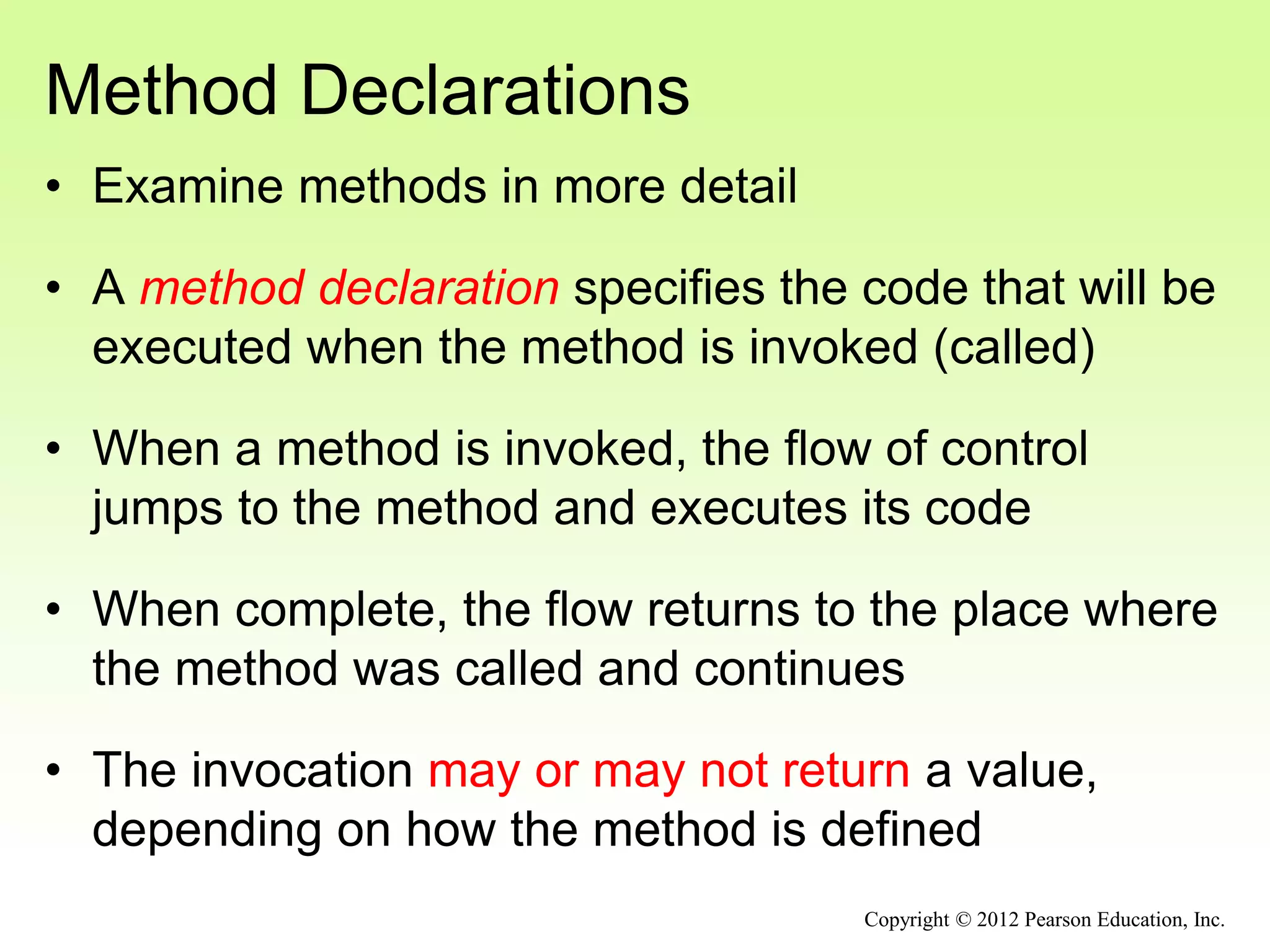
Method Declarations
• Examine methods in more detail
• A method declaration specifies the code that will be
executed when the method is invoked (called)
• When a method is invoked, the flow of control
jumps to the method and executes its code
• When complete, the flow returns to the place where
the method was called and continues
• The invocation may or may not return a value,
depending on how the method is defined
Copyright © 2012 Pearson Education, Inc.
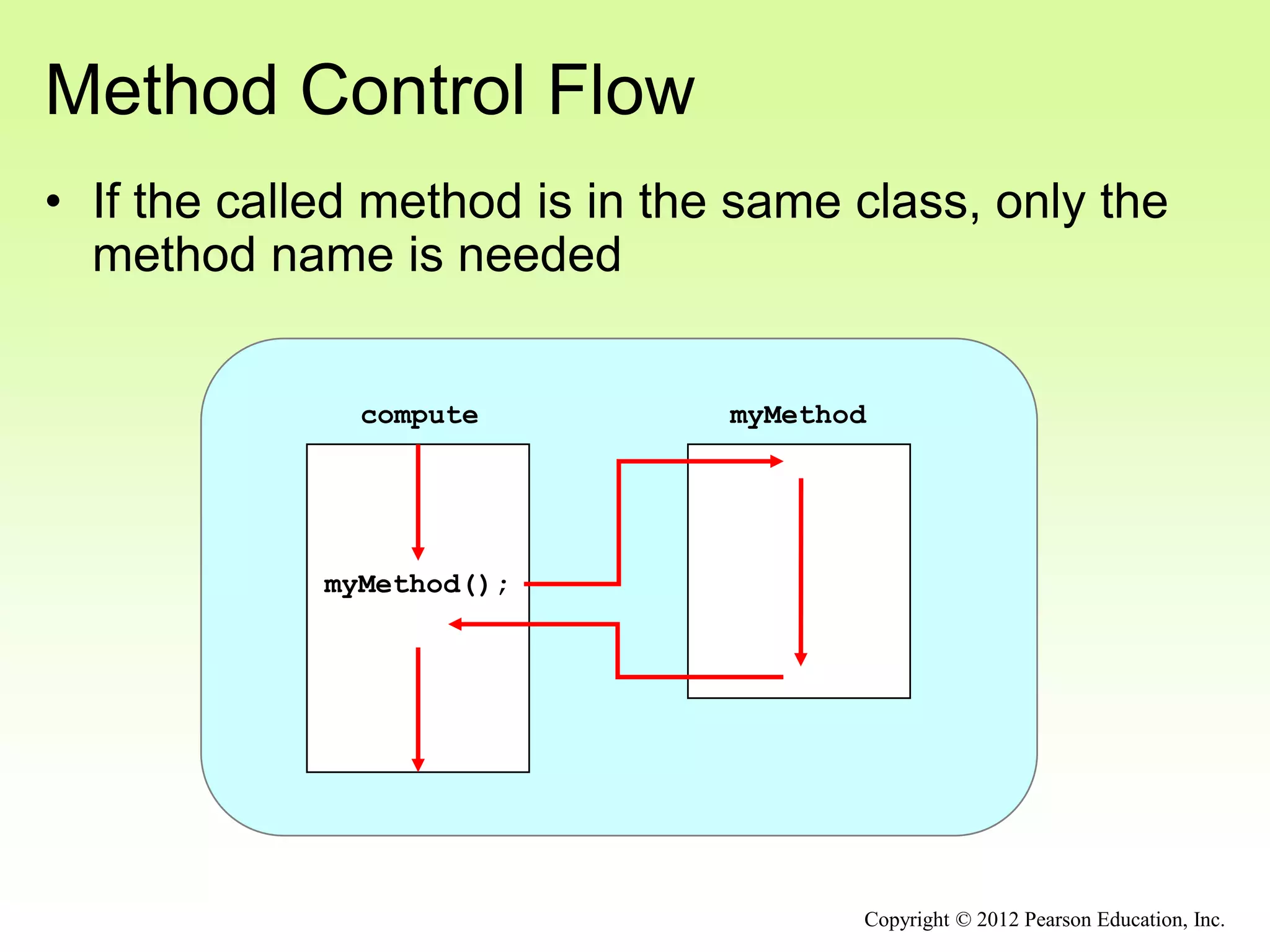
myMethod();
myMethod
compute
Method Control Flow
• If the called method is in the same class, only the
method name is needed
Copyright © 2012 Pearson Education, Inc.
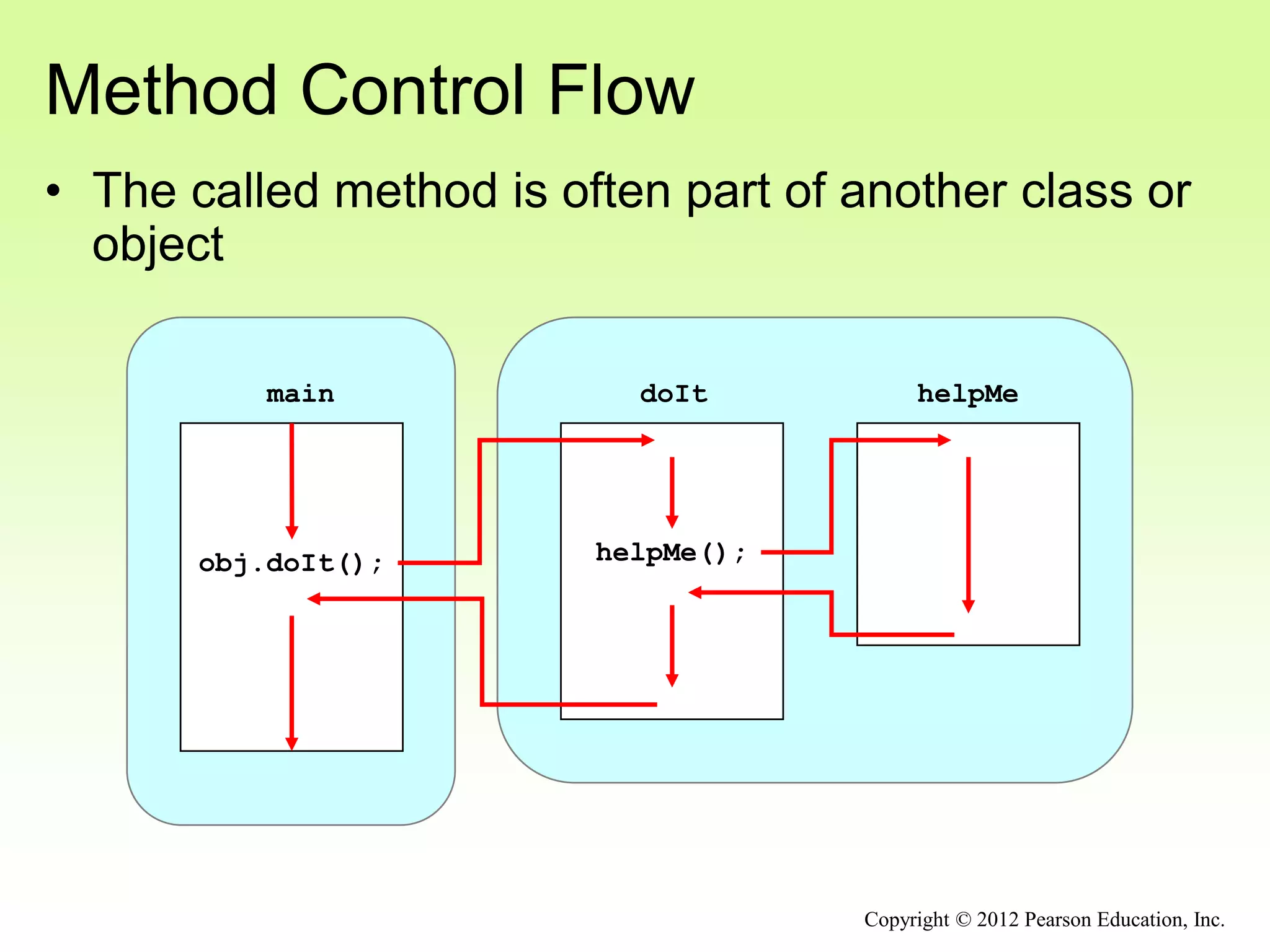
doIt helpMe
helpMe();
obj.doIt();
main
Method Control Flow
• The called method is often part of another class or
object
Copyright © 2012 Pearson Education, Inc.
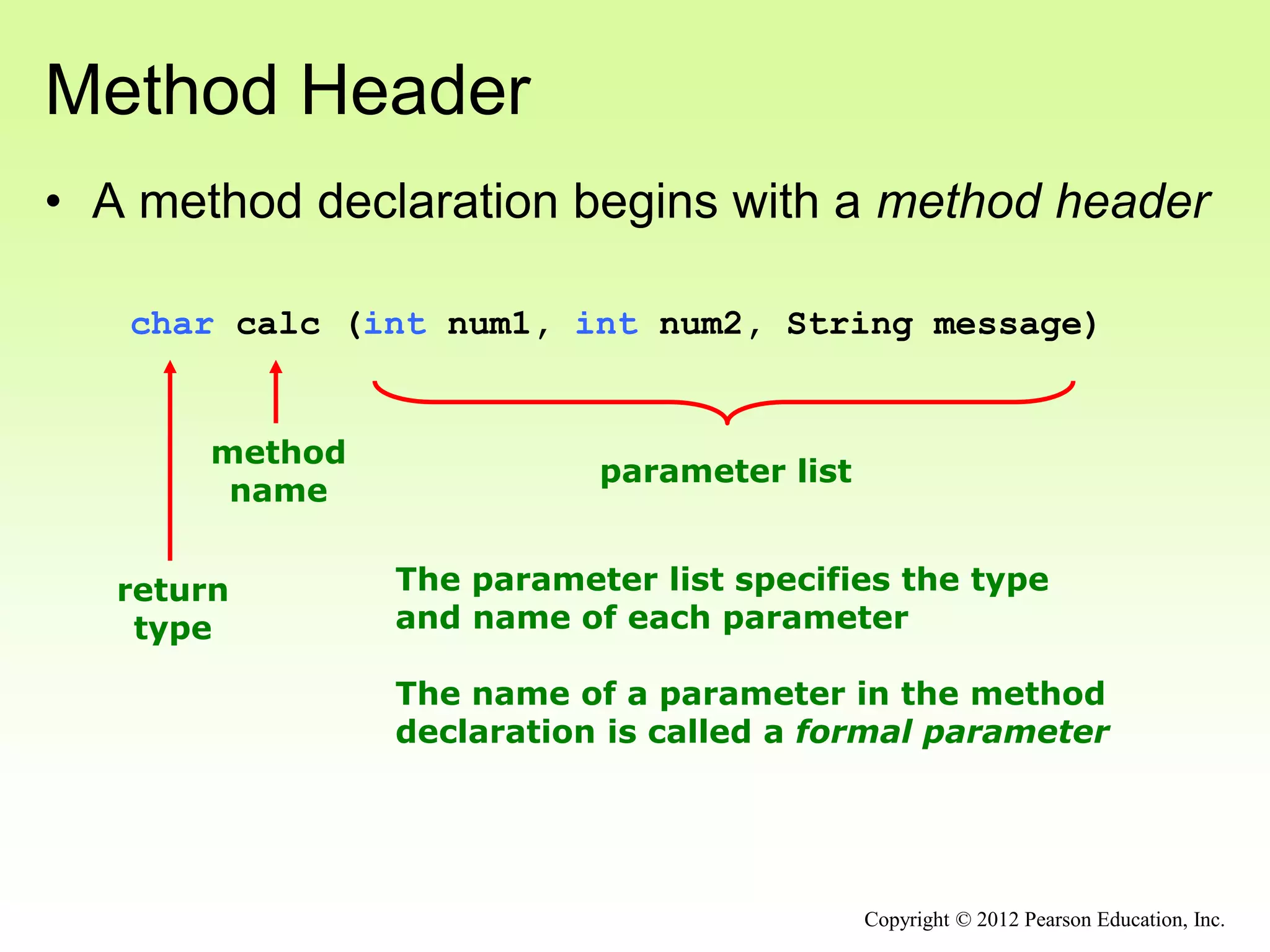
Method Header
• A method declaration begins with a method header
char calc (int num1, int num2, String message)
method
name
return
type
parameter list
The parameter list specifies the type
and name of each parameter
The name of a parameter in the method
declaration is called a formal parameter
Copyright © 2012 Pearson Education, Inc.
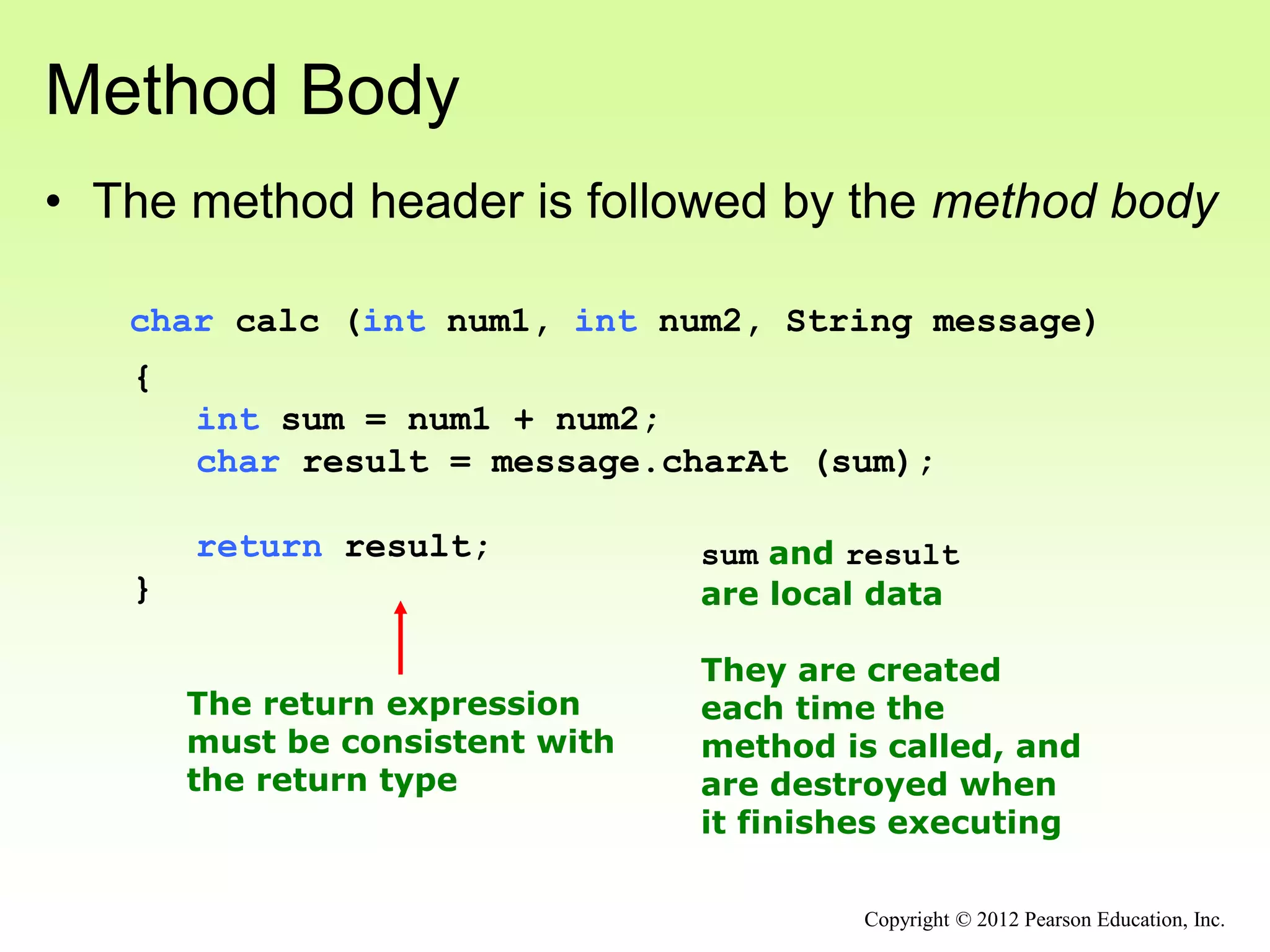
Method Body
• The method header is followed by the method body
char calc (int num1, int num2, String message)
{
int sum = num1 + num2;
char result = message.charAt (sum);
return result;
}
The return expression
must be consistent with
the return type
sum and result
are local data
They are created
each time the
method is called, and
are destroyed when
it finishes executing
Copyright © 2012 Pearson Education, Inc.
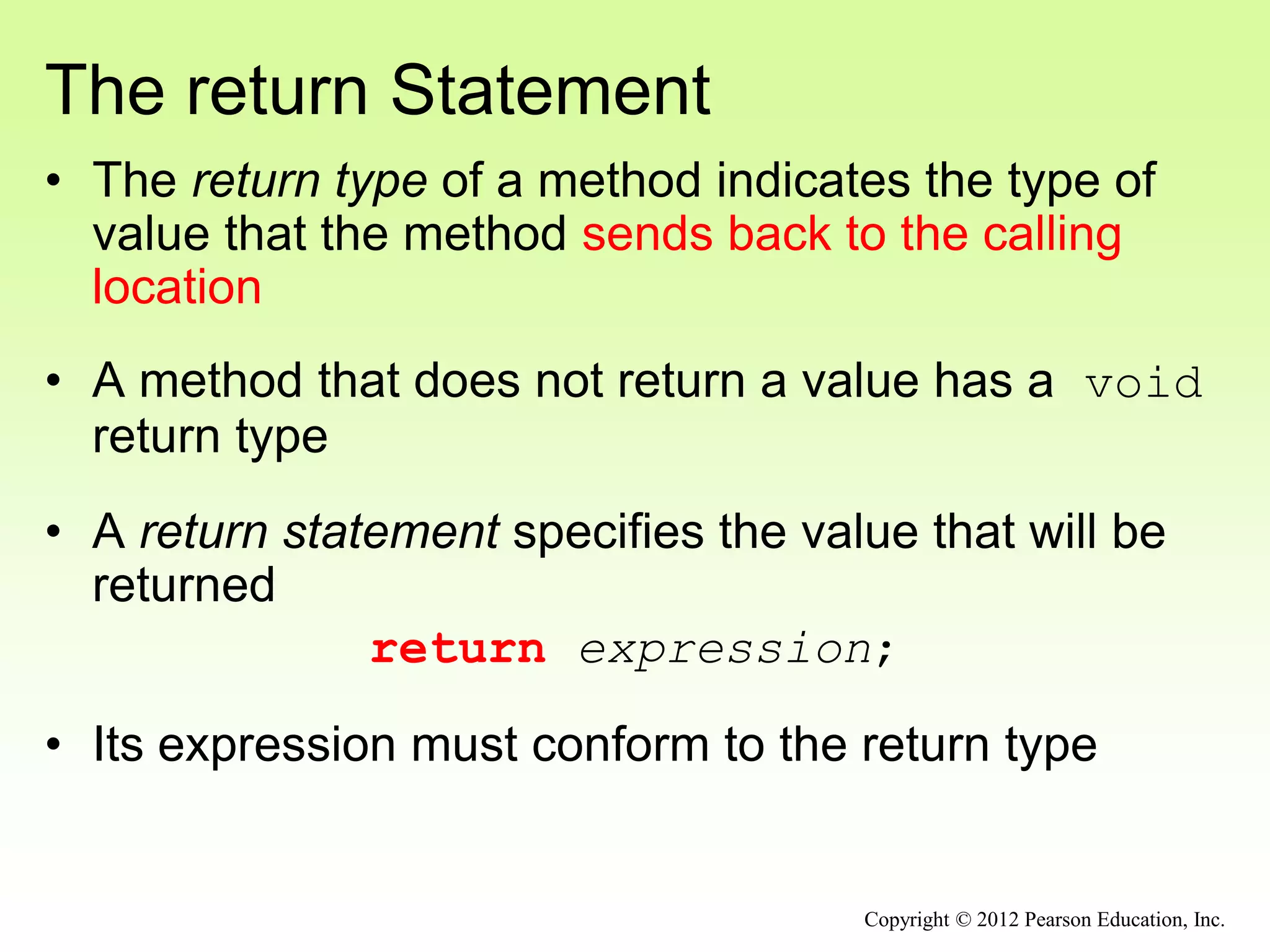
The return Statement
• The return type of a method indicates the type of
value that the method sends back to the calling
location
• A method that does not return a value has a void
return type
• A return statement specifies the value that will be
returned
return expression;
• Its expression must conform to the return type
Copyright © 2012 Pearson Education, Inc.
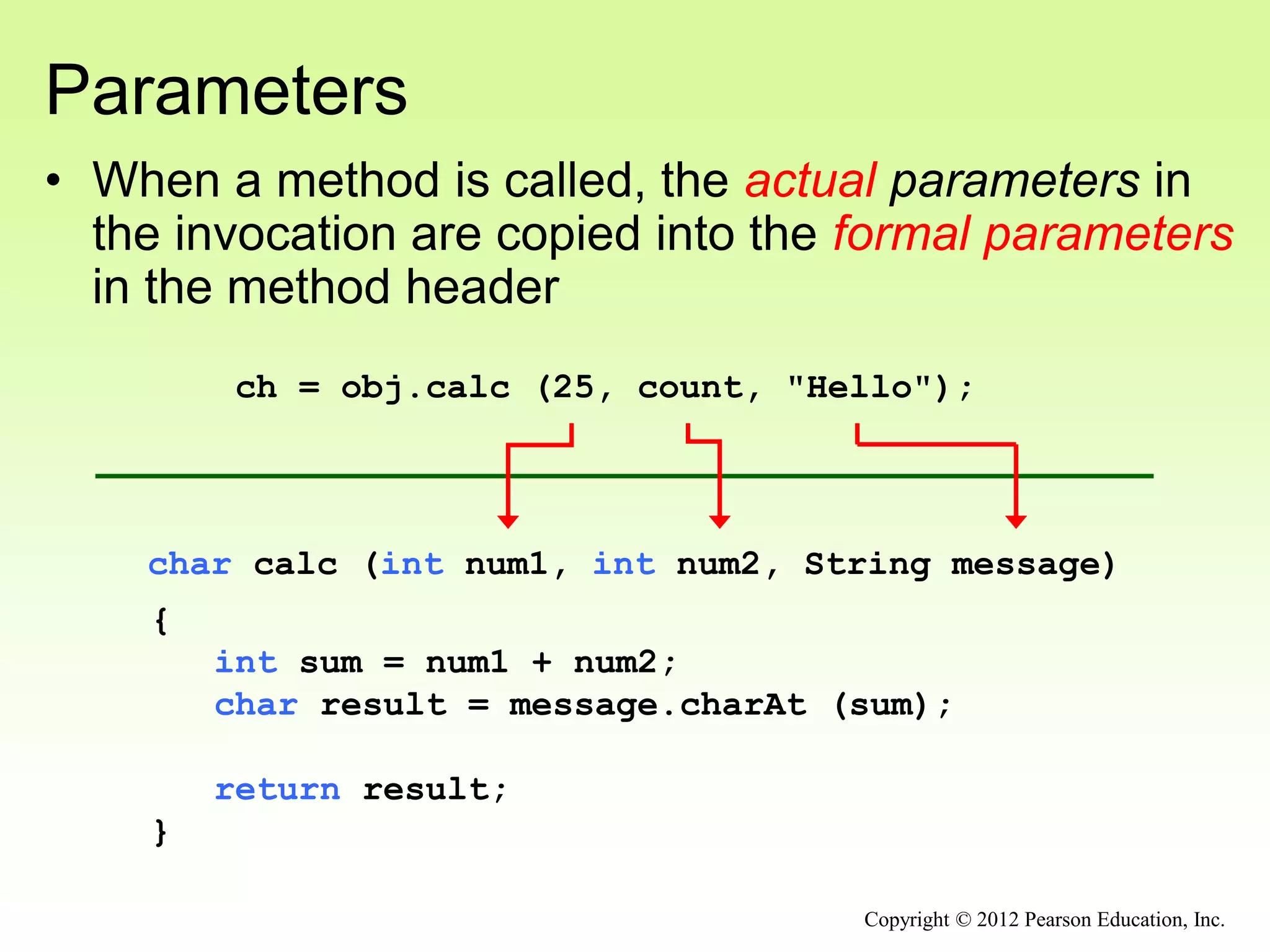
Parameters
• When a method is called, the actual parameters in
the invocation are copied into the formal parameters
in the method header
char calc (int num1, int num2, String message)
{
int sum = num1 + num2;
char result = message.charAt (sum);
return result;
}
ch = obj.calc (25, count, "Hello");
Copyright © 2012 Pearson Education, Inc.
Local Data
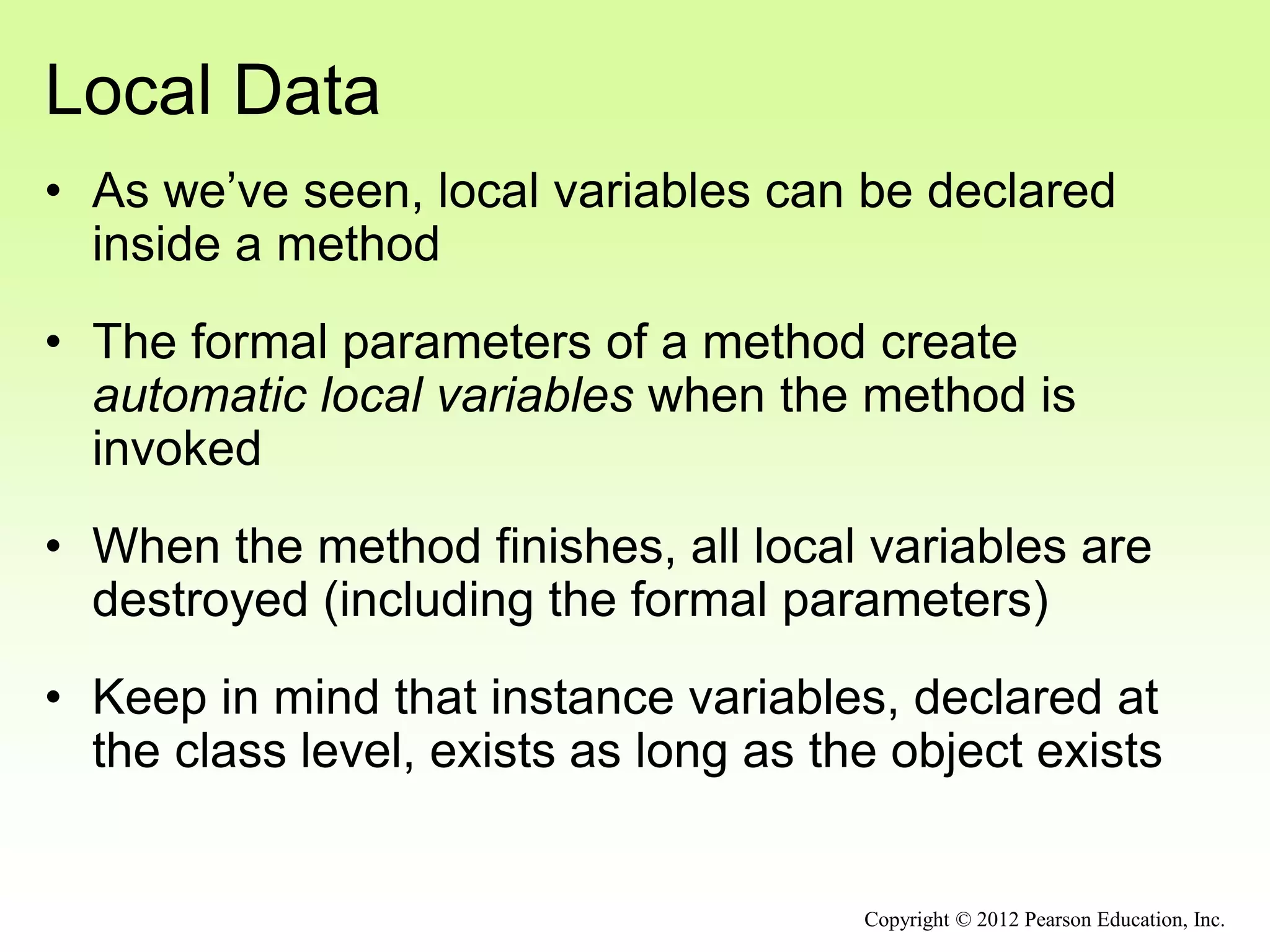
• As we’ve seen, local variables can be declared
inside a method
• The formal parameters of a method create
automatic local variables when the method is
invoked
• When the method finishes, all local variables are
destroyed (including the formal parameters)
• Keep in mind that instance variables, declared at
the class level, exists as long as the object exists
Copyright © 2012 Pearson Education, Inc.
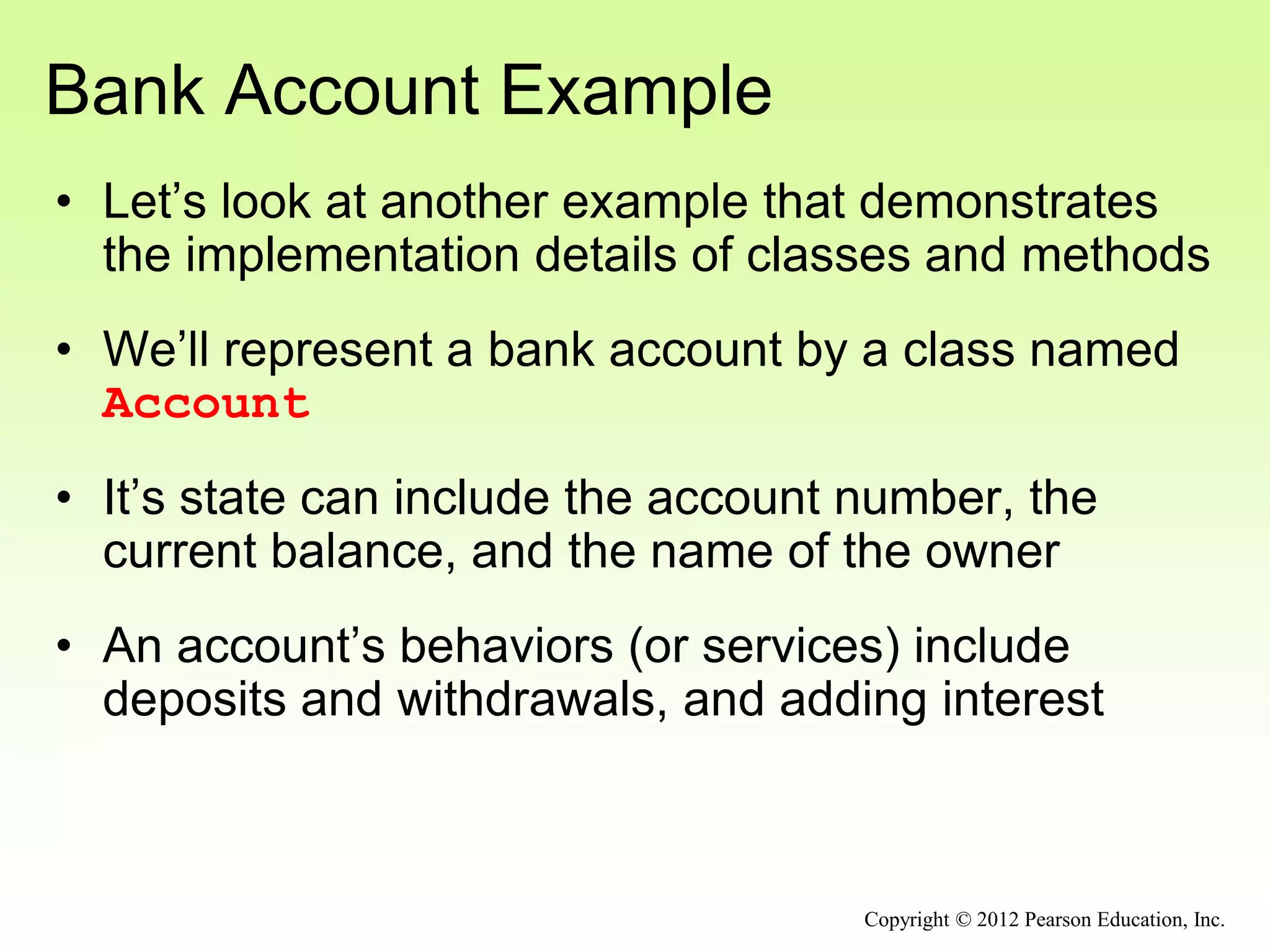
Bank Account Example
• Let’s look at another example that demonstrates
the implementation details of classes and methods
• We’ll represent a bank account by a class named
Account
• It’s state can include the account number, the
current balance, and the name of the owner
• An account’s behaviors (or services) include
deposits and withdrawals, and adding interest
Copyright © 2012 Pearson Education, Inc.
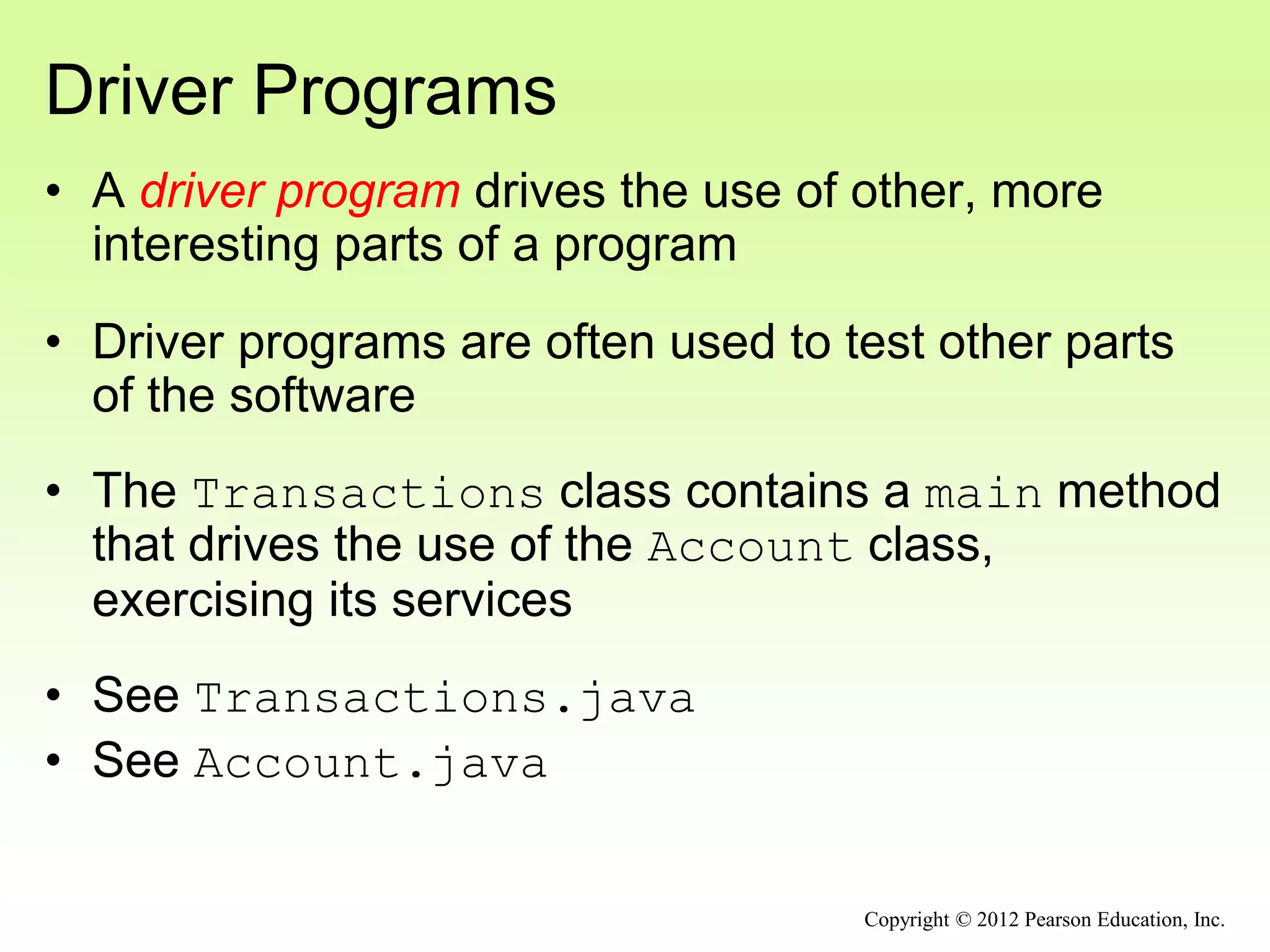
Driver Programs
• A driver program drives the use of other, more
interesting parts of a program
• Driver programs are often used to test other parts
of the software
• The Transactions class contains a main method
that drives the use of the Account class,
exercising its services
• See Transactions.java
• See Account.java
Copyright © 2012 Pearson Education, Inc.
//********************************************************************
// Transactions.java Author: Lewis/Loftus
//
// Demonstrates the creation and use of multiple Account objects.
//********************************************************************
public class Transactions
{
//-----------------------------------------------------------------
// Creates some bank accounts and requests various services.
//-----------------------------------------------------------------
public static void main (String[] args)
{
Account acct1 = new Account ("Ted Murphy", 72354, 102.56);
Account acct2 = new Account ("Jane Smith", 69713, 40.00);
Account acct3 = new Account ("Edward Demsey", 93757, 759.32);
acct1.deposit (25.85);
double smithBalance = acct2.deposit (500.00);
System.out.println ("Smith balance after deposit: " +
smithBalance);
continue
Copyright © 2012 Pearson Education, Inc.
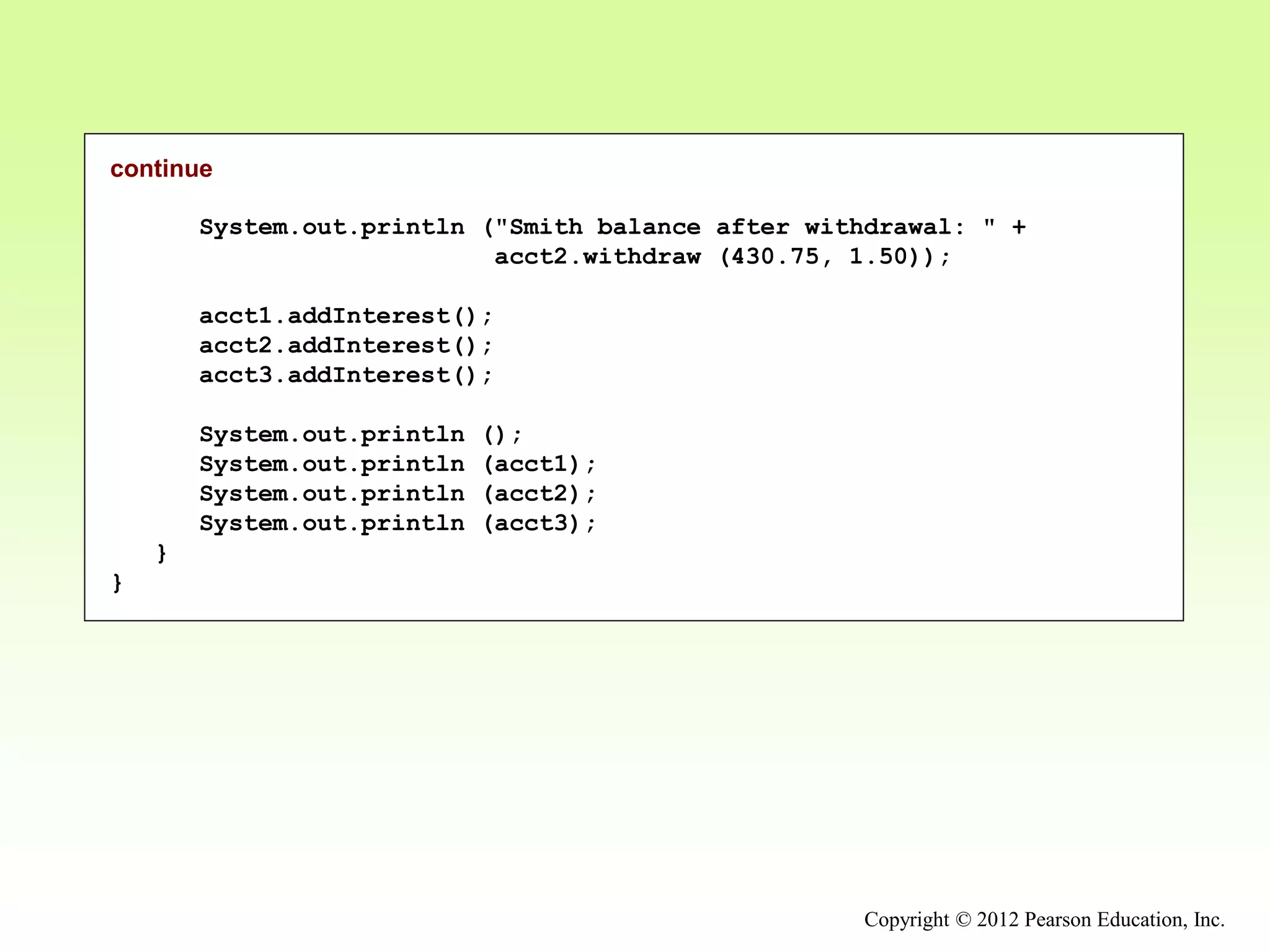
continue
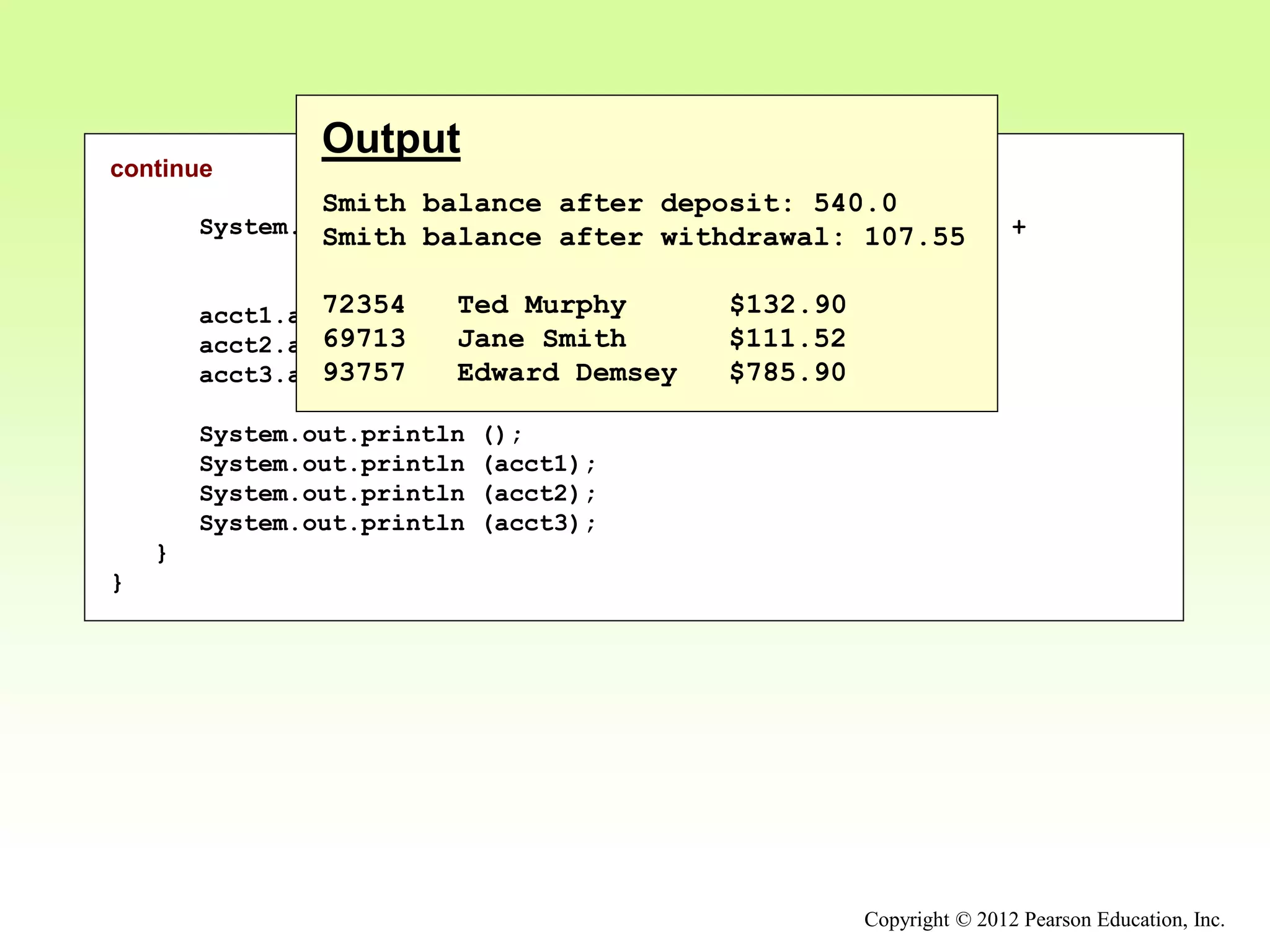
System.out.println ("Smith balance after withdrawal: " +
acct2.withdraw (430.75, 1.50));
acct1.addInterest();
acct2.addInterest();
acct3.addInterest();
System.out.println ();
System.out.println (acct1);
System.out.println (acct2);
System.out.println (acct3);
}
}
Copyright © 2012 Pearson Education, Inc.
continue
System.out.println ("Smith balance after withdrawal: " +
acct2.withdraw (430.75, 1.50));
acct1.addInterest();
acct2.addInterest();
acct3.addInterest();
System.out.println ();
System.out.println (acct1);
System.out.println (acct2);
System.out.println (acct3);
}
}
Output
Smith balance after deposit: 540.0
Smith balance after withdrawal: 107.55
72354 Ted Murphy $132.90
69713 Jane Smith $111.52
93757 Edward Demsey $785.90
Copyright © 2012 Pearson Education, Inc.
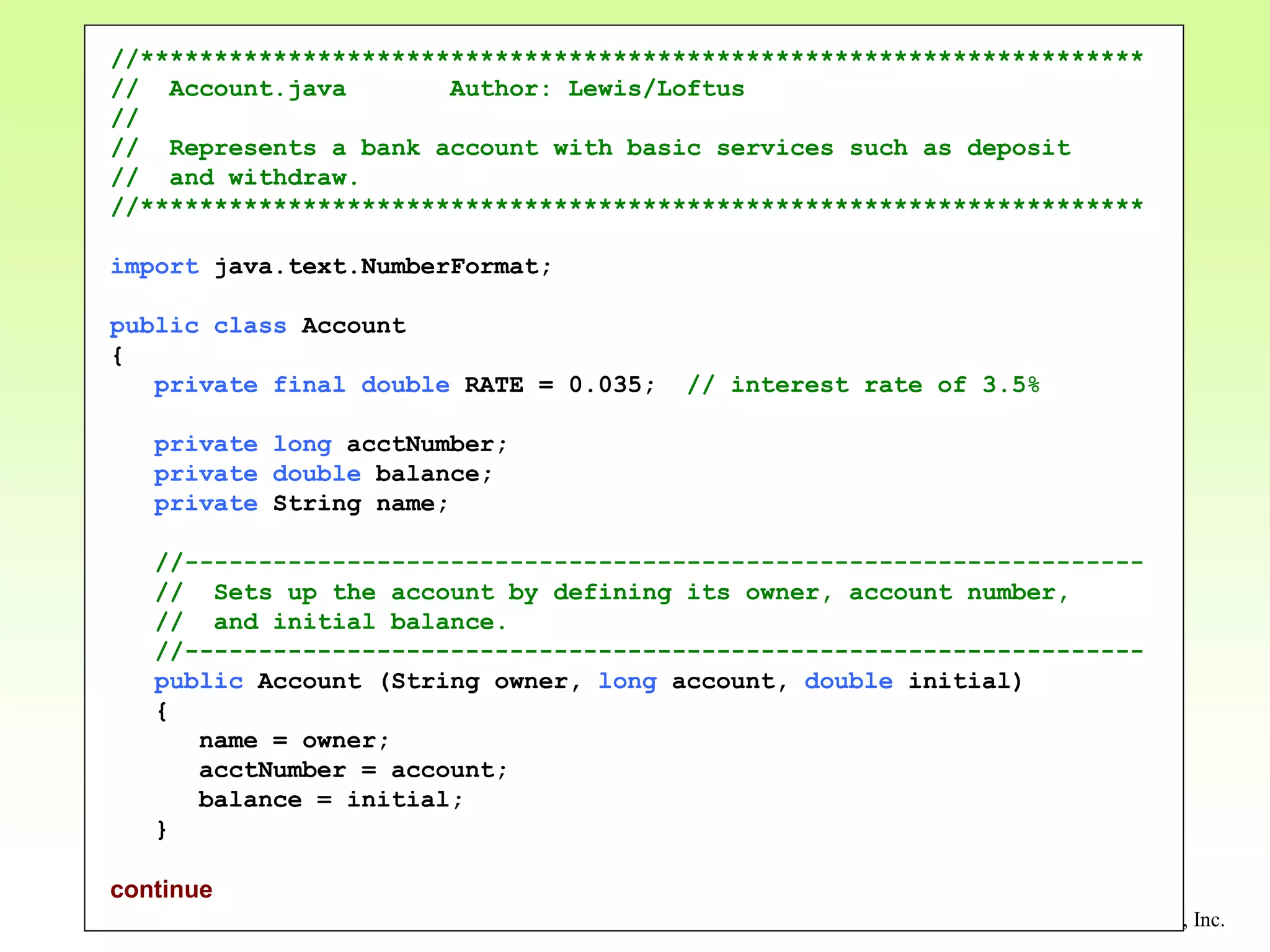
//********************************************************************
// Account.java Author: Lewis/Loftus
//
// Represents a bank account with basic services such as deposit
// and withdraw.
//********************************************************************
import java.text.NumberFormat;
public class Account
{
private final double RATE = 0.035; // interest rate of 3.5%
private long acctNumber;
private double balance;
private String name;
//-----------------------------------------------------------------
// Sets up the account by defining its owner, account number,
// and initial balance.
//-----------------------------------------------------------------
public Account (String owner, long account, double initial)
{
name = owner;
acctNumber = account;
balance = initial;
}
continue
Copyright © 2012 Pearson Education, Inc.
continue
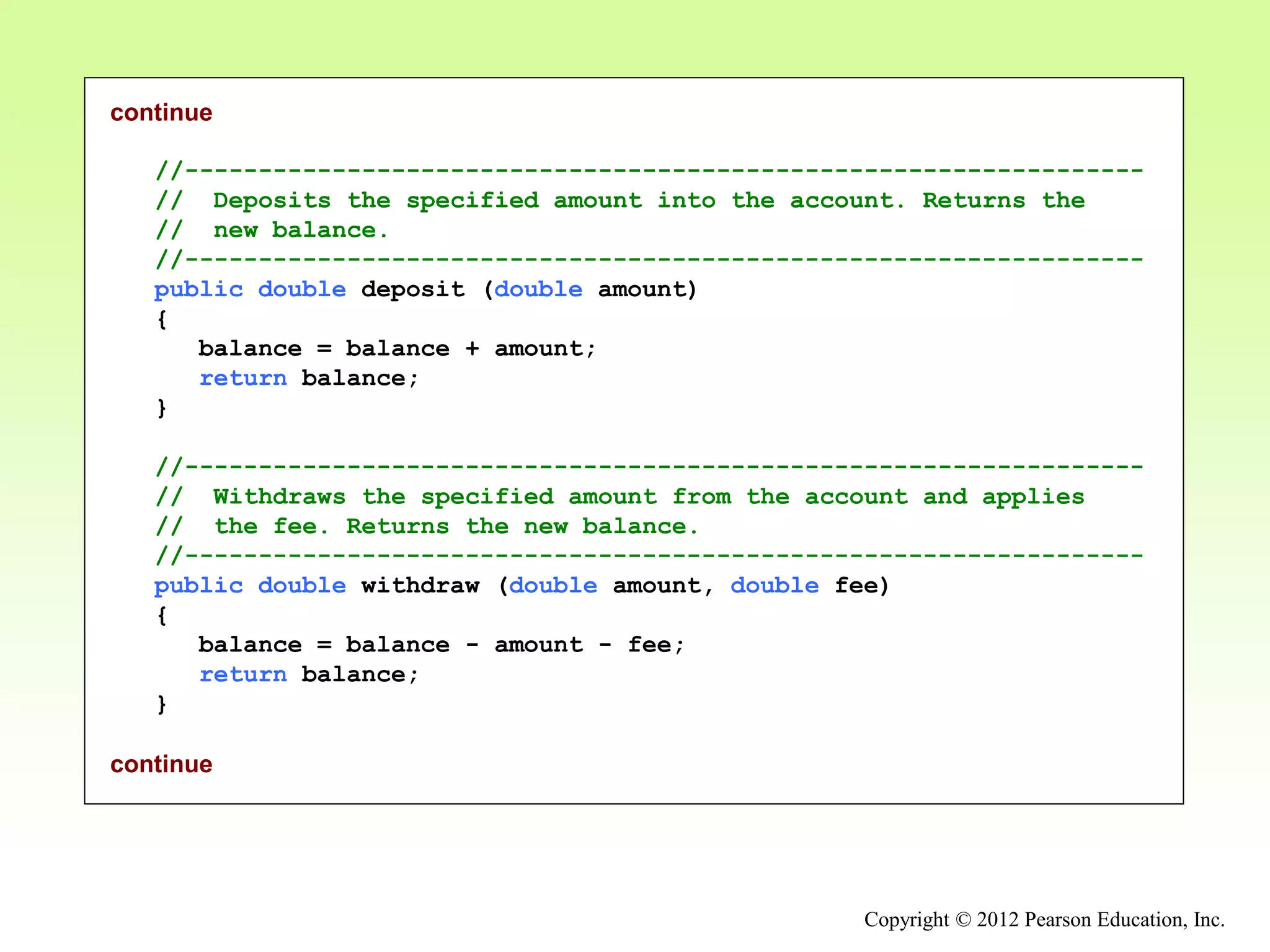
//-----------------------------------------------------------------
// Deposits the specified amount into the account. Returns the
// new balance.
//-----------------------------------------------------------------
public double deposit (double amount)
{
balance = balance + amount;
return balance;
}
//-----------------------------------------------------------------
// Withdraws the specified amount from the account and applies
// the fee. Returns the new balance.
//-----------------------------------------------------------------
public double withdraw (double amount, double fee)
{
balance = balance - amount - fee;
return balance;
}
continue
Copyright © 2012 Pearson Education, Inc.
continue
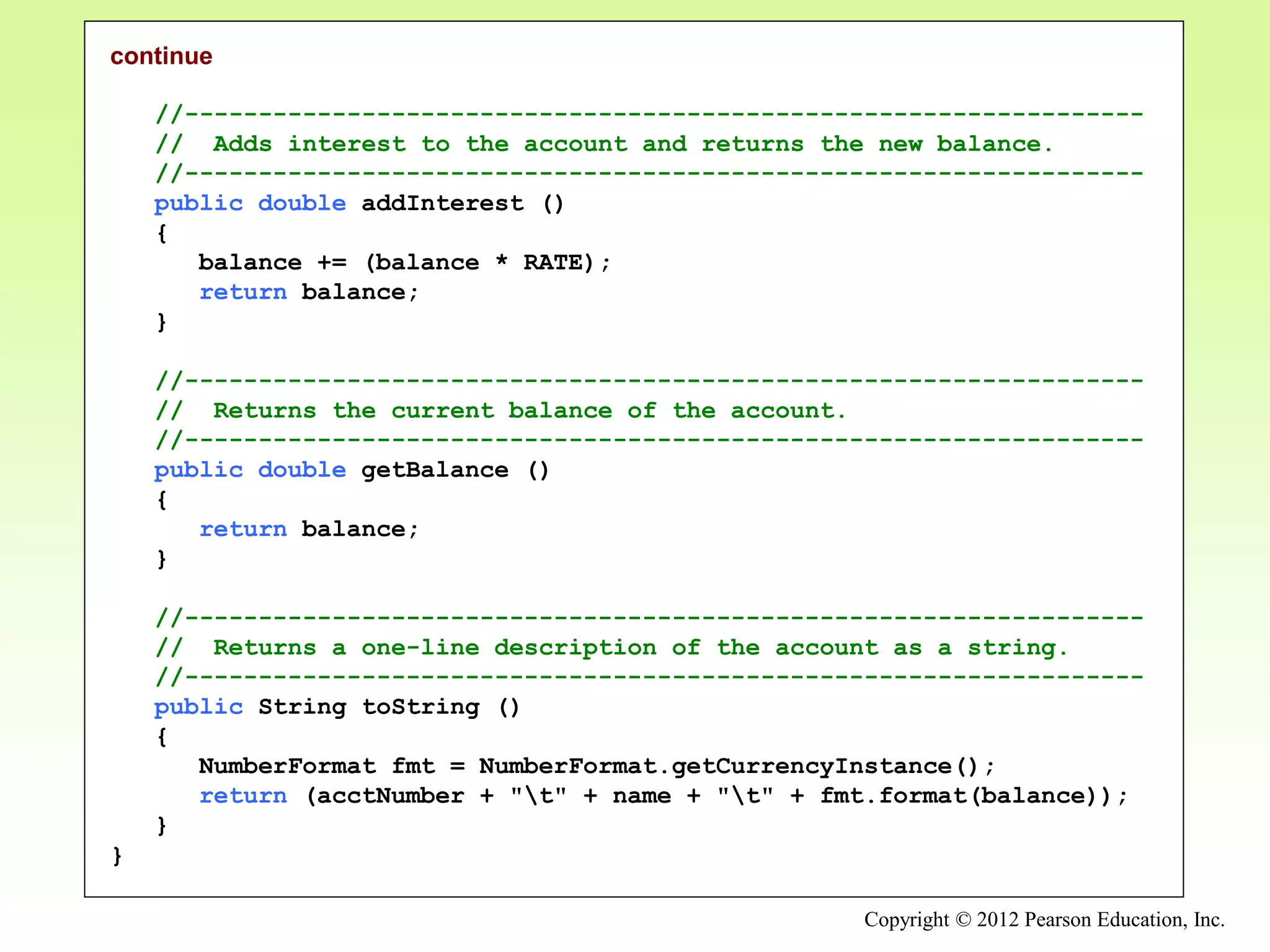
//-----------------------------------------------------------------
// Adds interest to the account and returns the new balance.
//-----------------------------------------------------------------
public double addInterest ()
{
balance += (balance * RATE);
return balance;
}
//-----------------------------------------------------------------
// Returns the current balance of the account.
//-----------------------------------------------------------------
public double getBalance ()
{
return balance;
}
//-----------------------------------------------------------------
// Returns a one-line description of the account as a string.
//-----------------------------------------------------------------
public String toString ()
{
NumberFormat fmt = NumberFormat.getCurrencyInstance();
return (acctNumber + "t" + name + "t" + fmt.format(balance));
}
}
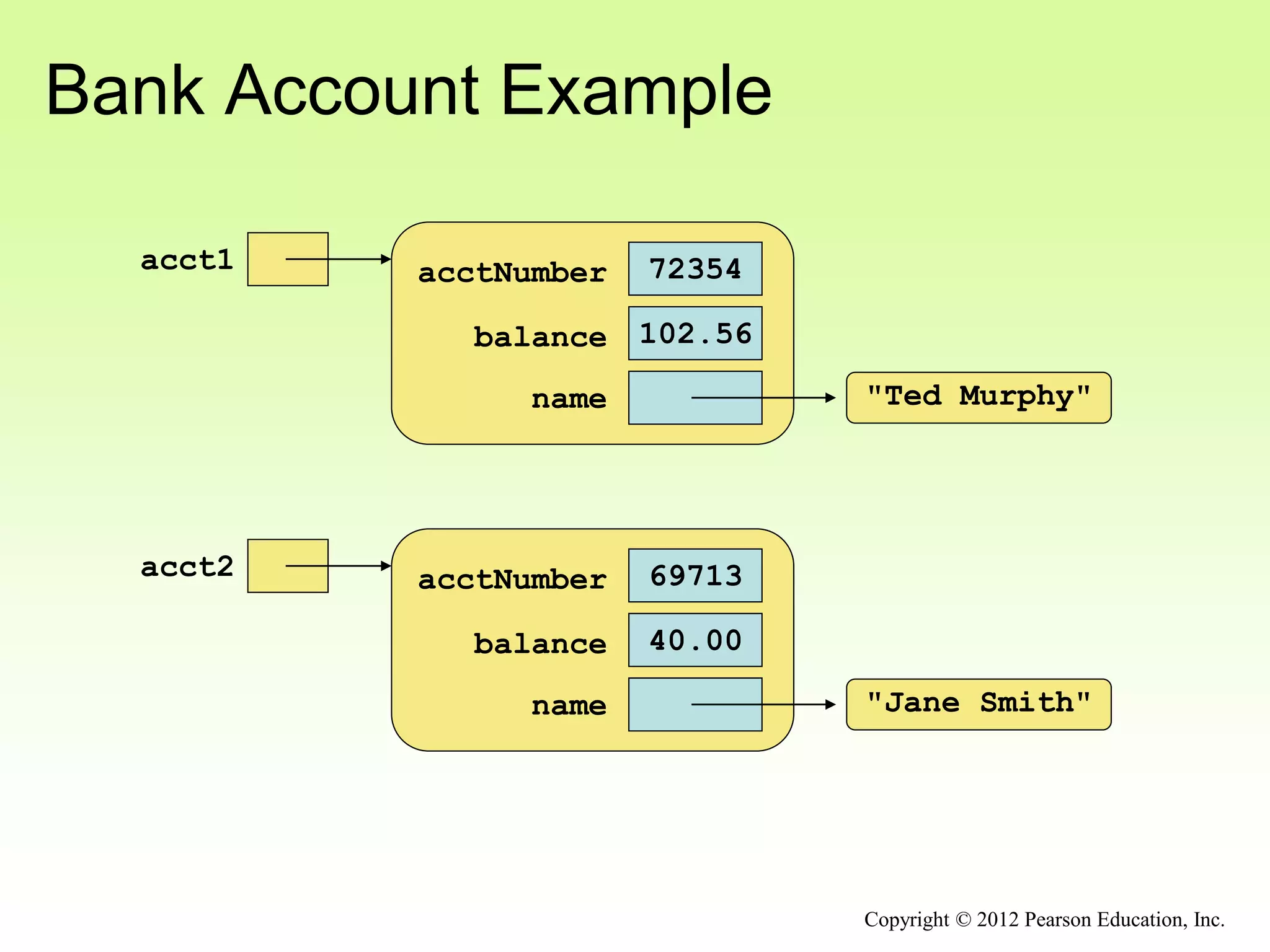
Bank Account Example
acct1 72354
acctNumber
102.56
balance
name "Ted Murphy"
acct2 69713
acctNumber
40.00
balance
name "Jane Smith"
Copyright © 2012 Pearson Education, Inc.
Bank Account Example
• There are some improvements that can be made to
the Account class
• Formal getters and setters could have been defined
for all data
• The design of some methods could also be more
robust, such as verifying that the amount
parameter to the withdraw method is positive
Copyright © 2012 Pearson Education, Inc.
Constructors Revisited
• Note that a constructor has no return type specified
in the method header, not even void
• A common error is to put a return type on a
constructor, which makes it a “regular” method that
happens to have the same name as the class
• The programmer does not have to define a
constructor for a class
• Each class has a default constructor that accepts
no parameters
Copyright © 2012 Pearson Education, Inc.
Quick Check
Copyright © 2012 Pearson Education, Inc.
How do we express which Account object's balance
is updated when a deposit is made?
Quick Check
Copyright © 2012 Pearson Education, Inc.
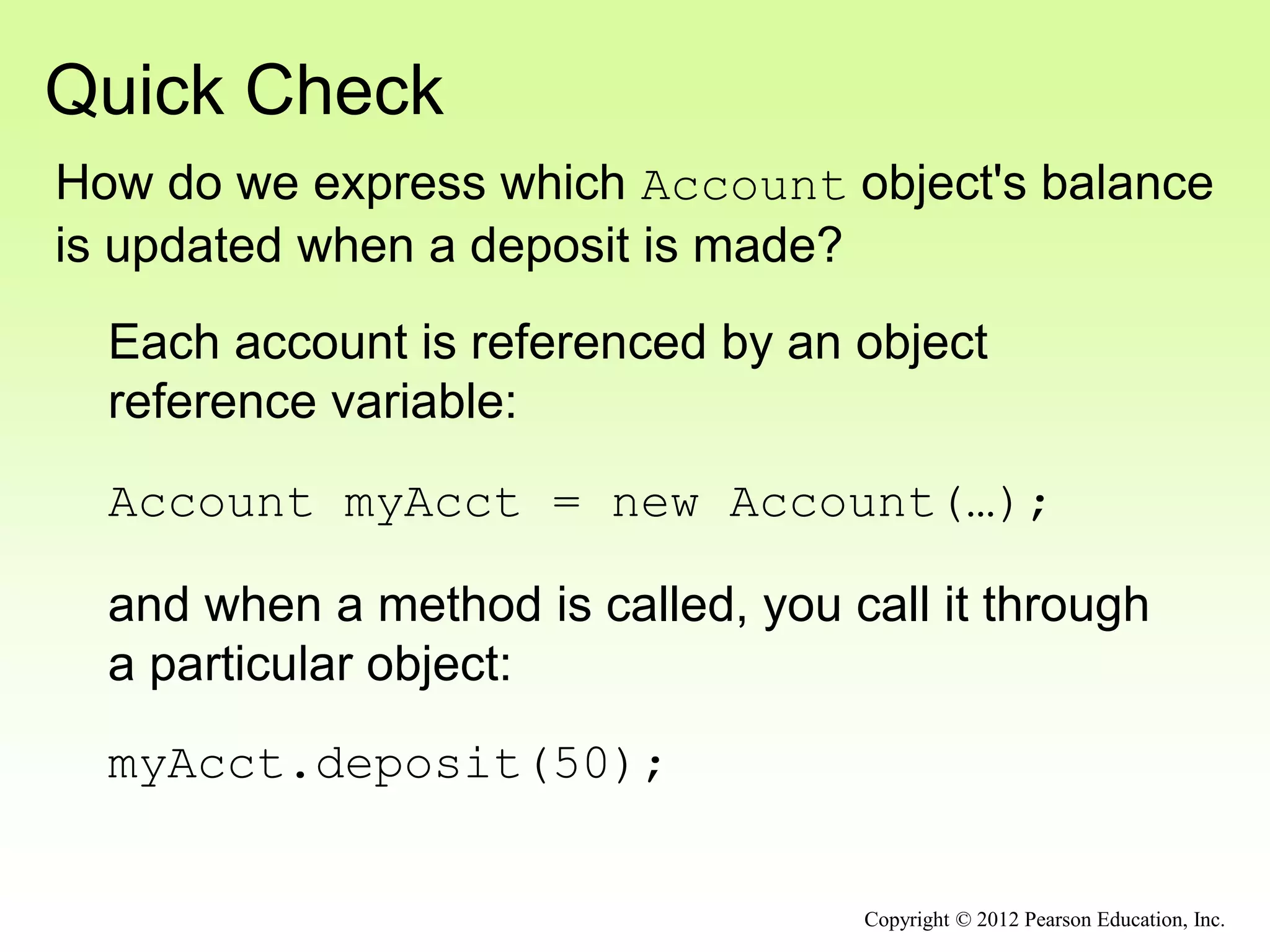
How do we express which Account object's balance
is updated when a deposit is made?
Each account is referenced by an object
reference variable:
Account myAcct = new Account(…);
and when a method is called, you call it through
a particular object:
myAcct.deposit(50);
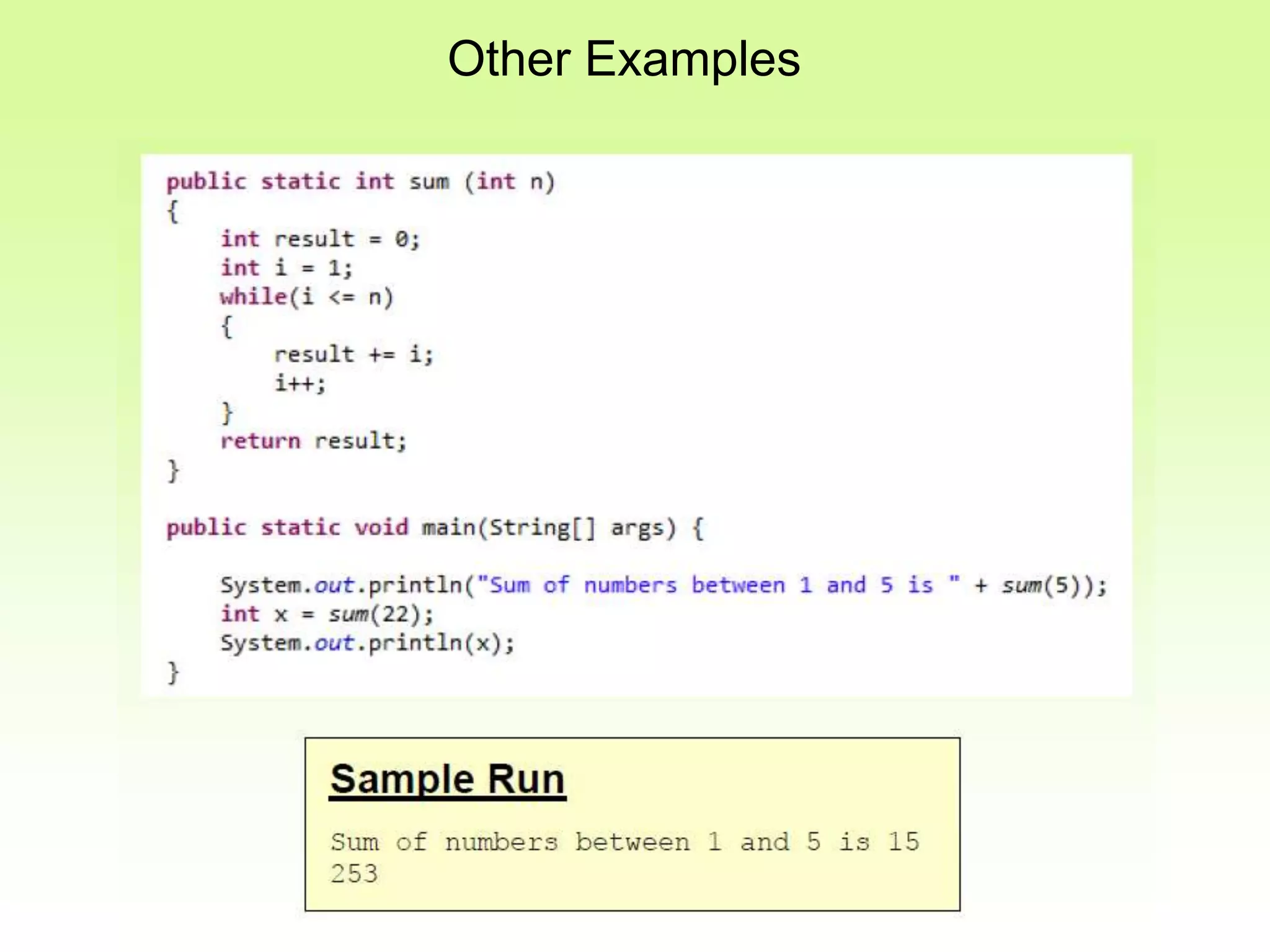
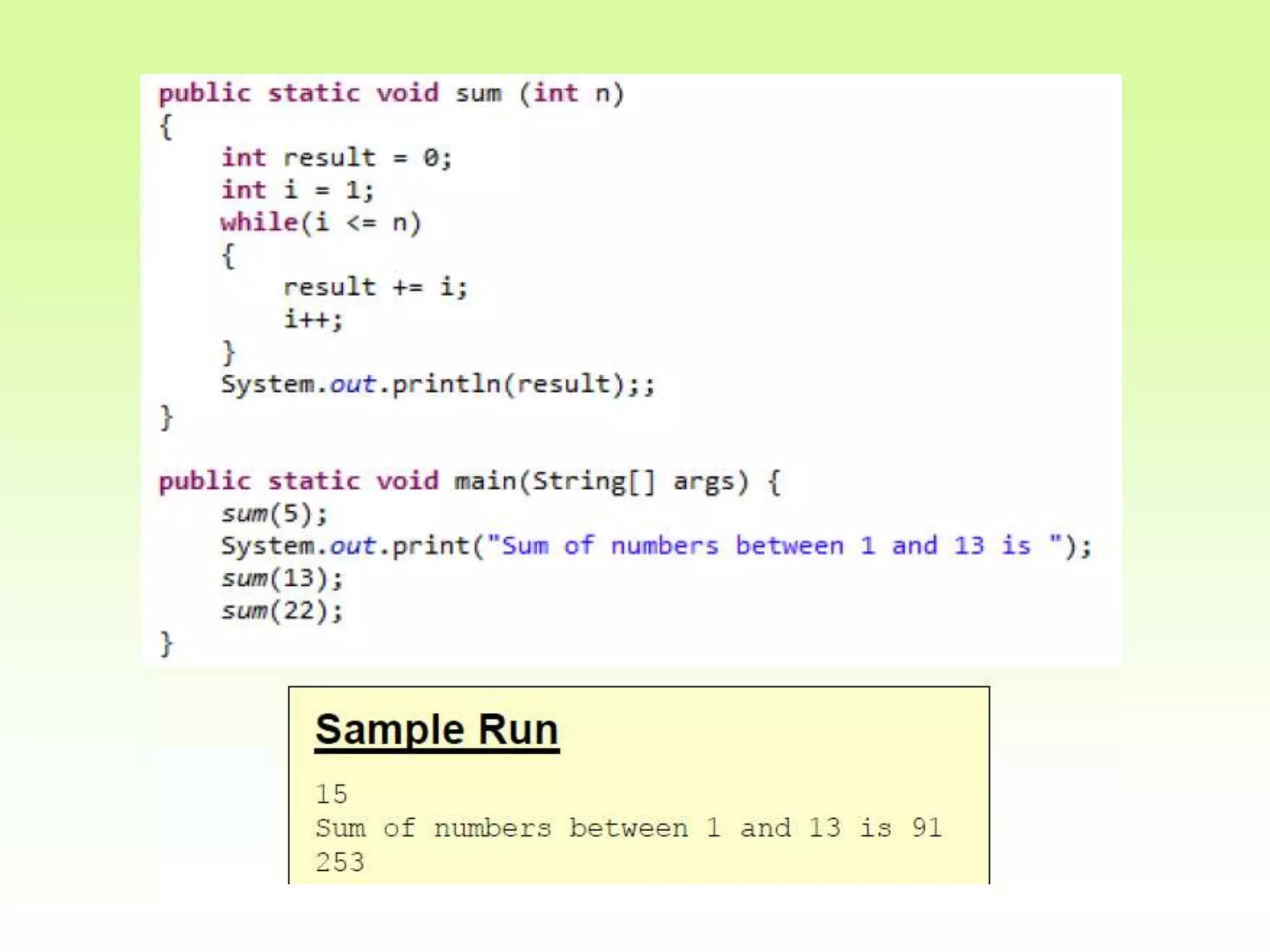
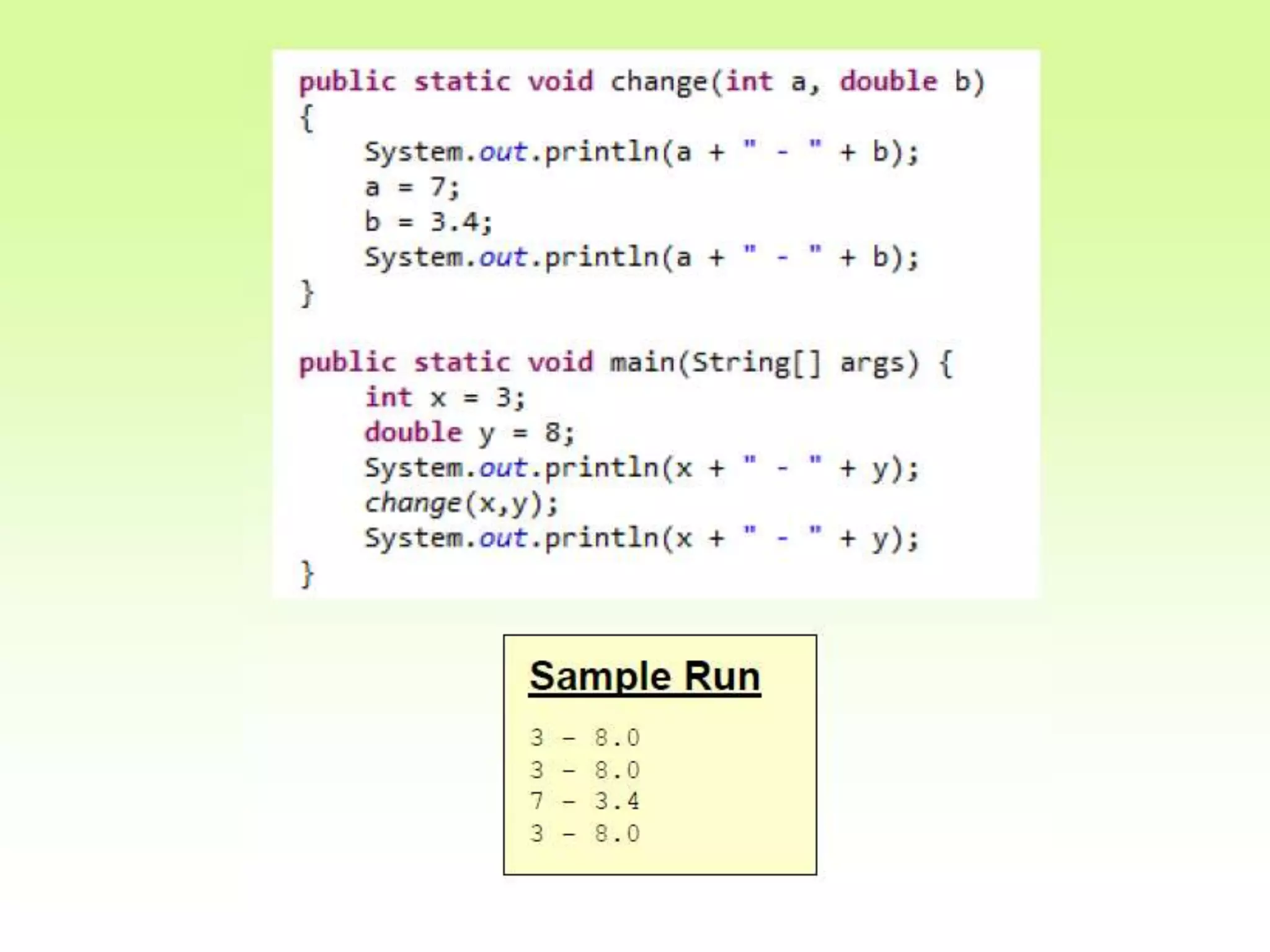
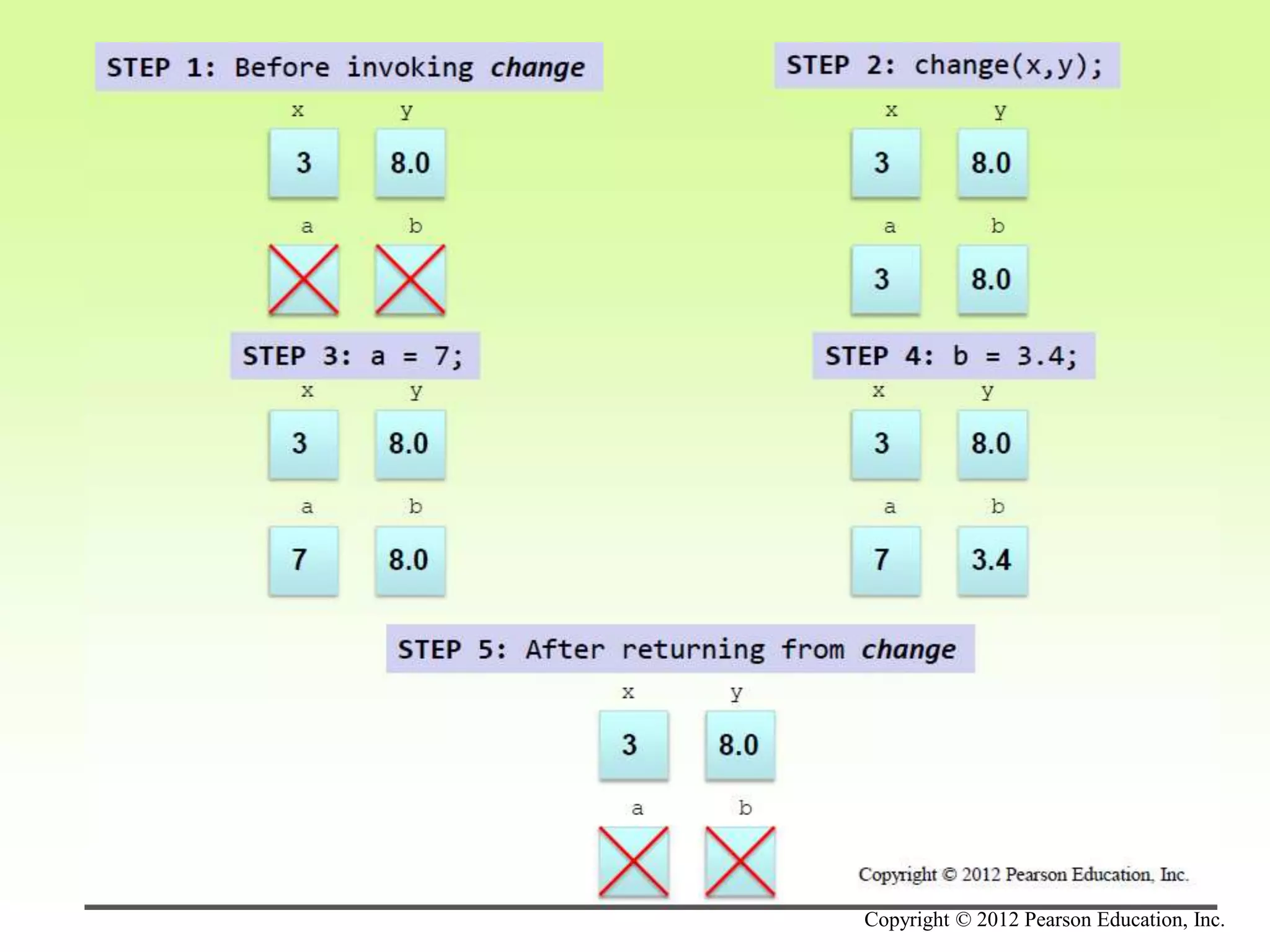
Other Examples
Copyright © 2012 Pearson Education, Inc.
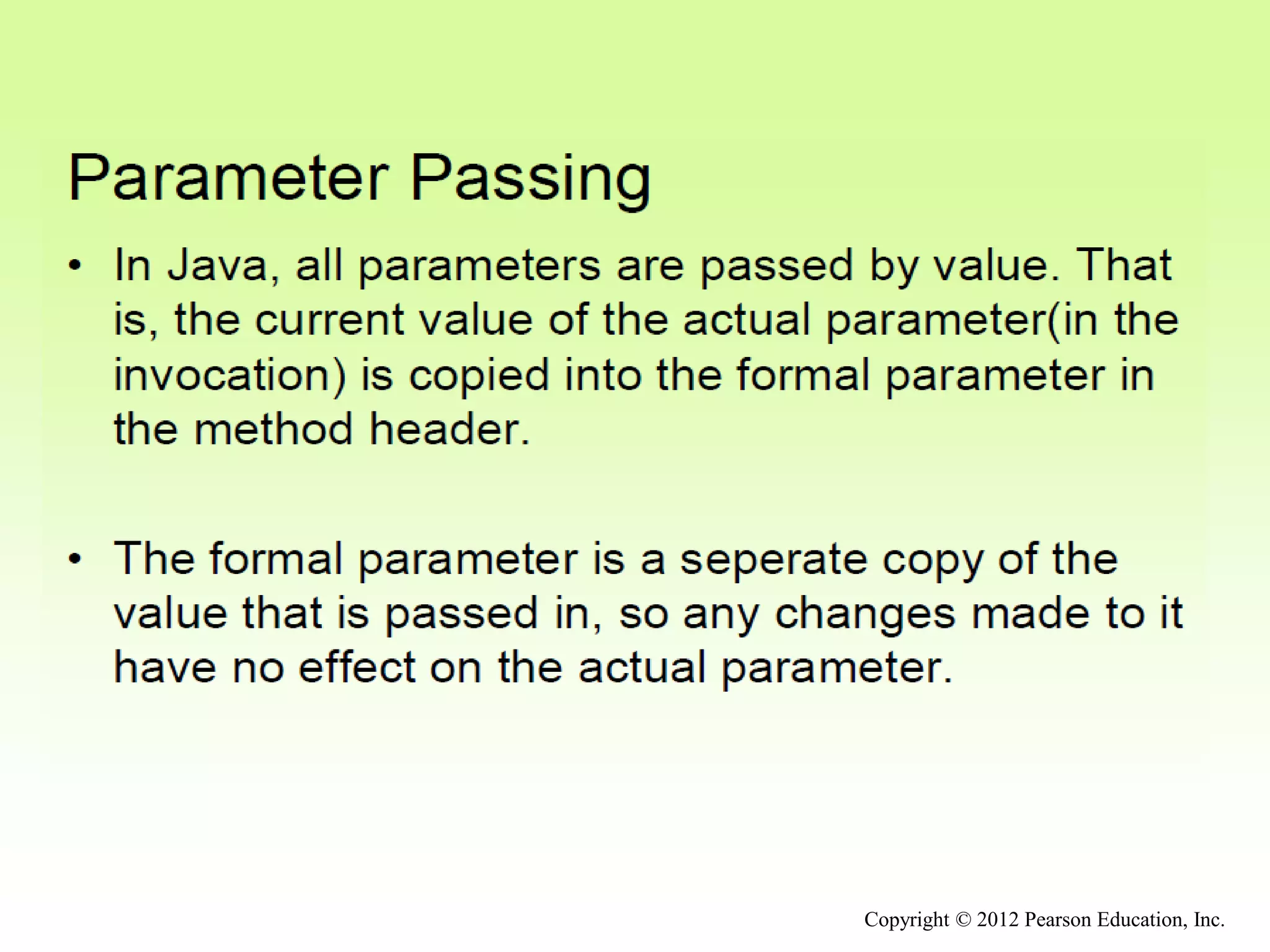
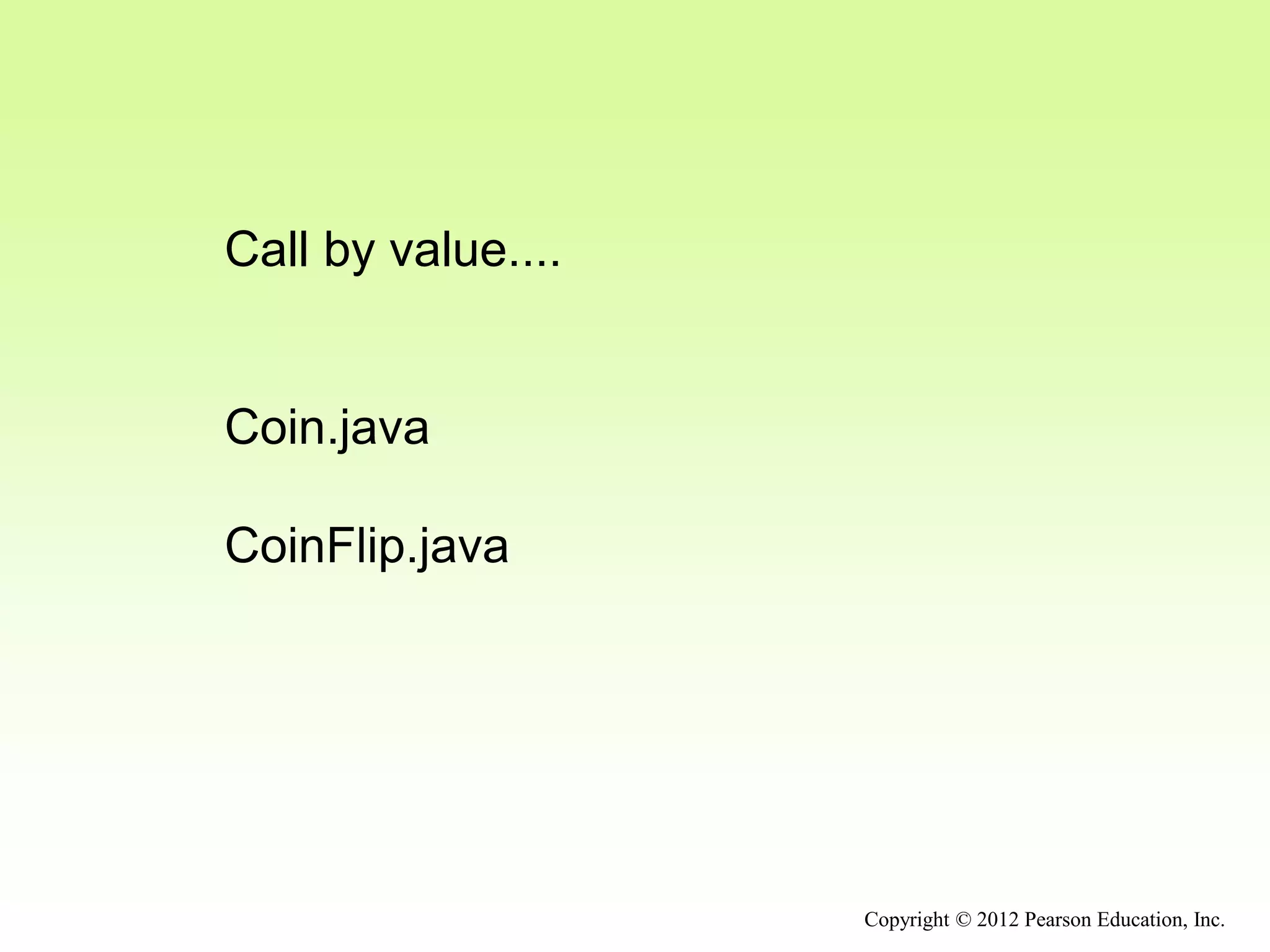
Call by value....
Coin.java
CoinFlip.java
Copyright © 2012 Pearson Education, Inc.

Methods.ppt

  • 1.
    Outline Anatomy of aClass Encapsulation Anatomy of a Method Graphical Objects Graphical User Interfaces Buttons and Text Fields Copyright © 2012 Pearson Education, Inc.
  • 2.
    Method Declarations • Examinemethods in more detail • A method declaration specifies the code that will be executed when the method is invoked (called) • When a method is invoked, the flow of control jumps to the method and executes its code • When complete, the flow returns to the place where the method was called and continues • The invocation may or may not return a value, depending on how the method is defined Copyright © 2012 Pearson Education, Inc.
  • 3.
    myMethod(); myMethod compute Method Control Flow •If the called method is in the same class, only the method name is needed Copyright © 2012 Pearson Education, Inc.
  • 4.
    doIt helpMe helpMe(); obj.doIt(); main Method ControlFlow • The called method is often part of another class or object Copyright © 2012 Pearson Education, Inc.
  • 5.
    Method Header • Amethod declaration begins with a method header char calc (int num1, int num2, String message) method name return type parameter list The parameter list specifies the type and name of each parameter The name of a parameter in the method declaration is called a formal parameter Copyright © 2012 Pearson Education, Inc.
  • 6.
    Method Body • Themethod header is followed by the method body char calc (int num1, int num2, String message) { int sum = num1 + num2; char result = message.charAt (sum); return result; } The return expression must be consistent with the return type sum and result are local data They are created each time the method is called, and are destroyed when it finishes executing Copyright © 2012 Pearson Education, Inc.
  • 7.
    The return Statement •The return type of a method indicates the type of value that the method sends back to the calling location • A method that does not return a value has a void return type • A return statement specifies the value that will be returned return expression; • Its expression must conform to the return type Copyright © 2012 Pearson Education, Inc.
  • 8.
    Parameters • When amethod is called, the actual parameters in the invocation are copied into the formal parameters in the method header char calc (int num1, int num2, String message) { int sum = num1 + num2; char result = message.charAt (sum); return result; } ch = obj.calc (25, count, "Hello"); Copyright © 2012 Pearson Education, Inc.
  • 9.
    Local Data • Aswe’ve seen, local variables can be declared inside a method • The formal parameters of a method create automatic local variables when the method is invoked • When the method finishes, all local variables are destroyed (including the formal parameters) • Keep in mind that instance variables, declared at the class level, exists as long as the object exists Copyright © 2012 Pearson Education, Inc.
  • 10.
    Bank Account Example •Let’s look at another example that demonstrates the implementation details of classes and methods • We’ll represent a bank account by a class named Account • It’s state can include the account number, the current balance, and the name of the owner • An account’s behaviors (or services) include deposits and withdrawals, and adding interest Copyright © 2012 Pearson Education, Inc.
  • 11.
    Driver Programs • Adriver program drives the use of other, more interesting parts of a program • Driver programs are often used to test other parts of the software • The Transactions class contains a main method that drives the use of the Account class, exercising its services • See Transactions.java • See Account.java Copyright © 2012 Pearson Education, Inc.
  • 12.
    Copyright © 2012Pearson Education, Inc. //******************************************************************** // Transactions.java Author: Lewis/Loftus // // Demonstrates the creation and use of multiple Account objects. //******************************************************************** public class Transactions { //----------------------------------------------------------------- // Creates some bank accounts and requests various services. //----------------------------------------------------------------- public static void main (String[] args) { Account acct1 = new Account ("Ted Murphy", 72354, 102.56); Account acct2 = new Account ("Jane Smith", 69713, 40.00); Account acct3 = new Account ("Edward Demsey", 93757, 759.32); acct1.deposit (25.85); double smithBalance = acct2.deposit (500.00); System.out.println ("Smith balance after deposit: " + smithBalance); continue
  • 13.
    Copyright © 2012Pearson Education, Inc. continue System.out.println ("Smith balance after withdrawal: " + acct2.withdraw (430.75, 1.50)); acct1.addInterest(); acct2.addInterest(); acct3.addInterest(); System.out.println (); System.out.println (acct1); System.out.println (acct2); System.out.println (acct3); } }
  • 14.
    Copyright © 2012Pearson Education, Inc. continue System.out.println ("Smith balance after withdrawal: " + acct2.withdraw (430.75, 1.50)); acct1.addInterest(); acct2.addInterest(); acct3.addInterest(); System.out.println (); System.out.println (acct1); System.out.println (acct2); System.out.println (acct3); } } Output Smith balance after deposit: 540.0 Smith balance after withdrawal: 107.55 72354 Ted Murphy $132.90 69713 Jane Smith $111.52 93757 Edward Demsey $785.90
  • 15.
    Copyright © 2012Pearson Education, Inc. //******************************************************************** // Account.java Author: Lewis/Loftus // // Represents a bank account with basic services such as deposit // and withdraw. //******************************************************************** import java.text.NumberFormat; public class Account { private final double RATE = 0.035; // interest rate of 3.5% private long acctNumber; private double balance; private String name; //----------------------------------------------------------------- // Sets up the account by defining its owner, account number, // and initial balance. //----------------------------------------------------------------- public Account (String owner, long account, double initial) { name = owner; acctNumber = account; balance = initial; } continue
  • 16.
    Copyright © 2012Pearson Education, Inc. continue //----------------------------------------------------------------- // Deposits the specified amount into the account. Returns the // new balance. //----------------------------------------------------------------- public double deposit (double amount) { balance = balance + amount; return balance; } //----------------------------------------------------------------- // Withdraws the specified amount from the account and applies // the fee. Returns the new balance. //----------------------------------------------------------------- public double withdraw (double amount, double fee) { balance = balance - amount - fee; return balance; } continue
  • 17.
    Copyright © 2012Pearson Education, Inc. continue //----------------------------------------------------------------- // Adds interest to the account and returns the new balance. //----------------------------------------------------------------- public double addInterest () { balance += (balance * RATE); return balance; } //----------------------------------------------------------------- // Returns the current balance of the account. //----------------------------------------------------------------- public double getBalance () { return balance; } //----------------------------------------------------------------- // Returns a one-line description of the account as a string. //----------------------------------------------------------------- public String toString () { NumberFormat fmt = NumberFormat.getCurrencyInstance(); return (acctNumber + "t" + name + "t" + fmt.format(balance)); } }
  • 18.
    Bank Account Example acct172354 acctNumber 102.56 balance name "Ted Murphy" acct2 69713 acctNumber 40.00 balance name "Jane Smith" Copyright © 2012 Pearson Education, Inc.
  • 19.
    Bank Account Example •There are some improvements that can be made to the Account class • Formal getters and setters could have been defined for all data • The design of some methods could also be more robust, such as verifying that the amount parameter to the withdraw method is positive Copyright © 2012 Pearson Education, Inc.
  • 20.
    Constructors Revisited • Notethat a constructor has no return type specified in the method header, not even void • A common error is to put a return type on a constructor, which makes it a “regular” method that happens to have the same name as the class • The programmer does not have to define a constructor for a class • Each class has a default constructor that accepts no parameters Copyright © 2012 Pearson Education, Inc.
  • 21.
    Quick Check Copyright ©2012 Pearson Education, Inc. How do we express which Account object's balance is updated when a deposit is made?
  • 22.
    Quick Check Copyright ©2012 Pearson Education, Inc. How do we express which Account object's balance is updated when a deposit is made? Each account is referenced by an object reference variable: Account myAcct = new Account(…); and when a method is called, you call it through a particular object: myAcct.deposit(50);
  • 23.
  • 25.
    Copyright © 2012Pearson Education, Inc.
  • 27.
    Copyright © 2012Pearson Education, Inc.
  • 28.
    Copyright © 2012Pearson Education, Inc. Call by value.... Coin.java CoinFlip.java
  • 29.
    Copyright © 2012Pearson Education, Inc.