Remote Scan & Print:
Paper documents and business systems are
             here to stay!

          ITN Torino October 15, 2009

              Magnus Melander
             Chairman Possio AB
              magnus@wbird.se


             Remote Scan & Print © Possio 2009   1
The paperless office
•   Early prediction of paperless office in Business Week June 1975
    – Office automation would make paper redundant for record and bookkeeping
•   But ease of producing all kinds of documents on PCs and print them
    made office use of paper more than doubling from 1980 to 2000.
    Since 2000 global use of office paper has leveled off and is now
    decreasing which has been attributed to a generation shift (the
    Economist Oct 2008)
•   Finally!


                            Remote Scan & Print © Possio 2009                   2
Business systems enable the paperless office
•   Information is stored and processed in business systems
•   Processes support on-line management of the work flow
•   Information are accessible from local and remote terminals
•   Paper documents are gathered at offices and scanned into business
    systems
•   Digital documents are printed at offices and distributed


                        Remote Scan & Print © Possio 2009           3
The paperless business
•   Is very very far away!
•   Almost all business around the world is done on paper
    – Papers are signed, rubber stamped and left behind


                            Remote Scan & Print © Possio 2009   4
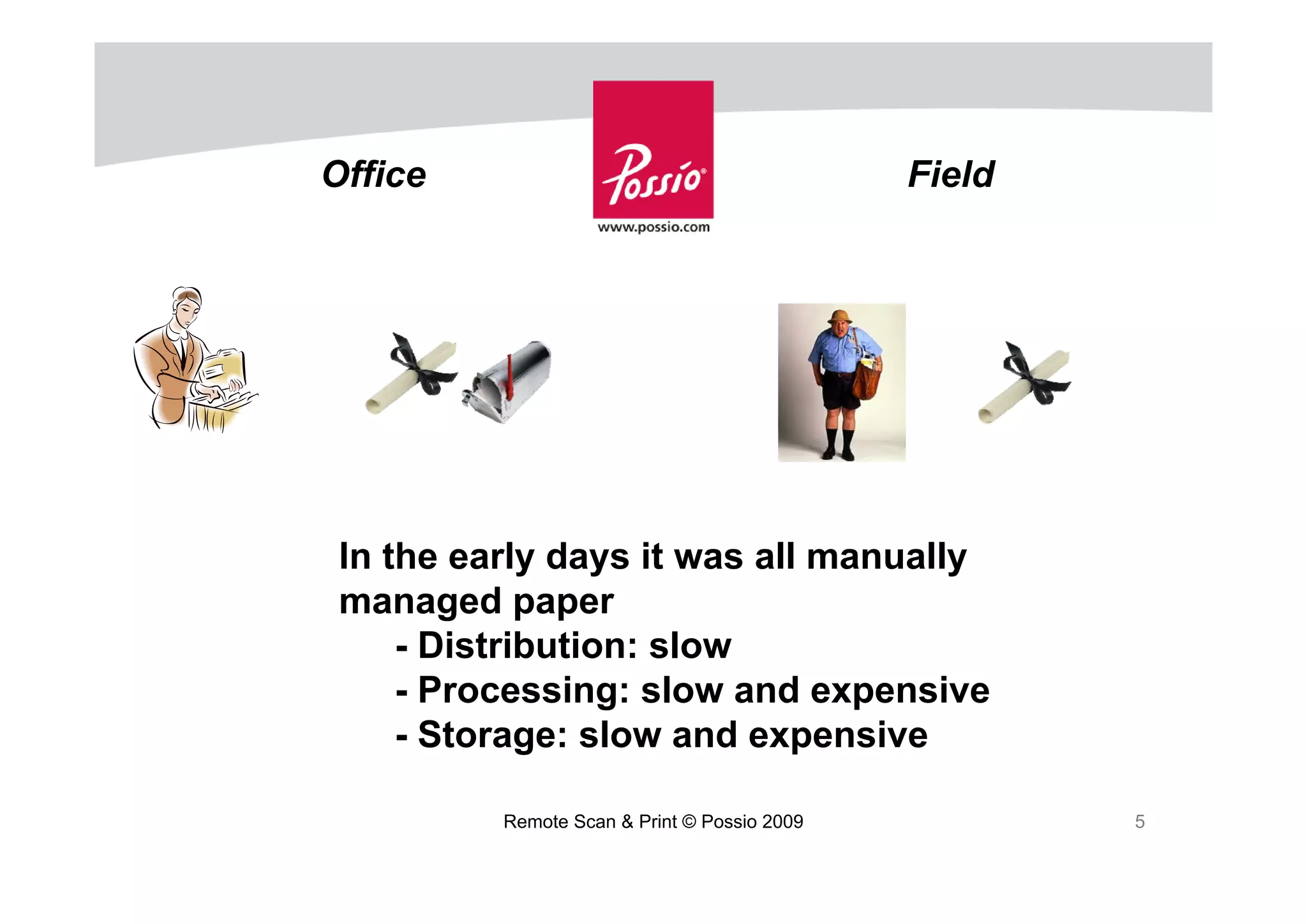
Office                                        Field


 In the early days it was all manually
 managed paper
     - Distribution: slow
     - Processing: slow and expensive
     - Storage: slow and expensive

          Remote Scan & Print © Possio 2009           5
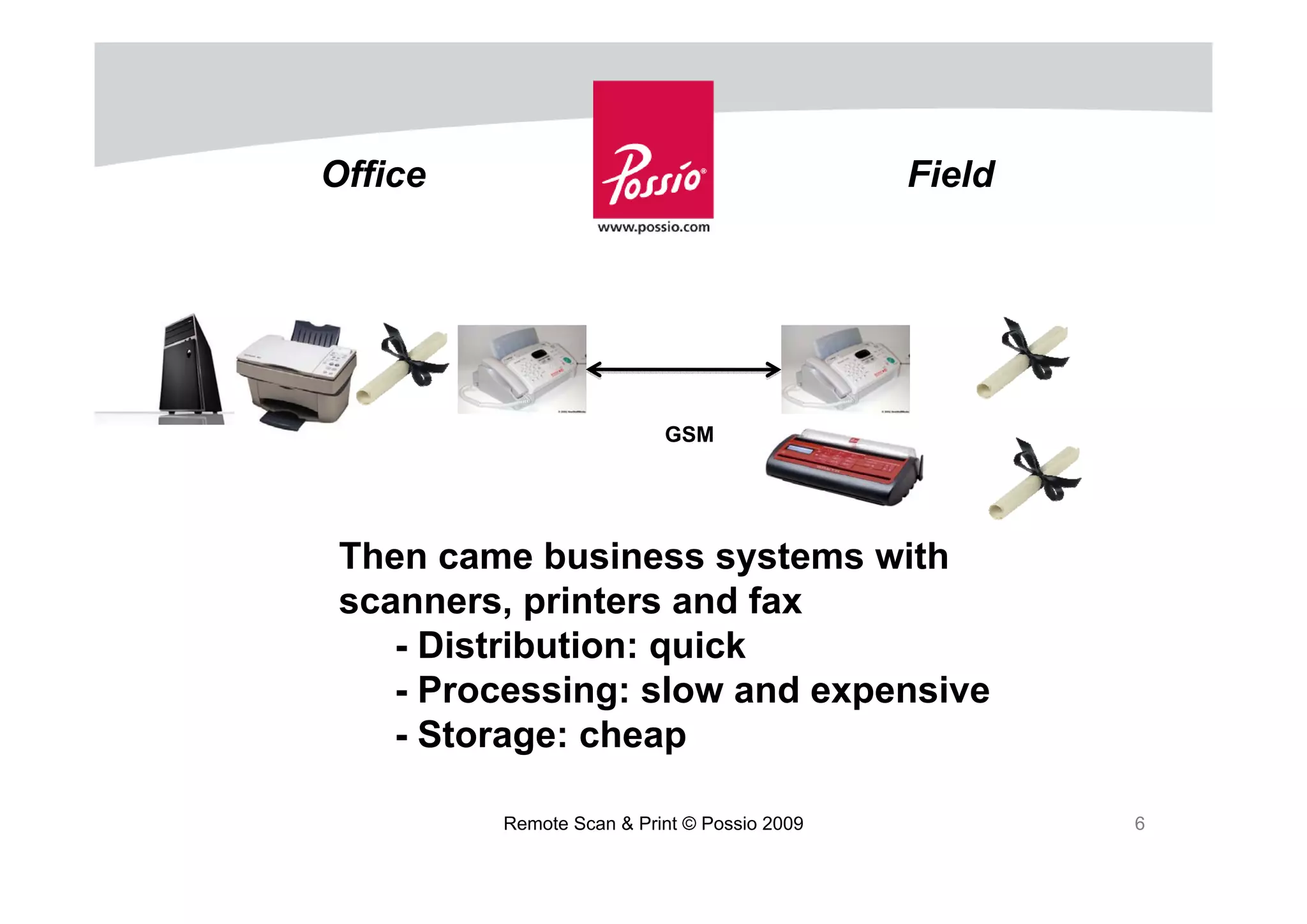
Office                                       Field


                          GSM


 Then came business systems with
 scanners, printers and fax
    - Distribution: quick
    - Processing: slow and expensive
    - Storage: cheap

         Remote Scan & Print © Possio 2009           6
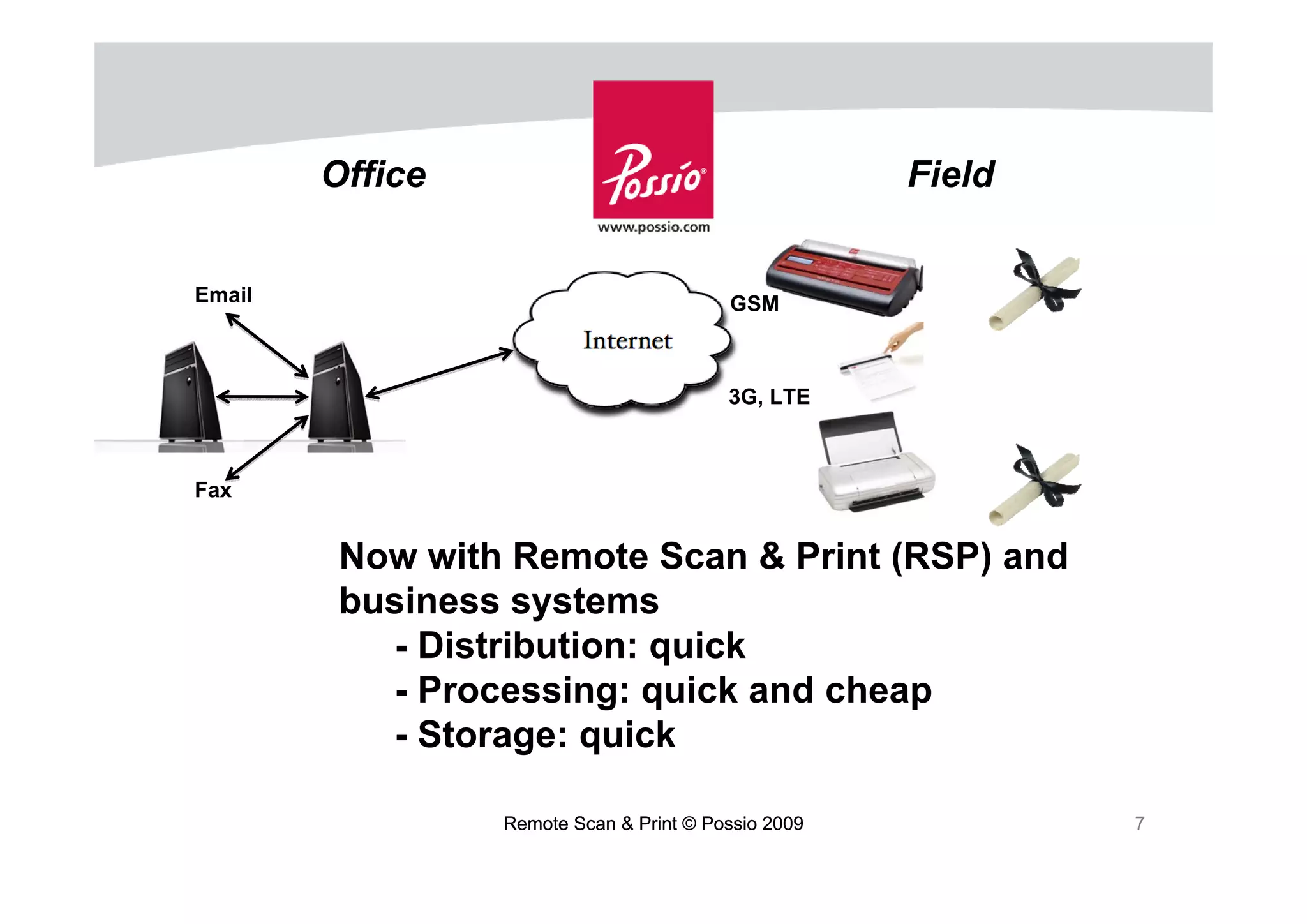
Office                                       Field


Email                                    GSM


                                         3G, LTE


Fax


         Now with Remote Scan & Print (RSP) and
         business systems
           - Distribution: quick
           - Processing: quick and cheap
           - Storage: quick

                 Remote Scan & Print © Possio 2009           7
Requirements on Remote Scan & Print
•   Receipts – so you know the document is printed or received
•   Encryption – so no one else can read your information
•   Trackability – so you can go back and see what has been done
•   Unique identities – so there will never be duplicates
•   Meta data – so we know a lot about when and where documents
                 were created


                        Remote Scan & Print © Possio 2009          8
Examples of documents on the road
•   Rail4Chem (Veolia group): Transporter of special goods and
    chemicals across Europe on trains. Use GSM fax to comply with
    regulations and policies from National Train Authorities.
•   ”So in addition to convenience, if you are faxing any quantity of
    pages, it just makes economical sense” says Mr Jim Woltmann,
    Terminal Manager, Logistics, Kemira US with GRETA in their trucks.
•   Torben Rafn: Danish transporter of special goods and all 60 tractors
    are equipped with GSM fax to manage transport permits by the
    police.


                         Remote Scan & Print © Possio 2009             9
Benefits of Remote Scan & Print
•   Best of both worlds: store, handle and distribute digital documents.
    Sign, rubberstamp and leave behind paper.
•   Less errors since paper documents are captured at creation
•   Rapidly updated business systems means excellent service and
    quick invoicing
•   Any paper document available in case of police controls, customs,
    etc.


                          Remote Scan & Print © Possio 2009                10
Where do I start?
1. Subscribe to ”Documents on the Road” (free newsletter)
   http://www.possio.com/newsletter.
2. Start using mobile GSM fax and adjust processes
3. Join RSP Pilot program


   Thank you!


                            Remote Scan & Print © Possio 2009   11

Melander_ Possio

  • 1.
    Remote Scan &Print: Paper documents and business systems are here to stay! ITN Torino October 15, 2009 Magnus Melander Chairman Possio AB magnus@wbird.se Remote Scan & Print © Possio 2009 1
  • 2.
    The paperless office • Early prediction of paperless office in Business Week June 1975 – Office automation would make paper redundant for record and bookkeeping • But ease of producing all kinds of documents on PCs and print them made office use of paper more than doubling from 1980 to 2000. Since 2000 global use of office paper has leveled off and is now decreasing which has been attributed to a generation shift (the Economist Oct 2008) • Finally! Remote Scan & Print © Possio 2009 2
  • 3.
    Business systems enablethe paperless office • Information is stored and processed in business systems • Processes support on-line management of the work flow • Information are accessible from local and remote terminals • Paper documents are gathered at offices and scanned into business systems • Digital documents are printed at offices and distributed Remote Scan & Print © Possio 2009 3
  • 4.
    The paperless business • Is very very far away! • Almost all business around the world is done on paper – Papers are signed, rubber stamped and left behind Remote Scan & Print © Possio 2009 4
  • 5.
    Office Field In the early days it was all manually managed paper - Distribution: slow - Processing: slow and expensive - Storage: slow and expensive Remote Scan & Print © Possio 2009 5
  • 6.
    Office Field GSM Then came business systems with scanners, printers and fax - Distribution: quick - Processing: slow and expensive - Storage: cheap Remote Scan & Print © Possio 2009 6
  • 7.
    Office Field Email GSM 3G, LTE Fax Now with Remote Scan & Print (RSP) and business systems - Distribution: quick - Processing: quick and cheap - Storage: quick Remote Scan & Print © Possio 2009 7
  • 8.
    Requirements on RemoteScan & Print • Receipts – so you know the document is printed or received • Encryption – so no one else can read your information • Trackability – so you can go back and see what has been done • Unique identities – so there will never be duplicates • Meta data – so we know a lot about when and where documents were created Remote Scan & Print © Possio 2009 8
  • 9.
    Examples of documentson the road • Rail4Chem (Veolia group): Transporter of special goods and chemicals across Europe on trains. Use GSM fax to comply with regulations and policies from National Train Authorities. • ”So in addition to convenience, if you are faxing any quantity of pages, it just makes economical sense” says Mr Jim Woltmann, Terminal Manager, Logistics, Kemira US with GRETA in their trucks. • Torben Rafn: Danish transporter of special goods and all 60 tractors are equipped with GSM fax to manage transport permits by the police. Remote Scan & Print © Possio 2009 9
  • 10.
    Benefits of RemoteScan & Print • Best of both worlds: store, handle and distribute digital documents. Sign, rubberstamp and leave behind paper. • Less errors since paper documents are captured at creation • Rapidly updated business systems means excellent service and quick invoicing • Any paper document available in case of police controls, customs, etc. Remote Scan & Print © Possio 2009 10
  • 11.
    Where do Istart? 1. Subscribe to ”Documents on the Road” (free newsletter) http://www.possio.com/newsletter. 2. Start using mobile GSM fax and adjust processes 3. Join RSP Pilot program Thank you! Remote Scan & Print © Possio 2009 11