Making Effective, Useful
Software Development Tools
Gail C. Murphy

University of British Columbia
@gail_murphy
A more restrictive license has been
chosen given use of licensed images.
Image cannot be reused.
2
A quick survey…
Intro
When you build software, do you mostly use…
command-line tools?
development environments?
something else?
3
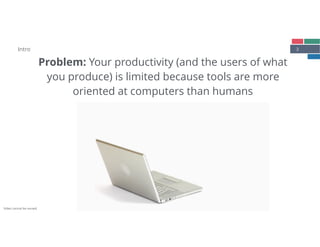
Problem: Your productivity (and the users of what

you produce) is limited because tools are more

oriented at computers than humans
Intro
Video cannot be reused.
4
Example:

Sharing changes


based on [Bradley, Fritz, Holmes, ICSE 2018]
(a) Access issue tracker and check issue number
for current work item
(b) Open terminal and run tests against changed
code (e.g., npm run tests)
(c) Use terminal to commit code (e.g., git

commit -m ‘See issue 123’)
(d) Pull any external changes from remote
repository (git pull)
(e) Push the local change to the remote repository
(git push)
(f) Open the commit in the version control system
using GitHub web interface and open a pull
request
(g) Determine reviewers and assign them to pull
request
Intro
5Intro
Observational study: A software developer’s
work is fragmented across tasks and tools
Actvities and Task Switches (Session 1)
Time [minutes]
Subject
0 30 60 90 120 150 180
T3
T2
T1
S4
S3
S2
S1
R4
R3
R2
R1
●
●
●
●
●
●
●●
●●●●
● ● ● ●
●
● ●●●●●
●
●
●●●
●●●
●●
●
51 activity switches
10 task switches, 3 distinct tasks
●
●
●●
●
●●●●
●
●●
●
●
●●
●●
●
●●
●●●
●●●●
●
●
●●
●
●
●
●●●
●
●
●
●●●
●
●●
●
●
●
●
●
●
●
●●
●
●
●
●
●
●●●●
●
●
●●
●
●●●●
●
●
●
●
●
●
●
●
● ● ●
● ● ●●
●●
●
●
●
●
●●
●
●
●
●
●
●●●
●
● ●
●
● ●
●
●●
●
●
●●
●
166 activity switches
36 task switches, 3 distinct tasks
●
●●●●
●
●
●
●●
●●●
●
●
●
●
●
●
●
●
●
●
●●
●
●●
●
●●●
●
●
●
●
●●●
●
●●
●
●
●
● ●
●
●
●
●●●●
●
●
●●●
●
●
●●
●
●
●●●
●●●
●●●
●●●●●
●
●
●●●●●●●●
●
●●●
●
● ●● ●●
●
●●
● ●●
●
●
●
●
●
●
●
●●
●
●●●●
●●●
●
●●
●
●●●●●●
●
●●
● ●●●
●
●
● 230 activity switches
79 task switches, 4 distinct tasks
●●
●● ●
●●
●
●
●●●
●
●●
●●●●●
●●
●●
●
●●●●●
●● ●
●●●●
●
●
●
● ●●
●●
● ●●
● ● ●
85 activity switches
13 task switches, 4 distinct tasks
● ●●
●●
●●
●
●
●
●●●
●●
●●●● ●
●
●
●●●
●
●
●
●
●
●
●
● ●● ● ●
●
●
●
●● ●
●
59 activity switches
20 task switches, 5 distinct tasks
● ●
●●●
●
●
●●●●
●●●
● ● ●
● ●
● ●
●●●
●●● ●
●
●
● ●
88 activity switches
17 task switches, 5 distinct tasks
●
●
●●●
●●●●●●●
●●
●●
●
●●●●
●
●
●
●
●●●●●
●
●
●
●●
●
●
●
●
●●
●●
●●●●●●●
●●
●
●●
●
●
●●●
●
●
●
●
● ●
●
●
●
●●
●
●
●
●
●●
●●
●●●
●●
●
●
●
●
● ●●●
●●
●
●
●
●●●
●
●
148 activity switches
27 task switches, 4 distinct tasks
●
●●● ●● ●●
●
●
●
●
●● ●●●●●
●●● ●●
●
●●●● ●●●
●
●
●
●●● ●
●●
●● ●
108 activity switches
16 task switches, 5 distinct tasks
●
●
●
●
●
●
●●
●
●●
●
●
●● ● ●
●
● ● ●
● ●
●
●
● ●
●
66 activity switches
25 task switches
4 distinct tasks
●
●
●
● ●
●●●
●
●
●
●
●
●●●
● ●
● ●
●
●
●
●
● ●●
●
● ●
●
● ●●
●●
●
●
102 activity switches
61 task switches
6 distinct tasks
●
●
●
●●●
●
●●●●●●●●●●
●
●●
●
● ●
●
●
● ●
●
●●●●●●●
●
● ●●●●●
●●●● ● ●
●
●●● ●
●
●●
●●
●●
96 activity switches
28 task switches, 4 distinct tasks
●
●
●
●
●
●
Dev:VC
Dev:Debug
Dev:Code
Dev:Review
Dev:TestApp
Dev:Other
BrowsingRel
BrowsingUnrel
MeetInformal
MeetPlanned
Email
Planning
ReadWriteDoc
Other
[Meyer, Fritz, Murphy, Zimmermann, FSE 2014]
6
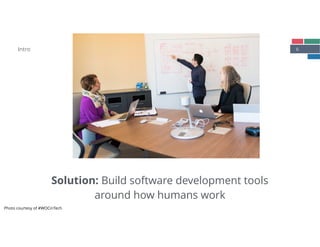
Solution: Build software development tools
around how humans work
Intro
Photo courtesy of
#WOCinTech
Photo courtesy of #WOCinTech
7Intro
Bridging
Theory
Assessment of
Effectiveness
Identification of
Mismatch
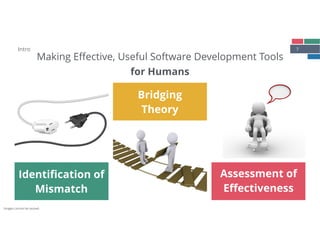
Making Effective, Useful Software Development Tools
for Humans
Images cannot be reused.
8Intro
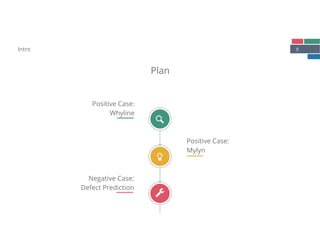
Plan
Positive Case:

Mylyn
Positive Case:

Whyline
Negative Case:

Defect Prediction

!
"
9Intro
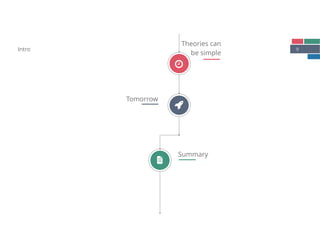
Theories can 

be simple
Tomorrow
Summary
#
$
é
10
Positive Case:

Whyline
11Whyline
[Ko & Myers, CHI 2004]
Identification of
Mismatch
Bridging
Theory
Assessment of
Effectiveness
Positive Case: Whyline
Debugging tools do not 

support inquisitive nature of activity
Directly support hypothesizing:

why did and why didn’t questions
Comparative lab study shows

Whyline reduces debugging time by

a factor of ~8
12
Identification of
Mismatch
Positive Case: Whyline
Debugging:

Developer has to

work in terms
of program’s

execution model
Image from: [Ko & Myers, CHI 2004]
13Positive Case: Whyline
Bridging
Theory
Existing tools lack

support for

hypothesizing
Directly support

why did and

why didn’t questions
Image from: [Ko & Myers, CHI 2004]
14Positive Case: Whyline
Assessment of
Effectiveness
Comparative lab study shows

Whyline reduces debugging time by

a factor of ~8
Image from: [Ko & Myers, CHI 2004]
15Whyline
[Ko & Myers, CHI 2004]
Identification of
Mismatch
Bridging
Theory
Assessment of
Effectiveness
Positive Case: Whyline
Debugging tools do not 

support inquisitive nature of activity
Directly support hypothesizing:

why did and why didn’t questions
Comparative lab study shows

Whyline reduces debugging time by

a factor of ~8
16
Positive Case:

Mylyn
17Mylyn
[Kersten & Murphy, FSE 2006]
Identification of
Mismatch
Bridging
Theory
Assessment of
Effectiveness
Positive Case: Mylyn
Development environments 

cause developers information overload

and repetitive activities
Developers work on tasks and use 

episodic memory to recall tasks
Field study shows that productivity

improves with Mylyn use
18
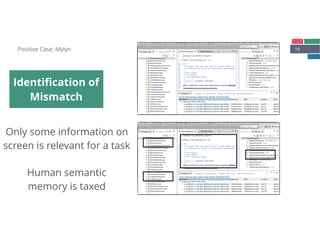
Identification of
Mismatch
Positive Case: Mylyn
Only some information on 

screen is relevant for a task


Human semantic 

memory is taxed
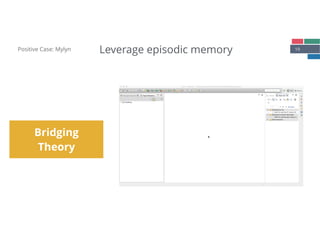
19Positive Case: Mylyn
Bridging
Theory
Leverage episodic memory
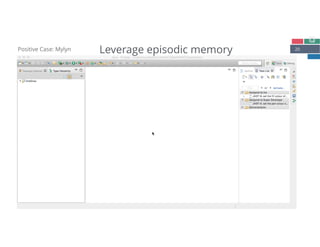
20Positive Case: Mylyn Leverage episodic memory
21Positive Case: Mylyn
Assessment of
Effectiveness
Longitudinal field study (2005)

16 accepted users (99 started study)

13/16 user’s edit ratio improved 

with Mylyn


Adoption (today)
2 million downloads per month

~ > 500K users daily
22Mylyn
[Kersten & Murphy, FSE 2006]
Identification of
Mismatch
Bridging
Theory
Assessment of
Effectiveness
Positive Case: Mylyn
Development environments 

cause developers information overload

and repetitive activities
Developers work on tasks and use 

episodic memory to recall tasks
Field study shows that productivity

improves with Mylyn use
23
Negative Case:

Defect Prediction
24
Defect Prediction
Identification of
Mismatch
Bridging
Theory
Assessment of
Effectiveness
Negative Case:

Defect Prediction
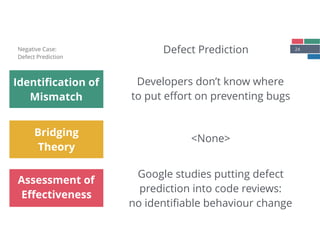
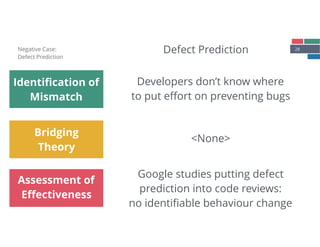
Developers don’t know where

to put effort on preventing bugs
<None>
Google studies putting defect

prediction into code reviews: 

no identifiable behaviour change
25
Identification of
Mismatch
Negative Case:

Defect Prediction
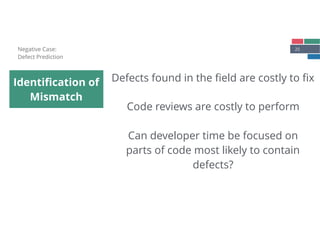
Defects found in the field are costly to fix
Code reviews are costly to perform
Can developer time be focused on
parts of code most likely to contain
defects?
26Negative Case:

Defect Prediction
Bridging
Theory
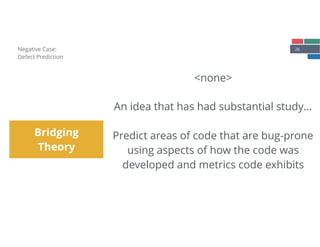
<none>


An idea that has had substantial study…


Predict areas of code that are bug-prone
using aspects of how the code was
developed and metrics code exhibits
27Negative Case:

Defect Prediction
Assessment of
Effectiveness
Google study: Embedded defect prediction
results into code review tool [Lewis et al, ICSE 2013]


“This file has been flagged as bug-prone … based
on the number of changeless it has been in with
‘bug’ attached…Please review carefully”
No effect on developers…
28
Defect Prediction
Identification of
Mismatch
Bridging
Theory
Assessment of
Effectiveness
Negative Case:

Defect Prediction
Developers don’t know where

to put effort on preventing bugs
<None>
Google studies putting defect

prediction into code reviews: 

no identifiable behaviour change
29
Theories can be simple
30
“Even though the UNIX system
introduces a number of innovative
programs and techniques, no single
program or idea makes it work well.
Instead, what makes it effective is the
approach to programming, a
philosophy of using the computer. […]
at its heart is the idea that the power
of a system comes more from the
relationships among programs than
from the programs themselves.”
31
Humans can visualize,
understand and reason
about data pipelines
sort file1 | uniq > file2
32
Tomorrow
33Tomorrow
Why do many software developers still have to work

fundamentally the same way as 30 years ago?
Actvities and Task Switches (Session 1)
Time [minutes]
Subject
0 30 60 90 120 150 180
T3
T2
T1
S4
S3
S2
S1
R4
R3
R2
R1
●
●
●
●
●
●
●●
●●●●
● ● ● ●
●
● ●●●●●
●
●
●●●
●●●
●●
●
51 activity switches
10 task switches, 3 distinct tasks
●
●
●●
●
●●●●
●
●●
●
●
●●
●●
●
●●
●●●
●●●●
●
●
●●
●
●
●
●●●
●
●
●
●●●
●
●●
●
●
●
●
●
●
●
●●
●
●
●
●
●
●●●●
●
●
●●
●
●●●●
●
●
●
●
●
●
●
●
● ● ●
● ● ●●
●●
●
●
●
●
●●
●
●
●
●
●
●●●
●
● ●
●
● ●
●
●●
●
●
●●
●
166 activity switches
36 task switches, 3 distinct tasks
●
●●●●
●
●
●
●●
●●●
●
●
●
●
●
●
●
●
●
●
●●
●
●●
●
●●●
●
●
●
●
●●●
●
●●
●
●
●
● ●
●
●
●
●●●●
●
●
●●●
●
●
●●
●
●
●●●
●●●
●●●
●●●●●
●
●
●●●●●●●●
●
●●●
●
● ●● ●●
●
●●
● ●●
●
●
●
●
●
●
●
●●
●
●●●●
●●●
●
●●
●
●●●●●●
●
●●
● ●●●
●
●
● 230 activity switches
79 task switches, 4 distinct tasks
●●
●● ●
●●
●
●
●●●
●
●●
●●●●●
●●
●●
●
●●●●●
●● ●
●●●●
●
●
●
● ●●
●●
● ●●
● ● ●
85 activity switches
13 task switches, 4 distinct tasks
● ●●
●●
●●
●
●
●
●●●
●●
●●●● ●
●
●
●●●
●
●
●
●
●
●
●
● ●● ● ●
●
●
●
●● ●
●
59 activity switches
20 task switches, 5 distinct tasks
● ●
●●●
●
●
●●●●
●●●
● ● ●
● ●
● ●
●●●
●●● ●
●
●
● ●
88 activity switches
17 task switches, 5 distinct tasks
●
●
●●●
●●●●●●●
●●
●●
●
●●●●
●
●
●
●
●●●●●
●
●
●
●●
●
●
●
●
●●
●●
●●●●●●●
●●
●
●●
●
●
●●●
●
●
●
●
● ●
●
●
●
●●
●
●
●
●
●●
●●
●●●
●●
●
●
●
●
● ●●●
●●
●
●
●
●●●
●
●
148 activity switches
27 task switches, 4 distinct tasks
●
●●● ●● ●●
●
●
●
●
●● ●●●●●
●●● ●●
●
●●●● ●●●
●
●
●
●●● ●
●●
●● ●
108 activity switches
16 task switches, 5 distinct tasks
●
●
●
●
●
●
●●
●
●●
●
●
●● ● ●
●
● ● ●
● ●
●
●
● ●
●
66 activity switches
25 task switches
4 distinct tasks
●
●
●
● ●
●●●
●
●
●
●
●
●●●
● ●
● ●
●
●
●
●
● ●●
●
● ●
●
● ●●
●●
●
●
102 activity switches
61 task switches
6 distinct tasks
●
●
●
●●●
●
●●●●●●●●●●
●
●●
●
● ●
●
●
● ●
●
●●●●●●●
●
● ●●●●●
●●●● ● ●
●
●●● ●
●
●●
●●
●●
96 activity switches
28 task switches, 4 distinct tasks
●
●
●
●
●
●
Dev:VC
Dev:Debug
Dev:Code
Dev:Review
Dev:TestApp
Dev:Other
BrowsingRel
BrowsingUnrel
MeetInformal
MeetPlanned
Email
Planning
ReadWriteDoc
Other
34Tomorrow
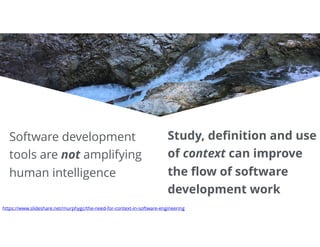
Software development
tools are not amplifying
human intelligence
Study, definition and use
of context can improve
the flow of software
development work
https://www.slideshare.net/murphygc/the-need-for-context-in-software-engineering
35Tomorrow
(a) Access issue tracker and check issue number
for current work item
(b) Open terminal and run tests against changed
code (e.g., npm run tests)
(c) Use terminal to commit code (e.g., git

commit -m ‘See issue 123’)
(d) Pull any external changes from remote
repository (git pull)
(e) Push the local change to the remote repository
(git push)
Example:

Sharing changes


based on [Bradley, Fritz, Holmes, ICSE 2018]
36Tomorrow
(a) Access issue tracker and check issue number
for current work item
(b) Open terminal and run tests against changed
code (e.g., npm run tests)
(c) Use terminal to commit code (e.g., git

commit -m ‘See issue 123’)
(d) Pull any external changes from remote
repository (git pull)
(e) Push the local change to the remote repository
(git push)
Replace…
[Bradley, Fritz, Holmes, ICSE 2018]
37Tomorrow
Human: Devy, I’m done

Devy: You have uncommitted changes. 

Should I commit them?
Human: Ok
Devy: OK, I’m about to open a pull request,
should I assign Alice?
Human: OK
With Devy
[Bradley, Fritz, Holmes, ICSE 2018]
38
Summary
Thanks
to the funders of my research (NSERC in par8cular), my fantas8c
academic and industrial colleagues, post-doctoral fellows,
graduate and undergraduate students, to Mik Kersten and Robert
Elves (my co-founders at Tasktop Technologies) and to the
fantas8c team at Tasktop from whom I have learned so much.
Icons made by Freepik under a Crea8ve Commons BY 3.0 license
40Summary
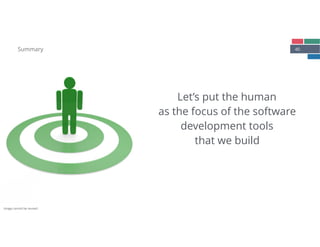
Let’s put the human
as the focus of the software
development tools
that we build
Image cannot be reused.
41Intro
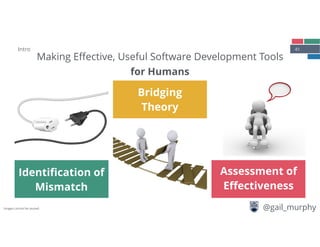
Bridging
Theory
Assessment of
Effectiveness
Identification of
Mismatch
Making Effective, Useful Software Development Tools
for Humans
@gail_murphyImages cannot be reused.

Making Effective, Useful Software Development Tools

  • 1.
    Making Effective, Useful SoftwareDevelopment Tools Gail C. Murphy
 University of British Columbia @gail_murphy A more restrictive license has been chosen given use of licensed images. Image cannot be reused.
  • 2.
    2 A quick survey… Intro Whenyou build software, do you mostly use… command-line tools? development environments? something else?
  • 3.
    3 Problem: Your productivity(and the users of what
 you produce) is limited because tools are more
 oriented at computers than humans Intro Video cannot be reused.
  • 4.
    4 Example:
 Sharing changes
 
 based on[Bradley, Fritz, Holmes, ICSE 2018] (a) Access issue tracker and check issue number for current work item (b) Open terminal and run tests against changed code (e.g., npm run tests) (c) Use terminal to commit code (e.g., git
 commit -m ‘See issue 123’) (d) Pull any external changes from remote repository (git pull) (e) Push the local change to the remote repository (git push) (f) Open the commit in the version control system using GitHub web interface and open a pull request (g) Determine reviewers and assign them to pull request Intro
  • 5.
    5Intro Observational study: Asoftware developer’s work is fragmented across tasks and tools Actvities and Task Switches (Session 1) Time [minutes] Subject 0 30 60 90 120 150 180 T3 T2 T1 S4 S3 S2 S1 R4 R3 R2 R1 ● ● ● ● ● ● ●● ●●●● ● ● ● ● ● ● ●●●●● ● ● ●●● ●●● ●● ● 51 activity switches 10 task switches, 3 distinct tasks ● ● ●● ● ●●●● ● ●● ● ● ●● ●● ● ●● ●●● ●●●● ● ● ●● ● ● ● ●●● ● ● ● ●●● ● ●● ● ● ● ● ● ● ● ●● ● ● ● ● ● ●●●● ● ● ●● ● ●●●● ● ● ● ● ● ● ● ● ● ● ● ● ● ●● ●● ● ● ● ● ●● ● ● ● ● ● ●●● ● ● ● ● ● ● ● ●● ● ● ●● ● 166 activity switches 36 task switches, 3 distinct tasks ● ●●●● ● ● ● ●● ●●● ● ● ● ● ● ● ● ● ● ● ●● ● ●● ● ●●● ● ● ● ● ●●● ● ●● ● ● ● ● ● ● ● ● ●●●● ● ● ●●● ● ● ●● ● ● ●●● ●●● ●●● ●●●●● ● ● ●●●●●●●● ● ●●● ● ● ●● ●● ● ●● ● ●● ● ● ● ● ● ● ● ●● ● ●●●● ●●● ● ●● ● ●●●●●● ● ●● ● ●●● ● ● ● 230 activity switches 79 task switches, 4 distinct tasks ●● ●● ● ●● ● ● ●●● ● ●● ●●●●● ●● ●● ● ●●●●● ●● ● ●●●● ● ● ● ● ●● ●● ● ●● ● ● ● 85 activity switches 13 task switches, 4 distinct tasks ● ●● ●● ●● ● ● ● ●●● ●● ●●●● ● ● ● ●●● ● ● ● ● ● ● ● ● ●● ● ● ● ● ● ●● ● ● 59 activity switches 20 task switches, 5 distinct tasks ● ● ●●● ● ● ●●●● ●●● ● ● ● ● ● ● ● ●●● ●●● ● ● ● ● ● 88 activity switches 17 task switches, 5 distinct tasks ● ● ●●● ●●●●●●● ●● ●● ● ●●●● ● ● ● ● ●●●●● ● ● ● ●● ● ● ● ● ●● ●● ●●●●●●● ●● ● ●● ● ● ●●● ● ● ● ● ● ● ● ● ● ●● ● ● ● ● ●● ●● ●●● ●● ● ● ● ● ● ●●● ●● ● ● ● ●●● ● ● 148 activity switches 27 task switches, 4 distinct tasks ● ●●● ●● ●● ● ● ● ● ●● ●●●●● ●●● ●● ● ●●●● ●●● ● ● ● ●●● ● ●● ●● ● 108 activity switches 16 task switches, 5 distinct tasks ● ● ● ● ● ● ●● ● ●● ● ● ●● ● ● ● ● ● ● ● ● ● ● ● ● ● 66 activity switches 25 task switches 4 distinct tasks ● ● ● ● ● ●●● ● ● ● ● ● ●●● ● ● ● ● ● ● ● ● ● ●● ● ● ● ● ● ●● ●● ● ● 102 activity switches 61 task switches 6 distinct tasks ● ● ● ●●● ● ●●●●●●●●●● ● ●● ● ● ● ● ● ● ● ● ●●●●●●● ● ● ●●●●● ●●●● ● ● ● ●●● ● ● ●● ●● ●● 96 activity switches 28 task switches, 4 distinct tasks ● ● ● ● ● ● Dev:VC Dev:Debug Dev:Code Dev:Review Dev:TestApp Dev:Other BrowsingRel BrowsingUnrel MeetInformal MeetPlanned Email Planning ReadWriteDoc Other [Meyer, Fritz, Murphy, Zimmermann, FSE 2014]
  • 6.
    6 Solution: Build softwaredevelopment tools around how humans work Intro Photo courtesy of #WOCinTech Photo courtesy of #WOCinTech
  • 7.
    7Intro Bridging Theory Assessment of Effectiveness Identification of Mismatch MakingEffective, Useful Software Development Tools for Humans Images cannot be reused.
  • 8.
  • 9.
    9Intro Theories can 
 besimple Tomorrow Summary # $ é
  • 10.
  • 11.
    11Whyline [Ko & Myers,CHI 2004] Identification of Mismatch Bridging Theory Assessment of Effectiveness Positive Case: Whyline Debugging tools do not 
 support inquisitive nature of activity Directly support hypothesizing:
 why did and why didn’t questions Comparative lab study shows
 Whyline reduces debugging time by
 a factor of ~8
  • 12.
    12 Identification of Mismatch Positive Case:Whyline Debugging:
 Developer has to
 work in terms of program’s
 execution model Image from: [Ko & Myers, CHI 2004]
  • 13.
    13Positive Case: Whyline Bridging Theory Existingtools lack
 support for
 hypothesizing Directly support
 why did and
 why didn’t questions Image from: [Ko & Myers, CHI 2004]
  • 14.
    14Positive Case: Whyline Assessmentof Effectiveness Comparative lab study shows
 Whyline reduces debugging time by
 a factor of ~8 Image from: [Ko & Myers, CHI 2004]
  • 15.
    15Whyline [Ko & Myers,CHI 2004] Identification of Mismatch Bridging Theory Assessment of Effectiveness Positive Case: Whyline Debugging tools do not 
 support inquisitive nature of activity Directly support hypothesizing:
 why did and why didn’t questions Comparative lab study shows
 Whyline reduces debugging time by
 a factor of ~8
  • 16.
  • 17.
    17Mylyn [Kersten & Murphy,FSE 2006] Identification of Mismatch Bridging Theory Assessment of Effectiveness Positive Case: Mylyn Development environments 
 cause developers information overload
 and repetitive activities Developers work on tasks and use 
 episodic memory to recall tasks Field study shows that productivity
 improves with Mylyn use
  • 18.
    18 Identification of Mismatch Positive Case:Mylyn Only some information on 
 screen is relevant for a task
 
 Human semantic 
 memory is taxed
  • 19.
  • 20.
    20Positive Case: MylynLeverage episodic memory
  • 21.
    21Positive Case: Mylyn Assessmentof Effectiveness Longitudinal field study (2005)
 16 accepted users (99 started study)
 13/16 user’s edit ratio improved 
 with Mylyn
 
 Adoption (today) 2 million downloads per month
 ~ > 500K users daily
  • 22.
    22Mylyn [Kersten & Murphy,FSE 2006] Identification of Mismatch Bridging Theory Assessment of Effectiveness Positive Case: Mylyn Development environments 
 cause developers information overload
 and repetitive activities Developers work on tasks and use 
 episodic memory to recall tasks Field study shows that productivity
 improves with Mylyn use
  • 23.
  • 24.
    24 Defect Prediction Identification of Mismatch Bridging Theory Assessmentof Effectiveness Negative Case:
 Defect Prediction Developers don’t know where
 to put effort on preventing bugs <None> Google studies putting defect
 prediction into code reviews: 
 no identifiable behaviour change
  • 25.
    25 Identification of Mismatch Negative Case:
 DefectPrediction Defects found in the field are costly to fix Code reviews are costly to perform Can developer time be focused on parts of code most likely to contain defects?
  • 26.
    26Negative Case:
 Defect Prediction Bridging Theory <none>
 
 Anidea that has had substantial study…
 
 Predict areas of code that are bug-prone using aspects of how the code was developed and metrics code exhibits
  • 27.
    27Negative Case:
 Defect Prediction Assessmentof Effectiveness Google study: Embedded defect prediction results into code review tool [Lewis et al, ICSE 2013]
 
 “This file has been flagged as bug-prone … based on the number of changeless it has been in with ‘bug’ attached…Please review carefully” No effect on developers…
  • 28.
    28 Defect Prediction Identification of Mismatch Bridging Theory Assessmentof Effectiveness Negative Case:
 Defect Prediction Developers don’t know where
 to put effort on preventing bugs <None> Google studies putting defect
 prediction into code reviews: 
 no identifiable behaviour change
  • 29.
  • 30.
    30 “Even though theUNIX system introduces a number of innovative programs and techniques, no single program or idea makes it work well. Instead, what makes it effective is the approach to programming, a philosophy of using the computer. […] at its heart is the idea that the power of a system comes more from the relationships among programs than from the programs themselves.”
  • 31.
    31 Humans can visualize, understandand reason about data pipelines sort file1 | uniq > file2
  • 32.
  • 33.
    33Tomorrow Why do manysoftware developers still have to work
 fundamentally the same way as 30 years ago? Actvities and Task Switches (Session 1) Time [minutes] Subject 0 30 60 90 120 150 180 T3 T2 T1 S4 S3 S2 S1 R4 R3 R2 R1 ● ● ● ● ● ● ●● ●●●● ● ● ● ● ● ● ●●●●● ● ● ●●● ●●● ●● ● 51 activity switches 10 task switches, 3 distinct tasks ● ● ●● ● ●●●● ● ●● ● ● ●● ●● ● ●● ●●● ●●●● ● ● ●● ● ● ● ●●● ● ● ● ●●● ● ●● ● ● ● ● ● ● ● ●● ● ● ● ● ● ●●●● ● ● ●● ● ●●●● ● ● ● ● ● ● ● ● ● ● ● ● ● ●● ●● ● ● ● ● ●● ● ● ● ● ● ●●● ● ● ● ● ● ● ● ●● ● ● ●● ● 166 activity switches 36 task switches, 3 distinct tasks ● ●●●● ● ● ● ●● ●●● ● ● ● ● ● ● ● ● ● ● ●● ● ●● ● ●●● ● ● ● ● ●●● ● ●● ● ● ● ● ● ● ● ● ●●●● ● ● ●●● ● ● ●● ● ● ●●● ●●● ●●● ●●●●● ● ● ●●●●●●●● ● ●●● ● ● ●● ●● ● ●● ● ●● ● ● ● ● ● ● ● ●● ● ●●●● ●●● ● ●● ● ●●●●●● ● ●● ● ●●● ● ● ● 230 activity switches 79 task switches, 4 distinct tasks ●● ●● ● ●● ● ● ●●● ● ●● ●●●●● ●● ●● ● ●●●●● ●● ● ●●●● ● ● ● ● ●● ●● ● ●● ● ● ● 85 activity switches 13 task switches, 4 distinct tasks ● ●● ●● ●● ● ● ● ●●● ●● ●●●● ● ● ● ●●● ● ● ● ● ● ● ● ● ●● ● ● ● ● ● ●● ● ● 59 activity switches 20 task switches, 5 distinct tasks ● ● ●●● ● ● ●●●● ●●● ● ● ● ● ● ● ● ●●● ●●● ● ● ● ● ● 88 activity switches 17 task switches, 5 distinct tasks ● ● ●●● ●●●●●●● ●● ●● ● ●●●● ● ● ● ● ●●●●● ● ● ● ●● ● ● ● ● ●● ●● ●●●●●●● ●● ● ●● ● ● ●●● ● ● ● ● ● ● ● ● ● ●● ● ● ● ● ●● ●● ●●● ●● ● ● ● ● ● ●●● ●● ● ● ● ●●● ● ● 148 activity switches 27 task switches, 4 distinct tasks ● ●●● ●● ●● ● ● ● ● ●● ●●●●● ●●● ●● ● ●●●● ●●● ● ● ● ●●● ● ●● ●● ● 108 activity switches 16 task switches, 5 distinct tasks ● ● ● ● ● ● ●● ● ●● ● ● ●● ● ● ● ● ● ● ● ● ● ● ● ● ● 66 activity switches 25 task switches 4 distinct tasks ● ● ● ● ● ●●● ● ● ● ● ● ●●● ● ● ● ● ● ● ● ● ● ●● ● ● ● ● ● ●● ●● ● ● 102 activity switches 61 task switches 6 distinct tasks ● ● ● ●●● ● ●●●●●●●●●● ● ●● ● ● ● ● ● ● ● ● ●●●●●●● ● ● ●●●●● ●●●● ● ● ● ●●● ● ● ●● ●● ●● 96 activity switches 28 task switches, 4 distinct tasks ● ● ● ● ● ● Dev:VC Dev:Debug Dev:Code Dev:Review Dev:TestApp Dev:Other BrowsingRel BrowsingUnrel MeetInformal MeetPlanned Email Planning ReadWriteDoc Other
  • 34.
    34Tomorrow Software development tools arenot amplifying human intelligence Study, definition and use of context can improve the flow of software development work https://www.slideshare.net/murphygc/the-need-for-context-in-software-engineering
  • 35.
    35Tomorrow (a) Access issuetracker and check issue number for current work item (b) Open terminal and run tests against changed code (e.g., npm run tests) (c) Use terminal to commit code (e.g., git
 commit -m ‘See issue 123’) (d) Pull any external changes from remote repository (git pull) (e) Push the local change to the remote repository (git push) Example:
 Sharing changes
 
 based on [Bradley, Fritz, Holmes, ICSE 2018]
  • 36.
    36Tomorrow (a) Access issuetracker and check issue number for current work item (b) Open terminal and run tests against changed code (e.g., npm run tests) (c) Use terminal to commit code (e.g., git
 commit -m ‘See issue 123’) (d) Pull any external changes from remote repository (git pull) (e) Push the local change to the remote repository (git push) Replace… [Bradley, Fritz, Holmes, ICSE 2018]
  • 37.
    37Tomorrow Human: Devy, I’mdone
 Devy: You have uncommitted changes. 
 Should I commit them? Human: Ok Devy: OK, I’m about to open a pull request, should I assign Alice? Human: OK With Devy [Bradley, Fritz, Holmes, ICSE 2018]
  • 38.
  • 39.
    Thanks to the fundersof my research (NSERC in par8cular), my fantas8c academic and industrial colleagues, post-doctoral fellows, graduate and undergraduate students, to Mik Kersten and Robert Elves (my co-founders at Tasktop Technologies) and to the fantas8c team at Tasktop from whom I have learned so much. Icons made by Freepik under a Crea8ve Commons BY 3.0 license
  • 40.
    40Summary Let’s put thehuman as the focus of the software development tools that we build Image cannot be reused.
  • 41.
    41Intro Bridging Theory Assessment of Effectiveness Identification of Mismatch MakingEffective, Useful Software Development Tools for Humans @gail_murphyImages cannot be reused.