A standards based approach to effective data
visualization design
Make Your Reports Over the Counter
May 6, 2017
Jenny Grant Rankin, Ph.D. Shane Swiderek
University of Cambridge TIBCO Jaspersoft
@JennyGRankin @KidSwid
Learner Objectives
You’ll learn:
Learner Objectives
You’ll learn:
n What are the Over-the-Counter Data
Standards?
Learner Objectives
You’ll learn:
n What are the Over-the-Counter Data
Standards?
n What are the research based statistics
for using these standards? %
Learner Objectives
You’ll learn:
n What are the Over-the-Counter Data
Standards?
n What are the research based statistics
for using these standards?
n What can you do to your reports to
adhere to these standards?
%
Learner Objectives
You’ll learn:
n What are the Over-the-Counter Data
Standards?
n What are the research based statistics
for using these standards?
n What can you do to your reports to
adhere to these standards?
n Jaspersoft specific reporting features
to use :N
%
Your Data
Your Data
Accuracy of
Interpretation
of Data
100%
80
60
40
20
0
Educators
Accuracy of
Interpretation
of Data
100%
80
60
40
20
0
College-Educated Educators
Accuracy of
Interpretation
of Data
100%
80
60
40
20
0 Rankin, 2013
11%
College-Educated Educators
U.S. Dept. of Education
2009, 2011
Accuracy of
Interpretation
of Data
100%
80
60
40
20
0 Rankin, 2013
11-48%
College-Educated Educators
U.S. Dept. of Education
2009, 2011
Accuracy of
Interpretation
of Data
100%
80
60
40
20
0 Rankin, 2013
Accuracy of
Understanding
of Data
11-48%
College-Educated Parents
U.S. Dept. of Education
2009, 2011
Accuracy of
Interpretation
of Data
100%
80
60
40
20
0 Rankin, 2013
60%
Accuracy of
Understanding
of Data
11-48%
College-Educated Parents
U.S. Dept. of Education
2009, 2011
Accuracy of
Interpretation
of Data
100%
80
60
40
20
0
0%
Rankin, 2013
60%
Accuracy of
Understanding
of Data
Kannan, Zapata-Rivera,
& Leibowitz, 2016
11-48%
College-Educated Parents
U.S. Dept. of Education
2009, 2011
Accuracy of
Interpretation
of Data
100%
80
60
40
20
0
0-50%
Rankin, 2013
60%
Accuracy of
Understanding
of Data
Kannan, Zapata-Rivera,
& Leibowitz, 2016
Kannan, Zapata-Rivera,
& Leibowitz, 2016
11-48%
College-Educated Parents
How can we display data
so it is
easy to understand?
How can we display data
so it is
easy to understand?
Answer:
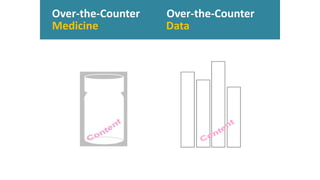
Make data
“over-the-counter”
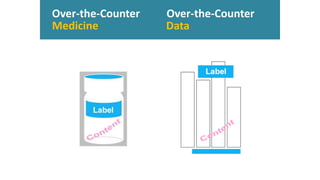
Over-the-Counter Over-the-Counter
Medicine Data
Over-the-Counter Over-the-Counter
Medicine Data
Over-the-Counter Over-the-Counter
Medicine Data
Over-the-Counter Over-the-Counter
Medicine Data
Over-the-Counter Over-the-Counter
Medicine Data
Over-the-Counter Over-the-Counter
Medicine Data
Over-the-Counter Over-the-Counter
Medicine Data
Over-the-Counter Over-the-Counter
Medicine Data
Over-the-Counter Over-the-Counter
Medicine Data
Label
Participant Lifestyle’s Impact on Plant Growth 95%
(Outing & Ruel, 2006)
46
(Conner-Simons, 2015)
?
most
viewed
time
Title
73%
211
11%
control
34%
present
37%
used
used
understanding of data (Rankin, 2015)
Label Footer
50%
211
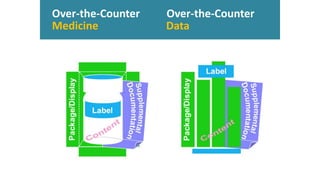
Supplemental Doc
11%
control
23%
present
33%
used
used
understanding of data (Rankin, 2015)
Reference Sheet
Reference Sheet
11%
control
30%
present
understanding of data (Rankin, 2015)
52%
used211
48%
used
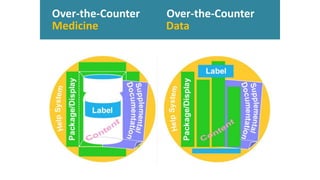
Reference Guide
Supplemental Doc Reference Guide
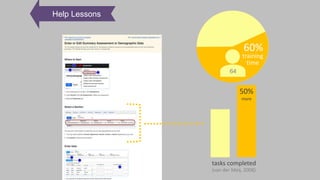
60%
64
Help Lessons
training
time
50%
more
(van der Meij, 2008)
tasks completed
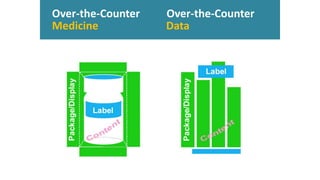
Package/Display
Package/Display & Content
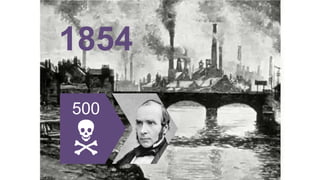
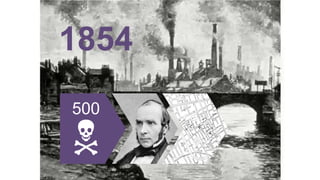
1854
500
N
1854
500
N
1854
500
N
1854
500
N
1854
500
N
1854
500
N
1854
500
N
1854
☤
500
N
1854
☤
Format Most Appropriate for Analysis
1855
1.1mil
N
1855
1.1mil
N
1855
1.1mil
N
1855
1.1mil
N
1855
1.1mil
N
1855
1.1mil
N
1855
☤
1.1mil
N
1855
☤
Graph as Appropriate
1986
1986
1986
1986
1986
1986
7
N
1986
7
N
Vital Data Included
Vital Data Included
Vital Data Included
Over-the-Counter Over-the-Counter
Medicine Data
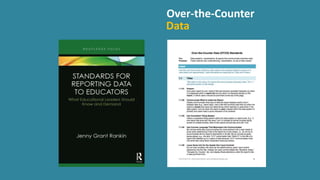
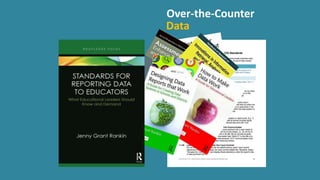
www.jennyrankin.com
/s/OTCDStandards.pdf
63 © Copyright 2000-2019 TIBCO Software Inc.
Jenny Grant Rankin, Ph.D
Award-winning Educator, Researcher, Author, Speaker
Part 2: What does this all mean for Jaspersoft users?
Make Your Reports Over the Counter
Over the counter data (OTCD)
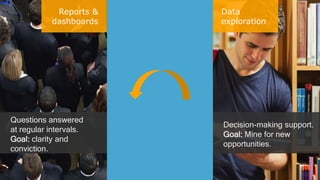
Reports &
dashboards
Data
exploration
Questions answered
at regular intervals.
Goal: clarity and
conviction.
Decision-making support.
Goal: Mine for new
opportunities.
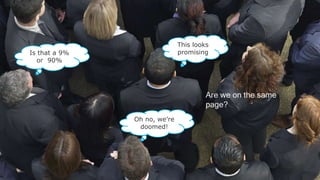
Are we on the same
page?
This looks
promising
Oh no, we’re
doomed!
Is that a 9%
or 90%
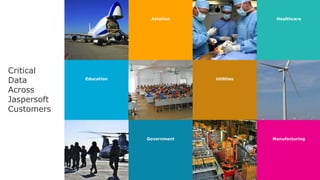
Education Utilities
Lemon drops oat cake oat
cake sugar plum sweet
gingerbread chocolate
cake gingerbread.
Portfolio Five
Aviation Healthcare
Government Manufacturing
Critical
Data
Across
Jaspersoft
Customers
6868
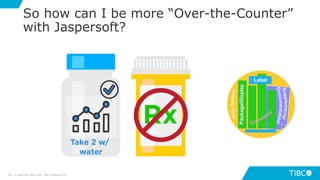
So how can I be more “Over-the-Counter”
with Jaspersoft?
© Copyright 2000-2019 TIBCO Software Inc.
6969
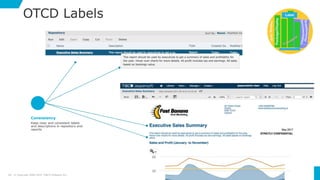
OTCD Labels
© Copyright 2000-2019 TIBCO Software Inc.
Keep clear and consistent labels
and descriptions in repository and
reports
Consistency
7070
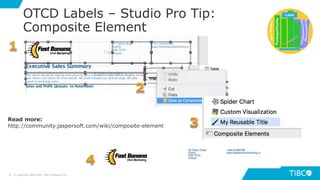
OTCD Labels – Studio Pro Tip:
Composite Element
© Copyright 2000-2019 TIBCO Software Inc.
Read more:
http://community.jaspersoft.com/wiki/composite-element
7171
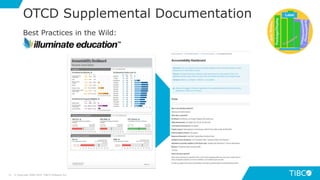
OTCD Supplemental Documentation
© Copyright 2000-2019 TIBCO Software Inc.
Best Practices in the Wild:
7272
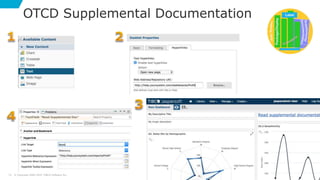
OTCD Supplemental Documentation
© Copyright 2000-2019 TIBCO Software Inc.
7373
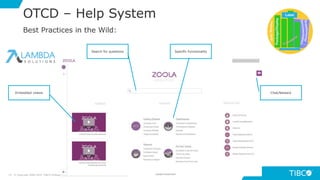
OTCD – Help System
© Copyright 2000-2019 TIBCO Software Inc.
Embedded videos
Search for questions
Chat/feedack
Specific functionality
Best Practices in the Wild:
7474
OTCD — Package & Display
© Copyright 2000-2019 TIBCO Software Inc.
Improve your Data to Ink Ratio
"Data-ink is the non-erasable core of the graphic, the
non-redundant ink arranged in response to variation in
the numbers represented”
- Edward Tufte
7575
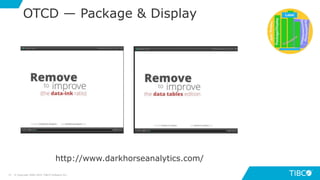
OTCD — Package & Display
© Copyright 2000-2019 TIBCO Software Inc.
http://www.darkhorseanalytics.com/
7676
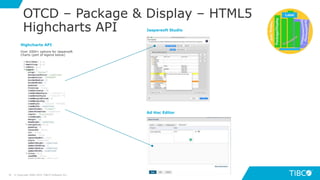
OTCD – Package & Display – HTML5
Highcharts API
© Copyright 2000-2019 TIBCO Software Inc.
Over 2000+ options for Jaspersoft
Charts (part of legend below)
Highcharts API
Jaspersoft Studio
Ad Hoc Editor
7777
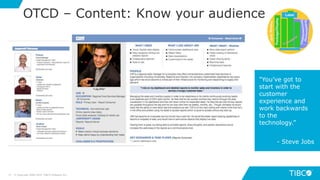
OTCD – Content: Know your audience
© Copyright 2000-2019 TIBCO Software Inc.
"You’ve got to
start with the
customer
experience and
work backwards
to the
technology.”
- Steve Jobs
7878
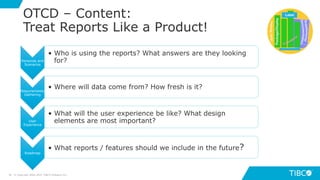
OTCD – Content:
Treat Reports Like a Product!
© Copyright 2000-2019 TIBCO Software Inc.
Personas and
Scenarios
• Who is using the reports? What answers are they looking
for?
Requirements
Gathering
• Where will data come from? How fresh is it?
User
Experience
• What will the user experience be like? What design
elements are most important?
Roadmap
• What reports / features should we include in the future?
© Copyright 2000-2018 TIBCO Software Inc.79
8080
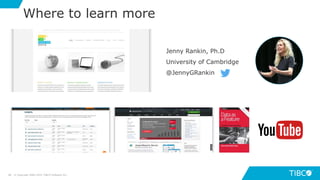
Where to learn more
© Copyright 2000-2019 TIBCO Software Inc.
Jenny Rankin, Ph.D
University of Cambridge
@JennyGRankin

Make Your Reports Over the Counter

Editor's Notes

  • #2 Hello everyone and welcome to today’s webinar: Make Your Reports Over the Counter. A standards based approach to effective data visualization design. Design is a practice we all know is important to various degrees when it comes to data delivery. Today we’re going to try and convince you that it may be even more important than you think and, the neat part about this session, as you might have guessed from the subtitle, we’re going to be introducing you to a set of standards that you can take away and immediately start putting into practice. The ultimate goal is to help you help your users get the absolute most of the reports, dashboards, and data visualizations that you’re providing to them. My name is Shane Swiderek. I am a product marketing manager at TIBCO working in the Jaspersoft product group. I want to mention two quick things before I introduce you to our guest speaker for today: This webinar is being recorded. Following the session, you’ll receive a link to the recording. Generally that’s sent out within a few days after the webinar. If you have any questions as we move along today, we want to hear them. To submit a question, all you have to do is find the Q & A button in Zoom, enter your question, and it’ll pop up in our queue. We’re aiming to save 5 – 10 min at the end to answer as many of your questions as we can. With that, let’s get started.
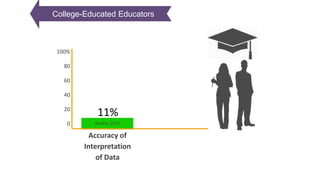
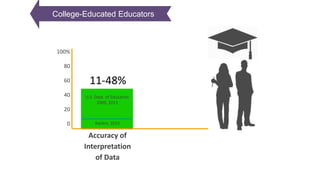
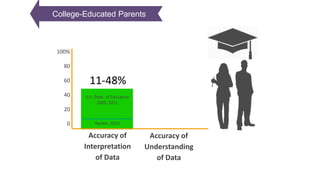
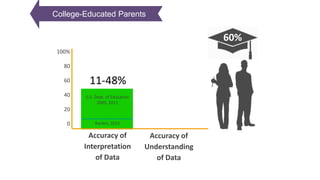
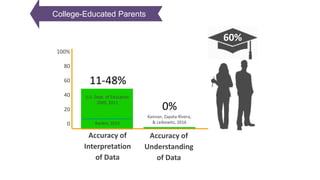
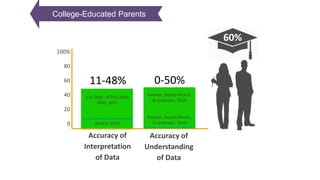
  • #14 researchers found teachers answered only 48% of questions correctly when interpreting data (USDEOPEPD, 2009).
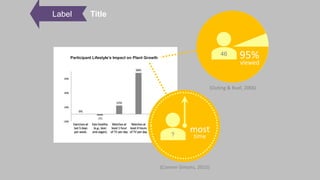
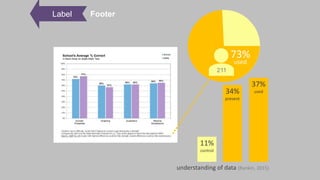
  • #30 In a study where the eye movement of 46 people was monitored as they spent an hour viewing website and multimedia content, 95% of participants paid attention to the summary descriptions that led into more content (Outing & Ruel, 2006). In a paper from Harvard University's John A. Paulson School of Engineering and Applied Sciences and Massachusetts Institute of Technology's (MIT’s) Computer Science and Artificial Intelligence Laboratory at the IEEE Information Visualization Conference involving and an eye-tracking study, the researchers found people spend the most time on the text of data reports - even more than visual elements - and that the title is what people give the most attention of all (Conner-Simons, 2015). - “In a new study that analyzes people’s eye movements as they look at charts, graphs and infographics, researchers have been able to determine which aspects of visualizations make them memorable, understandable and informative. The findings reveal how to make sure your own graphics really pop”
  • #34 For example, a shorter, targeted manual - such as the lessons that a user-friendly Help system can provide - causes users to successfully complete 50% more tasks… and to need 40% less training time than they would have accomplished with only access to a full-sized manual (Hattie, 2010; van der Meij, 2008). Carroll, Smith-Kerker, Ford, Mazur-Rimetz, 1987; Hattie, 2010; van der Meij, 2008 In an examination of how to best design software instructions, van der Meij (2008) recounts two Minimal Manual experiments in which a shorter, targeted manual or user-friendly help system caused users to need 40% less training time and to successfully complete 50% more tasks than they would have accomplished with only access to a full-sized manual.
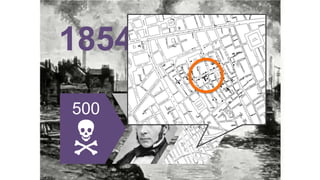
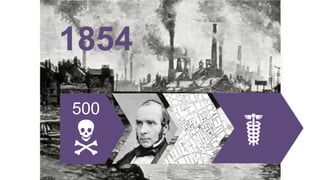
  • #37 In 1854 in London…
  • #38 …within a few square blocks over 500 people died mysteriously within just 10 days.
  • #39 Jon Snow came to the rescue. Does anyone recognize this guy? Those are my Game of Thrones fans.
  • #40 Well, the real Jon Snow looked more like this. He was a doctor who stopped any more of these mysterious deaths from happening, and he did this using data.
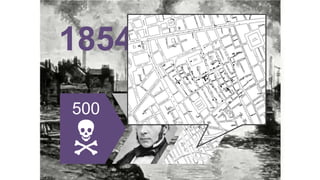
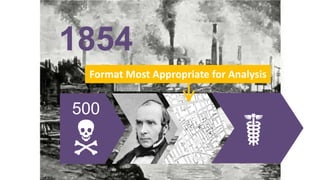
  • #41 Dr. Snow took a map of the area, and on it he made a small black mark where every death took place. Here, I’ll blow it up a bit for you.
  • #42 Because of this display of the data, you can see here, just as local officials could see then, that the closer people lived to this spot right here, the higher their household’s death rate. This spot right here is the water pump on broad street. Because of this map, London officials removed the handle from the pump, and the deaths stopped.
  • #43 Because of this display of the data, you can see here, just as local officials could see then, that the closer people lived to this spot right here, the higher their household’s death rate. This spot right here is the water pump on broad street. Because of this map, London officials removed the handle from the pump, and the deaths stopped.
  • #44 The mysterious disease – which turned out to be cholera, and the worst cholera epidemic to ever hit Britain – was being distributed through this water pump. Snow ended this epidemic using data, but the data itself wasn’t what saved the day. It was the fact that Dr. Snow could effectively communicate this data in a way his target audience could understand.
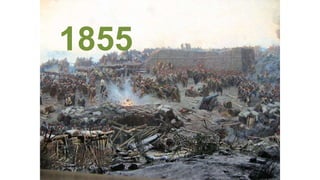
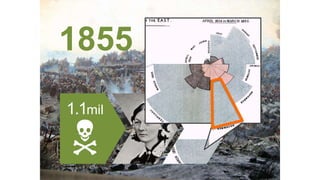
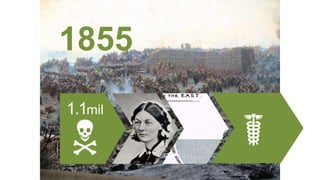
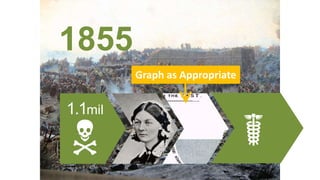
  • #46 This story is from 1855, when Britain and her allies were battling Russia in the Crimean War.
  • #47 1.1 million soldiers – which was more than ½ of the nearly 2 million soldiers - died. But it’s war, right? Pretty normal, right?
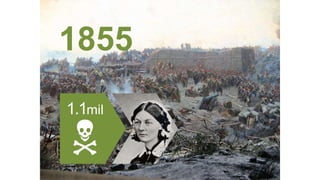
  • #48 Well, along comes Florence Nightingale, who most people know as a nurse and social reformer. Well, she was also an astute statistician.
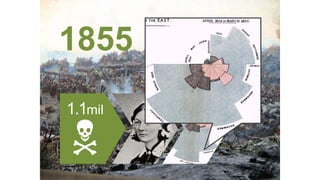
  • #49 She displayed the soldiers’ mortality data in some of the world’s first examples of pie charts. I’ll blow one of them up for you.
  • #50 Nightingale displayed the preventable disease in blue-grey. Now, you can see, as British government officials at the time could see, that preventable disease comprised the vast majority of deaths. In other words, the Russians weren’t what was killing British and allied soldiers. Poor healthcare conditions were what was killing the soldiers.
  • #51 Nightingale displayed the preventable disease in blue-grey. Now, you can see, as British government officials at the time could see, that preventable disease comprised the vast majority of deaths. In other words, the Russians weren’t what was killing British and allied soldiers. Poor healthcare conditions were what was killing the soldiers.
  • #52 Nightingale used this data – displayed effectively – to get Britain to take funds away from weapons and spend them on building a hospital and improving healthcare conditions. This effective communication of data caused the death rate to drop to 2% - a small fraction of what it had been.
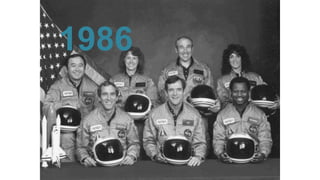
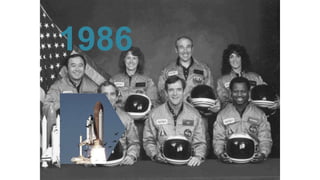
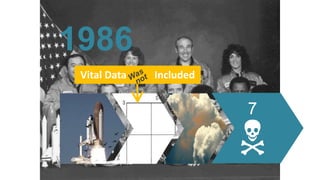
  • #54 Now, one last story about data. This one is a bit different than the others.   You might recall the launching of the U.S. Challenger Space Shuttle in 1986.
  • #55 The night before the launch, there were still concerns about how the booster rocket’s O rings were functioning. The o ring is a seal that prevents hot, pressurized gases from making contact with other parts of the shuttle.
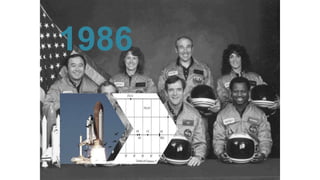
  • #56 To determine if it would be safe to launch, the space shuttle engineers and managers viewed charts and diagrams concerning O ring damage and launch temperatures.
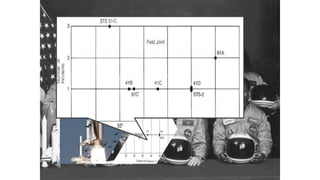
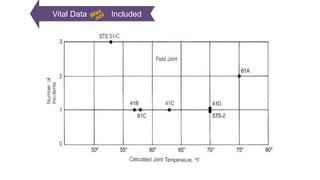
  • #57 For example, they viewed this graph. But unlike the data displays of Dr. Jon Snow and Florence Nightingale, these charts were purely executed. Later we’ll look at why they were poorly executed. But for now, just now that had the available data been graphed effectively, the Challenger Space Shuttle never would have launched the following morning.
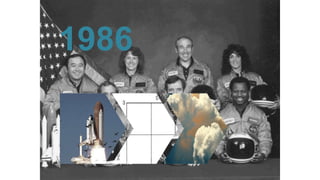
  • #58 A U.S. investigation after the launch even deemed these poor graphs the reason why the shuttle managers were not informed enough to know that the o-rings would not perform the following morning, that they would fail, allowing hot, pressurized gasses to escape…
  • #59 Which is what caused the Challenger Space Shuttle to explode within 73 seconds of its launch, killing all 7 crewmembers. This tragedy happened because NASA had all the data it needed, but that data was not presented to key people in effective ways.
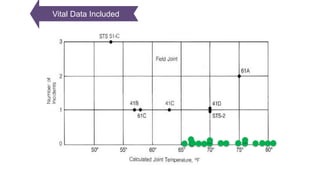
  • #62 But what about the successful launches? What about data on the 17 cases where there were 0 problems with the shuttle’s launch? That data was missing from this graph shown to engineers and managers on the eve of the Challenger’s launch. They all occurred when the launch temperature was at least 66 degrees. There were a few outliers, but the significant trend was that… When the Challenger launched, the day was 31 degrees cold – so cold, it doesn’t even fit on the graph. But as we can see, O ring failure was highly likely at that temperature.
  • #64 Award-winning educator Teaches the PostDoc Masterclass at University of Cambridge Author of many books on data and how to make it work for your users Gets asked to presents her findings and standards all over the world Honored multiple times by the White House for her contributions to education The first time I saw Jenny was in a video that my colleague sent me. She was giving a TedTalk on this exact topic of Over-the-Counter data. And it was particularly interesting to us because, in her presentation, she referenced a company that had implemented her standards and we recognized it as a TIBCO Jaspersoft customer. And so, in the second half of today’s session, I’ll show you a few ways that Jaspersoft can be used to apply these standards. But just to be clear, these standards are universal, you aren’t tied to a particular product or technology to implement them. With that, I’d like to turn over the presentation to Jenny.
  • #65 Great stuff…I love that presentation. Thank you Jenny! So now I will try to take all this great information and show you some ways you can apply them using Jaspersoft.
  • #66 First, I want to be clear about the types of data we’re talking about here Reports & Dashboards are about questions answered at regular intervals. Giving answers to known questions. Data Exploration is about asking ad hoc questions and finding answers to questions you might not have even had before starting the analysis. But as soon as those questions need to be answered at regular intervals… [BUILD] It’s about report and dashboards again. That’s really what we’re going to focus on. Building reports and dashboards that will be distributed to users and consumed regularly.
  • #67 The issue, as we saw in Jenny’s presentation, is this… People are bad with data. You’ve got the same report or dashboard going out to your users and they’re coming to different conclusions on what it means. And of course, this often leads to people not doing the right thing. Or not doing anything at all when something needs to be done.
  • #68 Over the Counter Data matters to a lot of Jaspersoft’s customers Aviation – Lufthansa – Airline ticketing Healthcare – McKesson Healthcare for hospital management Education – Illuminate Education to make critical decisions about children’s education Utilities – Bravo Energy to monitor the electric grid Government - THE U.S. NAVAL SAFETY CENTER Manufacturing – Machinery maintenance & uptime reporting

  • #69 OK, so now let’s get into the main part of my presentation. I’ll talk about each of the 5 standards and share a few tips on how Jaspersoft can help you with each standard, as we move through them.
  • #70 So part 1 of the over the counter data standards is about Titles and Footers – being consistent about how they are treated. This one is more about disciplined practice than fancy technology but let me show you how this would work with Jaspersoft. In the screenshots we see the Repository on the left where users can find various reports and the actual report on the right Notice that the title is consistent in the repository and the report And so is the description This standard is about adhering to a naming convention so that people know what to expect. I called this report “Executive Sales Summary” and if I’m going to make another report like it, I should end the title in “Summary” – it’s about repetition and standardization!
  • #71 Ok so now for the pro-tip in Jaspersoft Studio. If you’re not familiar with Jaspersoft, Jaspersoft Studio is our desktop report and visualization designer. It really gives you a ton of control over the look & feel and behavior of your reports. One suggestion to help you maintain consistency across your titles, descriptions, and other labels in your reports is to create something called a ”composite element”. The easiest way to explain what a composite element is, is to to walk you through this sequence on the slide: Select all the fields you want [BUILD] Right click and save as composite element – give it a name, in my case “My reusable title” [BUILD] You will now have the ability to drag in the composite element into any report and get that set of fields/images or whatever exactly as they were before! [BUILD] You can export them and share with your team! [BUILD] And in addition to this helping maintain consistency across your reports, it can also be a massive time saver. Because now you can build all sorts of these base elements that can be combined and reused in future reports. You don’t have to build those from scratch again.
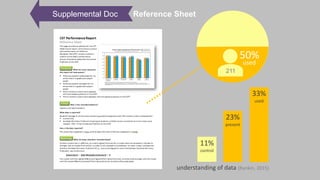
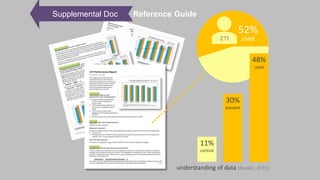
  • #72 The second part I want to highlight is about supplemental documentation Supplemental documentation is about things like Reference Sheets A reference sheet (often called an abstract) is a single page accompanying a report to help the user more easily understand the report and analyze its data. A great example customer doing this is Illuminate Education – for each of the reports and dashboards they provide to their education customers, they include a reference sheet with information to help users understand who the report is for, what information it contains, the scope of the data, and other helpful context to support the user.
  • #73 So let me show you how would make supplemental documentation accessible with Jaspersoft. The best approach is to create a hyperlink to the documentation directly from the report or, in this example, a dashboard. You can use the text dashlet (drag one in to any dashboards) [BUILD] Then in the Dashlet properties, you can enable hyperlinks, send them to a new page and set the URL of your online supplemental documentation [BUILD] Your dashboard will now have a help dashlet to send folks to documentation [BUILD] For Jaspersoft Studio – any text field can have a hyperlink expression – just set the link to Reference type and the reference expression is the URL So whether you’re doing this with a report or dashboard in Jaspersoft, the process is very straightforward and easy.

  • #74 The next part of over the counter data is help systems Help systems Offer a comprehensive set of technical topics to cover tasks and key technical topics that the user will run into when using your reporting system. A great example of a customer doing this is Lambda Solutions with Zoola Analytics. Their help system is excellent. Embed videos to show users how use various parts of the reporting system [BUILD] You can search their knowledgebase [BUILD] You can get specific help about functionality in the middle [BUILD] And there’s a chat and feedback system built into the page They’ve done a great job at taking everything a user would need to be successful and put it at the center of their reporting system


  • #75 Ok so now comes the design part of your reports – the packaging and display. A lot of this has to do with making the data easy to understand at a glance. Here we’re going to focus on the visual appearance of charts and tables The quote from Edward Tufte there is about more data and less ink.
  • #76 To demonstrate this I will show you two very quick presentations from a company called Dark Horse Analytics. They are really cool!
  • #77 In order to make your charts as slick as the ones you saw you’ll need to dig into the advanced HTML5 charts library. Highcharts is a JavaScript charting library that provides Jaspersoft’s charting capabilities and they have over 2000 options for customizing jaspersoft charts. What I have open is only about the legend! In Jaspersoft Studio we have a really helpful editor for these settings to make it a lot easier for you to get to them. And in Ad Hoc you can access them as well in Advanced tab of the Chart Format menu.
  • #78 And finally – there’s the content. What measures and dimensions will we show? How many reports will be shown? How fresh will the data be? Before you build any reports or dashboards, you need to start with knowing your audience. Understand their goals, responsibilities, challenges and frustrations. Only once you have this understanding will you really be prepared to design something that will be both relevant and usable for your users.
  • #79 So that means you should be treating your reports like a product! Here’s a simplified product management process – [Personas] Start with the who. Who is using the reports? What answers are they looking for? [Requirements] Next. What data do you need to access? Where is it? What data cleansing and preparation is required? [User experience] What data will you show? What will the experience of consuming the data be? [Roadmap] How will you handle user requests?
  • #80 I hope that was a helpful intro to Jaspersoft and how it can be used to support creating over the counter data. At this point, if you haven’t already, please enter your questions into the Q & A box.