MAKE
YOUR PROJECT
UP TO DATE
BY SERGEY SELETSKY
Agenda
 Why are we afraid changes?
 Why do we need changes?
 Why is it is bad for us?
 How to improve it now?
 Which tool is better?
 Best practices
XobotOS
https://github.com/xamarin/XobotOS/
They just rewrite Android in C# 
You can revert everything
//Don't care about it, you have a GIT
WHY?
5
Common issues
Legacy
 Framework
 Library
 Language
 Tool
Design
 SOLID
 GRASP
 Anti-patterns
Common issues
System impact:
 Performance
 Testebility
 Extensibility
 Predictability
 Supportability
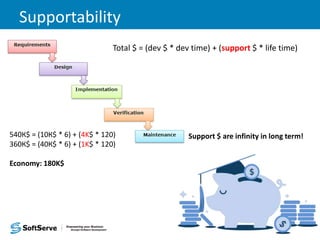
Supportability
Support $ are infinity in long term!
Total $ = (dev $ * dev time) + (support $ * life time)
540К$ = (10К$ * 6) + (4K$ * 120)
360К$ = (40К$ * 6) + (1K$ * 120)
Economy: 180K$
Why it is bad for us?
 Long term project 
 Higher costs 
 Bigger team 
 More work 
Why it is bad for us?
 Long term project (everybody tired) 
 Higher costs (lower per person) 
 Bigger team (staff turnover) 
 More work (more complexity) 
 Unsatisfied customer 
 No motivation 
 Legacy knowledge 
 More bugs & issues 
HOW?
11
Use latest
• Choose architecture for the future
• Always think about support
• Cover everything with tests
• Automate everything
• Always use the latest tools and frameworks
• Use own independent interfaces and APIs
• Use NuGets
Legacy projects
What to do?
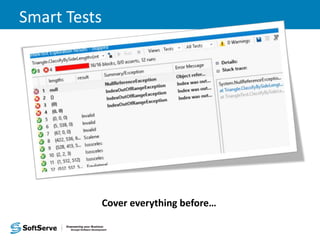
Cover code with tests
Cover everything before…
Smart Tests
Cover everything before…
My method for migration
1. Describe all scenarios for successful migration
2. Identify patterns
3. Create automated tools for migration
4. Run tests, identify issues and repeat
5. Correct manually a few complex issues that remain
6. Do not forget to remove legacy code!
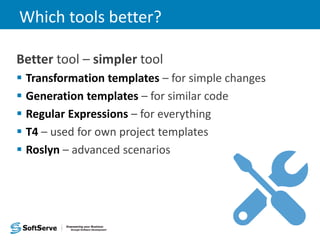
Which tools better?
Better tool – simpler tool
 Transformation templates – for simple changes
 Generation templates – for similar code
 Regular Expressions – for everything
 T4 – used for own project templates
 Roslyn – advanced scenarios
Regular Expressions
f = Regex.Replace(f, @"([a-
z]*)s+functions+(w*)s*Q(Es*([^)]*)s*Q)E(s*{)", "$1
$2(%#$3%#)$4");
f = Regex.Replace(f, @"([a-
z]*)s+functions+(w*)s*Q(Es*([^)]*)s*Q)Es*:s*(w*)", "$1 $4
$2(%#$3%#)");
f = Regex.Replace(f, "%#s*%#", "");
for (int i = 0; i < 9; i++)
{
f = Regex.Replace(f, "%#s*(w*)s*:s*(w*)s*,", "$2 $1,%#");
f = Regex.Replace(f, "%#s*(w*)s*:s*(w*)s*%#", "$2 $1");
f = Regex.Replace(f, "%#s*(w*)s*:s*(w*)s*=s*([^):,]*)s*,", "$2
$1=$3,%#");
f = Regex.Replace(f, "%#s*(w*)s*:s*(w*)s*=s*([^):,]*)s*%#", "$2
$1=$3");
}
f = Regex.Replace(f, "(w+)s+ass+(w+)", "($2)$1");
f = Regex.Replace(f, @"ints*Q(E([^)]+)Q)E", "((int)$1)");
f = Regex.Replace(f, @"public var (.*?):(.*?)( = )??(.*?)??;", "public $4 $1
$3$2;");
Regular Expressions
Before After
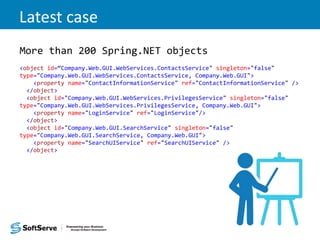
Latest case
More than 200 Spring.NET objects
<object id=“Company.Web.GUI.WebServices.ContactsService" singleton="false"
type="Company.Web.GUI.WebServices.ContactsService, Company.Web.GUI">
<property name="ContactInformationService" ref="ContactInformationService" />
</object>
<object id="Company.Web.GUI.WebServices.PrivilegesService" singleton="false"
type="Company.Web.GUI.WebServices.PrivilegesService, Company.Web.GUI">
<property name="LoginService" ref="LoginService"/>
</object>
<object id="Company.Web.GUI.SearchService" singleton="false"
type="Company.Web.GUI.SearchService, Company.Web.GUI">
<property name="SearchUIService" ref="SearchUIService" />
</object>
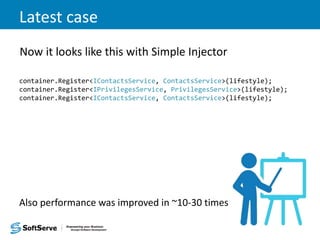
Latest case
Now it looks like this with Simple Injector
container.Register<IContactsService, ContactsService>(lifestyle);
container.Register<IPrivilegesService, PrivilegesService>(lifestyle);
container.Register<IContactsService, ContactsService>(lifestyle);
Also performance was improved in ~10-30 times
Best practices
Use SonarQube for gated builds
• Keep code as clean as posible
• Code convention with zero compromises
• Validate design and complexity
• Improve software quality
• Reduce technical risks
Best practices
Use AOP and PostSharp
• Keep code as clean as posible
• Separate all cross-cutting aspects
• Fail build when aspects missed
• Optimize cross-cutting code
Best practices
Use IoC Interception
• Flexible decoration
• Clean design and code
• Better extensibility
Best practices
Use TDD and DDD
• Everything well tested
• Everybody knows project
• Monster project can be divided
• Better UX
• Better value from BA
References
Code Smells
Anti-pattern
http://www.regexr.com/
Roslyn
Simple Injector
THANK YOU
27
Sergey Seletsky
sselet@softserveinc.com
https://www.linkedin.com/in/sergeyseletsky

Make your project up to date

  • 1.
    MAKE YOUR PROJECT UP TODATE BY SERGEY SELETSKY
  • 2.
    Agenda  Why arewe afraid changes?  Why do we need changes?  Why is it is bad for us?  How to improve it now?  Which tool is better?  Best practices
  • 3.
  • 4.
    You can reverteverything //Don't care about it, you have a GIT
  • 5.
  • 6.
    Common issues Legacy  Framework Library  Language  Tool Design  SOLID  GRASP  Anti-patterns
  • 7.
    Common issues System impact: Performance  Testebility  Extensibility  Predictability  Supportability
  • 8.
    Supportability Support $ areinfinity in long term! Total $ = (dev $ * dev time) + (support $ * life time) 540К$ = (10К$ * 6) + (4K$ * 120) 360К$ = (40К$ * 6) + (1K$ * 120) Economy: 180K$
  • 9.
    Why it isbad for us?  Long term project   Higher costs   Bigger team   More work 
  • 10.
    Why it isbad for us?  Long term project (everybody tired)   Higher costs (lower per person)   Bigger team (staff turnover)   More work (more complexity)   Unsatisfied customer   No motivation   Legacy knowledge   More bugs & issues 
  • 11.
  • 12.
    Use latest • Choosearchitecture for the future • Always think about support • Cover everything with tests • Automate everything • Always use the latest tools and frameworks • Use own independent interfaces and APIs • Use NuGets
  • 13.
  • 14.
    Cover code withtests Cover everything before…
  • 15.
  • 16.
    My method formigration 1. Describe all scenarios for successful migration 2. Identify patterns 3. Create automated tools for migration 4. Run tests, identify issues and repeat 5. Correct manually a few complex issues that remain 6. Do not forget to remove legacy code!
  • 17.
    Which tools better? Bettertool – simpler tool  Transformation templates – for simple changes  Generation templates – for similar code  Regular Expressions – for everything  T4 – used for own project templates  Roslyn – advanced scenarios
  • 18.
    Regular Expressions f =Regex.Replace(f, @"([a- z]*)s+functions+(w*)s*Q(Es*([^)]*)s*Q)E(s*{)", "$1 $2(%#$3%#)$4"); f = Regex.Replace(f, @"([a- z]*)s+functions+(w*)s*Q(Es*([^)]*)s*Q)Es*:s*(w*)", "$1 $4 $2(%#$3%#)"); f = Regex.Replace(f, "%#s*%#", ""); for (int i = 0; i < 9; i++) { f = Regex.Replace(f, "%#s*(w*)s*:s*(w*)s*,", "$2 $1,%#"); f = Regex.Replace(f, "%#s*(w*)s*:s*(w*)s*%#", "$2 $1"); f = Regex.Replace(f, "%#s*(w*)s*:s*(w*)s*=s*([^):,]*)s*,", "$2 $1=$3,%#"); f = Regex.Replace(f, "%#s*(w*)s*:s*(w*)s*=s*([^):,]*)s*%#", "$2 $1=$3"); } f = Regex.Replace(f, "(w+)s+ass+(w+)", "($2)$1"); f = Regex.Replace(f, @"ints*Q(E([^)]+)Q)E", "((int)$1)"); f = Regex.Replace(f, @"public var (.*?):(.*?)( = )??(.*?)??;", "public $4 $1 $3$2;");
  • 19.
  • 20.
    Latest case More than200 Spring.NET objects <object id=“Company.Web.GUI.WebServices.ContactsService" singleton="false" type="Company.Web.GUI.WebServices.ContactsService, Company.Web.GUI"> <property name="ContactInformationService" ref="ContactInformationService" /> </object> <object id="Company.Web.GUI.WebServices.PrivilegesService" singleton="false" type="Company.Web.GUI.WebServices.PrivilegesService, Company.Web.GUI"> <property name="LoginService" ref="LoginService"/> </object> <object id="Company.Web.GUI.SearchService" singleton="false" type="Company.Web.GUI.SearchService, Company.Web.GUI"> <property name="SearchUIService" ref="SearchUIService" /> </object>
  • 21.
    Latest case Now itlooks like this with Simple Injector container.Register<IContactsService, ContactsService>(lifestyle); container.Register<IPrivilegesService, PrivilegesService>(lifestyle); container.Register<IContactsService, ContactsService>(lifestyle); Also performance was improved in ~10-30 times
  • 22.
    Best practices Use SonarQubefor gated builds • Keep code as clean as posible • Code convention with zero compromises • Validate design and complexity • Improve software quality • Reduce technical risks
  • 23.
    Best practices Use AOPand PostSharp • Keep code as clean as posible • Separate all cross-cutting aspects • Fail build when aspects missed • Optimize cross-cutting code
  • 24.
    Best practices Use IoCInterception • Flexible decoration • Clean design and code • Better extensibility
  • 25.
    Best practices Use TDDand DDD • Everything well tested • Everybody knows project • Monster project can be divided • Better UX • Better value from BA
  • 26.
  • 27.