MAGENTO 2
DEVELOPMENT
HUNG PHAM
"Devs are what they say they are. (Until
they start touching code.)"
TOOLS & EXTENSIONS
DEV ENVIRONMENT
DEBUG & LOGGING
ABOUT TOPIC
Composer
Magento CLI
N98 Magerun v2
PHPStorm (IDE)
Module Creator
Debug Toolbar
Bash Configure
Xdebug
TOOLS
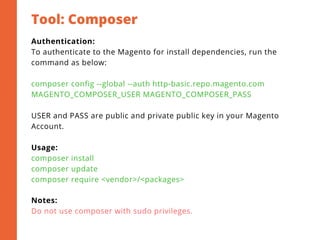
Tool: Composer
Authentication:
To authenticate to the Magento for install dependencies, run the
command as below:
composer config --global --auth http-basic.repo.magento.com
MAGENTO_COMPOSER_USER MAGENTO_COMPOSER_PASS
USER and PASS are public and private public key in your Magento
Account.
Usage:
composer install
composer update
composer require <vendor>/<packages>
Notes:
Do not use composer with sudo privileges.
Magento CLI
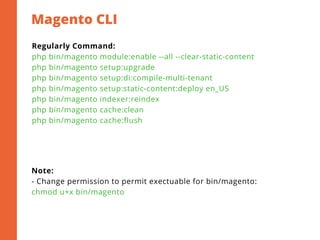
Regularly Command:
php bin/magento module:enable --all --clear-static-content
php bin/magento setup:upgrade
php bin/magento setup:di:compile-multi-tenant
php bin/magento setup:static-content:deploy en_US
php bin/magento indexer:reindex
php bin/magento cache:clean
php bin/magento cache:flush
Note:
- Change permission to permit exectuable for bin/magento:
chmod u+x bin/magento
Tool: n98 magerun v2
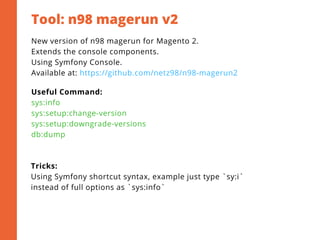
New version of n98 magerun for Magento 2.
Extends the console components.
Using Symfony Console.
Available at: https://github.com/netz98/n98-magerun2
Useful Command:
sys:info
sys:setup:change-version
sys:setup:downgrade-versions
db:dump
Tricks:
Using Symfony shortcut syntax, example just type `sy:i`
instead of full options as `sys:info` 
Tool: PHPStorm
2
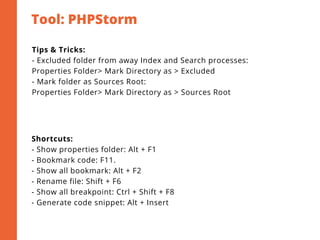
Tips & Tricks:
- Excluded folder from away Index and Search processes:
Properties Folder> Mark Directory as > Excluded
- Mark folder as Sources Root:
Properties Folder> Mark Directory as > Sources Root
Shortcuts:
- Show properties folder: Alt + F1
- Bookmark code: F11.
- Show all bookmark: Alt + F2
- Rename file: Shift + F6
- Show all breakpoint: Ctrl + Shift + F8
- Generate code snippet: Alt + Insert
Module Creator & Debug Tool
2
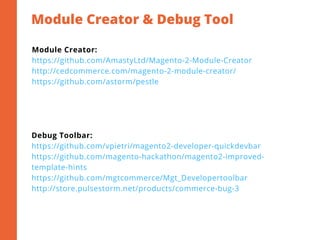
Module Creator:
https://github.com/AmastyLtd/Magento-2-Module-Creator
http://cedcommerce.com/magento-2-module-creator/
https://github.com/astorm/pestle
Debug Toolbar:
https://github.com/vpietri/magento2-developer-quickdevbar
https://github.com/magento-hackathon/magento2-improved-
template-hints
https://github.com/mgtcommerce/Mgt_Developertoolbar
http://store.pulsestorm.net/products/commerce-bug-3
Bash Configure
2
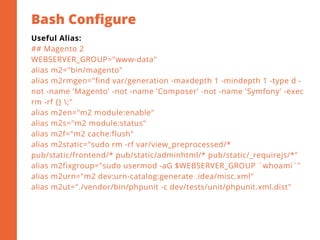
Useful Alias:
## Magento 2
WEBSERVER_GROUP="www-data"
alias m2="bin/magento"
alias m2rmgen="find var/generation -maxdepth 1 -mindepth 1 -type d -
not -name 'Magento' -not -name 'Composer' -not -name 'Symfony' -exec
rm -rf {} ;"
alias m2en="m2 module:enable"
alias m2s="m2 module:status"
alias m2f="m2 cache:flush"
alias m2static="sudo rm -rf var/view_preprocessed/*
pub/static/frontend/* pub/static/adminhtml/* pub/static/_requirejs/*"
alias m2fixgroup="sudo usermod -aG $WEBSERVER_GROUP `whoami`"
alias m2urn="m2 dev:urn-catalog:generate .idea/misc.xml"
alias m2ut="./vendor/bin/phpunit -c dev/tests/unit/phpunit.xml.dist"
Tool: Xdebug
2
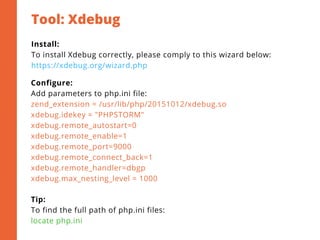
Install:
To install Xdebug correctly, please comply to this wizard below:
https://xdebug.org/wizard.php
Configure:
Add parameters to php.ini file:
zend_extension = /usr/lib/php/20151012/xdebug.so
xdebug.idekey = "PHPSTORM"
xdebug.remote_autostart=0
xdebug.remote_enable=1
xdebug.remote_port=9000
xdebug.remote_connect_back=1
xdebug.remote_handler=dbgp
xdebug.max_nesting_level = 1000
Tip:
To find the full path of php.ini files:
locate php.ini
LAMP & LEMP Stack
Owner & Permission
NodeJS
DEV ENVIRONMENT
LAMP & LEMP
2
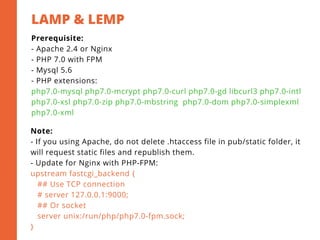
Prerequisite:
- Apache 2.4 or Nginx
- PHP 7.0 with FPM
- Mysql 5.6
- PHP extensions:
php7.0-mysql php7.0-mcrypt php7.0-curl php7.0-gd libcurl3 php7.0-intl
php7.0-xsl php7.0-zip php7.0-mbstring  php7.0-dom php7.0-simplexml
php7.0-xml
Note:
- If you using Apache, do not delete .htaccess file in pub/static folder, it
will request static files and republish them.
- Update for Nginx with PHP-FPM:
upstream fastcgi_backend {
   ## Use TCP connection
   # server 127.0.0.1:9000;
   ## Or socket
   server unix:/run/php/php7.0-fpm.sock;
}
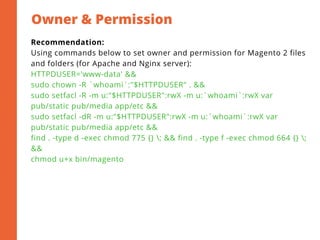
Owner & Permission
2
Recommendation:
Using commands below to set owner and permission for Magento 2 files
and folders (for Apache and Nginx server):
HTTPDUSER='www-data' &&
sudo chown -R `whoami`:"$HTTPDUSER" . &&
sudo setfacl -R -m u:"$HTTPDUSER":rwX -m u:`whoami`:rwX var
pub/static pub/media app/etc &&
sudo setfacl -dR -m u:"$HTTPDUSER":rwX -m u:`whoami`:rwX var
pub/static pub/media app/etc &&
find . -type d -exec chmod 775 {} ; && find . -type f -exec chmod 664 {} ;
&&
chmod u+x bin/magento
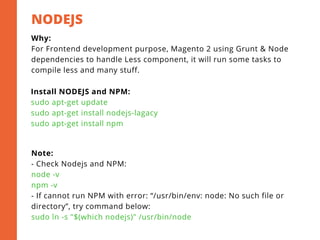
NODEJS 
2
Why:
For Frontend development purpose, Magento 2 using Grunt & Node
dependencies to handle Less component, it will run some tasks to
compile less and many stuff.
Install NODEJS and NPM:
sudo apt-get update
sudo apt-get install nodejs-lagacy
sudo apt-get install npm
Note:
- Check Nodejs and NPM:
node -v
npm -v
- If cannot run NPM with error: “/usr/bin/env: node: No such file or
directory”, try command below:
sudo ln -s "$(which nodejs)" /usr/bin/node
Grunt Task
2
Install:
In Magento 2 root project directory:
cp Gruntfile.js.sample Gruntfile.js
cp package.json.sample package.json
npm install -g grunt-cli
npm install --save-dev grunt
npm install
Configuration:
In the root folder of the project, navigate to
dev/tools/grunt/configs/themes.js and add the new custom theme
define to the ‘module.export’ module.
Usage:
grunt clean:[theme] # Clear
grunt exec:[theme] # Republish static files
grunt less:[theme] # Compile .less to .css file
Javascript Logging
KnockoutJS Debug
Magento Logging
ChromePHP
DEBUG & LOGGING
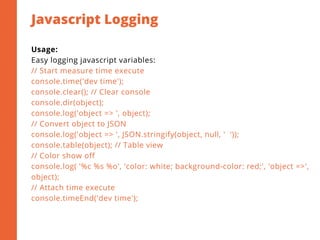
Javascript Logging
2
Usage:
Easy logging javascript variables:
// Start measure time execute
console.time('dev time');
console.clear(); // Clear console
console.dir(object);
console.log('object => ', object);
// Convert object to JSON
console.log('object => ', JSON.stringify(object, null, '  ')); 
console.table(object); // Table view
// Color show off
console.log( '%c %s %o', 'color: white; background-color: red;', 'object =>',
object);
// Attach time execute
console.timeEnd('dev time');
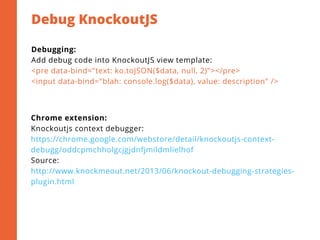
Debug KnockoutJS
2
Debugging:
Add debug code into KnockoutJS view template:
<pre data-bind="text: ko.toJSON($data, null, 2)"></pre>
<input data-bind="blah: console.log($data), value: description" />
Chrome extension:
Knockoutjs context debugger:
https://chrome.google.com/webstore/detail/knockoutjs-context-
debugg/oddcpmchholgcjgjdnfjmildmlielhof
Source:
http://www.knockmeout.net/2013/06/knockout-debugging-strategies-
plugin.html
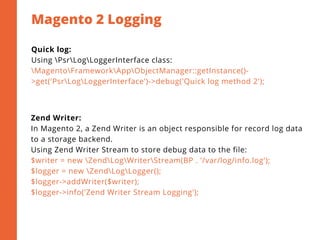
Magento 2 Logging
2
Quick log:
Using PsrLogLoggerInterface class:
MagentoFrameworkAppObjectManager::getInstance()-
>get('PsrLogLoggerInterface')->debug('Quick log method 2');
Zend Writer:
In Magento 2, a Zend Writer is an object responsible for record log data
to a storage backend.
Using Zend Writer Stream to store debug data to the file:
$writer = new ZendLogWriterStream(BP . '/var/log/info.log');
$logger = new ZendLogLogger();
$logger->addWriter($writer);
$logger->info('Zend Writer Stream Logging');
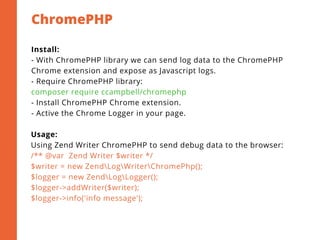
ChromePHP
2
Install:
- With ChromePHP library we can send log data to the ChromePHP
Chrome extension and expose as Javascript logs.
- Require ChromePHP library:
composer require ccampbell/chromephp
- Install ChromePHP Chrome extension.
- Active the Chrome Logger in your page.
Usage:
Using Zend Writer ChromePHP to send debug data to the browser:
/** @var  Zend Writer $writer */
$writer = new ZendLogWriterChromePhp();
$logger = new ZendLogLogger();
$logger->addWriter($writer);
$logger->info('info message');
Magento 2 Capistrano
Magento 2 Docker
EXTRA RESOURCES
References:
2
http://devdocs.magento.com/
http://inchoo.net/category/magento-2/
http://newbie-dev.net/
https://firebearstudio.com/blog/magento-2-developers-cookbook-useful-
code-snippets-tips-notes.html
+84 1675942102
ducdh1@smartosc.com
http://newbie-dev.net
SmartOSC Corp, 18 Floor,
Handico Building, Pham Hung
Street, Hanoi, Vietnam
CONTACT ME
THANK YOU
FOR WATCHING.

Magento 2 Development

  • 1.
  • 2.
    HUNG PHAM "Devs are whatthey say they are. (Until they start touching code.)"
  • 3.
    TOOLS & EXTENSIONS DEVENVIRONMENT DEBUG & LOGGING ABOUT TOPIC
  • 4.
    Composer Magento CLI N98 Magerunv2 PHPStorm (IDE) Module Creator Debug Toolbar Bash Configure Xdebug TOOLS
  • 5.
    Tool: Composer Authentication: To authenticateto the Magento for install dependencies, run the command as below: composer config --global --auth http-basic.repo.magento.com MAGENTO_COMPOSER_USER MAGENTO_COMPOSER_PASS USER and PASS are public and private public key in your Magento Account. Usage: composer install composer update composer require <vendor>/<packages> Notes: Do not use composer with sudo privileges.
  • 6.
    Magento CLI Regularly Command: phpbin/magento module:enable --all --clear-static-content php bin/magento setup:upgrade php bin/magento setup:di:compile-multi-tenant php bin/magento setup:static-content:deploy en_US php bin/magento indexer:reindex php bin/magento cache:clean php bin/magento cache:flush Note: - Change permission to permit exectuable for bin/magento: chmod u+x bin/magento
  • 7.
    Tool: n98 magerunv2 New version of n98 magerun for Magento 2. Extends the console components. Using Symfony Console. Available at: https://github.com/netz98/n98-magerun2 Useful Command: sys:info sys:setup:change-version sys:setup:downgrade-versions db:dump Tricks: Using Symfony shortcut syntax, example just type `sy:i` instead of full options as `sys:info` 
  • 8.
    Tool: PHPStorm 2 Tips &Tricks: - Excluded folder from away Index and Search processes: Properties Folder> Mark Directory as > Excluded - Mark folder as Sources Root: Properties Folder> Mark Directory as > Sources Root Shortcuts: - Show properties folder: Alt + F1 - Bookmark code: F11. - Show all bookmark: Alt + F2 - Rename file: Shift + F6 - Show all breakpoint: Ctrl + Shift + F8 - Generate code snippet: Alt + Insert
  • 9.
    Module Creator &Debug Tool 2 Module Creator: https://github.com/AmastyLtd/Magento-2-Module-Creator http://cedcommerce.com/magento-2-module-creator/ https://github.com/astorm/pestle Debug Toolbar: https://github.com/vpietri/magento2-developer-quickdevbar https://github.com/magento-hackathon/magento2-improved- template-hints https://github.com/mgtcommerce/Mgt_Developertoolbar http://store.pulsestorm.net/products/commerce-bug-3
  • 10.
    Bash Configure 2 Useful Alias: ##Magento 2 WEBSERVER_GROUP="www-data" alias m2="bin/magento" alias m2rmgen="find var/generation -maxdepth 1 -mindepth 1 -type d - not -name 'Magento' -not -name 'Composer' -not -name 'Symfony' -exec rm -rf {} ;" alias m2en="m2 module:enable" alias m2s="m2 module:status" alias m2f="m2 cache:flush" alias m2static="sudo rm -rf var/view_preprocessed/* pub/static/frontend/* pub/static/adminhtml/* pub/static/_requirejs/*" alias m2fixgroup="sudo usermod -aG $WEBSERVER_GROUP `whoami`" alias m2urn="m2 dev:urn-catalog:generate .idea/misc.xml" alias m2ut="./vendor/bin/phpunit -c dev/tests/unit/phpunit.xml.dist"
  • 11.
    Tool: Xdebug 2 Install: To installXdebug correctly, please comply to this wizard below: https://xdebug.org/wizard.php Configure: Add parameters to php.ini file: zend_extension = /usr/lib/php/20151012/xdebug.so xdebug.idekey = "PHPSTORM" xdebug.remote_autostart=0 xdebug.remote_enable=1 xdebug.remote_port=9000 xdebug.remote_connect_back=1 xdebug.remote_handler=dbgp xdebug.max_nesting_level = 1000 Tip: To find the full path of php.ini files: locate php.ini
  • 12.
    LAMP & LEMPStack Owner & Permission NodeJS DEV ENVIRONMENT
  • 13.
    LAMP & LEMP 2 Prerequisite: -Apache 2.4 or Nginx - PHP 7.0 with FPM - Mysql 5.6 - PHP extensions: php7.0-mysql php7.0-mcrypt php7.0-curl php7.0-gd libcurl3 php7.0-intl php7.0-xsl php7.0-zip php7.0-mbstring  php7.0-dom php7.0-simplexml php7.0-xml Note: - If you using Apache, do not delete .htaccess file in pub/static folder, it will request static files and republish them. - Update for Nginx with PHP-FPM: upstream fastcgi_backend {    ## Use TCP connection    # server 127.0.0.1:9000;    ## Or socket    server unix:/run/php/php7.0-fpm.sock; }
  • 14.
    Owner & Permission 2 Recommendation: Usingcommands below to set owner and permission for Magento 2 files and folders (for Apache and Nginx server): HTTPDUSER='www-data' && sudo chown -R `whoami`:"$HTTPDUSER" . && sudo setfacl -R -m u:"$HTTPDUSER":rwX -m u:`whoami`:rwX var pub/static pub/media app/etc && sudo setfacl -dR -m u:"$HTTPDUSER":rwX -m u:`whoami`:rwX var pub/static pub/media app/etc && find . -type d -exec chmod 775 {} ; && find . -type f -exec chmod 664 {} ; && chmod u+x bin/magento
  • 15.
    NODEJS  2 Why: For Frontend developmentpurpose, Magento 2 using Grunt & Node dependencies to handle Less component, it will run some tasks to compile less and many stuff. Install NODEJS and NPM: sudo apt-get update sudo apt-get install nodejs-lagacy sudo apt-get install npm Note: - Check Nodejs and NPM: node -v npm -v - If cannot run NPM with error: “/usr/bin/env: node: No such file or directory”, try command below: sudo ln -s "$(which nodejs)" /usr/bin/node
  • 16.
    Grunt Task 2 Install: In Magento2 root project directory: cp Gruntfile.js.sample Gruntfile.js cp package.json.sample package.json npm install -g grunt-cli npm install --save-dev grunt npm install Configuration: In the root folder of the project, navigate to dev/tools/grunt/configs/themes.js and add the new custom theme define to the ‘module.export’ module. Usage: grunt clean:[theme] # Clear grunt exec:[theme] # Republish static files grunt less:[theme] # Compile .less to .css file
  • 17.
    Javascript Logging KnockoutJS Debug MagentoLogging ChromePHP DEBUG & LOGGING
  • 18.
    Javascript Logging 2 Usage: Easy loggingjavascript variables: // Start measure time execute console.time('dev time'); console.clear(); // Clear console console.dir(object); console.log('object => ', object); // Convert object to JSON console.log('object => ', JSON.stringify(object, null, '  '));  console.table(object); // Table view // Color show off console.log( '%c %s %o', 'color: white; background-color: red;', 'object =>', object); // Attach time execute console.timeEnd('dev time');
  • 19.
    Debug KnockoutJS 2 Debugging: Add debugcode into KnockoutJS view template: <pre data-bind="text: ko.toJSON($data, null, 2)"></pre> <input data-bind="blah: console.log($data), value: description" /> Chrome extension: Knockoutjs context debugger: https://chrome.google.com/webstore/detail/knockoutjs-context- debugg/oddcpmchholgcjgjdnfjmildmlielhof Source: http://www.knockmeout.net/2013/06/knockout-debugging-strategies- plugin.html
  • 20.
    Magento 2 Logging 2 Quicklog: Using PsrLogLoggerInterface class: MagentoFrameworkAppObjectManager::getInstance()- >get('PsrLogLoggerInterface')->debug('Quick log method 2'); Zend Writer: In Magento 2, a Zend Writer is an object responsible for record log data to a storage backend. Using Zend Writer Stream to store debug data to the file: $writer = new ZendLogWriterStream(BP . '/var/log/info.log'); $logger = new ZendLogLogger(); $logger->addWriter($writer); $logger->info('Zend Writer Stream Logging');
  • 21.
    ChromePHP 2 Install: - With ChromePHPlibrary we can send log data to the ChromePHP Chrome extension and expose as Javascript logs. - Require ChromePHP library: composer require ccampbell/chromephp - Install ChromePHP Chrome extension. - Active the Chrome Logger in your page. Usage: Using Zend Writer ChromePHP to send debug data to the browser: /** @var  Zend Writer $writer */ $writer = new ZendLogWriterChromePhp(); $logger = new ZendLogLogger(); $logger->addWriter($writer); $logger->info('info message');
  • 22.
    Magento 2 Capistrano Magento2 Docker EXTRA RESOURCES
  • 23.
  • 24.
    +84 1675942102 ducdh1@smartosc.com http://newbie-dev.net SmartOSC Corp, 18Floor, Handico Building, Pham Hung Street, Hanoi, Vietnam CONTACT ME
  • 25.