RSS in the  Classroom Joan Vincent Rick Vincent Reeths-Puffer High School Muskegon, MI.
Goals for this Session After this session you will be able to: Locate, create and use RSS feeds Use RSS in the classroom as a tool for gathering and managing information Use RSS to create an individualized PLC Identify reasons to use RSS in the Classroom
Why RSS in Education? Search Efficiencies Evaluation Skills 21 st  Century Skills Information Overload
21 st  Century Skills National Educational Technology Standards for Students (NETS –R) III. Research and Information Fluency IV. Critical Thinking, Problem-solving, and Decision Making V. Digital Citizenship
21 st  Century Skills AASL: Standards for the 21 st  Century  Learner Standard I. Inquire, Think Critically, & Gain Knowledge Standard II. Draw Conclusions & Make Informed Decisions, Apply Knowledge to New Situations & Create New Knowledge.
HSCEs Addressed General Social Science Knowledge, Processes  and Skills P1 Reading and Communication (Close and Critical Reading) P2 Inquiry, Research and Analysis (Information Processing, Technology Use) P3 Public Discourse and Decision Making P3.1 Identifying and Analyzing  Public Issues
What is RSS? R eally  S imple  S yndication A  RSS feed  is the structure that organizes content that is regularly updated for easy retrieval. Accessed through a  feed   reader  (aggregator)
…RSS’s Two Main Components Feeder & Reader
RSS Component # 1 Feeder
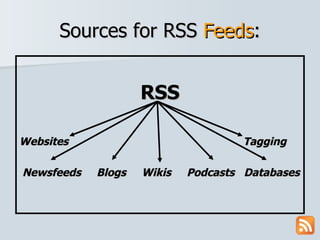
Sources for RSS  Feeds : RSS Websites Tagging Newsfeeds   Blogs  Wikis  Podcasts  Databases
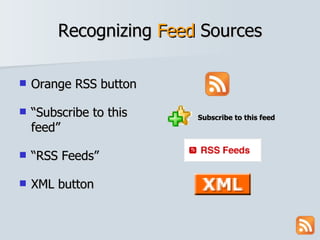
Recognizing  Feed  Sources Orange RSS button “ Subscribe to this feed” “ RSS Feeds” XML button Subscribe to this feed
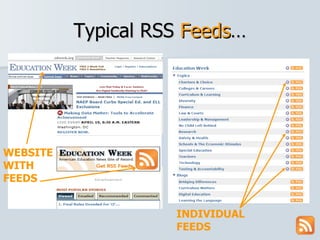
Typical RSS  Feeds … WEBSITE WITH FEEDS INDIVIDUAL FEEDS
RSS Component # 2 Readers
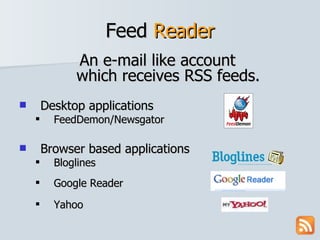
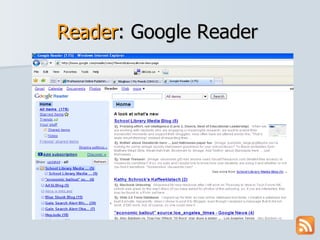
Feed  Reader An e-mail like account  which receives RSS feeds.  Desktop applications FeedDemon/Newsgator Browser based applications Bloglines Google Reader Yahoo
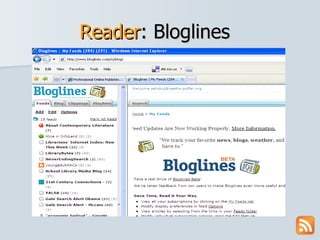
Reader : Bloglines
Reader : Google Reader
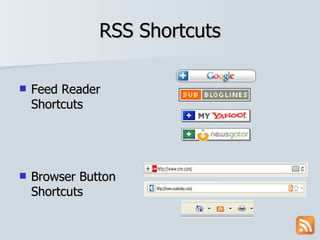
RSS Shortcuts Feed Reader Shortcuts Browser Button Shortcuts
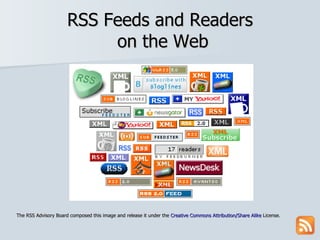
RSS Feeds and Readers  on the Web The RSS Advisory Board composed this image and release it under the  Creative Commons Attribution/Share Alike  License.
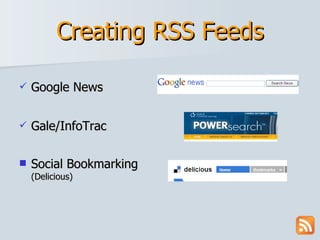
Creating RSS Feeds Google News Gale/InfoTrac Social Bookmarking (Delicious)
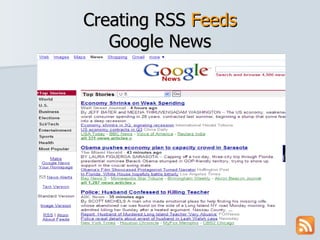
Creating RSS  Feeds Google News
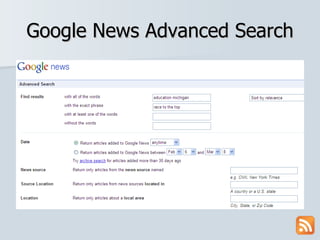
Google News Advanced Search
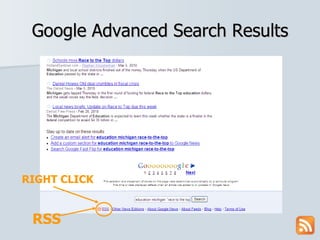
Google Advanced Search Results RSS RIGHT CLICK
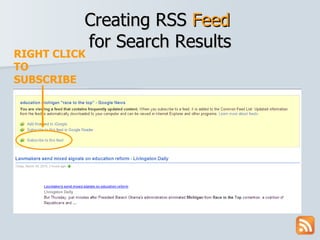
Creating RSS  Feed   for Search Results RIGHT CLICK TO SUBSCRIBE
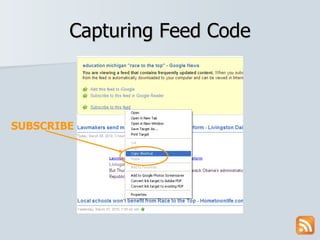
Capturing Feed Code SUBSCRIBE
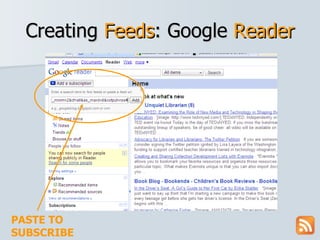
Creating  Feeds : Google  Reader PASTE TO SUBSCRIBE
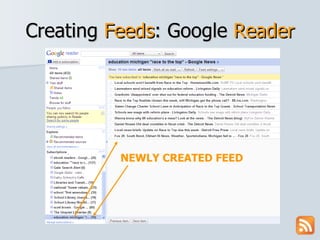
Creating  Feeds : Google  Reader NEWLY CREATED FEED
Creating RSS Feeds Google News Gale/InfoTrac
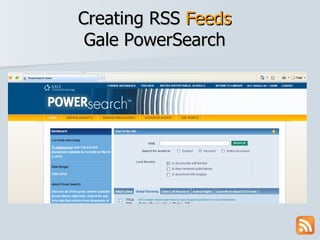
Creating RSS  Feeds Gale PowerSearch
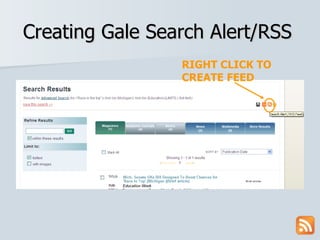
Creating Gale Search Alert/RSS RIGHT CLICK TO CREATE FEED
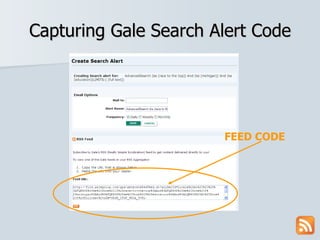
Capturing Gale Search Alert Code FEED CODE
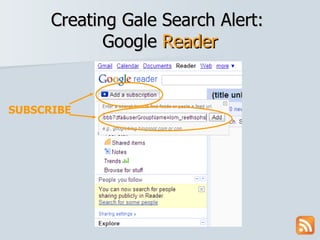
Creating Gale Search Alert:  Google  Reader SUBSCRIBE
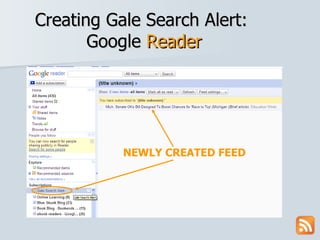
Creating Gale Search Alert:  Google  Reader NEWLY CREATED FEED
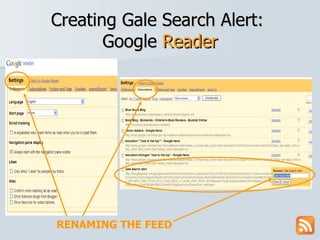
Creating Gale Search Alert:  Google  Reader RENAMING THE FEED
Creating RSS Feeds Google News Gale/InfoTrac Social Bookmarking (Delicious)
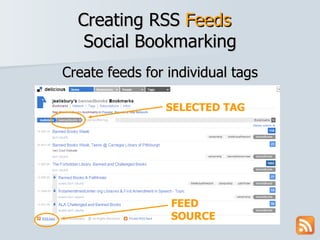
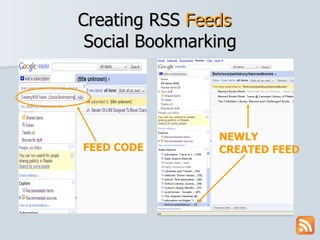
Creating RSS  Feeds   Social Bookmarking Create feeds for individual tags SELECTED TAG FEED SOURCE
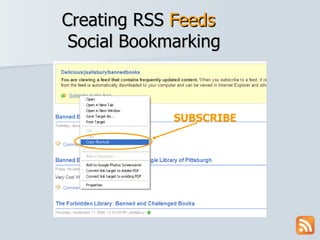
Creating RSS  Feeds   Social Bookmarking SUBSCRIBE
Creating RSS  Feeds   Social Bookmarking FEED CODE NEWLY CREATED FEED
Wrapping it up… Why Use RSS Professionally and in the Classroom?
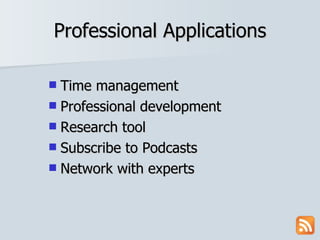
Professional Applications Time management Professional development Research tool Subscribe to Podcasts Network with experts
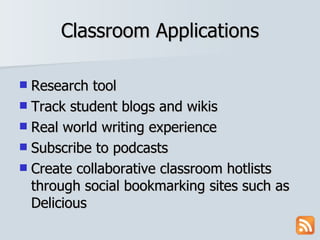
Classroom Applications Research tool Track student blogs and wikis Real world writing experience Subscribe to podcasts Create collaborative classroom hotlists through social bookmarking sites such as Delicious
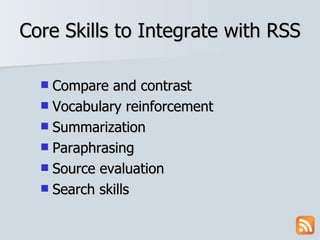
Core Skills to Integrate with RSS Compare and contrast Vocabulary reinforcement Summarization Paraphrasing Source evaluation Search skills
You can now: Locate, create and use RSS feeds Use RSS in the classroom as a tool for gathering and managing information Use RSS to create an individualized PLC Identify reasons to use RSS in the Classroom
Contact Information Joan Vincent Library Media Specialist Reeths-Puffer High School [email_address] Rick Vincent Social Studies Teacher Reeths-Puffer High School [email_address]

MACUL Presentation RSS

  • 1.
    RSS in the Classroom Joan Vincent Rick Vincent Reeths-Puffer High School Muskegon, MI.
  • 2.
    Goals for thisSession After this session you will be able to: Locate, create and use RSS feeds Use RSS in the classroom as a tool for gathering and managing information Use RSS to create an individualized PLC Identify reasons to use RSS in the Classroom
  • 3.
    Why RSS inEducation? Search Efficiencies Evaluation Skills 21 st Century Skills Information Overload
  • 4.
    21 st Century Skills National Educational Technology Standards for Students (NETS –R) III. Research and Information Fluency IV. Critical Thinking, Problem-solving, and Decision Making V. Digital Citizenship
  • 5.
    21 st Century Skills AASL: Standards for the 21 st Century Learner Standard I. Inquire, Think Critically, & Gain Knowledge Standard II. Draw Conclusions & Make Informed Decisions, Apply Knowledge to New Situations & Create New Knowledge.
  • 6.
    HSCEs Addressed GeneralSocial Science Knowledge, Processes and Skills P1 Reading and Communication (Close and Critical Reading) P2 Inquiry, Research and Analysis (Information Processing, Technology Use) P3 Public Discourse and Decision Making P3.1 Identifying and Analyzing Public Issues
  • 7.
    What is RSS?R eally S imple S yndication A RSS feed is the structure that organizes content that is regularly updated for easy retrieval. Accessed through a feed reader (aggregator)
  • 8.
    …RSS’s Two MainComponents Feeder & Reader
  • 9.
  • 10.
    Sources for RSS Feeds : RSS Websites Tagging Newsfeeds Blogs Wikis Podcasts Databases
  • 11.
    Recognizing Feed Sources Orange RSS button “ Subscribe to this feed” “ RSS Feeds” XML button Subscribe to this feed
  • 12.
    Typical RSS Feeds … WEBSITE WITH FEEDS INDIVIDUAL FEEDS
  • 13.
    RSS Component #2 Readers
  • 14.
    Feed ReaderAn e-mail like account which receives RSS feeds. Desktop applications FeedDemon/Newsgator Browser based applications Bloglines Google Reader Yahoo
  • 15.
  • 16.
  • 17.
    RSS Shortcuts FeedReader Shortcuts Browser Button Shortcuts
  • 18.
    RSS Feeds andReaders on the Web The RSS Advisory Board composed this image and release it under the Creative Commons Attribution/Share Alike License.
  • 19.
    Creating RSS FeedsGoogle News Gale/InfoTrac Social Bookmarking (Delicious)
  • 20.
    Creating RSS Feeds Google News
  • 21.
  • 22.
    Google Advanced SearchResults RSS RIGHT CLICK
  • 23.
    Creating RSS Feed for Search Results RIGHT CLICK TO SUBSCRIBE
  • 24.
  • 25.
    Creating Feeds: Google Reader PASTE TO SUBSCRIBE
  • 26.
    Creating Feeds: Google Reader NEWLY CREATED FEED
  • 27.
    Creating RSS FeedsGoogle News Gale/InfoTrac
  • 28.
    Creating RSS Feeds Gale PowerSearch
  • 29.
    Creating Gale SearchAlert/RSS RIGHT CLICK TO CREATE FEED
  • 30.
    Capturing Gale SearchAlert Code FEED CODE
  • 31.
    Creating Gale SearchAlert: Google Reader SUBSCRIBE
  • 32.
    Creating Gale SearchAlert: Google Reader NEWLY CREATED FEED
  • 33.
    Creating Gale SearchAlert: Google Reader RENAMING THE FEED
  • 34.
    Creating RSS FeedsGoogle News Gale/InfoTrac Social Bookmarking (Delicious)
  • 35.
    Creating RSS Feeds Social Bookmarking Create feeds for individual tags SELECTED TAG FEED SOURCE
  • 36.
    Creating RSS Feeds Social Bookmarking SUBSCRIBE
  • 37.
    Creating RSS Feeds Social Bookmarking FEED CODE NEWLY CREATED FEED
  • 38.
    Wrapping it up…Why Use RSS Professionally and in the Classroom?
  • 39.
    Professional Applications Timemanagement Professional development Research tool Subscribe to Podcasts Network with experts
  • 40.
    Classroom Applications Researchtool Track student blogs and wikis Real world writing experience Subscribe to podcasts Create collaborative classroom hotlists through social bookmarking sites such as Delicious
  • 41.
    Core Skills toIntegrate with RSS Compare and contrast Vocabulary reinforcement Summarization Paraphrasing Source evaluation Search skills
  • 42.
    You can now:Locate, create and use RSS feeds Use RSS in the classroom as a tool for gathering and managing information Use RSS to create an individualized PLC Identify reasons to use RSS in the Classroom
  • 43.
    Contact Information JoanVincent Library Media Specialist Reeths-Puffer High School [email_address] Rick Vincent Social Studies Teacher Reeths-Puffer High School [email_address]