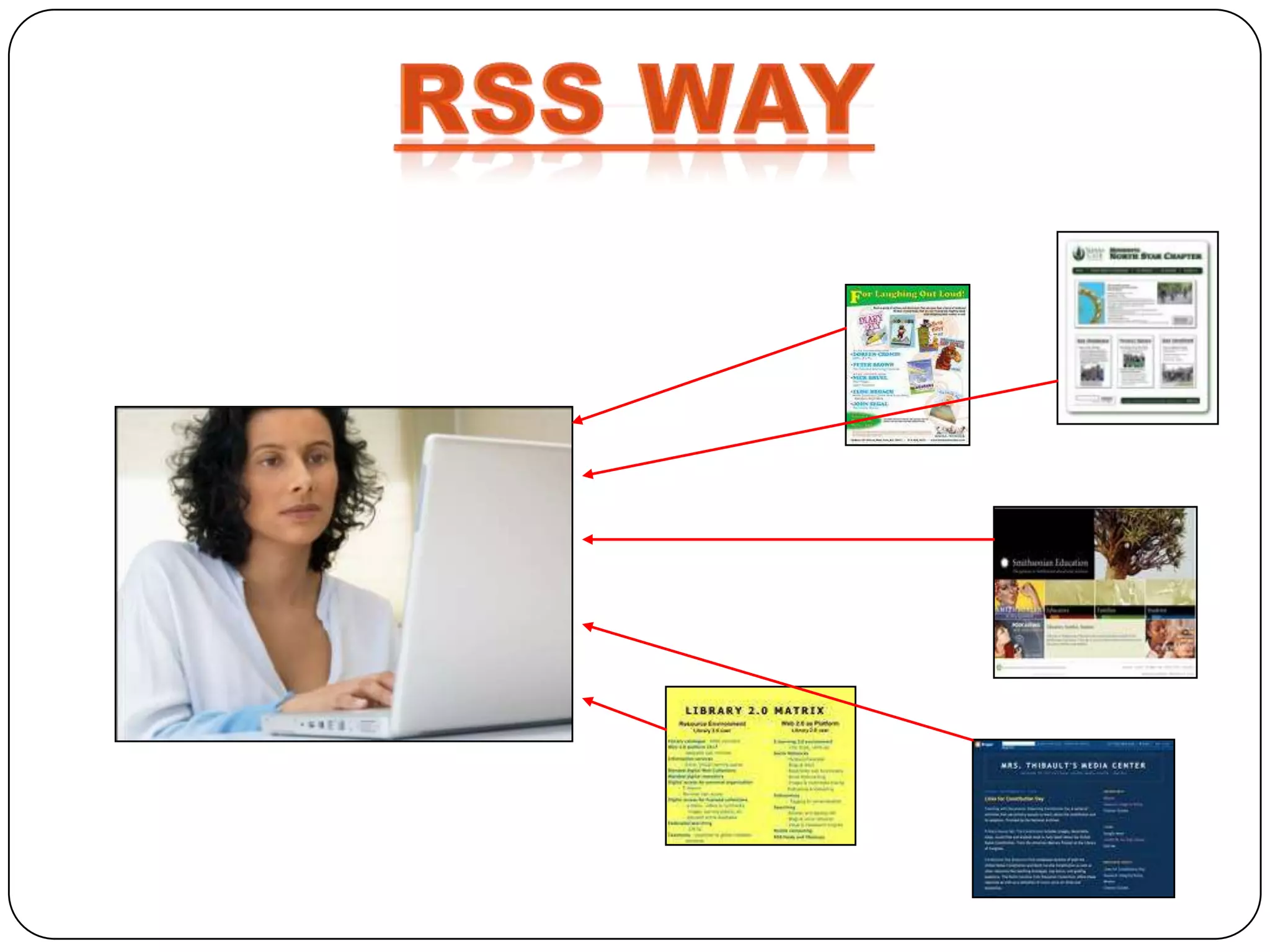
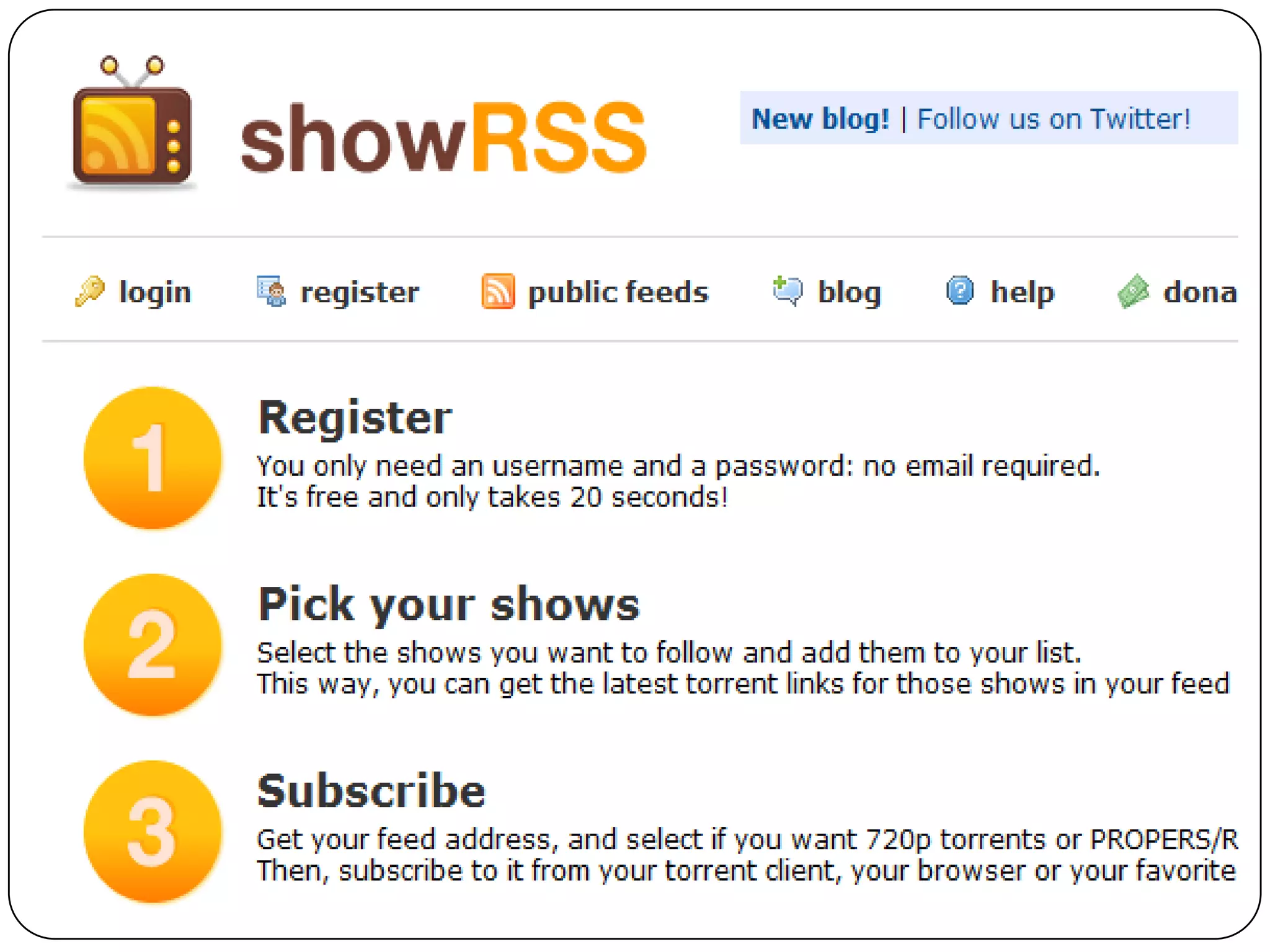
is an acronymn for Really Simple
Syndication or Rich Site Summary.
 XML document that facilitates
 content syndication
 a. This “feed” contains structured
    data
 b. Transformed to information by
    RSS reader

 Ease of   syndication, low cost.
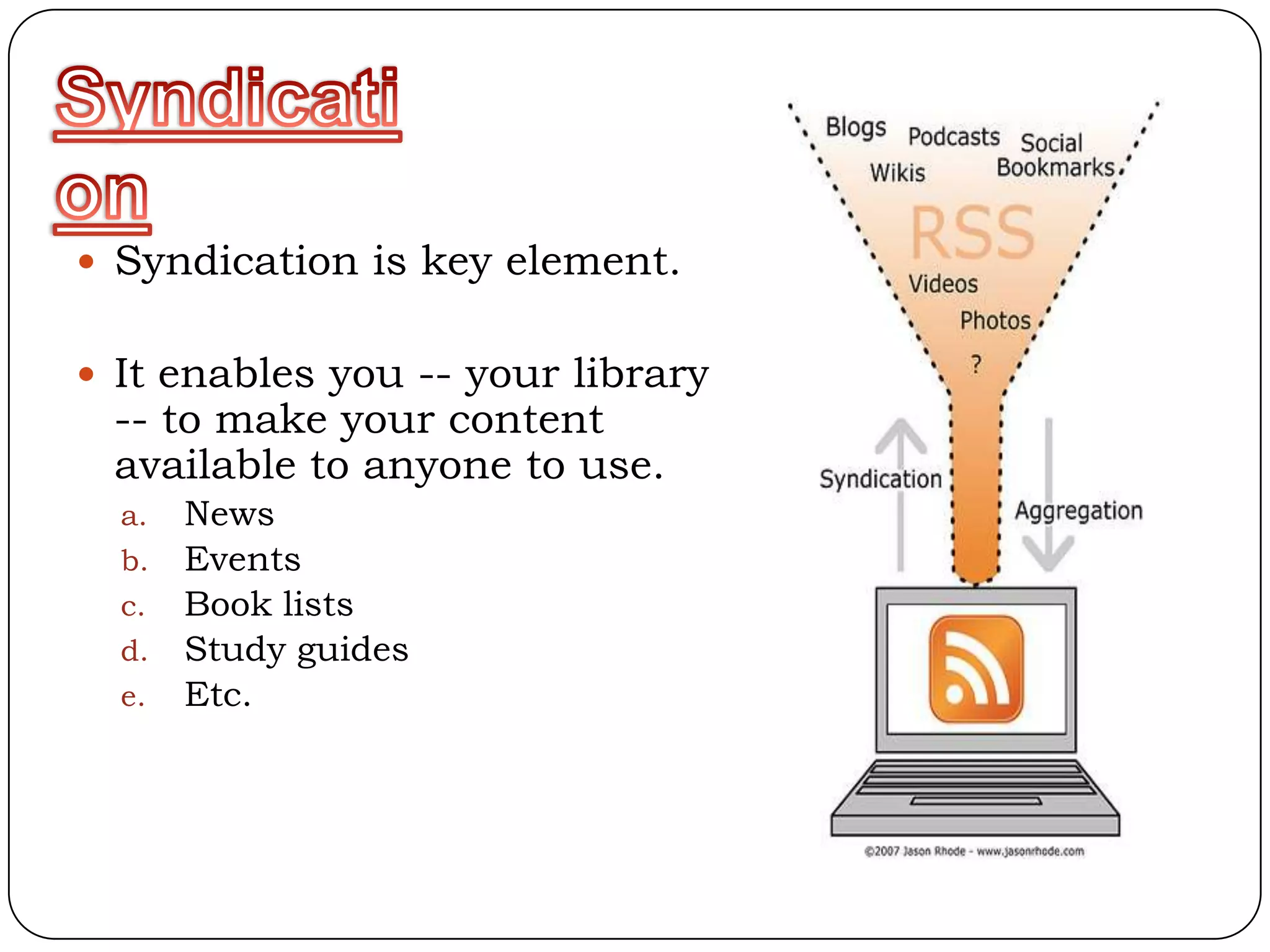
 Syndication is key element.


 It enables you -- your library
 -- to make your content
 available to anyone to use.
  a. News
  b. Events
  c. Book lists
  d. Study guides
  e. Etc.
 Automatically Generated
  a. Weblog software (Movable Type,
      TypePad, Blog lines, Word press, etc.)
  b. Content management systems (i.e.,
      Wikis)
 Using Perl, PHP, Ruby, etc.
  Create feeds from database searches
 By Hand
  If you know HTML you can learn RSS
Initially RSS was restricted to News Headlines. As
RSS’ popularity has increased the uses
For RSS have expanded. Common uses for RSS
include:

      Blogs
      Newsletters
      Weather Alerts
      Press Announcements
      Specials or Discounts
      Calendars
Common Industry specific uses for RSS include:

     Service Industry
     Real Estate
     Schools
     Restaurants
     Law Enforcement
• NewsGator

• Live Bookmarks

• Personal Start Pages
 Bloglines

 Google Reader

 Rojo
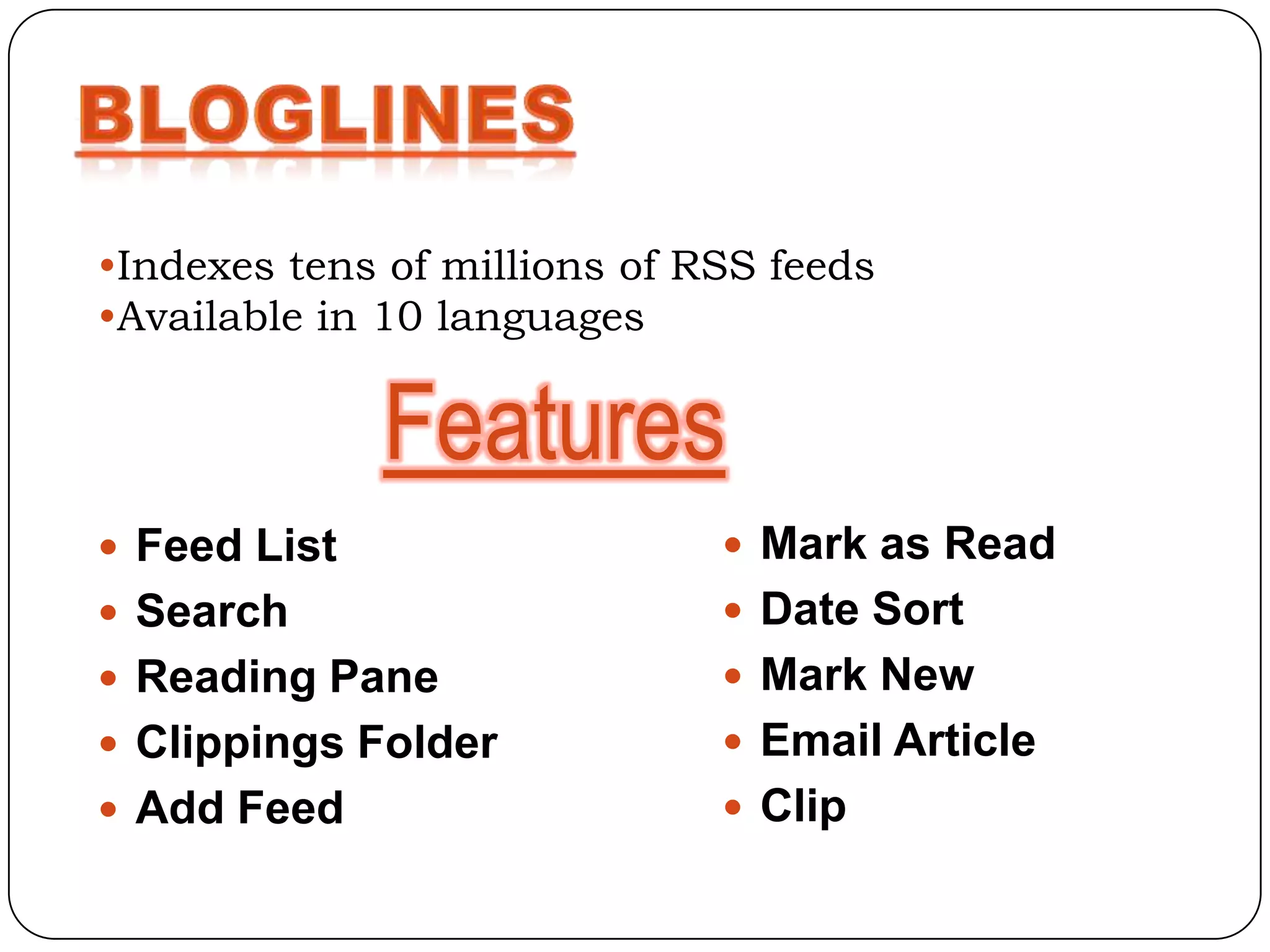
•Indexes tens of millions of RSS feeds
•Available in 10 languages


              Features
 Feed List                    Mark as Read
 Search                       Date Sort
 Reading Pane                 Mark New
 Clippings Folder             Email Article
 Add Feed                     Clip
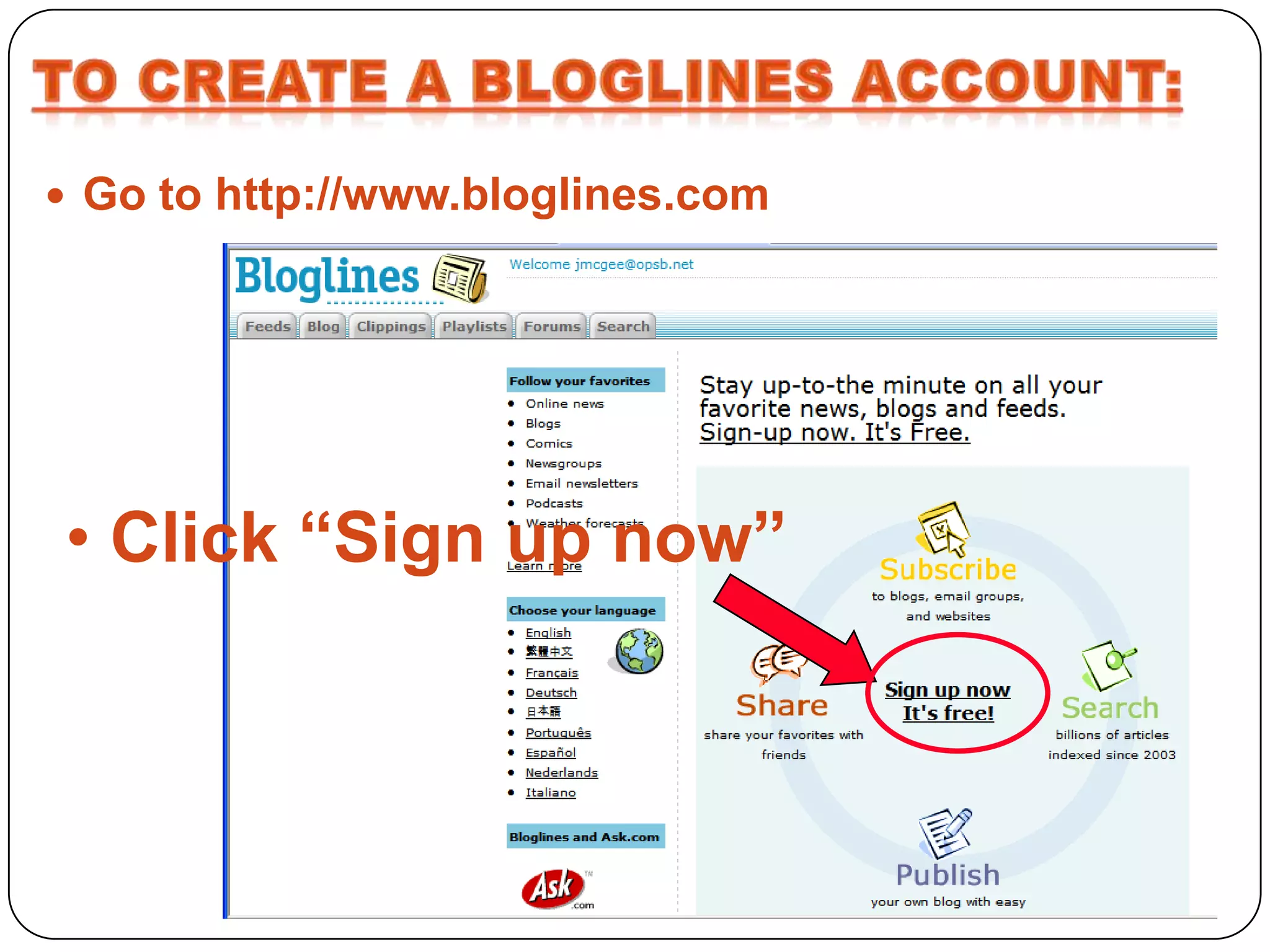
 Go to http://www.bloglines.com


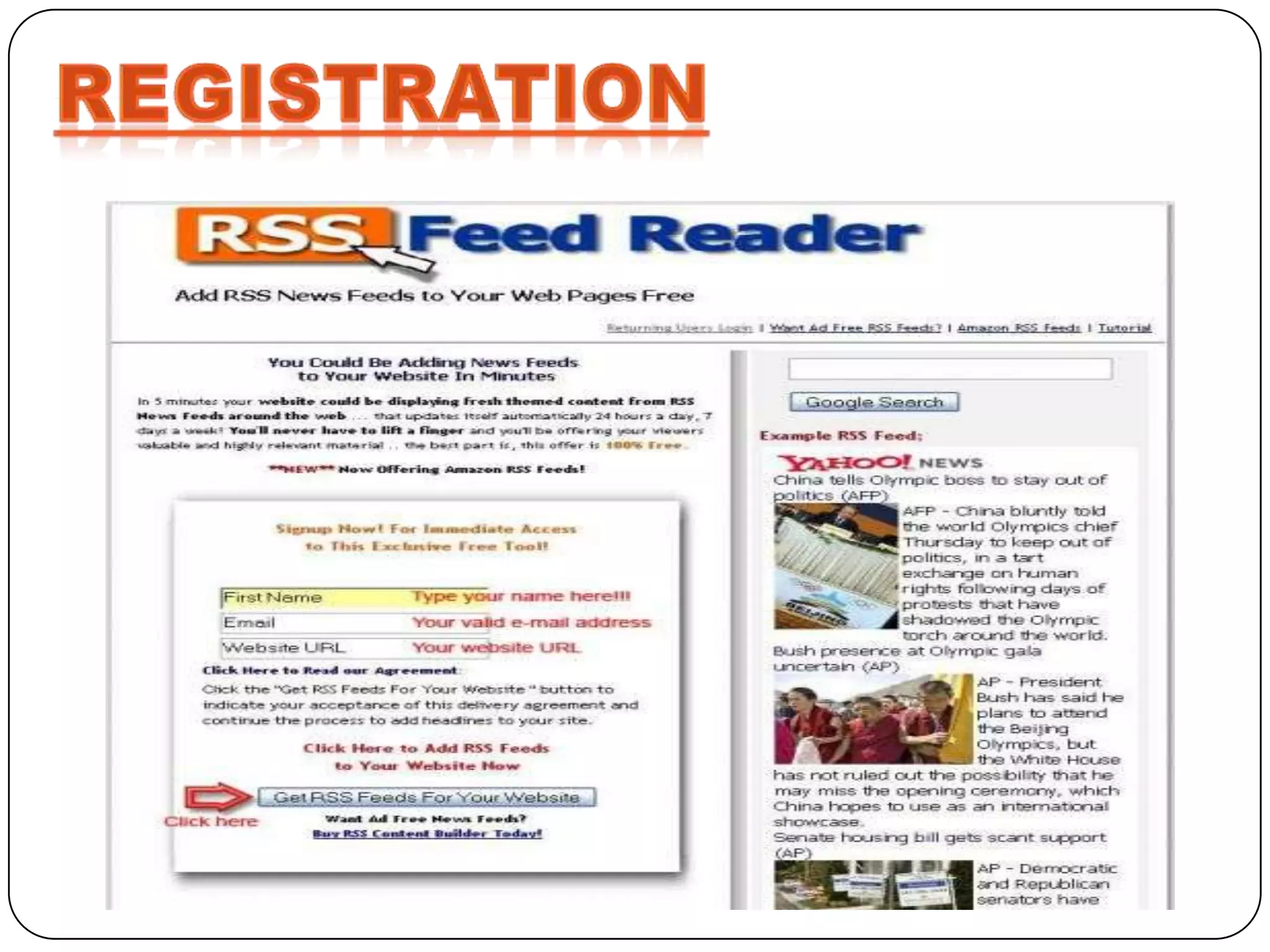
• Click “Sign up now”
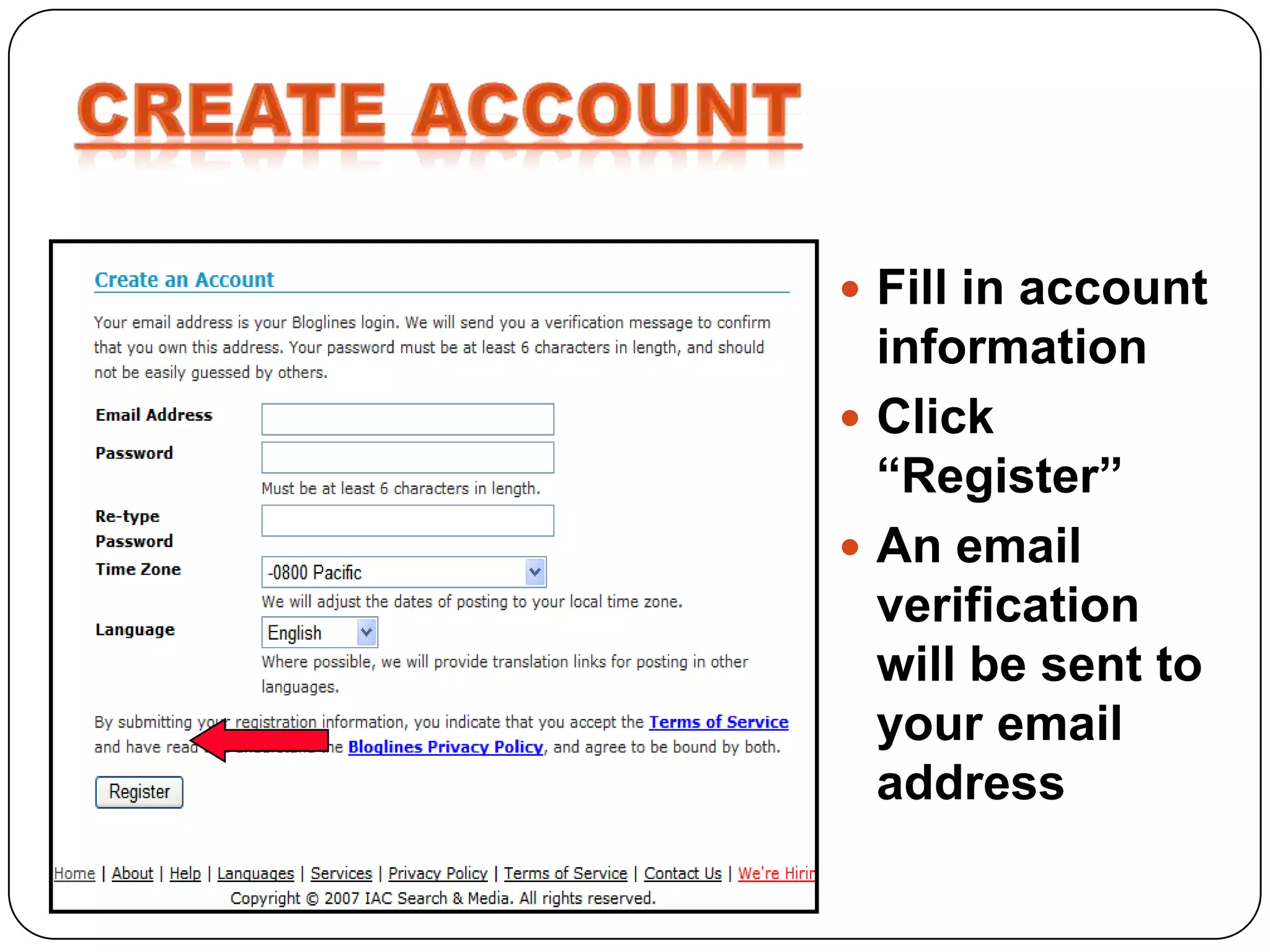
 Fill in account
  information
 Click
  “Register”
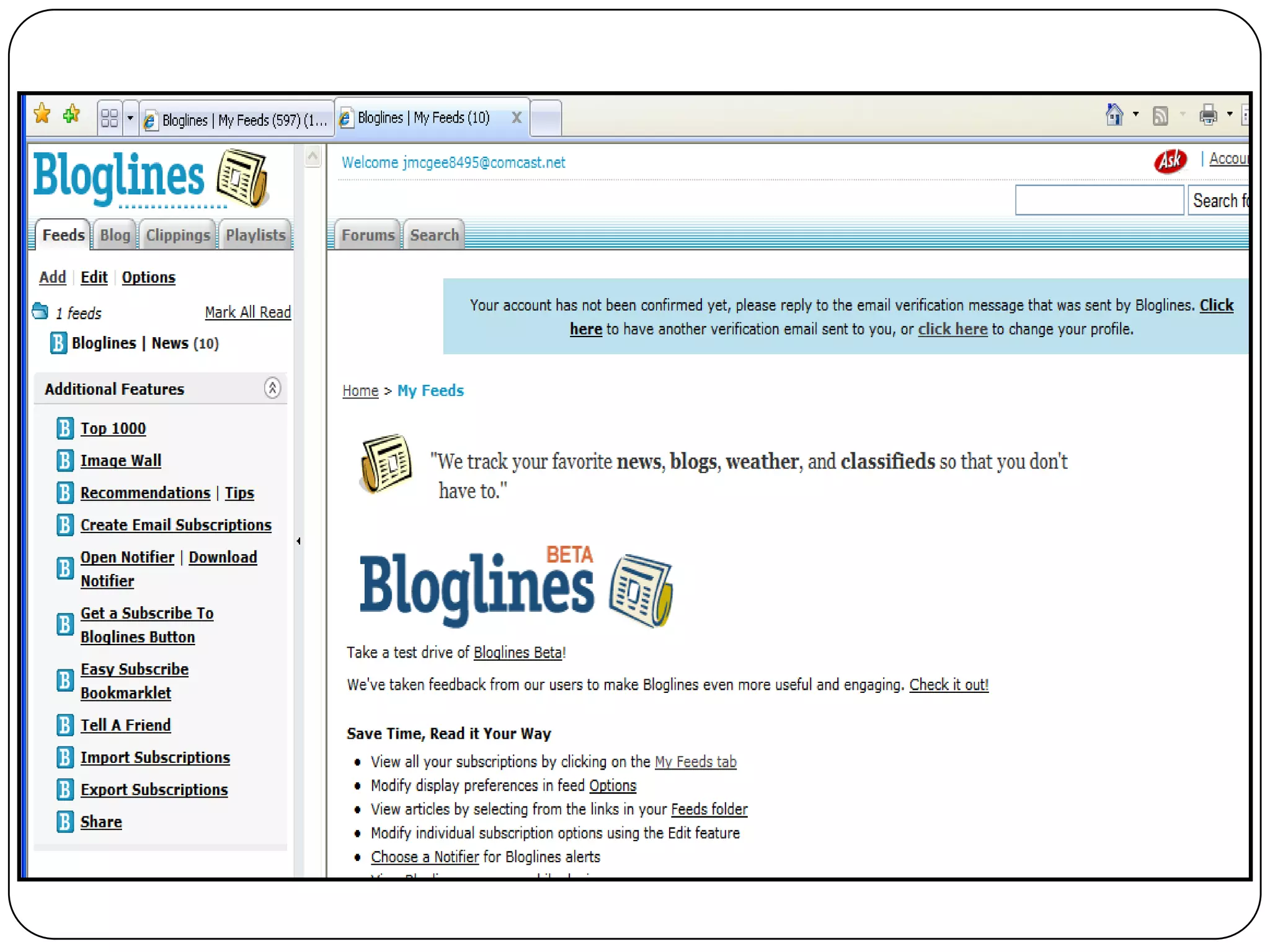
 An email
  verification
  will be sent to
  your email
  address
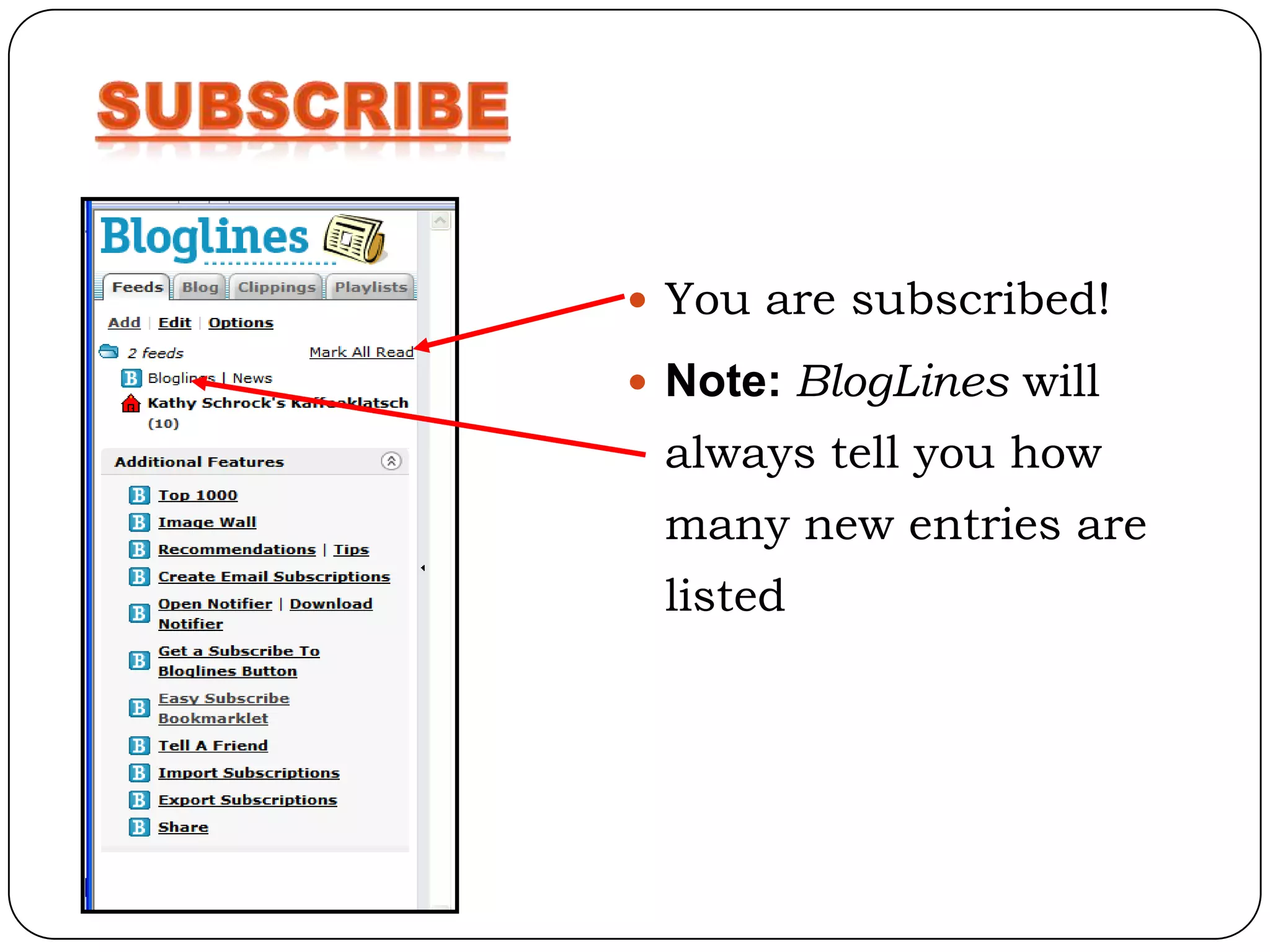
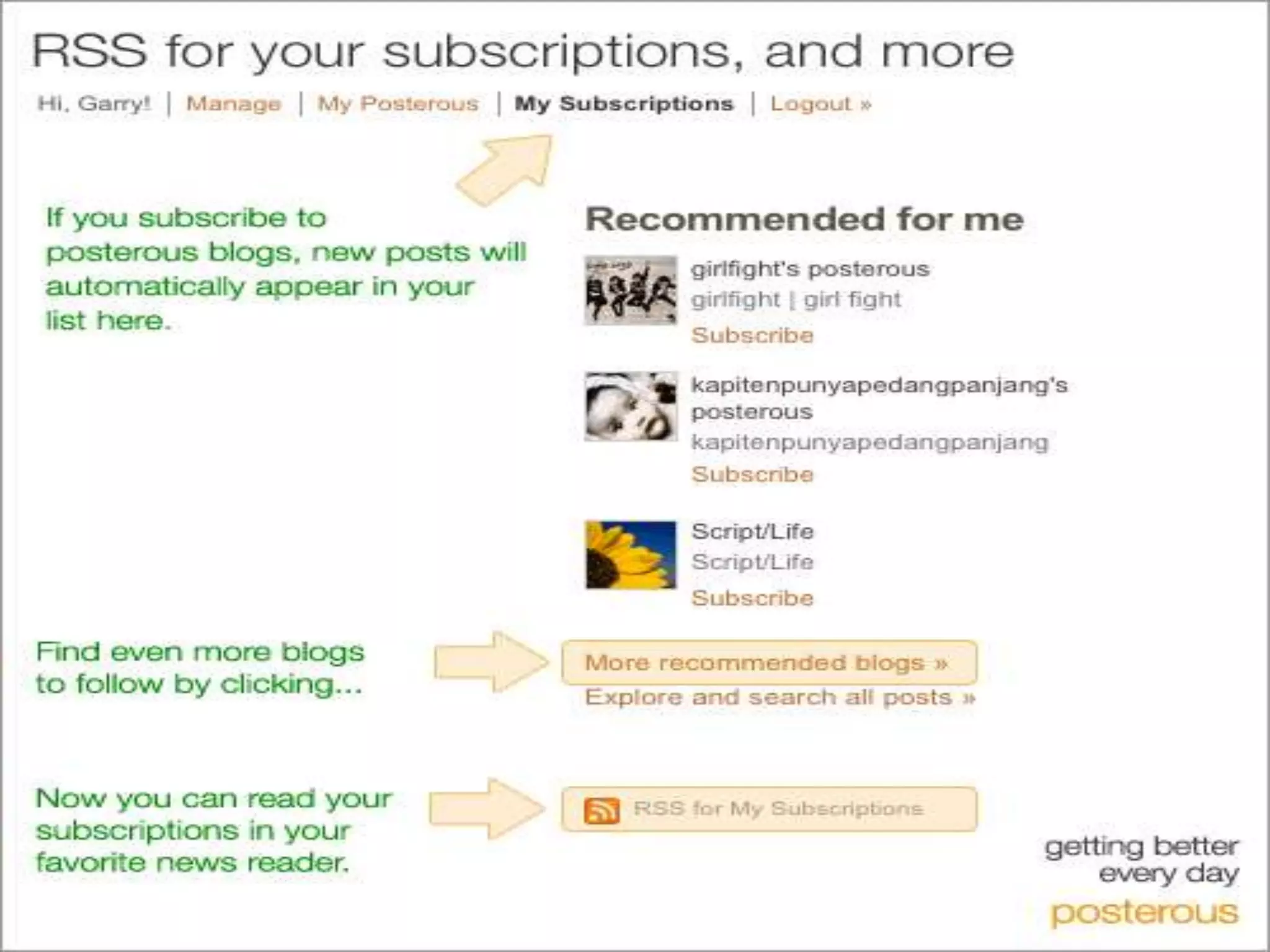
 You are subscribed!

 Note: BlogLines will
 always tell you how
 many new entries are
 listed
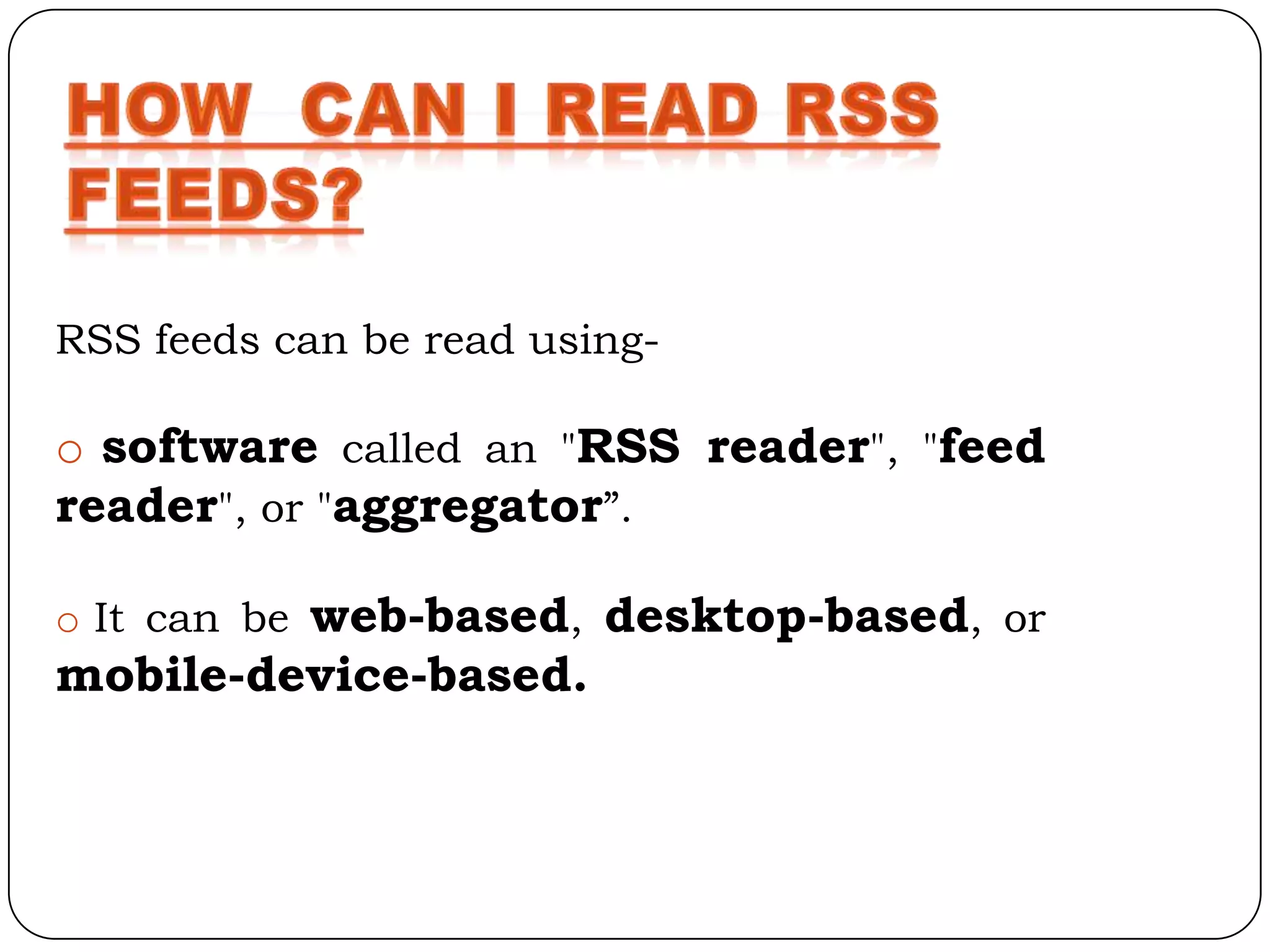
RSS feeds can be read using-

o software called an "RSS reader", "feed
reader", or "aggregator”.

o It can be web-based, desktop-based, or
mobile-device-based.
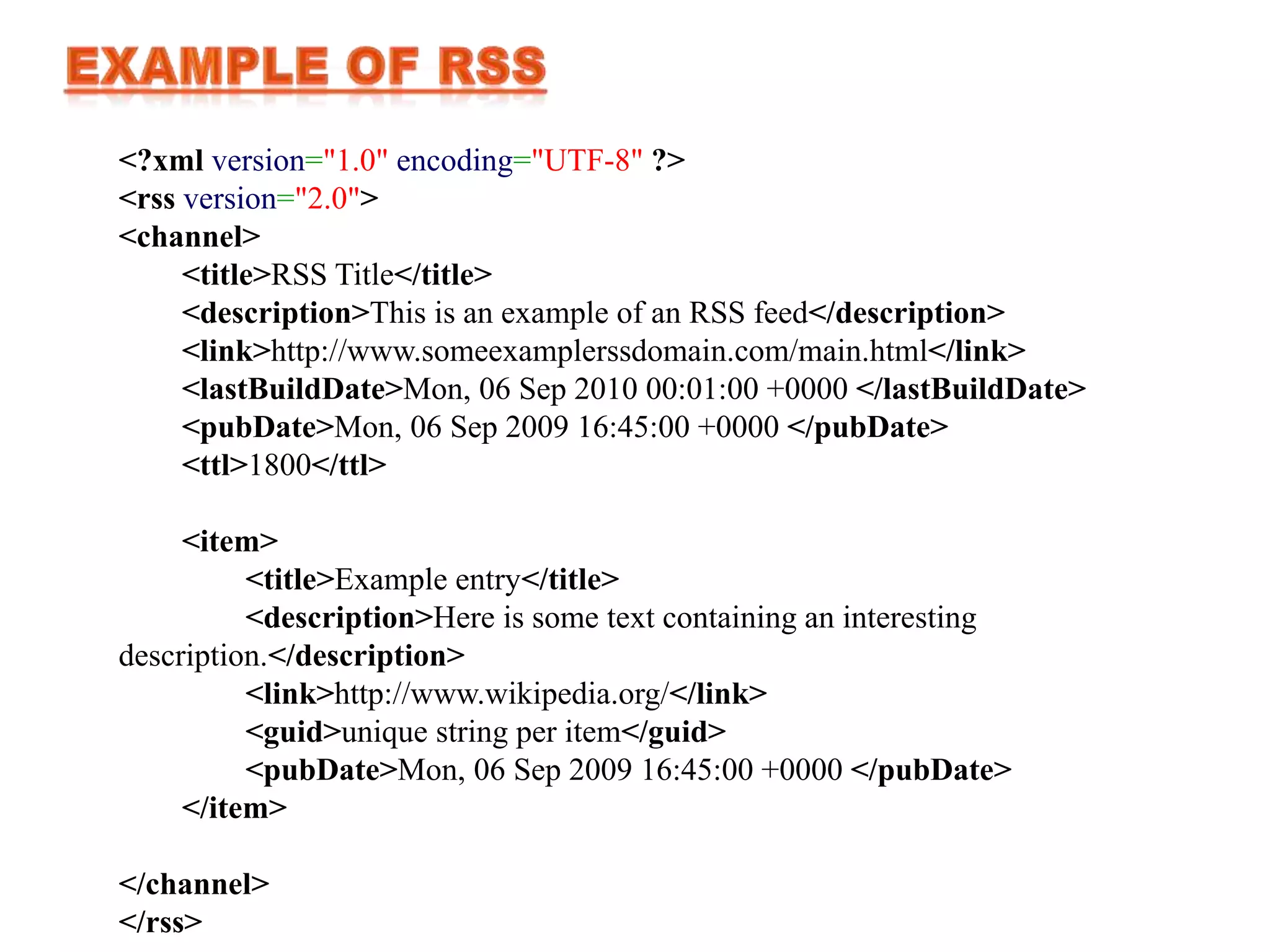
<?xml version="1.0" encoding="UTF-8" ?>
<rss version="2.0">
<channel>
     <title>RSS Title</title>
     <description>This is an example of an RSS feed</description>
     <link>http://www.someexamplerssdomain.com/main.html</link>
     <lastBuildDate>Mon, 06 Sep 2010 00:01:00 +0000 </lastBuildDate>
     <pubDate>Mon, 06 Sep 2009 16:45:00 +0000 </pubDate>
     <ttl>1800</ttl>

     <item>
          <title>Example entry</title>
          <description>Here is some text containing an interesting
description.</description>
          <link>http://www.wikipedia.org/</link>
          <guid>unique string per item</guid>
          <pubDate>Mon, 06 Sep 2009 16:45:00 +0000 </pubDate>
     </item>

</channel>
</rss>
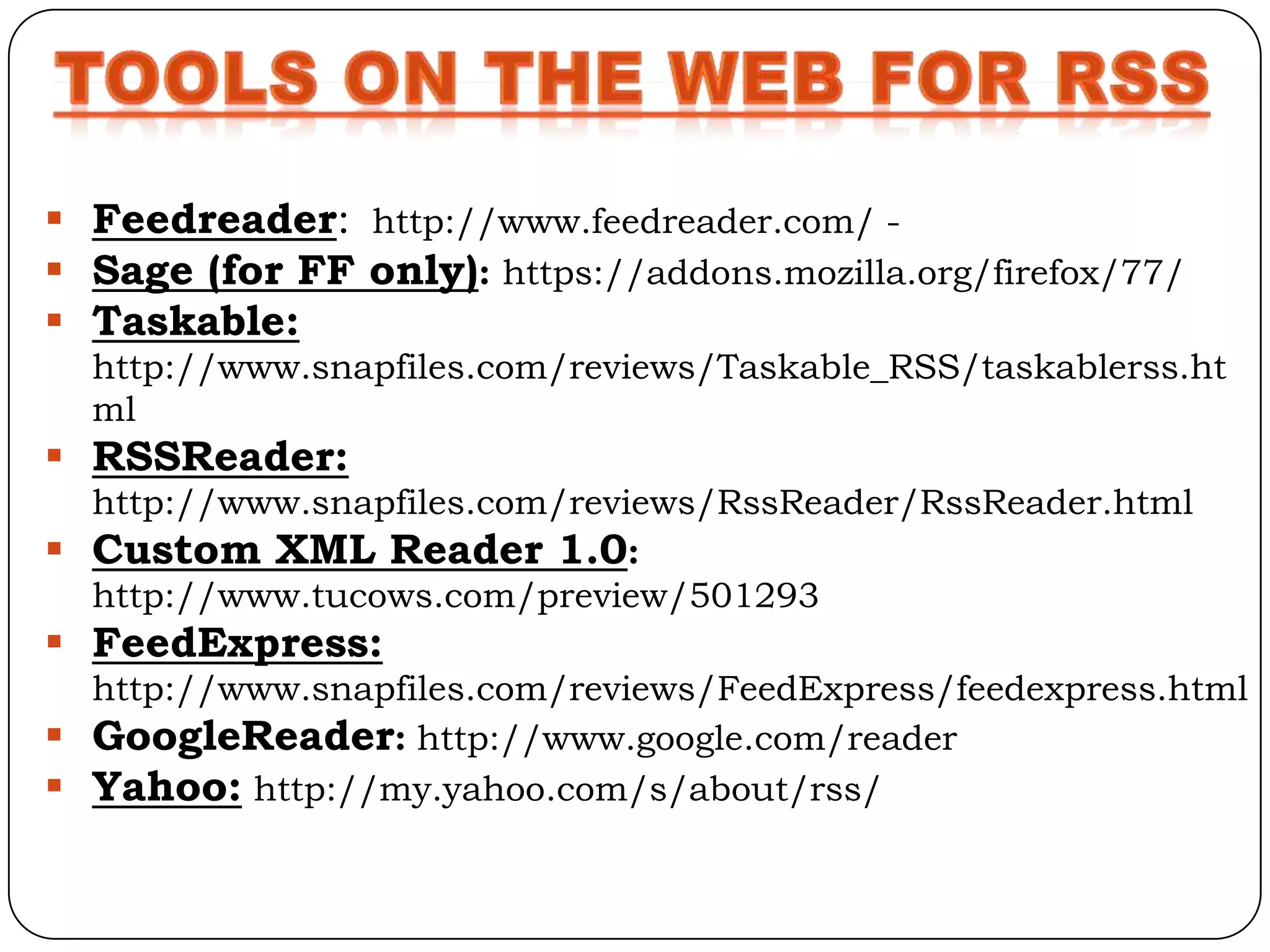
 Feedreader: http://www.feedreader.com/ -
 Sage (for FF only): https://addons.mozilla.org/firefox/77/
 Taskable:
  http://www.snapfiles.com/reviews/Taskable_RSS/taskablerss.ht
  ml
 RSSReader:
  http://www.snapfiles.com/reviews/RssReader/RssReader.html
 Custom XML Reader 1.0:
  http://www.tucows.com/preview/501293
 FeedExpress:
  http://www.snapfiles.com/reviews/FeedExpress/feedexpress.html
 GoogleReader: http://www.google.com/reader
 Yahoo: http://my.yahoo.com/s/about/rss/
The RDF (or RSS 1.*) branch includes
the following versions:

•RSS 0.90 was the original Netscape
RSS version. This RSS was
called RDF Site Summary.

•RSS 1.0 is an open format by the RSS
DEV WORKING GROUP.

•RSS 1.1 is also an open format and is
intended to update and replace RSS
1.0.
The RSS 2.* branch includes the
following versions:

•RSS 0.91 is the simplified RSS version
released by Netscape.

• RSS 0.92 through 0.94 are
expansions of the RSS 0.91 format,

•RSS 2.0.1 has the internal version
number 2.0.
Some RSS 2.0 modules with
established namespaces are:

•MEDIA RSS 2.0 MODULE
•OPEN SEARCH RSS 2.0
MODULE
 Opt-In

 Syndication

 Content

 Aggregation

 Traffic
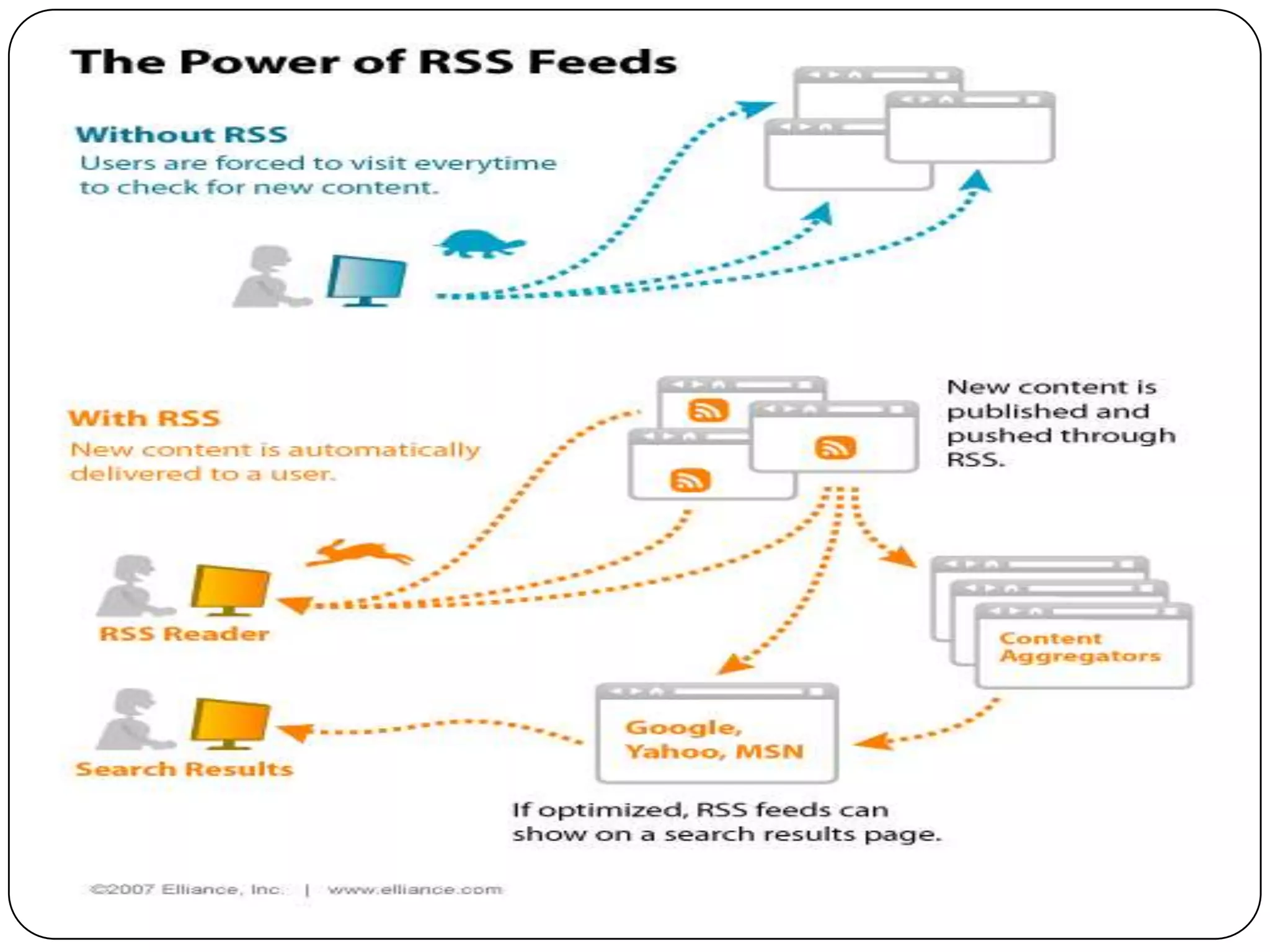
The bottom line is that RSS makes surfers more
   productive and saves time it is not burdened
with the problems commonly associated with e-mail
   and offers a great communication venue.

If you have not considered using RSS perhaps its
    time to take a closer look at:
RSS Feeder
RSS Feeder
RSS Feeder

RSS Feeder

  • 2.
    is an acronymnfor Really Simple Syndication or Rich Site Summary.
  • 3.
     XML documentthat facilitates content syndication a. This “feed” contains structured data b. Transformed to information by RSS reader  Ease of syndication, low cost.
  • 4.
     Syndication iskey element.  It enables you -- your library -- to make your content available to anyone to use. a. News b. Events c. Book lists d. Study guides e. Etc.
  • 5.
     Automatically Generated a. Weblog software (Movable Type, TypePad, Blog lines, Word press, etc.) b. Content management systems (i.e., Wikis)  Using Perl, PHP, Ruby, etc. Create feeds from database searches  By Hand If you know HTML you can learn RSS
  • 6.
    Initially RSS wasrestricted to News Headlines. As RSS’ popularity has increased the uses For RSS have expanded. Common uses for RSS include:  Blogs  Newsletters  Weather Alerts  Press Announcements  Specials or Discounts  Calendars
  • 7.
    Common Industry specificuses for RSS include:  Service Industry  Real Estate  Schools  Restaurants  Law Enforcement
  • 11.
    • NewsGator • LiveBookmarks • Personal Start Pages
  • 12.
     Bloglines  GoogleReader  Rojo
  • 13.
    •Indexes tens ofmillions of RSS feeds •Available in 10 languages Features  Feed List  Mark as Read  Search  Date Sort  Reading Pane  Mark New  Clippings Folder  Email Article  Add Feed  Clip
  • 14.
     Go tohttp://www.bloglines.com • Click “Sign up now”
  • 15.
     Fill inaccount information  Click “Register”  An email verification will be sent to your email address
  • 17.
     You aresubscribed!  Note: BlogLines will always tell you how many new entries are listed
  • 22.
    RSS feeds canbe read using- o software called an "RSS reader", "feed reader", or "aggregator”. o It can be web-based, desktop-based, or mobile-device-based.
  • 23.
    <?xml version="1.0" encoding="UTF-8"?> <rss version="2.0"> <channel> <title>RSS Title</title> <description>This is an example of an RSS feed</description> <link>http://www.someexamplerssdomain.com/main.html</link> <lastBuildDate>Mon, 06 Sep 2010 00:01:00 +0000 </lastBuildDate> <pubDate>Mon, 06 Sep 2009 16:45:00 +0000 </pubDate> <ttl>1800</ttl> <item> <title>Example entry</title> <description>Here is some text containing an interesting description.</description> <link>http://www.wikipedia.org/</link> <guid>unique string per item</guid> <pubDate>Mon, 06 Sep 2009 16:45:00 +0000 </pubDate> </item> </channel> </rss>
  • 24.
     Feedreader: http://www.feedreader.com/-  Sage (for FF only): https://addons.mozilla.org/firefox/77/  Taskable: http://www.snapfiles.com/reviews/Taskable_RSS/taskablerss.ht ml  RSSReader: http://www.snapfiles.com/reviews/RssReader/RssReader.html  Custom XML Reader 1.0: http://www.tucows.com/preview/501293  FeedExpress: http://www.snapfiles.com/reviews/FeedExpress/feedexpress.html  GoogleReader: http://www.google.com/reader  Yahoo: http://my.yahoo.com/s/about/rss/
  • 25.
    The RDF (orRSS 1.*) branch includes the following versions: •RSS 0.90 was the original Netscape RSS version. This RSS was called RDF Site Summary. •RSS 1.0 is an open format by the RSS DEV WORKING GROUP. •RSS 1.1 is also an open format and is intended to update and replace RSS 1.0.
  • 26.
    The RSS 2.*branch includes the following versions: •RSS 0.91 is the simplified RSS version released by Netscape. • RSS 0.92 through 0.94 are expansions of the RSS 0.91 format, •RSS 2.0.1 has the internal version number 2.0.
  • 27.
    Some RSS 2.0modules with established namespaces are: •MEDIA RSS 2.0 MODULE •OPEN SEARCH RSS 2.0 MODULE
  • 30.
     Opt-In  Syndication Content  Aggregation  Traffic
  • 31.
    The bottom lineis that RSS makes surfers more productive and saves time it is not burdened with the problems commonly associated with e-mail and offers a great communication venue. If you have not considered using RSS perhaps its time to take a closer look at: