Library Research Methods for MA
             FTVA

  Liaison Librarian : Sue Nolan
   email: s.nolan@mdx.ac.uk


http://unihub.mdx.ac.uk/library
In this workshop we will look at...

• Services and facilities available from the Library

• Using our resources to find information

• Developing an effective search strategy

• Evaluating information for quality and relevance
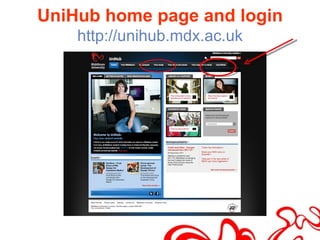
UniHub home page and login
    http://unihub.mdx.ac.uk
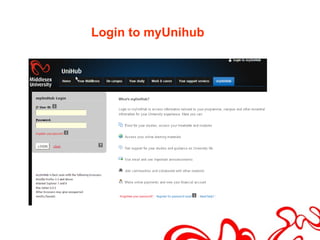
Login to myUnihub
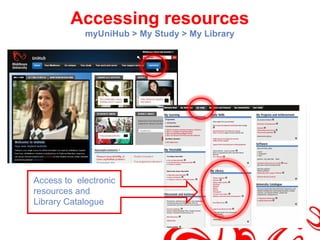
Accessing resources
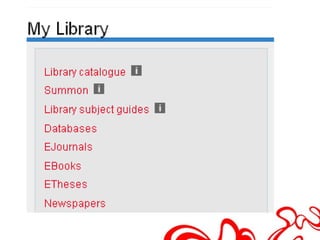
            myUniHub > My Study > My Library


Access to electronic
resources and
Library Catalogue
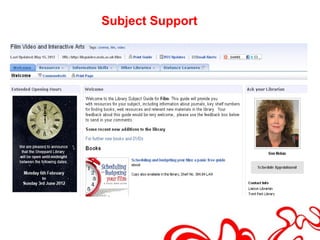
Subject Support
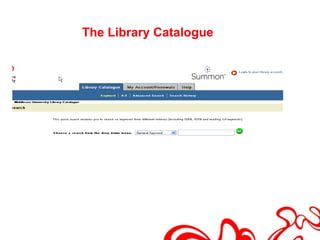
The Library Catalogue

• General keyword

• Title keyword

• Name keyword – author, artist, director

• Journal keyword

• DVD / Video keyword
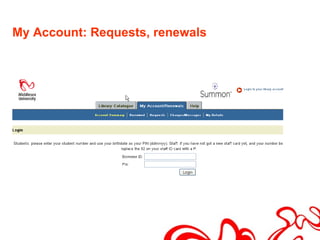
My Account: Requests, renewals
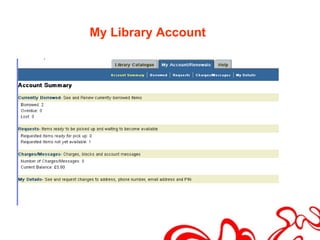
My Library Account
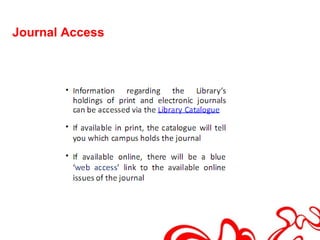
Journal Access
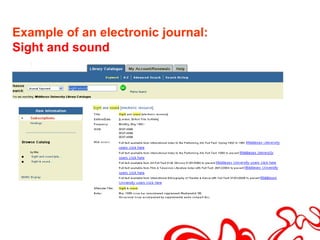
Example of an electronic journal:
Sight and sound
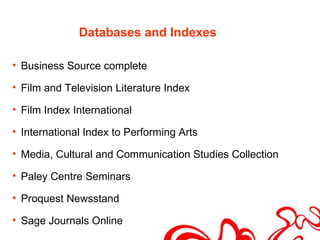
Databases and Indexes

• Business Source complete

• Film and Television Literature Index

• Film Index International

• International Index to Performing Arts

• Media, Cultural and Communication Studies Collection

• Paley Centre Seminars

• Proquest Newsstand

• Sage Journals Online
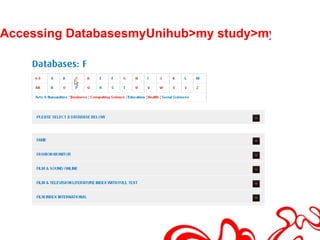
Accessing DatabasesmyUnihub>my study>my library
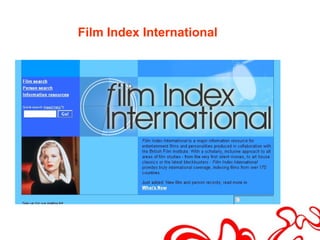
Film Index International
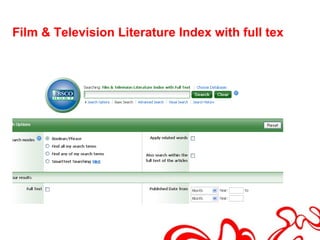
Film & Television Literature Index with full text
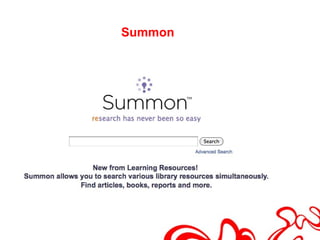
Summon
Principles of literature searching

• Define your question

• Identify significant keywords

• Identify related terms

• Identify broader and narrower terms

• Watch out for spelling and terminology e.g. English vs
  American
What is a literature review?
• What has been written, by whom?

• A literature review is a systematic and comprehensive
  search for information.

• The information you search for will inform, underpin
  and /or shape your research.

• A literature review will enable you to find out what has
  already been written in your subject area and enable
  you to identify the main trends.

• The information can be contained in books, journal
  articles, newspaper articles, reports, case studies,
  policy documents, conference proceedings etc.
What is a Literature Review 2

• It should summarise and analyse the arguments of
  others.

• And describe what gaps exist in your area of interest.

• It should highlight both widespread agreement, as
  well as debate and controversy in previous research.

• And make it clear how this work relates to the
  research project you have undertaken
Five Key stages of a Literature Review


• Identify your keywords

• Identify which databases to search

• Assess the relevance of the results

• Source the most relevant articles/books

• Critical Reading and Evaluation
Identify your keywords


• Start with your research question and make a list of
  key, relevant topics


• From these try to make a list of ‘keywords’ to search for
  in the catalogue/databases
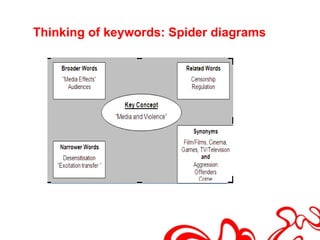
Thinking of keywords: Spider diagrams
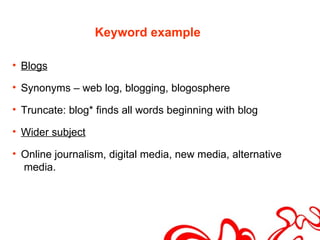
Keyword example

• Blogs

• Synonyms – web log, blogging, blogosphere

• Truncate: blog* finds all words beginning with blog

• Wider subject

• Online journalism, digital media, new media, alternative
  media.
Controlling your search


        AND

         OR

        NOT
• Narrow search eg. product AND design

• Widen search eg. USA OR America

• Exclude words eg. Computer games NOT video

• Search for phrases eg. “human computer interaction”

• Broaden search eg. design* (finds design, designing,
  designers etc)

• Find different spellings eg. organi?ation (finds
  organisation and organization)

• Include and exclude terms (Internet) eg. + “da Vinci” -
  code
Now it’s your turn

• Use the resources mentioned to find

• A book

• A journal article

• RELEVANT FOR YOUR RESEARCH
Search Strategy: keywords

• Widen Search – too few results

• Try different keywords and combinations, use less
  keywords, use truncation*

• Narrow Search- too many results

• Add another keyword, narrow by country, time period,
  use more specific keyword such as a name.
Inter-Library Loans

• For books and journal articles not available at
  Middlesex

• Fill in request form online on Inter-library loan page of
  on my study page

• Charge is £3 per request

• Journal articles are delivered electronically to your
  email address, books take 1-3 weeks.
Evaluating Information
• Authority : Who is the author? What is their knowledge
  base/qualifications? How have they carried out their
  research?

• Relevance : Is this what I need? Will it answer my
  question? Is it at the right level?

• Intent : What is the purpose of information e.g.
  financial gain, propaganda, academic etc?

• Objectivity : Balanced view? Opposing views
  represented? Links to supporting information?

• Currency: How old is this information? When was it
  last updated and by whom?
Managing your research

• Time management. Aim for date to complete literature
  search

• Allow time to find material, access and read it.

• Allow time to collect inter library loans, visit other
  libraries if some material has to be sourced elsewhere.

• Keep a log book detailing full bibliographic details of
  materials used.
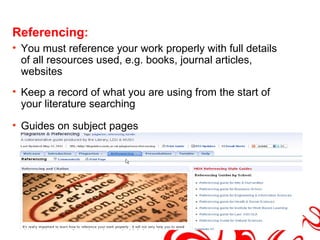
Referencing:
• You must reference your work properly with full details
  of all resources used, e.g. books, journal articles,
  websites
• Keep a record of what you are using from the start of
  your literature searching

• Guides on subject pages
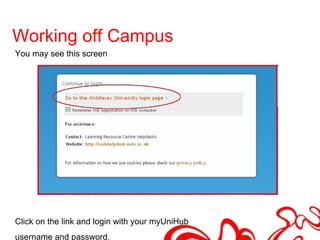
Working off Campus...
You may see this screen


Click on the link and login with your myUniHub
username and password.
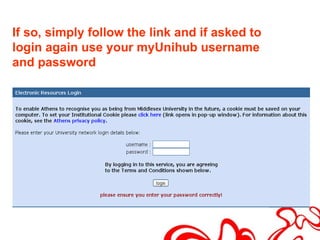
If so, simply follow the link and if asked to
login again use your myUnihub username
and password
Other Libraries
• BFI Library. Reopening on the Southbank, 12 June.
  Search catalogue before going. Free to use. Reference
  only.

• SCONUL Access Scheme provides access to other
  academic libraries. Apply at the Library Helpdesk for a
  card

• For more information on the scheme visit the website
  http://www.sconul.ac.uk/using_other_libraries/access

• British Library. Information on applying for a reader’s
  pass and links to catalogue are on their website
  http://www.bl.uk (check catalogue to see if materials
  you require is held at St Pancras Reading Rooms)

MA Film Television and Animation: Library Induction

  • 1.
    Library Research Methodsfor MA FTVA Liaison Librarian : Sue Nolan email: s.nolan@mdx.ac.uk http://unihub.mdx.ac.uk/library
  • 2.
    In this workshopwe will look at... • Services and facilities available from the Library • Using our resources to find information • Developing an effective search strategy • Evaluating information for quality and relevance
  • 3.
    UniHub home pageand login http://unihub.mdx.ac.uk
  • 4.
  • 5.
    Accessing resources myUniHub > My Study > My Library Access to electronic resources and Library Catalogue
  • 7.
  • 8.
  • 9.
    The Library Catalogue •General keyword • Title keyword • Name keyword – author, artist, director • Journal keyword • DVD / Video keyword
  • 10.
  • 11.
  • 12.
  • 13.
    Example of anelectronic journal: Sight and sound
  • 14.
    Databases and Indexes •Business Source complete • Film and Television Literature Index • Film Index International • International Index to Performing Arts • Media, Cultural and Communication Studies Collection • Paley Centre Seminars • Proquest Newsstand • Sage Journals Online
  • 15.
  • 16.
  • 17.
    Film & TelevisionLiterature Index with full text
  • 18.
  • 19.
    Principles of literaturesearching • Define your question • Identify significant keywords • Identify related terms • Identify broader and narrower terms • Watch out for spelling and terminology e.g. English vs American
  • 20.
    What is aliterature review? • What has been written, by whom? • A literature review is a systematic and comprehensive search for information. • The information you search for will inform, underpin and /or shape your research. • A literature review will enable you to find out what has already been written in your subject area and enable you to identify the main trends. • The information can be contained in books, journal articles, newspaper articles, reports, case studies, policy documents, conference proceedings etc.
  • 21.
    What is aLiterature Review 2 • It should summarise and analyse the arguments of others. • And describe what gaps exist in your area of interest. • It should highlight both widespread agreement, as well as debate and controversy in previous research. • And make it clear how this work relates to the research project you have undertaken
  • 22.
    Five Key stagesof a Literature Review • Identify your keywords • Identify which databases to search • Assess the relevance of the results • Source the most relevant articles/books • Critical Reading and Evaluation
  • 23.
    Identify your keywords •Start with your research question and make a list of key, relevant topics • From these try to make a list of ‘keywords’ to search for in the catalogue/databases
  • 24.
    Thinking of keywords:Spider diagrams
  • 25.
    Keyword example • Blogs •Synonyms – web log, blogging, blogosphere • Truncate: blog* finds all words beginning with blog • Wider subject • Online journalism, digital media, new media, alternative media.
  • 26.
  • 27.
    • Narrow searcheg. product AND design • Widen search eg. USA OR America • Exclude words eg. Computer games NOT video • Search for phrases eg. “human computer interaction” • Broaden search eg. design* (finds design, designing, designers etc) • Find different spellings eg. organi?ation (finds organisation and organization) • Include and exclude terms (Internet) eg. + “da Vinci” - code
  • 28.
    Now it’s yourturn • Use the resources mentioned to find • A book • A journal article • RELEVANT FOR YOUR RESEARCH
  • 29.
    Search Strategy: keywords •Widen Search – too few results • Try different keywords and combinations, use less keywords, use truncation* • Narrow Search- too many results • Add another keyword, narrow by country, time period, use more specific keyword such as a name.
  • 30.
    Inter-Library Loans • Forbooks and journal articles not available at Middlesex • Fill in request form online on Inter-library loan page of on my study page • Charge is £3 per request • Journal articles are delivered electronically to your email address, books take 1-3 weeks.
  • 31.
    Evaluating Information • Authority: Who is the author? What is their knowledge base/qualifications? How have they carried out their research? • Relevance : Is this what I need? Will it answer my question? Is it at the right level? • Intent : What is the purpose of information e.g. financial gain, propaganda, academic etc? • Objectivity : Balanced view? Opposing views represented? Links to supporting information? • Currency: How old is this information? When was it last updated and by whom?
  • 32.
    Managing your research •Time management. Aim for date to complete literature search • Allow time to find material, access and read it. • Allow time to collect inter library loans, visit other libraries if some material has to be sourced elsewhere. • Keep a log book detailing full bibliographic details of materials used.
  • 33.
    Referencing: • You mustreference your work properly with full details of all resources used, e.g. books, journal articles, websites • Keep a record of what you are using from the start of your literature searching • Guides on subject pages
  • 34.
    Working off Campus... Youmay see this screen Click on the link and login with your myUniHub username and password.
  • 35.
    If so, simplyfollow the link and if asked to login again use your myUnihub username and password
  • 36.
    Other Libraries • BFILibrary. Reopening on the Southbank, 12 June. Search catalogue before going. Free to use. Reference only. • SCONUL Access Scheme provides access to other academic libraries. Apply at the Library Helpdesk for a card • For more information on the scheme visit the website http://www.sconul.ac.uk/using_other_libraries/access • British Library. Information on applying for a reader’s pass and links to catalogue are on their website http://www.bl.uk (check catalogue to see if materials you require is held at St Pancras Reading Rooms)

Editor's Notes

  • #3 Services and facilities available from the Library ie. Requesting books, laptop loan etc How to develop an effective search strategy ie. Thinking about keywords The range of resources available and how to use them to find information Evaluating information for quality and relevance Using information ethically ie. Avoiding plagiarism, referencing and citation
  • #4 Unihub is the university student portal Basic library and IT information is on the library and IT home page via Your study tab (next slide) BUT for library e-resources that we pay for Information about you and your course Access to coursework Messages to you from the University and your tutors You must log in! Login via myUniHub tab (to be replaced by login box soon) Recommend that you log in to myUnihub everyday to check To get access to library e-resources you must go to the My Library box to make things work (will be changed by 4/10/11)
  • #5 Once you’ve logged in, go to my study, library resources are under my library
  • #6 To get access to our e-resources you must log into myUniHub and go to the My Study page and the My Library box. We recommend you log in every day as you will also get messages from the University this way. You will have access to My Study once you have complete enrolment. Please also register for password reset. Useful resources available through MyLibrary: (Log in first time = IT user ID on ID card plus M number with first three letters of month of birth e.g M00XXXXXapr) Library Catalogue Use to find books and journals (print and electronic) plus other material held in the library eg. DVDs, CDs, dissertations etc. Summon Searches all our databases, plus the library catalogue. Library Subject Guides: bring together all resources for a particular subject area Databases: Newspapers: c170 UK regional and national newspapers online
  • #8 Mention also guides for Television Production and Animation, can make appointments with me
  • #9 The library catalogue lists all the material books, journals etc held in all the Middlesex University libraries. You may use any campus library, and via the library catalogue you may request books from another campus General keyword: film festivals Title keyword: single camera video production DVD /video keyword: title of film or television programme example mad men
  • #11 S00022034 Password 111111 You and your action research project
  • #14 Journal keyword: Research in education
  • #16 Databases in A-Z listing
  • #17 a major information resource for entertainment films and personalities produced in collaboration with the British Film Institute. Can search by actor, director of film. Gives full credits of film, and reviews not full text. Use example INCEPTION
  • #18 The definitive online tool for film and television research. Subject coverage includes film & television theory, preservation & restoration, screenwriting, production, cinematography, technical aspects, and reviews. Defaults to basic search, choose advanced search so you can combine words Type your search terms into the boxes Example 3D AND History Example
  • #19 Celebrity AND reality television
  • #24 Databases can be very specific so you may need to search for more than one word. A word may have a number of synonyms ( eg. women’s magazine / fashion magazine) There word may have more than one grammatical form (eg Brand / Brands / Branding
  • #25 Some people find it helpful to use spider diagrams: Start by writing down the key concepts on and try to brainstorm related, broader and narrower terms as well as synonyms for each one. Wider search; not many results Narrow search: too many results
  • #27 Introduce idea of controlling your search by using boolean operators. AND used for combining words, OR to expand results set - NOT to exclude words
  • #28 Discuss the ways that you can control your search (can be used on all sorts of databases including the Internet): Narrow search by adding 2 keywords together eg. product AND design……. make search more specific Widen search by searching for 2 topics at the same time eg. USA OR America Exclude words from search eg. Computer games NOT video Search for keywords together as a phrase using “quotation marks” eg. “ human computer interaction ” ……….exact phrase Broaden search by using an asterisk* after the stem of a word eg. design* (finds design, designing, designers etc) Find different spellings using a question mark? eg . organi?ation (finds organisation and organization) ………useful for Americanisms Include and exclude terms in Internet searches using + and – symbols eg. +”da Vinci” -code Ask students to try these out if there is time.
  • #35 Stress it’s the same login.