1
For the teachers
Counting Numbers
up to 10,000
Math 3
2
Discover Numbers up to 10,000
Lesson 1
Big Question
Why is it important to visualize
numbers?
3
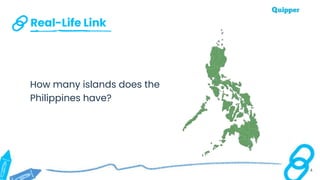
Real-Life Link
4
How many islands does the
Philippines have?
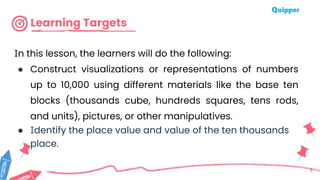
Learning Targets
In this lesson, the learners will do the following:
● Construct visualizations or representations of numbers
up to 10,000 using different materials like the base ten
blocks (thousands cube, hundreds squares, tens rods,
and units), pictures, or other manipulatives.
● Identify the place value and value of the ten thousands
place.
5
Let’s Learn
6
7
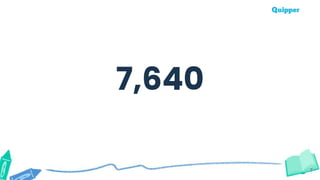
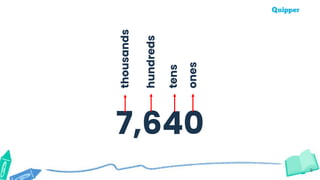
7,640
8
7,640
ones
tens
hundreds
thousands
9
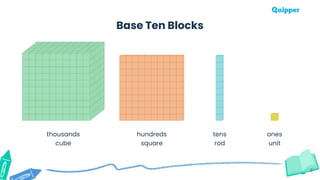
Base Ten Blocks
hundreds
square
tens
rod
ones
unit
thousands
cube
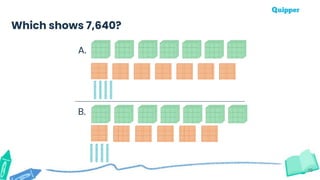
Which shows 7,640?
A.
B.
10
11
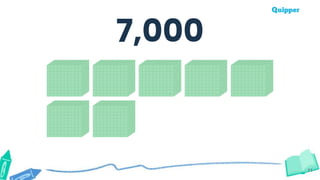
7,000
12
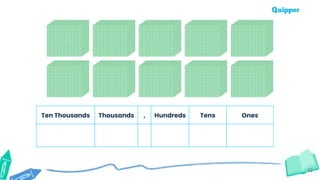
Ten Thousands Thousands , Hundreds Tens Ones
13
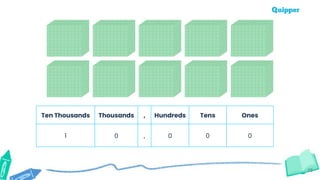
Ten Thousands Thousands , Hundreds Tens Ones
1 0 , 0 0 0
14
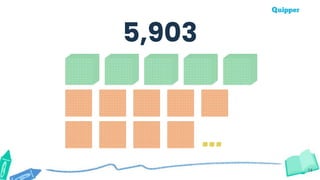
5,903
15
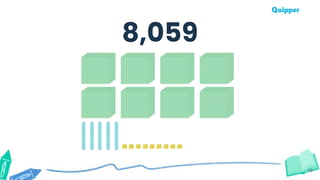
8,059
16
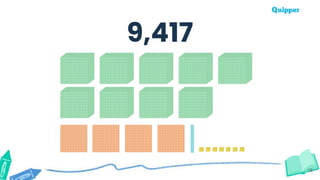
9,417
Let’s Do It
17
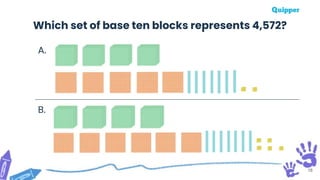
A.
B.
18
Which set of base ten blocks represents 4,572?
19
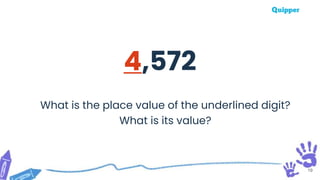
4,572
What is the place value of the underlined digit?
What is its value?
20
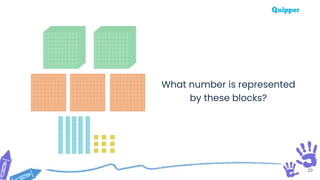
What number is represented
by these blocks?
You Can Do It
21
22
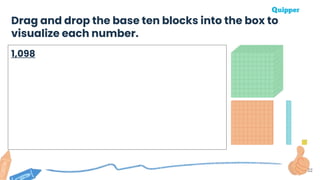
Drag and drop the base ten blocks into the box to
visualize each number.
1,098
23
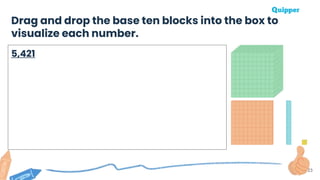
Drag and drop the base ten blocks into the box to
visualize each number.
5,421
24
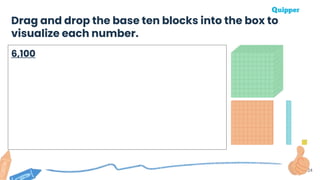
Drag and drop the base ten blocks into the box to
visualize each number.
6,100
25
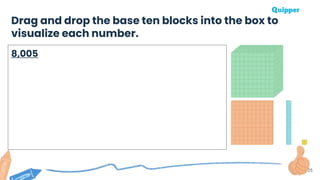
Drag and drop the base ten blocks into the box to
visualize each number.
8,005
26
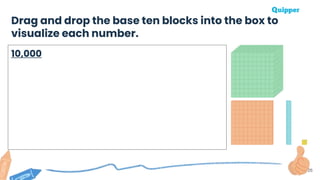
Drag and drop the base ten blocks into the box to
visualize each number.
10,000
Let’s Connect
27
28
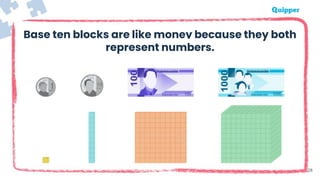
Base ten blocks are like money because they both
represent numbers.
Big Idea
Numbers are important because we
use them in our daily lives. Being able
to visualize numbers makes it easier
for us to understand bigger numbers.
29
Remember
30
● We can use base ten blocks to
represent or visualize numbers.
● Knowing the place value is
important in reading numbers.
Remember
31
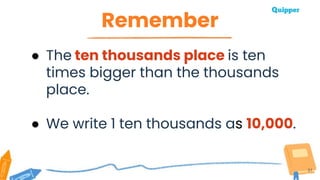
● The ten thousands place is ten
times bigger than the thousands
place.
● We write 1 ten thousands as 10,000.
What Have
You Learned?
32
33
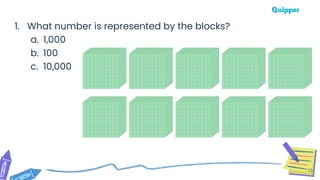
1. What number is represented by the blocks?
a. 1,000
b. 100
c. 10,000
34
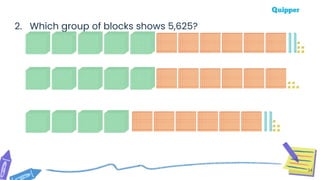
2. Which group of blocks shows 5,625?
35
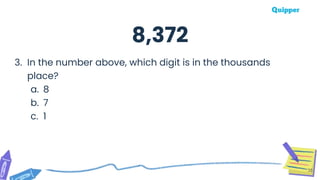
3. In the number above, which digit is in the thousands
place?
a. 8
b. 7
c. 1
8,372
36
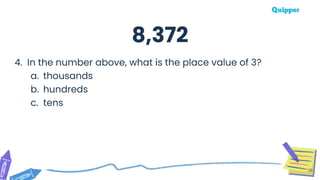
4. In the number above, what is the place value of 3?
a. thousands
b. hundreds
c. tens
8,372
37
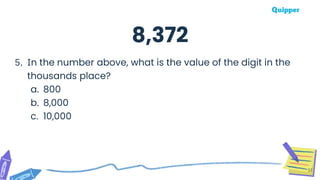
5. In the number above, what is the value of the digit in the
thousands place?
a. 800
b. 8,000
c. 10,000
8,372
38
Reference
National Geographic. “Know Before You Go: The Philippines.” Travel. National Geographic, May 4, 2021.
https://www.nationalgeographic.com/travel/article/partner-content-know-before-you-go-the-
philippines.
Badges

M_G3_Math 3 L1_TPS.pptxpowerpoint presentation

Editor's Notes

  • #15 Tip: You may also edit the slide and animate the blocks to reveal it one by one and synchronize it with the students' counting pace.
  • #16 Tip: You may also edit the slide and animate the blocks to reveal it one by one and synchronize it with the students' counting pace.
  • #17 Tip: You may also edit the slide and animate the blocks to reveal it one by one and synchronize it with the students' counting pace.
  • #20 Tip: You may copy this slide and change the red number to ask the place value and value of the other numbers.
  • #23 Teaching Tips: For an online learning setup, use any other collaborative virtual whiteboards. For an offline learning setup, prepare templates that the learners can cut and paste into the box.
  • #24 Teaching Tips: For an online learning setup, use any other collaborative virtual whiteboards. For an offline learning setup, prepare templates that the learners can cut and paste into the box.
  • #25 Teaching Tips: For an online learning setup, use any other collaborative virtual whiteboards. For an offline learning setup, prepare templates that the learners can cut and paste into the box.
  • #26 Teaching Tips: For an online learning setup, use any other collaborative virtual whiteboards. For an offline learning setup, prepare templates that the learners can cut and paste into the box.
  • #27 Teaching Tips: For an online learning setup, use any other collaborative virtual whiteboards. For an offline learning setup, prepare templates that the learners can cut and paste into the box.