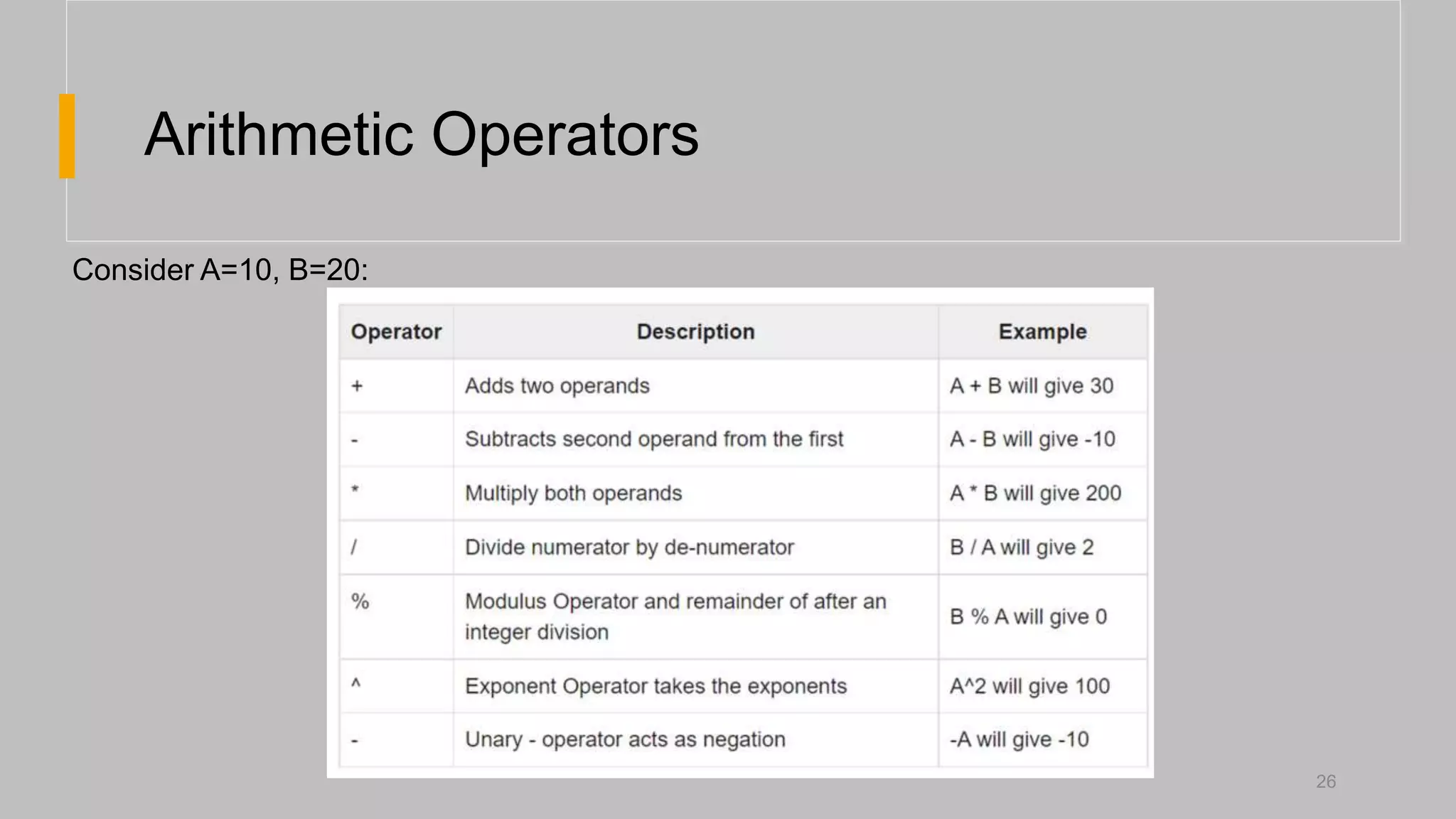
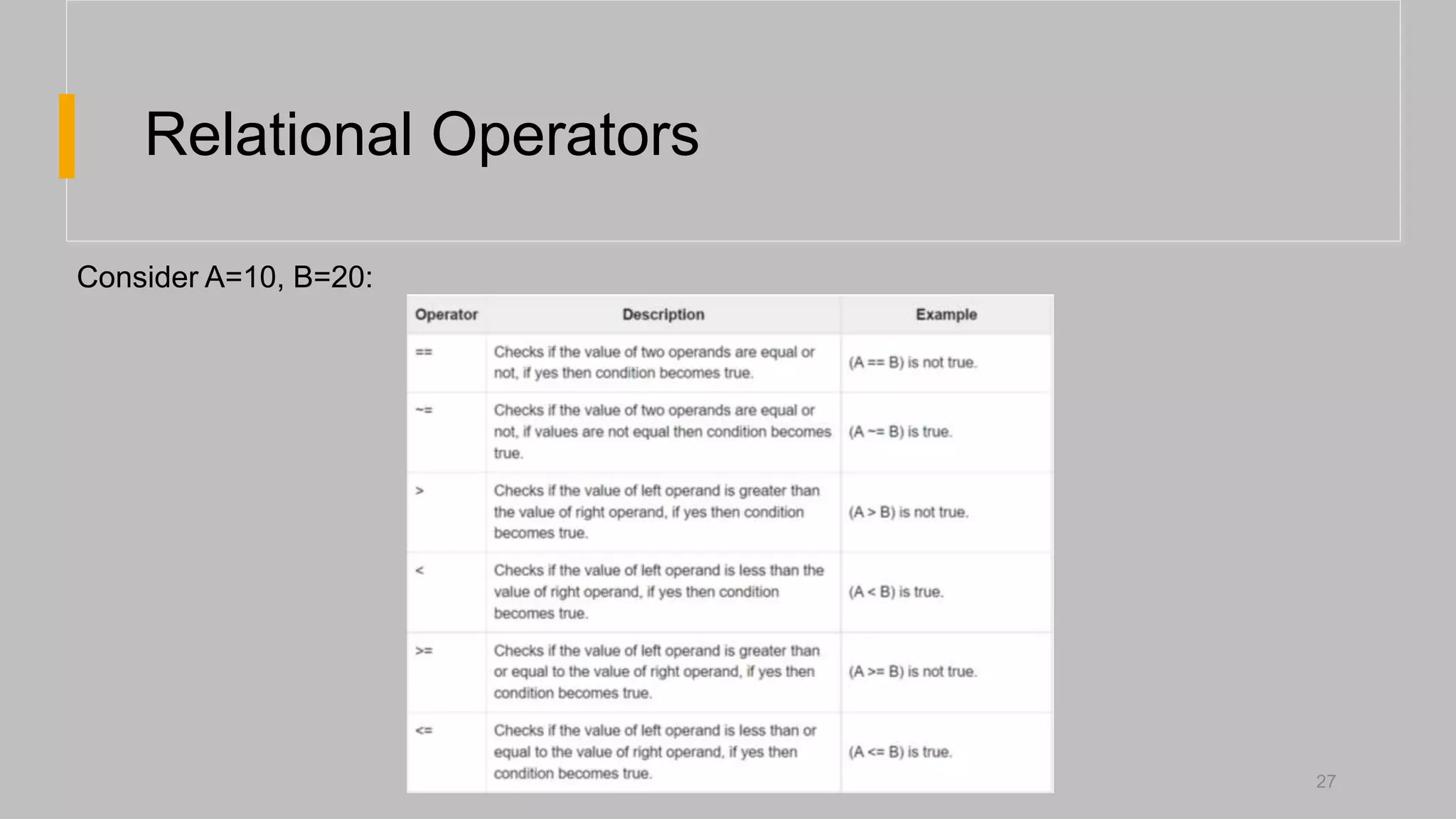
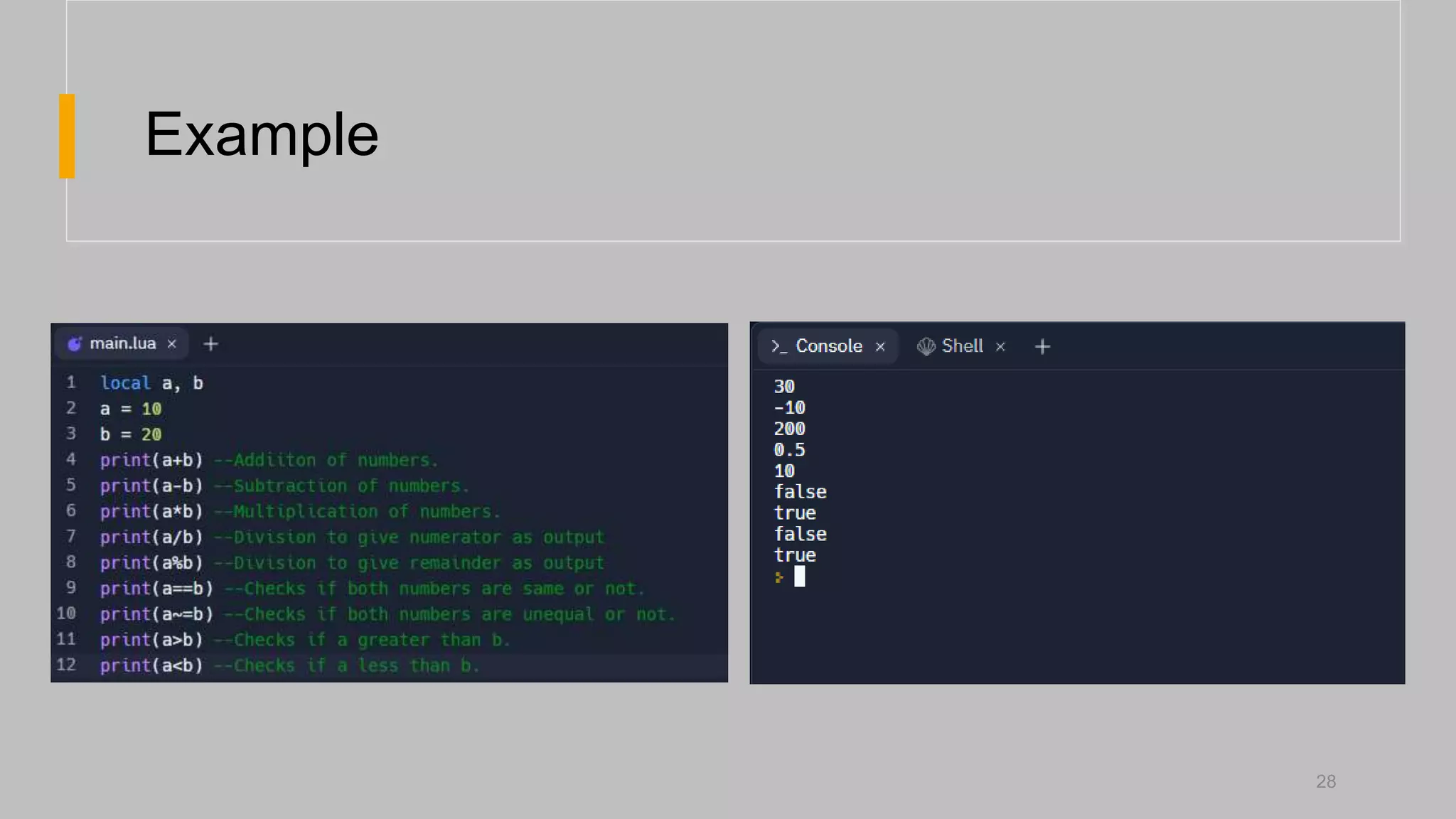
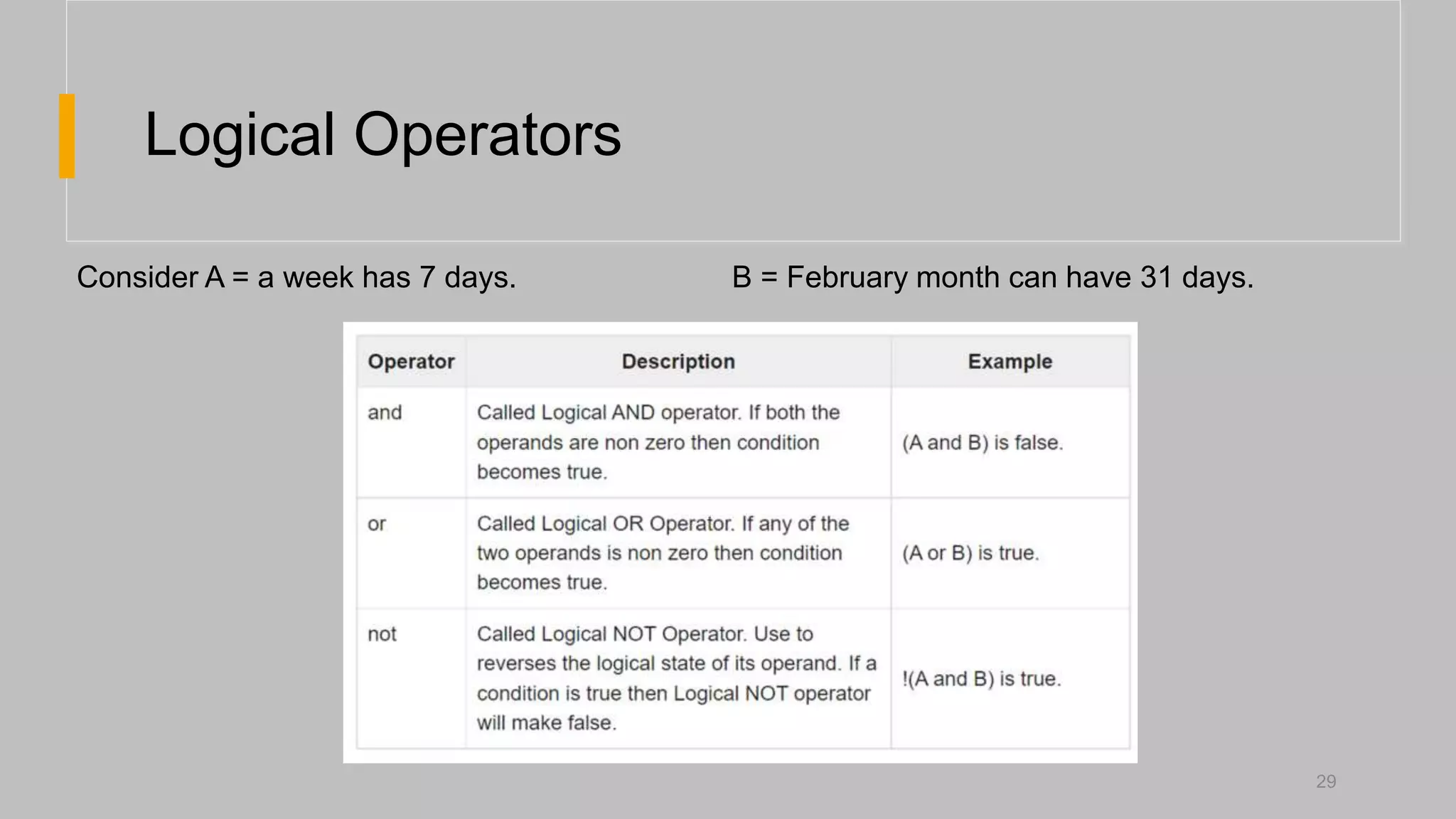
The document provides an overview of the Lua programming language. It covers Lua's data types including numbers, strings, booleans, tables, functions, threads, and users. It also discusses Lua's control structures such as if/else, while, for, and repeat. Additionally, the document outlines Lua's basic syntax for functions, variables, operators, and comments. The goal of the document is to introduce programmers to the core components of the Lua language.
What is Lua?
•Lua is a powerful, efficient,
lightweight, embeddable scripting
language. It supports procedural
programming, OOP, functional
programming, data driven
programming etc.
4
4
5.
Advantages of Lua
PowerfulFast
• Lua is a very beginner friendly language and
is easy to implement.
• Lua is not a pure object-oriented language,
yet it provide meta-mechanisms for
implementing classes and other OOP
concepts.
• Lua has a safe environment, automatic
memory management, and good facilities for
handling strings and other kinds of data with
dynamic size.
• Lua has a deserved reputation for
performance.
• To claim to be ‘as fast as Lua’ is an
aspiration of other scripting
languages.
5
6.
Advantages of Lua
PortableEmbeddable
Lua runs on:
• All flavors of Unix
• Windows
• On mobile devices (running Android,
iOS, Windows Phone)
• Embedded microprocessors (ARM and
Rabbit) and even on IBM mainframes.
• Lua has a simple and well documented
API that allows strong integration with
code written in other languages.
• C, C++, C#, Java, Perl, Ruby
6
Data Types
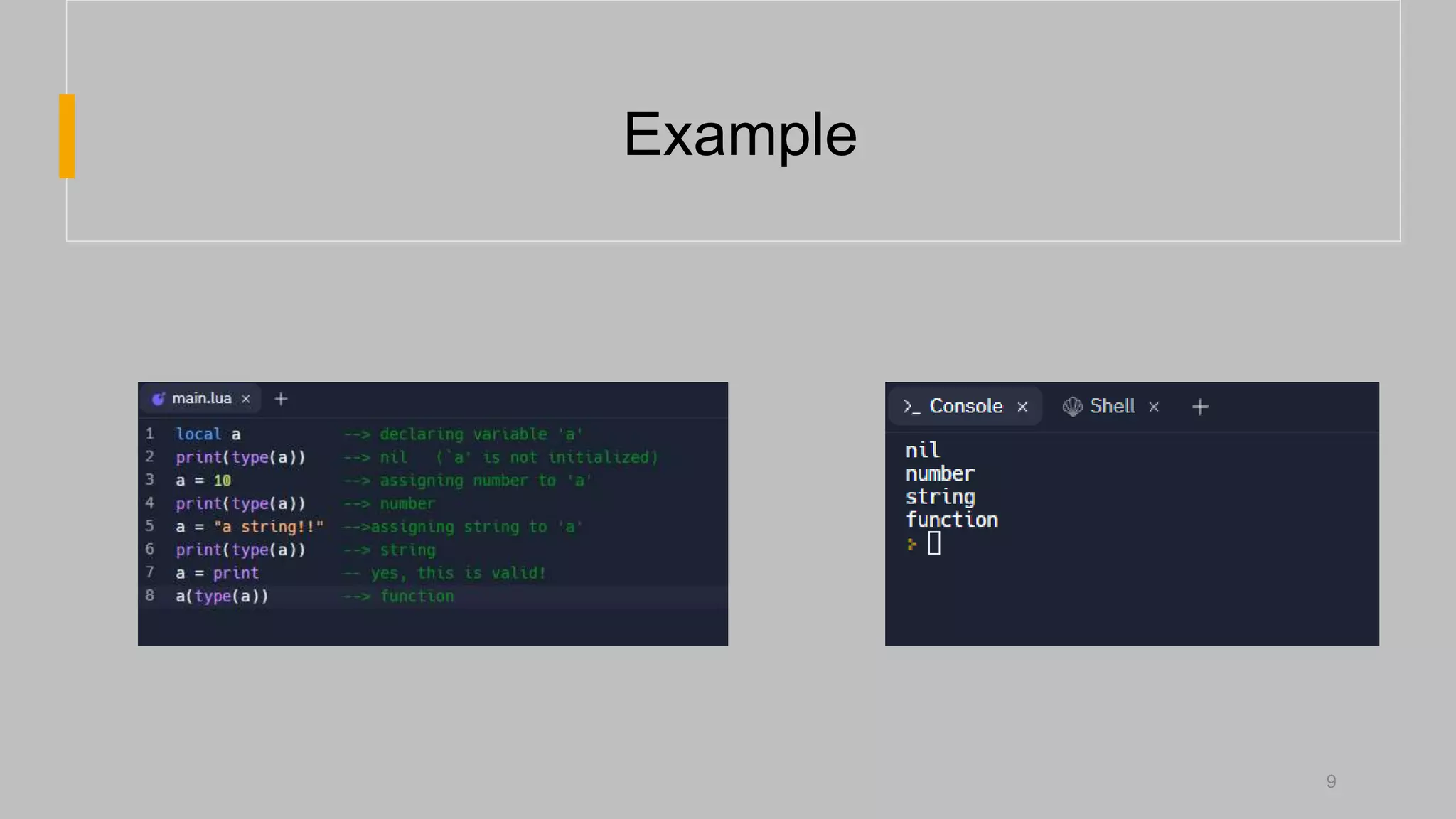
• Luais a dynamically typed language.
• There are no type definitions in the language; each value carries its own type.
• Values can be stored in variables, passed as a parameter or return the results.
• Lua has eight basic types are: nil, Boolean, number, string, userdata, function, thread
and table.
8
Data Types inLua
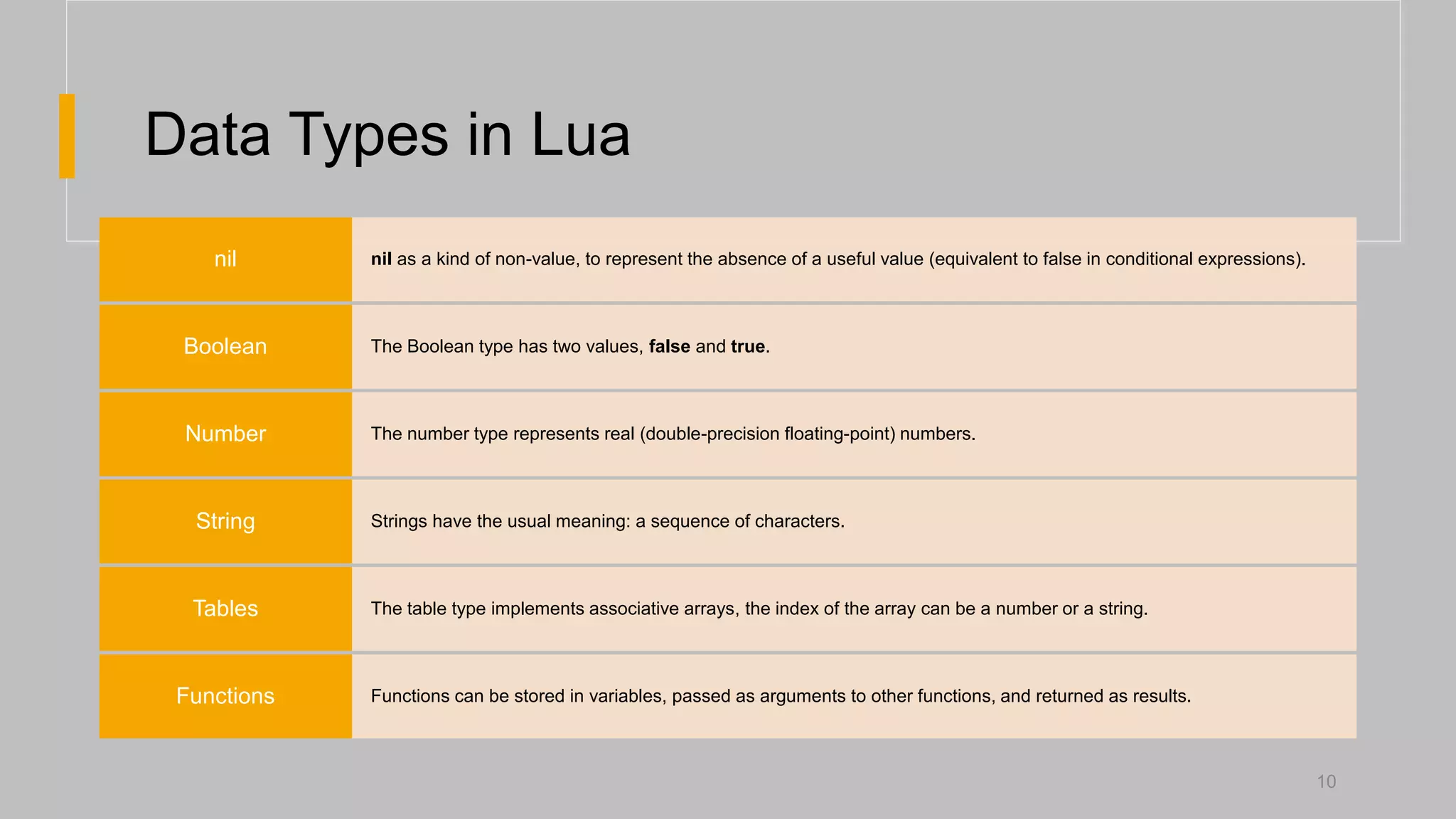
nil as a kind of non-value, to represent the absence of a useful value (equivalent to false in conditional expressions).
nil
The Boolean type has two values, false and true.
Boolean
The number type represents real (double-precision floating-point) numbers.
Number
Strings have the usual meaning: a sequence of characters.
String
The table type implements associative arrays, the index of the array can be a number or a string.
Tables
Functions can be stored in variables, passed as arguments to other functions, and returned as results.
Functions
10
11.
Tables
• The tabletype implements associative arrays.
• An associative array is an array that can be indexed not only
with numbers, but also with strings or any other value of the
language, except nil.
• Moreover, tables have no fixed size; you can add as many
elements as you want to a table dynamically.
• Also, you can assign nil to a table field to delete it.
11
12.
Tables
• To createa table a table constructor expression is used.
• In its simplest form it is written as {}.
• To access elements of a table [] is used.
12
13.
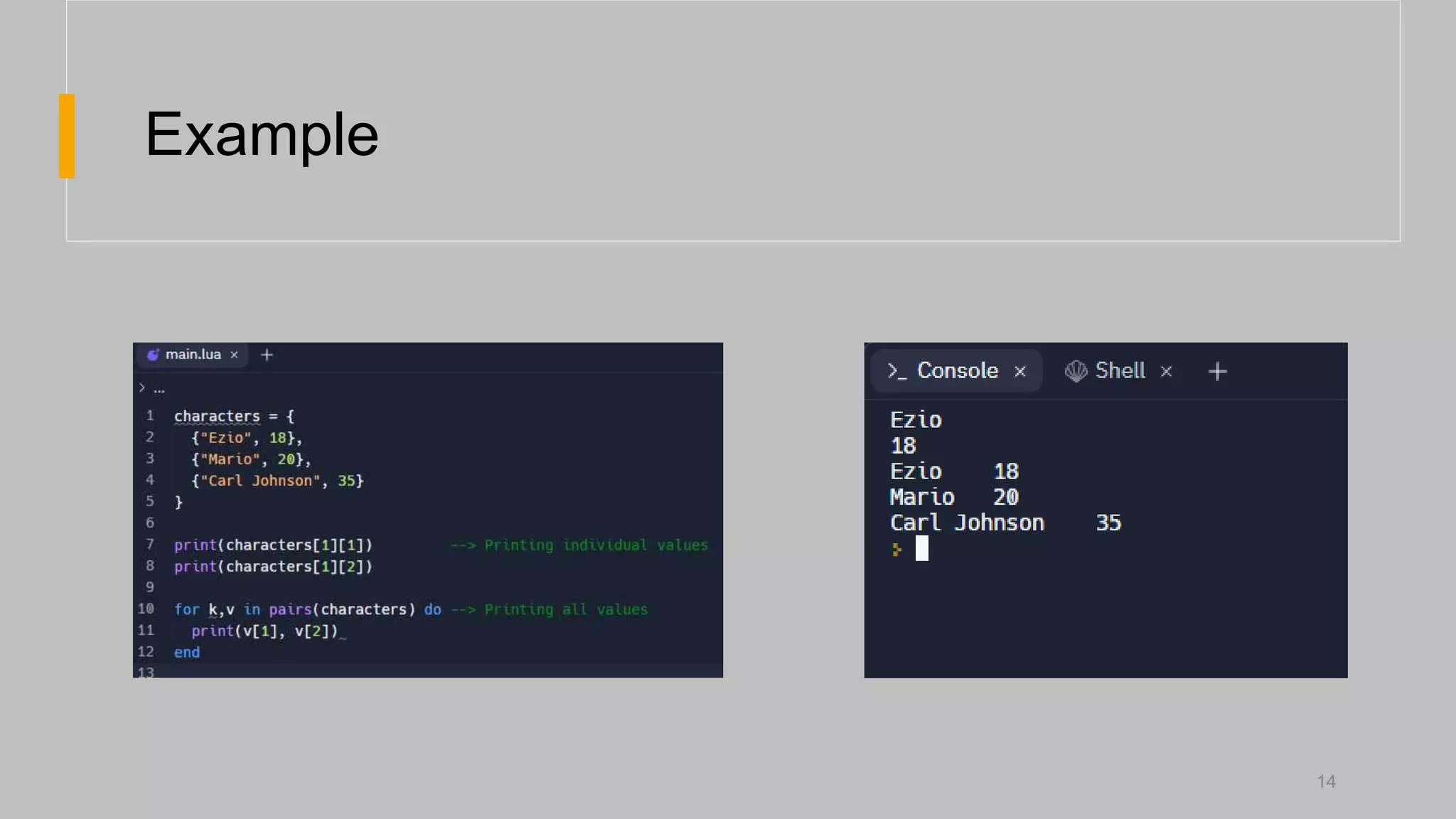
Nested Tables
• Itis possible to implement nested tables in Lua.
• To do so simply assign tables as the elements of another
table.
• To access the tables inside tables [][] is used.
13
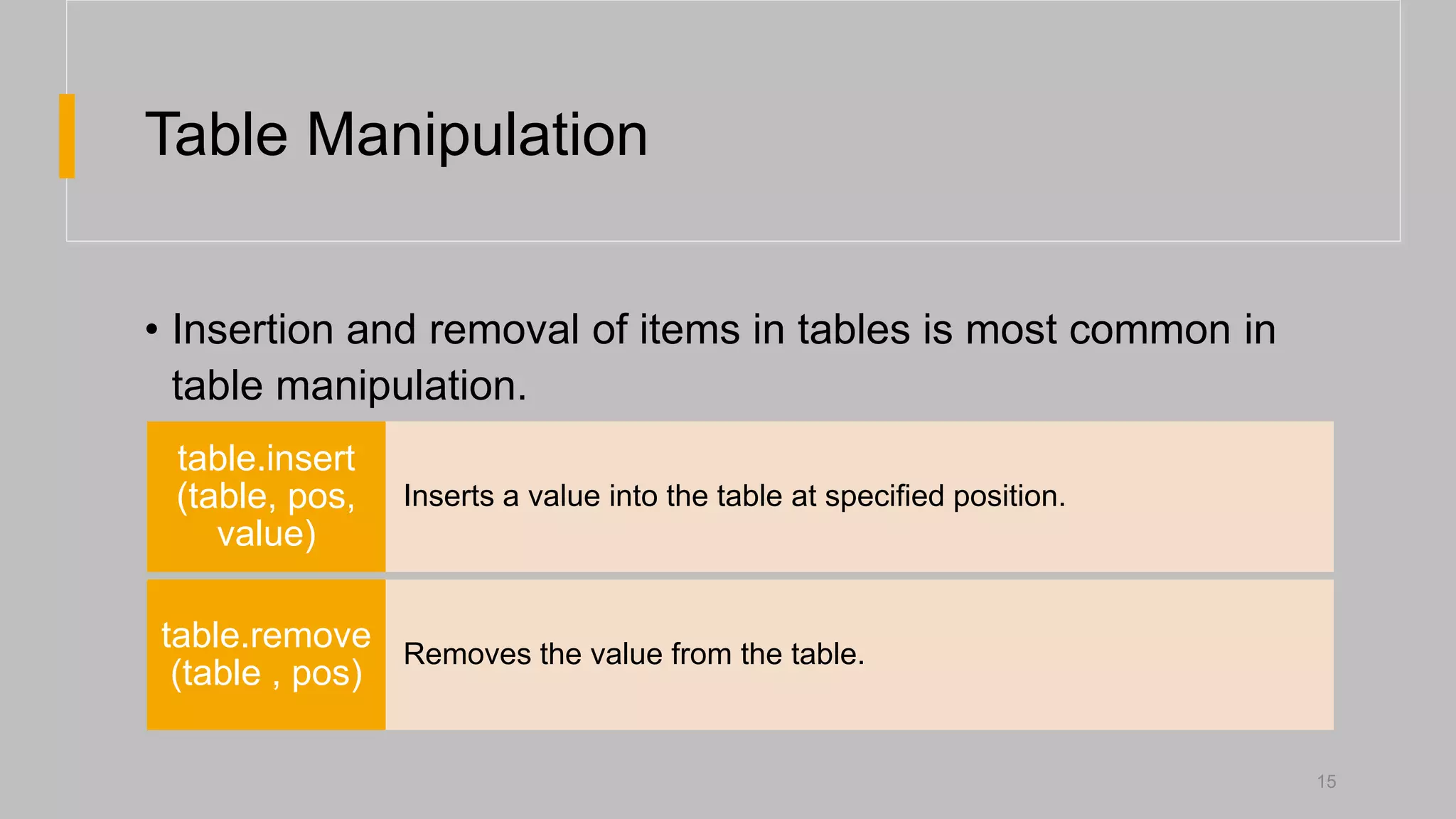
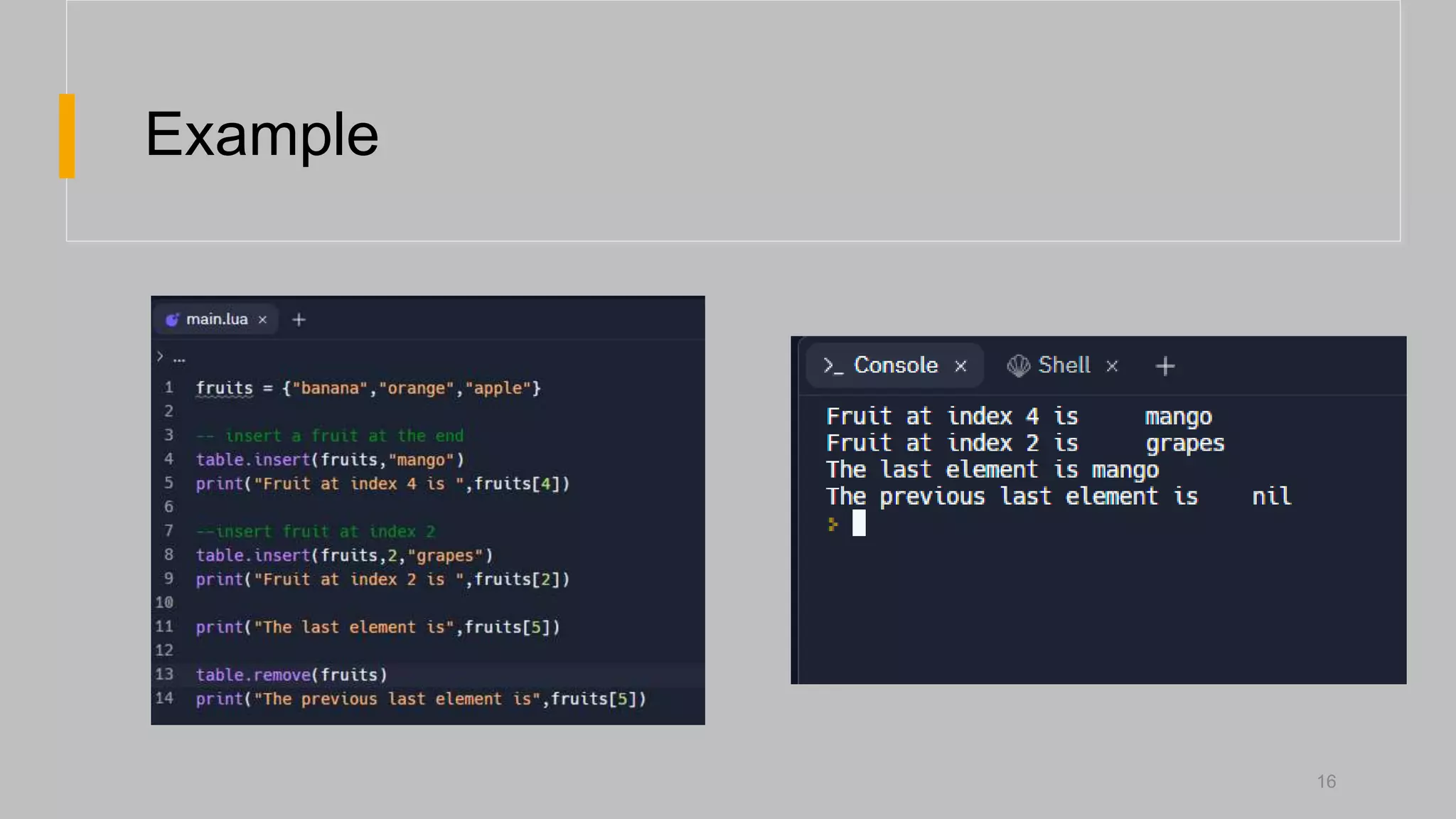
Table Manipulation
• Insertionand removal of items in tables is most common in
table manipulation.
15
Inserts a value into the table at specified position.
table.insert
(table, pos,
value)
Removes the value from the table.
table.remove
(table , pos)
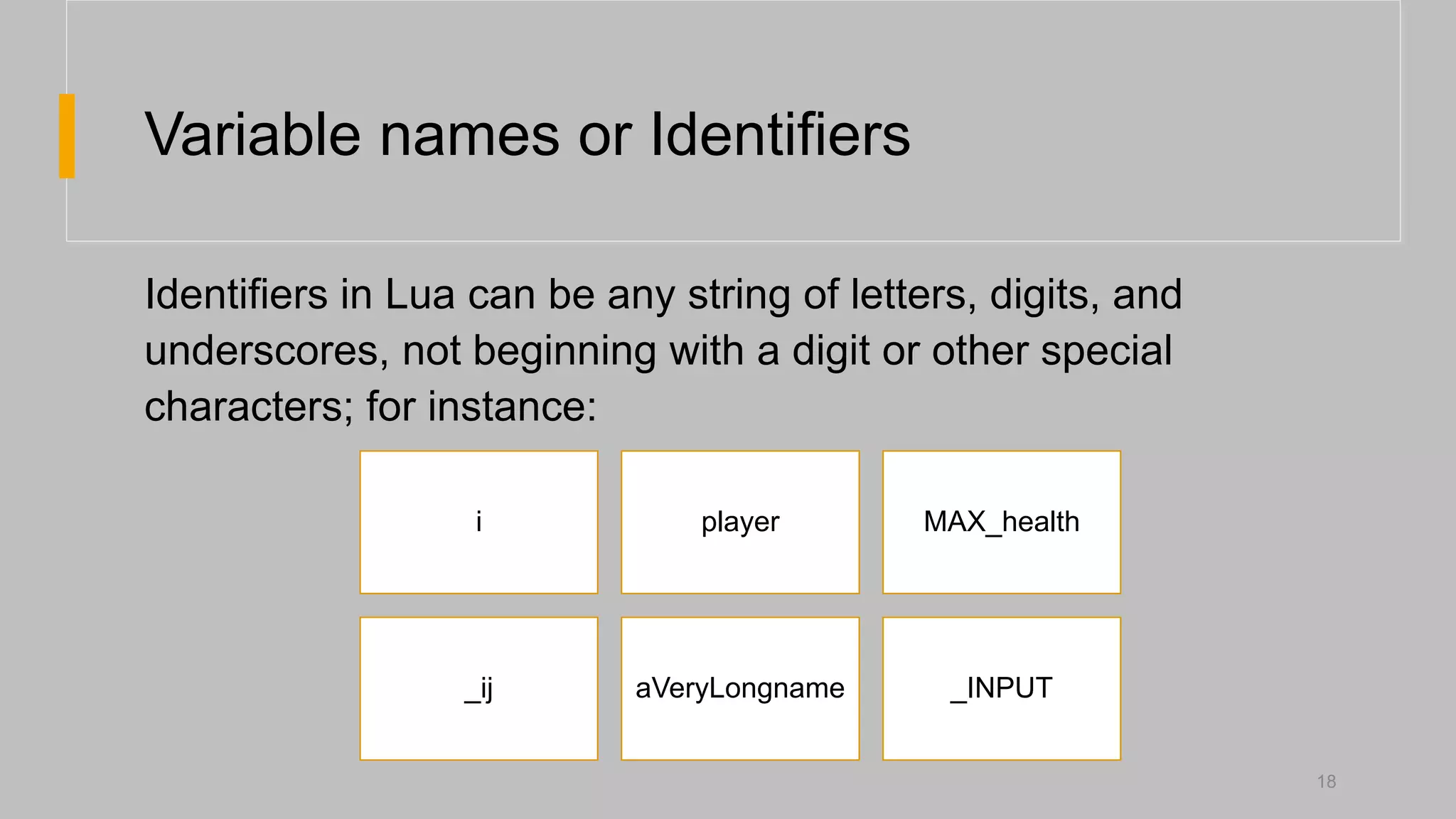
Variable names orIdentifiers
Identifiers in Lua can be any string of letters, digits, and
underscores, not beginning with a digit or other special
characters; for instance:
i player MAX_health
_ij aVeryLongname _INPUT
18
19.
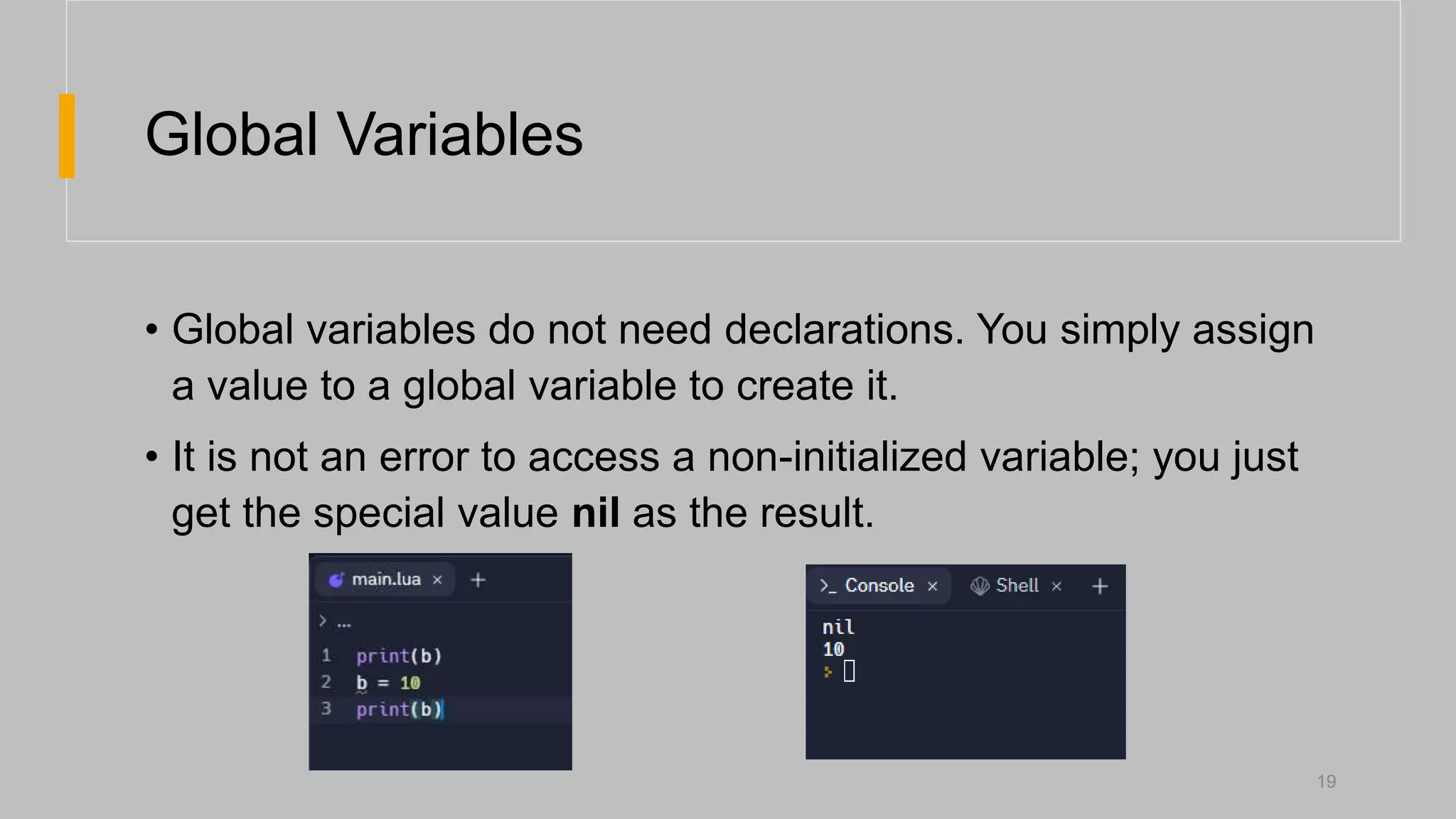
Global Variables
• Globalvariables do not need declarations. You simply assign
a value to a global variable to create it.
• It is not an error to access a non-initialized variable; you just
get the special value nil as the result.
19
20.
Global Variables
• Usually,you do not need to delete global variables; if your variable
is going to have a short life, you should use a local variable.
• But, if you need to delete a global variable, just assign nil to it.
• After that, it is as if the variable had never been used. In other
words, a global variable is existent if (and only if) it has a non-nil
value.
20
21.
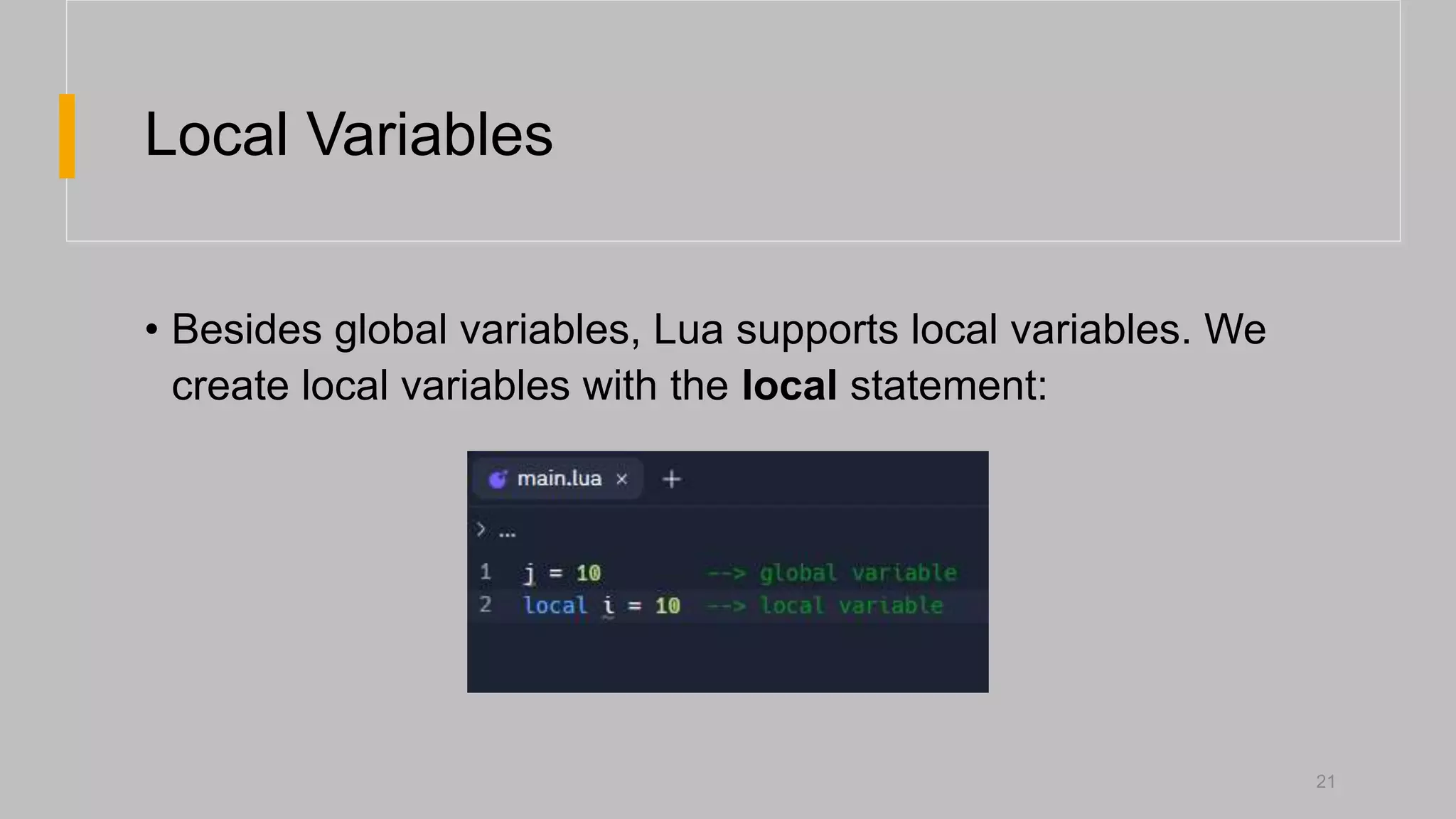
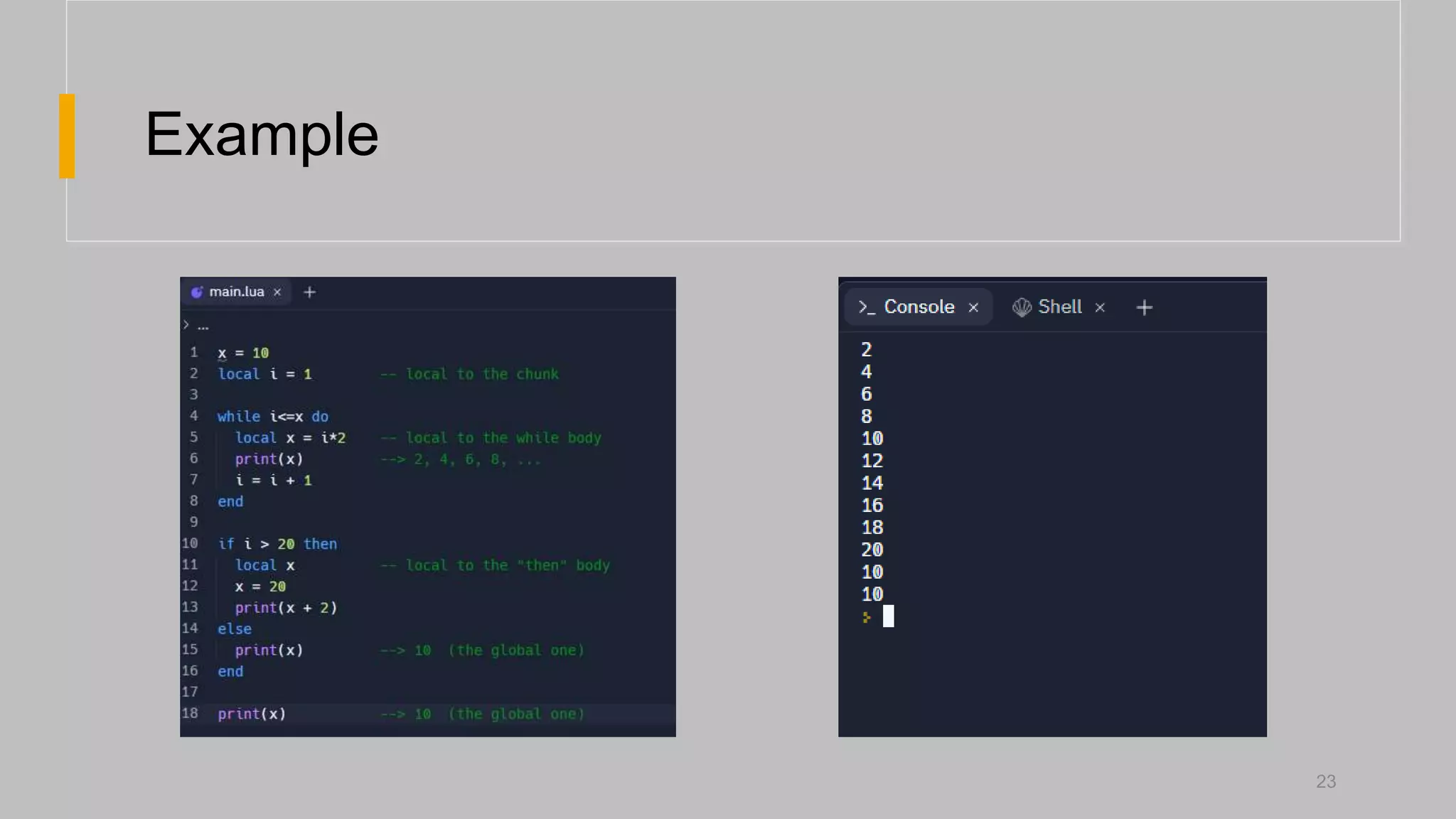
Local Variables
• Besidesglobal variables, Lua supports local variables. We
create local variables with the local statement:
21
22.
Local Variables
• Unlikeglobal variables, local variables have their scope
limited to the block where they are declared.
• A block is the body of a control structure, the body of a
function, or a chunk (the file or string with the code where the
variable is declared).
22
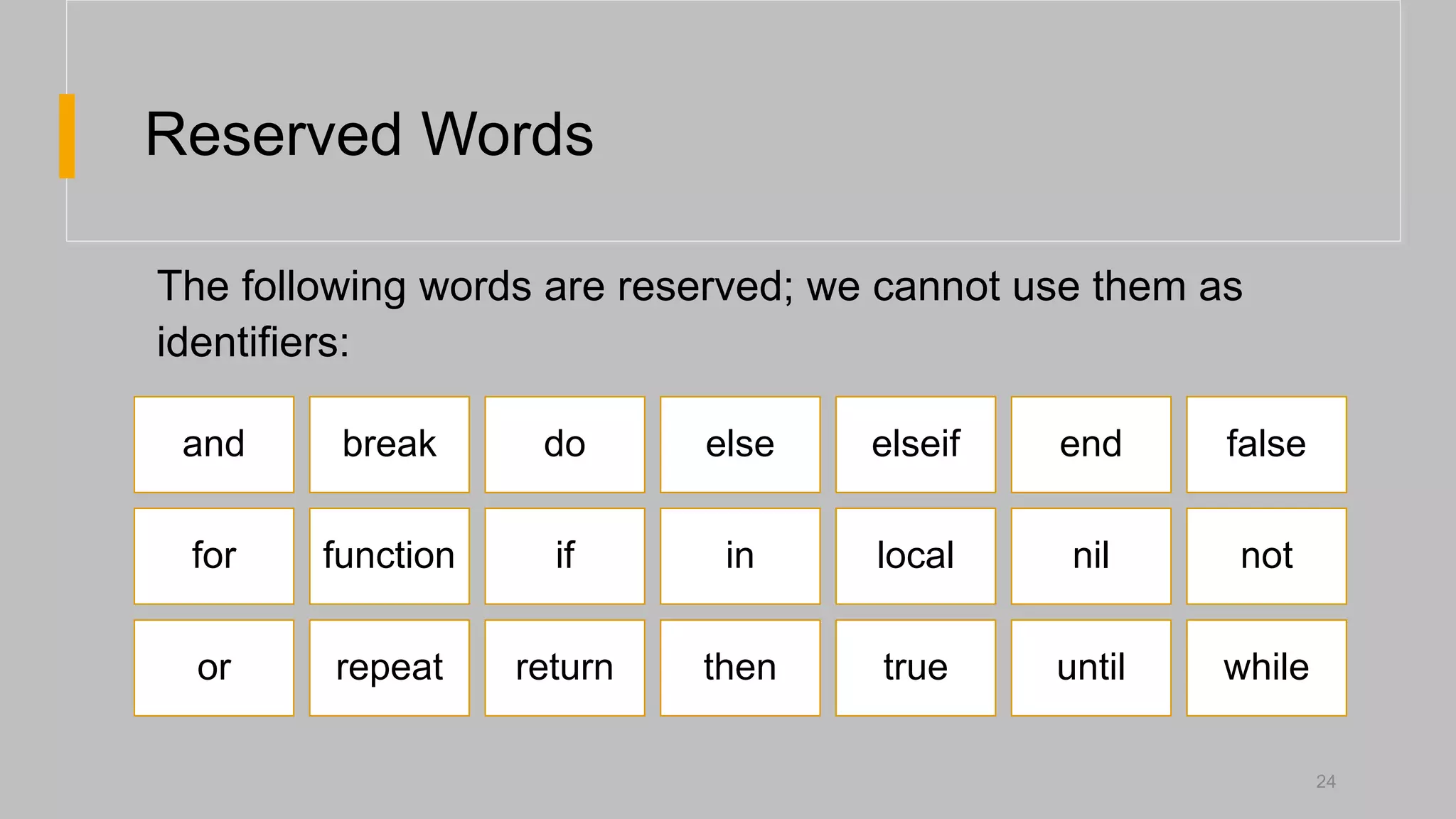
Reserved Words
24
and breakdo else elseif end false
for function if in local nil not
or repeat return then true until while
The following words are reserved; we cannot use them as
identifiers:
Control Structures
• Luaprovides a small and conventional set of control
structures, with if for conditional and while and for for
iteration.
• All control structures have an explicit terminator: end
terminates the if, for and while structures.
32
33.
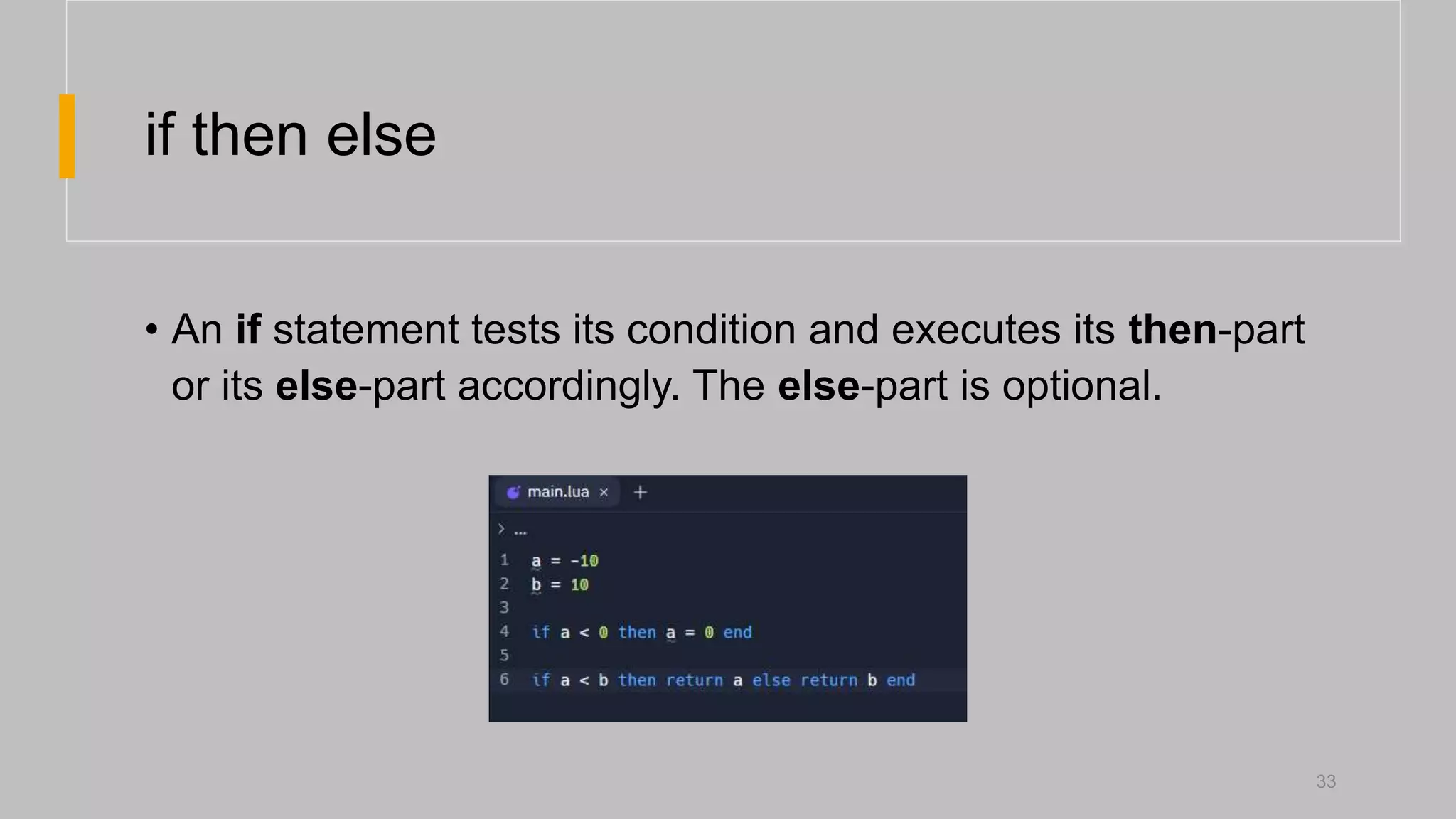
if then else
•An if statement tests its condition and executes its then-part
or its else-part accordingly. The else-part is optional.
33
34.
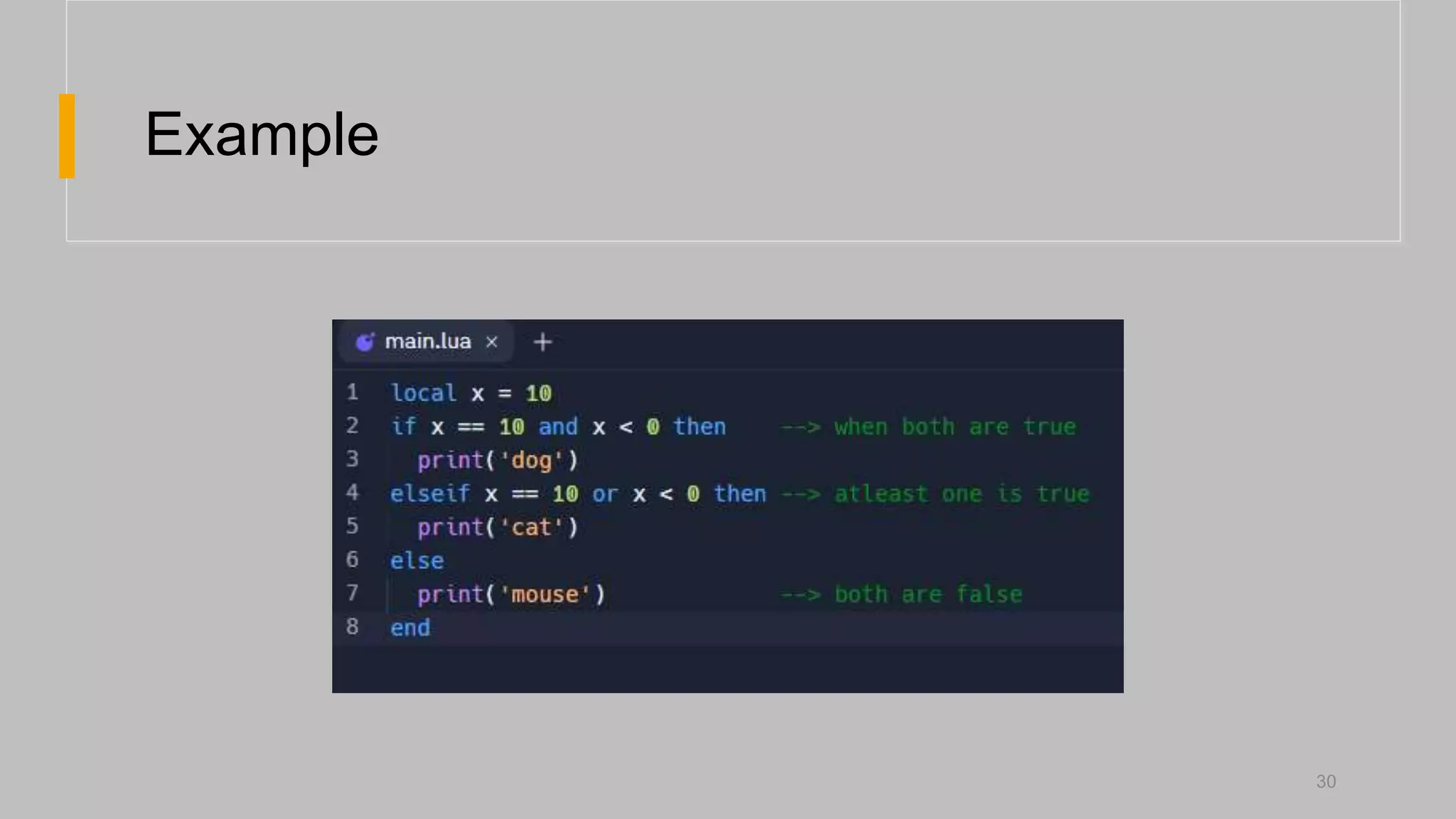
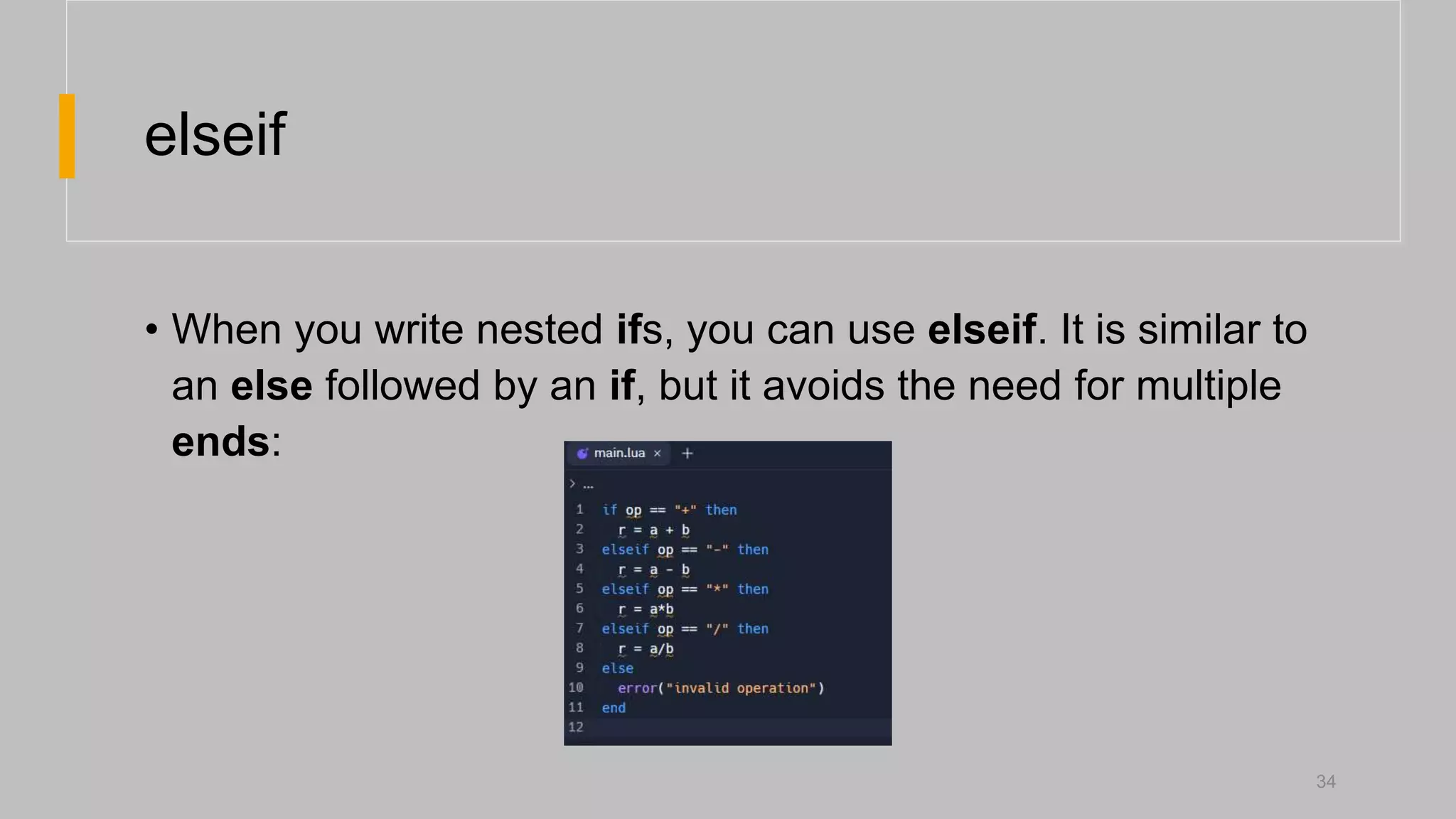
elseif
• When youwrite nested ifs, you can use elseif. It is similar to
an else followed by an if, but it avoids the need for multiple
ends:
34
35.
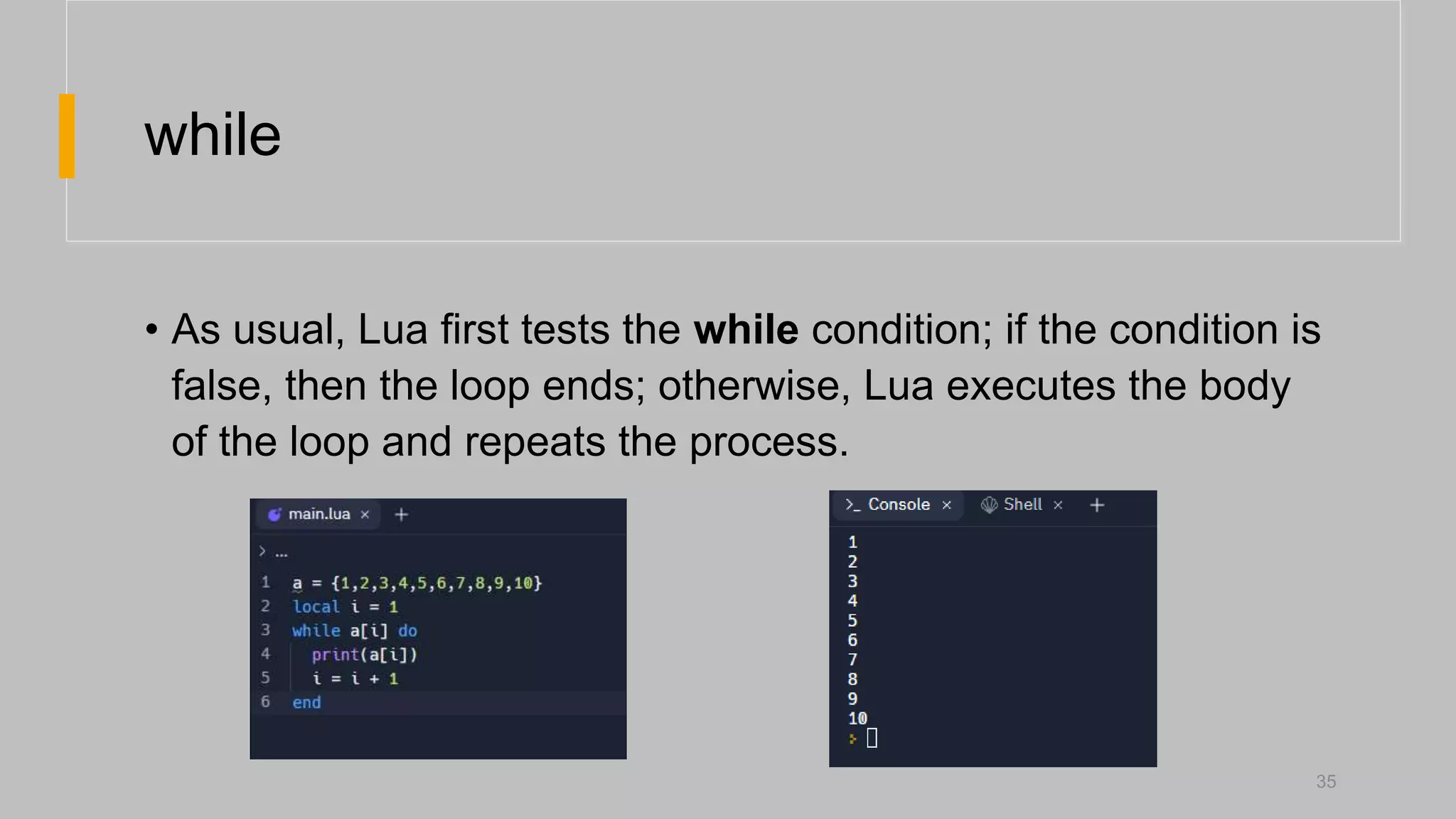
while
• As usual,Lua first tests the while condition; if the condition is
false, then the loop ends; otherwise, Lua executes the body
of the loop and repeats the process.
35
36.
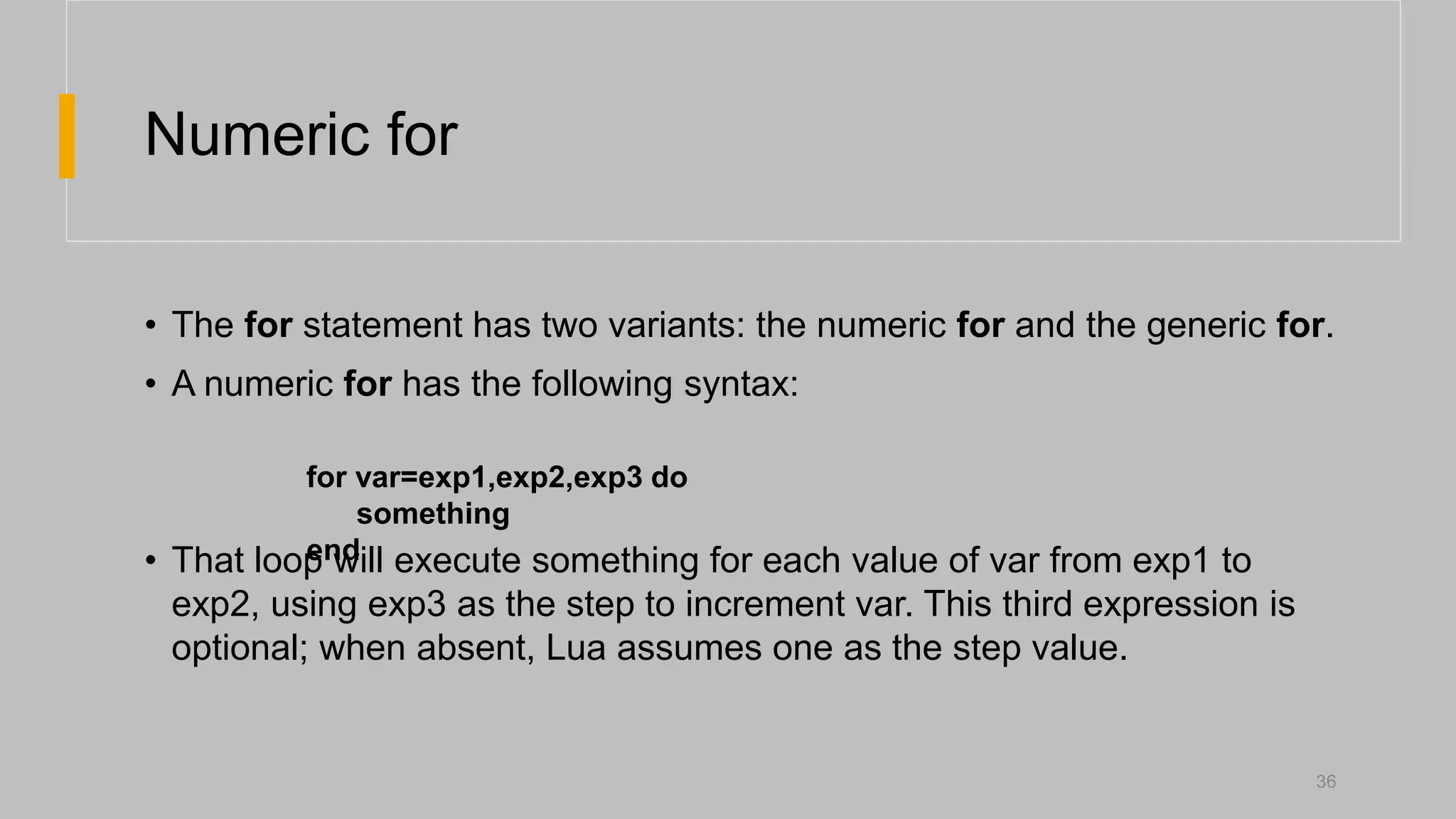
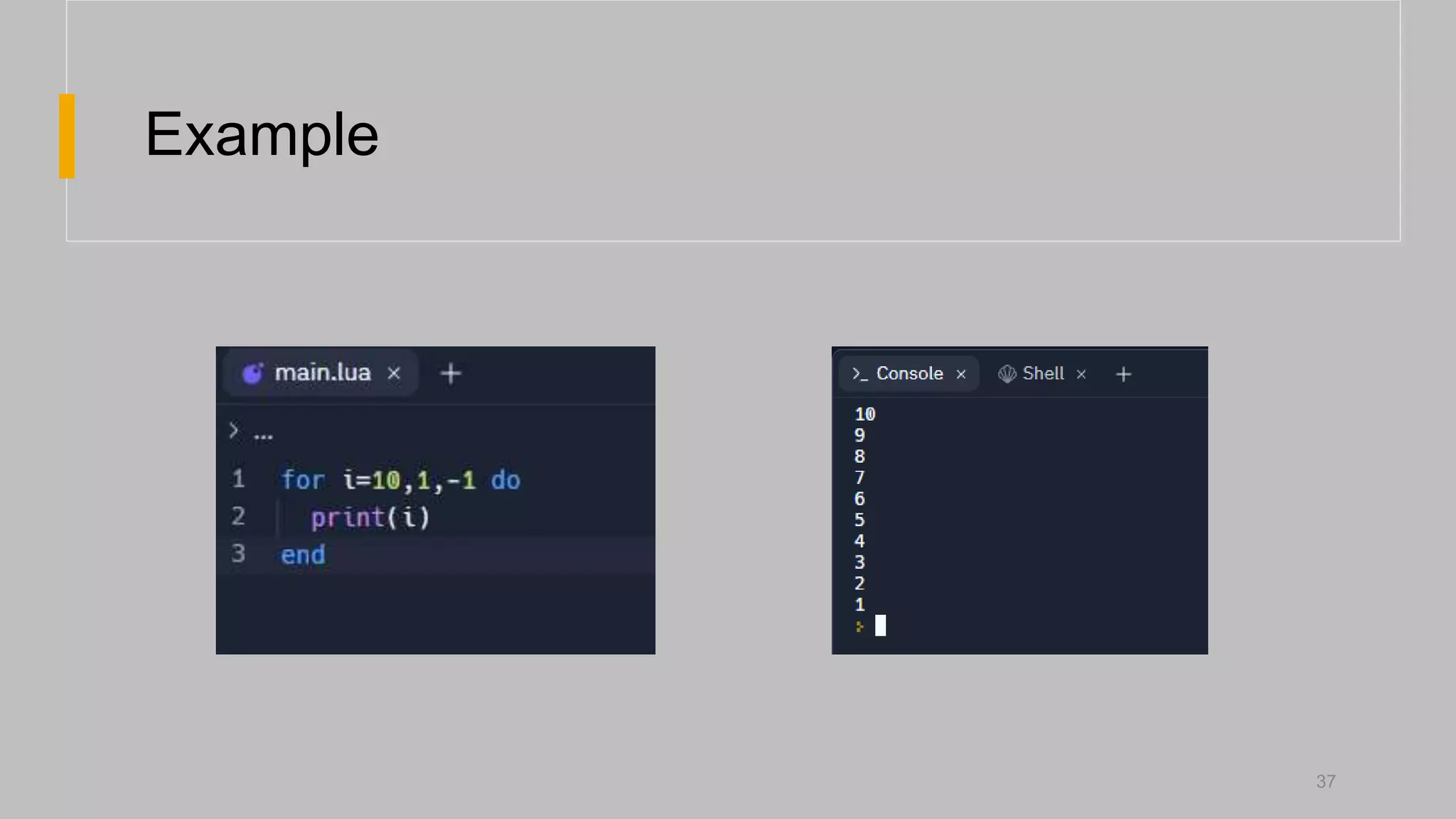
Numeric for
• Thefor statement has two variants: the numeric for and the generic for.
• A numeric for has the following syntax:
• That loop will execute something for each value of var from exp1 to
exp2, using exp3 as the step to increment var. This third expression is
optional; when absent, Lua assumes one as the step value.
36
for var=exp1,exp2,exp3 do
something
end
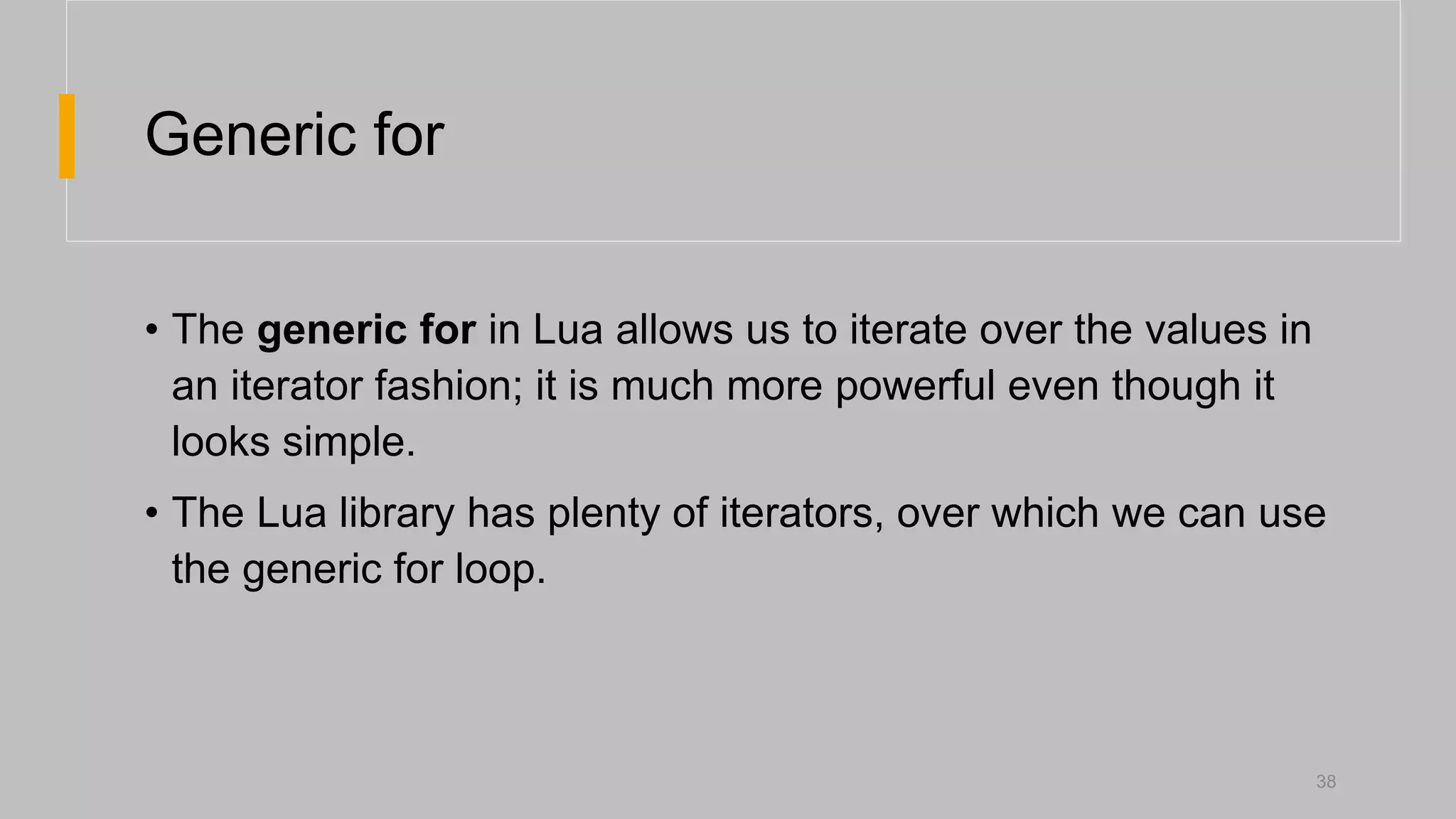
Generic for
• Thegeneric for in Lua allows us to iterate over the values in
an iterator fashion; it is much more powerful even though it
looks simple.
• The Lua library has plenty of iterators, over which we can use
the generic for loop.
38
39.
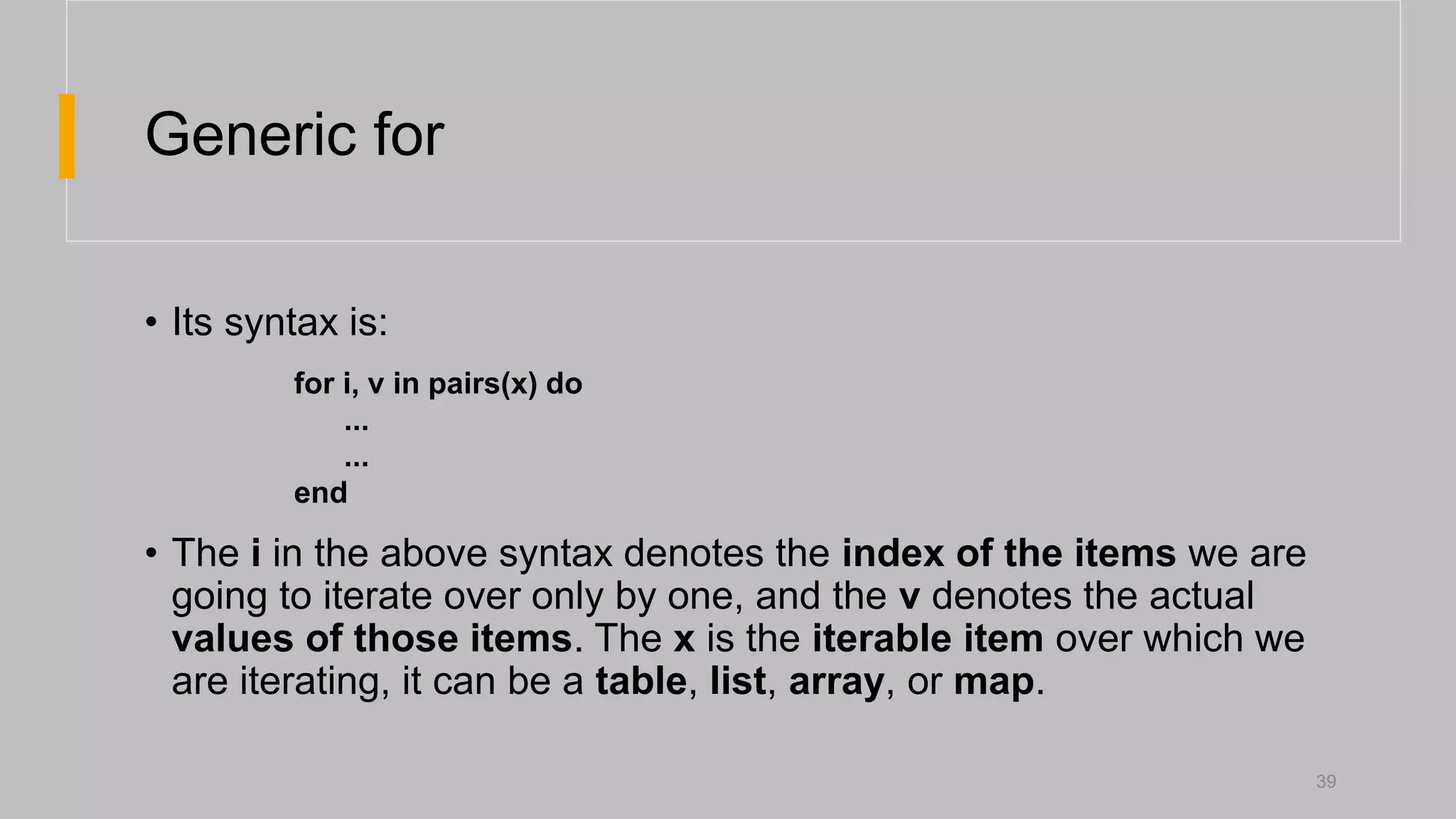
Generic for
• Itssyntax is:
• The i in the above syntax denotes the index of the items we are
going to iterate over only by one, and the v denotes the actual
values of those items. The x is the iterable item over which we
are iterating, it can be a table, list, array, or map.
39
for i, v in pairs(x) do
...
...
end
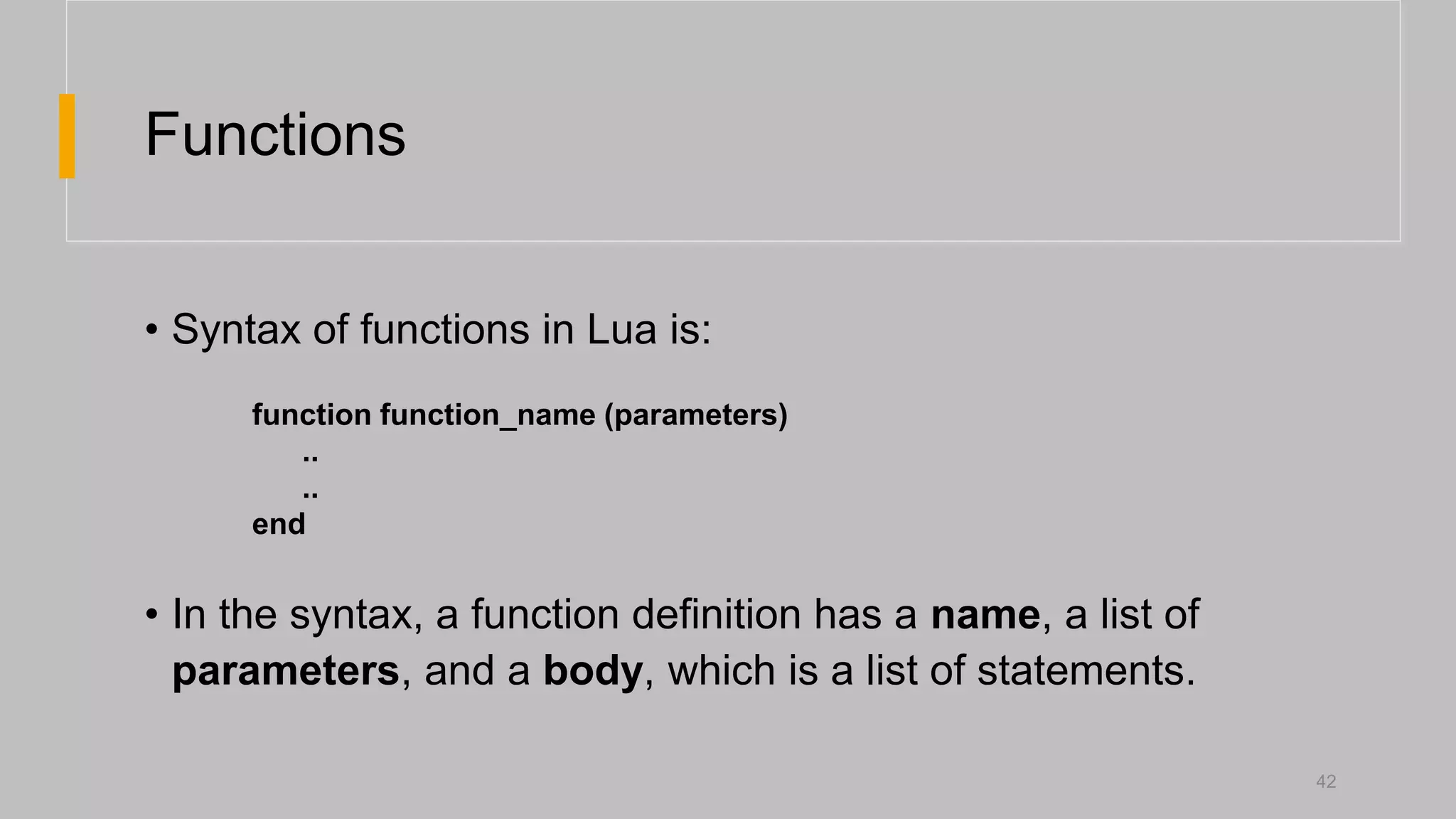
Functions
• Syntax offunctions in Lua is:
• In the syntax, a function definition has a name, a list of
parameters, and a body, which is a list of statements.
function function_name (parameters)
..
..
end
42
![Tables
• To create a table a table constructor expression is used.
• In its simplest form it is written as {}.
• To access elements of a table [] is used.
12](https://image.slidesharecdn.com/luaprogramminglanguage-230108082610-03f2c7d2/75/Lua-Programming-Language-pptx-12-2048.jpg)
![Nested Tables
• It is possible to implement nested tables in Lua.
• To do so simply assign tables as the elements of another
table.
• To access the tables inside tables [][] is used.
13](https://image.slidesharecdn.com/luaprogramminglanguage-230108082610-03f2c7d2/75/Lua-Programming-Language-pptx-13-2048.jpg)