Insert
Custom
Session
QR if
Desired.
Filipe Miranda <fmiranda@redhat.com>
Global Lead for Red Hat Products on IBM z Systems and Power Systems
Red Hat Inc.
Red Hat Enterprise Linux for IBM z Systems
Linux Containers and Docker
Session# 16443
Red Hat, Inc. in a Nutshell
- Red Hat and the Open Source Community
Linux Containers
- Introduction to Linux Containers
Docker (Image Container)
- Demo of Docker on RHEL for z Systems
Openshift (PaaS Cloud)
- A glimpse of what LCX/Docker technologies can do
- What if we had OpenShift for z Systems?
Session Topics
© Copyright Red Hat, Inc. 2015
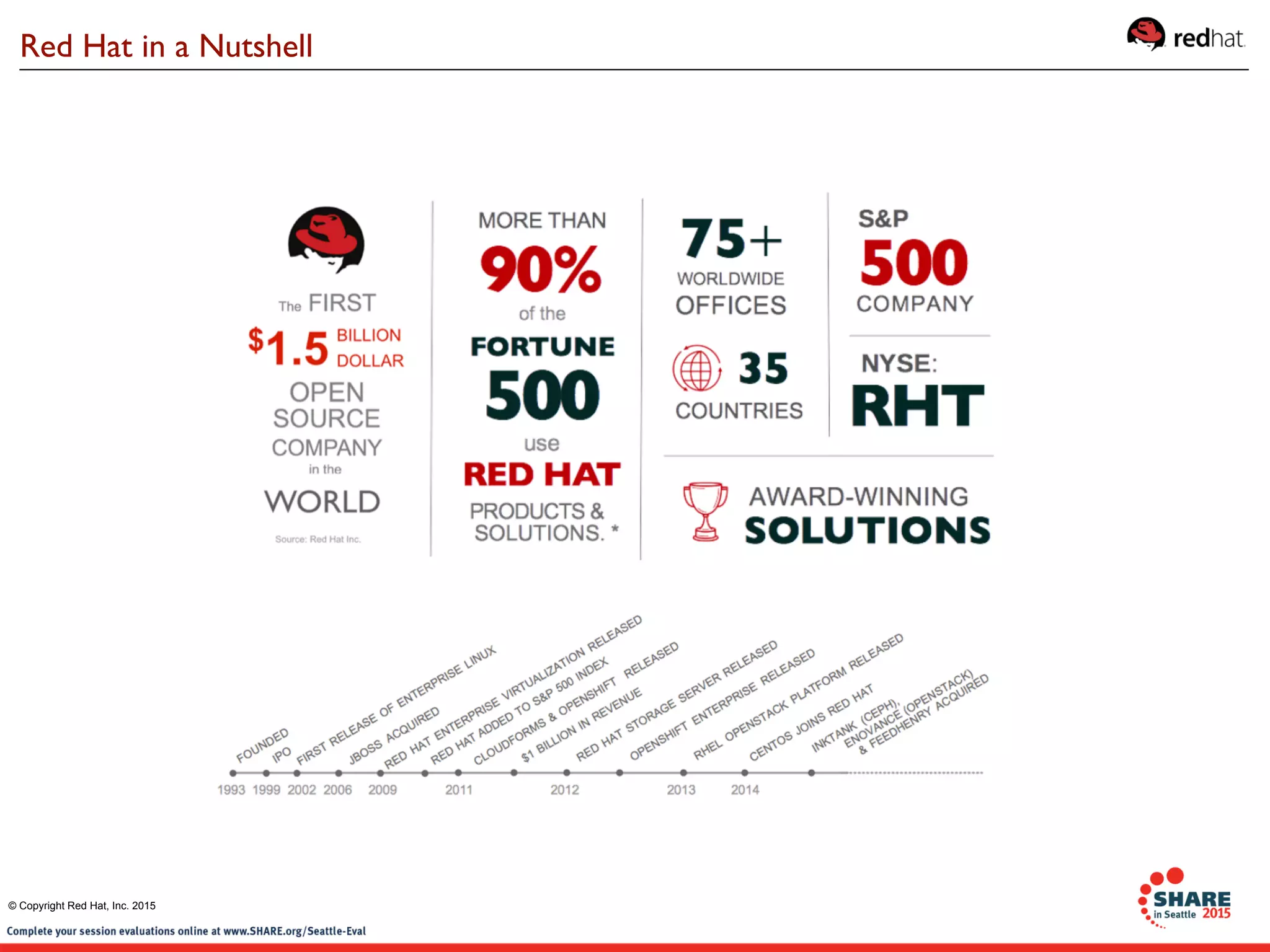
Red Hat in a Nutshell
© Copyright Red Hat, Inc. 2015
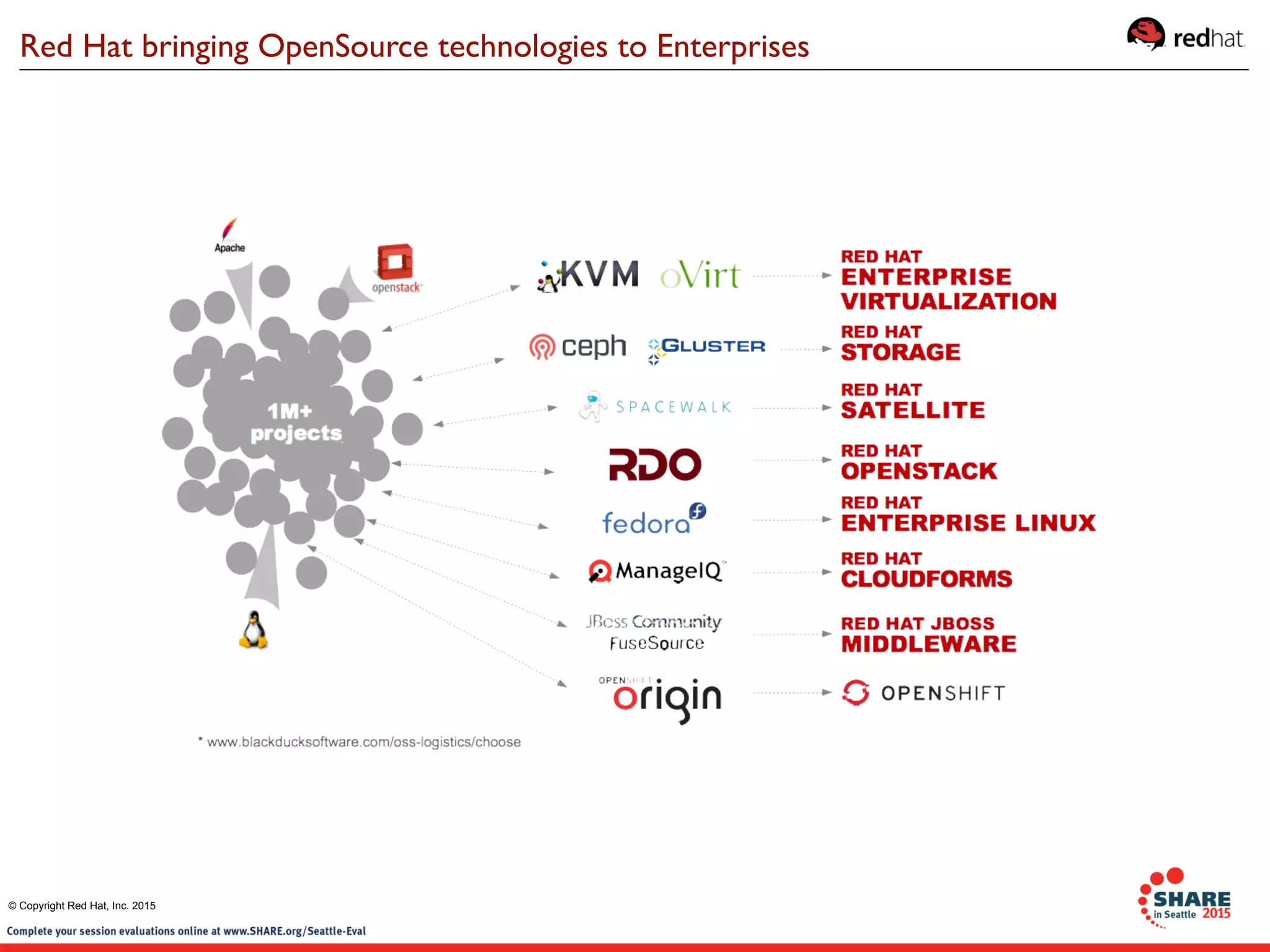
Red Hat bringing OpenSource technologies to Enterprises
© Copyright Red Hat, Inc. 2015
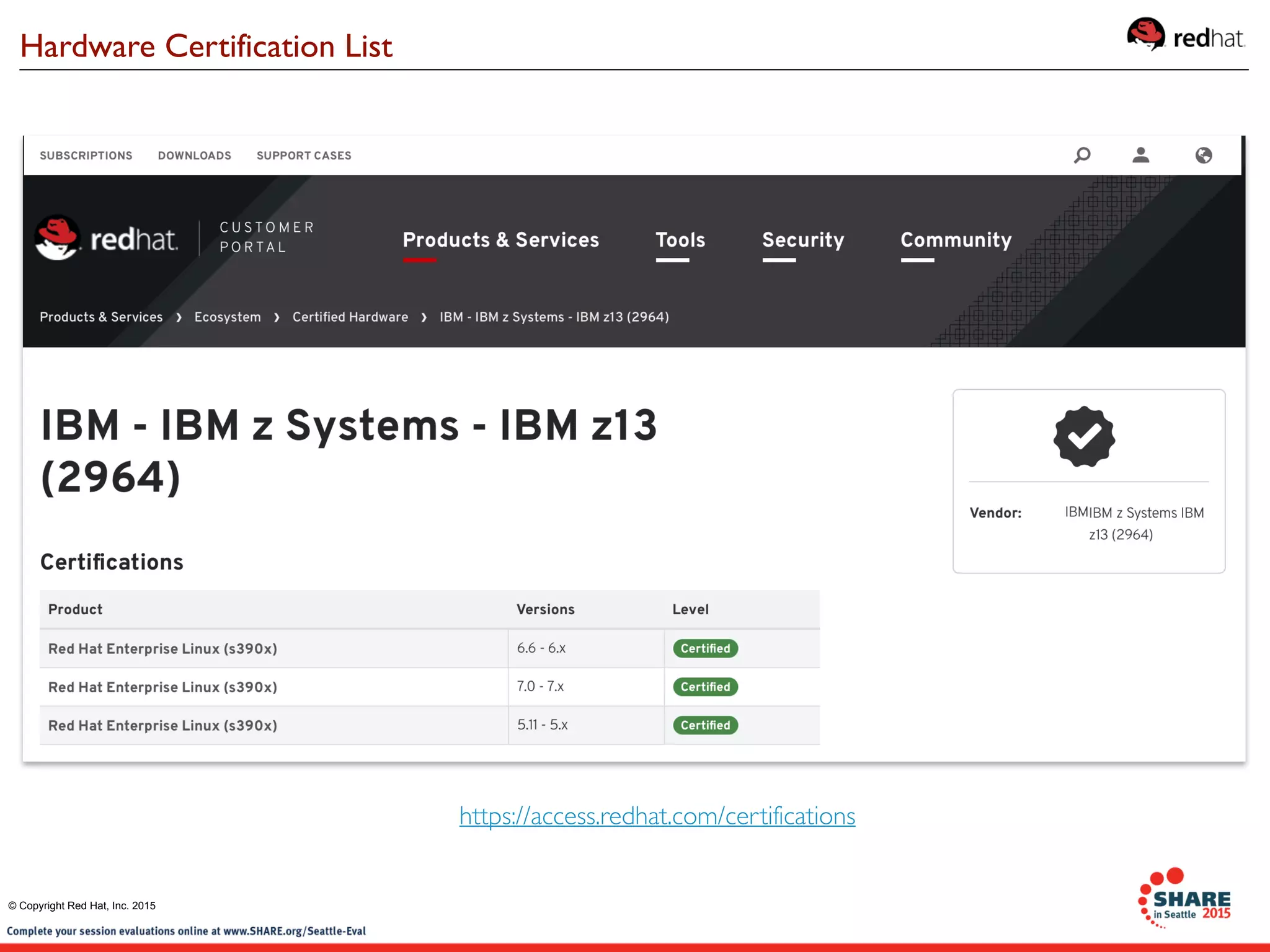
https://access.redhat.com/certifications
Hardware Certification List
© Copyright Red Hat, Inc. 2015
Linux Containers
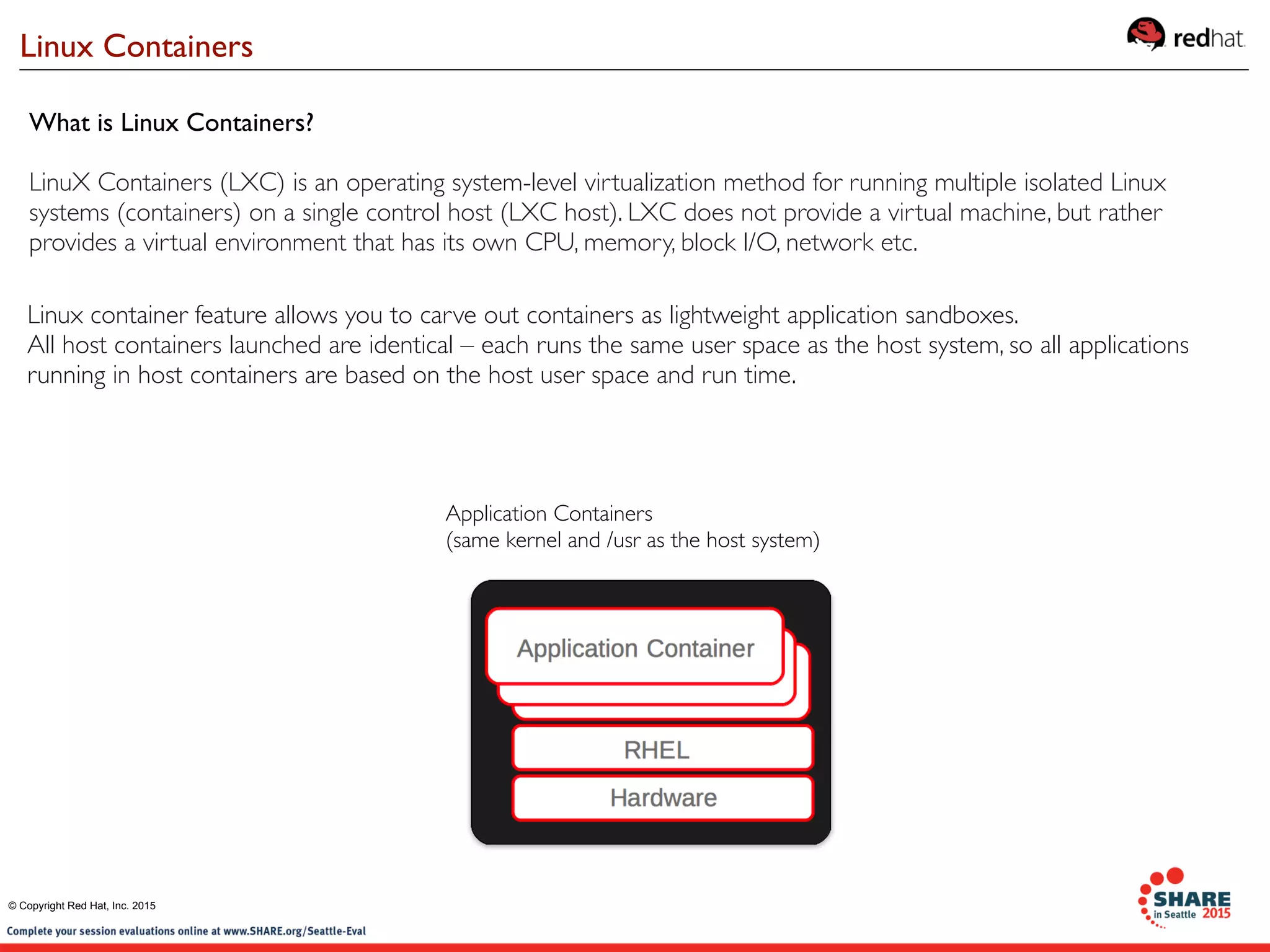
Application Containers
(same kernel and /usr as the host system)
What is Linux Containers?
LinuX Containers (LXC) is an operating system-level virtualization method for running multiple isolated Linux
systems (containers) on a single control host (LXC host). LXC does not provide a virtual machine, but rather
provides a virtual environment that has its own CPU, memory, block I/O, network etc.
Linux container feature allows you to carve out containers as lightweight application sandboxes.
All host containers launched are identical – each runs the same user space as the host system, so all applications
running in host containers are based on the host user space and run time.
© Copyright Red Hat, Inc. 2015
Linux Containers
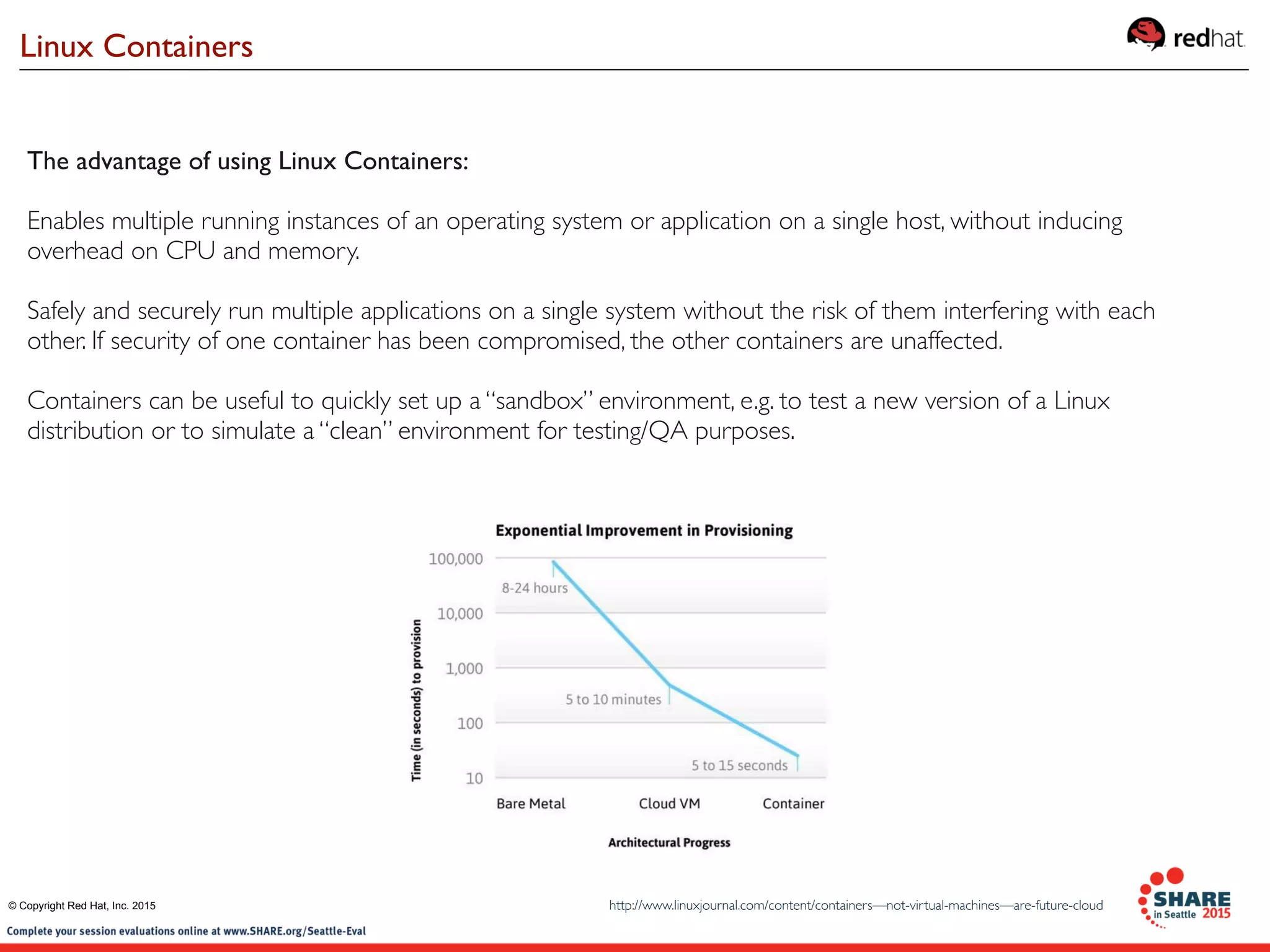
http://www.linuxjournal.com/content/containers—not-virtual-machines—are-future-cloud
The advantage of using Linux Containers:
Enables multiple running instances of an operating system or application on a single host, without inducing
overhead on CPU and memory.
Safely and securely run multiple applications on a single system without the risk of them interfering with each
other. If security of one container has been compromised, the other containers are unaffected.
Containers can be useful to quickly set up a “sandbox” environment, e.g. to test a new version of a Linux
distribution or to simulate a “clean” environment for testing/QA purposes.
© Copyright Red Hat, Inc. 2015
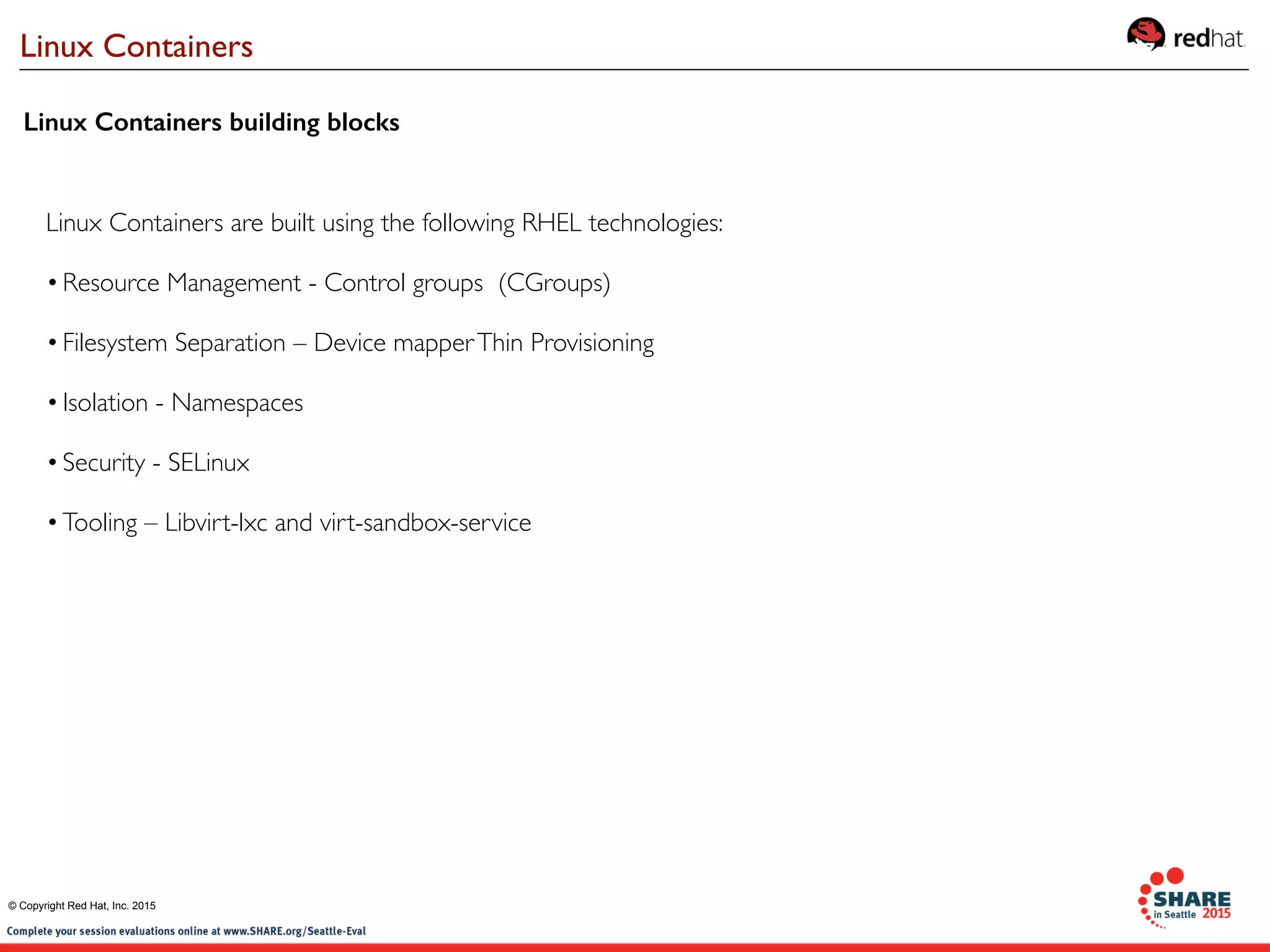
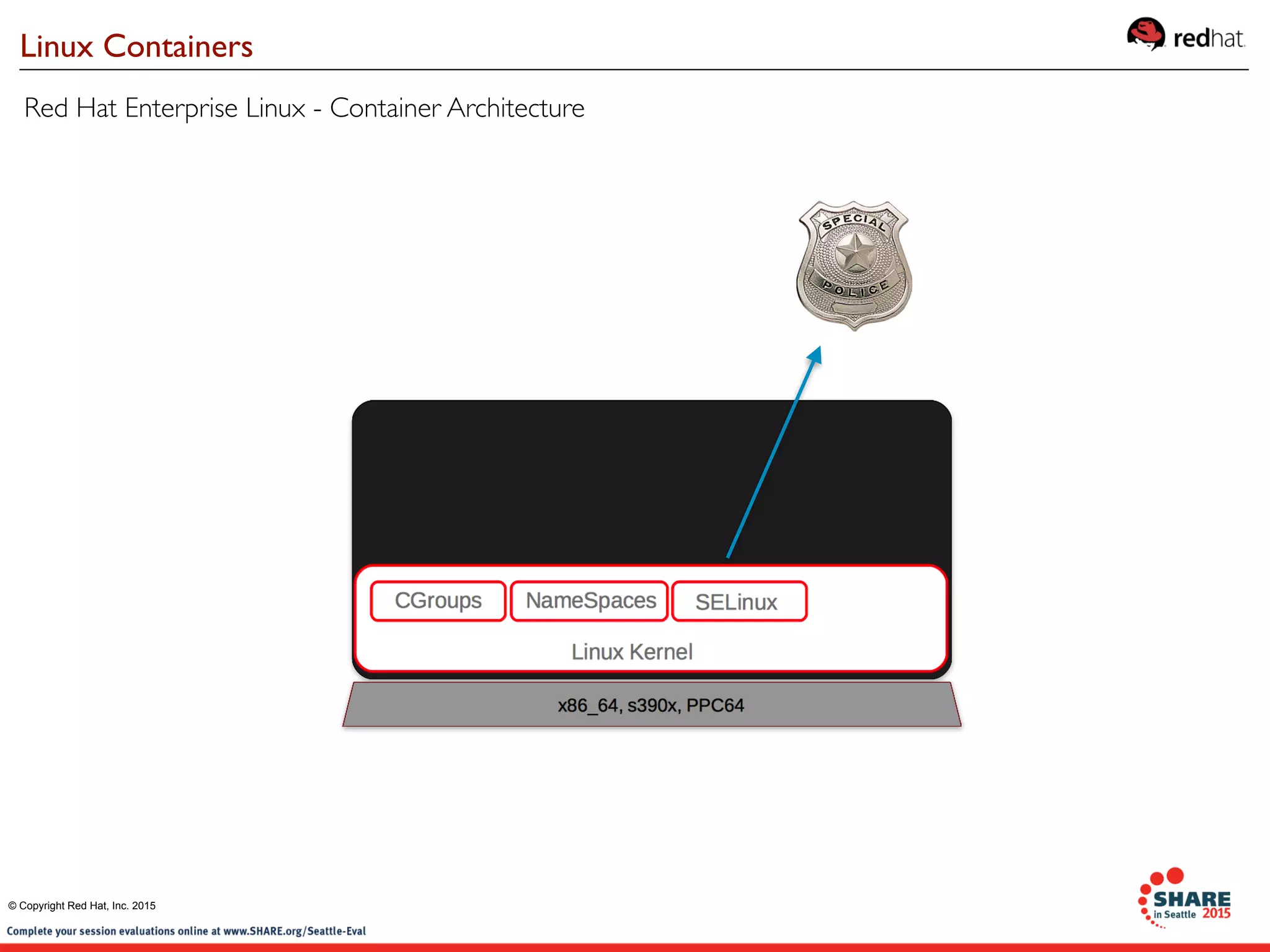
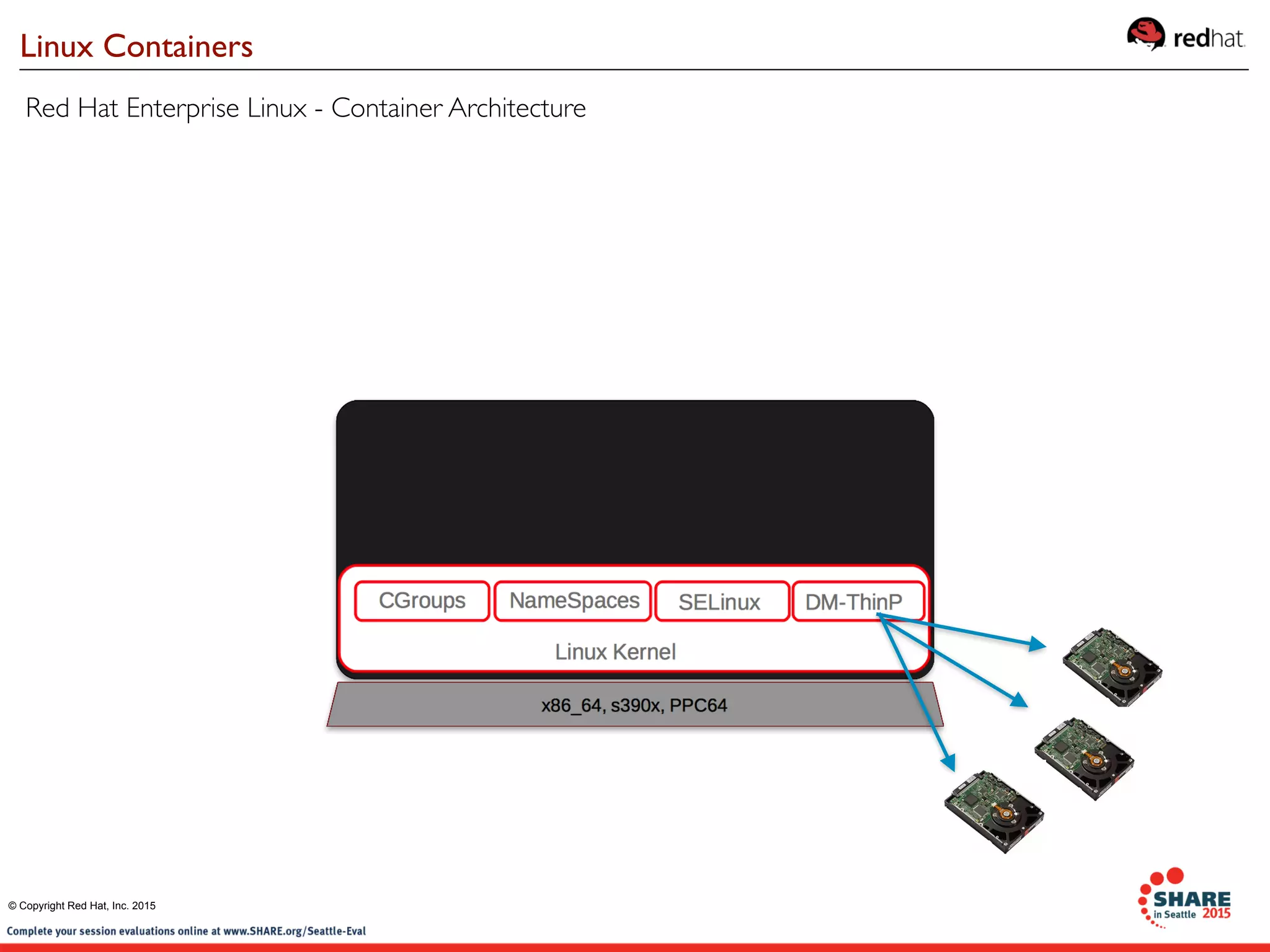
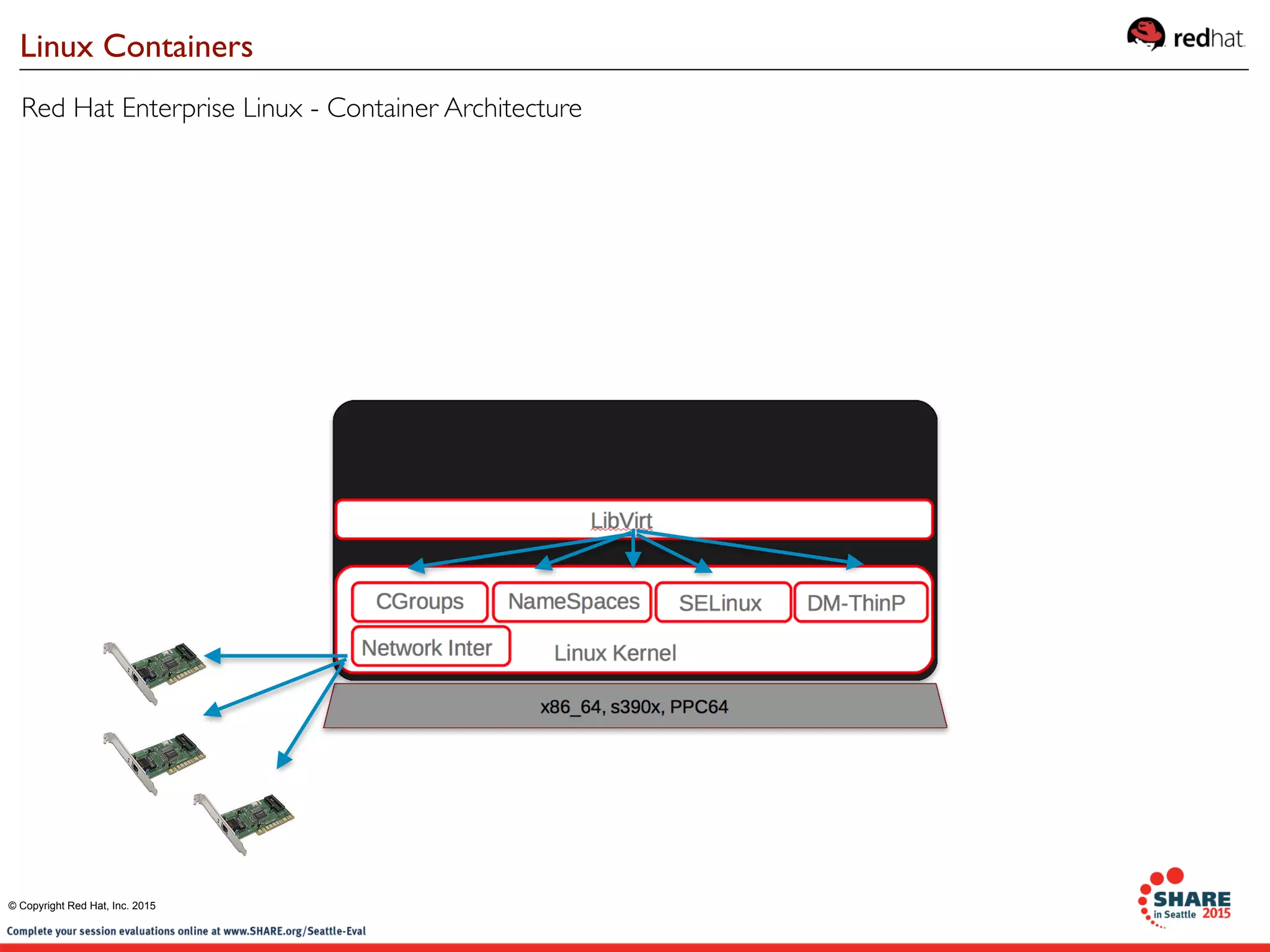
Linux Containers building blocks
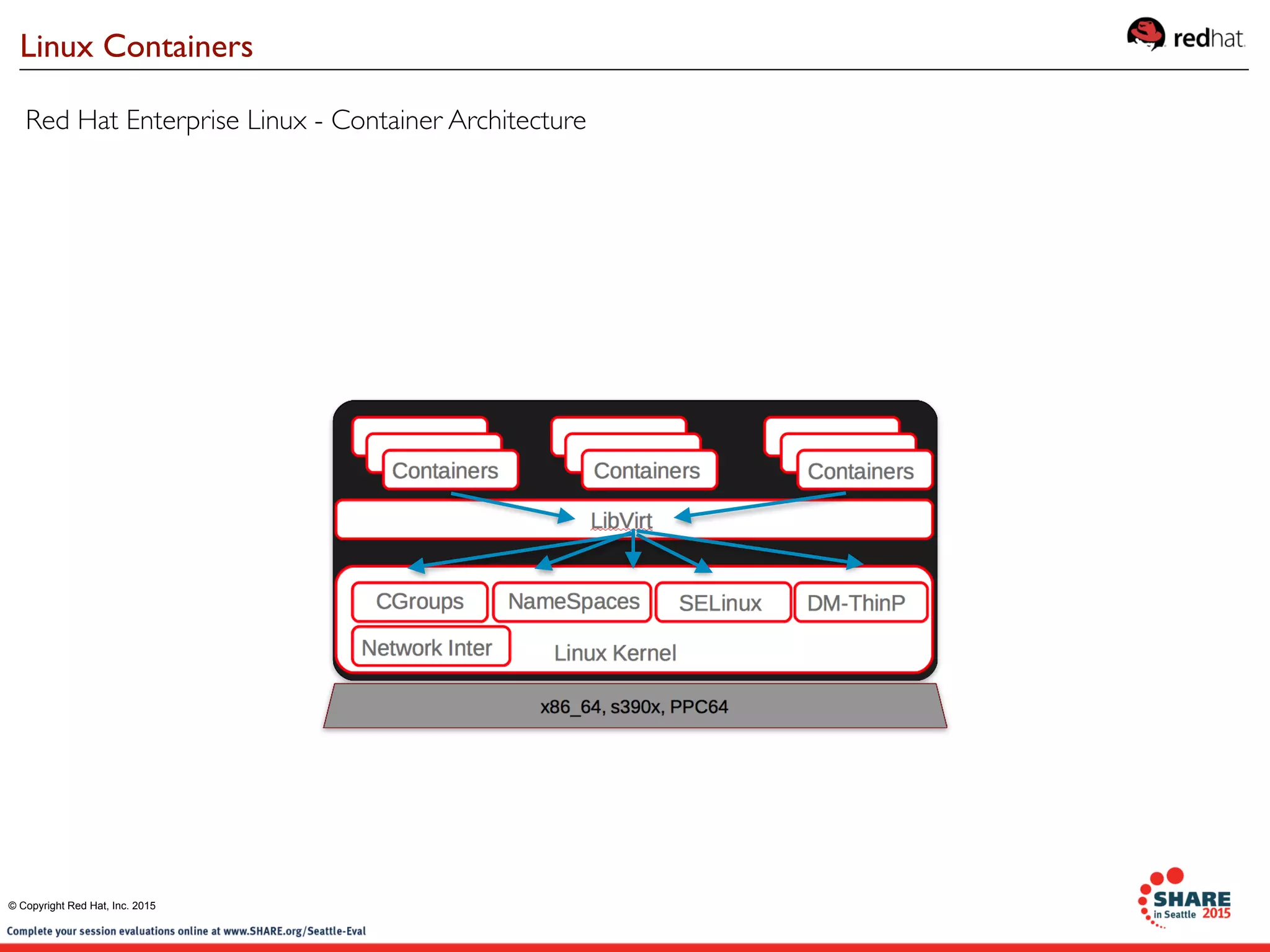
Linux Containers are built using the following RHEL technologies:
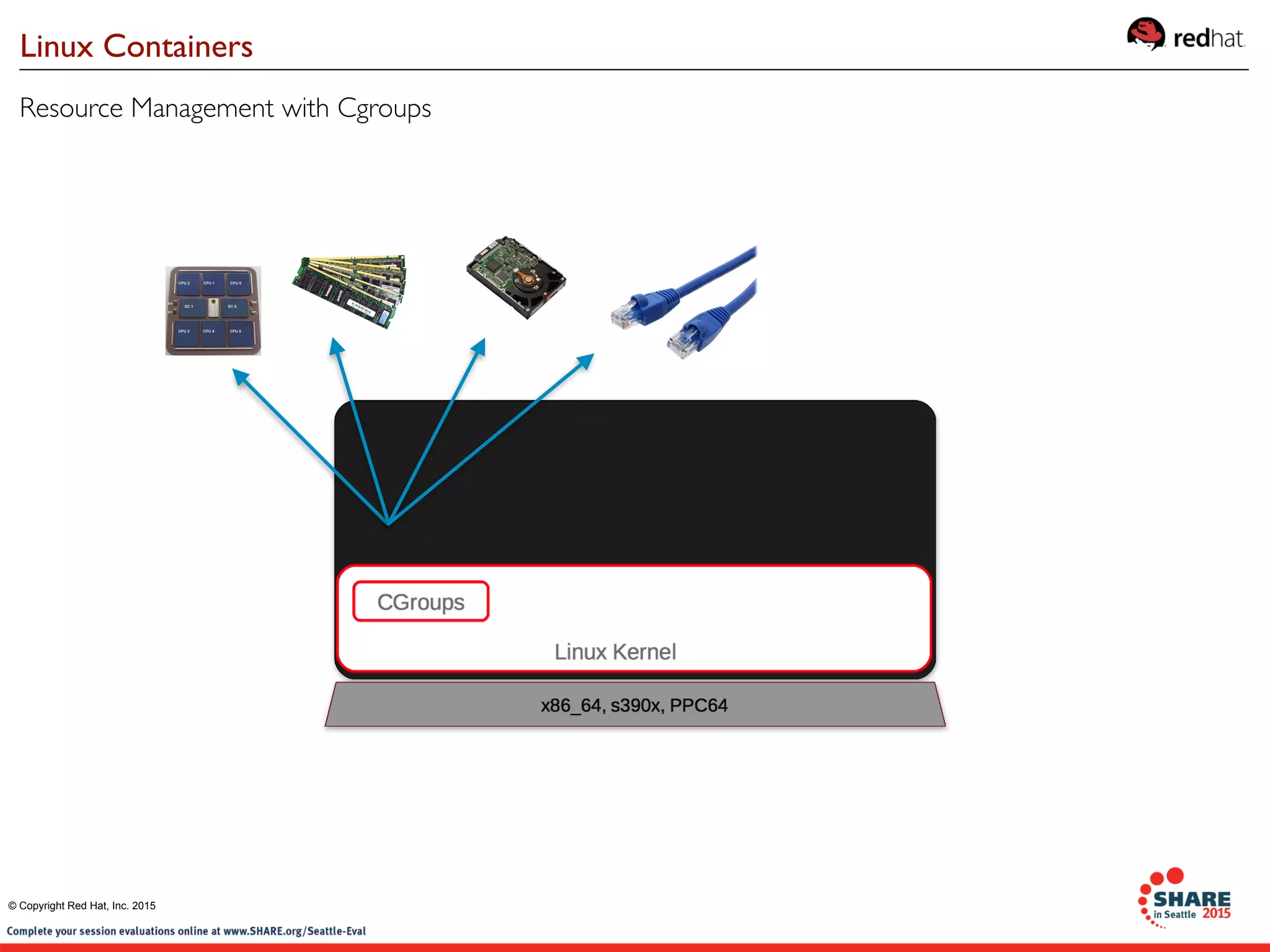
•Resource Management - Control groups (CGroups)
•Filesystem Separation – Device mapperThin Provisioning
•Isolation - Namespaces
•Security - SELinux
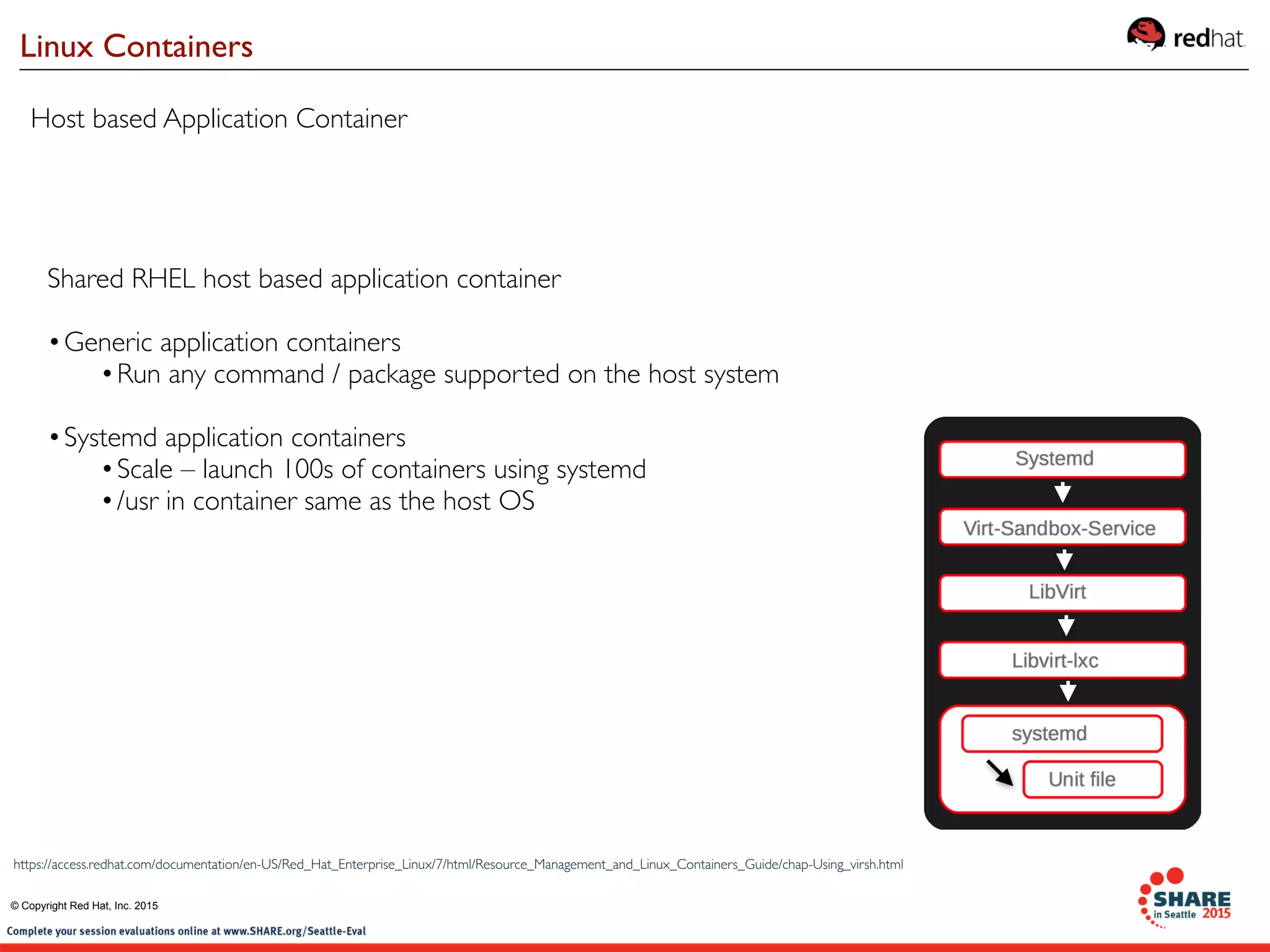
•Tooling – Libvirt-lxc and virt-sandbox-service
Linux Containers
© Copyright Red Hat, Inc. 2015
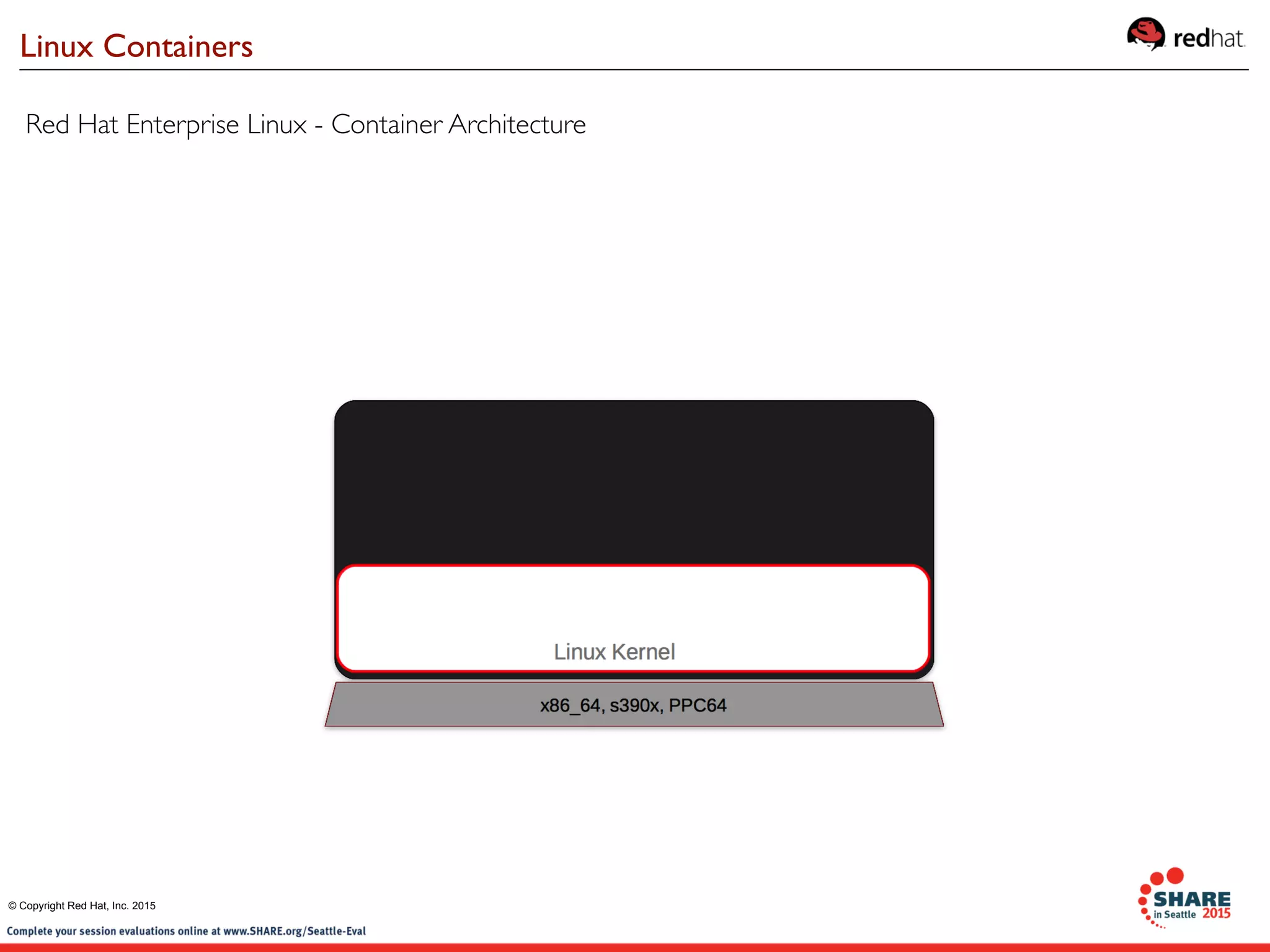
Red Hat Enterprise Linux - Container Architecture
Linux Containers
© Copyright Red Hat, Inc. 2015
Resource Management with Cgroups
Linux Containers
© Copyright Red Hat, Inc. 2015
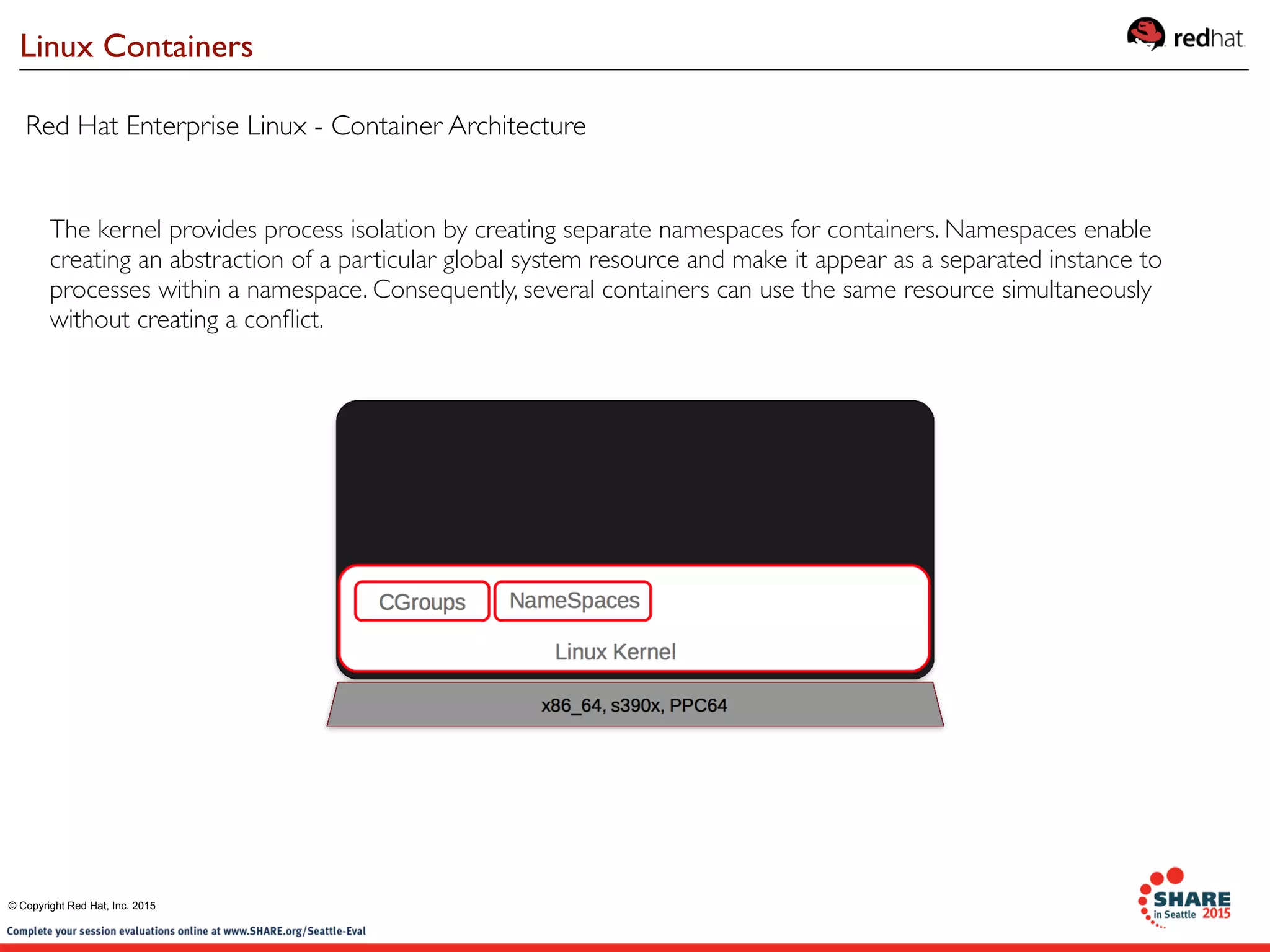
Red Hat Enterprise Linux - Container Architecture
Linux Containers
The kernel provides process isolation by creating separate namespaces for containers. Namespaces enable
creating an abstraction of a particular global system resource and make it appear as a separated instance to
processes within a namespace. Consequently, several containers can use the same resource simultaneously
without creating a conflict.
© Copyright Red Hat, Inc. 2015
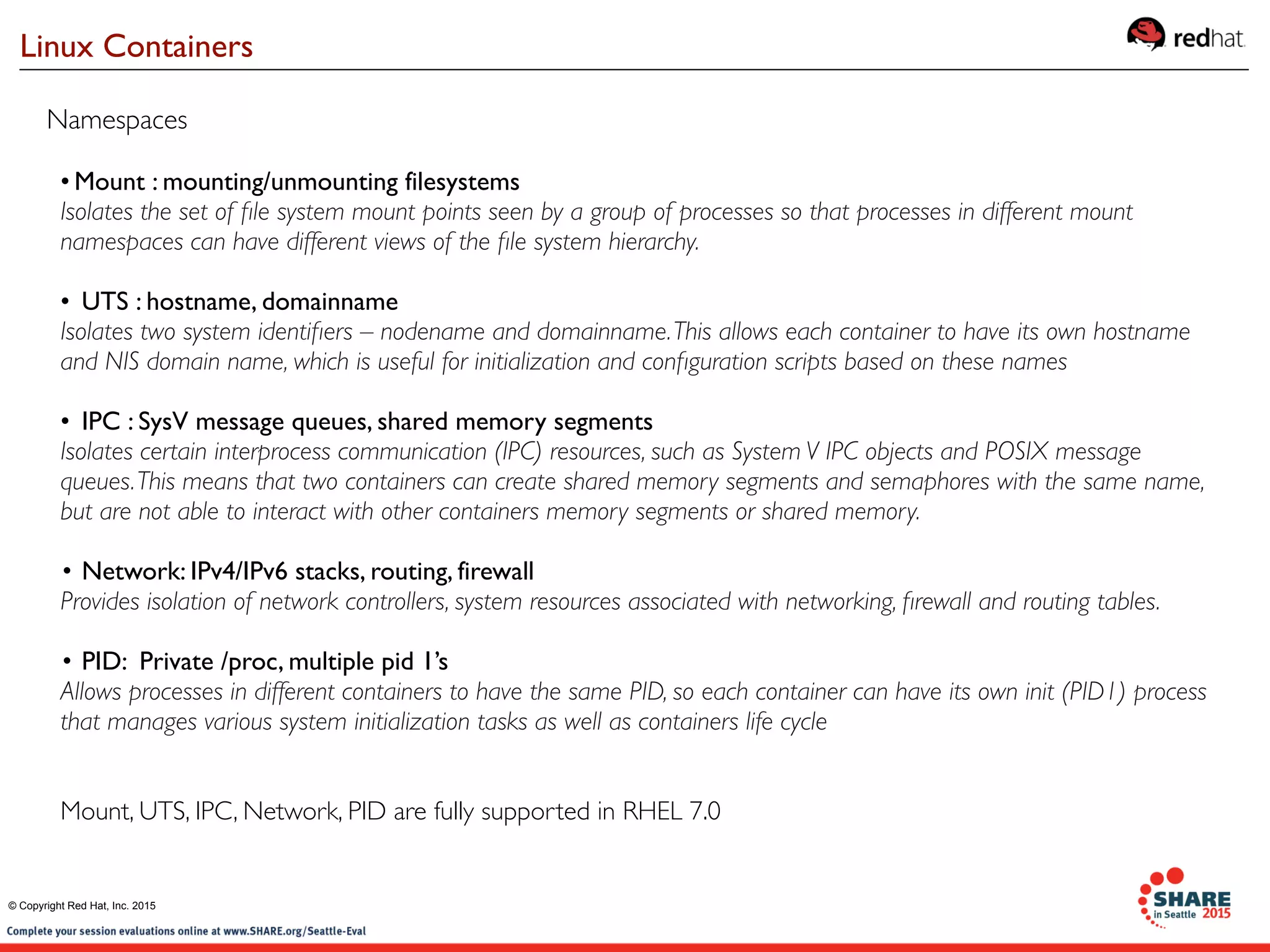
• Mount : mounting/unmounting filesystems
Isolates the set of file system mount points seen by a group of processes so that processes in different mount
namespaces can have different views of the file system hierarchy.
• UTS : hostname, domainname
Isolates two system identifiers – nodename and domainname.This allows each container to have its own hostname
and NIS domain name, which is useful for initialization and configuration scripts based on these names
• IPC : SysV message queues, shared memory segments
Isolates certain interprocess communication (IPC) resources, such as System V IPC objects and POSIX message
queues.This means that two containers can create shared memory segments and semaphores with the same name,
but are not able to interact with other containers memory segments or shared memory.
• Network: IPv4/IPv6 stacks, routing, firewall
Provides isolation of network controllers, system resources associated with networking, firewall and routing tables.
• PID: Private /proc, multiple pid 1’s
Allows processes in different containers to have the same PID, so each container can have its own init (PID1) process
that manages various system initialization tasks as well as containers life cycle
Mount, UTS, IPC, Network, PID are fully supported in RHEL 7.0
Namespaces
Linux Containers
© Copyright Red Hat, Inc. 2015
Red Hat Enterprise Linux - Container Architecture
Linux Containers
© Copyright Red Hat, Inc. 2015
Red Hat Enterprise Linux - Container Architecture
Linux Containers
© Copyright Red Hat, Inc. 2015
Red Hat Enterprise Linux - Container Architecture
Linux Containers
© Copyright Red Hat, Inc. 2015
Red Hat Enterprise Linux - Container Architecture
Linux Containers
© Copyright Red Hat, Inc. 2015
Host based Application Container
Shared RHEL host based application container
•Generic application containers
•Run any command / package supported on the host system
•Systemd application containers
•Scale – launch 100s of containers using systemd
•/usr in container same as the host OS
Linux Containers
https://access.redhat.com/documentation/en-US/Red_Hat_Enterprise_Linux/7/html/Resource_Management_and_Linux_Containers_Guide/chap-Using_virsh.html
© Copyright Red Hat, Inc. 2015
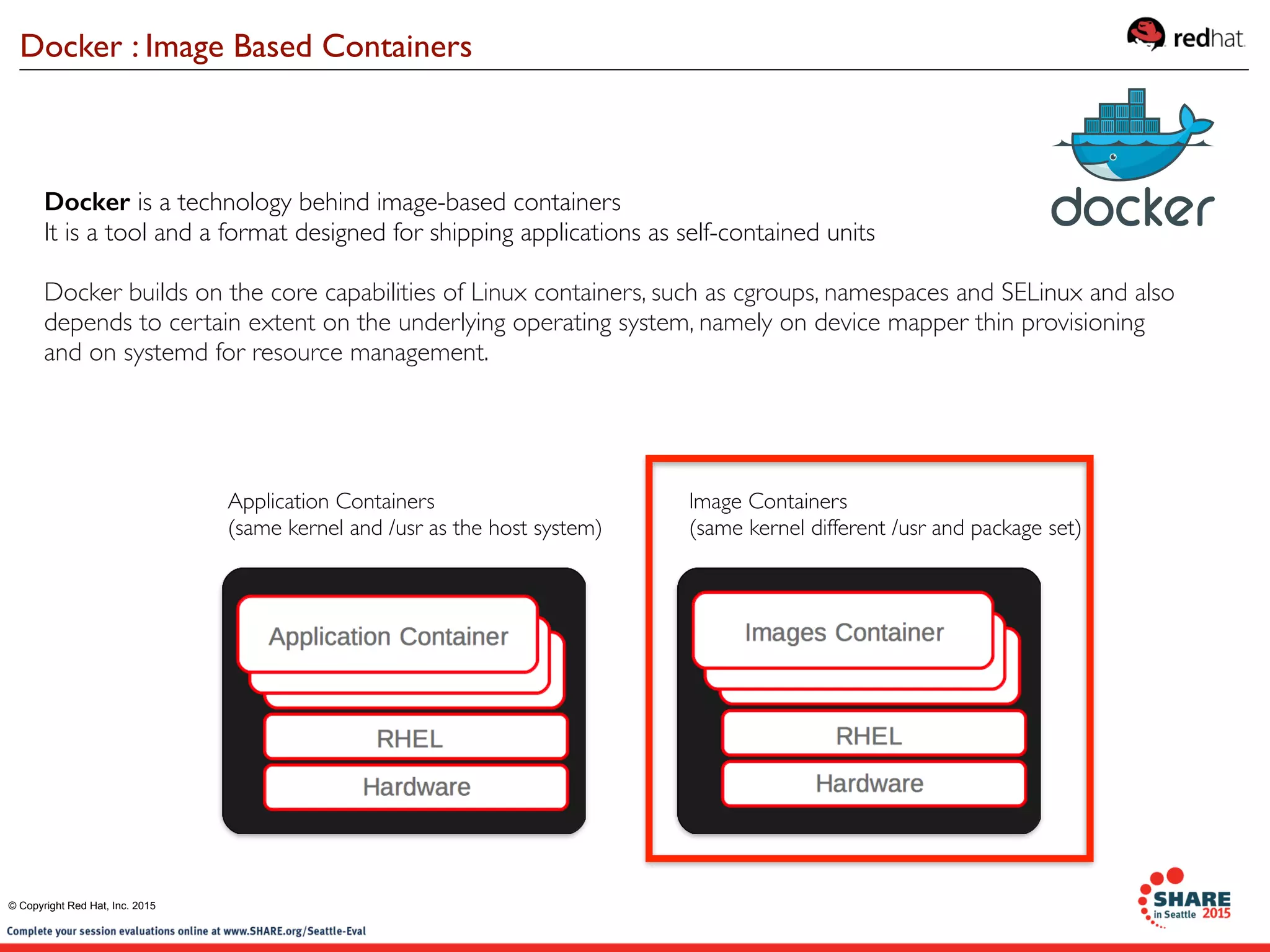
Docker is a technology behind image-based containers
It is a tool and a format designed for shipping applications as self-contained units
Docker builds on the core capabilities of Linux containers, such as cgroups, namespaces and SELinux and also
depends to certain extent on the underlying operating system, namely on device mapper thin provisioning
and on systemd for resource management.
Docker : Image Based Containers
Image Containers
(same kernel different /usr and package set)
Application Containers
(same kernel and /usr as the host system)
© Copyright Red Hat, Inc. 2015
•Red Hat doing heavy lifting in Fedora to ensure Docker runs on a Red Hat based container stack
•Device mapper thin provisioning
•Replaces AUFS dependency in Docker
•Libvirt-lxc sandbox
•Replaces lxc-tools dependency in Docker
•SELinux
•Links: partnership and ongoing work
•http://tinyurl.com/RedHatDockerPR
•http://blog.docker.io/2013/09/red-hat-and-docker-collaborate/
Docker and Red Hat
© Copyright Red Hat, Inc. 2015
•Recently as a result of the collaboration between IBM and the open source community, Docker is finally
running on s390x systems (as well as PPC64)
•Docker was originally developed in Golang (only available to x86 systems)
•IBM and the open source community developed go-gcc (Docker have been ported to go-gcc)
•Docker can now run on Linux on IBM z Systems (and IBM Power Systems)
Docker on Linux for IBM z Systems
© Copyright Red Hat, Inc. 2015
Steps by Step:
Testing environment, Red Hat Enterprise Linux 7 running as a z/VM guest OS
1) Copy the Docker binary (IBM) to /usr/local/bin
2) Start Docker deamon:
[root@rhel7 ~]# docker -d
INFO[0000] +job serveapi(unix:///var/run/docker.sock)   
INFO[0000] Listening for HTTP on unix (/var/run/docker.sock) 
INFO[0006] +job init_networkdriver()                    
INFO[0008] -job init_networkdriver() = OK (0)           
INFO[0009] Loading containers: start.      
Demo of Docker running on RHEL for z Systems
© Copyright Red Hat, Inc. 2015
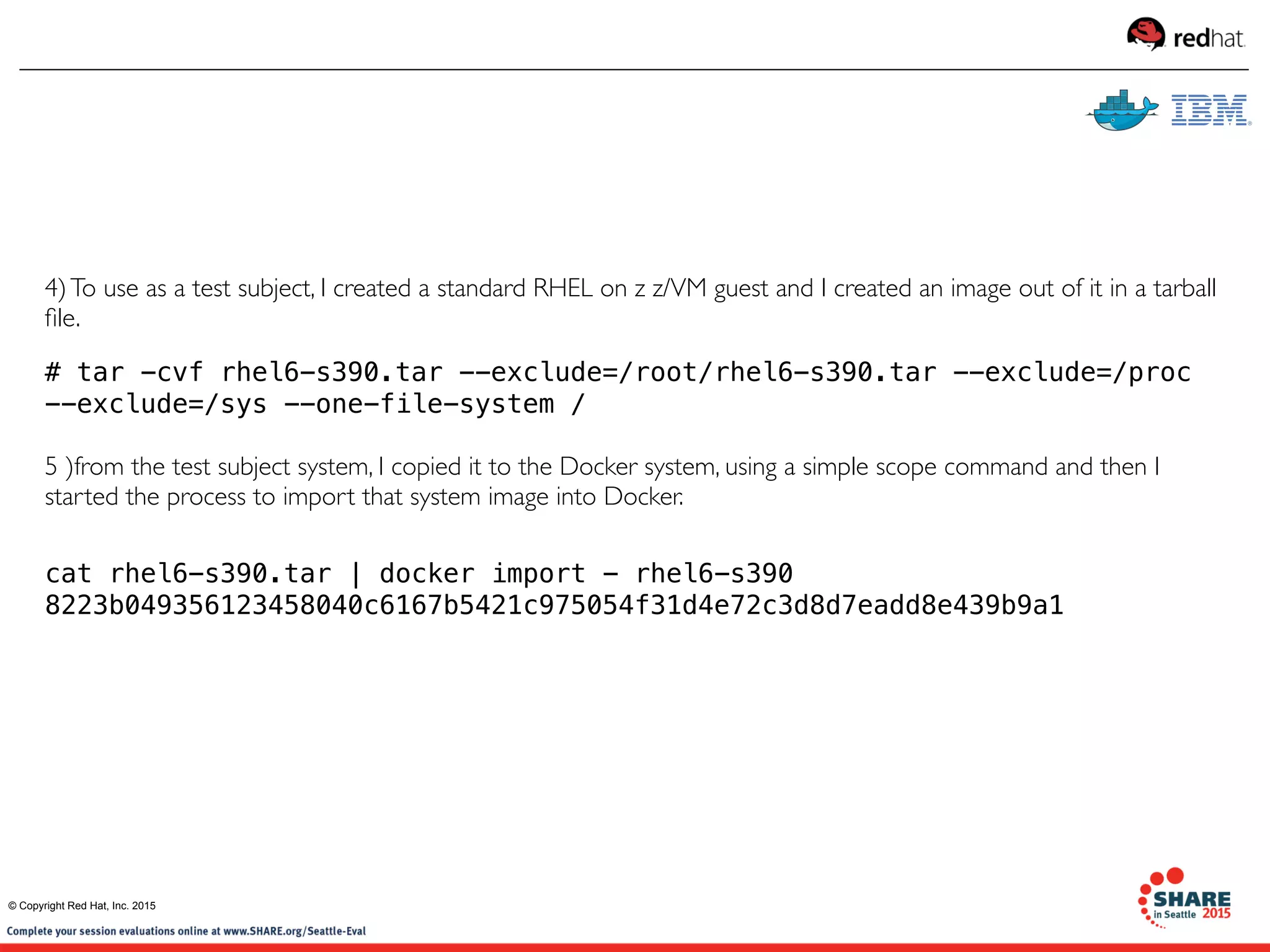
4)To use as a test subject, I created a standard RHEL on z z/VM guest and I created an image out of it in a tarball
file.
# tar -cvf rhel6-s390.tar --exclude=/root/rhel6-s390.tar --exclude=/proc
--exclude=/sys --one-file-system /
5 )from the test subject system, I copied it to the Docker system, using a simple scope command and then I
started the process to import that system image into Docker.
cat rhel6-s390.tar | docker import - rhel6-s390
8223b049356123458040c6167b5421c975054f31d4e72c3d8d7eadd8e439b9a1
© Copyright Red Hat, Inc. 2015
4) Check if the Docker image was imported correctly: 
[root@rhel7 ~]# docker images
REPOSITORY          TAG                 IMAGE ID            CREATED             VIRTUAL SIZE
rhel6-s390          latest              8223b0493561        44 seconds ago      1.437 GB
5) Let’s now run a shell environment within the container we just imported into Docker:
[root@rhel7 ~]# docker run -i -t rhel6-s390 bash
[root@722f09e42426 /]# 
6) Once you have access to the shell within the container, check the process isolation:
[root@722f09e42426 /]# ps aux
USER       PID %CPU %MEM    VSZ   RSS TTY      STAT START   TIME COMMAND
root         1  0.0  0.1 100500  1844 ?        Ss   07:13   0:00 bash
root        24  0.0  0.1 100204  1120 ?        R+   07:15   0:00 ps aux
© Copyright Red Hat, Inc. 2015
7) From another terminal, if you issue the command docker ps, it will tell you what containers are running:
[root@rhel7 ~]# docker ps
CONTAINER ID        IMAGE               COMMAND             CREATED             STATUS              PORTS
              NAMES
0863965787ea        rhel6-s390:latest   "bash"              2 minutes ago       Up 2 minutes             
              goofy_feynman       
© Copyright Red Hat, Inc. 2015
[root@08dfb98ac145 /]# rhn_register 
8) Back to the original terminal, lets start a different application, for example
© Copyright Red Hat, Inc. 2015
[root@08dfb98ac145 /]# yum update
Loaded plugins: product-id, rhnplugin, security, subscription-manager
This system is not registered to Red Hat Subscription Management. You can
use subscription-manager to register.
This system is receiving updates from RHN Classic or RHN Satellite.
Setting up Update Process
Resolving Dependencies
Dependencies Resolved
. . .
Transaction Summary
============================================================================
Install      14 Package(s)
Upgrade     322 Package(s)
Total download size: 249 M
Is this ok [y/N]: n
9) Let’s try yum update to check if the registration worked
© Copyright Red Hat, Inc. 2015
[root@rhel7 ~]# docker commit 722f09e42426
07d308404e3edb04a580f0fce6d89887b717fd9e70ef1424a4be01412b5994fb
11)To identify the new image create a dog tag for that:
[root@rhel7 ~]# docker tag
07d308404e3edb04a580f0fce6d89887b717fd9e70ef1424a4be01412b5994fb
rhel6-s390-repo
12) Check the Docker images
[root@rhel7 ~]# docker images
REPOSITORY          TAG                 IMAGE ID            CREATED             VIRTUAL SIZE
rhel6-s390          latest              8223b0493561        2 hours ago        1.437 GB
rhel6-s390-repo     latest              17ec773d1bcd         1 hours ago        1.437 GB
10)To keep the modified container, we can issue a commit command thus creating another container image that will
only have the modified files (in our case virtually no extra space):
© Copyright Red Hat, Inc. 2015
Openshift - PaaS (private/public cloud)
© Copyright Red Hat, Inc. 2015
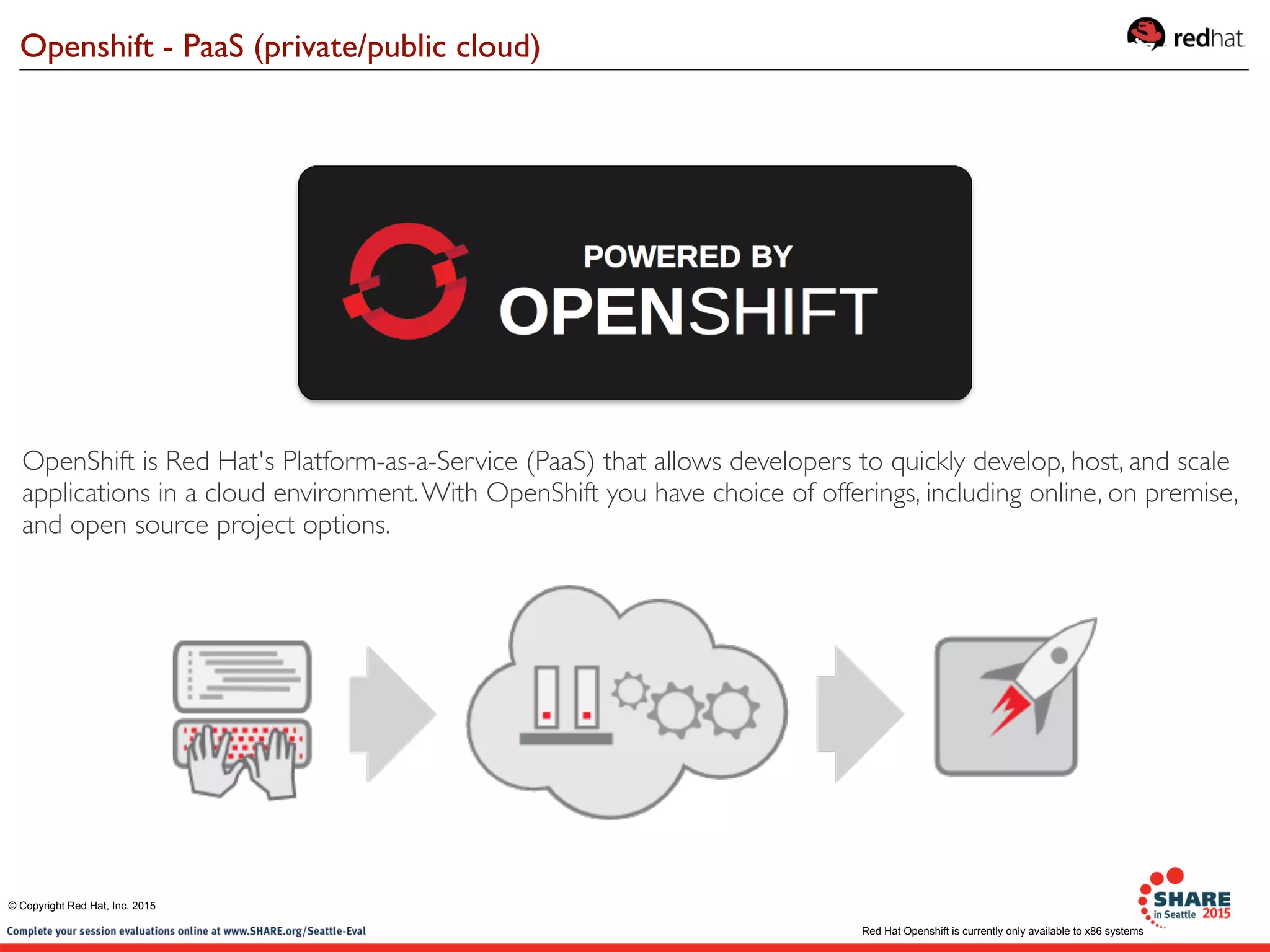
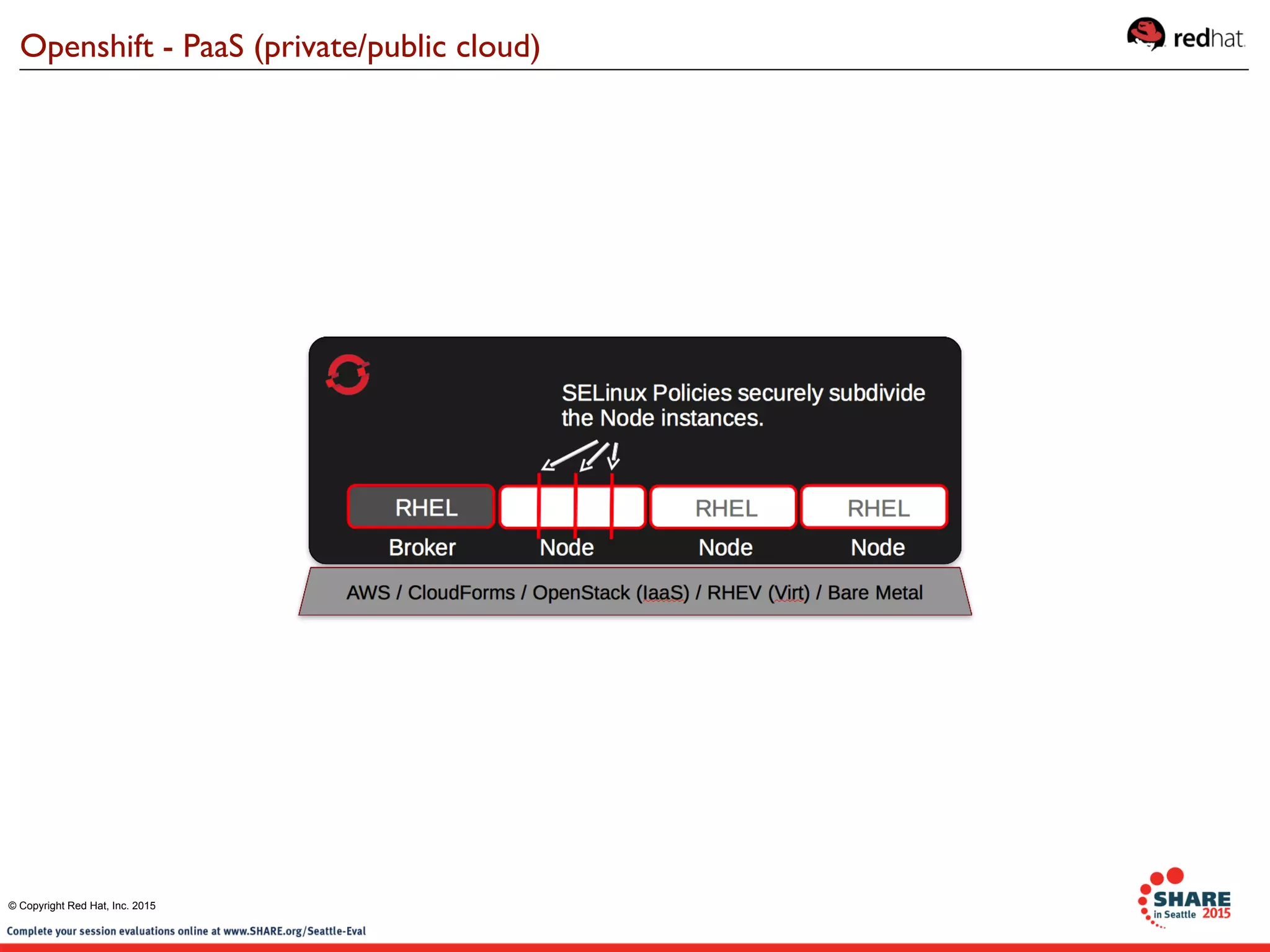
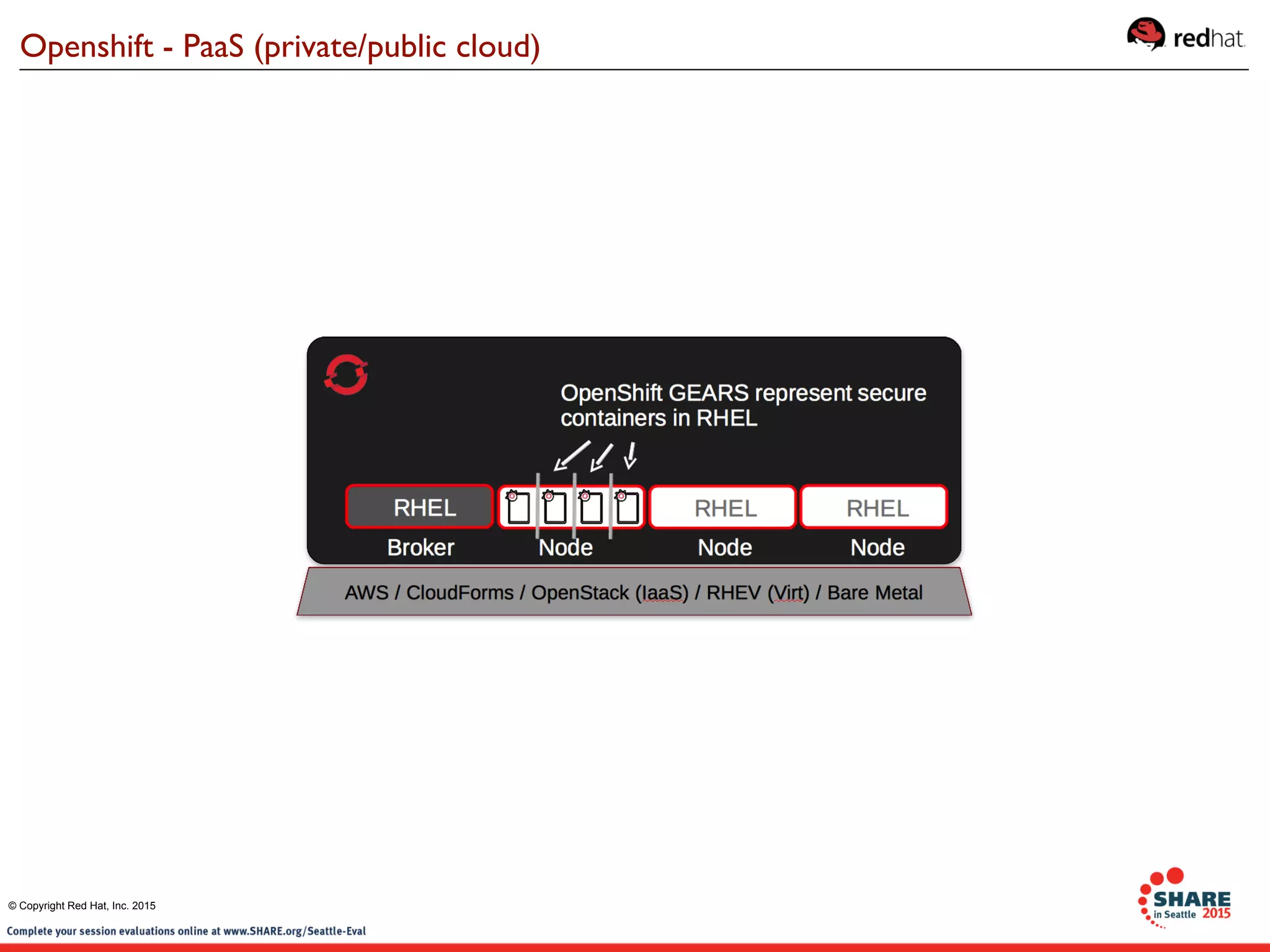
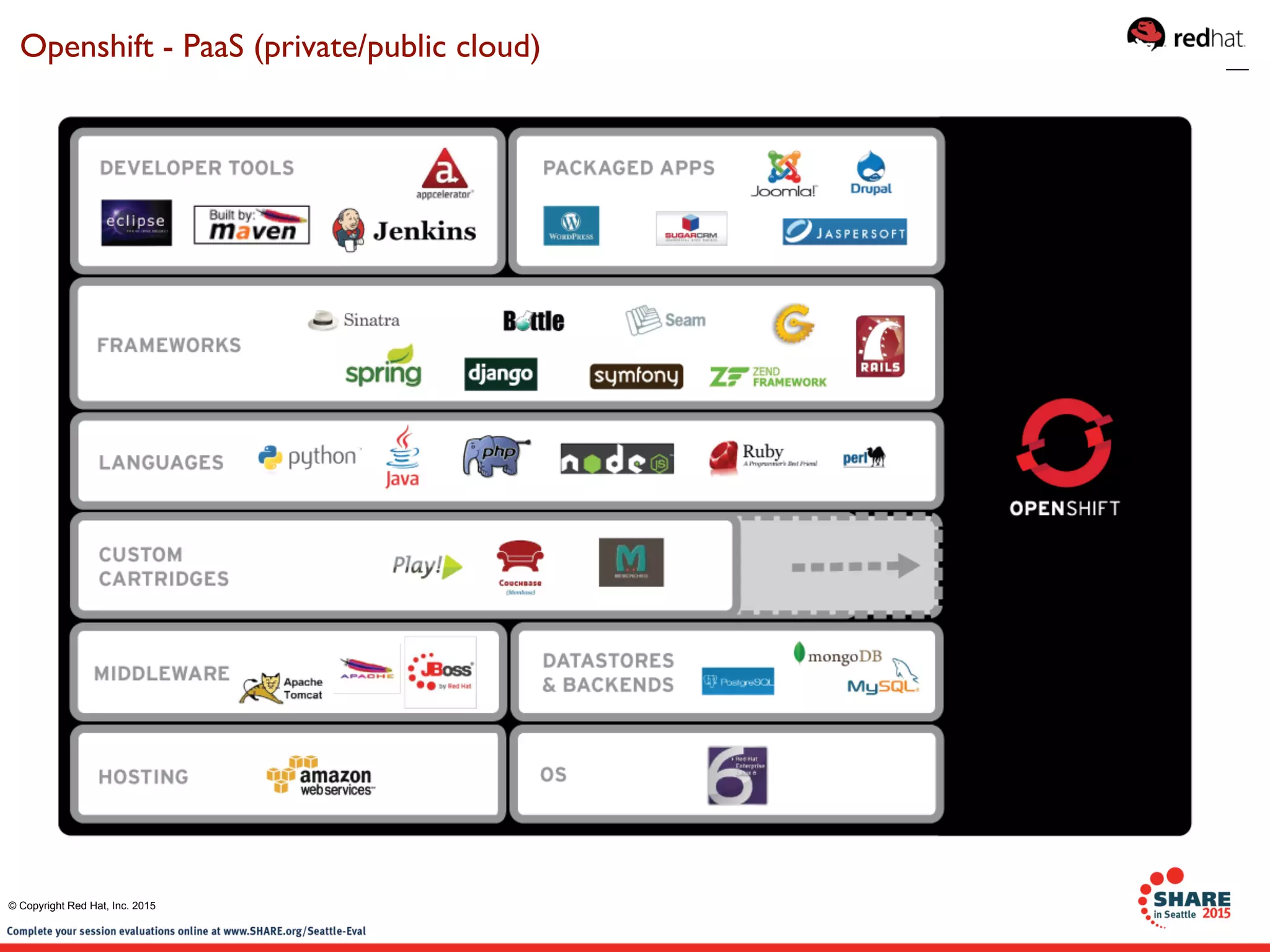
OpenShift is Red Hat's Platform-as-a-Service (PaaS) that allows developers to quickly develop, host, and scale
applications in a cloud environment.With OpenShift you have choice of offerings, including online, on premise,
and open source project options.
Red Hat Openshift is currently only available to x86 systems
Openshift - PaaS (private/public cloud)
© Copyright Red Hat, Inc. 2015
Openshift - PaaS (private/public cloud)
© Copyright Red Hat, Inc. 2015
Openshift - PaaS (private/public cloud)
© Copyright Red Hat, Inc. 2015
Openshift - PaaS (private/public cloud)
© Copyright Red Hat, Inc. 2015
Openshift - PaaS (private/public cloud)
© Copyright Red Hat, Inc. 2015
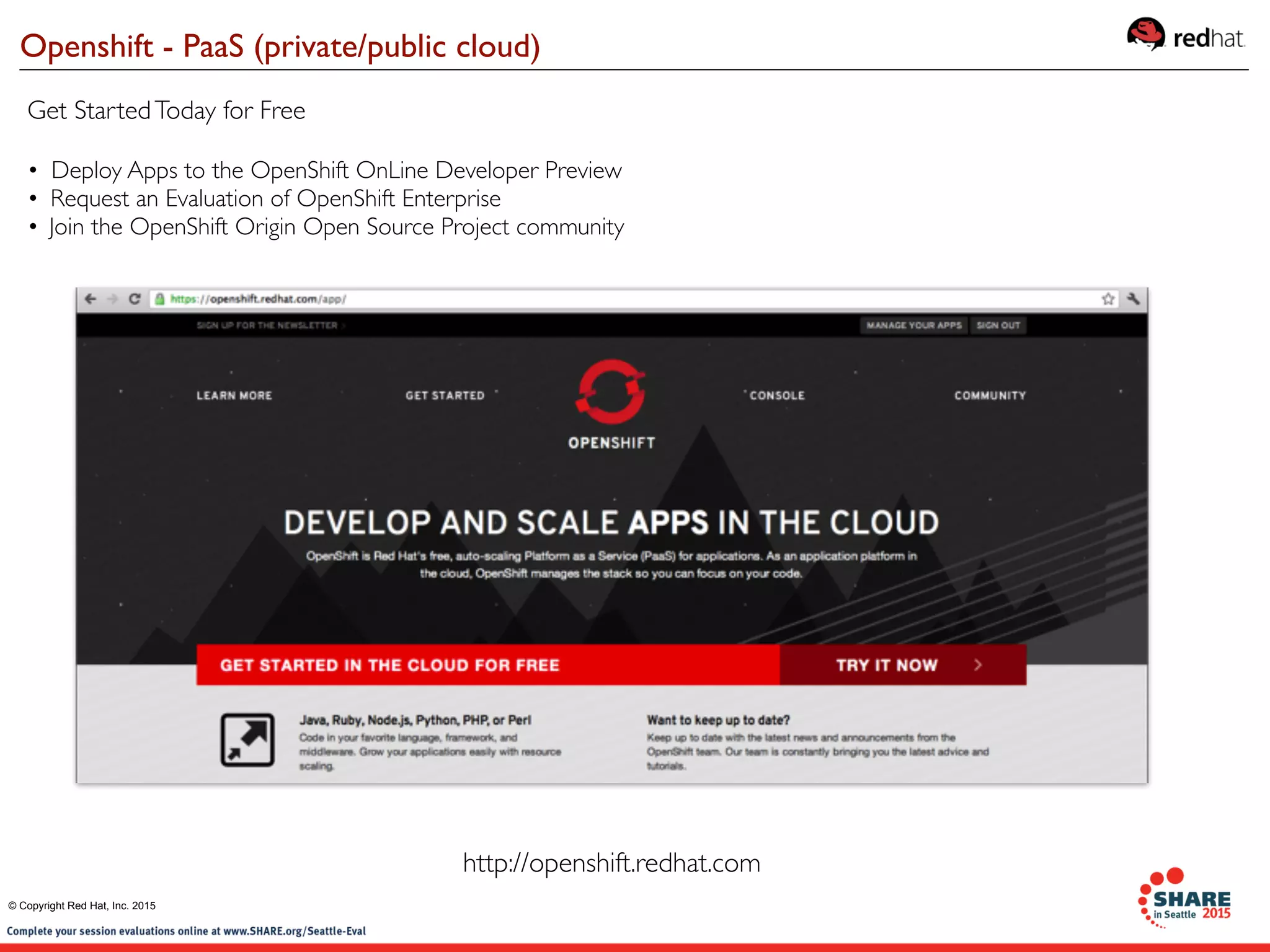
Get StartedToday for Free
• Deploy Apps to the OpenShift OnLine Developer Preview
• Request an Evaluation of OpenShift Enterprise
• Join the OpenShift Origin Open Source Project community
http://openshift.redhat.com
Openshift - PaaS (private/public cloud)
© Copyright Red Hat, Inc. 2015
Filipe Miranda <fmiranda@redhat.com>
Global Lead for Red Hat Products on IBM z Systems and Power Systems
Red Hat Inc.

Linux Containers and Docker SHARE.ORG Seattle 2015

  • 1.
    Insert Custom Session QR if Desired. Filipe Miranda<fmiranda@redhat.com> Global Lead for Red Hat Products on IBM z Systems and Power Systems Red Hat Inc. Red Hat Enterprise Linux for IBM z Systems Linux Containers and Docker Session# 16443
  • 2.
    Red Hat, Inc.in a Nutshell - Red Hat and the Open Source Community Linux Containers - Introduction to Linux Containers Docker (Image Container) - Demo of Docker on RHEL for z Systems Openshift (PaaS Cloud) - A glimpse of what LCX/Docker technologies can do - What if we had OpenShift for z Systems? Session Topics © Copyright Red Hat, Inc. 2015
  • 3.
    Red Hat ina Nutshell © Copyright Red Hat, Inc. 2015
  • 4.
    Red Hat bringingOpenSource technologies to Enterprises © Copyright Red Hat, Inc. 2015
  • 5.
  • 6.
    Linux Containers Application Containers (samekernel and /usr as the host system) What is Linux Containers? LinuX Containers (LXC) is an operating system-level virtualization method for running multiple isolated Linux systems (containers) on a single control host (LXC host). LXC does not provide a virtual machine, but rather provides a virtual environment that has its own CPU, memory, block I/O, network etc. Linux container feature allows you to carve out containers as lightweight application sandboxes. All host containers launched are identical – each runs the same user space as the host system, so all applications running in host containers are based on the host user space and run time. © Copyright Red Hat, Inc. 2015
  • 7.
    Linux Containers http://www.linuxjournal.com/content/containers—not-virtual-machines—are-future-cloud The advantageof using Linux Containers: Enables multiple running instances of an operating system or application on a single host, without inducing overhead on CPU and memory. Safely and securely run multiple applications on a single system without the risk of them interfering with each other. If security of one container has been compromised, the other containers are unaffected. Containers can be useful to quickly set up a “sandbox” environment, e.g. to test a new version of a Linux distribution or to simulate a “clean” environment for testing/QA purposes. © Copyright Red Hat, Inc. 2015
  • 8.
    Linux Containers buildingblocks Linux Containers are built using the following RHEL technologies: •Resource Management - Control groups (CGroups) •Filesystem Separation – Device mapperThin Provisioning •Isolation - Namespaces •Security - SELinux •Tooling – Libvirt-lxc and virt-sandbox-service Linux Containers © Copyright Red Hat, Inc. 2015
  • 9.
    Red Hat EnterpriseLinux - Container Architecture Linux Containers © Copyright Red Hat, Inc. 2015
  • 10.
    Resource Management withCgroups Linux Containers © Copyright Red Hat, Inc. 2015
  • 11.
    Red Hat EnterpriseLinux - Container Architecture Linux Containers The kernel provides process isolation by creating separate namespaces for containers. Namespaces enable creating an abstraction of a particular global system resource and make it appear as a separated instance to processes within a namespace. Consequently, several containers can use the same resource simultaneously without creating a conflict. © Copyright Red Hat, Inc. 2015
  • 12.
    • Mount :mounting/unmounting filesystems Isolates the set of file system mount points seen by a group of processes so that processes in different mount namespaces can have different views of the file system hierarchy. • UTS : hostname, domainname Isolates two system identifiers – nodename and domainname.This allows each container to have its own hostname and NIS domain name, which is useful for initialization and configuration scripts based on these names • IPC : SysV message queues, shared memory segments Isolates certain interprocess communication (IPC) resources, such as System V IPC objects and POSIX message queues.This means that two containers can create shared memory segments and semaphores with the same name, but are not able to interact with other containers memory segments or shared memory. • Network: IPv4/IPv6 stacks, routing, firewall Provides isolation of network controllers, system resources associated with networking, firewall and routing tables. • PID: Private /proc, multiple pid 1’s Allows processes in different containers to have the same PID, so each container can have its own init (PID1) process that manages various system initialization tasks as well as containers life cycle Mount, UTS, IPC, Network, PID are fully supported in RHEL 7.0 Namespaces Linux Containers © Copyright Red Hat, Inc. 2015
  • 13.
    Red Hat EnterpriseLinux - Container Architecture Linux Containers © Copyright Red Hat, Inc. 2015
  • 14.
    Red Hat EnterpriseLinux - Container Architecture Linux Containers © Copyright Red Hat, Inc. 2015
  • 15.
    Red Hat EnterpriseLinux - Container Architecture Linux Containers © Copyright Red Hat, Inc. 2015
  • 16.
    Red Hat EnterpriseLinux - Container Architecture Linux Containers © Copyright Red Hat, Inc. 2015
  • 17.
    Host based ApplicationContainer Shared RHEL host based application container •Generic application containers •Run any command / package supported on the host system •Systemd application containers •Scale – launch 100s of containers using systemd •/usr in container same as the host OS Linux Containers https://access.redhat.com/documentation/en-US/Red_Hat_Enterprise_Linux/7/html/Resource_Management_and_Linux_Containers_Guide/chap-Using_virsh.html © Copyright Red Hat, Inc. 2015
  • 18.
    Docker is atechnology behind image-based containers It is a tool and a format designed for shipping applications as self-contained units Docker builds on the core capabilities of Linux containers, such as cgroups, namespaces and SELinux and also depends to certain extent on the underlying operating system, namely on device mapper thin provisioning and on systemd for resource management. Docker : Image Based Containers Image Containers (same kernel different /usr and package set) Application Containers (same kernel and /usr as the host system) © Copyright Red Hat, Inc. 2015
  • 19.
    •Red Hat doingheavy lifting in Fedora to ensure Docker runs on a Red Hat based container stack •Device mapper thin provisioning •Replaces AUFS dependency in Docker •Libvirt-lxc sandbox •Replaces lxc-tools dependency in Docker •SELinux •Links: partnership and ongoing work •http://tinyurl.com/RedHatDockerPR •http://blog.docker.io/2013/09/red-hat-and-docker-collaborate/ Docker and Red Hat © Copyright Red Hat, Inc. 2015
  • 20.
    •Recently as aresult of the collaboration between IBM and the open source community, Docker is finally running on s390x systems (as well as PPC64) •Docker was originally developed in Golang (only available to x86 systems) •IBM and the open source community developed go-gcc (Docker have been ported to go-gcc) •Docker can now run on Linux on IBM z Systems (and IBM Power Systems) Docker on Linux for IBM z Systems © Copyright Red Hat, Inc. 2015
  • 21.
    Steps by Step: Testingenvironment, Red Hat Enterprise Linux 7 running as a z/VM guest OS 1) Copy the Docker binary (IBM) to /usr/local/bin 2) Start Docker deamon: [root@rhel7 ~]# docker -d INFO[0000] +job serveapi(unix:///var/run/docker.sock)    INFO[0000] Listening for HTTP on unix (/var/run/docker.sock)  INFO[0006] +job init_networkdriver()                     INFO[0008] -job init_networkdriver() = OK (0)            INFO[0009] Loading containers: start.       Demo of Docker running on RHEL for z Systems © Copyright Red Hat, Inc. 2015
  • 22.
    4)To use asa test subject, I created a standard RHEL on z z/VM guest and I created an image out of it in a tarball file. # tar -cvf rhel6-s390.tar --exclude=/root/rhel6-s390.tar --exclude=/proc --exclude=/sys --one-file-system / 5 )from the test subject system, I copied it to the Docker system, using a simple scope command and then I started the process to import that system image into Docker. cat rhel6-s390.tar | docker import - rhel6-s390 8223b049356123458040c6167b5421c975054f31d4e72c3d8d7eadd8e439b9a1 © Copyright Red Hat, Inc. 2015
  • 23.
    4) Check ifthe Docker image was imported correctly:  [root@rhel7 ~]# docker images REPOSITORY          TAG                 IMAGE ID            CREATED             VIRTUAL SIZE rhel6-s390          latest              8223b0493561        44 seconds ago      1.437 GB 5) Let’s now run a shell environment within the container we just imported into Docker: [root@rhel7 ~]# docker run -i -t rhel6-s390 bash [root@722f09e42426 /]#  6) Once you have access to the shell within the container, check the process isolation: [root@722f09e42426 /]# ps aux USER       PID %CPU %MEM    VSZ   RSS TTY      STAT START   TIME COMMAND root         1  0.0  0.1 100500  1844 ?        Ss   07:13   0:00 bash root        24  0.0  0.1 100204  1120 ?        R+   07:15   0:00 ps aux © Copyright Red Hat, Inc. 2015
  • 24.
    7) From anotherterminal, if you issue the command docker ps, it will tell you what containers are running: [root@rhel7 ~]# docker ps CONTAINER ID        IMAGE               COMMAND             CREATED             STATUS              PORTS               NAMES 0863965787ea        rhel6-s390:latest   "bash"              2 minutes ago       Up 2 minutes                            goofy_feynman        © Copyright Red Hat, Inc. 2015
  • 25.
    [root@08dfb98ac145 /]# rhn_register  8)Back to the original terminal, lets start a different application, for example © Copyright Red Hat, Inc. 2015
  • 26.
    [root@08dfb98ac145 /]# yumupdate Loaded plugins: product-id, rhnplugin, security, subscription-manager This system is not registered to Red Hat Subscription Management. You can use subscription-manager to register. This system is receiving updates from RHN Classic or RHN Satellite. Setting up Update Process Resolving Dependencies Dependencies Resolved . . . Transaction Summary ============================================================================ Install      14 Package(s) Upgrade     322 Package(s) Total download size: 249 M Is this ok [y/N]: n 9) Let’s try yum update to check if the registration worked © Copyright Red Hat, Inc. 2015
  • 27.
    [root@rhel7 ~]# docker commit 722f09e42426 07d308404e3edb04a580f0fce6d89887b717fd9e70ef1424a4be01412b5994fb 11)Toidentify the new image create a dog tag for that: [root@rhel7 ~]# docker tag 07d308404e3edb04a580f0fce6d89887b717fd9e70ef1424a4be01412b5994fb rhel6-s390-repo 12) Check the Docker images [root@rhel7 ~]# docker images REPOSITORY          TAG                 IMAGE ID            CREATED             VIRTUAL SIZE rhel6-s390          latest              8223b0493561        2 hours ago        1.437 GB rhel6-s390-repo     latest              17ec773d1bcd         1 hours ago        1.437 GB 10)To keep the modified container, we can issue a commit command thus creating another container image that will only have the modified files (in our case virtually no extra space): © Copyright Red Hat, Inc. 2015
  • 28.
    Openshift - PaaS(private/public cloud) © Copyright Red Hat, Inc. 2015 OpenShift is Red Hat's Platform-as-a-Service (PaaS) that allows developers to quickly develop, host, and scale applications in a cloud environment.With OpenShift you have choice of offerings, including online, on premise, and open source project options. Red Hat Openshift is currently only available to x86 systems
  • 29.
    Openshift - PaaS(private/public cloud) © Copyright Red Hat, Inc. 2015
  • 30.
    Openshift - PaaS(private/public cloud) © Copyright Red Hat, Inc. 2015
  • 31.
    Openshift - PaaS(private/public cloud) © Copyright Red Hat, Inc. 2015
  • 32.
    Openshift - PaaS(private/public cloud) © Copyright Red Hat, Inc. 2015
  • 33.
    Openshift - PaaS(private/public cloud) © Copyright Red Hat, Inc. 2015
  • 34.
    Get StartedToday forFree • Deploy Apps to the OpenShift OnLine Developer Preview • Request an Evaluation of OpenShift Enterprise • Join the OpenShift Origin Open Source Project community http://openshift.redhat.com Openshift - PaaS (private/public cloud) © Copyright Red Hat, Inc. 2015
  • 35.
    Filipe Miranda <fmiranda@redhat.com> GlobalLead for Red Hat Products on IBM z Systems and Power Systems Red Hat Inc.