Linux Basic for beginner..Good for first time linux user
1.
Introduction to Linux
Linuxis an open-source operating system used in servers,
desktops, and embedded systems.
**Key Features:**
- Multi-user and multitasking
- Secure and stable
- Highly customizable and lightweight
2.
History of Unix& Linux
**Unix:**
- Developed in 1969 at AT&T Bell Labs
- First OS with a hierarchical file system
**Linux:**
- Created in 1991 by Linus Torvalds
- Based on Unix principles
- Used in cloud computing, cybersecurity, and enterprise
solutions
3.
Linux Kernel &Architecture
The Linux kernel is the core of the OS, managing hardware
and system resources.
**Architecture Layers:**
- Hardware: Physical components
- Kernel: Directly interacts with hardware
- System Libraries: Essential functions for applications
- User Space: Applications and interfaces like GUI or shell
4.
Understanding Linux DirectoryStructure
Linux follows a hierarchical directory structure:
- `/` - Root directory, parent of all files
- `/bin` - Essential system binaries
- `/etc` - System configuration files
- `/home` - User directories
- `/var` - Log files and dynamic data
5.
Deep Dive: SystemDirectories
**/bin (Binaries):** Stores essential programs for system
operation.
**/sbin (System Binaries):** Contains administrator-level
programs.
**/lib (Libraries):** Shared libraries required for software
execution.
**/usr (User System Resources):** Holds applications and
utilities.
6.
Deep Dive: User& Data Directories
**/home:** Personal files and configurations for each user.
**/root:** Home directory of the root (superuser) account.
**/var:** Stores logs, cache, and mail.
**/tmp:** Temporary files that are cleared after a reboot.
7.
Everything is aFile in Linux
Linux treats devices, configurations, and processes as files:
- Regular Files: Documents, images, programs
- Directories: Folders storing files
- Device Files: Represent hardware like disks and printers
- Special Files: Named pipes and sockets for system
communication
8.
File Systems inLinux
Linux supports multiple file systems:
- **ext4:** Default Linux file system, reliable and efficient
- **XFS:** High-performance journaling file system
- **Btrfs:** Advanced features like snapshots and
compression
- **Swap:** Used for virtual memory management
9.
GNU & GPL:The Open-Source Philosophy
**GNU (GNU's Not Unix):**
- Free software project started by Richard Stallman
- Provides essential system utilities for Linux
**GPL (General Public License):**
- Ensures software freedom and open-source collaboration
- Users can modify and share software freely
10.
Linux Shell &Graphical User Interface (GUI)
**Shell:**
- Command-line interface for interacting with Linux
- Common shells: Bash, Zsh, Fish
**GUI:**
- User-friendly interface with windows and icons
- Popular desktop environments: GNOME, KDE, XFCE
11.
User Types inLinux
Linux defines different user levels for security and
management:
- **Normal User:** Limited access, personal files stored in
`/home`
- **Root User:** Full control over the system
- **System Users:** Used for running background services
12.
Login Shell &User Authentication
**Login Shell:**
- The first interface when a user logs in
- Reads configuration files like `.bashrc` or `.profile`
**User Authentication:**
- Managed by `/etc/passwd` and `/etc/shadow`
- Uses encryption and permission settings for security
13.
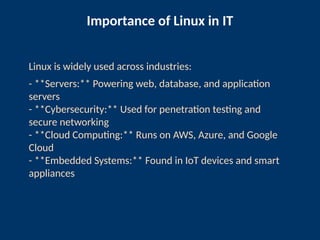
Importance of Linuxin IT
Linux is widely used across industries:
- **Servers:** Powering web, database, and application
servers
- **Cybersecurity:** Used for penetration testing and
secure networking
- **Cloud Computing:** Runs on AWS, Azure, and Google
Cloud
- **Embedded Systems:** Found in IoT devices and smart
appliances
14.
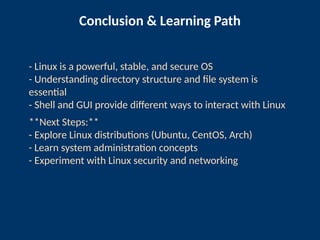
Conclusion & LearningPath
- Linux is a powerful, stable, and secure OS
- Understanding directory structure and file system is
essential
- Shell and GUI provide different ways to interact with Linux
**Next Steps:**
- Explore Linux distributions (Ubuntu, CentOS, Arch)
- Learn system administration concepts
- Experiment with Linux security and networking