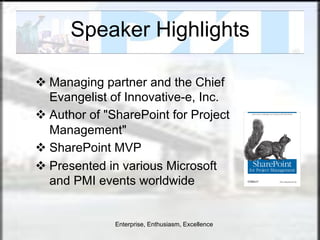
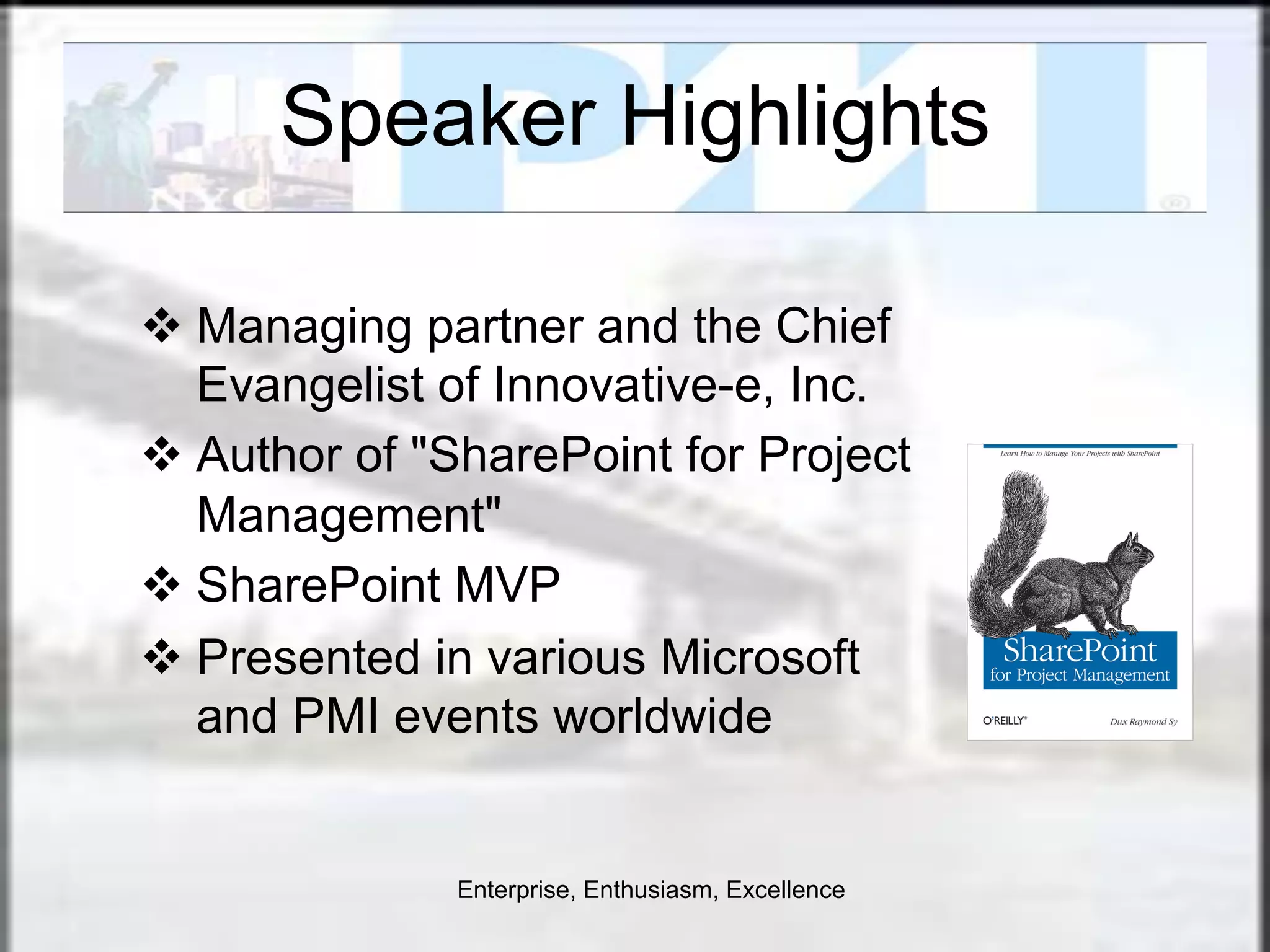
Speaker Highlights

v  Managing partner and the Chief
    Evangelist of Innovative-e, Inc.
v  Author of "SharePoint for Project
    Management"
v  SharePoint MVP
v  Presented in various Microsoft
    and PMI events worldwide


               Enterprise, Enthusiasm, Excellence
Leverage Project 2010 with
      SharePoint 2010 for
 Project Management Success


      Dux Raymond Sy, PMP, MVP


Recorded Video: http://vimeo.com/24917123
Presentation Objectives
¡  In this presentation, you will learn how to
  ¡  Assess your project management maturity
  ¡  Create a SharePoint-based Project Management Information
      System (PMIS)
  ¡  Integrate Microsoft Project information with SharePoint
  ¡  Empower a project team to collaboratively share relevant
      information
  ¡  Build a project management dashboard in SharePoint


Twitter: @meetdux #msproject
Agenda

¡  Is Microsoft Project with SharePoint the Silver Bullet?

¡  Effectively Initiating and Planning Projects

¡  Facilitating Efficient Team Collaboration

¡  Tracking and Reporting Relevant Project Status

¡  Questions and Answers


Twitter: @meetdux #msproject
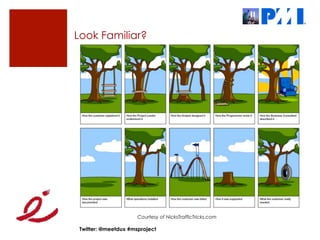
Look Familiar?


                      Courtesy of NicksTrafficTricks.com

 Twitter: @meetdux #msproject
Let’s Get Priorities in Order
¡  Tools don’t run projects
  ¡  Relevant project management process
  ¡  Responsible and accountable people

¡  Realize that Microsoft Project and SharePoint are tools
  ¡  Relevant project management process is necessary
  ¡  Project definition and initial planning is needed prior to using
      these tools
     ¡  Project Charter
     ¡  High-level Scope
     ¡  Work Breakdown Structure (WBS)


Twitter: @meetdux #msproject
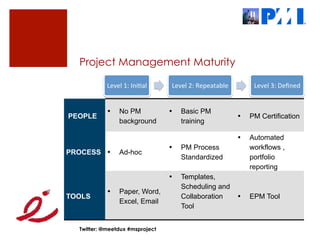
Project Management Maturity

            Level	
  1:	
  Ini+al	
      Level	
  2:	
  Repeatable	
           Level	
  3:	
  Defined	


            •      No PM                •    Basic PM
PEOPLE                                                                   •    PM Certification
                   background                training

                                                                         •    Automated
                                        •    PM Process                       workflows ,
PROCESS •          Ad-hoc
                                             Standardized                     portfolio
                                                                              reporting
                                        •    Templates,
                                             Scheduling and
            •      Paper, Word,
TOOLS                                        Collaboration               •    EPM Tool
                   Excel, Email
                                             Tool


  Twitter: @meetdux #msproject
What’s a PMIS?
¡  A Project Management Information System (PMIS) is a
    standardized set of automated project management
    tools available within the organization and integrated into
    a system

¡  Used by the project management team to
  ¡  Support the generation and maintenance of project artifacts
  ¡  Facilitate communication and feedback
  ¡  Monitor project activities
  ¡  Control project changes
  ¡  Analyze and forecast project performance

¡  Contains real-time information essential for initiating,
    planning, executing, controlling, and closing a project

Twitter: @meetdux #msproject
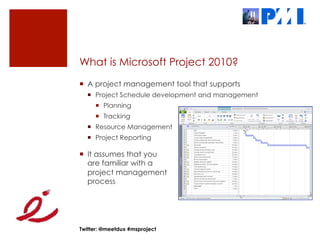
What is Microsoft Project 2010?
¡  A project management tool that supports
  ¡  Project Schedule development and management
     ¡  Planning
     ¡  Tracking
  ¡  Resource Management
  ¡  Project Reporting

¡  It assumes that you
    are familiar with a
    project management
    process


Twitter: @meetdux #msproject
What is Microsoft SharePoint 2010?
¡  The business collaboration platform for the enterprise and
    the web

¡  Provides collaborative project management tools to
  ¡  Centralize project artifacts
  ¡  Streamline communication
  ¡  Generate relevant reports
  ¡  Interact with other Microsoft
      tools


Twitter: @meetdux #msproject
Agenda

¡  Is Microsoft Project with SharePoint the Silver Bullet?

¡  Effectively Initiating and Planning Projects

¡  Facilitating Efficient Team Collaboration

¡  Tracking and Reporting Relevant Project Status

¡  Questions and Answers


Twitter: @meetdux #msproject
Create PMIS Upon Project Definition
¡  Project definition specifies the five w’s of the project and
    success criteria

¡  As soon as a project is defined, create a SharePoint site to
    serve as the PMIS
  ¡  Central repository for
      relevant project artifacts
  ¡  Controlled access
      to stakeholders

¡  Ideally, a SharePoint
    PMIS site template
    is utilized


Twitter: @meetdux #msproject
How to Get Started with Project Planning
¡  The initial Work Breakdown Structure (WBS) has to be
    developed prior to utilizing Microsoft Project

¡  A WBS is a deliverable based grouping of project tasks
  ¡  An effective way to define and organize all of the work
      required to complete a project


             Project Planning 101: http://go.meetdux.com/v3qx

Twitter: @meetdux #msproject
Create Microsoft Project Plan
¡  Once the WBS is created, create Microsoft Project Plan


     Watch: Effectively Planning, Tracking & Controlling Projects
            with Microsoft Project 2010 http://bit.ly/aB9vEi


Twitter: @meetdux #msproject
Agenda

¡  Is Microsoft Project with SharePoint the Silver Bullet?

¡  Effectively Initiating and Planning Projects

¡  Facilitating Efficient Team Collaboration

¡  Tracking and Reporting Relevant Project Status

¡  Questions and Answers


Twitter: @meetdux #msproject
Project Collaboration
¡  What are typical collaborative activities project team
    members engage in?


Twitter: @meetdux #msproject
SharePoint Provides Collaboration Tools
¡  Information Management
  ¡  Centralized Storage
  ¡  Version Control
  ¡  Check-in / Check-out

¡  Project Activities
  ¡  Requirements Gathering
  ¡  Meetings
  ¡  Documenting Lessons Learned

¡  Microsoft Office Integration


Twitter: @meetdux #msproject
Example: SharePoint Calendar in Outlook


Twitter: @meetdux #msproject
Agenda

¡  Is Microsoft Project with SharePoint the Silver Bullet?

¡  Effectively Initiating and Planning Projects

¡  Facilitating Efficient Team Collaboration

¡  Tracking and Reporting Relevant Project Status

¡  Questions and Answers


Twitter: @meetdux #msproject
What are you tracking?
¡  Typical areas that are tracked
  ¡  Schedule
  ¡  Budget
  ¡  Change

¡  Project tracking entails
  ¡  Monitoring
  ¡  Analyzing
  ¡  Correcting


Twitter: @meetdux #msproject
Leveraging Microsoft Project with SharePoint?
¡  With Microsoft Project 2010
  ¡  Schedule can be synched with a SharePoint project task list
  ¡  Custom fields can be synchronized as well

¡  This means that
  ¡  Project resources can
      enter updates in
      SharePoint
  ¡  Project managers can
      synchronize updates with
      Project
  ¡  Custom field information
      can be used to generate
      reports                       Project 2010 Sync with SharePoint:
                                             http://bit.ly/YJthK


Twitter: @meetdux #msproject
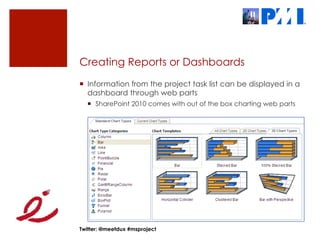
Creating Reports or Dashboards
¡  Information from the project task list can be displayed in a
    dashboard through web parts
  ¡  SharePoint 2010 comes with out of the box charting web parts


Twitter: @meetdux #msproject
Controlling Changes with Workflow
¡  Change request forms can be created with custom lists

¡  Workflows can be leveraged to facilitate the change
    control process


Twitter: @meetdux #msproject
Agenda

¡  Is Microsoft Project with SharePoint the Silver Bullet?

¡  Effectively Initiating and Planning Projects

¡  Facilitating Efficient Team Collaboration

¡  Tracking and Reporting Relevant Project Status

¡  Questions and Answers


Twitter: @meetdux #msproject
Microsoft Project for the Masses
¡  Guidance for mid-size orgs with resource and schedule
    management challenges without standardized PM
    processes, training and tools

¡  Shows how an organization can get up and running to
    solve a particular set of problems in the quickest manner
    possible

¡  A practical approach to get quick wins for both
    management and all stakeholders

¡  For more info http://spgur.us/MSPFM


Twitter: @meetdux #msproject
Questions?

                               E-Mail: dux.sy@innovative-e.com

                               LinkedIn: meetdux.com/li

                               Blog: meetdux.com

                               Twitter: meetdux


                     How did you like the presentation?
                       http://meetdux.com/feedback


Twitter: @meetdux #msproject
Thank
 You!

Leverage Project 2010 with SharePoint 2010 for Project Management Success

  • 1.
    Speaker Highlights v  Managingpartner and the Chief Evangelist of Innovative-e, Inc. v  Author of "SharePoint for Project Management" v  SharePoint MVP v  Presented in various Microsoft and PMI events worldwide Enterprise, Enthusiasm, Excellence
  • 2.
    Leverage Project 2010with SharePoint 2010 for Project Management Success Dux Raymond Sy, PMP, MVP Recorded Video: http://vimeo.com/24917123
  • 3.
    Presentation Objectives ¡  Inthis presentation, you will learn how to ¡  Assess your project management maturity ¡  Create a SharePoint-based Project Management Information System (PMIS) ¡  Integrate Microsoft Project information with SharePoint ¡  Empower a project team to collaboratively share relevant information ¡  Build a project management dashboard in SharePoint Twitter: @meetdux #msproject
  • 4.
    Agenda ¡  Is MicrosoftProject with SharePoint the Silver Bullet? ¡  Effectively Initiating and Planning Projects ¡  Facilitating Efficient Team Collaboration ¡  Tracking and Reporting Relevant Project Status ¡  Questions and Answers Twitter: @meetdux #msproject
  • 5.
    Look Familiar? Courtesy of NicksTrafficTricks.com Twitter: @meetdux #msproject
  • 6.
    Let’s Get Prioritiesin Order ¡  Tools don’t run projects ¡  Relevant project management process ¡  Responsible and accountable people ¡  Realize that Microsoft Project and SharePoint are tools ¡  Relevant project management process is necessary ¡  Project definition and initial planning is needed prior to using these tools ¡  Project Charter ¡  High-level Scope ¡  Work Breakdown Structure (WBS) Twitter: @meetdux #msproject
  • 7.
    Project Management Maturity Level  1:  Ini+al   Level  2:  Repeatable   Level  3:  Defined   •  No PM •  Basic PM PEOPLE •  PM Certification background training •  Automated •  PM Process workflows , PROCESS •  Ad-hoc Standardized portfolio reporting •  Templates, Scheduling and •  Paper, Word, TOOLS Collaboration •  EPM Tool Excel, Email Tool Twitter: @meetdux #msproject
  • 8.
    What’s a PMIS? ¡ A Project Management Information System (PMIS) is a standardized set of automated project management tools available within the organization and integrated into a system ¡  Used by the project management team to ¡  Support the generation and maintenance of project artifacts ¡  Facilitate communication and feedback ¡  Monitor project activities ¡  Control project changes ¡  Analyze and forecast project performance ¡  Contains real-time information essential for initiating, planning, executing, controlling, and closing a project Twitter: @meetdux #msproject
  • 9.
    What is MicrosoftProject 2010? ¡  A project management tool that supports ¡  Project Schedule development and management ¡  Planning ¡  Tracking ¡  Resource Management ¡  Project Reporting ¡  It assumes that you are familiar with a project management process Twitter: @meetdux #msproject
  • 10.
    What is MicrosoftSharePoint 2010? ¡  The business collaboration platform for the enterprise and the web ¡  Provides collaborative project management tools to ¡  Centralize project artifacts ¡  Streamline communication ¡  Generate relevant reports ¡  Interact with other Microsoft tools Twitter: @meetdux #msproject
  • 11.
    Agenda ¡  Is MicrosoftProject with SharePoint the Silver Bullet? ¡  Effectively Initiating and Planning Projects ¡  Facilitating Efficient Team Collaboration ¡  Tracking and Reporting Relevant Project Status ¡  Questions and Answers Twitter: @meetdux #msproject
  • 12.
    Create PMIS UponProject Definition ¡  Project definition specifies the five w’s of the project and success criteria ¡  As soon as a project is defined, create a SharePoint site to serve as the PMIS ¡  Central repository for relevant project artifacts ¡  Controlled access to stakeholders ¡  Ideally, a SharePoint PMIS site template is utilized Twitter: @meetdux #msproject
  • 13.
    How to GetStarted with Project Planning ¡  The initial Work Breakdown Structure (WBS) has to be developed prior to utilizing Microsoft Project ¡  A WBS is a deliverable based grouping of project tasks ¡  An effective way to define and organize all of the work required to complete a project Project Planning 101: http://go.meetdux.com/v3qx Twitter: @meetdux #msproject
  • 14.
    Create Microsoft ProjectPlan ¡  Once the WBS is created, create Microsoft Project Plan Watch: Effectively Planning, Tracking & Controlling Projects with Microsoft Project 2010 http://bit.ly/aB9vEi Twitter: @meetdux #msproject
  • 15.
    Agenda ¡  Is MicrosoftProject with SharePoint the Silver Bullet? ¡  Effectively Initiating and Planning Projects ¡  Facilitating Efficient Team Collaboration ¡  Tracking and Reporting Relevant Project Status ¡  Questions and Answers Twitter: @meetdux #msproject
  • 16.
    Project Collaboration ¡  Whatare typical collaborative activities project team members engage in? Twitter: @meetdux #msproject
  • 17.
    SharePoint Provides CollaborationTools ¡  Information Management ¡  Centralized Storage ¡  Version Control ¡  Check-in / Check-out ¡  Project Activities ¡  Requirements Gathering ¡  Meetings ¡  Documenting Lessons Learned ¡  Microsoft Office Integration Twitter: @meetdux #msproject
  • 18.
    Example: SharePoint Calendarin Outlook Twitter: @meetdux #msproject
  • 19.
    Agenda ¡  Is MicrosoftProject with SharePoint the Silver Bullet? ¡  Effectively Initiating and Planning Projects ¡  Facilitating Efficient Team Collaboration ¡  Tracking and Reporting Relevant Project Status ¡  Questions and Answers Twitter: @meetdux #msproject
  • 20.
    What are youtracking? ¡  Typical areas that are tracked ¡  Schedule ¡  Budget ¡  Change ¡  Project tracking entails ¡  Monitoring ¡  Analyzing ¡  Correcting Twitter: @meetdux #msproject
  • 21.
    Leveraging Microsoft Projectwith SharePoint? ¡  With Microsoft Project 2010 ¡  Schedule can be synched with a SharePoint project task list ¡  Custom fields can be synchronized as well ¡  This means that ¡  Project resources can enter updates in SharePoint ¡  Project managers can synchronize updates with Project ¡  Custom field information can be used to generate reports Project 2010 Sync with SharePoint: http://bit.ly/YJthK Twitter: @meetdux #msproject
  • 22.
    Creating Reports orDashboards ¡  Information from the project task list can be displayed in a dashboard through web parts ¡  SharePoint 2010 comes with out of the box charting web parts Twitter: @meetdux #msproject
  • 23.
    Controlling Changes withWorkflow ¡  Change request forms can be created with custom lists ¡  Workflows can be leveraged to facilitate the change control process Twitter: @meetdux #msproject
  • 24.
    Agenda ¡  Is MicrosoftProject with SharePoint the Silver Bullet? ¡  Effectively Initiating and Planning Projects ¡  Facilitating Efficient Team Collaboration ¡  Tracking and Reporting Relevant Project Status ¡  Questions and Answers Twitter: @meetdux #msproject
  • 25.
    Microsoft Project forthe Masses ¡  Guidance for mid-size orgs with resource and schedule management challenges without standardized PM processes, training and tools ¡  Shows how an organization can get up and running to solve a particular set of problems in the quickest manner possible ¡  A practical approach to get quick wins for both management and all stakeholders ¡  For more info http://spgur.us/MSPFM Twitter: @meetdux #msproject
  • 26.
    Questions? E-Mail: dux.sy@innovative-e.com LinkedIn: meetdux.com/li Blog: meetdux.com Twitter: meetdux How did you like the presentation? http://meetdux.com/feedback Twitter: @meetdux #msproject
  • 27.