Copyright ‫س‬ Oracle Corporation, 1999. All rights reserved.
13
Other Database Objects
13-2 Copyright ‫س‬ Oracle Corporation, 1999. All rights reserved.
Objectives
After completing this lesson, you should
be able to do the following:
• Describe some database objects and
their uses
• Create, maintain, and use sequences
• Create and maintain indexes
• Create private and public synonyms
13-3 Copyright ‫س‬ Oracle Corporation, 1999. All rights reserved.
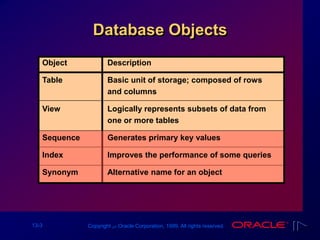
Database Objects
Description
Basic unit of storage; composed of rows
and columns
Logically represents subsets of data from
one or more tables
Generates primary key values
Improves the performance of some queries
Alternative name for an object
Object
Table
View
Sequence
Index
Synonym
13-4 Copyright ‫س‬ Oracle Corporation, 1999. All rights reserved.
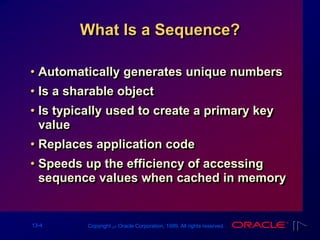
What Is a Sequence?
• Automatically generates unique numbers
• Is a sharable object
• Is typically used to create a primary key
value
• Replaces application code
• Speeds up the efficiency of accessing
sequence values when cached in memory
13-5 Copyright ‫س‬ Oracle Corporation, 1999. All rights reserved.
The CREATE SEQUENCE
Statement
Define a sequence to generate sequential
numbers automatically.
CREATE SEQUENCE sequence
[INCREMENT BY n]
[START WITH n]
[{MAXVALUE n | NOMAXVALUE}]
[{MINVALUE n | NOMINVALUE}]
[{CYCLE | NOCYCLE}]
[{CACHE n | NOCACHE}];
13-6 Copyright ‫س‬ Oracle Corporation, 1999. All rights reserved.
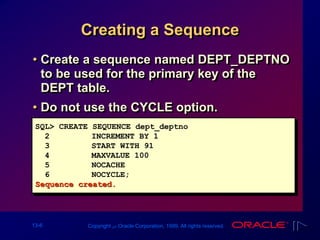
Creating a Sequence
• Create a sequence named DEPT_DEPTNO
to be used for the primary key of the
DEPT table.
• Do not use the CYCLE option.
SQL> CREATE SEQUENCE dept_deptno
2 INCREMENT BY 1
3 START WITH 91
4 MAXVALUE 100
5 NOCACHE
6 NOCYCLE;
Sequence created.
13-7 Copyright ‫س‬ Oracle Corporation, 1999. All rights reserved.
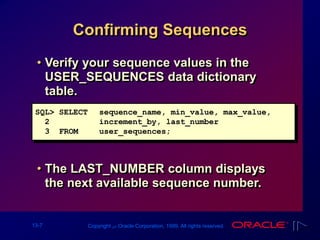
Confirming Sequences
• Verify your sequence values in the
USER_SEQUENCES data dictionary
table.
• The LAST_NUMBER column displays
the next available sequence number.
SQL> SELECT sequence_name, min_value, max_value,
2 increment_by, last_number
3 FROM user_sequences;
13-8 Copyright ‫س‬ Oracle Corporation, 1999. All rights reserved.
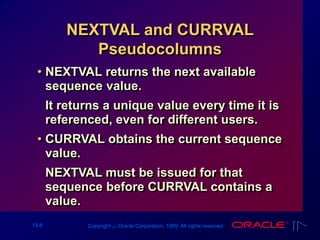
NEXTVAL and CURRVAL
Pseudocolumns
• NEXTVAL returns the next available
sequence value.
It returns a unique value every time it is
referenced, even for different users.
• CURRVAL obtains the current sequence
value.
NEXTVAL must be issued for that
sequence before CURRVAL contains a
value.
13-10 Copyright ‫س‬ Oracle Corporation, 1999. All rights reserved.
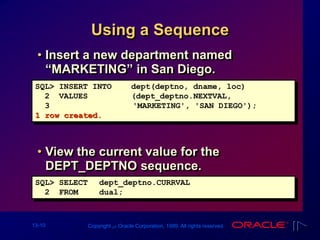
Using a Sequence
• Insert a new department named
“MARKETING” in San Diego.
• View the current value for the
DEPT_DEPTNO sequence.
SQL> INSERT INTO dept(deptno, dname, loc)
2 VALUES (dept_deptno.NEXTVAL,
3 'MARKETING', 'SAN DIEGO');
1 row created.
SQL> SELECT dept_deptno.CURRVAL
2 FROM dual;
13-11 Copyright ‫س‬ Oracle Corporation, 1999. All rights reserved.
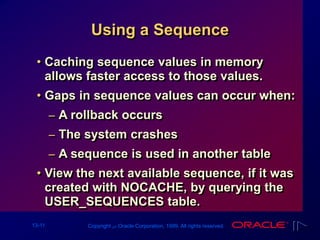
Using a Sequence
• Caching sequence values in memory
allows faster access to those values.
• Gaps in sequence values can occur when:
– A rollback occurs
– The system crashes
– A sequence is used in another table
• View the next available sequence, if it was
created with NOCACHE, by querying the
USER_SEQUENCES table.
13-12 Copyright ‫س‬ Oracle Corporation, 1999. All rights reserved.
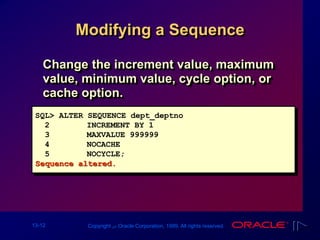
Modifying a Sequence
Change the increment value, maximum
value, minimum value, cycle option, or
cache option.
SQL> ALTER SEQUENCE dept_deptno
2 INCREMENT BY 1
3 MAXVALUE 999999
4 NOCACHE
5 NOCYCLE;
Sequence altered.
13-13 Copyright ‫س‬ Oracle Corporation, 1999. All rights reserved.
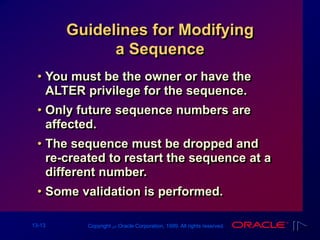
Guidelines for Modifying
a Sequence
• You must be the owner or have the
ALTER privilege for the sequence.
• Only future sequence numbers are
affected.
• The sequence must be dropped and
re-created to restart the sequence at a
different number.
• Some validation is performed.
13-14 Copyright ‫س‬ Oracle Corporation, 1999. All rights reserved.
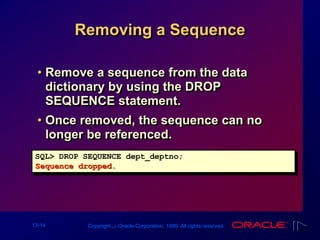
Removing a Sequence
• Remove a sequence from the data
dictionary by using the DROP
SEQUENCE statement.
• Once removed, the sequence can no
longer be referenced.
SQL> DROP SEQUENCE dept_deptno;
Sequence dropped.
13-15 Copyright ‫س‬ Oracle Corporation, 1999. All rights reserved.
What Is an Index?
• Is a schema object
• Is used by the Oracle Server to speed
up the retrieval of rows by using a
pointer
• Can reduce disk I/O by using rapid path
access method to locate the data
quickly
• Is independent of the table it indexes
• Is used and maintained automatically by
the Oracle Server
13-16 Copyright ‫س‬ Oracle Corporation, 1999. All rights reserved.
How Are Indexes Created?
• Automatically: A unique index is created
automatically when you define a
PRIMARY KEY or UNIQUE constraint in
a table definition.
• Manually: Users can create nonunique
indexes on columns to speed up access
time to the rows.
13-17 Copyright ‫س‬ Oracle Corporation, 1999. All rights reserved.
Creating an Index
• Improve the speed of query access on
the ENAME column in the EMP table.
SQL> CREATE INDEX emp_ename_idx
2 ON emp(ename);
Index created.
CREATE INDEX index
ON table (column[, column]...);
• Create an index on one or more columns.
13-18 Copyright ‫س‬ Oracle Corporation, 1999. All rights reserved.
When to Create an Index
• The column is used frequently in the WHERE
clause or in a join condition.
• The column contains a wide range of values.
• The column contains a large number of null
values.
• Two or more columns are frequently used
together in a WHERE clause or a join
condition.
• The table is large and most queries are
expected to retrieve less than 2–4% of the
rows.
13-19 Copyright ‫س‬ Oracle Corporation, 1999. All rights reserved.
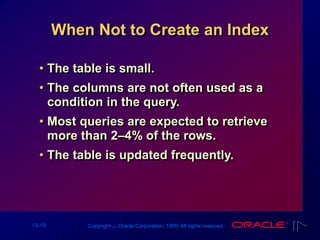
When Not to Create an Index
• The table is small.
• The columns are not often used as a
condition in the query.
• Most queries are expected to retrieve
more than 2–4% of the rows.
• The table is updated frequently.
13-20 Copyright ‫س‬ Oracle Corporation, 1999. All rights reserved.
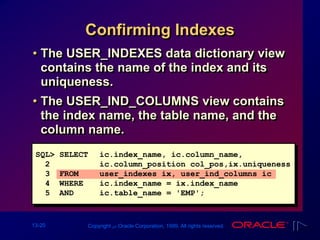
Confirming Indexes
• The USER_INDEXES data dictionary view
contains the name of the index and its
uniqueness.
• The USER_IND_COLUMNS view contains
the index name, the table name, and the
column name.
SQL> SELECT ic.index_name, ic.column_name,
2 ic.column_position col_pos,ix.uniqueness
3 FROM user_indexes ix, user_ind_columns ic
4 WHERE ic.index_name = ix.index_name
5 AND ic.table_name = 'EMP';
13-21 Copyright ‫س‬ Oracle Corporation, 1999. All rights reserved.
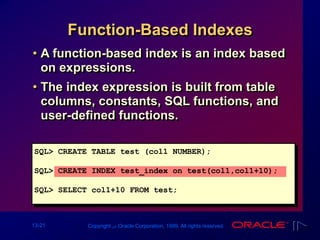
Function-Based Indexes
• A function-based index is an index based
on expressions.
• The index expression is built from table
columns, constants, SQL functions, and
user-defined functions.
SQL> CREATE TABLE test (col1 NUMBER);
SQL> CREATE INDEX test_index on test(col1,col1+10);
SQL> SELECT col1+10 FROM test;
13-22 Copyright ‫س‬ Oracle Corporation, 1999. All rights reserved.
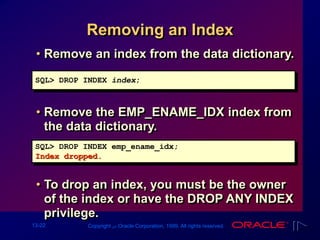
Removing an Index
• Remove an index from the data dictionary.
• Remove the EMP_ENAME_IDX index from
the data dictionary.
• To drop an index, you must be the owner
of the index or have the DROP ANY INDEX
privilege.
SQL> DROP INDEX emp_ename_idx;
Index dropped.
SQL> DROP INDEX index;
13-23 Copyright ‫س‬ Oracle Corporation, 1999. All rights reserved.
Synonyms
Simplify access to objects by creating a
synonym (another name for an object).
• Refer to a table owned by another user.
• Shorten lengthy object names.
CREATE [PUBLIC] SYNONYM synonym
FOR object;
13-24 Copyright ‫س‬ Oracle Corporation, 1999. All rights reserved.
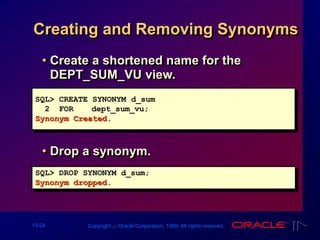
Creating and Removing Synonyms
SQL> CREATE SYNONYM d_sum
2 FOR dept_sum_vu;
Synonym Created.
SQL> DROP SYNONYM d_sum;
Synonym dropped.
• Create a shortened name for the
DEPT_SUM_VU view.
• Drop a synonym.
13-25 Copyright ‫س‬ Oracle Corporation, 1999. All rights reserved.
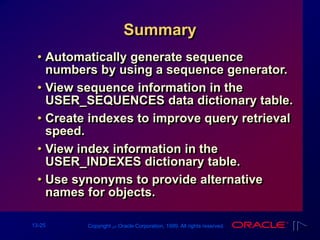
Summary
• Automatically generate sequence
numbers by using a sequence generator.
• View sequence information in the
USER_SEQUENCES data dictionary table.
• Create indexes to improve query retrieval
speed.
• View index information in the
USER_INDEXES dictionary table.
• Use synonyms to provide alternative
names for objects.
13-26 Copyright ‫س‬ Oracle Corporation, 1999. All rights reserved.
Practice Overview
• Creating sequences
• Using sequences
• Creating nonunique indexes
• Displaying data dictionary information
about sequences and indexes
• Dropping indexes

Les13[1]Other Database Objects

  • 1.
    Copyright ‫س‬ OracleCorporation, 1999. All rights reserved. 13 Other Database Objects
  • 2.
    13-2 Copyright ‫س‬Oracle Corporation, 1999. All rights reserved. Objectives After completing this lesson, you should be able to do the following: • Describe some database objects and their uses • Create, maintain, and use sequences • Create and maintain indexes • Create private and public synonyms
  • 3.
    13-3 Copyright ‫س‬Oracle Corporation, 1999. All rights reserved. Database Objects Description Basic unit of storage; composed of rows and columns Logically represents subsets of data from one or more tables Generates primary key values Improves the performance of some queries Alternative name for an object Object Table View Sequence Index Synonym
  • 4.
    13-4 Copyright ‫س‬Oracle Corporation, 1999. All rights reserved. What Is a Sequence? • Automatically generates unique numbers • Is a sharable object • Is typically used to create a primary key value • Replaces application code • Speeds up the efficiency of accessing sequence values when cached in memory
  • 5.
    13-5 Copyright ‫س‬Oracle Corporation, 1999. All rights reserved. The CREATE SEQUENCE Statement Define a sequence to generate sequential numbers automatically. CREATE SEQUENCE sequence [INCREMENT BY n] [START WITH n] [{MAXVALUE n | NOMAXVALUE}] [{MINVALUE n | NOMINVALUE}] [{CYCLE | NOCYCLE}] [{CACHE n | NOCACHE}];
  • 6.
    13-6 Copyright ‫س‬Oracle Corporation, 1999. All rights reserved. Creating a Sequence • Create a sequence named DEPT_DEPTNO to be used for the primary key of the DEPT table. • Do not use the CYCLE option. SQL> CREATE SEQUENCE dept_deptno 2 INCREMENT BY 1 3 START WITH 91 4 MAXVALUE 100 5 NOCACHE 6 NOCYCLE; Sequence created.
  • 7.
    13-7 Copyright ‫س‬Oracle Corporation, 1999. All rights reserved. Confirming Sequences • Verify your sequence values in the USER_SEQUENCES data dictionary table. • The LAST_NUMBER column displays the next available sequence number. SQL> SELECT sequence_name, min_value, max_value, 2 increment_by, last_number 3 FROM user_sequences;
  • 8.
    13-8 Copyright ‫س‬Oracle Corporation, 1999. All rights reserved. NEXTVAL and CURRVAL Pseudocolumns • NEXTVAL returns the next available sequence value. It returns a unique value every time it is referenced, even for different users. • CURRVAL obtains the current sequence value. NEXTVAL must be issued for that sequence before CURRVAL contains a value.
  • 9.
    13-10 Copyright ‫س‬Oracle Corporation, 1999. All rights reserved. Using a Sequence • Insert a new department named “MARKETING” in San Diego. • View the current value for the DEPT_DEPTNO sequence. SQL> INSERT INTO dept(deptno, dname, loc) 2 VALUES (dept_deptno.NEXTVAL, 3 'MARKETING', 'SAN DIEGO'); 1 row created. SQL> SELECT dept_deptno.CURRVAL 2 FROM dual;
  • 10.
    13-11 Copyright ‫س‬Oracle Corporation, 1999. All rights reserved. Using a Sequence • Caching sequence values in memory allows faster access to those values. • Gaps in sequence values can occur when: – A rollback occurs – The system crashes – A sequence is used in another table • View the next available sequence, if it was created with NOCACHE, by querying the USER_SEQUENCES table.
  • 11.
    13-12 Copyright ‫س‬Oracle Corporation, 1999. All rights reserved. Modifying a Sequence Change the increment value, maximum value, minimum value, cycle option, or cache option. SQL> ALTER SEQUENCE dept_deptno 2 INCREMENT BY 1 3 MAXVALUE 999999 4 NOCACHE 5 NOCYCLE; Sequence altered.
  • 12.
    13-13 Copyright ‫س‬Oracle Corporation, 1999. All rights reserved. Guidelines for Modifying a Sequence • You must be the owner or have the ALTER privilege for the sequence. • Only future sequence numbers are affected. • The sequence must be dropped and re-created to restart the sequence at a different number. • Some validation is performed.
  • 13.
    13-14 Copyright ‫س‬Oracle Corporation, 1999. All rights reserved. Removing a Sequence • Remove a sequence from the data dictionary by using the DROP SEQUENCE statement. • Once removed, the sequence can no longer be referenced. SQL> DROP SEQUENCE dept_deptno; Sequence dropped.
  • 14.
    13-15 Copyright ‫س‬Oracle Corporation, 1999. All rights reserved. What Is an Index? • Is a schema object • Is used by the Oracle Server to speed up the retrieval of rows by using a pointer • Can reduce disk I/O by using rapid path access method to locate the data quickly • Is independent of the table it indexes • Is used and maintained automatically by the Oracle Server
  • 15.
    13-16 Copyright ‫س‬Oracle Corporation, 1999. All rights reserved. How Are Indexes Created? • Automatically: A unique index is created automatically when you define a PRIMARY KEY or UNIQUE constraint in a table definition. • Manually: Users can create nonunique indexes on columns to speed up access time to the rows.
  • 16.
    13-17 Copyright ‫س‬Oracle Corporation, 1999. All rights reserved. Creating an Index • Improve the speed of query access on the ENAME column in the EMP table. SQL> CREATE INDEX emp_ename_idx 2 ON emp(ename); Index created. CREATE INDEX index ON table (column[, column]...); • Create an index on one or more columns.
  • 17.
    13-18 Copyright ‫س‬Oracle Corporation, 1999. All rights reserved. When to Create an Index • The column is used frequently in the WHERE clause or in a join condition. • The column contains a wide range of values. • The column contains a large number of null values. • Two or more columns are frequently used together in a WHERE clause or a join condition. • The table is large and most queries are expected to retrieve less than 2–4% of the rows.
  • 18.
    13-19 Copyright ‫س‬Oracle Corporation, 1999. All rights reserved. When Not to Create an Index • The table is small. • The columns are not often used as a condition in the query. • Most queries are expected to retrieve more than 2–4% of the rows. • The table is updated frequently.
  • 19.
    13-20 Copyright ‫س‬Oracle Corporation, 1999. All rights reserved. Confirming Indexes • The USER_INDEXES data dictionary view contains the name of the index and its uniqueness. • The USER_IND_COLUMNS view contains the index name, the table name, and the column name. SQL> SELECT ic.index_name, ic.column_name, 2 ic.column_position col_pos,ix.uniqueness 3 FROM user_indexes ix, user_ind_columns ic 4 WHERE ic.index_name = ix.index_name 5 AND ic.table_name = 'EMP';
  • 20.
    13-21 Copyright ‫س‬Oracle Corporation, 1999. All rights reserved. Function-Based Indexes • A function-based index is an index based on expressions. • The index expression is built from table columns, constants, SQL functions, and user-defined functions. SQL> CREATE TABLE test (col1 NUMBER); SQL> CREATE INDEX test_index on test(col1,col1+10); SQL> SELECT col1+10 FROM test;
  • 21.
    13-22 Copyright ‫س‬Oracle Corporation, 1999. All rights reserved. Removing an Index • Remove an index from the data dictionary. • Remove the EMP_ENAME_IDX index from the data dictionary. • To drop an index, you must be the owner of the index or have the DROP ANY INDEX privilege. SQL> DROP INDEX emp_ename_idx; Index dropped. SQL> DROP INDEX index;
  • 22.
    13-23 Copyright ‫س‬Oracle Corporation, 1999. All rights reserved. Synonyms Simplify access to objects by creating a synonym (another name for an object). • Refer to a table owned by another user. • Shorten lengthy object names. CREATE [PUBLIC] SYNONYM synonym FOR object;
  • 23.
    13-24 Copyright ‫س‬Oracle Corporation, 1999. All rights reserved. Creating and Removing Synonyms SQL> CREATE SYNONYM d_sum 2 FOR dept_sum_vu; Synonym Created. SQL> DROP SYNONYM d_sum; Synonym dropped. • Create a shortened name for the DEPT_SUM_VU view. • Drop a synonym.
  • 24.
    13-25 Copyright ‫س‬Oracle Corporation, 1999. All rights reserved. Summary • Automatically generate sequence numbers by using a sequence generator. • View sequence information in the USER_SEQUENCES data dictionary table. • Create indexes to improve query retrieval speed. • View index information in the USER_INDEXES dictionary table. • Use synonyms to provide alternative names for objects.
  • 25.
    13-26 Copyright ‫س‬Oracle Corporation, 1999. All rights reserved. Practice Overview • Creating sequences • Using sequences • Creating nonunique indexes • Displaying data dictionary information about sequences and indexes • Dropping indexes