Server-side  Web Programming Lecture 15:  The Request and Response Objects
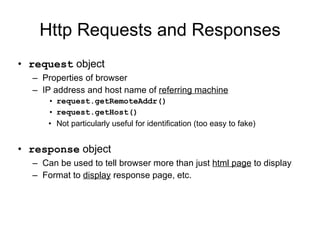
Http Requests and Responses request  object Properties of browser IP address and host name of  referring machine request.getRemoteAddr() request.getHost() Not particularly useful for identification (too easy to fake) response  object Can be used to tell browser more than just  html page  to display Format to  display  response page, etc.
Http Requests and Responses
Requests Contains information about  browser  that submitted request Main components: Referrer : Page from which request was submitted Accept : Preferred order of  MIME  types accepted by browser Accept-Encoding : Types of  compression  understood by browser gzip, etc. Accept-Language :  Language codes  for accepted languages “ en ”, “ en-us ”, etc. User-Agent :  Browser type Long string containing identifiers specific to browser “ MSIE ”, etc.
MIME Types Multipurpose Internet Mail Extensions :  Formats for transmitting data via email / internet Text formats Image formats Application formats (programs browser can run to display page) Audio and video multimedia formats Can use  */*  to indicate that accept  anything  (usually last resort)
Accessing Request Properties Can get these properties using    request.getHeader( headername ) Example: String browser =    request.getHeader(“Accept-Encoding”); might return “ gzip, deflate ”   for example Main use:  Customizing response  to abilities of browser Only send information over if form browser can handle! Can use  request.getHeaderNames()  to get  list  of all property names sent over from browser
Accessing Request Properties
Using Request Properties Example: Sending custom image types Send  .png  image if supported Send  .jpg  image otherwise String imagetypes = request.getHeader(“Accept”); boolean acceptsPng = imagetypes.contains(“PNG”); if (acceptsPng) { //  insert link to .png image } else { //  insert link to .jpg image }  Search method for strings
Using Request Properties Example: Customizing response to  browser type Will contain the string “ MSIE ” if Internet Explorer used String browser = request.getHeader(“User-Agent”); boolean isIE = browser.contains(“MSIE”); if (isIE) { //  forward to IE specific page } else { //  forward to general response page }
Response Properties Can  set  properties of response Useful type to set:  Content type Form in which browser should display information sent Default:  text/html  (standard html format) Should first examine request to make sure that form is supported!
Setting Content Type Syntax:  response.setContentType(“ MIME type ”); Example: forcing browser to display response as  Excel spreadsheet response.setContentType(“application/vnd.ms-excel”); Send response back in simple format: Cells in same row separated by tab  ‘\t’  Move to next row with return  ‘\n’ Write that string to  response  object using  PrintWriter  (like old style response page) Much more efficient than sending an entire spreadsheet as file!
Setting Content Type
Controlling Caching For efficiency, most browsers  cache  pages received from server Stored in local memory Next time user requests page, check to see whether in cache before downloading again Problem for pages that  change  regularly Stock price pages, etc. Can  force  browser to  remove  page after certain interval of time Browser will then download  current  version of page Syntax: response.setHeader("cache-control", "no-cache");
Forcing Page Refresh Can  force  browser to  refresh  page after certain interval of time Gamecasts, etc. Syntax: response.setIntHeader(“refresh”,  time in seconds ); Example: response.setIntHeader(“refresh”, 60); Time after which browser refreshes page

Lecture15

  • 1.
    Server-side WebProgramming Lecture 15: The Request and Response Objects
  • 2.
    Http Requests andResponses request object Properties of browser IP address and host name of referring machine request.getRemoteAddr() request.getHost() Not particularly useful for identification (too easy to fake) response object Can be used to tell browser more than just html page to display Format to display response page, etc.
  • 3.
  • 4.
    Requests Contains informationabout browser that submitted request Main components: Referrer : Page from which request was submitted Accept : Preferred order of MIME types accepted by browser Accept-Encoding : Types of compression understood by browser gzip, etc. Accept-Language : Language codes for accepted languages “ en ”, “ en-us ”, etc. User-Agent : Browser type Long string containing identifiers specific to browser “ MSIE ”, etc.
  • 5.
    MIME Types MultipurposeInternet Mail Extensions : Formats for transmitting data via email / internet Text formats Image formats Application formats (programs browser can run to display page) Audio and video multimedia formats Can use */* to indicate that accept anything (usually last resort)
  • 6.
    Accessing Request PropertiesCan get these properties using request.getHeader( headername ) Example: String browser = request.getHeader(“Accept-Encoding”); might return “ gzip, deflate ” for example Main use: Customizing response to abilities of browser Only send information over if form browser can handle! Can use request.getHeaderNames() to get list of all property names sent over from browser
  • 7.
  • 8.
  • 9.
    Using Request PropertiesExample: Sending custom image types Send .png image if supported Send .jpg image otherwise String imagetypes = request.getHeader(“Accept”); boolean acceptsPng = imagetypes.contains(“PNG”); if (acceptsPng) { // insert link to .png image } else { // insert link to .jpg image } Search method for strings
  • 10.
    Using Request PropertiesExample: Customizing response to browser type Will contain the string “ MSIE ” if Internet Explorer used String browser = request.getHeader(“User-Agent”); boolean isIE = browser.contains(“MSIE”); if (isIE) { // forward to IE specific page } else { // forward to general response page }
  • 11.
    Response Properties Can set properties of response Useful type to set: Content type Form in which browser should display information sent Default: text/html (standard html format) Should first examine request to make sure that form is supported!
  • 12.
    Setting Content TypeSyntax: response.setContentType(“ MIME type ”); Example: forcing browser to display response as Excel spreadsheet response.setContentType(“application/vnd.ms-excel”); Send response back in simple format: Cells in same row separated by tab ‘\t’ Move to next row with return ‘\n’ Write that string to response object using PrintWriter (like old style response page) Much more efficient than sending an entire spreadsheet as file!
  • 13.
  • 14.
    Controlling Caching Forefficiency, most browsers cache pages received from server Stored in local memory Next time user requests page, check to see whether in cache before downloading again Problem for pages that change regularly Stock price pages, etc. Can force browser to remove page after certain interval of time Browser will then download current version of page Syntax: response.setHeader("cache-control", "no-cache");
  • 15.
    Forcing Page RefreshCan force browser to refresh page after certain interval of time Gamecasts, etc. Syntax: response.setIntHeader(“refresh”, time in seconds ); Example: response.setIntHeader(“refresh”, 60); Time after which browser refreshes page