Writing Basic SQL Statements
Course Code: CSC 2108
Department of Computer Science
Faculty of Science and Technology
Lecture No: 02 Week No: 01 Semester: Summer
2019-2020
Lecturer: Kawser Irom Rushee & rushee@aiub.edu
Course Title: Introduction To Database
Lecture Outline
 The capabilities of SQL SELECT statements
 The execution of a basic SELECT statement
 The Difference between SQL statements and SQL*Plus
commands
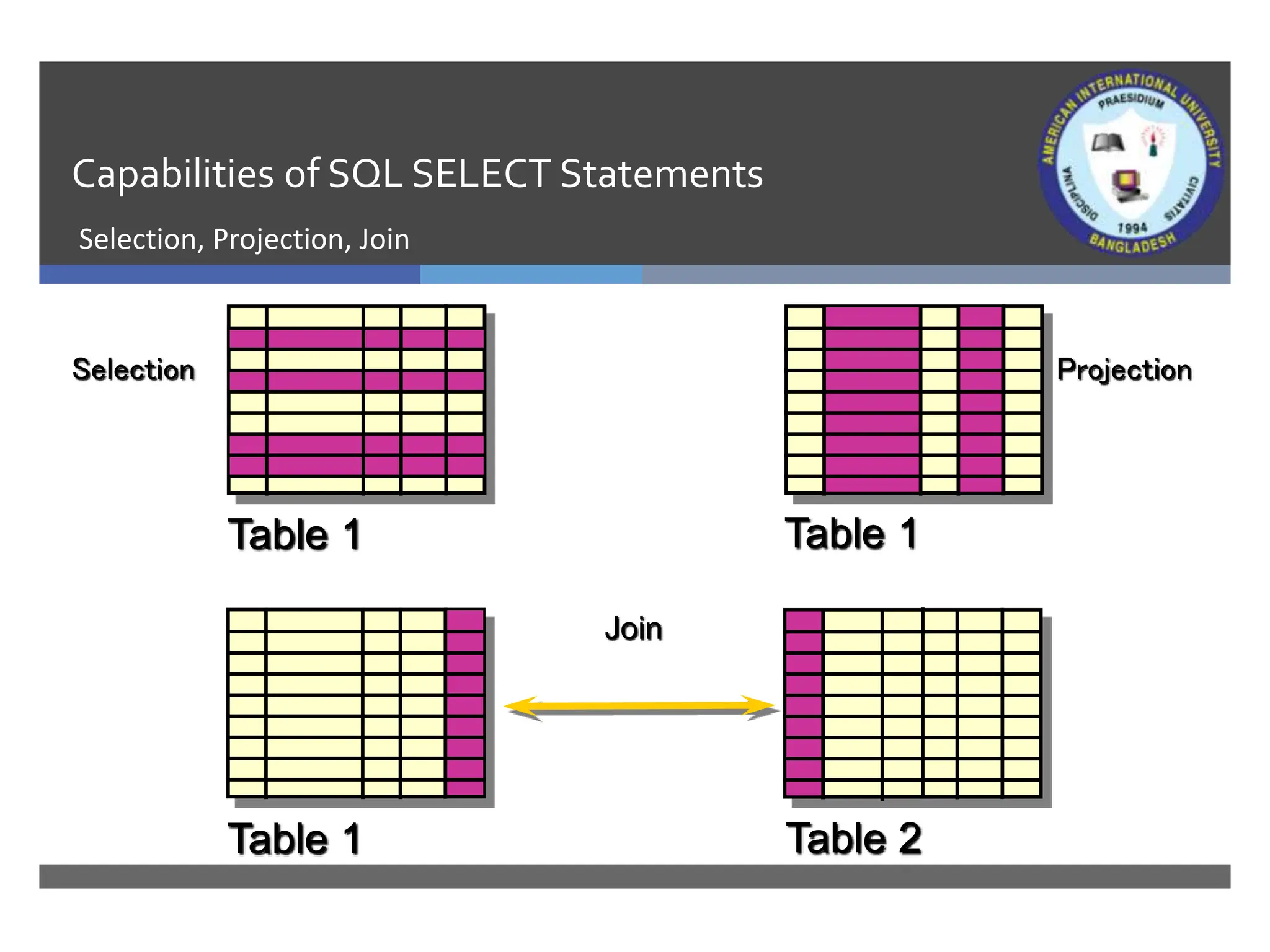
Capabilities of SQL SELECT Statements
Selection, Projection, Join
Table 1 Table 2
Table 1 Table 1
Join
Selection Projection
Basic SELECT Statement
•SELECT identifies what columns.
•FROM identifies which table.
SELECT [DISTINCT] {*, column [alias],...}
FROM table;
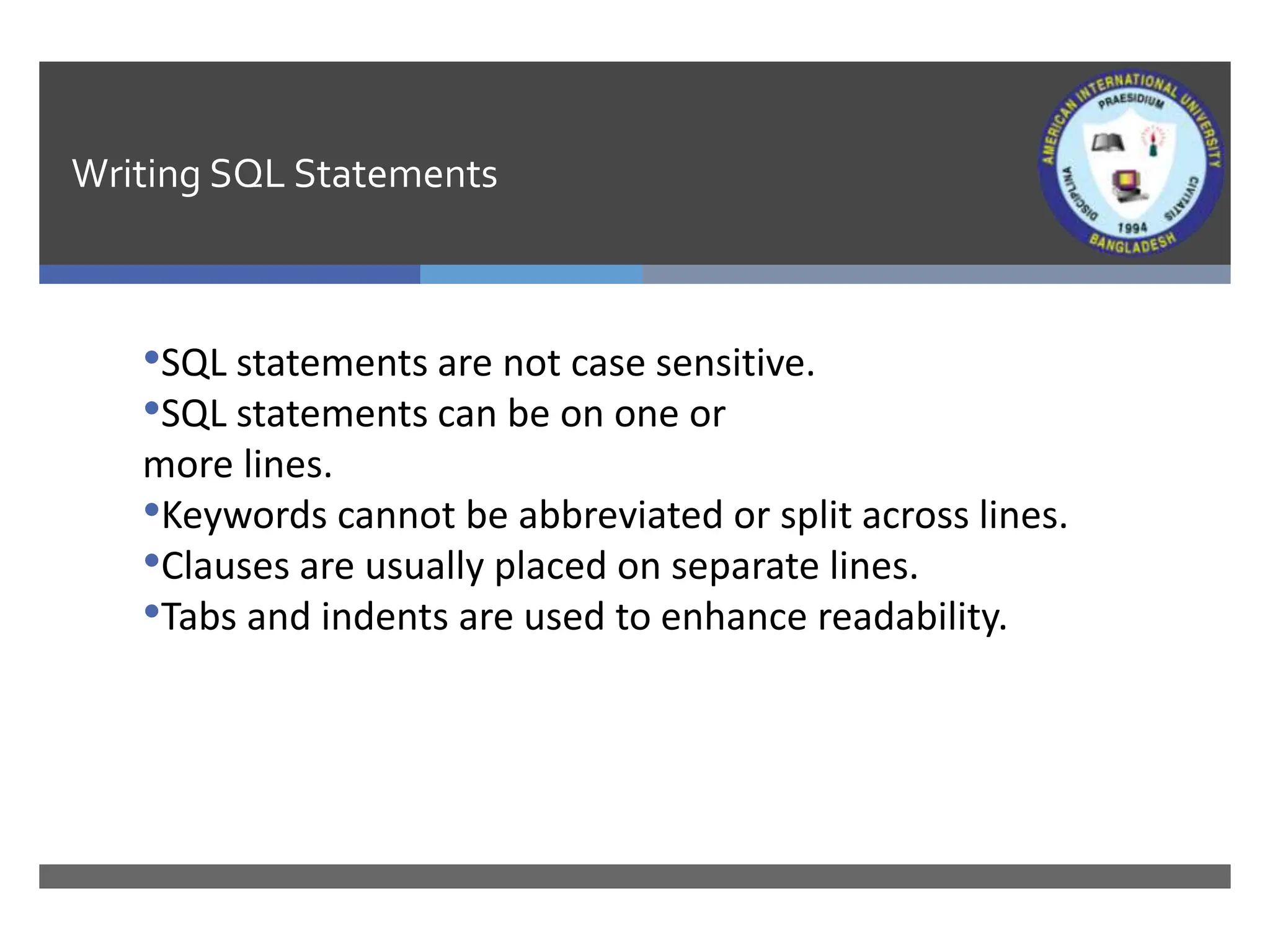
Writing SQL Statements
•SQL statements are not case sensitive.
•SQL statements can be on one or
more lines.
•Keywords cannot be abbreviated or split across lines.
•Clauses are usually placed on separate lines.
•Tabs and indents are used to enhance readability.
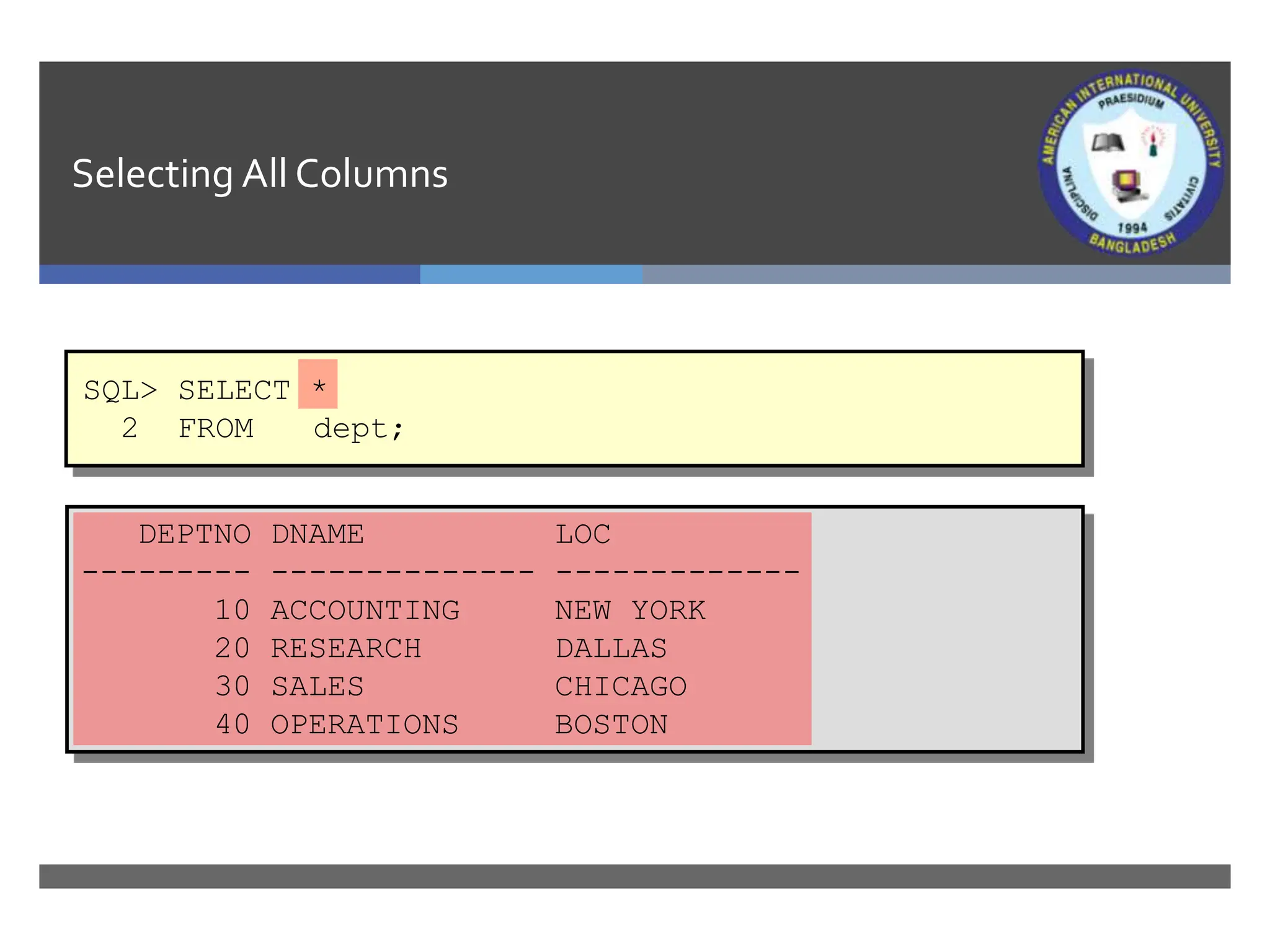
Selecting All Columns
DEPTNO DNAME LOC
--------- -------------- -------------
10 ACCOUNTING NEW YORK
20 RESEARCH DALLAS
30 SALES CHICAGO
40 OPERATIONS BOSTON
SQL> SELECT *
2 FROM dept;
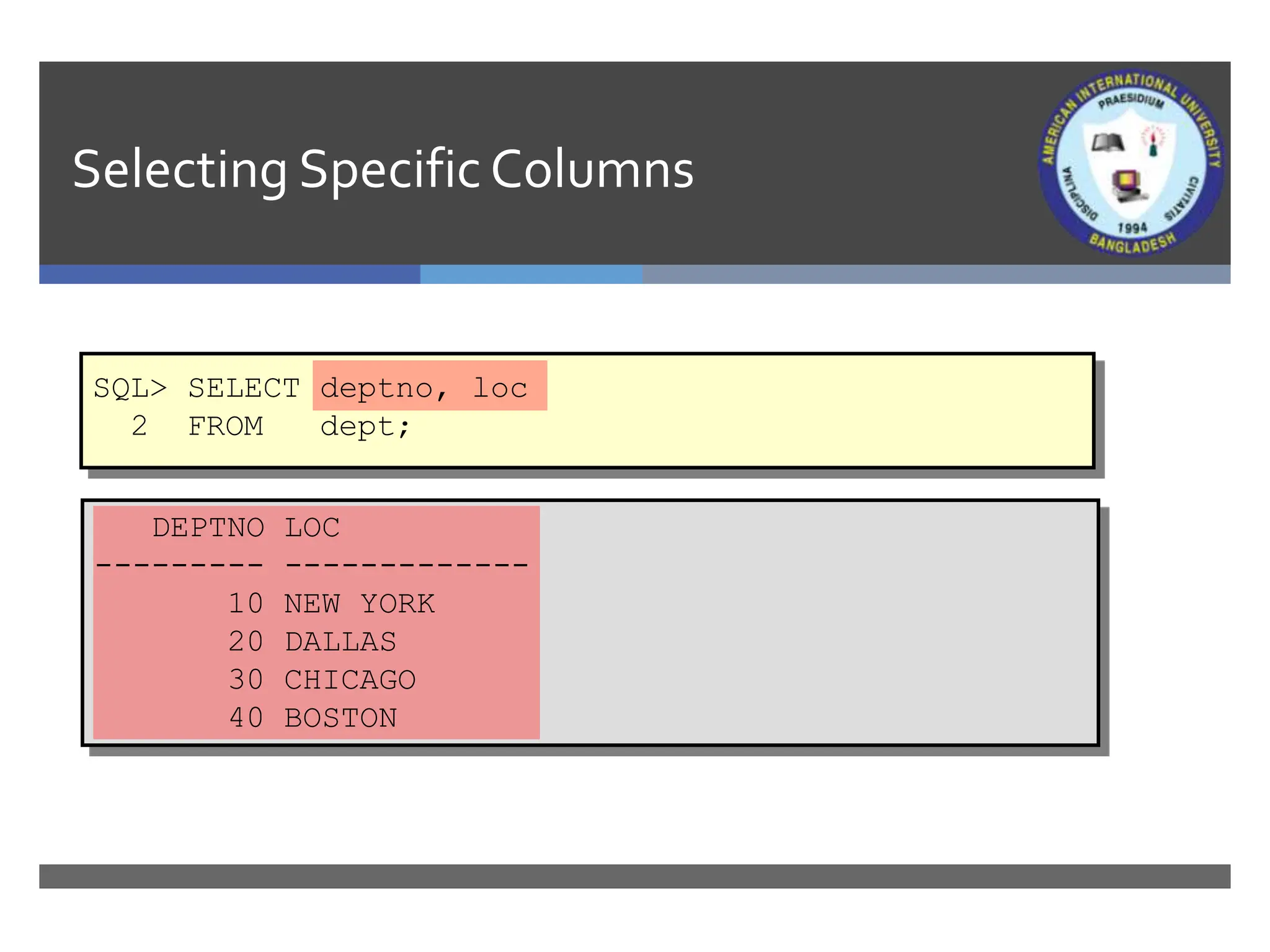
Selecting SpecificColumns
DEPTNO LOC
--------- -------------
10 NEW YORK
20 DALLAS
30 CHICAGO
40 BOSTON
SQL> SELECT deptno, loc
2 FROM dept;
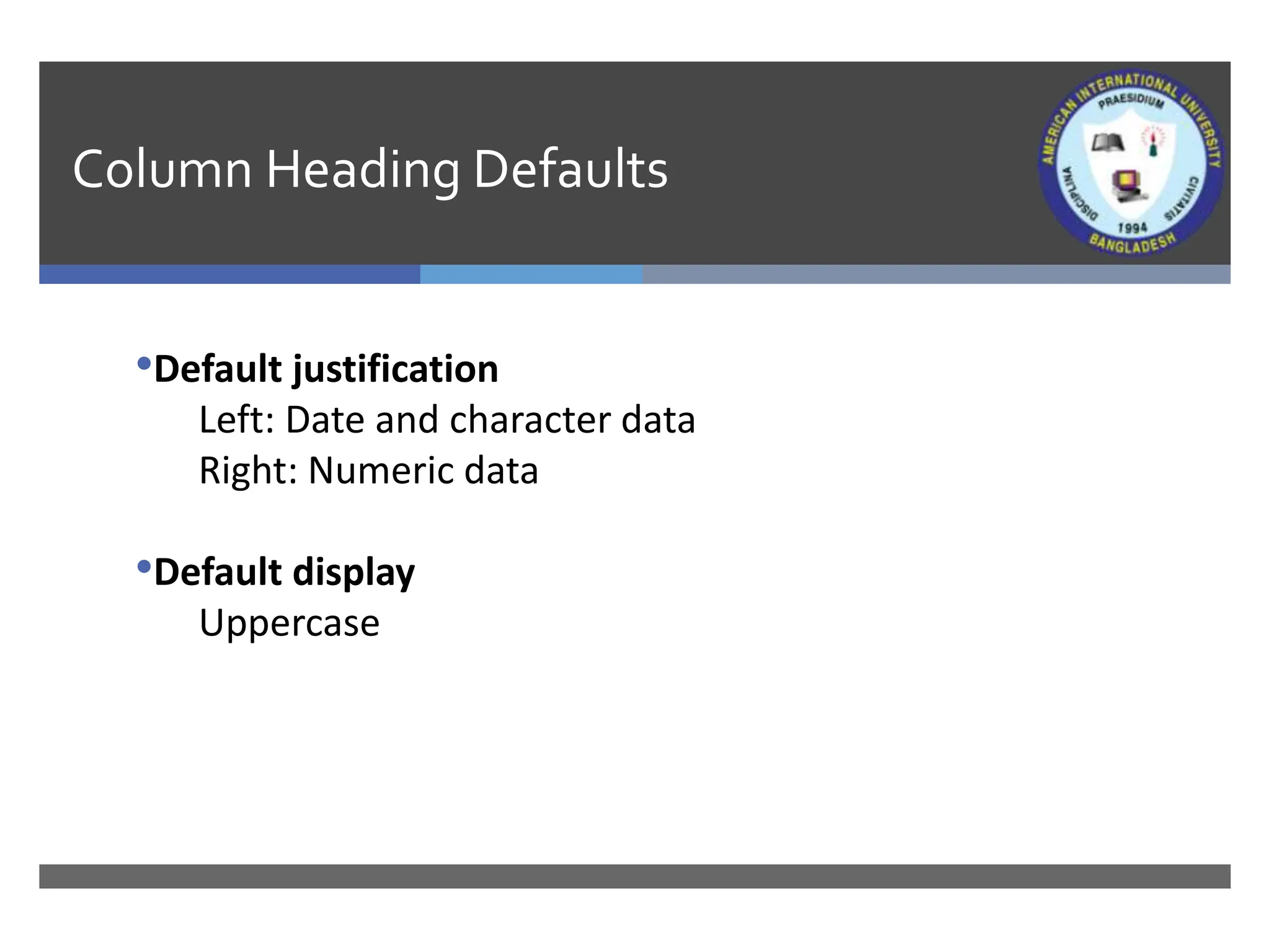
Column Heading Defaults
•Default justification
Left: Date and character data
Right: Numeric data
•Default display
Uppercase
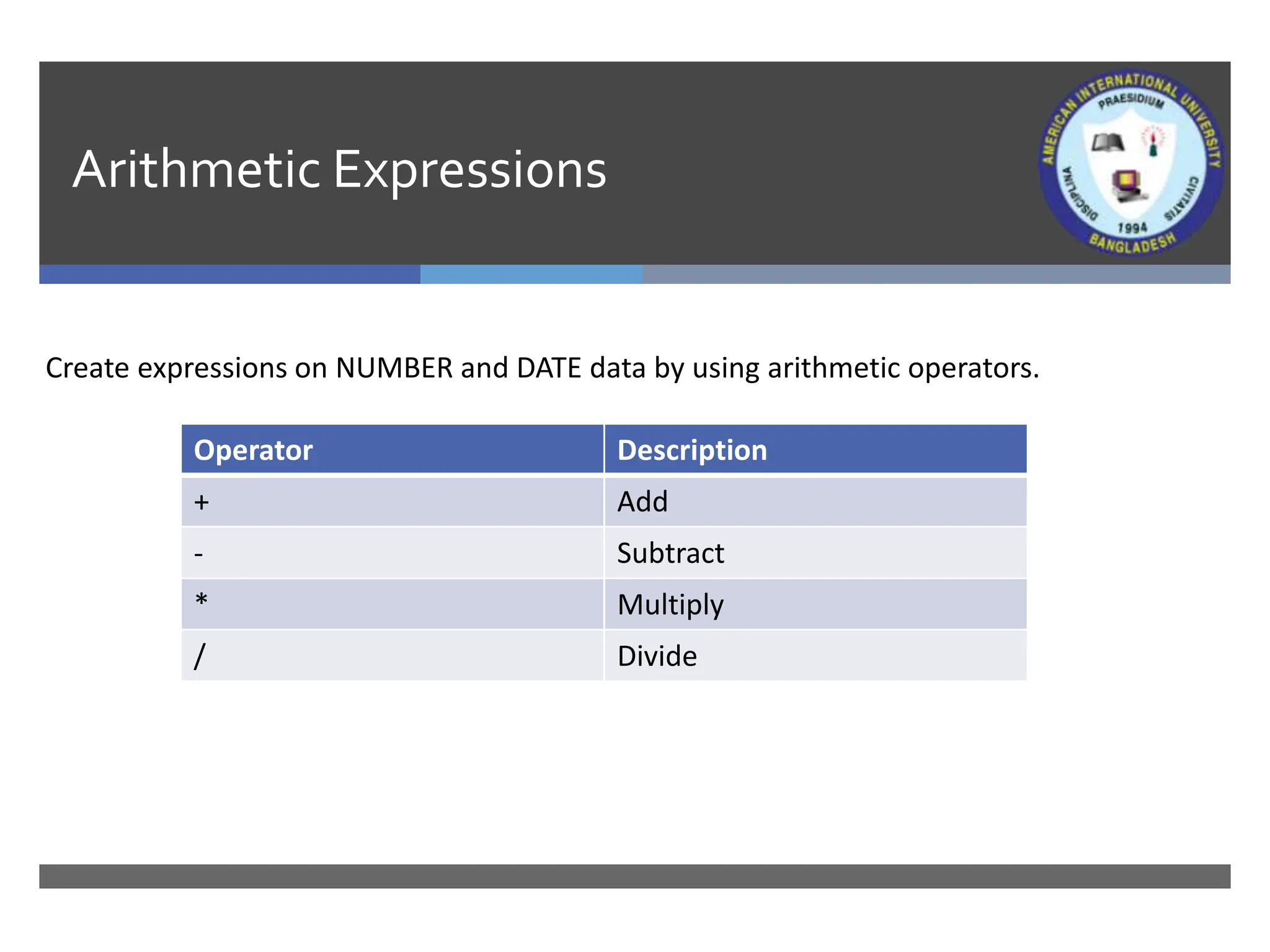
Arithmetic Expressions
Create expressions on NUMBER and DATE data by using arithmetic operators.
Operator Description
+ Add
- Subtract
* Multiply
/ Divide
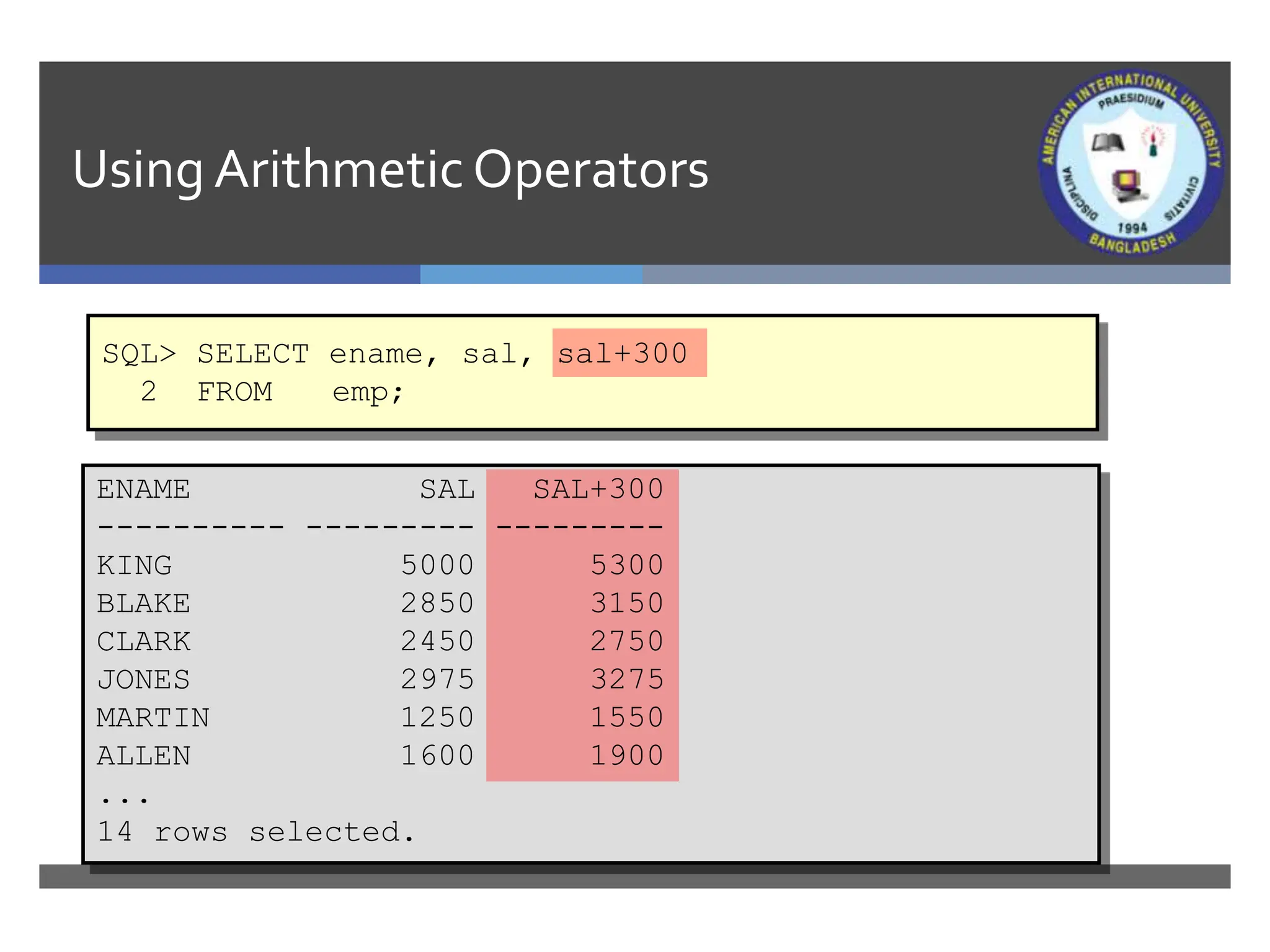
Using ArithmeticOperators
SQL> SELECT ename, sal, sal+300
2 FROM emp;
ENAME SAL SAL+300
---------- --------- ---------
KING 5000 5300
BLAKE 2850 3150
CLARK 2450 2750
JONES 2975 3275
MARTIN 1250 1550
ALLEN 1600 1900
...
14 rows selected.
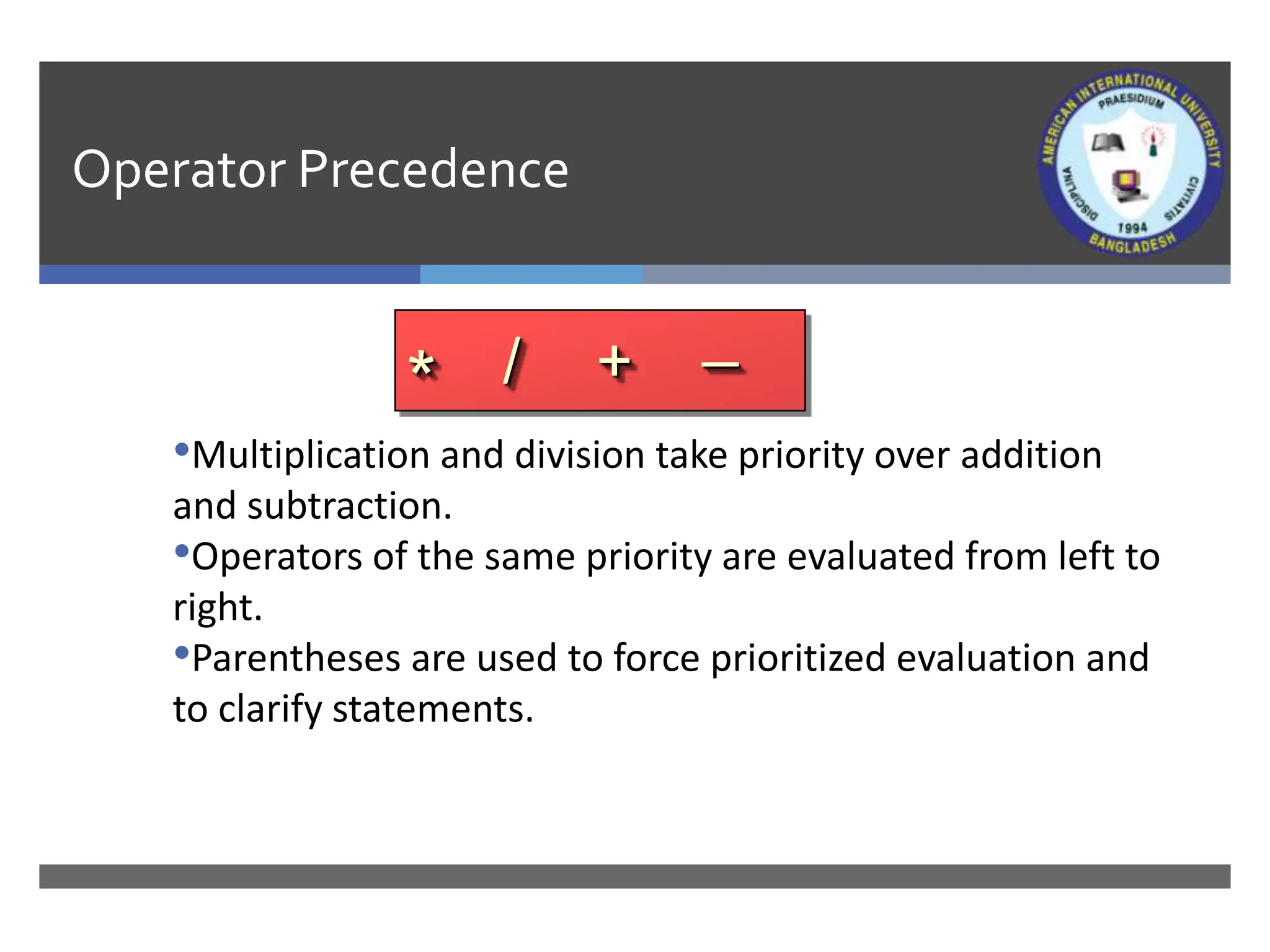
Operator Precedence
•Multiplication and division take priority over addition
and subtraction.
•Operators of the same priority are evaluated from left to
right.
•Parentheses are used to force prioritized evaluation and
to clarify statements.
* / + _
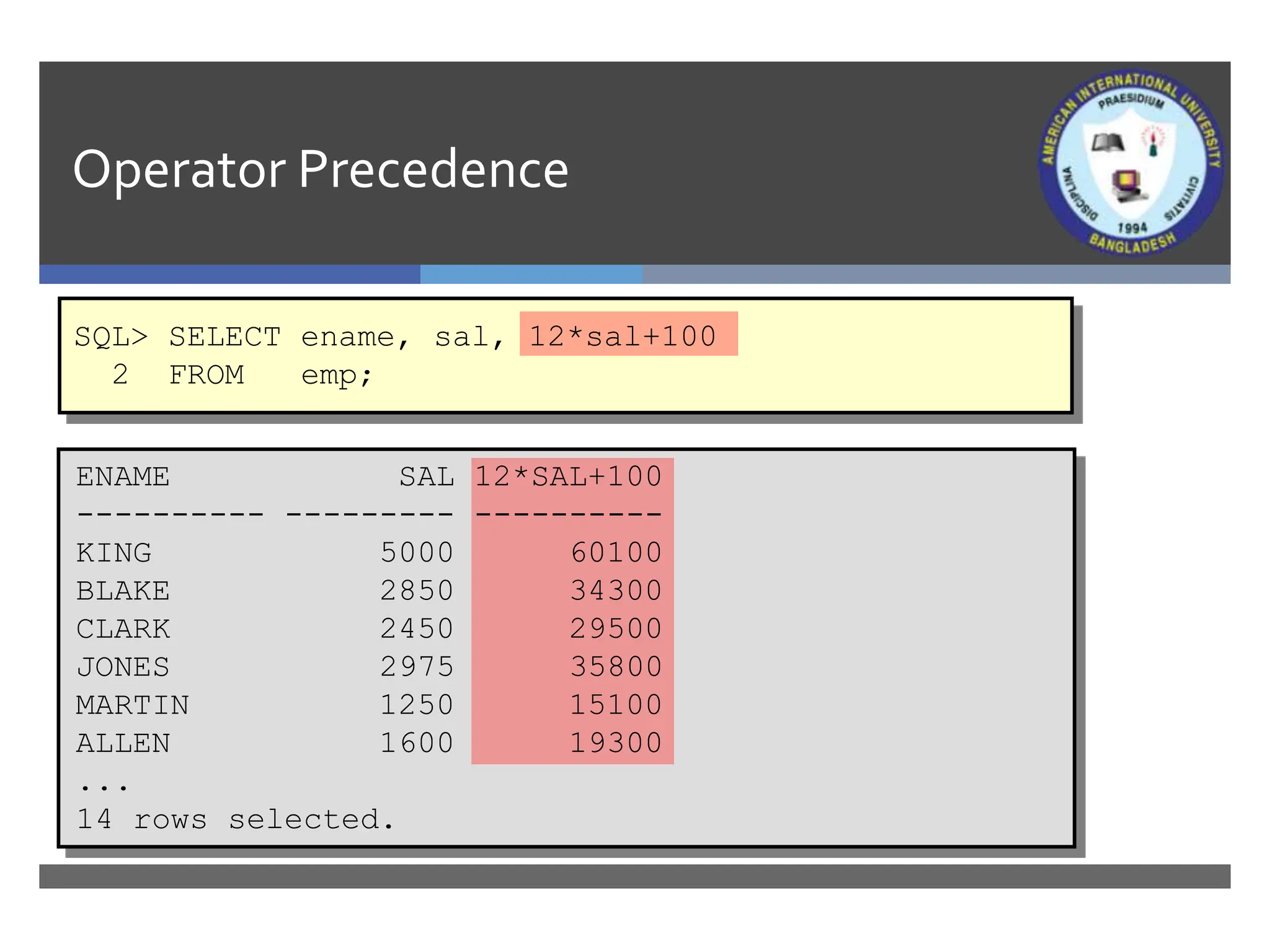
Operator Precedence
SQL> SELECT ename, sal, 12*sal+100
2 FROM emp;
ENAME SAL 12*SAL+100
---------- --------- ----------
KING 5000 60100
BLAKE 2850 34300
CLARK 2450 29500
JONES 2975 35800
MARTIN 1250 15100
ALLEN 1600 19300
...
14 rows selected.
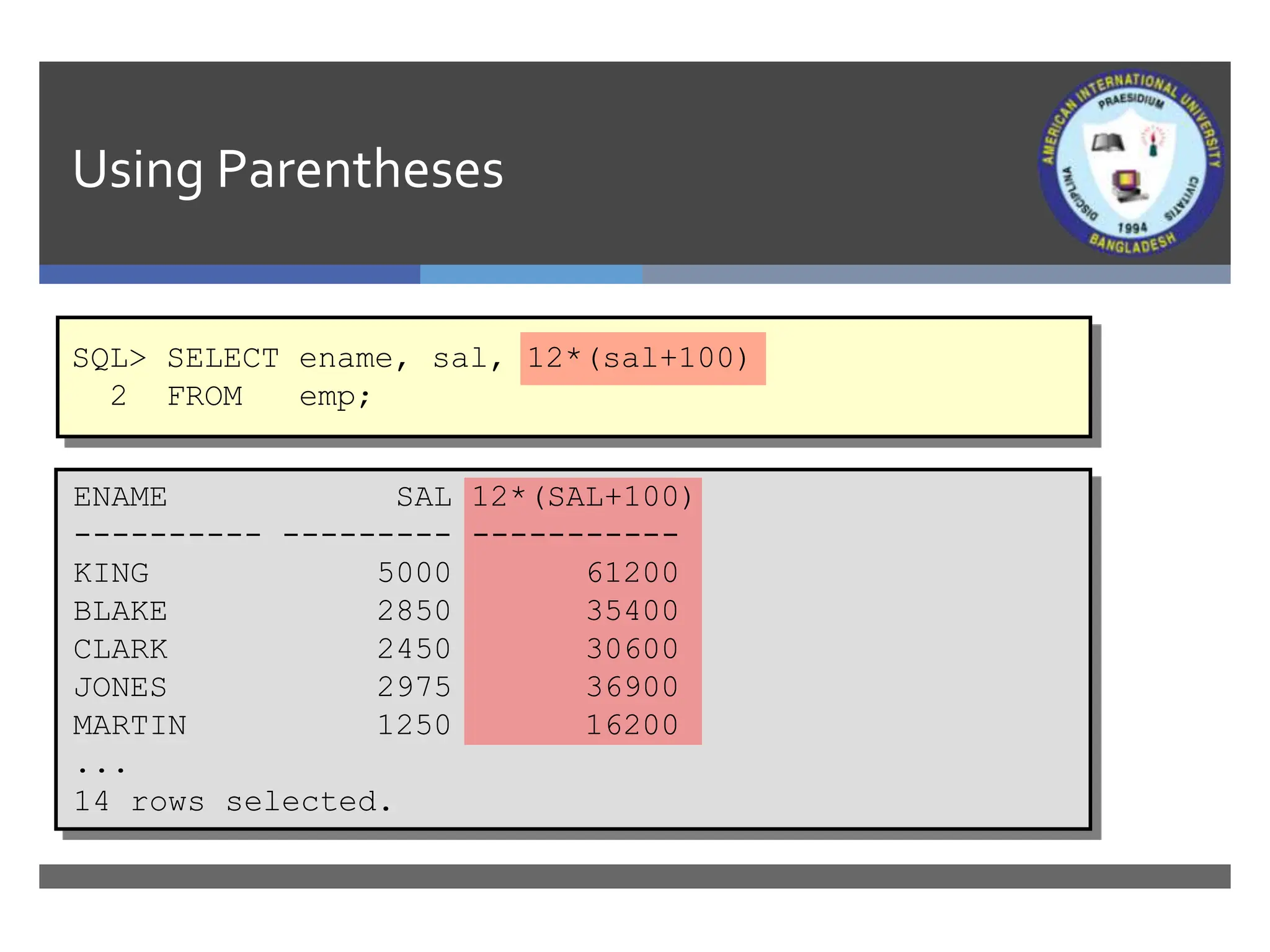
Using Parentheses
SQL> SELECT ename, sal, 12*(sal+100)
2 FROM emp;
ENAME SAL 12*(SAL+100)
---------- --------- -----------
KING 5000 61200
BLAKE 2850 35400
CLARK 2450 30600
JONES 2975 36900
MARTIN 1250 16200
...
14 rows selected.
Defining a NullValue
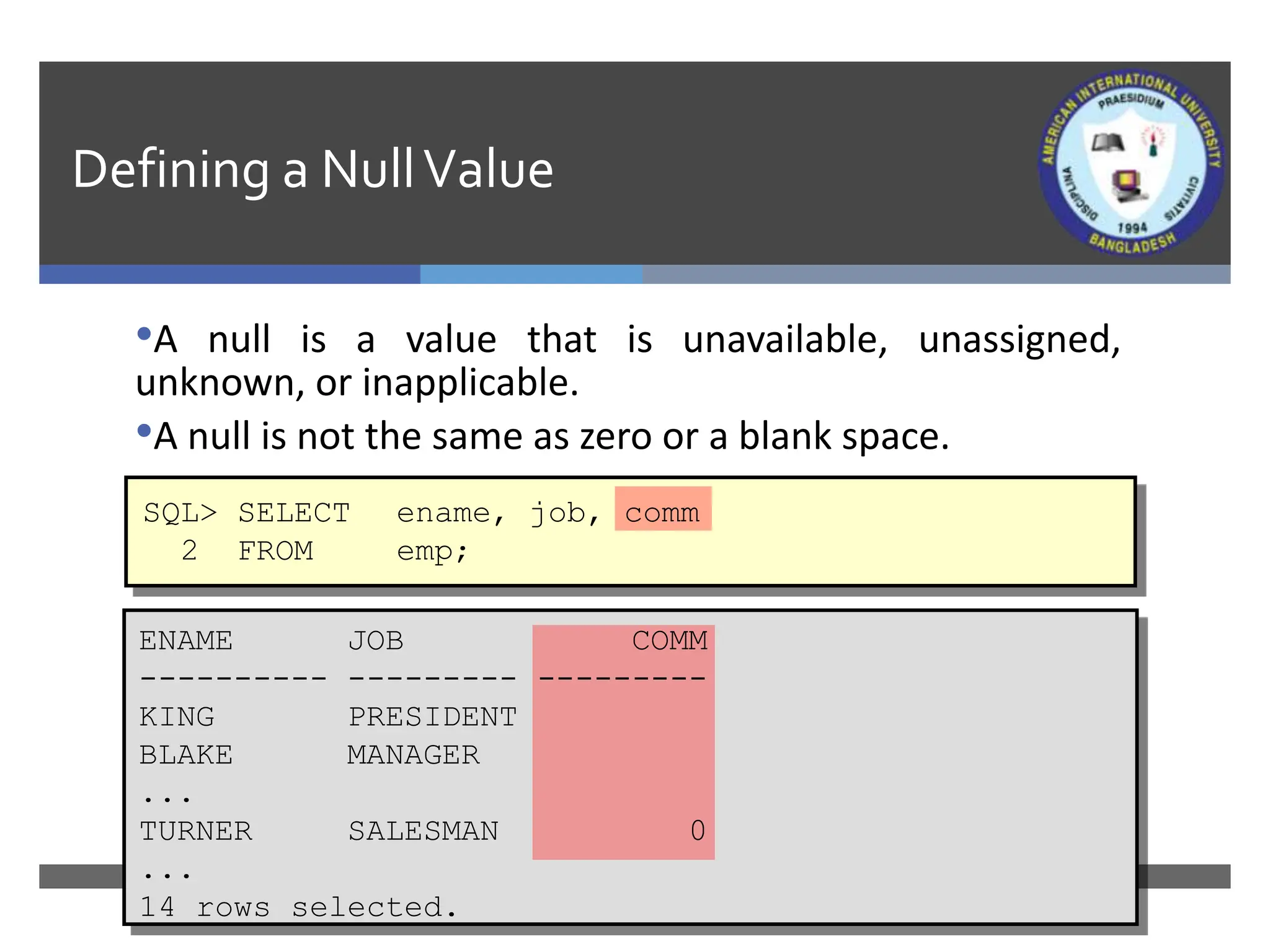
•A null is a value that is unavailable, unassigned,
unknown, or inapplicable.
•A null is not the same as zero or a blank space.
SQL> SELECT ename, job, comm
2 FROM emp;
ENAME JOB COMM
---------- --------- ---------
KING PRESIDENT
BLAKE MANAGER
...
TURNER SALESMAN 0
...
14 rows selected.
NullValues in Arithmetic Expressions
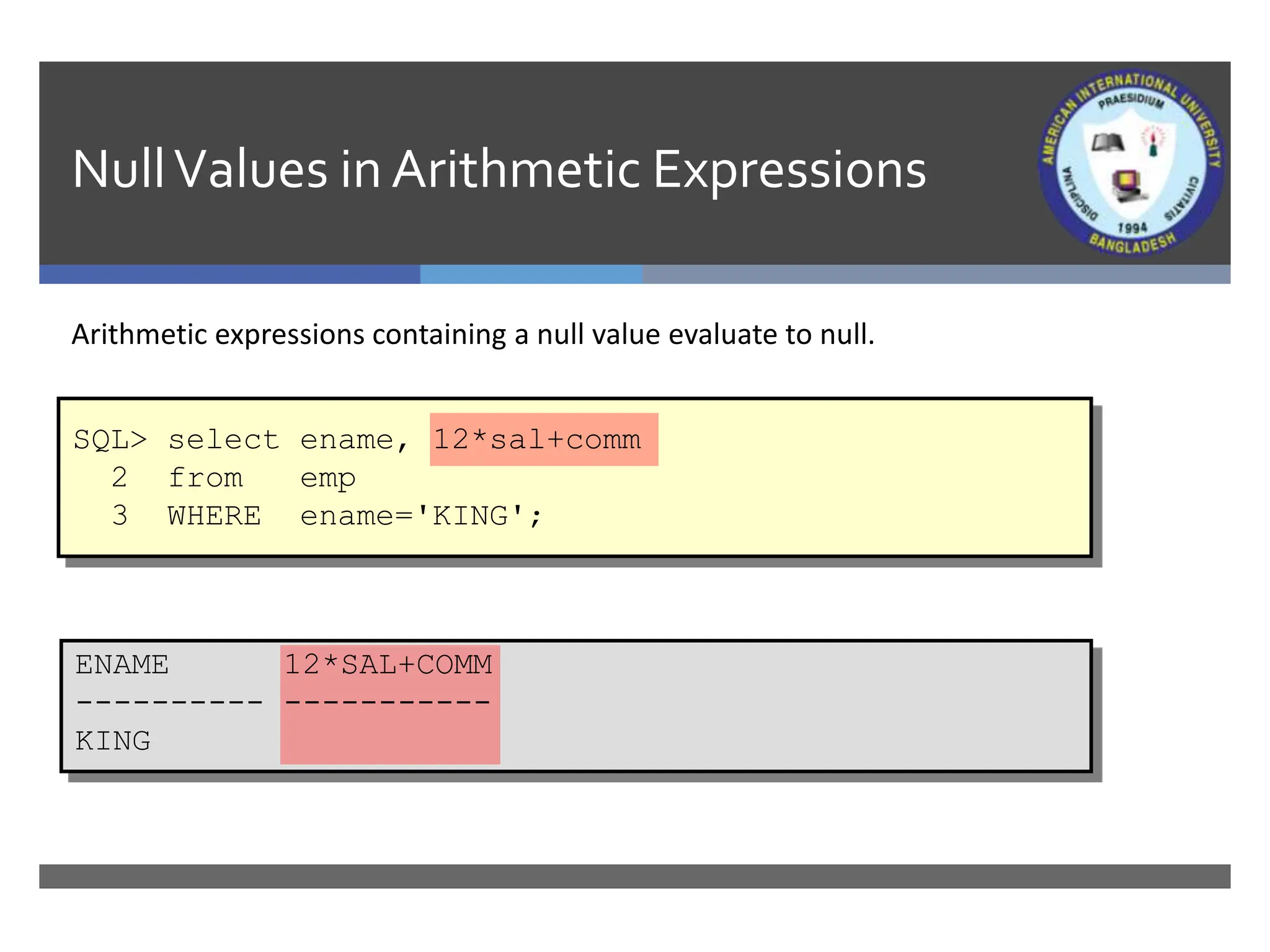
Arithmetic expressions containing a null value evaluate to null.
SQL> select ename, 12*sal+comm
2 from emp
3 WHERE ename='KING';
ENAME 12*SAL+COMM
---------- -----------
KING
Defining a Column Alias
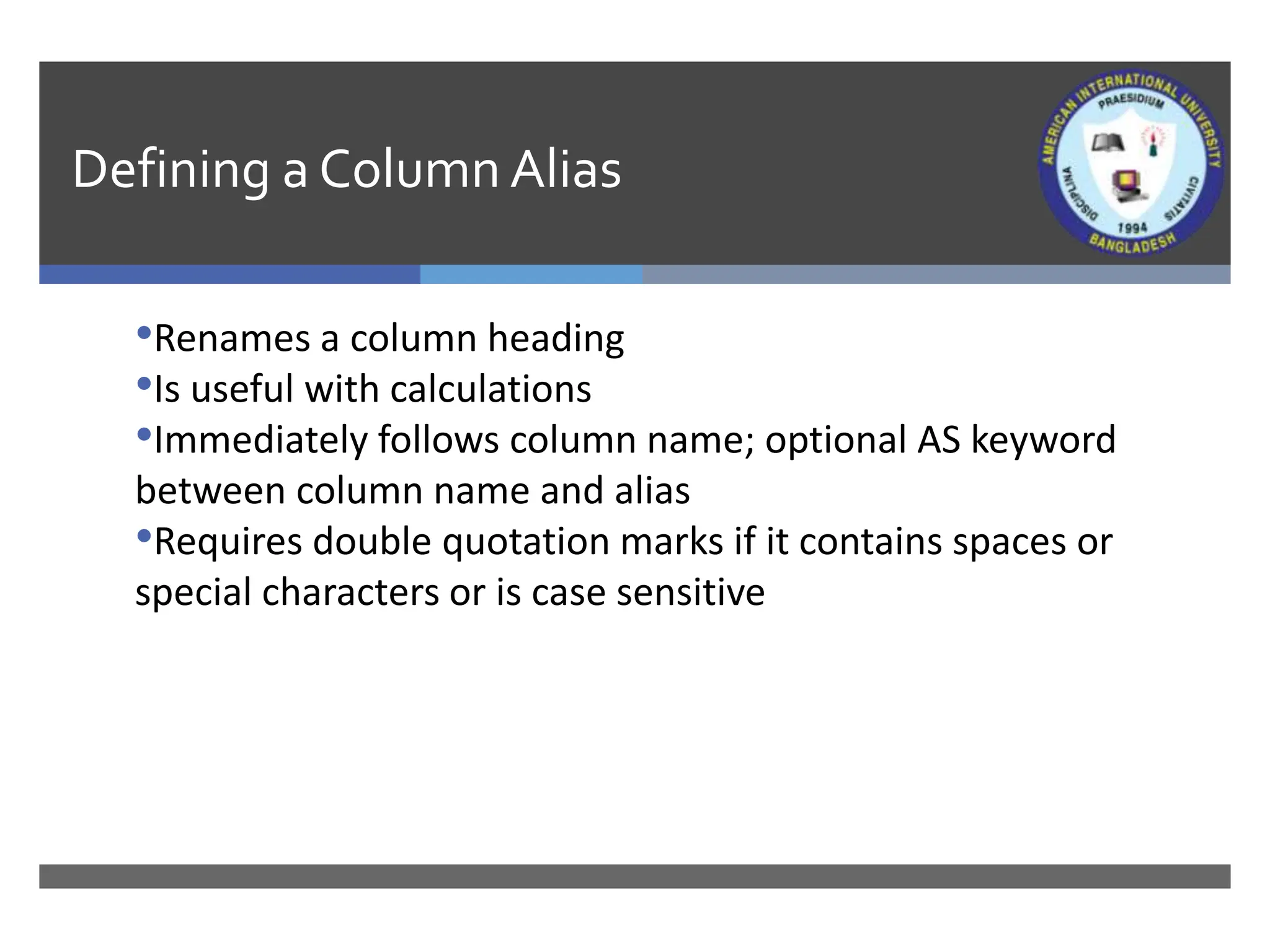
•Renames a column heading
•Is useful with calculations
•Immediately follows column name; optional AS keyword
between column name and alias
•Requires double quotation marks if it contains spaces or
special characters or is case sensitive
Using Column Aliases
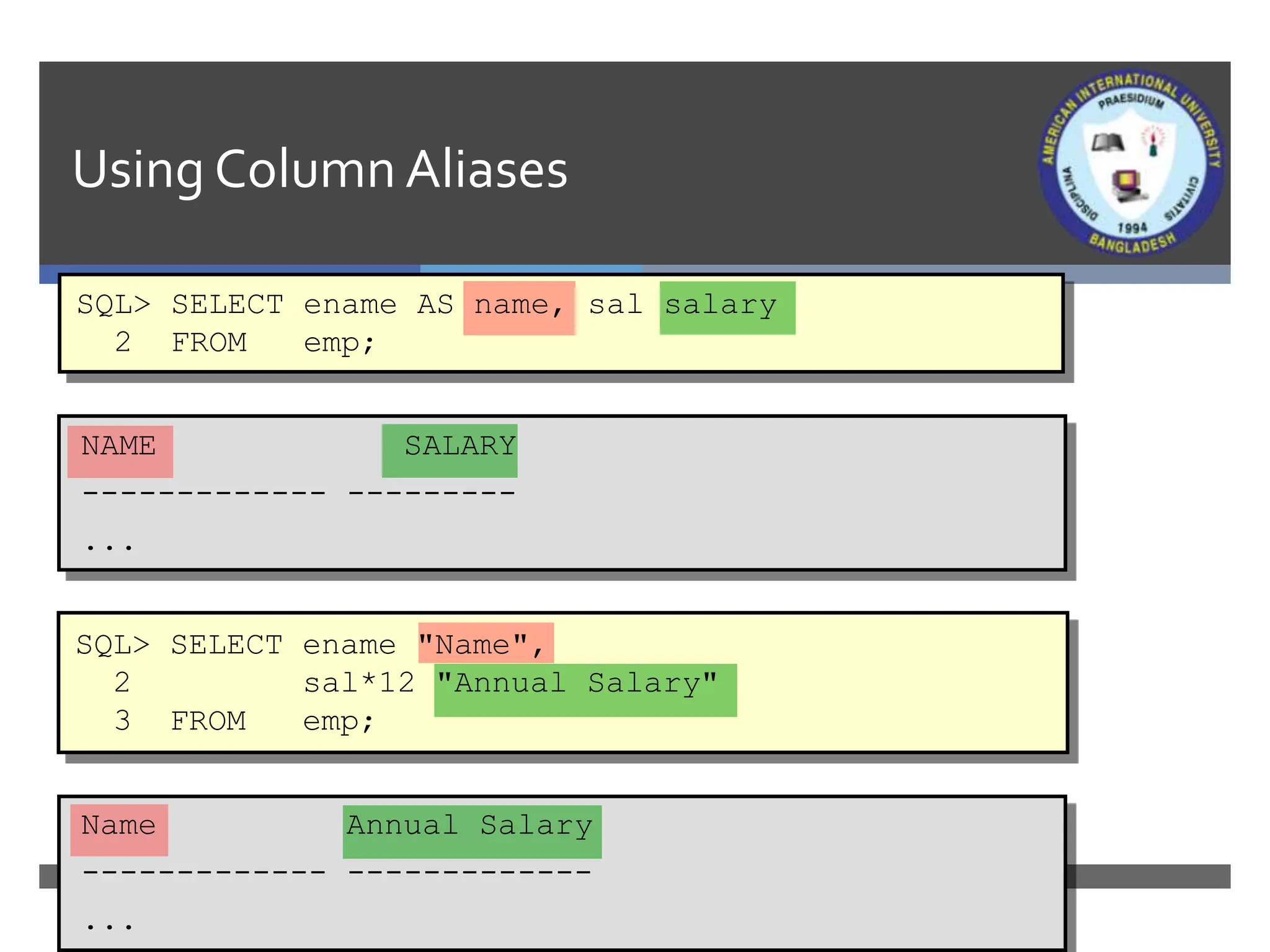
SQL> SELECT ename AS name, sal salary
2 FROM emp;
NAME SALARY
------------- ---------
...
SQL> SELECT ename "Name",
2 sal*12 "Annual Salary"
3 FROM emp;
Name Annual Salary
------------- -------------
...
Concatenation Operator
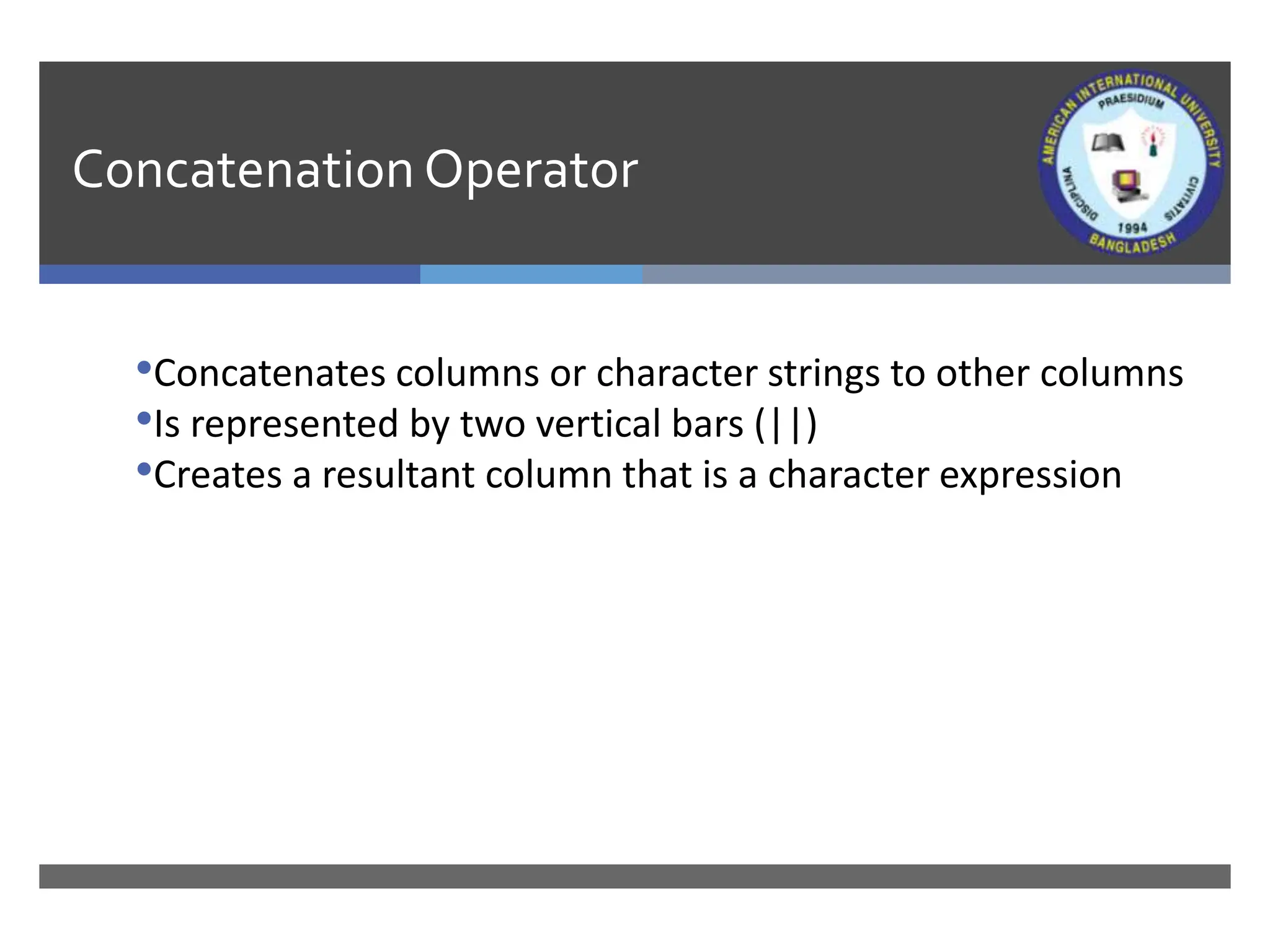
•Concatenates columns or character strings to other columns
•Is represented by two vertical bars (||)
•Creates a resultant column that is a character expression
Using the ConcatenationOperator
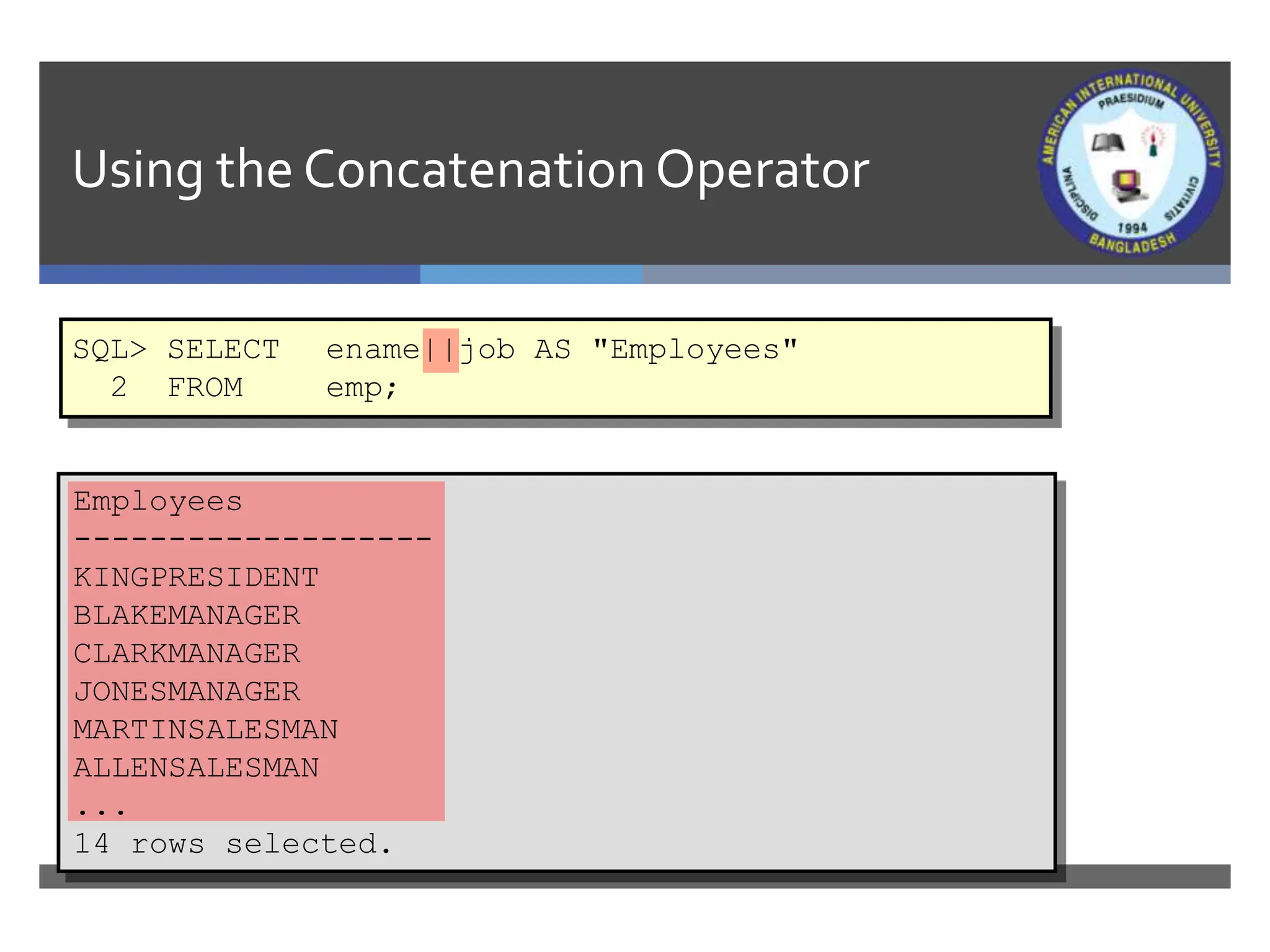
SQL> SELECT ename||job AS "Employees"
2 FROM emp;
Employees
-------------------
KINGPRESIDENT
BLAKEMANAGER
CLARKMANAGER
JONESMANAGER
MARTINSALESMAN
ALLENSALESMAN
...
14 rows selected.
LiteralCharacter Strings
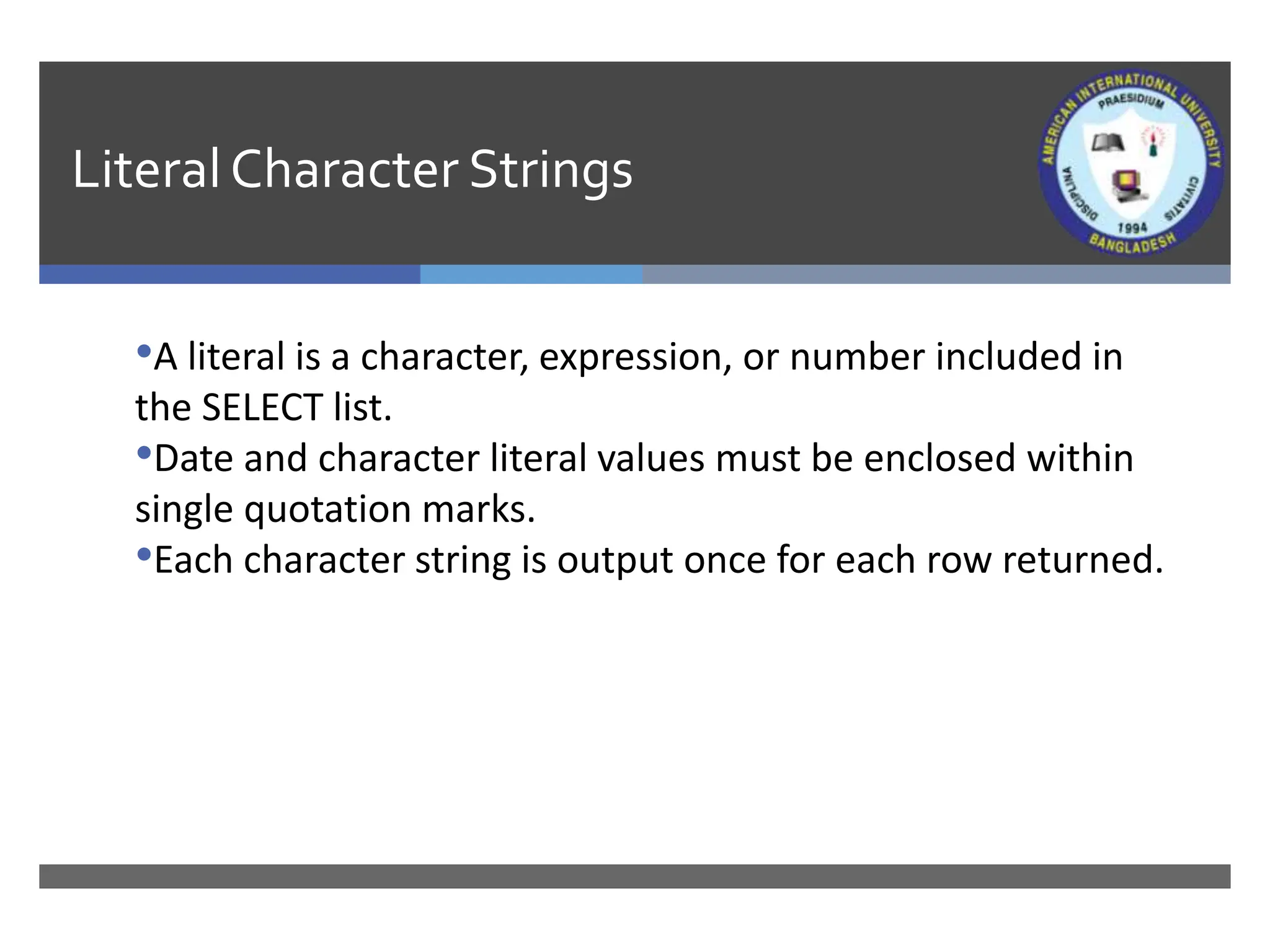
•A literal is a character, expression, or number included in
the SELECT list.
•Date and character literal values must be enclosed within
single quotation marks.
•Each character string is output once for each row returned.
Using LiteralCharacter Strings
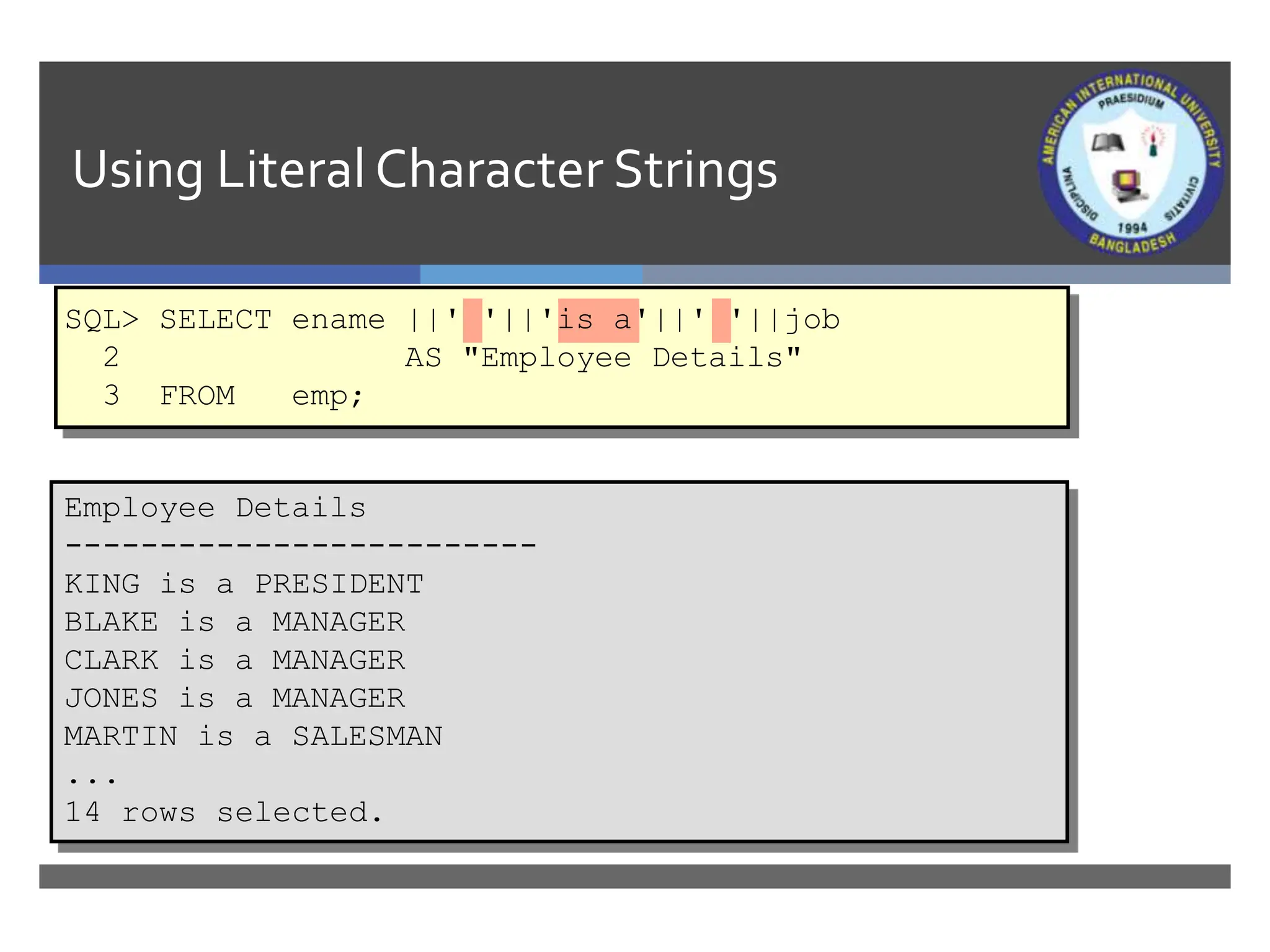
Employee Details
-------------------------
KING is a PRESIDENT
BLAKE is a MANAGER
CLARK is a MANAGER
JONES is a MANAGER
MARTIN is a SALESMAN
...
14 rows selected.
SQL> SELECT ename ||' '||'is a'||' '||job
2 AS "Employee Details"
3 FROM emp;
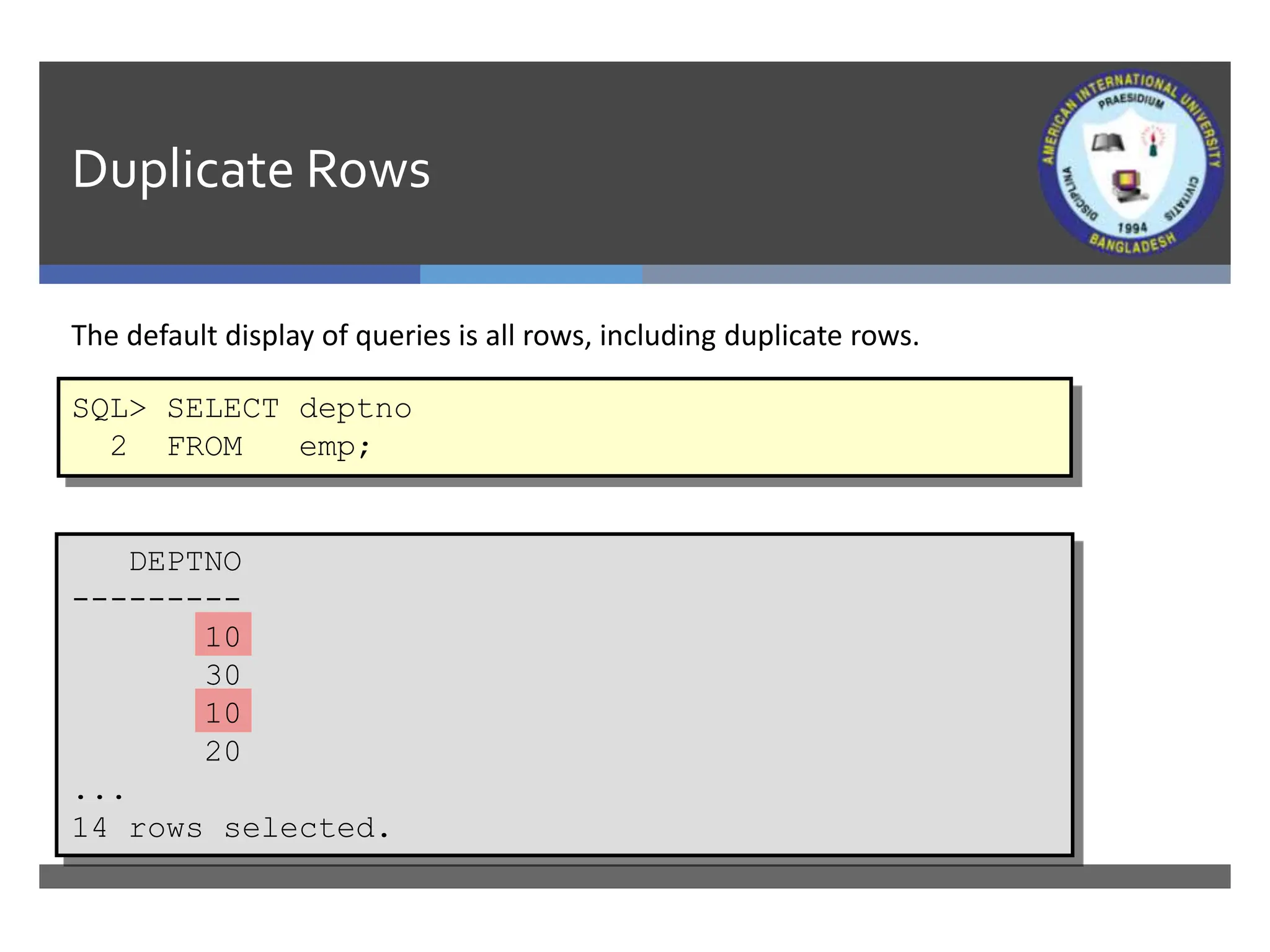
Duplicate Rows
The default display of queries is all rows, including duplicate rows.
SQL> SELECT deptno
2 FROM emp;
DEPTNO
---------
10
30
10
20
...
14 rows selected.
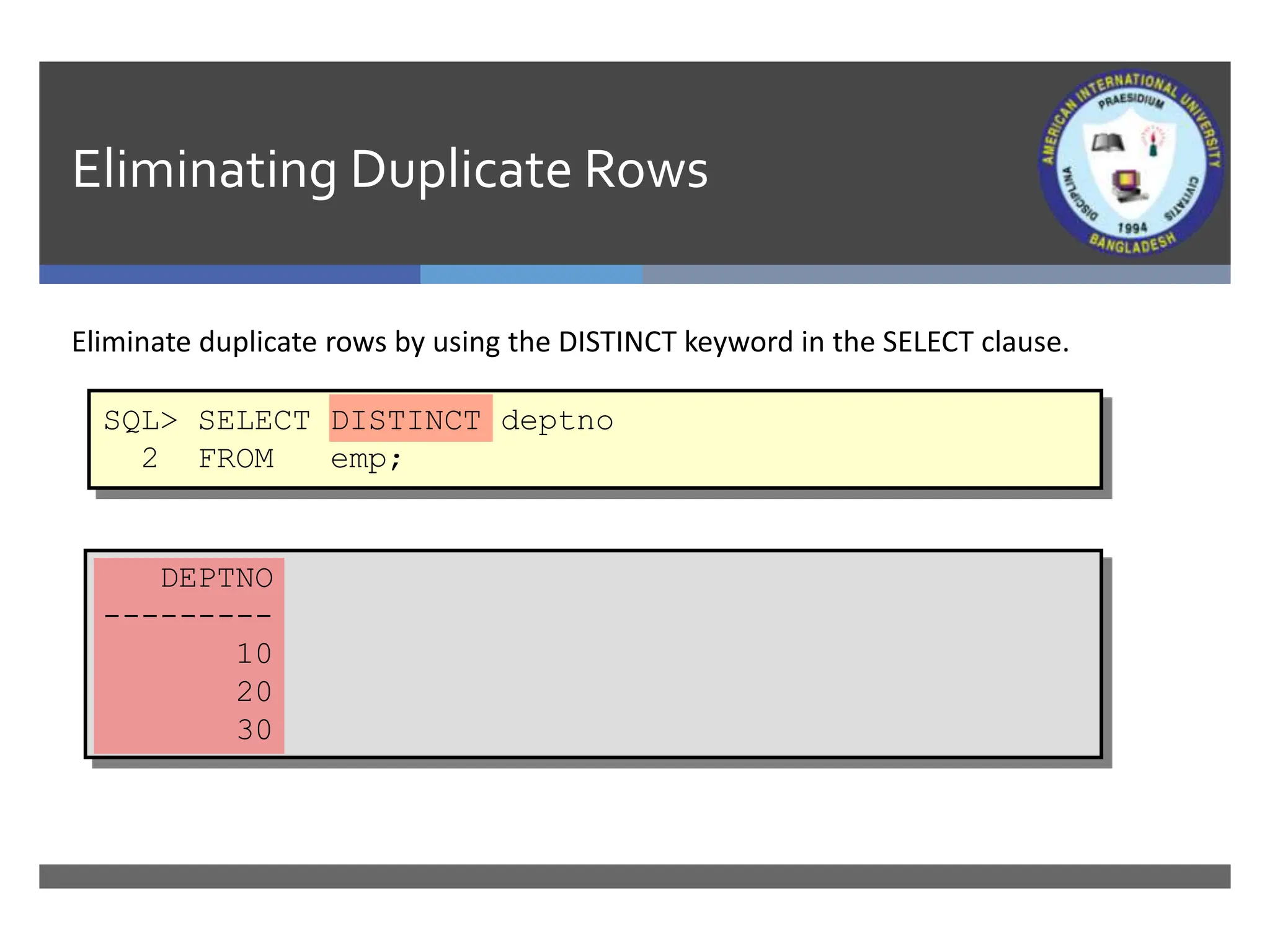
Eliminating Duplicate Rows
Eliminate duplicate rows by using the DISTINCT keyword in the SELECT clause.
SQL> SELECT DISTINCT deptno
2 FROM emp;
DEPTNO
---------
10
20
30
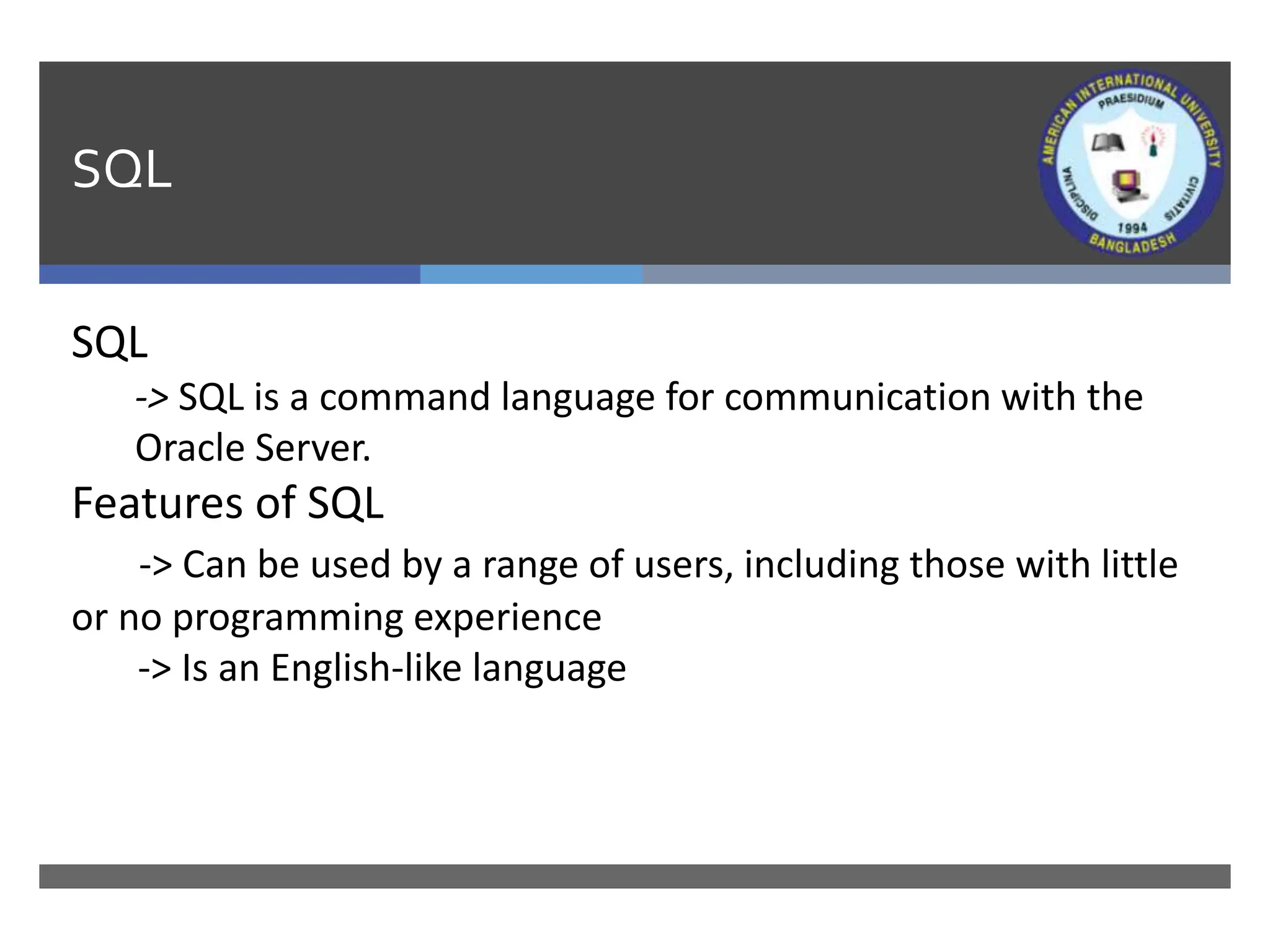
SQL
SQL
-> SQL is a command language for communication with the
Oracle Server.
Features of SQL
-> Can be used by a range of users, including those with little
or no programming experience
-> Is an English-like language
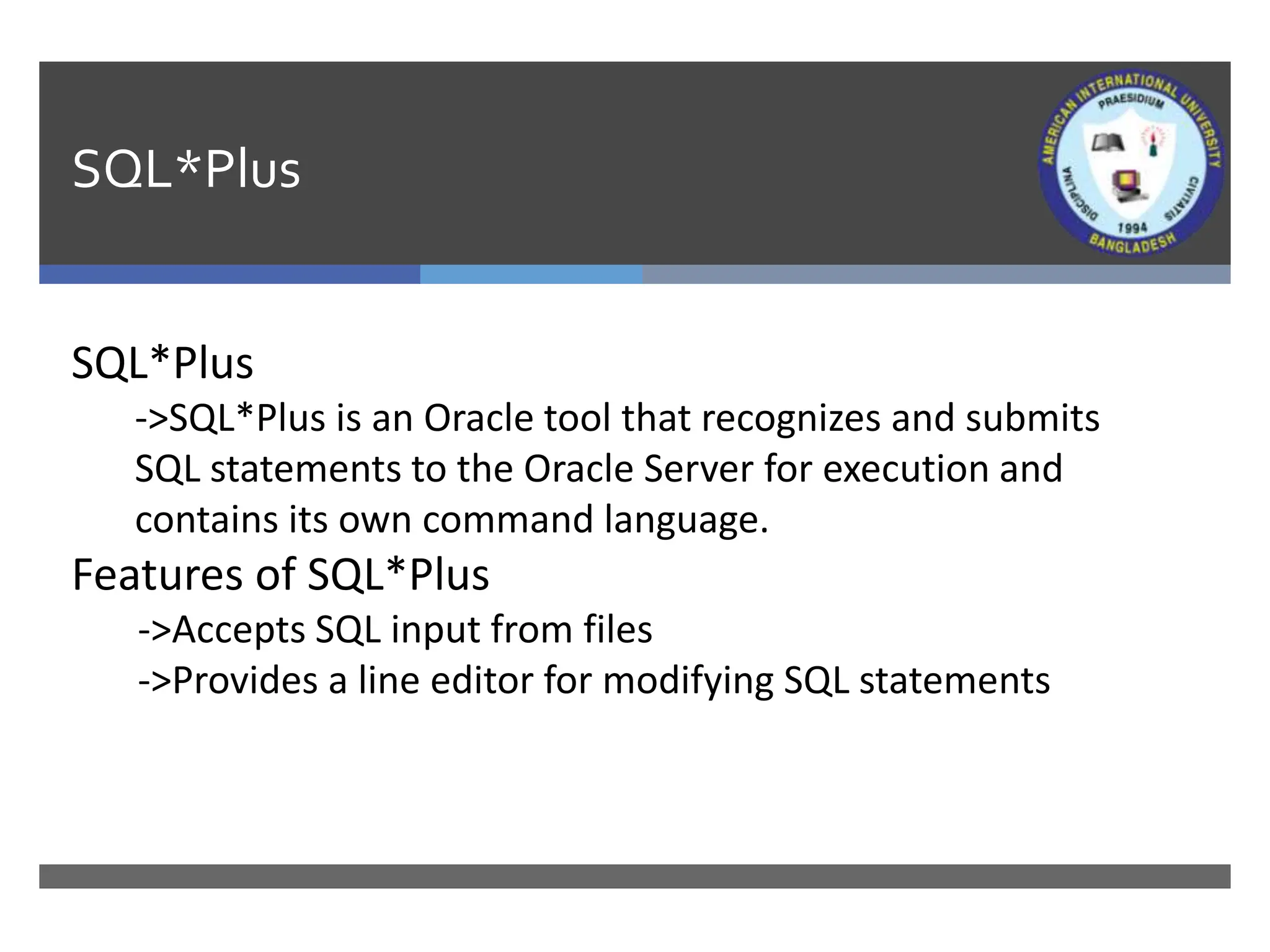
SQL*Plus
SQL*Plus
->SQL*Plus is an Oracle tool that recognizes and submits
SQL statements to the Oracle Server for execution and
contains its own command language.
Features of SQL*Plus
->Accepts SQL input from files
->Provides a line editor for modifying SQL statements
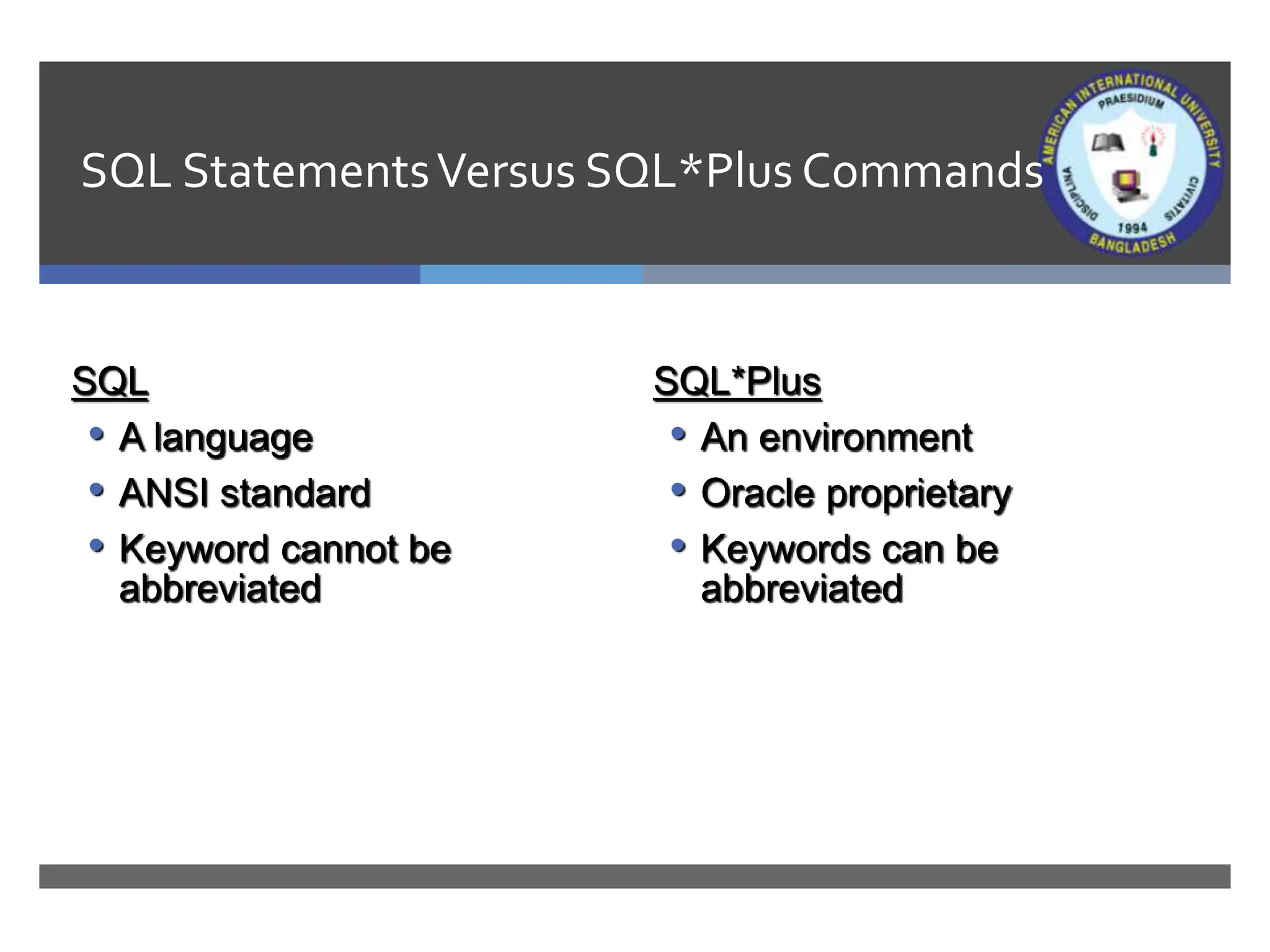
SQL StatementsVersus SQL*Plus Commands
SQL
• A language
• ANSI standard
• Keyword cannot be
abbreviated
SQL*Plus
• An environment
• Oracle proprietary
• Keywords can be
abbreviated
Application of SQL*Plus
Use SQL*Plus as an environment to:
• Execute SQL statements
• Edit SQL statements
Application of SQL*Plus
Use the SQL*Plus DESCRIBE command to display the structure of a table.
DESC[RIBE] tablename
SQL> DESCRIBE dept
Name Null? Type
----------------- -------- ------------
DEPTNO NOT NULL NUMBER(2)
DNAME VARCHAR2(14)
LOC VARCHAR2(13)
Books
1. Modern Database Management (Sixth Edition) by Fred R. McFadden, Jeffrey A.
Hoffer, Mary B. Prescott
2. Database System Concepts (Fifth Edition) by Henry F. Korth, S. Sudarshan, A.
Silberschatz
3. Oracle-database-10g-sql-fundamentals-1-student-guide-volume-1
4. SQL and Relational Theory: How to Write Accurate SQL Code by C.J. Date
5. Database Systems: A Practical Approach to Design, Implementation and
Management (4th Edition) by Thomas M. Connolly, Carolyn E. Begg
6. Fundamentals of Database Systems, 5th Edition by RamezElmasri, Shamkant B.
Navathe
7. Database Design and Relational Theory: Normal Forms and All That Jazz by C. J. Date
8. An Introduction to Database Systems 8th Edition, by C.J. Date
References
1. https://www.db-book.com/db6/slide-dir/index.html
2. https://docs.oracle.com/en/database/oracle/oracle-database/20/sqlrf/SQL-
Standards.html#GUID-BCCCFF75-D2A4-43AD-8CAF-C3C97D92AC63
3. https://www.slideshare.net/HaaMeemMohiyuddin1/data-knowledge-and-
information
4. https://www.slideshare.net/tabinhasan/from-data-to-wisdom
5. https://www.slideshare.net/thinnaphat.bo/

Lecture02_IDB.pptx

  • 1.
    Writing Basic SQLStatements Course Code: CSC 2108 Department of Computer Science Faculty of Science and Technology Lecture No: 02 Week No: 01 Semester: Summer 2019-2020 Lecturer: Kawser Irom Rushee & rushee@aiub.edu Course Title: Introduction To Database
  • 2.
    Lecture Outline  Thecapabilities of SQL SELECT statements  The execution of a basic SELECT statement  The Difference between SQL statements and SQL*Plus commands
  • 3.
    Capabilities of SQLSELECT Statements Selection, Projection, Join Table 1 Table 2 Table 1 Table 1 Join Selection Projection
  • 4.
    Basic SELECT Statement •SELECTidentifies what columns. •FROM identifies which table. SELECT [DISTINCT] {*, column [alias],...} FROM table;
  • 5.
    Writing SQL Statements •SQLstatements are not case sensitive. •SQL statements can be on one or more lines. •Keywords cannot be abbreviated or split across lines. •Clauses are usually placed on separate lines. •Tabs and indents are used to enhance readability.
  • 6.
    Selecting All Columns DEPTNODNAME LOC --------- -------------- ------------- 10 ACCOUNTING NEW YORK 20 RESEARCH DALLAS 30 SALES CHICAGO 40 OPERATIONS BOSTON SQL> SELECT * 2 FROM dept;
  • 7.
    Selecting SpecificColumns DEPTNO LOC ---------------------- 10 NEW YORK 20 DALLAS 30 CHICAGO 40 BOSTON SQL> SELECT deptno, loc 2 FROM dept;
  • 8.
    Column Heading Defaults •Defaultjustification Left: Date and character data Right: Numeric data •Default display Uppercase
  • 9.
    Arithmetic Expressions Create expressionson NUMBER and DATE data by using arithmetic operators. Operator Description + Add - Subtract * Multiply / Divide
  • 10.
    Using ArithmeticOperators SQL> SELECTename, sal, sal+300 2 FROM emp; ENAME SAL SAL+300 ---------- --------- --------- KING 5000 5300 BLAKE 2850 3150 CLARK 2450 2750 JONES 2975 3275 MARTIN 1250 1550 ALLEN 1600 1900 ... 14 rows selected.
  • 11.
    Operator Precedence •Multiplication anddivision take priority over addition and subtraction. •Operators of the same priority are evaluated from left to right. •Parentheses are used to force prioritized evaluation and to clarify statements. * / + _
  • 12.
    Operator Precedence SQL> SELECTename, sal, 12*sal+100 2 FROM emp; ENAME SAL 12*SAL+100 ---------- --------- ---------- KING 5000 60100 BLAKE 2850 34300 CLARK 2450 29500 JONES 2975 35800 MARTIN 1250 15100 ALLEN 1600 19300 ... 14 rows selected.
  • 13.
    Using Parentheses SQL> SELECTename, sal, 12*(sal+100) 2 FROM emp; ENAME SAL 12*(SAL+100) ---------- --------- ----------- KING 5000 61200 BLAKE 2850 35400 CLARK 2450 30600 JONES 2975 36900 MARTIN 1250 16200 ... 14 rows selected.
  • 14.
    Defining a NullValue •Anull is a value that is unavailable, unassigned, unknown, or inapplicable. •A null is not the same as zero or a blank space. SQL> SELECT ename, job, comm 2 FROM emp; ENAME JOB COMM ---------- --------- --------- KING PRESIDENT BLAKE MANAGER ... TURNER SALESMAN 0 ... 14 rows selected.
  • 15.
    NullValues in ArithmeticExpressions Arithmetic expressions containing a null value evaluate to null. SQL> select ename, 12*sal+comm 2 from emp 3 WHERE ename='KING'; ENAME 12*SAL+COMM ---------- ----------- KING
  • 16.
    Defining a ColumnAlias •Renames a column heading •Is useful with calculations •Immediately follows column name; optional AS keyword between column name and alias •Requires double quotation marks if it contains spaces or special characters or is case sensitive
  • 17.
    Using Column Aliases SQL>SELECT ename AS name, sal salary 2 FROM emp; NAME SALARY ------------- --------- ... SQL> SELECT ename "Name", 2 sal*12 "Annual Salary" 3 FROM emp; Name Annual Salary ------------- ------------- ...
  • 18.
    Concatenation Operator •Concatenates columnsor character strings to other columns •Is represented by two vertical bars (||) •Creates a resultant column that is a character expression
  • 19.
    Using the ConcatenationOperator SQL>SELECT ename||job AS "Employees" 2 FROM emp; Employees ------------------- KINGPRESIDENT BLAKEMANAGER CLARKMANAGER JONESMANAGER MARTINSALESMAN ALLENSALESMAN ... 14 rows selected.
  • 20.
    LiteralCharacter Strings •A literalis a character, expression, or number included in the SELECT list. •Date and character literal values must be enclosed within single quotation marks. •Each character string is output once for each row returned.
  • 21.
    Using LiteralCharacter Strings EmployeeDetails ------------------------- KING is a PRESIDENT BLAKE is a MANAGER CLARK is a MANAGER JONES is a MANAGER MARTIN is a SALESMAN ... 14 rows selected. SQL> SELECT ename ||' '||'is a'||' '||job 2 AS "Employee Details" 3 FROM emp;
  • 22.
    Duplicate Rows The defaultdisplay of queries is all rows, including duplicate rows. SQL> SELECT deptno 2 FROM emp; DEPTNO --------- 10 30 10 20 ... 14 rows selected.
  • 23.
    Eliminating Duplicate Rows Eliminateduplicate rows by using the DISTINCT keyword in the SELECT clause. SQL> SELECT DISTINCT deptno 2 FROM emp; DEPTNO --------- 10 20 30
  • 24.
    SQL SQL -> SQL isa command language for communication with the Oracle Server. Features of SQL -> Can be used by a range of users, including those with little or no programming experience -> Is an English-like language
  • 25.
    SQL*Plus SQL*Plus ->SQL*Plus is anOracle tool that recognizes and submits SQL statements to the Oracle Server for execution and contains its own command language. Features of SQL*Plus ->Accepts SQL input from files ->Provides a line editor for modifying SQL statements
  • 26.
    SQL StatementsVersus SQL*PlusCommands SQL • A language • ANSI standard • Keyword cannot be abbreviated SQL*Plus • An environment • Oracle proprietary • Keywords can be abbreviated
  • 27.
    Application of SQL*Plus UseSQL*Plus as an environment to: • Execute SQL statements • Edit SQL statements
  • 28.
    Application of SQL*Plus Usethe SQL*Plus DESCRIBE command to display the structure of a table. DESC[RIBE] tablename SQL> DESCRIBE dept Name Null? Type ----------------- -------- ------------ DEPTNO NOT NULL NUMBER(2) DNAME VARCHAR2(14) LOC VARCHAR2(13)
  • 29.
    Books 1. Modern DatabaseManagement (Sixth Edition) by Fred R. McFadden, Jeffrey A. Hoffer, Mary B. Prescott 2. Database System Concepts (Fifth Edition) by Henry F. Korth, S. Sudarshan, A. Silberschatz 3. Oracle-database-10g-sql-fundamentals-1-student-guide-volume-1 4. SQL and Relational Theory: How to Write Accurate SQL Code by C.J. Date 5. Database Systems: A Practical Approach to Design, Implementation and Management (4th Edition) by Thomas M. Connolly, Carolyn E. Begg 6. Fundamentals of Database Systems, 5th Edition by RamezElmasri, Shamkant B. Navathe 7. Database Design and Relational Theory: Normal Forms and All That Jazz by C. J. Date 8. An Introduction to Database Systems 8th Edition, by C.J. Date
  • 30.
    References 1. https://www.db-book.com/db6/slide-dir/index.html 2. https://docs.oracle.com/en/database/oracle/oracle-database/20/sqlrf/SQL- Standards.html#GUID-BCCCFF75-D2A4-43AD-8CAF-C3C97D92AC63 3.https://www.slideshare.net/HaaMeemMohiyuddin1/data-knowledge-and- information 4. https://www.slideshare.net/tabinhasan/from-data-to-wisdom 5. https://www.slideshare.net/thinnaphat.bo/