Indian Institute of Technology Kharagpur


            PERL – Part III


          Prof. Indranil Sen Gupta
    Dept. of Computer Science & Engg.
           I.I.T. Kharagpur, INDIA


Lecture 23: PERL – Part III
On completion, the student will be able to:
• Define the string matching functions in
   Perl.
• Explain the different ways of specifying
   regular expressions.
• Define the string substitution operators,
   with examples.
• Illustrate the use of special variables $’, $&
   and $`.


                                                   1
String Functions


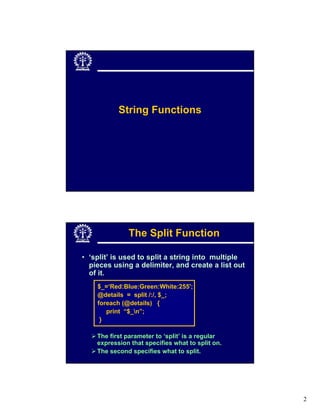
              The Split Function

• ‘split’ is used to split a string into multiple
  pieces using a delimiter, and create a list out
  of it.
    $_=‘Red:Blue:Green:White:255';
    @details = split /:/, $_;
    foreach (@details) {
       print “$_n”;
     }

    The first parameter to ‘split’ is a regular
    expression that specifies what to split on.
    The second specifies what to split.


                                                    2
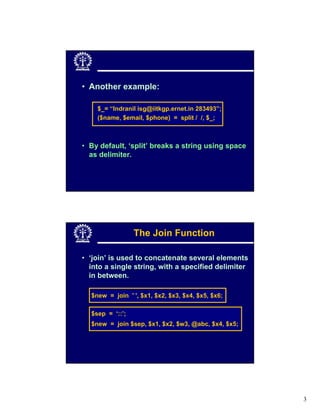
• Another example:

    $_= “Indranil isg@iitkgp.ernet.in 283493”;
    ($name, $email, $phone) = split / /, $_;


• By default, ‘split’ breaks a string using space
  as delimiter.


                 The Join Function

• ‘join’ is used to concatenate several elements
  into a single string, with a specified delimiter
  in between.

  $new = join ' ', $x1, $x2, $x3, $x4, $x5, $x6;

  $sep = ‘::’;
  $new = join $sep, $x1, $x2, $w3, @abc, $x4, $x5;


                                                     3
Regular Expressions


                 Introduction

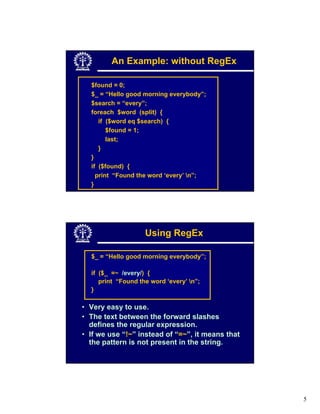
• One of the most useful features of Perl.
• What is a regular expression (RegEx)?
   Refers to a pattern that follows the rules of
   syntax.
   Basically specifies a chunk of text.
   Very powerful way to specify string
   patterns.


                                                   4
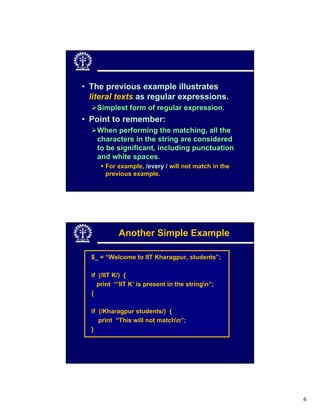
An Example: without RegEx

  $found = 0;
  $_ = “Hello good morning everybody”;
  $search = “every”;
  foreach $word (split) {
     if ($word eq $search) {
        $found = 1;
        last;
     }
  }
  if ($found) {
    print “Found the word ‘every’ n”;
  }


                    Using RegEx

  $_ = “Hello good morning everybody”;

  if ($_ =~ /every/) {
     print “Found the word ‘every’ n”;
  }

• Very easy to use.
• The text between the forward slashes
  defines the regular expression.
• If we use “!~” instead of “=~”, it means that
  the pattern is not present in the string.


                                                  5
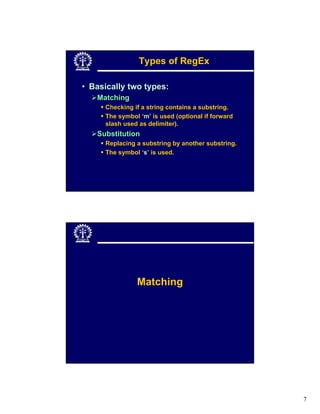
• The previous example illustrates
  literal texts as regular expressions.
    Simplest form of regular expression.
• Point to remember:
    When performing the matching, all the
    characters in the string are considered
    to be significant, including punctuation
    and white spaces.
       For example, /every / will not match in the
       previous example.


            Another Simple Example

  $_ = “Welcome to IIT Kharagpur, students”;

  if (/IIT K/) {
    print “’IIT K’ is present in the stringn”;
  {

  if (/Kharagpur students/) {
     print “This will not matchn”;
  }


                                                     6
Types of RegEx

• Basically two types:
   Matching
     Checking if a string contains a substring.
     The symbol ‘m’ is used (optional if forward
     slash used as delimiter).
   Substitution
     Replacing a substring by another substring.
     The symbol ‘s’ is used.


               Matching


                                                   7
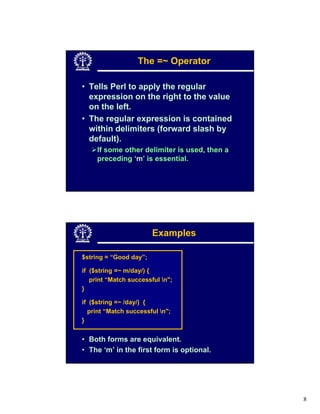
The =~ Operator

• Tells Perl to apply the regular
  expression on the right to the value
  on the left.
• The regular expression is contained
  within delimiters (forward slash by
  default).
     If some other delimiter is used, then a
     preceding ‘m’ is essential.


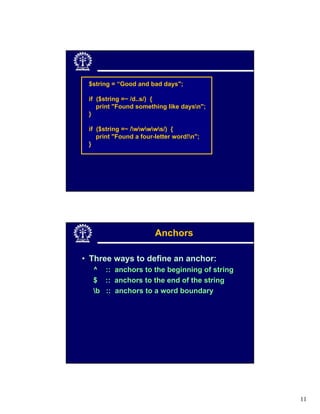
                        Examples

$string = “Good day”;

if ($string =~ m/day/) {
   print “Match successful n";
}

if ($string =~ /day/) {
  print “Match successful n";
}


• Both forms are equivalent.
• The ‘m’ in the first form is optional.


                                               8
$string = “Good day”;

if ($string =~ m@day@) {
   print “Match successful n";
}

if ($string =~ m[day[ ) {
  print “Match successful n";
}


• Both forms are equivalent.
• The character following ‘m’ is the delimiter.


                   Character Class

• Use square brackets to specify “any
  value in the list of possible values”.
  my $string = “Some test string 1234";
  if ($string =~ /[0123456789]/) {
       print "found a number n";
   }
  if ($string =~ /[aeiou]/) {
      print "Found a vowel n";
  }
  if ($string =~ /[0123456789ABCDEF]/) {
      print "Found a hex digit n";
  }


                                                  9
Character Class Negation

• Use ‘^’ at the beginning of the character
  class to specify “any single element that is
  not one of these values”.

    my $string = “Some test string 1234";
    if ($string =~ /[^aeiou]/) {
        print "Found a consonantn";
     }


             Pattern Abbreviations

• Useful in common cases

     .    Anything except newline (n)
    d    A digit, same as [0-9]
    w    A word character, [0-9a-zA-Z_]
    s    A space character (tab, space, etc)
    D    Not a digit, same as [^0-9]
    W    Not a word character
    S    Not a space character


                                                 10
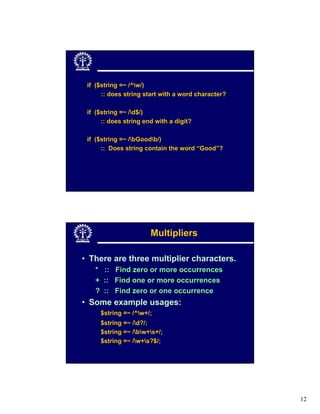
$string = “Good and bad days";

 if ($string =~ /d..s/) {
    print "Found something like daysn";
 }

 if ($string =~ /wwwws/) {
    print "Found a four-letter word!n";
 }


                        Anchors

• Three ways to define an anchor:
  ^ :: anchors to the beginning of string
  $ :: anchors to the end of the string
  b :: anchors to a word boundary


                                            11
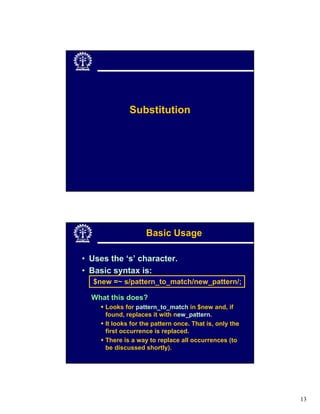
if ($string =~ /^w/)
      :: does string start with a word character?

 if ($string =~ /d$/)
      :: does string end with a digit?

 if ($string =~ /bGoodb/)
      :: Does string contain the word “Good”?


                       Multipliers

• There are three multiplier characters.
   * :: Find zero or more occurrences
   + :: Find one or more occurrences
   ? :: Find zero or one occurrence
• Some example usages:
     $string =~ /^w+/;
     $string =~ /d?/;
     $string =~ /bw+s+/;
     $string =~ /w+s?$/;


                                                    12
Substitution


                    Basic Usage

• Uses the ‘s’ character.
• Basic syntax is:
  $new =~ s/pattern_to_match/new_pattern/;

  What this does?
      Looks for pattern_to_match in $new and, if
      found, replaces it with new_pattern.
      It looks for the pattern once. That is, only the
      first occurrence is replaced.
      There is a way to replace all occurrences (to
      be discussed shortly).


                                                         13
Examples

  $xyz = “Rama and Lakshman went to the forest”;

  $xyz =~ s/Lakshman/Bharat/;

  $xyz =~ s/Rw+a/Bharat/;

  $xyz =~ s/[aeiou]/i/;

  $abc = “A year has 11 months n”;

  $abc =~ s/d+/12/;

  $abc =~ s /n$/ /;


                Common Modifiers

• Two such modifiers are defined:
   /i ::   ignore case
   /g ::   match/substitute all occurrences

  $string = “Ram and Shyam are very honest";
  if ($string =~ /RAM/i) {
      print “Ram is present in the string”;
  }

  $string =~ s/m/j/g;
      # Ram -> Raj, Shyam -> Shyaj


                                                   14
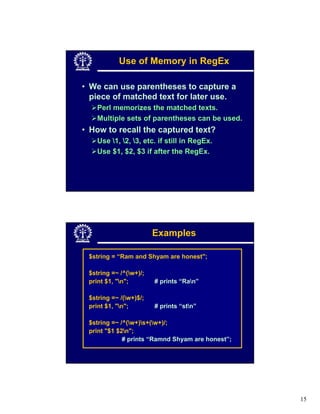
Use of Memory in RegEx

• We can use parentheses to capture a
  piece of matched text for later use.
    Perl memorizes the matched texts.
    Multiple sets of parentheses can be used.
• How to recall the captured text?
    Use 1, 2, 3, etc. if still in RegEx.
    Use $1, $2, $3 if after the RegEx.


                        Examples

 $string = “Ram and Shyam are honest";

 $string =~ /^(w+)/;
 print $1, "n";        # prints “Ran”

 $string =~ /(w+)$/;
 print $1, "n";        # prints “stn”

 $string =~ /^(w+)s+(w+)/;
 print "$1 $2n";
             # prints “Ramnd Shyam are honest”;


                                                  15
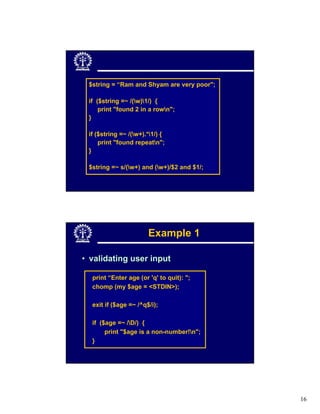
$string = “Ram and Shyam are very poor";

 if ($string =~ /(w)1/) {
     print "found 2 in a rown";
 }

 if ($string =~ /(w+).*1/) {
     print "found repeatn";
 }

 $string =~ s/(w+) and (w+)/$2 and $1/;


                       Example 1

• validating user input

  print “Enter age (or 'q' to quit): ";
  chomp (my $age = <STDIN>);

  exit if ($age =~ /^q$/i);

  if ($age =~ /D/) {
       print "$age is a non-number!n";
  }


                                            16
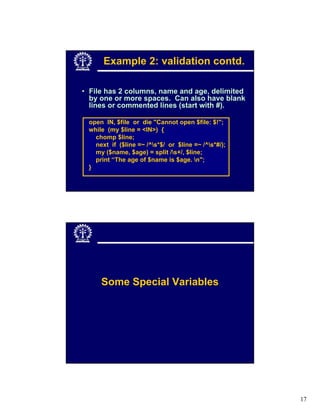
Example 2: validation contd.

• File has 2 columns, name and age, delimited
  by one or more spaces. Can also have blank
  lines or commented lines (start with #).

 open IN, $file or die "Cannot open $file: $!";
 while (my $line = <IN>) {
   chomp $line;
   next if ($line =~ /^s*$/ or $line =~ /^s*#/);
   my ($name, $age) = split /s+/, $line;
   print “The age of $name is $age. n";
 }


     Some Special Variables


                                                     17
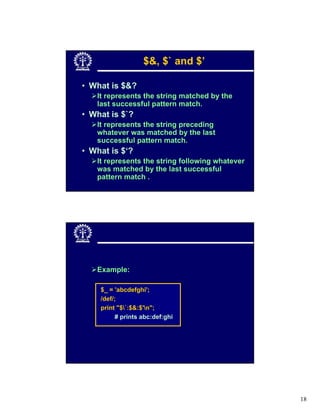
$&, $` and $’

• What is $&?
   It represents the string matched by the
   last successful pattern match.
• What is $`?
   It represents the string preceding
   whatever was matched by the last
   successful pattern match.
• What is $‘?
   It represents the string following whatever
   was matched by the last successful
   pattern match .


   Example:

    $_ = 'abcdefghi';
    /def/;
    print "$`:$&:$'n";
         # prints abc:def:ghi


                                                 18
• So actually ….
   S` represents pre match
   $& represents present match
   $’ represents post match


                                 19
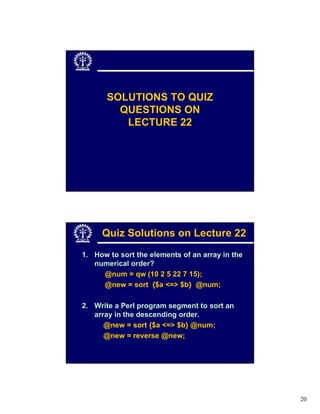
SOLUTIONS TO QUIZ
         QUESTIONS ON
          LECTURE 22


     Quiz Solutions on Lecture 22
1. How to sort the elements of an array in the
   numerical order?
     @num = qw (10 2 5 22 7 15);
     @new = sort {$a <=> $b} @num;

2. Write a Perl program segment to sort an
   array in the descending order.
      @new = sort {$a <=> $b} @num;
      @new = reverse @new;


                                                 20
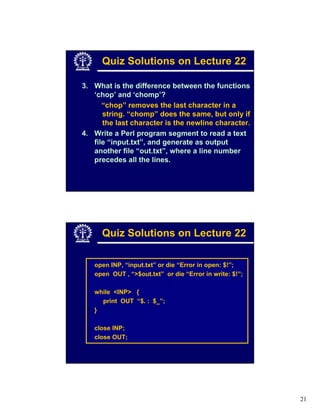
Quiz Solutions on Lecture 22

3. What is the difference between the functions
   ‘chop’ and ‘chomp’?
      “chop” removes the last character in a
      string. “chomp” does the same, but only if
      the last character is the newline character.
4. Write a Perl program segment to read a text
   file “input.txt”, and generate as output
   another file “out.txt”, where a line number
   precedes all the lines.


      Quiz Solutions on Lecture 22

   open INP, “input.txt” or die “Error in open: $!”;
   open OUT , “>$out.txt” or die “Error in write: $!”;

   while <INP> {
     print OUT “$. : $_”;
   }

   close INP;
   close OUT;


                                                         21
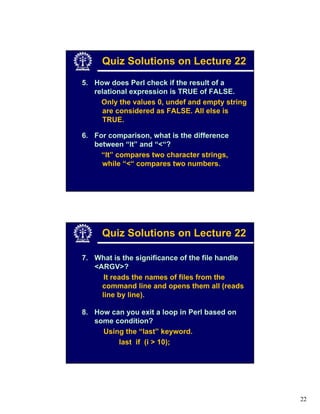
Quiz Solutions on Lecture 22
5. How does Perl check if the result of a
   relational expression is TRUE of FALSE.
     Only the values 0, undef and empty string
     are considered as FALSE. All else is
     TRUE.

6. For comparison, what is the difference
   between “lt” and “<“?
     “lt” compares two character strings,
     while “<“ compares two numbers.


     Quiz Solutions on Lecture 22

7. What is the significance of the file handle
   <ARGV>?
      It reads the names of files from the
     command line and opens them all (reads
     line by line).

8. How can you exit a loop in Perl based on
   some condition?
     Using the “last” keyword.
         last if (i > 10);


                                                 22
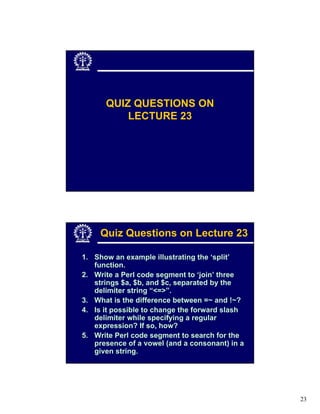
QUIZ QUESTIONS ON
          LECTURE 23


     Quiz Questions on Lecture 23

1. Show an example illustrating the ‘split’
   function.
2. Write a Perl code segment to ‘join’ three
   strings $a, $b, and $c, separated by the
   delimiter string “<=>”.
3. What is the difference between =~ and !~?
4. Is it possible to change the forward slash
   delimiter while specifying a regular
   expression? If so, how?
5. Write Perl code segment to search for the
   presence of a vowel (and a consonant) in a
   given string.


                                                23
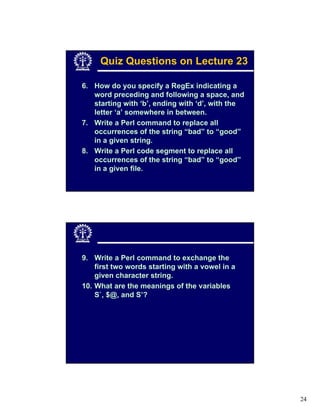
Quiz Questions on Lecture 23

6. How do you specify a RegEx indicating a
   word preceding and following a space, and
   starting with ‘b’, ending with ‘d’, with the
   letter ‘a’ somewhere in between.
7. Write a Perl command to replace all
   occurrences of the string “bad” to “good”
   in a given string.
8. Write a Perl code segment to replace all
   occurrences of the string “bad” to “good”
   in a given file.


9. Write a Perl command to exchange the
    first two words starting with a vowel in a
    given character string.
10. What are the meanings of the variables
    S`, $@, and S’?


                                                  24

Lecture 23

  • 1.
    Indian Institute ofTechnology Kharagpur PERL – Part III Prof. Indranil Sen Gupta Dept. of Computer Science & Engg. I.I.T. Kharagpur, INDIA Lecture 23: PERL – Part III On completion, the student will be able to: • Define the string matching functions in Perl. • Explain the different ways of specifying regular expressions. • Define the string substitution operators, with examples. • Illustrate the use of special variables $’, $& and $`. 1
  • 2.
    String Functions The Split Function • ‘split’ is used to split a string into multiple pieces using a delimiter, and create a list out of it. $_=‘Red:Blue:Green:White:255'; @details = split /:/, $_; foreach (@details) { print “$_n”; } The first parameter to ‘split’ is a regular expression that specifies what to split on. The second specifies what to split. 2
  • 3.
    • Another example: $_= “Indranil isg@iitkgp.ernet.in 283493”; ($name, $email, $phone) = split / /, $_; • By default, ‘split’ breaks a string using space as delimiter. The Join Function • ‘join’ is used to concatenate several elements into a single string, with a specified delimiter in between. $new = join ' ', $x1, $x2, $x3, $x4, $x5, $x6; $sep = ‘::’; $new = join $sep, $x1, $x2, $w3, @abc, $x4, $x5; 3
  • 4.
    Regular Expressions Introduction • One of the most useful features of Perl. • What is a regular expression (RegEx)? Refers to a pattern that follows the rules of syntax. Basically specifies a chunk of text. Very powerful way to specify string patterns. 4
  • 5.
    An Example: withoutRegEx $found = 0; $_ = “Hello good morning everybody”; $search = “every”; foreach $word (split) { if ($word eq $search) { $found = 1; last; } } if ($found) { print “Found the word ‘every’ n”; } Using RegEx $_ = “Hello good morning everybody”; if ($_ =~ /every/) { print “Found the word ‘every’ n”; } • Very easy to use. • The text between the forward slashes defines the regular expression. • If we use “!~” instead of “=~”, it means that the pattern is not present in the string. 5
  • 6.
    • The previousexample illustrates literal texts as regular expressions. Simplest form of regular expression. • Point to remember: When performing the matching, all the characters in the string are considered to be significant, including punctuation and white spaces. For example, /every / will not match in the previous example. Another Simple Example $_ = “Welcome to IIT Kharagpur, students”; if (/IIT K/) { print “’IIT K’ is present in the stringn”; { if (/Kharagpur students/) { print “This will not matchn”; } 6
  • 7.
    Types of RegEx •Basically two types: Matching Checking if a string contains a substring. The symbol ‘m’ is used (optional if forward slash used as delimiter). Substitution Replacing a substring by another substring. The symbol ‘s’ is used. Matching 7
  • 8.
    The =~ Operator •Tells Perl to apply the regular expression on the right to the value on the left. • The regular expression is contained within delimiters (forward slash by default). If some other delimiter is used, then a preceding ‘m’ is essential. Examples $string = “Good day”; if ($string =~ m/day/) { print “Match successful n"; } if ($string =~ /day/) { print “Match successful n"; } • Both forms are equivalent. • The ‘m’ in the first form is optional. 8
  • 9.
    $string = “Goodday”; if ($string =~ m@day@) { print “Match successful n"; } if ($string =~ m[day[ ) { print “Match successful n"; } • Both forms are equivalent. • The character following ‘m’ is the delimiter. Character Class • Use square brackets to specify “any value in the list of possible values”. my $string = “Some test string 1234"; if ($string =~ /[0123456789]/) { print "found a number n"; } if ($string =~ /[aeiou]/) { print "Found a vowel n"; } if ($string =~ /[0123456789ABCDEF]/) { print "Found a hex digit n"; } 9
  • 10.
    Character Class Negation •Use ‘^’ at the beginning of the character class to specify “any single element that is not one of these values”. my $string = “Some test string 1234"; if ($string =~ /[^aeiou]/) { print "Found a consonantn"; } Pattern Abbreviations • Useful in common cases . Anything except newline (n) d A digit, same as [0-9] w A word character, [0-9a-zA-Z_] s A space character (tab, space, etc) D Not a digit, same as [^0-9] W Not a word character S Not a space character 10
  • 11.
    $string = “Goodand bad days"; if ($string =~ /d..s/) { print "Found something like daysn"; } if ($string =~ /wwwws/) { print "Found a four-letter word!n"; } Anchors • Three ways to define an anchor: ^ :: anchors to the beginning of string $ :: anchors to the end of the string b :: anchors to a word boundary 11
  • 12.
    if ($string =~/^w/) :: does string start with a word character? if ($string =~ /d$/) :: does string end with a digit? if ($string =~ /bGoodb/) :: Does string contain the word “Good”? Multipliers • There are three multiplier characters. * :: Find zero or more occurrences + :: Find one or more occurrences ? :: Find zero or one occurrence • Some example usages: $string =~ /^w+/; $string =~ /d?/; $string =~ /bw+s+/; $string =~ /w+s?$/; 12
  • 13.
    Substitution Basic Usage • Uses the ‘s’ character. • Basic syntax is: $new =~ s/pattern_to_match/new_pattern/; What this does? Looks for pattern_to_match in $new and, if found, replaces it with new_pattern. It looks for the pattern once. That is, only the first occurrence is replaced. There is a way to replace all occurrences (to be discussed shortly). 13
  • 14.
    Examples $xyz= “Rama and Lakshman went to the forest”; $xyz =~ s/Lakshman/Bharat/; $xyz =~ s/Rw+a/Bharat/; $xyz =~ s/[aeiou]/i/; $abc = “A year has 11 months n”; $abc =~ s/d+/12/; $abc =~ s /n$/ /; Common Modifiers • Two such modifiers are defined: /i :: ignore case /g :: match/substitute all occurrences $string = “Ram and Shyam are very honest"; if ($string =~ /RAM/i) { print “Ram is present in the string”; } $string =~ s/m/j/g; # Ram -> Raj, Shyam -> Shyaj 14
  • 15.
    Use of Memoryin RegEx • We can use parentheses to capture a piece of matched text for later use. Perl memorizes the matched texts. Multiple sets of parentheses can be used. • How to recall the captured text? Use 1, 2, 3, etc. if still in RegEx. Use $1, $2, $3 if after the RegEx. Examples $string = “Ram and Shyam are honest"; $string =~ /^(w+)/; print $1, "n"; # prints “Ran” $string =~ /(w+)$/; print $1, "n"; # prints “stn” $string =~ /^(w+)s+(w+)/; print "$1 $2n"; # prints “Ramnd Shyam are honest”; 15
  • 16.
    $string = “Ramand Shyam are very poor"; if ($string =~ /(w)1/) { print "found 2 in a rown"; } if ($string =~ /(w+).*1/) { print "found repeatn"; } $string =~ s/(w+) and (w+)/$2 and $1/; Example 1 • validating user input print “Enter age (or 'q' to quit): "; chomp (my $age = <STDIN>); exit if ($age =~ /^q$/i); if ($age =~ /D/) { print "$age is a non-number!n"; } 16
  • 17.
    Example 2: validationcontd. • File has 2 columns, name and age, delimited by one or more spaces. Can also have blank lines or commented lines (start with #). open IN, $file or die "Cannot open $file: $!"; while (my $line = <IN>) { chomp $line; next if ($line =~ /^s*$/ or $line =~ /^s*#/); my ($name, $age) = split /s+/, $line; print “The age of $name is $age. n"; } Some Special Variables 17
  • 18.
    $&, $` and$’ • What is $&? It represents the string matched by the last successful pattern match. • What is $`? It represents the string preceding whatever was matched by the last successful pattern match. • What is $‘? It represents the string following whatever was matched by the last successful pattern match . Example: $_ = 'abcdefghi'; /def/; print "$`:$&:$'n"; # prints abc:def:ghi 18
  • 19.
    • So actually…. S` represents pre match $& represents present match $’ represents post match 19
  • 20.
    SOLUTIONS TO QUIZ QUESTIONS ON LECTURE 22 Quiz Solutions on Lecture 22 1. How to sort the elements of an array in the numerical order? @num = qw (10 2 5 22 7 15); @new = sort {$a <=> $b} @num; 2. Write a Perl program segment to sort an array in the descending order. @new = sort {$a <=> $b} @num; @new = reverse @new; 20
  • 21.
    Quiz Solutions onLecture 22 3. What is the difference between the functions ‘chop’ and ‘chomp’? “chop” removes the last character in a string. “chomp” does the same, but only if the last character is the newline character. 4. Write a Perl program segment to read a text file “input.txt”, and generate as output another file “out.txt”, where a line number precedes all the lines. Quiz Solutions on Lecture 22 open INP, “input.txt” or die “Error in open: $!”; open OUT , “>$out.txt” or die “Error in write: $!”; while <INP> { print OUT “$. : $_”; } close INP; close OUT; 21
  • 22.
    Quiz Solutions onLecture 22 5. How does Perl check if the result of a relational expression is TRUE of FALSE. Only the values 0, undef and empty string are considered as FALSE. All else is TRUE. 6. For comparison, what is the difference between “lt” and “<“? “lt” compares two character strings, while “<“ compares two numbers. Quiz Solutions on Lecture 22 7. What is the significance of the file handle <ARGV>? It reads the names of files from the command line and opens them all (reads line by line). 8. How can you exit a loop in Perl based on some condition? Using the “last” keyword. last if (i > 10); 22
  • 23.
    QUIZ QUESTIONS ON LECTURE 23 Quiz Questions on Lecture 23 1. Show an example illustrating the ‘split’ function. 2. Write a Perl code segment to ‘join’ three strings $a, $b, and $c, separated by the delimiter string “<=>”. 3. What is the difference between =~ and !~? 4. Is it possible to change the forward slash delimiter while specifying a regular expression? If so, how? 5. Write Perl code segment to search for the presence of a vowel (and a consonant) in a given string. 23
  • 24.
    Quiz Questions onLecture 23 6. How do you specify a RegEx indicating a word preceding and following a space, and starting with ‘b’, ending with ‘d’, with the letter ‘a’ somewhere in between. 7. Write a Perl command to replace all occurrences of the string “bad” to “good” in a given string. 8. Write a Perl code segment to replace all occurrences of the string “bad” to “good” in a given file. 9. Write a Perl command to exchange the first two words starting with a vowel in a given character string. 10. What are the meanings of the variables S`, $@, and S’? 24