Project Time Management
Information Technology Project Management,
2
Information Technology Project Management, Fourth Edition
* 3
▪ Managers often cite delivering projects on time as one of their biggest
challenges
▪ Time has the least amount of flexibility; it passes no matter what
happens on a project
▪ Schedule issues are the main reason for conflicts on projects, especially
during the second half of projects
▪ People often compare planned and actual project completion times
without taking into account the approved changes in the project
Importance of Project Schedules
* 4
▪ One dimension of the Myers-Briggs Type Indicator focuses on people’s
attitudes toward structure and deadline
▪ Some people prefer to follow schedules and meet deadlines while others
do not
▪ Different cultures and even entire countries have different attitudes
about schedules
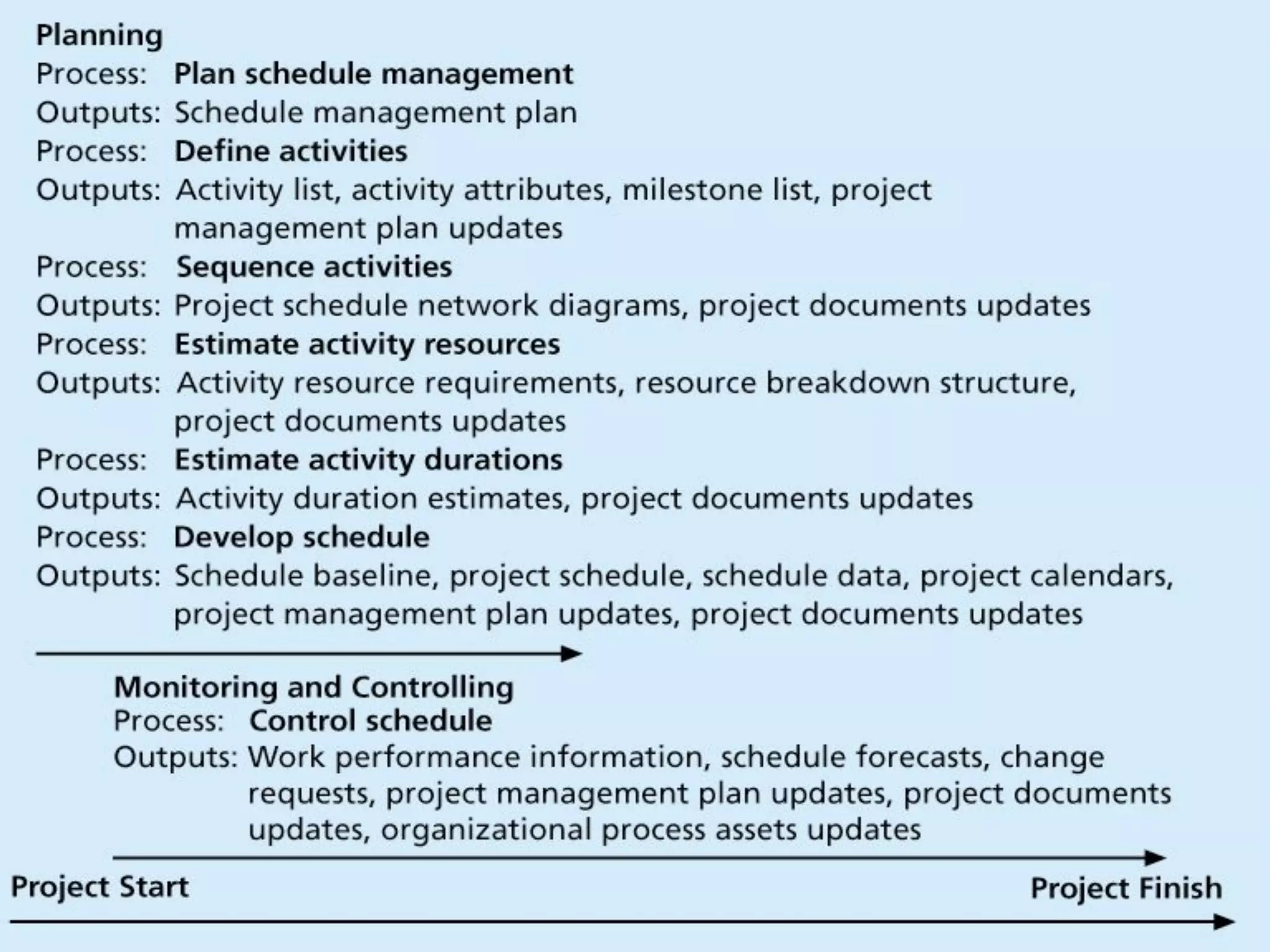
▪ Project time management, involves the processes required to ensure the
timely completion of a project
Individual Work Styles and Cultural Differences
Cause Schedule Conflicts
5
* 6
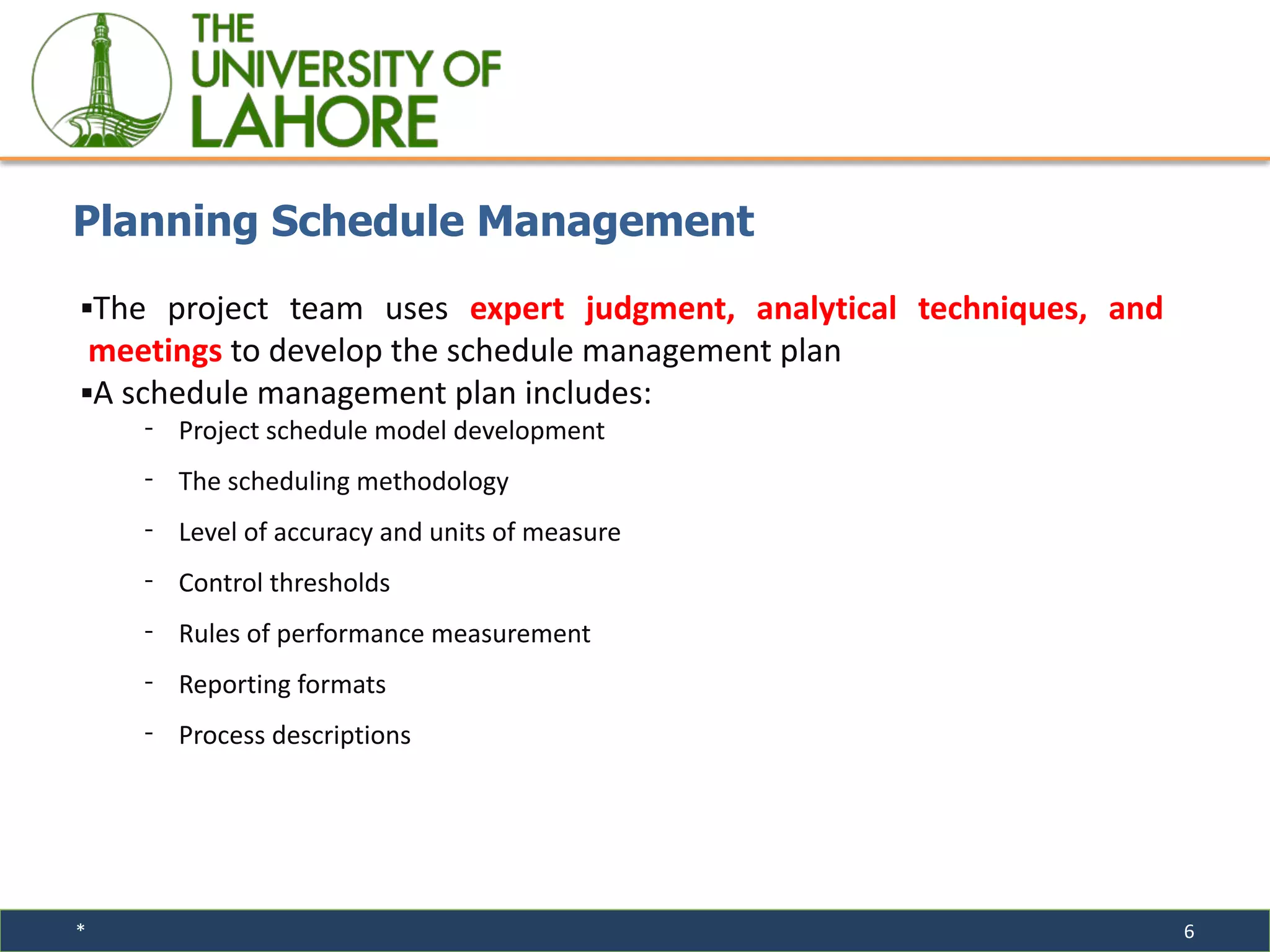
▪The project team uses expert judgment, analytical techniques, and
meetings to develop the schedule management plan
▪A schedule management plan includes:
⁃ Project schedule model development
⁃ The scheduling methodology
⁃ Level of accuracy and units of measure
⁃ Control thresholds
⁃ Rules of performance measurement
⁃ Reporting formats
⁃ Process descriptions
Planning Schedule Management
* 7
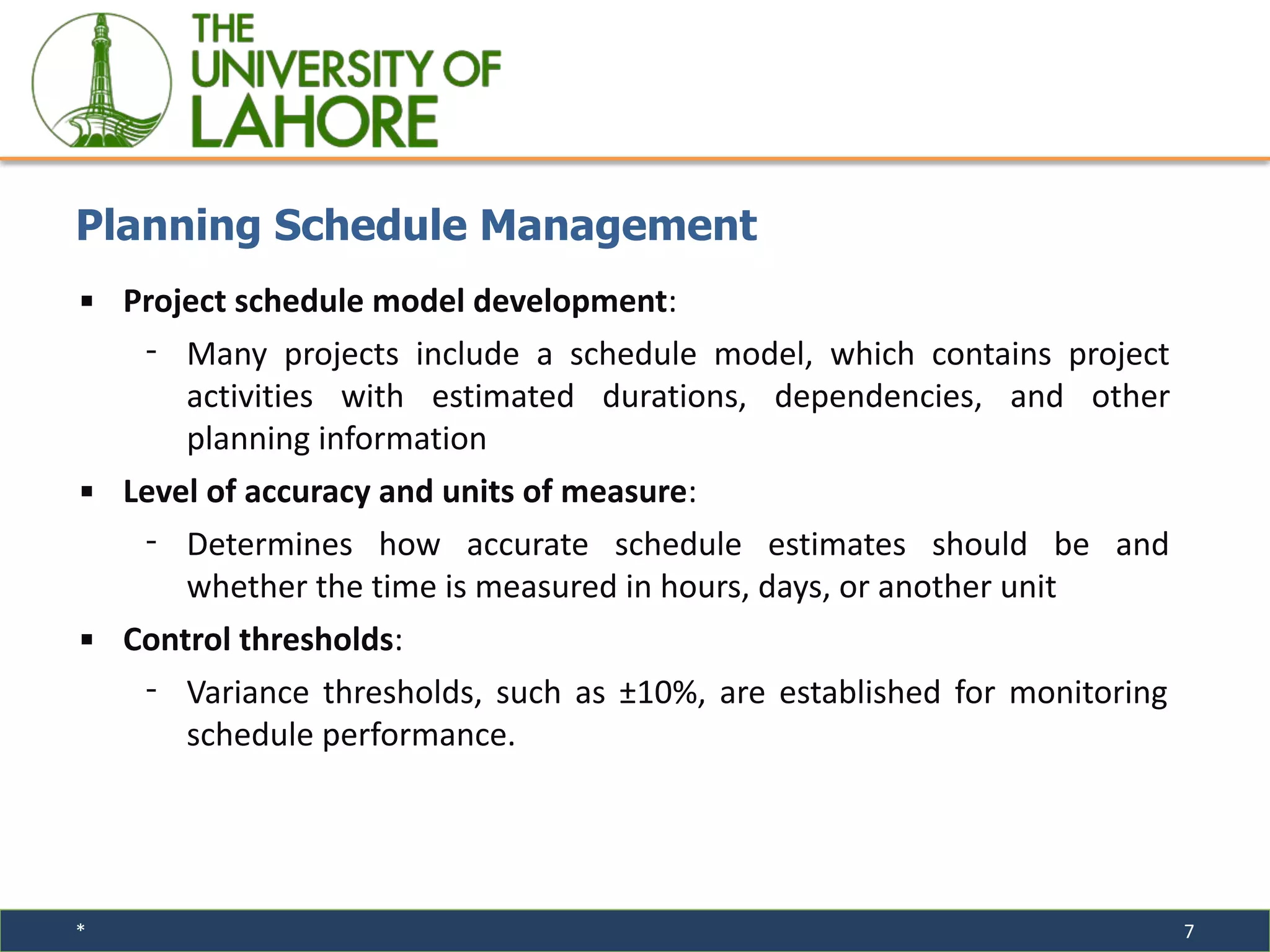
▪ Project schedule model development:
⁃ Many projects include a schedule model, which contains project
activities with estimated durations, dependencies, and other
planning information
▪ Level of accuracy and units of measure:
⁃ Determines how accurate schedule estimates should be and
whether the time is measured in hours, days, or another unit
▪ Control thresholds:
⁃ Variance thresholds, such as ±10%, are established for monitoring
schedule performance.
Planning Schedule Management
* 8
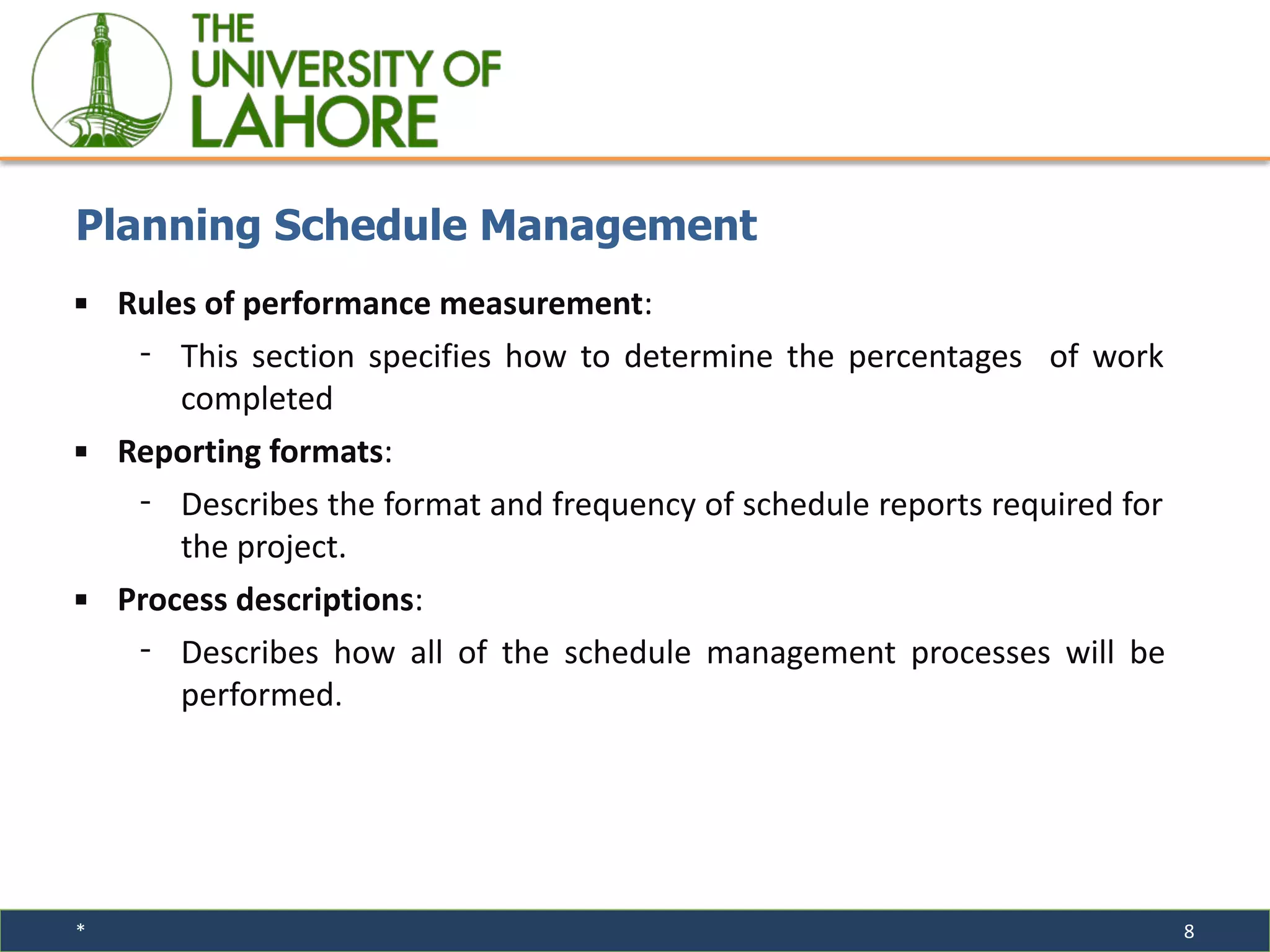
▪ Rules of performance measurement:
⁃ This section specifies how to determine the percentages of work
completed
▪ Reporting formats:
⁃ Describes the format and frequency of schedule reports required for
the project.
▪ Process descriptions:
⁃ Describes how all of the schedule management processes will be
performed.
Planning Schedule Management
* 9
▪ An activity or task is an element of work normally found on the WBS
that has an expected duration, cost, and resource requirements
▪ The project charter includes start and end dates and budget information
▪ The scope statement and WBS help define what will be done
▪ Activity definition involves developing a more detailed WBS and
supporting explanations to understand all the work to be done, so you
can develop realistic cost and duration estimates
Activity Definition
* 10
▪ An activity list is a tabulation of activities to be included on a project
schedule. The list should include:
⁃ The activity name
⁃ An activity identifier or number
⁃ A brief description of the activity
⁃ Activity attributes provide more information about each activity,
such as predecessors, successors, logical relationships, resource
requirements, constraints, imposed dates, and assumptions related
to the activity
Activity Lists and Attributes
* 11
▪ A milestone is a significant event that normally has no duration
▪ It often takes several activities and a lot of work to complete a milestone
▪ Milestones are useful tools for setting schedule goals and monitoring
progress
▪ Examples include completion and customer sign-off on key documents
and completion of specific products
Milestones
* 12
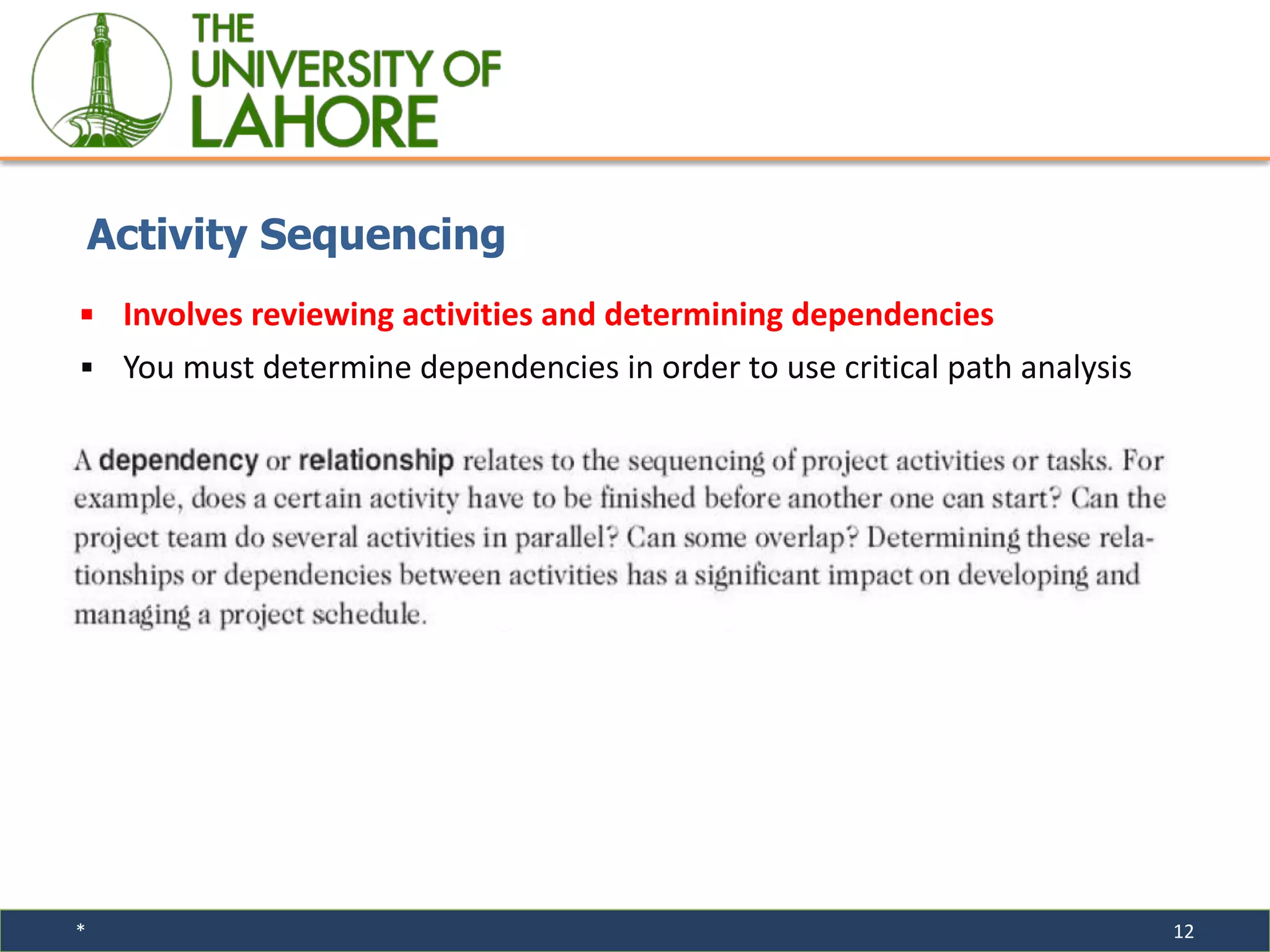
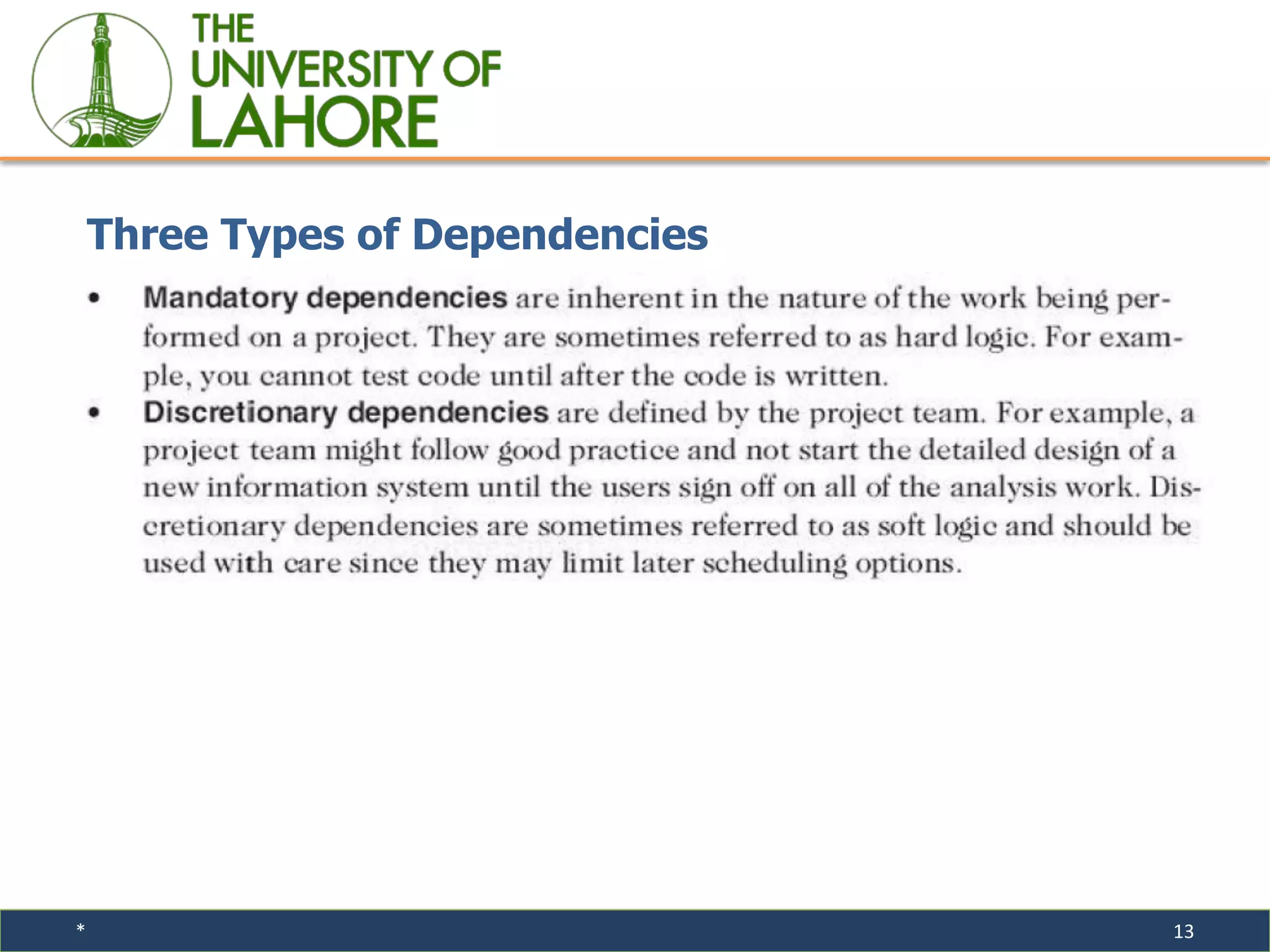
▪ Involves reviewing activities and determining dependencies
▪ You must determine dependencies in order to use critical path analysis
Activity Sequencing
* 13
Three Types of Dependencies
* 14
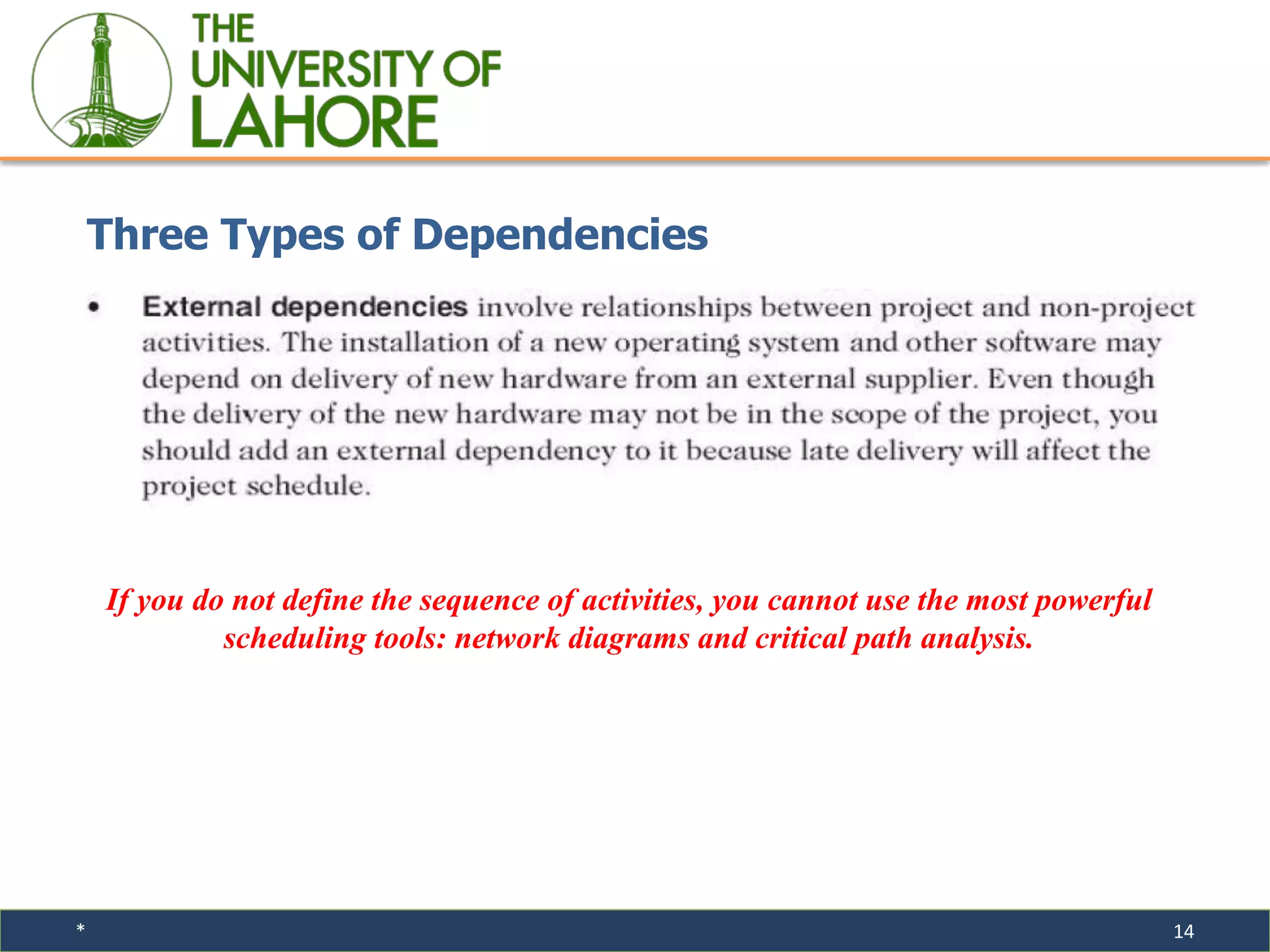
Three Types of Dependencies
If you do not define the sequence of activities, you cannot use the most powerful
scheduling tools: network diagrams and critical path analysis.
15
Information Technology Project Management, Fourth Edition
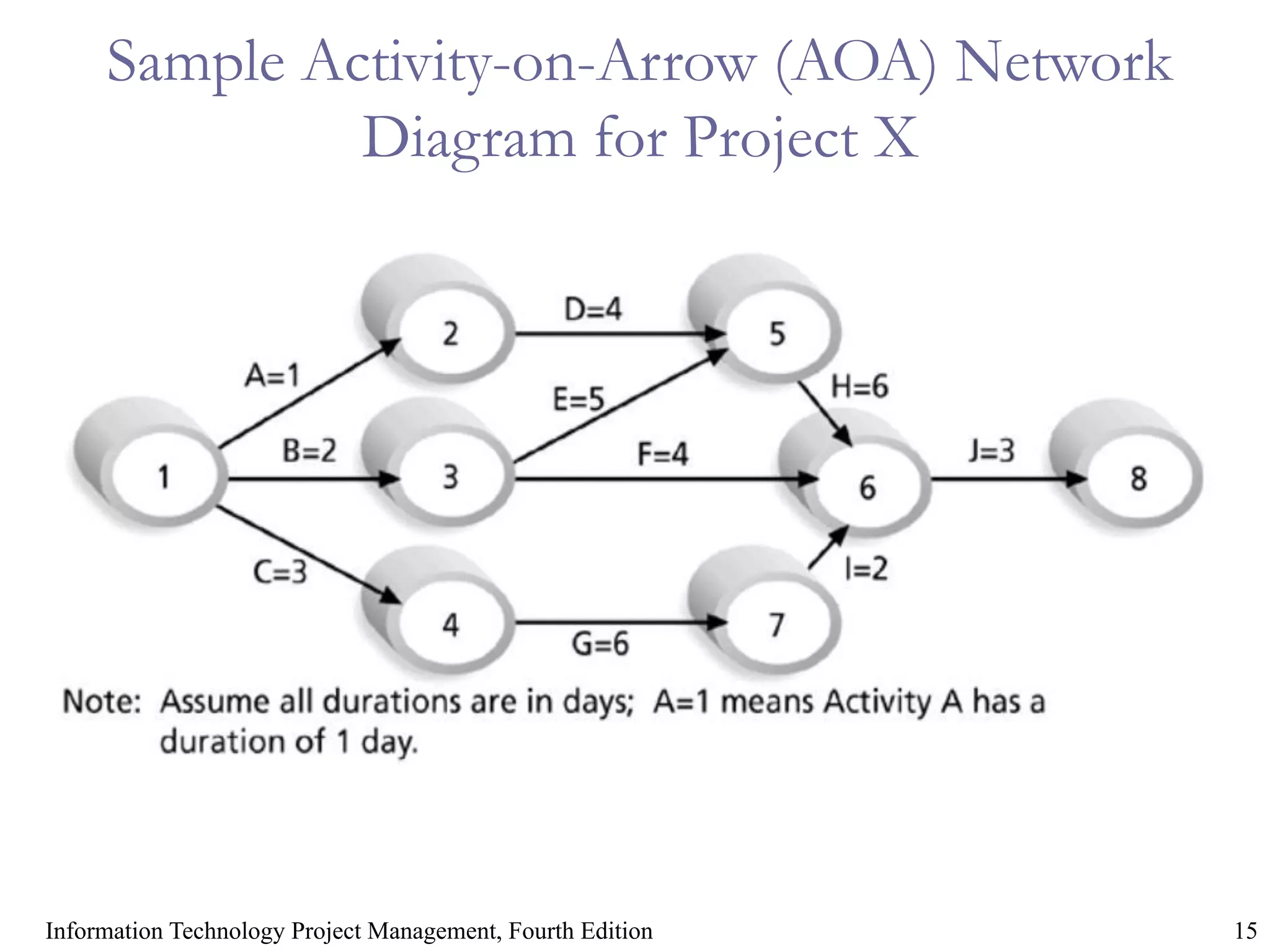
Sample Activity-on-Arrow (AOA) Network
Diagram for Project X
* 16
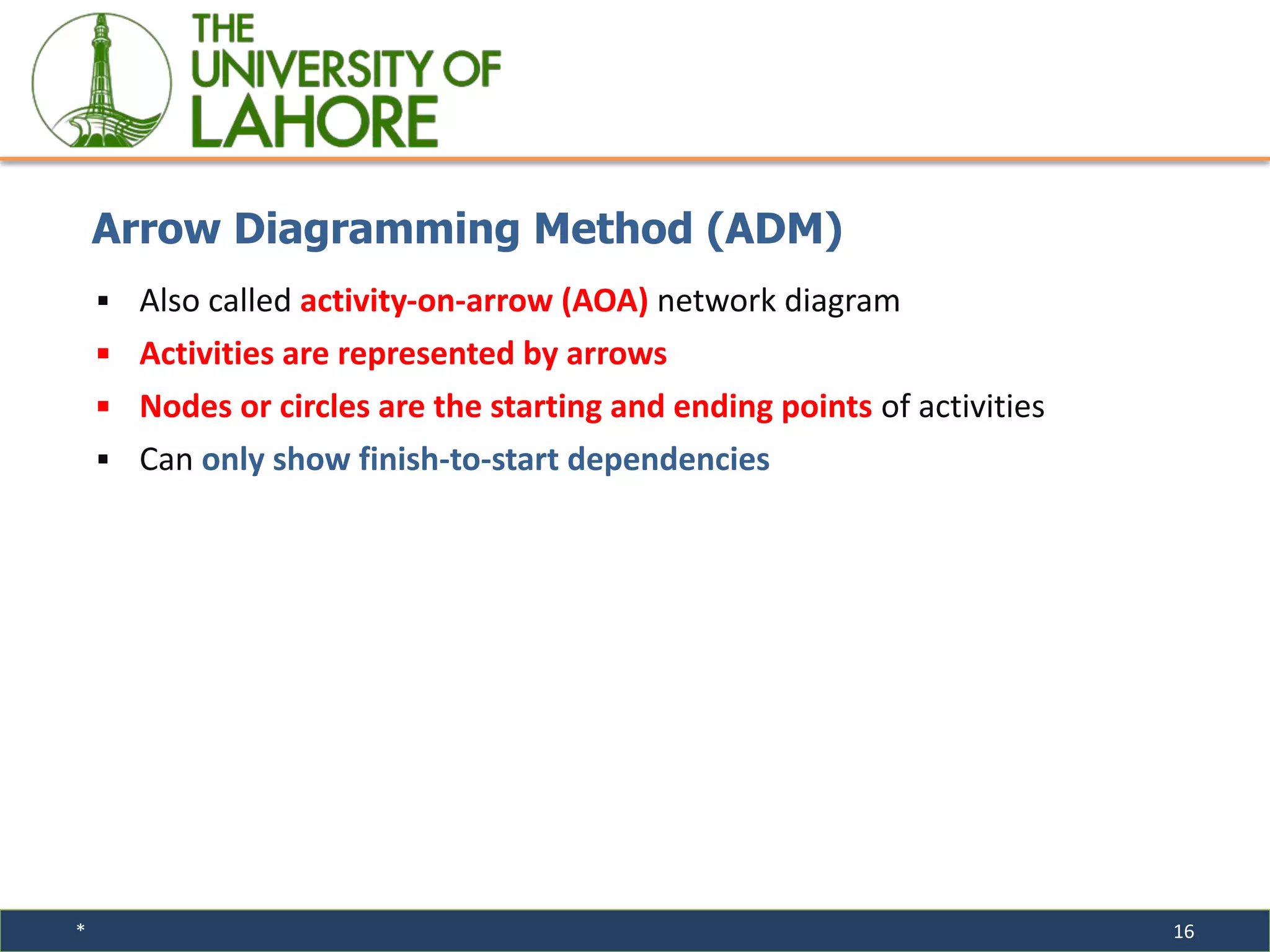
▪ Also called activity-on-arrow (AOA) network diagram
▪ Activities are represented by arrows
▪ Nodes or circles are the starting and ending points of activities
▪ Can only show finish-to-start dependencies
Arrow Diagramming Method (ADM)
* 17
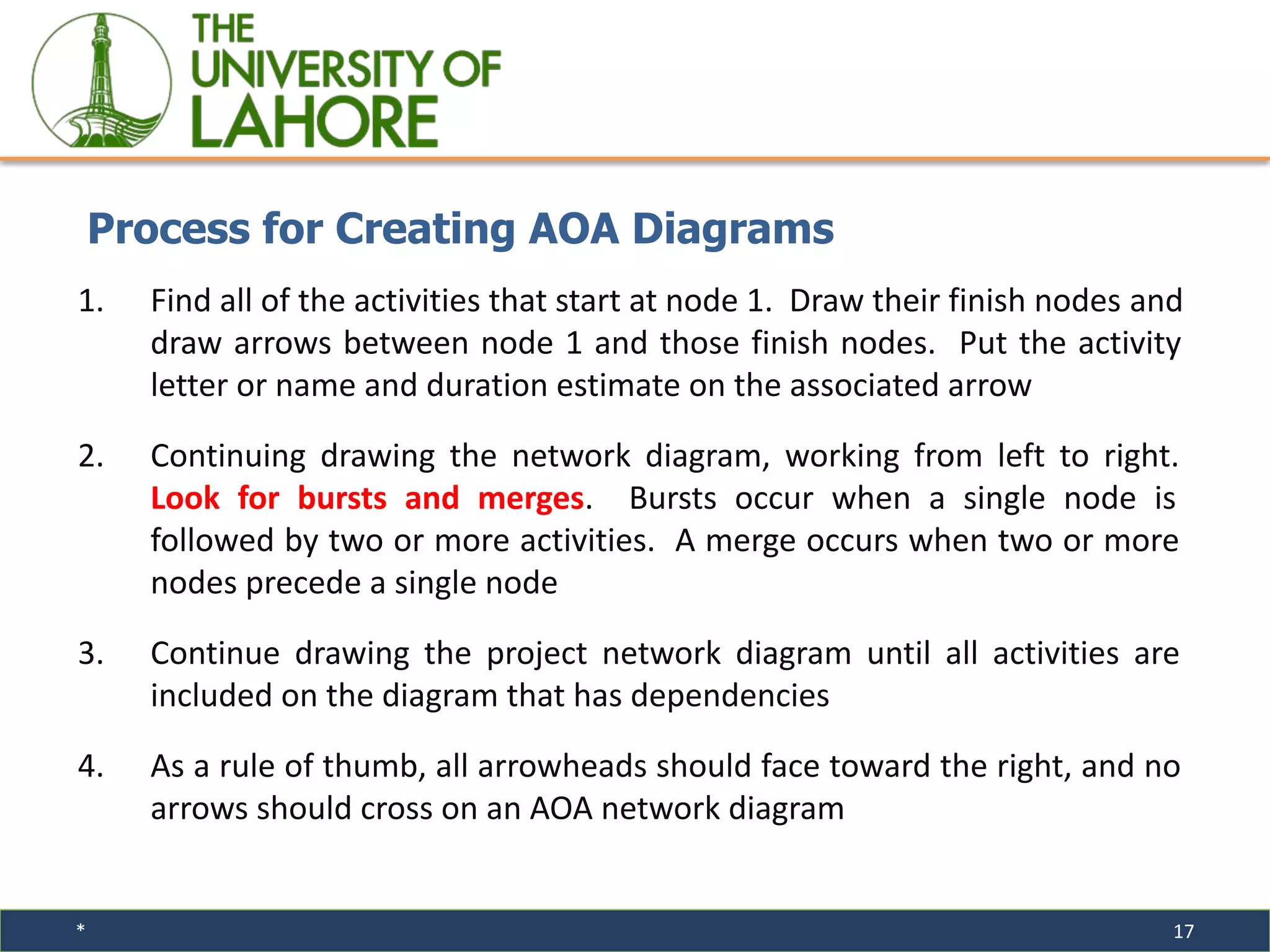
1. Find all of the activities that start at node 1. Draw their finish nodes and
draw arrows between node 1 and those finish nodes. Put the activity
letter or name and duration estimate on the associated arrow
2. Continuing drawing the network diagram, working from left to right.
Look for bursts and merges. Bursts occur when a single node is
followed by two or more activities. A merge occurs when two or more
nodes precede a single node
3. Continue drawing the project network diagram until all activities are
included on the diagram that has dependencies
4. As a rule of thumb, all arrowheads should face toward the right, and no
arrows should cross on an AOA network diagram
Process for Creating AOA Diagrams
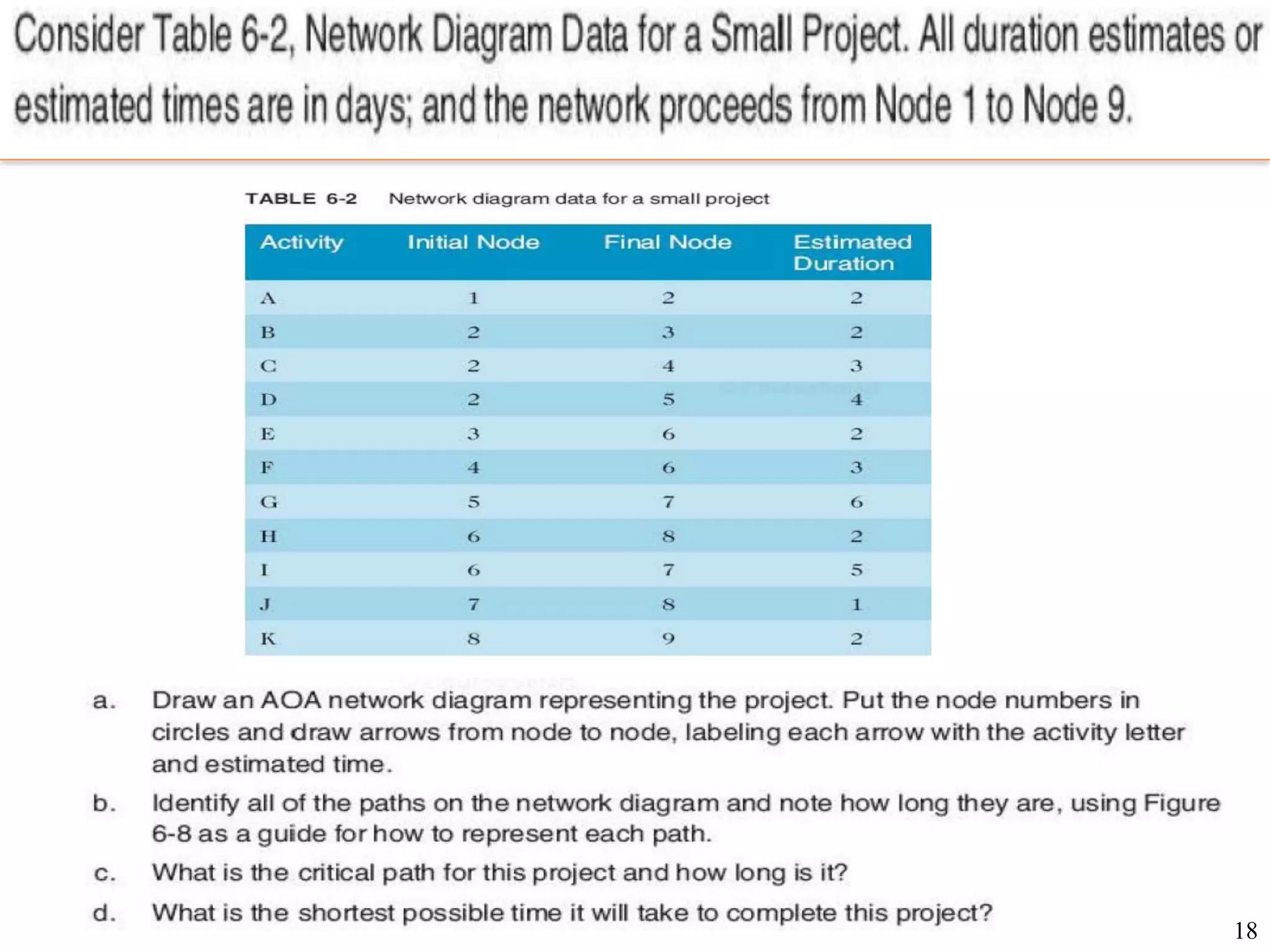
18
Assignment
19
Activity Resource Estimating
▪ Before estimating activity durations, you must have a good idea of the
quantity and type of resources that will be assigned to each activity
20
Activity Duration Estimating
▪ Duration includes the actual amount of time working on an activity plus
the elapsed time
▪ Effort is the number of workdays or work hours required to complete a
task
▪ Effort does not normally equal duration
▪ People doing the work should help create estimates, and an expert
should review them
21
Information Technology Project Management
Schedule Development
▪ Ultimate goal is to create a realistic project schedule that provides a
basis for monitoring project progress for the time dimension of the
project
▪ Important tools and techniques include Gantt charts, critical path
analysis, critical chain scheduling, and PERT analysis
22
Information Technology Project Management
Program Evaluation and Review Technique (PERT)
▪ PERT is a network analysis technique used to estimate project duration
when there is a high degree of uncertainty about the individual activity
duration estimates
▪ PERT uses probabilistic time estimates:
⁃ Duration estimates are based on three-point estimate
23
Information Technology Project Management,
Three-Point Estimates
▪ Instead of providing activity estimates as a discrete number, such as four
weeks, it’s often helpful to create a three-point estimate:
⁃ An estimate that includes an optimistic, most likely, and pessimistic
estimate, such as three weeks for the optimistic, four weeks for the
most likely, and five weeks for the pessimistic estimate
▪ Three-point estimates are needed for PERT estimates and Monte Carlo
simulations
24
Information Technology Project Management
PERT Formula and Example
▪ PERT weighted average = Optimistic time + 4X Most likely time + Pessimistic time
6
▪ Example:
Optimistic time= 8 days
Most likely time = 10 days
Pessimistic time = 24 days
25
Critical Path Method (CPM)
▪ A critical path for a project is the series of activities that determine the
earliest time by which the project can be completed
▪ CPM is a network diagramming technique used to predict the total project
duration
▪ The critical path is the longest path through the network diagram and has
the least amount of slack or float
▪ Slack or float is the amount of time an activity can be delayed without
delaying a succeeding activity or the project finish date
26
Critical Path Method (CPM)
▪ What does the critical path really mean?
⁃ Even though the critical path is the longest path, it represents the
shortest time required to complete a project
⁃ If one or more activities on the critical path take longer than planned,
the whole project schedule will slip unless the project manager takes
corrective action
27
Information Technology Project Management,
Using the Critical Path to Shorten a Project Schedule
▪ Three main techniques for shortening schedules:
⁃ Shortening the duration of critical activities or tasks by adding more resources
or changing their scope
⁃ Crashing activities by obtaining the greatest amount of schedule compression
for the least incremental cost
⁃ Fast tracking activities by doing them in parallel or overlapping them
28
Information Technology Project Management,
Schedule Control
▪ Perform reality checks on schedules
▪ Allow for contingencies
▪ Don’t plan for everyone to work at 100 percent capacity all the time
▪ Hold progress meetings with stakeholders and be clear and honest in
communicating schedule issues
29
Information Technology Project Management,
Working with People Issues
▪ Strong leadership helps projects succeed more than good PERT charts do
▪ Project managers should use:
⁃ Empowerment
⁃ Incentives
⁃ Discipline
⁃ Negotiation
30
Information Technology Project Management,
Using Software to Assist in Time Management
▪ Software for facilitating communication helps people exchange schedule-related
information
▪ Decision support models help analyze trade-offs that can be made
▪ Project management software can help in various time management areas

Lecture -19 & 20.ppt.pdf

  • 1.
    Project Time Management InformationTechnology Project Management,
  • 2.
    2 Information Technology ProjectManagement, Fourth Edition
  • 3.
    * 3 ▪ Managersoften cite delivering projects on time as one of their biggest challenges ▪ Time has the least amount of flexibility; it passes no matter what happens on a project ▪ Schedule issues are the main reason for conflicts on projects, especially during the second half of projects ▪ People often compare planned and actual project completion times without taking into account the approved changes in the project Importance of Project Schedules
  • 4.
    * 4 ▪ Onedimension of the Myers-Briggs Type Indicator focuses on people’s attitudes toward structure and deadline ▪ Some people prefer to follow schedules and meet deadlines while others do not ▪ Different cultures and even entire countries have different attitudes about schedules ▪ Project time management, involves the processes required to ensure the timely completion of a project Individual Work Styles and Cultural Differences Cause Schedule Conflicts
  • 5.
  • 6.
    * 6 ▪The projectteam uses expert judgment, analytical techniques, and meetings to develop the schedule management plan ▪A schedule management plan includes: ⁃ Project schedule model development ⁃ The scheduling methodology ⁃ Level of accuracy and units of measure ⁃ Control thresholds ⁃ Rules of performance measurement ⁃ Reporting formats ⁃ Process descriptions Planning Schedule Management
  • 7.
    * 7 ▪ Projectschedule model development: ⁃ Many projects include a schedule model, which contains project activities with estimated durations, dependencies, and other planning information ▪ Level of accuracy and units of measure: ⁃ Determines how accurate schedule estimates should be and whether the time is measured in hours, days, or another unit ▪ Control thresholds: ⁃ Variance thresholds, such as ±10%, are established for monitoring schedule performance. Planning Schedule Management
  • 8.
    * 8 ▪ Rulesof performance measurement: ⁃ This section specifies how to determine the percentages of work completed ▪ Reporting formats: ⁃ Describes the format and frequency of schedule reports required for the project. ▪ Process descriptions: ⁃ Describes how all of the schedule management processes will be performed. Planning Schedule Management
  • 9.
    * 9 ▪ Anactivity or task is an element of work normally found on the WBS that has an expected duration, cost, and resource requirements ▪ The project charter includes start and end dates and budget information ▪ The scope statement and WBS help define what will be done ▪ Activity definition involves developing a more detailed WBS and supporting explanations to understand all the work to be done, so you can develop realistic cost and duration estimates Activity Definition
  • 10.
    * 10 ▪ Anactivity list is a tabulation of activities to be included on a project schedule. The list should include: ⁃ The activity name ⁃ An activity identifier or number ⁃ A brief description of the activity ⁃ Activity attributes provide more information about each activity, such as predecessors, successors, logical relationships, resource requirements, constraints, imposed dates, and assumptions related to the activity Activity Lists and Attributes
  • 11.
    * 11 ▪ Amilestone is a significant event that normally has no duration ▪ It often takes several activities and a lot of work to complete a milestone ▪ Milestones are useful tools for setting schedule goals and monitoring progress ▪ Examples include completion and customer sign-off on key documents and completion of specific products Milestones
  • 12.
    * 12 ▪ Involvesreviewing activities and determining dependencies ▪ You must determine dependencies in order to use critical path analysis Activity Sequencing
  • 13.
    * 13 Three Typesof Dependencies
  • 14.
    * 14 Three Typesof Dependencies If you do not define the sequence of activities, you cannot use the most powerful scheduling tools: network diagrams and critical path analysis.
  • 15.
    15 Information Technology ProjectManagement, Fourth Edition Sample Activity-on-Arrow (AOA) Network Diagram for Project X
  • 16.
    * 16 ▪ Alsocalled activity-on-arrow (AOA) network diagram ▪ Activities are represented by arrows ▪ Nodes or circles are the starting and ending points of activities ▪ Can only show finish-to-start dependencies Arrow Diagramming Method (ADM)
  • 17.
    * 17 1. Findall of the activities that start at node 1. Draw their finish nodes and draw arrows between node 1 and those finish nodes. Put the activity letter or name and duration estimate on the associated arrow 2. Continuing drawing the network diagram, working from left to right. Look for bursts and merges. Bursts occur when a single node is followed by two or more activities. A merge occurs when two or more nodes precede a single node 3. Continue drawing the project network diagram until all activities are included on the diagram that has dependencies 4. As a rule of thumb, all arrowheads should face toward the right, and no arrows should cross on an AOA network diagram Process for Creating AOA Diagrams
  • 18.
  • 19.
    19 Activity Resource Estimating ▪Before estimating activity durations, you must have a good idea of the quantity and type of resources that will be assigned to each activity
  • 20.
    20 Activity Duration Estimating ▪Duration includes the actual amount of time working on an activity plus the elapsed time ▪ Effort is the number of workdays or work hours required to complete a task ▪ Effort does not normally equal duration ▪ People doing the work should help create estimates, and an expert should review them
  • 21.
    21 Information Technology ProjectManagement Schedule Development ▪ Ultimate goal is to create a realistic project schedule that provides a basis for monitoring project progress for the time dimension of the project ▪ Important tools and techniques include Gantt charts, critical path analysis, critical chain scheduling, and PERT analysis
  • 22.
    22 Information Technology ProjectManagement Program Evaluation and Review Technique (PERT) ▪ PERT is a network analysis technique used to estimate project duration when there is a high degree of uncertainty about the individual activity duration estimates ▪ PERT uses probabilistic time estimates: ⁃ Duration estimates are based on three-point estimate
  • 23.
    23 Information Technology ProjectManagement, Three-Point Estimates ▪ Instead of providing activity estimates as a discrete number, such as four weeks, it’s often helpful to create a three-point estimate: ⁃ An estimate that includes an optimistic, most likely, and pessimistic estimate, such as three weeks for the optimistic, four weeks for the most likely, and five weeks for the pessimistic estimate ▪ Three-point estimates are needed for PERT estimates and Monte Carlo simulations
  • 24.
    24 Information Technology ProjectManagement PERT Formula and Example ▪ PERT weighted average = Optimistic time + 4X Most likely time + Pessimistic time 6 ▪ Example: Optimistic time= 8 days Most likely time = 10 days Pessimistic time = 24 days
  • 25.
    25 Critical Path Method(CPM) ▪ A critical path for a project is the series of activities that determine the earliest time by which the project can be completed ▪ CPM is a network diagramming technique used to predict the total project duration ▪ The critical path is the longest path through the network diagram and has the least amount of slack or float ▪ Slack or float is the amount of time an activity can be delayed without delaying a succeeding activity or the project finish date
  • 26.
    26 Critical Path Method(CPM) ▪ What does the critical path really mean? ⁃ Even though the critical path is the longest path, it represents the shortest time required to complete a project ⁃ If one or more activities on the critical path take longer than planned, the whole project schedule will slip unless the project manager takes corrective action
  • 27.
    27 Information Technology ProjectManagement, Using the Critical Path to Shorten a Project Schedule ▪ Three main techniques for shortening schedules: ⁃ Shortening the duration of critical activities or tasks by adding more resources or changing their scope ⁃ Crashing activities by obtaining the greatest amount of schedule compression for the least incremental cost ⁃ Fast tracking activities by doing them in parallel or overlapping them
  • 28.
    28 Information Technology ProjectManagement, Schedule Control ▪ Perform reality checks on schedules ▪ Allow for contingencies ▪ Don’t plan for everyone to work at 100 percent capacity all the time ▪ Hold progress meetings with stakeholders and be clear and honest in communicating schedule issues
  • 29.
    29 Information Technology ProjectManagement, Working with People Issues ▪ Strong leadership helps projects succeed more than good PERT charts do ▪ Project managers should use: ⁃ Empowerment ⁃ Incentives ⁃ Discipline ⁃ Negotiation
  • 30.
    30 Information Technology ProjectManagement, Using Software to Assist in Time Management ▪ Software for facilitating communication helps people exchange schedule-related information ▪ Decision support models help analyze trade-offs that can be made ▪ Project management software can help in various time management areas