Linked List
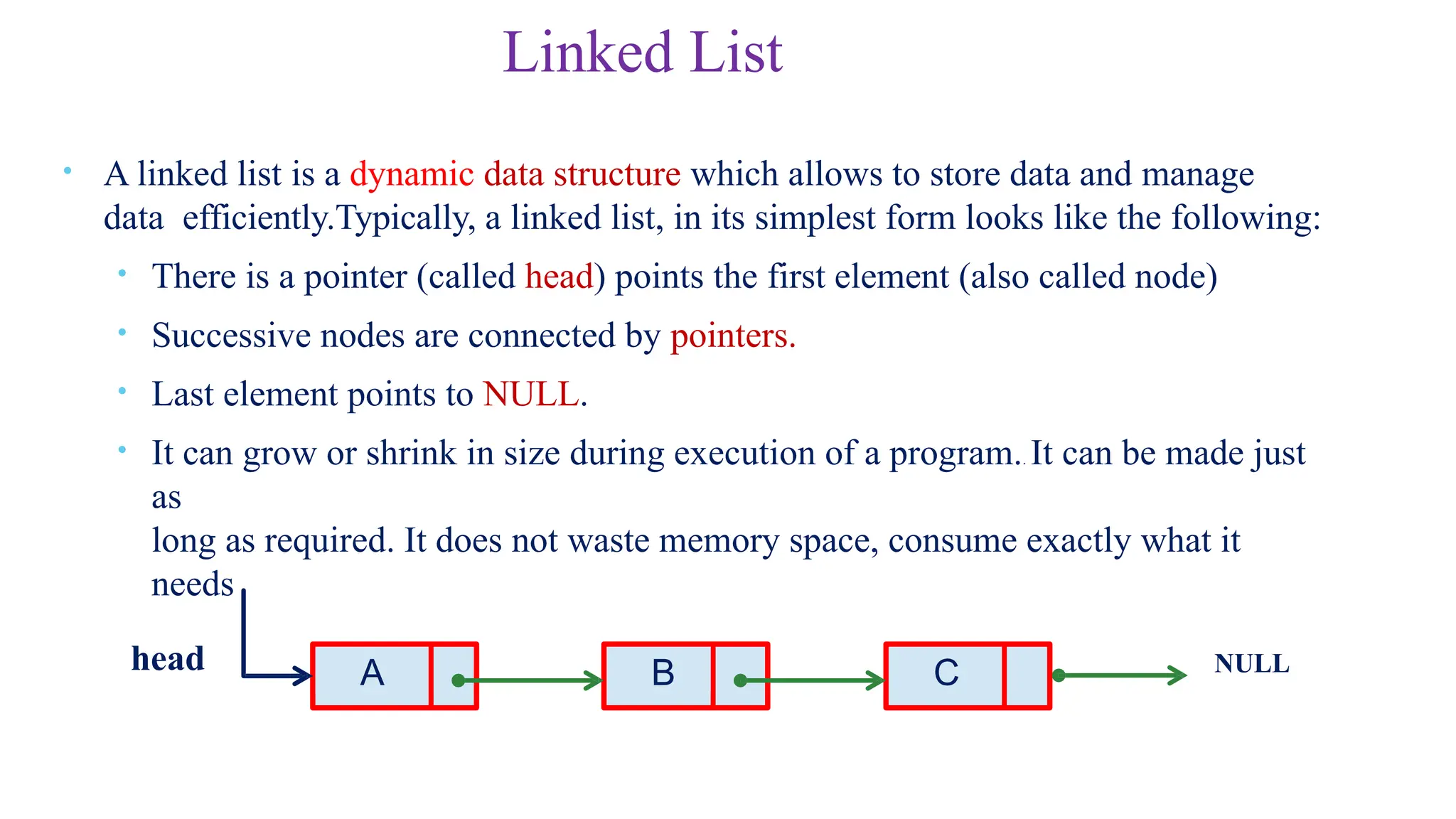
• Alinked list is a dynamic data structure which allows to store data and manage
data efficiently.Typically, a linked list, in its simplest form looks like the following:
• There is a pointer (called head) points the first element (also called node)
• Successive nodes are connected by pointers.
• Last element points to NULL.
• It can grow or shrink in size during execution of a program.. It can be made just
as
long as required. It does not waste memory space, consume exactly what it
needs
A B C NULL
head
3.
1 0
1 5
20
2 2
2 5
3 0
3 5
4 0
4 5
5 0
a r r a y N a m e
0
1
2
3
4
5
6
8
9
Array versus Linked Lists
• In arrays
• Arrays are static data structure
• Arrays are suitable for
Inserting/deleting an element at the end.
Randomly accessing any element(easy access to
any element a[i] in constant time ).
Searching the list for a particular
value.
int main()
{
int array[100];
…
}
But what if you
don’t know how
many items you’ll
have ahead of
time?
Then you have to
reserve enough slots
for the largest
possible case.
And what if you
need to insert
a new item in
the middle of an array? 7
We have to move every
item below the insertion
spot down by one!
4.
• In Linkedlists
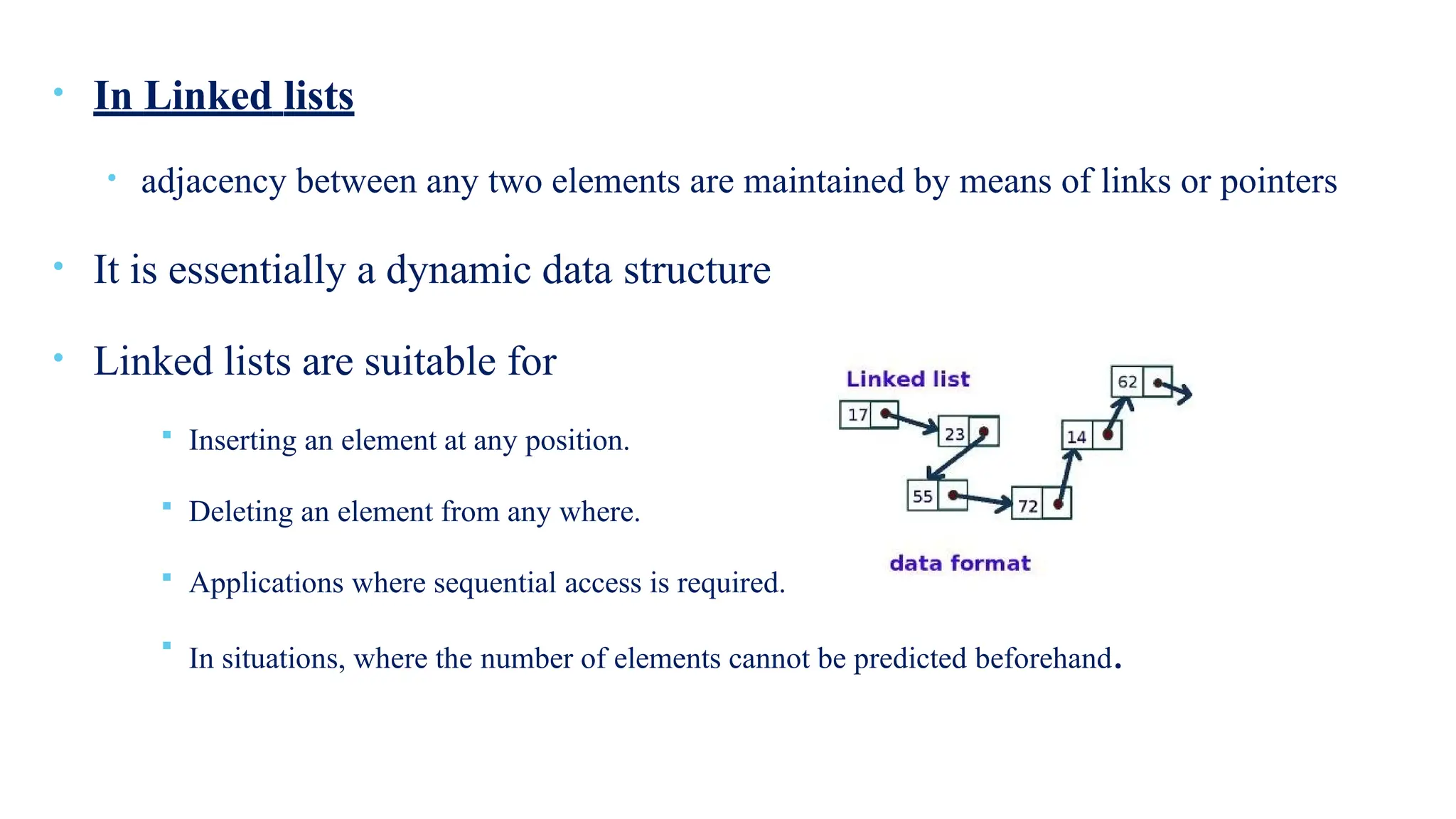
• adjacency between any two elements are maintained by means of links or pointers
• It is essentially a dynamic data structure
• Linked lists are suitable for
Inserting an element at any position.
Deleting an element from any where.
Applications where sequential access is required.
In situations, where the number of elements cannot be predicted beforehand.
5.
Linked Lists Aren’tPerfect!
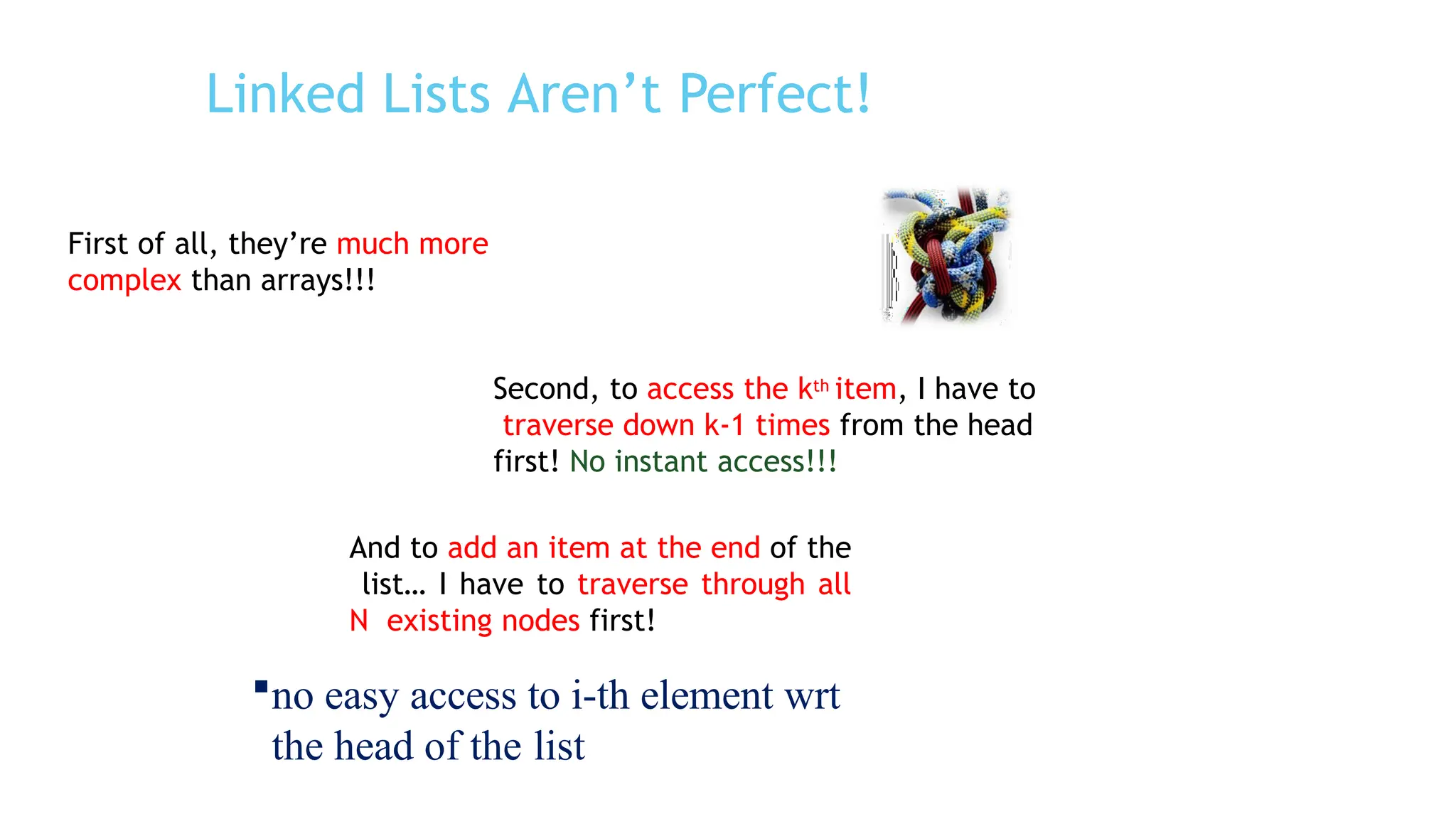
First of all, they’re much more
complex than arrays!!!
Second, to access the kth item, I have to
traverse down k-1 times from the head
first! No instant access!!!
And to add an item at the end of the
list… I have to traverse through all
N existing nodes first!
no easy access to i-th element wrt
the head of the list
6.
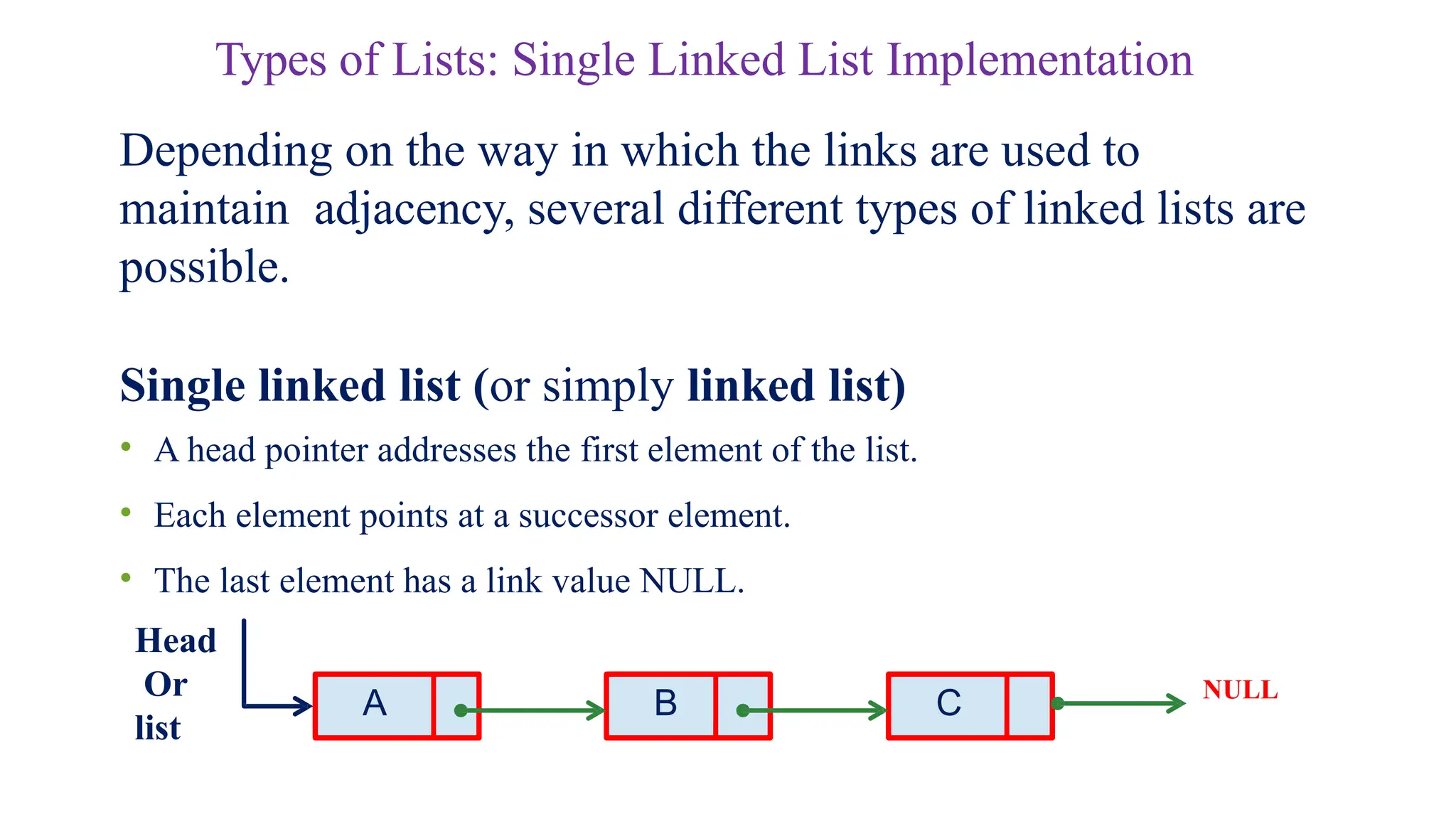
Types of Lists:Single Linked List Implementation
Depending on the way in which the links are used to
maintain adjacency, several different types of linked lists are
possible.
Single linked list (or simply linked list)
• A head pointer addresses the first element of the list.
• Each element points at a successor element.
• The last element has a link value NULL.
A B C NULL
Head
Or
list
7.
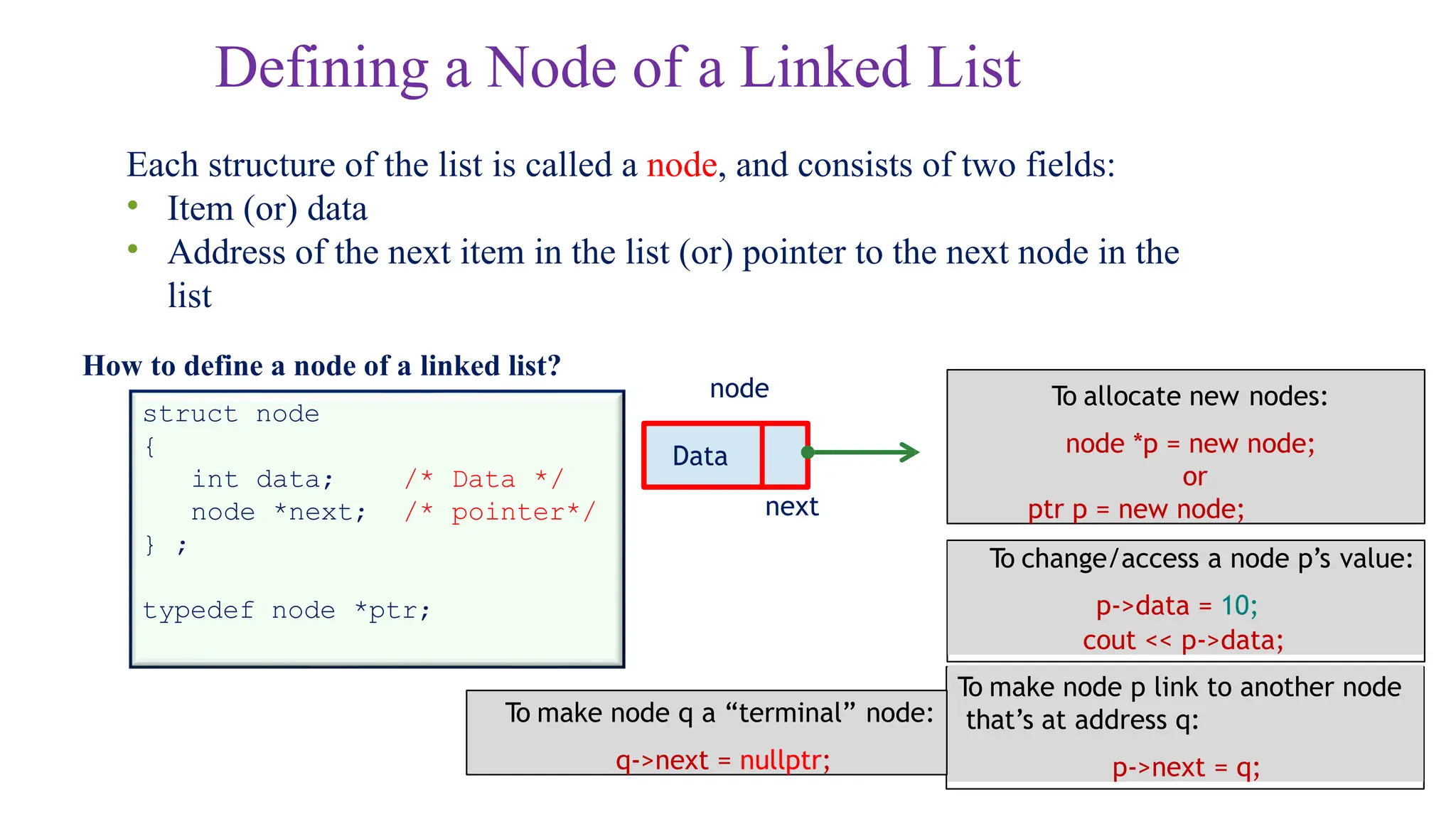
Defining a Nodeof a Linked List
Each structure of the list is called a node, and consists of two fields:
• Item (or) data
• Address of the next item in the list (or) pointer to the next node in the
list
How to define a node of a linked list?
/* Data */
/* pointer*/
struct node
{
int data;
node *next;
} ;
typedef node *ptr;
Data
next
node To allocate new nodes:
node *p = new node;
or
ptr p = new node;
To make node p link to another node
that’s at address q:
p->next = q;
To change/access a node p’s value:
p->data = 10;
cout << p->data;
To make node q a “terminal” node:
q->next = nullptr;
8.
Example 1: Illustration
Thestructure:
struct node
{
char name[30];
int age;
node *next;
};
Also assume the list with three
nodes n1, n2 and n3 for 3
students.
name
Ptr n1 = new node;
Ptr n2 = new
node; Ptr n3 =
new node;
To create the links between nodes:
Ptr head= n1;
n1->next = n2 ;
n2->next = n3 ;
n3->next = NULL ;
• Now the list looks like:
age
next
n1 n2 n3
NULL
head
9.
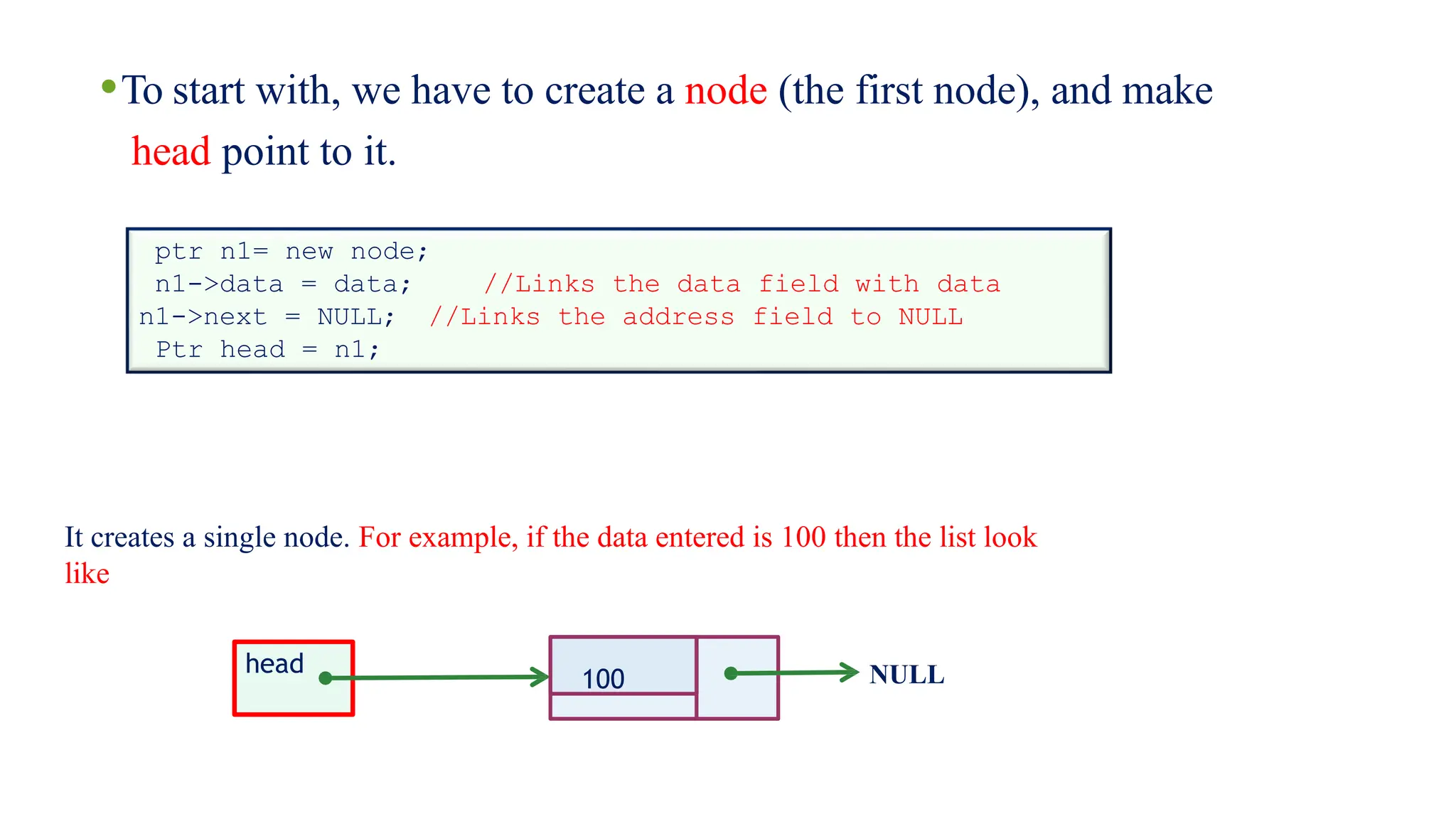
•To start with,we have to create a node (the first node), and make
head point to it.
ptr n1= new node;
n1->data = data; //Links the data field with data
//Links the address field to NULL
n1->next = NULL;
Ptr head = n1;
100 NULL
It creates a single node. For example, if the data entered is 100 then the list look
like
head
10.
100 NULL
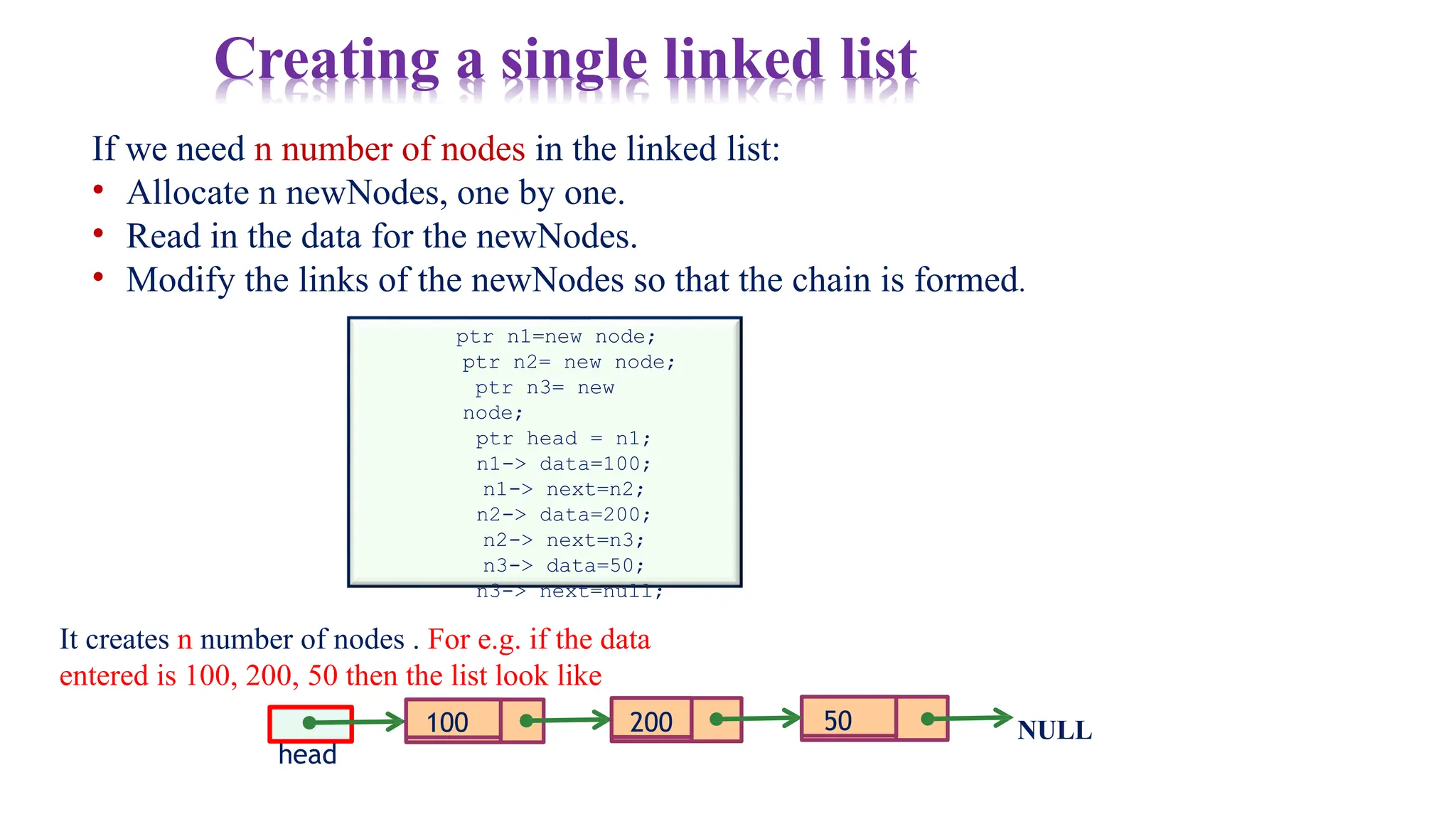
If weneed n number of nodes in the linked list:
• Allocate n newNodes, one by one.
• Read in the data for the newNodes.
• Modify the links of the newNodes so that the chain is formed.
ptr n1=new node;
ptr n2= new node;
ptr n3= new
node;
ptr head = n1;
n1-> data=100;
n1-> next=n2;
n2-> data=200;
n2-> next=n3;
n3-> data=50;
n3-> next=null;
It creates n number of nodes . For e.g. if the data
entered is 100, 200, 50 then the list look like
head
200 50
Creating a single linked list
11.
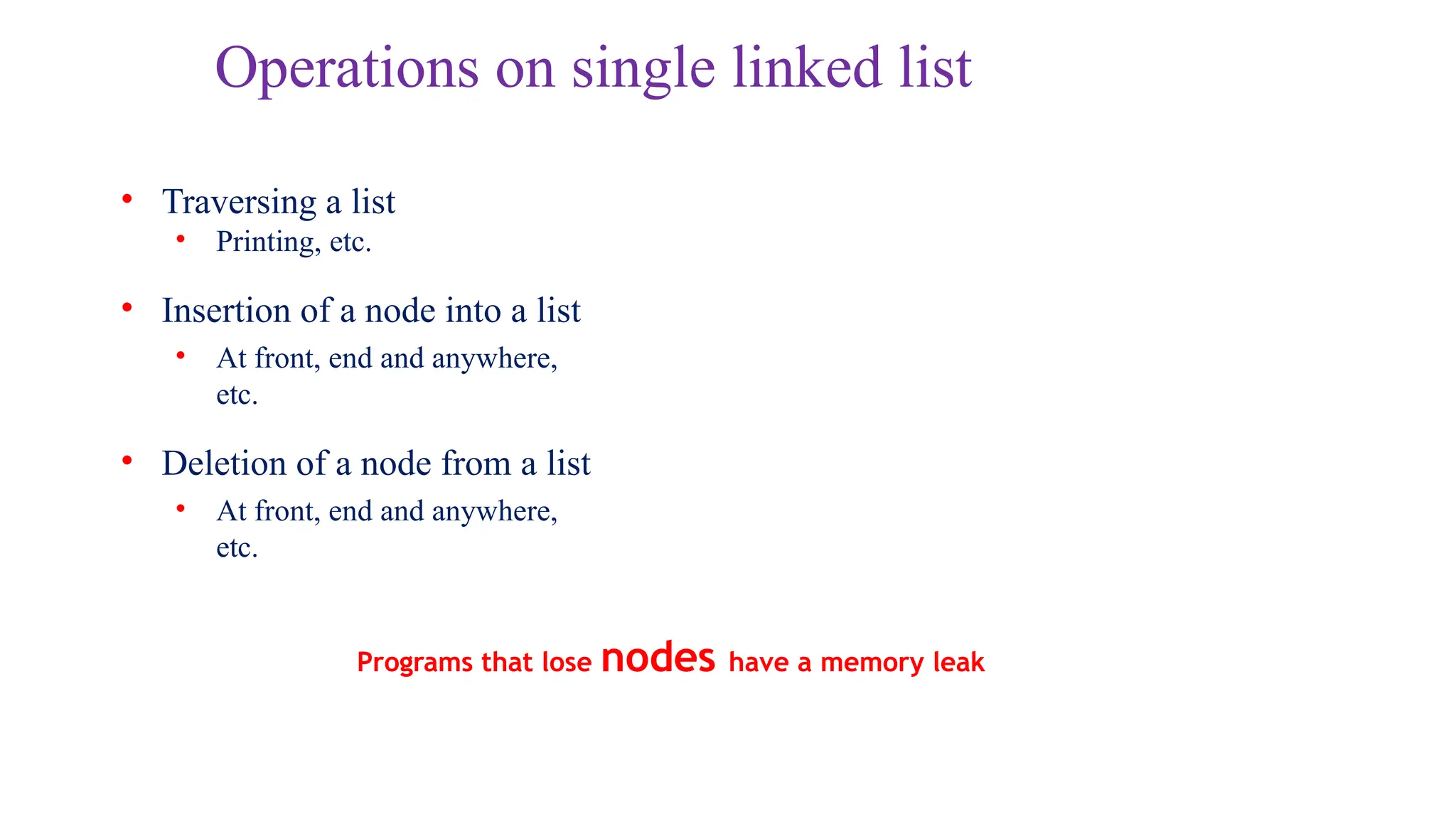
Operations on singlelinked list
• Traversing a list
• Printing, etc.
• Insertion of a node into a list
• At front, end and anywhere,
etc.
• Deletion of a node from a list
• At front, end and anywhere,
etc.
Programs that lose nodes have a memory leak
12.
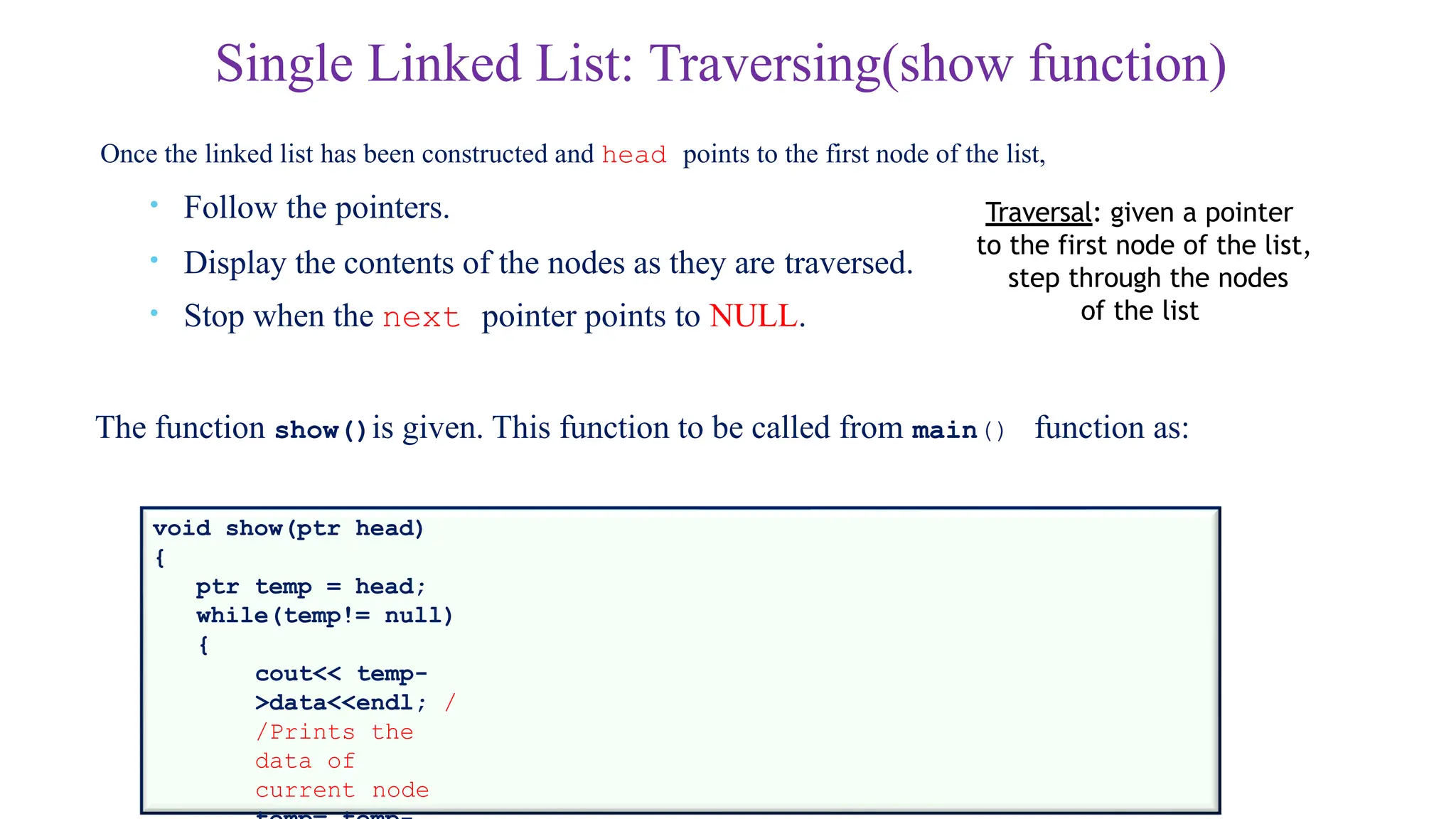
Single Linked List:Traversing(show function)
Once the linked list has been constructed and head points to the first node of the list,
• Follow the pointers.
• Display the contents of the nodes as they are traversed.
• Stop when the next pointer points to NULL.
The function show()is given. This function to be called from main() function as:
void show(ptr head)
{
ptr temp = head;
while(temp!= null)
{
cout<< temp-
>data<<endl; /
/Prints the
data of
current node
Traversal: given a pointer
to the first node of the list,
step through the nodes
of the list
13.
Single Linked List:Insertion
Insertion steps:
•Create a new node
•Manage links to
• Insert at front
• Insert at end
• Insert at any position
14.
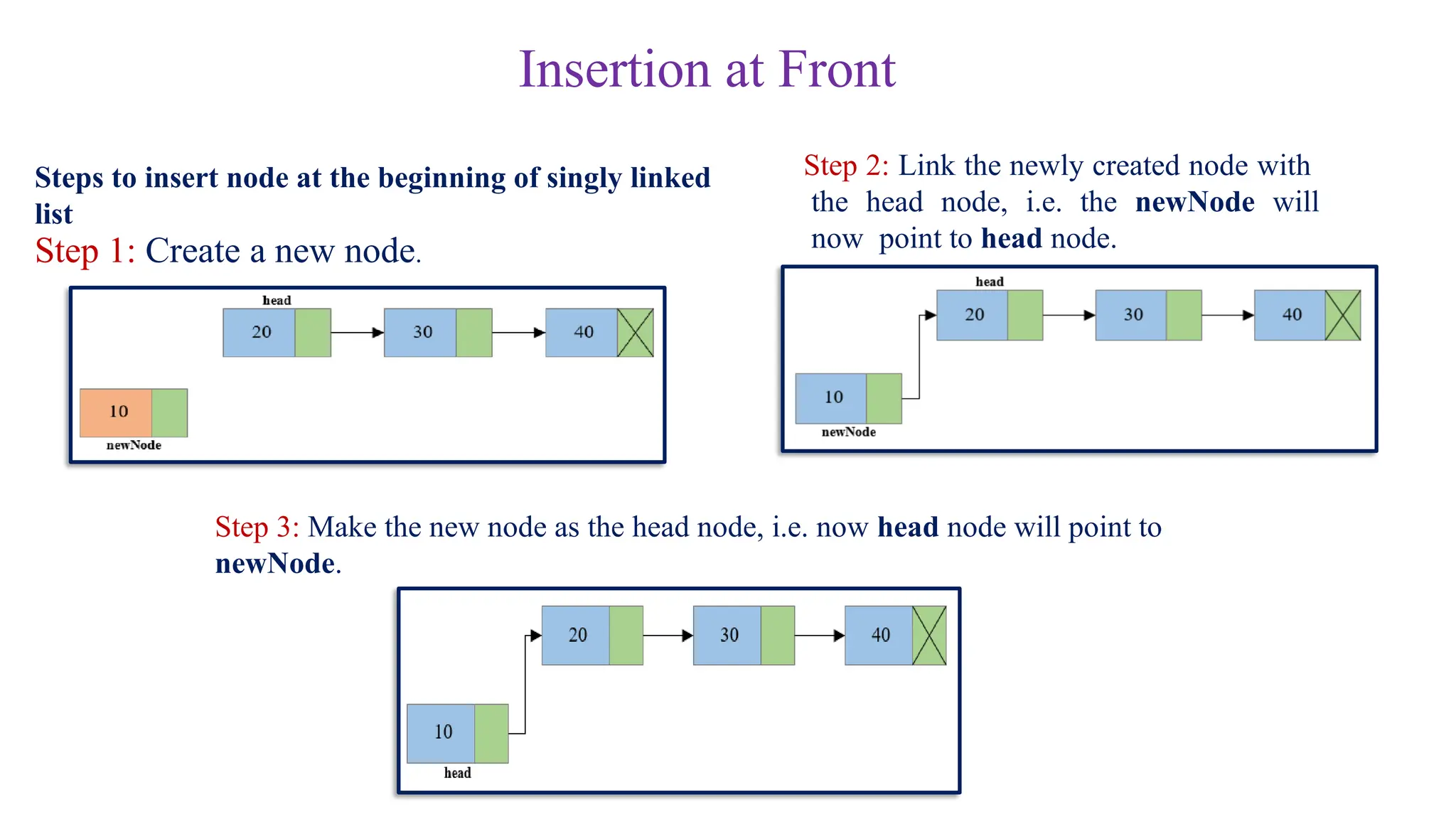
Insertion at Front
Stepsto insert node at the beginning of singly linked
list
Step 1: Create a new node.
Step 2: Link the newly created node with
the head node, i.e. the newNode will
now point to head node.
Step 3: Make the new node as the head node, i.e. now head node will point to
newNode.
15.
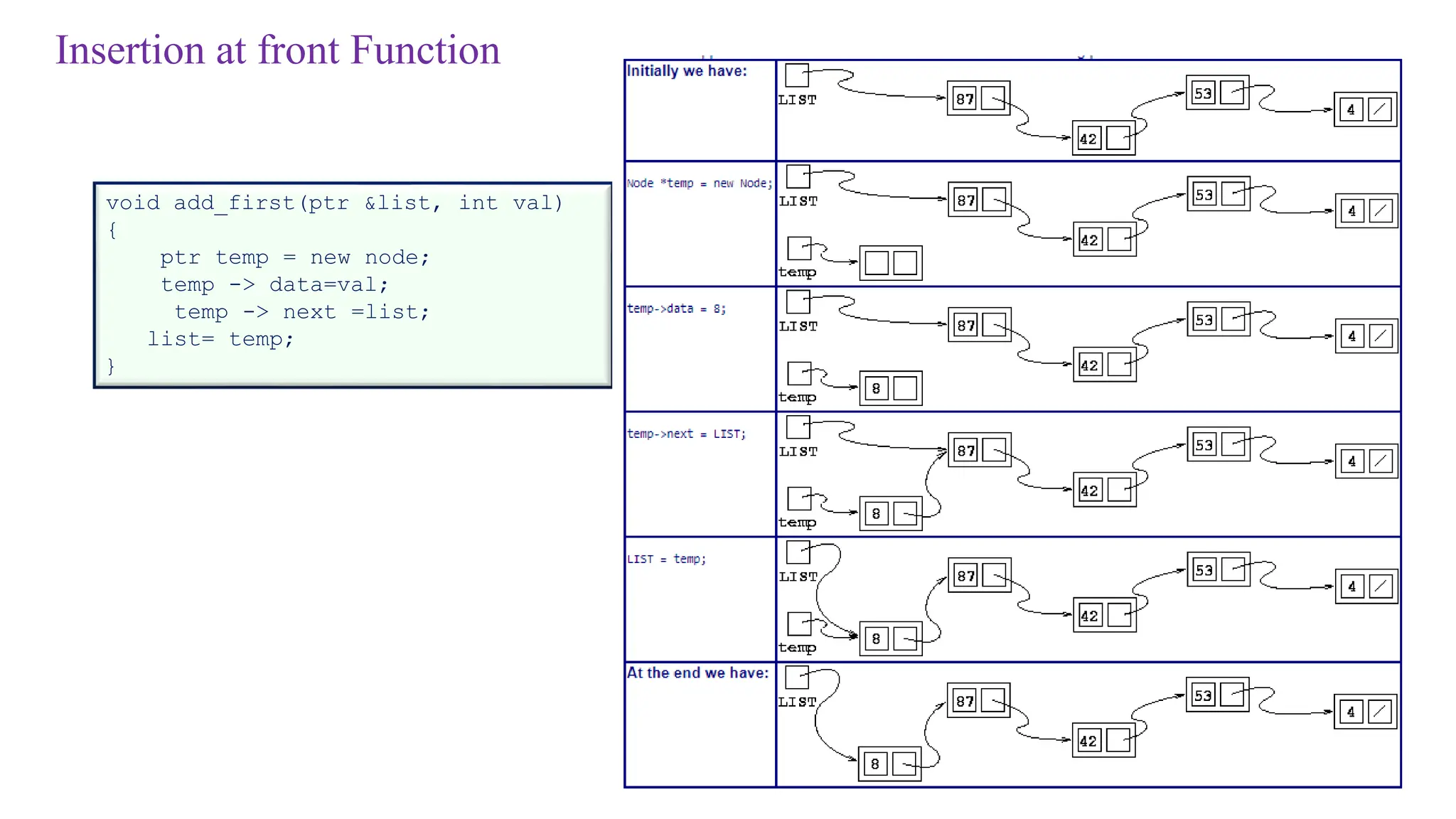
Insertion at frontFunction
void add_first(ptr &list, int val)
{
ptr temp = new node;
temp -> data=val;
temp -> next =list;
list= temp;
}
16.
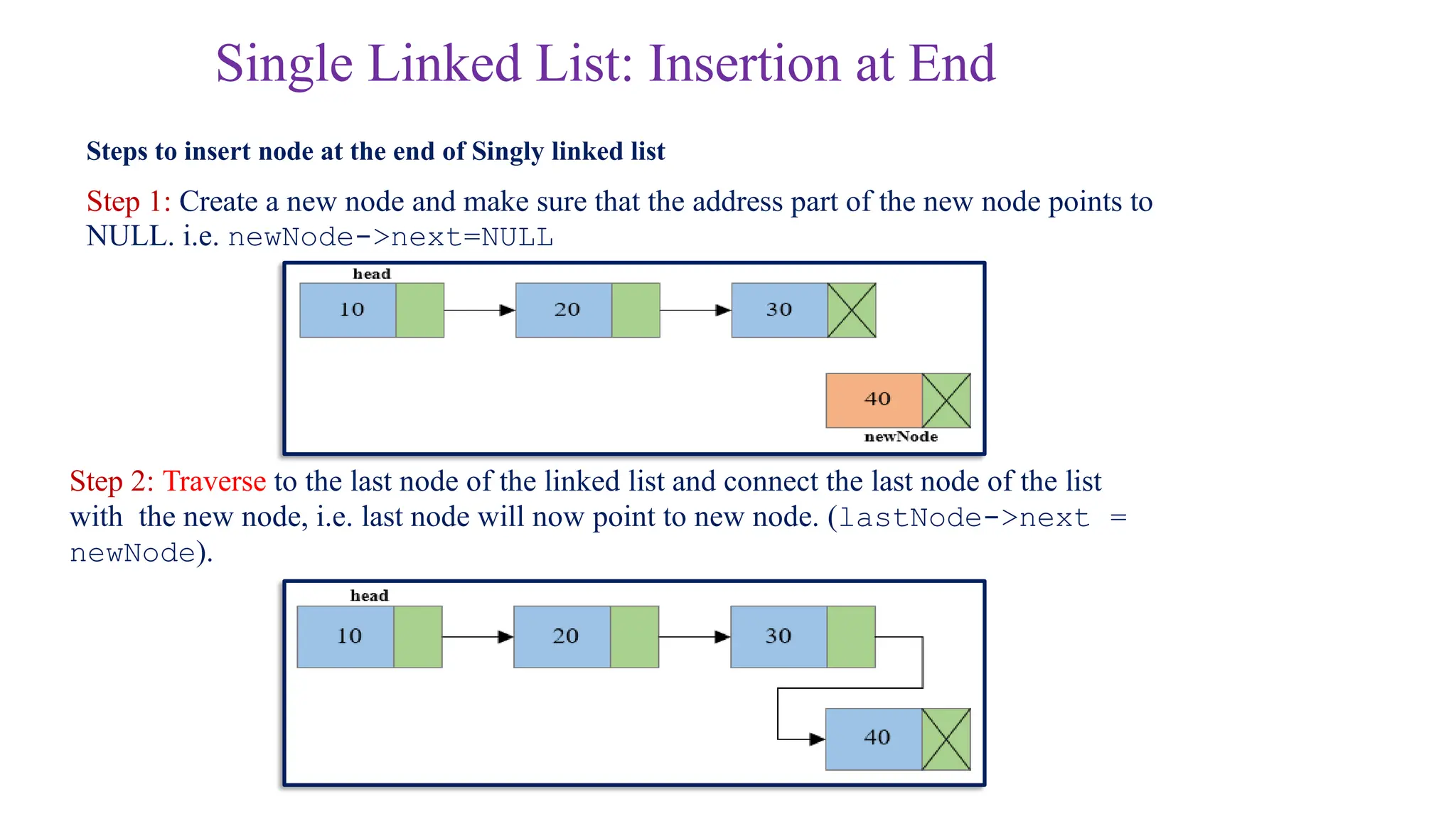
Single Linked List:Insertion at End
Steps to insert node at the end of Singly linked list
Step 1: Create a new node and make sure that the address part of the new node points to
NULL. i.e. newNode->next=NULL
Step 2: Traverse to the last node of the linked list and connect the last node of the list
with the new node, i.e. last node will now point to new node. (lastNode->next =
newNode).
17.
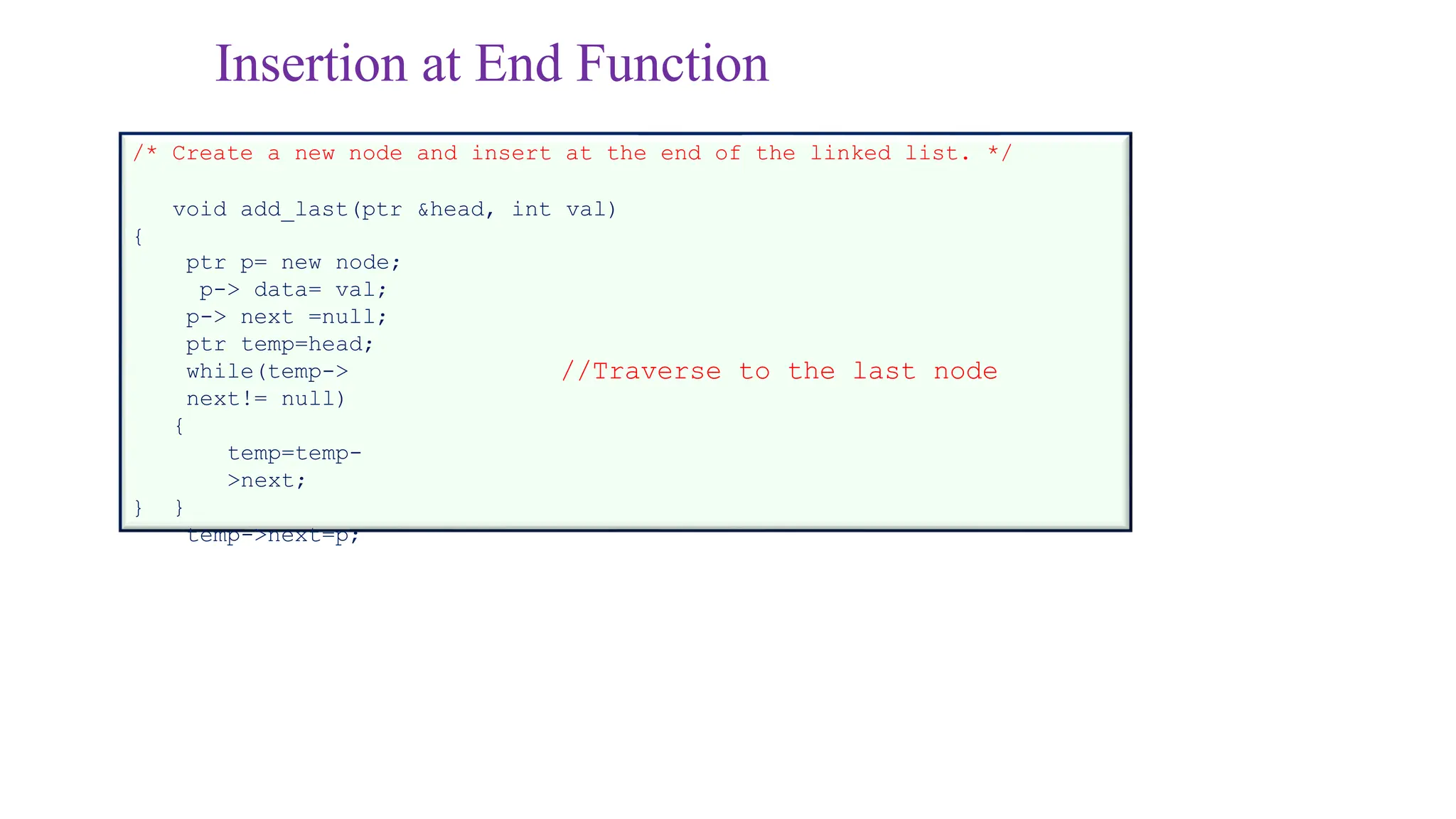
Insertion at EndFunction
/* Create a new node and insert at the end of the linked list. */
void add_last(ptr &head, int val)
{
ptr p= new node;
p-> data= val;
p-> next =null;
ptr temp=head;
while(temp->
next!= null)
{
temp=temp-
>next;
}
temp->next=p;
}
//Traverse to the last node
18.
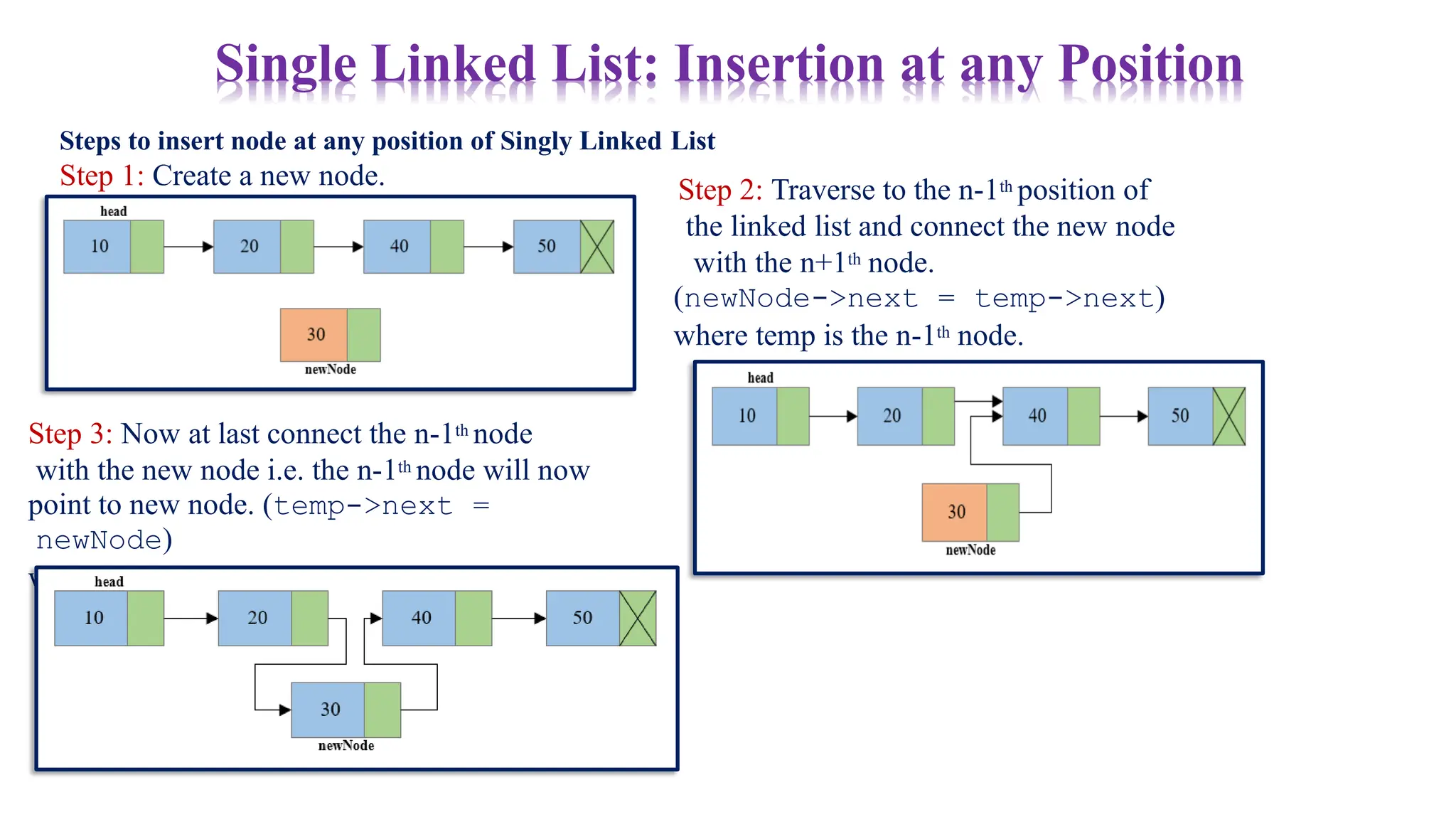
Steps to insertnode at any position of Singly Linked List
Step 1: Create a new node.
Single Linked List: Insertion at any Position
Step 2: Traverse to the n-1th position of
the linked list and connect the new node
with the n+1th node.
(newNode->next = temp->next)
where temp is the n-1th node.
Step 3: Now at last connect the n-1th node
with the new node i.e. the n-1th node will now
point to new node. (temp->next =
newNode)
where temp is the n-1th node.
19.
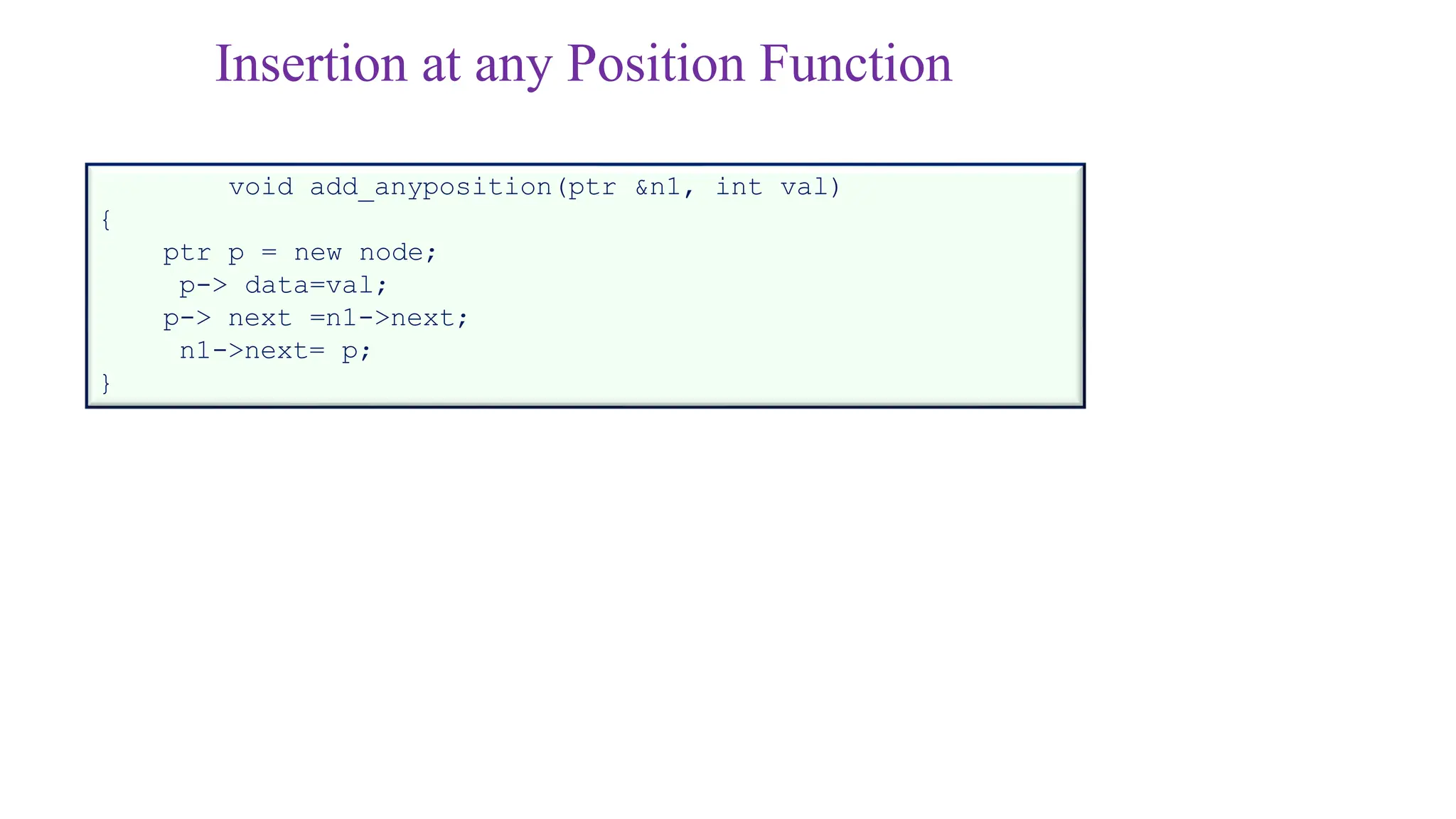
Insertion at anyPosition Function
void add_anyposition(ptr &n1, int val)
{
ptr p = new node;
p-> data=val;
p-> next =n1->next;
n1->next= p;
}
20.
Single Linked List:Deletion
Deletion steps
•Manage links to
• Delete at front
• Delete at end
• Delete at any position
21.
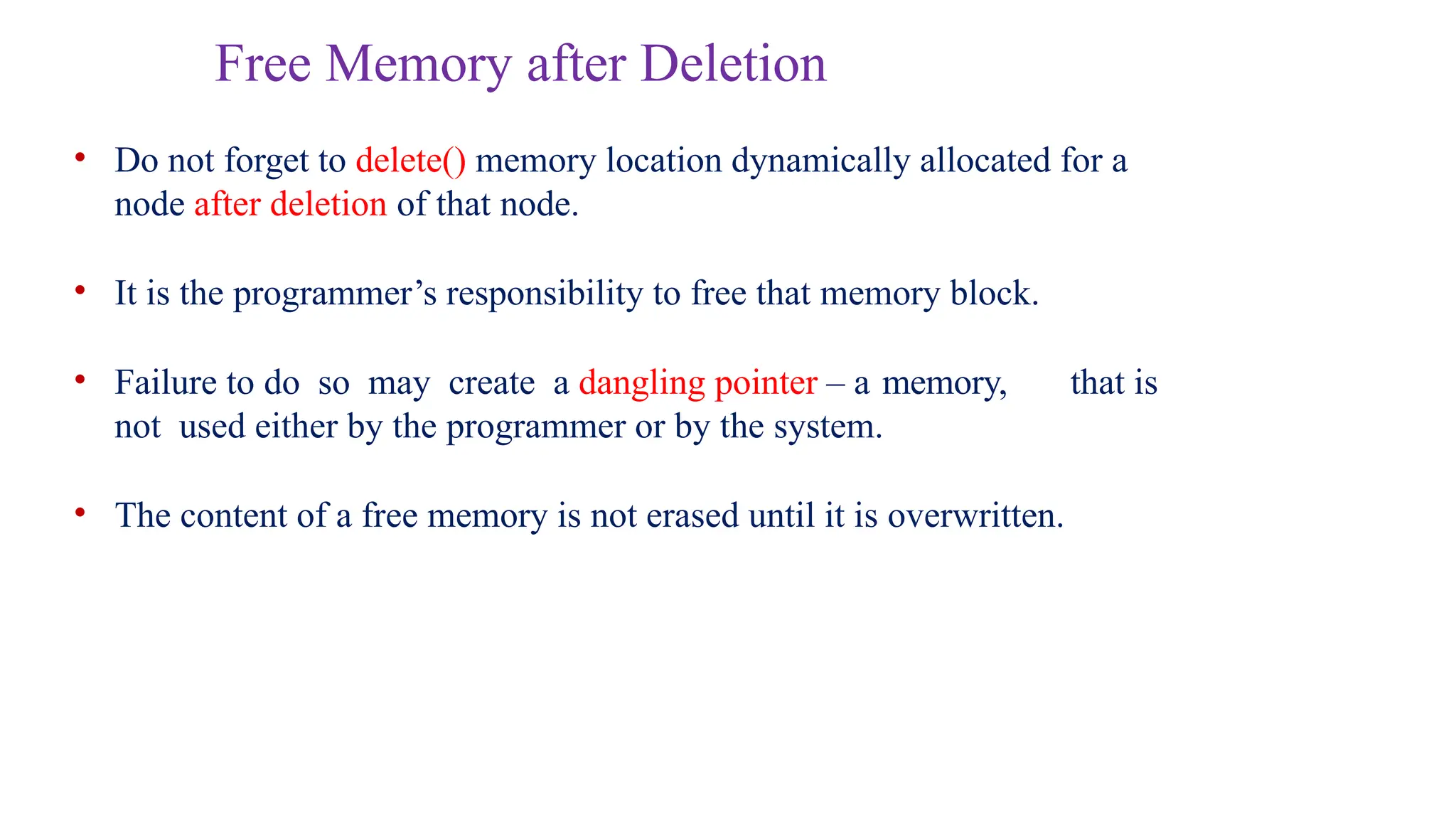
Free Memory afterDeletion
• Do not forget to delete() memory location dynamically allocated for a
node after deletion of that node.
• It is the programmer’s responsibility to free that memory block.
• Failure to do so may create a dangling pointer – a memory, that is
not used either by the programmer or by the system.
• The content of a free memory is not erased until it is overwritten.
22.
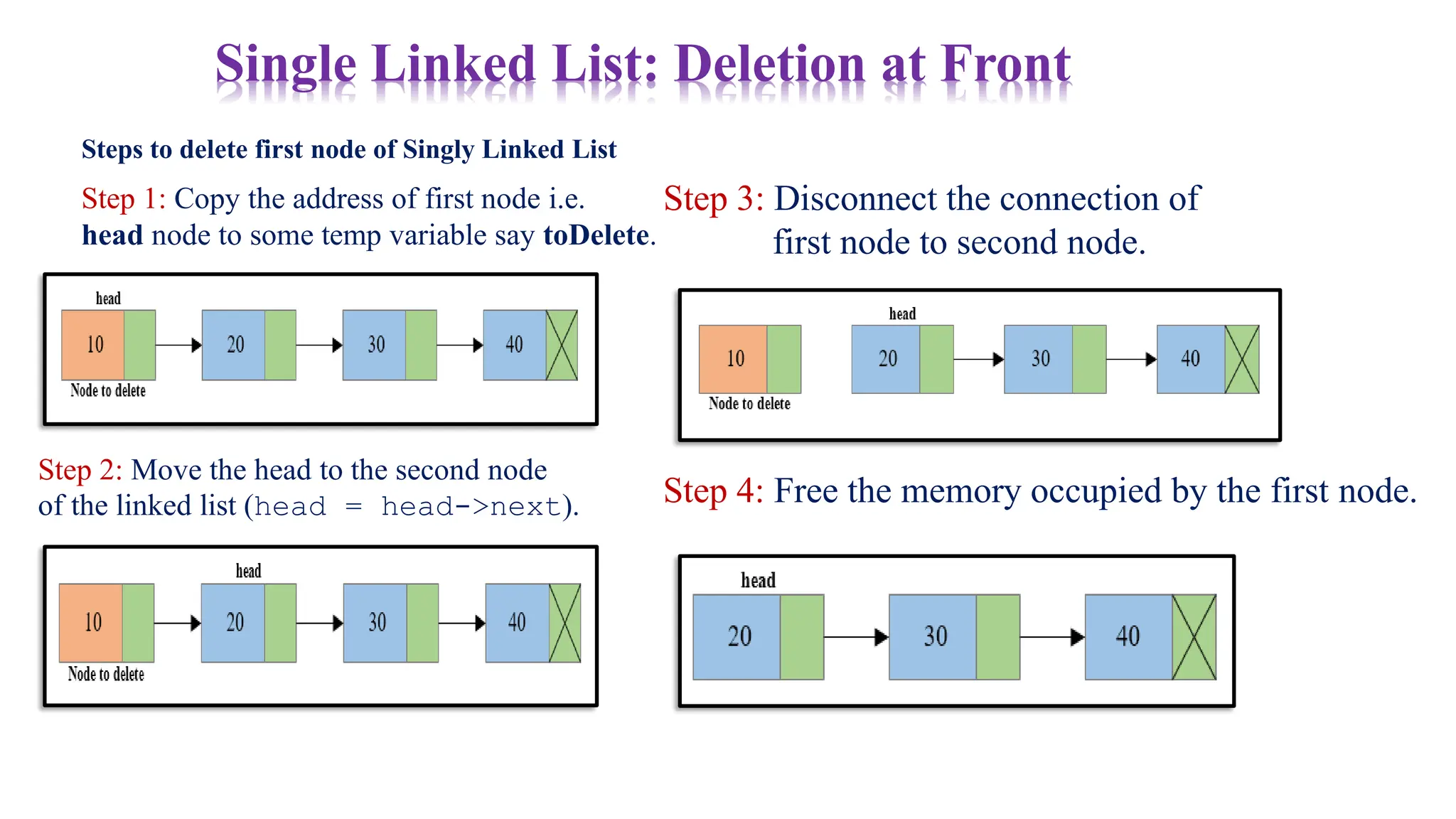
Steps to deletefirst node of Singly Linked List
Step 1: Copy the address of first node i.e.
head node to some temp variable say toDelete.
Single Linked List: Deletion at Front
Step 2: Move the head to the second node
of the linked list (head = head->next).
Step 3: Disconnect the connection of
first node to second node.
Step 4: Free the memory occupied by the first node.
23.
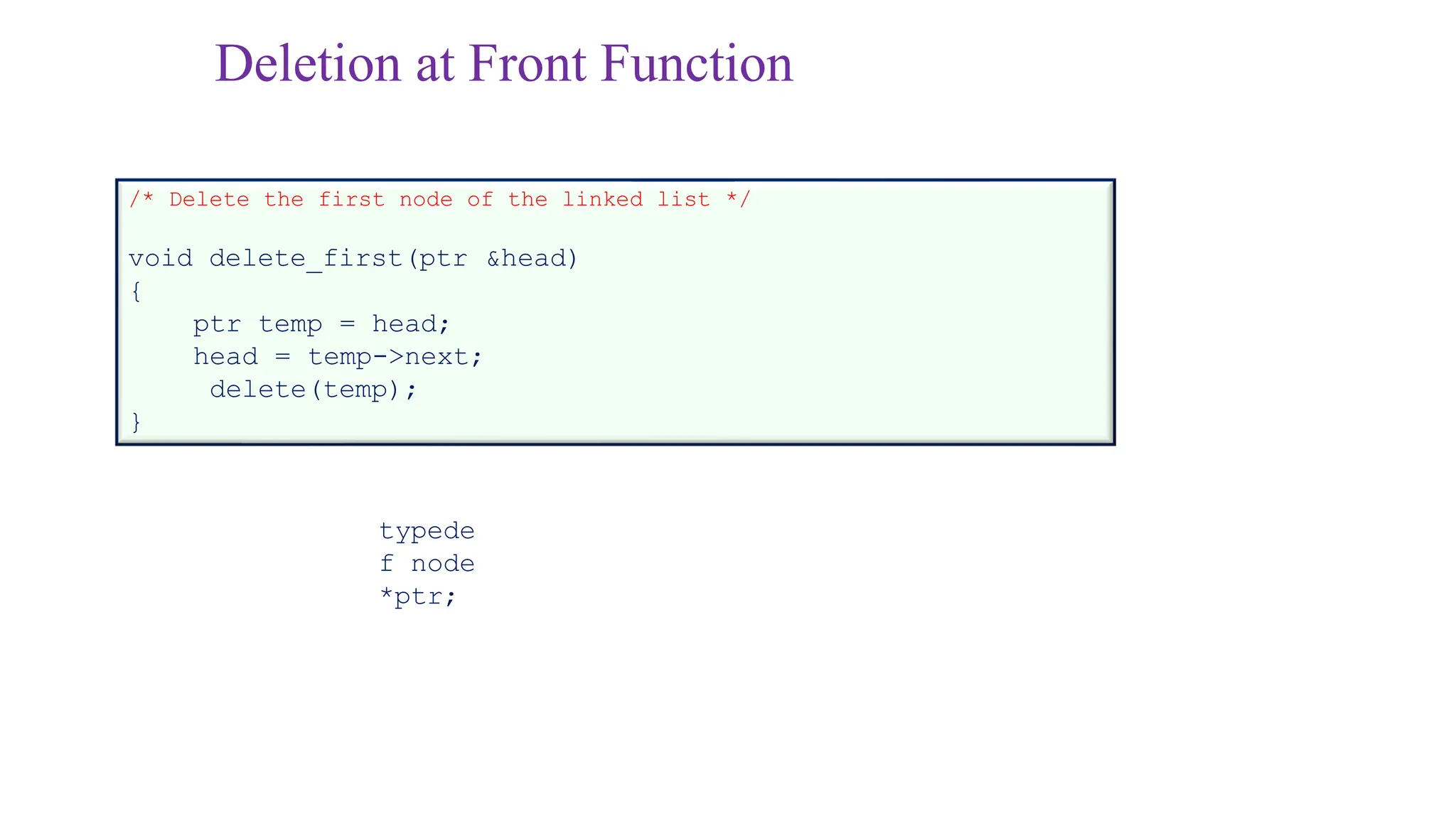
Deletion at FrontFunction
/* Delete the first node of the linked list */
void delete_first(ptr &head)
{
ptr temp = head;
head = temp->next;
delete(temp);
}
typede
f node
*ptr;
24.
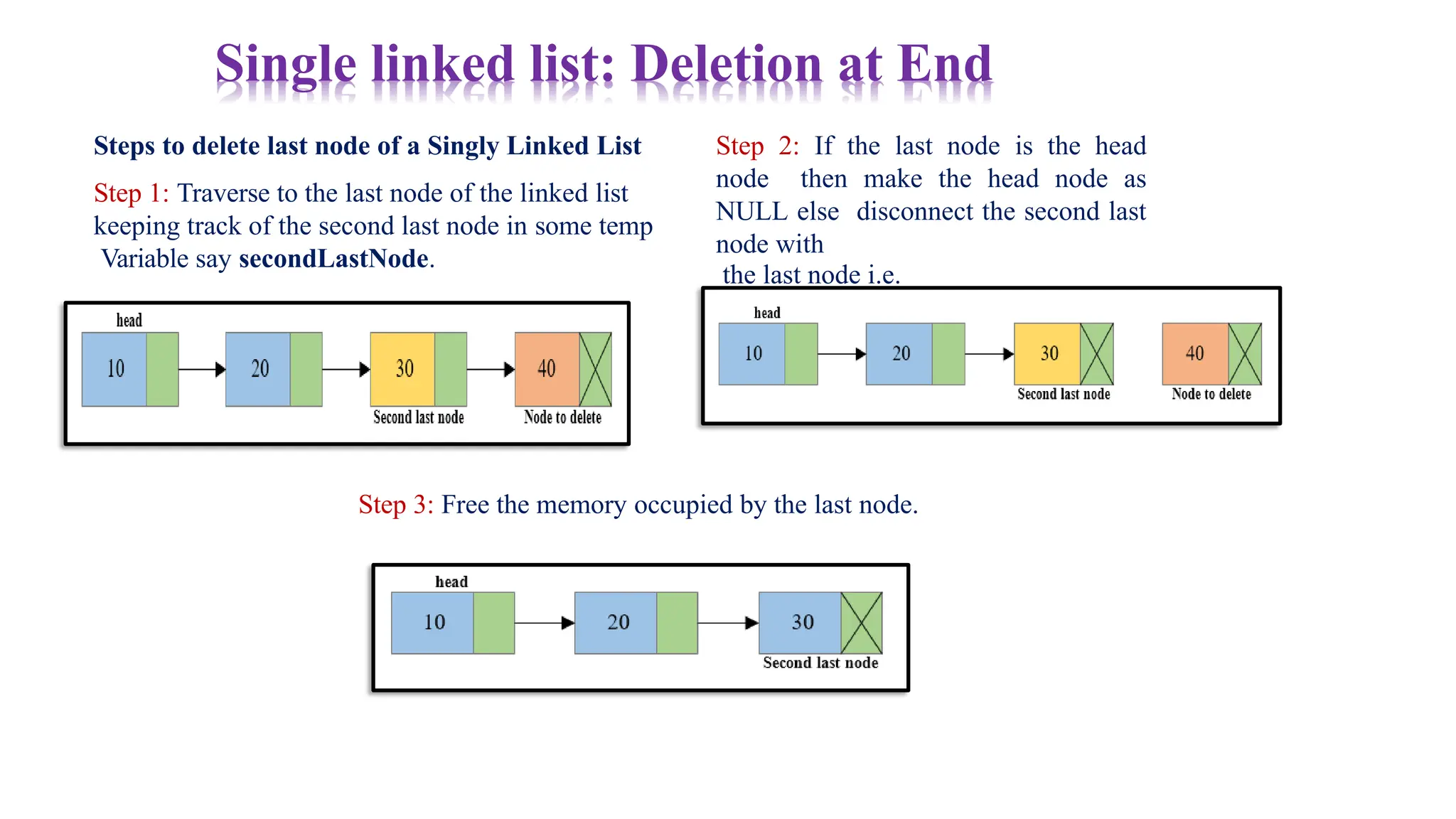
Steps to deletelast node of a Singly Linked List
Step 1: Traverse to the last node of the linked list
keeping track of the second last node in some temp
Variable say secondLastNode.
Single linked list: Deletion at End
Step 2: If the last node is the head
node then make the head node as
NULL else disconnect the second last
node with
the last node i.e.
secondLastNode->next =
NULL
Step 3: Free the memory occupied by the last node.
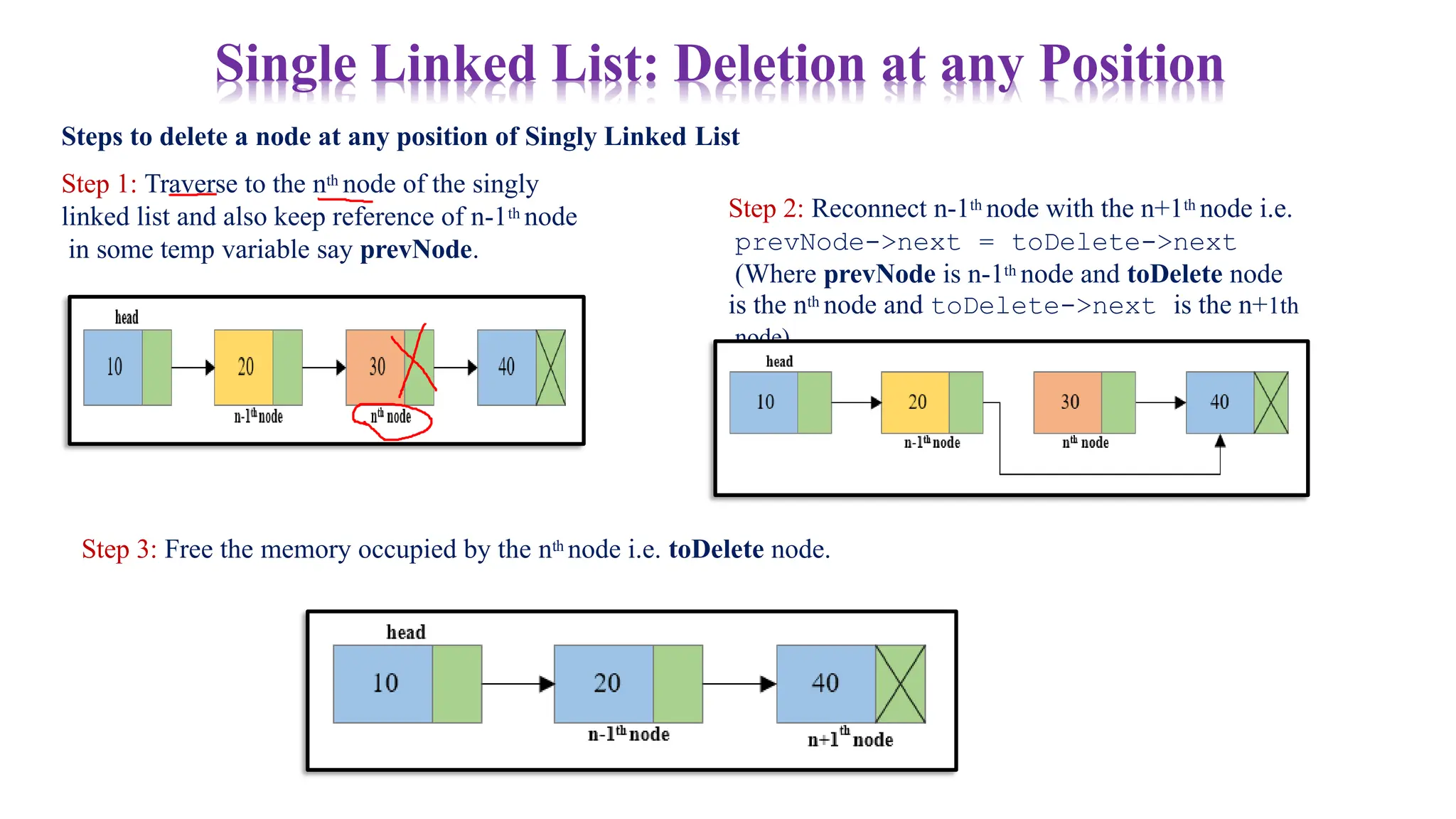
Steps to deletea node at any position of Singly Linked List
Step 1: Traverse to the nth node of the singly
linked list and also keep reference of n-1th node
in some temp variable say prevNode.
Single Linked List: Deletion at any Position
Step 2: Reconnect n-1th node with the n+1th node i.e.
prevNode->next = toDelete->next
(Where prevNode is n-1th node and toDelete node
is the nth node and toDelete->next is the n+1th
node).
Step 3: Free the memory occupied by the nth node i.e. toDelete node.
27.
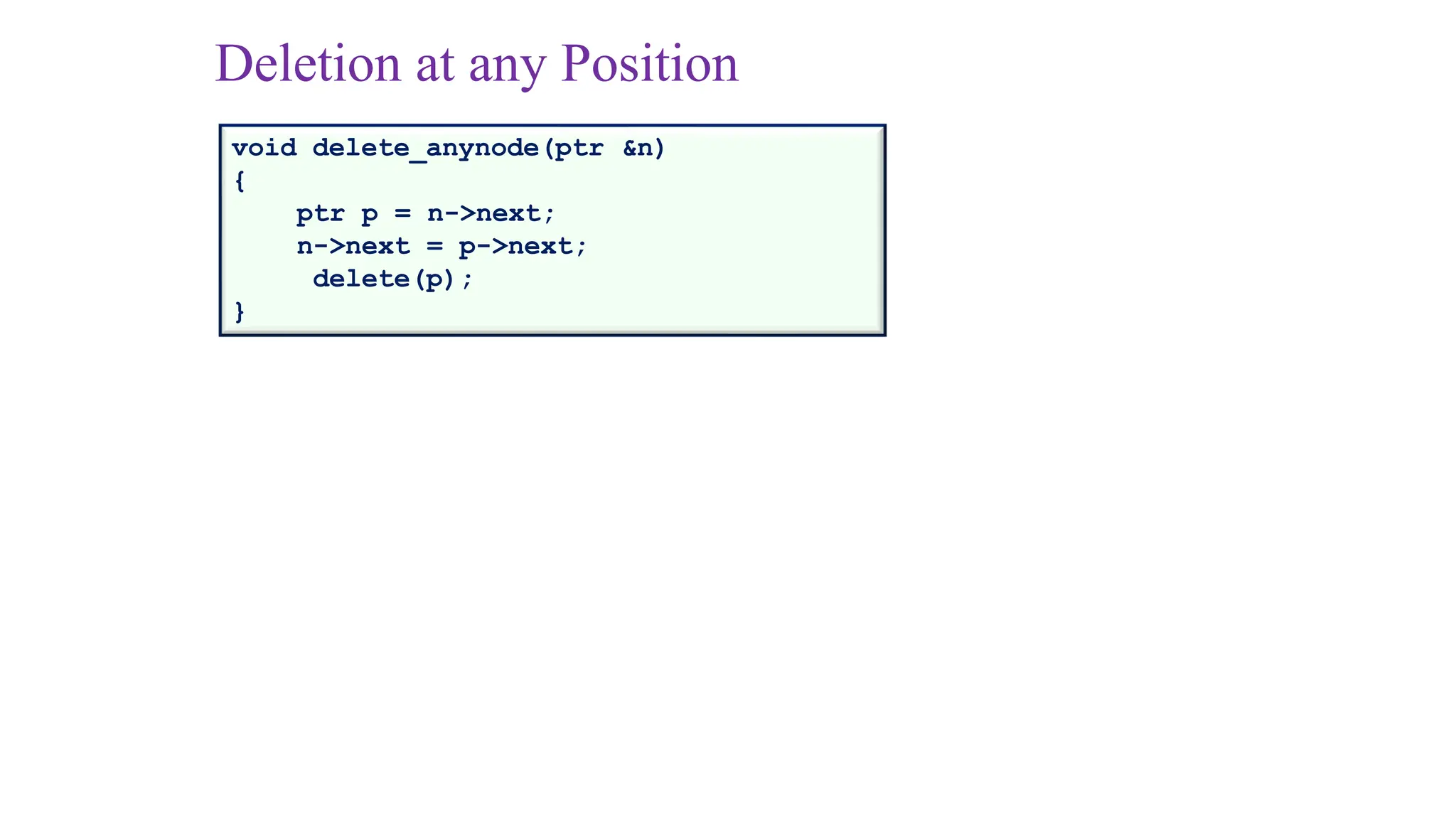
Deletion at anyPosition
void delete_anynode(ptr &n)
{
ptr p = n->next;
n->next = p->next;
delete(p);
}
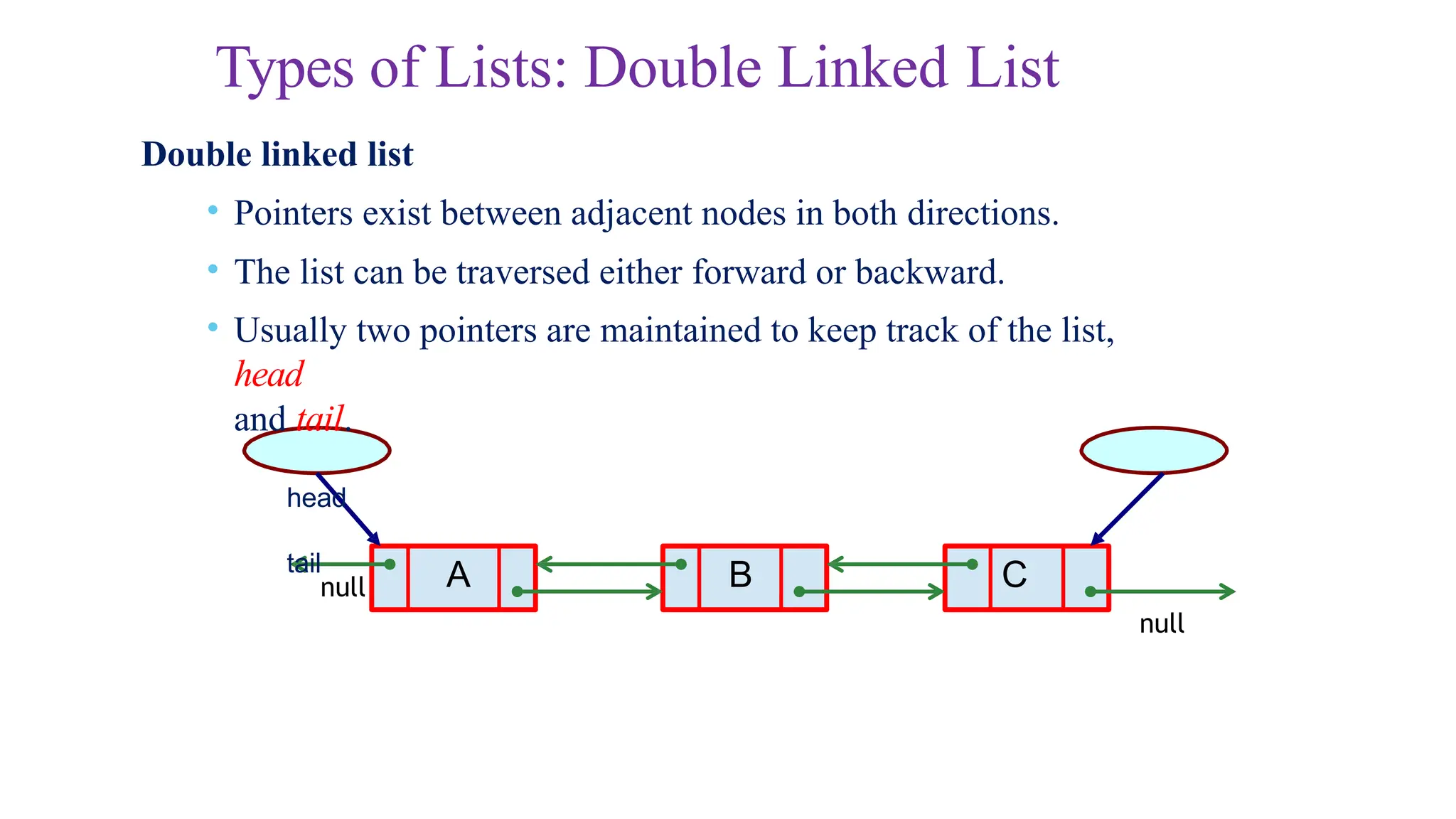
Types of Lists:Double Linked List
A B C
Double linked list
• Pointers exist between adjacent nodes in both directions.
• The list can be traversed either forward or backward.
• Usually two pointers are maintained to keep track of the list,
head
and tail.
head
tail
null
null
33.
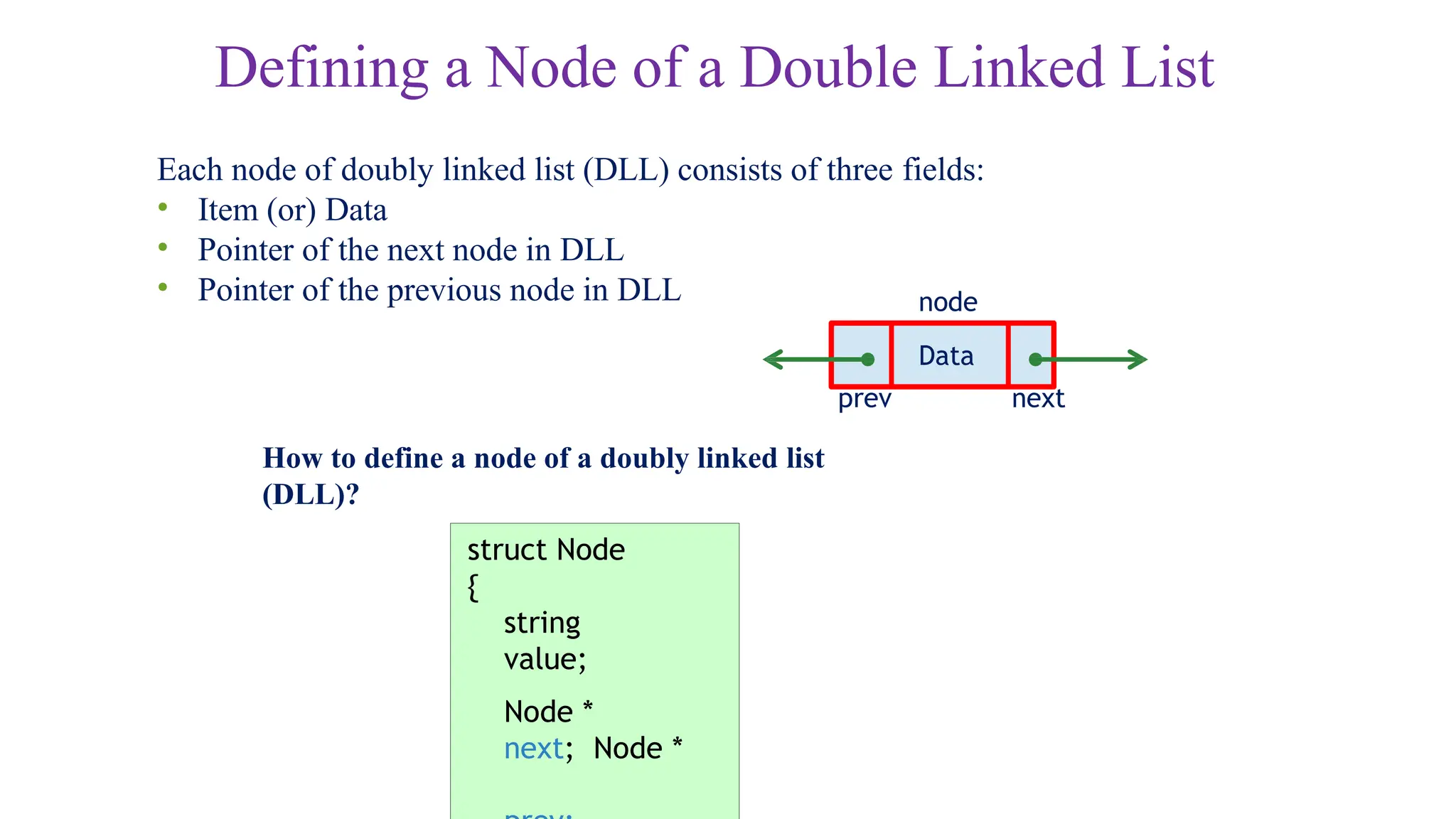
Defining a Nodeof a Double Linked List
Each node of doubly linked list (DLL) consists of three fields:
• Item (or) Data
• Pointer of the next node in DLL
• Pointer of the previous node in DLL
Data
next
node
How to define a node of a doubly linked list
(DLL)?
prev
struct Node
{
string
value;
Node *
next; Node *
34.
Double Linked List
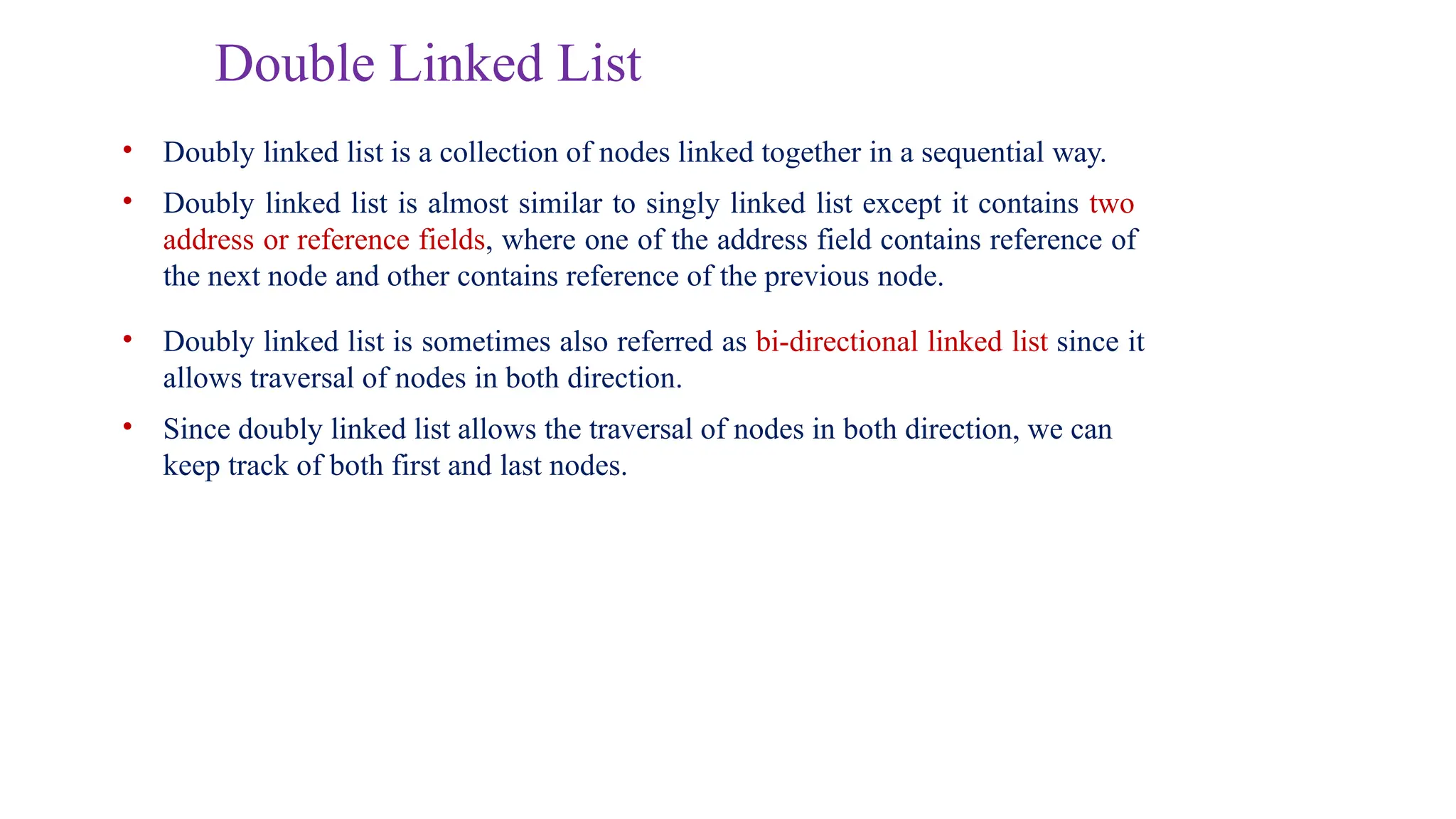
•Doubly linked list is a collection of nodes linked together in a sequential way.
• Doubly linked list is almost similar to singly linked list except it contains two
address or reference fields, where one of the address field contains reference of
the next node and other contains reference of the previous node.
• Doubly linked list is sometimes also referred as bi-directional linked list since it
allows traversal of nodes in both direction.
• Since doubly linked list allows the traversal of nodes in both direction, we can
keep track of both first and last nodes.
35.
Doubly-linked Lists: WhatChanges?
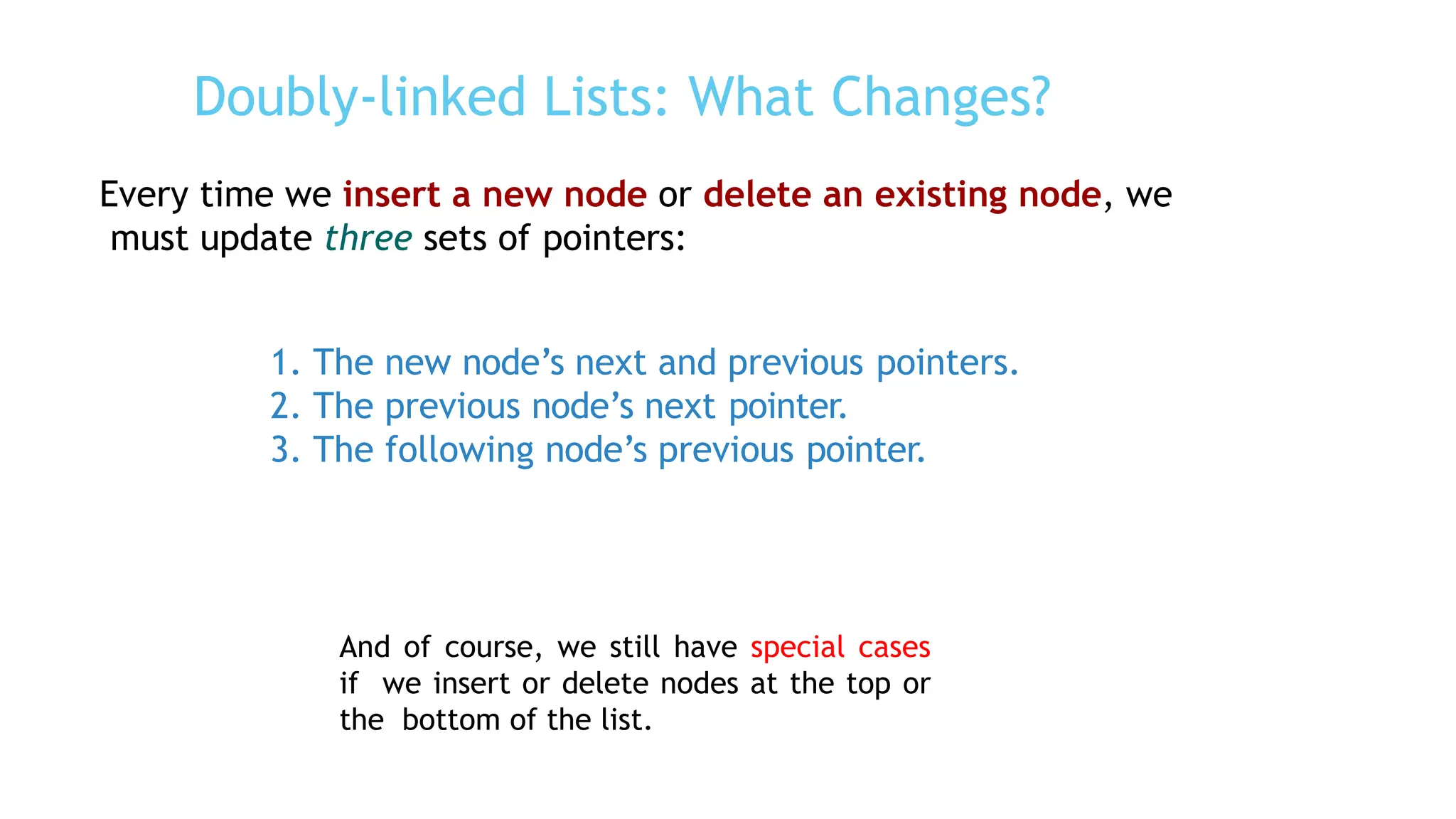
Every time we insert a new node or delete an existing node, we
must update three sets of pointers:
1. The new node’s next and previous pointers.
2. The previous node’s next pointer.
3. The following node’s previous pointer.
And of course, we still have special cases
if we insert or delete nodes at the top or
the bottom of the list.
36.
Double versus SingleLinked List
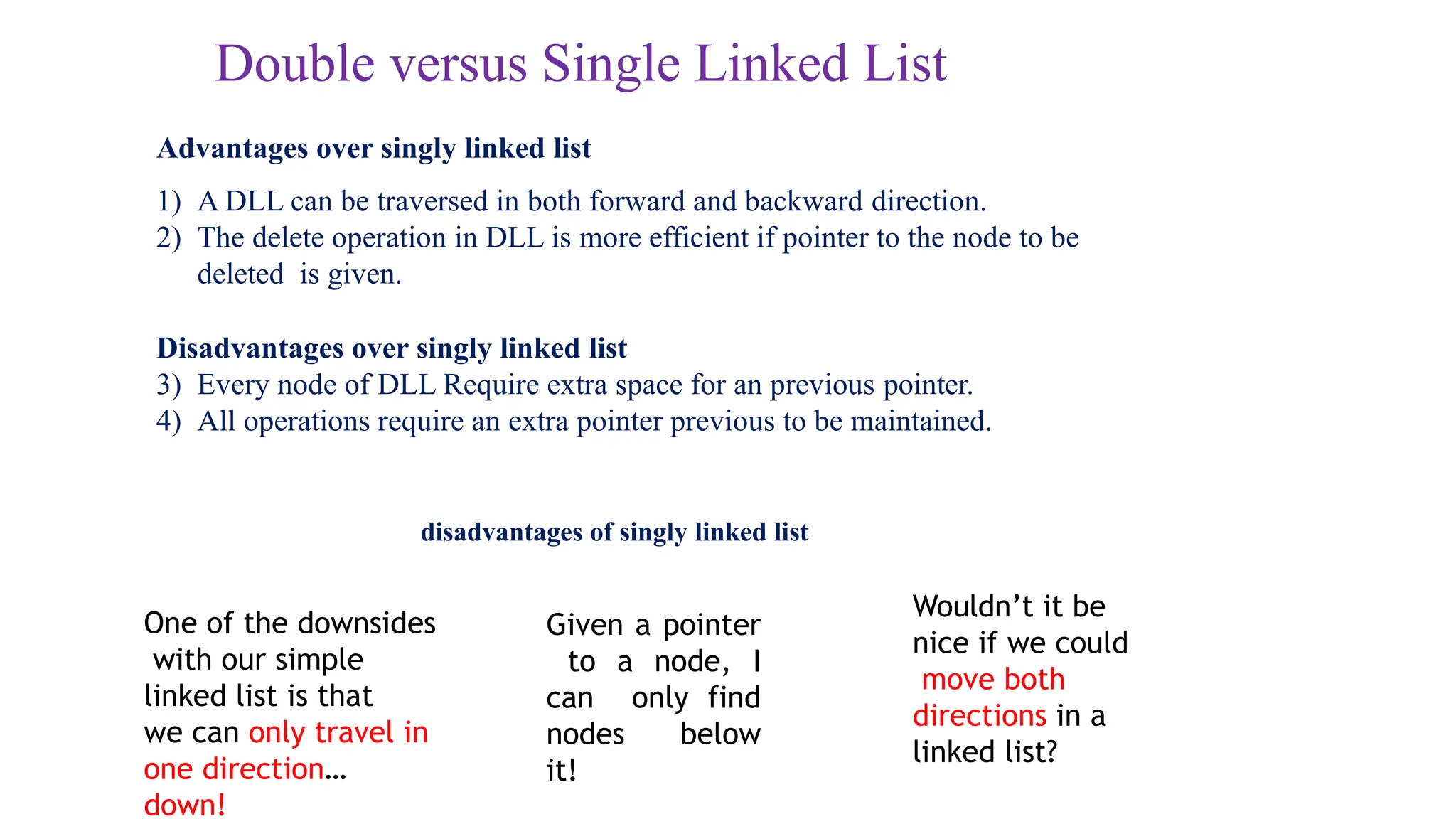
Advantages over singly linked list
1) A DLL can be traversed in both forward and backward direction.
2) The delete operation in DLL is more efficient if pointer to the node to be
deleted is given.
Disadvantages over singly linked list
3) Every node of DLL Require extra space for an previous pointer.
4) All operations require an extra pointer previous to be maintained.
disadvantages of singly linked list
One of the downsides
with our simple
linked list is that
we can only travel in
one direction…
down!
Given a pointer
to a node, I
can only find
nodes below
it!
Wouldn’t it be
nice if we could
move both
directions in a
linked list?
37.
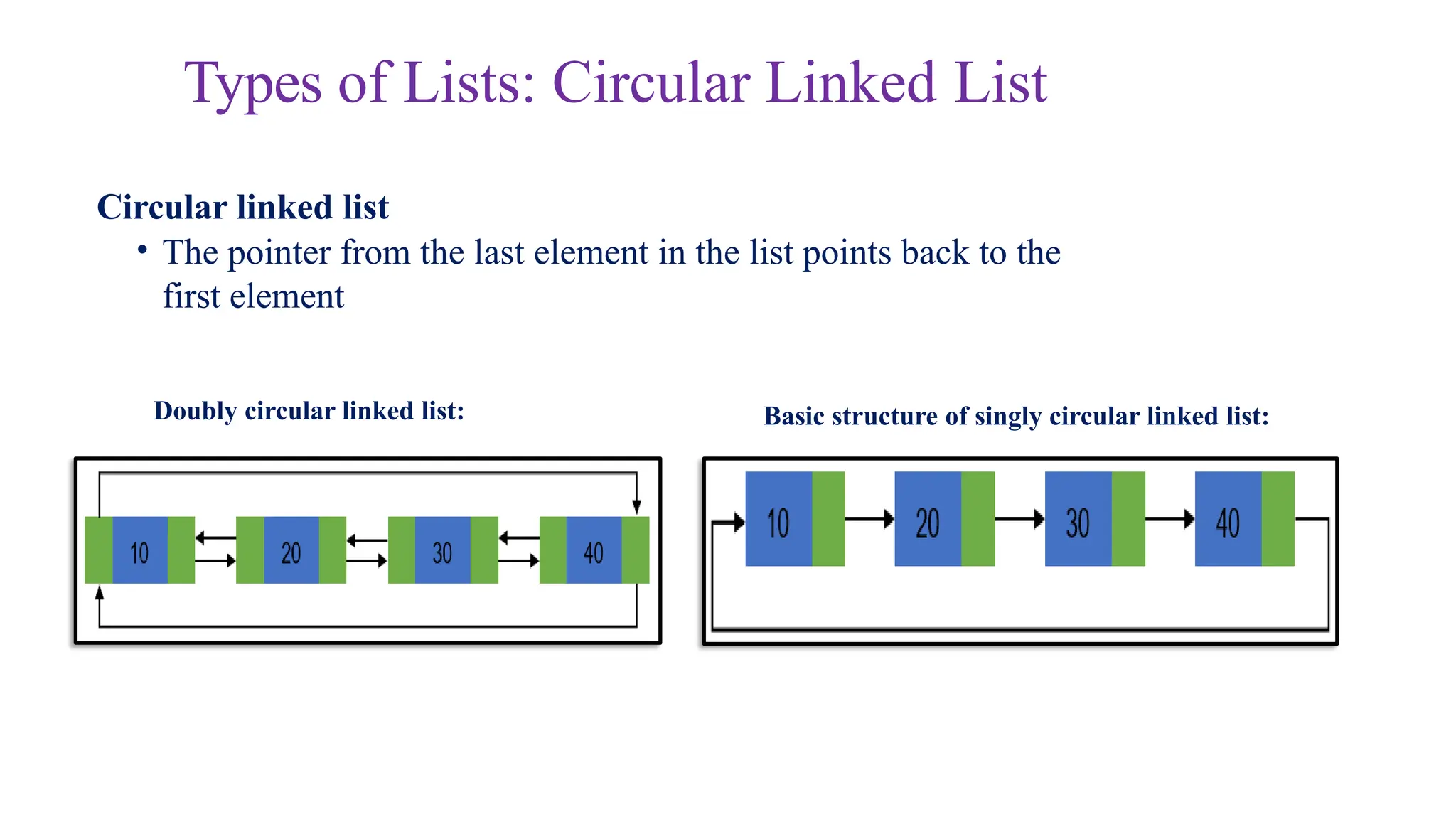
Basic structure ofsingly circular linked list:
Doubly circular linked list:
Circular linked list
• The pointer from the last element in the list points back to the
first element
Types of Lists: Circular Linked List
38.
Circular Linked List
•A circular linked list is basically a linear linked list that may be single- or
double-linked.
• The only difference is that there is no any NULL value terminating the list.
• In fact in the list every node points to the next node and last node points to
the first node, thus forming a circle. Since it forms a circle with no end to
stop it is called as circular linked list.
• In circular linked list there can be no starting or ending node, whole node
can be traversed from any node.
• In order to traverse the circular linked list, only once we need to traverse
entire list until the starting node is not traversed again.
• A circular linked list can be implemented using both singly linked list and
doubly linked list.
39.
Circular linked list:
Advantagesof a Circular linked list
• Entire list can be traversed from any node.
• Circular lists are the required data structure when we want a list to be accessed
in a circle or loop.
• Despite of being singly circular linked list we can easily traverse to its
previous
node, which is not possible in singly linked list.
Disadvantages of Circular linked list
• Circular list are complex as compared to singly linked lists.
• Reversing of circular list is a complex as compared to singly or doubly lists.
• If not traversed carefully, then we could end up in an infinite loop.
• Like singly and doubly lists circular linked lists also doesn’t supports direct
accessing of elements.
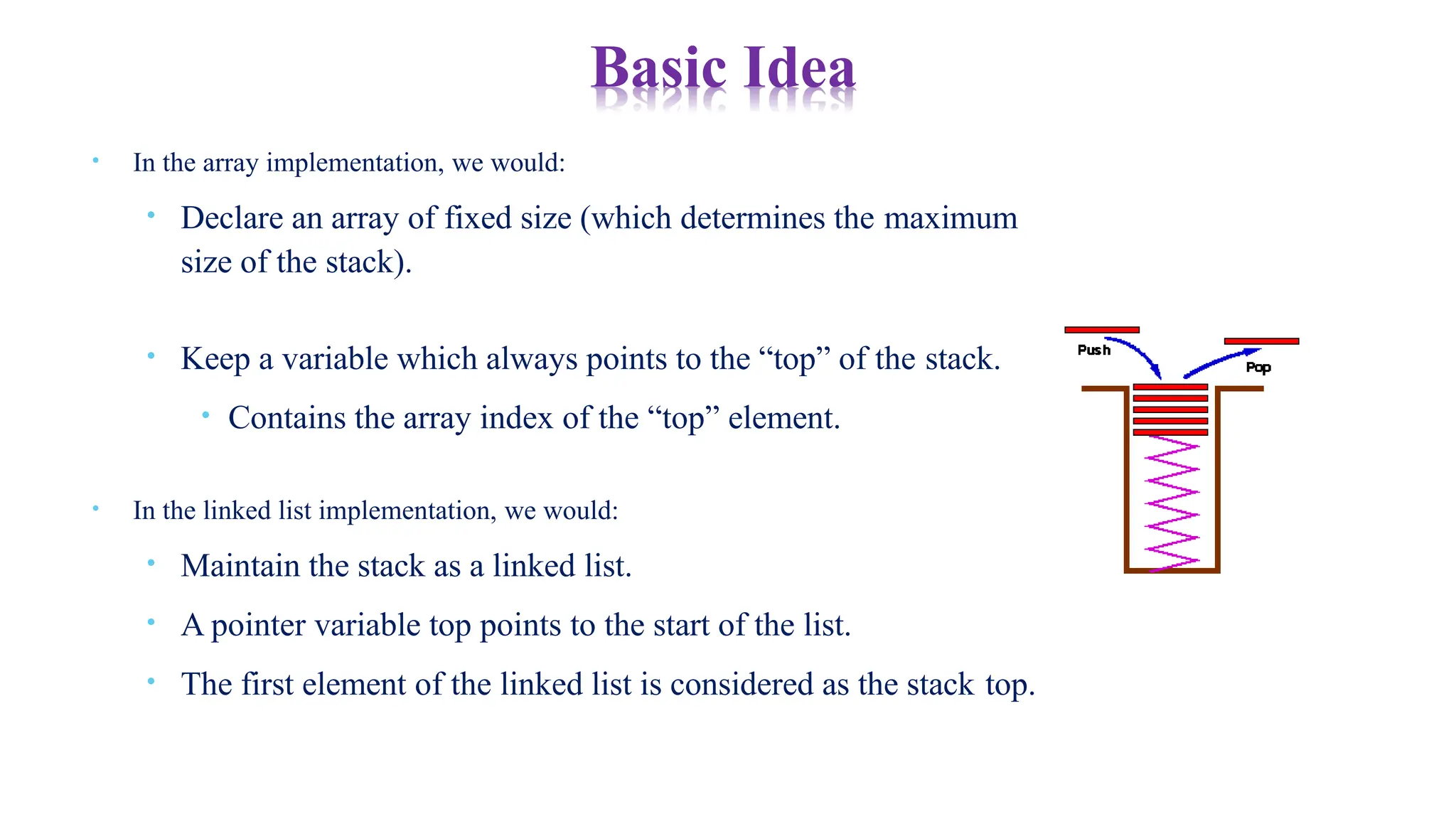
• In thearray implementation, we would:
• Declare an array of fixed size (which determines the maximum
size of the stack).
• Keep a variable which always points to the “top” of the stack.
• Contains the array index of the “top” element.
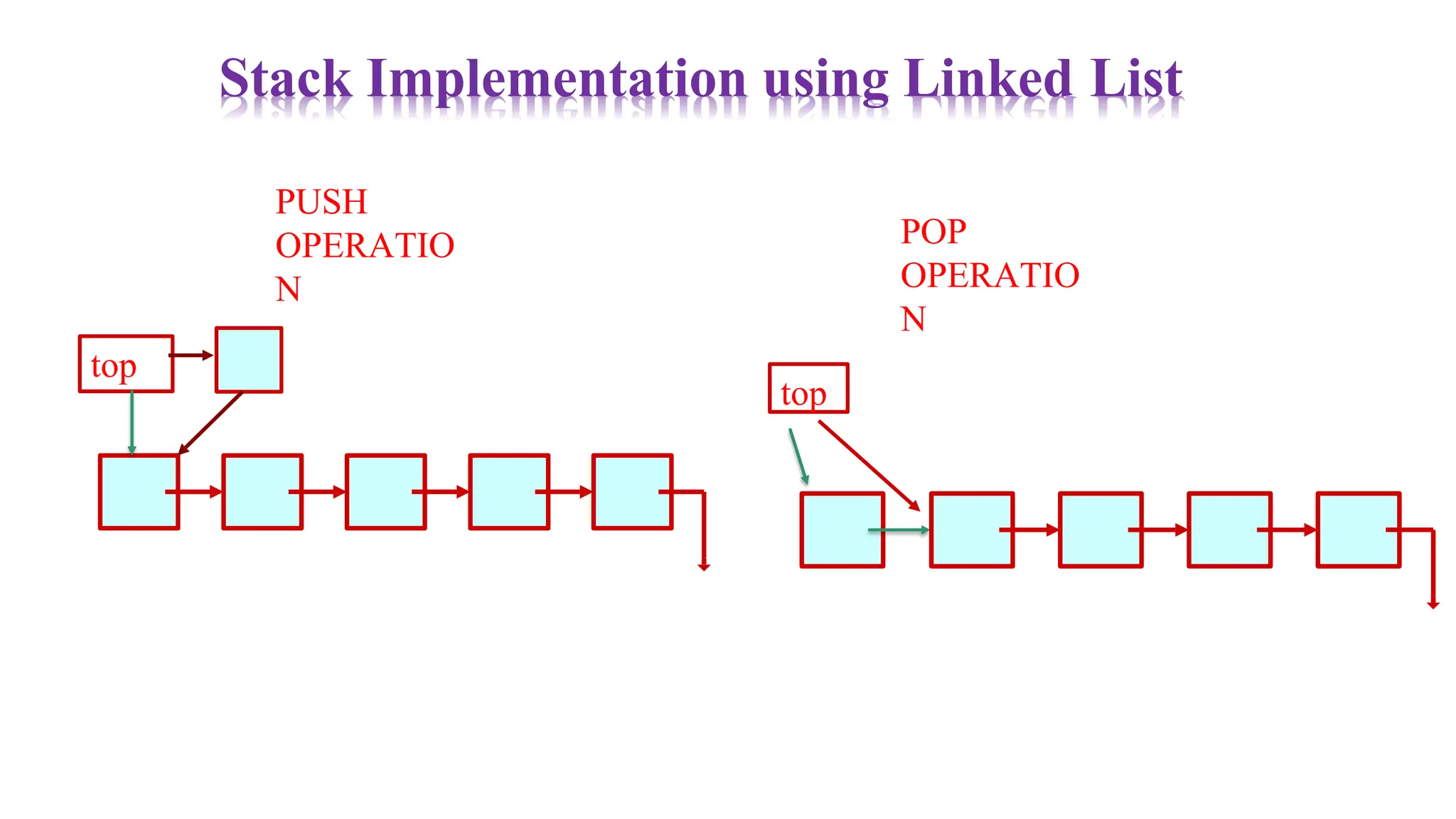
• In the linked list implementation, we would:
• Maintain the stack as a linked list.
• A pointer variable top points to the start of the list.
• The first element of the linked list is considered as the stack top.
Basic Idea
42.
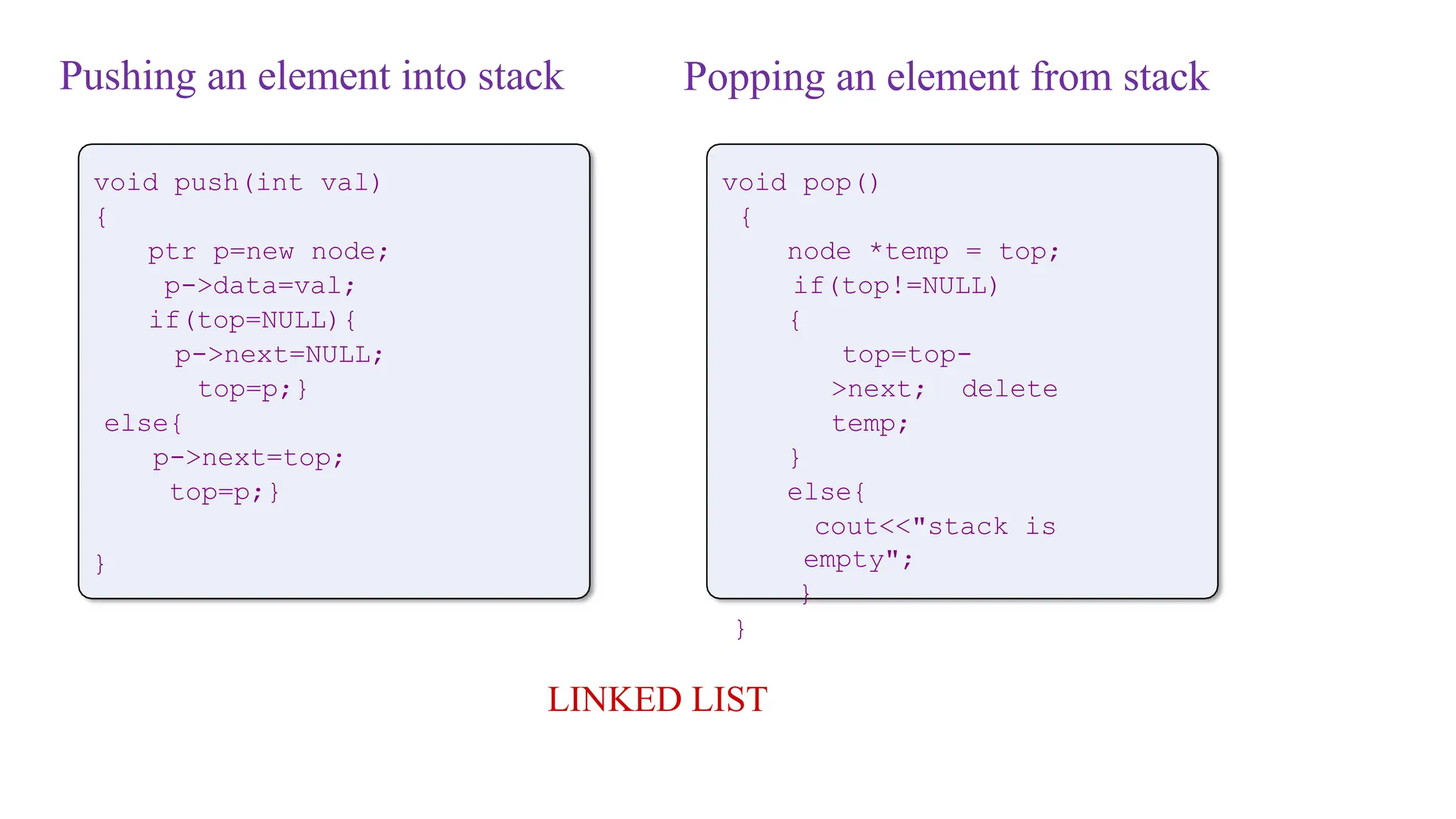
Pushing an elementinto stack
void push(int val)
{
ptr p=new node;
p->data=val;
if(top=NULL){
p->next=NULL;
top=p;}
else{
p->next=top;
top=p;}
}
LINKED LIST
void pop()
{
node *temp = top;
if(top!=NULL)
{
top=top-
>next; delete
temp;
}
else{
cout<<"stack is
empty";
}
}
Popping an element from stack
43.
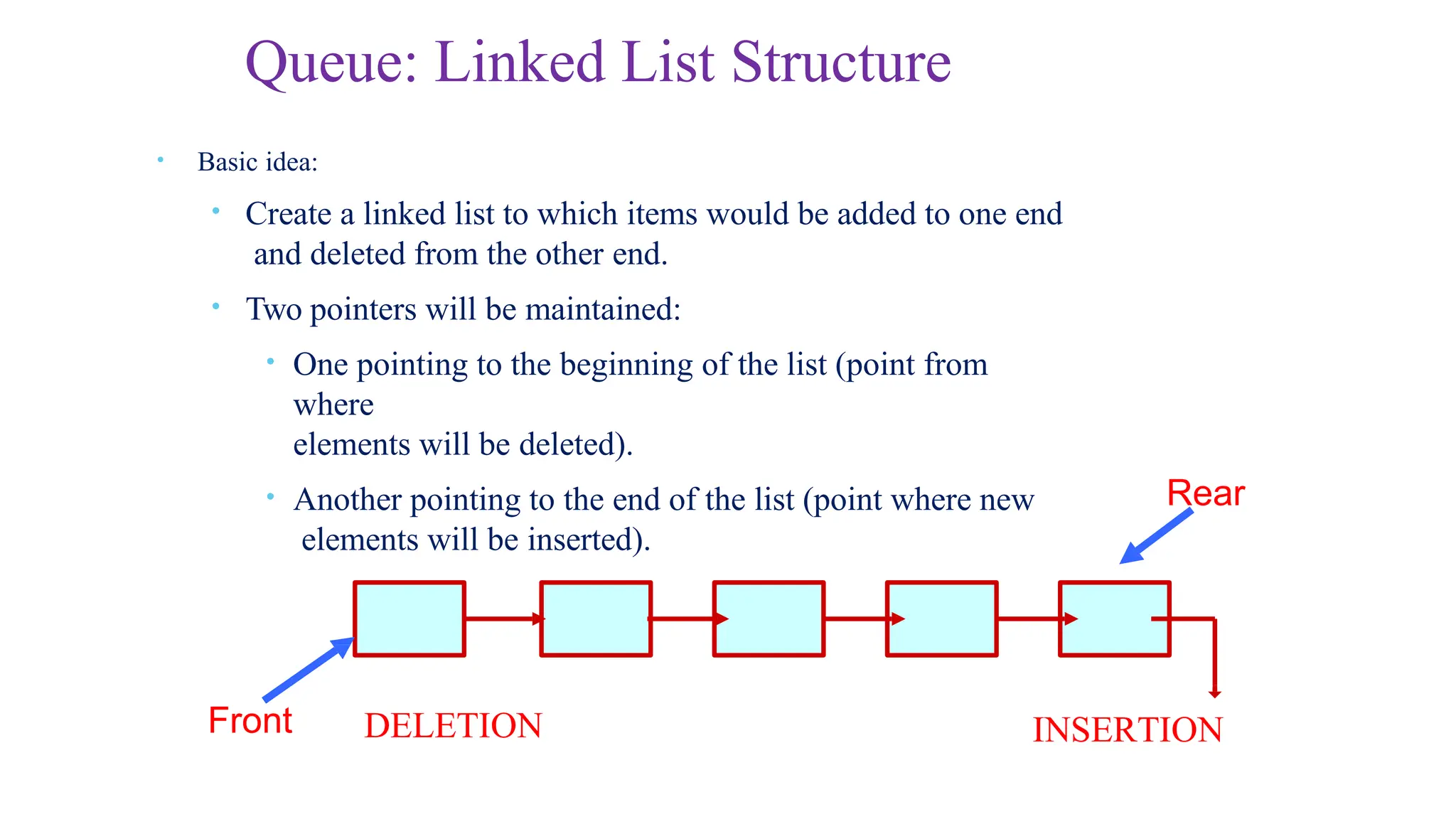
Front
Rear
DELETION INSERTION
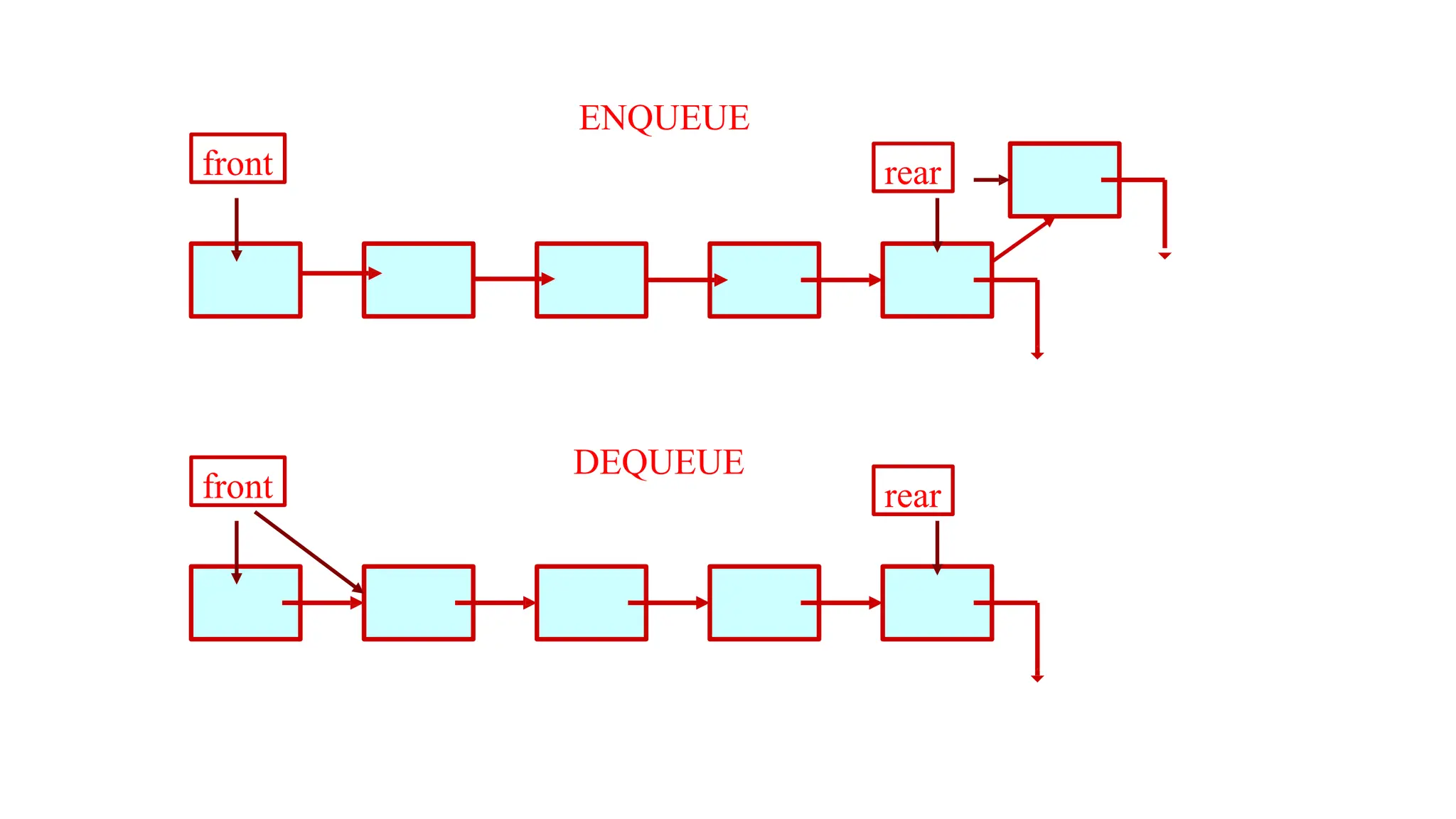
• Basicidea:
• Create a linked list to which items would be added to one end
and deleted from the other end.
• Two pointers will be maintained:
• One pointing to the beginning of the list (point from
where
elements will be deleted).
• Another pointing to the end of the list (point where new
elements will be inserted).
Queue: Linked List Structure
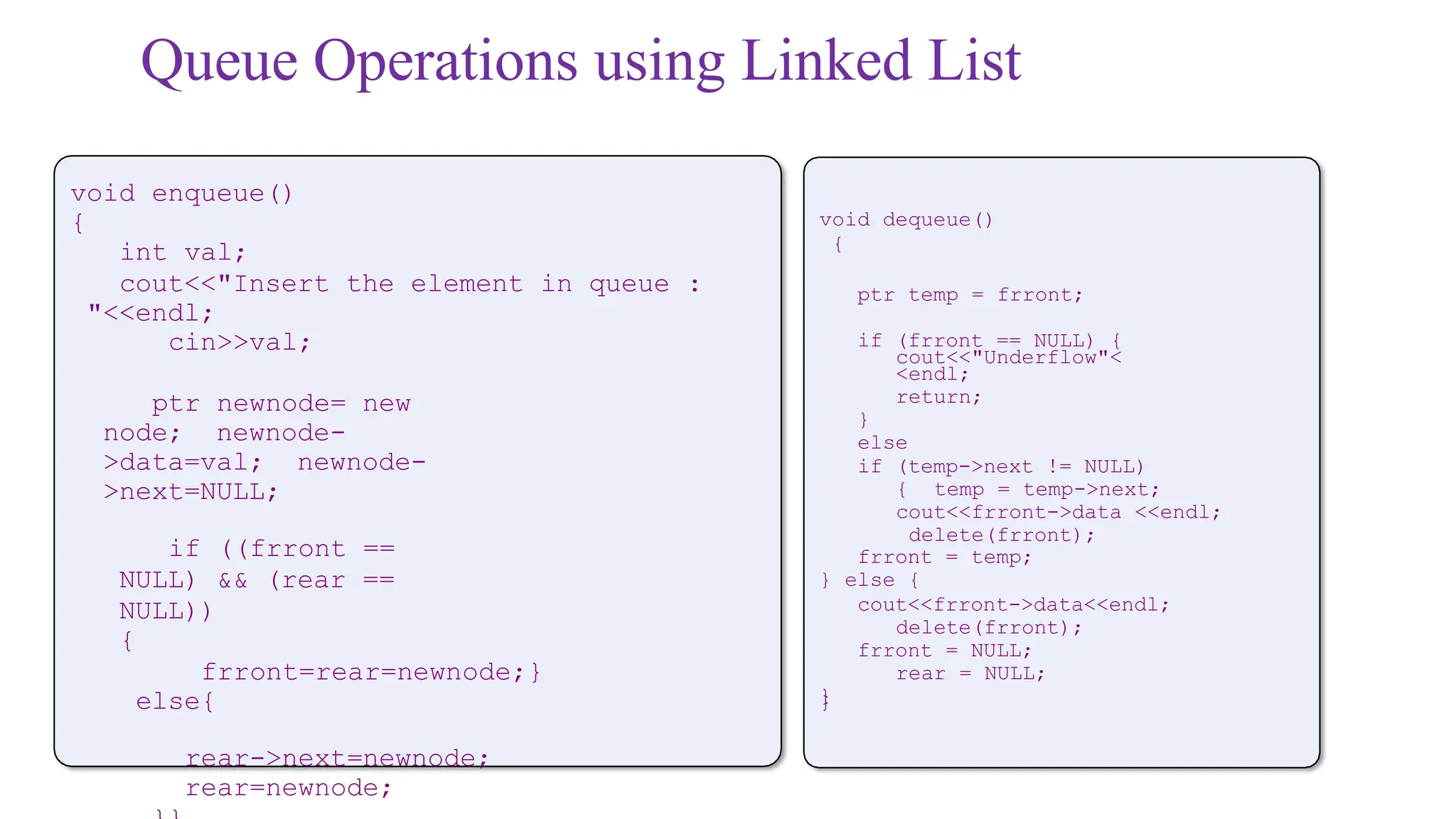
Queue Operations usingLinked List
void enqueue()
{
int val;
cout<<"Insert the element in queue :
"<<endl;
cin>>val;
ptr newnode= new
node; newnode-
>data=val; newnode-
>next=NULL;
if ((frront ==
NULL) && (rear ==
NULL))
{
frront=rear=newnode;}
else{
rear->next=newnode;
rear=newnode;
void dequeue()
{
ptr temp = frront;
if (frront == NULL) {
cout<<"Underflow"<
<endl;
return;
}
else
if (temp->next != NULL)
{ temp = temp->next;
cout<<frront->data <<endl;
delete(frront);
frront = temp;
} else {
cout<<frront->data<<endl;
delete(frront);
frront = NULL;
rear = NULL;
}
}
46.
Applications of linked
List
•Image viewer – Previous and next images are linked, hence can be accessed by next and
previous button
• Previous and next page in web browser – We can access previous and next url searched in web
browser by pressing back and next button since, they are linked as linked list.
• Music Player – Songs in music player are linked to previous and next song. you can play
songs either from starting or ending of the list.
![1 0
1 5
2 0
2 2
2 5
3 0
3 5
4 0
4 5
5 0
a r r a y N a m e
0
1
2
3
4
5
6
8
9
Array versus Linked Lists
• In arrays
• Arrays are static data structure
• Arrays are suitable for
Inserting/deleting an element at the end.
Randomly accessing any element(easy access to
any element a[i] in constant time ).
Searching the list for a particular
value.
int main()
{
int array[100];
…
}
But what if you
don’t know how
many items you’ll
have ahead of
time?
Then you have to
reserve enough slots
for the largest
possible case.
And what if you
need to insert
a new item in
the middle of an array? 7
We have to move every
item below the insertion
spot down by one!](https://image.slidesharecdn.com/lec45linkedlist-250728003723-c52c1fc1/75/LEC_4-5_linked_list-pptx-this-is-Good-for-data-structure-3-2048.jpg)
![Example 1: Illustration
The structure:
struct node
{
char name[30];
int age;
node *next;
};
Also assume the list with three
nodes n1, n2 and n3 for 3
students.
name
Ptr n1 = new node;
Ptr n2 = new
node; Ptr n3 =
new node;
To create the links between nodes:
Ptr head= n1;
n1->next = n2 ;
n2->next = n3 ;
n3->next = NULL ;
• Now the list looks like:
age
next
n1 n2 n3
NULL
head](https://image.slidesharecdn.com/lec45linkedlist-250728003723-c52c1fc1/75/LEC_4-5_linked_list-pptx-this-is-Good-for-data-structure-8-2048.jpg)