© Anselm Spoerri
Web Programming Course
Web Programming
Info + Web Tech Course
Anselm Spoerri PhD (MIT)
SC&I @ Rutgers University
aspoerri@rutgers.edu
© Anselm Spoerri
Web Programming Course
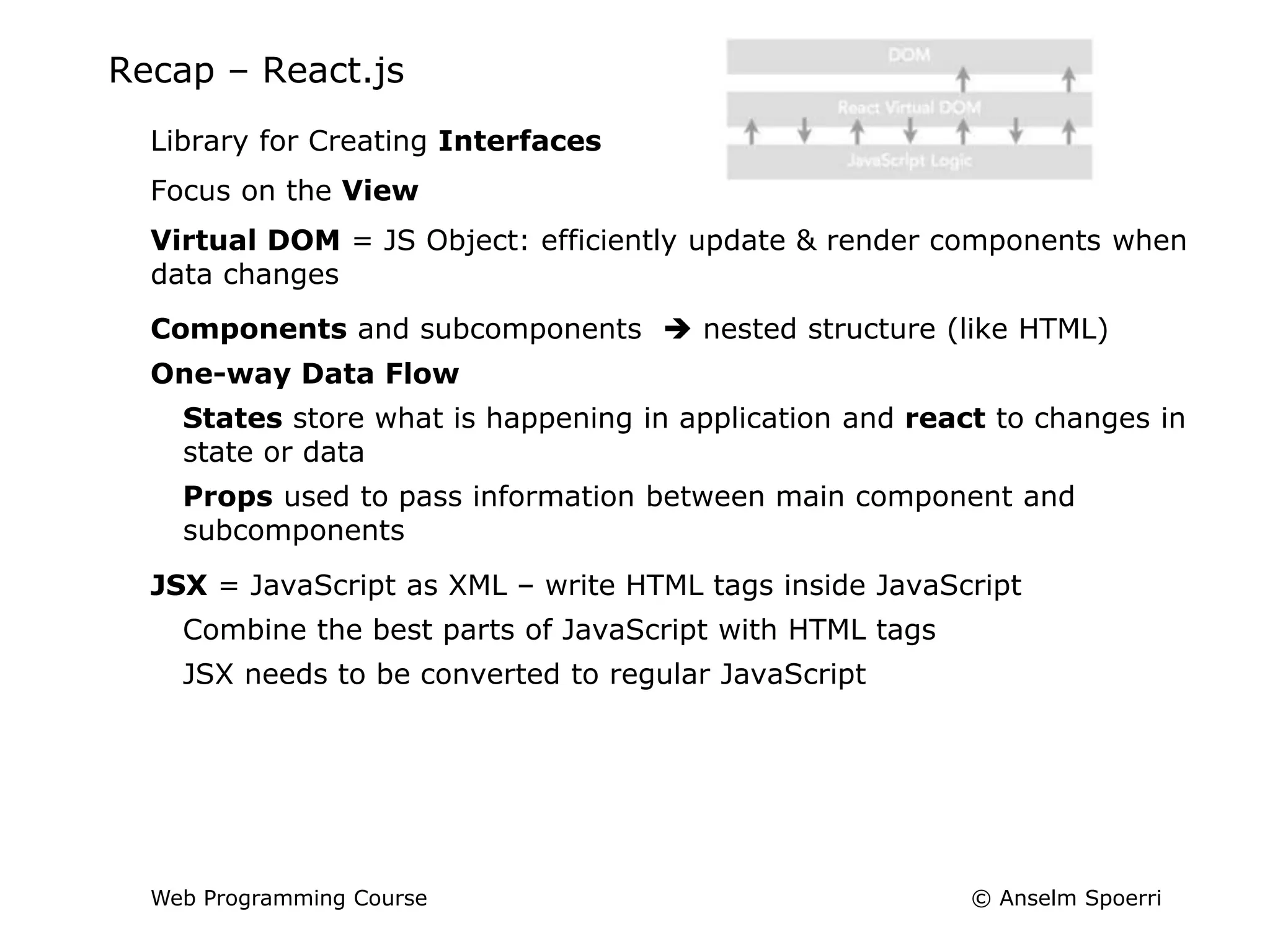
Lecture 9 - Overview
Recap – React.js
Ex4 Lab Due Mar 26
Quiz 4 – React.js Due Mar 26
What to Do BEFORE Next Class
‒ Videos in Week 10 (in green)
© Anselm Spoerri
Web Programming Course
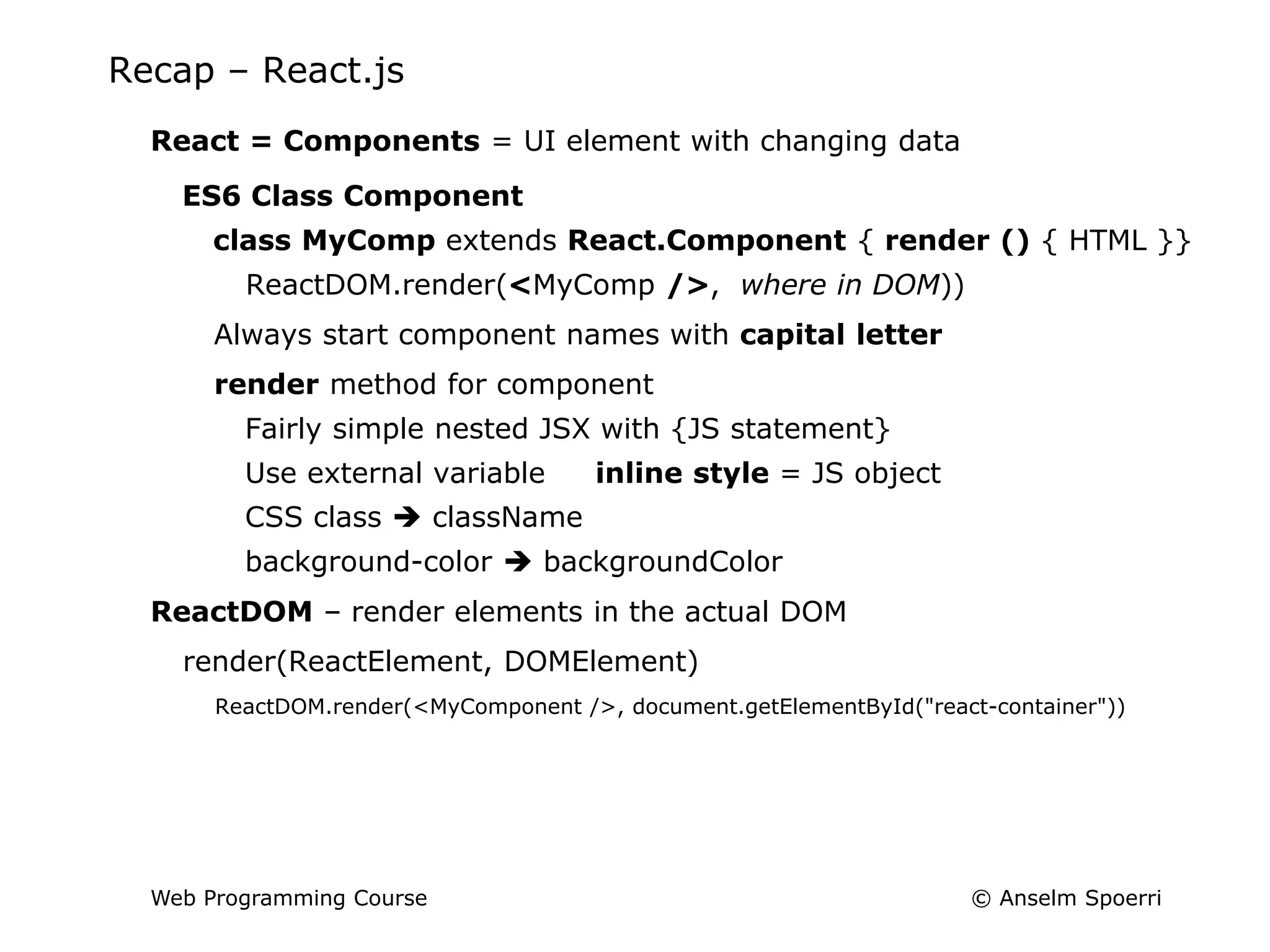
Recap – React.js
Library for Creating Interfaces
Focus on the View
Virtual DOM = JS Object: efficiently update & render components when
data changes
Components and subcomponents  nested structure (like HTML)
One-way Data Flow
States store what is happening in application and react to changes in
state or data
Props used to pass information between main component and
subcomponents
JSX = JavaScript as XML – write HTML tags inside JavaScript
Combine the best parts of JavaScript with HTML tags
JSX needs to be converted to regular JavaScript
© Anselm Spoerri
Web Programming Course
Recap – React.js
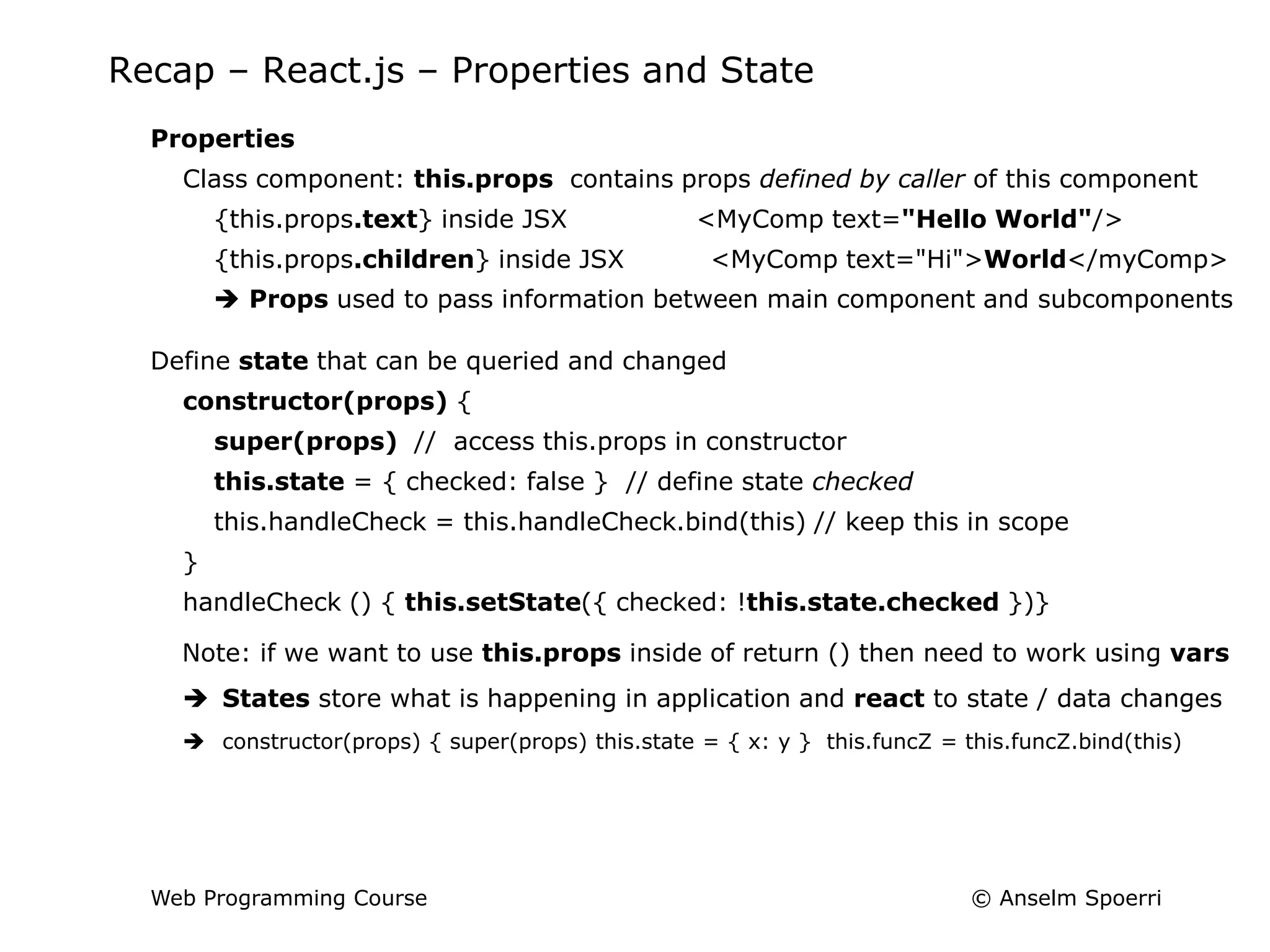
React = Components = UI element with changing data
ES6 Class Component
class MyComp extends React.Component { render () { HTML }}
ReactDOM.render(<MyComp />, where in DOM))
Always start component names with capital letter
render method for component
Fairly simple nested JSX with {JS statement}
Use external variable inline style = JS object
CSS class  className
background-color  backgroundColor
ReactDOM – render elements in the actual DOM
render(ReactElement, DOMElement)
ReactDOM.render(<MyComponent />, document.getElementById("react-container"))
© Anselm Spoerri
Web Programming Course
Recap – React.js – Properties and State
Properties
Class component: this.props contains props defined by caller of this component
{this.props.text} inside JSX <MyComp text="Hello World"/>
{this.props.children} inside JSX <MyComp text="Hi">World</myComp>
 Props used to pass information between main component and subcomponents
Define state that can be queried and changed
constructor(props) {
super(props) // access this.props in constructor
this.state = { checked: false } // define state checked
this.handleCheck = this.handleCheck.bind(this) // keep this in scope
}
handleCheck () { this.setState({ checked: !this.state.checked })}
Note: if we want to use this.props inside of return () then need to work using vars
 States store what is happening in application and react to state / data changes
 constructor(props) { super(props) this.state = { x: y } this.funcZ = this.funcZ.bind(this)
© Anselm Spoerri
Web Programming Course
Recap – React.js – Parent / Children
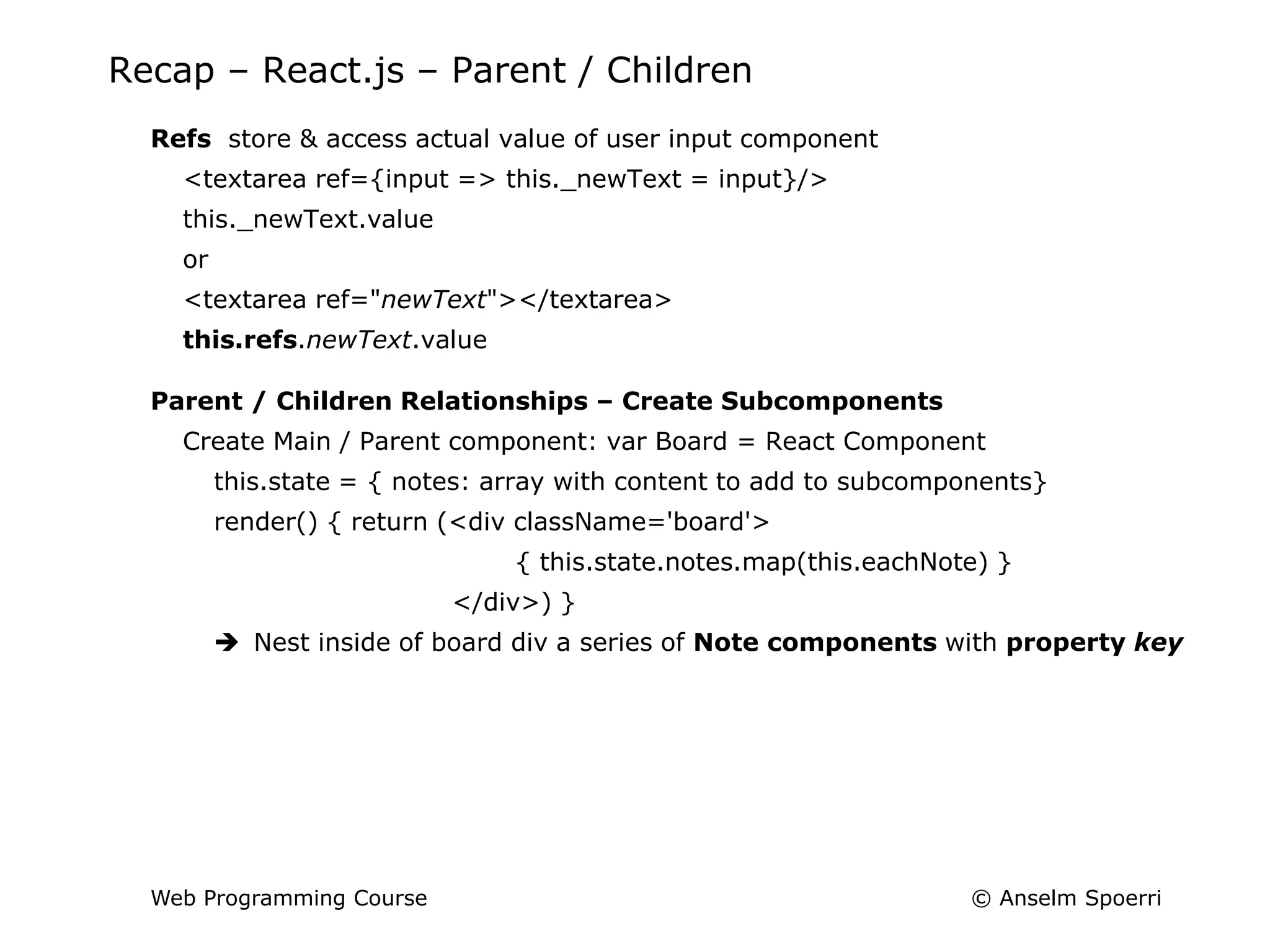
Refs store & access actual value of user input component
<textarea ref={input => this._newText = input}/>
this._newText.value
or
<textarea ref="newText"></textarea>
this.refs.newText.value
Parent / Children Relationships – Create Subcomponents
Create Main / Parent component: var Board = React Component
this.state = { notes: array with content to add to subcomponents}
render() { return (<div className='board'>
{ this.state.notes.map(this.eachNote) }
</div>) }
 Nest inside of board div a series of Note components with property key
© Anselm Spoerri
Web Programming Course
Recap – map / filter function and arrow (=>) function
array.map()
creates new array with results of calling function for every array element
https://www.w3schools.com/jsref/jsref_map.asp
array.filter()
creates new array filled with array elements that pass test (provided as function)
https://www.w3schools.com/jsref/jsref_filter.asp
arrow function
shorter syntax than a function expression and does not bind its own this,
arguments, super, or new.target.
https://www.lynda.com/JavaScript-tutorials/Arrow-functions/424003/459181-4.html
var materials = [ 'Hydrogen', 'Helium', 'Lithium', 'Beryllium' ];
var materialsLength1 = materials.map(function(material) {
return material.length; });
var materialsLength2 = materials.map((material) => {
return material.length; });
var materialsLength3 = materials.map(material => material.length);
© Anselm Spoerri
Web Programming Course
Recap – React.js – Update Children
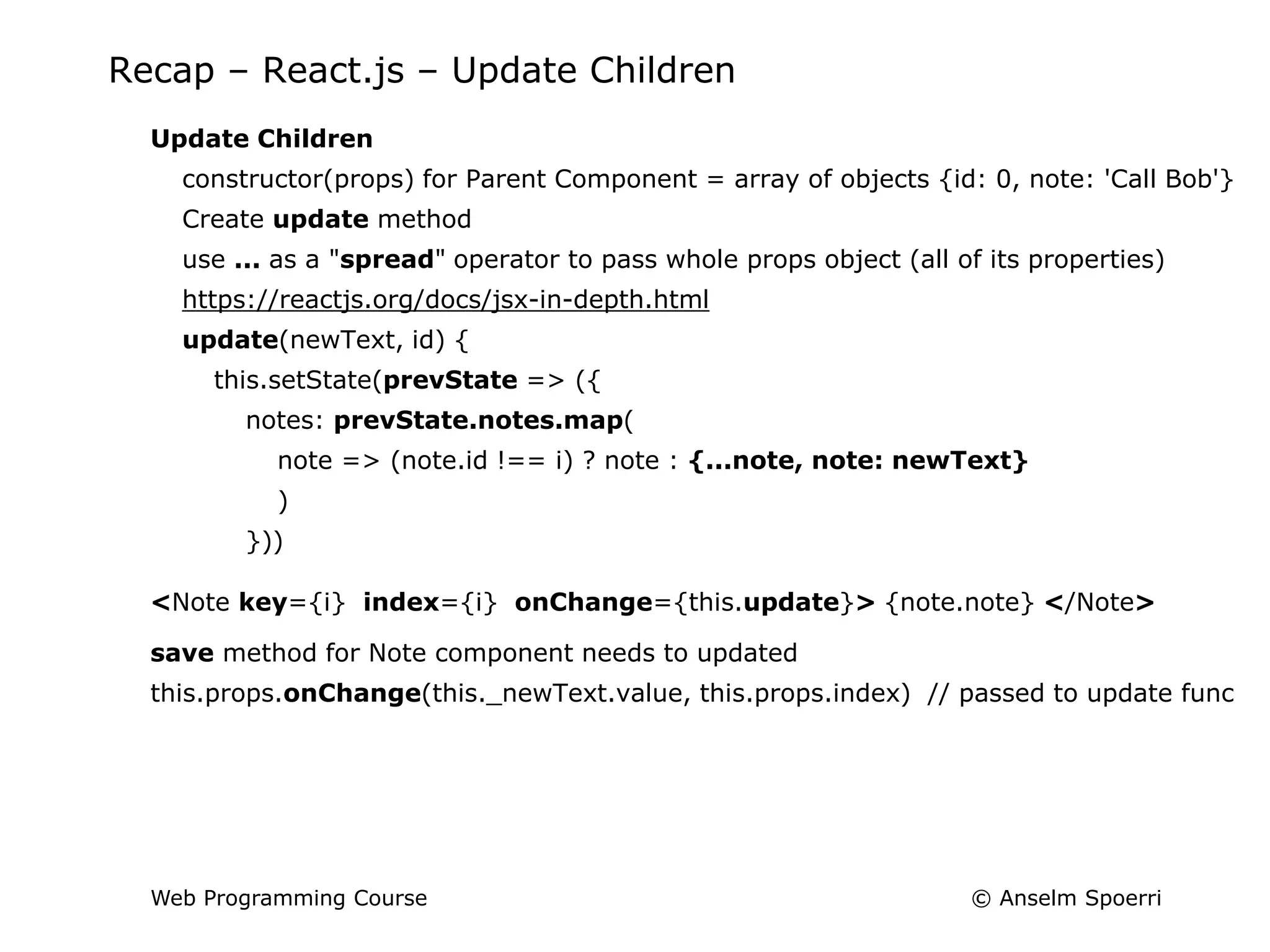
Update Children
constructor(props) for Parent Component = array of objects {id: 0, note: 'Call Bob'}
Create update method
use ... as a "spread" operator to pass whole props object (all of its properties)
https://reactjs.org/docs/jsx-in-depth.html
update(newText, id) {
this.setState(prevState => ({
notes: prevState.notes.map(
note => (note.id !== i) ? note : {...note, note: newText}
)
}))
<Note key={i} index={i} onChange={this.update}> {note.note} </Note>
save method for Note component needs to updated
this.props.onChange(this._newText.value, this.props.index) // passed to update func
© Anselm Spoerri
Web Programming Course
Recap – React.js – Remove Children
Remove Children
Create remove method: only keep notes don’t have id
remove(id) {
this.setState(prevState => ({
notes: prevState.notes.filter(note => note.id !== id)
}))
<Note key={ note.id} id={note.id} onChange={this.update}
onRemove={this.remove}> {note.note} </Note>
remove method for Note component needs to be updated
this.props.onRemove(this.props.index)
© Anselm Spoerri
Web Programming Course
Recap – React.js – Add Children
Add Children
this.state = { notes = [] }
add(text){
this.setState(prevState => ({
notes: [ ...prevState.notes, { id: this.nextId(), note: text}]
}))
Need to add button to Board
render() { return (<div className='board'>
{this.state.notes.map(this.eachNote)}
<button onClick={this.add.bind(null, "New Note")}>+</button>
</div>) }
<style> div.note {position: relative / absolute;} </style>
© Anselm Spoerri
Web Programming Course
React.js – Component Lifecycle
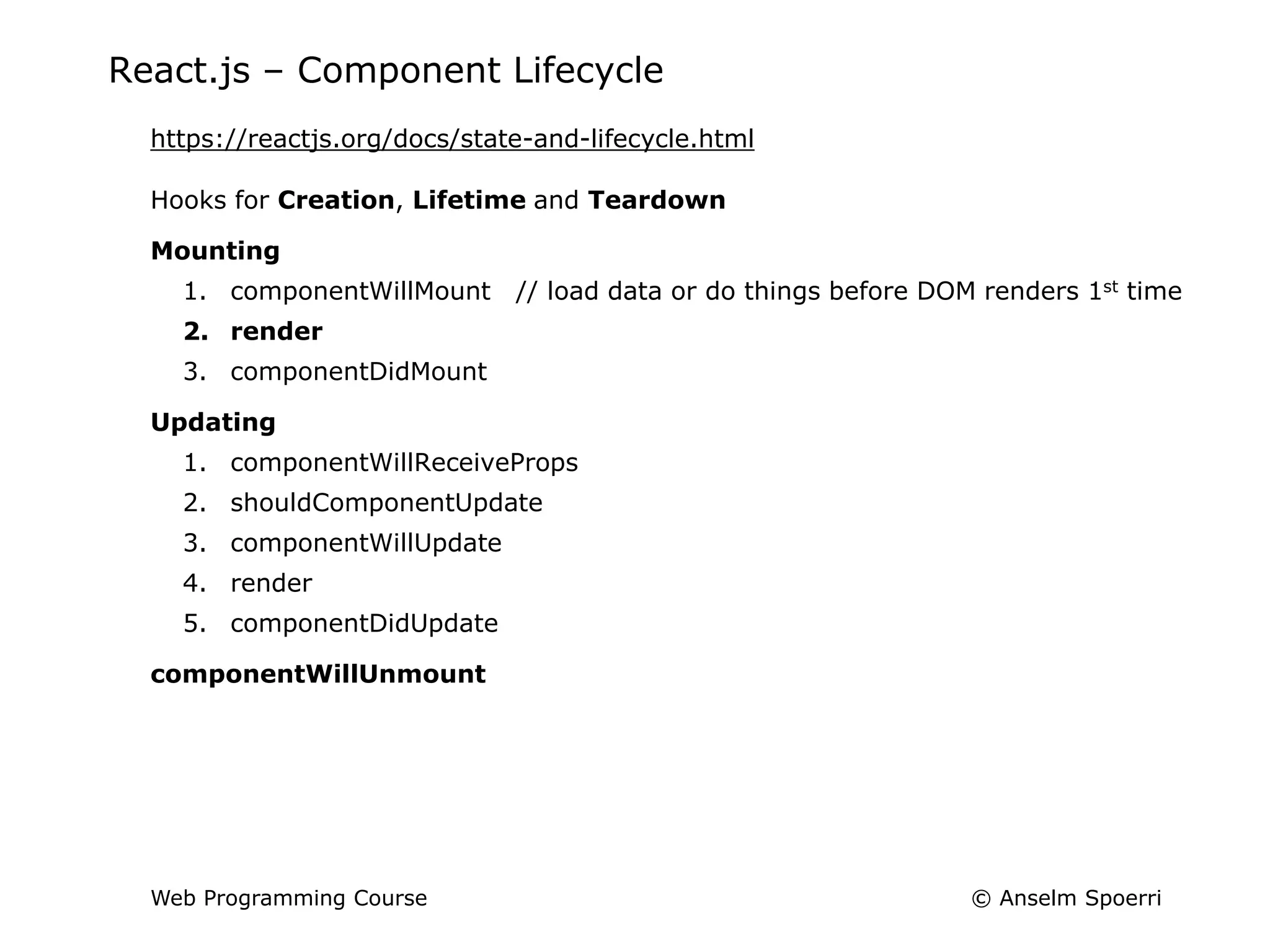
https://reactjs.org/docs/state-and-lifecycle.html
Hooks for Creation, Lifetime and Teardown
Mounting
1. componentWillMount // load data or do things before DOM renders 1st time
2. render
3. componentDidMount
Updating
1. componentWillReceiveProps
2. shouldComponentUpdate
3. componentWillUpdate
4. render
5. componentDidUpdate
componentWillUnmount
© Anselm Spoerri
Web Programming Course
Ex4 React.js – Create React App using Node.js
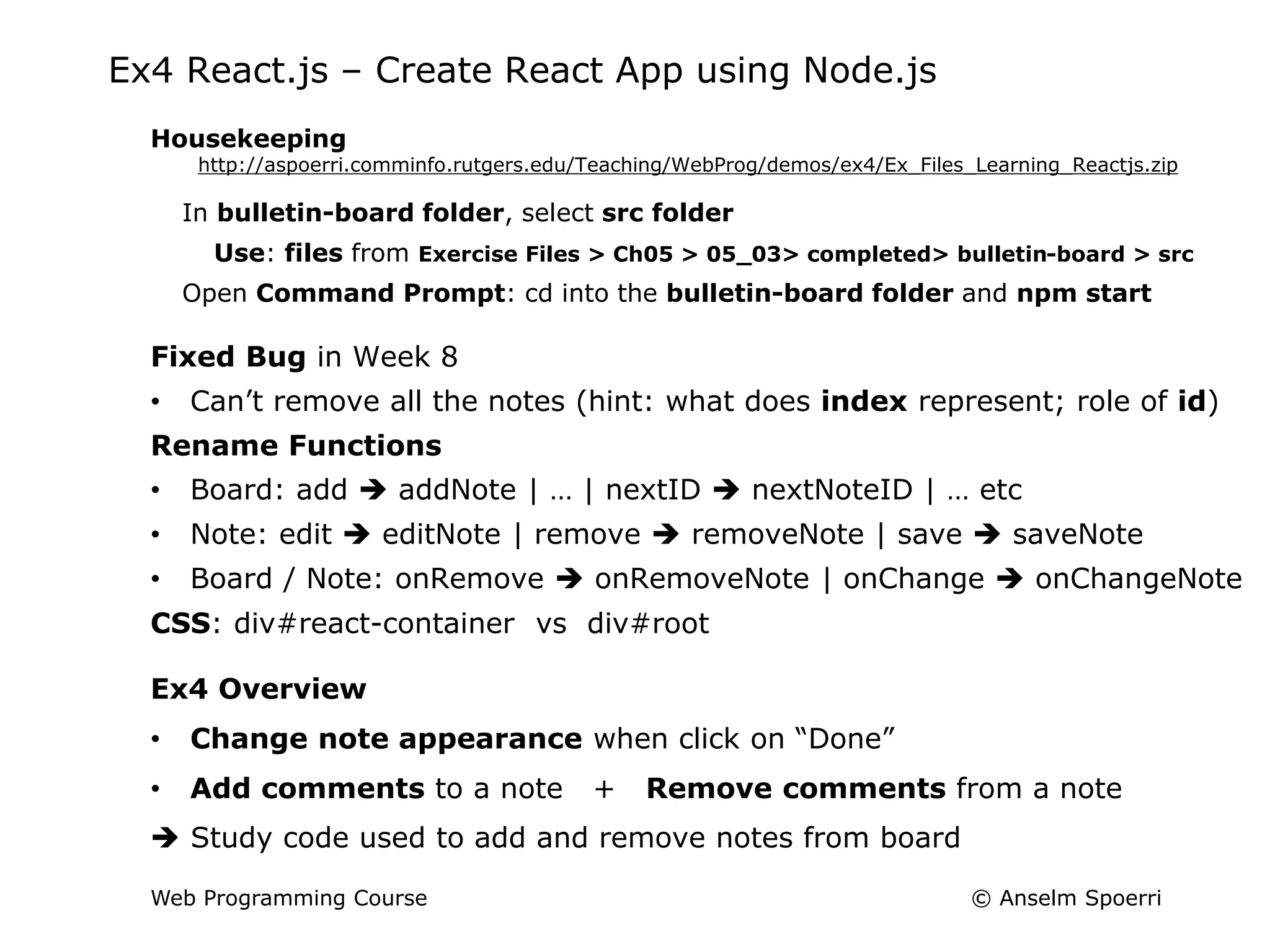
Housekeeping
http://aspoerri.comminfo.rutgers.edu/Teaching/WebProg/demos/ex4/Ex_Files_Learning_Reactjs.zip
In bulletin-board folder, select src folder
Use: files from Exercise Files > Ch05 > 05_03> completed> bulletin-board > src
Open Command Prompt: cd into the bulletin-board folder and npm start
Fixed Bug in Week 8
• Can’t remove all the notes (hint: what does index represent; role of id)
Rename Functions
• Board: add  addNote | … | nextID  nextNoteID | … etc
• Note: edit  editNote | remove  removeNote | save  saveNote
• Board / Note: onRemove  onRemoveNote | onChange  onChangeNote
CSS: div#react-container vs div#root
Ex4 Overview
• Change note appearance when click on “Done”
• Add comments to a note + Remove comments from a note
 Study code used to add and remove notes from board
© Anselm Spoerri
Web Programming Course
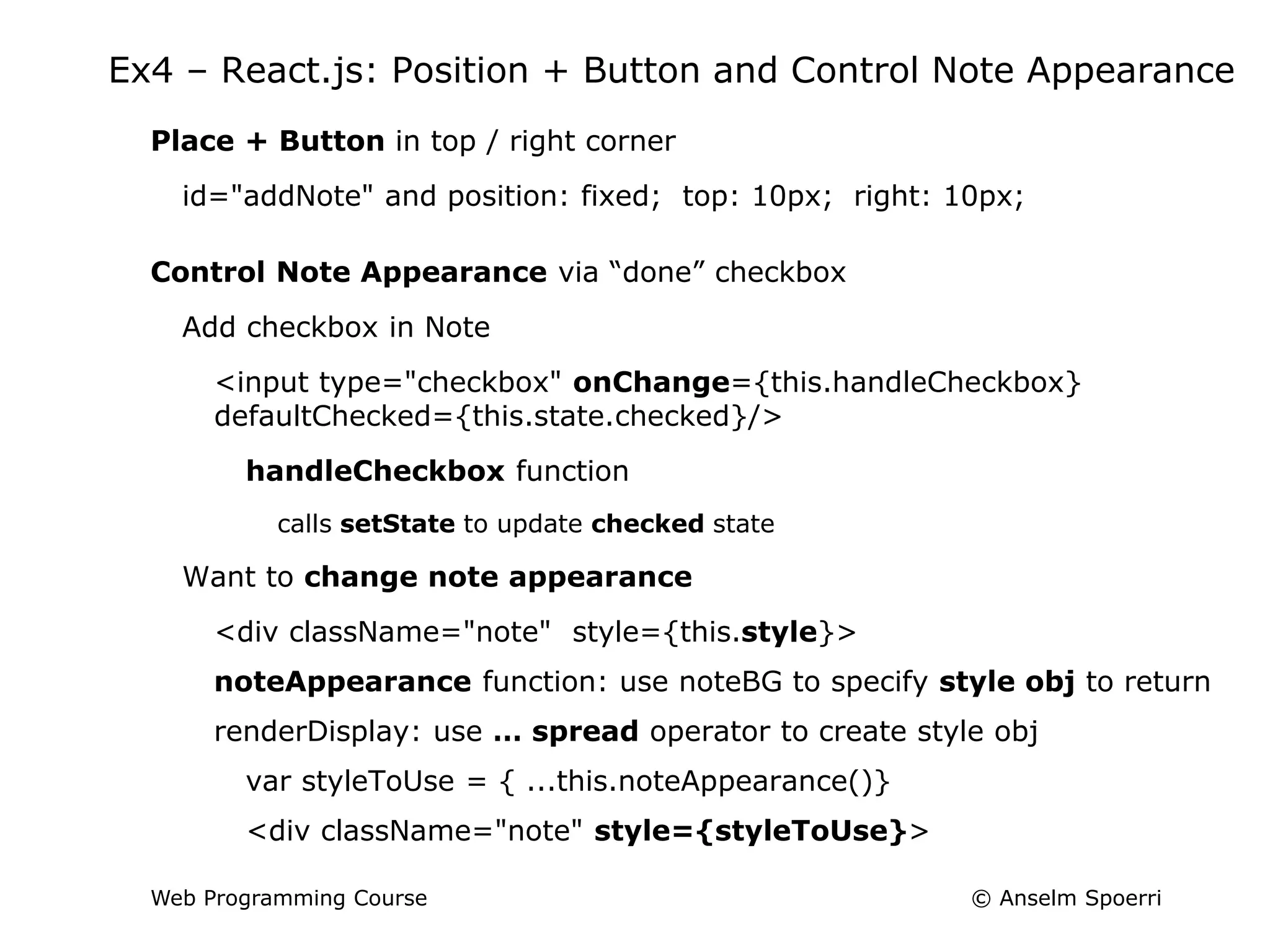
Ex4 – React.js: Position + Button and Control Note Appearance
Place + Button in top / right corner
id="addNote" and position: fixed; top: 10px; right: 10px;
Control Note Appearance via “done” checkbox
Add checkbox in Note
<input type="checkbox" onChange={this.handleCheckbox}
defaultChecked={this.state.checked}/>
handleCheckbox function
calls setState to update checked state
Want to change note appearance
<div className="note" style={this.style}>
noteAppearance function: use noteBG to specify style obj to return
renderDisplay: use … spread operator to create style obj
var styleToUse = { ...this.noteAppearance()}
<div className="note" style={styleToUse}>
© Anselm Spoerri
Web Programming Course
Ex4 – React.js: Add Comment to Note
Note component
Add Comment placeholder below Note and style it
Add “Add Comment” button in Note
Specify onClick and addComment function
onClick={this.addComment.bind(null, "Comment")}
Add comments array as state of Note
Create Comment component
Create object with id and comment properties
nextCommentId function
Specify render function
Add Comment component to Note
eachComment function: create JSX for NoteComment
{this.state.comments.map(this.eachComment)}
© Anselm Spoerri
Web Programming Course
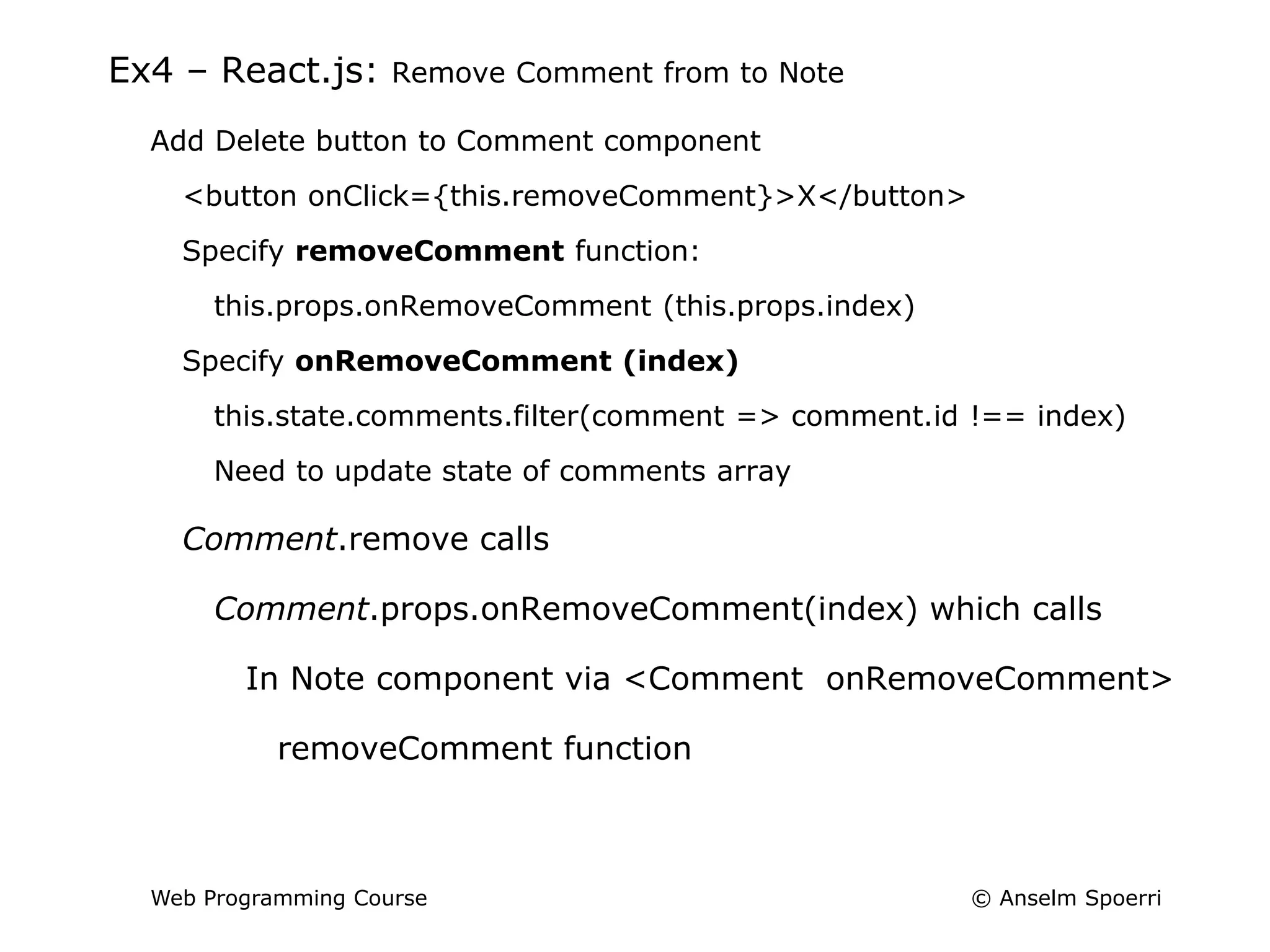
Ex4 – React.js: Remove Comment from to Note
Add Delete button to Comment component
<button onClick={this.removeComment}>X</button>
Specify removeComment function:
this.props.onRemoveComment (this.props.index)
Specify onRemoveComment (index)
this.state.comments.filter(comment => comment.id !== index)
Need to update state of comments array
Comment.remove calls
Comment.props.onRemoveComment(index) which calls
In Note component via <Comment onRemoveComment>
removeComment function

Lec9Handout.ppt

  • 1.
    © Anselm Spoerri WebProgramming Course Web Programming Info + Web Tech Course Anselm Spoerri PhD (MIT) SC&I @ Rutgers University aspoerri@rutgers.edu
  • 2.
    © Anselm Spoerri WebProgramming Course Lecture 9 - Overview Recap – React.js Ex4 Lab Due Mar 26 Quiz 4 – React.js Due Mar 26 What to Do BEFORE Next Class ‒ Videos in Week 10 (in green)
  • 3.
    © Anselm Spoerri WebProgramming Course Recap – React.js Library for Creating Interfaces Focus on the View Virtual DOM = JS Object: efficiently update & render components when data changes Components and subcomponents  nested structure (like HTML) One-way Data Flow States store what is happening in application and react to changes in state or data Props used to pass information between main component and subcomponents JSX = JavaScript as XML – write HTML tags inside JavaScript Combine the best parts of JavaScript with HTML tags JSX needs to be converted to regular JavaScript
  • 4.
    © Anselm Spoerri WebProgramming Course Recap – React.js React = Components = UI element with changing data ES6 Class Component class MyComp extends React.Component { render () { HTML }} ReactDOM.render(<MyComp />, where in DOM)) Always start component names with capital letter render method for component Fairly simple nested JSX with {JS statement} Use external variable inline style = JS object CSS class  className background-color  backgroundColor ReactDOM – render elements in the actual DOM render(ReactElement, DOMElement) ReactDOM.render(<MyComponent />, document.getElementById("react-container"))
  • 5.
    © Anselm Spoerri WebProgramming Course Recap – React.js – Properties and State Properties Class component: this.props contains props defined by caller of this component {this.props.text} inside JSX <MyComp text="Hello World"/> {this.props.children} inside JSX <MyComp text="Hi">World</myComp>  Props used to pass information between main component and subcomponents Define state that can be queried and changed constructor(props) { super(props) // access this.props in constructor this.state = { checked: false } // define state checked this.handleCheck = this.handleCheck.bind(this) // keep this in scope } handleCheck () { this.setState({ checked: !this.state.checked })} Note: if we want to use this.props inside of return () then need to work using vars  States store what is happening in application and react to state / data changes  constructor(props) { super(props) this.state = { x: y } this.funcZ = this.funcZ.bind(this)
  • 6.
    © Anselm Spoerri WebProgramming Course Recap – React.js – Parent / Children Refs store & access actual value of user input component <textarea ref={input => this._newText = input}/> this._newText.value or <textarea ref="newText"></textarea> this.refs.newText.value Parent / Children Relationships – Create Subcomponents Create Main / Parent component: var Board = React Component this.state = { notes: array with content to add to subcomponents} render() { return (<div className='board'> { this.state.notes.map(this.eachNote) } </div>) }  Nest inside of board div a series of Note components with property key
  • 7.
    © Anselm Spoerri WebProgramming Course Recap – map / filter function and arrow (=>) function array.map() creates new array with results of calling function for every array element https://www.w3schools.com/jsref/jsref_map.asp array.filter() creates new array filled with array elements that pass test (provided as function) https://www.w3schools.com/jsref/jsref_filter.asp arrow function shorter syntax than a function expression and does not bind its own this, arguments, super, or new.target. https://www.lynda.com/JavaScript-tutorials/Arrow-functions/424003/459181-4.html var materials = [ 'Hydrogen', 'Helium', 'Lithium', 'Beryllium' ]; var materialsLength1 = materials.map(function(material) { return material.length; }); var materialsLength2 = materials.map((material) => { return material.length; }); var materialsLength3 = materials.map(material => material.length);
  • 8.
    © Anselm Spoerri WebProgramming Course Recap – React.js – Update Children Update Children constructor(props) for Parent Component = array of objects {id: 0, note: 'Call Bob'} Create update method use ... as a "spread" operator to pass whole props object (all of its properties) https://reactjs.org/docs/jsx-in-depth.html update(newText, id) { this.setState(prevState => ({ notes: prevState.notes.map( note => (note.id !== i) ? note : {...note, note: newText} ) })) <Note key={i} index={i} onChange={this.update}> {note.note} </Note> save method for Note component needs to updated this.props.onChange(this._newText.value, this.props.index) // passed to update func
  • 9.
    © Anselm Spoerri WebProgramming Course Recap – React.js – Remove Children Remove Children Create remove method: only keep notes don’t have id remove(id) { this.setState(prevState => ({ notes: prevState.notes.filter(note => note.id !== id) })) <Note key={ note.id} id={note.id} onChange={this.update} onRemove={this.remove}> {note.note} </Note> remove method for Note component needs to be updated this.props.onRemove(this.props.index)
  • 10.
    © Anselm Spoerri WebProgramming Course Recap – React.js – Add Children Add Children this.state = { notes = [] } add(text){ this.setState(prevState => ({ notes: [ ...prevState.notes, { id: this.nextId(), note: text}] })) Need to add button to Board render() { return (<div className='board'> {this.state.notes.map(this.eachNote)} <button onClick={this.add.bind(null, "New Note")}>+</button> </div>) } <style> div.note {position: relative / absolute;} </style>
  • 11.
    © Anselm Spoerri WebProgramming Course React.js – Component Lifecycle https://reactjs.org/docs/state-and-lifecycle.html Hooks for Creation, Lifetime and Teardown Mounting 1. componentWillMount // load data or do things before DOM renders 1st time 2. render 3. componentDidMount Updating 1. componentWillReceiveProps 2. shouldComponentUpdate 3. componentWillUpdate 4. render 5. componentDidUpdate componentWillUnmount
  • 12.
    © Anselm Spoerri WebProgramming Course Ex4 React.js – Create React App using Node.js Housekeeping http://aspoerri.comminfo.rutgers.edu/Teaching/WebProg/demos/ex4/Ex_Files_Learning_Reactjs.zip In bulletin-board folder, select src folder Use: files from Exercise Files > Ch05 > 05_03> completed> bulletin-board > src Open Command Prompt: cd into the bulletin-board folder and npm start Fixed Bug in Week 8 • Can’t remove all the notes (hint: what does index represent; role of id) Rename Functions • Board: add  addNote | … | nextID  nextNoteID | … etc • Note: edit  editNote | remove  removeNote | save  saveNote • Board / Note: onRemove  onRemoveNote | onChange  onChangeNote CSS: div#react-container vs div#root Ex4 Overview • Change note appearance when click on “Done” • Add comments to a note + Remove comments from a note  Study code used to add and remove notes from board
  • 13.
    © Anselm Spoerri WebProgramming Course Ex4 – React.js: Position + Button and Control Note Appearance Place + Button in top / right corner id="addNote" and position: fixed; top: 10px; right: 10px; Control Note Appearance via “done” checkbox Add checkbox in Note <input type="checkbox" onChange={this.handleCheckbox} defaultChecked={this.state.checked}/> handleCheckbox function calls setState to update checked state Want to change note appearance <div className="note" style={this.style}> noteAppearance function: use noteBG to specify style obj to return renderDisplay: use … spread operator to create style obj var styleToUse = { ...this.noteAppearance()} <div className="note" style={styleToUse}>
  • 14.
    © Anselm Spoerri WebProgramming Course Ex4 – React.js: Add Comment to Note Note component Add Comment placeholder below Note and style it Add “Add Comment” button in Note Specify onClick and addComment function onClick={this.addComment.bind(null, "Comment")} Add comments array as state of Note Create Comment component Create object with id and comment properties nextCommentId function Specify render function Add Comment component to Note eachComment function: create JSX for NoteComment {this.state.comments.map(this.eachComment)}
  • 15.
    © Anselm Spoerri WebProgramming Course Ex4 – React.js: Remove Comment from to Note Add Delete button to Comment component <button onClick={this.removeComment}>X</button> Specify removeComment function: this.props.onRemoveComment (this.props.index) Specify onRemoveComment (index) this.state.comments.filter(comment => comment.id !== index) Need to update state of comments array Comment.remove calls Comment.props.onRemoveComment(index) which calls In Note component via <Comment onRemoveComment> removeComment function