Designing Websites


Using HTML and FrontPage
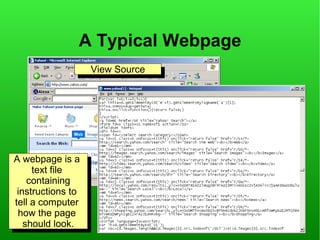
A Typical Webpage
                     View Source
                      View Source


A webpage is a
 A webpage is a
      text file
       text file
     containing
      containing
 instructions to
   instructions to
tell aacomputer
  tell computer
 how the page
   how the page
    should look.
     should look.
Creating Webpages
●
    You can create a page by hand,
    using a text-editor like Notepad
●
    You can use web-based tools,
    eg Blogging/Content Management
    Systems to store your data and present it in
    different ways.
●
    You can use website authoring software,
    eg FrontPage, Dreamweaver to create a
    page, and upload it when you are ready
HTML and FrontPage
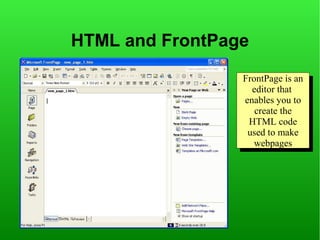
                 FrontPage is an
                  FrontPage is an
                   editor that
                    editor that
                 enables you to
                  enables you to
                    create the
                     create the
                  HTML code
                   HTML code
                  used to make
                   used to make
                    webpages
                     webpages
The HTML for our first page
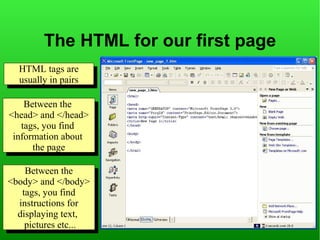
  HTML tags are
   HTML tags are
  usually in pairs
   usually in pairs

    Between the
     Between the
<head> and </head>
 <head> and </head>
   tags, you find
    tags, you find
 information about
  information about
      the page
       the page

     Between the
      Between the
<body> and </body>
 <body> and </body>
    tags, you find
     tags, you find
   instructions for
    instructions for
  displaying text,
    displaying text,
     pictures etc...
      pictures etc...
Adding text to our first page

 Paragraph styles
  Paragraph styles

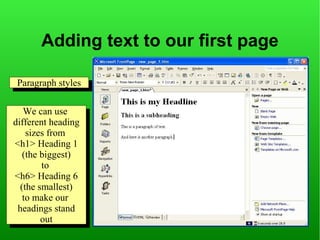
   We can use
     We can use
different heading
 different heading
    sizes from
      sizes from
<h1> Heading 11
 <h1> Heading
   (the biggest)
     (the biggest)
         to
          to
<h6> Heading 66
 <h6> Heading
  (the smallest)
    (the smallest)
   to make our
     to make our
 headings stand
  headings stand
         out
          out
Using HTML to format our text


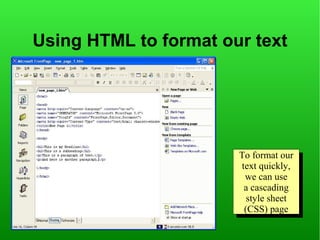
                       To format our
                        To format our
                       text quickly,
                        text quickly,
                        we can use
                          we can use
                        aacascading
                           cascading
                         style sheet
                          style sheet
                        (CSS) page
                         (CSS) page
Creating a blank stylesheet


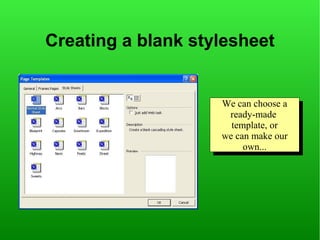
                    We can choose aa
                     We can choose
                      ready-made
                       ready-made
                      template, or
                       template, or
                    we can make our
                    we can make our
                         own...
                          own...
Selecting styles to modify


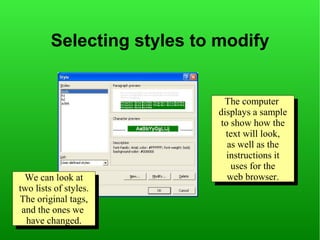
                              The computer
                               The computer
                            displays aasample
                             displays sample
                            to show how the
                             to show how the
                              text will look,
                               text will look,
                              as well as the
                               as well as the
                              instructions it
                               instructions it
                               uses for the
                                uses for the
  We can look at
   We can look at             web browser.
                               web browser.
two lists of styles.
 two lists of styles.
The original tags,
 The original tags,
 and the ones we
  and the ones we
  have changed.
   have changed.
Changing formatting for a style


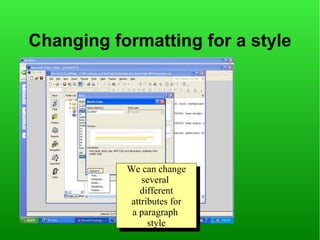
           We can change
           We can change
               several
                several
              different
                different
            attributes for
             attributes for
            aaparagraph
               paragraph
                 style
                  style
The Font Tab

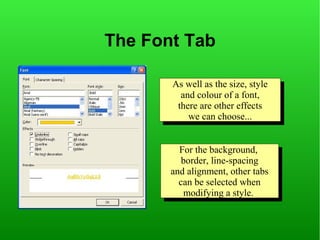
       As well as the size, style
       As well as the size, style
         and colour of aafont,
          and colour of font,
        there are other effects
         there are other effects
           we can choose...
            we can choose...


         For the background,
          For the background,
          border, line-spacing
           border, line-spacing
       and alignment, other tabs
        and alignment, other tabs
         can be selected when
          can be selected when
          modifying aastyle.
           modifying style.
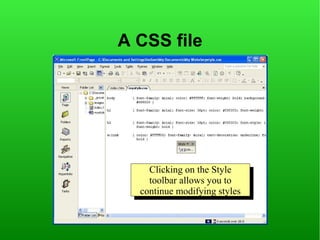
A CSS file


    Clicking on the Style
     Clicking on the Style
    toolbar allows you to
     toolbar allows you to
  continue modifying styles
   continue modifying styles
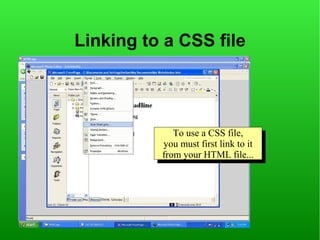
Linking to a CSS file


             To use aaCSS file,
              To use CSS file,
          you must first link to it
           you must first link to it
          from your HTML file...
           from your HTML file...
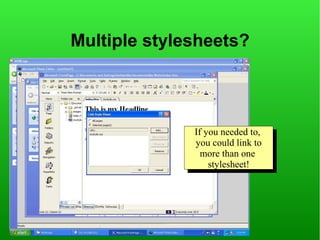
Multiple stylesheets?


              If you needed to,
               If you needed to,
              you could link to
               you could link to
                more than one
                 more than one
                  stylesheet!
                   stylesheet!
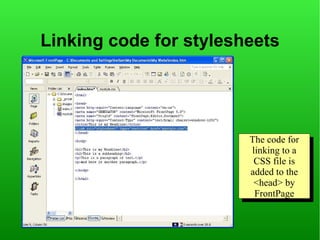
Linking code for stylesheets


                        The code for
                         The code for
                        linking to aa
                         linking to
                         CSS file is
                          CSS file is
                        added to the
                         added to the
                         <head> by
                          <head> by
                         FrontPage
                          FrontPage
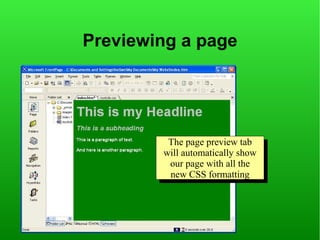
Previewing a page


         The page preview tab
          The page preview tab
        will automatically show
        will automatically show
         our page with all the
          our page with all the
         new CSS formatting
          new CSS formatting
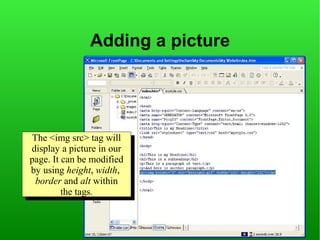
Adding a picture


 The <img src> tag will
  The <img src> tag will
display aapicture in our
  display picture in our
page. It can be modified
 page. It can be modified
by using height, width,
 by using height, width,
  border and alt within
   border and alt within
         the tags.
          the tags.
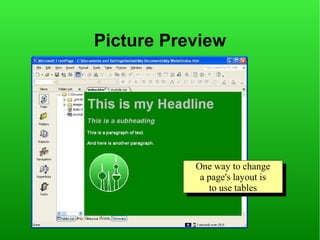
Picture Preview


           One way to change
           One way to change
            aapage's layout is
               page's layout is
              to use tables
               to use tables
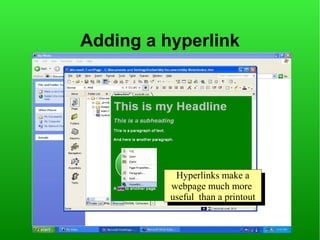
Adding a hyperlink


            Hyperlinks make aa
            Hyperlinks make
          webpage much more
           webpage much more
          useful than aaprintout
           useful than printout
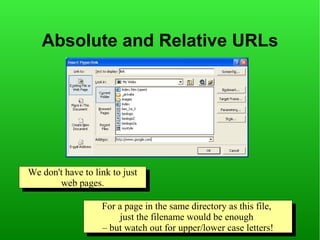
Absolute and Relative URLs


We don't have to link to just
       web pages.
         web pages.

                   For aapage in the same directory as this file,
                    For page in the same directory as this file,
                        just the filename would be enough
                         just the filename would be enough
                   ––but watch out for upper/lower case letters!
                      but watch out for upper/lower case letters!
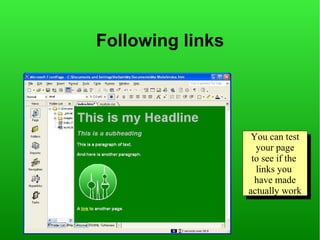
Following links


                   You can test
                    You can test
                    your page
                     your page
                   to see if the
                    to see if the
                    links you
                     links you
                    have made
                     have made
                  actually work
                   actually work
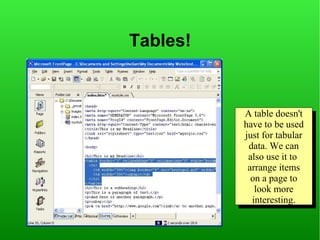
Tables!


          A table doesn't
           A table doesn't
          have to be used
           have to be used
          just for tabular
           just for tabular
           data. We can
            data. We can
           also use it to
            also use it to
           arrange items
            arrange items
            on aapage to
             on page to
             look more
               look more
            interesting.
              interesting.
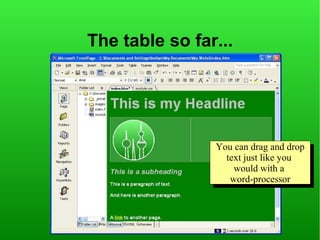
The table so far...


                You can drag and drop
                You can drag and drop
                  text just like you
                   text just like you
                    would with aa
                     would with
                   word-processor
                    word-processor
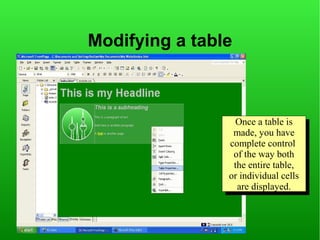
Modifying a table


                  Once aatable is
                   Once table is
                 made, you have
                  made, you have
                complete control
                 complete control
                 of the way both
                  of the way both
                 the entire table,
                  the entire table,
                or individual cells
                 or individual cells
                  are displayed.
                   are displayed.
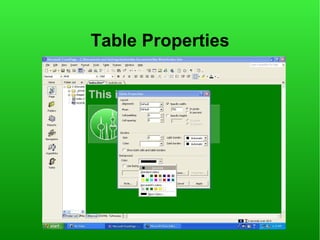
Table Properties
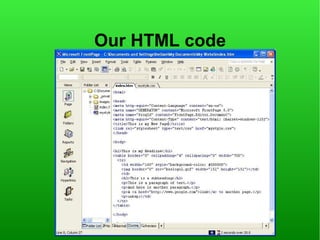
Our HTML code
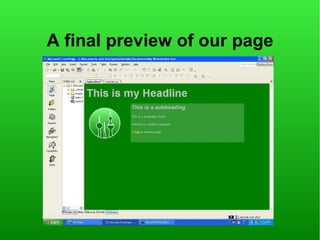
A final preview of our page

Learn HTML

  • 1.
  • 2.
    A Typical Webpage View Source View Source A webpage is a A webpage is a text file text file containing containing instructions to instructions to tell aacomputer tell computer how the page how the page should look. should look.
  • 3.
    Creating Webpages ● You can create a page by hand, using a text-editor like Notepad ● You can use web-based tools, eg Blogging/Content Management Systems to store your data and present it in different ways. ● You can use website authoring software, eg FrontPage, Dreamweaver to create a page, and upload it when you are ready
  • 4.
    HTML and FrontPage FrontPage is an FrontPage is an editor that editor that enables you to enables you to create the create the HTML code HTML code used to make used to make webpages webpages
  • 5.
    The HTML forour first page HTML tags are HTML tags are usually in pairs usually in pairs Between the Between the <head> and </head> <head> and </head> tags, you find tags, you find information about information about the page the page Between the Between the <body> and </body> <body> and </body> tags, you find tags, you find instructions for instructions for displaying text, displaying text, pictures etc... pictures etc...
  • 6.
    Adding text toour first page Paragraph styles Paragraph styles We can use We can use different heading different heading sizes from sizes from <h1> Heading 11 <h1> Heading (the biggest) (the biggest) to to <h6> Heading 66 <h6> Heading (the smallest) (the smallest) to make our to make our headings stand headings stand out out
  • 7.
    Using HTML toformat our text To format our To format our text quickly, text quickly, we can use we can use aacascading cascading style sheet style sheet (CSS) page (CSS) page
  • 8.
    Creating a blankstylesheet We can choose aa We can choose ready-made ready-made template, or template, or we can make our we can make our own... own...
  • 9.
    Selecting styles tomodify The computer The computer displays aasample displays sample to show how the to show how the text will look, text will look, as well as the as well as the instructions it instructions it uses for the uses for the We can look at We can look at web browser. web browser. two lists of styles. two lists of styles. The original tags, The original tags, and the ones we and the ones we have changed. have changed.
  • 10.
    Changing formatting fora style We can change We can change several several different different attributes for attributes for aaparagraph paragraph style style
  • 11.
    The Font Tab As well as the size, style As well as the size, style and colour of aafont, and colour of font, there are other effects there are other effects we can choose... we can choose... For the background, For the background, border, line-spacing border, line-spacing and alignment, other tabs and alignment, other tabs can be selected when can be selected when modifying aastyle. modifying style.
  • 12.
    A CSS file Clicking on the Style Clicking on the Style toolbar allows you to toolbar allows you to continue modifying styles continue modifying styles
  • 13.
    Linking to aCSS file To use aaCSS file, To use CSS file, you must first link to it you must first link to it from your HTML file... from your HTML file...
  • 14.
    Multiple stylesheets? If you needed to, If you needed to, you could link to you could link to more than one more than one stylesheet! stylesheet!
  • 15.
    Linking code forstylesheets The code for The code for linking to aa linking to CSS file is CSS file is added to the added to the <head> by <head> by FrontPage FrontPage
  • 16.
    Previewing a page The page preview tab The page preview tab will automatically show will automatically show our page with all the our page with all the new CSS formatting new CSS formatting
  • 17.
    Adding a picture The <img src> tag will The <img src> tag will display aapicture in our display picture in our page. It can be modified page. It can be modified by using height, width, by using height, width, border and alt within border and alt within the tags. the tags.
  • 18.
    Picture Preview One way to change One way to change aapage's layout is page's layout is to use tables to use tables
  • 19.
    Adding a hyperlink Hyperlinks make aa Hyperlinks make webpage much more webpage much more useful than aaprintout useful than printout
  • 20.
    Absolute and RelativeURLs We don't have to link to just We don't have to link to just web pages. web pages. For aapage in the same directory as this file, For page in the same directory as this file, just the filename would be enough just the filename would be enough ––but watch out for upper/lower case letters! but watch out for upper/lower case letters!
  • 21.
    Following links You can test You can test your page your page to see if the to see if the links you links you have made have made actually work actually work
  • 22.
    Tables! A table doesn't A table doesn't have to be used have to be used just for tabular just for tabular data. We can data. We can also use it to also use it to arrange items arrange items on aapage to on page to look more look more interesting. interesting.
  • 23.
    The table sofar... You can drag and drop You can drag and drop text just like you text just like you would with aa would with word-processor word-processor
  • 24.
    Modifying a table Once aatable is Once table is made, you have made, you have complete control complete control of the way both of the way both the entire table, the entire table, or individual cells or individual cells are displayed. are displayed.
  • 25.
  • 26.
  • 27.
    A final previewof our page