Lean
methodology
A3 Report
Checklist
• Background: This section provides context for the problem or
opportunity being addressed
• Current Condition: Here, the current state of affairs related to the
problem or opportunity is described in detail
• Goal: The desired outcome or target condition is stated clearly
• Analysis: This is where the root cause analysis takes place
• Proposed Countermeasures: Based on the analysis, potential
solutions or countermeasures are proposed
• Implementation Plan: This section outlines how the proposed
countermeasures will be put into action
• Follow-Up: Finally, the A3 report includes a plan for monitoring
progress and evaluating the effectiveness of the countermeasures
Here’s A3 report checklist you can use
to ensure that your A3 report is
comprehensive and effective
• Clear Problem Statement
• Is the problem or opportunity clearly defined and
understood?
• Does the problem statement align with the
organization’s goals and priorities?
• Background
• Have you provided sufficient context and background
information?
• Is there clarity on why this problem or opportunity is
significant?
• Current Condition
• Have you accurately described the current state of
affairs?
• Have you included relevant data, observations, or
evidence to support your description?
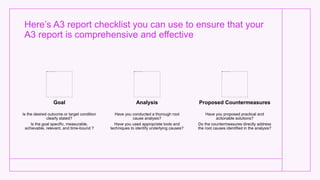
Here’s A3 report checklist you can use to ensure that your
A3 report is comprehensive and effective
Goal
Is the desired outcome or target condition
clearly stated?
Is the goal specific, measurable,
achievable, relevant, and time-bound ?
Analysis
Have you conducted a thorough root
cause analysis?
Have you used appropriate tools and
techniques to identify underlying causes?
Proposed Countermeasures
Have you proposed practical and
actionable solutions?
Do the countermeasures directly address
the root causes identified in the analysis?
Here’s A3 report checklist you can use
to ensure that your A3 report is
comprehensive and effective
• Implementation Plan
• Have you outlined a clear plan for implementing the
proposed countermeasures?
• Does the plan include specific tasks, responsibilities,
timelines, and resource requirements?
• Follow-Up
• Have you established a system for monitoring progress and
evaluating effectiveness?
• Have you defined metrics or targets to track progress?
• Are there scheduled checkpoints for review and adjustment
if necessary?
• Visual Presentation
• Is the A3 report visually appealing and easy to read?
• Have you used charts, graphs, or other visual aids to
enhance understanding?
Here’s A3 report checklist you can use
to ensure that your A3 report is
comprehensive and effective
• Stakeholder Involvement
• Have relevant stakeholders been involved
in the problem-solving process?
• Have their perspectives and insights been
considered in the development of the A3
report?
• Feedback and Review
• Have you sought feedback from peers or
subject matter experts?
• Have you reviewed the A3 report for
accuracy, clarity, and completeness?
A3 Report eAuditor Audits &
Inspections Features
• User Authentication
• eAuditor Audits & Inspections has secure
login for authorized users with User roles
and permissions to control access
• Dashboard
• eAuditor Audits & Inspections dashboard
provides Overview of all ongoing and
completed A3 reports with Quick access to
create new reports or review existing ones
• eAuditor Audits & Inspections provides
notifications for pending actions or
deadlines
A3 Report eAuditor Audits & Inspections
Features
Create New A3 Report
eAuditor Audits & Inspections has step-by-
step wizard to guide users through report
creation with Input fields for problem
statement, background, current condition,
goal, analysis, proposed countermeasures,
implementation plan, follow-up, etc
eAuditor Audits & Inspections provides
option to upload files or images for
supporting evidence
eAuditor Audits & Inspections also has
ability to save drafts and return to edit later
Template Library
eAuditor Audits & Inspections has Pre-
designed template for A3 Report and it is
customizable A3 report Checklist templates
to fit specific organizational needs with
Option to create and save custom templates
A3 Report eAuditor
Audits &
Inspections
Features
Collaboration
Tools
eAuditor Audits
&
Inspections ha
s ability to
invite team
members to
collaborate on
A3 reports with
real-time
collaboration
features
Data Analysis
Tools
eAuditor Audits
&
Inspections da
shboard can
provide Built-in
tools for
conducting root
cause analysis
with integration
with data
visualization
tools for
creating charts
and graphs
Reporting and
Export
eAuditor Audits
&
Inspections ge
nerates PDF or
printable
versions of A3
reports and can
export data and
insights for
further analysis
or sharing and
provides
integration with
other systems
A3 Report eAuditor Audits &
Inspections Features
• Analytics and Insights
• eAuditor Audits & Inspections dashboards and reports can
track key metrics and KPIs across multiple A3 projects along
with data visualization tools for identifying trends, patterns,
and areas for improvement
• Security and Compliance
• eAuditor Audits & Inspections encrypts sensitive data to
ensure confidentiality and manages compliance with data
protection regulations as well as maintains audit trails for
tracking user activities and changes to reports
• Training and Support
• eAuditor Audits & Inspections can provide onboarding
materials and tutorials for new users and help desk or
support portal for troubleshooting issues
• eAuditor Audits & Inspections regular updates and
enhancements based on user feedback

Lean methodology A3 Report Checklist eAuditor Audits & Inspections

  • 1.
  • 2.
    • Background: Thissection provides context for the problem or opportunity being addressed • Current Condition: Here, the current state of affairs related to the problem or opportunity is described in detail • Goal: The desired outcome or target condition is stated clearly • Analysis: This is where the root cause analysis takes place • Proposed Countermeasures: Based on the analysis, potential solutions or countermeasures are proposed • Implementation Plan: This section outlines how the proposed countermeasures will be put into action • Follow-Up: Finally, the A3 report includes a plan for monitoring progress and evaluating the effectiveness of the countermeasures
  • 3.
    Here’s A3 reportchecklist you can use to ensure that your A3 report is comprehensive and effective • Clear Problem Statement • Is the problem or opportunity clearly defined and understood? • Does the problem statement align with the organization’s goals and priorities? • Background • Have you provided sufficient context and background information? • Is there clarity on why this problem or opportunity is significant? • Current Condition • Have you accurately described the current state of affairs? • Have you included relevant data, observations, or evidence to support your description?
  • 4.
    Here’s A3 reportchecklist you can use to ensure that your A3 report is comprehensive and effective Goal Is the desired outcome or target condition clearly stated? Is the goal specific, measurable, achievable, relevant, and time-bound ? Analysis Have you conducted a thorough root cause analysis? Have you used appropriate tools and techniques to identify underlying causes? Proposed Countermeasures Have you proposed practical and actionable solutions? Do the countermeasures directly address the root causes identified in the analysis?
  • 5.
    Here’s A3 reportchecklist you can use to ensure that your A3 report is comprehensive and effective • Implementation Plan • Have you outlined a clear plan for implementing the proposed countermeasures? • Does the plan include specific tasks, responsibilities, timelines, and resource requirements? • Follow-Up • Have you established a system for monitoring progress and evaluating effectiveness? • Have you defined metrics or targets to track progress? • Are there scheduled checkpoints for review and adjustment if necessary? • Visual Presentation • Is the A3 report visually appealing and easy to read? • Have you used charts, graphs, or other visual aids to enhance understanding?
  • 6.
    Here’s A3 reportchecklist you can use to ensure that your A3 report is comprehensive and effective • Stakeholder Involvement • Have relevant stakeholders been involved in the problem-solving process? • Have their perspectives and insights been considered in the development of the A3 report? • Feedback and Review • Have you sought feedback from peers or subject matter experts? • Have you reviewed the A3 report for accuracy, clarity, and completeness?
  • 7.
    A3 Report eAuditorAudits & Inspections Features • User Authentication • eAuditor Audits & Inspections has secure login for authorized users with User roles and permissions to control access • Dashboard • eAuditor Audits & Inspections dashboard provides Overview of all ongoing and completed A3 reports with Quick access to create new reports or review existing ones • eAuditor Audits & Inspections provides notifications for pending actions or deadlines
  • 8.
    A3 Report eAuditorAudits & Inspections Features Create New A3 Report eAuditor Audits & Inspections has step-by- step wizard to guide users through report creation with Input fields for problem statement, background, current condition, goal, analysis, proposed countermeasures, implementation plan, follow-up, etc eAuditor Audits & Inspections provides option to upload files or images for supporting evidence eAuditor Audits & Inspections also has ability to save drafts and return to edit later Template Library eAuditor Audits & Inspections has Pre- designed template for A3 Report and it is customizable A3 report Checklist templates to fit specific organizational needs with Option to create and save custom templates
  • 9.
    A3 Report eAuditor Audits& Inspections Features Collaboration Tools eAuditor Audits & Inspections ha s ability to invite team members to collaborate on A3 reports with real-time collaboration features Data Analysis Tools eAuditor Audits & Inspections da shboard can provide Built-in tools for conducting root cause analysis with integration with data visualization tools for creating charts and graphs Reporting and Export eAuditor Audits & Inspections ge nerates PDF or printable versions of A3 reports and can export data and insights for further analysis or sharing and provides integration with other systems
  • 10.
    A3 Report eAuditorAudits & Inspections Features • Analytics and Insights • eAuditor Audits & Inspections dashboards and reports can track key metrics and KPIs across multiple A3 projects along with data visualization tools for identifying trends, patterns, and areas for improvement • Security and Compliance • eAuditor Audits & Inspections encrypts sensitive data to ensure confidentiality and manages compliance with data protection regulations as well as maintains audit trails for tracking user activities and changes to reports • Training and Support • eAuditor Audits & Inspections can provide onboarding materials and tutorials for new users and help desk or support portal for troubleshooting issues • eAuditor Audits & Inspections regular updates and enhancements based on user feedback