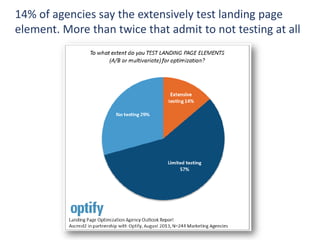
14% of agencies say the extensively test landing page
element. More than twice that admit to not testing at all
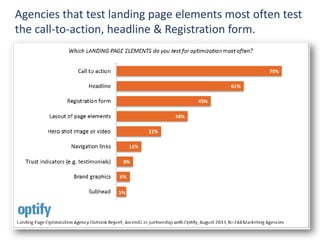
Agencies that test landing page elements most often test
the call-to-action, headline & Registration form.
1: Have a clear and emphasized call to action
2: Work the headline and subhead
Avoid generic terms like “submit”. Making your call to
action specific like “download the white paper now”
Headlines should support the concept that was used to
generate the click. “Contextual relevance”
3: Eliminate choices
Avoid distractions that don’t pertain to the goal. If you
must have links that don’t lead directly to the primary
action, put them in the footer.
10 Tips for Creating an Effective Landing Page
5: Use images judiciously
Study after Study shows that less content converts better.
People don’t read on the web…they “scan”
Images are good on a landing page, but…
 Don’t make the image too large
 Don’t make it too complex
 Make sure it renders properly and is correct size
 Use a caption
 Make it relevant
10 Tips for Creating an Effective Landing Page
4: Simplify design and reduce text
6: Continuity from start to finish
Your visitors arrived from somewhere Make sure your
message, keywords and headlines are consistent
10 Tips for Creating an Effective Landing Page
7: Show brand validation
Leverage other sources to validate your brand
 Trust icons
 Logos of well recognized clients
 Media sources that have mentioned the client
 Testimonials
 Acceptable payment methods
 Guarantees
8: Enable sharing and highlight Social Validation
Social buzz will drive traffic to the page and validate your
credibility. Make social sharing of your landing page easy.
10 Tips for Creating an Effective Landing Page
9: Key tactics to seal the deal:
 Keep conversion barriers to a minimum
 Create a sense of urgency
 Use high Contrast buttons that say “Click Here”
3: Test, test, test
The key to ongoing improvement is establishing a culture
of testing and tweaking
8
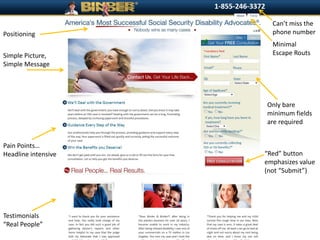
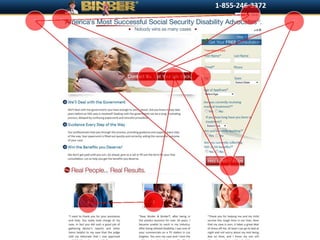
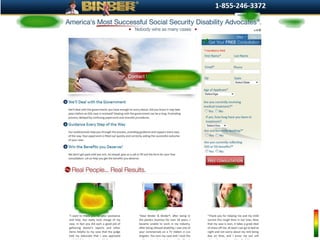
Can’t miss the
phone number
Minimal
Escape Routs
Only bare
minimum fields
are required
“Red” button
emphasizes value
(not “Submit”)
Positioning
Simple Picture,
Simple Message
Pain Points…
Headline intensive
Testimonials
“Real People”
©2012 RAM. All rights reserved.
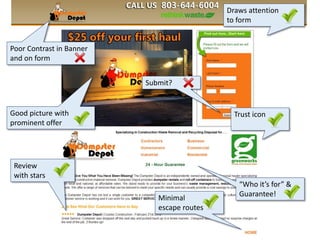
Poor Contrast in Banner
and on form
Draws attention
to form
Trust iconGood picture with
prominent offer
“Who it’s for” &
Guarantee!
Review
with stars
Submit?
Minimal
escape routes
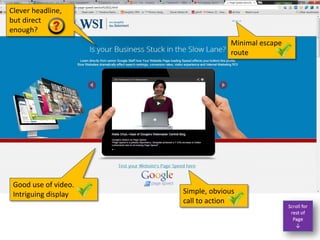
Good use of video.
Intriguing display
Minimal escape
route
Simple, obvious
call to action
Clever headline,
but direct
enough?
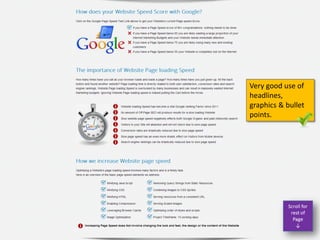
Very good use of
headlines,
graphics & bullet
points.
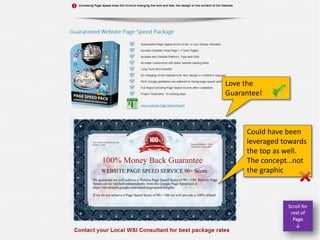
Love the
Guarantee!
Could have been
leveraged towards
the top as well.
The concept…not
the graphic
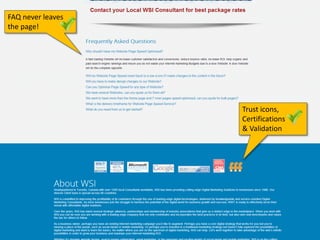
Trust icons,
Certifications
& Validation
FAQ never leaves
the page!
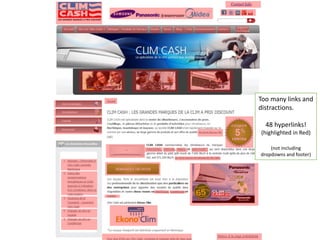
Too many links and
distractions.
48 hyperlinks!
(highlighted in Red)
(not including
dropdowns and footer)
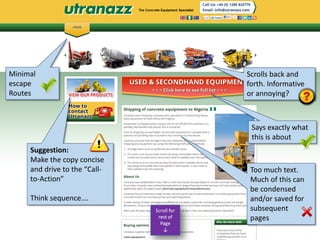
Scrolls back and
forth. Informative
or annoying?
Says exactly what
this is about
Too much text.
Much of this can
be condensed
and/or saved for
subsequent
pages
Suggestion:
Make the copy concise
and drive to the “Call-
to-Action”
Think sequence….
Minimal
escape
Routes
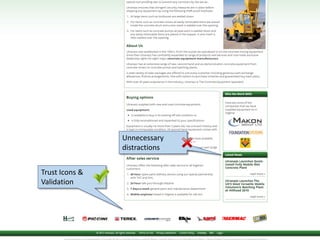
Trust Icons &
Validation
Unnecessary
distractions
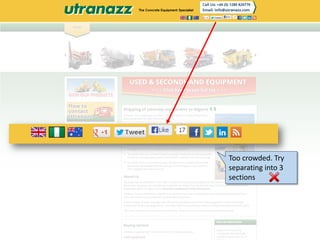
Too crowded. Try
separating into 3
sections
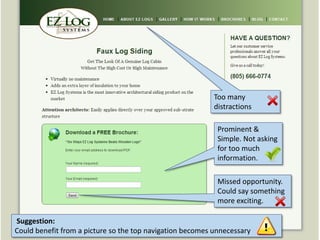
Prominent &
Simple. Not asking
for too much
information.
Missed opportunity.
Could say something
more exciting.
Too many
distractions
Suggestion:
Could benefit from a picture so the top navigation becomes unnecessary
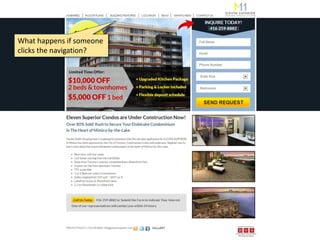
What happens if someone
clicks the navigation?
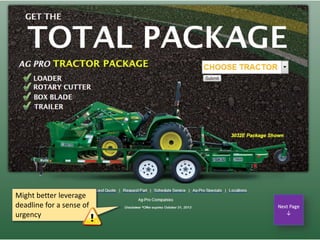
Might better leverage
deadline for a sense of
urgency
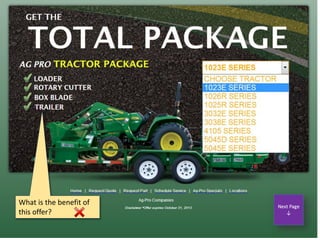
What is the benefit of
this offer?
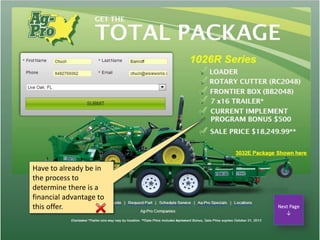
Have to already be in
the process to
determine there is a
financial advantage to
this offer.
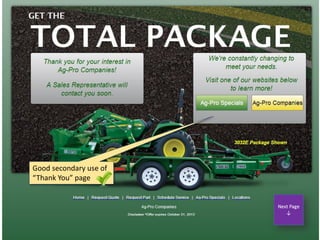
Good secondary use of
“Thank You” page
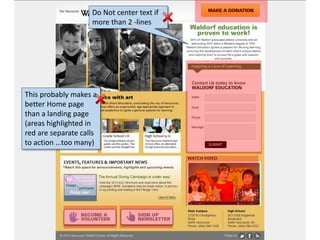
Do Not center text if
more than 2 -lines
This probably makes a
better Home page
than a landing page
(areas highlighted in
red are separate calls
to action …too many)
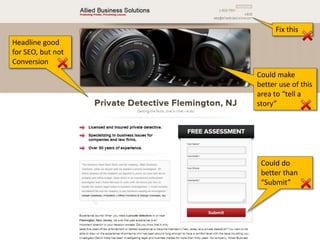
Headline good
for SEO, but not
Conversion
Could do
better than
“Submit”
Could make
better use of this
area to “tell a
story”
Fix this
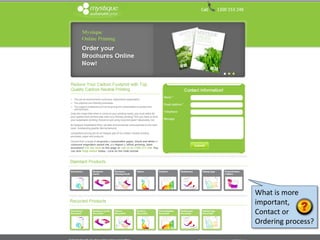
What is more
important,
Contact or
Ordering process?
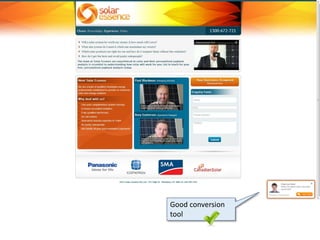
Good conversion
tool
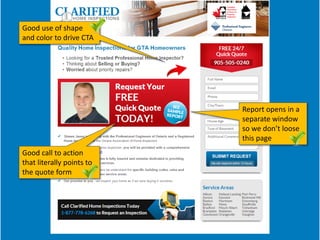
Report opens in a
separate window
so we don’t loose
this page
Good call to action
that literally points to
the quote form
Good use of shape
and color to drive CTA

Landing critique-toronto-2013

  • 2.
    14% of agenciessay the extensively test landing page element. More than twice that admit to not testing at all
  • 3.
    Agencies that testlanding page elements most often test the call-to-action, headline & Registration form.
  • 4.
    1: Have aclear and emphasized call to action 2: Work the headline and subhead Avoid generic terms like “submit”. Making your call to action specific like “download the white paper now” Headlines should support the concept that was used to generate the click. “Contextual relevance” 3: Eliminate choices Avoid distractions that don’t pertain to the goal. If you must have links that don’t lead directly to the primary action, put them in the footer. 10 Tips for Creating an Effective Landing Page
  • 5.
    5: Use imagesjudiciously Study after Study shows that less content converts better. People don’t read on the web…they “scan” Images are good on a landing page, but…  Don’t make the image too large  Don’t make it too complex  Make sure it renders properly and is correct size  Use a caption  Make it relevant 10 Tips for Creating an Effective Landing Page 4: Simplify design and reduce text
  • 6.
    6: Continuity fromstart to finish Your visitors arrived from somewhere Make sure your message, keywords and headlines are consistent 10 Tips for Creating an Effective Landing Page 7: Show brand validation Leverage other sources to validate your brand  Trust icons  Logos of well recognized clients  Media sources that have mentioned the client  Testimonials  Acceptable payment methods  Guarantees
  • 7.
    8: Enable sharingand highlight Social Validation Social buzz will drive traffic to the page and validate your credibility. Make social sharing of your landing page easy. 10 Tips for Creating an Effective Landing Page 9: Key tactics to seal the deal:  Keep conversion barriers to a minimum  Create a sense of urgency  Use high Contrast buttons that say “Click Here” 3: Test, test, test The key to ongoing improvement is establishing a culture of testing and tweaking
  • 8.
    8 Can’t miss the phonenumber Minimal Escape Routs Only bare minimum fields are required “Red” button emphasizes value (not “Submit”) Positioning Simple Picture, Simple Message Pain Points… Headline intensive Testimonials “Real People”
  • 9.
    ©2012 RAM. Allrights reserved.
  • 10.
    ©2012 RAM. Allrights reserved.
  • 12.
    Poor Contrast inBanner and on form Draws attention to form Trust iconGood picture with prominent offer “Who it’s for” & Guarantee! Review with stars Submit? Minimal escape routes
  • 13.
    Good use ofvideo. Intriguing display Minimal escape route Simple, obvious call to action Clever headline, but direct enough?
  • 14.
    Very good useof headlines, graphics & bullet points.
  • 15.
    Love the Guarantee! Could havebeen leveraged towards the top as well. The concept…not the graphic
  • 16.
  • 17.
    Too many linksand distractions. 48 hyperlinks! (highlighted in Red) (not including dropdowns and footer)
  • 18.
    Scrolls back and forth.Informative or annoying? Says exactly what this is about Too much text. Much of this can be condensed and/or saved for subsequent pages Suggestion: Make the copy concise and drive to the “Call- to-Action” Think sequence…. Minimal escape Routes
  • 19.
  • 20.
  • 21.
    Prominent & Simple. Notasking for too much information. Missed opportunity. Could say something more exciting. Too many distractions Suggestion: Could benefit from a picture so the top navigation becomes unnecessary
  • 22.
    What happens ifsomeone clicks the navigation?
  • 23.
    Might better leverage deadlinefor a sense of urgency
  • 24.
    What is thebenefit of this offer?
  • 25.
    Have to alreadybe in the process to determine there is a financial advantage to this offer.
  • 26.
    Good secondary useof “Thank You” page
  • 27.
    Do Not centertext if more than 2 -lines This probably makes a better Home page than a landing page (areas highlighted in red are separate calls to action …too many)
  • 28.
    Headline good for SEO,but not Conversion Could do better than “Submit” Could make better use of this area to “tell a story” Fix this
  • 29.
    What is more important, Contactor Ordering process?
  • 30.
  • 31.
    Report opens ina separate window so we don’t loose this page Good call to action that literally points to the quote form Good use of shape and color to drive CTA