Lamba Micro Service
using
Amazon Api Gateway
For Web Applications
About Us
Mike Becker
Founder /CTO - Wise Agent
University of Technology - 2000
Multi Instrumentalist - Guitars, Sax, Piano, Drums, Vocals
Internet Credentialed Reverend - 11 weddings officiated
Eleni Sommerschield
COO - Wise Agent
DePaul University - 2000
Fluent in Greek
Enjoys spending time with family and friends
Lambda Micro Service
1. Application Delivery
2. Application Requirements
3. AWS Assets
4. Web Assets
5. Process
6. Findings
Lambda Micro Service
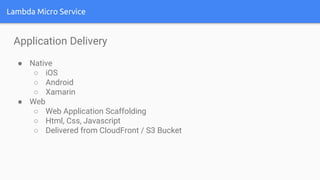
Application Delivery
● Native
○ iOS
○ Android
○ Xamarin
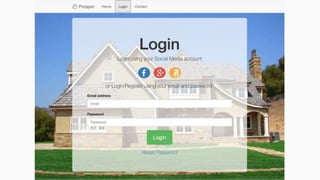
● Web
○ Web Application Scaffolding
○ Html, Css, Javascript
○ Delivered from CloudFront / S3 Bucket
Lambda Micro Service
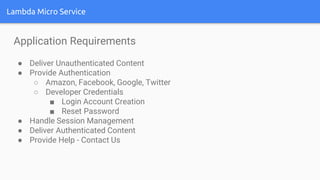
Application Requirements
● Deliver Unauthenticated Content
● Provide Authentication
○ Amazon, Facebook, Google, Twitter
○ Developer Credentials
■ Login Account Creation
■ Reset Password
● Handle Session Management
● Deliver Authenticated Content
● Provide Help - Contact Us
Lambda Micro Service
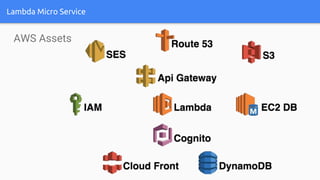
AWS Assets
Lambda
is a service that will allow you to run little
self contained snippets of JS, Java or
Python to do discrete tasks.
API Gateway
Proxy your apps API through this so you can
throttle bad client traffic, test new
versions, and present methods more
cleanly.
Cognito
OAuth as a service, give end users - (non AWS) - the
ability to log in with Google, Facebook, etc.
Amazon Cloudfront
Make your websites load faster by spreading out static
file delivery to be closer to where your users are.
Route 53
Manage DNS records and purchase domains.
Lambda Micro Service
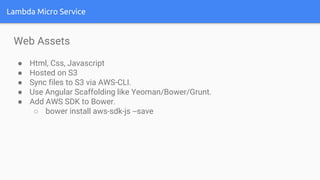
Web Assets
● Html, Css, Javascript
● Hosted on S3
● Sync files to S3 via AWS-CLI.
● Use Angular Scaffolding like Yeoman/Bower/Grunt.
● Add AWS SDK to Bower.
○ bower install aws-sdk-js --save
Lambda Micro Service
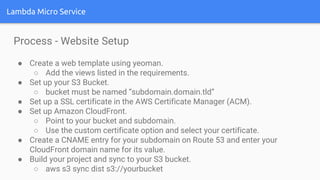
Process - Website Setup
● Create a web template using yeoman.
○ Add the views listed in the requirements.
● Set up your S3 Bucket.
○ bucket must be named “subdomain.domain.tld”
● Set up a SSL certificate in the AWS Certificate Manager (ACM).
● Set up Amazon CloudFront.
○ Point to your bucket and subdomain.
○ Use the custom certificate option and select your certificate.
● Create a CNAME entry for your subdomain on Route 53 and enter your
CloudFront domain name for its value.
● Build your project and sync to your S3 bucket.
○ aws s3 sync dist s3://yourbucket
Lambda Micro Service
Process - Social Integrations
● Set up your application on Amazon Login, Facebook, etc.
○ Add your authorized site or javascript origins.
○ Add your Valid OAuth return URLs.
○ Some will even accept your localhost for testing.
● Download sample OAuth scripts from the providers.
○ Instructions for setting up the scripts can be found online.
○ Place the download scripts in your index.html and the returnToken
scripts in your scripts.js file.
○ Test your authorizations, you should be able to return token and fetch
user info.
Lambda Micro Service
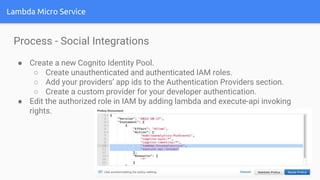
Process - Social Integrations
● Create a new Cognito Identity Pool.
○ Create unauthenticated and authenticated IAM roles.
○ Add your providers’ app ids to the Authentication Providers section.
○ Create a custom provider for your developer authentication.
● Edit the authorized role in IAM by adding lambda and execute-api invoking
rights.
Lambda Micro Service
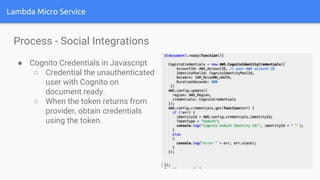
Process - Social Integrations
● Cognito Credentials in Javascript
○ Credential the unauthenticated
user with Cognito on
document ready.
○ When the token returns from
provider, obtain credentials
using the token.
Lambda Micro Service
Process - Lambda Function
● Create login Lambda function
○ Click “Create a Lambda function”.
○ Select simple-mobile-backend.
○ Name the function “DeveloperLogin”.
○ Under Role, select the suggested “Basic with DynamoDB”.
○ A new IAM Role will be created, click allow.
○ Leave the memory and timeout settings alone for now.
○ Then you will see….
A new section to configure Lambda to
access resources, such as EC2
databases, within your VPC!
Lambda Micro Service
Process - Lambda Functions
○ Select “no vpc”.
○ Click next and create function.
● Open the new Lambda_Dynamo role in IAM and attach the policy named
“AmazonCognitoDeveloperAuthenticatedIdentities”.
● Create a table for logins in DynamoDB to store your email and hashed
password, use email as the key.
● Create another table to store keys to retrieve lost passwords.
● Return to the Lambda function and create a test event.
Lambda Micro Service
Process - Lambda Functions
Test Event Parameters
{
"email": "beck@r.com",
"password": "anythingbutpassword",
"operation": "login"
}
Lambda Micro Service
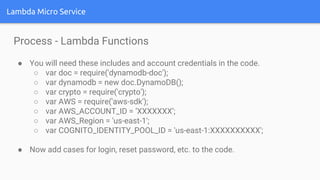
Process - Lambda Functions
● You will need these includes and account credentials in the code.
○ var doc = require('dynamodb-doc');
○ var dynamodb = new doc.DynamoDB();
○ var crypto = require('crypto');
○ var AWS = require('aws-sdk');
○ var AWS_ACCOUNT_ID = ‘XXXXXXX’;
○ var AWS_Region = 'us-east-1';
○ var COGNITO_IDENTITY_POOL_ID = 'us-east-1:XXXXXXXXXX';
● Now add cases for login, reset password, etc. to the code.
Lambda Micro Service
Process - Lambda Functions
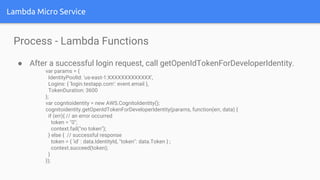
● After a successful login request, call getOpenIdTokenForDeveloperIdentity.
var params = {
IdentityPoolId: 'us-east-1:XXXXXXXXXXXXX',
Logins: { 'login.testapp.com': event.email },
TokenDuration: 3600
};
var cognitoidentity = new AWS.CognitoIdentity();
cognitoidentity.getOpenIdTokenForDeveloperIdentity(params, function(err, data) {
if (err){ // an error occurred
token = "0";
context.fail("no token");
} else { // successful response
token = { 'id' : data.IdentityId, "token": data.Token } ;
context.succeed(token);
}
});
Lambda Micro Service
Process - Lambda Functions
● Create another Lambda function with “Basic with DynamoDB” as a template
and attach SES sending privileges to your role.
● Create functions in your code for sending password resets and emails to
your customer service ticket system.
● Create another Lambda function to be return your “Authorized Content”.
○ Use the lambda-micro-service template.
○ Set up test event parameters.
Lambda Micro Service
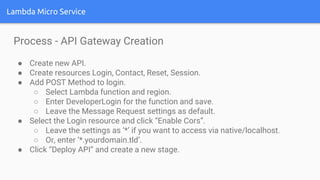
Process - API Gateway Creation
● Create new API.
● Create resources Login, Contact, Reset, Session.
● Add POST Method to login.
○ Select Lambda function and region.
○ Enter DeveloperLogin for the function and save.
○ Leave the Message Request settings as default.
● Select the Login resource and click “Enable Cors”.
○ Leave the settings as ‘*’ if you want to access via native/localhost.
○ Or, enter ‘*.yourdomain.tld’.
● Click “Deploy API” and create a new stage.
Lambda Micro Service
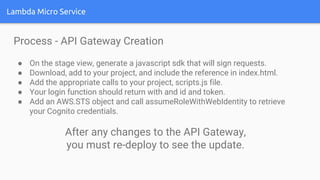
Process - API Gateway Creation
● On the stage view, generate a javascript sdk that will sign requests.
● Download, add to your project, and include the reference in index.html.
● Add the appropriate calls to your project, scripts.js file.
● Your login function should return with and id and token.
● Add an AWS.STS object and call assumeRoleWithWebIdentity to retrieve
your Cognito credentials.
After any changes to the API Gateway,
you must re-deploy to see the update.
Lambda Micro Service
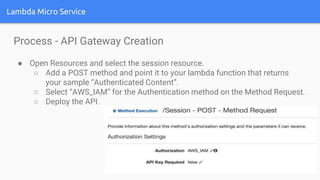
Process - API Gateway Creation
● Open Resources and select the session resource.
○ Add a POST method and point it to your lambda function that returns
your sample “Authenticated Content”.
○ Select “AWS_IAM” for the Authentication method on the Method Request.
○ Deploy the API.
Lambda Micro Service
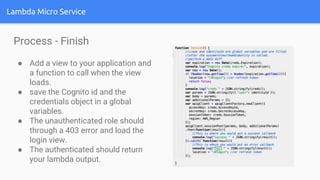
Process - Finish
● Add a view to your application and
a function to call when the view
loads.
● save the Cognito id and the
credentials object in a global
variables.
● The unauthenticated role should
through a 403 error and load the
login view.
● The authenticated should return
your lambda output.
Lambda Micro Service
Findings
1. I don’t recommend attaching an API Gateway via the Lambda interface. Use
the Api Gateway.
2. Api Gateway Resources
a. It would be useful view/edit existing CORS settings.
b. Deploy after each change, or you won’t see it on your endpoint.
3. I was able to use the same microservice with my native application, as well
as this web application.
4. With VPC, The possibilities with Lambda integration are endless.
Lambda Micro Service
Links
● https://github.com/aws/aws-sdk-js
● http://yeoman.io/
● https://blogs.aws.amazon.com/javascript/post/Tx1F7FO6GDAIXD3/Authentication-
with-Amazon-Cognito-in-the-Browser
● http://docs.aws.amazon.com/cognito/devguide/identity/developer-authenticated-
identities/
● http://backspace.technology/learn-aws-cognito-id.html
● http://docs.aws.amazon.com/apigateway/latest/developerguide/use-custom-
authorizer.html
● http://www.slideshare.net/AmazonWebServices/dev203-amazon-api-gateway-aws-
lambda-to-build-secure-apis
● https://auth0.com/docs/integrations/aws-api-gateway/part-1
● http://cloudacademy.com/blog/amazon-cognito-manage-mobile-data/
Questions
???
Thank You

Lamdba micro service using Amazon Api Gateway

  • 1.
    Lamba Micro Service using AmazonApi Gateway For Web Applications
  • 2.
    About Us Mike Becker Founder/CTO - Wise Agent University of Technology - 2000 Multi Instrumentalist - Guitars, Sax, Piano, Drums, Vocals Internet Credentialed Reverend - 11 weddings officiated Eleni Sommerschield COO - Wise Agent DePaul University - 2000 Fluent in Greek Enjoys spending time with family and friends
  • 3.
    Lambda Micro Service 1.Application Delivery 2. Application Requirements 3. AWS Assets 4. Web Assets 5. Process 6. Findings
  • 4.
    Lambda Micro Service ApplicationDelivery ● Native ○ iOS ○ Android ○ Xamarin ● Web ○ Web Application Scaffolding ○ Html, Css, Javascript ○ Delivered from CloudFront / S3 Bucket
  • 5.
    Lambda Micro Service ApplicationRequirements ● Deliver Unauthenticated Content ● Provide Authentication ○ Amazon, Facebook, Google, Twitter ○ Developer Credentials ■ Login Account Creation ■ Reset Password ● Handle Session Management ● Deliver Authenticated Content ● Provide Help - Contact Us
  • 6.
  • 7.
    Lambda is a servicethat will allow you to run little self contained snippets of JS, Java or Python to do discrete tasks.
  • 8.
    API Gateway Proxy yourapps API through this so you can throttle bad client traffic, test new versions, and present methods more cleanly.
  • 9.
    Cognito OAuth as aservice, give end users - (non AWS) - the ability to log in with Google, Facebook, etc.
  • 10.
    Amazon Cloudfront Make yourwebsites load faster by spreading out static file delivery to be closer to where your users are.
  • 11.
    Route 53 Manage DNSrecords and purchase domains.
  • 12.
    Lambda Micro Service WebAssets ● Html, Css, Javascript ● Hosted on S3 ● Sync files to S3 via AWS-CLI. ● Use Angular Scaffolding like Yeoman/Bower/Grunt. ● Add AWS SDK to Bower. ○ bower install aws-sdk-js --save
  • 13.
    Lambda Micro Service Process- Website Setup ● Create a web template using yeoman. ○ Add the views listed in the requirements. ● Set up your S3 Bucket. ○ bucket must be named “subdomain.domain.tld” ● Set up a SSL certificate in the AWS Certificate Manager (ACM). ● Set up Amazon CloudFront. ○ Point to your bucket and subdomain. ○ Use the custom certificate option and select your certificate. ● Create a CNAME entry for your subdomain on Route 53 and enter your CloudFront domain name for its value. ● Build your project and sync to your S3 bucket. ○ aws s3 sync dist s3://yourbucket
  • 15.
    Lambda Micro Service Process- Social Integrations ● Set up your application on Amazon Login, Facebook, etc. ○ Add your authorized site or javascript origins. ○ Add your Valid OAuth return URLs. ○ Some will even accept your localhost for testing. ● Download sample OAuth scripts from the providers. ○ Instructions for setting up the scripts can be found online. ○ Place the download scripts in your index.html and the returnToken scripts in your scripts.js file. ○ Test your authorizations, you should be able to return token and fetch user info.
  • 16.
    Lambda Micro Service Process- Social Integrations ● Create a new Cognito Identity Pool. ○ Create unauthenticated and authenticated IAM roles. ○ Add your providers’ app ids to the Authentication Providers section. ○ Create a custom provider for your developer authentication. ● Edit the authorized role in IAM by adding lambda and execute-api invoking rights.
  • 17.
    Lambda Micro Service Process- Social Integrations ● Cognito Credentials in Javascript ○ Credential the unauthenticated user with Cognito on document ready. ○ When the token returns from provider, obtain credentials using the token.
  • 18.
    Lambda Micro Service Process- Lambda Function ● Create login Lambda function ○ Click “Create a Lambda function”. ○ Select simple-mobile-backend. ○ Name the function “DeveloperLogin”. ○ Under Role, select the suggested “Basic with DynamoDB”. ○ A new IAM Role will be created, click allow. ○ Leave the memory and timeout settings alone for now. ○ Then you will see….
  • 19.
    A new sectionto configure Lambda to access resources, such as EC2 databases, within your VPC!
  • 20.
    Lambda Micro Service Process- Lambda Functions ○ Select “no vpc”. ○ Click next and create function. ● Open the new Lambda_Dynamo role in IAM and attach the policy named “AmazonCognitoDeveloperAuthenticatedIdentities”. ● Create a table for logins in DynamoDB to store your email and hashed password, use email as the key. ● Create another table to store keys to retrieve lost passwords. ● Return to the Lambda function and create a test event.
  • 21.
    Lambda Micro Service Process- Lambda Functions Test Event Parameters { "email": "beck@r.com", "password": "anythingbutpassword", "operation": "login" }
  • 22.
    Lambda Micro Service Process- Lambda Functions ● You will need these includes and account credentials in the code. ○ var doc = require('dynamodb-doc'); ○ var dynamodb = new doc.DynamoDB(); ○ var crypto = require('crypto'); ○ var AWS = require('aws-sdk'); ○ var AWS_ACCOUNT_ID = ‘XXXXXXX’; ○ var AWS_Region = 'us-east-1'; ○ var COGNITO_IDENTITY_POOL_ID = 'us-east-1:XXXXXXXXXX'; ● Now add cases for login, reset password, etc. to the code.
  • 23.
    Lambda Micro Service Process- Lambda Functions ● After a successful login request, call getOpenIdTokenForDeveloperIdentity. var params = { IdentityPoolId: 'us-east-1:XXXXXXXXXXXXX', Logins: { 'login.testapp.com': event.email }, TokenDuration: 3600 }; var cognitoidentity = new AWS.CognitoIdentity(); cognitoidentity.getOpenIdTokenForDeveloperIdentity(params, function(err, data) { if (err){ // an error occurred token = "0"; context.fail("no token"); } else { // successful response token = { 'id' : data.IdentityId, "token": data.Token } ; context.succeed(token); } });
  • 24.
    Lambda Micro Service Process- Lambda Functions ● Create another Lambda function with “Basic with DynamoDB” as a template and attach SES sending privileges to your role. ● Create functions in your code for sending password resets and emails to your customer service ticket system. ● Create another Lambda function to be return your “Authorized Content”. ○ Use the lambda-micro-service template. ○ Set up test event parameters.
  • 25.
    Lambda Micro Service Process- API Gateway Creation ● Create new API. ● Create resources Login, Contact, Reset, Session. ● Add POST Method to login. ○ Select Lambda function and region. ○ Enter DeveloperLogin for the function and save. ○ Leave the Message Request settings as default. ● Select the Login resource and click “Enable Cors”. ○ Leave the settings as ‘*’ if you want to access via native/localhost. ○ Or, enter ‘*.yourdomain.tld’. ● Click “Deploy API” and create a new stage.
  • 26.
    Lambda Micro Service Process- API Gateway Creation ● On the stage view, generate a javascript sdk that will sign requests. ● Download, add to your project, and include the reference in index.html. ● Add the appropriate calls to your project, scripts.js file. ● Your login function should return with and id and token. ● Add an AWS.STS object and call assumeRoleWithWebIdentity to retrieve your Cognito credentials. After any changes to the API Gateway, you must re-deploy to see the update.
  • 27.
    Lambda Micro Service Process- API Gateway Creation ● Open Resources and select the session resource. ○ Add a POST method and point it to your lambda function that returns your sample “Authenticated Content”. ○ Select “AWS_IAM” for the Authentication method on the Method Request. ○ Deploy the API.
  • 28.
    Lambda Micro Service Process- Finish ● Add a view to your application and a function to call when the view loads. ● save the Cognito id and the credentials object in a global variables. ● The unauthenticated role should through a 403 error and load the login view. ● The authenticated should return your lambda output.
  • 29.
    Lambda Micro Service Findings 1.I don’t recommend attaching an API Gateway via the Lambda interface. Use the Api Gateway. 2. Api Gateway Resources a. It would be useful view/edit existing CORS settings. b. Deploy after each change, or you won’t see it on your endpoint. 3. I was able to use the same microservice with my native application, as well as this web application. 4. With VPC, The possibilities with Lambda integration are endless.

  • 30.
    Lambda Micro Service Links ●https://github.com/aws/aws-sdk-js ● http://yeoman.io/ ● https://blogs.aws.amazon.com/javascript/post/Tx1F7FO6GDAIXD3/Authentication- with-Amazon-Cognito-in-the-Browser ● http://docs.aws.amazon.com/cognito/devguide/identity/developer-authenticated- identities/ ● http://backspace.technology/learn-aws-cognito-id.html ● http://docs.aws.amazon.com/apigateway/latest/developerguide/use-custom- authorizer.html ● http://www.slideshare.net/AmazonWebServices/dev203-amazon-api-gateway-aws- lambda-to-build-secure-apis ● https://auth0.com/docs/integrations/aws-api-gateway/part-1 ● http://cloudacademy.com/blog/amazon-cognito-manage-mobile-data/
  • 31.
  • 32.

Editor's Notes

  • #14 Create Template Set up bucket subdomain.domain.tld set up cloudfront and ssl certificate Create cname in your DNS / Route53