Kubernetes Day 2 @ ZSE Energia, a.s.
Miro Toma
November 10th, 2021
About
Me
• IT nerd since the dawn of time
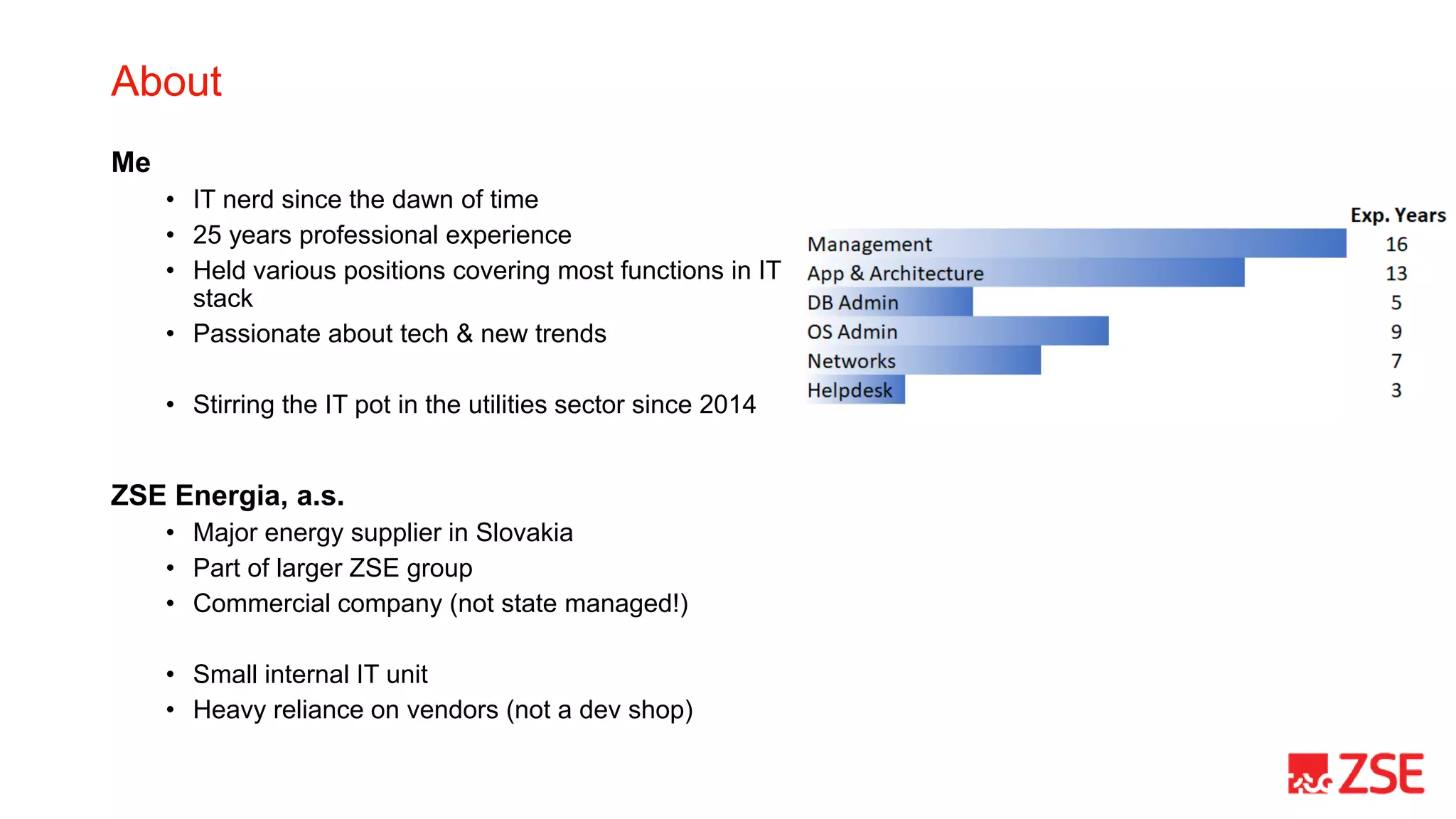
• 25 years professional experience
• Held various positions covering most functions in IT
stack
• Passionate about tech & new trends
• Stirring the IT pot in the utilities sector since 2014
ZSE Energia, a.s.
• Major energy supplier in Slovakia
• Part of larger ZSE group
• Commercial company (not state managed!)
• Small internal IT unit
• Heavy reliance on vendors (not a dev shop)
The (somewhat) accelerated journey
Day 0 & 1 - Now or never
• K8s incepted as a target platform for an
ongoing high-profile project
• Severely limited infrastructure support
capacities (human) at the time [couldn’t
deploy on ‘classic’ VMs]
• Anticipated uptime requirements
Day 2 start – Apr 2019
• ingress
• logs (Fluentd, Elasticsearch, Kibana)
• 1 app namespace
• no native monitoring* (!DON’T!)
* trivial heartbeat monitoring with Zabbix
Later that (2nd) day..
• elasticsearch->opendistro->opensearch
• fluentd->fluent-bit
• vendor namespaces (SaaS model with ‘our’
infrastructure)
• calico (cluster reinstall)
• cert-manager
• prometheus/alert manager/grafana
• real backups (!)
• zookeeper
• kafka
Day 0 to Day 2 in <6 months
Backups
• “CI/CD pipeline will take care of the cluster rebuild“
• Until it won’t:
• persistent volumes
• manual tweaks (don’t !)
• ..
• Solutions exist to take whole-cluster backups, including volumes
• Use-case – migrate cluster between cloud subscriptions
• migration supported by cloud vendor for majority of resources
• but not Kubernetes (!)
• 4 hours vs. multi-month project
Don’t Question Your Vendor’s Infrastructure Sizing
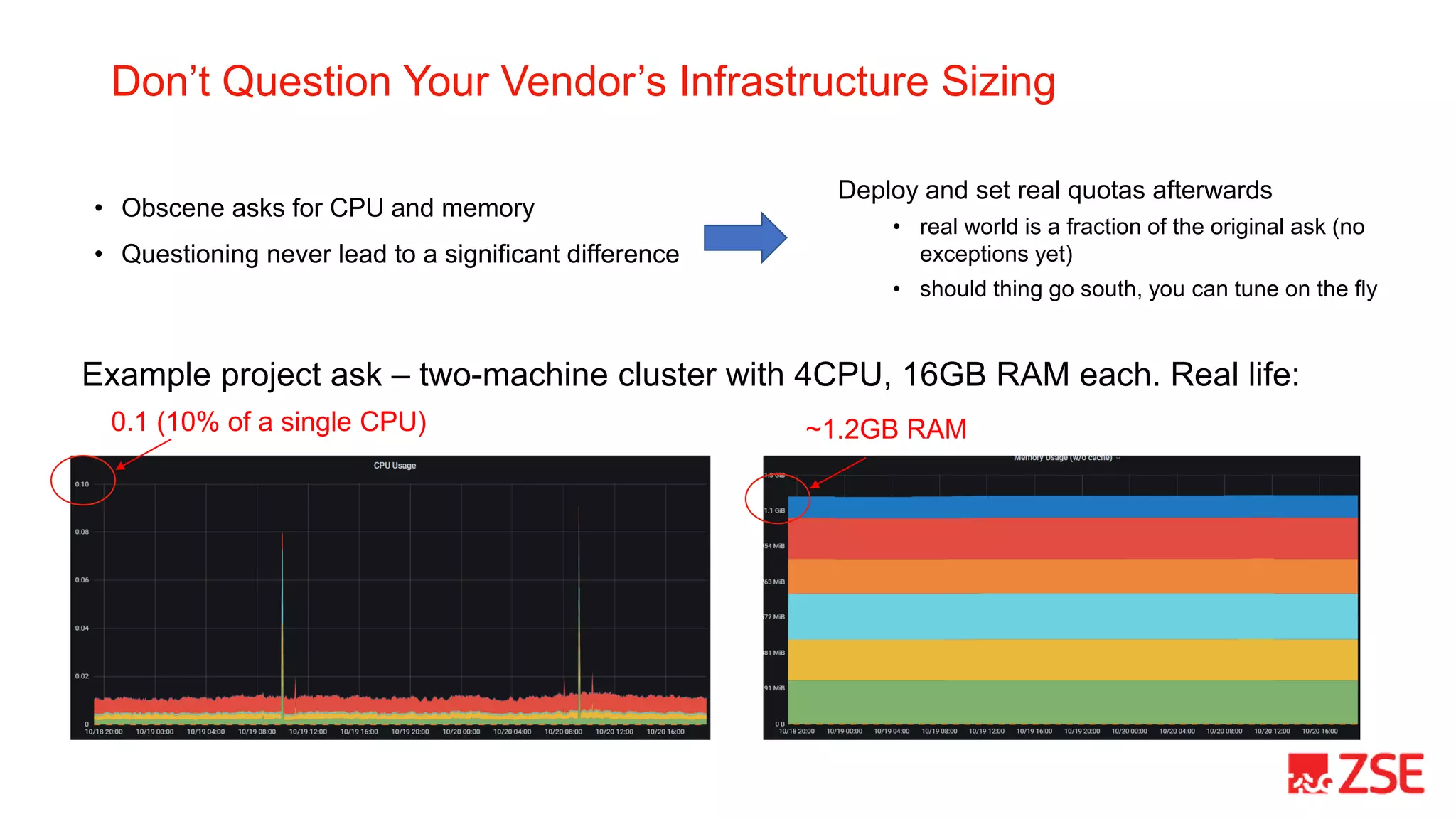
• Obscene asks for CPU and memory
• Questioning never lead to a significant difference
0.1 (10% of a single CPU) ~1.2GB RAM
Example project ask – two-machine cluster with 4CPU, 16GB RAM each. Real life:
Deploy and set real quotas afterwards
• real world is a fraction of the original ask (no
exceptions yet)
• should thing go south, you can tune on the fly
Budget for Disruptions, Promote ‘Aversion’
• Define disruption budgets (religiously)
• beta since 1.5; prod from 1.21
• your app won’t potentially disappear on a node drain
• Strive to distribute pods across multiple nodes
• use podAntiAffinity as a rule
• consider using descheduler
• Sample scenario (real life):
1. all ingress pods eventually ended up running on a single node
2. drain the specific node hosting all ingress pods
3. no ingress (i.e. ‘cluster is down’) for a non-insignificant moment
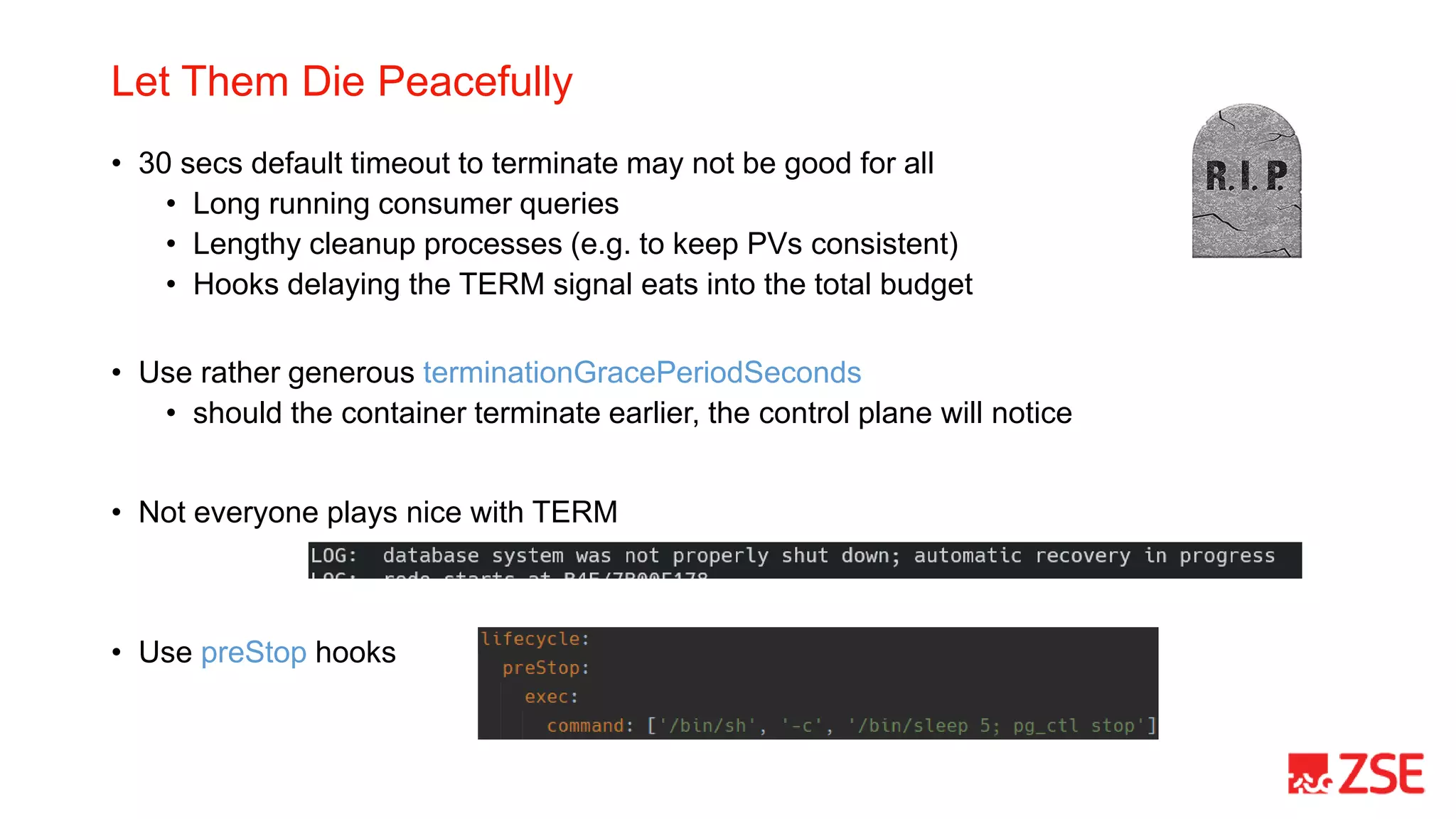
Let Them Die Peacefully
• 30 secs default timeout to terminate may not be good for all
• Long running consumer queries
• Lengthy cleanup processes (e.g. to keep PVs consistent)
• Hooks delaying the TERM signal eats into the total budget
• Use rather generous terminationGracePeriodSeconds
• should the container terminate earlier, the control plane will notice
• Not everyone plays nice with TERM
• Use preStop hooks
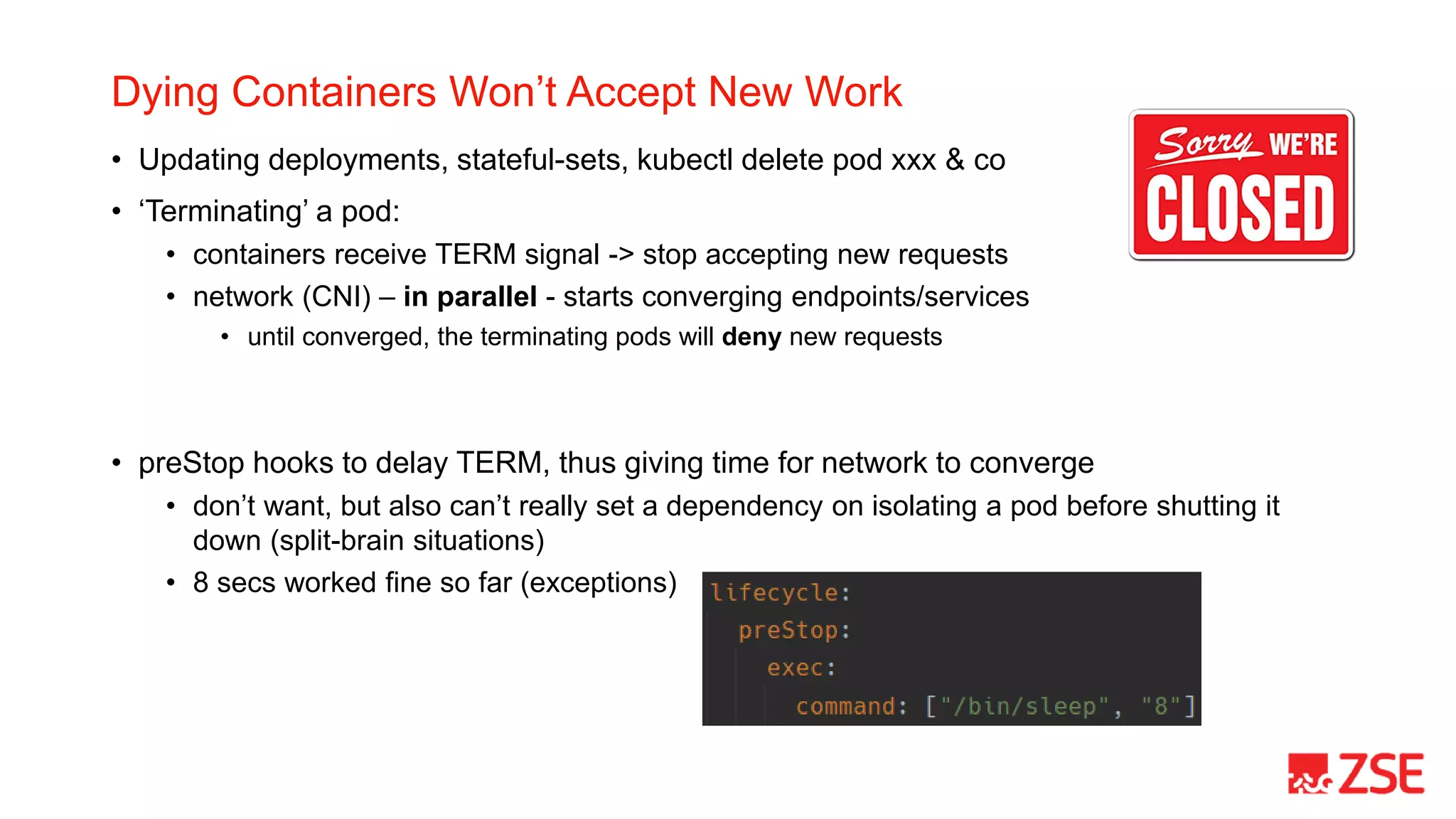
Dying Containers Won’t Accept New Work
• Updating deployments, stateful-sets, kubectl delete pod xxx & co
• ‘Terminating’ a pod:
• containers receive TERM signal -> stop accepting new requests
• network (CNI) – in parallel - starts converging endpoints/services
• until converged, the terminating pods will deny new requests
• preStop hooks to delay TERM, thus giving time for network to converge
• don’t want, but also can’t really set a dependency on isolating a pod before shutting it
down (split-brain situations)
• 8 secs worked fine so far (exceptions)
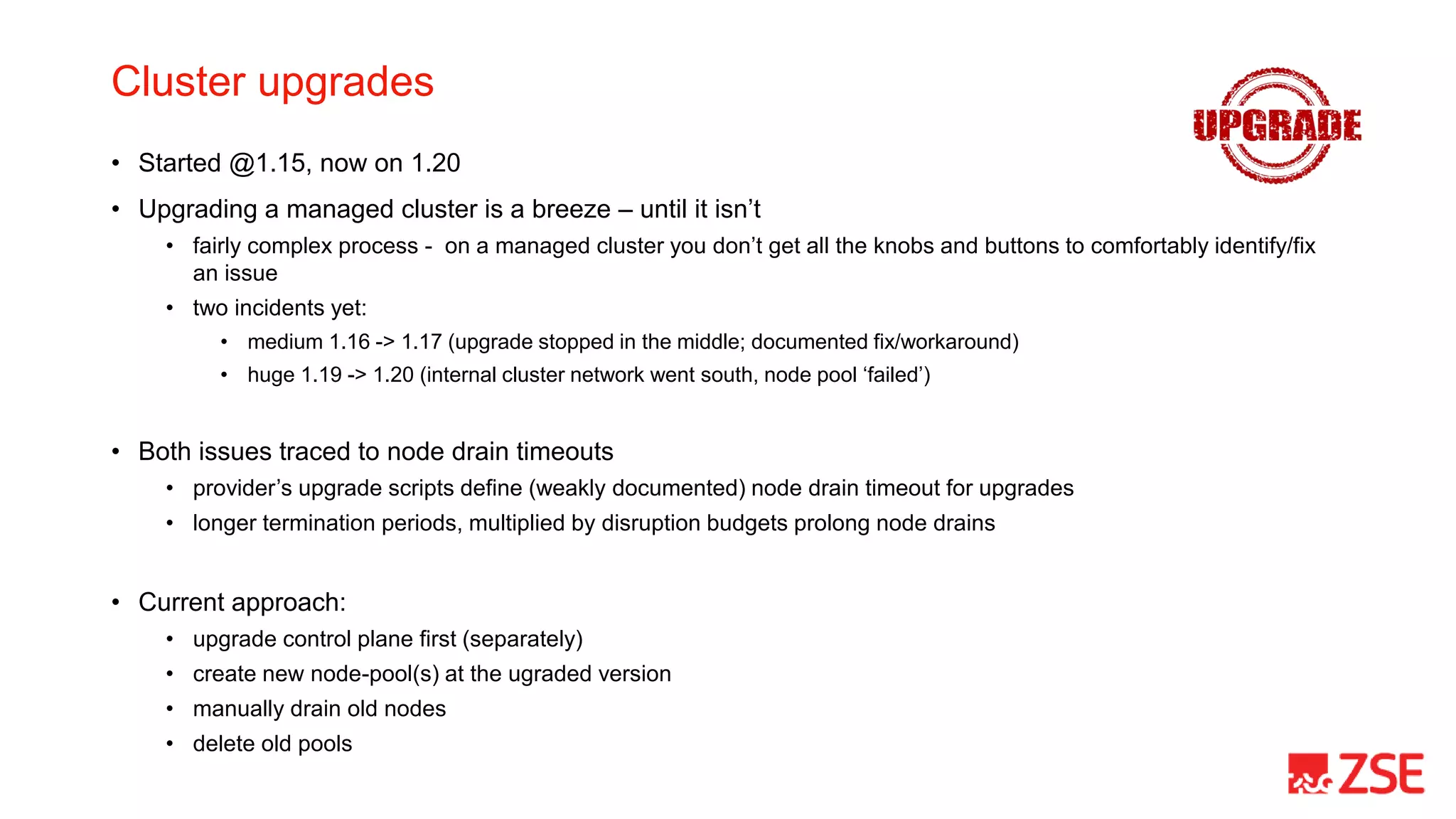
Cluster upgrades
• Started @1.15, now on 1.20
• Upgrading a managed cluster is a breeze – until it isn’t
• fairly complex process - on a managed cluster you don’t get all the knobs and buttons to comfortably identify/fix
an issue
• two incidents yet:
• medium 1.16 -> 1.17 (upgrade stopped in the middle; documented fix/workaround)
• huge 1.19 -> 1.20 (internal cluster network went south, node pool ‘failed’)
• Both issues traced to node drain timeouts
• provider’s upgrade scripts define (weakly documented) node drain timeout for upgrades
• longer termination periods, multiplied by disruption budgets prolong node drains
• Current approach:
• upgrade control plane first (separately)
• create new node-pool(s) at the ugraded version
• manually drain old nodes
• delete old pools
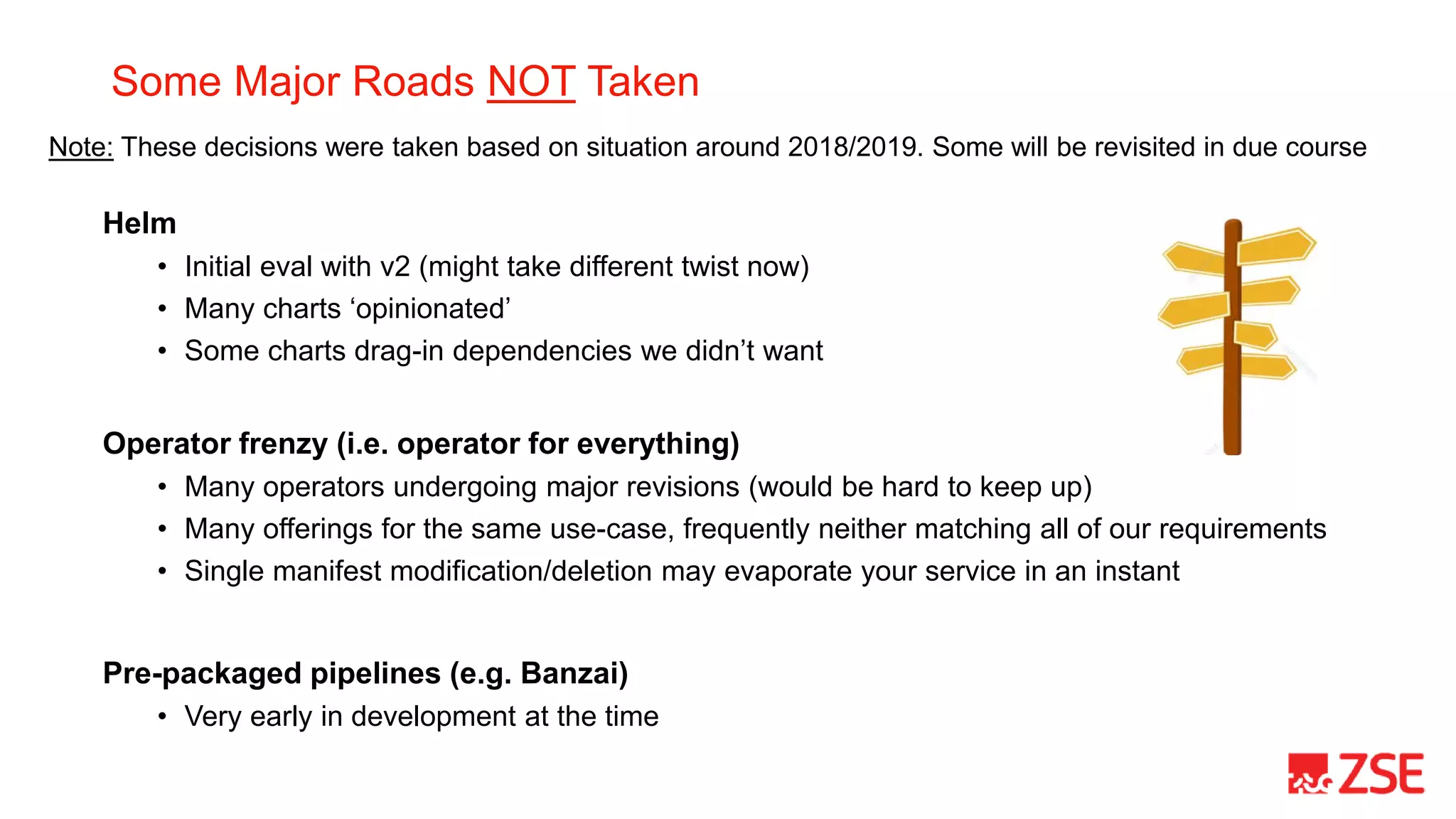
Some Major Roads NOT Taken
Helm
• Initial eval with v2 (might take different twist now)
• Many charts ‘opinionated’
• Some charts drag-in dependencies we didn’t want
Operator frenzy (i.e. operator for everything)
• Many operators undergoing major revisions (would be hard to keep up)
• Many offerings for the same use-case, frequently neither matching all of our requirements
• Single manifest modification/deletion may evaporate your service in an instant
Pre-packaged pipelines (e.g. Banzai)
• Very early in development at the time
Note: These decisions were taken based on situation around 2018/2019. Some will be revisited in due course
Some More Takeaways
• Don’t rush Day 2
• Dedicate resources for day 0 & 1
• Day-to-day ops are surprisingly modest
• Adoption by ‘traditional’ IT departments may be a journey on its own…
• Local market uptake for K8s (still) lagging
• pushing & training vendors for adoption of k8s
• some vendors still ‘resist’, but some became proponents
• Stay cloud-agnostic
• minimize utilization of cloud-specific services
Thanks

Kubernetes day 2 @ zse energia

  • 1.
    Kubernetes Day 2@ ZSE Energia, a.s. Miro Toma November 10th, 2021
  • 2.
    About Me • IT nerdsince the dawn of time • 25 years professional experience • Held various positions covering most functions in IT stack • Passionate about tech & new trends • Stirring the IT pot in the utilities sector since 2014 ZSE Energia, a.s. • Major energy supplier in Slovakia • Part of larger ZSE group • Commercial company (not state managed!) • Small internal IT unit • Heavy reliance on vendors (not a dev shop)
  • 3.
    The (somewhat) acceleratedjourney Day 0 & 1 - Now or never • K8s incepted as a target platform for an ongoing high-profile project • Severely limited infrastructure support capacities (human) at the time [couldn’t deploy on ‘classic’ VMs] • Anticipated uptime requirements Day 2 start – Apr 2019 • ingress • logs (Fluentd, Elasticsearch, Kibana) • 1 app namespace • no native monitoring* (!DON’T!) * trivial heartbeat monitoring with Zabbix Later that (2nd) day.. • elasticsearch->opendistro->opensearch • fluentd->fluent-bit • vendor namespaces (SaaS model with ‘our’ infrastructure) • calico (cluster reinstall) • cert-manager • prometheus/alert manager/grafana • real backups (!) • zookeeper • kafka Day 0 to Day 2 in <6 months
  • 4.
    Backups • “CI/CD pipelinewill take care of the cluster rebuild“ • Until it won’t: • persistent volumes • manual tweaks (don’t !) • .. • Solutions exist to take whole-cluster backups, including volumes • Use-case – migrate cluster between cloud subscriptions • migration supported by cloud vendor for majority of resources • but not Kubernetes (!) • 4 hours vs. multi-month project
  • 5.
    Don’t Question YourVendor’s Infrastructure Sizing • Obscene asks for CPU and memory • Questioning never lead to a significant difference 0.1 (10% of a single CPU) ~1.2GB RAM Example project ask – two-machine cluster with 4CPU, 16GB RAM each. Real life: Deploy and set real quotas afterwards • real world is a fraction of the original ask (no exceptions yet) • should thing go south, you can tune on the fly
  • 6.
    Budget for Disruptions,Promote ‘Aversion’ • Define disruption budgets (religiously) • beta since 1.5; prod from 1.21 • your app won’t potentially disappear on a node drain • Strive to distribute pods across multiple nodes • use podAntiAffinity as a rule • consider using descheduler • Sample scenario (real life): 1. all ingress pods eventually ended up running on a single node 2. drain the specific node hosting all ingress pods 3. no ingress (i.e. ‘cluster is down’) for a non-insignificant moment
  • 7.
    Let Them DiePeacefully • 30 secs default timeout to terminate may not be good for all • Long running consumer queries • Lengthy cleanup processes (e.g. to keep PVs consistent) • Hooks delaying the TERM signal eats into the total budget • Use rather generous terminationGracePeriodSeconds • should the container terminate earlier, the control plane will notice • Not everyone plays nice with TERM • Use preStop hooks
  • 8.
    Dying Containers Won’tAccept New Work • Updating deployments, stateful-sets, kubectl delete pod xxx & co • ‘Terminating’ a pod: • containers receive TERM signal -> stop accepting new requests • network (CNI) – in parallel - starts converging endpoints/services • until converged, the terminating pods will deny new requests • preStop hooks to delay TERM, thus giving time for network to converge • don’t want, but also can’t really set a dependency on isolating a pod before shutting it down (split-brain situations) • 8 secs worked fine so far (exceptions)
  • 9.
    Cluster upgrades • Started@1.15, now on 1.20 • Upgrading a managed cluster is a breeze – until it isn’t • fairly complex process - on a managed cluster you don’t get all the knobs and buttons to comfortably identify/fix an issue • two incidents yet: • medium 1.16 -> 1.17 (upgrade stopped in the middle; documented fix/workaround) • huge 1.19 -> 1.20 (internal cluster network went south, node pool ‘failed’) • Both issues traced to node drain timeouts • provider’s upgrade scripts define (weakly documented) node drain timeout for upgrades • longer termination periods, multiplied by disruption budgets prolong node drains • Current approach: • upgrade control plane first (separately) • create new node-pool(s) at the ugraded version • manually drain old nodes • delete old pools
  • 10.
    Some Major RoadsNOT Taken Helm • Initial eval with v2 (might take different twist now) • Many charts ‘opinionated’ • Some charts drag-in dependencies we didn’t want Operator frenzy (i.e. operator for everything) • Many operators undergoing major revisions (would be hard to keep up) • Many offerings for the same use-case, frequently neither matching all of our requirements • Single manifest modification/deletion may evaporate your service in an instant Pre-packaged pipelines (e.g. Banzai) • Very early in development at the time Note: These decisions were taken based on situation around 2018/2019. Some will be revisited in due course
  • 11.
    Some More Takeaways •Don’t rush Day 2 • Dedicate resources for day 0 & 1 • Day-to-day ops are surprisingly modest • Adoption by ‘traditional’ IT departments may be a journey on its own… • Local market uptake for K8s (still) lagging • pushing & training vendors for adoption of k8s • some vendors still ‘resist’, but some became proponents • Stay cloud-agnostic • minimize utilization of cloud-specific services
  • 12.